The Apple Watch Series 3 is the model many people remember as the moment the Apple Watch stopped feeling experimental and started feeling mainstream. It was released in 2017, at a time when Apple was shifting the Watch from a notification accessory into a genuinely independent health and fitness device. If you are looking at one today, you are really asking two questions at once: what it originally represented, and how much of that still holds up now.
This model matters historically because it introduced cellular connectivity to the Apple Watch lineup. For the first time, you could make calls, stream Apple Music, and receive messages without your iPhone nearby, at least in theory. Apple also kept selling the Series 3 for years after newer models arrived, turning it into the company’s de facto budget Apple Watch and making it one of the longest-running models in Apple’s wearable history.
Today, the Series 3 sits at the very bottom of the Apple Watch family tree. It is officially discontinued, no longer receives major software updates, and exists mainly on the second-hand market. Understanding where it came from makes it easier to judge whether it still fits into the modern Apple ecosystem or if it belongs firmly in the past.
Where the Series 3 fits in Apple Watch evolution
The Series 3 arrived alongside the iPhone X era, when Apple was aggressively pushing custom silicon. It was powered by the S3 chip, a noticeable leap at the time that made animations smoother and apps faster compared to Series 1 and Series 2. In 2017, that performance boost was enough to make the Watch feel responsive rather than patient-testing.
🏆 #1 Best Overall
![Apple Watch SE 3 [GPS 40mm] Smartwatch with Starlight Aluminum Case with Starlight Sport Band - S/M. Fitness and Sleep Trackers, Heart Rate Monitor, Always-On Display, Water Resistant](https://m.media-amazon.com/images/I/31YiTby0pOL._SL160_.jpg)
- HEALTH ESSENTIALS — Temperature sensing enables richer insights in the Vitals app* and retrospective ovulation estimates.* You’ll also get a daily sleep score, sleep apnea notifications,* and be alerted if you have a high or low heart rate or an irregular rhythm.*
- GREAT BATTERY LIFE — Enjoy all-day, 18-hour battery life. Then charge up to twice as fast as SE 2* and get up to 8 hours of battery in just 15 minutes.*
- ALWAYS-ON DISPLAY — Now you can read the time and see the watch face without raising your wrist to wake the display.
- A GREAT FITNESS PARTNER — SE 3 gives you a healthy number of ways to track your workouts. With real-time metrics and Workout Buddy powered by Apple Intelligence from your nearby iPhone,* you’ll hit your goals like never before.
- STAY CONNECTED — Send a text, take a call, listen to music and podcasts, use Siri, and get notifications. SE 3 (GPS) works with your iPhone or Wi-Fi to keep you connected.
Design-wise, it looks almost identical to earlier Apple Watches. You get the same rounded rectangular case, the Digital Crown, and two size options: 38mm and 42mm. Materials included aluminum for GPS and cellular models, with stainless steel reserved for higher-priced cellular versions, all paired with Apple’s familiar sport bands and classic strap compatibility.
What separates it historically is that Apple continued selling it well into the Series 5 and Series 6 era. That longevity made the Series 3 many people’s first Apple Watch, but it also meant the hardware aged quietly while software demands kept increasing.
What the Apple Watch Series 3 actually offers
At its core, the Series 3 is a basic Apple Watch experience frozen in time. It handles notifications, calls, messages, Apple Pay, and simple apps reliably enough. Daily activity tracking with rings, step counts, workouts, and calorie estimates are still present and easy to use.
Health features include optical heart rate tracking, basic cardio fitness estimates, and emergency SOS. There is no ECG, no blood oxygen tracking, no temperature sensing, and no advanced sleep metrics beyond simple duration tracking. Fitness tracking works best for walking, running, cycling, and gym sessions, but lacks newer metrics like running power or advanced heart rate recovery insights.
Battery life is rated at around 18 hours, and in real-world use that usually means one full day if the battery is still healthy. On second-hand units, battery wear is one of the biggest variables, and many Series 3 watches struggle to last a full day without charging.
Software support and modern compatibility reality
The Series 3 is capped at watchOS 8, which is where its age really shows. It no longer receives new features, interface updates, or security improvements tied to newer watchOS versions. Many third-party apps have stopped supporting watchOS 8 entirely, limiting what you can install today.
Pairing is still possible with many modern iPhones, but this is a fragile situation. As Apple continues updating iOS, the risk increases that future versions will drop compatibility with older watchOS releases. Even now, setup can be slower and more error-prone compared to newer models, especially during updates or restores.
This is also the model infamous for storage limitations. With just 8GB on GPS versions, software updates were often difficult even when it was new. That problem has not aged well, and it remains one of the most frustrating aspects of owning a Series 3 today.
How it compares to newer Apple Watches
Compared to even the Apple Watch SE (1st or 2nd generation), the Series 3 feels underpowered. The display is smaller with thicker bezels, the processor is dramatically slower, and the feature gap is obvious in daily use. Animations lag, apps load more slowly, and multitasking is limited.
Comfort and durability are still decent, especially with Apple’s sport bands, but newer models offer brighter displays, better scratch resistance, and improved water resistance ratings for long-term wear. The Series 3 remains fine for casual use, but it no longer feels future-proof in any meaningful way.
In Apple Watch history, the Series 3 represents a turning point that helped define the modern smartwatch category. In today’s lineup, it exists as a legacy device that can still function, but only if your expectations, budget, and tolerance for limitations are firmly grounded in reality.
Design, Sizes, and Wearability: How the Series 3 Feels Today
After talking about performance limits and software aging, the physical experience is where the Apple Watch Series 3 can still surprise people. Pick one up today, and it doesn’t feel cheap or unfinished, but it does feel unmistakably from an earlier Apple Watch era. The design is familiar, functional, and noticeably smaller than what Apple now considers the norm.
Case design and materials
The Series 3 uses the same rounded-square aluminum or stainless steel case design introduced with the original Apple Watch. Edges are more curved and softer than newer models, which some people actually find more comfortable against the wrist. Fit and finish remain solid, especially on well-kept units, but years of wear often show up as micro-scratches on the glass and casing.
Aluminum models were by far the most common and the ones you’ll encounter most often on the second-hand market. Stainless steel versions exist and feel more premium, but they are heavier and rarer, and battery wear tends to be more pronounced due to age. Either way, this is not a lightweight modern chassis by today’s Apple standards.
Sizes that now feel small
The Series 3 was sold in 38mm and 42mm sizes, which were once standard but now feel compact. The smaller display and thick bezels are immediately noticeable if you’re coming from an Apple Watch SE, Series 7, or newer. Text, notifications, and touch targets feel more cramped, especially for users with larger fingers or aging eyesight.
For people with smaller wrists, the 38mm model can still feel proportionate and comfortable. The 42mm version is generally the better choice for readability, but even that size feels modest compared to today’s 44mm, 45mm, and 49mm options. This size difference affects daily usability more than spec sheets suggest.
Display presence and visual aging
The OLED display still looks decent indoors, but brightness and contrast lag behind modern Apple Watches. Outdoors, especially in direct sunlight, it can be harder to glance at quickly. The thick black borders around the screen reinforce how much Apple has refined display-to-case ratios since then.
There is no always-on display, which means every interaction requires a wrist raise or tap. That behavior feels dated now and can make the watch feel less like a traditional timepiece and more like a small wrist computer that needs prompting. It works, but it’s not as seamless as newer models.
Buttons, crown, and everyday interaction
The Digital Crown and side button are mechanically reliable and still feel crisp on most units. LTE models are identifiable by the red dot on the crown, which some buyers like and others dislike. Scrolling and navigation feel slower not because of the hardware controls, but because of processor and software limitations discussed earlier.
Haptic feedback is present but less refined than on newer watches. Alerts are noticeable, though not as nuanced or customizable. For basic notifications and fitness prompts, it still gets the job done without feeling broken.
Strap compatibility and comfort
One of the Series 3’s biggest advantages is band compatibility. It works with Apple’s 38mm, 40mm, and 41mm bands for the smaller case, and 42mm, 44mm, and 45mm bands for the larger case. That means replacement straps are easy to find, including affordable third-party options.
With Apple’s Sport Band or Sport Loop, the Series 3 remains comfortable for all-day wear. The lighter weight compared to stainless steel models helps during sleep tracking or extended workouts. Comfort is not the problem here; perceived age is.
Thickness, weight, and long-term wear
The Series 3 is slightly thicker than newer models, though the difference is subtle on paper. On the wrist, it feels a bit bulkier and sits higher, especially compared to the Apple Watch SE or Series 9. This can matter if you wear long sleeves or prefer a watch that disappears under clothing.
For workouts, walking, and casual daily use, the weight distribution is still acceptable. Runners and gym users won’t find it uncomfortable, but the lack of newer fitness-focused refinements means it feels more basic than current options. It’s wearable all day, just not invisible.
Durability and water resistance today
Apple rated the Series 3 at 50 meters of water resistance, suitable for swimming when it was new. Years later, seals may be degraded, especially on heavily used units. Swimming with a second-hand Series 3 is a risk unless you trust its history.
The glass is more prone to scratches than newer Apple Watch models with improved materials. Aluminum cases also show wear more easily. Durability is acceptable for careful users, but it no longer has the resilience buffer of a new device.
Core Hardware and Performance: S3 Chip, Storage Limits, and Daily Use Reality
All of the comfort and durability caveats lead directly into the Series 3’s biggest reality check: its aging internal hardware. This is the point where the Apple Watch Series 3 stops feeling merely old and starts feeling constrained by design choices that no longer align with the modern Apple ecosystem.
Understanding what’s inside the Series 3 is essential, because this is where day-to-day usability either becomes “good enough” or quietly frustrating, depending on expectations.
The S3 chip: what it was, and what it feels like now
The Apple Watch Series 3 runs on Apple’s S3 dual-core processor, introduced in 2017. At launch, it was a meaningful leap over the Series 2, delivering smoother animations, faster app launches, and more reliable Siri interactions for the time.
In 2026 reality, the S3 chip is functional but undeniably slow. Basic actions like raising the wrist to check the time, scrolling through notifications, or starting a workout still work reliably, but there is often a noticeable pause where newer watches feel instant.
Apps that rely heavily on graphics or background syncing expose the chip’s age quickly. Third-party apps load slowly, occasionally stutter, and sometimes fail to launch altogether depending on watchOS support and app updates.
Everyday responsiveness: where patience is required
Simple watch tasks remain the Series 3’s comfort zone. Checking the time, seeing notifications, tracking steps, logging a walk, or using basic heart rate monitoring are all within its capabilities.
Where patience becomes necessary is during multitasking. Switching between apps, accessing Control Center, or invoking Siri often comes with slight delays that add up over the course of a day.
This isn’t a watch that feels broken, but it does feel dated. Users coming from a Series 6, SE, or newer will notice the slowdown immediately, while first-time smartwatch users may simply adapt to its pace.
Storage limitations: the Series 3’s most notorious flaw
The single biggest hardware problem with the Apple Watch Series 3 is storage. Most GPS-only models shipped with just 8GB of internal storage, while the cellular version offered 16GB.
In practical terms, the GPS model’s usable space is extremely limited. After system files and basic apps, there is very little room left for music, podcasts, photos, or even system updates.
This limitation famously caused years of update headaches, requiring users to unpair and reset the watch just to install newer versions of watchOS. Even today, storage remains tight enough that users must actively manage what’s installed.
Music, podcasts, and offline use reality
If you plan to store music or podcasts directly on the watch, expectations need to be modest. The Series 3 can technically sync playlists or episodes, but capacity fills up fast, and syncing is slow compared to newer models.
For runners or gym users who rely on offline playback with Bluetooth headphones, the experience is workable but limited. You’ll likely need to rotate content regularly and accept longer sync times from the iPhone.
Streaming via cellular on LTE models still works where supported, but it is slower, less reliable, and far more battery-intensive than on newer Apple Watches.
watchOS support and performance ceiling
The Series 3 has reached the end of its meaningful watchOS life. It does not support recent versions of watchOS, which means no access to newer features, interface refinements, or expanded health tools.
Even on its final supported software, the S3 chip is operating near its ceiling. Animations are simplified, background processes are limited, and newer app features are often unavailable or scaled back.
Rank #2
![Apple Watch SE 3 [GPS 44mm] Smartwatch with Midnight Aluminum Case with Midnight Sport Band - M/L. Fitness and Sleep Trackers, Heart Rate Monitor, Always-On Display, Water Resistant](https://m.media-amazon.com/images/I/41IZwhp9VXL._SL160_.jpg)
- HEALTH ESSENTIALS — Temperature sensing enables richer insights in the Vitals app* and retrospective ovulation estimates.* You’ll also get a daily sleep score, sleep apnea notifications,* and be alerted if you have a high or low heart rate or an irregular rhythm.*
- GREAT BATTERY LIFE — Enjoy all-day, 18-hour battery life. Then charge up to twice as fast as SE 2* and get up to 8 hours of battery in just 15 minutes.*
- ALWAYS-ON DISPLAY — Now you can read the time and see the watch face without raising your wrist to wake the display.
- A GREAT FITNESS PARTNER — SE 3 gives you a healthy number of ways to track your workouts. With real-time metrics and Workout Buddy powered by Apple Intelligence from your nearby iPhone,* you’ll hit your goals like never before.
- STAY CONNECTED — Send a text, take a call, listen to music and podcasts, use Siri, and get notifications. SE 3 (GPS) works with your iPhone or Wi-Fi to keep you connected.
This creates a frozen-in-time experience. What the Series 3 does today is largely what it will do forever, with no performance improvements coming through updates.
Health and fitness tracking: stable but frozen
From a hardware perspective, the Series 3 still includes core sensors like optical heart rate monitoring, accelerometer-based activity tracking, and GPS on supported models. These sensors remain accurate enough for basic fitness tracking.
What’s missing are newer health metrics introduced in later generations, such as ECG, blood oxygen, temperature sensing, advanced sleep stages, and improved motion tracking for workouts.
The hardware can track activity, but it cannot grow with your health goals. For users focused on simple movement rings and casual workouts, this may be sufficient, but it lacks future-proofing.
Battery performance versus processing demands
The S3 chip is relatively power-efficient by modern standards, which helps the Series 3 maintain acceptable battery life for light use. On a healthy battery, all-day usage is still achievable.
However, performance slowdowns often coincide with battery aging. As the battery degrades, the watch may feel even slower, with longer app load times and occasional lag during workouts.
Battery replacement can improve responsiveness slightly, but it does not change the underlying limitations of the processor or storage.
Real-world daily use: who it still works for
In daily use, the Apple Watch Series 3 works best as a notification companion and basic fitness tracker. It excels when expectations are low and tasks are simple.
It struggles when treated like a miniature smartphone on the wrist. Heavy app use, media storage, advanced health tracking, and long-term software support are all outside its comfort zone.
The hardware defines the experience here. The Series 3 is usable, but it asks for compromise every day, and those compromises become more visible the longer you rely on it as your primary smartwatch.
Health, Fitness, and Safety Features: What Still Works and What Never Existed
By the time you reach this point in daily use, the Apple Watch Series 3 reveals its clearest identity. It is a first-generation health-focused smartwatch by modern standards, offering reliable basics while permanently missing the more proactive and medical-adjacent features Apple later made central to the platform.
Core health tracking that still functions reliably
At its foundation, the Series 3 continues to deliver optical heart rate tracking, step counting, calorie estimates, and activity ring monitoring. These features are hardware-based and do not rely on newer watchOS capabilities, so they remain stable even years later.
Resting heart rate, walking average, and cardio fitness (VO₂ max estimates for outdoor walks and runs) are still supported. For users who want general wellness trends rather than clinical insights, the data remains consistent and understandable.
High and low heart rate notifications also still work, as do irregular rhythm notifications in supported regions. These alerts are passive and conservative, but they can still flag unusual patterns worth paying attention to.
Workout tracking: capable, but clearly dated
The Series 3 supports a wide range of workout types including walking, running, cycling, swimming, elliptical, and basic gym sessions. GPS models still provide accurate outdoor route tracking, and the barometric altimeter handles elevation changes for hikes and stair climbing.
What you do not get is advanced workout intelligence. There is no automatic interval detection, no running dynamics, no cycling power support, and no precision metrics introduced with newer motion sensors.
The watch is water-resistant to 50 meters, making it safe for pool swimming and open water use, though it lacks the refined stroke analysis and open-water mapping found on newer models. It tracks distance and time well enough, but it does not coach or adapt.
Sleep tracking exists, but only at the most basic level
Sleep tracking was added to the Series 3 late in its life, and it shows. The watch can track time asleep and time in bed, but it does not break sleep into stages or offer temperature-based insights.
There is no sleep trend coaching, no recovery scoring, and no integration with newer health metrics. It functions more like a digital sleep log than a modern sleep health tool.
Battery life also limits overnight use on older units. Many Series 3 watches require a daytime top-up if you plan to track sleep consistently.
Safety features: what works, and what never arrived
Emergency SOS is supported and remains one of the most important safety features on the Series 3. You can call emergency services directly from the watch, and it can notify emergency contacts when activated.
However, this is where the safety story largely stops. Fall detection was introduced with the Series 4 and never made its way to the Series 3, even via software.
Crash Detection, Safety Check, and automatic emergency alerts based on severe motion events are also absent. The watch will not proactively intervene if something goes wrong unless you manually trigger it.
Health features that never existed on Series 3
There is no ECG capability on the Series 3, and there never was. Blood oxygen monitoring, wrist temperature sensing, and AFib history tracking are also completely absent.
Handwashing detection, advanced noise exposure trends, and compass-based features were either partially supported or excluded entirely due to hardware limitations. The watch has a microphone for basic noise alerts, but it lacks the contextual health insights newer models provide.
These are not features that were removed or disabled over time. They are capabilities the Series 3 was never physically designed to support.
What this means for buyers and long-term users
The Apple Watch Series 3 can still track movement, log workouts, and surface basic heart data with reasonable accuracy. For casual users focused on closing rings, staying lightly active, and receiving simple alerts, it continues to function as intended.
What it cannot do is grow with your health needs. If your interest includes preventative health monitoring, detailed fitness analysis, or passive safety protection, the Series 3 simply does not meet modern expectations.
Understanding this distinction is critical when deciding whether to keep using one or buy one second-hand. The Series 3 offers a static snapshot of Apple’s early health vision, not the evolving health platform the Apple Watch has since become.
Software Support and Compatibility in 2026: watchOS Limits, iPhone Requirements, and App Reality
By the time you reach software and compatibility, the Apple Watch Series 3 shows its age more clearly than anywhere else. The hardware still turns on and does the basics, but the software world around it has moved on in ways that matter day to day.
This is the point where “still works” and “still makes sense” start to diverge.
Final watchOS version and what that really means
The Apple Watch Series 3 is permanently capped at watchOS 8. It does not support watchOS 9, 10, or any later releases, and that ceiling is absolute due to processor and memory limits.
In practical terms, this means no new features, no interface updates, and no future refinements to health, fitness, or safety. What the watch does today is what it will do forever.
Apple no longer issues feature updates or meaningful security patches for watchOS 8. While the watch is not suddenly unsafe to wear, it is no longer part of Apple’s actively maintained ecosystem.
iPhone compatibility in 2026
watchOS 8 requires an iPhone running iOS 15 or later to pair. That sounds simple, but it creates a narrowing compatibility window as iPhones age out on the other end.
If you are using a modern iPhone in 2026, pairing usually still works, but the experience can be fragile. Some setup processes are slower, syncing takes longer, and occasional pairing bugs are more common than on supported models.
If you reset the watch, you must have a compatible iPhone available. Borrowing a much newer iPhone or relying on future iOS versions is not guaranteed to work indefinitely.
The App Store situation: what still works and what doesn’t
The watchOS App Store technically still exists on Series 3, but the reality is sparse. Many major third-party apps have dropped watchOS 8 support entirely or limit functionality to notifications only.
Fitness apps, smart home controls, airline apps, banking tools, and messaging extensions are increasingly unavailable. Even when an app installs, updates may stop without warning.
Apple’s own apps remain the most reliable. Activity, Workout, Heart Rate, Alarms, Timers, Apple Pay, and basic notifications continue to function as expected.
Performance, storage, and update friction
The Series 3 uses Apple’s S3 processor, which was modest even at launch. In 2026, app launches are slow, Siri responses lag, and animations feel dated compared to any modern Apple Watch.
Storage is another long-standing issue. The GPS-only model has just 8GB of storage, which historically caused update failures and forced resets even when updates were still available.
Rank #3
![Apple Watch SE 3 [GPS 40mm] Smartwatch with Midnight Aluminum Case with Midnight Sport Band - S/M. Fitness and Sleep Trackers, Heart Rate Monitor, Always-On Display, Water Resistant](https://m.media-amazon.com/images/I/31Gq8SToFJL._SL160_.jpg)
- HEALTH ESSENTIALS — Temperature sensing enables richer insights in the Vitals app* and retrospective ovulation estimates.* You’ll also get a daily sleep score, sleep apnea notifications,* and be alerted if you have a high or low heart rate or an irregular rhythm.*
- GREAT BATTERY LIFE — Enjoy all-day, 18-hour battery life. Then charge up to twice as fast as SE 2* and get up to 8 hours of battery in just 15 minutes.*
- ALWAYS-ON DISPLAY — Now you can read the time and see the watch face without raising your wrist to wake the display.
- A GREAT FITNESS PARTNER — SE 3 gives you a healthy number of ways to track your workouts. With real-time metrics and Workout Buddy powered by Apple Intelligence from your nearby iPhone,* you’ll hit your goals like never before.
- STAY CONNECTED — Send a text, take a call, listen to music and podcasts, use Siri, and get notifications. SE 3 (GPS) works with your iPhone or Wi-Fi to keep you connected.
While updates are no longer a concern, storage constraints still limit how many apps, photos, or music files you can realistically keep on the watch.
Notifications, Siri, and everyday smart features
Core smartwatch functions still work. Notifications mirror reliably, calls can be taken on the watch, and basic replies using dictation are supported.
Siri functions, but it is slower and more limited. On-device processing features introduced on newer models are not available, and some newer Siri commands simply fail silently.
There is no keyboard input, no Quick Actions improvements, and no system-level refinements introduced in later watchOS generations.
Cellular models and carrier considerations
If you are looking at a cellular Series 3, LTE connectivity still functions where supported, but carrier support varies by region. Some carriers no longer activate older watch models for new plans.
Even when activated, cellular performance is slower and less efficient than newer models, with a noticeable battery drain during calls or streaming.
GPS-only models avoid this complexity and are generally the safer second-hand purchase.
What software reality means for buyers today
The Apple Watch Series 3 exists in a frozen software state. It still delivers basic smartwatch functions, but it no longer evolves, improves, or adapts to Apple’s current ecosystem.
For someone who wants notifications, simple fitness tracking, and Apple Pay on a budget, it can still function. For anyone expecting app growth, long-term compatibility, or seamless integration with future iPhones, it is already past its practical lifespan.
This software ceiling is not a temporary inconvenience. It is the defining limitation of the Series 3 in 2026, and it should be the deciding factor when choosing to buy, keep, or move on.
Battery Life, Charging, and Long-Term Aging Concerns
Once software limitations set the ceiling for what the Series 3 can do, battery health becomes the factor that determines whether it is still pleasant to use day to day or a constant compromise.
Unlike app compatibility, battery aging is not theoretical. Every Series 3 on the market today is running on a lithium-ion cell that is many years past its original design window.
What battery life was like when it was new
When launched, Apple rated the Series 3 for up to 18 hours of mixed use, which typically meant a full day with notifications, a workout, some app usage, and sleep tracking turned off.
In real-world use, many owners saw closer to a day and a half if they avoided LTE use and background-heavy apps. The smaller case sizes and modest display resolution helped keep power demands low by modern standards.
That baseline matters, because even a healthy Series 3 battery was never designed to be a multi-day smartwatch.
Real-world battery life in 2026
Today, battery performance varies wildly depending on how the watch was used and stored over the years. A lightly used GPS model might still last most of a workday, while a heavily used cellular unit can struggle to reach evening without Low Power Mode.
Expect anywhere from 8 to 14 hours on an average second-hand unit, with workouts, GPS tracking, phone calls, or streaming accelerating drain quickly. Background health tracking continues to run, but the processor is less efficient than newer Apple Watch generations, which further compounds aging battery issues.
If you need reliable all-day endurance with margin to spare, the Series 3 is already on thin ice.
Cellular models and battery strain
LTE-equipped Series 3 models are the hardest hit by battery aging. Cellular radios place significant load on the battery, especially during calls, navigation, or streaming without an iPhone nearby.
As batteries degrade, voltage drops under load become more noticeable. This can cause sudden percentage drops, unexpected shutdowns, or aggressive throttling when LTE is active.
For buyers choosing between models, GPS-only versions are consistently more stable and predictable in daily battery behavior.
Charging speed and accessories
The Series 3 uses Apple’s older magnetic charging puck and supports only standard charging speeds. There is no fast charging support, and a full charge can take around two hours, sometimes longer on degraded batteries.
Charging remains reliable and simple, but worn charging cables or dirty charging contacts are common issues on older units. The watch will not charge from USB-C fast chargers any faster than from older USB-A bricks.
This slower charging matters more now, because shorter battery life means more frequent top-ups during the day.
Battery health visibility and replacement reality
Battery Health reporting exists on the Series 3, but readings should be treated as rough guidance rather than precise diagnostics. A watch showing 85 percent maximum capacity can still behave poorly under load due to internal resistance and age-related wear.
Apple still offers battery service in some regions, but the cost often approaches or exceeds the resale value of the watch. Third-party battery replacements are cheaper, but quality and water resistance sealing vary significantly by repair shop.
For most buyers, replacing the battery only makes sense if the watch is otherwise in excellent condition and acquired very cheaply.
Water resistance, sealing, and aging risks
Although the Series 3 was rated for swim tracking when new, water resistance degrades over time. Adhesives dry out, seals weaken, and prior battery replacements can compromise internal protection.
An aging battery also increases internal pressure, which can subtly affect screen adhesion and sealing. Using an older Series 3 for swimming or frequent water exposure is a gamble, even if it appears outwardly intact.
From a durability standpoint, dry, everyday wear is far safer than treating it like a modern, fully sealed fitness watch.
What to check before buying or continuing to use one
Before committing to a second-hand Series 3, check battery health in settings, then observe real-world drain over a full day. Rapid drops from 100 to 80 percent or shutdowns above 20 percent are red flags.
Inspect the case and display for lifting edges, uneven gaps, or excessive heat during charging, all of which can indicate battery wear. Comfort remains good thanks to the light aluminum case and familiar Apple Watch dimensions, but comfort does not compensate for unreliable endurance.
At this age, battery condition is not a minor spec detail. It is the difference between a functional budget smartwatch and a device that constantly reminds you of its limitations.
Connectivity Explained: GPS vs GPS + Cellular Models and What Still Functions
Once battery health is accounted for, connectivity becomes the next make-or-break factor in how usable a Series 3 feels today. Apple sold it in two distinct versions, and the difference between them is far more important now than it was at launch.
GPS vs GPS + Cellular: the hardware difference
The GPS-only Series 3 relies entirely on a paired iPhone or known Wi‑Fi networks for any internet-connected tasks. It can track outdoor workouts, count steps, record heart rate, and function as a basic smartwatch, but anything that needs data depends on your phone being nearby.
The GPS + Cellular model adds an LTE radio and an eSIM, identifiable by the red dot on the Digital Crown. That extra hardware allows the watch to connect independently to cellular networks for calls, messages, and limited data use, even when your iPhone is not present.
Physically, both models share the same aluminum case dimensions and lightweight feel, though the cellular version is fractionally heavier. In daily wear, the difference is imperceptible, but internally the cellular model draws more power and runs warmer during active use.
What cellular still does—and where it falls short
In theory, the cellular Series 3 can still place and receive phone calls, send and receive iMessages, stream Apple Music, and use Maps without an iPhone nearby. In practice, this functionality depends heavily on carrier support, region, and whether the watch can still be activated on a modern plan.
Many carriers have quietly stopped supporting new activations for the Series 3, even if existing plans remain grandfathered. This means a second-hand cellular model may never be able to use its LTE hardware at all, reducing it to GPS-only behavior.
Even when cellular is active, performance reflects the watch’s age. Data is slow, battery drain is aggressive, and newer services are pared back or unsupported, making the standalone experience far less compelling than it once was.
Wi‑Fi, Bluetooth, and iPhone dependence
Both versions use Bluetooth for constant communication with an iPhone, handling notifications, app syncing, and background tasks. When paired properly, the Series 3 still delivers alerts reliably, though delays are more common than on newer models.
Wi‑Fi connectivity works on known networks but lacks the range and resilience of newer Apple Watches. Switching between networks can be slow, and the watch struggles more with crowded or unstable connections.
Rank #4
![Apple Watch Series 11 [GPS 42mm] Smartwatch with Rose Gold Aluminum Case with Light Blush Sport Band - S/M. Sleep Score, Fitness Tracker, Health Monitoring, Always-On Display, Water Resistant](https://m.media-amazon.com/images/I/31J+F-pXaWL._SL160_.jpg)
- HYPERTENSION NOTIFICATIONS — Apple Watch Series 11 can spot signs of chronic high blood pressure and notify you of possible hypertension.*
- KNOW YOUR SLEEP SCORE — Sleep score provides an easy way to help track and understand the quality of your sleep, so you can make it more restorative.
- EVEN MORE HEALTH INSIGHTS — Take an ECG anytime.* Get notifications for a high and low heart rate, an irregular rhythm,* and possible sleep apnea.* View overnight health metrics with the Vitals app* and take readings of your blood oxygen.*
- STUNNING DESIGN — Thin and lightweight, Series 11 is comfortable to wear around the clock — while exercising and even when you’re sleeping, so it can help track your key metrics.
- A POWERFUL FITNESS PARTNER — With advanced metrics for all your workouts, plus features like Pacer, Heart Rate Zones, training load, Workout Buddy powered by Apple Intelligence from your nearby iPhone,* and more. Series 11 also comes with three months of Apple Fitness+ free.*
Crucially, the Series 3 remains deeply iPhone-dependent. Setup, updates, most app installs, and system settings all require a compatible iPhone, and as iOS versions advance, that compatibility window continues to narrow.
Fitness tracking without a connection
One area where connectivity matters less is fitness tracking. Both GPS and cellular models can record workouts, heart rate data, step counts, and GPS routes without an active connection.
Data syncs back to the iPhone once the watch reconnects, making the Series 3 still viable for runs, walks, and gym sessions where you do not want to carry your phone. The GPS accuracy remains solid for its era, though slower lock times are common compared to newer watches.
This offline capability is one of the Series 3’s strongest remaining use cases, especially given its light weight and comfortable fit during exercise.
What no longer works as expected
App support is the biggest casualty of aging connectivity. Many third-party apps no longer update for the Series 3, and some will not install at all due to watchOS limitations.
Streaming, real-time navigation, and cloud-dependent features feel constrained, even on the cellular model. Siri requests often fall back to iPhone processing or fail outright when connectivity is weak.
Features introduced in later Apple Watches, such as improved location tracking, international roaming, and more robust background data handling, are entirely absent here.
Which version makes sense today
For most buyers in 2026, the GPS-only Series 3 is the safer and more predictable option. It avoids carrier complications, preserves battery life, and aligns better with how the watch realistically functions now.
The cellular model only makes sense if you already have a confirmed, supported carrier plan and understand its limitations. Buying one in hopes of activating cellular later is a gamble that rarely pays off.
At this stage, connectivity on the Series 3 is less about freedom and more about managing expectations. When treated as a phone companion and offline fitness tracker, it can still serve a purpose, but it no longer delivers the independence that once defined Apple’s cellular pitch.
What the Apple Watch Series 3 Can No Longer Do (Critical Limitations to Know)
If the connectivity trade-offs already feel manageable, the bigger reality check comes from software, compatibility, and hardware age. This is where the Series 3 clearly shows its limits in the modern Apple ecosystem, and where expectations need to be reset before buying or continuing to use one.
It no longer receives watchOS updates
The Apple Watch Series 3 is frozen on an older version of watchOS and will not receive new features, interface changes, or performance improvements. What you see today is effectively the final experience, with no roadmap ahead.
This also means no security or system-level enhancements beyond what Apple already delivered years ago. While the watch is not suddenly unsafe, it is no longer evolving alongside Apple’s platform.
Over time, this software freeze creates friction as iPhones, apps, and services continue moving forward without it.
iPhone compatibility is increasingly fragile
Pairing a Series 3 with newer iPhones is one of the most common pain points for owners today. As iOS versions advance, setup and syncing can become unreliable or outright unsupported.
In practical terms, this often means the Series 3 works best with an older iPhone that has not been updated to the very latest iOS release. If you upgrade your phone frequently, the watch can become the weak link that forces compromises.
For buyers looking at a second-hand Series 3, this dependency alone can be a deal-breaker.
Severely limited app support and installs
Even when apps technically still support the Series 3, storage and performance limitations often prevent smooth installation. The GPS model’s very small internal storage is especially problematic, frequently requiring app deletions or full resets just to install updates.
Many third-party developers have quietly dropped optimization for older watchOS versions. Apps may install but run slowly, lack features, or stop updating altogether.
This turns the App Store experience into trial and error rather than confidence, and it undermines one of the Apple Watch’s original selling points.
No access to modern health and safety features
The Series 3 predates many of Apple’s headline health capabilities. There is no ECG, no blood oxygen tracking, no temperature sensing, and no advanced sleep metrics.
Safety features introduced later, such as fall detection improvements and crash detection, are also absent. For older users or those buying a watch partly for peace of mind, this is a meaningful omission.
Heart rate tracking still works, but it lacks the depth, context, and alerts found on newer models.
No always-on display or modern screen experience
The display on the Series 3 turns off completely when you lower your wrist. After using newer Apple Watches with always-on displays, this feels dated and less glanceable.
The screen itself is smaller with thicker bezels, reducing information density and making interactions feel cramped. Text-heavy notifications and workout data require more scrolling and more wrist movement.
Indoors and outdoors, brightness is acceptable, but it no longer feels premium or effortless by current standards.
Performance limits affect everyday interactions
Animations, app launches, and Siri requests are noticeably slower compared to later Apple Watch generations. Voice dictation often relies on the paired iPhone and can fail if the connection is weak.
Background tasks are heavily constrained, meaning apps refresh less reliably and notifications may arrive late. This is especially noticeable with messaging, reminders, and smart home controls.
The watch still functions, but patience becomes part of the user experience.
No support for newer Apple Watch features and modes
Features like Family Setup, advanced watch faces, improved sleep tracking, and newer workout views are not available. The Series 3 also lacks the hardware needed for precision location features and modern navigation enhancements.
Charging is slower, battery management is less efficient, and there is no support for newer accessories or bands that rely on updated sensors or fit changes.
Over time, these missing pieces add up, even if none of them alone feels essential.
Aging battery and hardware realities
Most Series 3 units still in circulation are several years old, and battery health varies widely. Shorter daily runtime, sudden drops during workouts, and inconsistent charging behavior are common.
The aluminum case and Ion‑X glass were durable in their day, but they lack the refinements and impact resistance of newer models. Water resistance may also be diminished due to age, even if the watch was never abused.
Comfort remains a strong point thanks to the light weight and compact case, but longevity is no longer guaranteed.
Cellular features are increasingly impractical
For cellular models, carrier support is shrinking and plan compatibility is inconsistent. Even when activation succeeds, LTE performance is slower and less reliable than on newer Apple Watches.
International roaming and modern carrier features are not supported, limiting usefulness outside a very narrow set of scenarios. Battery drain is also more pronounced when cellular is active.
What was once a defining feature now feels like a liability for many buyers.
It cannot grow with you
Perhaps the most important limitation is that the Series 3 has no future headroom. It cannot adapt to new Apple services, health initiatives, or ecosystem shifts.
If your needs change, whether through fitness goals, health tracking, or deeper smartwatch use, the Series 3 cannot scale up to meet them. It will always remain exactly what it is today.
For some users, that fixed role is acceptable. For others, it becomes the reason the watch is quickly replaced rather than relied upon.
Is the Apple Watch Series 3 Still Worth Buying or Using? Buyer Scenarios and Real Recommendations
With all of those limitations in mind, the real question is no longer whether the Apple Watch Series 3 is good by modern standards, but whether it still makes sense for anyone today. The answer depends heavily on how you plan to use it, how much you are paying, and what iPhone you own.
💰 Best Value
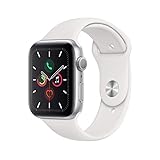
- GPS Only
- Always-On Retina display
- 30% larger screen
- Swimproof
- Electrical and optical heart sensors
This is a watch that only works in very specific situations now. Outside of those narrow use cases, it is usually a poor long-term decision.
If you already own a Series 3
If you already have a functioning Series 3 paired to a compatible iPhone, keeping it as a basic smartwatch is reasonable. It still handles notifications, activity rings, simple workouts, alarms, timers, and Apple Pay reliably.
As a daily companion for light use, it remains comfortable thanks to its compact 38mm or 42mm case and low weight. The aluminum finish is simple but unobtrusive, and standard Apple Watch bands still fit without issue.
The key is expectation management. Once battery life drops below a full day or pairing becomes unreliable after an iPhone upgrade, it stops being practical and becomes frustrating very quickly.
As a first smartwatch for a curious iPhone user
For someone completely new to smartwatches, the Series 3 can still demonstrate the core Apple Watch experience. You get activity tracking, heart rate monitoring, notifications, and basic fitness insights without overwhelming complexity.
That said, this only makes sense if the price is extremely low and the battery is confirmed to be in good health. Paying anything close to modern entry-level smartwatch pricing is a mistake.
If the goal is to understand whether you like wearing a smartwatch at all, the Series 3 can serve as a temporary introduction, not a long-term solution.
For kids, seniors, or very limited use cases
In theory, the Series 3 could work as a simple watch for a child or an older adult who only needs time, reminders, and occasional calls. In practice, this is where its aging cellular support and software limitations become problematic.
Family Setup features introduced in later watchOS versions are not supported. This removes much of the appeal for independent use without a paired iPhone.
A basic GPS-only Series 3 used strictly as a paired accessory may still work, but newer budget Apple Watches handle these scenarios far more gracefully.
Buying one second-hand today
This is where the recommendation becomes much more cautious. The second-hand market is full of Series 3 units with degraded batteries, outdated watchOS versions, and activation issues.
You must verify iPhone compatibility, battery health, activation lock status, and whether the watch has been reset properly. Even then, you are buying a product with no software future.
As a rule, the Series 3 only makes sense if it is dramatically cheaper than an Apple Watch SE, and even then the value gap is often smaller than it appears once real-world usability is considered.
Fitness tracking and health expectations
For basic activity tracking, step counts, calorie estimates, and heart rate trends, the Series 3 still performs adequately. The sensors are older, but they remain consistent for casual fitness users.
However, it lacks advanced metrics like blood oxygen, ECG, temperature tracking, and modern workout analytics. GPS performance is slower to lock and less precise than newer models, especially in dense areas.
If health tracking is a primary motivation, the Series 3 feels outdated almost immediately.
Who should absolutely avoid it
Anyone planning to keep a smartwatch for multiple years should avoid the Series 3 entirely. There is no room for growth, no software safety net, and no pathway to future features.
Users who upgrade iPhones regularly are also at risk of losing compatibility sooner than expected. Each new iOS release increases the chances that the Series 3 becomes unsupported or unstable.
If you want cellular independence, reliable battery life, or meaningful health features, this is not the right watch.
What to buy instead if the Series 3 tempts you
In almost every case, a used or refurbished Apple Watch SE represents a far better balance of longevity, performance, and software support. The jump in speed, battery efficiency, and feature access is immediately noticeable.
Even older models like the Series 4 or Series 5 offer a dramatically better experience thanks to larger displays, faster processors, and broader watchOS compatibility.
The Series 3 only wins on price, and even that advantage is shrinking as newer models age into the same second-hand market.
Better Alternatives in 2026: Newer Apple Watches and Budget-Friendly Options Compared
If the Series 3 still feels tempting after all its limitations, this is the point where perspective matters most. The second-hand market has shifted enough that far better Apple Watches now sit within striking distance on price, while delivering years of additional usability.
In practical terms, spending slightly more almost always results in a dramatically better daily experience, especially with modern iPhones and current versions of iOS.
Apple Watch SE (2nd generation): The smartest buy for most people
The Apple Watch SE (2nd generation) is the closest thing to a modern replacement for what the Series 3 originally represented. It keeps the essentials simple, but does so with a fast processor, reliable battery life, and full watchOS support in 2026.
You get a large, edge-to-edge OLED display, excellent touch responsiveness, crash detection, and modern heart rate tracking. While it lacks ECG, blood oxygen, and an always-on display, it feels smooth and stable in ways the Series 3 no longer can.
In real-world wear, the SE is lighter, more comfortable, and better balanced on the wrist. It pairs effortlessly with newer iPhones and avoids the storage and update issues that plague older models.
If you are deciding between a cheap Series 3 and a refurbished or discounted SE, the SE is the clear long-term value.
Used Series 6, Series 7, or Series 8: Best experience per dollar
Buying a used Apple Watch Series 6, 7, or 8 unlocks features the Series 3 never had, even at launch. These include ECG, blood oxygen monitoring, faster charging, and much brighter always-on displays.
The larger case sizes and thinner bezels significantly improve readability, especially for notifications and workouts. GPS accuracy, workout tracking depth, and sensor reliability are also noticeably better.
From a materials perspective, even aluminum models feel more refined, with improved glass durability and smoother digital crown response. Battery health matters here, but a well-kept unit with 85 percent or higher battery capacity can still offer a full day of use.
For buyers comfortable with second-hand devices, this is often the best balance of price, performance, and feature depth.
Apple Watch Series 9 and newer: Overkill for Series 3 upgraders
The latest Apple Watch models deliver exceptional performance, advanced health sensors, and long-term software security. However, for someone considering a Series 3, they are rarely necessary.
If you want temperature tracking, advanced fitness metrics, and the fastest possible performance, newer models make sense. But for casual users, the added cost does not translate into proportional everyday benefits.
They are excellent watches, just not the most logical comparison point for a Series 3 buyer.
Non-Apple budget smartwatches: Know the compromises
For iPhone users, non-Apple smartwatches often look appealing on price alone, but compatibility limits are real. Fitbit and Garmin models can handle basic fitness tracking and multi-day battery life, but notifications, app support, and system integration are far weaker.
You lose deep iOS interaction, Apple Pay, seamless messaging, and system-level health integration. For users who primarily want steps, workouts, and sleep tracking, these watches can work, but they are not true substitutes for an Apple Watch.
Samsung and Wear OS watches are not realistic options for iPhone users and should be avoided entirely in this context.
Why the price gap matters less than it seems
The Series 3’s remaining appeal is almost entirely psychological. On paper, it looks like an easy entry point into the Apple Watch ecosystem.
In reality, its slow performance, limited storage, aging sensors, and lack of future software support quickly erase any savings. A slightly higher upfront cost buys stability, comfort, better health tracking, and years of relevance.
That difference becomes obvious within the first week of ownership.
Final recommendation for 2026 buyers
If you already own a Series 3, it is best treated as a temporary or backup device rather than something to invest further into. If you are considering buying one, there are almost always better options available for not much more money.
A refurbished Apple Watch SE or a used Series 6 or newer offers a vastly better experience, stronger health features, and a realistic software future. In the current Apple ecosystem, the Series 3 is no longer a smart compromise.
It is a reminder of how far the Apple Watch has come, and why moving on makes more sense than holding back.