Garmin watches ship with some of the most capable training and health software you can buy, yet almost every long-term user eventually hits a ceiling. You want one extra data point on a run, better navigation context on the trail, clearer recovery insight, or a watch face that actually matches how you use the device day to day. That gap between excellent hardware and very specific user needs is exactly where Connect IQ still earns its place in 2026.
This ecosystem isn’t about turning your Garmin into an Apple Watch clone, and it never has been. It’s about extending purpose-built sports watches in ways Garmin can’t fully standardize across runners, cyclists, hikers, triathletes, and everyday wearers. The right apps don’t add noise; they remove friction, surface better data, and make the watch feel more personal without compromising battery life or reliability.
Garmin’s Core Software Is Strong, but Intentionally Conservative
Garmin’s native features are designed to be stable across dozens of models, sensors, and firmware branches, which means innovation tends to move carefully. Training Readiness, HRV Status, PacePro, and ClimbPro are excellent, but they reflect Garmin’s interpretation of what most users need, not what you specifically want mid-activity. Connect IQ fills in those edge cases without forcing Garmin to redesign core experiences every product cycle.
This is especially noticeable with data fields. Garmin includes the basics, but advanced athletes often want rolling averages, custom alerts, or sport-specific metrics that only matter to a narrow group. Third-party data fields let those users fine-tune screens without waiting for official support that may never come.
🏆 #1 Best Overall

- Easy-to-use running watch monitors heart rate (this is not a medical device) at the wrist and uses GPS to track how far, how fast and where you’ve run.Special Feature:Bluetooth.
- Battery life: up to 2 weeks in smartwatch mode; up to 20 hours in GPS mode
- Plan your race day strategy with the PacePro feature (not compatible with on-device courses), which offers GPS-based pace guidance for a selected course or distance
- Run your best with helpful training tools, including race time predictions and finish time estimates
- Track all the ways you move with built-in activity profiles for running, cycling, track run, virtual run, pool swim, Pilates, HIIT, breathwork and more
Where Connect IQ Excels: Practical Extensions, Not Gimmicks
The strongest Connect IQ apps solve narrow problems extremely well. Think race pacing tools that outperform PacePro in chaotic events, navigation helpers that add context Garmin Maps lacks, or health dashboards that visualize trends more clearly than Garmin Connect does post-workout. These apps respect the limitations of watch hardware and work within them rather than trying to overpower them.
Battery efficiency is another quiet win. Well-built Connect IQ apps can run for hours or days with minimal impact, especially on modern watches like the Fenix, Epix, Enduro, Forerunner, and Instinct lines. When developers design for memory limits and low-power refresh cycles, the result often feels native rather than bolted on.
The Watch Face Advantage for Daily Wear
Garmin’s stock watch faces are functional but rarely optimized for how people actually glance at their watches throughout the day. Connect IQ watch faces allow better information density, clearer contrast outdoors, and smarter use of AMOLED versus MIP displays. For many users, this is the single biggest quality-of-life upgrade they make.
A good third-party watch face can surface body battery, recovery time, weather, and next workout without tapping through widgets. On AMOLED models like Epix or Venu, thoughtful brightness control and refresh behavior also matter for battery longevity, something experienced developers have learned to optimize better than Garmin’s default designs.
Navigation and Outdoor Tools Still Benefit Most from Third Parties
Garmin’s mapping has improved dramatically, but Connect IQ remains valuable for niche outdoor use. Trail runners, ultrarunners, and hikers often want simplified breadcrumbs, ascent-focused views, or waypoint alerts that are faster to interpret under fatigue. These apps don’t replace Garmin Maps; they complement them with faster-glance solutions.
This is particularly relevant on smaller watches where screen real estate is limited. A well-designed navigation data field can be more usable than a full map page when you’re moving fast or managing effort on technical terrain.
Health and Recovery: Better Interpretation, Not New Sensors
Connect IQ can’t unlock new sensors or raw data Garmin doesn’t expose, and that’s an important limitation to understand. What it can do is reframe existing data in ways that make patterns easier to spot. Sleep breakdowns, HRV trends, stress overlays, and readiness-style scores often become more actionable when presented differently.
For users who care about long-term consistency rather than daily scores, these alternative views can be more motivating and less anxiety-inducing. They also help bridge the gap between what you see on the watch and what Garmin Connect shows on the phone or web.
Where Connect IQ Still Falls Short
App discovery remains clunky, even in 2026. The store is functional but not well-curated, and quality varies widely between polished tools and abandoned experiments. Compatibility also matters; not every app works across MIP and AMOLED displays, touch versus button-driven models, or older hardware with limited memory.
There are also hard limits developers can’t bypass. Background processing is restricted, real-time sensor access is controlled, and anything resembling a full smartwatch app experience is off the table. Connect IQ rewards realistic expectations and punishes those looking for phone-level flexibility.
Why This Roundup Focuses on Proven Utility
The apps that matter most are the ones you forget are third-party because they quietly improve every session. They load quickly, don’t crash mid-activity, respect battery life, and present information exactly when you need it. Those are the apps worth your limited watch storage and attention.
The goal here isn’t to install more apps, but to install better ones. Each recommendation ahead exists because it solves a real problem for specific Garmin users, with clear trade-offs and compatibility notes so you know exactly what you’re getting before you download.
How We Tested and Selected These Apps: Real-World Use Across Running, Cycling, Outdoors, Health, and Daily Wear
The limitations and strengths of Connect IQ shaped how we approached testing. Since background access is restricted and system stability matters more than novelty, every app here earned its place through repeated, real-world use rather than feature lists or store ratings.
We focused on whether an app genuinely improved how a Garmin watch performs during training, recovery, navigation, or daily wear. If it added friction, drained battery unnecessarily, or duplicated something Garmin already does well, it didn’t make the cut.
Tested on Multiple Garmin Watches, Not Just One
Apps were installed and used across a mix of current and recent Garmin models, including Forerunner, Fenix, Epix, Enduro, Venu, Instinct, and Edge devices where relevant. This allowed us to see how apps behave on different screen types, resolutions, input methods, and hardware limits.
Memory constraints, button-only navigation, touch responsiveness, and display readability all factored into scoring. An app that works beautifully on an Epix but struggles on a Forerunner 255 or Instinct Solar was flagged for limited compatibility rather than broadly recommended.
Running and Structured Training: In-Activity Clarity Matters
For running-focused apps and data fields, testing happened during easy runs, intervals, long runs, and race-pace efforts. We evaluated glanceability at speed, lap transitions, responsiveness, and whether the data presented actually influenced pacing or effort in the moment.
We also paid attention to setup friction. Apps that required excessive configuration before delivering value were scored lower unless they clearly served advanced users who expect that trade-off.
Cycling and Power-Based Use: Reliability Over Flash
Cycling apps were tested both outdoors and on indoor trainers, with power meters, cadence sensors, and HR straps connected. Stability during long rides mattered more than visual complexity, especially on Edge devices and smaller watch screens.
Any app that interfered with sensor pairing, dropped data mid-ride, or complicated post-ride analysis was removed from consideration. For cyclists, trust in recorded data is non-negotiable.
Outdoors, Navigation, and Endurance Use
Navigation tools, mapping helpers, and outdoor-focused apps were tested during hiking, trail running, and long-duration activities. We evaluated GPS interaction, breadcrumb clarity, elevation handling, and usability with gloves or cold fingers.
Battery impact was closely monitored on multi-hour and multi-day efforts. Apps that offered meaningful situational awareness without accelerating battery drain stood out quickly.
Health, Recovery, and Long-Term Trends
Health-focused apps were worn continuously for days or weeks, not sampled briefly. We looked at how they interpreted sleep, HRV, stress, and readiness-style metrics over time rather than reacting to single-day swings.
Apps that reduced cognitive load and encouraged consistency scored higher than those that amplified daily anxiety. The best tools added context, not pressure.
Daily Wear, Comfort, and Watch Behavior
Watch faces and utility apps were evaluated during normal daily wear, including workdays, travel, and sleep. Readability indoors and outdoors, animation smoothness, and responsiveness to gestures or buttons all mattered.
We also tracked whether an app affected overall watch behavior, including notification handling, UI lag, or unexpected battery loss. If it made the watch feel less reliable, it didn’t belong here.
Battery Life, Performance, and Stability
Every app was observed for its impact on battery life across at least several charge cycles. We compared baseline drain against real-world usage rather than relying on developer claims.
Crashes, freezes, and failed updates were documented. Apps that required frequent reinstalls or broke after firmware updates were excluded, regardless of how clever the idea was.
Ongoing Support and Developer Credibility
We checked update history, responsiveness to Garmin firmware changes, and whether the developer actively maintains the app. A great app that hasn’t been updated in years is a liability on a platform that evolves constantly.
Paid apps were judged more strictly. If an app charges, it needs to deliver sustained value, clear documentation, and compatibility transparency.
What Didn’t Make the List
Plenty of apps were tested and rejected. Some duplicated native Garmin features with no meaningful improvement, others were clever but impractical, and a few simply didn’t respect the constraints of the platform.
This roundup reflects what consistently worked, not what looked interesting for five minutes. Every app ahead earned its spot by making a Garmin watch more effective in the situations users actually care about.
Fitness & Training Apps That Actually Improve Performance (Structured Workouts, Race Pacing, Smarter Training)
Once you move beyond passive tracking, the real value of Connect IQ shows up during training sessions themselves. These are apps that actively shape pacing, effort, and decision-making while you’re moving, not just after the workout syncs.
What follows focuses on tools that reduce guesswork during workouts, improve execution on race day, or unlock training structures Garmin’s native features only partially cover.
TrainingPeaks Structured Workouts
If your training plan lives in TrainingPeaks, this is the cleanest way to get it onto your watch. Structured intervals sync automatically and display step-by-step targets for pace, power, heart rate, or cadence directly on the watch during the session.
Execution is where it shines. Alerts are clear without being intrusive, lap transitions are reliable, and the app respects Garmin’s physical buttons, which matters when you’re sweaty, cold, or fatigued.
Compatibility is broad across Forerunner, Fenix, Epix, Enduro, and Instinct lines, with no meaningful battery penalty beyond normal GPS usage. It’s essential for coached athletes and self-directed runners or cyclists following a serious plan.
Final Surge Workouts
Final Surge offers similar structured workout syncing but feels slightly more forgiving for multi-sport athletes and beginners transitioning into coached training. Workouts are easy to edit on the platform, and the watch-side experience prioritizes clarity over data density.
During testing, prompts were timely and readable even on smaller displays like the Forerunner 255. Battery impact remained negligible, and the app behaved well across firmware updates.
This is a strong alternative if your coach uses Final Surge or if you prefer its planning interface over TrainingPeaks.
Race Screen
Race Screen solves a problem Garmin still hasn’t fully nailed: real-time pacing against a race goal. You set a target time and distance, and the app shows whether you’re ahead or behind schedule with live adjustments.
The value here is cognitive offloading. Instead of constantly calculating splits, you get a simple directional cue that’s easy to understand at a glance, even late in a race when mental bandwidth is low.
It works best for steady-effort events like half marathons, marathons, and long triathlon legs. Battery use is minimal, but accuracy depends on clean GPS, so it pairs best with multi-band capable watches like the Forerunner 965 or Fenix 7 Pro.
Peter’s Race Pacer
Where Race Screen is minimalist, Peter’s Race Pacer is configurable to an almost obsessive degree. You can load variable pacing plans, course-based strategies, and fine-grained alerts that adjust as terrain or race strategy changes.
This app rewards time spent setting it up properly. On race day, it delivers unmatched control, especially for hilly courses or negative-split strategies.
The trade-off is complexity. It’s best suited to experienced runners comfortable managing data fields and pre-race configuration. Battery impact is modest but higher than simpler pacing tools.
Workout Builder+
Garmin’s native workout builder is functional but clunky, especially on the watch itself. Workout Builder+ lets you create and modify structured workouts directly from the watch with far less friction.
This is invaluable for athletes who adjust sessions on the fly or coaches running group workouts. Button navigation is intuitive, and changes don’t require pulling out a phone mid-session.
Rank #2

- Easy-to-use running smartwatch with built-in GPS for pace/distance and wrist-based heart rate; brilliant AMOLED touchscreen display with traditional button controls; lightweight design in 43 mm size
- Up to 11 days of battery life in smartwatch mode and up to 19 hours in GPS mode
- Reach your goals with personalized daily suggested workouts that adapt based on performance and recovery; use Garmin Coach and race adaptive training plans to get workout suggestions for specific events
- 25+ built-in activity profiles include running, cycling, HIIT, strength and more
- As soon as you wake up, get your morning report with an overview of your sleep, recovery and training outlook alongside weather and HRV status (data presented is intended to be a close estimation of metrics tracked)
It runs smoothly on mid-range hardware and doesn’t interfere with normal activity recording. If you frequently improvise intervals, this fills a real gap in Garmin’s ecosystem.
Stryd Zones and Workouts
For runners training with power, Stryd’s Connect IQ apps remain the gold standard. Power zones, critical power tracking, and structured power-based workouts integrate tightly with compatible Garmin watches.
The data fields are dense but well organized, especially on larger displays like the Epix or Forerunner 965. Battery impact is more noticeable due to footpod usage and constant power calculations, but still acceptable for long runs.
This is a performance tool, not a casual add-on. If you’re committed to power-based training, it’s indispensable; otherwise, it’s overkill.
MyWorkout by fbbbrown
MyWorkout focuses on one thing: making interval execution foolproof. It supports repeats, ladders, and time- or distance-based sets with simple visual cues and vibration alerts.
The interface is refreshingly stripped down, which improves usability during hard efforts. It’s particularly effective on watches with smaller screens where clutter becomes a liability.
Battery drain is low, stability is excellent, and updates have kept pace with Garmin firmware changes. It’s ideal for runners who want structure without subscribing to an external platform.
PacePro Data Fields (Third-Party Enhancements)
Garmin’s PacePro is powerful but visually limited. Several Connect IQ developers have built enhanced PacePro data fields that surface remaining time, elevation-adjusted pacing, and split confidence indicators more clearly.
These fields don’t replace PacePro; they make it usable in real-world racing conditions. Readability in bright sunlight and during high heart rate efforts was consistently better than Garmin’s default screens.
Compatibility varies by watch model and screen size, so it’s worth checking before installing. When supported, they materially improve race-day execution without adding mental load.
Health, Recovery & Wellness Apps: Sleep, Stress, Body Battery Enhancements Garmin Still Gets Wrong Natively
Structured workouts and race execution get most of the attention, but this is where many Garmin users quietly struggle. Sleep scoring, stress trends, and recovery readiness are powerful concepts in Garmin Connect, yet the native presentation often lacks context, transparency, and actionable detail.
Connect IQ can’t change Garmin’s core algorithms, but the best wellness apps reframe the same underlying data in ways that make daily decisions easier. Think clearer sleep breakdowns, better stress visibility, and Body Battery interpretations that actually align with how you feel.
Sleep as Android: Smarter Sleep Tracking and Alarm Logic
Sleep as Android remains one of the most mature sleep platforms Garmin can tap into, especially for users frustrated by Garmin’s rigid sleep windows. The Connect IQ companion enables bidirectional syncing, smart alarms, and far more granular sleep event tagging than Garmin offers natively.
On-watch interaction is minimal, which keeps battery impact low even on smaller watches like the Venu Sq or Forerunner 255. The real value shows up in the phone app, where sleep stages, noise, movement, and heart rate are presented in a way that makes patterns obvious over weeks, not just single nights.
This is best for users who care about waking quality and sleep consistency rather than chasing a single score. Setup takes time, and the interface is more utilitarian than polished, but the insights are deeper than Garmin’s default sleep widgets.
Sleep Score Widget Plus: Context Garmin Still Doesn’t Surface
Garmin’s sleep score is easy to see but hard to interpret. Sleep Score Widget Plus fixes that by breaking down contributors like HRV balance, restlessness, and duration directly on the watch.
This matters most on AMOLED models like the Epix or Venu 3, where glanceable widgets actually replace phone checks. On MIP displays, the layout is tighter but still more informative than Garmin’s stock widget.
There’s no additional sensor load, so battery life remains unchanged. If you already trust Garmin’s sleep detection but want to understand why your score dipped or spiked, this fills the gap cleanly.
Body Battery Enhanced: Making a Blunt Metric Actionable
Body Battery is one of Garmin’s most useful ideas and one of its most opaque. Body Battery Enhanced adds trend arrows, recovery rate indicators, and clearer charge-drain visualization across the day.
During testing, this made it far easier to distinguish “low but stable” days from true overreaching. That distinction matters when deciding whether to train, cross-train, or rest, especially for athletes stacking intensity blocks.
The app runs as a widget, so compatibility is broad across Forerunner, Fenix, Epix, and Instinct lines. It doesn’t change the score itself, but it dramatically improves how confidently you act on it.
HRV Status Viewer: Seeing Variability Without the Noise
Garmin’s HRV Status is powerful but buried, and its rolling averages can mask short-term fatigue. HRV Status Viewer surfaces nightly values, baselines, and deviation trends in a cleaner, more readable format.
This is particularly valuable for endurance athletes using HRV to modulate training load rather than chase daily readiness labels. On larger screens, the trend graphs are easy to interpret at a glance; on smaller watches, the numeric focus still works.
Battery impact is negligible since it pulls from existing data. If you already believe in HRV-guided training but find Garmin’s presentation vague, this app adds clarity without complexity.
Stress Face and Stress Widgets: Real-Time Feedback That Actually Changes Behavior
Garmin tracks stress continuously, but most users only see it after the fact. Stress-focused watch faces and widgets bring real-time stress levels to the forefront, which subtly changes how you respond during the day.
Wearing a stress-forward watch face on a Fenix or Epix during workdays made patterns impossible to ignore. Long meetings, caffeine timing, and poor hydration showed up clearly, often before perceived fatigue set in.
These faces are lightweight, customizable, and surprisingly effective as behavioral nudges. They’re not training tools, but they improve day-to-day wellness awareness more than any post-workout chart.
Breathwork and Guided Relaxation Apps: Better Execution Than Garmin’s Built-Ins
Garmin includes breathwork, but third-party guided relaxation apps often execute it better. Improved vibration cues, customizable intervals, and clearer visual pacing make these sessions easier to follow without staring at the screen.
This is especially useful on watches with smaller displays or during pre-sleep routines where subtle haptics matter more than visuals. Sessions are short, battery impact is minimal, and consistency is higher because the experience feels less clinical.
These apps won’t change your training metrics directly, but they support recovery in ways Garmin’s stock tools feel half-finished.
Who These Wellness Apps Are Actually For
If you only check Garmin Connect after workouts, most of these apps won’t matter. Their value shows up when you wear your watch all day and care how training, sleep, work stress, and recovery interact.
For endurance athletes, they sharpen recovery decisions without adding training load. For general fitness users, they turn passive tracking into feedback you can act on in real time.
Garmin’s sensors are already excellent. These Connect IQ apps simply translate that data into signals you can understand, trust, and use day after day.
Navigation & Outdoor Apps: Maps, Courses, and Tools That Make Garmin Watches More Adventure-Capable
Once recovery and stress are dialed in, the next limitation most Garmin owners hit is navigation. Stock breadcrumb routing works, but it’s conservative, rigid, and often disconnected from how people actually plan adventures.
Connect IQ navigation apps extend your watch from a training device into a genuinely capable outdoor tool. The best ones don’t replace Garmin’s mapping engine, they sit on top of it and solve specific, real-world problems.
Komoot: Turn Your Garmin Into a Course-Following Adventure Watch
Komoot is one of the most practical navigation integrations in the Connect IQ ecosystem. It syncs planned routes directly from your Komoot account to your watch, making it far easier to follow turn-by-turn courses without pulling out your phone.
On watches with built-in maps like the Fenix, Epix, Enduro, and Forerunner 955/965, Komoot routes layer cleanly over Garmin’s native mapping. Turn prompts are clear, vibrations are well-timed, and recalculation behavior feels more forgiving than Garmin’s own course engine.
Battery impact is minimal because Komoot leverages Garmin’s navigation rather than replacing it. It’s best for runners, hikers, and gravel cyclists who plan routes ahead of time and want confidence that the course on their wrist actually matches the terrain.
dwMap: Offline Maps Without a Subscription Lock-In
dwMap is a favorite among power users who want more control over maps without committing to a full subscription ecosystem. It allows you to download OpenStreetMap-based tiles for offline use directly to your watch.
The interface is utilitarian rather than pretty, but it’s fast and reliable even on older hardware like the Fenix 5 Plus or Forerunner 935. Panning and zooming with buttons works surprisingly well, especially on watches without touchscreens.
dwMap shines for travel, remote hiking, and international trips where cellular data isn’t guaranteed. Storage management matters here, so it’s best suited to watches with more internal memory and users comfortable managing map regions manually.
Trailforks: Mountain Bike Navigation That Actually Understands Trails
Trailforks is essential if mountain biking is part of your training mix. Unlike general-purpose mapping apps, it understands trail directionality, difficulty ratings, and bike-specific routing.
On compatible Garmin watches, Trailforks shows nearby trails, helps with wayfinding at intersections, and reduces the guesswork when riding unfamiliar systems. It integrates well with Garmin’s activity tracking, so rides still count cleanly toward training load and recovery.
Battery usage is reasonable for trail rides, though extended backcountry days still favor watches with larger batteries like the Fenix 7X or Enduro series. This is less useful for road cyclists or runners, but transformative for off-road riders.
Wikiloc: Community-Sourced Routes for Exploration Over Precision
Wikiloc focuses less on perfect navigation and more on discovery. Its Connect IQ app lets you load routes created by a global community, spanning hiking, trail running, cycling, and mixed outdoor activities.
The strength here is variety. If you’re traveling or exploring a new area, Wikiloc often surfaces routes Garmin Connect never would, especially for hiking and scrambling. Turn-by-turn guidance is basic, but route visibility is solid on map-enabled watches.
This is best for adventure-focused users who value inspiration and exploration over race-grade accuracy. It pairs well with watches that have larger, higher-resolution displays like the Epix, where route context is easier to interpret at a glance.
Garmin Explore Widget: Planning and Syncing Without the Desktop Hassle
Garmin Explore isn’t flashy, but it fills a practical gap. The widget syncs routes, waypoints, and tracks from Garmin Explore directly to your watch, bypassing some of the friction in Garmin Connect’s course management.
Rank #3

- Nautical smartwatch features a 1.4" stunning AMOLED display with a titanium bezel and built-in LED flashlight
- Built-in inReach technology for two-way satellite and LTE connectivity (active subscription required; coverage limitations may apply, e.g., satellite coverage up to 50 miles offshore; some jurisdictions regulate or prohibit the use of satellite communication devices)
- Boat mode brings your vessel-connected apps to the forefront that let you control your autopilot and give you access to trolling motor and other boat data — so you can easily take command from your smartwatch
- Keep your focus on the water, and control your compatible chartplotter via Bluetooth connectivity with voice commands
- Enjoy comprehensive connectivity and remote control capabilities with select compatible Garmin chartplotters, autopilots, Force trolling motors, Fusion stereos and more
This is especially useful for multi-day hikes, ultraruns, and bikepacking trips where waypoints and points of interest matter as much as the route itself. The widget view is simple, but the underlying data sync is reliable.
It works best on outdoor-focused watches with physical buttons, where navigation control remains usable in gloves, rain, or cold. For expedition-style users, it quietly improves planning confidence without changing how you train.
Who These Navigation Apps Are Actually For
If all your workouts start at your front door and follow familiar loops, these apps won’t change much. Their value shows up the moment you leave known routes or rely on your watch as a safety net rather than a stopwatch.
For trail runners, hikers, cyclists, and endurance athletes training in unfamiliar terrain, these apps reduce friction and cognitive load. Instead of babysitting navigation, you stay focused on effort, footing, and pacing.
Garmin’s hardware is already capable of serious outdoor use. These Connect IQ apps unlock that capability, turning good GPS watches into confident companions when routes, maps, and decisions matter most.
Data Fields Power Users Should Install Immediately: Turning Raw Garmin Metrics into Actionable Insight
Navigation apps help you get where you’re going. Data fields determine whether you understand what’s happening once you’re moving.
This is where Garmin’s ecosystem quietly outperforms almost every competitor. The hardware records an enormous amount of data, but Connect IQ data fields decide whether those numbers guide your decisions in real time or stay buried in post-workout charts.
Why Data Fields Matter More Than New Activities
Most experienced Garmin users don’t need more activity profiles. They need clearer answers mid-effort.
A good data field compresses multiple metrics into a single glance, reducing screen-swapping and cognitive load. On smaller watches like the Forerunner 255 or Venu Sq, this can matter as much as screen resolution or button layout.
Race Screen: All Your Critical Metrics, One Glance
Race Screen is a classic for a reason. It consolidates pace, distance, time, and target pace into a single configurable field designed specifically for racing.
On race day, this replaces the mental math many runners still do manually. Instead of checking multiple screens, you immediately know whether you’re ahead or behind your plan.
It’s best suited to runners who follow structured pacing strategies, especially marathon and half-marathon athletes. Works across most modern Forerunner, Fenix, and Epix models, with minimal battery impact.
Dozen Run (and Dozen Cycle): Maximum Data Density Without the Mess
Dozen Run and Dozen Cycle allow you to display up to twelve metrics in a single field. That sounds excessive until you configure it properly.
For advanced users, this becomes a customizable command center: pace, heart rate, cadence, grade-adjusted pace, lap stats, and more, all visible without scrolling. On larger displays like the Fenix 7X or Epix, readability remains surprisingly good.
These fields reward users who understand which metrics actually matter to them. Beginners may find them overwhelming, but power users will appreciate the efficiency.
Peter’s (Race) Pacer: Smarter Pacing for Variable Terrain
Peter’s Race Pacer goes beyond fixed target pace by factoring in course profiles. It adjusts effort guidance based on climbs and descents, making it especially useful for hilly road races and trail events.
This field shines on watches with barometric altimeters and reliable GPS, where elevation accuracy supports meaningful pacing adjustments. It’s not a substitute for experience, but it’s a strong second brain when terrain gets complicated.
Trail runners and endurance racers benefit most, particularly those training for courses they haven’t memorized.
My Pace Pro: Real-Time Pacing Without the Mental Load
My Pace Pro focuses on simplicity. It compares your current pace to a target pace and shows the delta clearly, without crowding the screen.
This is ideal for runners who want immediate feedback but don’t want to manage complex layouts. On mid-range watches like the Forerunner 165 or 265, it fits naturally into smaller screens.
It’s less flexible than Race Screen or Dozen Run, but that’s also its strength. Install this if you want clarity over customization.
CIQ Data Field: Power & Heart Rate Zones Done Right
Garmin’s native zone displays are functional, but often lack context. Third-party zone data fields improve this by showing zone time, zone transitions, and clearer visual cues.
Cyclists using power meters benefit most, especially when training indoors or following structured workouts. Seeing power zones update cleanly without screen hopping improves adherence and reduces distraction.
Compatibility depends on sensors and watch model, but battery impact remains negligible compared to map-based apps.
Heart Rate Gauge: When Simplicity Beats Graphs
Heart Rate Gauge presents heart rate as a clean, analog-style display rather than a scrolling number. The visual representation makes it easier to spot drift or spikes without fixating on exact values.
This works well for long aerobic sessions where staying within a range matters more than hitting a precise number. On AMOLED displays like the Epix or Venu series, the visual clarity is excellent even in bright light.
It’s a small change that improves situational awareness during longer efforts.
Elevation and Grade Fields for Climbers and Trail Users
Dedicated elevation gain, grade, and vertical speed data fields are invaluable for trail runners and cyclists in mountainous terrain. Garmin’s defaults often bury this information or update too slowly.
These fields update more responsively, helping you anticipate climbs rather than react to them. On technical terrain, that translates to better energy management and safer pacing.
They’re especially effective on button-driven watches where quick glances matter more than touchscreen interaction.
Who Should Actually Install All of This
If you mostly train by feel and review data later, you don’t need every field here. One or two well-chosen installs will already improve your experience.
But for athletes following structured plans, racing regularly, or training with power and heart rate targets, data fields are the fastest way to make your Garmin feel smarter without changing hardware.
These apps don’t add noise. When chosen intentionally, they reduce it, turning raw metrics into decisions you can trust while you’re still moving.
Watch Faces Worth Using Daily: Battery-Smart Designs with Real Information Density
After optimizing what you see during activities, the next logical upgrade is what you see the other 23 hours of the day. A good watch face does more than look nice on the wrist. It determines how often you interact with your watch, how quickly you get information, and how much battery you burn doing it.
Garmin’s stock faces are safe and efficient, but often conservative with data. The best Connect IQ watch faces strike a harder balance: high information density without background processes that quietly drain battery life.
What Actually Matters in a Daily Garmin Watch Face
Battery impact is the first filter. Faces that constantly poll GPS, refresh weather every minute, or animate heavily can cut multi-week battery life in half, especially on MIP displays like Fenix, Enduro, or Forerunner Solar models.
The second filter is glance efficiency. You should be able to see time, battery, steps, heart rate, and one or two contextual metrics in under a second without decoding tiny fonts or cycling screens.
Finally, the face has to respect the hardware. AMOLED watches like Epix and Venu reward contrast and deep blacks, while MIP screens benefit from simpler layouts, thicker numerals, and restrained color use.
SHN TxD II-E: Maximum Data, Surprisingly Efficient
SHN TxD II-E is one of the most configurable high-density watch faces available, yet it remains impressively battery-conscious when set up correctly. It supports up to eight data fields without feeling cluttered on 47 mm and larger cases.
Battery level, steps, floors, heart rate, calories, weather, and training status can all be shown simultaneously. On Fenix and Forerunner models, refresh intervals are adjustable, allowing you to trade live weather for battery longevity.
This face suits athletes who want their training context visible all day. If you are tracking recovery, activity load, and movement patterns closely, it keeps you informed without needing widgets.
Rails: Clean Analog Style with Smart Data Placement
Rails is ideal for users who prefer an analog aesthetic but still want meaningful metrics. The hands are bold and legible, even during motion, with data fields placed around the dial edge to avoid visual overlap.
Heart rate, battery, steps, and date are integrated subtly, making it feel more like a traditional sports watch than a mini dashboard. On AMOLED displays, the finishing looks particularly refined due to controlled color accents and minimal background draw.
Battery impact is minimal, making it a strong choice for Epix and Venu owners who want elegance without sacrificing practicality.
Infocal V2: Purpose-Built for MIP Displays
Infocal V2 has long been popular among Fenix and Instinct users for a reason. It is engineered specifically for memory-in-pixel screens, prioritizing contrast, font thickness, and static elements.
Time, battery, steps, heart rate, notifications, and sunrise or sunset can be shown clearly without backlight dependence. Because the layout avoids animations and frequent redraws, battery drain is close to Garmin’s default faces.
This is a go-to option for outdoor users, shift workers, and anyone who values readability in harsh lighting conditions.
Crystal: AMOLED-Friendly with Balanced Information Density
Crystal is optimized for Garmin’s newer AMOLED watches and uses deep blacks to preserve battery while delivering sharp visuals. Data fields float cleanly around a central digital time display without crowding.
Rank #4
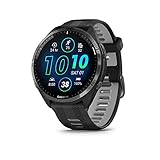
- Brilliant AMOLED touchscreen display with traditional button controls and lightweight titanium bezel
- Battery life: up to 23 days of battery life in smartwatch mode, up to 31 hours in GPS mode
- Confidently run any route using full-color, built-in maps and multi-band GPS
- Training readiness score is based on sleep quality, recovery, training load and HRV status to determine if you’re primed to go hard and reap the rewards (data presented is intended to be a close estimation of metrics tracked)
- Plan race strategy with personalized daily suggested workouts based on the race and course that you input into the Garmin Connect app and then view the race widget on your watch; daily suggested workouts adapt after every run to match performance and recovery
It supports training load, body battery, steps, heart rate, and weather, but the real advantage is how readable it remains indoors and outdoors. The layout scales well across different case sizes, from 43 mm Venu models to larger Epix variants.
If you want a modern look that still respects battery life, Crystal is one of the safest daily drivers available.
SC8: For Athletes Who Think in Metrics
SC8 is unapologetically data-forward. It places numeric clarity above aesthetics, making it popular with endurance athletes who treat the watch as a performance instrument rather than jewelry.
Time, heart rate, steps, battery, and training metrics are always visible, with configurable font sizes to suit different screen resolutions. On larger watches, the spacing feels intentional rather than compressed.
Battery use depends heavily on configuration, but when weather and live sensors are dialed back, it remains practical even for multi-day use.
Limitations to Keep in Mind
Not every face works on every watch. Some are optimized for touchscreen interaction, while others assume button-driven navigation, and older Forerunner models may struggle with very dense layouts.
Weather data often relies on phone sync, so accuracy and update frequency depend on Bluetooth stability. Heart rate shown on the face is typically the last recorded value, not a continuous live reading, which is normal behavior.
Who These Watch Faces Are Really For
If you check your watch dozens of times a day, the face matters more than any other app category. A well-chosen face reduces friction, improves awareness, and subtly reinforces training habits without demanding attention.
For casual users, one clean, efficient face is enough. For athletes managing load, recovery, and daily movement, the right face becomes an always-on context layer that makes the watch feel purpose-built rather than generic.
Utilities & Smartwatch Enhancements: Small Apps That Fix Everyday Garmin Annoyances
After you’ve dialed in your watch face, the next layer of quality-of-life improvement comes from utilities. These are not flashy training tools or navigation powerhouses, but small, focused apps that quietly remove friction from daily use.
Garmin’s native software is robust, but it still leaves gaps around battery awareness, scheduling, hydration habits, and simple smartwatch conveniences. The apps below are the ones I consistently reinstall when testing a new watch, because they solve problems you notice every single day.
Battery Widget: Real Battery Insight Beyond a Single Percentage
Garmin’s default battery indicator tells you how much charge is left, but not why it’s draining faster than usual. Battery Widget fills that gap by breaking down consumption from GPS, heart rate, Pulse Ox, backlight, and third-party apps.
On AMOLED watches like Venu or Epix, this is especially useful for understanding the real cost of always-on display and frequent notifications. On Fenix and Forerunner models, it helps diagnose unexpected drain after firmware updates or new app installs.
Compatibility is broad across modern Garmin watches, and battery impact is negligible since it only updates when opened. For multi-day users, it’s one of the fastest ways to extend runtime without guesswork.
Hydration Tracking: The Habit Garmin Still Doesn’t Automate Well
Hydration Tracking by Garmin adds a simple, glanceable way to log water intake directly from the wrist. It syncs cleanly with Garmin Connect and integrates into daily health stats without clutter.
For endurance athletes training in heat, or office workers who forget to drink between meetings, the quick-add buttons are more practical than pulling out a phone. It’s also faster than using Connect’s mobile app, which matters when habit formation is the goal.
The app won’t estimate fluid loss or sweat rate, so serious heat adaptation still requires manual awareness. Still, as a friction-reduction tool, it works exactly as intended.
Calendar Widget: Turning Your Watch into a Real Schedule Companion
Garmin watches can mirror notifications, but they don’t offer a clear view of what’s actually coming up next. Calendar Widget fixes this by showing upcoming events in a clean, scrollable list.
On smaller cases like a 42–43 mm Venu or Forerunner 255, the text remains readable without excessive scrolling. On larger Fenix and Epix models, it feels closer to a lightweight smartwatch experience without sacrificing battery life.
It relies on phone sync, so updates aren’t instantaneous, but for meeting awareness and daily structure, it dramatically improves usefulness during work hours.
Sunrise/Sunset Widget: Essential for Outdoor Training and Recovery
Knowing daylight windows matters more than most people realize, especially for runners, hikers, and cyclists training around work schedules. Sunrise/Sunset Widget provides clear times and progress indicators that are easier to read than Garmin’s native data fields.
This is particularly valuable in winter months, when daylight is limited and planning becomes reactive. On outdoor-focused watches with sapphire lenses and high contrast displays, readability remains excellent even in bright conditions.
Battery impact is minimal, and the widget works offline once data is synced, making it reliable for travel and remote training blocks.
Calculator: The Unexpectedly Useful Wrist Tool
A calculator sounds trivial until you actually have one on your watch. Whether you’re splitting a bill, converting pace targets, or adjusting nutrition quantities mid-training camp, it saves pulling out a phone.
The best calculator apps are optimized for button navigation, which makes them usable even on non-touch Forerunner and Fenix models. On AMOLED watches, touch input speeds things up but isn’t required.
This is not about replacing your phone, but about removing one more interruption from your flow. Once installed, it gets used more often than expected.
Smart Alarm (SmartWake-style Apps): Gentler Wake-Ups Without Phone Dependence
Garmin still lacks a native smart alarm that wakes you during lighter sleep stages. Third-party smart alarm apps attempt to fill that gap by using motion and heart rate trends to time vibration-based wake-ups.
Results vary depending on watch model and sleep tracking accuracy, and they work best on newer sensors with consistent overnight heart rate data. Battery impact is moderate, so they’re best used selectively rather than every night.
For light sleepers or athletes prioritizing recovery quality, these apps are worth experimenting with, even if they’re not yet perfect replacements for phone-based solutions.
Do Not Disturb Scheduler: Taking Back Control of Notifications
Garmin’s system-wide Do Not Disturb is blunt. Scheduler-style utilities allow more granular control, letting you silence notifications during sleep, workouts, or meetings without manual toggling.
This matters if you wear your watch 24/7 and rely on vibration alerts during training but not during recovery. It also prevents sleep tracking from being disrupted by late-night messages.
Setup takes a few minutes, but once configured, it makes the watch feel calmer and more intentional rather than constantly reactive.
Who Utility Apps Are Really For
Utilities don’t change what your Garmin can measure, but they dramatically improve how pleasant it is to live with. They reduce friction, preserve battery life, and make the watch feel like a personal tool rather than a generic device.
For new users, installing a handful of these apps accelerates the learning curve. For experienced athletes, they’re the difference between tolerating daily wear and genuinely enjoying it.
Compatibility, Battery Impact & Known Limitations: What to Check Before You Install Everything
Utility apps make a Garmin feel more intentional, but they also expose the edges of the Connect IQ platform. Before you load up every recommendation, it’s worth understanding how compatibility, battery draw, and platform limits vary by watch generation and use case.
Device Compatibility Is Not Universal, Even Within the Same Family
Connect IQ apps are built against specific hardware profiles, not just brand names. A Forerunner 255, Forerunner 955, and Forerunner 965 may share sensors, but differences in screen type, memory allocation, and firmware APIs can affect whether an app installs or runs correctly.
Older watches and entry-level models often lack the memory headroom or background permissions required by richer apps. If you’re on a Vivoactive 4, Venu Sq, or first-gen Instinct, expect fewer options and more compromises than on newer Forerunner, Fenix, Epix, Enduro, or Tactix models.
Always check the supported device list in Connect IQ before installing, especially for navigation tools, advanced data fields, and sleep-related utilities. An app failing to appear in the store for your watch is usually a hardware limitation, not a temporary glitch.
Watch Faces Are the Biggest Silent Battery Killers
Nothing impacts daily battery life more than a poorly optimized watch face. Faces that constantly refresh seconds, pull weather data, animate complications, or display live graphs can drain even a Fenix or Epix faster than a long GPS workout.
On MIP displays, frequent redraws and excessive data polling matter more than visual complexity. On AMOLED watches, brightness levels, always-on display behavior, and animated elements become the dominant factors.
If battery life is a priority, choose faces with configurable refresh rates, minimal background syncing, and static layouts. The difference between a good and bad watch face can be multiple days of runtime.
Data Fields Add Load During Activities, Not All Day
Custom data fields only consume resources while an activity is running, which makes them safer to experiment with than watch faces. That said, stacking multiple heavy fields that process power, pace smoothing, or external sensor data can increase CPU load and shorten activity battery life.
This matters most for ultra-distance runners, long-course triathletes, and bikepackers who rely on extended GPS sessions. For shorter workouts, the impact is usually negligible, even on mid-range hardware.
As a rule, limit complex third-party fields to one or two per activity profile. If your watch starts lagging during lap presses or screen transitions, you’ve likely gone too far.
Navigation Apps Are Limited by Garmin’s Map and API Access
Third-party navigation apps do not replace native Garmin mapping. They can display breadcrumbs, GPX tracks, and basic routing prompts, but they cannot access full vector maps, turn-by-turn recalculation, or offline POI databases the way built-in navigation can.
Performance also depends heavily on screen size and resolution. Following a course on a 1.2-inch display is functional but cramped, while larger Fenix, Epix, and Enduro screens are far more usable in real-world riding or hiking.
These apps shine as lightweight companions for preplanned routes, not as full navigation systems. If you expect phone-like mapping behavior, you’ll hit platform walls quickly.
Health and Sleep Apps Are Constrained by Sensor Access
Connect IQ developers do not have raw access to Garmin’s sleep stages, Body Battery logic, or training readiness algorithms. Most health apps infer insights from heart rate, motion, and timing rather than tapping into Garmin’s proprietary models.
💰 Best Value

- Designed with a bright, colorful AMOLED display, get a more complete picture of your health, thanks to battery life of up to 11 days in smartwatch mode
- Body Battery energy monitoring helps you understand when you’re charged up or need to rest, with even more personalized insights based on sleep, naps, stress levels, workouts and more (data presented is intended to be a close estimation of metrics tracked)
- Get a sleep score and personalized sleep coaching for how much sleep you need — and get tips on how to improve plus key metrics such as HRV status to better understand your health (data presented is intended to be a close estimation of metrics tracked)
- Find new ways to keep your body moving with more than 30 built-in indoor and GPS sports apps, including walking, running, cycling, HIIT, swimming, golf and more
- Wheelchair mode tracks pushes — rather than steps — and includes push and handcycle activities with preloaded workouts for strength, cardio, HIIT, Pilates and yoga, challenges specific to wheelchair users and more (data presented is intended to be a close estimation of metrics tracked)
This is why smart alarms and recovery tools can feel inconsistent. Accuracy improves dramatically on newer Elevate sensor generations, but even then, results are probabilistic rather than definitive.
Treat these apps as directional tools, not clinical instruments. They’re best used to spot trends and experiment with routines rather than dictate recovery decisions.
Background Services and Permissions Are Strictly Controlled
Garmin limits what apps can run continuously in the background, which protects battery life but restricts functionality. Apps cannot arbitrarily wake themselves, poll sensors endlessly, or run persistent processes like a smartphone app would.
This affects notification schedulers, hydration reminders, and automation-style utilities. They work within defined system windows and triggers, not as always-on services.
If an app occasionally misses an alert or feels delayed, that’s usually the operating system doing its job rather than poor development.
Memory Limits Can Force Trade-Offs
Every Garmin watch has a fixed Connect IQ memory pool shared across all installed apps, watch faces, and data fields. High-end watches have more room, but it’s still finite.
Installing too many complex apps can cause slowdowns, sync issues, or failed updates. In extreme cases, you may need to uninstall unused apps before adding new ones.
A lean setup with apps you actively use is more stable than treating your watch like an app archive.
Firmware Updates Can Break or Improve Apps Overnight
Garmin firmware updates occasionally change APIs, sensor behavior, or power management rules. This can temporarily break third-party apps until developers update them.
The upside is that newer firmware often improves battery efficiency and expands what apps can access. The downside is short-term instability after major updates.
If an app suddenly misbehaves after a software update, give it time before abandoning it. Many of the best developers are quick to adapt, especially for popular watches.
Regional and Account-Based Limitations Still Exist
Some apps rely on online services, weather providers, or third-party platforms that may behave differently by region. Language support, units, and data sources aren’t always consistent globally.
Additionally, certain apps require Garmin Connect permissions that corporate or managed accounts may restrict. This is rare but worth noting for users syncing through work-managed devices.
Checking app reviews from users on similar watches and regions often reveals these quirks before you encounter them yourself.
The Essential 24 at a Glance: Best Apps by Watch Type, Sport, and User Profile
With the platform constraints, memory limits, and firmware quirks in mind, this is where theory turns into practice. Instead of a flat “top apps” list, the Essential 24 is organized by watch type, sport focus, and real user profiles, so you can immediately see what’s worth installing on your specific Garmin.
These are not novelty downloads. Every app here solves a recurring problem, adds meaningful data, or improves daily usability without punishing battery life or system stability.
For Most Garmin Owners: Universal Must-Haves
These apps work well across nearly all modern Garmin watches, from Venu Sq and Forerunner 55 to Fenix, Epix, and Enduro models. They deliver value regardless of sport focus.
Garmin Hydration Tracking
Still the cleanest way to log daily hydration directly from the wrist. It integrates smoothly with Garmin Connect, respects system power limits, and works reliably on both AMOLED and MIP displays.
Spotify (or Amazon Music / Deezer, depending on region)
Offline music remains one of the biggest quality-of-life upgrades for Garmin watches with onboard storage. Battery impact is predictable, and playback controls are well optimized for workouts.
Komoot
Route discovery, turn-by-turn navigation, and seamless sync make Komoot essential for runners, hikers, and cyclists who explore beyond known routes. Works best on watches with maps, but even breadcrumb support adds value.
MyFitnessPal
For users who care about energy balance, this remains the most reliable nutrition sync. It doesn’t drain battery because data exchange happens via Garmin Connect, not on-watch processing.
Battery Widget
A lightweight utility that provides clearer battery forecasts and charge behavior insights than Garmin’s default screens. Especially useful on watches with multi-band GPS and AMOLED displays.
For Runners: From 5K to Marathon Training
These apps shine on Forerunner, Fenix, Epix, and Instinct models used primarily for running. They focus on pacing, race execution, and training insight rather than flashy visuals.
Race Screen
One of the most popular race-day data fields for a reason. It combines pace, predicted finish time, and target comparison in a single, easy-to-read layout that works even on smaller displays.
PacePro Data Field Plus
Extends Garmin’s native PacePro with clearer visuals and configurable alerts. Particularly valuable on rolling or hilly courses where even pacing is difficult.
RunPower by STRYD (for STRYD users)
If you train with power, this is non-negotiable. It delivers stable, responsive power metrics and integrates cleanly with Garmin’s workout engine.
Peter’s Race Pacer
A simpler alternative to PacePro-style pacing with excellent clarity. Ideal for runners who want real-time feedback without heavy configuration.
For Cyclists: Data Density Without Clutter
Cyclists benefit most from data fields and navigation tools that reduce cognitive load at speed. These apps are best on Edge devices but work well on wrist-based cycling setups too.
Dozen Cycle Data Field
Highly configurable and efficient, allowing up to twelve data points without sacrificing readability. Perfect for long rides where you want everything at a glance.
ClimbPro Data Field
Brings climb awareness to watches that don’t natively support full ClimbPro functionality. Extremely useful for hilly routes and mountainous terrain.
Best Bike Split
For athletes who race with power, this provides structured pacing strategies based on course and conditions. Battery impact is minimal since computation happens off-device.
For Outdoor and Adventure Users
Hikers, trail runners, mountaineers, and explorers benefit from apps that extend navigation, situational awareness, and safety. These are especially well suited to Fenix, Epix, Enduro, and Instinct lines.
Wikiloc
A massive community-driven route library with solid offline support. It complements Komoot well, especially in regions where local trails are better documented by users.
AlpineQuest
Advanced mapping and waypoint handling for serious outdoor users. It demands more setup but rewards you with deep control over navigation data.
Emergency Plus
A simple but potentially lifesaving utility that displays emergency numbers and location details. It uses negligible memory and battery.
Sunrise/Sunset Plus
Critical for hikers and adventurers managing daylight. More configurable and readable than Garmin’s default widgets.
For Health, Recovery, and Daily Insight
These apps focus on trends rather than raw performance. They are especially useful for users who wear their Garmin 24/7 and care about recovery quality.
HRV Stress Test
Provides deeper context around heart rate variability beyond Garmin’s built-in snapshots. Best used consistently rather than sporadically.
Sleep as Android (integration app)
For users already invested in Sleep as Android, this bridge adds value without replacing Garmin’s native sleep tracking.
Body Battery Enhanced Widget
Offers clearer historical views and trend interpretation than the default Body Battery screen, especially on smaller watches.
For Watch Faces and Everyday Usability
Watch faces matter more than many users expect. A good one improves glanceability without destroying battery life.
Crystal Watch Face
A clean, data-dense face that scales well across screen sizes. Efficient on MIP displays and surprisingly restrained on AMOLED.
SC8 Watch Face
Ideal for users who want maximum information with minimal styling. Excellent contrast and sensible update intervals.
Calendar Widget
Adds practical schedule awareness without turning your watch into a distraction machine. Especially useful for professionals wearing Garmin as a daily watch.
Matching the Right Apps to the Right Watch
If you’re using an entry-level Forerunner or Venu Sq, prioritize lightweight data fields and widgets over complex navigation apps. Memory and processor headroom matter more than features on paper.
Mid-range watches like Forerunner 255/265 or Venu 3 strike the best balance. They handle music, navigation, and advanced data fields comfortably without battery anxiety.
High-end models like Fenix, Epix, and Enduro unlock the full value of the Essential 24. Larger screens, stronger processors, and better battery life mean you can run multiple advanced apps without trade-offs.
Why This Shortlist Works
The Essential 24 is intentionally conservative. Every app earns its place by improving training quality, decision-making, or daily usability without fighting Garmin’s operating system.
You don’t need all twenty-four. Most users will install six to ten and be better served than someone chasing every new release.
Think of this list as a toolbox, not a checklist. Choose the tools that match your watch, your sport, and how you actually use your Garmin day to day.