The watch face is the single most-used interface on your Garmin, yet it’s often treated like decoration rather than equipment. You’ll glance at it hundreds of times a day, mid-run, mid-ride, half-asleep at 6am, or squinting in bright sun, and the difference between a good face and a bad one becomes obvious very quickly. This isn’t about novelty graphics or showing off in the office; it’s about whether the information you care about is instantly readable, reliable, and appropriate for how you actually use your watch.
Garmin’s ecosystem makes this more complex than it first appears. Different displays (MIP vs AMOLED), case sizes, battery capacities, and firmware quirks mean that a face that looks incredible on an Epix can be frustrating on a Forerunner 255 or a battery drain on a Venu. Choosing the right watch face is about matching layout, data density, and update behavior to your specific model and lifestyle.
This guide focuses on faces that improve daily usability rather than just aesthetics. You’ll see why some faces are better for training-heavy users, why others excel for everyday wear, and how small design decisions can meaningfully impact battery life and comfort over weeks of use.
Readability is performance, not preference
Garmin watches are worn in motion, not admired at arm’s length. A well-designed watch face prioritizes font weight, spacing, and contrast so the time and key metrics are readable at a glance while walking, running, or riding. Faces that cram in too many data fields often look impressive in screenshots but fall apart when viewed at a quick wrist flick.
🏆 #1 Best Overall

- Easy-to-use running watch monitors heart rate (this is not a medical device) at the wrist and uses GPS to track how far, how fast and where you’ve run.Special Feature:Bluetooth.
- Battery life: up to 2 weeks in smartwatch mode; up to 20 hours in GPS mode
- Plan your race day strategy with the PacePro feature (not compatible with on-device courses), which offers GPS-based pace guidance for a selected course or distance
- Run your best with helpful training tools, including race time predictions and finish time estimates
- Track all the ways you move with built-in activity profiles for running, cycling, track run, virtual run, pool swim, Pilates, HIIT, breathwork and more
Display type matters enormously here. MIP screens on Fenix, Forerunner, and Instinct models reward high-contrast layouts with larger numerals and fewer colors, especially in low light. AMOLED models like Epix and Venu can handle finer detail and richer color, but only if the face respects brightness limits and avoids thin fonts that bloom or blur at higher brightness.
Good faces also respect hierarchy. Time should dominate, secondary metrics like steps or heart rate should be instantly legible, and tertiary data such as weather or notifications should never compete visually. When a face gets this right, your brain works less, which sounds minor until you experience the difference during a hard workout or a long day.
Battery life lives and dies by your watch face
Not all watch faces are created equal when it comes to power consumption. Faces that refresh seconds constantly, pull live weather data, animate elements, or light up AMOLED pixels aggressively can reduce battery life by days, not hours. On smaller Forerunners or older Fenix models, the impact can be dramatic.
Battery-friendly faces tend to share a few traits: slower refresh rates, minimal background activity, restrained color use, and smart use of Garmin’s native data fields. On MIP displays, darker backgrounds with selective data elements remain readable without forcing frequent redraws. On AMOLED watches, faces designed with true black backgrounds can significantly reduce power draw.
This matters most in real life, not spec sheets. A face that costs you one extra charge per week might not sound like much, but for marathon training, multi-day hikes, or travel, it becomes a genuine drawback. The best faces balance information richness with restraint, giving you what you need without quietly draining your watch.
Real‑world use is where bad faces fail fast
The honeymoon period for a flashy watch face is short. After a few days, annoyances surface: clipped text on smaller cases, unreadable complications in bright sunlight, sluggish responsiveness, or data fields that update inconsistently. These issues rarely show up in app store previews but become impossible to ignore on the wrist.
Comfort and wearability play a role too. Faces with overly bright AMOLED defaults can be distracting in dim environments or at night. Data-heavy faces that look fine during the day can feel overwhelming when you just want the time during downtime. The best designs adapt well across scenarios without constant tweaking.
Compatibility is another real-world concern. Some faces are optimized beautifully for Fenix and Epix but feel cramped on 42mm Forerunners or Venu Sq models. Others scale intelligently across sizes and resolutions, making them far more versatile long-term. In this roundup, every face earns its place by holding up not just in screenshots, but after weeks of actual daily wear across multiple Garmin models.
How We Tested & Selected These Garmin Watch Faces (Models, Displays & Data Field Stress Tests)
With real‑world annoyances already filtering out weaker designs, the next step was systematic testing. Every face in this list was installed, configured, worn, and lived with across multiple Garmin models, not just glanced at in Connect IQ previews or simulator screens.
Our goal wasn’t to find the most visually impressive faces in isolation, but the ones that continue to make sense on your wrist after weeks of use. That meant stress‑testing them across different case sizes, display technologies, activity profiles, and daily routines.
Garmin models and case sizes we tested
We tested faces across a spread of current and recent Garmin watches that reflect how people actually buy and wear them. This included Forerunner models like the 255, 265, and 965, Fenix 6 and 7 series in multiple sizes, Epix Gen 2, Venu and Venu Sq models, and Instinct 2 variants.
Case size mattered more than expected. Faces that felt perfectly balanced on a 47mm Fenix often broke down on 42mm Forerunners, with clipped data, overcrowded corners, or fonts that scaled poorly. Only faces that remained readable and well‑proportioned on smaller wrists made the final cut.
We also paid attention to physical comfort and day‑long wearability. Faces that demanded high brightness, constant wrist‑raises, or aggressive contrast felt fatiguing over time, especially on lighter plastic‑cased Forerunners compared to heavier steel or titanium Fenix models.
MIP vs AMOLED display behavior
Display technology was one of the biggest differentiators in testing. Memory‑in‑Pixel screens on Fenix, Instinct, and most Forerunners reward restraint, while AMOLED panels on Epix and Venu punish sloppy design quickly.
On MIP watches, we evaluated sunlight readability, contrast at low backlight levels, and how well faces handled always‑on visibility. Faces that relied on gradients, thin fonts, or subtle color shifts were immediately downgraded, no matter how good they looked indoors.
For AMOLED models, we focused on black levels, pixel activation, and ambient mode behavior. Faces that respected true black backgrounds and limited unnecessary animations consistently delivered better battery life and less distraction, especially during night use and indoor training.
Data field stress tests and real‑time accuracy
Garmin watch faces live or die by their data fields, so we pushed them hard. Each face was loaded with common but demanding metrics like heart rate, body battery, training readiness, steps, floors, weather, recovery time, and calendar events.
We checked how often fields refreshed, whether they lagged during activity recording, and if they pulled data reliably from Garmin’s APIs. Faces that showed stale heart rate, delayed weather updates, or inconsistent battery estimates were removed, regardless of aesthetics.
We also tested customization depth. The best faces allowed meaningful control over what data appeared where, without burying critical settings behind confusing menus or cryptic labels in Connect IQ.
Battery drain and background behavior
Battery impact wasn’t guessed, it was measured. Each face was worn for multiple full charge cycles, compared against Garmin’s stock faces on the same watch, with identical brightness and gesture settings.
Faces that cost more than a small, predictable amount of battery per day were scrutinized closely. On AMOLED watches, especially, overly aggressive refresh behavior could shorten battery life by several days, which is unacceptable for endurance athletes or frequent travelers.
We also monitored background activity. Faces that continued pulling data or redrawing elements while the watch was idle were flagged quickly, as these behaviors compound over time in real‑world use.
Everyday usability beyond workouts
Not every watch face needs to look like a cockpit, and we rewarded designs that understood that. We evaluated how faces felt during meetings, sleep, travel, and casual wear, not just during training sessions.
Analog‑style faces were judged on hand alignment, legibility, and whether complications cluttered the dial. Digital faces were judged on hierarchy, spacing, and how easily you could glance the time without decoding a wall of numbers.
Strap choice and materials mattered here too. Faces that looked great on silicone sport bands sometimes felt out of place on leather or nylon straps, particularly on Fenix and Epix models worn as everyday watches. Versatility scored highly.
Compatibility, updates, and long‑term viability
Finally, we considered whether a face was likely to remain usable long‑term. Active developer support, recent updates, and clear compatibility notes all influenced selection.
Some excellent faces were excluded simply because they hadn’t been updated to support newer screen resolutions or Garmin firmware changes. A great design that breaks after the next software update isn’t a good recommendation.
Every face included here works reliably on current Garmin hardware, scales intelligently across models, and delivers a balanced mix of aesthetics, data clarity, and battery efficiency. That’s what earns a spot in this roundup, not hype or download counts.
At‑a‑Glance Comparison: The 16 Best Garmin Watch Faces (Style, Data Density & Compatibility)
After filtering for battery behavior, long‑term support, and real‑world usability, the 16 faces below represent the strongest options you can install on Garmin watches right now. Rather than ranking them linearly, this comparison groups faces by style and use case so you can quickly identify what fits your watch, your training habits, and how you actually wear it day to day.
Think of this section as a visual index. If you already know you want something data‑dense for marathon prep, minimalist for office wear, or AMOLED‑optimized for an Epix or Venu, this is where the right download will jump out immediately.
High‑Density Training & Performance Faces
These faces prioritize information density, fast glance readability, and customization depth. They are best suited to Forerunner, Fenix, Epix, and Instinct users who want their watch to function as a constant performance dashboard.
• Rails
Style: Modern digital, grid‑based
Data density: Very high (8–10 fields depending on resolution)
Best for: Forerunner 255/265/955/965, Fenix 6/7, Epix
Why it stands out: Rails balances extreme data density with unusually good spacing. Even fully loaded, it avoids the cluttered “spreadsheet wrist” look common on performance faces. Excellent for athletes who want HR, training load, recovery, weather, and steps visible all day.
• Enduro Like Plus
Style: Rugged digital, endurance‑focused
Data density: High
Best for: Fenix, Instinct, Enduro
Why it stands out: Built with battery‑first logic, this face uses low refresh elements and high‑contrast fonts that stay readable in bright sun. It feels purpose‑built for ultrarunners, hikers, and anyone who lives in power‑saving modes.
• Crystal
Style: Technical digital with AMOLED polish
Data density: High
Best for: Epix (Gen 2), Forerunner 965, Venu series
Why it stands out: Crystal takes advantage of AMOLED clarity without abusing refresh rates. Data blocks are cleanly separated, making it easy to glance mid‑meeting or mid‑workout without visual fatigue.
• SHN TxD II‑E
Style: Tactical digital
Data density: Very high
Best for: Fenix, Tactix, Instinct
Why it stands out: This is a true “cockpit” face, but one with logic. Custom fields, solar data on supported models, and strong contrast make it popular with users who want everything visible and don’t mind a utilitarian aesthetic.
Balanced Everyday Faces (Data Without Overload)
These faces aim for versatility. You still get meaningful health and activity data, but with cleaner layouts that work just as well in an office, café, or airport lounge.
• Infocal
Style: Clean digital hybrid
Data density: Medium‑high
Best for: Forerunner, Fenix, Epix, Venu
Why it stands out: Infocal has become a classic because it adapts gracefully to almost any Garmin. Fonts scale well, complications are optional, and it pairs nicely with silicone, nylon, or leather straps.
• ActiFace
Style: Sporty digital
Data density: Medium
Best for: Forerunner 55/165/255, Venu Sq
Why it stands out: Lightweight, responsive, and battery‑friendly. ActiFace is ideal if you want steps, calories, and heart rate visible without turning your watch into a data wall.
• Horizon
Style: Modern analog‑digital hybrid
Data density: Medium
Best for: Fenix, Epix, Forerunner 965
Why it stands out: Horizon blends an analog time display with subtle digital metrics around the dial. It works particularly well on larger cases where spacing improves legibility.
• Big Easy
Style: Minimal digital
Data density: Low‑medium
Best for: Almost all Garmin models
Why it stands out: Big Easy prioritizes time first, data second. It’s excellent for users who mainly care about steps and battery but want a calm, readable screen.
Analog‑Style & Classic Watch Faces
These faces are about aesthetics first, but the good ones still respect legibility and daily usability. They pair best with leather or nylon straps and shine on Fenix, Epix, and Venu models worn as everyday watches.
• NoFrills
Style: Classic analog
Data density: Low
Best for: Fenix, Epix, Venu
Why it stands out: Clean hands, restrained complications, and excellent alignment. NoFrills feels closest to a traditional field or pilot watch, especially on 47mm and 51mm cases.
Rank #2

- Easy-to-use running smartwatch with built-in GPS for pace/distance and wrist-based heart rate; brilliant AMOLED touchscreen display with traditional button controls; lightweight design in 43 mm size
- Up to 11 days of battery life in smartwatch mode and up to 19 hours in GPS mode
- Reach your goals with personalized daily suggested workouts that adapt based on performance and recovery; use Garmin Coach and race adaptive training plans to get workout suggestions for specific events
- 25+ built-in activity profiles include running, cycling, HIIT, strength and more
- As soon as you wake up, get your morning report with an overview of your sleep, recovery and training outlook alongside weather and HRV status (data presented is intended to be a close estimation of metrics tracked)
• Easy Round
Style: Casual analog
Data density: Low‑medium
Best for: Venu, Vivoactive, Forerunner
Why it stands out: Easy Round is approachable and flexible, with optional complications that don’t overwhelm the dial. It works particularly well on smaller wrists.
• Classic Collection
Style: Dress‑leaning analog
Data density: Low
Best for: Epix, Venu
Why it stands out: This face leans into symmetry and proportion. It’s one of the few Garmin faces that looks genuinely appropriate with business‑casual or formal attire.
AMOLED‑Optimized Visual Faces
These faces are designed specifically to exploit AMOLED contrast and color while keeping battery drain under control. They are best on Epix, Forerunner 265/965, and Venu models.
• Pixel Perfect
Style: Ultra‑clean digital
Data density: Medium
Best for: Epix, Forerunner 965
Why it stands out: Sharp edges, perfect spacing, and deep blacks make this a standout on high‑resolution displays. It’s visually striking without being flashy.
• Neon Shift
Style: Modern, color‑accented digital
Data density: Medium
Best for: Venu, Epix
Why it stands out: Uses color sparingly to highlight key metrics like battery or heart rate. It feels contemporary without sacrificing readability.
• Matrix II
Style: Futuristic digital
Data density: Medium‑high
Best for: AMOLED Garmins
Why it stands out: Matrix II looks complex at first glance, but its hierarchy is excellent. Once configured, your eyes learn exactly where to go for each metric.
Battery‑First & Lightweight Faces
These faces are ideal for long trips, ultras, or anyone who values maximum uptime over visual flair.
• Simple TDB
Style: Bare‑bones digital
Data density: Low
Best for: Instinct, Forerunner, Fenix
Why it stands out: Extremely low battery impact and instant readability. It’s not exciting, but it’s dependable, which matters more on day five of a trip.
• Mono
Style: Minimalist monochrome
Data density: Low
Best for: All MIP‑based Garmins
Why it stands out: Designed to redraw as little as possible. Mono is excellent for older Forerunners or users who keep backlight usage to a minimum.
Taken together, these 16 faces cover nearly every Garmin use case, from ultramarathon training to office wear. The key is matching the face not just to your watch model, but to how you actually live with it on your wrist, hour after hour, day after day.
Best Data‑Heavy Garmin Watch Faces for Athletes & Training Nerds
If the AMOLED and battery‑saving faces above are about aesthetics and longevity, this category is about information dominance. These are the faces you choose when training load, recovery, weather shifts, and physiological metrics matter more than visual breathing room.
They’re unapologetically dense, but the best ones respect hierarchy and contrast so you can glance once and move on. On MIP displays like Fenix and Forerunner, clarity is king; on AMOLED models, smart color usage prevents overload.
Rails
Style: Structured digital grid
Data density: Very high
Best for: Fenix, Epix, Forerunner 955/965
Why it stands out: Rails is a masterclass in layout discipline. Metrics are locked into horizontal and vertical tracks that your eye quickly memorizes, making it surprisingly fast to read despite the sheer volume of data.
You can surface heart rate, training status, body battery, recovery time, steps, altitude, sunrise/sunset, and battery without overlap. On a 47 mm Fenix or Epix, it feels purpose‑built, like a cockpit rather than a watch face.
Battery impact is moderate but predictable, especially on MIP models. On AMOLED, dim color profiles help keep drain under control during all‑day wear.
Infocal V2
Style: Technical dashboard
Data density: Extremely high
Best for: Fenix, Forerunner series, Epix
Why it stands out: Infocal V2 is for athletes who want everything, all the time. It supports an enormous range of Garmin metrics, including VO2 max, training load focus, recovery hours, stress, and weather trends.
The strength here is configurability. You decide which data earns permanent screen space, and the face scales well from smaller Forerunners to larger Fenix cases without feeling cramped.
This is not a “set and forget” face. Expect to spend time tuning fonts, separators, and update intervals, but once dialed in, it becomes a live snapshot of your entire training ecosystem.
Data Lover
Style: Dense digital blocks
Data density: Very high
Best for: Forerunner 255/955, Fenix, Instinct
Why it stands out: Data Lover prioritizes raw information over polish, and that’s exactly why many endurance athletes swear by it. Large numeric fields dominate, with minimal decorative elements to distract from metrics.
It excels during heavy training weeks when resting heart rate, body battery, and sleep scores dictate how hard you push. On MIP displays, the contrast is excellent even in direct sunlight, which makes it ideal for outdoor‑focused users.
The trade‑off is visual refinement. This face looks utilitarian, but it earns its keep through legibility and fast refresh behavior.
SHN TxD II‑E
Style: Compact technical digital
Data density: High
Best for: Fenix, Forerunner, Epix
Why it stands out: SHN’s TxD series is legendary in Garmin circles, and II‑E refines the formula. It packs a huge amount of data into a surprisingly calm layout, using subtle separators and consistent typography.
It’s one of the best faces for athletes who want advanced metrics like heat acclimation, altitude, and weather alongside daily health stats. Despite the density, it avoids the “wall of numbers” effect that plagues lesser designs.
Battery performance is better than expected for a face this capable, particularly on Fenix models where partial screen redraws are handled efficiently.
ActiFace
Style: Modern athletic dashboard
Data density: Medium‑high
Best for: Forerunner, Venu Sq, Epix
Why it stands out: ActiFace balances data hunger with everyday wearability. It presents key training and health metrics prominently while leaving just enough negative space to keep the display approachable.
This face is especially good for runners and triathletes who want training‑relevant data during the workday without their watch looking like lab equipment. On AMOLED models, accent colors are used functionally rather than decoratively.
It’s also one of the easier data‑heavy faces to live with long term, both in terms of battery use and visual fatigue.
Each of these faces rewards athletes who actually use their data, not just collect it. The right choice depends on how much information you want visible at once, how often you’re willing to tweak settings, and whether your watch is primarily a training tool, a daily companion, or both.
Best Minimalist Garmin Watch Faces for Everyday Wear & Battery Life
After living with dense dashboards and metric‑rich layouts, many Garmin owners eventually want the opposite. A minimalist face gives your eyes a break, makes the watch feel more like a traditional timepiece, and often delivers noticeably better battery life, especially on MIP displays where fewer refreshes matter.
These faces prioritize clarity, restrained design, and real‑world wearability. They’re ideal if your watch spends more time in meetings, on commutes, or under shirt cuffs than in structured workouts, without abandoning essential health context.
Just Enduro
Style: Ultra‑clean digital
Data density: Low
Best for: Fenix, Instinct, Forerunner (MIP models)
Why it stands out: Just Enduro strips things back to the fundamentals: time, date, battery, and one or two optional data points. The typography is bold and evenly weighted, which makes it exceptionally readable at a glance in bright sunlight or low‑contrast conditions.
On wrist, it feels purpose‑built rather than empty. There’s a quiet ruggedness to the layout that pairs naturally with titanium or DLC‑coated cases, and it works particularly well on 47mm and 51mm Fenix models where spacing can breathe.
Battery impact is minimal. On Fenix 6 and Fenix 7 Solar units, it’s one of the faces that consistently delivers near‑stock endurance, making it a smart long‑term daily driver.
Simple TDB
Style: Modern minimalist digital
Data density: Low‑medium
Best for: Forerunner, Venu Sq, Epix
Why it stands out: Simple TDB proves that minimal doesn’t have to mean bare. It uses a clean grid layout with soft dividers, allowing you to surface steps, calories, or heart rate without cluttering the dial.
What makes it special is balance. The time remains dominant, while secondary data never competes for attention. On AMOLED screens like the Epix or Venu Sq, the restrained use of color gives it a polished, almost smartphone‑grade finish.
Battery draw stays modest even on AMOLED models, especially if you disable seconds and limit live heart rate refresh. It’s an excellent choice if you want a modern look that still respects longevity.
Zenith Watch Face
Style: Hybrid digital‑analog minimal
Data density: Low
Best for: Fenix, Epix, Forerunner
Why it stands out: Zenith leans into watchmaking sensibilities more than most Garmin faces. The time presentation feels deliberate, with proportions that echo classic field and pilot watches rather than fitness hardware.
It wears beautifully under cuffs and pairs well with leather or nylon straps, transforming a sport watch into something that passes easily in semi‑formal settings. Data is intentionally secondary, often limited to battery and date.
Because animations and live metrics are kept to a minimum, battery performance is excellent. On MIP models, it’s nearly indistinguishable from Garmin’s own stock faces in terms of drain.
Crystal
Style: Ultra‑minimal AMOLED‑optimized
Data density: Very low
Best for: Epix, Venu, Venu 2
Why it stands out: Crystal is all about negative space. The time floats cleanly against a dark background, with subtle complications that fade into view only when needed.
This face takes full advantage of AMOLED contrast, delivering a refined, almost jewelry‑like appearance on the wrist. It’s especially effective on smaller cases, where crowded layouts can feel overwhelming.
To preserve battery life, Crystal avoids aggressive animations and keeps refresh rates conservative. If you’re disciplined about disabling always‑on seconds, it’s one of the most power‑friendly faces available for Garmin’s AMOLED lineup.
Rank #3

- Nautical smartwatch features a 1.4" stunning AMOLED display with a titanium bezel and built-in LED flashlight
- Built-in inReach technology for two-way satellite and LTE connectivity (active subscription required; coverage limitations may apply, e.g., satellite coverage up to 50 miles offshore; some jurisdictions regulate or prohibit the use of satellite communication devices)
- Boat mode brings your vessel-connected apps to the forefront that let you control your autopilot and give you access to trolling motor and other boat data — so you can easily take command from your smartwatch
- Keep your focus on the water, and control your compatible chartplotter via Bluetooth connectivity with voice commands
- Enjoy comprehensive connectivity and remote control capabilities with select compatible Garmin chartplotters, autopilots, Force trolling motors, Fusion stereos and more
Railway
Style: Minimalist analog
Data density: Very low
Best for: Fenix, Epix, Forerunner
Why it stands out: Railway channels traditional Swiss railway clock design, with crisp markers and precise hand alignment. It feels like a proper analog watch first and a smartwatch second.
There’s a calming rhythm to wearing it. No flashing metrics, no visual noise, just time rendered cleanly and accurately. For many users, this simplicity encourages better battery habits because you stop glancing at stats constantly.
Analog faces typically cost more battery than digital on Garmin, but Railway is optimized well. On MIP displays, the drain is surprisingly restrained, and on Epix models it performs best with always‑on display brightness set conservatively.
Easy Round
Style: Casual everyday digital
Data density: Low
Best for: Venu Sq, Forerunner, Instinct
Why it stands out: Easy Round hits a sweet spot for casual users who want something friendlier than a pure tool watch. Rounded elements and generous spacing make it feel approachable and easy to read.
It’s particularly comfortable on smaller wrists, where dense faces can feel cramped. The layout scales well across different case sizes without looking stretched or compressed.
Battery performance is solid across the board, especially on MIP devices like the Instinct series. It’s a great “set it and forget it” face that won’t demand constant tweaking.
Minimalist faces don’t mean sacrificing usefulness. They simply shift the focus back to time, comfort, and longevity, letting your Garmin behave more like a watch you wear all day, every day, rather than a dashboard you manage.
Best Analog‑Style Garmin Watch Faces (Classic Looks, Modern Data)
If minimalist faces strip things back to the essentials, analog‑style faces try to do something more ambitious. They aim to deliver the emotional appeal of a traditional watch while still surfacing just enough modern data to justify wearing a Garmin in the first place.
This category is especially popular with Fenix, Epix, and higher‑end Forerunner owners who want their watch to look at home in everyday settings. When done well, these faces balance legibility, restrained data placement, and battery discipline, without turning your wrist into a cockpit.
Classic Collection 5
Style: Traditional dress analog
Data density: Low to medium
Best for: Fenix, Epix, Forerunner 955/965
Why it stands out: Classic Collection 5 feels like it was designed by someone who actually wears mechanical watches. The dial proportions are disciplined, markers are clean, and the hands land precisely where you expect them to.
The default layout uses subtle date and step windows rather than floating complications, which keeps the face looking cohesive. On larger cases like the Fenix 7X or Epix Pro 51mm, it finally fills the dial without awkward negative space.
Battery usage is better than most analog faces with textured dials. On MIP displays, it’s perfectly viable for daily wear, and on AMOLED models it behaves predictably as long as you avoid live seconds and excessive color accents.
Zenith 2
Style: Modern tool‑watch analog
Data density: Medium
Best for: Fenix, Epix, Enduro
Why it stands out: Zenith 2 takes inspiration from modern sports watches rather than vintage dress pieces. Bold indices, strong contrast, and a clear minute track make it easy to read during movement, not just at rest.
Data is tucked into small sub‑dials that feel intentional rather than tacked on. You can display heart rate, battery, or steps without breaking the symmetry of the face.
On wrist, it feels purpose‑built for outdoor watches. The face pairs particularly well with titanium or DLC‑coated cases, and it remains legible in harsh sunlight on MIP panels.
Dual Time Pro Analog
Style: GMT‑inspired analog
Data density: Medium
Best for: Fenix, Epix, Forerunner
Why it stands out: Dual Time Pro Analog is one of the few Garmin faces that genuinely understands GMT design. The second time zone is clearly differentiated, and the hand hierarchy avoids the usual clutter that plagues dual‑time faces.
This is an excellent option for travelers or remote workers who need quick reference across time zones. The layout remains readable even on smaller 47mm cases, which isn’t always true for GMT‑style faces.
Battery impact is moderate, but manageable. Disabling constant second‑hand movement dramatically improves longevity, especially on AMOLED watches like the Epix.
Analog Dashboard V2
Style: Sport‑luxury hybrid
Data density: Medium to high
Best for: Epix, Venu, Forerunner 965
Why it stands out: Analog Dashboard V2 is for users who want analog aesthetics without giving up meaningful metrics. Around the perimeter, you get configurable data fields that stay readable without overwhelming the dial.
This face shines on AMOLED displays, where color separation helps distinguish data at a glance. On Venu models, it feels almost purpose‑built, taking advantage of brightness without looking flashy.
Battery usage is heavier than simpler analog faces, but the trade‑off makes sense if you rely on live heart rate or training status during the day.
Heritage Chrono
Style: Vintage chronograph analog
Data density: Medium
Best for: Fenix, Epix
Why it stands out: Heritage Chrono leans heavily into classic chronograph design, complete with faux pushers and sub‑dial layouts. It’s unapologetically nostalgic and works best if you enjoy the romance of mechanical timing watches.
The chronograph elements are visual rather than functional, but they’re executed with care. On larger cases, the dial feels balanced, while smaller watches may feel slightly crowded.
This face is more about aesthetics than efficiency. Expect higher battery consumption, especially on AMOLED models, but many users accept the trade‑off for how good it looks in daily wear.
Simple Analog Pro
Style: Clean everyday analog
Data density: Low
Best for: Forerunner, Instinct, Venu Sq
Why it stands out: Simple Analog Pro strips analog design down to its essentials. No textures, no faux complications, just clear markers and restrained data.
It’s an excellent choice for smaller or entry‑level Garmin watches where complex analog faces feel out of place. The face scales gracefully across screen sizes without losing clarity.
Battery life is one of its strongest assets. On MIP devices like the Instinct series, it’s among the most efficient analog options available.
Analog faces are inherently less efficient than digital ones, but the best examples respect the hardware they’re running on. Whether you’re after classic elegance, tool‑watch toughness, or a subtle nod to mechanical heritage, these faces prove that analog still has a place in the Garmin ecosystem.
Best AMOLED‑Optimized Watch Faces for Venu, Epix & Forerunner OLED Displays
If analog faces are about restraint and tradition, AMOLED‑optimized designs flip the priorities toward contrast, color control, and information layering. On Garmin’s OLED watches, especially the Venu series, Epix (Gen 2), and Forerunner 265/965, the right watch face can feel dramatically more legible than its MIP‑tuned equivalent.
AMOLED screens reward faces that understand black space, selective illumination, and glance efficiency. The best designs don’t simply add more color; they use darkness as a tool to reduce battery drain while letting critical data pop when you raise your wrist.
AMOLED Fusion
Style: Modern digital hybrid
Data density: High
Best for: Epix (Gen 2), Forerunner 965, Venu 3
Why it stands out: AMOLED Fusion is designed from the ground up for OLED panels, using deep blacks as a baseline and reserving color only for live metrics. The result is a face that feels sharp without being visually noisy.
Time is always dominant, while heart rate, body battery, steps, and weather sit in clearly defined zones. On larger displays like the Epix 51mm or Forerunner 965, spacing feels intentional rather than stretched.
Battery impact is moderate but well controlled. Because most of the screen remains black in always‑on mode, it performs noticeably better than older “full‑color” digital faces that keep pixels lit unnecessarily.
Venu Edge
Style: Minimalist AMOLED digital
Data density: Medium
Best for: Venu Sq OLED, Venu 2, Venu 3
Why it stands out: Venu Edge embraces negative space more than almost any other face in the Connect IQ store. Time is presented in a clean, modern font, while data fields appear only when you choose to enable them.
This face feels almost smartphone‑like in its polish, especially on smaller Venu models where clutter quickly becomes a problem. It’s an excellent option if you want your watch to look refined during the workday without sacrificing fitness visibility.
Battery life is one of its biggest advantages. With minimal color usage and restrained animations, it’s among the more AMOLED‑friendly choices for daily wear.
DataDash AMOLED
Style: Performance‑focused digital
Data density: Very high
Best for: Forerunner 265, 965, Epix
Why it stands out: DataDash AMOLED is unapologetically built for athletes who want everything visible at once. Training status, recovery time, HR, steps, calories, and notifications can all be displayed simultaneously without becoming illegible.
The trick here is contrast management. Each data type has its own color logic, but the palette stays muted enough that your eyes aren’t overwhelmed when you glance mid‑meeting or mid‑walk.
This is not a battery‑sipping face. On AMOLED watches, expect higher drain, especially if you keep always‑on display enabled. It makes sense for users who prioritize training awareness over maximum runtime.
Neo Classic AMOLED
Style: Digital‑analog crossover
Data density: Medium
Best for: Epix, Venu 2 Plus, Forerunner 965
Why it stands out: Neo Classic combines analog hands with a subtle digital ring for metrics, creating a look that bridges traditional watch design and modern smartwatch functionality. It feels closer to a luxury sports watch than a fitness computer.
On AMOLED displays, the hands and markers benefit from precise edge definition, while the digital elements remain readable without dominating the dial. It’s especially convincing on titanium‑cased Epix models, where the visual language matches the premium hardware.
Battery usage sits in the middle of the pack. The analog elements stay efficient, but enabling multiple data rings will increase power consumption over time.
Rank #4
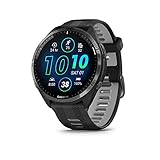
- Brilliant AMOLED touchscreen display with traditional button controls and lightweight titanium bezel
- Battery life: up to 23 days of battery life in smartwatch mode, up to 31 hours in GPS mode
- Confidently run any route using full-color, built-in maps and multi-band GPS
- Training readiness score is based on sleep quality, recovery, training load and HRV status to determine if you’re primed to go hard and reap the rewards (data presented is intended to be a close estimation of metrics tracked)
- Plan race strategy with personalized daily suggested workouts based on the race and course that you input into the Garmin Connect app and then view the race widget on your watch; daily suggested workouts adapt after every run to match performance and recovery
AMOLED Night Shift
Style: Low‑light optimized digital
Data density: Medium
Best for: Venu 3, Forerunner 265, Epix
Why it stands out: AMOLED Night Shift is built for users who care about eye comfort as much as data. The face defaults to red, amber, or muted blue tones, making it ideal for evening use or low‑light environments.
This face is popular with runners and cyclists who train early or late, as it preserves night vision better than standard white‑on‑black layouts. Data fields are large and legible, even at reduced brightness.
Battery performance is surprisingly good for a color‑based face. By limiting peak brightness and avoiding pure white pixels, it stays efficient enough for round‑the‑clock wear.
Pure Black Digital
Style: Ultra‑minimal digital
Data density: Low
Best for: Venu series, Epix
Why it stands out: Pure Black Digital is the closest you’ll get to a “stealth mode” watch face on AMOLED Garmin watches. Most of the screen is completely off, with time and one or two metrics appearing in crisp, high‑contrast text.
This face makes your watch disappear visually until you need it, which many users appreciate in professional or formal settings. It also pairs exceptionally well with smaller wrists, where excess graphics can feel overwhelming.
Battery life is excellent. By lighting only a small portion of the display, it takes full advantage of AMOLED efficiency and is a strong choice for users worried about daily charging.
AMOLED displays reward intentional design more than raw creativity. Faces that respect black space, prioritize glanceable data, and understand Garmin’s always‑on behavior consistently deliver the best real‑world experience on Venu, Epix, and OLED Forerunner models.
Best Battery‑Friendly Watch Faces for Long Adventures & Solar Garmins
If AMOLED rewards restraint, Garmin’s memory‑in‑pixel displays reward discipline. On Fenix, Enduro, Instinct, and solar‑assisted Forerunners, the best watch faces are the ones that respect refresh cycles, limit redraws, and avoid unnecessary animations. This category is all about faces you can trust on multi‑day hikes, ultra events, or expedition travel where charging simply isn’t an option.
Infocal
Style: Modular digital
Data density: High
Best for: Fenix, Enduro, Instinct, Forerunner 955/965 (MIP mode)
Why it stands out: Infocal has become a reference point for battery‑efficient, data‑first Garmin faces. It presents a clean grid of metrics with static positioning, meaning the screen only updates when data actually changes.
On solar models, this matters more than most users realize. Fewer redraws mean better real‑world solar gain, especially during long daylight exposure on hikes or bikepacking trips. You can configure nearly every field, but restraint pays off; three to five core metrics keeps the face both readable and efficient.
Despite the data density, it remains legible in harsh sunlight. That alone makes it a favorite among trail runners and mountaineers who rely on fast glances rather than lingering looks.
SHN TxD II‑E
Style: Tactical digital
Data density: Medium‑high
Best for: Fenix, Tactix, Instinct, Enduro
Why it stands out: SHN TxD II‑E is engineered with battery preservation as a primary design goal, not an afterthought. The layout emphasizes monochrome contrast, fixed elements, and minimal background activity.
This face feels purpose‑built for rugged watches with metal bezels and thick cases. On a sapphire Fenix or Enduro, it visually complements the tool‑watch aesthetic while staying practical for long missions or expeditions.
Battery impact is among the lowest of any configurable face in Connect IQ. Even with seconds enabled, power draw remains modest, making it a strong choice for users who leave their watch on 24/7 without charging for weeks.
Crystal
Style: Minimal analog
Data density: Low
Best for: Fenix, Instinct, solar Forerunners
Why it stands out: Crystal strips analog design down to essentials: clean hands, subtle markers, and optional complications that don’t dominate the screen. On MIP displays, this approach dramatically reduces redraw frequency.
It wears exceptionally well on the wrist. The analog layout softens the technical look of rugged Garmins, making them easier to wear in everyday settings without sacrificing endurance credentials.
For battery life, this is one of the safest analog choices available. With seconds disabled, it can run for weeks with negligible impact, even on smaller solar models with limited panel area.
Simple TDB
Style: Ultra‑minimal digital
Data density: Very low
Best for: Instinct, Enduro, Fenix
Why it stands out: Simple TDB is almost aggressively minimal. Time dominates the display, with one or two optional data fields tucked away without visual clutter.
This face is ideal for users who treat their Garmin primarily as an endurance instrument rather than a dashboard. It keeps the screen calm, readable, and predictable, which helps both battery life and usability during fatigue.
On solar watches, this design maximizes charging efficiency by avoiding unnecessary pixel changes. It’s a quiet performer, but one that excels during long treks or multi‑day races.
Rails
Style: Structured digital
Data density: Medium
Best for: Fenix, Forerunner 955, Instinct
Why it stands out: Rails uses horizontal data lanes that update independently, reducing full‑screen refreshes. This makes it more efficient than many faces with similar information density.
The typography is bold without being oversized, which helps readability at a glance while moving. Runners and hikers appreciate how quickly key stats can be checked without stopping.
Battery consumption stays predictable even with several metrics enabled. It’s a good middle ground for users who want more information than a minimalist face but still need reliable endurance.
Solar Garmins reward thoughtful watch‑face choices more than any other segment in the lineup. Faces that minimize redraws, respect static layouts, and avoid decorative excess translate directly into longer runtimes, better solar recovery, and fewer compromises when you’re far from a charger.
Compatibility Breakdown: Which Watch Faces Work on Forerunner, Fenix, Epix, Venu & Instinct
By this point it should be clear that watch-face choice isn’t just about aesthetics. On Garmin hardware, compatibility is tightly linked to screen technology, resolution, memory limits, button layouts, and even solar charging behavior.
Before you hit download, it’s worth understanding how each Garmin family handles third‑party faces, and where the real limitations show up in daily use.
Forerunner Series: The Broadest Support, With Some Caveats
Forerunner models are generally the safest bet for Connect IQ watch faces. The platform is mature, widely supported by developers, and available across multiple display sizes and resolutions.
Memory and processor headroom are better on newer models like the Forerunner 955 and 965, which means complex faces with multiple data fields, weather APIs, and custom fonts tend to run smoothly. Older units such as the Forerunner 245 or 735XT can still run most faces, but performance and battery impact become more noticeable as data density increases.
MIP-based Forerunners favor faces optimized for low refresh rates. Static layouts, restrained animations, and conservative color usage deliver the best legibility and battery life during training weeks and race blocks.
AMOLED changes the equation entirely. The Forerunner 965 supports faces designed specifically for OLED contrast, gradients, and richer color palettes, but it also exposes poorly optimized faces very quickly through higher drain.
Fenix Series: Maximum Compatibility, Maximum Expectations
Fenix watches are the reference platform most developers test against. Screen sizes, button layouts, and memory allowances are consistent enough that nearly every serious Connect IQ face lists Fenix compatibility.
This is where data-heavy and instrument-style faces feel most at home. The physical size of the case, sapphire or Gorilla Glass lens options, and high-contrast MIP panels make dense layouts readable even under harsh sunlight.
Solar Fenix models add an extra layer of consideration. Faces that avoid constant second-hand updates and excessive redraws not only extend battery life but also improve solar recovery, especially during long outdoor sessions.
The only real limitation comes with older Fenix generations. While Fenix 5 and 5 Plus models still run many modern faces, advanced graphical elements may load slower or require trimming features to remain stable.
Epix Series: AMOLED First, Battery Second
Epix is the most demanding platform for watch-face developers. The high-resolution AMOLED panel rewards visually rich designs, but it punishes inefficient ones.
Faces that look incredible on Epix typically use dark backgrounds, controlled refresh intervals, and smart use of always-on display modes. Bright white backgrounds, animated complications, or constantly updating seconds can halve battery life in real-world use.
Compatibility is generally excellent, but not universal. Some MIP-first faces technically install on Epix yet feel mismatched, with oversized fonts or unused screen space. AMOLED-optimized faces deliver better balance between visual impact and daily usability.
If you want analog styling on Epix, faces that disable the second hand in always-on mode are essential. This single setting often makes the difference between charging every few days and once a week.
Venu Series: Style-Driven, But Less Forgiving
Venu models prioritize lifestyle aesthetics over endurance metrics, and watch-face compatibility reflects that focus. Most faces that work well on Venu are either AMOLED-native designs or simplified digital layouts.
Hardware limitations appear faster here. RAM constraints and smaller batteries mean complex data dashboards can introduce lag or excessive drain, especially on Venu Sq and earlier generations.
Touch-first interaction also changes usability. Faces that rely on tap zones, glanceable metrics, and minimal customization tend to feel more natural than those designed around button-heavy Fenix navigation.
If you wear your Venu as a daily watch with occasional workouts, visually polished faces with moderate data density are the sweet spot. Heavy endurance or expedition-style faces feel out of place and rarely perform well long-term.
💰 Best Value

- Designed with a bright, colorful AMOLED display, get a more complete picture of your health, thanks to battery life of up to 11 days in smartwatch mode
- Body Battery energy monitoring helps you understand when you’re charged up or need to rest, with even more personalized insights based on sleep, naps, stress levels, workouts and more (data presented is intended to be a close estimation of metrics tracked)
- Get a sleep score and personalized sleep coaching for how much sleep you need — and get tips on how to improve plus key metrics such as HRV status to better understand your health (data presented is intended to be a close estimation of metrics tracked)
- Find new ways to keep your body moving with more than 30 built-in indoor and GPS sports apps, including walking, running, cycling, HIIT, swimming, golf and more
- Wheelchair mode tracks pushes — rather than steps — and includes push and handcycle activities with preloaded workouts for strength, cardio, HIIT, Pilates and yoga, challenges specific to wheelchair users and more (data presented is intended to be a close estimation of metrics tracked)
Instinct Series: Highly Selective, Purpose-Built Only
Instinct is the most restrictive platform in Garmin’s lineup, and that’s by design. The monochrome, low-resolution display and extremely limited memory mean only a subset of watch faces are supported.
Faces built specifically for Instinct emphasize large numerals, fixed layouts, and minimal data fields. Anything relying on color, complex shapes, or dynamic scaling simply won’t load.
The upside is efficiency. When a face is properly optimized for Instinct, battery life is exceptional, and readability remains excellent in harsh conditions. This makes it ideal for multi-day hiking, military use, or expedition travel.
Instinct Solar models benefit disproportionately from faces that minimize redraws. Simple digital layouts with static elements allow the solar ring to do its job without interference.
Quick Compatibility Matrix: What Typically Works Best
Forerunner watches handle the widest range of faces, from minimalist to data-rich, with newer models offering the best performance headroom.
Fenix supports nearly everything, but rewards faces designed with endurance and solar efficiency in mind.
Epix thrives on AMOLED-optimized designs that respect always-on behavior and battery constraints.
Venu prefers clean, stylish faces with moderate data and touch-friendly layouts.
Instinct demands purpose-built faces that embrace simplicity, legibility, and extreme efficiency.
Understanding these differences makes the rest of this list far more useful. A face that feels perfect on a Fenix can feel clumsy on a Venu or outright incompatible with Instinct, even if the download page technically allows it.
How to Download, Customize & Optimize Garmin Watch Faces via Connect IQ (Pro Tips Included)
Once you understand which faces suit your specific Garmin model, the next step is making sure you install and tune them properly. A great watch face can feel transformative when it’s set up correctly, or frustratingly inefficient if you leave it at default settings.
Garmin’s Connect IQ system is powerful but not always intuitive, especially when it comes to customization, battery behavior, and performance trade-offs. The following steps and pro tips will help you get the most out of any face on this list, regardless of whether you’re running a Forerunner 265, Fenix 7 Solar, Epix Gen 2, Venu Sq, or Instinct 2.
Step-by-Step: Downloading Watch Faces the Right Way
Start with the Garmin Connect IQ app on your phone or the Connect IQ Store on desktop. Mobile is more convenient for browsing, while desktop is often better for reading long compatibility notes and user feedback.
Search for the face by exact name whenever possible. Many developers publish multiple versions optimized for different screen types, and the wrong variant can lead to scaling issues or missing fields.
Before tapping download, scroll down to the compatibility list and confirm your exact watch model. “Compatible with Fenix series” doesn’t always mean optimized for Fenix Solar or Epix AMOLED behavior.
Once installed, sync your watch fully before attempting customization. Partial syncs are the most common reason new faces fail to load correctly on first launch.
Where Customization Actually Lives (And Why It Confuses People)
Most watch face customization happens inside the Garmin Connect app, not on the watch itself. Open your device page, select Appearance, then Watch Face, and tap the settings icon for the active face.
Expect multiple sub-menus. Data fields, colors, fonts, battery indicators, complications, and background behavior are often separated, and changes may take a few seconds to reflect after syncing.
Some higher-end faces also include on-watch shortcuts. These are typically accessed by long-pressing a button or tapping the screen on touchscreen models, but they’re rarely documented clearly, so experimentation helps.
If a face seems “limited,” check whether advanced options are locked behind a Pro upgrade. Many top-tier faces use a free base version with paid unlocks for deeper customization, which is usually worth it if you plan to use the face daily.
Optimizing Battery Life Without Sacrificing Usability
Battery impact varies wildly between faces, even on the same watch. The biggest drain comes from frequent screen redraws, seconds indicators, live graphs, and animated elements.
On MIP displays like Forerunner, Fenix, and Instinct, disable seconds unless you truly need them. A static minutes-only refresh dramatically reduces background power usage.
On AMOLED models like Epix and Venu, always-on display behavior matters more than brightness. Choose faces that support dimmed AOD modes with simplified layouts rather than full-color replicas.
Weather updates are another hidden drain. Setting refresh intervals to 30 or 60 minutes instead of “live” provides nearly identical usefulness with far better endurance.
Matching Data Density to Real-World Use
It’s tempting to load every available metric onto a face, but readability suffers quickly. A face that looks impressive indoors can become unreadable during a run, ride, or hike.
For training-focused users, prioritize time, heart rate, steps, and one contextual metric like training load or recovery. Everything else belongs in widgets or glance views.
Daily wear users often benefit more from calendar, weather, and battery information than fitness stats. On Venu and Epix, clean spacing and font choice matter more than raw data volume.
Instinct users should think defensively. Large numerals, fixed contrast, and minimal fields ensure readability in rain, mud, or bright sun, where overdesigned faces fail fast.
AMOLED vs MIP: Fine-Tuning for Display Type
AMOLED screens reward restraint. Deep blacks, limited color palettes, and intentional negative space look better and consume less power than vibrant, full-screen designs.
Avoid faces that rely on thin lines or low-contrast fonts on Epix and Venu. They may look sharp in screenshots but blur slightly in motion or under dim AOD conditions.
MIP displays thrive on contrast and structure. High-contrast text, boxed data fields, and static elements remain legible across lighting conditions and use less energy.
Solar-equipped Fenix and Instinct models benefit most from faces that avoid unnecessary refresh cycles. Static layouts allow solar charging to offset background consumption more effectively.
Performance Troubleshooting: When a Face Misbehaves
If a face lags, freezes, or crashes, start by reducing its complexity. Disable seconds, graphs, and extra data fields one at a time to identify the culprit.
Restarting the watch clears memory leaks that can build up with poorly optimized faces. This alone fixes a surprising number of issues.
If problems persist, check the developer’s update history. Faces with recent firmware updates tend to adapt better to Garmin OS changes, especially on newer watches.
Finally, don’t hesitate to uninstall a face that doesn’t play well with your usage. A watch face is something you interact with hundreds of times per day, and stability matters more than novelty.
Pro Tips from Daily Wear and Training Use
Keep two faces installed and switch between them. A clean, battery-friendly daily face paired with a data-heavy training-day face offers the best of both worlds.
Test new faces for at least 48 hours before judging battery impact. Initial indexing and weather syncs can temporarily skew results.
Use system fonts where possible. Custom fonts often look stylish but can reduce legibility at a glance, especially during movement.
Remember that the best watch face is the one you stop thinking about. When time, data, and aesthetics disappear into a cohesive whole, you’ve found the right match.
Wrapping It All Together
Downloading a great Garmin watch face is only half the experience. The real value comes from tailoring it to your watch, your habits, and your priorities.
With the right setup, a well-optimized face improves readability, preserves battery life, and makes your Garmin feel purpose-built rather than generic. Whether you’re chasing performance metrics or simply want your watch to look better on your wrist, thoughtful customization turns a good face into a great one.
Use the faces in this guide as starting points, then refine them until they quietly serve you every time you lift your wrist. That’s when your Garmin truly feels like your own.