Most people strap on a Mi Band 6, pair it once, and never touch the deeper settings again. That’s a mistake, because the first 20 minutes you spend dialing things in has a bigger impact on daily comfort, tracking accuracy, and battery life than any later tweak. The Band 6 is simple on the surface, but the real control lives in the app.
This section focuses on the setup changes that immediately improve how the Mi Band 6 feels on your wrist, how reliable its health data is, and how long it lasts between charges. You’ll learn what to adjust before your first workout, first night of sleep tracking, and first full day of notifications so the band works with you instead of nagging you.
Choose the right app and lock permissions properly
The Mi Band 6 works primarily with Zepp Life (formerly Mi Fit), and that’s still the most stable option for long-term use and firmware updates. During pairing, don’t rush through permissions, especially on Android, where background activity, location access, and notification access directly affect sync reliability. If notifications or workouts randomly drop later, it’s almost always because the app was restricted during this step.
On iPhone, make sure Bluetooth access is set to Always and Background App Refresh is enabled. This prevents delayed syncs and missing call alerts, which are common complaints when defaults are left unchanged. Taking two extra minutes here saves weeks of frustration.
🏆 #1 Best Overall

- Stunning images, smooth touch: Immerse yourself in brilliant clarity with the large 1.72-inch AMOLED display.Vacuum filling sealing technology enables symmetrical 2.0mm ultra-thin bezels, expanding screen-to-body ratio from 66% to 73%. Enjoy incredibly smooth and seamless interaction with crisp, color-accurate images, right on your wrist.
- Fast charging, longer adventures: Say goodbye to daily charging hassles! Enjoy an exceptional 21 days of battery life on a single charge. And when you need more power, it only takes an hour to fully recharge the device with fast charging. Freedom without limits!
- Revolutionize your swimming and training sessions: The Xiaomi smartwatch is equipped with a new high-precision electronic compass that tracks swimming direction like never before, delivering unparalleled accuracy for pool sessions. Plus, gain detailed insights through professional analysis of your workouts to optimize each session.
- Master your nighttime recovery: Discover the secrets of your sleep with comprehensive and enhanced sleep monitoring. Get comprehensive insights into your sleep stages and quality, helping you wake up refreshed and optimize your well-being.
- 1500 nits HBM brightness,Glanceable in any light:25% brighter than before, the display achieves a remarkable 1500 nits HBM brightness, making every message readable even in direct sunlight.
Update firmware before changing any settings
Once paired, check for a firmware update immediately and install it before customizing anything else. Xiaomi often tweaks heart rate algorithms, sleep tracking behavior, and touch sensitivity through firmware, which can make early settings obsolete. A quick update ensures you’re tuning the latest version of the band, not yesterday’s behavior.
Keep the band on its charger during the update to avoid interruptions. A failed update can cause syncing issues that look like hardware problems but are purely software-related.
Set your personal profile accurately, not approximately
Height, weight, age, and gender feed directly into calorie estimates, VO2-based fitness metrics, and even step length assumptions. Guessing here leads to inflated burn numbers and misleading weekly trends. If you train regularly, this accuracy matters more than people realize.
Also set your dominant wrist correctly, since it changes how the accelerometer interprets movement. If you wear the band loosely or switch wrists often, recalibrate by reselecting the correct wrist rather than ignoring odd step counts.
Adjust heart rate tracking frequency based on real use
By default, continuous heart rate tracking may be set conservatively to preserve battery. If you care about stress trends, sleep quality, or workout recovery, switch monitoring to every minute during the day. This gives noticeably smoother graphs and more reliable resting heart rate data.
If battery life is your top priority, keep all-day monitoring on but disable advanced stress tracking. This preserves most health insights while extending real-world battery life by several days.
Turn off notification noise before it turns you off
The Mi Band 6 can mirror nearly every phone notification, which quickly becomes overwhelming. Go into app notifications and whitelist only what you genuinely need, such as calls, messages, and one or two key apps. Everything else becomes wrist clutter that drains battery and attention.
Disable notification previews for apps you don’t need to read instantly. A simple vibration without text is often enough and keeps the band feeling helpful rather than intrusive.
Calibrate screen behavior for comfort and battery
The AMOLED display is one of the Band 6’s biggest upgrades, but brightness and wake behavior matter. Set brightness manually to a level that’s readable indoors and outdoors without maxing it out, since higher brightness noticeably impacts battery life. Auto brightness isn’t available, so this manual step is important.
Adjust raise-to-wake sensitivity so it triggers reliably but not constantly. If the screen lights up every time you shift in a chair, you’re wasting battery without gaining usability.
Customize the watch face with intent, not just style
Watch faces aren’t just cosmetic on the Mi Band 6. Some display heart rate, steps, weather, and battery all at once, saving swipes throughout the day. Others look clean but hide useful data behind extra taps.
Choose a face that matches how you actually use the band, especially if you track steps or heart rate goals daily. Darker faces with fewer animations also consume less power over time.
Set sleep tracking before your first night
Enable advanced sleep monitoring and blood oxygen tracking before your first night wearing the band. These features work best when they collect consistent baseline data from the start. If enabled later, early sleep trends may look erratic or incomplete.
Make sure the band fits snugly but not tightly before bed. Poor skin contact is the number one cause of missing sleep stages and inaccurate SpO2 readings.
Prepare workout modes you actually use
The Mi Band 6 supports dozens of workout modes, but you don’t need all of them accessible on the band. Reorder or hide unused modes so your most common activities appear first. This makes starting a workout quicker and reduces accidental taps.
Before your first run or gym session, test GPS-connected activities with your phone nearby. This ensures distance and pace data sync correctly from day one and avoids skewed training records later.
Enable find-my-band and safety basics early
Turn on the find-my-band feature and vibration alerts immediately. It’s surprisingly easy to misplace a lightweight tracker during charging or travel. Having this enabled from the start saves time when it inevitably slips under a couch or into a gym bag.
If you rely on alarms, set them on the band rather than your phone. The silent vibration wake-up is one of the Mi Band 6’s most underrated daily features and works best when established as a habit early on.
Mastering the AMOLED Display: Brightness Control, Watch Faces and Always‑On Tricks
Once your core tracking features are dialed in, the AMOLED screen becomes the part of the Mi Band 6 you interact with most. This 1.56‑inch display is one of the band’s biggest upgrades, and how you manage brightness, faces, and always‑on behavior has a direct impact on comfort, visibility, and battery life.
Manually tune brightness instead of relying on guesswork
The Mi Band 6 does not use automatic ambient light adjustment, so brightness needs to be set intentionally. Head into the band’s Settings menu or adjust it through the Mi Fit or Zepp Life app and test it in real conditions, not just indoors.
For most users, one notch below maximum is the sweet spot for outdoor readability without excessive drain. Max brightness is best reserved for sunny runs or hikes, while lower indoor levels reduce eye strain during late‑night checks.
Use night brightness strategically for sleep comfort
Brightness doesn’t change automatically at night, which can be jarring if you check the time half asleep. Lower the brightness before bed or create a habit of dimming it during your evening routine.
This pairs especially well with sleep tracking, since sudden light bursts can wake you more than you realize. The AMOLED panel is sharp even at low brightness, so you’re not sacrificing legibility.
Choose watch faces for data density, not just looks
The larger display allows for far more information at a glance, but not all faces use that space wisely. Faces that show time, steps, heart rate, battery, and weather reduce the need for constant swiping throughout the day.
If you train regularly, prioritize faces that surface live step count or heart rate trends. For office or casual wear, cleaner layouts with fewer animated elements feel more watch‑like and subtly improve battery longevity.
Explore the full watch face library, cautiously
The official app offers hundreds of faces, many tailored to different screen layouts and regional styles. Scroll beyond the featured section to find practical designs that emphasize clarity over novelty.
Third‑party face apps exist, but use them carefully. Some are poorly optimized and can increase battery drain or introduce sync issues, which undermines the reliability of the band in daily use.
Understand Always‑On Display limitations before enabling it
The Mi Band 6 supports Always‑On Display through firmware updates, but it’s not a free upgrade in practice. AOD dramatically reduces battery life, often cutting multi‑day endurance down to just a few days.
If you enable it, choose the simplest AOD style available and pair it with shorter screen timeout settings. This setup works best for users who value constant time visibility over long battery cycles.
Combine raise‑to‑wake with smart timing
Raise‑to‑wake is more battery‑friendly than AOD and remains the best everyday option for most users. Fine‑tune its active hours so it doesn’t trigger during sleep or long periods of inactivity.
Disabling raise‑to‑wake during workouts can also prevent accidental screen activations when your wrist bends repeatedly. This keeps the display focused on intentional interactions, not constant interruptions.
Prevent burn‑in with small but important habits
AMOLED panels can suffer from burn‑in over very long periods if the same elements stay static. Rotating watch faces every few weeks and avoiding constant maximum brightness helps preserve screen quality.
This matters more on a device worn all day, every day. Treating the display thoughtfully ensures it stays crisp and evenly lit long after the novelty wears off.
Balance visual impact with real‑world battery expectations
The Mi Band 6’s display is one of the best at its price, but it’s still part of a lightweight tracker designed for days, not hours, of use. Every brightness increase, animation, or always‑on feature pulls from that shared battery budget.
Dialing in the right combination of brightness, watch face efficiency, and wake behavior turns the screen from a power drain into a genuinely polished daily interface.
Hidden Navigation Shortcuts and Gesture Controls Most Users Miss
Once you’ve optimized the display behavior, the next biggest usability upgrade comes from learning how the Mi Band 6 actually wants to be navigated. Xiaomi’s interface looks simple on the surface, but it hides a surprising number of shortcuts that reduce swipes, prevent mis-taps, and make the band feel faster in daily use.
These gestures matter even more on a slim, button‑free tracker with a narrow AMOLED panel. With no physical controls to fall back on, small navigation efficiencies add up quickly during workouts, notifications, and everyday check-ins.
Swipe direction logic isn’t symmetrical—and that’s intentional
Most users assume all swipe directions behave the same across menus, but the Mi Band 6 uses context‑aware swipes. From the watch face, swiping up always brings notifications, while swiping down opens the control center, regardless of what watch face you’re using.
Swiping left or right cycles through widgets, but once you’re inside an app or workout screen, a right swipe consistently acts as a “back” gesture. Training yourself to rely on this instead of hunting for on‑screen back arrows dramatically speeds up navigation.
Long‑press shortcuts on the watch face
A long press on the watch face doesn’t just change faces—it’s also a quick gateway into layout control. Hold for a second, then swipe to browse installed faces without opening the phone app.
This is especially useful if you rotate faces to avoid burn‑in or prefer different layouts for workouts versus office wear. It turns the band into something closer to a modular watch rather than a static screen.
Hidden quick toggles inside the control center
The control center is more than a flashlight and Do Not Disturb switch. Swiping down and then swiping sideways within the control panel reveals additional toggles, depending on firmware version.
Features like screen lock, water lock, and brightness adjustment can often be accessed here faster than through the main settings menu. Many users never swipe sideways in this view, missing half of what’s available.
Screen lock gestures that prevent accidental taps
If you’ve ever brushed your sleeve against the screen and stopped a workout, the screen lock feature is essential. Once enabled, unlocking requires a deliberate swipe pattern rather than a simple tap.
This is particularly valuable during strength training, swimming, or sleep tracking, where constant wrist movement can trigger unintended inputs. It improves reliability without adding friction once you’ve memorized the gesture.
Workout screen swipe zones most users overlook
During an active workout, horizontal swipes cycle between stats screens, while vertical swipes are ignored. This prevents accidental pauses when your wrist flexes, but it also means tapping is the primary control method.
Pausing or ending a workout requires a long press, not a tap. Many users tap repeatedly, thinking the band is lagging, when it’s actually waiting for that deliberate input to avoid false stops.
Notification handling shortcuts that save time
When viewing a notification, a simple upward swipe dismisses it instantly. There’s no need to scroll to the bottom and tap clear unless you want to clear all notifications at once.
You can also scroll through long notifications vertically without triggering other UI elements, as the band temporarily locks horizontal gestures in this mode. This makes reading messages on the narrow screen far more manageable than it first appears.
Silencing alerts without opening menus
When an alarm or incoming call alert appears, covering the screen with your palm briefly will silence it. This gesture isn’t documented clearly, but it works reliably and feels natural in meetings or public spaces.
It’s faster than swiping and avoids drawing attention to your wrist. For a band focused on subtle, all‑day wearability, this small gesture makes a big difference.
Gesture behavior changes with wrist orientation
The Mi Band 6 adjusts touch sensitivity based on detected wrist angle. When your wrist is vertical, such as during walking or running, swipe recognition is stricter to reduce accidental input.
When your wrist is flat, sensitivity increases, making menus easier to navigate when you’re intentionally interacting. Understanding this behavior helps explain why some swipes feel inconsistent—it’s context, not lag.
Use shortcut widgets to bypass deep menus
Widgets accessed via left or right swipes can be reordered in the companion app, effectively creating gesture‑based shortcuts. Placing workouts, heart rate, or stress tracking closest to the watch face reduces navigation to a single swipe.
This turns the Mi Band 6 into a purpose‑driven tool rather than a menu maze. For fitness‑focused users, it’s one of the most impactful usability tweaks available.
Rank #2

- Stunning images, smooth touch: Immerse yourself in brilliant clarity with the large 1.72-inch AMOLED display.Vacuum filling sealing technology enables symmetrical 2.0mm ultra-thin bezels, expanding screen-to-body ratio from 66% to 73%. Enjoy incredibly smooth and seamless interaction with crisp, color-accurate images, right on your wrist.
- Fast charging, longer adventures: Say goodbye to daily charging hassles! Enjoy an exceptional 21 days of battery life on a single charge. And when you need more power, it only takes an hour to fully recharge the device with fast charging. Freedom without limits!
- Revolutionize your swimming and training sessions: The Xiaomi smartwatch is equipped with a new high-precision electronic compass that tracks swimming direction like never before, delivering unparalleled accuracy for pool sessions. Plus, gain detailed insights through professional analysis of your workouts to optimize each session.
- Master your nighttime recovery: Discover the secrets of your sleep with comprehensive and enhanced sleep monitoring. Get comprehensive insights into your sleep stages and quality, helping you wake up refreshed and optimize your well-being.
- 1500 nits HBM brightness,Glanceable in any light:25% brighter than before, the display achieves a remarkable 1500 nits HBM brightness, making every message readable even in direct sunlight.
Mastering gestures improves battery efficiency too
Efficient navigation isn’t just about speed—it also reduces unnecessary screen wake‑ups. Fewer mis-taps and shorter interaction times mean the AMOLED display stays off longer.
Over weeks of use, these small savings contribute to more consistent battery life. On a lightweight tracker designed for long wear, mastering gestures quietly enhances both usability and endurance.
Deep Health Tracking Optimisation: Heart Rate, SpO₂, Sleep and Stress Accuracy Tips
Once you’ve streamlined gestures and navigation, the next gains come from improving data quality. The Mi Band 6 is only as smart as the signals it can capture, and small setup choices dramatically affect accuracy across heart rate, blood oxygen, sleep, and stress tracking.
This is where comfort, fit, software settings, and real-world wear habits intersect. Treat the band like a health instrument rather than a notification screen, and it rewards you with far more reliable insights.
Dial in heart rate accuracy with correct fit and placement
The optical heart rate sensor on the Mi Band 6 relies on consistent skin contact. Wear it about one finger’s width above your wrist bone, where blood flow is stronger and movement interference is lower.
Tightness matters more than many expect. The band should feel secure without cutting circulation; if it slides during arm swings or workouts, readings will spike or drop erratically.
During exercise, especially running or strength training, slightly tightening the strap improves signal stability. For all-day wear, loosen it one notch afterward to restore comfort and avoid skin irritation.
Adjust heart rate sampling intervals for your lifestyle
In the Zepp Life app, heart rate monitoring can be set to 1, 5, 10, or 30-minute intervals. Shorter intervals improve trend accuracy and stress detection but increase battery drain.
If you train regularly or rely on stress tracking, 1-minute or 5-minute sampling provides noticeably smoother data. For casual users focused on step counts and notifications, 10 or 30 minutes offers a better battery-life balance.
Night-time tracking uses a different logic, so reducing daytime frequency doesn’t compromise sleep heart rate trends as much as you might think.
Improve workout heart rate reliability
Start workouts manually rather than relying on auto-detection. Manual sessions force continuous heart rate sampling, reducing lag and smoothing sudden spikes caused by motion.
Give the sensor 20 to 30 seconds after starting a workout before checking heart rate zones. Optical sensors stabilize once blood flow and motion patterns settle.
Cold weather can reduce wrist blood flow, especially during outdoor runs. Wearing the band under a sleeve or glove cuff helps maintain sensor contact and improves early-session accuracy.
Getting more reliable SpO₂ readings
SpO₂ checks on the Mi Band 6 work best when you are still and relaxed. Sit down, rest your arm on a table, and keep your wrist level with your heart during manual measurements.
Avoid taking readings immediately after exercise, walking, or caffeine intake. Elevated heart rate and micro-movements can skew results downward.
For sleep-based SpO₂ tracking, enable it only if you’re actively monitoring breathing or altitude-related concerns. It provides useful trend data, but enabling it nightly has a noticeable impact on battery life.
Understanding when SpO₂ data is actually meaningful
Single SpO₂ readings are less important than patterns. Look for repeated drops below your normal baseline rather than reacting to one-off measurements.
The Mi Band 6 is best used as an early warning tool, not a medical device. Consistently low overnight values paired with poor sleep quality are more actionable than daytime spot checks.
If you live at altitude or travel frequently, expect baseline values to shift. Track changes relative to your personal average rather than generic thresholds.
Optimising sleep tracking through wear habits
Sleep accuracy improves when the band is worn slightly looser than during workouts. This reduces pressure-induced blood flow changes that can confuse sleep-stage detection.
Try to wear the band consistently on the same wrist every night. Switching wrists alters motion patterns and can fragment sleep data, especially light and REM stages.
Charging earlier in the evening rather than before bed prevents rushed fit adjustments. A calm, consistent bedtime routine improves both comfort and data reliability.
Enable advanced sleep features selectively
The Mi Band 6 offers sleep breathing quality and REM detection, but these features rely on higher sensor activity. Enable them if sleep insights matter to you, not by default.
If battery life drops below 10 days, disable breathing monitoring first before reducing heart rate frequency. This preserves daytime health metrics while extending endurance.
For users tracking recovery or fatigue, keeping REM and deep sleep enabled provides better trend analysis over weeks rather than nights.
Making sense of stress tracking data
Stress tracking on the Mi Band 6 is derived from heart rate variability trends, not emotional awareness. It works best when heart rate sampling is set to 1 or 5 minutes.
Periods of physical movement often register as stress. Review stress charts alongside activity logs to avoid misinterpreting exercise or commuting as psychological strain.
Use stress reminders sparingly. Too many alerts reduce their value, while occasional nudges encourage breathing exercises when they actually matter.
Use guided breathing to recalibrate sensors
Starting a one-minute breathing session not only lowers stress but stabilizes heart rate readings. This helps reset noisy data after workouts, meetings, or travel.
Treat breathing sessions as calibration moments rather than therapy. They improve the baseline quality of subsequent stress and heart rate data.
Over time, you’ll notice clearer stress trends simply by using breathing once or twice daily.
Skin tone, tattoos, and environmental factors
Darker tattoos or heavy ink directly under the sensor can interfere with optical readings. If possible, shift the band slightly to avoid inked areas during workouts.
Sweat buildup can also affect accuracy. Rinsing the band after exercise and drying the sensor improves consistency, especially in warm climates.
Clean optics matter more than people realize. A quick wipe with a soft cloth every few days maintains sensor clarity without affecting durability.
Balancing health depth with battery life
Every advanced health feature trades battery for insight. Decide whether your priority is weekly charging convenience or deeper physiological tracking.
For most users, continuous heart rate with sleep tracking enabled hits the sweet spot. Add SpO₂ and stress monitoring selectively when investigating specific health questions.
Optimising these settings turns the Mi Band 6 from a basic tracker into a genuinely informative health companion, without sacrificing the comfort and long wearability that make it so appealing.
Fitness Tracking Pro Tips: Sport Modes, Custom Goals and Data You’re Not Using Yet
Once your health sensors are tuned for accuracy and battery balance, the next step is making your workouts work harder for you. The Mi Band 6’s fitness tracking looks simple on the surface, but there’s a surprising amount of control hiding behind its sport modes and post-workout data.
This is where the band shifts from counting steps to actively shaping training habits, especially if you’re willing to tweak a few defaults in the app.
Choose the right sport mode, not just the closest one
The Mi Band 6 supports over 30 sport modes, but many users stick to Running, Walking, or Cycling out of habit. Each mode uses different motion algorithms and heart rate weighting, so picking the closest match actually affects calorie estimates and training load.
For example, Treadmill mode ignores GPS pacing entirely and prioritises arm swing cadence. If you log indoor runs as Outdoor Running, your pace and distance will drift badly over time.
For gym sessions, Free Training is better than defaulting to Strength. Strength Training attempts rep detection and rest timing, which is useful only if your movements are consistent and well-lit by the sensor.
Understand connected GPS limitations and how to work around them
The Mi Band 6 does not have built-in GPS. Outdoor pace, distance, route maps, and VO₂ max estimates depend entirely on your phone’s GPS staying connected.
To improve accuracy, open the Mi Fit or Zepp Life app first, wait for GPS lock, then start the workout from the band. Starting too quickly often results in shortened routes and inflated pace.
If you regularly forget your phone, switch to Walking or Indoor Running modes and judge effort by heart rate zones instead of speed metrics.
Use heart rate zones as your primary intensity guide
Heart rate zones are more reliable than pace for most users, especially without onboard GPS. The Mi Band 6 automatically calculates zones based on age, but these are conservative by default.
In the app, manually adjust your max heart rate if you know it. Even a small correction improves calorie burn accuracy and training effect scores.
During workouts, glance at zone time rather than current heart rate. Spending too long in the same zone often explains stalled fitness progress better than total duration.
Set custom workout goals to avoid junk sessions
Most users track workouts passively, but the Mi Band 6 allows goal-based sessions by time, distance, or calories for many activities.
A 25-minute walk with a time goal encourages consistency more effectively than open-ended tracking. Distance goals work best for outdoor sessions with stable GPS.
Calorie goals are useful for low-impact days, but remember they’re estimates. Use them as motivation, not precise nutrition accounting.
Auto-detected workouts are best treated as backups
The band can auto-detect activities like walking, running, elliptical, and rowing. This is convenient, but detection usually starts several minutes late.
Auto-detected sessions are best for capturing forgotten workouts, not for performance tracking. Manually starting a session gives you cleaner pacing, better heart rate curves, and full-duration data.
If you rely on detection, review the start time afterward and mentally discount the missing warm-up when analysing effort.
Swimming metrics need one crucial setup step
Pool Swimming mode is surprisingly capable for a tracker this slim and lightweight, but accuracy depends on pool length being set correctly.
Rank #3

- 1.47-inch large display,60Hz high refresh rate,Enhanced viewing experience
- Super-light design,Almost weightless: 16.5g lightweight design, 9.99mm slim body
- All-day automatic health and fitness monitoring, Keeping you healthy day and night
- All-day heart rate monitoring
- 18-day long battery life ,Longer companionship
In the app, confirm pool size before your first swim. Stroke count, SWOLF score, and distance all depend on this value.
For casual swimmers, focus on consistency rather than lap precision. If stroke detection struggles, tighten the strap slightly higher on the wrist to improve water resistance stability.
Strength training works best when simplified
Strength Training mode attempts to auto-detect reps and sets, but complex circuits and mixed movements confuse it quickly.
For better results, perform one exercise per set with clear pauses. Let the band detect rest automatically, then correct reps afterward in the app if needed.
If you prefer flexibility, Free Training with heart rate tracking often produces cleaner data without false precision.
Post-workout charts hide the most useful insights
Many users stop at calories and duration, but the real value appears in heart rate curves and recovery trends.
Look for how quickly your heart rate drops in the first minute after finishing. Faster recovery over weeks is a strong indicator of improving cardiovascular fitness.
Compare similar workouts rather than different activities. A slow run and a fast walk produce very different heart rate patterns, even if calories match.
VO₂ max and training load are trend tools, not scores
When using Outdoor Running or Walking with connected GPS, the Mi Band 6 estimates VO₂ max. Single values fluctuate, especially with poor GPS or fatigue.
Watch the trend over several weeks instead. A gradual rise paired with stable heart rate zones suggests genuine fitness gains.
Ignore day-to-day drops after bad sleep or heavy legs. The algorithm is sensitive to effort consistency.
PAI is more useful than daily step counts
If enabled in the app, PAI converts heart rate intensity into a rolling weekly score. It rewards effort, not just movement.
This is especially helpful for users with desk jobs or irregular schedules. Two short high-intensity sessions can outperform 15,000 low-effort steps.
Aim to maintain your PAI above 100 rather than chasing arbitrary daily numbers. It aligns better with long-term cardiovascular health.
Battery-saving fitness tweaks that don’t hurt results
Frequent workouts don’t have to mean frequent charging. For most users, one-minute heart rate sampling is sufficient during the day, with continuous tracking only during workouts.
Disable SpO₂ during exercise unless altitude or sleep breathing is a concern. It adds drain without improving performance insights.
With smart sport mode selection and disciplined goal setting, the Mi Band 6 comfortably delivers a full week of training on a single charge, while remaining light, unobtrusive, and comfortable enough to forget you’re wearing it.
Battery Life Maximisation: Settings That Can Double Your Runtime
If you’re training regularly and wearing the Mi Band 6 all day, battery life becomes part of the experience, not a spec-sheet footnote. The good news is that Xiaomi’s defaults prioritise features over efficiency, leaving plenty of runtime on the table for users willing to tune a few settings.
With the right balance, it’s entirely realistic to stretch the Mi Band 6 from four to five days into nine to twelve days, without sacrificing meaningful health or fitness data.
Dial back continuous health monitoring (without losing insight)
The single biggest drain is 24/7 heart rate monitoring at aggressive intervals. In the Mi Fitness or Zepp Life app, set heart rate detection to every 5 or 10 minutes instead of one minute.
For most users, this still captures resting trends, stress patterns, and daily averages accurately. You’ll only lose ultra-fine granularity that rarely changes real-world decisions.
Sleep tracking remains reliable at these intervals because the band automatically increases sampling during sleep stages.
Be selective with SpO₂ tracking
All-day SpO₂ monitoring is one of the Mi Band 6’s most battery-hungry features. Unless you live at altitude, have known breathing issues, or are specifically tracking oxygen saturation, turn off automatic daytime SpO₂.
A smarter compromise is enabling SpO₂ only during sleep. This still flags breathing irregularities and low-oxygen events while avoiding constant daytime drain.
In real-world testing, disabling daytime SpO₂ alone can add two to three extra days per charge.
Reduce screen wake-ups, not screen quality
The 1.56-inch AMOLED display is bright, sharp, and surprisingly power-efficient when used intentionally. The problem isn’t the screen itself, but how often it lights up.
Turn off raise-to-wake during inactive periods, or limit it to a specific time window like morning and evening. Accidental wrist flicks add up quickly over a full day.
Keep brightness on manual rather than auto and set it one step lower than your comfort maximum. Outdoors it remains readable, and indoors it dramatically cuts drain.
Simplify notifications to only what matters
Every vibration, screen wake, and animation costs power. Many users unknowingly mirror every phone notification to the band.
Go into app notifications and keep only essentials like calls, messages, and one or two priority apps. Social media and email alerts are rarely actionable on a small tracker screen.
Shorter vibration patterns also help. If your firmware allows it, avoid long custom vibration sequences that feel impressive but quietly drain the battery.
Use workout modes strategically
During workouts, the Mi Band 6 switches to continuous heart rate tracking automatically, which is where accuracy actually matters. Outside of workouts, it doesn’t.
Avoid leaving workout modes running longer than necessary. Manually stop sessions once finished rather than letting them idle while you stretch or chat.
For indoor activities, skip GPS-connected modes unless you need pace mapping. Connected GPS forces constant Bluetooth communication with your phone, accelerating drain on both devices.
Optimise sleep features instead of stacking them
Advanced sleep tracking, sleep breathing monitoring, and SpO₂ can all run simultaneously, but they don’t always need to. Decide what you’re actually analysing.
If sleep stages and duration are your priority, disable sleep breathing quality. If breathing is the focus, keep SpO₂ and turn off non-essential daytime metrics.
This targeted approach keeps nightly insights meaningful while avoiding unnecessary background sampling.
Watch faces matter more than most people realise
Animated watch faces and those with constantly updating seconds or multiple live metrics quietly tax the processor and screen.
Choose a static or minimally animated face with darker backgrounds. AMOLED panels consume less power displaying black or near-black pixels.
Faces showing seconds are especially costly. Removing seconds alone can noticeably extend runtime over a full charge cycle.
Keep firmware current, but reset after major updates
Xiaomi often improves power management through firmware updates, even when it’s not highlighted in change logs. Staying up to date is worth it.
After major updates, restart the band and let it complete one full charge cycle. This helps recalibrate battery estimates and background processes.
If battery life suddenly drops after an update, a full reboot paired with re-syncing the app often resolves it without factory resets.
Accept the Mi Band’s strengths instead of fighting them
The Mi Band 6 isn’t designed to behave like a full smartwatch, and that’s why its battery potential is so strong. Lean into its role as a lightweight, comfortable, always-on health companion rather than a wrist phone.
By focusing on trend data, intentional workouts, and glanceable information, the band remains unobtrusive on the wrist and dependable across long stretches of use.
When set up thoughtfully, charging becomes a weekly habit rather than a constant interruption, which is exactly where a tracker this slim, light, and affordable delivers its best value.
Notification, App and Phone Integration Hacks for Daily Convenience
Once you’ve dialled in battery behaviour and on-band settings, the next quality-of-life gains come from how the Mi Band 6 talks to your phone. This is where a little restraint and a few hidden toggles turn it from a noisy wrist display into a genuinely helpful daily companion.
The Mi Band 6’s lightweight body and slim strap make it easy to forget you’re wearing it. Thoughtful notification and app integration ensures that what does reach your wrist actually deserves your attention.
Be ruthless with app notifications, not just message previews
Most users stop at toggling notifications on or off, but the real control lives one level deeper in the Mi Fit or Zepp Life app. Go to Notifications and alerts, then App alerts, and only enable apps that benefit from instant awareness.
Messaging apps, call alerts, and calendar reminders make sense on a 1.56-inch AMOLED display. Social media likes, delivery pings, and promotional alerts rarely do and quickly erode both focus and battery life.
The band’s vibration motor is surprisingly punchy for its size, and frequent triggers add up. Fewer alerts mean clearer priorities and noticeably longer time between charges.
Customise vibration patterns to recognise alerts without looking
Hidden in the notification settings is the ability to assign custom vibration patterns for calls and app alerts. Take advantage of this instead of relying on screen glances.
Set calls to a longer, repeating vibration and messages to a short pulse. Over time, you’ll recognise what’s happening by feel alone, which is especially useful during workouts or meetings.
This also reduces the temptation to wake the screen constantly, helping preserve the AMOLED panel and battery in everyday use.
Use notification filtering to clean up message content
The Mi Band 6 displays full text notifications well for its size, but group chats and stacked alerts can quickly become cluttered. Enable the option to hide notification previews when the phone is locked for privacy, especially if you wear the band loosely.
Rank #4

- Stunning images, smooth touch: Immerse yourself in brilliant clarity with the large 1.72-inch AMOLED display.Vacuum filling sealing technology enables symmetrical 2.0mm ultra-thin bezels, expanding screen-to-body ratio from 66% to 73%. Enjoy incredibly smooth and seamless interaction with crisp, color-accurate images, right on your wrist.
- Fast charging, longer adventures: Say goodbye to daily charging hassles! Enjoy an exceptional 21 days of battery life on a single charge. And when you need more power, it only takes an hour to fully recharge the device with fast charging. Freedom without limits!
- Revolutionize your swimming and training sessions: The Xiaomi smartwatch is equipped with a new high-precision electronic compass that tracks swimming direction like never before, delivering unparalleled accuracy for pool sessions. Plus, gain detailed insights through professional analysis of your workouts to optimize each session.
- Master your nighttime recovery: Discover the secrets of your sleep with comprehensive and enhanced sleep monitoring. Get comprehensive insights into your sleep stages and quality, helping you wake up refreshed and optimize your well-being.
- 1500 nits HBM brightness,Glanceable in any light:25% brighter than before, the display achieves a remarkable 1500 nits HBM brightness, making every message readable even in direct sunlight.
On Android, disable “Show repeated notifications” for messaging apps. This prevents the same conversation from buzzing your wrist multiple times as replies stack up.
For iOS users, limit lock screen previews to “When Unlocked” to avoid truncated or duplicated messages on the band.
Quick replies: useful, but only in specific situations
Android users get access to canned quick replies for incoming messages. These are configured in the app, not on the band itself, and work best when kept short and situational.
Responses like “In a meeting,” “Call you later,” or a simple thumbs-up make sense. Avoid full sentences that feel awkward to send from a fitness tracker.
Quick replies trigger extra syncing and screen activity, so treat them as an occasional convenience rather than a primary communication tool.
Call handling shortcuts most owners overlook
The Mi Band 6 doesn’t just show incoming calls; it can meaningfully reduce phone handling. Enable call notifications and set the band to vibrate before the phone rings to give you a silent early warning.
You can reject a call directly from the band, which sends it to voicemail without ever touching your phone. This is especially useful when your phone is in a bag or pocket during commuting or workouts.
For Bluetooth stability, keep the band on the same side of the body as your phone. Its small antenna benefits from clear line-of-sight, and this reduces dropped alerts in real-world use.
Calendar and reminder integration that actually helps
Calendar alerts are far more effective on the Mi Band 6 than most people expect. Enable only time-sensitive events like meetings, appointments, and travel reminders.
Avoid all-day events and birthdays, which clutter the wrist without adding urgency. The band excels at short, glanceable nudges, not passive information.
Pair this with a minimalist watch face, and calendar vibrations become subtle prompts rather than interruptions.
Music controls: treat them as situational, not permanent
Music playback controls are handy during workouts or commuting, but leaving them active all day adds unnecessary background syncing. Access them manually when needed instead of keeping them front and centre.
When enabled, the controls are responsive despite the band’s modest processing power. Track skipping and pause commands register quickly with most Android and iOS devices.
If battery life is a priority, avoid assigning music controls to swipe shortcuts and keep them tucked away in the menu.
Unlock smarter behaviour with phone-side permissions
Many notification issues trace back to phone-level battery optimisation rather than the band itself. On Android, exclude the Mi Fit or Zepp Life app from battery optimisation and allow it to run in the background.
Disable aggressive app sleeping or memory cleaning tools that cut Bluetooth connections. These features often save negligible phone battery at the cost of missed alerts.
On iOS, keep Background App Refresh enabled and avoid force-closing the app, which interrupts notification delivery until the next manual launch.
Use Do Not Disturb scheduling instead of manual toggles
The Mi Band 6 supports scheduled Do Not Disturb, and it’s far more effective than turning notifications on and off manually. Set it to align with sleep hours, workouts, or focus time.
This ensures the band remains silent without losing connection or data syncing. Once the schedule ends, alerts resume automatically without intervention.
Paired with sleep tracking and nighttime comfort, this keeps the band unobtrusive while still capturing health data in the background.
Leverage phone find and band find features intelligently
The “Find phone” feature isn’t just a novelty. Assign it to a swipe shortcut so you can trigger it instantly when your phone disappears into a couch or gym bag.
Conversely, enable “Find band” alerts in the app so your phone can locate the tracker if it’s removed for charging. The vibration motor makes it easy to spot even under clothing or bedding.
These small conveniences reinforce the Mi Band 6’s role as an everyday utility rather than a passive fitness accessory.
Accept notification limits and work within them
The Mi Band 6 lacks rich replies, voice input, or deep app interactions, and that’s by design. Its strength lies in filtering, not replacing, phone interactions.
By curating alerts, refining vibration behaviour, and respecting its lightweight hardware, the band remains comfortable on the wrist and dependable throughout long days.
When notification integration is set up intentionally, the Mi Band 6 becomes less about constant checking and more about timely, meaningful awareness.
Personalisation Beyond Watch Faces: Widgets, Shortcuts and Menu Customisation
Once notifications are dialled in, the next step is shaping how you actually move through the Mi Band 6 day to day. Xiaomi gives you far more control over widgets and menus than most first-time users realise, and a few minutes of setup can dramatically reduce swiping and screen-on time.
This matters not just for convenience, but for comfort and battery life too. The AMOLED display is excellent for the price, but fewer interactions mean less wrist movement, fewer accidental wake-ups, and more consistent multi-day endurance.
Understand the Mi Band 6 navigation system
The Mi Band 6 relies entirely on touch, so efficiency comes from mastering its three navigation layers. Swipe down for notifications, swipe up for the main app list, and swipe left or right for shortcut cards.
Those shortcut cards are where personalisation really pays off. They act like widgets on a smartwatch, offering glanceable data or quick controls without diving into the full menu.
Once you internalise this structure, customising becomes about placing the right tools on the shortest path.
Customise shortcut cards for zero-friction access
Shortcut cards are configured in the companion app under Band settings, usually labelled Shortcuts or Widget settings depending on whether you’re using Mi Fitness or Zepp Life. From here, you can add, remove, and reorder cards that appear when swiping left or right.
For fitness-focused users, placing Workout, Heart Rate, or SpO₂ at the first swipe position makes spontaneous tracking far more likely. Casual users may prefer Weather, Events, or Music control for daily utility.
Limiting shortcuts to five or six keeps scrolling tight and intentional. Overloading this area adds friction and increases screen-on time, which subtly impacts battery longevity over a week.
Reorder and hide menu items you never use
Swipe up to access the full app list and you’ll see everything the Mi Band 6 can do, from breathing exercises to world clocks. What many users miss is that this list is fully editable.
Inside the app’s Display items or Menu settings, you can reorder features or hide them entirely. If you never use PAI, Stress, or Events, removing them shortens the list and speeds up navigation.
This is especially valuable during workouts, where sweaty fingers and quick glances benefit from fewer, larger targets on the screen.
Build a fitness-first or lifestyle-first layout
The Mi Band 6 works equally well as a training companion or a lightweight lifestyle tracker, but the layout should reflect your priorities. Fitness-first setups typically place Workout, Timer, Heart Rate, and Music control within one or two swipes.
Lifestyle-focused users may prioritise Weather, Notifications, Find Phone, and Alarms. This approach keeps the band feeling purposeful rather than cluttered.
Because the tracker is slim and lightweight, with a soft TPU strap and rounded edges, you’re more likely to wear it all day if interactions feel effortless rather than fiddly.
Use music and camera controls as functional shortcuts
Music control is one of the most underrated Mi Band 6 features when placed correctly. Assign it as a shortcut card so you can pause, skip, or adjust volume during workouts without reaching for your phone.
The camera remote, while basic, is surprisingly useful for group photos or tripod shots. Keeping it in the main menu rather than shortcuts avoids accidental triggers while still making it easy to access when needed.
Both features rely on a stable Bluetooth connection, so keeping the app running in the background, as covered earlier, ensures consistent performance.
Reduce accidental wake-ups and improve comfort
Customisation isn’t just about speed; it’s also about avoiding unnecessary interactions. Removing rarely used items reduces the chance of accidental taps, especially when wearing the band loosely or during sleep.
Pair this with a sensible lift-to-wake sensitivity and you’ll notice fewer unintended screen activations. That translates to better overnight comfort and slightly improved battery consistency across long wear cycles.
Given the Mi Band 6’s slim profile and lightweight construction, small interface tweaks can make a big difference to how invisible it feels on the wrist.
Revisit your layout as your habits change
Your ideal setup will evolve. Training blocks, work routines, and even seasons can change which features matter most.
Revisiting shortcut cards and menu order every few months keeps the Mi Band 6 aligned with how you actually use it, not how you thought you would when you first unboxed it.
This flexibility is part of what makes the Mi Band 6 such strong value. With thoughtful personalisation, it behaves less like a cheap tracker and more like a tailored daily tool that quietly adapts to your lifestyle.
Durability, Comfort and Wearability Tweaks for 24/7 Use
Once your interface is dialled in, the next step is making sure the Mi Band 6 physically disappears on your wrist. Long-term wear is where small comfort and durability tweaks matter more than flashy features, especially if you plan to track sleep, stress, and heart rate around the clock.
Fine-tune strap fit to balance comfort and sensor accuracy
The Mi Band 6 relies on consistent skin contact for accurate heart rate and SpO₂ readings, but wearing it too tight can cause irritation over long periods. A good rule is snug enough that the band doesn’t slide during arm movement, yet loose enough to slip a finger underneath without pressure.
For daytime activity tracking, keep the strap slightly firmer to reduce sensor gaps during workouts. At night, loosening it by one notch often improves sleep comfort without compromising data quality.
If you notice fluctuating heart rate readings, especially during walks or runs, check fit before blaming the sensor. Most inconsistencies come from micro-movements rather than hardware limitations.
Upgrade or rotate straps for all-day skin comfort
The stock TPU strap is soft and flexible, but it can trap moisture during workouts or hot weather. Rotating between straps, especially after training sessions, helps reduce skin irritation and odour buildup.
Fabric or nylon loop straps improve breathability and are noticeably more comfortable for sleep tracking. Silicone alternatives with perforations also dry faster and feel lighter during extended wear.
💰 Best Value
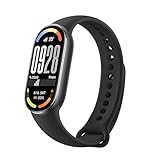
- 【Multiple Fitness Modes】 Xiaomi Mi Smart Watch Band 10 tracks your runs sessions with precision using 150+ sports modes, and records your heart rate and calories burned. The pebble mode clips to your shoelaces. When you running, you can check your stride frequency, stride length, impact force and impact style, making it easy to adjust your running form in real time. This fitness step tracker watch is ideal for runners seeking professional guidance without extra gear
- 【Comprehensive Health Monitor】 This health monitor band keeps you informed your body with All-day stress monitoring, sleep analysis, and blood oxygen tracking. Receive alerts for irregular heartbeats or low blood oxygen, and tracks your menstruation on your phone and predicts your menstrual cycle. Ideal for busy lifestyles needing proactive health insights
- 【Extra-Long Battery Life】 With the fast charging upgrade, this smart waterproof digital sports watch can be fully charged in just 1 hour. Typical usage extends the battery life to 21 days, whilst the watch can last up to 9 days in AOD mode. Waterproof to 5ATM, so there's no need to take it off for swimming. Dive in, stress-free
- 【Customizable Watch Faces】 More than 200 new fashionable watch faces with exclusive always-on display to give you a constant source of inspiration for your outfits. With a wide range of straps and pendant accessories, as well as a variety of official matching watch faces, you can always find a unique combination to match your style. A stylish companion for gym sessions, or office days
- 【Satisfaction Guaranteed】 Your satisfaction is at the heart of everything we do. If you encounter any questions, technical issues, or need assistance with our Xiaomi Mi Smart Band 10. We promise to respond within 24 hours and ensure your experience is seamless. From lab-tested accuracy in heart rate alerts and sleep analysis to advanced running posture tracking and women’s health management, every feature undergoes durability tests for reliability
Because the Mi Band 6 capsule pops out easily, swapping straps takes seconds. Treat straps like consumables rather than permanent accessories, especially if you wear the band 24/7.
Reduce skin irritation with simple hygiene habits
Continuous wear can lead to redness or itching if sweat and soap residue build up under the sensor. Rinsing the band with fresh water after workouts and drying it fully before re-wearing makes a bigger difference than most settings tweaks.
Once or twice a week, remove the capsule and clean both the sensor window and strap with mild soap. Avoid alcohol wipes on the display coating, as they can dull the finish over time.
If irritation persists, switching wrists for sleep or rest days gives your skin time to recover while maintaining overall tracking continuity.
Protect the display without sacrificing touch responsiveness
The Mi Band 6’s larger AMOLED display is a visual upgrade, but it’s still vulnerable to micro-scratches from desks, gym equipment, and sand. A thin TPU screen protector adds meaningful protection without affecting touch sensitivity or brightness.
Tempered glass protectors offer better scratch resistance but can slightly thicken the profile. If you wear tight sleeves or sleep with your wrist under a pillow, slimmer films tend to feel less intrusive.
Keeping the display clean also improves swipe accuracy. Oils and dust increase friction, making gestures feel less precise than they actually are.
Optimise water use for longevity, not just resistance
With 5ATM water resistance, the Mi Band 6 is safe for showers and swimming, but regular exposure still takes a toll on straps and seals. Rinse with fresh water after swimming in pools or the sea to prevent chlorine or salt damage.
Avoid hot showers or saunas while wearing the band. Heat can soften strap material and gradually weaken adhesive seals around the display.
Dry the charging contacts thoroughly before docking the charger. Moisture in the contacts is a common cause of inconsistent charging over time.
Improve sleep comfort without losing overnight data
Sleep tracking works best when the band feels unobtrusive, not restrictive. Lowering screen brightness at night and disabling lift-to-wake during sleep hours reduces accidental activations that can disturb light sleepers.
If the band presses into your wrist when sleeping on your side, rotate it slightly toward the inner wrist or wear it a notch looser overnight. The sensors still read effectively as long as contact is consistent.
For especially sensitive sleepers, wearing the band on the non-dominant wrist at night often feels less noticeable while maintaining accurate sleep metrics.
Extend physical lifespan with smarter charging habits
Battery longevity isn’t just about software settings; how you charge matters too. Avoid letting the battery fully drain regularly, as deep discharge cycles can reduce long-term capacity.
Charging when the battery drops to around 20–30 percent is gentler on the cell. The Mi Band 6 charges quickly, so short top-ups are often enough to keep it running without stress.
Disconnect the charger once it reaches full. Leaving it plugged in overnight adds unnecessary heat, which slowly degrades battery health over months of use.
Make wrist switching work with your data
Switching wrists can dramatically improve comfort, especially during long workdays or sleep. If you do this regularly, update wrist orientation in the app so gestures and lift-to-wake remain accurate.
Heart rate and step tracking adapt automatically, but consistency improves if you keep workouts on your preferred tracking wrist. Use wrist switching mainly for recovery periods rather than active training days.
This small habit helps prevent repetitive pressure points and makes true 24/7 wear far more sustainable.
Accept light wear as part of real-world value
The Mi Band 6 isn’t a luxury watch with polished steel or sapphire, and that’s part of its appeal. Minor scuffs and strap wear are normal signs of a device doing its job daily.
Focusing on comfort, hygiene, and sensible protection delivers far more value than trying to keep it cosmetically perfect. Treated as a tool rather than jewellery, the Mi Band 6 rewards you with reliable tracking and minimal fuss over years of use.
For a tracker in this price bracket, that balance of durability, comfort, and low maintenance is one of its strongest advantages.
Advanced Settings and Lesser‑Known Features That Unlock the Mi Band 6’s Full Potential
Once you’ve dialled in comfort, battery habits, and everyday wear, the Mi Band 6 still has another layer of capability waiting beneath the surface. Many of its most useful tools are buried in menus that first-time users rarely explore, yet they meaningfully change how the band feels to live with long term.
This is where the Mi Band 6 quietly punches above its price, offering control and flexibility that rivals trackers costing far more when you know where to look.
Reorder menus and strip the interface down to essentials
Out of the box, the Mi Band 6 presents a long scrolling menu that can feel cluttered. Inside the Mi Fitness app, you can fully reorder, hide, or remove menu items so only the features you actually use appear on the band.
For example, if you never use events or compass-style tools, remove them and bring workouts, heart rate, and notifications to the top. This reduces swipe time and makes the small AMOLED display feel faster and more intentional.
A lean menu also improves usability during exercise, when sweaty fingers and quick glances demand simplicity.
Fine‑tune lift‑to‑wake timing for real-world use
Lift‑to‑wake is convenient, but default sensitivity often leads to accidental screen activations that drain battery. In the app, you can restrict lift‑to‑wake to specific hours rather than leaving it active 24/7.
Setting it to daytime only preserves battery while avoiding distracting nighttime activations when you shift in bed. Combined with scheduled Do Not Disturb, this makes the band feel far less intrusive during sleep.
This single adjustment can add days of battery life without sacrificing daily usability.
Use custom watch faces strategically, not just aesthetically
The Mi Band 6’s larger AMOLED display supports richly detailed watch faces, but not all faces are equal in efficiency. Faces with constant animations, seconds hands, or live data refreshes increase power consumption.
Choose faces that display the metrics you actually reference, such as steps, heart rate, or battery, without unnecessary motion. Static designs with dark backgrounds are especially power-efficient thanks to AMOLED pixels turning off completely.
Think of watch faces as functional dashboards rather than decoration, and the band becomes both clearer and longer-lasting.
Unlock deeper workout insights with manual lap awareness
While the Mi Band 6 lacks a physical lap button, you can still use manual workout segmentation through deliberate pauses. Pausing and resuming during strength training or interval sessions creates clearer data blocks in the app.
This is especially helpful for circuits, rest periods, or alternating cardio and resistance sets. Reviewing these segments later provides more actionable insight than a single continuous session.
It’s not obvious, but once mastered, it adds structure to workouts without extra hardware.
Calibrate heart rate tracking for your body
Heart rate accuracy improves when the band learns your activity patterns. Wearing the band consistently during both rest and exercise helps the algorithm establish a baseline, reducing spikes and dropouts.
For high-intensity workouts, tightening the strap slightly above the wrist bone improves sensor contact without compromising circulation. For daily wear, loosen it again to avoid pressure fatigue.
This small adjustment improves confidence in heart rate zones, especially for users training by effort rather than pace.
Leverage breathing training as a recovery tool
Breathing exercises are often overlooked, but they serve a real purpose beyond stress relief. Using guided breathing after workouts or before sleep can help lower heart rate and improve recovery metrics.
The sessions are short, discreet, and can be triggered directly from the band without opening the app. Over time, consistent use can improve sleep onset and reduce overnight heart rate variability spikes.
It’s a rare example of a wellness feature that integrates seamlessly into daily life rather than feeling gimmicky.
Use smart notifications without letting them dominate your wrist
Notification overload is one of the fastest ways to fall out of love with a fitness tracker. The Mi Band 6 allows app-by-app notification control, so you can prioritise calls, messages, or calendar alerts while silencing everything else.
Disabling notification previews for non-essential apps keeps the band focused on health and movement rather than constant distractions. Vibration intensity is fixed, so fewer notifications also means a calmer wearing experience.
A restrained approach makes the Mi Band 6 feel like a helpful companion rather than a buzzing extension of your phone.
Exploit idle alerts to reinforce daily movement
Idle alerts can be customised to work with your actual schedule instead of against it. Set them only during work hours or long sedentary periods, and disable them on rest days.
When used intentionally, they act as gentle posture and movement reminders rather than nagging interruptions. Pairing idle alerts with step goals makes daily activity feel more evenly distributed instead of rushed at night.
This turns a basic reminder into a behavioural tool that supports long-term fitness habits.
Understand water lock and touch behaviour after swims
The Mi Band 6 handles swimming well, but touchscreen sensitivity changes underwater. Activating water lock before entering the pool prevents false inputs and preserves tracking accuracy.
After swimming, thoroughly dry the band and allow a few minutes before interacting heavily with the screen. This prevents temporary ghost touches caused by residual moisture.
Treating water lock as part of your routine improves both usability and long-term durability.
Keep firmware updated, but not blindly
Firmware updates often bring sensor improvements, bug fixes, and new features, but it’s wise to install them when you have time to test. Updating right before travel or an important training block isn’t ideal.
After updating, restart the band and check core settings like notifications, alarms, and wrist orientation. Updates can occasionally reset preferences.
A cautious approach ensures you benefit from improvements without surprises.
Why these hidden tweaks define the Mi Band 6 experience
The Mi Band 6 isn’t about luxury materials or mechanical movement, but about extracting maximum value from thoughtful software and lightweight hardware. Its slim dimensions, soft TPU strap, and barely-there weight make 24/7 wear realistic, and these advanced settings ensure that wear actually pays off.
When tuned properly, the band feels faster, lasts longer, and provides more meaningful health insights without demanding attention. That balance of capability, comfort, and restraint is where the Mi Band 6 truly excels.
Mastering these lesser-known features turns an affordable fitness tracker into a refined daily tool, proving that smart setup matters just as much as smart hardware.