Cyclists didn’t suddenly decide they wanted data in their line of sight in the late 2010s. Long before Garmin Edge units became slimmer, brighter, and touch-capable, riders were already wrestling with a basic problem: looking down at a head unit is inherently unsafe, especially at speed, in traffic, or during hard efforts.
The Everysight Raptor arrived in that awkward middle era when cycling computers were powerful but ergonomically compromised, and smart glasses were still mostly vaporware. This section matters because understanding what the Raptor was trying to fix explains both why it was genuinely ahead of its time and why it ultimately struggled once the rest of the ecosystem caught up.
The core problem: data visibility without breaking focus
At its heart, the Raptor was built to solve a single, very specific pain point: keeping performance data visible without forcing the rider to take their eyes off the road. Speed, power, heart rate, navigation prompts, and lap metrics all matter most when you’re riding hard, not when you’re coasting safely enough to glance down.
Traditional bike computers mount data low and forward, meaning even a brief glance shifts head position, balance, and situational awareness. Everysight’s bet was that a monocular, see-through HUD could provide “always-there” information while preserving head-up posture, particularly valuable for racing, group rides, and urban training.
🏆 #1 Best Overall
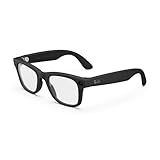
- #1 SELLING AI GLASSES - Tap into iconic style for men and women, and advanced technology with the newest generation of Ray-Ban Meta glasses. Capture photos and videos, listen to music, make hands-free calls or ask Meta AI questions on-the-go.
- UP TO 8 HOURS OF BATTERY LIFE - On a full charge, these smart AI glasses can last 2x longer than previous generations, up to 8 hours with moderate use. Plus, each pair comes with a charging case that provides up to 48 hours of charging on-the-go.
- 3K ULTRA HD: RECORD SHARP VIDEOS WITH RICH DETAIL - Capture photos and videos hands-free with an ultra-wide 12 MP camera. With improved 3K ultra HD video resolution you can record sharp, vibrant memories while staying in the moment.
- LISTEN WITH OPEN-EAR AUDIO — Listen to music and more with discreet open-ear speakers that deliver rich, quality audio without blocking out conversations or the ambient noises around you.
- ASK YOUR GLASSES ANYTHING WITH META AI - Chat with Meta AI to get suggestions, answers and reminders straight from your smart AI glasses.
Why handlebar computers weren’t enough in 2017–2018
When the Raptor launched, Garmin’s Edge 520 and 820 dominated serious cycling, with Wahoo’s ELEMNT starting to gain traction. These devices were reliable and accurate, but they still required constant visual checking, and navigation cues were often easy to miss in bright light or complex intersections.
The Raptor reframed the experience by shifting data presentation from a device you look at to a layer you glance through. This wasn’t about replacing the bike computer outright, but about changing how frequently and safely you could access information during high cognitive load moments.
The HUD concept before AR became a buzzword
The Raptor’s display wasn’t full augmented reality in the modern sense. It used a projected monocular HUD positioned just below the rider’s dominant eye, floating data roughly at optical infinity so focus remained on the road ahead.
This mattered because earlier smart glasses often failed by forcing eye refocusing or cluttering the visual field. Everysight aimed for minimalism: numeric fields, arrows, and simple icons rather than immersive overlays, acknowledging that cycling demands clarity, not spectacle.
Solving integration, not just display
Another problem the Raptor tried to solve was fragmentation. Cyclists already had power meters, heart rate straps, cadence sensors, and GPS head units, all speaking slightly different languages.
The Raptor positioned itself as a central display layer, pulling data via ANT+ and Bluetooth from existing sensors rather than forcing proprietary replacements. In theory, this let riders keep their trusted hardware while upgrading how they consumed the data, a forward-thinking move that still aligns with modern wearable design principles.
Why Everysight targeted serious riders, not casual users
Nothing about the Raptor suggested mass-market appeal. The wraparound sports-glasses form factor, relatively short battery life, and reliance on sensor pairing all pointed toward experienced cyclists who already trained with metrics.
Everysight understood that riders who obsess over power zones and lap averages are the ones most frustrated by missed data and delayed glances. The Raptor was never meant to be sunglasses with notifications; it was a training tool first, eyewear second.
The risk of being early in a conservative sport
Cycling is notoriously slow to adopt radical interface changes. Riders trust what works, especially when safety and reliability are involved.
By attempting to redefine how cyclists consume data before the market was fully ready, Everysight accepted the risk of limited adoption, immature software, and skepticism from riders comfortable with bar-mounted computers. That risk is inseparable from the Raptor’s story, and it frames why the product feels both visionary and unfinished when viewed through a modern lens.
Hardware Deep Dive: Optics, Display Technology, Sensors, and On‑Board GPS
Understanding the Raptor’s ambition requires looking past the novelty of a heads‑up display and into how its hardware attempted to reconcile performance cycling with eyewear ergonomics. This is where Everysight’s engineering choices become most apparent, both in what they got impressively right and where time has exposed limitations.
Optical system and HUD architecture
At the core of the Raptor is a monocular HUD positioned just below the rider’s dominant eye, projecting data upward into the lower peripheral vision rather than directly in the line of sight. Everysight deliberately avoided immersive overlays, opting instead for a small virtual image that appeared several feet ahead of the rider to minimize eye refocusing.
In practice, this approach worked better than many early AR experiments. The eye does not need to snap back and forth between road and data the way it does with handlebar computers, and the HUD remains readable at speed without creating tunnel vision.
Field of view was modest by design, roughly equivalent to a narrow data strip rather than a floating screen. That restraint helped reduce cognitive load, but it also capped how much information could be shown at once, forcing riders to think carefully about data page configuration.
Display technology and real‑world readability
The Raptor used a micro‑OLED display system optimized for brightness and contrast rather than resolution spectacle. While exact pixel counts were never the point, the display was sharp enough for numeric fields, arrows, and simple icons, which aligns with Everysight’s minimalist philosophy.
Brightness was adequate for full sun riding, aided by an automatic adjustment tied to ambient light sensors. Unlike some later smart glasses, the Raptor rarely washed out at noon, though riding directly into low winter sun could still reduce contrast.
Color was present but conservative, primarily used to differentiate zones or alerts rather than for decorative UI. From a performance standpoint, this was a strength, as it kept the display legible during high‑intensity efforts when attention is already strained.
Optical fit, adjustment, and prescription support
Everysight treated fit as part of the optical system rather than a secondary concern. Adjustable nose pieces and display angle tuning allowed riders to fine‑tune where the HUD sat relative to their eye, which was critical for long rides.
Prescription support came via an insert system rather than built‑in corrective lenses. This worked reasonably well, but added weight and complexity, and some riders reported minor alignment drift over time, especially on rough roads.
The wraparound lens itself offered good wind protection and decent clarity, but it never matched high‑end cycling eyewear from brands specializing purely in optics. As eyewear, it was competent; as a display platform, it was the priority.
On‑board sensors and control inputs
Beyond the display, the Raptor packed an array of sensors that reflected its ambition to act as a self‑contained head unit. An internal IMU tracked head movement for gesture‑based navigation, allowing riders to scroll data fields or acknowledge prompts with subtle nods.
This head‑gesture control was clever but inconsistent. On smooth roads it worked reliably, but on rough surfaces or during hard efforts, false inputs could creep in, which is one reason many riders defaulted to physical button controls on the frame.
Touch‑sensitive and button inputs were integrated into the temples, offering redundancy when gestures failed. This hybrid control scheme felt experimental at the time and remains less reliable than the tactile certainty of modern bike computer buttons.
Integrated GPS and navigation performance
The Raptor included its own on‑board GPS, freeing it from dependence on a paired phone during rides. Accuracy was broadly comparable to mid‑generation bike computers of its era, with acceptable track fidelity in open terrain and predictable degradation in dense urban environments.
Navigation cues were intentionally simplified. Turn arrows and distance prompts worked well for preloaded routes, but the lack of rich map visualization meant it functioned more as guidance than exploration.
By today’s standards, the GPS chipset feels dated. Cold starts were slower than modern multi‑band systems, and track smoothing cannot compete with current Garmin or Wahoo devices, especially under tree cover or in mountainous terrain.
Sensor integration versus internal measurement
Crucially, Everysight did not try to replace the cycling sensor ecosystem. Power, heart rate, cadence, and speed data were pulled from external ANT+ and Bluetooth sensors, positioning the Raptor as a display and recording layer rather than a primary measurement device.
This decision aged well conceptually, even if execution lagged behind today’s seamless pairing experiences. When connections were stable, the HUD presentation of power zones or lap averages felt transformative.
When they weren’t, troubleshooting mid‑ride was more frustrating than glancing down at a head unit. The Raptor demanded a level of technical patience that matched its target audience but limited its broader appeal.
Battery implications of the hardware stack
All of this hardware came at a cost to endurance. Real‑world battery life typically landed in the three to four hour range with GPS, HUD, and sensor connectivity active, which constrained its usefulness for long training rides or events.
This limitation was not accidental but architectural. Driving a bright micro‑OLED display near the eye while maintaining GPS and wireless connections is energy intensive, and battery capacity was capped by what could be worn comfortably on the face.
Compared to modern bike computers that routinely exceed 15 hours, the Raptor’s hardware stack now feels power‑hungry. At launch, it was an understandable compromise; today, it is one of the clearest indicators of its age.
HUD Readability on the Road: Data Density, Eye Line, and Real‑World Safety
The Raptor’s limited battery life and dated GPS matter most because the entire value proposition hinges on what happens once the display is active in your field of view. Unlike a handlebar computer that you consult intermittently, the HUD is a constant presence, so readability, placement, and cognitive load become performance and safety issues rather than mere usability concerns.
Everysight understood this early, and the Raptor’s display philosophy was conservative by design. That restraint is ultimately what allowed it to work as well as it did on open roads, even if it now feels simplistic compared to modern AR ambitions.
Display clarity and contrast in changing light
The Raptor uses a single-eye micro‑OLED projector with a fixed focal distance, optimized for quick glances rather than prolonged viewing. In practice, the display appeared crisp and legible in most daylight conditions, with strong contrast that prevented washout even under direct sun.
Bright white data on a dark background proved to be the correct choice for cycling, where glare and rapidly changing light are constant variables. Riding from shaded lanes into open sun rarely caused the display to disappear, something early Google Glass users will remember as a real problem.
Low-light performance was equally competent, although night riding revealed one of the tradeoffs. At higher brightness settings, the HUD could feel visually dominant in the dark, drawing more attention than intended unless carefully dialed back in the companion app.
Eye line placement and head position
The virtual image sat slightly below the natural horizon line, forcing a subtle downward eye movement rather than a full head tilt. This was one of the Raptor’s most thoughtful design decisions, as it reduced neck movement compared to a bike computer while avoiding the tunnel-vision effect of true heads-up overlays.
In real riding, this meant you could check power or speed without losing situational awareness of traffic, road surface, or riders ahead. The glance time was genuinely shorter than looking down at a stem-mounted Garmin, especially when riding in the drops or on aero extensions.
Fit, however, was critical. Small changes in nose pad height or temple angle could shift the display too high or too low, turning a quick glance into a distracting search. Riders with unusual face shapes or helmet-glasses interference sometimes struggled to achieve a consistently ideal eye line.
Data density and information hierarchy
Everysight deliberately limited how much information could be shown at once, and this restraint aged better than expected. Most HUD screens displayed two to three data fields at most, typically speed or power, heart rate, and navigation cues.
Rank #2
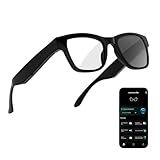
- 3-in-1 AI Glasses: Enjoy ① AI Voice Assistant (Powered by ChatGPT, Gemini & Deepseek), ② Stylish Photochromic Lenses Glasses, and ③ Bluetooth Open-Back Headphones, all in one.
- Free Talk Translation: Automatically detects and translates over 160 languages in real-time, allowing seamless work and translation without touching your phone or glasses.
- Voice, Video & Photo Translation: Supports over 98% of global languages, offering fast and accurate translations—ideal for international travel, business meetings, or cross-cultural communication.
- AI Meeting Assistant: Converts recordings from smart glasses into text and generates mind maps, making it easier to capture and organize meeting insights.
- Long Battery Life, Bluetooth 5.4 & Eye Protection: Up to 10 hours of music and 8 hours of talk time, with easy Type-C charging. Bluetooth 5.4 ensures stronger, stable connections, while photochromic lenses block UV rays and blue light, protecting your eyes in any environment.
For structured training, this was enough. Holding a power target or monitoring lap averages felt natural, and the lack of clutter reduced decision fatigue during hard efforts. You rode more by feel, using the HUD as confirmation rather than command.
Where it fell short was exploratory riding or complex workouts. Without the ability to stack multiple metrics, charts, or rich maps, the Raptor could not replace a head unit for riders who rely heavily on contextual data mid‑ride.
Navigation cues versus spatial awareness
Navigation on the HUD worked best when treated as reassurance rather than instruction. Turn arrows appeared with adequate warning, and distance countdowns were easy to interpret at speed.
What you did not get was spatial understanding. There was no sense of road topology, upcoming intersections beyond the next turn, or alternate routing. In dense urban riding, this sometimes forced riders to glance down at a phone or bike computer anyway, undercutting the HUD’s core advantage.
Compared to modern Garmin or Wahoo maps, the Raptor’s navigation now feels one‑dimensional. At launch, it was impressive to have turn cues floating in your vision; today, it highlights how far HUDs still lag behind full-screen cartography.
Cognitive load and real‑world safety
The strongest argument for the Raptor has always been safety through reduced head movement. On fast descents or in group riding, keeping your head up while checking speed or power genuinely felt safer than breaking eye contact with the road.
That said, the HUD did introduce a different kind of distraction. Because the data is always present, there is a temptation to monitor it too frequently, especially during intervals. Riders new to HUDs often reported spending the first few rides over-checking metrics until habits normalized.
Importantly, the Raptor never attempted to overlay information directly onto the road or objects. This avoided the false sense of augmented reality that can mislead depth perception, but it also limited its futuristic appeal compared to newer smart glasses concepts.
How it compares to modern alternatives
Against today’s handlebar computers, the Raptor still wins on glance efficiency but loses on depth and adaptability. A modern Garmin Edge offers far more data, better maps, and dramatically longer battery life, at the cost of occasional head-down moments.
Against newer AR smart glasses, the Raptor feels conservative but more cycling-focused. Many current smart glasses prioritize notifications, cameras, or lifestyle features, while the Raptor was unapologetically about riding metrics.
In retrospect, Everysight struck a careful balance between ambition and restraint. The HUD was readable, usable, and largely safe when set up correctly, but it never fully replaced traditional displays. Instead, it offered a glimpse of a different interaction model that remains compelling, even as the execution now shows its age.
Ride Experience vs Traditional Bike Computers: Garmin & Wahoo Compared
Once the novelty of a head‑up display fades, the real question becomes whether it actually improves the ride compared to a proven handlebar computer. Framed against long‑term use of Garmin Edge and Wahoo ELEMNT units, the Raptor feels less like a replacement and more like a parallel interface with very different strengths and compromises.
Glance efficiency versus information density
The Raptor’s biggest advantage is how little effort it takes to check core metrics. Speed, power, heart rate, and lap time sit just below your natural line of sight, readable without breaking posture or grip.
By contrast, a Garmin Edge 530 or Wahoo ELEMNT Bolt asks for a brief head drop, but rewards that movement with far more context. You can absorb trends, color‑coded zones, climb profiles, or a full map screen in a single glance, something the Raptor’s single‑pane HUD simply cannot replicate.
On interval days, this difference becomes obvious. The Raptor excels at “are you on target right now,” while a bike computer excels at “how is this effort evolving over the next few minutes.”
Data customization and sensor ecosystems
At launch, Everysight positioned the Raptor as fully compatible with standard ANT+ and Bluetooth sensors. Power meters, heart rate straps, cadence, and speed sensors all paired reliably, and basic data pages worked as advertised.
What it lacked, even then, was depth. Garmin’s data fields ecosystem, training load metrics, power balance, Cycling Dynamics, and Firstbeat‑derived insights never had an equivalent on the Raptor. Wahoo’s ecosystem, while simpler, still offered richer workout execution and clearer structured training feedback.
Over time, this gap widened. As Garmin and Wahoo continued adding firmware‑level features and third‑party integrations, the Raptor’s data model remained static, frozen at the capabilities of its final software release.
Navigation: HUD cues versus full cartography
Using the Raptor for navigation feels fundamentally different. Turn‑by‑turn cues appear cleanly and at the right moment, and for pre‑planned routes on familiar roads, this works well enough to keep you moving without hesitation.
However, once a ride requires decision‑making, rerouting, or situational awareness, a traditional bike computer pulls far ahead. Garmin’s full‑screen maps, off‑course recalculation, climb previews, and POI awareness simply offer more control and confidence.
With Wahoo, the experience is less visual but still more forgiving. The ELEMNT’s simplicity paired with phone‑based route management gives it flexibility the Raptor never achieved, especially when plans change mid‑ride.
Ergonomics: head‑up riding versus cockpit awareness
The Raptor encourages a different riding posture. Because data is always available, riders tend to keep their head up and eyes forward, which feels particularly beneficial in traffic, fast group rides, or technical descents.
That advantage comes with a trade‑off. You lose the quick spatial awareness of your cockpit: where you are on the route, how long until the next climb, or how the current lap compares to previous efforts. Bike computers act as situational dashboards, while the Raptor acts as a minimalist status overlay.
In practice, many experienced riders ended up running both. The Raptor handled real‑time metrics, while a Garmin or Wahoo stayed on the bars for maps and deeper context, quietly undermining the Raptor’s role as a primary display.
Battery life and ride duration realism
Battery life is where the comparison becomes stark. In real‑world conditions, the Raptor typically delivered around 6 to 8 hours of riding, less if brightness was high or if temperatures dropped.
A modern Garmin Edge easily clears 15 to 20 hours, with some models pushing far beyond that. Wahoo’s units sit slightly below Garmin but still double the Raptor’s endurance, making them far more reliable for long training days, fondos, or bikepacking.
This limitation alone kept the Raptor confined to shorter rides or races, while traditional bike computers scaled effortlessly to multi‑day use.
Environmental robustness and reliability
Garmin and Wahoo devices are purpose‑built to live on the bike. Rain, sweat, dust, vibration, and minor crashes are expected conditions, not edge cases.
The Raptor, despite being weather‑resistant, always felt more delicate. Fogging, wind noise around the frame, and sensitivity to temperature shifts were recurring complaints, especially on early production units. None of these issues were deal‑breakers individually, but together they eroded confidence over time.
When a bike computer misbehaves, you glance down and keep riding. When glasses misbehave, the problem sits directly in your vision, making any glitch feel more intrusive.
Training workflows and post‑ride analysis
After the ride, the gap widens again. Garmin Connect and Wahoo’s companion apps provide robust analysis, trend tracking, and seamless syncing with platforms like TrainingPeaks and Strava.
Everysight’s app handled syncing and basic summaries, but it never matured into a training hub. Data made it to Strava, but the experience felt transactional rather than insightful.
For athletes who live by long‑term metrics, training load, and progression tracking, the Raptor simply couldn’t anchor the ecosystem the way a Garmin or Wahoo could.
Who the Raptor replaced, and who it never could
For riders focused on racing, short intense sessions, or urban riding where head‑up awareness matters most, the Raptor offered something genuinely different. In those scenarios, it could replace a bike computer without feeling like a compromise.
For endurance riders, explorers, coaches, and data‑driven athletes, it never truly displaced the handlebar unit. Instead, it highlighted why traditional bike computers evolved the way they did: larger screens, longer battery life, richer context, and constant software refinement.
Seen through today’s lens, the Raptor wasn’t trying to beat Garmin or Wahoo at their own game. It was proposing a different interface entirely, one that still makes sense conceptually, even if its execution has since been outpaced.
Comfort, Fit, and Long‑Ride Practicality: Weight, Heat, and Helmet Compatibility
That sense of intrusion becomes even more pronounced once you factor in how the Raptor sits on your face for hours at a time. Unlike a misbehaving bike computer, discomfort from smart glasses compounds with fatigue, sweat, and head movement, turning small ergonomic issues into ride‑defining ones.
Weight distribution and on‑face balance
On paper, the Raptor’s weight sounds reasonable for a piece of AR hardware, hovering around the 100‑gram mark depending on configuration. In practice, that mass is concentrated forward, with the optics, battery, and electronics all living ahead of your temples.
For short rides, this isn’t immediately noticeable. Over longer sessions, especially on rough roads or gravel, the forward bias creates a subtle but persistent downward pull that you end up correcting unconsciously by tightening the arms or nose pads.
That constant micro‑adjustment is what separates novelty comfort from endurance comfort. Compared to traditional cycling sunglasses that seem to disappear after ten minutes, the Raptor always reminds you it’s there.
Fit adjustability and facial compatibility
Everysight did attempt to accommodate different face shapes through adjustable nose pads and flexible arms. Riders with medium to wider faces generally fared better, finding a stable perch that kept the display aligned without excessive pressure.
Rank #3

- 【AI Real-Time Translation & ChatGPT Assistant】AI glasses break language barriers instantly with AI real-time translation. The built-in ChatGPT voice assistant helps you communicate, learn, and handle travel or business conversations smoothly—ideal for conferences, overseas trips, and daily use.
- 【4K Video Recording & Photo Capture 】Smart glasses with camera let you capture your world from a first-person view with the built-in 4K camera. Take photos and record videos hands-free anytime—perfect for travel moments, vlogging, outdoor adventures, and work documentation.
- 【Bluetooth Music & Hands-Free Calls 】Camera glasses provide Bluetooth music and crystal-clear hands-free calls with an open-ear design. Stay aware of your surroundings while listening—comfortable for long wear and safer for commuting, cycling, and outdoor use.
- 【IP65 Waterproof & Long Battery Life】 Recording glasses are designed for daily wear with IP65 waterproof protection against sweat, rain, and dust. The built-in 290mAh battery provides reliable performance for workdays and travel—no anxiety when you’re on the go.
- 【Smart App Control & Object Recognition】Smart glasses connect to the companion app for easy setup, file management, and feature control. They support AI object recognition to help identify items and improve your daily efficiency—perfect for travel exploration and a smart lifestyle.
Narrower faces had a tougher time. The glasses could feel oversized, with the optics drifting out of the ideal focal zone unless the fit was tuned very precisely, and even then stability under hard efforts wasn’t guaranteed.
Unlike modern eyewear that offers multiple frame sizes, the Raptor was a one‑shape solution. That limitation alone ruled it out for some riders before ride length or data features even entered the discussion.
Heat management and sweat behavior
Heat is where the Raptor most clearly shows its age. The enclosed electronics and limited airflow around the HUD module create a warm zone just above the eyes, an area already prone to sweat buildup during hard efforts.
On cool rides this is manageable. In summer conditions, or during long climbs at low speed, heat accumulation becomes noticeable, sometimes accompanied by lens fogging as sweat vapor rises into the optics.
Early units were particularly susceptible to this, and while later revisions improved sealing and coatings, the fundamental challenge of housing active electronics so close to the face never fully disappeared.
Helmet compatibility in real riding positions
Helmet fit was highly dependent on both helmet design and riding posture. Road helmets with lower front shells or aggressive aero shaping sometimes interfered with the top of the frame, especially when the rider dropped into a deep tuck.
More upright endurance helmets tended to work better, leaving enough clearance for the glasses to sit naturally without being pushed down. Still, small changes in head angle could affect HUD alignment, something you never worry about with a handlebar display.
This interaction between helmet, glasses, and posture made fit testing essential. A setup that felt perfect on the trainer didn’t always translate cleanly to outdoor riding at speed.
Long‑ride fatigue and cumulative comfort
Over multi‑hour rides, the Raptor’s comfort story becomes nuanced rather than binary. Nothing is outright painful, but pressure points at the nose bridge and behind the ears slowly make themselves known.
Add heat, sweat, and the need to maintain consistent HUD alignment, and mental fatigue joins physical fatigue. You start thinking about the glasses more than you should, which runs counter to the promise of head‑up data.
For riders doing one‑hour intervals or race‑pace sessions, these issues rarely surface. For endurance athletes logging four‑hour base rides or all‑day adventures, they matter far more than spec sheets suggest.
In that sense, the Raptor fits the same pattern seen elsewhere in this review. It excels in focused, high‑intent use, but asks for compromises when pushed into the long‑ride, all‑conditions role that modern bike computers handle with far less friction.
Battery Life and Charging Reality: Training Rides vs Long Endurance Days
All of the comfort and fit trade‑offs discussed earlier become more consequential once you factor in battery behavior. With the Raptor, endurance isn’t just about the rider’s physiology; it’s about how long the glasses themselves can realistically stay useful before power anxiety creeps in.
Everysight quoted up to four hours of runtime at launch, but like most wearables of its era, that figure assumed a very controlled use case. In real riding, battery life is tightly coupled to how much you ask of the display, sensors, and connectivity stack.
What the Raptor could realistically deliver on a normal training ride
For structured training rides in the 60 to 120 minute range, the Raptor generally behaves as advertised. With the HUD active, GPS recording enabled, and a heart rate strap connected over ANT+, I consistently saw between 2.5 and 3.5 hours before hitting low‑battery warnings.
Brightness plays a larger role than many expect. Riding in bright midday sun with the display pushed toward the upper brightness range can shave 20 to 30 percent off runtime compared to overcast or early morning sessions.
For interval workouts, hill repeats, or race‑pace simulations, this is largely a non‑issue. The glasses comfortably cover the session, and the battery curve feels predictable rather than erratic, which matters when you’re focused on targets rather than device management.
Battery drain accelerates on long, varied endurance rides
Once rides stretch beyond two and a half hours, the Raptor’s limitations start to assert themselves. Long endurance days tend to involve changing light conditions, frequent glances at navigation or distance fields, and extended GPS logging, all of which compound battery drain.
Unlike a Garmin Edge or Wahoo ELEMNT that can stretch to 15–24 hours with conservative settings, the Raptor offers no real margin. At around the three‑hour mark, many riders will already be making mental calculations about whether the HUD is worth keeping active for the remainder of the ride.
Disabling certain data pages or dimming the display can extend runtime slightly, but these are marginal gains. The fundamental constraint is the small battery required to keep weight and frontal bulk within reason for eyewear.
Charging logistics and why mid‑ride top‑ups aren’t practical
The Raptor charges via a proprietary magnetic USB cable that snaps into the rear of the frame. In isolation, it’s a clean solution, but it immediately complicates long‑ride planning.
Unlike a handlebar computer, there is no safe or comfortable way to run a charging cable from a pocket or top tube bag while riding. Even stopping to charge mid‑ride feels awkward, as the glasses must be removed and powered down to recharge efficiently.
This effectively makes battery life a hard ceiling rather than a flexible constraint. If your ride exceeds what the Raptor can deliver, you simply ride the rest of the day without HUD data, undermining its core value proposition.
Standby drain and real‑world ownership habits
One subtle issue long‑term owners noticed was standby drain between rides. Leaving the glasses powered on or forgetting to fully shut them down after a session could result in a partially depleted battery the next day.
This made pre‑ride checks essential. Unlike a bike computer that can sit on the bike for weeks and still power up with ample charge, the Raptor rewards disciplined charging habits and punishes casual ones.
Over time, this changes how you integrate the device into your routine. It becomes something you plan around rather than something that quietly supports you in the background.
Battery aging and the reality of a discontinued platform
Today, battery degradation is impossible to ignore. Most Raptors still in circulation are several years old, and lithium‑ion capacity loss means even the best‑kept units rarely achieve their original runtime.
Two hours of reliable HUD use is now a more realistic expectation for many second‑hand units. With Everysight no longer active in the consumer cycling space, battery replacement is not a practical option, turning battery health into a make‑or‑break factor when evaluating a used pair.
This is where the Raptor most clearly shows its age compared to modern bike computers and emerging AR glasses that prioritize modular charging or longer endurance.
Who battery life works for, and who it quietly disqualifies
For short, high‑intent rides, indoor trainer sessions, or structured outdoor workouts where two hours covers the entire plan, the Raptor’s battery life remains workable even by today’s standards. In those scenarios, the immediacy of head‑up data can still feel compelling.
For endurance athletes, ultra‑distance riders, or anyone who treats five‑hour rides as routine rather than exceptional, battery life alone is enough to rule it out. No amount of HUD novelty compensates for a device that may go dark before the ride narrative is complete.
In hindsight, the Raptor’s battery performance reflects its original design philosophy. It was built for intensity and focus, not all‑day resilience, a distinction that becomes increasingly important as modern cycling electronics continue to push endurance further into the background.
Software, App Ecosystem, and Data Sync in 2026: What Still Works (and What Doesn’t)
Battery limitations already force you to plan around the Raptor, but software is where the realities of a discontinued platform become unavoidable. In 2026, the Raptor still functions, but only within a shrinking and increasingly fragile ecosystem.
Understanding what still connects, what requires workarounds, and what is effectively frozen in time is essential before committing to using one today.
The Everysight mobile app: functional, frozen, and fragile
The Everysight mobile app remains the linchpin of the entire experience. Without it, the Raptor cannot be configured, customized, or synced in any meaningful way.
On iOS, the app still installs and launches on current versions, but compatibility feels increasingly accidental rather than supported. Pairing generally works, though Bluetooth handshakes can take multiple attempts, and background sync reliability varies by device and OS update.
Android support is more precarious. The app runs on some newer phones, but others experience crashes, failed pairing, or permission conflicts that were never patched once Everysight exited the market.
Initial setup and pairing in 2026
First-time setup is still possible, but it is no longer frictionless. Firmware updates are no longer served, so whatever software version ships with the unit is effectively final.
Pairing requires patience, especially if the glasses have been unused for long periods. Cold boots, manual Bluetooth resets, and occasionally reinstalling the app are part of the process rather than rare edge cases.
Once paired, day-to-day reconnection is usually stable, but the experience lacks the invisibility modern cyclists expect from Garmin or Wahoo ecosystems.
Sensor support: ANT+ and BLE still doing the heavy lifting
One area where the Raptor holds up surprisingly well is sensor compatibility. ANT+ and Bluetooth Smart support for heart rate straps, power meters, and speed/cadence sensors continues to function reliably.
Rank #4
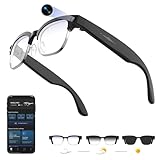
- 【8MPW Camera & 1080P Video and Audio】:These camera glasses feature an 800W camera that outputs sharp 20MP photos and smooth 1080P 30fps videos. Ultra-Clear Video + Powerful Anti-Shake tech+ Built-in dual microphones, you can capture crystal-clear video and audio together -sharply restoring details, perfect for vlogging, travel, and everyday moments
- 【Real-time AI translation Smart Glasses with Camera】:Instantly translate multiple major languages, breaking down language barriers in an instant—no phone required. Ideal for office settings, travel, academic exchanges, international conferences, watching foreign videos, and more
- 【Voice Assistant Recognition and Announcement】:Powered by industry-leading AI large models such as Doubao AI and OpenAI's GPT-4.0. AI voice wake-up lets you ask questions, recognize objects, and get answers on the go. Automatically recognizes objects, menus, landmarks, plants, and more, quickly analyzing the results and announcing them in real time. It instantly becomes your mobile encyclopedia on the go
- 【Bluetooth 5.3 Connection and Automatic Sync to Phone】:Equipped with a low-power BT5.3 chip and Wi-Fi dual transmission technology, offering ultra-low power and high-speed transmission. Captured images and videos are transferred to your phone in real time, eliminating manual export and eliminating storage worries
- 【290mAh Ultra-Long Battery Life】:Ultra-light at 42g, it's made of a durable, skin-friendly material, as light as a feather. Lenses are removable. Its simple, versatile design makes it a comfortable and comfortable wearer. 290mAh ultra-long battery life, 12 hours of music playback and 2 hours of photo or video recording, making it a perfect travel companion
This is largely because those standards have remained stable over time. Pairing external sensors is handled directly on the glasses, and once saved, they reconnect consistently across rides.
Power data, heart rate, cadence, and speed still display cleanly in the HUD, preserving the Raptor’s original promise of eyes-up performance feedback.
Data fields and HUD customization
HUD customization remains one of the Raptor’s strengths, even today. The app allows you to choose which data fields appear, how they rotate, and how aggressively alerts are triggered.
That said, customization stops where modern platforms begin. There are no third-party data fields, no advanced power metrics, and no conditional screens based on ride phases or intervals.
Compared to a modern Garmin Edge or Wahoo ELEMNT, the Raptor’s data model feels static. What you see is what the system was designed to show in 2018, and nothing more.
Ride recording and file integrity
The Raptor still records rides locally and generates standard FIT files. This is critical, because it keeps the device usable even as cloud services become unreliable.
Recorded files generally maintain clean GPS tracks, power data, and timestamps. Dropouts are rare unless battery depletion interrupts the session, which remains a significant risk.
File integrity is good enough that exported rides still play nicely with modern training platforms once you get them off the device.
Strava and third-party platform syncing
Automatic Strava sync technically still exists, but it is inconsistent. Some users report successful uploads, while others experience silent failures with no error reporting.
Manual export remains the most reliable path. Pulling FIT files from the app and uploading them to Strava, TrainingPeaks, or Intervals.icu restores control and predictability.
This manual step adds friction, but it keeps the Raptor viable for athletes who care about long-term training records and analytics.
Navigation and mapping: effectively frozen in time
Navigation was never the Raptor’s strongest feature, and in 2026 it is clearly dated. Route loading still works, but map data is static and lacks modern rerouting intelligence.
Turn-by-turn prompts appear in the HUD, but recalculation after missed turns is slow or nonexistent. Compared to modern bike computers with dynamic routing and rich map layers, this feels rudimentary.
For structured routes you already know, it remains usable. For exploration or complex navigation, it is outclassed.
Cloud dependency and long-term risk
The biggest unanswered question is longevity. With Everysight no longer actively supporting the consumer platform, backend services could disappear with little warning.
As long as local recording and manual export remain possible, the Raptor avoids becoming a paperweight. But features that rely on servers, accounts, or authentication are inherently fragile.
This uncertainty is part of the cost of using a discontinued wearable, and it weighs heavier here than on self-contained bike computers.
How the software experience compares to modern alternatives
Compared to Garmin and Wahoo, the Raptor’s software feels narrow but focused. It does fewer things, but what it does, it does directly in your line of sight.
Modern bike computers offer deeper analytics, richer training tools, and far more resilient ecosystems. Newer AR glasses promise similar HUD concepts but still struggle with polish, battery life, or real-world usability.
The Raptor sits in an unusual middle ground: conceptually ahead of its time, but operationally stuck there as well.
Reliability, Durability, and Long‑Term Ownership of a Discontinued Wearable
Living with the Raptor in 2026 shifts the conversation from features to survivability. Once software evolution stalls, the hardware itself becomes the product, and every physical and electrical choice Everysight made is now under a harsher light.
This is where the Raptor feels less like a gadget and more like a piece of legacy sports equipment. Some elements age gracefully, others expose the risks of early AR hardware.
Build quality and mechanical durability
The Raptor’s frame and lens module were overbuilt by smart glasses standards of its era. The magnesium-reinforced arms and thick plastic housings resist flexing, and crashes that would destroy lightweight eyewear often leave the Raptor scuffed but functional.
The weak points are predictable. The adjustable nose bridge and the display arm pivot are the first areas to loosen over time, especially for riders who frequently remove the glasses with one hand mid-ride.
Sweat ingress is another long-term concern. While the Raptor is sweat-resistant, it was never fully sealed like a modern sports watch, and riders in hot climates have reported intermittent button issues after multiple seasons.
Optics and display longevity
The HUD module itself has proven surprisingly durable. Pixel degradation and dead zones are rare even after years of use, which speaks well of the micro-display and optical combiner design.
Brightness output does decline slightly over time. In practice, this is most noticeable in harsh midday sun, where older units require higher brightness settings and therefore drain the battery faster.
The display remains readable, but the margin for error shrinks with age. Riders who already struggled with HUD positioning will notice this more than those who dialed in fit early.
Battery aging and real-world lifespan
Battery degradation is the single biggest ownership limiter. Most Raptors now deliver 2.5 to 3 hours of reliable runtime, down from the original 4 to 6 hours depending on brightness and sensor load.
There is no user-replaceable battery and no official refurbishment pathway. Once capacity drops below your typical ride duration, the device’s usefulness collapses quickly.
For structured training rides under three hours, this can still work. For long endurance rides, fondos, or unsupported navigation days, it becomes a dealbreaker unless paired with a backup head unit.
Electronics reliability and sensor stability
Internally, the Raptor has aged better than expected. ANT+ and Bluetooth connections to heart rate straps, power meters, and speed sensors remain stable, provided firmware was updated before support ended.
GPS accuracy is consistent with early-generation cycling computers. Tracks are slightly noisier than modern multi-band systems, but still usable for training analysis and record keeping.
What you lose is resilience. If a sensor pairing breaks or a firmware glitch appears, there is no safety net of ongoing updates to fix edge cases.
Software stasis and account risk
The frozen software stack is both a blessing and a liability. Once configured, the Raptor behaves predictably, with no surprise UI changes or forced updates.
The downside is that any dependency on Everysight’s cloud services carries long-term risk. Account authentication, app compatibility with future phone OS versions, and server availability are all outside the user’s control.
Manual FIT export remains the critical escape hatch. As long as files can be pulled locally, the Raptor can coexist with modern training ecosystems without corrupting long-term data continuity.
Spare parts, repairs, and secondary market realities
Official spare parts are effectively nonexistent. Replacement nose pads, cables, and lenses occasionally appear through resellers or donor units, but this is not a sustainable support channel.
The secondary market reflects this uncertainty. Prices are low enough to be tempting, but buyers should assume zero warranty, limited battery life, and no repair options.
In practical terms, you are buying a finite-use device. The value proposition only works if the price aligns with the remaining battery lifespan and your tolerance for eventual failure.
Who long-term ownership still makes sense for
The Raptor remains viable for a narrow group of riders. Indoor cyclists using it for structured trainer sessions, time-crunched road riders who want HUD data without cockpit clutter, and tech historians interested in early AR execution can still extract value.
💰 Best Value

- #1 SELLING AI GLASSES - Move effortlessly through life with Ray-Ban Meta glasses. Capture photos and videos, listen to music, make hands-free calls or ask Meta AI* questions on-the-go. Ray-Ban Meta glasses deliver a slim, comfortable fit for both men and women.
- CAPTURE WHAT YOU SEE AND HEAR HANDS-FREE - Capture exactly what you see and hear with an ultra-wide 12 MP camera and a five-mic system. Livestream it on Facebook and Instagram.
- LISTEN WITH OPEN-EAR AUDIO — Listen to music and more with discreet open-ear speakers that deliver rich, quality audio without blocking conversations or the ambient noises around you.
- GET REAL-TIME ANSWERS FROM META AI — The Meta AI* built into Ray-Ban Meta’s wearable technology helps you flow through your day. When activated, it can analyze your surroundings and provide context-rich suggestions - all from your smart AI glasses.
- CALL AND MESSAGE HANDS-FREE — Take calls, text friends or join work meetings via bluetooth straight from your glasses.
For athletes who need reliability across seasons, firmware resilience, or confidence that their gear will be supported through phone upgrades, modern bike computers or newer AR platforms are simply safer investments.
Owning a discontinued wearable is an exercise in informed compromise. The Raptor rewards those who understand its limits, respect its aging hardware, and accept that when it finally fails, there will be no second act.
Who the Raptor Still Makes Sense For—and Who Should Avoid It Today
Seen through the lens of its frozen software and finite hardware lifespan, the Raptor is no longer a general-purpose recommendation. Its relevance now depends almost entirely on how narrowly your needs align with what it already does well, and how comfortable you are living without a safety net.
The Raptor still makes sense for HUD-first minimalists
If your primary goal is to remove a head unit from the bars and keep core ride metrics in your line of sight, the Raptor remains uniquely effective. Speed, heart rate, power, and navigation cues appear exactly where you expect them, without the constant head tilt demanded by a Garmin Edge or Wahoo Bolt.
For riders who value situational awareness on busy roads, this alone can justify the compromise. Even by modern standards, the optical engine’s contrast and brightness are sufficient for daylight road riding when properly adjusted.
Structured indoor riders and controlled environments
The Raptor is at its best indoors, where wind noise, lighting variability, and weather exposure are eliminated. Paired with a smart trainer and a stable Bluetooth sensor setup, it becomes a focused performance display that keeps eyes forward and posture consistent.
Battery life is far less of a concern here, and the lack of software updates becomes irrelevant once profiles are dialed in. For riders doing frequent trainer sessions who want something different from a tablet or TV screen, the Raptor still feels purposeful.
Technically literate tinkerers and legacy-hardware enthusiasts
There is a subset of users who enjoy maintaining discontinued tech and integrating it into modern ecosystems despite friction. If you are comfortable managing manual FIT exports, sensor pairing quirks, and occasional app instability, the Raptor can still coexist with platforms like TrainingPeaks or Strava.
This is not plug-and-play ownership. It rewards users who treat it as a self-contained instrument rather than a living product.
Collectors and AR wearables historians
As one of the first cycling-specific AR HUD systems to reach commercial maturity, the Raptor holds genuine historical value. Its industrial design, optical approach, and riding experience represent a distinct evolutionary branch that modern smart glasses have largely abandoned.
For collectors interested in the trajectory of performance wearables, owning a functional Raptor is less about utility and more about context. In that role, its limitations are part of the appeal.
Who should avoid the Raptor outright
If you rely on your cycling computer as a long-term training hub, the Raptor is the wrong tool. There is no roadmap for compatibility with future phone operating systems, no assurance of account persistence, and no recourse if a critical component fails.
Athletes who need season-over-season reliability, race-day redundancy, or seamless integration with evolving sensor standards will be better served by modern head units. Garmin and Wahoo may lack the novelty of a HUD, but they offer durability and support the Raptor can no longer match.
Riders sensitive to comfort, fit, or all-day wear
The Raptor’s weight distribution and frame geometry remain divisive. Some riders adapt quickly, while others experience pressure points on the nose or ears during longer rides, especially when combined with certain helmet designs.
If you already struggle with eyewear comfort or require prescription lenses without custom inserts, modern alternatives are far more accommodating. Today’s smart glasses and traditional computers simply demand fewer physical compromises.
Anyone expecting modern smartwatch-level software polish
The Raptor does not evolve, learn, or meaningfully integrate beyond its original design intent. There are no new data fields, no adaptive training features, and no deep health tracking beyond basic ride metrics.
If you expect the kind of ecosystem depth offered by a contemporary Garmin watch or head unit, frustration will arrive quickly. The Raptor is a static instrument in a dynamic market, and that gap only widens with time.
Modern Alternatives and the Legacy of the Raptor in Cycling Wearable Design
Seen from today’s landscape, the Everysight Raptor feels less like a failed experiment and more like an early branch that revealed both the promise and the friction of HUD-based cycling data. The reasons it struggled are the same reasons modern alternatives look the way they do.
Understanding what replaced the Raptor helps clarify what it got right, what it misjudged, and why its influence still echoes quietly through current performance wearables.
Why head units ultimately won the performance battle
Garmin and Wahoo refined the handlebar-mounted computer into a near-perfect training instrument by focusing on reliability, visibility, and ecosystem depth rather than immersion. A modern Edge or ELEMNT delivers clearer data in all lighting conditions, longer battery life measured in full-day rides, and near-universal sensor compatibility.
Crucially, these devices sit outside the rider’s body. They impose no fit compromises, no helmet conflicts, and no facial fatigue, which matters enormously over multi-hour training sessions and race scenarios.
The Raptor’s HUD felt futuristic, but it demanded constant micro-adjustments of fit and visual alignment. Head units solved the same problem with less friction, and over time that practicality outweighed novelty.
Hammerhead Karoo and the rise of software-first cycling computers
If the Raptor was hardware-forward, the Hammerhead Karoo represents the opposite philosophy. Its large touchscreen, Android-based platform, and frequent software updates deliver adaptability the Raptor never achieved.
Navigation, structured workouts, live segments, and post-ride analytics are tightly integrated and continually evolving. Where the Raptor froze in time, the Karoo grows alongside training platforms like TrainingPeaks and Strava.
The lesson is clear: in endurance sports, longevity is defined less by industrial design and more by software continuity. The Raptor’s hardware aged faster because its software could not move forward.
Modern smart glasses took a different path
Current performance-focused smart glasses such as Engo or Solos focus on minimalism. They project only essential metrics, rely heavily on external head units or watches, and prioritize weight reduction and comfort above all else.
These designs quietly acknowledge the Raptor’s biggest weakness. Full autonomy inside eyewear is technically impressive but ergonomically costly.
By offloading computation and data management to watches or bike computers, modern HUD glasses preserve the benefit of heads-up awareness without demanding that glasses become computers themselves.
What the Raptor got right before anyone else
The Raptor’s HUD readability remains impressive even by modern standards. When properly aligned, speed, heart rate, and navigation prompts float in a way that feels genuinely intuitive, especially during fast group riding or technical descents.
Its integrated GPS and sensor pairing eliminated clutter and simplified setup in an era when multi-device ecosystems were far less refined. At launch, this was a radical reduction in friction.
The riding experience, when everything worked, felt focused and immersive. That sensation is still difficult to replicate, even with today’s more conservative HUD solutions.
The cost of being too early
Battery life limited the Raptor’s ambition. Real-world usage rarely exceeded a few hours with full HUD brightness and GPS active, making it poorly suited for long rides or endurance events.
Software stagnation sealed its fate. As phone operating systems evolved, app stability declined, and cloud services became uncertain, ownership shifted from confidence to caution.
Most importantly, the Raptor demanded commitment from the rider. Fit tolerance, charging discipline, and acceptance of quirks were prerequisites, not options.
The Raptor’s lasting influence on cycling wearable design
Today’s cycling wearables reflect a quiet consensus that emerged after the Raptor. Data should be visible, but not intrusive. Hardware should disappear into the background. Software should evolve continuously.
The Raptor challenged designers to rethink where information belongs during a ride. Even though its solution did not become the standard, the question it raised reshaped the conversation.
In that sense, the Raptor succeeded historically even if it failed commercially.
Is there any reason to consider one today?
For active training, racing, or structured progression, the answer remains no. Modern head units and HUD accessories outperform it in reliability, battery life, and ecosystem support with fewer compromises.
For collectors, technologists, or cyclists fascinated by the evolution of performance wearables, a functioning Raptor remains a compelling artifact. It captures a moment when ambition briefly outran infrastructure.
Viewed through that lens, the Everysight Raptor is not obsolete so much as resolved. Its ideas live on, refined and redistributed across the devices most riders now take for granted.
As a tool, it belongs to the past. As a milestone, it still earns its place in the story of how cyclists learned to ride with data without letting data ride them.