If your Oura Ring used to last five or six days and now struggles to hit three, you’re not imagining it. Battery life on a smart ring isn’t a fixed number; it’s the result of dozens of small, constantly changing behaviors happening on your finger, on your phone, and inside Oura’s algorithms. Two people wearing the same generation ring can see wildly different runtimes, even if neither is doing anything “wrong.”
The key thing to understand is that most battery drain isn’t random or caused by a failing battery. It’s driven by how often the ring’s sensors wake up, how long they stay active, and how frequently data is processed and transmitted. Once you understand what actually consumes power, you can make smart adjustments that extend battery life without sacrificing the health insights that make Oura worth wearing in the first place.
Before we get into specific fixes later in the guide, it’s important to reset expectations. Oura is optimized first for sleep and recovery accuracy, not maximum standby time. Battery life will always vary based on how you use those features, especially overnight and during workouts.
Sensor activity matters more than ring size or generation
The biggest driver of battery drain is how often the optical sensors are active. Heart rate, heart rate variability, blood oxygen saturation, and skin temperature all rely on infrared and red LEDs that pulse through your skin, and every pulse costs power.
🏆 #1 Best Overall
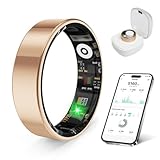
- 【Check the Size Before Purchase】 Before buying the prxxhri Smart Ring, we strongly suggest that you refer to the size chart and carefully measure the circumference of your finger. This will ensure you get the most comfortable wearing experience and easily avoid any unnecessary returns or exchanges.
- 【Real-time Accurate Sleep & Fitness Monitoring】 prxxhri smart ring tracks your sleep quality and daily activities in real time. With advanced sensors, it provides precise data about your sleep cycle, helping you optimize rest and recovery. Whether you are tracking steps, calories or exercise performance, this smart ring can provide you with the most accurate insights to support your fitness goals and enhance your overall health.It is a good choice for family and friends.
- Health Monitoring】The prxxhri ring features advanced 4.0 sensors that automatically measure your heart rate, and blood pressure every 30 min when worn. It provides continuous health tracking and comprehensive wellness management all day.
- 【3-5 Day Battery Life】 With a 3-5 day battery life, the prxxhri smart ring ensures continuous health monitoring without frequent charging. When used with the smart charging case, the usage time can even exceed 20 days. Whether you are tracking sleep patterns or fitness activities, you can count on long-lasting performance without constant interruptions.
- 【80-meter Waterproof, Suitable for Various Scenarios】 The prxxhri Smart Ring has excellent waterproof performance, with a waterproof depth of up to 80 meters. Whether it's for daily wear, an intense workout session or a pleasant swimming time, it can handle it with ease. What's more, even if you have sensitive skin, you can still enjoy an extremely comfortable wearing experience when wearing this ring.
Sleep tracking is the most energy-intensive period because multiple sensors run continuously for hours. If your nightly sleep window is long, fragmented, or includes frequent movement, the ring often works harder to maintain signal quality, which can noticeably reduce battery life compared to someone who sleeps fewer, more stable hours.
Blood oxygen sensing is one of the heaviest drains
SpO₂ tracking is useful, but it’s also one of the most power-hungry features on the ring. Measuring oxygen saturation requires additional LED wavelengths and more frequent sampling throughout the night, not just during isolated moments.
When this feature is enabled, many users see battery life drop by a full day or more between charges. The trade-off is accuracy versus longevity, and this is one of the most important settings to evaluate if charging frequency is becoming frustrating.
Workout tracking changes the ring’s behavior dramatically
Using the ring for active workouts, especially with real-time or near-real-time heart rate tracking, shifts it out of its low-power background mode. During a recorded workout, sensors sample more frequently and the processor stays active longer.
Short walks won’t move the needle much, but frequent strength sessions, long outdoor activities, or multiple workouts per day can compound quickly. This is especially true if you rely on the ring rather than a watch for heart rate during exercise.
Firmware updates can temporarily impact battery life
After a firmware update, it’s common for battery life to dip for a few charge cycles. The ring may recalibrate sensors, re-index data models, or adjust background processes as new features are enabled.
This usually stabilizes within a week of normal use. If battery drain appears suddenly after an update, it’s often a short-term behavior rather than permanent degradation, though it can feel alarming if you’re not expecting it.
Sync behavior and phone proximity play a quiet role
How often your ring syncs with your phone matters more than most people realize. Frequent app opens, background refreshes, or Bluetooth reconnects throughout the day increase transmission activity, which draws power from the ring rather than the phone.
Keeping the app open constantly or forcing syncs doesn’t improve data quality, but it can shorten battery life. The ring is designed to store data locally and sync efficiently in batches, especially overnight.
Battery age and charge habits still matter, just less than you think
Lithium batteries do degrade over time, and older rings won’t match their original rated battery life. That said, most premature complaints aren’t caused by battery wear alone, especially within the first couple of years.
What matters more is how deeply and how often the battery is drained. Letting the ring hit very low charge repeatedly, combined with high sensor usage, accelerates wear faster than moderate, frequent top-ups.
Why expectations often don’t match reality
Oura’s advertised battery life is based on a balanced usage profile that doesn’t include every feature running at maximum intensity. Real-world use often stacks sleep tracking, SpO₂, workouts, notifications, and frequent syncing all at once.
Once you understand that battery life reflects behavior, not defects, it becomes much easier to take control. The rest of this guide focuses on the specific settings and habits that give you the biggest gains, without compromising sleep, recovery, or readiness insights.
Optimize Activity Tracking: How Workout Detection, GPS Imports, and Movement Intensity Affect Battery
Once sync behavior and background processes are under control, activity tracking becomes the next major lever for extending battery life. This is where many well-intentioned users unknowingly push the ring into its highest power state, often without realizing it.
Unlike sleep tracking, which is highly optimized and predictable, activity tracking is reactive. The ring has to make real-time decisions about movement, heart rate sampling, and classification, and those decisions directly influence how much power it draws throughout the day.
Understand what actually triggers high-power activity modes
The biggest battery hit doesn’t come from logging steps or light movement. It comes from elevated heart rate sampling when the ring believes you’re exercising or when you manually tell it that you are.
Automatic Activity Detection (AAD) is designed to catch workouts you forget to log, but it does this by watching for sustained movement patterns and physiological changes. If your day includes a lot of brisk walking, manual labor, or repetitive hand motion, the ring may repeatedly enter higher sampling states even if you’re not formally “working out.”
If your routine involves frequent low-to-moderate activity that doesn’t need precise workout metrics, allowing AAD to capture everything can quietly shave a day or more off battery life over a full charge cycle.
Be selective with automatic activity detection, not aggressive
Disabling Automatic Activity Detection entirely isn’t necessary for most people, and it can reduce the usefulness of your daily activity timeline. A more balanced approach is to let AAD run, but avoid confirming or editing every detected event unless it truly matters to you.
Each confirmation prompts additional processing and data refinement in the background. Over time, constantly validating short or low-impact activities adds up, especially if you’re checking the app multiple times per day.
If battery life is a priority, treat activity detection as a high-level log rather than a minute-by-minute training diary. You’ll still get accurate readiness and calorie estimates without forcing the ring to work harder than needed.
Manual workout recording is the most power-intensive choice
When you manually start a workout using Record Workout HR, you are explicitly telling the ring to prioritize continuous heart rate tracking. This is the most accurate mode for exercise, but it’s also the most demanding on the battery.
Short, frequent workouts recorded manually can be more draining than a single long session. Ten separate 10-minute recordings cost more power than one continuous workout because each session ramps sensors up and down.
If you do several low-intensity sessions per day, consider recording only the most meaningful ones. For casual walks, mobility work, or light cycling, letting the ring estimate activity passively often delivers enough insight with far less battery impact.
GPS imports don’t use ring GPS, but they still cost power
The Oura Ring doesn’t have built-in GPS, but importing GPS workouts from your phone or a connected wearable still affects battery life. The cost comes from data syncing, merging, and recalculating activity load and calorie burn using external distance and speed data.
Frequent GPS imports, especially from long endurance sessions, increase Bluetooth activity and backend processing on the ring’s side during sync windows. This is most noticeable if you import multiple workouts per day or repeatedly force syncs after each session.
If you train with a GPS watch, it’s often better to let workouts sync once or twice per day rather than immediately after every activity. The health insights remain the same, but the ring avoids unnecessary transmission cycles.
Movement intensity matters more than total steps
Ten thousand easy steps spread across a day are far easier on the battery than shorter bursts of intense, irregular movement. Rapid changes in acceleration, grip pressure, and hand orientation require more frequent sensor polling and validation.
This is why users in physically demanding jobs or hands-on hobbies often see worse battery life than office-based users, even with similar step counts. The ring isn’t just counting movement; it’s interpreting it.
Rank #2

- ACCURATE SIZING ESSENTIAL - Oura Ring 4 uses unique sizing different from standard jewelry rings; use the Oura Ring 4 Sizing Kit to find your perfect fit before purchasing
- OURA MEMBERSHIP - First month of membership is included with purchase, for new members only. Subscription is 5.99/mo afterwards. Or opt for the annual prepaid option for 69.99. Membership is tied to your account via the Oura App, not your physical ring
- ACCURACY - SMART SENSING - Oura tracks over 50 health metrics, including sleep, activity, stress, heart health, and women’s health metrics. Oura Ring 4 is powered by Smart Sensing, which adapts to you — delivering accurate, continuous data, day and night
- LONG LASTING BATTERY - With up to 8 days of battery life, no screens and no vibrations, Oura Ring 4 allows you to focus on the present. From a workout to a night out — you’re free to forget it’s on. Until you start getting compliments
- HSA/FSA ELIGIBLE - We can accept HSA or FSA funds for the following: Oura Ring, additional chargers, and shipping
There’s no setting to change this behavior, but awareness helps set realistic expectations. On high-intensity days, it’s normal to see a slightly larger battery drop, even if you didn’t record a formal workout.
Stacking features during workouts compounds battery drain
The ring handles individual features efficiently, but stacking them pushes the battery harder. Recording a workout, importing GPS data, frequently opening the app, and syncing immediately after all happen in the same window creates a power-heavy cluster.
Spacing these actions out helps more than disabling features altogether. For example, finish your workout, let the ring store data locally, and sync later when you’re already charging or winding down for the evening.
This approach preserves the accuracy of your activity data while reducing peak battery stress, which benefits both daily runtime and long-term battery health.
What you can safely adjust without losing core insights
If your main goals are sleep quality, recovery, and readiness, you can afford to be conservative with activity precision. Automatic detection plus occasional manual workouts is enough for the algorithms to understand your load.
Users focused on training performance may accept shorter battery life as a trade-off, but even then, being intentional about which sessions truly need manual recording makes a measurable difference. Battery optimization isn’t about turning features off; it’s about using them when they add real value.
Once activity tracking is tuned to your lifestyle instead of running at full sensitivity all day, most users see immediate gains. For many, this single adjustment is the difference between charging every three days and comfortably reaching five or more without sacrificing meaningful health data.
Fine-Tune Blood Oxygen & Overnight Sensors Without Sacrificing Sleep Insights
Once daytime activity is under control, overnight tracking becomes the next place to reclaim battery life. This is where the ring works quietly but intensively, firing multiple sensors for hours while you’re asleep.
The key is knowing which overnight features are essential for long-term health insights, and which ones you can deploy more selectively without weakening your sleep or readiness scores.
Understand which overnight sensors draw the most power
Not all nighttime measurements are equal from a battery perspective. Continuous blood oxygen sensing uses additional red and infrared LEDs alongside motion compensation, making it one of the most power-hungry features the ring runs.
Heart rate, HRV, respiratory rate, and temperature deviation are comparatively efficient and form the backbone of Oura’s sleep and readiness algorithms. Disabling blood oxygen does not remove your sleep score, recovery trends, or nightly heart metrics.
Use blood oxygen sensing strategically, not continuously
Blood oxygen tracking is most valuable during specific periods, such as illness, altitude exposure, heavy training blocks, or if you’re monitoring potential breathing disturbances. Outside of those windows, nightly SpO2 adds context but rarely changes actionable outcomes for most users.
Turning blood oxygen sensing off can noticeably extend battery life, often by a full day or more per charge depending on ring generation and wear conditions. You can re-enable it at any time, and trends reestablish quickly without long calibration periods.
Airplane Mode overnight reduces silent battery drain
After your evening sync, placing the ring into Airplane Mode before bed cuts off Bluetooth communication while preserving all sleep tracking. The ring stores data locally and uploads it the next time you reconnect in the morning.
This is especially effective if you tend to wake up with the app open or sleep with your phone nearby. Over a full charge cycle, overnight Airplane Mode can meaningfully slow battery depletion without altering a single health metric.
Improve signal quality to avoid wasted sensor work
A poor fit forces the ring to work harder overnight, repeating measurements when optical signals are inconsistent. This shows up as higher battery use and occasionally fragmented sleep data.
Wearing the ring on a finger with stable circulation, keeping it snug but comfortable, and avoiding excessive rotation during sleep all help the sensors lock in faster. Better signal quality means fewer retries, which directly translates to lower power draw.
Accept that nightly consistency matters more than maximal data density
Oura’s sleep insights rely on patterns across weeks, not on squeezing every possible metric from every single night. Consistent heart rate, HRV, and temperature trends are what drive readiness accuracy, not whether blood oxygen was sampled every time you slept.
By reserving intensive sensors for when they add real insight, you reduce nightly battery stress and preserve long-term battery health. Most users find this balance lets them stretch charging intervals without feeling like they’ve lost visibility into their sleep or recovery.
Master Bluetooth & App Sync Habits: Small Connection Tweaks That Save Big Power
Once you’ve dialed back sensor-heavy features, the next place battery quietly leaks is Bluetooth behavior. Unlike sleep sensors, Bluetooth power draw isn’t obvious, but it adds up fast when the ring and phone constantly check in with each other.
The goal here isn’t to disconnect your ring from the app entirely. It’s to be intentional about when and how often the connection happens, so the ring isn’t burning energy on background chatter that delivers little real value.
Sync with purpose, not constantly
Oura is designed to store several days of data locally on the ring. That means you don’t need the app open—or even connected—throughout the day to preserve your metrics.
Opening the app multiple times an hour triggers repeated Bluetooth handshakes and partial syncs, which cost more power than a single complete sync. For most users, syncing once in the morning and once in the evening is enough to keep insights current without unnecessary drain.
Close the app when you’re done reviewing data
Leaving the Oura app running in the background encourages frequent low-level Bluetooth polling, especially on iOS where background refresh is aggressive. This keeps the ring’s radio active even when no new data is being meaningfully transferred.
After checking readiness, sleep, or activity, fully close the app rather than swiping away and reopening it repeatedly. The difference over a full charge cycle can be subtle day to day, but noticeable by the end of the week.
Be cautious with background app refresh permissions
Background refresh sounds helpful, but in practice it often results in micro-syncs that don’t improve insights. These background connections keep the ring in a semi-awake state instead of letting it return to low-power idle.
If your battery life feels short, limiting background refresh and relying on manual syncs is a safe adjustment. You won’t lose any data, and the app will still update fully the next time you open it intentionally.
Avoid keeping the app open during workouts or long walks
Unlike a smartwatch, Oura doesn’t need a live connection during activity to track steps, heart rate trends, or energy expenditure. Keeping the app open while moving often results in fluctuating Bluetooth signal strength, which increases retransmissions and power use.
Let the ring record passively, then sync once you’re done. This is especially helpful outdoors or in crowded environments where Bluetooth interference is higher.
Rank #3

- ACCURATE SIZING ESSENTIAL - Oura Ring 4 uses unique sizing different from standard jewelry rings; use the Oura Ring 4 Sizing Kit to find your perfect fit before purchasing
- OURA MEMBERSHIP - First month of membership is included with purchase, for new members only. Subscription is 5.99/mo afterwards. Or opt for the annual prepaid option for 69.99. Membership is tied to your account via the Oura App, not your physical ring
- ACCURACY - SMART SENSING - Oura tracks over 50 health metrics, including sleep, activity, stress, heart health, and women’s health metrics. Oura Ring 4 is powered by Smart Sensing, which adapts to you — delivering accurate, continuous data, day and night
- LONG LASTING BATTERY - With up to 8 days of battery life, no screens and no vibrations, Oura Ring 4 allows you to focus on the present. From a workout to a night out — you’re free to forget it’s on. Until you start getting compliments
- HSA/FSA ELIGIBLE - We can accept HSA or FSA funds for the following: Oura Ring, additional chargers, and shipping
Limit device hopping between phones and tablets
Pairing the ring to multiple devices or frequently switching between them forces repeated authentication and connection resets. Each of these events costs more energy than maintaining a stable, long-term pairing.
If you use Oura on both a phone and tablet, choose one primary device for daily syncing. Stability here improves battery life and reduces the chance of incomplete uploads or delayed readiness scores.
Keep your phone’s Bluetooth environment clean
Crowded Bluetooth environments make the ring work harder to maintain a clean signal. Wireless earbuds, car systems, smart home devices, and nearby wearables all compete for airtime.
You don’t need to disable everything, but being mindful helps. Syncing in a calm environment at home is more efficient than forcing repeated connections in a busy gym or transit hub.
Update firmware promptly, but don’t force repeated checks
Oura firmware updates often include Bluetooth stability and power management improvements. Installing them when prompted is beneficial for long-term battery health.
What hurts battery life is repeatedly opening the app to check for updates that aren’t available yet. Let updates arrive naturally, install them once, and avoid unnecessary reconnect cycles around the process.
Understand what Bluetooth actually affects—and what it doesn’t
Bluetooth primarily impacts daytime battery usage and idle drain, not overnight sensor performance. Sleep tracking, temperature trends, and HRV are captured locally whether or not your phone is nearby.
By reducing daytime connection noise, you preserve more battery for what matters most: consistent overnight tracking. For most users, better Bluetooth habits alone can stretch a charge by an extra day without changing a single health metric.
Charging Smarter, Not More Often: Battery Health, Charge Cycles, and Ideal Top-Up Timing
Once Bluetooth behavior is under control, charging habits become the next quiet battery killer or saver. Oura’s battery chemistry rewards consistency and moderation far more than running the ring flat and “resetting” it every few days.
The goal isn’t to charge less often at all costs. It’s to reduce long-term battery wear so each charge lasts longer, month after month.
Understand what actually ages the Oura battery
Every Oura Ring uses a small lithium-based cell, and its lifespan is measured in charge cycles, not calendar time. A full cycle isn’t one plug-in; it’s the total of 100 percent drained and recharged over time.
Frequent deep discharges and repeated charges to absolute full are what wear the battery fastest. Heat during charging accelerates that aging even more than usage alone.
Why running the ring to 0 percent is counterproductive
Letting the ring die completely doesn’t “recondition” the battery or improve accuracy. It forces the battery into a high-stress state that shortens its usable lifespan.
From real-world use across multiple Oura generations, rings that regularly hit 0 percent lose usable capacity months earlier than those topped up more gently. You may see shorter time between charges even though your habits haven’t changed.
The ideal daily charging window for long-term health
For most users, the sweet spot is keeping the ring between roughly 30 and 80 percent charge. That range minimizes stress on the battery while still delivering full overnight tracking and daytime readiness metrics.
Oura charges quickly, so this is easier than it sounds. A 15–25 minute top-up while showering or at your desk often adds enough power for another full day and night.
Why frequent small top-ups are better than fewer full charges
Partial charges count as fractional cycles, not full ones. Topping up from 40 to 70 percent is far gentler than draining from 100 to zero and charging back up again.
This approach mirrors how the ring is designed to be worn: lightweight, unobtrusive, and charged opportunistically. Users who adopt this pattern consistently report steadier battery life over the long term rather than dramatic swings.
Should you charge to 100 percent before sleep?
Charging to full isn’t harmful occasionally, especially if you need maximum runtime for travel or long days. The issue is making 100 percent your default stopping point every single time.
If you do charge near bedtime, unplugging once the ring hits the high 80s or low 90s is a smart compromise. You’ll still capture full sleep, temperature trends, HRV, and blood oxygen without keeping the battery pinned at its most stressful voltage.
Overnight charging myths and what actually matters
Leaving the ring on the charger overnight won’t immediately ruin it, but it does expose the battery to prolonged heat and trickle charging. That combination slowly eats into long-term capacity, especially in warmer rooms.
If overnight charging is unavoidable, place the charger in a cool, ventilated spot and avoid stacking it near laptops or routers. Small environmental choices add up over hundreds of charge sessions.
Heat, alignment, and why your charging setup matters
The Oura charger is efficient, but poor alignment can cause repeated connection attempts that generate extra heat. Make sure the ring sits flat and centered so it snaps into charging immediately.
Avoid charging in direct sunlight, inside gym bags, or near windowsills. Heat is the one factor that silently degrades batteries even when your charging percentages look “healthy.”
Do firmware updates change battery calibration?
Firmware updates sometimes refine how remaining charge is estimated, which can make battery behavior feel different overnight. This isn’t battery damage; it’s improved reporting.
There’s no need to force recalibration by draining the ring fully. Let the battery percentage stabilize naturally over a few normal charge cycles.
Travel, storage, and days you don’t wear the ring
If you plan to leave the ring unused for several days, store it around 50 percent charge. This is the least stressful state for long-term storage and preserves capacity.
Avoid storing the ring completely empty or fully charged for extended periods. Even when idle, the battery chemistry continues aging based on its charge level.
What realistic battery longevity looks like with smart charging
With disciplined top-ups and heat awareness, most users can maintain near-original battery performance for years rather than months. Gen 3 and newer rings especially respond well to partial charging habits.
Rank #4
- ACCURATE SIZING ESSENTIAL - Oura Ring 4 uses unique sizing different from standard jewelry rings; use the Oura Ring 4 Sizing Kit to find your perfect fit before purchasing
- OURA MEMBERSHIP - First month of membership is included with purchase, for new members only. Subscription is 5.99/mo afterwards. Or opt for the annual prepaid option for 69.99. Membership is tied to your account via the Oura App, not your physical ring
- ACCURACY - SMART SENSING - Oura tracks over 50 health metrics, including sleep, activity, stress, heart health, and women’s health metrics. Oura Ring 4 is powered by Smart Sensing, which adapts to you — delivering accurate, continuous data, day and night
- LONG LASTING BATTERY - With up to 8 days of battery life, no screens and no vibrations, Oura Ring 4 allows you to focus on the present. From a workout to a night out — you’re free to forget it’s on. Until you start getting compliments
- HSA/FSA ELIGIBLE - We can accept HSA or FSA funds for the following: Oura Ring, additional chargers, and shipping
You won’t sacrifice sleep accuracy, readiness scores, or activity tracking by charging smarter. Instead, you preserve the ring’s ability to deliver those metrics consistently, night after night, without creeping battery anxiety.
Firmware, App Updates, and Background Permissions: Keeping Software From Quietly Draining Your Ring
Smart charging habits protect the battery’s chemistry, but software determines how often that battery is asked to work. Firmware behavior, app settings, and background permissions can quietly shorten the time between charges without changing how you wear the ring at all.
This is one of the least visible sources of battery drain, which is why it’s often overlooked by long-term users who otherwise treat their ring carefully.
Why firmware versions can change battery behavior overnight
Oura firmware controls how often sensors wake up, how data is buffered, and how aggressively the ring communicates with your phone. When a firmware update rolls out, those patterns can change, sometimes increasing background activity for a few days while the system re-optimizes.
If your ring seems to lose an extra 10–15 percent per day right after an update, give it several full wear cycles before assuming a problem. In most cases, battery life stabilizes once adaptive sampling and calibration routines finish settling in.
Keep firmware current, but don’t chase updates obsessively
Running outdated firmware can be worse for battery life than updating promptly. Oura frequently refines power management logic, especially around nighttime sampling and daytime idle states, and those gains only arrive with newer firmware.
That said, there’s no advantage to manually checking for updates multiple times per week. Let the app update the ring when prompted, ideally when the ring is already above 50 percent charge to avoid extended charging heat during installation.
The phone app matters as much as the ring itself
Your Oura Ring relies on the phone app to offload data and sync efficiently. An outdated app can cause repeated sync attempts, which forces the ring to wake its Bluetooth radio more often than necessary.
Always update the Oura app alongside firmware updates, especially after major iOS or Android releases. Operating system changes can disrupt background behavior until the app is optimized for the new platform.
Background Bluetooth access: allow it, but keep it clean
Oura needs background Bluetooth access to sync data smoothly, especially overnight. Disabling background access often backfires by causing failed syncs that repeat later, increasing overall battery drain rather than reducing it.
What does help is ensuring the app isn’t being aggressively restricted by battery-saver modes at the system level. On Android, exclude Oura from battery optimization; on iOS, keep Background App Refresh enabled for Oura only, not globally for every app.
Location permissions and why they affect battery life
Oura itself doesn’t use GPS, but location permissions influence how the operating system schedules Bluetooth activity. Setting location access to “While Using” instead of “Always” can reduce unnecessary wake events without impacting sleep or readiness tracking.
You’ll still get accurate time zone adjustments when you open the app during travel. The ring doesn’t need constant location awareness to track health metrics.
Notifications, cloud sync, and invisible wake-ups
Push notifications seem harmless, but each alert can trigger a short sync window. If you’ve enabled frequent notifications for readiness, activity, or sleep insights, consider limiting them to daily summaries instead of real-time prompts.
This doesn’t affect data collection at all. It simply reduces how often the ring and phone need to communicate throughout the day.
Beta features and experimental modes cost extra power
Oura occasionally offers experimental features or early-access tracking modes. These often increase sensor sampling or data transmission and are rarely optimized for battery efficiency.
If battery life is a priority, avoid beta features unless you’re actively testing them. You can always re-enable them later when charging frequency is less of a concern.
When reinstalling the app actually helps
If you notice persistent syncing loops, delayed data uploads, or unexplained overnight drain that survives firmware updates, a clean app reinstall can help. This clears corrupted cache files and resets background permissions cleanly.
After reinstalling, re-pair the ring and allow permissions carefully rather than approving everything by default. Many users see immediate improvements in sync stability and battery consistency.
What software optimization realistically delivers
Dialing in firmware timing, app updates, and permissions won’t double your battery life, but it can reliably add one to two extra days between charges. More importantly, it smooths out unpredictable drain that creates battery anxiety.
Once software behavior is under control, the ring spends more time asleep when you are, and less time working unnecessarily in the background. That’s exactly what a small, comfort-focused wearable like Oura is designed to do.
Ring Fit, Finger Choice, and Daily Wear Habits That Influence Sensor Efficiency
Once software behavior is under control, the next biggest battery variables are physical. How the ring fits, where you wear it, and how consistently the sensors maintain skin contact directly affect how hard the ring has to work to collect reliable data.
Unlike a smartwatch with a large battery buffer, Oura’s compact form factor means inefficient sensor readings translate quickly into extra power draw.
Why proper fit reduces sensor workload
A correctly fitted Oura Ring sits snug without squeezing, maintaining continuous contact with the optical sensors on the inner band. When the fit is too loose, the ring compensates by increasing LED intensity and sampling attempts to lock onto a usable signal.
That extra effort is invisible to you, but it costs battery every minute it happens, especially overnight during sleep tracking when Oura relies heavily on consistent photoplethysmography readings.
Loose fits create hidden battery drain
If your ring rotates freely during normal hand movement or shifts noticeably when your hands get cold, the sensors lose alignment repeatedly. Each micro-adjustment forces the ring to re-acquire heart rate and blood oxygen data.
Over a full day, this can shave a full day off expected battery life without any obvious warning signs beyond faster-than-expected drain.
Finger choice affects signal quality more than most users expect
Oura recommends the index, middle, or ring finger for a reason. These fingers typically provide better blood flow and a more stable surface area for optical sensors.
Wearing the ring on smaller fingers like the pinky often results in weaker signals, which again forces the ring to compensate with higher sensor output and more frequent retries.
💰 Best Value

- 【Check the Size Before Purchase】 Before buying the prxxhri Smart Ring, we strongly suggest that you refer to the size chart and carefully measure the circumference of your finger. This will ensure you get the most comfortable wearing experience and easily avoid any unnecessary returns or exchanges.
- 【Real-time Accurate Sleep & Fitness Monitoring】 prxxhri smart ring tracks your sleep quality and daily activities in real time. With advanced sensors, it provides precise data about your sleep cycle, helping you optimize rest and recovery. Whether you are tracking steps, calories or exercise performance, this smart ring can provide you with the most accurate insights to support your fitness goals and enhance your overall health.It is a good choice for family and friends.
- Health Monitoring】The prxxhri ring features advanced 4.0 sensors that automatically measure your heart rate, and blood pressure every 30 min when worn. It provides continuous health tracking and comprehensive wellness management all day.
- 【3-5 Day Battery Life】 With a 3-5 day battery life, the prxxhri smart ring ensures continuous health monitoring without frequent charging. When used with the smart charging case, the usage time can even exceed 20 days. Whether you are tracking sleep patterns or fitness activities, you can count on long-lasting performance without constant interruptions.
- 【80-meter Waterproof, Suitable for Various Scenarios】 The prxxhri Smart Ring has excellent waterproof performance, with a waterproof depth of up to 80 meters. Whether it's for daily wear, an intense workout session or a pleasant swimming time, it can handle it with ease. What's more, even if you have sensitive skin, you can still enjoy an extremely comfortable wearing experience when wearing this ring.
Dominant vs non-dominant hand matters
Wearing the ring on your non-dominant hand usually improves both comfort and efficiency. The dominant hand experiences more gripping, tapping, and impact throughout the day, increasing micro-movements between the sensor and skin.
Those constant interruptions don’t just affect activity tracking accuracy, they also increase background sensor activity as the ring works harder to maintain continuity.
Consistent orientation improves overnight efficiency
Oura’s sensors are designed to sit flush against the palm-side of your finger. If the ring regularly spins during sleep, the sensors briefly lose contact, particularly during lighter sleep stages when movement increases.
A stable orientation allows the ring to enter deeper low-power states between readings, which is where meaningful battery savings accumulate over multiple nights.
Temperature swings force the ring to work harder
Cold hands reduce blood flow, making optical readings more difficult. If you frequently sleep in cooler environments or go outdoors without gloves, the ring may increase LED power to compensate.
Ensuring a snug fit and wearing the ring on a finger less exposed to cold helps stabilize readings and reduces unnecessary sensor strain.
Daily habits that quietly impact efficiency
Frequent ring removal and re-wearing throughout the day triggers repeated calibration cycles. While each one is brief, they add up if you remove the ring often for handwashing, workouts, or desk work.
Leaving the ring on consistently, unless there’s a clear reason to remove it, allows the firmware to stay in predictable low-power rhythms.
High-impact activities can increase drain
Strength training, manual labor, or cycling with tight grips introduce vibration and pressure that disrupt sensor contact. During these periods, the ring may log partial or noisy data while using more power than usual.
If these activities are daily and prolonged, temporarily removing the ring can actually preserve battery without meaningfully affecting long-term health trends.
Skin products and moisture interfere with sensors
Lotions, oils, and sunscreen can create a thin barrier between your skin and the sensors. The ring compensates by boosting optical output, particularly for heart rate and SpO₂ readings.
Keeping the inner surface clean and dry improves signal clarity and allows the ring to operate at lower power levels.
Realistic expectations based on fit and wear style
With a proper fit, optimal finger choice, and stable daily wear habits, most users regain one to two days of battery life compared to a loose or inconsistent setup. More importantly, battery drain becomes predictable rather than erratic.
The ring works best when it doesn’t have to think about where it is or how to read you. Give it stable contact, and it rewards you with quieter operation and longer time between charges.
What Realistic Battery Life Looks Like on Oura Ring Gen 3 (And When a Battery Replacement Is the Only Fix)
All of the adjustments above help the ring operate more efficiently, but they work within the limits of the hardware you’re wearing. At a certain point, it’s important to separate correctable drain from what’s simply normal behavior for a compact wearable that’s on your finger 24/7.
Understanding what “good” battery life actually looks like on Oura Ring Gen 3 helps set expectations and prevents chasing fixes that no longer apply.
What Oura Ring Gen 3 delivers when everything is healthy
When new, most Gen 3 rings land in the four to seven day range on a single charge with typical use. That includes continuous temperature sensing, overnight SpO₂, nightly HRV, and daytime activity tracking without frequent manual workouts.
In real-world wear, five days is a solid average for a properly fitted ring with stable habits and up-to-date firmware. Seeing small variations week to week is normal, especially with changes in activity load, sleep timing, or ambient temperature.
Why firmware updates can temporarily change battery behavior
Oura regularly adjusts sensor sampling, algorithm timing, and background sync behavior through firmware updates. Some updates slightly increase drain in exchange for improved signal quality, new metrics, or more reliable overnight data.
It’s common to see a one-cycle dip after a major update while the ring recalibrates baseline measurements. If battery life doesn’t stabilize after two full charge cycles, that’s when it’s worth reassessing settings or wear habits rather than assuming something is wrong.
How battery life naturally declines over time
Lithium-ion batteries degrade slowly but predictably, especially in devices that are charged frequently and worn constantly. After 18 to 24 months, most Gen 3 rings settle closer to three to five days of battery life even with ideal usage.
This isn’t a defect; it’s a physical limitation of fitting a rechargeable battery, multiple LEDs, and sensors into a slim titanium ring. Charging more often during this phase doesn’t harm the ring, but it does signal that you’re entering the later stage of battery health.
Signs your battery is no longer just “draining faster”
If your ring struggles to last two full days with overnight tracking enabled, even after optimizing fit, wear consistency, and settings, that’s a red flag. Sudden drops from 40 percent to zero, failure to record a full night of sleep, or needing daily charges despite light use point to battery wear rather than software behavior.
Another common sign is inconsistent charging, where the ring reaches 100 percent unusually quickly but drains just as fast. That pattern typically indicates reduced battery capacity rather than excessive sensor usage.
When a battery replacement is the only meaningful solution
Unlike a smartwatch, Oura Ring batteries aren’t user-replaceable, and no amount of setting changes can reverse chemical aging. If your ring is under warranty or part of a replacement program, contacting Oura support with clear battery logs is the right next step.
If it’s out of coverage, the decision becomes practical rather than technical: whether charging daily still fits your routine, or whether upgrading to a newer ring makes more sense for your lifestyle and tracking priorities.
Setting expectations that make the ring enjoyable again
For most users, the goal isn’t squeezing out an extra half-day at all costs. It’s reaching a predictable rhythm where charging every four to five days feels effortless and data collection stays consistent.
Once you understand what’s normal for your ring’s age and usage, battery anxiety fades. At that point, optimization stops being about constant tweaking and becomes about wearing the ring comfortably, letting it do its job, and charging it before it ever becomes a problem.
In short, good battery life on Oura Ring Gen 3 isn’t about perfection. It’s about alignment between hardware age, daily habits, and realistic expectations, so the ring supports your health instead of distracting from it.