Garmin didn’t wake up one morning and decide to shuffle menus for fun. The Connect redesign is the result of years of accumulated friction from a platform that had become incredibly powerful, but increasingly hard to navigate as Garmin added new metrics, devices, and user types.
If you’ve ever felt that your watch was smarter than the app showing its data, you’re not alone. This overhaul is Garmin’s attempt to realign Connect with how people actually train, recover, and check their health in 2025, not how the app was structured when step counts and basic activity logs were the main attraction.
Understanding why Garmin made these changes makes the new layout easier to accept, and more importantly, easier to use well. Each design decision points back to a few clear strategic goals that shape how data is surfaced, prioritized, and acted on going forward.
Reducing cognitive overload from years of feature growth
Garmin Connect had reached a point where nearly every screen tried to do too much. Training load, Body Battery, sleep, HRV, stress, intensity minutes, and adaptive training plans all competed for attention without a clear hierarchy.
🏆 #1 Best Overall

- Stylish Design, Vibrant Display: The lightweight aluminum build blends effortless style with workout durability, while the vivid 1.97" AMOLED display keeps your data easy to read, even under bright sunlight.
- All-in-One Activity Tracking: The Amazfit Bip 6 fitness tracker watch offers 140+ workout modes including HYROX Race and Strength Training, plus personalized AI coaching and 50m water resistance.
- Up to 14 Days Battery Life: The Amazfit Bip 6 smart watch powers through your training and recovery for up to two weeks at a time - no nightly charging needed.
- Accurate GPS Tracking & Navigation: Stay on course with free downloadable maps and turn-by-turn directions. Support from 5 satellite systems ensures precise tracking of every move and fast GPS connection.
- 24/7 Health Monitoring: The Amazfit Bip 6 smartwatch provides precise, real-time monitoring of heart rate, sleep, blood-oxygen and stress, empowering you with actionable insights to optimize your health and fitness.
The redesign aims to reduce decision fatigue by grouping metrics based on intent rather than raw data type. Instead of asking users to hunt through tabs, Garmin now emphasizes contextual summaries that answer simple questions first, then let advanced users drill deeper.
This is especially important for multi-sport athletes juggling running dynamics, cycling power, swim metrics, and recovery insights across multiple devices.
Aligning the app with modern training philosophy
Garmin’s newer watches increasingly focus on readiness, recovery, and long-term adaptation rather than daily max effort. The old Connect interface was still built around post-activity analysis as the main event.
The overhaul shifts attention toward trends, baselines, and day-to-day decision support. Metrics like Training Readiness, HRV Status, and sleep quality are elevated because they influence what you should do next, not just what you already did.
This reflects Garmin’s move from being a data recorder to a training guidance platform, especially for runners and cyclists following adaptive plans.
Creating a single experience across a fragmented device lineup
Garmin’s ecosystem now spans everything from Vivosmart bands to Epix Pro and Fenix AMOLED flagships. Previously, Connect often felt optimized for one type of user at the expense of others.
The redesign standardizes how data is presented regardless of device tier, while still respecting sensor differences. A Forerunner 265 and an Enduro 2 now tell a more consistent story inside the app, even if the depth of data differs.
This consistency reduces confusion for users who upgrade devices or rotate between watches for different sports.
Making health data feel actionable, not clinical
Health metrics in Connect used to feel buried, fragmented, or overly technical. Stress graphs, respiration charts, and SpO2 readings existed, but rarely connected into a narrative.
Garmin’s new layout emphasizes daily health context, showing how sleep, stress, and activity interact rather than treating them as isolated charts. This makes Connect more usable for health-focused users who aren’t chasing PRs but still care about recovery and wellbeing.
It also positions Garmin more competitively against platforms that prioritize holistic health insights over raw performance stats.
Preparing Connect for future features and services
Perhaps the least visible goal is future-proofing. Garmin continues to add metrics through firmware updates, Connect IQ expansions, and potential subscription-based services.
The previous app structure was reaching its limit in terms of scalability. The redesign creates flexible containers and dashboards that can absorb new metrics without forcing another full rebuild.
This matters for long-term users, because it suggests Garmin is planning evolution, not disruption, as the platform continues to grow.
The New Garmin Connect Home Screen Explained: Layout, Cards, and Daily Flow
All of the strategic goals outlined above come together on the redesigned Home screen. This is no longer a simple activity feed or a static dashboard, but a living daily briefing that changes based on your body, training load, and recent behavior.
For long-time users, this is also where the biggest behavioral shift happens. Garmin is asking you to stop jumping straight into Activities or individual charts and instead start each day with a guided overview.
A single-scroll daily dashboard replaces the old multi-tab mindset
The most immediate change is structural. The Home screen is now a vertically scrolling dashboard built around cards, replacing the previous mix of fixed sections, expandable menus, and buried health pages.
Everything important for the day lives on this single screen. Morning Report data, recovery status, recent activity, and upcoming training all appear in one continuous flow rather than separate destinations.
This design mirrors how most users actually check their data: a quick scan in the morning, a glance after a workout, and a short review before bed.
Cards are now the core building block of Garmin Connect
Each piece of information on the Home screen is presented as a card. These cards are modular, tappable, and designed to surface context rather than raw numbers alone.
A Training Readiness card, for example, doesn’t just show a score. It hints at what’s driving it, such as poor sleep or accumulated fatigue, and invites you to tap deeper if needed.
Health cards like Sleep, Body Battery, Stress, and HRV Status now feel like parts of the same story instead of isolated metrics scattered across the app.
How the daily flow is meant to work in practice
Garmin clearly expects users to move through the Home screen in a top-down rhythm. The highest cards typically reflect overnight and recovery data, followed by readiness and suggested training, then recent activities and longer-term trends.
This sequencing matters. You’re encouraged to assess how recovered you are before looking at what you did yesterday or what’s planned next.
For runners and cyclists using adaptive plans, this flow reinforces Garmin’s training logic. Recovery informs readiness, readiness informs today’s workout, and performance feeds back into tomorrow’s recommendations.
Morning Report integration without duplication
Morning Report no longer feels like a separate feature confined to the watch. Its most relevant elements are echoed on the Home screen in a condensed, glanceable format.
Sleep score, HRV trends, and recovery indicators appear without forcing you to hunt through historical charts. If you already checked Morning Report on your watch, the app acts as reinforcement rather than repetition.
This is particularly useful for users with AMOLED devices like the Epix Pro or Forerunner 965, where the watch experience is rich but the phone still offers better context and trend visualization.
Customization exists, but within clear boundaries
You can reorder cards, remove some entirely, and prioritize what matters most to you. A triathlete might push Training Load and Acute Load higher, while a health-focused user may surface Stress and Sleep instead.
What you cannot do is fully rebuild the Home screen from scratch. Garmin has intentionally limited customization to preserve a coherent daily narrative.
This may frustrate power users who enjoyed fine-grained control in older versions, but it also prevents the Home screen from becoming a cluttered wall of metrics.
What’s genuinely improved for athletes
For performance-focused users, the biggest win is coherence. Training Readiness, Load, Recovery Time, and Suggested Workouts now feel like parts of a single system instead of disconnected tools.
Switching between devices also feels smoother. Whether you’re wearing a lightweight Forerunner for intervals or a heavier Fenix or Enduro for ultras, the Home screen logic stays consistent.
Battery life and durability obviously remain hardware concerns, but from a software perspective, the app now adapts cleanly to whatever watch you’re rotating that day.
Where long-time users may feel friction
The redesign does introduce friction for those who memorized the old navigation. Metrics that once lived one tap away may now require scrolling or card tapping.
Some users will also dislike the reduced density of information. The new Home screen favors readability and context over showing everything at once.
That said, the underlying data hasn’t disappeared. It’s been reorganized, not removed, and heavy users can still dive as deep as ever once they adjust to the new flow.
Why this matters for everyday usability
The redesigned Home screen is Garmin Connect’s strongest signal that daily engagement matters as much as post-activity analysis. It’s designed to be checked often, not just after workouts.
For casual users, this makes Garmin feel less intimidating and more supportive. For serious athletes, it reinforces smarter training decisions without forcing constant chart analysis.
Whether you love or resist the change, the Home screen now defines how Garmin expects you to interact with your data, day after day.
Navigation Changes: Tabs, Menus, and Where Key Features Live Now
Once you move past the redesigned Home screen, the biggest adjustment comes from how Garmin has restructured navigation across the app. The update isn’t about adding more destinations, but about clarifying intent: quick glances live on Home, exploration lives one layer deeper, and configuration is pushed further out of the way.
If you’ve been using Garmin Connect for years, this is where muscle memory gets challenged most. The good news is that nothing essential is gone, but almost everything has shifted slightly in purpose or location.
Rank #2

- Stylish Design, Bright Display: The sleek stainless steel build blends classic style with workout durability, while the bright 1.32" AMOLED display keeps your data easy to read, even under bright sunlight.
- Precise Heart Rate and Sleep Tracking: Amazfit's BioTracker technology tracks your heart rate and sleep data with accuracy that previous sensors just can't match.
- Up to 10 Days of Battery Life: With long battery life that lasts up to 10 days with typical use, nightly recharges are a thing of the past.
- Free Maps with Turn Directions: Stay on-track with free downloadable maps, and get turn-by-turn guidance on-screen or via your Bluetooth headphones. Enjoy ski maps for global resorts, including guidance for cable cars, slopes, and more.
- Faster and More Accurate GPS Tracking: 5 satellite positioning systems ensure fast GPS connection and accurate positioning whenever you're out running, walking, cycling or hiking.
The bottom tab bar: Fewer anchors, clearer roles
The redesigned app continues to rely on a bottom tab bar, but each tab now has a more defined job. Home is explicitly about today and near-term context, not exploration or historical deep dives.
Activities sits alongside it as the gateway to your logged workouts, but it’s now more clearly separated from training status and health trends. This distinction matters because Garmin is drawing a line between what you did and how your body is responding.
The remaining tabs focus on deeper analysis and community features, depending on region and device support. Social elements feel less visually dominant than before, which aligns with Garmin’s athlete-first positioning rather than lifestyle gamification.
Activities: Cleaner history, fewer distractions
The Activities tab has been streamlined to emphasize chronological workout history. You still get quick access to recent runs, rides, swims, and strength sessions, but the surrounding clutter has been reduced.
Tapping into an activity now feels more deliberate. Charts, laps, splits, and device-specific metrics like power, cadence, or ground contact time remain intact, but the entry point is calmer and easier to scan.
For athletes rotating between devices, this consistency is important. Whether the data came from a Forerunner 265, Fenix 7, or Edge bike computer, the activity detail pages follow the same visual and navigational logic.
Health and performance metrics: Grouped by meaning, not sensor
One of the most significant navigation changes is how health and performance data is grouped. Instead of organizing metrics primarily by sensor type, Garmin now clusters them by outcome and relevance.
Training Readiness, Load, VO2 Max, Recovery Time, and Training Status are positioned as part of a single performance story. You’re encouraged to move between them fluidly rather than treating each as a standalone number.
Daily health metrics like sleep, HRV status, stress, and Body Battery live together in a more cohesive flow. This makes it easier to understand how sleep quality or overnight HRV affects readiness without jumping between multiple menus.
Training and workouts: Planning tools move out of the spotlight
Structured training features, including Garmin Coach plans, daily suggested workouts, and saved training sessions, are still present but no longer dominate navigation. Garmin has clearly decided these tools should be discovered intentionally, not constantly surfaced.
This benefits users who train intuitively or follow external plans, while still supporting those who rely on Garmin’s adaptive guidance. The tools are there when you want them, but they no longer interrupt daily check-ins.
For advanced users, this may feel like added friction at first. However, once accessed, the depth of configuration and planning remains unchanged.
Device management: Quietly pushed to the edges
Watch and sensor management has been moved further away from the main flow. Device settings, watch faces, apps, widgets, and system preferences now live firmly behind menu layers.
This reflects how most people actually use their devices day to day. You don’t tweak strap fit, materials, or widget order often, whether you’re wearing a lightweight nylon strap on a Forerunner or a metal bracelet on a premium Fenix variant.
By separating configuration from analysis, Garmin reduces the chance of accidental taps while reinforcing the idea that Connect is primarily about understanding your data, not managing hardware.
The overflow menu: Where long-time users will hunt first
If you feel lost after the update, the overflow menu is likely where you’ll start digging. This is where many legacy entry points now live, including settings, profile details, goals, and some account-level preferences.
For experienced users, this can feel like a step backward in efficiency. What used to be one tap might now require two or three.
That said, once you relearn where things live, the structure makes more sense. Rarely used tools are intentionally hidden so frequently checked metrics stay front and center.
Why Garmin made this shift
Garmin’s navigation overhaul reflects a broader shift in how the company views engagement. The app is no longer optimized only for post-activity analysis on a couch, but for frequent, lightweight check-ins throughout the day.
This aligns with how modern Garmin watches are used. Long battery life, durable materials, and all-day wear comfort mean users interact with their data constantly, not just after workouts.
The new navigation supports that reality. It prioritizes clarity, reduces cognitive load, and nudges users toward understanding patterns rather than chasing isolated metrics.
Activity Analysis After the Redesign: What’s Changed for Runs, Rides, and Workouts
With navigation streamlined and device management pushed aside, activity analysis is now where the redesign really shows its intent. Garmin has clearly treated post-workout review as the core daily interaction, and the activity pages reflect that shift immediately.
Open a run, ride, or strength session and the experience feels calmer, more intentional, and more consistent across sport types. The underlying data hasn’t changed, but how it’s surfaced absolutely has.
A cleaner activity summary that prioritizes context
The first screen you see after opening an activity now emphasizes a tighter set of headline metrics. Distance, duration, pace or speed, heart rate, and training effect are presented with more spacing and clearer hierarchy.
This makes it easier to understand what kind of session you actually did before diving into charts. A recovery jog, threshold ride, or interval workout is easier to identify at a glance, especially on smaller phone screens.
For long-time users, this may initially feel like information has been removed. In reality, it’s been deferred, with deeper metrics living one scroll lower rather than competing for attention immediately.
Charts are reorganized, not simplified
Scroll past the summary and the familiar Garmin charts are still there, but they’re grouped more deliberately. Pace, heart rate, elevation, cadence, power, and respiration now appear in clusters that make physiological sense rather than historical order.
For runners and cyclists, this improves interpretation during quick check-ins. Heart rate and pace trends sit closer together, making it easier to spot drift, fatigue, or pacing errors without hopping between sections.
Advanced users can still expand each chart for full-screen inspection, preserving Garmin’s reputation for depth. The difference is that casual review no longer feels like opening a spreadsheet.
Lap and interval data feels more intentional
Lap splits and interval breakdowns now sit in a clearer, more structured block. For workouts with programmed intervals, the distinction between work and recovery segments is easier to follow visually.
This is especially useful for athletes using daily suggested workouts or coach-built plans. You can quickly verify whether you hit targets without mentally reconstructing the session from raw numbers.
Manual lap users may notice an extra scroll compared to the old layout. It’s a small trade-off, but one that favors clarity over raw speed.
Training Effect and load insights are more prominent
Aerobic and anaerobic Training Effect cards now feel less buried and more integrated into the activity story. Rather than appearing as abstract scores, they’re positioned alongside intensity-related metrics.
This subtly reinforces Garmin’s push toward understanding impact, not just performance. A hard ride that delivers low aerobic benefit now stands out immediately, helping athletes adjust effort over time.
Training Load contribution is also easier to contextualize post-activity, particularly for users juggling multiple sports. Runners, cyclists, and triathletes can better see how each session feeds into the bigger picture.
Strength and indoor workouts finally feel first-class
Strength training and gym-based workouts benefit significantly from the redesign. Set and rep data is cleaner, exercise lists are easier to scan, and rest periods are visually separated from work sets.
While Garmin still lags dedicated strength platforms in exercise recognition accuracy, the new layout makes reviewing sessions less frustrating. Editing reps or weights no longer feels buried under layers of taps.
For users wearing heavier watches like the Fenix or Epix during gym sessions, this reinforces Garmin’s intent to support all-day wear and varied training, not just outdoor endurance sports.
Maps remain powerful but less visually dominant
For GPS activities, maps are still central but no longer overpower the page. The route preview sits comfortably below the summary instead of demanding attention upfront.
This makes sense for users who repeat familiar routes and care more about execution than geography. When you do want detail, map interaction remains excellent, with smooth zooming and clear overlays for pace, elevation, or heart rate.
Cyclists in particular will appreciate how climbs and elevation profiles now feel easier to interpret alongside effort metrics rather than as standalone visuals.
Consistency across sports, with smart sport-specific tweaks
One of the biggest improvements is consistency. Whether you open a run, ride, swim, or indoor session, the structure feels familiar.
Rank #3
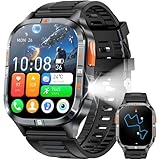
- BUILT-IN GPS & COMPASS– This military smartwatch features high-precision GPS to pinpoint your location while hiking, cycling, or traveling, keeping you safely on track without extra gear. Tap the compass icon and it locks your bearing within three seconds—engineered for pro-level outdoor adventures like camping, climbing, and trekking.
- BLUETOOTH CALLING & MESSAGES – Powered by the latest Bluetooth tech, the men’s smartwatch lets you answer or make calls right from your wrist—no need to pull out your phone. Get real-time alerts for incoming texts and app notifications so you never miss an invite. (Replying to SMS is not supported.)
- BIG SCREEN & DIY VIDEO WATCH FACE – The 2.01" military-spec display is dust-proof, scratch-resistant, and forged from high-strength glass with an aluminum alloy bezel, passing rigorous dust and abrasion tests so the screen stays crystal-clear. Upload a short family video to create a dynamic, one-of-a-kind watch face that keeps your memories alive.
- 24/7 HEALTH MONITORING – Equipped with a high-performance optical sensor, this Android smartwatch tracks heart rate and blood-oxygen levels around the clock. It also auto-detects sleep stages (deep, light, awake) for a complete picture of your health, ensuring you always know how your body is doing.
- MULTI SPORT MODES & FITNESS TRACK – Choose from running, cycling, hiking, basketball, and more to log every workout. Set goals, monitor progress, and sync data to the companion app. Bonus tools include photo gallery, weather, alarm, stopwatch, flashlight, hydration reminder, music/camera remote, find-my-phone, mini-games, and other everyday essentials.
Sport-specific metrics still appear where they matter. Power and cadence are front and center for cycling, while running dynamics and vertical oscillation remain accessible for supported watches.
This consistency reduces friction for multi-sport athletes and reflects Garmin’s broader ecosystem approach. The app now feels less like a collection of legacy sport pages and more like a unified analysis platform.
What experienced users may still find frustrating
The redesign does introduce extra scrolling for users who want everything immediately visible. Metrics you once memorized the location of may now require a moment of reorientation.
There’s also less freedom to customize the order of data fields within the activity view. Garmin appears to be prioritizing guided interpretation over user-driven layout control.
For athletes who analyze every session in detail, this can feel slightly restrictive at first. Over time, the improved visual logic tends to offset that initial loss of efficiency.
Who benefits most from the new activity layout
Athletes who check activities multiple times a day, especially on phones between meetings or workouts, benefit the most. The redesigned pages reward quick glances without sacrificing depth later.
Casual users gain clarity and confidence, while advanced users retain access to the metrics that matter. The learning curve is real, but it’s shallower than it looks.
In the context of long battery life, comfortable all-day wear, and durable hardware, the new activity analysis feels aligned with how Garmin watches are actually used in the real world.
Training, Load, and Performance Metrics: Improved Clarity or Added Complexity?
With individual activities now easier to read at a glance, the next logical question is how Garmin’s deeper training intelligence has been handled. This is where Garmin Connect has historically felt powerful but intimidating, especially for users juggling Training Load, Training Status, Acute Load, and recovery metrics across multiple sports.
The redesign doesn’t remove complexity, but it does try to reframe it. Garmin’s goal is clearly to make performance data feel directional and actionable, rather than like a dense spreadsheet you only visit after a hard block of training.
Training Status and Load: less buried, more contextual
Training Status and Training Load now surface more naturally within the app’s main flow instead of feeling tucked away in secondary menus. The redesigned layout emphasizes trend direction first, with supporting numbers and explanations revealed as you scroll.
Instead of immediately confronting users with Acute Load ranges and historical bars, the app leads with plain-language states like Productive, Maintaining, or Strained. For newer users, this reduces cognitive load; for experienced athletes, it means one extra swipe to reach the raw numbers they already understand.
Importantly, the underlying algorithms haven’t changed. VO2 max modeling, EPOC-based load calculations, and sport weighting behave the same as before, preserving data continuity for long-term users.
Acute Load and Load Focus: clearer story, fewer knobs
Acute Load and Load Focus are now presented as a narrative rather than a dashboard. The app prioritizes whether your current load sits within your optimal range before showing how anaerobic, high aerobic, and low aerobic efforts contribute.
This makes it easier to spot imbalance at a glance, particularly for runners and cyclists following structured plans. You’re less likely to over-index on a single workout and more likely to see how the week is shaping up as a whole.
The trade-off is control. You can’t rearrange or pin individual load charts the way some power users might want, reinforcing Garmin’s shift toward guided interpretation over manual analysis.
Performance Metrics: VO2 max, race predictions, and trends
VO2 max and performance condition metrics benefit noticeably from the new visual hierarchy. Instead of floating as isolated numbers, they now sit within clearer trend views that emphasize direction over day-to-day fluctuation.
Race predictions and estimated times feel more grounded as a result. Garmin still uses the same physiological modeling, but the app now subtly encourages you to treat these as planning tools rather than promises.
For athletes wearing lighter, all-day models like the Forerunner series, this aligns well with how data is collected passively over time. The emphasis is on consistency and trend quality, not chasing a single “good” reading.
Recovery, training readiness, and daily decision-making
Training Readiness and recovery-related insights feel more integrated into daily use. Instead of existing as a separate check-in, these metrics now connect more clearly to recent load and sleep data within the same visual language.
This helps explain why readiness is low or high, rather than presenting it as a mysterious score. For users wearing their watch 24/7, the payoff is better confidence in day-to-day decisions like whether to push intensity or back off.
Battery-efficient hardware and comfortable case designs make this continuous tracking practical, and the app redesign finally reflects that reality instead of treating recovery as an afterthought.
Advanced users: more scrolling, but fewer dead ends
Experienced athletes will notice that reaching certain charts now requires extra taps or scrolling. Metrics that once lived on a single dense screen are distributed across expandable sections.
However, the upside is fewer dead ends. Almost every metric now links to an explanation, historical view, or related insight, reducing the need to mentally connect dots across different app areas.
Once muscle memory adjusts, the flow becomes predictable, even if it’s not as fast as the old “everything at once” layout.
Why Garmin made this shift
Garmin is clearly optimizing for breadth of users without diluting its training science. As its watches appeal to everyone from first-time runners to Ironman athletes, the app has to scale in comprehension without flattening data.
The redesign acknowledges that most users don’t want to analyze load distributions every day, but they still want the data there when needed. By leading with interpretation and tucking depth just below the surface, Garmin aims to satisfy both groups.
Whether this feels like clarity or added complexity depends on how much control you expect. What’s clear is that Garmin Connect now behaves less like a data archive and more like a coaching interface built around long-term wearability, durable hardware, and consistent training habits.
Health & Wellness Data in the New Connect: Sleep, HRV, Body Battery, and Trends
After reframing training readiness and recovery as part of daily decision-making, the redesign carries that same philosophy into health and wellness data. Sleep, HRV, and Body Battery are no longer treated as passive background stats; they now sit at the center of how Connect explains fatigue, resilience, and long-term adaptation.
What’s changed most is not the metrics themselves, but how clearly the app shows their relationships over time and across days. For users who wear their watch around the clock, this is where the redesign feels most intentional.
Sleep: from nightly report to longitudinal context
Sleep pages now open with a simplified summary that emphasizes duration, quality, and consistency before diving into stages. The first screen answers a basic question quickly: did your sleep support recovery, or undermine it?
Scroll deeper and the familiar data is still there, including light, deep, and REM stages, movement, respiration, and overnight SpO2 on supported models. The difference is that these charts feel less isolated, with clearer visual ties to HRV status and next-day Body Battery impact.
Weekly and monthly sleep views are easier to reach, encouraging pattern recognition rather than single-night fixation. This favors users who care about long-term habits, especially those balancing training with work stress, travel, or inconsistent schedules.
HRV Status: clearer baselines, better explanation
HRV status remains one of Garmin’s most powerful health indicators, and the redesign finally explains it with appropriate care. Instead of presenting deviations as abstract color changes, Connect now foregrounds baseline ranges and shows how recent nights compare to your personal norm.
The app does a better job clarifying that HRV is a trend-based metric, not a daily score to chase. For advanced users, the raw overnight values are still accessible, but they’re framed as supporting evidence rather than the headline.
This approach reduces confusion for newer users while preserving analytical depth for athletes who understand HRV’s sensitivity to illness, accumulated fatigue, and lifestyle stress.
Body Battery: a daily energy model that actually feels usable
Body Battery has always been conceptually strong, but the redesign makes it more actionable. The timeline view now integrates sleep recovery, passive drain, and activity impact in a way that’s easier to scan across an entire day.
Tapping into drain periods surfaces contextual explanations, such as elevated stress or late-day workouts, rather than just showing a downward slope. This helps explain why energy feels depleted even on low-training days.
For users with lightweight, comfortable watches that encourage 24/7 wear, this makes Body Battery more than a curiosity. It becomes a practical tool for pacing workouts, planning rest, or understanding why motivation dips unexpectedly.
Health trends: fewer walls, more continuity
One of the quiet improvements in the new Connect is how health trends are surfaced. Metrics like resting heart rate, respiration, stress, and SpO2 now live within a consistent visual framework that encourages scrolling through time instead of bouncing between tabs.
Historical data is still deep, often stretching back years for long-time Garmin users, but it’s no longer hidden behind dense menus. The app nudges you toward weekly and monthly views that make slow changes easier to spot.
This matters for durability and long-term value, especially for users who upgrade watches but keep their data history. The redesign reinforces the idea that your health record is continuous, even as hardware evolves.
Rank #4

- 【Built-in GPS & Multi-System Positioning】Stay on track with the Tiwain smartwatch’s built-in GPS. Featuring military-grade single-frequency and six-satellite support (GPS, GLONASS, Beidou, Galileo, NAVIC, QZSS), this watch offers fast and accurate location tracking wherever you go. It also includes a compass, altimeter, and barometer, giving you real-time data on your altitude, air pressure, and position.
- 【Military-Grade Durability】Engineered to withstand the toughest conditions, the Tiwain smartwatch meets military standards for extreme temperatures, low pressure, and dust resistance. Crafted from tough zinc alloy with a vacuum-plated finish, this watch is also waterproof and built to resist wear and tear. The 1.43-inch AMOLED HD touchscreen offers clear visibility in all environments, and the watch supports multiple languages for global users.
- 【170+ Sport Modes & Fitness Tracking】Track your fitness journey with 170+ sport modes, including walking, running, cycling, hiking, basketball, and more. Set exercise goals, monitor progress, and sync your data to the companion app. The smartwatch also offers smart features like music control, camera remote, weather updates, long-sitting reminders, and more.
- 【LED Flashlight for Outdoor Adventures】The Tiwain smartwatch comes equipped with a built-in LED flashlight that can illuminate up to 20 meters. Activate it with the side button for added convenience during nighttime activities or outdoor adventures.
- 【Comprehensive Health Monitoring】Monitor your health with real-time heart rate, sleep, blood pressure, and blood oxygen level tracking. The smartwatch will vibrate to alert you of any abnormal readings. You can also make and receive calls directly from the watch, and stay connected with message and app notifications (receive only, no sending capability) – perfect for when you’re driving or exercising.
What power users gain, and what they may miss
Experienced Garmin users may initially feel slowed down by the extra scrolling required to reach certain charts. The old layout rewarded memorization; the new one rewards exploration and context.
The tradeoff is that health metrics now explain themselves better, especially when viewed alongside training load and recovery. For athletes managing volume across seasons, this integration reduces guesswork and supports smarter adjustments.
Once familiar, the new health and wellness flow feels less like checking dashboards and more like reviewing a living record of how your body responds to training, stress, and rest over time.
Customization and Personalization: What You Can (and Can’t) Control Anymore
After smoothing how health and training data flows across the app, Garmin’s redesign turns to a more contentious question: how much control users still have over what they see, and in what order. This is where long-time Connect users will feel the biggest philosophical shift.
Garmin hasn’t removed customization outright, but it has clearly redefined where it believes personalization should live. The result is a system that’s easier to manage, but less permissive in the ways power users once relied on.
The Home feed: curated first, customized second
The Home tab is now the primary surface for daily interaction, and it follows a card-based structure that’s partially adaptive. Cards for Body Battery, Training Readiness, recent activities, and health snapshots are prioritized based on usage patterns and device capabilities.
You can still reorder many of these cards, and you can remove some entirely, but the floor is higher than before. Certain system-level cards, like daily health summaries or coaching-related prompts, are effectively pinned and cannot be dismissed permanently.
For newer users, this reduces the chance of missing key insights. For experienced athletes who previously ran a stripped-down dashboard focused on load, recovery, and performance condition, it can feel cluttered.
Editing views: fewer switches, broader presets
In the old Connect, customization often meant drilling into individual widgets or charts and toggling views metric by metric. The redesign replaces that with broader presets that control how much detail you see at once.
For example, health cards now default to blended summaries rather than single-metric tiles. You can still tap through to granular charts, but you can’t always force that depth to appear at the top level.
This aligns with Garmin’s push toward narrative context over raw data. It also means fewer opportunities to build a hyper-specialized layout tuned to a single sport or training block.
Device-specific behavior is still there, but more subtle
One concern during rollout was whether Connect would flatten differences between devices. In practice, device-specific metrics still surface correctly, but they’re less overtly labeled as such.
Watches with advanced sensors, like dual-band GPS, ECG, or endurance score, still unlock richer cards and deeper trend views. The difference is that these features appear naturally within the feed instead of as separate, clearly gated sections.
This improves continuity if you rotate between devices or upgrade hardware. It does, however, make it harder to immediately see everything your watch can do unless you actively explore.
Training pages: structure over freedom
Customization is most constrained in the training-focused areas of the app. Pages for Training Status, Acute Load, and Training Readiness now follow a fixed visual hierarchy.
You can choose time ranges and drill into components, but you can’t reorder the logic or suppress contributing metrics you don’t value. If you don’t care about sleep score inputs, for example, they remain part of the readiness story whether you want them there or not.
Garmin’s intent is consistency across athletes and devices. The cost is that experienced users lose some ability to tailor analysis around their own coaching philosophy.
Notifications, goals, and coaching: still customizable, just relocated
Not all personalization has been tightened. Goals, alerts, and coaching plans remain flexible, but many of these controls have moved out of obvious places.
Daily step goals, intensity minutes, and hydration targets are now edited through layered menus that prioritize explanation before adjustment. Coaching plans integrate more tightly with the Home feed, and their notifications are harder to separate from general training prompts.
Once configured, these systems behave predictably. The challenge is that the path to configuration is longer, especially if you’re used to muscle memory from the previous app.
What Garmin clearly wants you to stop doing
The redesign makes one thing clear: Garmin no longer wants users treating Connect like a static dashboard builder. There’s less emphasis on building a perfect home screen and more emphasis on responding to what the app surfaces each day.
You’re discouraged from hiding entire categories of data and encouraged to interpret them in context instead. This supports broader health awareness, but it can frustrate athletes who prefer strict separation between training metrics and wellness noise.
For users who wear their watch all day and care about long-term durability, recovery, and balance, this approach makes sense. For data maximalists, it requires a mental shift toward trusting Garmin’s priorities a bit more than before.
Device Management and Syncing: How the Redesign Affects Multi-Garmin Users
That shift toward Garmin-defined priorities doesn’t stop at metrics. It extends directly into how the app now treats hardware, especially if you rotate between multiple watches, bike computers, or sensors across the week.
Garmin has quietly reframed Connect as an account-centric platform rather than a device-centric one. For single-watch owners this feels subtle. For multi-Garmin users, it fundamentally changes how syncing, settings, and data ownership behave.
A clearer device hierarchy, with fewer shortcuts
The redesigned Device screen now presents your primary wearable as the default reference point. Secondary watches, Edge computers, and accessories are still accessible, but they’re visually de-emphasized unless actively syncing or recently used.
This reduces clutter, but it also removes the old at-a-glance parity between devices. If you rotate between a Fenix for training, a Venu for daily wear, and an Edge on the bike, expect more taps to reach device-specific settings than before.
Garmin’s goal is to reinforce the idea of one main daily driver, even if your usage doesn’t neatly fit that model.
Primary device logic now matters more
Behind the scenes, Garmin has tightened how the “primary wearable” designation influences data interpretation. Health metrics like Body Battery, stress, and sleep are now more explicitly tied to whichever watch is marked primary.
Switching watches without updating this setting can lead to partial days, missing sleep attribution, or skewed recovery metrics. The app does flag inconsistencies more clearly, but it assumes users understand why they’re happening.
For athletes who alternate between models with different sensors, battery life profiles, or wear schedules, keeping the primary device updated is no longer optional housekeeping. It’s foundational to data accuracy.
Sync behavior is more automated, less transparent
On the surface, syncing feels faster and more reliable. Devices prioritize background sync more aggressively, and Connect now surfaces fewer manual sync prompts.
What’s changed is visibility. You see less granular status about what’s syncing, what’s queued, and what failed. The app assumes success unless something goes wrong, at which point you’re presented with a simplified error rather than a diagnostic trail.
This is great for casual users. Power users troubleshooting intermittent Bluetooth drops or juggling ANT+ sensors may miss the old clarity.
Accessory and sensor management is consolidated
Heart rate straps, power meters, trainers, and scales now live in a more unified accessory layer rather than feeling tied to individual head units. Pairing still happens through the watch or Edge, but Connect treats accessories as shared resources across your ecosystem.
This benefits cyclists and triathletes most. A power meter paired to an Edge feels instantly “known” to the account, even if you later review sessions on a different device.
The trade-off is that sensor-specific settings are often buried one level deeper, favoring clean design over rapid access.
Firmware updates are calmer, but less obvious
Garmin has softened how firmware updates are communicated. Instead of persistent banners or alerts, updates surface as contextual prompts during sync or device checks.
This reduces notification fatigue, but it’s easier to miss optional feature updates if you’re not looking for them. Advanced users who track firmware versions closely will need to be more proactive.
From Garmin’s perspective, this aligns with the broader redesign philosophy: fewer interruptions, more trust that the system will keep itself current.
Data continuity over device individuality
Perhaps the most important philosophical shift is how Connect now prioritizes continuity over device-specific nuance. The app works harder to smooth transitions between watches so your training load, VO2 max trends, and recovery metrics feel uninterrupted.
This is excellent for long-term analysis. It’s less satisfying if you care deeply about how different hardware generates slightly different interpretations of the same effort.
💰 Best Value

- Smart Watch with GPS and Offline Map: This smart watch connects to multiple satellite systems for accurate real-time positioning, and includes a professional-grade compass, altimeter, and barometer for precise data, ensuring you maintain your sense of direction in any outdoor environment. The map version supports downloading offline maps; select a route or destination to view the route even without a signal, eliminating the risk of getting lost.
- Bluetooth Call & Message Functionality: This smart watches for men allows you to make and receive calls; receive text and social media notifications (Facebook, WhatsApp, Instagram, Twitter, etc.); and reply to text messages with voice-to-text or set up quick replies (text reply functionality is available for Android phones).
- Sports & Health Monitoring: This 5ATM waterproof fitness watch supports over 100 sports modes and tracks daily activity data, calories, distance, steps, and heart rate. You can use it to monitor your health metrics (blood oxygen, heart rate, stress, and sleep), monitor your fatigue and mood, and perform PAI analysis. You can also use this smartwatch to set water intake and sedentary reminders. Stay active and healthy with this fitness tracker watch.
- Customizable Watch Faces & AI Functionality: This smart watch features a 1.46-inch HD touchscreen and over 100 downloadable and customizable watch faces. You can even use your favorite photos as your watch face. Equipped with AI technology, it supports voice descriptions in multiple languages to generate personalized AI watch faces. The watch's AI Q&A and AI translation features provide instant answers to questions and break down language barriers, making it an ideal companion for everyday life and travel.
- Large Battery & High Compatibility & More Features: This smart watch for android phones and ios phone features a large 550ml battery for extended battery life. It's compatible with iOS 9.0 and above and Android 5.0 and above. It offers a wealth of features, including an AI voice assistant, weather display, music control, camera control, calculator, phone finder, alarm, timer, stopwatch, and more. (Package Includes: Smartwatch (with leather strap), spare silicone strap, charging cable, and user manual)
Garmin is clearly betting that most users value a clean longitudinal story more than perfect transparency about which device influenced which data point.
Who benefits most from the new approach
If you wear one watch most of the time and occasionally supplement it with a bike computer or chest strap, the redesign makes device management quieter and more reliable. Things just work more often without intervention.
If you actively rotate between multiple watches for comfort, battery life, or style, the app demands more awareness and discipline. You’re managing a system now, not just syncing gadgets.
The redesign doesn’t punish multi-Garmin users, but it does ask them to think like Garmin does: one account, one primary narrative, many tools supporting it.
What Power Users May Love—and What Longtime Garmin Fans May Find Frustrating
The redesign makes Garmin Connect feel more modern and cohesive, but it also exposes a clear fault line between how Garmin now wants the app to be used and how many experienced users have learned to rely on it over years of daily training analysis.
For some, this will feel like overdue cleanup. For others, it will feel like friction introduced where muscle memory once ruled.
What power users are likely to appreciate
If you live inside trends, long-term charts, and training load graphs, the new Connect is quietly better at telling a single, continuous story. Metrics like VO2 max, acute load, chronic load, and recovery now feel less tied to individual devices and more like part of a unified training identity.
This is especially valuable for runners and cyclists who upgrade hardware regularly or mix watches with Edge computers and chest straps. The app does a better job smoothing over device transitions so progress doesn’t feel reset every time you change what’s on your wrist or handlebars.
Customization has also improved in a subtler way. While fewer settings are immediately visible, the data cards themselves are more flexible, and once you invest time arranging your home view, it becomes a genuinely efficient daily dashboard.
Battery health indicators, Body Battery trends, and sleep consistency metrics are easier to interpret at a glance. For endurance athletes managing fatigue across weeks, not just sessions, this shift toward pattern recognition is a real win.
Cleaner navigation, slower precision
The new navigation logic favors clarity over speed. Fewer tabs, clearer labels, and more whitespace make the app less intimidating, especially on larger phones where data density used to feel overwhelming.
The downside is that experienced users often reach the same destination with more taps. Accessing sensor calibration options, activity-specific data fields, or device-level quirks now requires intentional drilling rather than instinctive swiping.
If you’re the kind of user who tweaks foot pod settings before a treadmill run or checks altimeter calibration after a trail session, the extra steps can feel like unnecessary friction. Nothing is gone, but very little is exactly where it used to be.
Less transparency around how data is generated
One of Garmin Connect’s historical strengths was how explicit it could be about inputs. Power users could often tell which sensor, firmware version, or device was influencing a particular metric.
The redesign abstracts more of that away. Training readiness, load focus, and recovery advice are presented as authoritative outputs, with fewer obvious clues about how multiple devices or sensors contributed.
For athletes who trust Garmin’s algorithms, this is liberating. For those who like to audit their data, compare sources, or understand edge cases, it can feel like a black box has become darker.
A friendlier app that assumes trust
Garmin is clearly designing for confidence rather than control. The app assumes you’re comfortable letting it manage syncing, updates, and data reconciliation in the background.
This is why firmware updates are quieter, device conflicts are handled automatically, and warnings are less aggressive. For many users, this makes the experience calmer and more reliable day to day.
Longtime Garmin fans, however, may miss the sense of command they once had. The app now feels less like a cockpit and more like a curated dashboard, which can be emotionally jarring if you’ve grown used to flying the plane yourself.
Who will struggle most with the change
Athletes who rely on Connect as a diagnostic tool rather than a coaching companion may feel constrained. If your workflow involves frequent deep dives into raw metrics, manual cross-checking, or comparing subtle differences between devices, the redesign demands patience.
Multi-watch users who rotate based on battery life, comfort, or style may also need time to adapt. The app is optimized for continuity, not experimentation, and it expects you to commit to a primary narrative even when your hardware choices vary.
None of this makes the new Connect worse. It makes it more opinionated, and that opinion doesn’t always align with how veteran users have historically extracted value from Garmin’s ecosystem.
Why this tension is intentional
Garmin isn’t abandoning power users; it’s redefining what power means inside Connect. The emphasis has shifted from controlling every variable to interpreting outcomes across time.
If you’re willing to adapt, the redesign rewards you with cleaner insights, better long-term context, and a system that fades into the background while you train. If you resist it, the app can feel like it’s working against habits you spent years perfecting.
Understanding that trade-off is key. Garmin Connect hasn’t become simpler because it’s doing less—it’s become simpler because it’s doing more on your behalf.
How Different Users Should Adapt: Runners, Cyclists, Triathletes, and Casual Fitness Fans
Once you accept that the new Connect is outcome-led rather than control-led, the question shifts from what Garmin changed to how you should change with it. The redesign doesn’t flatten all users into one experience; it nudges each type toward a slightly different way of extracting value.
What follows isn’t about relearning every menu. It’s about adjusting expectations and workflows so the app works with your training, not against it.
Runners: Trust the trend, not the single run
Runners are arguably the biggest beneficiaries of the redesign, provided they stop overanalyzing individual sessions. Training Readiness, Acute Load, HRV Status, and race predictions are now surfaced as a narrative, not a checklist, encouraging you to judge consistency over perfection.
Daily Suggested Workouts feel more central because the app now assumes you want guidance, not just logging. If you’ve historically ignored them, it’s worth revisiting, especially if you run with newer watches like the Forerunner 265, 965, or Fenix 7 series where recovery, sleep, and training load are tightly integrated.
To adapt, spend less time drilling into lap-level pace anomalies and more time watching how your 7–28 day trends move. The redesigned home view rewards runners who think in training blocks rather than isolated miles.
Cyclists: Rebuild your performance dashboard intentionally
Cyclists may feel the redesign most acutely at first, particularly those who live in power curves, FTP changes, and post-ride analytics. The app still tracks everything, but it no longer defaults to showing you raw cycling metrics unless you explicitly surface them.
The key adjustment is customization. Pin power, cadence, training load, and VO2 max cycling widgets back to your home screen so they’re part of your daily context rather than buried after the ride.
Connect now assumes that head units like Edge devices handle in-ride control and immediate feedback. Post-ride, the app’s role is longer-term performance tracking, fatigue management, and consistency, not forensic ride-by-ride teardown.
Triathletes: Let Connect handle continuity across disciplines
For triathletes, the redesign makes more sense the longer you use it. Garmin is clearly optimizing for multi-week, multi-sport coherence rather than discipline-specific micromanagement.
Training Load, Recovery Time, and Training Status now act as the glue between swim, bike, and run, even if individual session detail feels slightly less front-and-center. This benefits athletes rotating between watches for battery life, comfort, or race-day preferences, as long as one primary device anchors the data narrative.
The adaptation here is philosophical. Instead of judging each sport in isolation, let Connect show you how stress accumulates across all three, which is exactly how race readiness actually works.
Casual fitness fans: Stop hunting for features and let insights surface
For everyday users focused on health, general fitness, or habit-building, the redesign is almost entirely positive. Steps, sleep, Body Battery, stress, and activity minutes are now framed as a daily wellness story rather than disconnected stats.
The mistake casual users can make is diving too deep too fast. The app is designed to surface what matters automatically, so the best adaptation is restraint rather than exploration.
Battery life, comfort, and wearability matter more than raw metrics here, and Connect reflects that by prioritizing passive insights over active configuration. Wear your watch consistently and let the app do the interpretation.
Bringing it all together
Garmin Connect’s redesign asks every user to loosen their grip slightly and think in patterns instead of moments. Whether you’re chasing a marathon PR, managing training stress across three sports, or simply trying to move more and sleep better, the app now rewards patience and consistency.
This isn’t Garmin simplifying its ecosystem; it’s Garmin choosing to interpret it for you. Once you adapt your habits to that reality, the new Connect becomes less about navigating an app and more about understanding yourself through it.