If you’re looking for a kids smartwatch that lets your child stay connected without handing them a full smartphone, the Garmin Bounce 2 is designed to sit squarely in that middle ground. It’s a wrist‑worn device built specifically for younger kids, focusing on safety, simple communication, and location tracking rather than social apps or open internet access. The idea is peace of mind for parents and independence for kids, without the usual digital risks.
Garmin positions the Bounce 2 as a meaningful upgrade over the original Bounce, not a cosmetic refresh. It adds broader entertainment appeal with Amazon Music support, refines LTE connectivity for standalone use, and continues Garmin’s emphasis on durability and long battery life. This section breaks down exactly what the Bounce 2 does, who it’s best suited for, and what you’ll need to pay for upfront and over time.
What the Bounce 2 actually is
The Garmin Bounce 2 is a kids-focused smartwatch with built‑in LTE, meaning it can make and receive messages and voice notes without being paired to a nearby phone. It’s designed to be worn daily by children roughly in the early elementary school age range, with a size, interface, and feature set tailored for smaller wrists and simpler interactions.
Unlike adult smartwatches, the Bounce 2 doesn’t support open app installs, web browsing, or social media. Everything on the watch is controlled through a parent’s smartphone using Garmin’s companion app, which acts as the command center for contacts, permissions, schedules, and location tracking.
🏆 #1 Best Overall
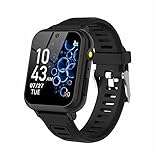
- 👍⌚【Muti-Functional Smart Watch for Kids】Kids smart watch with selfie-cam, 39 puzzle games, torch, MP3 player, voice recorder, pedometer, alarm, stopwatch, calculator, theme, screensaver select, backlight time, audiobooks, learn card, habit tracker, silent profile, five country language, ringtone volume etc.
- 👍⌚【Fun Selfie-Cam & Video】Kids touchscreen smart watch supports such as camera and video perfectly. Children usually use "VCRS + magic cameras" to record every happy moment in their lives. Set your favorite photo as wallpapers. Kids watch is capable of store 10000+ HD photos or 6+ hours video.
- 👍⌚【Easy to Use】No SIM Card Required. The watch for kids don't have call function, don’t need to download app, all the functions are built-in the kids watch, very easy to operate for kids. We also provide SD memory cards Built-in this kids smart watch, helps your child download MP3 children's songs, pictures and videos.
- 👍⌚【Longer Lasting Battery】Kids watch built in re-chargeable battery, the working time can be 3-7 days (varies with use and other factors), this kids smart watch has excellent battery life allows for uninterrupted fun throughout the day and night, and USB cable included (About 2 hours charging fully).
- 👍⌚【Our Forever Guarantee】Smart watch for kids using environmentally friendly silicone material, soft and comfortable, leaving no trace. Please fully charge the kids smart watch before first use. And we provide 90 days money-back, 1 year warranty and life-time friendly customer service. If you have any questions, please contact us in time. We will solve the problem for you as soon as possible.
LTE connectivity without a phone
One of the Bounce 2’s core selling points is its standalone LTE connection. With an active subscription, the watch can send text messages, voice messages, and share live location data independently, even if your child doesn’t have a phone nearby.
Parents approve all contacts in advance, which prevents unknown numbers from reaching the watch. There’s no traditional calling dialer, and communication is intentionally limited to keep interactions predictable and safe rather than constant or distracting.
Amazon Music on a kids smartwatch
A major upgrade in the Bounce 2 is native Amazon Music support, allowing kids to listen to music directly from the watch over LTE or Wi‑Fi. This is aimed at making the watch more appealing to wear daily, especially during playtime, walks, or downtime without relying on games or messaging.
Music access is still gated by parental controls, and it requires a compatible Amazon Music subscription. Audio is typically used with Bluetooth headphones, keeping speaker use discreet and battery drain manageable.
Safety and parental controls at the core
Safety is the foundation of the Bounce 2 experience. Parents can set up geofenced safe zones such as home or school and receive alerts when their child enters or leaves those areas. Live location tracking updates regularly, offering reassurance without needing to constantly check in.
Quiet time scheduling lets parents disable messaging and notifications during school hours or at night, while SOS features allow a child to quickly alert trusted contacts in an emergency. These controls are intentionally straightforward, prioritizing reliability over customization complexity.
Design, comfort, and durability for real kids
Physically, the Bounce 2 is built to survive playground life. It uses a lightweight polymer case, a soft silicone strap sized for small wrists, and a durable, water‑resistant design suitable for rain, handwashing, and general rough use.
The display is optimized for visibility and touch accuracy rather than high resolution, helping keep battery life strong. Garmin’s experience with sports and outdoor wearables shows here, with a focus on comfort, scratch resistance, and all‑day wearability rather than flashy aesthetics.
Battery life and daily usability
Battery life is one of Garmin’s competitive advantages in the kids smartwatch space. The Bounce 2 is designed to last multiple days on a charge with typical use, depending on how often LTE messaging, location tracking, and music streaming are used.
Charging is simple and infrequent compared to many kids watches that require nightly top‑ups. For parents, that translates into fewer dead‑watch mornings and more consistent tracking reliability.
Pricing and subscription requirements
The Garmin Bounce 2 is sold as a one‑time hardware purchase, but LTE features require an ongoing Garmin subscription. This monthly plan covers cellular connectivity, messaging, and location services, and it’s a necessary part of the experience rather than an optional add‑on.
While the upfront cost is higher than basic fitness trackers, the total value comes from replacing the need for a phone while still offering controlled communication. Whether it’s worth it depends on how much you value independence, safety features, and Garmin’s more locked‑down ecosystem compared to cheaper, app‑heavy alternatives.
What’s New vs the Original Garmin Bounce: Key Upgrades That Matter
For parents familiar with the original Garmin Bounce, the Bounce 2 isn’t a radical reinvention. Instead, it’s a refinement that focuses on everyday friction points, adding features that children actually use while tightening the overall experience for parents who want reliability over novelty.
Amazon Music support brings real entertainment, without a phone
The most obvious headline upgrade is built‑in Amazon Music support. Unlike the original Bounce, which limited kids largely to basic audio playback and activity prompts, the Bounce 2 can stream or sync music directly over LTE with an Amazon Music subscription.
In practical terms, this means kids can listen to age‑appropriate playlists on the walk to school or during downtime without needing a phone in their pocket. For parents, it’s a controlled form of entertainment that doesn’t open the door to social media, web browsing, or app stores.
LTE experience feels more stable and more purposeful
Both generations of Bounce rely on LTE for messaging and location tracking, but the Bounce 2 improves how consistently that connection is used. Garmin has refined background syncing and message delivery so check‑ins, voice messages, and location updates feel faster and more predictable than on the original model.
This matters less on a spec sheet and more in daily life. Fewer missed messages and more reliable location pings translate directly into peace of mind, especially during school commutes or after‑school activities.
Refined design for smaller wrists and longer wear
At a glance, the Bounce 2 looks similar to the original, but subtle changes improve comfort. The polymer case has been slightly reshaped to sit flatter on the wrist, and the silicone strap is softer and more flexible, reducing pressure points during all‑day wear.
For kids, that means fewer complaints and less temptation to take the watch off. For parents, it increases the chances the watch is actually being worn when tracking or SOS features are needed.
Improved battery efficiency under real‑world use
Garmin hasn’t dramatically changed battery capacity, but efficiency has improved. The Bounce 2 manages LTE activity, music playback, and background tracking more intelligently than the first‑gen model, especially during standby periods.
In real‑world terms, families upgrading from the original Bounce should see more consistent multi‑day battery life with fewer surprise drains. That reliability is critical for a device whose primary job is staying connected, not being charged every night.
More mature software controls for parents
The core parental control philosophy remains the same, but the Bounce 2 adds polish. Scheduling tools for quiet hours, school time restrictions, and approved contacts are easier to manage and more predictable in how they behave.
Garmin has clearly focused on reducing edge‑case frustrations rather than adding complexity. Parents upgrading from the original Bounce will notice fewer confusing settings and a more confidence‑inspiring companion app experience.
Still intentionally limited, and that’s the point
What hasn’t changed is just as important. The Bounce 2 still avoids cameras, open app ecosystems, and unrestricted internet access. Compared to many kids smartwatches that blur the line between a watch and a mini smartphone, Garmin continues to prioritize safety, battery life, and simplicity.
For families who felt the original Bounce was conceptually right but slightly rough around the edges, the Bounce 2 addresses those concerns without compromising the core philosophy that made the first model appealing in the first place.
LTE Connectivity Explained: How Bounce 2 Keeps Kids Connected (and What It Costs)
All of the refinements to comfort, battery efficiency, and parental controls only matter if the watch can reliably stay connected on its own. LTE is the backbone of the Bounce 2 experience, and it’s the feature that most clearly separates it from basic Bluetooth kids watches and fitness trackers.
Garmin’s approach here is deliberately narrow in scope but carefully executed, focusing on safety‑first communication rather than trying to replicate a smartphone on a smaller screen.
What LTE actually enables on the Bounce 2
The Bounce 2 uses built‑in LTE to function independently of a parent’s phone or a nearby Wi‑Fi network. Once activated, the watch can send and receive messages, share live location data, trigger SOS alerts, and sync activity data directly over cellular.
For kids, this means the watch works at school, on the playground, on a bike ride, or during after‑school activities without needing to carry a phone. For parents, it means real‑time visibility and communication even when the child is well outside Bluetooth range.
No voice calling, by design
Unlike some kids smartwatches that prioritize calling, the Bounce 2 sticks with text‑based messaging and predefined alerts. Children can send short messages and receive replies from approved contacts, but they can’t make or receive voice calls.
Garmin’s reasoning is consistent with the rest of the Bounce philosophy: fewer distractions, lower battery drain, and less risk of misuse at school. Families who want constant voice access may see this as a limitation, while others will appreciate the quieter, more controlled communication model.
How location tracking works in real life
LTE enables continuous location sharing using a combination of GPS, cellular triangulation, and Wi‑Fi positioning. Parents can check the child’s location at any time through the Garmin app, not just during active tracking sessions.
Rank #2

- 【Muti-Functional Smart Watch for Kids】Kids smart watch features with selfie camera, games, music, alarm clock, calendar, calculator, pedometer, timer, stopwatch, album, recorder, flashlight, theme, wallpapers, volume adjustment etc, which is designed to keep kids entertained while supporting their growth with educational functions
- 【Games & Music】 kids smart watch has 26 puzzle games, helps kids learn through playing also can effectively exercise children's reaction ability and hand-eye coordination. Meanwhile, parents can set the game time to prevent children from being addicted. In addition, the kids smartwatch has Music player. You can connect to the computer via USB, add your favorite music to the "My Music" folder
- 【Capture and Explore with Camera】Equipped with a 300,000-pixel camera, pop big head sticker shooting, kids can take photos and videos, capture record every wonderful moment in their lives, enhancing the quality of captured memories, and inspiring a budding interest in photography and creativity. Also can set your favorite photo as wallpapers. Kids watch is capable of store 10000+ HD photos or 6+ hours video
- 【Educational Toy for Kids】The kids smart watch has 13 alarms clock, helping kids build time management skills. This kids watches also includes 10 audiobooks and 104 learning cards that traditional watches don't have. Designed to spark a love for reading and enhance word and picture recognition, it makes learning fun and engaging for kids. Perfect toy for kids age 4 5 6 7 8 9
- 【Long Lasting Battery & Easy to Use】Kids watch built in rechargeable battery, the working time can be 3-7 days (varies with use and other factors), this kids smart watch has excellent battery life allows for uninterrupted fun throughout the day and night, and USB cable included (About 2 hours charging fully). No need to connect phones or download APP, all the functions are built-in the kids watch, very easy to operate for kids.
Geofencing remains one of the most practical LTE‑powered features. Parents can define safe zones like home, school, or a friend’s house, and receive automatic alerts when the watch enters or leaves those areas, without the child needing to do anything.
SOS and emergency connectivity
The Bounce 2 includes an SOS function that leverages LTE to immediately notify designated emergency contacts and share live location data. The alert is persistent, continuing to update location as long as the watch remains powered and connected.
This is where Garmin’s conservative feature set works in its favor. There’s no ambiguity about what happens when SOS is triggered, and no reliance on a paired phone that might not be nearby in a real emergency.
LTE and battery life: the practical trade‑offs
Cellular connectivity is the single biggest drain on any smartwatch battery, and kids watches are no exception. Garmin mitigates this by keeping LTE activity lightweight, avoiding background app syncing, voice calls, or open data access.
In day‑to‑day use, LTE is mostly active in short bursts for messaging, location updates, and safety alerts. Combined with the Bounce 2’s improved efficiency, this allows for multi‑day battery life rather than the nightly charging routine common on more phone‑like kids watches.
Subscription requirements and ongoing costs
LTE on the Bounce 2 requires a paid Garmin subscription, separate from the upfront cost of the watch itself. This subscription covers cellular connectivity, messaging, live tracking, and safety features, and it’s mandatory for the watch to function as intended.
Pricing varies by region, but it typically lands in the same monthly range as other dedicated kids smartwatch plans rather than full smartphone data plans. There’s no option to add the watch to an existing family mobile plan, which simplifies setup but removes flexibility for some households.
How Bounce 2’s LTE compares to rivals
Compared to LTE kids watches that offer cameras, app stores, and voice calling, Garmin’s solution is more restrained but also more predictable. Fewer features mean fewer points of failure, less battery anxiety, and less temptation for kids to treat the watch like a toy phone.
For parents primarily interested in knowing where their child is, staying reachable for quick check‑ins, and having a reliable emergency connection, the Bounce 2’s LTE implementation is focused and effective. Families looking for a social or entertainment‑driven device may find it too limited, but that limitation is intentional rather than accidental.
Amazon Music on a Kids Smartwatch: How It Works, What Kids Can Listen To, and Parental Limits
Garmin’s approach to music on the Bounce 2 mirrors its LTE philosophy: add something genuinely useful, then tightly control how it works. Amazon Music is not here to turn the watch into a tiny media player, but to offer safe, age‑appropriate listening during downtime without opening the door to unrestricted streaming.
For parents weighing entertainment features against distraction and battery drain, this implementation is deliberately narrow by design.
Which Amazon Music service is supported
The Bounce 2 integrates with Amazon Music through a parent-managed Amazon account, with support centered on Amazon Music Kids content rather than the full, unrestricted catalog. That means curated playlists, kid-friendly albums, and age-appropriate stations rather than open-ended browsing.
Children do not get an Amazon Music app experience in the traditional sense. There’s no storefront, no recommendations driven by algorithms, and no direct account access on the watch itself.
How music actually gets onto the watch
Music is managed entirely from the parent’s phone using Garmin’s companion app and linked Amazon account. Parents choose what content is available, then sync it to the watch over Wi‑Fi rather than LTE.
This matters for two reasons. First, it avoids ongoing cellular data use for streaming. Second, it keeps battery life predictable, aligning with Garmin’s multi-day runtime goals rather than forcing daily charging.
Offline playback and battery impact
Once synced, music plays locally on the Bounce 2 without needing an active LTE connection. This makes it suitable for car rides, waiting rooms, or quiet playtime without relying on coverage or burning through the LTE subscription.
Playback does have a measurable battery cost, but it’s modest compared to live tracking or continuous cellular activity. In real-world use, occasional music listening fits comfortably within the watch’s normal battery expectations.
Headphones, speakers, and real-world usability
The Bounce 2 pairs with Bluetooth headphones, which is how most kids will listen. The built-in speaker is designed for alerts and basic sounds, not shared music listening, and Garmin clearly expects headphone use.
Comfort matters here more than raw audio quality. The watch’s lightweight case and soft silicone strap mean it stays comfortable during longer listening sessions, even for smaller wrists.
What kids can and can’t do on the watch
Children can select from pre-approved playlists or albums and control basic playback like play, pause, and skip. There’s no search function, no voice requests, and no ability to explore beyond what a parent has already allowed.
Lyrics, social sharing, comments, and user-generated content are not part of the experience. From a safety standpoint, this removes entire categories of concern that come with open music platforms.
Parental controls and content boundaries
All music permissions are handled by parents, not the child. If content isn’t synced, it simply doesn’t exist on the watch.
Parents can also remove music access entirely without affecting LTE safety features, messaging, or location tracking. This separation is important, as it prevents entertainment privileges from interfering with core safety functions.
How this compares to music on rival kids watches
Many competing kids smartwatches either skip music entirely or allow basic MP3 playback without curation. Others rely on open streaming apps that feel closer to a stripped-down smartphone.
Garmin’s Amazon Music integration sits firmly in the middle. It offers more polish and legitimacy than manual file transfers, while avoiding the complexity and risk of open app ecosystems. For families who want controlled entertainment without creeping phone-like behavior, that balance will feel intentional rather than limiting.
Safety and Parental Controls: Location Tracking, Messaging, and School‑Friendly Features
The shift from entertainment back to protection is where the Bounce 2’s design philosophy becomes clearest. Music and LTE are tightly controlled, but safety tools are always on, always prioritized, and never treated as optional add‑ons.
Garmin has clearly separated “fun” features from “peace‑of‑mind” features, and that separation runs through location tracking, communication, and how the watch behaves during the school day.
Always‑on location tracking with practical accuracy
The Bounce 2 uses its built‑in LTE connection alongside GPS to provide continuous location tracking through the Garmin Jr app. Parents can check a child’s location at any time, with refreshes frequent enough to feel useful without crushing battery life.
In real‑world use, this is not breadcrumb‑level sports tracking, but it is consistent and reliable for everyday scenarios like walking to school, biking around the neighborhood, or being dropped off at activities. Location updates remain active even when entertainment features are disabled.
Geofencing and location alerts that make sense
Parents can set up multiple geofenced “safe zones,” such as home, school, or a grandparent’s house. When a child enters or leaves these areas, alerts are pushed to the parent’s phone automatically.
This is one of those features that sounds simple but becomes invaluable quickly. It reduces the need to constantly check the app while still providing reassurance that routines are being followed.
Two‑way messaging without open communication risks
Messaging on the Bounce 2 is strictly controlled and contact‑based. Children can only communicate with parent‑approved contacts, and there’s no way to receive messages from unknown numbers.
Rank #3

- 【All in One Smart Watch for Kids】Kids smart watch with selfie-cam, MP3 player, voice recorder, habit tracking, games, pedometer, flashlight, alarm, stopwatch, calculator, theme, screensaver select, parental control, silent profile, time format, volume, etc. Which can bring convenience, fun and unprecedented new experience to children's lives.
- 【Upgrade Kids Watch】As the fun kids smart watch, with 39 games to choose from kids. These games are more playable and suitable for children of multiple ages. That can effectively exercise kids logical thinking ability, reaction ability and hand-eye coordination. It is a gift for 4-12 year old boys and girls. There are Habits Tracking and Parental Control that traditional watches don't have.
- 【HD Selfie-Camera & Video】The kids touchscreen smartwatch not only has camera and video support, but also has amazing HD pixels. Children can take photos and record videos, capture record every wonderful moment in their lives. With pop big head sticker shooting, children can take some hilarious photos with family or friends. The first step in training a child to be a photographer.
- 【Powerful Battery Life】Kids watch built-in rechargeable battery that lasts more than 7 days on a full charge, the battery of this girls watch is upgraded to 500mA, allows kids to play anywhere, anytime, and is equipped with a USB cable. Let the children enjoy a happy playtime and give them a good childhood!
- 【Great Gift for Kids】Our kids watches is designed with a durable aluminum frame design and a 1.54 inch IPS HD touch screen, it's easier to operate for kids. This watch introduces a fun function: habit tracking, cultivating children's good habits. Perfect birthday, Christmas, festival, and holiday gifts for boys and girls aged 6~10. We provide friendly customer service.
Messages are text‑based and designed for short, clear communication rather than ongoing chat threads. There’s no social feed, no group chats, and no exposure to wider networks, which keeps the experience functional rather than distracting.
Emergency assistance that doesn’t rely on judgment
The Bounce 2 includes an emergency assistance feature that allows a child to alert designated contacts quickly. This is designed to work even if the child is stressed or unable to explain what’s happening clearly.
Because it operates over LTE and is not dependent on a paired phone, it works in situations where a smartphone might be forgotten, uncharged, or intentionally left behind. For many parents, this alone justifies choosing a connected watch over a basic fitness tracker.
School mode that respects classrooms and rules
Garmin’s school mode lets parents define specific hours when the watch becomes intentionally boring. During these periods, alerts, messaging, and entertainment features are restricted, while timekeeping remains available.
Crucially, safety and location tracking continue to run in the background. This keeps the watch compliant with school policies without turning it into a dead device during large portions of the day.
Parent‑first control through the Garmin Jr app
Every safety feature on the Bounce 2 is managed from the parent’s phone, not the child’s wrist. Contacts, permissions, schedules, and alerts are all adjusted remotely, with changes taking effect immediately.
This centralized control model avoids the common problem of kids discovering settings menus or workarounds. It also makes the Bounce 2 easier to manage than many Android‑based kids watches that feel like simplified smartphones.
How this safety setup compares to rival kids smartwatches
Many competing LTE kids watches offer similar features on paper but blur the line between communication and entertainment. Open calling, app stores, or camera access can introduce risks that parents didn’t intend to manage.
Garmin’s approach is more conservative and more deliberate. The Bounce 2 behaves less like a phone replacement and more like a safety tool that happens to include carefully gated extras, which will appeal strongly to families who want connectivity without escalation.
Design, Durability, and Wearability for Kids: Size, Comfort, and Toughness
All of those safety and control features only matter if a child will actually keep the watch on. Garmin clearly understands this, because the Bounce 2 is designed first as something kids can live with all day, not as a shrunken adult smartwatch that happens to fit smaller wrists.
Rather than chasing a sleek, phone-like aesthetic, the Bounce 2 leans into a purpose-built kids design that prioritizes comfort, resilience, and clarity.
Kid-sized proportions without feeling toy-like
The Bounce 2 sits firmly in the “small but substantial” category. It’s compact enough for younger wrists without looking fragile, and thick enough to feel reassuringly solid when knocked or dropped.
For parents, that balance matters. A watch that looks too delicate invites worry, while something overly bulky quickly becomes uncomfortable or distracting during school or play.
Comfort for all-day wear, not just short outings
Garmin uses a soft, flexible silicone strap that’s designed to tolerate sweat, water, and constant movement. The strap material is smooth against the skin, reducing the chances of irritation during long days that include school, sports, and sleep tracking.
Importantly, the strap sizing accommodates smaller wrists without awkward excess length flapping around. That helps the watch stay centered on the wrist, improving comfort and the reliability of motion and activity tracking.
Built to survive playgrounds, not just desks
Durability is one area where Garmin’s outdoor watch heritage shows through. The Bounce 2 is built to handle rough treatment, including drops, bumps against playground equipment, and the general chaos of daily kid life.
The case construction feels closer to a sports watch than a gadget. Parents familiar with Garmin’s adult fitness watches will recognize the emphasis on impact resistance and practical toughness rather than cosmetic finishes.
Water resistance that encourages normal kid behavior
The Bounce 2 is water-resistant enough to be worn during handwashing, rain, and swimming. That means fewer reminders to take it off and fewer opportunities for it to be lost in a locker or left poolside.
This is a subtle but important advantage over kids watches that require frequent removal around water. The more seamless the experience, the more consistently the safety and location features stay active.
Screen clarity over visual flash
Instead of a glossy, edge-to-edge display designed to impress adults, the Bounce 2 uses a practical screen that prioritizes readability. Text, icons, and prompts are easy to see at a glance, even outdoors.
This works well with Garmin’s conservative software approach. The display supports clear communication and navigation without pulling kids into endless tapping or visual distraction.
Physical buttons that actually help kids
The Bounce 2 includes physical buttons alongside the touchscreen, which is a smart choice for younger users. Buttons are easier to press with wet fingers, gloves, or during active moments when precise tapping isn’t realistic.
From a safety standpoint, physical controls also make emergency actions more reliable. When a child is stressed or rushed, a tactile button is often faster and more dependable than navigating a touch interface.
Style that feels age-appropriate without pushing maturity
Garmin keeps the color options and overall look playful but restrained. The Bounce 2 doesn’t try to imitate adult smartwatches, nor does it lean too far into cartoonish territory.
This middle ground makes it suitable for a wider age range, from early elementary school through pre-teen years. It also reduces the risk of kids feeling embarrassed to wear it as they get older.
Why wearability matters more than specs on paper
Many kids smartwatches offer impressive feature lists but fail at the basics of comfort and toughness. If a watch is itchy, bulky, or constantly needs to be removed, it stops being a safety device and becomes an occasional accessory.
The Bounce 2’s design choices support Garmin’s broader philosophy: keep the watch on the wrist, keep it powered, and keep it working quietly in the background. For parents prioritizing reliability over flash, that approach carries real value.
Battery Life and Real‑World Use: How Long Bounce 2 Lasts with LTE and Music
All-day wearability only works if the watch actually makes it through the day. After focusing on comfort, buttons, and screen practicality, battery life becomes the deciding factor for whether Bounce 2 functions as a dependable safety device or a nightly chore.
Garmin’s design choices here are conservative by kids‑LTE standards, prioritizing predictable endurance over headline-grabbing features that drain the battery unpredictably.
Garmin’s battery claims versus realistic expectations
Garmin rates Bounce 2 for roughly one to two days of use depending on how LTE features are used. That estimate assumes a mix of standby time, periodic location updates, a handful of messages or voice interactions, and limited screen-on time.
In real-world family use, most parents should expect a consistent full day with a comfortable buffer rather than true multi-day endurance. That may sound modest, but for an LTE-connected kids watch with live tracking, it’s very much in line with reality.
What LTE actually costs in daily use
LTE is the single biggest battery variable on Bounce 2. Continuous background connectivity for location tracking and messaging draws power even when the screen is off, which is unavoidable for any watch designed to stay reachable.
Rank #4

- All-Day Activity Tracking: BIGGERFIVE BRAVE 2 Smart Watch for Kids Teens Automatically counts steps, distance, calories burned, and active minutes. Supports 80 sports modes like walking, running, cycling, basketball, and more.
- Without/With APP: BIGGERFIVE kids fitness tracker watch can be used seperately without APP and phone. But with APP, you could explore more functions. Compatible with Android 6.0+ and iOS 9.0+ smartphones.
- Comprehensive Health Monitoring: Monitors real-time heart rate and tracks sleep patterns to promote your child's well-being.
- Customizable Watch Face &1.8" HD Touch Screen:Our kids smartwatch boasts a 1.8" HD touch screen and offers 100+ exquisite cloud dials in APP BIGGERFIVE. Elevate personal style with custom dials using your kids' own photos and ignite their creativity!
- Puzzle Games under Parents' Control: 5 built-in puzzle games can help train your child's reaction ability and calculation ability. You could restrict your child from playing games at school in the BIGGERFIVE APP (supports also lock game all the time).
If LTE is primarily used for periodic check-ins, geofence alerts, and short messages, Bounce 2 typically holds up from morning school drop-off through bedtime. Heavy use, such as frequent voice messages or repeated location pings, will shorten that window noticeably.
Amazon Music streaming and battery impact
Amazon Music support is a standout feature, but it’s also one of the most power-hungry. Streaming music directly over LTE, especially with the screen active while browsing playlists, can drain the battery quickly.
In practical terms, music works best as an occasional reward rather than an always-on habit. A short walk home listening to music is fine; hours of streaming without Wi‑Fi access will almost certainly push the watch toward an evening recharge.
School days versus weekends
Battery life tends to look better on structured school days. During class hours, screen use is minimal, LTE activity is predictable, and Garmin’s background optimizations can do their job.
Weekends tell a different story. More movement, more messages, more music, and more curiosity-driven tapping all add up. Parents should expect to charge Bounce 2 nightly on active days, especially if GPS and LTE are being used more freely.
Charging routine and parent workload
Bounce 2 uses Garmin’s familiar proprietary charging cable, which snaps into place securely and charges at a reasonable pace. A short evening top-up is usually enough to reset the watch for the next day, even after heavier use.
From a parent’s perspective, the key advantage is consistency. You’re not dealing with unpredictable battery swings or sudden mid-afternoon shutdowns as long as charging becomes part of the daily routine.
Why Garmin’s approach still works for families
Garmin doesn’t chase extreme battery claims by limiting functionality in the background. Instead, Bounce 2 stays connected, keeps safety features active, and accepts that daily charging is part of the tradeoff.
For a kids smartwatch with LTE, GPS, and music streaming, that balance is sensible. The watch prioritizes being available when it matters most, even if that means plugging it in each night rather than stretching battery life at the expense of reliability.
Garmin App Ecosystem and Compatibility: What Parents Need on Their Phone
Daily charging habits and battery expectations only make sense once you understand how much of Bounce 2’s intelligence actually lives on the parent’s phone. Unlike adult Garmin watches, which split responsibilities between the device and the cloud, Bounce 2 is tightly anchored to Garmin’s family-focused app ecosystem.
For parents, this means setup, controls, and ongoing oversight are handled almost entirely from a smartphone. The watch itself stays simple by design, while the phone becomes the command center.
Garmin Jr. app: the real control hub
Bounce 2 is managed through the Garmin Jr. app, not the standard Garmin Connect app used by adult fitness watches. This distinction matters, because Garmin Jr. is purpose-built for children’s devices and avoids exposing kids to social features, leaderboards, or open-ended app ecosystems.
From the app, parents handle initial pairing, LTE activation, safety settings, messaging permissions, and daily routines. The interface is clean and clearly labeled, with most key functions accessible in one or two taps rather than buried in menus.
Phone compatibility and OS requirements
Garmin Jr. is available on both iOS and Android, and Bounce 2 works comfortably with modern versions of each. iPhones running recent iOS releases and Android phones from the last several years should have no trouble with pairing or day-to-day syncing.
There’s no need for the parent’s phone to stay constantly connected to the watch via Bluetooth. Once LTE is active, Bounce 2 operates independently, with the phone acting as a remote management tool rather than a lifeline.
Setting up LTE and subscriptions from the app
LTE service for Bounce 2 is activated directly through Garmin Jr., with subscription management tied to the parent’s Garmin account. Parents choose a monthly plan, enter payment details, and assign the plan to the child’s watch without dealing with traditional carrier stores.
This centralized approach keeps things simple, but it also means the Garmin app is where you’ll manage billing, pause service, or troubleshoot connectivity. If the app isn’t installed and up to date, you’re effectively locked out of those controls.
Safety features and location tracking in practice
Real-time location tracking, geofencing, and check-ins are all handled through Garmin Jr. The app shows the child’s current position, recent movement, and whether they arrived safely at predefined locations like school or home.
Notifications arrive on the parent’s phone rather than the watch, which keeps the child’s experience calm and distraction-free. For parents, this reinforces the idea that Bounce 2 is less about constant monitoring and more about quiet reassurance in the background.
Messaging, contacts, and communication controls
All approved contacts are added and managed from the parent’s phone. Kids can only message or call people that parents explicitly allow, and there’s no way to bypass those limits from the watch itself.
Message history is visible in the app, giving parents context without turning the watch into a surveillance tool. It’s a measured approach that prioritizes safety while still giving kids a sense of independence.
Amazon Music management from the parent side
Amazon Music integration is also controlled through the Garmin Jr. app, including account linking and playlist access. Parents decide whether music is enabled at all and can limit usage to prevent excessive LTE streaming.
This setup pairs well with the battery realities discussed earlier. Music becomes a managed feature rather than an uncontrolled drain, with parents able to fine-tune how and when it’s used.
Updates, stability, and long-term support
Firmware updates for Bounce 2 are delivered through the Garmin app ecosystem, usually syncing automatically when the watch is charging and within range. Parents don’t need to manually hunt for updates, but they do need to keep the app installed and permissions enabled.
Garmin has a strong track record of long-term software support, especially for family and safety-focused products. For parents, that translates to fewer surprises and a lower risk of features quietly breaking or being abandoned after a year.
What this means for everyday parent workload
Once initial setup is complete, most parents will only open the app briefly each day, if at all. Checking location, reviewing a message, or confirming battery status takes seconds rather than minutes.
The tradeoff is clear: Bounce 2 asks more of the parent’s phone so it can ask less of the child. For families who value control, clarity, and predictability over customization and open ecosystems, Garmin’s app-first approach fits the role well.
Garmin Bounce 2 vs Rival Kids Smartwatches: How It Stacks Up Against Apple Watch Family Setup, Fitbit Ace LTE, and Gizmo
With parental controls, LTE limits, and long-term support now clearly defined, the natural next question is how Bounce 2 compares to the other kids-connected wearables parents are most likely to consider. The real decision here is less about specs in isolation and more about ecosystem commitment, ongoing costs, and how much freedom you want to give a child at different ages.
Garmin’s approach sits between toy-like kids watches and full-fledged smartwatches. That middle ground is exactly where most of the competition lives, but each rival gets there in a very different way.
Garmin Bounce 2 vs Apple Watch Family Setup
Apple Watch Family Setup is the most powerful option in this category, but also the most demanding. It requires an iPhone for setup and management, and the watch itself is essentially a downsized adult smartwatch with guardrails added on top.
In day-to-day use, Apple Watch offers richer apps, better voice dictation, and tighter integration with iMessage and FaceTime Audio. The downside is complexity: more notifications, more settings, and more opportunities for kids to get distracted or overwhelmed.
Bounce 2 deliberately avoids that complexity. There’s no App Store, no web access, and no third-party apps beyond Garmin’s own features. For younger kids, this creates a calmer experience that feels like a watch first and a communicator second.
💰 Best Value
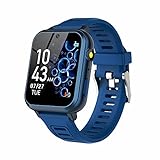
- 👍⌚【Muti-Functional Smart Watch for Kids】Kids smart watch with selfie-cam, 39 puzzle games, torch, MP3 player, voice recorder, pedometer, alarm, stopwatch, calculator, theme, screensaver select, backlight time, audiobooks, learn card, habit tracker, silent profile, five country language, ringtone volume etc.
- 👍⌚【Fun Selfie-Cam & Video】Kids touchscreen smart watch supports such as camera and video perfectly. Children usually use "VCRS + magic cameras" to record every happy moment in their lives. Set your favorite photo as wallpapers. Kids watch is capable of store 10000+ HD photos or 6+ hours video.
- 👍⌚【Easy to Use】No SIM Card Required. The watch for kids don't have call function, don’t need to download app, all the functions are built-in the kids watch, very easy to operate for kids. We also provide SD memory cards Built-in this kids smart watch, helps your child download MP3 children's songs, pictures and videos.
- 👍⌚【Longer Lasting Battery】Kids watch built in re-chargeable battery, the working time can be 3-7 days (varies with use and other factors), this kids smart watch has excellent battery life allows for uninterrupted fun throughout the day and night, and USB cable included (About 2 hours charging fully).
- 👍⌚【Our Forever Guarantee】Smart watch for kids using environmentally friendly silicone material, soft and comfortable, leaving no trace. Please fully charge the kids smart watch before first use. And we provide 90 days money-back, 1 year warranty and life-time friendly customer service. If you have any questions, please contact us in time. We will solve the problem for you as soon as possible.
Battery life is one of the clearest differentiators. Apple Watch with LTE typically needs daily charging, while Bounce 2 is designed to last multiple days with tracking and messaging enabled. For parents, fewer dead-watch mornings translate directly into fewer check-ins and less friction.
There’s also cost. Apple Watch hardware is significantly more expensive, and LTE plans often cost more per month. Bounce 2’s pricing and subscription structure are easier to justify when the watch’s role is safety and basic communication rather than full smartwatch replacement.
Garmin Bounce 2 vs Fitbit Ace LTE
Fitbit Ace LTE is Bounce 2’s closest philosophical competitor. Both focus on safety, location tracking, limited communication, and fitness without opening the door to unrestricted apps or social platforms.
Where Fitbit leans harder into gamified activity and Google-backed services, Garmin emphasizes reliability, GPS accuracy, and outdoor-friendly durability. Bounce 2 benefits from Garmin’s long experience with satellite tracking and real-time location updates, which tend to be more consistent in varied environments.
Ace LTE’s design is softer and more playful, which some younger kids prefer, but Bounce 2 feels more like a “real” watch. Its case construction, water resistance, and strap system are better suited to rough daily wear, sports, and playground abuse.
Music support is another split point. Bounce 2’s Amazon Music integration, while controlled, allows offline playback with parental oversight. Fitbit’s music options are more limited and less flexible for kids who want familiar playlists without a phone.
Subscription pricing is similar across both platforms, but Garmin’s interface tends to be more transparent. Parents can clearly see what LTE, tracking, and messaging are doing at any moment, rather than hunting through layered menus.
Garmin Bounce 2 vs Verizon Gizmo and Similar Carrier Kids Watches
Carrier-branded kids watches like Gizmo prioritize simplicity and low upfront cost. They’re often bundled with cellular plans and heavily subsidized, making them attractive at checkout.
In practice, these watches usually lag in hardware quality and software polish. Screens are lower resolution, GPS accuracy can be inconsistent, and update cycles depend heavily on the carrier rather than the device maker.
Bounce 2 feels far more refined in daily use. Touch responsiveness, menu navigation, and fitness tracking all reflect Garmin’s broader wearable portfolio rather than a telecom-first design philosophy.
There’s also portability to consider. Gizmo and similar watches are often locked to a specific carrier, which can complicate travel or switching plans. Bounce 2’s LTE service is managed through Garmin, reducing friction if family plans or carriers change.
For parents thinking beyond the first year, long-term support matters. Garmin has a stronger track record of maintaining features and security updates well past launch, whereas carrier watches are frequently replaced rather than improved.
Which type of family each option fits best
Apple Watch Family Setup works best for older kids or teens who already live in Apple’s ecosystem and can handle more responsibility. It’s powerful, but it demands more oversight and more frequent charging.
Fitbit Ace LTE suits families focused on activity, motivation, and a softer introduction to connected tech. It’s less about independence and more about movement and routine.
Garmin Bounce 2 fits squarely in the middle: ideal for elementary and early middle school kids who need reliable communication, location awareness, and a watch that can survive real life. It trades app freedom for predictability, and for many parents, that’s exactly the point.
Carrier watches like Gizmo remain the budget option, but they come with compromises in polish, flexibility, and longevity that become more obvious over time.
Seen in that context, Bounce 2 isn’t trying to outsmart the Apple Watch or undercut carrier deals. It’s designed to be a steady, controlled stepping stone toward independence, without handing a child more technology than they’re ready to manage.
Price, Subscriptions, and Value Verdict: Is the Garmin Bounce 2 Worth Buying for Your Child?
All of that positioning leads naturally to the most practical questions parents ask next: how much does it cost, what are the ongoing fees, and does the total package actually make sense compared to the alternatives. Garmin’s approach with Bounce 2 is transparent, but it does require thinking beyond the sticker price.
Upfront price: what you pay on day one
Garmin Bounce 2 launches at a higher upfront price than most carrier-branded kids watches, typically landing in the mid-$150 to $180 range depending on promotions and region. That puts it well above entry-level options like Gizmo, but below the cost of setting up an Apple Watch with Family Setup.
What you’re paying for immediately is hardware quality. The case is thick but purpose-built, the screen is protected for rough play, and the silicone strap is soft, flexible, and sized for smaller wrists without feeling toy-like. It’s a watch designed to be worn all day at school, on the playground, and during sports, not just during check-in moments.
Compared to the original Bounce, the improved responsiveness and refined software also add to perceived value. This doesn’t feel like a first-generation experiment, but a more mature product that benefits from Garmin’s broader wearable experience.
LTE subscription: the real cost over time
Like every standalone kids smartwatch, Bounce 2 only works as intended with an active LTE plan. Garmin requires a monthly subscription, usually priced around $10 per month, which covers LTE connectivity, location tracking, messaging, and safety features.
The key distinction here is that the plan is managed directly through Garmin rather than a mobile carrier. That simplifies setup, avoids surprise fees, and makes it easier to pause or cancel service if your child stops using the watch for a period.
Over a full year, that subscription adds roughly $120 to the cost of ownership. Over two or three years, it becomes the largest part of the investment, so it’s important to view Bounce 2 as a service-backed device, not a one-time purchase.
Amazon Music and extra services: optional, but worth understanding
Amazon Music support is a welcome addition, but it’s not included for free. Families will need an Amazon Music Unlimited subscription to take full advantage of offline playlists synced to the watch.
For parents already paying for Amazon Music, this feels like a bonus feature that makes long walks, bus rides, or downtime more enjoyable without opening the door to full app stores. For everyone else, it’s an optional extra rather than a core reason to buy Bounce 2.
Importantly, there are no hidden app purchases or third-party downloads. Garmin keeps the ecosystem intentionally closed, which helps control costs and reduces the risk of unexpected spending.
Total cost compared to alternatives
Stacked against carrier watches, Bounce 2 is undeniably more expensive over time. Gizmo-style devices can look cheaper in-store, especially with carrier discounts, but they often involve longer contracts, carrier lock-in, and less predictable update support.
Compared to Fitbit Ace LTE, pricing is broadly similar when subscriptions are factored in, but the philosophy differs. Fitbit leans into gamification and motivation, while Garmin emphasizes reliability, location accuracy, and parental oversight.
Apple Watch Family Setup remains the most expensive path, especially once hardware, cellular plans, and more frequent upgrades are considered. It also introduces far more complexity than many younger children need.
Value verdict: who should buy the Bounce 2
Garmin Bounce 2 makes the most sense for families who plan to use it consistently for at least one to two years. In that timeframe, the combination of durable hardware, stable software, and predictable subscription costs justifies the higher initial spend.
It’s particularly strong for parents who want independence without exposure. Calls, texts, GPS tracking, and safety features are tightly controlled, while distractions and open-ended apps are kept firmly out of reach.
If your goal is the cheapest way to stay in touch, Bounce 2 isn’t it. But if you’re looking for a well-built, thoughtfully limited smartwatch that grows with your child through elementary school and into early middle school, it offers a level of polish and long-term support that many cheaper options struggle to match.
Seen as part of a broader parenting toolkit rather than a disposable gadget, Garmin Bounce 2 earns its price by doing fewer things, more reliably, for longer.