For years, Garmin users have watched Apple Watch and Wear OS owners enjoy effortless, turn-by-turn Google Maps navigation on their wrists, while their own devices leaned heavily on preloaded maps, GPX routes, and Garmin-specific tools. That gap has been one of the most persistent friction points in the Garmin ecosystem, especially for people who use their watches as everyday wearables, not just training instruments. So when Google Maps finally appears on Garmin watches, it instantly feels like a long-overdue correction rather than a surprise bonus.
The demand has been especially loud among runners, cyclists, and urban commuters who live inside Google’s ecosystem on their phones. Google Maps is where addresses live, where public transport routes are planned, and where last‑minute changes happen in real time. The idea of glancing at a Garmin watch for directions without pulling out a phone has been a clear, obvious want for years, even as Garmin quietly doubled down on its own navigation philosophy.
What matters now is understanding why this moment is important, and just as critically, why it does not mean Garmin watches suddenly turn into Apple Watch or Wear OS rivals for navigation. The difference between expectation and reality is where most of the confusion sits.
The long-standing disconnect between Garmin navigation and daily life
Garmin’s navigation tools are objectively powerful, but they have always been designed with planned activity in mind. Courses are built in Garmin Connect, Komoot, Strava, or similar platforms, synced to the watch, and then followed as breadcrumb trails or full-color maps depending on the model. This works brilliantly for long runs, cycling routes, hiking, and trail exploration, especially on devices like the Fenix, Epix, Forerunner 955/965, or Edge bike computers.
🏆 #1 Best Overall

- Easy-to-use running watch monitors heart rate (this is not a medical device) at the wrist and uses GPS to track how far, how fast and where you’ve run.Special Feature:Bluetooth.
- Battery life: up to 2 weeks in smartwatch mode; up to 20 hours in GPS mode
- Plan your race day strategy with the PacePro feature (not compatible with on-device courses), which offers GPS-based pace guidance for a selected course or distance
- Run your best with helpful training tools, including race time predictions and finish time estimates
- Track all the ways you move with built-in activity profiles for running, cycling, track run, virtual run, pool swim, Pilates, HIIT, breathwork and more
Where it breaks down is spontaneity. If you are meeting friends at a new café, navigating through an unfamiliar city, or walking to a hotel after a late train, Garmin’s workflow feels heavy. You either need to pre-load a course, search awkwardly on the watch, or fall back to your phone anyway, undermining the whole point of wrist-based navigation.
Google Maps has always represented the opposite philosophy. It is reactive, context-aware, and built around live data rather than pre-planned intent. That mismatch is exactly why Garmin users have been asking for this integration for years.
Why Apple Watch and Wear OS made Garmin feel behind
The frustration has been amplified by direct comparisons. Even with shorter battery life and less robust hardware, Apple Watch users have enjoyed seamless Google Maps or Apple Maps turn-by-turn directions, vibration alerts before turns, and quick rerouting when plans change. Wear OS devices have offered similar functionality, often with full map visuals and voice prompts through connected earbuds.
Garmin owners, meanwhile, were wearing watches with multi-band GPS, sapphire glass, metal bezels, and battery life measured in days or weeks. Yet for basic city navigation, those premium devices felt oddly constrained. The hardware was never the issue; it was always software access and platform priorities.
This contrast made the absence of Google Maps feel less like a technical limitation and more like an ecosystem choice, which only intensified user demand.
What Google Maps represents beyond simple directions
Google Maps is not just another navigation app; it is a layer of everyday intelligence. It knows where places are actually located, how people really move through cities, and how traffic, closures, and public transport affect routes in real time. For Garmin users who wear their watches all day, not just during workouts, this kind of integration speaks directly to daily usability rather than athletic performance.
It also signals a softening of boundaries between fitness-first watches and general-purpose smartwatches. Garmin has historically resisted deep third-party app integration, prioritizing battery life, reliability, and control over the experience. Allowing Google Maps onto the platform suggests a recognition that even performance-focused users expect certain modern conveniences.
That is why this update matters symbolically as much as functionally. It hints at a Garmin that is more open to selective, high-impact software partnerships without abandoning its core identity.
Why expectations need to be reset immediately
At the same time, it is crucial to understand that Google Maps on Garmin is not the same as Google Maps on an Apple Watch or Android smartwatch. This is not full interactive mapping with on-watch search, panning, or rerouting. It is a companion-style experience that leans heavily on the phone and delivers simplified guidance to the wrist.
That distinction is the catch, and it defines whether this update feels transformative or merely incremental. For some users, especially runners and walkers who want discreet turn alerts, it will genuinely improve daily life. For others expecting full smartwatch-style navigation independence, it may feel underwhelming.
Understanding that balance between long-awaited progress and deliberate limitation is the key to evaluating what this change really means for Garmin owners.
What’s Actually Launching: Google Maps on Garmin, Feature by Feature
With expectations now properly grounded, it becomes easier to assess what Garmin and Google have actually shipped here. This is not a reinvention of Garmin navigation, nor is it Google Maps fully liberated onto the wrist. It is a narrowly defined, phone-dependent implementation that focuses on guidance rather than exploration.
Understanding the feature set in practical terms is the difference between seeing this as a meaningful daily upgrade or a long-overdue checkbox exercise.
Turn-by-turn directions, not full maps
At its core, Google Maps on Garmin delivers turn-by-turn navigation prompts, not interactive cartography. The watch shows upcoming turns, distance to the next instruction, and simple directional cues, typically as arrows or text-based prompts rather than a rich map view.
There is no on-watch map panning, zooming, or free navigation. You cannot scroll around a neighborhood, inspect nearby streets, or visually confirm context the way you can on Garmin’s own offline maps or on an Apple Watch running Google Maps or Apple Maps.
This makes the experience closer to a smart notification feed than a standalone navigation tool. The watch acts as a glanceable guide, reducing the need to pull out your phone, but it never replaces it.
Phone-led routing and recalculation
All route planning, search, and recalculation happen on the paired smartphone. You start navigation on your phone in Google Maps, and the watch mirrors the active route with step-by-step cues.
If you miss a turn or the route changes due to traffic or closures, the phone handles the rerouting and pushes updated instructions to the watch. The Garmin device itself has no awareness of traffic, no decision-making role, and no ability to independently adjust the route.
This dependency is deliberate and explains why the feature can exist without dramatically impacting battery life. Garmin is avoiding the continuous data usage and processing load that true standalone navigation would require.
Activity-agnostic guidance, with subtle fitness trade-offs
Google Maps guidance runs alongside normal watch operation rather than replacing it. You can receive directions during everyday use, walking around a city, commuting, or running errands, without needing to start a formal Garmin activity.
However, this separation also means integration with workouts is limited. During a run or ride, Google Maps does not replace Garmin’s course navigation, breadcrumb trails, or pace-aware routing features.
You may see turn alerts while tracking an activity, but you are not getting course-based pacing, elevation-aware prompts, or performance-focused guidance. For athletes who rely on Garmin’s training ecosystem, this keeps Google Maps firmly in the “daily life” lane rather than the “structured workout” one.
No offline navigation, even on watches that support it
One of the more jarring limitations is the absence of offline functionality. Even on high-end Garmin watches that support offline maps, multi-band GPS, and onboard storage, Google Maps requires a live phone connection.
If your phone loses signal or battery, Google Maps guidance stops. Garmin’s own navigation, by contrast, can continue to function offline using preloaded maps and courses.
This reinforces that Google Maps on Garmin is not designed for hiking, bikepacking, or remote adventures. It is optimized for urban and suburban environments where phone connectivity is assumed.
Minimal visual footprint, designed for endurance hardware
Visually, the interface is intentionally restrained. Most Garmin displays, particularly on Fenix, Epix, Enduro, and Forerunner models, prioritize readability and battery efficiency over color depth or animation.
Google Maps respects that philosophy. The screens are sparse, high-contrast, and information-dense, avoiding constant redraws or complex graphics. On MIP displays, this helps preserve visibility in sunlight; on AMOLED models, it limits power drain.
The result feels native to Garmin hardware, but also underscores how far this is from a smartwatch-first experience. It is functional, not immersive.
Broad compatibility, but not universal parity
Google Maps is rolling out to a wide range of modern Garmin watches via Connect IQ, including lifestyle and performance models. That said, the experience is largely uniform regardless of hardware tier.
A $1,000 Epix Pro does not gain deeper Google Maps integration than a mid-range Venu or Forerunner. You are not unlocking richer visuals, faster recalculation, or additional controls by buying higher-end hardware.
This flat feature set reinforces the idea that Google Maps is an accessory layer, not a core capability that scales with Garmin’s premium devices.
How this compares to Garmin’s native navigation
Placed next to Garmin’s own navigation tools, the contrast is stark. Garmin excels at preplanned routes, course following, offline reliability, and performance metrics tied to terrain and elevation.
Google Maps excels at knowing where things actually are, how to get there efficiently in real-world conditions, and how cities change day to day. On Garmin, only the last part partially survives, filtered through the phone.
Rather than replacing Garmin navigation, Google Maps fills a gap Garmin never prioritized: casual, everyday directions for people who wear their watch outside of training. Whether that gap feels essential or trivial will depend entirely on how you use your watch when you are not chasing pace, distance, or elevation gain.
The Catch: What Google Maps on Garmin Does Not Do
If the previous sections explain why Google Maps on Garmin feels restrained by design, this is where the practical limits come into sharp focus. What Garmin has gained is real, but it is equally defined by what remains firmly out of reach.
This is not Google Maps as you know it from your phone or even from Wear OS. It is a carefully sandboxed companion experience, and that distinction matters in daily use.
Rank #2

- Easy-to-use running smartwatch with built-in GPS for pace/distance and wrist-based heart rate; brilliant AMOLED touchscreen display with traditional button controls; lightweight design in 43 mm size
- Up to 11 days of battery life in smartwatch mode and up to 19 hours in GPS mode
- Reach your goals with personalized daily suggested workouts that adapt based on performance and recovery; use Garmin Coach and race adaptive training plans to get workout suggestions for specific events
- 25+ built-in activity profiles include running, cycling, HIIT, strength and more
- As soon as you wake up, get your morning report with an overview of your sleep, recovery and training outlook alongside weather and HRV status (data presented is intended to be a close estimation of metrics tracked)
No on-watch map browsing or free exploration
The biggest misconception to clear up immediately is that you cannot open Google Maps on a Garmin watch and browse the map. There is no panning, no zooming around your surroundings, and no ability to search visually for nearby places.
The watch only displays turn-by-turn instructions that have already been generated on your paired smartphone. If you want to explore an area, change your destination, or check what is around the next block, you are back on your phone.
This alone separates it fundamentally from Garmin’s native mapping on Fenix, Epix, and Forerunner models with onboard maps, where the watch itself is the primary navigation tool.
No offline maps or phone-free navigation
Google Maps on Garmin is entirely dependent on a connected smartphone. If your phone battery dies, loses signal, or is left behind, Google Maps on the watch becomes useless.
There is no offline caching, no downloaded map tiles, and no fallback routing. That is a stark contrast to Garmin’s own navigation, which thrives precisely because it works without a phone, without signal, and often without compromise.
For runners, hikers, or cyclists who value independence from their phone, this limitation is not theoretical. It directly undermines one of the core reasons people buy higher-end Garmin watches in the first place.
No route creation or editing from the watch
All routing decisions happen on the phone, full stop. You cannot create a route, change waypoints, reroute mid-navigation, or search for a new destination from the watch interface.
Miss a turn and Google Maps will recalculate on the phone, then push updated instructions back to the watch. The watch remains a passive display, not an active navigator.
Compared to Garmin’s course-based navigation, where you can load GPX files, follow breadcrumb trails, and interact with the map directly, Google Maps feels intentionally limited to directional prompts only.
No deep integration with Garmin’s training or activity profiles
Despite living on a fitness watch, Google Maps does not meaningfully integrate with Garmin’s activity tracking ecosystem. It does not automatically start or stop activities, tag routes to workouts, or feed navigation data into training metrics.
You can be recording a run or ride while using Google Maps directions, but the two systems operate side by side rather than together. There is no elevation profiling, climb segmentation, or post-activity analysis tied to the Google Maps route.
For performance-focused users, this makes Google Maps feel like a utility layered on top of training, not something that enhances or informs it.
No traffic visualisation or contextual alerts
While Google Maps is famous for real-time traffic awareness, very little of that intelligence makes it onto the watch. You are not seeing traffic layers, congestion zones, or incident markers.
At most, routing decisions influenced by traffic happen silently on the phone, with the watch receiving only the resulting turn instructions. There are no proactive alerts explaining why a route changed or warning you of delays ahead.
This keeps the interface clean and battery-friendly, but it also strips away much of what makes Google Maps feel “smart” in urban environments.
No advantage for premium Garmin hardware
Perhaps the most frustrating catch for owners of high-end models is that expensive hardware buys you almost nothing extra here. AMOLED displays on Epix or Venu models do not unlock richer visuals, and faster processors do not enable smoother interaction.
The experience is effectively identical whether you are wearing a lightweight Forerunner or a titanium-cased Epix Pro with multi-band GPS and weeks of battery life. Screen resolution, materials, and price have little influence on how Google Maps behaves.
This reinforces the reality that Google Maps is not a showcase feature for Garmin’s best watches. It is a lowest-common-denominator app designed to run safely across a broad lineup.
No replacement for Garmin’s outdoor navigation strengths
Taken together, these limitations make one thing clear: Google Maps is not trying to replace Garmin’s native navigation, and it never could in its current form. It does not do offline reliability, wilderness navigation, or route-centric training.
What it does instead is offer glanceable, phone-driven directions for everyday movement. That is useful, sometimes genuinely convenient, but it is a narrow slice of what navigation means on a Garmin device.
Understanding that boundary is crucial. For some users, this will be a welcome quality-of-life addition. For others, especially those who bought Garmin specifically to leave their phone behind, it may feel more symbolic than transformative.
Supported Garmin Watches, Platforms, and Requirements
Once you strip away the idea that this is a flagship navigation experience, the next question becomes much more practical: which Garmin watches actually get Google Maps, and what do you need for it to work at all.
This is where the “finally” in Google Maps landing on Garmin comes with another quiet asterisk.
Connect IQ compatibility, not a system-level feature
Google Maps arrives on Garmin as a Connect IQ app, not as a native OS integration. That distinction matters because it immediately limits support to watches that can run modern Connect IQ apps and have sufficient memory, resolution, and software hooks to display turn prompts reliably.
In practice, that means recent Garmin models released over the last several years, rather than the brand’s deep back catalogue. If your watch already supports newer third-party apps with map-style screens or rich notifications, you are likely in the safe zone.
Older devices that technically still receive firmware updates, but sit on earlier Connect IQ versions or low-resolution displays, are far less likely to be supported, even if they handle basic navigation alerts today.
Broad coverage across Forerunner, Fenix, Epix, Venu, and Vivoactive
Google Maps support spans most of Garmin’s mainstream smartwatch families rather than being reserved for lifestyle models. That includes Forerunner watches aimed at runners and triathletes, Fenix and Epix models built for outdoor use, and Venu and Vivoactive watches positioned more squarely at everyday smartwatch users.
In real-world terms, a plastic-bodied Forerunner 255, a stainless-steel Venu Sq, and a sapphire-topped Epix Pro all run the same Google Maps experience. Screen size, AMOLED versus MIP displays, premium materials, and higher price points do not unlock additional features or richer map data.
This parity reinforces what was already clear in the previous section: Google Maps is designed to be safe, conservative, and uniform across Garmin’s lineup, not optimized to show off higher-end hardware.
Phone platform requirements: Android first, iOS included—with limits
Google Maps on Garmin relies entirely on a paired smartphone running the Google Maps app. The watch never calculates routes itself and never stores map data locally, which means the phone platform matters as much as the watch.
Both Android and iOS are supported, but the experience is predictably stronger on Android. Background activity handling, notification reliability, and handoff between phone and watch tend to be smoother, particularly during longer navigation sessions or when multitasking.
On iOS, it works, but with the usual caveats Garmin users already know: stricter background limits, occasional delays in turn prompts, and a heavier reliance on keeping the Google Maps app actively running on the phone.
Always-on phone connection is non-negotiable
There is no scenario where Google Maps functions independently on a Garmin watch. A live Bluetooth connection to your phone is mandatory from start to finish, and cellular-enabled Garmin models gain no extra autonomy here.
If the phone loses signal, runs out of battery, or drops the Bluetooth connection, navigation on the watch stops immediately. There is no offline fallback, no cached route, and no emergency continuity using onboard GPS.
For users accustomed to Garmin’s native course navigation or breadcrumb tracking—where the watch can function for hours or days on its own—this is a fundamental shift in expectations.
No hardware-specific requirements, despite premium sensors
Despite Garmin’s investment in multi-band GPS, barometric altimeters, and advanced positioning algorithms, none of that hardware is meaningfully leveraged by Google Maps. The watch’s GPS is not used for positioning during navigation, and elevation data plays no role in routing or prompts.
Rank #3

- Nautical smartwatch features a 1.4" stunning AMOLED display with a titanium bezel and built-in LED flashlight
- Built-in inReach technology for two-way satellite and LTE connectivity (active subscription required; coverage limitations may apply, e.g., satellite coverage up to 50 miles offshore; some jurisdictions regulate or prohibit the use of satellite communication devices)
- Boat mode brings your vessel-connected apps to the forefront that let you control your autopilot and give you access to trolling motor and other boat data — so you can easily take command from your smartwatch
- Keep your focus on the water, and control your compatible chartplotter via Bluetooth connectivity with voice commands
- Enjoy comprehensive connectivity and remote control capabilities with select compatible Garmin chartplotters, autopilots, Force trolling motors, Fusion stereos and more
Battery impact is therefore modest on the watch itself, but shifted to the phone, which is doing all the heavy lifting. Your Epix Pro’s massive battery advantage over a slimmer Venu or Forerunner does not translate into longer or more reliable Google Maps navigation sessions.
From a requirements perspective, that levels the field—but it also underscores how disconnected this app is from what makes Garmin watches technically impressive in the first place.
What this means for buying and upgrade decisions
If you are considering a Garmin purchase specifically because Google Maps is now “supported,” it should not materially influence your decision. The experience does not improve with higher-end models, larger screens, or more advanced sensors.
Where it does make sense is as a lightweight convenience feature layered onto a watch you already own. If your current Garmin supports modern Connect IQ apps and you regularly carry your phone, Google Maps becomes a useful companion for city walking, commuting, and quick errands.
But in terms of platforms and requirements, this is very much an additive feature, not a reason to upgrade—and certainly not a replacement for choosing a Garmin model based on its native navigation, training tools, comfort, durability, and long-term usability.
How It Compares to Native Garmin Navigation and Mapping
Seen in context, Google Maps on Garmin does not compete with Garmin’s own navigation stack—it sits alongside it as a very different tool with very different assumptions.
Garmin’s native navigation is built around independence, endurance, and integration with training data. Google Maps is built around immediacy, cloud intelligence, and phone-centric convenience.
Offline maps and autonomy versus live, phone-dependent routing
The most important distinction is autonomy. Native Garmin navigation works without a phone once maps or courses are loaded, using the watch’s GPS, onboard storage, and sensors to guide you for hours or days.
Google Maps, by contrast, has no offline capability on Garmin. If your phone loses signal, runs out of battery, or disconnects, navigation simply stops with no graceful degradation.
For hikers, ultra runners, bikepackers, or anyone who relies on navigation away from cellular coverage, this alone keeps Google Maps firmly in the “urban convenience” category.
Course-based navigation versus dynamic rerouting
Garmin’s system is fundamentally course-driven. You load a GPX route, follow a line on the map, and receive turn prompts that are locked to that predefined course.
Google Maps flips that model entirely. It offers dynamic, real-time routing with live rerouting if you miss a turn, something Garmin’s native tools still handle awkwardly or not at all.
That makes Google Maps far better for spontaneous city navigation, but far worse for structured training routes where predictability matters more than flexibility.
Visual mapping depth and situational awareness
On mapping-capable Garmins like the Fenix, Epix, and Forerunner 965, native maps show roads, trails, contour lines, water features, and land use. Zooming, panning, and orientation are optimized for wrist-based navigation.
Google Maps on Garmin strips this down to prompts and direction cues rather than true on-watch cartography. You are not exploring a map; you are following instructions.
On smaller displays like the Venu Sq or Forerunner 255, this limitation is less noticeable. On a large, high-resolution Epix screen, it feels like wasted potential.
Activity integration and training context
Garmin navigation lives inside activities. Navigation data ties directly into pace, elevation gain, heart rate, ClimbPro, stamina metrics, and post-activity analysis.
Google Maps runs outside that ecosystem. You are navigating, not training, and the app does not meaningfully interact with activity profiles or performance metrics.
For runners and cyclists who rely on navigation as part of a structured workout, Garmin’s native tools remain vastly more cohesive.
Controls, alerts, and real-world usability
Garmin’s turn alerts are configurable, persistent, and designed to cut through fatigue with vibration patterns tuned for outdoor use. Buttons remain usable with gloves, sweat, or rain.
Google Maps relies on simpler notification-style prompts that feel closer to smartwatch alerts than navigation guidance. On touch-driven models, this is fine for walking but less reliable mid-run or mid-ride.
The experience is serviceable, but it lacks the refinement Garmin has built over years of field use.
Battery behavior and power priorities
Native Garmin navigation draws heavily on the watch’s battery but is engineered for endurance. Multi-day expeditions are realistic on Fenix and Enduro-class hardware.
Google Maps shifts most of the battery burden to your phone. The watch sips power, but your phone drains steadily as GPS, data, and routing run continuously.
For short trips this is irrelevant. For long days out, it becomes a limiting factor that Garmin’s native approach avoids.
POI search and everyday practicality
This is where Google Maps genuinely outperforms Garmin. Searching for cafés, stores, transit stops, or specific addresses is dramatically faster and more accurate.
Garmin’s POI handling works best when preplanned and feels clunky for spontaneous errands. Google’s database and search logic simply operate at another scale.
For daily life navigation, especially in unfamiliar cities, Google Maps on Garmin is meaningfully more practical.
What each system is actually good at
Garmin’s navigation excels when reliability, independence, and training integration matter most. It is purpose-built for endurance athletes and outdoor users who plan routes and expect the watch to stand alone.
Google Maps excels when convenience, speed, and real-time data matter more than autonomy. It is best thought of as a wrist-based extension of your phone, not a replacement for Garmin’s navigation platform.
Understanding that distinction is key to avoiding disappointment—and to appreciating where this update genuinely adds value without overselling what it can do.
Google Maps vs Komoot, Strava, and Other Third-Party Navigation Apps on Garmin
Once you frame Google Maps as a phone-dependent convenience layer, the next question is how it stacks up against the third-party navigation apps Garmin users already rely on. Komoot, Strava, Ride with GPS, and Wikiloc have quietly filled gaps in Garmin’s ecosystem for years, often in ways Google Maps still doesn’t attempt.
Komoot: purpose-built outdoor routing vs urban convenience
Komoot remains the gold standard for many Garmin owners who hike, bike, or explore off the beaten path. Routes are planned with surface type, elevation, and sport-specific suitability in mind, then synced to the watch for full offline navigation.
Unlike Google Maps, Komoot runs natively on the watch once the route is loaded. Turn-by-turn cues, elevation profiles, and distance-to-next metrics work without a phone signal, which matters the moment you leave city coverage.
Google Maps cannot touch Komoot for trail quality, backcountry reliability, or adventure planning. Its advantage is speed and familiarity, not depth or resilience.
Strava: route discovery and training-first navigation
Strava’s Garmin integration is less about navigation polish and more about training context. Routes built from heatmaps sync cleanly to compatible watches, and navigation sits alongside pace, heart rate, power, and segment data.
Rank #4
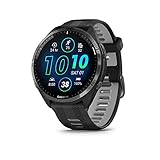
- Brilliant AMOLED touchscreen display with traditional button controls and lightweight titanium bezel
- Battery life: up to 23 days of battery life in smartwatch mode, up to 31 hours in GPS mode
- Confidently run any route using full-color, built-in maps and multi-band GPS
- Training readiness score is based on sleep quality, recovery, training load and HRV status to determine if you’re primed to go hard and reap the rewards (data presented is intended to be a close estimation of metrics tracked)
- Plan race strategy with personalized daily suggested workouts based on the race and course that you input into the Garmin Connect app and then view the race widget on your watch; daily suggested workouts adapt after every run to match performance and recovery
For runners and cyclists, this integration matters more than search convenience. Strava routes feel like part of a workout, not an interruption layered on top of it.
Google Maps, by contrast, treats navigation as a standalone task. It offers no awareness of your training load, no segments, and no insight into how the route fits into your fitness goals.
Ride with GPS, Wikiloc, and the niche power users
Apps like Ride with GPS and Wikiloc cater to riders and hikers who want granular control. Cue sheets, custom map layers, surface breakdowns, and community-validated trails are their real strengths.
These platforms reward planning ahead. Once synced, the watch becomes the primary navigation device, not a companion display for your phone.
Google Maps does not compete here at all. It assumes constant connectivity and prioritizes general directions over sport-specific insight.
Interface design and mid-activity usability
Third-party Garmin apps are constrained by Garmin’s UI rules, but they are designed around button control and glanceable data. That makes them predictable during runs, rides, or hikes when stopping to interact with a screen is not realistic.
Google Maps inherits a notification-style interaction model. Directions appear as prompts rather than a continuously navigable map, which works fine for walking but feels fragile during higher-intensity activities.
This difference becomes obvious the moment conditions deteriorate. Gloves, rain, sweat, and vibration all favor Garmin-native and Garmin-optimized apps over phone-driven alerts.
Battery economics and device roles
Komoot, Strava routes, and similar services shift battery load to the watch, but Garmin hardware is designed for that trade-off. On a Fenix, Epix, or Enduro, multi-hour or multi-day navigation is expected behavior.
Google Maps keeps the watch efficient but steadily drains your phone instead. GPS, routing, data, and background connectivity all remain active, turning your phone into the real navigation device.
For short urban trips, this is inconsequential. For long rides, hikes, or travel days, it reintroduces a dependency many Garmin users deliberately moved away from.
What actually changes for Garmin users
Google Maps does not replace Komoot, Strava, or serious navigation tools on Garmin. It sits alongside them as a fast-access option for everyday directions and spontaneous city navigation.
For users who already live inside Google’s ecosystem, that convenience will feel welcome. For athletes and outdoor users who depend on autonomy, offline reliability, and training integration, existing third-party apps remain the better choice.
The key shift is not capability, but accessibility. Google Maps lowers friction for casual navigation, while the real work of exploration and endurance still belongs to tools built specifically for Garmin’s strengths.
Real-World Use Cases: When Google Maps on Garmin Is Genuinely Useful
Once expectations are reset, Google Maps on Garmin makes more sense as a situational tool rather than a navigation replacement. It shines when speed, familiarity, and minimal setup matter more than depth, offline resilience, or training integration.
These are the scenarios where it genuinely improves daily usability rather than just adding a logo to the app list.
Urban walking and public transport navigation
The most obvious win is city walking, especially in unfamiliar areas. Turn-by-turn prompts on the wrist reduce phone-checking at street crossings, stations, and busy sidewalks where stopping to interact with a touchscreen feels awkward or unsafe.
This is particularly effective on mid-sized Garmin watches like the Venu Sq, Vivoactive, or Forerunner 265, where vibration alerts and clear text cues are easy to catch without constant visual attention. Battery impact on the watch is negligible, which makes it suitable for full-day sightseeing.
Public transport directions also translate well. Step-by-step prompts for transfers or final walking legs work smoothly, even though the actual route logic still lives entirely on the phone.
Quick, unplanned trips where setup friction matters
Garmin’s native navigation tools are powerful, but they assume intent. You plan a route, sync it, load it, and start an activity, which is perfect for training but excessive for spontaneous errands.
Google Maps excels when plans change mid-day. Looking up a café, friend’s address, or store on your phone and immediately getting wrist prompts feels effortless, especially compared to building a course in Komoot or Garmin Connect for a 15-minute walk.
In this context, the notification-style interface is an advantage rather than a weakness. You are not trying to explore; you just want to get there without thinking about it.
Commuting on foot or by bike in familiar environments
For repeat commutes where you already know the route, Google Maps acts more like a safety net than a guide. It quietly handles reroutes, closures, or missed turns without requiring a full navigation session on the watch.
Cyclists using Garmin watches primarily for metrics may appreciate this during casual rides. You keep your data screens, power or heart rate fields, and still receive occasional direction prompts without switching activities or loading a course.
This works best at lower speeds. On faster road rides, the lack of a persistent map and limited preview distance can feel reactive rather than proactive.
Travel days when the phone is already doing the heavy lifting
Airports, train stations, and unfamiliar city centers are environments where most users already rely heavily on their phones. In those moments, Google Maps on Garmin adds convenience rather than redundancy.
Having directions mirrored on the wrist reduces the need to pull out a phone while managing luggage or boarding passes. This is particularly useful on lighter, more comfortable Garmin models designed for all-day wear, where comfort, low weight, and subtle haptics matter more than screen size.
Because the watch is not doing the routing itself, battery drain remains modest on the wrist, which aligns well with long travel days.
When you want navigation without starting an activity
One understated benefit is psychological rather than technical. Garmin users often hesitate to start an activity for something that does not feel like “exercise,” even though they still want guidance.
Google Maps sidesteps that friction. No activity file, no stats, no post-sync clutter, just directions when needed. For users who care about clean training logs and intentional data, that separation is welcome.
This also avoids accidental GPS recordings that skew recovery metrics or daily summaries, a small but meaningful quality-of-life improvement.
Who benefits most—and who will not
Google Maps on Garmin primarily benefits users who treat their watch as a daily companion first and a training tool second. Urban dwellers, commuters, travelers, and casual walkers will see the most value.
Endurance athletes, trail runners, and long-distance cyclists will likely use it sparingly, if at all. For them, the phone dependency, lack of offline maps, and limited situational awareness reinforce why Garmin-native and Garmin-optimized apps remain essential.
Seen through that lens, Google Maps does not change what Garmin watches are best at. It simply fills a narrow gap where convenience matters more than capability, and where the watch’s role is to reduce friction rather than lead the journey.
Battery Life, Performance, and Day-to-Day Usability Trade-Offs
If Google Maps on Garmin feels intentionally restrained, that restraint shows up most clearly in how it treats battery life and system resources. The experience is designed to borrow intelligence from the phone while keeping the watch’s role lightweight, reactive, and power-efficient.
That philosophy aligns with Garmin’s long-standing priorities, but it also defines the limits of what this integration can realistically deliver day to day.
💰 Best Value

- Designed with a bright, colorful AMOLED display, get a more complete picture of your health, thanks to battery life of up to 11 days in smartwatch mode
- Body Battery energy monitoring helps you understand when you’re charged up or need to rest, with even more personalized insights based on sleep, naps, stress levels, workouts and more (data presented is intended to be a close estimation of metrics tracked)
- Get a sleep score and personalized sleep coaching for how much sleep you need — and get tips on how to improve plus key metrics such as HRV status to better understand your health (data presented is intended to be a close estimation of metrics tracked)
- Find new ways to keep your body moving with more than 30 built-in indoor and GPS sports apps, including walking, running, cycling, HIIT, swimming, golf and more
- Wheelchair mode tracks pushes — rather than steps — and includes push and handcycle activities with preloaded workouts for strength, cardio, HIIT, Pilates and yoga, challenges specific to wheelchair users and more (data presented is intended to be a close estimation of metrics tracked)
Battery impact is low—because the watch isn’t doing the hard work
In practical use, Google Maps barely dents battery life on most Garmin watches. Turn-by-turn prompts, vibration alerts, and simple arrow-based directions consume far less power than full GPS recording or onboard mapping.
Because routing, map rendering, and recalculation all live on the phone, the watch is essentially acting as a notification surface with context. That keeps drain predictable even on smaller models like Venu Sq, Vivoactive, or Forerunner 255, where battery headroom is more limited.
This also explains why Garmin was willing to allow Google Maps outside of activities. Without continuous GPS polling or map drawing, there is little risk of the app quietly chewing through battery during long travel days or urban wandering.
Performance varies by display technology, not raw processing power
Responsiveness is less about chipset limitations and more about screen type and interaction model. On AMOLED models like Venu 3 or Epix, directions are clearer, color contrast is stronger, and glance readability is higher when navigating busy streets.
On memory-in-pixel displays, such as Forerunner and Fenix lines, the experience is more utilitarian. Directions are perfectly legible, but the interface feels closer to a structured prompt system than a visual map, reinforcing that this is guidance, not exploration.
There is no lag to speak of, but there is also no sense of immersion. Google Maps on Garmin is fast because it is simple, not because the hardware is being pushed.
Haptics and glanceability matter more than screen size
In daily use, vibration cues do most of the work. A subtle buzz before a turn is often more valuable than any on-screen detail, especially when the watch is worn under a jacket sleeve or while carrying bags.
This plays to Garmin’s strengths in haptic tuning and comfort. Lightweight cases, balanced lugs, and breathable straps make it easier to keep the watch on all day, which is essential if navigation prompts are to be genuinely useful rather than missed.
Larger watches with expansive screens do not gain much functional advantage here. Comfort, fit, and vibration clarity matter more than pixels.
Phone dependency brings reliability—and fragility
The requirement for a connected phone is both the reason Google Maps works well and the reason it remains limited. As long as the phone has signal and battery, directions are stable and familiar.
Once that connection falters, the watch has nothing to fall back on. No cached routes, no offline redundancy, no graceful degradation into basic compass-style guidance.
Garmin’s native navigation tools, while less polished in urban environments, at least retain autonomy. For users who value resilience over convenience, that distinction remains critical.
Multitasking is intentionally constrained
Google Maps does not coexist deeply with other watch functions. You cannot layer it over workouts, customize data fields around it, or integrate it meaningfully into training workflows.
This keeps the experience clean but also siloed. If you are tracking an activity, you are expected to use Garmin’s navigation tools, not Google’s.
The separation avoids conflicts and battery surprises, but it reinforces that this is an everyday utility, not a performance feature.
Day-to-day usability improves, but only within narrow boundaries
As a daily companion feature, Google Maps makes Garmin watches feel more smartwatch-like without undermining their endurance-first identity. It reduces friction in common situations without demanding new habits or sacrifices.
However, it does not fundamentally change how you use a Garmin watch. It adds convenience in moments between workouts, not during them.
That distinction is the catch. The integration is thoughtful, efficient, and battery-friendly precisely because it stops short of being transformative.
So Is This a Game-Changer or Just Symbolic? What It Means for Garmin Owners and Buyers
Viewed in context, Google Maps on Garmin is best understood as a quality-of-life upgrade rather than a strategic pivot. It addresses a long-standing annoyance for everyday wear without rewriting what Garmin watches are fundamentally designed to do.
For some users, that will be enough. For others, it will confirm that Garmin still draws a very deliberate line between lifestyle convenience and performance navigation.
For existing Garmin owners, this is incremental—but welcome
If you already own a recent Garmin, Google Maps will likely slot neatly into your routine without changing your habits. It is the kind of feature you forget about until the moment you need it, then quietly appreciate that it works.
Turn-by-turn vibration alerts reduce phone checking, especially when walking in unfamiliar cities or commuting on foot. Comfort, button placement, and haptic clarity matter more here than screen size, and most mid-range Garmin watches are already well suited to that task.
What it will not do is replace Garmin’s course navigation, breadcrumb trails, or offline mapping for runs, rides, or hikes. Those remain separate, intentionally so, and more capable in environments where reliability matters.
For buyers choosing between Garmin and a “smarter” smartwatch
This update slightly narrows, but does not close, the perceived gap between Garmin and platforms like Wear OS or watchOS. Garmin watches still prioritize battery life measured in days or weeks, durable polymer or titanium cases, and button-driven interfaces over app density.
Google Maps arriving does not suddenly make a Forerunner or Fenix feel like a Pixel Watch or Apple Watch. There is no on-watch map browsing, no spontaneous rerouting without the phone, and no deep interaction layer.
What it does offer is reassurance. Buyers no longer have to accept a hard trade-off where choosing Garmin means giving up familiar everyday navigation entirely.
The “catch” is really about expectations, not execution
The limitation is not that Google Maps is poorly implemented, but that it is carefully constrained. Phone dependency, lack of offline support, and strict separation from workouts are all deliberate choices.
Those constraints protect battery life, prevent software conflicts, and preserve Garmin’s reputation for reliability in demanding conditions. The watch remains a companion, not the primary navigation brain.
If you expect smartwatch-style independence, this will disappoint. If you understand Garmin’s design philosophy, it makes sense.
Does it meaningfully improve daily usability?
Yes, but in a narrow and targeted way. It makes walking navigation smoother, reduces friction during travel, and helps Garmin watches feel more capable outside training hours.
It does not change how you plan runs, follow GPX routes, or trust your watch deep into a long ride. Garmin’s native tools remain superior there, especially with offline maps, elevation profiles, and full activity integration.
Think of Google Maps as filling a gap between workouts, not enhancing the workouts themselves.
The bigger picture: symbolism still matters
Symbolically, this is Garmin acknowledging that everyday usability matters alongside endurance and accuracy. It shows a willingness to integrate familiar services without compromising core strengths.
Practically, it will not sell a watch on its own. But it may remove one more reason not to choose Garmin, particularly for users who want a single device that works all day, not just during training.
In the end, Google Maps on Garmin is not a revolution. It is a smart, restrained addition that improves daily life without diluting what makes Garmin watches trusted tools—and for many buyers, that balance is exactly the point.