Xreal isn’t trying to replace your phone, your laptop, or your VR headset with the Air 2 Ultra, and that’s the first thing to understand before judging whether these glasses succeed. This is not a mainstream consumer gadget in the way Ray-Ban Meta glasses or Apple Vision Pro aim to be. The Air 2 Ultra is a deliberate, almost opinionated attempt to push lightweight AR glasses beyond “external display on your face” territory and into early-stage spatial computing.
If you’re coming from the original Xreal Air or Air 2, the Ultra immediately signals a shift in ambition. It adds true 6DoF tracking, dual environmental cameras, and a platform that wants to host persistent virtual screens and anchored AR objects rather than just mirror content. The promise is less about novelty and more about whether AR glasses can finally feel like a tool you might use for hours, not minutes.
This section matters because the Air 2 Ultra makes sense only if your expectations are aligned. Used by the right person, it feels like a glimpse of where everyday AR is heading. Used by the wrong buyer, it will feel expensive, unfinished, and confusing.
Not Just Smart Glasses, Not Quite a Headset
The Air 2 Ultra sits in an awkward but fascinating middle ground between smart glasses and full XR headsets. It keeps the sunglasses-like form factor, lightweight frame, and open-peripheral vision that make Xreal glasses comfortable for long sessions. At the same time, it introduces positional tracking that fundamentally changes how content behaves in space.
🏆 #1 Best Overall

- World’s First HDR10 AR Display – Experience over 10 billion colors and ultra-deep contrast on a massive 201-inch virtual display. Compared to standard LCD screens, HDR10 delivers brighter highlights and richer blacks, making movies, Netflix streaming, and gaming more immersive at home, in bed, or on flights.
- Vision 4000 Chip with AI SDR-to-HDR Upscaling – Co-developed with Pixelworks, this processor enhances color, sharpness, and motion clarity in real time. Enjoy smooth 120Hz visuals for PS5, Steam Deck, Switch 2, and mobile gaming without lag or motion blur.
- 3D Movie Glasses for Immersive Viewing – Watch native 3D films or convert 2D videos into 3D with AI depth enhancement. Transform any room into a private cinema experience with theater-like depth and realism—perfect for movie nights or travel entertainment.
- Audio by Bang & Olufsen – Four precision speakers deliver immersive 360° spatial sound for movies and gaming. Use whisper mode for private listening in public spaces. Optional Sound Tube accessory boosts volume up to 15dB (sold separately).
- Universal USB-C Compatibility – No WiFi or Apps Required. Connect directly to iPhone 17/16/15 (USB-C models), Android phones, MacBook, iPad, Steam Deck, and PlayStation consoles. Designed without internal power storage for a lighter frame and true plug-and-play simplicity—instant setup wherever you go.
Unlike VR headsets, there’s no enclosed visor, no battery strapped to your face, and no expectation that you’ll block out the world. You remain aware of your surroundings, which makes the Ultra viable for desk work, development, or couch gaming rather than immersive isolation. But unlike basic AR display glasses, virtual screens don’t drift with your head anymore.
This middle positioning is exactly why the Air 2 Ultra will appeal to a narrow but passionate audience. It’s built for people who want spatial interaction without the physical and social cost of a headset.
The Developer-First Reality
Despite being sold as a consumer product, the Air 2 Ultra is clearly designed with developers and power users in mind. Xreal’s messaging around NRSDK, Unity support, and spatial anchors isn’t marketing fluff; it reflects where the platform is strongest today. If you enjoy experimenting with early software ecosystems, this will feel exciting rather than limiting.
Out of the box, the experience is functional but not richly populated with killer apps. Nebula OS has improved, but it still feels more like a framework than a polished operating system. The real value emerges when you lean into multi-screen workflows, spatial window placement, and experimental AR interactions.
If your expectation is a plug-and-play AR experience with a deep app catalog, the Ultra will disappoint. If you enjoy being early, testing boundaries, and accepting trade-offs in exchange for capability, it makes far more sense.
Who This Is Actually For
The ideal Air 2 Ultra user is someone who already understands the limitations of current AR and still wants in. Think software developers, productivity-focused remote workers, tech reviewers, and serious enthusiasts who have used previous Xreal glasses and wanted more stability and depth. It’s also appealing for gamers who want a large, spatially fixed virtual display without wearing a bulky headset.
Laptop users benefit especially, since the Ultra excels when paired with macOS or Windows via Nebula, where virtual monitors can be pinned in space and sized comfortably. The glasses are light enough for multi-hour sessions, and the micro-OLED displays remain sharp at typical desk distances. Comfort and weight matter here, and Xreal largely gets that right.
What it is not for is casual media consumers looking for an effortless Netflix-on-your-face experience. The Air 2 Ultra can do that, but it’s overkill for pure video playback and underwhelming compared to its price if that’s all you want.
The Price-to-Expectation Gap
At its asking price, the Air 2 Ultra invites comparison with much more mature ecosystems, even if they’re bulkier or less comfortable. Xreal is betting that form factor, comfort, and spatial tracking are enough to justify the premium. That bet only pays off if you actually use those features.
For buyers who will never touch 6DoF apps or spatial workflows, the standard Air 2 or competing display glasses make more financial sense. The Ultra earns its keep only when you treat it as a spatial computing device, not a fancy monitor.
Understanding that distinction upfront prevents disappointment. The Air 2 Ultra isn’t trying to win everyone over. It’s trying to prove that lightweight AR glasses can be more than a novelty, even if that future is still a work in progress.
Design, Build Quality, and All-Day Comfort: Living With Them on Your Face
If the Air 2 Ultra only made sense on paper, none of the spatial computing ambition would matter. These glasses have to disappear on your face for hours at a time, because the moment they feel like a gadget, productivity and immersion fall apart. This is where Xreal’s watch-like obsession with weight balance, materials, and tolerances becomes obvious.
A Familiar Silhouette, Refined for Purpose
At first glance, the Air 2 Ultra doesn’t scream “next-gen AR.” It intentionally looks like slightly chunky sunglasses, and that restraint is part of the appeal. Compared to overtly futuristic designs, this is something you can plausibly wear at a desk, on a plane, or in a café without drawing too much attention.
The Ultra is marginally thicker than the standard Air 2, especially at the temples, and that extra volume is doing real work. It houses the dual 3D sensors, additional cameras, and tracking hardware needed for 6DoF, yet the overall profile remains slim enough to avoid front-heavy fatigue. From the side, it looks purposeful rather than bulky, which matters more than spec sheets suggest.
Materials and Finish: More Tool Than Toy
Xreal uses a mix of matte-finished plastic and reinforced internal framing that feels closer to professional equipment than consumer novelty. There’s no creaking when you flex the frame, and the hinges offer firm, confidence-inspiring resistance without feeling stiff. This is the kind of build that tolerates being taken on and off dozens of times a day.
The finish resists fingerprints well, and after weeks of use, it held up without visible scuffs around high-contact points like the nose bridge and temple arms. It doesn’t feel luxurious in the way metal-framed eyewear does, but it feels engineered, which is arguably more important here. The priority is durability without weight, and Xreal mostly nails that balance.
Weight Distribution and Facial Pressure
On paper, the Air 2 Ultra is impressively light for what it does, and on your face, that translates into minimal pressure points. The glasses sit evenly across the nose and ears, avoiding the classic AR problem of pulling downward after an hour. During multi-hour desk sessions, the weight never became the reason I took them off.
The included nose pads are interchangeable, and while this sounds trivial, it makes a noticeable difference. With the right pad installed, the displays align more naturally with your eyes, reducing the need to constantly readjust the frame. It also helps prevent hot spots on the bridge of the nose, which is often the first place fatigue shows up.
Temple Design, Clamping Force, and Stability
The clamping force is carefully judged. It’s firm enough to keep the glasses stable during head movement, which is essential for spatial tracking, but not so tight that it causes temple soreness. Even when leaning back or turning quickly between virtual monitors, the frame stayed put without feeling restrictive.
That stability pays dividends for 6DoF use. When virtual objects are pinned in space, micro-slippage becomes instantly noticeable, and the Ultra avoids that better than most lightweight AR glasses I’ve tested. This isn’t something you appreciate immediately, but over time it becomes one of the defining comfort advantages.
Heat, Ventilation, and Long Sessions
Heat management is quietly competent. The displays and sensors generate some warmth, but it never crossed into discomfort, even after extended sessions. Importantly, that heat is spread across the frame rather than concentrated at the nose or temples.
There’s also enough airflow around the lenses to avoid fogging in normal indoor use. If you’re moving between temperature extremes, you may still see brief condensation, but it clears quickly. For something worn directly on the face, that’s about as good as it gets right now.
Prescription Compatibility and Real-World Fit
Xreal continues to support clip-in prescription inserts, and they remain the best option for glasses wearers. Once installed, they don’t noticeably alter balance or comfort, which isn’t always true with add-on optics. The field of view stays consistent, and edge clarity remains intact.
Wearing the Air 2 Ultra over regular glasses is technically possible but not recommended for long sessions. The fit becomes awkward, pressure increases, and alignment suffers. If you need vision correction, the inserts aren’t optional; they’re part of making the Ultra livable day to day.
All-Day Wearability: Where the Ultra Justifies Itself
This is where the Air 2 Ultra quietly earns its premium. You can wear it for several hours without developing the subconscious urge to take it off, which is the real test of any face-mounted computer. It never fully disappears, but it recedes enough to let the experience take priority.
For the audience Xreal is targeting, developers, remote workers, and spatial computing experimenters, this level of comfort isn’t a luxury feature. It’s foundational. Without it, none of the tracking, displays, or software ambitions would matter, and it’s here that the Air 2 Ultra feels genuinely thought through rather than aspirational.
Display Performance Deep Dive: Micro‑OLED Clarity, Brightness, FOV, and Eye Comfort
Comfort only matters if what you’re looking at is worth staring at, and this is where the Air 2 Ultra has to justify its existence. Xreal is betting heavily on its micro‑OLED optics to carry the experience, and after extended real‑world use, that bet mostly pays off.
The moment you settle into the correct fit and alignment, the displays fade from being “screens in front of your eyes” to feeling more like a floating workspace. That illusion is fragile in AR hardware, and the Ultra does a better job maintaining it than most lightweight smartglasses I’ve tested.
Micro‑OLED Resolution and Perceived Sharpness
Each eye gets a full‑HD micro‑OLED panel, and more importantly, the optical stack actually lets you see that resolution. Text is crisp enough for long document sessions, code editors, and dense UI layouts without constant refocusing. Pixel structure is effectively invisible at normal viewing distances, even on high‑contrast edges.
Compared to earlier Xreal models, edge clarity has improved noticeably. There’s still a mild drop‑off toward the extreme periphery, but it’s subtle enough that your eyes adapt within minutes. For productivity use, this is one of the cleanest images currently available in glasses‑class AR.
Color Accuracy, Contrast, and OLED Advantages
The OLED panels deliver the deep blacks you expect, which does more for perceived image quality than raw resolution ever could. Dark mode interfaces look genuinely dark instead of gray, and media playback benefits from strong contrast without crushing shadow detail.
Color tuning leans slightly vivid out of the box, which works well for movies and games. For creative work, it’s not reference‑grade, but it’s consistent and predictable once your eyes adjust. Importantly, there’s no obvious color mismatch between eyes, something that still plagues cheaper AR optics.
Brightness and Real‑World Visibility
Xreal rates the Air 2 Ultra as significantly brighter than its non‑Ultra siblings, and in practice, that extra headroom matters. Indoors, brightness is never a limitation, even in sunlit rooms. You’re not constantly nudging settings to fight ambient light.
Outdoors is more complicated. These are not see‑through waveguides; they’re display‑forward glasses. In shaded outdoor environments, the image remains usable, but direct sunlight will overpower it. That’s a physics problem, not an Xreal problem, and within that constraint, the Ultra performs about as well as this form factor allows.
Field of View: Wide Enough to Matter
The field of view lands in the low‑50‑degree range, which doesn’t sound dramatic on paper but feels meaningfully expansive on your face. Virtual monitors feel properly sized rather than postcard‑small, and spatial apps have room to breathe.
What matters more is consistency. The image doesn’t warp or stretch as you glance around, and the virtual screen edges stay stable instead of swimming. That stability is crucial for eye comfort, especially during longer work sessions where micro‑movements add up.
Refresh Rate, Motion Handling, and Latency Perception
Motion is smooth enough that you stop thinking about it, which is exactly the goal. Scrolling, window movement, and video playback all feel natural, without the subtle judder that causes eye strain over time. Gaming benefits here too, particularly for fast UI transitions and head‑tracked elements.
Rank #2

- Giant Virtual Screen – Immersive Theater Anywhere: Step into a breathtaking virtual screen up to 500 inches, transforming movies, games, and apps into larger‑than‑life experiences. Whether you’re commuting, flying, or unwinding at home, your personal cinema travels with you—bringing immersive entertainment wherever life goes.
- Premium Display Quality – Smooth, Sharp, and True-to-Life: XREAL 1S delivers ultra‑smooth viewing with a 120Hz refresh rate in 3DoF mode and a 90Hz global refresh that eliminates flicker and blur. Every unit is individually color‑tuned for precise, natural hues. The redesigned optical engine boosts clarity by 9%, delivering crisp detail from center to edge. Advanced optical alignment ensures each image point locks perfectly to your eye, keeping visuals sharp, vivid, and lifelike.
- Spatial Viewing Modes – Work, Watch, and Play on Your Terms: Shape your environment with XREAL 1S. Effortlessly switch between 0DoF follow mode, 3DoF anchor mode, Ultrawide Mode (32:9 or 21:9), Real 3D Mode, and Side-View Mode — ideal for both deep focus and entertainment. Pair with XREAL Eye to unlock 6DoF spatial anchoring, allowing for total freedom of movement while your screen stays pinned.
- Native 3DoF Spatial Screen – Plug & Play Freedom: XREAL 1S brings your AR experience to life with native 3DoF spatial viewing powered by the X1 chip. No apps, no setup — simply connect to any USB‑C DP‑enabled device and step straight into expansive spatial content. With rock‑solid stability and smooth head tracking, every session feels natural and comfortable, free from motion sickness and distractions, keeping you fully immersed.
- REAL 3D – Instant Spatial Depth for Everything You Watch: XREAL 1S debuts the world’s first on‑glasses REAL 3D spatial technology, instantly transforming all your content—from games and movies to apps and photos—into true 3D with a single switch. Experience richer depth and lifelike visuals across everything you watch or play, supported at up to 30fps with just 90–100ms latency for smooth, natural viewing.
Latency is low enough that head movement and display response feel connected rather than delayed. You won’t confuse this with a tethered VR headset, but for a lightweight AR device, the responsiveness is impressively well‑balanced.
Eye Comfort and Extended Use Fatigue
This is where the display and the physical design intersect. The optics are forgiving about eye position, meaning you don’t have to lock your gaze unnaturally to maintain clarity. That alone reduces fatigue more than any spec sheet number.
Vergence‑accommodation conflict is still present, as it is with all fixed‑focus AR glasses, but Xreal has tuned the focal distance intelligently. After hours of use, eye strain is minimal, and headaches were rare even during long productivity sessions. That’s not something I can say about many competitors in this category.
IPD Tolerance and Alignment Sensitivity
There’s no mechanical IPD adjustment, but the optical sweet spot is wide enough to accommodate most users without frustration. Minor vertical or horizontal misalignment doesn’t immediately degrade the image, which makes sharing the device or readjusting fit far less annoying.
If your IPD is significantly outside the average range, you may notice edge softness sooner than others. For the majority of users, though, the Ultra avoids the constant micro‑adjustments that break immersion and remind you you’re wearing hardware.
How the Display Shapes the Overall Experience
The Air 2 Ultra’s displays don’t chase headline‑grabbing specs for their own sake. Instead, they focus on consistency, stability, and comfort, which is exactly what this form factor needs to succeed. You end up trusting the image rather than fighting it.
That trust is what allows everything else, tracking, software, spatial workflows, to function without friction. When the display disappears as a problem, the glasses finally start behaving like a tool instead of a tech demo.
True AR Capabilities Explained: 6DoF Tracking, Spatial Anchoring, and Hand Interaction
Once the display fades into the background, the real test for the Air 2 Ultra becomes tracking and interaction. This is where Xreal is clearly trying to step beyond “floating screen glasses” and into genuine spatial computing territory.
The Ultra is the first Xreal headset where movement through space actually matters. Head position, not just head rotation, is tracked in a way that fundamentally changes how content behaves around you.
What 6DoF Actually Means on the Air 2 Ultra
Unlike earlier Xreal models that relied on 3DoF head tracking, the Air 2 Ultra supports full six degrees of freedom. That means the system tracks not only rotation but also positional movement forward, backward, and side to side.
In practice, this allows virtual windows to stay locked in space when you lean, stand, or shift your weight. Walk slightly toward a pinned screen and it grows naturally in your field of view instead of sliding with your head.
Real-World Tracking Performance
Tracking stability is impressively consistent for a glasses‑class device. Small movements are captured smoothly, without the jitter or micro‑drift that plagued early mobile AR attempts.
Faster movements can still expose limits, especially when you turn and step simultaneously. Even then, the system recovers quickly, and the virtual content rarely feels like it’s lagging behind your body.
Sensor Fusion and Environmental Awareness
The Air 2 Ultra uses onboard sensors to build a basic understanding of the space around you. This is not full room mapping on the level of Apple Vision Pro or Quest 3, but it’s sufficient for anchoring content reliably in everyday environments.
In well-lit rooms, spatial awareness is solid and predictable. Low light or featureless spaces can reduce confidence, which occasionally leads to slight repositioning of anchored elements.
Spatial Anchoring: Pinning Content That Actually Stays Put
Spatial anchoring is where the Ultra begins to feel useful rather than experimental. You can pin a browser window above a desk, place a video screen at eye level, or lock a virtual dashboard slightly off to the side.
Once anchored, those elements stay where you put them as you move naturally. This makes multitasking feel far more intentional than head‑locked displays, especially for productivity workflows.
Anchoring Accuracy Over Time
During extended sessions, anchored objects remain stable with only minimal drift. Over the course of an hour, I occasionally needed to re-center a window, but it never became distracting or immersion-breaking.
This consistency matters because it builds trust. When you stop worrying about whether content will wander, you start treating the glasses like a spatial workspace rather than a novelty.
Hand Tracking: How Interaction Works
The Air 2 Ultra introduces native hand tracking using forward-facing sensors on the glasses. Your hands become input devices without controllers, allowing for pointing, grabbing, and basic gesture interactions.
The system recognizes hand presence quickly and tracks finger position with reasonable precision. It’s not surgical, but it’s responsive enough for selecting UI elements, scrolling, and confirming actions.
Gesture Reliability and Learning Curve
Simple gestures work best. Pinch to select, open hand to move, and basic swipes feel intuitive after a short adjustment period.
More complex gestures are less reliable and can feel inconsistent depending on lighting and hand position. Xreal’s current approach favors practical interaction over flashy but fragile gesture sets.
Interaction Latency and Feedback
Latency between hand movement and UI response is low enough to feel direct. There’s no sensation of fighting the system, which is critical for preventing fatigue during longer sessions.
Visual feedback does most of the work here, as there’s no haptic confirmation. Clear UI responses help compensate, but tactile feedback is an obvious limitation compared to controller‑based systems.
Software Dependence and Ecosystem Reality
True AR features are most fully realized when paired with Xreal’s Beam Pro or supported Android devices using Xreal’s software stack. Plug‑and‑play sources like laptops and game consoles default to simpler display behavior.
This makes the Air 2 Ultra feel bifurcated. As a display, it works everywhere, but as a spatial computing device, its strengths depend heavily on the software environment you choose.
How This Changes Everyday Use
For media consumption alone, 6DoF and anchoring are nice but not essential. For productivity, spatial dashboards, or creative workflows, they’re transformative.
The moment you place multiple windows around you and move naturally between them, the Air 2 Ultra stops feeling like wearable tech and starts feeling like a lightweight spatial workstation.
Tracking Accuracy and Latency in the Real World: How ‘Ultra’ Is the Experience?
Once you move beyond novelty and start relying on the Air 2 Ultra as a daily spatial tool, tracking quality becomes the make‑or‑break factor. This is where Xreal’s “Ultra” branding faces its toughest scrutiny, not in demos, but in messy, uncontrolled real‑world environments.
What matters here isn’t whether tracking works in ideal conditions, but how well it holds up when you shift posture, change lighting, or wear the glasses for extended sessions.
Head Tracking Stability and Drift
In everyday use, head tracking is impressively stable for a glasses‑class device. Anchored windows stay where you put them, even when you lean back, rotate your shoulders, or stand up and walk a short distance.
Drift does exist, but it’s slow and predictable rather than sudden or disorienting. Over a 45‑minute productivity session, I occasionally needed a quick recenter, but never felt the virtual workspace collapsing or sliding away.
This puts the Air 2 Ultra ahead of basic 3DoF display glasses and closer to entry‑level standalone VR headsets, albeit without full environmental mapping.
Translational Movement and 6DoF Limitations
Small forward, backward, and lateral movements are tracked accurately enough to maintain depth cues. Leaning closer to a virtual screen feels natural, and stepping slightly to one side doesn’t break immersion.
However, the system isn’t designed for room‑scale movement. Walk several steps and you’ll notice positional softening rather than strict spatial locking, reminding you this is a lightweight AR viewer, not a full spatial scanner like Apple Vision Pro or Meta Quest Pro.
For seated and standing productivity, the trade‑off is acceptable. For active AR experiences, it’s a clear boundary.
Rank #3

- XREAL's Self-Developed X1 Spatial Computing Chip: Delivers Native 3DoF tracking with ultra-low 3ms M2P latency, ensuring stable visuals even during rapid movements. With the optional XREAL Eye, full 6DoF spatial anchoring. It delivers high processing power, seamless compatibility with devices, and distortion-free visuals through advanced stabilization.
- The New Optic Engine-X-Prism Optics: XREAL’s advanced lens and projection system—ultra-slim, precision-engineered optics that project a large, sharp virtual screen right in front of your eyes, while still letting you see your real surroundings clearly. With a best-in-class 57° FOV, Optic Engine 4.0 recreates the feeling of watching a massive 171-inch screen from four meters away—all in lightweight, compact design. Its advanced anti-glare design minimizes reflections and light interference, enhancing clarity and immersion.
- Experience True AR with 6 DoF, Spatial Anchor Anytime: Pairing with XREAL Eye, anchor your screen anywhere in your room, so it stays perfectly fixed in place—even as you walk around, lean in, or change your position. Unlike 3DoF, which keeps the screen at a constant distance relative to your head movements, 6DoF keeps your virtual screen locked to a real spot in your space for true spatial freedom and a more natural, immersive AR experience.
- REAL 3D – Turn everything you watch into an immersive 3D experience: REAL 3D Now Available on All One Series Glasses, instantly transforming all your content—from games and movies to apps and photos—into true 3D with a single switch. Experience richer depth and lifelike visuals across everything you watch or play.
- 57°FOV, 171'' Spatial Screen – More Immersive Visual Experience: Experience a virtual screen starting at 171 inches wide, filling your view with blockbuster visuals, thanks to XREAL’s advanced optics and industry-leading 57° FOV. Powered by Sony’s 0.55' Micro-OLED display technology and a smooth 120Hz refresh rate, get swept into your games or movies with immersion that rivals traditional home theaters—without the size, setup, or space concerns.
Latency: The Invisible Metric That Matters Most
Motion‑to‑photon latency is low enough that your brain quickly stops thinking about it. Head movements translate into screen adjustments almost instantly, with no visible judder or rubber‑banding.
This is especially noticeable during text work and coding, where even slight lag can cause eye strain. The Air 2 Ultra holds up well here, remaining comfortable during long reading and typing sessions.
Latency performance does depend on the connected device. The Beam Pro delivers the most consistent results, while some Android phones introduce occasional micro‑stutters under heavier loads.
Hand Tracking Precision in Mixed Lighting
Hand tracking remains reliable in typical indoor lighting, including offices with mixed natural and artificial light. Finger recognition is accurate enough for UI selection, window resizing, and scrolling without repeated attempts.
Under harsher conditions, such as bright sunlight or very dim rooms, accuracy drops slightly. The system still detects hands quickly, but fine finger positioning becomes less dependable.
This reinforces Xreal’s design philosophy: hand tracking is meant for practical interaction, not millimeter‑level manipulation.
Occlusion, Edge Cases, and Real-World Friction
When hands overlap or move too close to your face, tracking can momentarily degrade. These moments are brief, but noticeable, especially when multitasking or gesturing quickly.
The glasses recover tracking quickly once hands return to a clearer view. Importantly, they fail gracefully rather than freezing or producing erratic UI behavior.
This kind of predictability matters more than raw precision in day‑to‑day use.
Fatigue and Long-Term Comfort Implications
Low latency and stable tracking reduce cognitive fatigue over time. You’re not constantly correcting windows or compensating for system lag, which helps maintain focus during extended sessions.
Because the Air 2 Ultra is lightweight, minor tracking imperfections don’t compound into physical discomfort the way they can on heavier headsets. Comfort and tracking quality reinforce each other here.
This balance is one of the Air 2 Ultra’s quiet strengths.
How ‘Ultra’ Does It Really Feel?
In practice, the Air 2 Ultra delivers tracking that feels confident rather than experimental. It doesn’t chase bleeding‑edge spatial mapping, but it executes its intended use case with consistency and restraint.
For productivity, media, and light spatial workflows, tracking accuracy and latency are good enough to disappear into the background. That’s arguably the highest compliment you can give an AR system at this size and weight.
“Ultra” here doesn’t mean limitless. It means refined, dependable, and tuned for how smartglasses are actually used today.
Compatibility and Ecosystem: Android, Windows, macOS, Steam Deck, and Xreal Nebula
That dependable tracking only becomes truly useful if the rest of the ecosystem keeps up. With the Air 2 Ultra, Xreal is betting that broad device compatibility matters more than locking users into a single platform, and in daily use that philosophy largely holds up.
The glasses themselves remain fundamentally display-driven hardware, relying on connected devices for compute, apps, and content. How good the experience feels depends heavily on what you plug them into and which layer of Xreal’s software you choose to use.
Android: The Most Complete Mobile Experience
On Android, the Air 2 Ultra feels closest to a native AR product rather than an external display. Phones with USB-C DisplayPort output and solid GPU performance unlock the full Nebula for Android experience, including spatial window placement and head-tracked positioning.
In testing, flagship Android phones handle multi-window layouts smoothly, with minimal drift and consistent frame pacing. App compatibility is generally strong, but performance varies by phone, and midrange devices can struggle when multiple floating screens are active.
It’s worth noting that Nebula doesn’t replace your phone’s OS; it sits on top of it. You’re still launching mobile apps, just arranged in 3D space, which works best for media playback, messaging, light productivity, and browsing rather than heavy multitasking.
Windows: Productivity First, With Caveats
On Windows, the Air 2 Ultra leans heavily into its role as a portable multi-monitor setup. Using Xreal’s Windows software, you can pin virtual displays in front of you and adjust their size and curvature, which is genuinely useful on laptops with smaller screens.
Head tracking remains stable during longer work sessions, and text clarity is good enough for coding, writing, and spreadsheet work. That said, setup is more finicky than on Android, with driver behavior varying depending on GPU, USB-C implementation, and power delivery.
This is not a plug-and-forget experience across all Windows machines. When it works, it’s excellent; when it doesn’t, troubleshooting can quickly remind you that this is still early-stage spatial computing on PCs.
macOS: Polished, but Tightly Scoped
macOS support feels more refined than Windows in day-to-day stability, especially on Apple Silicon machines. The Air 2 Ultra behaves predictably as an external display, and Xreal’s macOS tools handle window anchoring and head tracking with fewer hiccups.
However, Apple’s ecosystem limits deeper system-level integration. You’re not getting system-wide spatial apps in the way VisionOS promises, and Nebula on macOS focuses more on virtual monitors than full AR interaction.
For MacBook users who travel frequently, the value proposition is clear: a large, private workspace anywhere. Just don’t expect macOS to suddenly feel like a spatial operating system.
Steam Deck and Handheld PCs: A Surprisingly Natural Fit
The Air 2 Ultra pairs exceptionally well with the Steam Deck and similar handheld PCs. Plugging in over USB-C instantly turns the glasses into a massive virtual display, which feels transformative for gaming on the go.
Latency is low enough that fast-paced games remain responsive, and the wide field of view helps reduce the tunnel vision effect common with smaller screens. There’s no native Nebula layer here, but the simplicity works in the glasses’ favor.
For couch gaming, travel, or late-night sessions where a TV isn’t an option, this is one of the Air 2 Ultra’s most compelling use cases.
Xreal Nebula: The Glue Holding It Together
Nebula is where Xreal’s ambitions are most visible, and also where its limitations show. The software provides spatial anchoring, head tracking, and window management, but it still feels like a framework rather than a mature platform.
App selection is limited, and many experiences rely on repurposed 2D apps instead of true spatial design. Stability has improved significantly compared to earlier generations, but occasional crashes and UI inconsistencies remain part of the experience.
Still, Nebula does something important: it gives the Air 2 Ultra a sense of identity beyond being a wearable screen. It’s not trying to out-VR VR headsets; it’s carving out a lighter, more flexible middle ground.
Where the Ecosystem Shines—and Where It Frustrates
The strength of the Air 2 Ultra lies in its flexibility. Few AR glasses work credibly across phones, laptops, and gaming handhelds without demanding proprietary hardware.
The trade-off is inconsistency. Your experience can range from genuinely impressive to mildly irritating depending on the host device, OS version, and software maturity.
If you’re comfortable tweaking settings and adapting workflows, the ecosystem rewards experimentation. If you want everything to work perfectly out of the box, the Air 2 Ultra still asks for a bit of patience.
Media, Productivity, and Gaming Use Cases: Where the Air 2 Ultra Shines (and Struggles)
All of that ecosystem flexibility sets the stage for what most people will actually do with the Air 2 Ultra day to day. Whether it’s watching video, getting work done, or squeezing in games, these glasses live or die by how practical they feel after the novelty wears off.
Media Consumption: A Personal Theater That Mostly Delivers
For watching movies and TV, the Air 2 Ultra plays directly to Xreal’s strengths. The dual micro-OLED panels produce a sharp, contrast-rich image that feels closer to a high-end OLED TV than a typical wearable display.
Rank #4
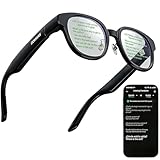
- 【AI Translation Glasses for Global Travel & Business】These smart glasses for men and women deliver instant translation in multiple languages, powered by third-generation enhanced translation technology for smoother, more accurate communication during international travel, business meetings, trade shows, and study abroad. As translation glasses for men and women, they offer a seamless hands-free experience ideal for multilingual environments.
- 【AR Display for Clear, Hands-Free Prompts & Communication】The dual-lens AR smart glasses display translations, cues, and prompts across both lenses simultaneously, keeping your focus on the conversation with better balance and readability. Perfect for negotiations, lectures, presentations, and daily communication without needing to check your phone.
- 【Invisible Teleprompter for Speech, Training & Presentations】Upload your script to the app and these smart glasses for speech become an invisible AR teleprompter. Excellent for public speaking, interviews, training sessions, content creation, and professional presentations—helping you speak confidently and naturally.
- 【Bluetooth Smartglasses with AI Assistant Support】Activate the built-in AI assistant with a tap to receive quick answers, reminders, and guidance displayed right on the lens. These bluetooth smart glasses work great for productivity, navigation, and hands-free information access—compatible with iPhone and Android.
- 【Lightweight, Durable Materials for All-Day Comfort】Crafted from premium lightweight TR90 and reinforced PC, these smart sunglasses weigh only 52g for comfortable all-day wear. With a long-lasting battery offering up to 10 hours of use, they’re ideal for business travel, commuting, outdoor meetings, and everyday productivity.
Color reproduction is excellent out of the box, with deep blacks and punchy highlights that make HDR content genuinely enjoyable. Brightness is sufficient for indoor use and travel, though direct sunlight still washes things out unless you rely on the included shading.
Comfort matters here, and the lightweight frame helps. I was able to get through full-length films without pressure fatigue, although heat buildup around the temples becomes noticeable during longer sessions.
Audio remains a weak link. The built-in speakers are fine for casual viewing in quiet spaces, but they lack bass and immersion, making earbuds or headphones the better option for serious media sessions.
Productivity: Surprisingly Capable, Still Not a Laptop Replacement
Productivity is where expectations need to be carefully managed. With a laptop or compatible phone, the Air 2 Ultra can act as a large floating monitor, which is genuinely useful for writing, email, and light multitasking.
Text clarity is good enough for extended reading, and the virtual screen size reduces the cramped feeling of working on a 13-inch laptop. Head tracking keeps the display stable, which makes a bigger difference than you might expect during longer work sessions.
Nebula’s multi-window features are promising but still limited. You can position windows in space, but switching between apps and managing layouts isn’t as fluid as on a traditional desktop OS.
Precision tasks expose the cracks. Fine cursor control, spreadsheet-heavy work, and color-critical editing all feel slower and less reliable than on a physical monitor, especially without native keyboard and mouse integration baked into the platform.
Battery dependency is also a reality. Since the Air 2 Ultra draws power from the host device, long work sessions can drain your phone or laptop faster than expected, making this better suited to short bursts than all-day productivity.
Gaming: Immersion Without Isolation
Gaming remains one of the Air 2 Ultra’s most compelling use cases, especially for players who don’t want the isolation of a VR headset. The large virtual screen adds scale and immersion without cutting you off from your surroundings.
Console-style gaming via handheld PCs or phones works particularly well. The low perceived latency keeps action games responsive, and the wide field of view helps maintain situational awareness in fast-paced titles.
Head tracking is a double-edged sword for gaming. For cinematic or slower-paced experiences, it adds presence, but for competitive play, most users will prefer a locked display to avoid unnecessary motion.
Where the Air 2 Ultra struggles is native AR gaming. The hardware is capable, but the software library is thin, and most experiences feel more like tech demos than fully realized games.
Until developers lean more heavily into spatial mechanics, gaming on the Air 2 Ultra will continue to favor traditional 2D content projected into a larger, more flexible virtual space rather than true mixed reality gameplay.
So Who Actually Benefits Most?
Taken together, these use cases reveal the Air 2 Ultra’s real identity. It excels as a wearable display for media and gaming, and it can support productivity in controlled, intentional workflows.
It struggles when asked to replace dedicated devices or ecosystems that have matured over decades. The glasses reward users who understand their limits and lean into their strengths, rather than expecting an all-purpose spatial computer.
For the right kind of user, that balance can feel liberating rather than restrictive.
Setup, Controls, and Daily Usability: From First Plug‑In to Habitual Use
Once you accept what the Air 2 Ultra is and isn’t, the next question becomes more practical: how easy is it to live with day to day. This is where many early AR products stumble, not because of headline features, but because friction quietly erodes the desire to use them.
Xreal’s approach prioritizes speed and familiarity over spectacle, and in daily use that choice matters more than it might seem on a spec sheet.
First-Time Setup: Fast, but Not Frictionless
Initial setup is refreshingly quick if you already live in the USB‑C ecosystem. Plugging the Air 2 Ultra into a compatible Android phone, Windows laptop, Mac, or handheld gaming PC brings the displays to life almost instantly.
That said, compatibility is not universal. Devices need to support DisplayPort over USB‑C, and iPhone users still require Xreal’s adapter, which adds cost, bulk, and another battery to manage.
Installing the Nebula software is mandatory for anything beyond simple screen mirroring. The app handles spatial modes, head tracking, and AR features, but its stability varies by platform, with Android and macOS feeling more mature than Windows.
Fit Adjustment and Visual Calibration
Before you can enjoy anything, fit matters more than you might expect. The Air 2 Ultra ships with multiple nose pads, and swapping them is essential to align the displays correctly with your eyes.
Getting this wrong results in soft edges, uneven brightness, or eye strain. Once dialed in, clarity is excellent, but it can take several minutes of trial and error the first time.
There’s no mechanical IPD adjustment, so users at the extremes of interpupillary distance may struggle. For most average users, though, the optical sweet spot is forgiving enough for extended sessions.
Physical Controls: Minimal by Design
Control on the glasses themselves is intentionally sparse. A physical rocker adjusts brightness, and a single button handles power and mode switching depending on the host device.
This simplicity is a strength and a limitation. There’s little to learn, but there’s also no way to control spatial positioning, app switching, or input without reaching for your phone, keyboard, or controller.
In practice, this reinforces the Air 2 Ultra’s identity as a display accessory rather than a standalone computer. You are always aware that another device is in charge.
Nebula Interface and Head Tracking in Daily Use
Nebula’s spatial interface is clean and visually restrained, which helps reduce fatigue. Windows float in space with stable head tracking, and drift is minimal in seated use.
Re-centering is occasionally required during longer sessions, especially if you shift posture. It’s not disruptive, but it does break immersion just enough to remind you that this is still early-generation spatial software.
Gesture controls exist, but they’re more novelty than necessity. Most users will default to traditional input methods, which remain faster and more reliable.
Living With a Tethered Experience
The cable is unavoidable, and how much it bothers you depends on your tolerance for wearables with strings attached. At a desk or on a couch, it quickly fades into the background.
Walking around with the Air 2 Ultra connected to a phone in your pocket is doable, but not elegant. The glasses are light, yet the constant awareness of the cable discourages true ambient use.
Because power is drawn entirely from the host device, battery anxiety becomes part of the routine. Long sessions require planning, especially on phones where screen-on time adds up quickly.
Comfort Over Hours, Not Minutes
For extended use, the Air 2 Ultra performs better than its weight suggests. The magnesium alloy frame keeps things rigid without feeling cold or industrial, and pressure points are minimal once properly adjusted.
Heat buildup is modest, even during longer gaming or work sessions. The open design allows airflow, which makes these easier to tolerate than enclosed VR headsets.
That said, they are still glasses with electronics. After two to three hours, most users will want a break, not because of discomfort, but because eye and neck fatigue slowly accumulate.
From Novelty to Habit
What determines whether the Air 2 Ultra becomes part of your routine is not its technology, but its predictability. Once set up, it behaves the same way every time, which builds trust.
💰 Best Value

- 【A 1200P ULTRA SHARP DISPLAY YOU’LL NEVER FORGET — EVEN SHARPER THAN VITURE PRO】Step into a jaw-dropping 152” virtual screen with revolutionary 1200P resolution that feels like 4K — powered by VITURE’s proprietary optical “secret sauce.” Text is razor-sharp, delivering a clarity that’s even sharper than the award-winning VITURE Pro, making this the sharpest XR display ever created. * Important * Please remove the protective film from the front camera (located in the center of the frame) before use. ***VITURE XR Glass is compatible with virtually any USB-C device capable of video and power output.
- 【THE BEST JUST GOT BETTER — IMMERSIVE 52° FOV & CINEMA-QUALITY COLORS】Enjoy a wider, more natural 52° field of view that completely immerses you. With industry-leading 1000 nits brightness, a silky-smooth 120Hz refresh rate, and Hollywood-grade color accuracy (DeltaE < 2), everything looks stunning — whether you’re gaming outdoors or working under bright lights.
- 【ALL THE FLEXIBILITY YOU’LL EVER NEED】Available in two sizes to fit different IPD ranges, featuring a larger yet snug frame with flexible arms, a magnetic ergonomic nose pad, and tilt-adjustable temples — all designed for all-day comfort and a perfect fit for everyone.
- 【PREMIUM TRANSLUCENT DESIGN WITH FIRST-OF-ITS-KIND DYNAMIC LIGHT EFFECTS】The first of its kind — illuminate your victory. Sync colors and animations to match your gaming persona or productivity mode, creating a true conversation starter that reflects your style. Customize your vibe (coming soon) with the first programmable RGB lighting ever in XR glasses.
- 【HARMAN AUDIO EVOLVED — FULLER, RICHER, UPGRADED】Dive into a soundscape crafted by HARMAN’s audio experts. Enjoy deeper bass, crisper highs, and a fuller, more immersive audio experience — whether battling enemies or taking an important call.
You start to reach for it when you want a bigger screen without rearranging your environment. Watching a show in bed, gaming on a handheld, or working through email on a laptop suddenly feels more flexible.
If you’re expecting spontaneous AR moments throughout the day, the Air 2 Ultra will disappoint. If you treat it like a personal, wearable display that you intentionally put on and take off, it quietly earns its place.
How It Compares: Xreal Air 2 Ultra vs Air 2 Pro, Meta Quest 3, and Other AR Alternatives
Once the Air 2 Ultra settles into your routine as a dependable, wearable display, the obvious next question is whether it’s the right version of Xreal’s glasses—or even the right category of device at all. The answer depends less on raw specs and more on how, where, and how often you plan to use AR.
Xreal Air 2 Ultra vs Xreal Air 2 Pro
On the surface, the Air 2 Ultra and Air 2 Pro look nearly identical, and in daily wear they feel closely related. Both use Sony micro‑OLED panels with excellent contrast, sharp text rendering, and a perceived screen size that comfortably replaces a large monitor or TV.
The key difference is spatial awareness. The Air 2 Pro is essentially a high-quality head‑tracked display, while the Ultra adds dual 3D environment sensors that enable more stable positional tracking and true 6DoF experiences when paired with compatible software.
In practice, that means virtual screens stay anchored more convincingly in space on the Ultra. When working with multiple windows or experimenting with spatial apps, the Ultra feels calmer and less prone to drift, especially during subtle head movements.
The trade‑off is price and maturity. The Air 2 Pro delivers 80 to 90 percent of the experience for significantly less money, and its simpler tracking model is often more predictable. If you mainly want a portable cinema or a single large virtual monitor, the Pro remains the better value.
The Ultra only justifies its premium if you actively plan to use spatial computing features today or want headroom for future software that actually takes advantage of its sensors.
Xreal Air 2 Ultra vs Meta Quest 3
Comparing the Air 2 Ultra to the Meta Quest 3 highlights how different these devices really are, despite both being labeled as “XR.” The Quest 3 is a fully self‑contained spatial computer with its own processor, battery, controllers, and operating system.
That independence brings power and flexibility. Hand tracking, room-scale experiences, immersive gaming, and mixed reality apps are far more advanced on the Quest 3, and the software ecosystem is simply larger and more polished.
But you pay for that power in comfort and friction. The Quest 3 is heavier, bulkier, and something you deliberately strap on for a session. Heat buildup, facial pressure, and battery limits are part of every use.
The Air 2 Ultra is the opposite philosophy. It borrows power from your phone, tablet, or laptop, stays cool, and disappears more easily into everyday life. You don’t step into a virtual world; you bring a screen into the real one.
If you want immersion and interactivity, Quest 3 wins decisively. If you want a wearable display that doesn’t isolate you from your surroundings, the Air 2 Ultra is far easier to live with.
Against Other AR Glasses: Rokid, Viture, and Beyond
In the broader AR glasses market, Xreal’s biggest advantage remains display quality and ecosystem depth. Competing glasses from Rokid and Viture often match resolution on paper, but fall short in color accuracy, brightness consistency, or edge clarity during real use.
Tracking is another separator. Most alternatives rely solely on basic head orientation, which works for media consumption but quickly breaks immersion for anything spatial. The Air 2 Ultra’s additional sensors give it a technical edge, even if software support is still catching up.
Comfort is more evenly matched. Many AR glasses are light and wearable, but Xreal’s magnesium alloy frame feels more rigid and premium than most plastic competitors. Long sessions are less fatiguing, particularly around the nose bridge and temples.
Where rivals sometimes win is simplicity. Some glasses prioritize plug‑and‑play video output with fewer software layers, which can be appealing if you want zero setup. Xreal’s ecosystem is richer, but also more complex.
Price, Value, and Who Each One Is Really For
The Air 2 Ultra sits in an awkward but interesting middle ground. It’s more expensive than display‑focused AR glasses, yet not as capable or self‑sufficient as a standalone headset.
For early adopters who want to explore spatial computing without wearing a helmet, it makes sense. Developers, tinkerers, and productivity-focused users who value stable multi‑screen setups will appreciate what the Ultra does better than anything else in glasses form.
For most buyers, though, the Air 2 Pro remains the smarter purchase. It delivers the core experience—excellent visuals, comfort, and portability—without betting on a still‑forming software future.
The Air 2 Ultra isn’t about replacing your laptop, monitor, or VR headset. It’s about testing what comes next, in a form factor you can actually wear for hours. Whether that’s worth the premium depends entirely on how curious you are about living slightly ahead of the curve.
Verdict: Is the Xreal Air 2 Ultra Worth the Price—and Should You Buy It Now?
Stepping back from specs and demos, the Xreal Air 2 Ultra ultimately feels less like a finished consumer gadget and more like a glimpse at where wearable spatial computing is heading. That framing matters, because it determines whether the price feels justified or premature.
If you judge it purely as AR glasses for watching movies or mirroring a phone, the Ultra is hard to recommend over cheaper siblings. If you judge it as a lightweight, wearable spatial display with meaningful tracking and long-session comfort, the conversation shifts quickly.
What the Air 2 Ultra Gets Right
The display remains the strongest reason to buy in. Image clarity, color accuracy, and brightness stability are among the best I’ve seen in glasses-style AR, especially when used for productivity or extended desktop-style layouts.
Comfort is another quiet win. The magnesium alloy frame, balanced weight distribution, and improved nose pads make multi-hour sessions genuinely viable, which is still rare in this category.
Tracking, while not yet fully exploited by software, is the Ultra’s defining technical advantage. Six degrees of freedom opens the door to anchored screens, spatial interfaces, and workflows that simply aren’t possible on display-only glasses.
Where the Ultra Still Feels Like a Bet
The biggest limitation is not hardware, but software maturity. Nebula and third-party apps are improving, but they still lag behind what the hardware promises, particularly for non-developers.
Compatibility can also feel inconsistent. While USB‑C devices and certain Android phones work well, iOS users and console gamers will face more friction than with simpler plug-and-play alternatives.
Battery dependence remains an everyday reality. Tethered operation isn’t inherently bad, but it reinforces that this is an accessory, not a standalone computing device.
Is the Price Justified?
At its current price, the Air 2 Ultra asks you to pay for future potential as much as present capability. That’s a tough sell for casual buyers, especially when the Air 2 Pro delivers nearly the same visual experience for significantly less.
For developers, AR experimenters, and productivity-focused users who want the most advanced glasses-based tracking available today, the premium makes more sense. You’re buying into an ecosystem that is still forming, but already technically ahead of much of the competition.
For everyone else, the value equation is less favorable. You’re unlikely to unlock enough of what makes the Ultra special unless you’re willing to tinker, adapt, and occasionally troubleshoot.
Should You Buy It Now—or Wait?
Buy the Xreal Air 2 Ultra now if you’re curious about spatial computing, want wearable multi-screen setups, and are comfortable living slightly ahead of the software curve. It’s one of the most convincing arguments yet that AR glasses can be practical, not just futuristic.
Wait if you primarily want a portable display for media, gaming, or casual use. Cheaper Xreal models and rival glasses will meet those needs with less complexity and better immediate value.
In the end, the Air 2 Ultra isn’t about replacing your current devices. It’s about expanding how and where you use them. If that idea excites you enough to accept a few rough edges, this is one of the most compelling AR glasses you can buy today.