If you’ve ever taken your Garmin off after a long run or a week of sleep tracking and noticed redness, itchiness, or a faint rash under the sensor, you’re not alone. I see this constantly among athletes who otherwise have zero skin issues and assume something is “wrong” with the watch or that they’ve developed an allergy overnight. In reality, what’s happening is far more ordinary, and far more fixable.
Garmin watches are designed to be worn hard and worn often, with tight optical heart rate contact, water resistance, and materials built for durability rather than breathability. When you combine daily workouts, sweat, soap residue, friction, and near-constant skin contact, irritation becomes a hygiene and wear-pattern problem, not a medical one. Understanding why this happens is the key to stopping it permanently without changing watches or compromising tracking accuracy.
What follows breaks down the real causes of Garmin-related skin irritation, why true material allergies are rare, and how small daily habits make the difference between a comfortable all-day wearable and an itchy wrist you can’t wait to free.
It’s Almost Always Trapped Moisture and Friction
The most common cause of irritation under a Garmin is prolonged moisture trapped between the watch and your skin. Sweat, shower water, and even condensation from temperature changes sit under the caseback and band, softening the skin and making it vulnerable to friction. Once that skin barrier is compromised, even normal movement can cause redness or soreness.
🏆 #1 Best Overall

- Easy-to-use running watch monitors heart rate (this is not a medical device) at the wrist and uses GPS to track how far, how fast and where you’ve run.Special Feature:Bluetooth.
- Battery life: up to 2 weeks in smartwatch mode; up to 20 hours in GPS mode
- Plan your race day strategy with the PacePro feature (not compatible with on-device courses), which offers GPS-based pace guidance for a selected course or distance
- Run your best with helpful training tools, including race time predictions and finish time estimates
- Track all the ways you move with built-in activity profiles for running, cycling, track run, virtual run, pool swim, Pilates, HIIT, breathwork and more
Garmin’s optical heart rate sensors require firm contact to read accurately, especially during running or intervals. That snug fit is great for data quality, but it also limits airflow, particularly with silicone bands. Over hours or days, the combination of pressure and dampness creates the perfect environment for irritation to develop.
Bacteria and Salt Build-Up, Not “Dirt,” Is the Real Irritant
Clean-looking watches can still cause problems because sweat isn’t just water. It contains salt, oils, and skin cells that dry into invisible residue on the caseback, sensor window, and band holes. That residue feeds bacteria and increases skin sensitivity, especially during repeated wear.
I’ve tested Garmins across multi-day training blocks and long races, and irritation almost always correlates with how often the watch is rinsed, not how “clean” it looks. Even high-end Garmin casebacks with polymer housings and sapphire lenses can irritate skin if salt and bacteria are allowed to accumulate.
Silicone Bands Are Durable, Not Skin-Friendly
Garmin’s stock silicone bands are excellent for durability, water resistance, and secure fit during high-intensity movement. What they’re not great at is breathability. Silicone doesn’t absorb moisture or allow airflow, so sweat stays exactly where it forms.
This doesn’t mean silicone is bad or unsafe, but it does mean it requires more active care. Athletes who wear their Garmin 23 hours a day with a silicone band are far more likely to experience irritation than those who rotate bands or loosen the fit during non-training hours.
Why It’s Rarely a True Allergy
True allergic reactions to Garmin watches are uncommon. Garmin uses medical-grade silicone, stainless steel, titanium, and polymer composites that meet international safety standards. If you can wear other watches, fitness bands, or jewelry without issue, an allergy is unlikely.
Allergic contact dermatitis usually presents as intense itching, blistering, or rash spreading beyond the contact area. What most Garmin users experience is localized redness exactly where moisture and pressure are highest. That pattern points to irritation and maceration, not an immune response.
Overtightening for Data Accuracy Backfires
Many users overtighten their watch to improve heart rate accuracy, especially during workouts. While some firmness is necessary, excessive tightness increases friction and restricts circulation, slowing skin recovery between sessions.
In my own testing, backing off the band one notch outside of workouts dramatically reduced irritation without affecting daily tracking or sleep metrics. The watch doesn’t need to be locked in place 24/7 to deliver good data.
Sleep Tracking Extends Exposure Time
Wearing your Garmin overnight is one of the biggest contributors to irritation simply because it extends uninterrupted skin contact to 20-plus hours per day. Skin needs time to dry and breathe, and sleep tracking eliminates that recovery window.
This doesn’t mean you should stop tracking sleep, but it does mean hygiene and fit matter even more if you do. Users who experience irritation almost always improve once they adjust their nighttime wear habits alongside cleaning.
Why Some People Never Have Issues
You’ll hear from Garmin users who say they’ve worn their watch for years without a single rash. Almost always, they rinse their watch regularly, rotate bands, loosen it off-training, or naturally sweat less. Skin type, climate, and training volume all play a role.
The difference isn’t luck or tougher skin, it’s habits. Once you align your wear and cleaning routine with how Garmin watches are actually used in the real world, irritation stops being a recurring problem and becomes something you prevent without thinking about it.
What Actually Builds Up on Your Garmin: Sweat, Salt, Bacteria, and Trapped Moisture
Once you understand that most irritation is about environment rather than allergy, the next logical question is what’s actually sitting between your skin and the watch. After years of daily Garmin wear across training blocks, heatwaves, pool sessions, and sleep tracking, the answer is less dramatic than people expect and more persistent than they realize.
Your Garmin isn’t getting “dirty” in the traditional sense. It’s accumulating a mix of sweat residue, salt crystals, skin oils, bacteria, and moisture that has nowhere to evaporate, especially when the watch is worn tightly and continuously.
Sweat Isn’t the Problem, Salt Is
Fresh sweat is mostly water, but once it dries, it leaves behind salt and minerals that cling to the caseback, strap, and charging contacts. Those salts are abrasive at a microscopic level and can irritate skin when combined with friction and pressure during movement.
On silicone and fluoroelastomer Garmin bands, salt tends to settle into strap holes, edges, and the underside texture. On nylon or fabric bands, it wicks deep into the fibers and stays there long after the surface feels dry.
Skin Oils and Sunscreen Create a Sticky Film
Your skin naturally produces oils, and add sunscreen, body lotion, or chamois cream into the mix and you get a residue that doesn’t rinse away easily. This film traps salt and dirt against the skin and reduces airflow under the watch.
Over time, that buildup also interferes with comfort and sensor contact. The watch may feel slightly tacky when you slide it on, which is a quiet sign it’s overdue for cleaning even if it looks fine.
Bacteria Thrive in Warm, Occluded Spaces
Bacteria love exactly the conditions created by a tightly worn watch: warmth, moisture, darkness, and minimal airflow. The back of the case, heart rate sensor window, and strap junctions are prime real estate.
This doesn’t mean your Garmin is unsafe or unhygienic by default. It means that wearing it 20-plus hours a day without rinsing gives bacteria time to multiply, increasing the chance of irritation where the skin barrier is already stressed.
Trapped Moisture Is the Silent Culprit
Moisture doesn’t have to feel wet to cause problems. After a workout, shower, or swim, tiny amounts of water remain under the caseback and strap, especially if you put the watch back on immediately.
That damp microclimate softens the outer layer of skin, a process called maceration. Once softened, skin becomes far more vulnerable to friction, salt, and bacterial irritation even during low-intensity activities or sleep.
Band Material Changes How Buildup Behaves
Garmin’s standard silicone and fluoroelastomer bands are durable and easy to clean, but they don’t breathe. Moisture sits between the band and skin until it’s actively removed.
Nylon, hook-and-loop, and fabric bands feel more comfortable initially, especially for sleep, but they absorb sweat and take longer to fully dry. If they’re not washed regularly, they can hold onto salt and bacteria even when the watch itself is clean.
Crevices You Don’t See Still Matter
Sweat and residue collect around the charging port, under quick-release pins, and along the raised edges of optical sensors. These areas rarely touch skin directly, but they contribute to overall moisture retention and odor.
During long-term testing, watches that were only wiped on the surface caused more irritation than ones that were briefly rinsed but less frequently wiped. Cleaning effectiveness matters more than cleaning effort.
Understanding what builds up on your Garmin reframes cleaning from a cosmetic task into basic skin care. Once you recognize how easily sweat residue and moisture accumulate during normal use, the habits that prevent irritation start to feel obvious rather than optional.
How Often You Should Clean Your Garmin (Daily, Weekly, and Post-Workout Rules)
Once you understand how moisture, salt, and friction team up against your skin, cleaning stops being a vague “every now and then” task. It becomes a rhythm that matches how you actually use your watch: workouts, sleep tracking, showers, and long days with minimal wrist downtime.
Through years of daily Garmin wear across running, strength training, and sleep tracking, I’ve found that irritation almost always appears when cleaning frequency lags behind usage intensity. The fix isn’t aggressive scrubbing or special products, but consistency at the right moments.
Daily Rule: Rinse, Dry, Reset
If you wear your Garmin all day and night, a quick daily rinse is the baseline, even if you didn’t train hard. Skin oils, environmental grime, and light perspiration still accumulate under the caseback and strap during normal movement and sleep.
At the end of the day, I remove the watch, rinse the case and band under lukewarm water, and dry everything thoroughly before putting it back on. This takes less than a minute and dramatically reduces overnight moisture exposure, which is when skin is most vulnerable.
This habit matters even more for watches with larger casebacks and elevated heart-rate sensor pods, like many Forerunner, Fenix, and Epix models. More surface area means more opportunity for residue to linger against softened skin.
Post-Workout Rule: Clean Immediately, Not Eventually
Any workout that leaves visible sweat marks on the band or salt residue on your skin should trigger a clean as soon as you’re done. Waiting until later allows sweat to dry in place, concentrating salt and increasing friction exactly where the watch presses hardest.
After training, I always remove the watch before showering, rinse it separately, and let it dry while I dry off. Putting a damp watch back onto freshly showered skin is one of the fastest ways to create that macerated, irritation-prone environment described earlier.
Rank #2

- Easy-to-use running smartwatch with built-in GPS for pace/distance and wrist-based heart rate; brilliant AMOLED touchscreen display with traditional button controls; lightweight design in 43 mm size
- Up to 11 days of battery life in smartwatch mode and up to 19 hours in GPS mode
- Reach your goals with personalized daily suggested workouts that adapt based on performance and recovery; use Garmin Coach and race adaptive training plans to get workout suggestions for specific events
- 25+ built-in activity profiles include running, cycling, HIIT, strength and more
- As soon as you wake up, get your morning report with an overview of your sleep, recovery and training outlook alongside weather and HRV status (data presented is intended to be a close estimation of metrics tracked)
This rule is non-negotiable for long runs, indoor cycling, strength sessions, and hot-weather training. Even if the watch is water-rated and survives the workout just fine, your skin still pays the price if residue is left behind.
Weekly Rule: Reset the Band and Contact Points
Once a week, cleaning needs to go beyond a quick rinse, especially if you use fabric or hook-and-loop straps. These materials feel great for comfort and sleep tracking, but they quietly accumulate sweat and bacteria over time.
I remove the band completely and wash it separately, paying attention to stitching, edges, and areas that sit under the wrist bone. The watch case gets a more deliberate rinse, with extra focus on the charging port area and the perimeter of the optical sensor where buildup hides.
This weekly reset prevents the slow creep of irritation that doesn’t show up immediately but builds over days of wear. It also keeps odors from developing, which is often the first sign that bacteria have overstayed their welcome.
Adjusting Frequency Based on How You Actually Use Your Watch
Cleaning frequency should scale with training volume, climate, and wear time. Someone tracking one workout a week and removing their watch overnight can get away with less than someone training daily and sleeping with their Garmin every night.
High-humidity environments, indoor training, and winter layering all increase trapped moisture, even when sweat doesn’t feel excessive. In these conditions, daily rinsing and strict post-workout cleaning matter more than ever.
Battery life also plays an indirect role here. Longer-lasting Garmins encourage round-the-clock wear, which is great for recovery metrics and health tracking, but only if hygiene keeps pace with that always-on usage.
Why Consistency Beats Deep Cleaning
One of the most surprising findings from long-term wear testing is that frequent light cleaning causes fewer skin issues than infrequent “deep” cleaning. Skin reacts more to what stays in contact with it every hour than to how intense your cleaning session feels.
A watch that’s rinsed daily but never aggressively scrubbed is far less likely to cause irritation than one that’s ignored for days and then attacked all at once. The goal is to prevent buildup from forming, not to remove it once it’s already causing problems.
Once these daily, post-workout, and weekly rhythms are in place, cleaning stops feeling like maintenance and starts feeling like basic personal care. That shift is where most Garmin users finally break the cycle of recurring redness, itchiness, and discomfort.
Step-by-Step: How I Clean My Garmin Watch Case, Sensors, and Buttons Safely
Once the cleaning rhythm is established, the actual process should feel almost boringly simple. The goal here isn’t to make your Garmin look showroom-new; it’s to remove the invisible mix of sweat, salts, skin oils, and soap residue that quietly cause irritation over time.
This is the exact method I’ve used across years of daily wear on multiple Garmin models, from lightweight polymer cases to metal-bezel multisport watches, without compromising water resistance, sensors, or button feel.
Step 1: Power Off and Remove the Band
Before water ever touches the watch, I take it off my wrist and remove the band. Garmin’s quick-release pins make this easy, and it’s one of the most overlooked steps when people complain about recurring rashes.
Removing the band exposes the underside of the lugs and the case edges where sweat collects but rarely gets rinsed. It also lets you clean the case without grinding grit into the band material.
If your watch has physical buttons, this step matters even more. Sweat tends to pool around button shafts, especially on watches worn during long runs or indoor trainer sessions.
Step 2: Gentle Rinse With Lukewarm Water
I hold the watch case under a gentle stream of lukewarm tap water. No hot water, no high pressure, and no blasting directly into the charging port.
This rinse alone removes most surface salt and dried sweat. On polymer cases and sapphire or Gorilla Glass lenses, water does the bulk of the work if it’s done consistently.
For metal-bezel Garmins, especially those with brushed or DLC finishes, this step prevents micro-scratches that can happen if debris is rubbed around while dry.
Step 3: Mild Soap Only Where Skin Touches
About once a week, or after especially grimy sessions, I add a drop of mild, fragrance-free liquid soap to my fingertips. Think basic hand soap, not antibacterial, exfoliating, or heavily scented formulas.
I gently work the soap around the case back, the perimeter of the optical sensor, and the underside edges that sit against the wrist. This is where skin oils combine with sweat and create the conditions for irritation.
I do not lather the display, bezel, or outer case surfaces unless there’s visible residue. Over-cleaning areas that don’t touch skin adds wear without improving comfort.
Step 4: Cleaning the Optical Sensor Without Scratching
The heart rate sensor deserves special care. Oils and residue can interfere with readings, but aggressive cleaning can damage coatings.
I use a clean fingertip or a very soft microfiber cloth, lightly moistened, to wipe the sensor window and the surrounding plastic or metal ring. No paper towels, no tissues, and definitely no brushes.
If you rely on sleep tracking or all-day heart rate, this step improves both comfort and data reliability without risking sensor accuracy.
Step 5: Button Care Without Forcing Water Inside
Buttons are where most people accidentally cause problems. Pressing buttons repeatedly under running water can draw moisture deeper into the seals.
Instead, I let water flow over the buttons naturally and press each one once or twice gently, not rapidly. This helps flush out sweat without stressing the gasket system.
Afterward, I lightly pat the button area dry rather than rubbing it aggressively. Good button feel over years of use depends more on restraint than effort.
Step 6: Rinse Thoroughly and Dry Properly
Any soap residue left behind can be just as irritating as sweat. I rinse the watch carefully until it feels completely clean, especially around the sensor and case edges.
Drying is just as important as washing. I pat the watch dry with a soft towel, then leave it off my wrist for at least 10 to 15 minutes to air-dry fully.
This short drying window dramatically reduces trapped moisture, which is one of the biggest contributors to skin issues for people who wear their Garmin all day and night.
Step 7: Clean and Dry the Band Separately
While the watch case dries, I clean the band on its own. Silicone bands get the same mild soap treatment, focusing on the inner surface that contacts skin.
Nylon and fabric bands get rinsed thoroughly and gently squeezed dry, then air-dried completely before reattachment. Putting a damp band back on is a fast track to irritation.
Metal bracelets, if you use one, benefit from periodic rinsing and careful drying between links, especially if you train in them or live in a humid climate.
Step 8: Reassemble Only When Everything Is Fully Dry
Once both the case and band are completely dry, I reattach everything and put the watch back on. If there’s any lingering dampness, I wait longer.
This final pause is small, but it’s one of the most effective habits for preventing recurring redness under the sensor area. Skin needs dry contact surfaces, not just clean ones.
Rank #3

- Nautical smartwatch features a 1.4" stunning AMOLED display with a titanium bezel and built-in LED flashlight
- Built-in inReach technology for two-way satellite and LTE connectivity (active subscription required; coverage limitations may apply, e.g., satellite coverage up to 50 miles offshore; some jurisdictions regulate or prohibit the use of satellite communication devices)
- Boat mode brings your vessel-connected apps to the forefront that let you control your autopilot and give you access to trolling motor and other boat data — so you can easily take command from your smartwatch
- Keep your focus on the water, and control your compatible chartplotter via Bluetooth connectivity with voice commands
- Enjoy comprehensive connectivity and remote control capabilities with select compatible Garmin chartplotters, autopilots, Force trolling motors, Fusion stereos and more
Over time, this entire process takes less than two minutes, yet it plays a massive role in long-term comfort, sensor performance, and the overall durability of a watch designed to be worn constantly.
How to Properly Clean Garmin Watch Bands (Silicone, Nylon, Leather, and Metal)
Once the watch itself is clean and drying, the band becomes the next priority. In daily wear, especially during workouts and sleep tracking, the band is what traps sweat, oils, sunscreen, and bacteria against your skin for hours at a time.
Different Garmin bands behave very differently here, and cleaning them all the same way is one of the most common mistakes I see. Treat the band according to its material and you’ll get better comfort, longer lifespan, and fewer skin issues overall.
Cleaning Silicone and Fluoroelastomer Garmin Bands
Silicone and fluoroelastomer bands are the most forgiving, which is why Garmin ships them with most fitness watches. They’re durable, water-resistant, and designed for heavy sweat exposure, but they still need regular cleaning.
I wash these bands with warm water and a small drop of mild, fragrance-free soap. Using my fingers, I focus on the inner surface, the adjustment holes, and the area near the lugs where sweat tends to collect unnoticed.
If a band starts to feel slippery or squeaky when wet, that’s usually soap residue. A longer rinse fixes this and prevents that tight, itchy feeling that shows up an hour later during wear.
After rinsing, I pat the band dry with a towel and let it air-dry fully before reattaching. Even silicone can hold moisture in micro-textures, and putting it back on damp defeats the whole process.
Cleaning Nylon and Fabric Garmin Bands
Nylon bands, including Garmin’s UltraFit and similar woven straps, are comfortable and breathable but they absorb sweat quickly. That makes them great for long runs and sleep, but also more prone to odor and irritation if not cleaned often.
I rinse nylon bands under warm running water, gently working the fabric between my fingers. If there’s visible salt buildup or odor, I add a small amount of mild soap and lightly massage it in without twisting or wringing the band.
Never scrub nylon aggressively or use hot water, as this breaks down fibers and softens the structure over time. A stretched-out nylon band loses both comfort and secure fit during training.
To dry, I press the band between a towel to remove excess water, then lay it flat or hang it in open air. I always wait until it’s completely dry, which can take several hours, before putting it back on my wrist.
Cleaning Leather Garmin Bands
Leather bands require a completely different mindset. They’re meant for casual wear and daily comfort, not sweat-heavy training or sleep tracking.
If you sweat regularly or live in a humid climate, I strongly recommend swapping leather bands off before workouts. Leather absorbs moisture and salts, which leads to stiffness, odor, and eventual cracking.
To clean leather, I use a dry or slightly damp cloth to wipe the surface and underside. If needed, a tiny amount of leather-safe cleaner can be used sparingly, but water should be minimal and controlled.
After cleaning, I let the band dry naturally at room temperature, away from heat or sunlight. Leather that dries too quickly becomes brittle, which shortens its lifespan and reduces comfort.
Cleaning Metal Garmin Bracelets
Metal bracelets are less common on Garmin watches but increasingly popular for daily wear. Stainless steel and titanium hold up well to sweat, but grime builds up between links where it’s hard to see.
I rinse metal bracelets under warm water and gently work mild soap into the links using my fingers or a very soft brush. The goal is to loosen trapped sweat and skin oils without scratching the finish.
After rinsing thoroughly, I dry the bracelet carefully with a towel, paying attention to gaps between links. Any water left behind can cause irritation or, over time, cosmetic wear depending on the alloy and finish.
For people who train in metal bracelets, this rinse-and-dry routine once or twice a week makes a noticeable difference in wrist comfort.
How Often to Clean Each Band Type
If you train daily or wear your Garmin 24/7, silicone and nylon bands should be rinsed every few days and washed with soap at least once a week. After heavy sweat sessions, a quick rinse the same day helps prevent buildup before it starts.
Leather bands should be wiped down as needed and rotated out frequently. Metal bracelets benefit from a deeper clean every one to two weeks, depending on climate and activity level.
The consistent theme here is dryness. Clean bands matter, but dry bands are what actually protect your skin during long hours of wear, especially when tracking sleep, recovery, and all-day health metrics.
Products You Should Never Use on Your Garmin (And What I Use Instead)
Once you get into a regular cleaning rhythm, the next big mistake I see is product choice. Skin irritation is often blamed on sweat or allergies, but in my experience it’s just as often caused by using the wrong cleaner and leaving behind residues that sit against your skin for hours during workouts and sleep tracking.
Garmin builds its watches to handle rain, sweat, and submersion, but that doesn’t mean the materials are chemical-proof. The polymers, coatings, seals, and strap materials are designed for durability and comfort, not harsh cleaners or aggressive solvents.
Alcohol Wipes and Hand Sanitizer
Alcohol wipes feel like the obvious solution, especially after a sweaty run or gym session. They’re fast, convenient, and marketed as “sanitizing,” which sounds ideal for something worn all day.
The problem is that alcohol strips protective coatings and dries out strap materials over time. On Garmin watches, it can dull display coatings, weaken seal adhesives around buttons, and make silicone and nylon bands stiff and less breathable.
What I use instead is plain warm water with a drop of mild, fragrance-free liquid soap. It removes sweat salts and skin oils just as effectively without leaving chemical residue or accelerating material wear.
Antibacterial and Antimicrobial Soaps
Many antibacterial soaps are much harsher than they appear. They often contain added chemicals or strong surfactants designed for kitchen counters, not materials that sit directly on your skin for 24-hour wear.
These soaps can leave behind invisible films that trap moisture against your wrist. That combination of residue plus sweat is a common trigger for redness and itchiness, especially under the sensor housing where airflow is limited.
I stick to basic, unscented hand soap with no antibacterial claims. If it’s gentle enough for frequent skin contact, it’s safe for your watch and won’t interfere with optical heart rate or skin temperature sensors.
Household Cleaners and Disinfectant Sprays
Sprays designed for bathrooms, screens, or general household cleaning should never touch your Garmin. Many contain ammonia, bleach, or solvents that can cloud displays, discolor polymer cases, and degrade gaskets over time.
Even a light mist can creep into seams around buttons and charging ports. You may not notice damage immediately, but long-term exposure can affect water resistance and button feel.
For deeper cleaning, especially after saltwater swims or long trail runs, I rely on a longer warm-water rinse and gentle finger agitation. Time and thorough rinsing do far more than aggressive chemicals ever will.
Abrasive Cloths, Brushes, and Scrub Pads
Scrubbing feels productive, but it’s one of the fastest ways to ruin the finish of a Garmin watch. Abrasive sponges and stiff brushes can scratch polymer cases, dull metal bezels, and create micro-scratches on glass that attract grime.
Those tiny scratches also increase friction against the skin. Over time, that roughened surface can worsen irritation, particularly during long runs or sleep when the watch shifts slightly on the wrist.
Rank #4
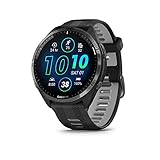
- Brilliant AMOLED touchscreen display with traditional button controls and lightweight titanium bezel
- Battery life: up to 23 days of battery life in smartwatch mode, up to 31 hours in GPS mode
- Confidently run any route using full-color, built-in maps and multi-band GPS
- Training readiness score is based on sleep quality, recovery, training load and HRV status to determine if you’re primed to go hard and reap the rewards (data presented is intended to be a close estimation of metrics tracked)
- Plan race strategy with personalized daily suggested workouts based on the race and course that you input into the Garmin Connect app and then view the race widget on your watch; daily suggested workouts adapt after every run to match performance and recovery
I use a soft microfiber cloth and, occasionally, a very soft toothbrush only on metal bracelet links. For the sensor area and caseback, fingers and flowing water are safer and just as effective.
Essential Oils and “Natural” Cleaning Solutions
Essential oils are often recommended in wellness circles, but they’re a poor match for wearable tech. Oils don’t rinse cleanly, and even diluted solutions can leave residues that interfere with sensor readings and trap heat against the skin.
Citrus oils in particular can be surprisingly corrosive to coatings and strap materials. The result is a watch that looks clean but feels greasy and becomes uncomfortable during training.
When I want a truly clean reset, I skip additives entirely. Warm water, mild soap, and complete drying give better results with zero risk to comfort or durability.
Compressed Air and Heat Drying
Using compressed air to “blast” moisture out of ports and seams seems harmless, but it can force water deeper into places it doesn’t belong. The same goes for hair dryers, radiators, or placing your watch in direct sunlight to dry faster.
Heat accelerates material breakdown and can affect battery longevity over time. Garmin’s battery chemistry and seals are happiest at stable, moderate temperatures.
I dry my watch with a towel and then let it air-dry naturally off-wrist for 15 to 30 minutes. This small pause is one of the simplest habits that has eliminated skin irritation for me during multi-day wear.
The Simple Kit I Actually Use
My entire Garmin cleaning setup fits in one drawer. It’s intentionally boring, because boring is what keeps both the watch and your skin happy.
I use warm tap water, a small amount of fragrance-free liquid hand soap, a microfiber cloth, and time to let everything dry fully. That’s it.
After years of daily Garmin use through training blocks, sleep tracking, and long races, avoiding harsh products has proven just as important as cleaning frequency. The fewer chemicals you introduce, the less your skin has to fight during every mile and every night of recovery.
The Three Daily Habits I Use to Avoid Skin Irritation Completely
Once you strip cleaning back to the basics, avoiding irritation becomes much more about how you wear your Garmin than how aggressively you wash it. These three habits are small, repeatable, and realistic for daily use, even if you train hard, sleep-track every night, and rarely take your watch off.
They’re also the habits I’ve refined after years of wearing Garmin watches through sweaty interval sessions, long endurance days, travel, and round-the-clock health tracking without a single recurring rash.
1. I Treat Post-Workout Rinsing as Non-Negotiable
Sweat is the real enemy, not dirt. Once sweat dries, it leaves salt crystals, bacteria, and skin oils trapped between the caseback, strap, and your wrist, exactly where Garmin’s heart rate and temperature sensors sit.
After any workout where I break a sweat, I rinse both my wrist and the watch under warm water. If it was a short, low-intensity session, water alone is enough; for long runs, rides, or strength sessions, I add a drop of mild soap to the strap and caseback.
This takes under 30 seconds, but it completely resets the skin-watch interface. It’s especially important on modern Garmin models with larger sensor arrays and raised casebacks, where residue can easily build up around the edges.
2. I Loosen the Strap the Moment Training Ends
Fit matters more than most people realize. During workouts, a snug strap is necessary for accurate heart rate tracking, but leaving it tight afterward traps moisture and heat against the skin.
As soon as I finish a session, I loosen the strap by one or two notches, even if I plan to keep wearing the watch. This creates airflow, allows the skin to cool, and prevents that damp, sealed environment where irritation thrives.
On long days, I’ll sometimes rotate the watch slightly higher or lower on my wrist for an hour. That tiny shift reduces pressure points without affecting comfort or software tracking, and it’s surprisingly effective at preventing hotspots under the caseback.
3. I Give My Skin a Daily “Off-Wrist” Window
Even the most breathable strap and smoothest caseback benefit from time away from your skin. Once a day, I deliberately take my Garmin off for 15 to 30 minutes, usually during a shower or while getting ready for bed.
This break lets both the watch and your skin dry completely. It also prevents cumulative irritation from constant contact, which is a common issue for users who wear their watch 23 or 24 hours a day for sleep tracking and body metrics.
Battery life on most Garmin watches easily accommodates this habit, especially on models designed for multi-day endurance use. You lose nothing in tracking value, but you gain healthier skin and long-term comfort.
Together, these habits work because they interrupt the sweat–pressure–heat cycle before it becomes a problem. Cleaning removes residue, loosening reduces friction, and off-wrist time gives your skin a chance to recover, all without compromising training data, durability, or daily usability.
Fit, Tightness, and Wear Time: Small Adjustments That Make a Big Difference
Once cleaning and basic hygiene are dialed in, the next layer is how the watch actually lives on your wrist. In my experience testing Garmin watches across daily wear, sleep tracking, and long training blocks, fit and wear habits are just as important as what you clean with.
Skin irritation rarely comes from a single cause. It’s almost always the combination of pressure, trapped moisture, heat, and time.
Snug for Training, Relaxed for Everything Else
Garmin’s optical heart rate sensors work best when the watch is stable, which means a snug fit during workouts. For running, cycling, or strength training, the watch should feel secure without digging in, sitting just above the wrist bone where movement is minimal.
The mistake many users make is keeping that same tightness all day. Once training ends, the physiological need for a locked-in fit disappears, but the pressure and moisture remain.
Loosening the strap even a single notch after exercise dramatically reduces friction and allows sweat to evaporate. This is especially important on larger Garmin models like the Fenix, Epix, or Forerunner 955, where the caseback surface area is larger and airflow is naturally limited.
Micro-Adjustments Beat Set-and-Forget Wearing
Wearing your Garmin in the exact same position all day creates repetitive pressure on the same patch of skin. Over time, even a smooth polymer caseback and soft silicone strap can cause localized irritation simply from constant contact.
One habit I rely on is making small positional shifts throughout the day. Sliding the watch a few millimeters higher or lower on the wrist, or rotating it slightly inward or outward, changes how pressure is distributed without affecting comfort or sensor performance.
Garmin’s tracking algorithms are forgiving enough that these micro-adjustments don’t compromise heart rate, Body Battery, or stress data. What they do is give your skin a break from being compressed in one spot for 12 to 16 hours straight.
Sleep Tracking Doesn’t Require Maximum Tightness
Sleep is where many irritation issues quietly start. People often assume the watch needs to be tight overnight for accurate data, but that’s rarely the case with modern Garmin sensors.
For sleep tracking, the strap should be secure enough that the watch doesn’t flop around, but loose enough that you can slide a fingertip underneath without resistance. This reduces overnight pressure and helps prevent that slightly itchy, inflamed feeling some users notice in the morning.
Because Garmin watches are relatively thick compared to traditional watches, especially multisport models with long battery life, reducing nighttime tightness has an outsized impact on comfort. You’ll still get reliable sleep stages, HRV status, and overnight heart rate without sacrificing your skin.
Wear Time Awareness Matters More Than Most Realize
Garmin’s strength is its ability to track nearly everything, all the time. But just because a watch can be worn 24/7 doesn’t mean it should be in constant contact without interruption.
Daily wear time adds up quickly when you train, work, and sleep with the same device. That cumulative exposure is often what turns mild redness into recurring irritation.
💰 Best Value

- Designed with a bright, colorful AMOLED display, get a more complete picture of your health, thanks to battery life of up to 11 days in smartwatch mode
- Body Battery energy monitoring helps you understand when you’re charged up or need to rest, with even more personalized insights based on sleep, naps, stress levels, workouts and more (data presented is intended to be a close estimation of metrics tracked)
- Get a sleep score and personalized sleep coaching for how much sleep you need — and get tips on how to improve plus key metrics such as HRV status to better understand your health (data presented is intended to be a close estimation of metrics tracked)
- Find new ways to keep your body moving with more than 30 built-in indoor and GPS sports apps, including walking, running, cycling, HIIT, swimming, golf and more
- Wheelchair mode tracks pushes — rather than steps — and includes push and handcycle activities with preloaded workouts for strength, cardio, HIIT, Pilates and yoga, challenges specific to wheelchair users and more (data presented is intended to be a close estimation of metrics tracked)
Being intentional about when the watch is tight, when it’s relaxed, and when it’s off-wrist keeps the skin–watch interface healthy. This approach preserves long-term comfort without undermining Garmin’s core advantages in battery life, durability, and always-on health tracking.
Special Scenarios: Swimming, Hot Weather Training, Sleep Tracking, and Long Events
Even with good daily habits, certain situations put your skin and your Garmin under more stress than normal. These are the moments where irritation usually starts, not because you’re doing something wrong, but because moisture, heat, friction, and wear time all spike at once.
I treat these scenarios differently on purpose. A few small adjustments before and after these sessions make a bigger difference than any fancy cleaning product.
Swimming: Chlorine, Salt, and What Lingers After
Swimming is one of the most common hidden triggers for skin irritation with Garmin watches. Chlorine from pools and salt from open water don’t just rinse away cleanly; they cling to the strap, sit under the caseback, and dry against your skin.
As soon as possible after a swim, I rinse the watch and band under fresh, lukewarm water, paying attention to the underside where the heart rate sensor sits. This quick rinse removes residue that would otherwise stay trapped during the rest of the day.
I also make a point of fully drying both the watch and my wrist before wearing it again. Wearing a damp band for hours after swimming is a fast track to redness, especially with silicone straps that don’t breathe.
Hot Weather Training: Sweat, Heat, and Sunscreen Buildup
Heat changes everything. In hot weather, sweat production increases, salt concentration rises, and friction becomes more aggressive even at normal strap tightness.
During summer training or indoor workouts without airflow, I loosen the strap one notch the moment I finish. This gives sweat somewhere to evaporate instead of being trapped under the case and band.
Sunscreen is another underestimated factor. It breaks down silicone over time and leaves a film that attracts bacteria, so I rinse my Garmin after any run or ride where sunscreen was applied near the wrist.
Sleep Tracking After Heavy Training Days
Sleep tracking itself isn’t the problem; it’s sleep tracking on already stressed skin. After long workouts or hot days, your skin is warmer, slightly inflamed, and more sensitive to pressure.
On those nights, I deliberately wear the watch looser than usual or shift it slightly higher up the arm. Garmin’s sleep and HRV algorithms remain accurate, but the reduced pressure helps calm the skin overnight.
If irritation is already starting, this is also the one time I’ll occasionally sleep without the watch. Missing a single night of data is far less costly than turning mild irritation into a recurring problem.
Long Events: Marathons, Ultras, and All-Day Wear
Long events are where everything compounds: sweat, friction, time, and tightness. Wearing a Garmin for six, eight, or twelve hours straight pushes the skin–watch interface harder than any normal day.
Before a long event, I make sure the watch and strap are completely clean and dry, even if they look fine. Starting with a clean surface reduces bacterial buildup later when sweat becomes constant.
During the event, I avoid over-tightening, even though it’s tempting for heart rate accuracy. Garmin’s optical sensors work well with firm contact, not maximum compression, and your skin will thank you hours later.
After long events, cleaning isn’t optional. A gentle soap-and-water wash of the band and caseback, followed by full drying, resets everything and prevents irritation from appearing the next day.
These scenarios aren’t edge cases for Garmin users; they’re part of normal training life. Treating them with a little extra care is what allows you to wear your watch daily, track everything you care about, and still keep your skin healthy long term.
When Skin Irritation Is a Warning Sign (And When to Stop Wearing Your Watch)
Up to this point, everything has been about prevention and smart habits. But there’s a line where irritation stops being a comfort issue and starts being a signal that your skin needs a break.
As someone who wears Garmin watches through heavy training blocks, sleep tracking, and all-day use, I’ve learned to treat certain symptoms as non-negotiable stop signs. Ignoring them doesn’t build resilience; it builds longer recovery time.
Normal Adjustment vs. Early Irritation
A faint red outline after a long run or tight fit usually fades within 20 to 30 minutes. That’s pressure and heat, not damage, and it’s common with optical heart rate sensors pressed against warm skin.
What’s not normal is redness that lingers for hours, itching that worsens after the watch comes off, or skin that feels tender to the touch. Those are early signals that moisture, friction, or residue is overwhelming your skin’s barrier.
When that happens, cleaning alone isn’t enough; you need time off-wrist.
Rashes, Scaling, and “Shiny” Skin
If the skin under your Garmin looks shiny, flaky, or develops a defined rash that mirrors the shape of the caseback or strap, that’s a classic sign of contact dermatitis. In most Garmin users, it’s not an allergy to the watch itself, but prolonged exposure to sweat, soap residue, sunscreen, or trapped bacteria.
Silicone straps are durable and flexible, but they don’t breathe, especially during long training days. Once the skin is compromised, continuing to wear the watch, even loosely, often makes it worse.
This is the point where I stop wearing the watch entirely until the skin looks and feels normal again.
Open Skin, Crusting, or Pain Means Stop Immediately
If irritation progresses to broken skin, scabbing, weeping, or pain, the watch comes off immediately. No exceptions for training load, sleep scores, or streaks.
Garmin watches are designed for durability, with stainless steel, titanium, DLC-coated casebacks, and sapphire or Gorilla Glass, but no wearable is meant to sit on damaged skin. Continuing to wear it risks infection and can turn a short break into weeks off-wrist.
At this stage, cleaning the watch thoroughly and letting both the skin and the band fully dry and reset is essential before you even think about wearing it again.
When to Consider a Strap Change
Recurring irritation in the same spot often points to the strap rather than the watch body. Stock silicone bands are excellent for water resistance and workouts, but they’re not ideal for every wrist, climate, or training volume.
Switching to a nylon, woven, or quick-drying fabric strap can dramatically reduce moisture buildup and pressure points. Many Garmin-compatible third-party straps also distribute tension better across the wrist, improving comfort without sacrificing sensor contact.
I rotate straps the same way I rotate shoes, especially during peak training weeks.
When to Get Medical Advice
If irritation doesn’t improve after several days off-wrist, spreads beyond the watch area, or shows signs of infection like warmth, swelling, or discharge, it’s time to speak with a healthcare professional. A smartwatch should never compromise skin health, no matter how advanced the training metrics.
This is rare, but it’s worth saying clearly: data is replaceable, your skin isn’t.
The Long-Term Mindset That Actually Works
The goal isn’t to wear your Garmin nonstop at all costs. It’s to wear it comfortably, safely, and consistently over years of training, recovery, and daily life.
Regular cleaning, smart strap choices, and knowing when to take a break are the three habits that matter most. When you respect those limits, your Garmin stays a tool that supports your health instead of quietly working against it.
That balance is what lets you track more, train smarter, and stay irritation-free for the long haul.