If you have ever opened the Oura app and thought, “I definitely worked out today, so why isn’t it showing up?”, you are not alone. Oura’s definition of an activity is narrower and more specific than many users expect, especially if you are coming from a smartwatch or a phone-based fitness app.
Understanding what Oura considers an activity, and why manual entries exist in the first place, is the foundation for keeping your activity score, readiness, and long-term health trends accurate. Once you grasp how Oura’s system thinks, manual logging stops feeling like a workaround and starts feeling like a precision tool.
At its core, Oura is designed around continuous, low-friction tracking from a small, lightweight ring with limited battery and sensor real estate compared to a full smartwatch. That design choice drives everything about how activities are detected, interpreted, and when human input becomes necessary.
How Oura Defines an “Activity”
In Oura’s ecosystem, an activity is any period of movement that meaningfully elevates your energy expenditure above your baseline. This is primarily inferred from accelerometer data, heart rate trends, and contextual signals like duration and intensity rather than GPS routes or workout-specific metrics.
🏆 #1 Best Overall

- ACCURATE SIZING ESSENTIAL - Oura Ring 4 uses unique sizing different from standard jewelry rings; use the Oura Ring 4 Sizing Kit to find your perfect fit before purchasing
- OURA MEMBERSHIP - First month of membership is included with purchase, for new members only. Subscription is 5.99/mo afterwards. Or opt for the annual prepaid option for 69.99. Membership is tied to your account via the Oura App, not your physical ring
- ACCURACY - SMART SENSING - Oura tracks over 50 health metrics, including sleep, activity, stress, heart health, and women’s health metrics. Oura Ring 4 is powered by Smart Sensing, which adapts to you — delivering accurate, continuous data, day and night
- LONG LASTING BATTERY - With up to 8 days of battery life, no screens and no vibrations, Oura Ring 4 allows you to focus on the present. From a workout to a night out — you’re free to forget it’s on. Until you start getting compliments
- HSA/FSA ELIGIBLE - We can accept HSA or FSA funds for the following: Oura Ring, additional chargers, and shipping
Activities can range from structured workouts like running, cycling, or strength training to unstructured movement such as brisk walking, physically demanding work, or extended chores. Oura is less concerned with labels and more focused on how much strain that movement places on your body.
Because the ring prioritizes comfort, durability, and multi-day battery life, it does not continuously sample data at the same rate as a wrist-based fitness tracker. That means short, irregular, or low-arm-movement activities can sometimes fall below the threshold of automatic detection.
Automatic Activity Detection vs. Reality
Oura’s Automatic Activity Detection works best for rhythmic, sustained movements where the hand naturally moves, such as walking or running. It becomes less reliable for activities like strength training, yoga, cycling, rowing, or anything where your hands are relatively still or gripping equipment.
Another common blind spot is when you remove the ring for comfort or safety. Weightlifting, contact sports, climbing, and some workplace tasks often happen without the ring on your finger, creating a clean gap in your data even though your body was under significant physical stress.
There are also edge cases where the ring is worn, but the activity happens in bursts, at odd times, or with intensity patterns that do not clearly register as exercise. In those cases, Oura may record some elevated heart rate or movement but never package it into a recognized activity.
Why Manual Activity Entries Exist
Manual activity entries exist to close the gap between what your body did and what the ring could realistically detect. Rather than guessing or over-inflating automatic data, Oura allows you to explicitly tell the system, “This activity happened, here’s roughly how long and intense it was.”
When you manually add an activity, you are not uploading raw sensor data that the ring never collected. Instead, you are providing contextual information that Oura uses to estimate energy burn, adjust your daily activity target, and properly interpret recovery and readiness signals.
This approach preserves the integrity of Oura’s long-term insights. Without manual entries, missing workouts can make you appear less active than you are, skew trend lines, and even inflate readiness scores because the system thinks you had an easier day than reality.
What Manual Activities Can and Cannot Do
A manually added activity can influence calories burned, activity goals, and how demanding your day appears in hindsight. It helps Oura understand why your heart rate variability dipped, why your resting heart rate rose, or why you felt more fatigued the next morning.
What it cannot do is recreate detailed workout metrics like heart rate zones, pace, cadence, or GPS distance. Manual entries are estimates layered on top of existing data, not a replacement for sensor-based tracking.
It is also important to understand that manual activities do not rewrite readiness or sleep data retroactively in a granular way. They inform trends and context, but they will not fully override how your body signals were recorded at the time.
Why This Matters for Long-Term Accuracy
Oura’s real value lies in patterns over weeks and months, not just daily stats. Consistently missing activities, especially high-intensity or strength-based ones, can gradually distort how the app understands your baseline fitness and recovery needs.
By using manual entries thoughtfully, you help Oura maintain a realistic picture of your lifestyle without compromising the ring’s comfort, lightweight titanium build, or multi-day battery life that make it practical to wear 24/7. This balance between automation and user input is intentional, not a flaw.
Once you understand this philosophy, manually adding an activity stops being about fixing mistakes and becomes part of actively managing your health data with precision.
When You Should Manually Add an Activity Instead of Relying on Auto‑Detection
Once you understand how manual entries protect Oura’s long-term accuracy, the next step is knowing when they are actually necessary. Auto‑detection is reliable for many everyday movements, but there are specific situations where it either underestimates effort or misses the activity entirely.
Manual logging is not about micromanaging your data. It is about stepping in when the ring’s lightweight, finger‑based sensors lack the context or signal clarity to interpret what your body was doing.
Strength Training and Gym Workouts
Strength training is the most common reason Oura users need to add activities manually. Lifting sessions often involve short bursts of effort, static holds, or rest-heavy intervals that do not register clearly through finger movement or optical heart rate patterns.
Because the ring prioritizes comfort, battery life, and all‑day wearability over bulky sensors, it cannot reliably identify sets, reps, or load. Manually adding a strength session ensures that Oura understands why your cardiovascular load rose and why recovery metrics may dip later.
Activities With Limited Hand Movement
Any workout where your hands remain relatively still can confuse auto‑detection. Cycling, indoor rowing, elliptical sessions, and stationary cardio often fall into this category.
Even though your heart rate and breathing increase, the ring may interpret the session as light movement or miss it altogether. Logging these activities manually fills that gap and keeps your daily activity target aligned with reality.
Workouts Without the Ring On
Despite Oura’s slim titanium construction and smooth interior, there are times when wearing a ring is not practical or safe. Contact sports, climbing, heavy barbell work, or jobs involving machinery are common examples.
If the ring is off your finger, no amount of software intelligence can infer what happened. Manually adding the activity afterward prevents those hours of physical strain from disappearing from your health record.
High-Intensity Sessions That Look “Short” on Paper
HIIT workouts, sprints, circuit training, and CrossFit-style sessions can be deceptively brief. A 20‑minute workout may generate a disproportionate recovery cost that auto‑detection may not fully credit.
When these sessions are not logged manually, Oura may assume your day was easier than it actually was. Adding them provides critical context for elevated resting heart rate, reduced heart rate variability, or next‑day fatigue.
Mindful Movement That Still Carries Load
Yoga, Pilates, mobility work, and long stretching sessions often fly under the radar. These activities can be low impact but still demanding, especially when performed for extended periods or after intense training days.
Manually logging them helps Oura recognize cumulative strain without overstating intensity. This is especially useful for users focused on recovery, flexibility, or injury prevention rather than pure calorie burn.
Long Active Days That Blend Movement Types
Some days do not look like traditional workouts but still carry a heavy physical toll. Long hikes, physically demanding travel days, home renovation projects, or extended periods on your feet can exceed what auto‑detection categorizes as casual activity.
Adding a manual entry helps Oura contextualize sustained exertion that might otherwise be spread thinly across the day. This keeps readiness insights grounded in how demanding the day truly was.
Correcting Misclassified or Missed Activities
Auto‑detection occasionally identifies the wrong activity type or logs only a fragment of a session. You might see a long walk recorded as light activity or a workout clipped short due to signal loss.
In these cases, manually adding the correct activity is less about chasing perfect stats and more about preserving clean trend data. Small corrections compound over weeks and months into more trustworthy insights.
When Accuracy Matters More Than Automation
If you are training toward a goal, managing fatigue, or balancing workouts with demanding workdays, manual entries become more valuable. They allow Oura’s software to interpret recovery signals within the right context rather than guessing based on incomplete inputs.
This is where Oura’s design philosophy shows its strength. The ring remains comfortable, durable, and easy to wear all day, while the app gives you just enough control to refine the story your data tells without turning tracking into a chore.
What Data You Can and Cannot Add Manually in the Oura App
Once you decide that a manual entry makes sense, the next question is how much control Oura actually gives you. The answer is more limited than a full workout log, but that restraint is intentional and worth understanding before you start editing your history.
Oura treats manual activities as context, not raw sensor replacements. You are telling the app what happened, not rewriting what the ring physically measured on your finger.
Activity Type, Start Time, and Duration
When you add an activity manually, you can choose the activity type from Oura’s predefined list. This includes everything from walking, running, and cycling to yoga, strength training, and household labor.
You can also set the start time and duration, including activities that happened earlier in the day or even on previous days. This is especially useful when you forgot to wear your ring or when auto‑detection only captured part of the session.
What you cannot do is split a single manual activity into complex intervals. Oura assumes a steady session rather than detailed laps, which keeps the interface simple but limits granular analysis.
Perceived Intensity Instead of Metrics
Instead of entering pace, reps, or heart rate, Oura asks for perceived intensity. You choose whether the activity felt easy, moderate, or hard.
Rank #2

- ACCURATE SIZING ESSENTIAL - Oura Ring 4 uses unique sizing different from standard jewelry rings; use the Oura Ring 4 Sizing Kit to find your perfect fit before purchasing
- OURA MEMBERSHIP - First month of membership is included with purchase, for new members only. Subscription is 5.99/mo afterwards. Or opt for the annual prepaid option for 69.99. Membership is tied to your account via the Oura App, not your physical ring
- ACCURACY - SMART SENSING - Oura tracks over 50 health metrics, including sleep, activity, stress, heart health, and women’s health metrics. Oura Ring 4 is powered by Smart Sensing, which adapts to you — delivering accurate, continuous data, day and night
- LONG LASTING BATTERY - With up to 8 days of battery life, no screens and no vibrations, Oura Ring 4 allows you to focus on the present. From a workout to a night out — you’re free to forget it’s on. Until you start getting compliments
- HSA/FSA ELIGIBLE - We can accept HSA or FSA funds for the following: Oura Ring, additional chargers, and shipping
This subjective input plays a bigger role than it might seem. Oura uses it to estimate energy expenditure and strain, helping align the activity with readiness and recovery scores.
Because the ring prioritizes long‑term trends over workout analytics, perceived effort fits better than hard numbers that could be inconsistent or inaccurate without sensors present.
Estimated Calories Burned
Calories are automatically calculated when you add a manual activity. You do not type in a calorie value yourself.
The estimate is based on activity type, duration, intensity, and your personal profile. While it will never match a chest strap or lab measurement, it stays consistent within Oura’s ecosystem.
This consistency matters more than precision, especially when you care about day‑to‑day balance rather than exact burn totals.
Heart Rate Data Cannot Be Added Manually
Heart rate is one of the clearest lines Oura draws. If the ring did not record heart rate during an activity, you cannot manually insert it later.
Even if you wore another device during the workout, Oura will not accept heart rate values through manual entry. The ring’s optical sensors and algorithms remain the only source for heart rate‑driven insights like cardiovascular strain.
This protects the integrity of trends but can be frustrating if you expect Oura to behave like a traditional fitness watch.
Steps, Distance, and Pace Are Locked
Manual activities do not add steps, distance, or pace to your daily totals. Those metrics come exclusively from sensor data and background movement tracking.
If you manually log a long walk, it will influence calorie burn and activity balance, but it will not inflate your step count. This separation prevents double counting and keeps daily movement data grounded in actual wear time.
For users who care about accurate daily steps, this design choice is a quiet but important safeguard.
Sleep, Readiness, and Recovery Scores Cannot Be Edited
Manual activities influence future readiness calculations, but they do not retroactively change sleep scores or recovery metrics that are already finalized.
If you add a hard workout after the fact, you may see subtle adjustments in activity balance or strain context, but last night’s sleep score remains untouched. Oura avoids rewriting physiological data once it has been processed.
This is why timely logging matters. The closer you add an activity to when it happened, the more meaningfully it integrates into recovery insights.
Tags, Notes, and Subjective Context
Beyond the activity itself, you can add tags or notes to help explain the circumstances around the session. These do not affect calculations directly, but they are invaluable when reviewing trends.
Notes help connect physical effort to lifestyle factors like travel, stress, or unusual schedules. Over time, they turn raw data into something closer to a personal training and recovery journal.
This lightweight approach fits Oura’s all‑day wear philosophy, where comfort, battery life, and durability support long‑term insight rather than short‑term performance metrics.
What Manual Entries Are Designed to Do
Manual activities are meant to fill gaps, not replace the ring’s sensors. They add narrative and intention to your data without compromising consistency across weeks and months.
Understanding these limits helps set realistic expectations. When used thoughtfully, manual entries sharpen Oura’s interpretation of your day while keeping the system simple enough to trust.
Step‑by‑Step: How to Manually Add an Activity in the Oura App (iOS & Android)
With the limits and intent of manual activities in mind, the actual process is refreshingly straightforward. Oura keeps manual logging lightweight so it doesn’t interrupt the ring’s core strengths: all‑day comfort, long battery life, and passive tracking that fades into the background of daily wear.
The steps are the same on iOS and Android, with only minor interface differences depending on app version.
Step 1: Open the Oura App and Go to the Home Screen
Start by opening the Oura app and making sure your ring has synced. A fresh sync ensures your activity timeline is up to date and prevents overlaps with any movement Oura may have already detected.
You’ll land on the Home screen, which shows today’s activity, readiness, and sleep snapshots stacked vertically.
Step 2: Tap the “+” Add Button
In the top‑right corner of the Home screen, tap the plus icon. This is the universal entry point for manual inputs like activities, tags, and notes.
From the menu that appears, select Add activity. This opens the manual activity editor.
Step 3: Choose the Activity Type
Scroll through the list and select the activity that best matches what you did. Options include walking, running, cycling, strength training, yoga, hiking, and many lower‑impact activities that smart rings often struggle to classify automatically.
Choosing the closest match matters because Oura uses activity type to estimate energy expenditure and intensity. Even without heart rate data, the classification influences how the session is interpreted in your activity balance.
Step 4: Set the Start Time and Duration
Adjust the start time to when the activity actually began, then set the total duration. Oura allows you to log activities retroactively, typically up to several days back, but the app will not let you add sessions far into the past.
Be precise here. Accurate timing helps Oura contextualize the effort alongside stress levels, recovery windows, and daily movement patterns without overwriting sensor data.
Step 5: Adjust Intensity (If Available)
For many activity types, you’ll see an option to choose intensity: low, moderate, or high. This is especially important for activities like strength training, yoga, or indoor workouts where the ring may have been removed.
Intensity selection directly affects calorie burn estimates and how the activity contributes to your daily activity goal. When in doubt, err on the conservative side to avoid overstating effort.
Step 6: Add Optional Notes or Tags
Before saving, you can add notes or select tags that describe how the session felt or what made it different. This might include things like “travel,” “hot weather,” or “felt fatigued.”
These details don’t change scores, but they dramatically improve long‑term pattern recognition when you’re reviewing weeks or months of data.
Step 7: Save the Activity
Tap Save to finalize the entry. The activity will now appear in your daily timeline and contribute to your activity balance and calorie totals.
You may notice small adjustments to your activity ring or daily movement summary, but your step count will remain unchanged, preserving the integrity of wear‑based movement tracking.
What Happens After You Add It
Once logged, the activity becomes part of your historical record. It will inform future readiness and activity insights, especially if similar patterns repeat over time.
What it will not do is rewrite past sleep stages, recovery metrics, or physiological data that Oura has already finalized. This clear separation keeps the ring’s sensor‑driven insights reliable, even when manual input is involved.
When Manual Logging Works Best
Manual entries are most useful when the ring wasn’t worn, when an activity is too static or controlled to trigger detection, or when you want to clarify intent behind ambiguous movement.
Rank #3
- ACCURATE SIZING ESSENTIAL - Oura Ring 4 uses unique sizing different from standard jewelry rings; use the Oura Ring 4 Sizing Kit to find your perfect fit before purchasing
- OURA MEMBERSHIP - First month of membership is included with purchase, for new members only. Subscription is 5.99/mo afterwards. Or opt for the annual prepaid option for 69.99. Membership is tied to your account via the Oura App, not your physical ring
- ACCURACY - SMART SENSING - Oura tracks over 50 health metrics, including sleep, activity, stress, heart health, and women’s health metrics. Oura Ring 4 is powered by Smart Sensing, which adapts to you — delivering accurate, continuous data, day and night
- LONG LASTING BATTERY - With up to 8 days of battery life, no screens and no vibrations, Oura Ring 4 allows you to focus on the present. From a workout to a night out — you’re free to forget it’s on. Until you start getting compliments
- HSA/FSA ELIGIBLE - We can accept HSA or FSA funds for the following: Oura Ring, additional chargers, and shipping
Used sparingly and accurately, manual activity logging complements Oura’s unobtrusive hardware design. It fills in the human context without compromising the long‑term consistency that makes smart rings valuable for daily wear.
Choosing the Right Activity Type, Intensity, and Duration for Accurate Insights
Once you understand when manual logging makes sense, the quality of the data you enter becomes the deciding factor in how useful Oura’s insights remain over time. Activity type, intensity, and duration aren’t just labels; they shape how the ring interprets effort, recovery load, and daily balance.
Getting these three elements right helps ensure manual entries support Oura’s sensor-driven strengths instead of skewing them.
Selecting the Most Accurate Activity Type
Start by choosing the activity that most closely matches how your body was actually stressed, not just what the workout was called. Oura’s activity list is intentionally broad, and accuracy matters more than perfect naming.
For example, a slow, technique-focused lifting session is better logged as strength training than “high-intensity interval training,” even if it happened in a gym setting. Likewise, a long walk with elevation changes may fit hiking better than walking if the effort felt sustained and demanding.
When in doubt, prioritize movement pattern and effort over environment. This helps Oura estimate energy expenditure and activity load more realistically.
How Intensity Influences Calorie Burn and Activity Balance
Intensity is the most influential manual input because it directly affects calorie estimates and how much the activity contributes to your daily goal. Oura uses low, moderate, and high intensity as broad physiological categories rather than performance ratings.
Low intensity typically fits recovery walks, gentle yoga, or mobility work where breathing stays relaxed. Moderate intensity applies to steady cycling, brisk walking, or controlled strength sessions where effort is consistent but sustainable.
High intensity should be reserved for workouts that significantly elevate heart rate, breathing, and muscular fatigue, such as intervals, competitive sports, or fast-paced circuit training. Overusing high intensity can inflate activity scores and subtly undermine readiness trends over time.
Setting Duration Without Over- or Underestimating Effort
Duration should reflect active time, not total time spent at the gym or studio. Warm-ups, rest periods, and extended breaks should be excluded unless they were physically demanding.
If a workout included frequent pauses, err slightly shorter rather than longer. Oura’s algorithms assume relatively continuous effort across the duration you enter.
This conservative approach preserves long-term consistency and prevents activity load from creeping upward in a way that doesn’t match how your body actually felt.
Common Scenarios Where Accuracy Matters Most
Manual logging is especially sensitive for activities where the ring is often removed, such as weightlifting, climbing, martial arts, or contact sports. In these cases, your manual choices become the primary source of truth.
Indoor cycling, rowing, or treadmill sessions can also benefit from careful intensity selection, since movement alone doesn’t capture resistance or effort. Choosing moderate versus high intensity here can noticeably change daily calorie totals.
Mind-body sessions like yoga or Pilates deserve particular care. Many users overestimate intensity, but logging these accurately helps Oura distinguish between recovery-supportive movement and training stress.
Why Conservative Logging Protects Long-Term Insights
Oura is designed around trends, not single workouts. A slightly understated manual entry is far less harmful than consistently overstating effort.
Over time, inflated activity data can lead to higher activity targets, lower readiness scores, and confusion when recovery doesn’t match perceived output. Conservative entries keep the ring’s guidance aligned with how you actually feel day to day.
Think of manual activities as annotations to sensor data, not replacements for it. When they’re measured and honest, Oura’s software can do what it does best: turn consistent inputs into reliable, wearable-first insights.
How Manually Added Activities Affect Activity Score, Readiness, and Calorie Burn
Once you understand why conservative manual logging matters, the next question is what those entries actually change inside Oura’s scoring system. Manually added activities are not treated as second-class data, but they are interpreted differently than workouts detected through the ring’s sensors.
The key distinction is that manual entries inform Oura about effort and duration, but they do not recreate the physiological detail captured by continuous movement, heart rate trends, or temperature shifts. That difference shapes how your scores respond.
Impact on Your Activity Score
Manually added activities directly contribute to your daily activity progress and influence whether you meet or exceed your activity goal. Duration and selected intensity determine how much activity load is credited for that day.
However, because there is no movement or heart rate data backing the entry, Oura applies a more generalized metabolic estimate. This means two manually logged workouts of the same type and duration will contribute similarly, even if one felt harder than the other.
Manual entries can help close obvious gaps, such as strength training or contact sports where the ring was removed. They are less effective at fine-tuning daily strain compared to automatically detected activities, which adjust based on real-time physiological response.
How Manual Activities Influence Readiness
Readiness is not reduced simply because you manually log a workout. Instead, the effect is indirect and trend-based.
When manual activities increase your total activity load, Oura factors that load into recovery expectations over time. If your recent days show higher activity without corresponding recovery signals, readiness may dip in subsequent days.
This is why overstating manual workouts can quietly work against you. Inflated activity load raises the bar for what Oura expects your body to recover from, even if your muscles, joints, or nervous system were not actually pushed that hard.
Calorie Burn Estimates: Useful, but Approximate
Calories from manually added activities are calculated using standard metabolic equivalents combined with your profile data like age, height, weight, and biological sex. They are not refined by heart rate or movement efficiency.
As a result, calorie burn from manual entries should be viewed as directional rather than precise. It is helpful for understanding overall energy output across the day, but not ideal for fine calorie balancing or aggressive nutrition planning.
If calorie accuracy matters to you, such as during weight management or fueling for endurance training, prioritize wearing the ring during activities whenever possible. Manual entries are best used to avoid undercounting, not to chase exact numbers.
What Manual Entries Do Not Change
Manually added activities do not retroactively alter sleep stages, heart rate variability, resting heart rate, or body temperature trends. These signals remain purely sensor-driven.
They also do not create detailed workout graphs or intensity curves. You will not see heart rate zones, minute-by-minute effort, or recovery metrics tied to a manual workout.
This separation is intentional. Oura is designed to protect the integrity of physiological data, even when activity information is filled in after the fact.
Timing, Editing, and Same-Day Behavior
Manual activities can be added or edited for the current day and for previous days within Oura’s allowed edit window. Once a day is finalized, usually after a short lock-in period, changes may no longer affect scores.
If you add a manual activity late in the evening, you may notice your activity score update quickly, while readiness effects, if any, show up later. This delay reflects how recovery metrics are calculated overnight, not in real time.
For the most consistent results, add manual activities on the same day they occur and avoid repeatedly editing past entries. Stable inputs lead to more reliable trends.
How to Use Manual Activities Without Distorting Long-Term Insights
Think of manual logging as a correction tool, not a performance amplifier. Its role is to acknowledge effort that sensors missed, not to maximize scores.
When used sparingly and conservatively, manual activities help Oura maintain continuity across different types of movement. They preserve the relationship between how active you are, how well you recover, and how ready you feel.
That balance is what allows the ring to remain comfortable, unobtrusive, and genuinely useful in daily wear, rather than turning into a system you have to manage or second-guess.
Rank #4
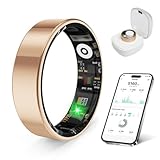
- 【Check the Size Before Purchase】 Before buying the prxxhri Smart Ring, we strongly suggest that you refer to the size chart and carefully measure the circumference of your finger. This will ensure you get the most comfortable wearing experience and easily avoid any unnecessary returns or exchanges.
- 【Real-time Accurate Sleep & Fitness Monitoring】 prxxhri smart ring tracks your sleep quality and daily activities in real time. With advanced sensors, it provides precise data about your sleep cycle, helping you optimize rest and recovery. Whether you are tracking steps, calories or exercise performance, this smart ring can provide you with the most accurate insights to support your fitness goals and enhance your overall health.It is a good choice for family and friends.
- Health Monitoring】The prxxhri ring features advanced 4.0 sensors that automatically measure your heart rate, and blood pressure every 30 min when worn. It provides continuous health tracking and comprehensive wellness management all day.
- 【3-5 Day Battery Life】 With a 3-5 day battery life, the prxxhri smart ring ensures continuous health monitoring without frequent charging. When used with the smart charging case, the usage time can even exceed 20 days. Whether you are tracking sleep patterns or fitness activities, you can count on long-lasting performance without constant interruptions.
- 【80-meter Waterproof, Suitable for Various Scenarios】 The prxxhri Smart Ring has excellent waterproof performance, with a waterproof depth of up to 80 meters. Whether it's for daily wear, an intense workout session or a pleasant swimming time, it can handle it with ease. What's more, even if you have sensitive skin, you can still enjoy an extremely comfortable wearing experience when wearing this ring.
Backdating Activities: Time Limits, Editing Past Entries, and Common Pitfalls
Once you understand what manual activities do and do not affect, the next question is usually how far back you can go and what happens when you edit the past. This is where many users run into confusion, especially after a missed workout or a travel-heavy week.
Backdating works, but only within clear boundaries set by Oura’s scoring system and daily data lock-in.
How Far Back You Can Manually Add an Activity
Oura allows manual activities to be added for previous days, but only within a limited window. In practice, this typically means you can add or edit activities for recent days, not weeks or months ago.
Once a day has fully finalized, manual additions may still appear in your activity list but will no longer meaningfully influence scores. The app prioritizes data integrity over flexibility, which is why there is no unlimited backfill option.
If you notice missing activity, it is always better to add it sooner rather than later. Waiting too long reduces its impact and increases the chance that it becomes informational only.
What Happens When You Edit a Past Activity
Editing a past manual activity updates the duration, intensity, or activity type, but it does not trigger a full recalculation of physiological signals. Calories, activity contribution, and movement totals may shift slightly if the day is still editable.
Readiness and sleep scores, however, will not be rebuilt from scratch. Overnight metrics such as heart rate variability and resting heart rate are already locked to the original sensor data from that night.
This is why editing past entries often feels underwhelming. The system is behaving correctly, even if the change looks small.
Daily Lock-In and Score Finalization
Each day in Oura follows a rhythm. Activity accumulates during the day, scores update in near real time, and recovery metrics finalize after sleep.
Once the next day begins and the app processes overnight data, the previous day becomes progressively less flexible. At that point, manual edits may still display but no longer influence readiness or long-term trends.
This lock-in is especially important for users who review data days later. By then, manual additions serve as context rather than correction.
Backdating vs. Same-Day Logging
Adding an activity on the same day it occurred produces the most accurate outcome. Even if you log it hours later, the system can still align it with that day’s movement and energy expenditure.
Backdating should be treated as a fallback, not a routine habit. The further removed the entry is from the original activity, the less useful it becomes for scoring and insights.
If you consistently forget to log activities, consider setting a reminder or adding them immediately after finishing. This small habit keeps your data cleaner with minimal effort.
Common Pitfall: Expecting Retroactive Recovery Changes
One of the most frequent misunderstandings is expecting a backdated workout to explain poor readiness or disrupted sleep from days ago. Manual activities cannot retroactively justify fatigue.
Oura evaluates recovery based on what your body did, not what you later report. If your ring did not detect elevated strain at the time, adding it later will not rewrite that physiological story.
This protects long-term accuracy, even if it feels limiting in the moment.
Common Pitfall: Overestimating Intensity to “Make It Count”
Another trap is inflating intensity when backdating, especially if the activity feels underrepresented. Selecting a higher effort level than you actually performed can distort calorie estimates and activity balance.
Over time, this creates a mismatch between reported effort and recovery signals. The result is less trustworthy guidance, not better scores.
When in doubt, choose a moderate intensity and a conservative duration. Consistency matters more than precision.
Common Pitfall: Using Manual Entries to Replace Wearing the Ring
Manual activities are not designed to replace wearing the ring during workouts. They work best as a supplement, not a workaround.
Without sensor data, Oura cannot capture heart rate patterns, temperature shifts, or subtle recovery cues. Those gaps add up if manual logging becomes the default.
For best results, wear the ring during activities whenever possible, even low-impact ones. Its lightweight titanium build and unobtrusive profile are meant for continuous wear, not selective use.
Best Practices for Backdating Without Breaking Trends
Use backdating sparingly and only for meaningful movement that was truly missed. Skip casual or low-impact activities if you are unsure, as they rarely change outcomes.
Avoid repeatedly editing the same day. Each adjustment introduces noise rather than clarity.
Most importantly, view backdated entries as annotations to your health record. They provide context, not control, and when treated that way, they preserve the long-term value of Oura’s insights.
Manual Activities vs Imported Workouts (Apple Health, Google Fit, Strava)
After understanding the limits of manual backdating, the next decision is whether you should log an activity yourself or let it flow in from another platform. Oura treats these two inputs very differently, even if they appear similar in your Activity timeline.
At a glance, both manual activities and imported workouts add movement and calorie context. Under the hood, however, they vary in data depth, timing accuracy, and how much influence they have on long-term trends.
What Counts as a Manual Activity in Oura
A manual activity is anything you enter directly inside the Oura app using the “Add Activity” option. You choose the activity type, start time, duration, and perceived intensity, and Oura estimates calories based on those inputs.
No heart rate, pace, power, or GPS data is attached. The entry exists as a self-reported annotation layered on top of your existing sensor data, not a replacement for it.
Manual activities are best suited for short, straightforward movement where precision is less critical. Think yoga, stretching, bodyweight workouts, casual swimming, or times when wearing the ring was impractical or unsafe.
What Happens When Workouts Are Imported
Imported workouts come from connected platforms like Apple Health, Google Fit, or Strava. These typically originate from a smartwatch, bike computer, or fitness app that recorded the session in real time.
When Oura imports a workout, it receives richer metadata such as exact start and end times, distance, pace, and in many cases heart rate. This allows Oura to align the workout more precisely with your physiological signals from the ring.
Because the timing is anchored to a real recording, imported workouts generally integrate more cleanly into activity balance and trend analysis. They still do not rewrite recovery or readiness after the fact, but they provide stronger context than manual entries.
Apple Health vs Google Fit vs Strava: Practical Differences
Apple Health tends to offer the tightest integration, especially for iPhone users wearing an Apple Watch. Workouts sync quickly, timing is accurate, and heart rate data often overlaps with the ring’s sensors, giving Oura more confidence in activity intensity.
Google Fit works reliably on Android, but the quality of imported data depends heavily on the source app or device. A Fit workout recorded by a Pixel Watch will be far more informative than one logged manually in a third-party app.
Strava imports shine for endurance activities like running, cycling, and rowing. Distance, pace, and elevation add meaningful context, but heart rate quality depends on whether a chest strap or optical sensor was used.
How Imported Workouts Affect Activity Scores
Both manual and imported workouts contribute to daily activity goals and calorie burn. The difference lies in how confidently Oura can classify effort.
💰 Best Value
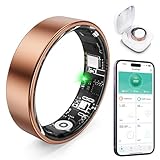
- 【Check the Size Before Purchase】 Before buying the Free Shark Smart Ring, we strongly suggest that you refer to the size chart and carefully measure the circumference of your finger. This will ensure you get the most comfortable wearing experience and easily avoid any unnecessary returns or exchanges.
- 【Intelligent Sleep Tracker, Caring for Your Health】 This Free Shark fitness ring is like a considerate little assistant for your sleep health. It will accurately monitor the quality of your sleep, and record in detail the durations of deep sleep and light sleep, as well as the specific situations of your wakeful states. You just need to open the app at any time, and you can clearly view all kinds of sleep indicators. Then, according to the professional reports, you can easily adjust your lifestyle to embrace better-quality sleep.
- 【Diverse Health Monitoring, All-round Protection】 The Free Shark Smart Ring has a variety of powerful health monitoring modes. Whether it's running, walking, hiking, cycling, yoga, dancing, skipping rope or other sports, it can automatically and accurately track key data such as the exercise route, exercise time, steps taken, heart rate, speed, calories burned and exercise distance in the app. Moreover, it can continuously track important health data such as heart rate and blood oxygen throughout the 24 hours of the day, protecting your physical health in an all-round way.
- 【80-meter Waterproof, Suitable for Various Scenarios】 The Free Shark Smart Ring has excellent waterproof performance, with a waterproof depth of up to 80 meters. Whether it's for daily wear, an intense workout session or a pleasant swimming time, it can handle it with ease. What's more, even if you have sensitive skin, you can still enjoy an extremely comfortable wearing experience when wearing this ring.
- 【Long Battery Life and Ultra-thin Design, Enjoy the Convenience】 The Free Shark Smart Ring has a very strong battery life. After a full charge, the battery can last up to 5 days, easily keeping up with your busy lifestyle. When used with the smart charging case, the usage time can even exceed 30 days. It is widely compatible with both Android and iOS systems, which is very convenient and practical. In addition, the updated design is lighter, thinner and more comfortable, with a greatly improved wearing fit. It's so light that you can hardly feel it on your finger.
With imported workouts, Oura can cross-reference duration and intensity against ring-detected movement, temperature shifts, and heart rate trends. This reduces the guesswork that comes with self-reported effort levels.
Manual activities rely entirely on your selections. If intensity is misjudged, the activity score may look inflated or underwhelming compared to how your body actually responded.
When Manual Entry Is the Better Choice
Manual logging makes sense when no reliable external record exists. This includes activities done without a watch, sessions where devices were not allowed, or workouts that trackers struggle to classify accurately.
It is also useful for low-impact movement that still matters to you but may not trigger automatic detection. Gentle mobility work, rehab exercises, or slow-paced chores often fall into this category.
In these cases, manual entries act as honest context rather than performance metrics. They help explain why a day felt active without overstating physiological strain.
When Imported Workouts Are Worth the Extra Setup
If you regularly run, cycle, lift, or follow structured training plans, importing workouts is almost always the better option. The additional data improves alignment between effort, fatigue, and recovery patterns.
This is especially important for users who rely on Oura to guide rest days or training load. More accurate input leads to fewer mismatches between how hard you trained and how recovered Oura thinks you are.
The slight complexity of linking Apple Health, Google Fit, or Strava pays off in long-term insight quality.
Avoiding Double Counting and Data Conflicts
One common mistake is manually adding an activity that was already imported. This can inflate calorie totals and distort activity balance for that day.
Before adding anything manually, scan your timeline to confirm nothing similar already exists. Imported workouts may appear with different naming conventions, especially when synced from Strava.
If an imported workout looks incomplete, resist the urge to “fix” it with a manual duplicate. Editing the source app usually produces cleaner results than stacking entries inside Oura.
Choosing the Right Input for Cleaner Trends
Think of manual activities as notes in the margin and imported workouts as primary sources. Both have value, but they serve different roles in building a trustworthy health record.
If accuracy and training insight matter most, prioritize real-time recording and imports. If completeness and context matter more, manual entries fill the gaps without pretending to be sensor data.
Used intentionally, each method strengthens Oura’s ability to reflect your real-world movement without compromising the integrity of readiness, recovery, or long-term trends.
Best Practices to Keep Your Oura Data Clean, Consistent, and Meaningful
Once you understand when to use manual activities versus imported workouts, the next step is maintaining consistency. Clean data is not about perfection; it is about giving Oura the clearest possible picture of how you actually live, move, and recover.
These best practices come from long-term Oura use and are designed to protect the integrity of your trends without turning tracking into a chore.
Be Consistent With How You Log Similar Activities
If you manually add an activity, try to log it the same way every time. That means using the same activity type, similar duration estimates, and roughly the same intensity level.
For example, if you usually log dog walks as “Walking – Moderate” for 30 minutes, avoid switching between “Housework,” “Outdoor walk,” and wildly different durations. Consistency helps Oura interpret patterns over weeks and months rather than treating each entry as a one-off anomaly.
This matters most for activity balance and long-term movement trends, where inconsistency can blur otherwise useful signals.
Use Manual Entries for Context, Not Precision
Manual activities are best treated as descriptive, not diagnostic. They tell Oura that movement happened, but they do not recreate heart rate curves, intensity spikes, or physiological strain.
Avoid trying to “correct” missed calories or boost an activity score by guessing aggressively. Overestimating duration or intensity can make recovery and readiness insights feel disconnected from how your body actually feels.
If you are unsure, underestimate slightly. Oura’s readiness and recovery models respond better to conservative inputs than inflated ones.
Log Activities as Soon as Possible
While Oura allows you to add activities retroactively, the closer you log them to when they occurred, the more accurate your estimates tend to be. Memory fades quickly, especially for casual movement like errands or light chores.
Adding activities on the same day also makes it easier to spot conflicts with automatically detected movement or imported workouts. This reduces the risk of double counting and keeps your daily timeline easy to interpret.
Think of manual logging as light housekeeping rather than end-of-week cleanup.
Understand What You Can and Cannot Add Retroactively
Manual activities only support duration, type, and perceived intensity. You cannot add heart rate, GPS routes, pace, power, or training load after the fact.
Because of this, retroactive entries will never influence metrics like cardiovascular age, VO2 max trends, or detailed recovery insights in the same way recorded or imported workouts do. Accepting this limitation helps set realistic expectations.
If detailed performance data matters to you, prioritize recording workouts live or syncing from a compatible app whenever possible.
Protect Readiness and Recovery by Avoiding Overlogging
It can be tempting to log every movement-heavy moment of the day. In practice, this often adds noise without improving insight.
Oura already captures background movement through steps and activity levels. Manual entries should be reserved for intentional activities that add clarity, not every instance of being on your feet.
If your readiness scores start feeling unusually low despite adequate sleep and rest, overlogging is often the culprit.
Check Your Timeline Before Adding Anything New
Before manually adding an activity, scan your day in the Oura app. Look for auto-detected activities, imported workouts, or partial sessions that may already cover what you are about to enter.
This is especially important if you use multiple platforms like Apple Health, Google Fit, or Strava. Sync delays can make it look like data is missing when it simply has not arrived yet.
A quick check prevents duplication and keeps calorie burn and activity totals grounded in reality.
Let Long-Term Trends Matter More Than Single Days
Oura is at its best when you zoom out. One imperfectly logged day will not derail your health insights, but inconsistent habits over time can.
Focus on building a clean, repeatable approach to activity tracking that you can maintain comfortably. Comfort and usability matter just as much as accuracy, especially with a ring designed for 24/7 wear and long battery life.
When your logging habits align with how you actually live, Oura’s insights start to feel less like scores and more like guidance.
Final Takeaway: Intention Beats Perfection
Manually adding activities in Oura works best when done with restraint, consistency, and clear intent. Use manual entries to fill gaps, explain busy days, and preserve continuity when sensors miss something.
For structured training, rely on recorded or imported workouts. For everyday movement, let manual activities provide context without pretending to be hard data.
Handled this way, your Oura Ring becomes what it is meant to be: a comfortable, durable, always-on health companion that reflects real-world behavior while delivering insights you can actually trust.