If you have ever seen another Garmin owner post screenshots of a feature you do not yet have, even though you are on the same watch model, you have already brushed up against Garmin’s version of “early access.” It is not a single switch you flip, and it is not always obvious why some users get updates weeks or months before others.
What makes Garmin confusing is that early access can mean two very different things: actively opting into unfinished beta software, or passively receiving features early through a controlled public rollout. Understanding the difference is critical, because the experience, the risks, and even the way you sign up are completely different.
This section breaks down exactly how Garmin handles early access at a system level, how beta firmware differs from phased releases, and why your device, training load, and tolerance for bugs should guide which path you choose.
Garmin does not use “early access” as a single program
Unlike companies that bundle everything under one beta label, Garmin splits early feature exposure into multiple tracks. The most important distinction is between the official Public Beta Program and Garmin’s phased production rollouts.
🏆 #1 Best Overall

- Easy-to-use running watch monitors heart rate (this is not a medical device) at the wrist and uses GPS to track how far, how fast and where you’ve run.Special Feature:Bluetooth.
- Battery life: up to 2 weeks in smartwatch mode; up to 20 hours in GPS mode
- Plan your race day strategy with the PacePro feature (not compatible with on-device courses), which offers GPS-based pace guidance for a selected course or distance
- Run your best with helpful training tools, including race time predictions and finish time estimates
- Track all the ways you move with built-in activity profiles for running, cycling, track run, virtual run, pool swim, Pilates, HIIT, breathwork and more
Public beta firmware is opt-in and explicitly labeled as unfinished. You choose to install it, and Garmin expects feedback when things break.
Phased rollouts, by contrast, are production firmware. The software is considered stable, but Garmin intentionally releases it in waves, often starting with a small percentage of users before expanding globally.
Public beta firmware: the fastest way to new features
Garmin’s Public Beta Program gives you access to features weeks or sometimes months before general release. These builds often include new training metrics, UI changes, sport profiles, sensor support, or health features that are still being tuned.
Beta firmware installs directly on the watch and fully replaces your current system software. Battery life, sensor stability, and workout recording can behave differently, especially in the first beta versions of a cycle.
From a daily wear perspective, most betas are usable, but they are not risk-free. GPS tracks may be messier, sleep data can occasionally fail to sync, and third-party Connect IQ apps may lag behind until developers update compatibility.
Phased rollouts: early access without opting in
Phased rollouts are Garmin’s way of testing scale and stability without labeling the software as beta. When a new firmware version is announced, it rarely hits 100 percent of users at once.
Instead, Garmin gradually enables the update by region, account group, or server-side eligibility. You may receive the update automatically while another identical watch remains on the previous version for weeks.
From the user’s perspective, this feels like early access, but the key difference is that you did nothing to request it and the software is considered final. If a major bug appears, Garmin can pause the rollout before it reaches everyone.
Why two users with the same watch can have different features
Garmin firmware updates are not just device-based; they are account-aware. Your Garmin Connect account, region, update history, and even past beta participation can influence rollout timing.
Some features are also enabled server-side after the firmware installs. This means two watches on the same software version can temporarily behave differently until Garmin flips the feature flag for your account.
This is especially common with training features, Garmin Coach updates, and health insights that rely on backend processing rather than on-watch calculations alone.
Device eligibility matters more than marketing suggests
Not every Garmin watch receives beta access, and not every feature in a beta applies to every supported device. Higher-end models like Fenix, Epix, Forerunner 9xx, and Enduro lines typically get the earliest and most complete betas.
Mid-range and older devices may receive delayed betas or skip entire feature sets due to hardware limits like memory, sensor arrays, or battery constraints. AMOLED versus MIP displays can also affect whether UI-heavy features appear.
This is why early access should be evaluated based on your specific model, not just the headline feature list Garmin announces.
Risk profile: what Garmin expects beta users to accept
Garmin is unusually transparent about beta risk compared to many consumer tech companies. They explicitly warn that betas may impact battery life, activity accuracy, and data syncing.
If you rely on your watch for structured marathon training, ultra navigation, or safety features like LiveTrack, beta firmware can introduce unwanted variables. That does not mean it will fail, but it means you are accepting responsibility if it does.
For casual training, experimentation, or feature exploration, the risk is often manageable. For race-critical periods, many experienced users temporarily opt out.
How phased rollouts reduce risk for non-beta users
Phased rollouts act as a safety net for the wider Garmin ecosystem. By monitoring crash logs, battery drain reports, and support tickets from early rollout users, Garmin can intervene before issues become widespread.
This is why phased rollout users sometimes see minor revisions appear quickly, while others wait longer but receive a more polished update. You are trading speed for stability without making an explicit choice.
For many users, this is the best balance: you get new features earlier than a full global release, without stepping into true beta territory.
Choosing the right type of early access for your usage
If you enjoy exploring new metrics, testing interface changes, and do not mind occasional quirks, the Public Beta Program offers unmatched early access. It is also the only way to guarantee you see new features as soon as Garmin is ready to expose them.
If you value reliability, long battery life, and predictable training data, relying on phased rollouts is safer. You still benefit from early adoption, just on Garmin’s terms instead of your own.
The next step is understanding exactly how to enroll, manage updates, and safely exit if needed, because signing up correctly is what separates a smooth beta experience from unnecessary frustration.
The Three Ways Garmin Releases New Features Before Public Launch
Before you decide how far ahead of the curve you want to be, it helps to understand that Garmin does not have a single “early access” switch. Instead, new features surface through three distinct release paths, each with a different level of risk, visibility, and user control.
These paths often overlap, which is why some users swear they saw a feature weeks before others, even on the same watch model. What changed was not the hardware, but how Garmin chose to expose the software.
1. Public Beta Firmware Programs (Opt‑In, Highest Access)
The Public Beta Program is Garmin’s most transparent and deliberate early access route. When you enroll, your watch receives pre-release firmware builds that include upcoming features, interface changes, and platform-level tweaks before they are approved for general release.
This is where you will see headline additions first. New training metrics, revamped activity profiles, changes to navigation screens, sensor handling improvements, and UI refinements typically appear here weeks or even months early.
Because this is firmware-level access, the impact can be broad. Battery life may fluctuate, GPS behavior can subtly change, and health or training metrics may be recalibrated as Garmin tunes algorithms in real-world conditions across thousands of beta users.
Enrollment is device-specific and limited to supported models. Flagship and mid-cycle watches like Fenix, Epix, Forerunner, Venu, and Edge cycling computers are the most common candidates, while older or entry-level models may never receive a public beta at all.
Once enrolled, updates arrive automatically over Wi‑Fi or through Garmin Express, just like normal firmware. The difference is what you are receiving, not how it installs.
Opting out is possible, but not instant. Downgrading firmware often requires a full reset, temporary loss of newer features, and sometimes data cleanup, which is why beta participation should be intentional rather than casual.
2. Phased or Staged Firmware Rollouts (Automatic, Lower Risk)
Phased rollouts are Garmin’s quiet middle ground, and most users experience them without realizing it. Instead of pushing a new firmware version to every compatible device at once, Garmin releases it in waves over days or weeks.
If your watch is included in an early wave, you effectively receive new features before the public rollout completes. You did not opt into anything, and your software is still considered stable, but you are part of a controlled early sample.
This approach lets Garmin monitor battery drain, crash reports, activity file integrity, and sync behavior before expanding availability. If issues surface, the rollout can pause or be revised without affecting the entire user base.
From a user perspective, this is the least disruptive form of early access. You keep full warranty protection, predictable performance, and normal support channels, while still benefiting from earlier feature exposure than friends with the same device.
The trade-off is lack of control. You cannot force inclusion in a phased rollout, nor can you see a schedule. Two identical watches can sit side by side with different firmware versions for weeks, simply because one has not been cleared yet.
3. Garmin Connect App and Server-Side Feature Toggles (Invisible but Impactful)
Not all Garmin features live on your watch. Many are delivered through the Garmin Connect mobile app or enabled remotely on Garmin’s servers, which allows the company to test and release functionality without touching device firmware at all.
Examples include new training insights, health summaries, coaching logic changes, badge systems, and behind-the-scenes algorithm updates that affect how your data is interpreted rather than how it is recorded.
These changes often roll out gradually by account, region, or platform. An iOS user might see a feature days before Android, or one account may gain access while another waits, even on the same phone and watch model.
Because these updates do not alter device firmware, they carry far less risk. Battery life, sensor behavior, and activity recording remain unchanged, which is why Garmin frequently uses this path for experimental or data-driven features.
The downside is visibility. There is no opt-in, no announcement, and no rollback. Features can appear quietly, evolve over time, or even disappear if Garmin decides the experiment is not working as intended.
Understanding this third path explains why early access sometimes feels inconsistent. You may already be testing something new without ever signing up for anything, simply because Garmin flipped a switch on the backend.
Together, these three release methods form Garmin’s early access ecosystem. Knowing which one you are encountering helps you judge risk, manage expectations, and decide how proactively you want to chase new features versus letting them arrive on Garmin’s schedule.
Which Garmin Watches Are Eligible — and Why Some Get Features First
Once you understand how Garmin releases features through betas, phased firmware rollouts, and server-side toggles, the next logical question is whether your specific watch can even participate. Eligibility is not arbitrary, and it goes far beyond simple price tiers or marketing labels.
Garmin prioritizes certain devices because of hardware capability, software architecture, and how actively a platform is still being developed. This is why two watches that look similar on the wrist can have very different early access experiences.
Garmin’s Unofficial Rule: Newer Platforms Come First
Garmin does not publish an official eligibility list for early access features as a whole, but patterns are consistent across years of betas and phased releases. Watches built on newer hardware platforms almost always receive features earlier, more often, and with fewer limitations.
Newer platforms have faster processors, more memory, and updated sensor hubs, which gives Garmin flexibility when testing features that rely on background processing, real-time analytics, or additional data fields. This is especially true for training load metrics, sleep and recovery insights, and anything involving multi-day trend analysis.
From a software perspective, Garmin prefers testing on devices that will remain in the lineup for multiple product cycles. A watch still in active development offers more long-term value for feedback than one approaching maintenance-only status.
Flagship and Upper-Midrange Watches Are the First Test Beds
High-end and performance-focused watches are the most common entry point for early access features. Models in the Fenix, Epix, Enduro, Forerunner 9xx, and recent Forerunner 2xx/7xx lines consistently appear in public beta programs before other categories.
These watches are popular with serious runners, cyclists, and outdoor users who generate dense training data and tend to tolerate occasional bugs. They also have larger batteries and more robust thermal and power management, which matters when testing features that increase sensor usage or background calculations.
Comfort and wearability still play a role here. Garmin is more willing to test sleep, HRV, and recovery changes on watches designed for 24/7 wear, with lighter cases, refined straps, and better skin contact from upgraded heart rate sensors.
Why AMOLED and Solar Models Sometimes Diverge
Display technology can affect eligibility in subtle ways. AMOLED-based watches like Epix or Forerunner AMOLED variants may receive visual or UI-related features earlier, while solar and memory-in-pixel displays are often prioritized for endurance-focused testing.
Rank #2

- Easy-to-use running smartwatch with built-in GPS for pace/distance and wrist-based heart rate; brilliant AMOLED touchscreen display with traditional button controls; lightweight design in 43 mm size
- Up to 11 days of battery life in smartwatch mode and up to 19 hours in GPS mode
- Reach your goals with personalized daily suggested workouts that adapt based on performance and recovery; use Garmin Coach and race adaptive training plans to get workout suggestions for specific events
- 25+ built-in activity profiles include running, cycling, HIIT, strength and more
- As soon as you wake up, get your morning report with an overview of your sleep, recovery and training outlook alongside weather and HRV status (data presented is intended to be a close estimation of metrics tracked)
Battery behavior is a major factor. A feature that performs well on an AMOLED watch with aggressive power management may behave very differently on a solar device optimized for ultra-long GPS activities. Garmin frequently separates these tracks to avoid muddying test results.
This is also why some features appear first on one variant of a watch family and arrive weeks or months later on its sibling. It is rarely favoritism and almost always power profiling and reliability testing.
Sensor Generations Matter More Than Model Names
Under the hood, Garmin watches can differ significantly even when the model names suggest parity. Newer heart rate sensors, barometers, temperature sensors, and multi-band GPS chipsets unlock entire categories of features.
Training readiness, advanced sleep staging, respiratory metrics, and adaptive coaching logic often require sensor precision that older hardware cannot reliably deliver. Garmin will not backport features if accuracy falls below its internal thresholds, even if the watch is still receiving firmware updates.
This is why a newer midrange watch can sometimes receive a feature before an older flagship. The limiting factor is not prestige, but data quality.
Why Entry-Level and Lifestyle Models Lag Behind
Watches like the Venu Sq, older Vivoactive models, and basic fitness trackers are rarely included in early access programs. These devices are designed for stability, long battery life, and simplicity, not iterative feature experimentation.
They often use streamlined firmware with less overhead for beta logging and diagnostics. Pushing experimental features to these models increases support risk without providing Garmin the depth of feedback it needs.
That does not mean these watches are ignored. Many features eventually arrive once proven, but they typically appear later and in a more finalized form.
Regional Variations and Regulatory Constraints
Eligibility is also influenced by where you live. Certain health features are subject to regulatory approval, which can delay or block access regardless of hardware capability.
Even within beta programs, Garmin may restrict participation by region to comply with local laws or data handling requirements. This explains why users in different countries with identical watches report different feature availability.
Garmin Connect server-side rollouts further complicate this, as region-based testing is easier to manage at the account level than through firmware.
Why Two Identical Watches Can Have Different Access
Even if your watch model is eligible, access is not guaranteed at the same time as someone else’s. Beta slots can be capped, phased rollouts are randomized, and server-side toggles are account-specific.
Usage patterns can also play a role. Accounts with consistent activity data may be more valuable for testing training features than dormant or irregularly used devices, although Garmin does not confirm this publicly.
The result is a system that feels inconsistent from the outside but is tightly controlled behind the scenes to minimize risk while maximizing useful feedback.
What This Means for Your Buying and Upgrade Decisions
If early access to new features matters to you, device choice becomes more than just screen size or battery life. Buying into a current-generation platform with modern sensors and active development dramatically increases your chances of seeing new features early.
For users who value reliability over experimentation, waiting for features to mature and arrive through standard updates is often the better experience. Garmin designs its ecosystem to support both mindsets, but they lead to very different day-to-day interactions with your watch.
Understanding eligibility helps set expectations. It turns early access from a frustrating mystery into a predictable pattern you can plan around, whether you are chasing every new feature or happy to let them arrive when fully baked.
Step-by-Step: How to Join the Garmin Public Beta Program
Once you understand why eligibility varies and why rollouts feel inconsistent, the actual process of joining Garmin’s public beta is refreshingly straightforward. The complexity lives behind the scenes; on the user side, it’s mostly about knowing where to look and what to expect once you opt in.
This walkthrough applies broadly across modern Garmin watches, whether you’re using a Forerunner, Fenix, Epix, Venu, Instinct, or Edge cycling computer. Menus may look slightly different by device generation, but the underlying process is the same.
Step 1: Confirm Your Device Is Beta-Eligible
Before signing up, verify that your specific model is included in Garmin’s current public beta cycle. Not every watch participates, and older models often stop receiving beta builds even if they still get stable updates.
Garmin publishes a list of supported devices on its official Beta Program pages, typically broken out by product family. If your watch is still actively receiving feature updates, has modern sensors, and runs current-generation firmware, it is far more likely to appear on that list.
If your device is missing, there’s nothing wrong with your account. It simply means development focus has moved on, which is common once hardware reaches maturity.
Step 2: Enroll Through Garmin Connect (Web Is Preferred)
The cleanest way to join the public beta is through Garmin Connect on the web rather than the mobile app. Log in at connect.garmin.com using the same account tied to your watch.
From the device list, select the watch or device you want to enroll. If a public beta is available, you’ll see a Beta Program or Software Update section with an option to join.
Enrollment is device-specific. If you own multiple Garmin devices, each one must be opted in individually, and some may offer beta access while others do not.
Step 3: Accept the Beta Agreement and Understand the Trade-Offs
Garmin requires you to explicitly accept a beta agreement before enabling early access. This isn’t legal theater; it outlines real limitations.
Beta firmware can introduce bugs, reduced battery life, unreliable metrics, or temporary feature regressions. Training readiness, recovery time, sleep tracking, and sensor accuracy can all be affected, especially in early beta builds.
Garmin also reminds you that beta software may be withdrawn or updated frequently, sometimes multiple times per month. If you rely on your watch for critical training, racing, or expedition use, this is the point where you should pause and decide whether early access is worth it.
Step 4: Sync Your Device and Download the Beta Firmware
Once enrolled, the beta update does not install instantly. You’ll need to sync your watch using Garmin Connect Mobile or Garmin Express on desktop.
On watches, this usually means opening Garmin Connect Mobile, ensuring Bluetooth is stable, and triggering a sync. Larger beta updates may download in stages, so keeping the phone and watch close together helps avoid failed transfers.
Some devices require a manual check for updates in the system menu on the watch itself. If nothing appears immediately, give it time. Garmin often staggers beta downloads even after enrollment to manage server load.
Step 5: Let the Watch Rebuild Data After Installation
After the beta firmware installs, your watch may take longer than usual to boot and stabilize. This is normal.
Background processes rebuild indexes for activities, maps, widgets, and physiological metrics. Battery drain can be higher for the first 24 to 48 hours while this completes, especially on feature-rich models with AMOLED displays or onboard mapping.
For the most accurate results, wear the watch consistently during this period. Skipping wear time can delay baseline recalibration for features like Body Battery, training status, and sleep insights.
How Beta Features Actually Appear (And Why You Might Not See Them Yet)
Joining the public beta gives you early access to firmware, not guaranteed access to every new feature. Many features are enabled server-side through Garmin Connect, even during beta cycles.
This means you might install beta firmware and see no visible changes at first. Features can appear days or weeks later once Garmin flips the server-side switch for your account or region.
This also explains why two users on the same beta version can report different experiences. The firmware enables the capability; the server decides when it becomes active.
How to Leave the Public Beta and Return to Stable Software
Opting out is possible, but it’s not always instant or painless. You can leave the beta program from the same device settings page in Garmin Connect where you enrolled.
In many cases, returning to stable firmware requires waiting for the next public release rather than rolling back immediately. Some devices allow a manual downgrade via Garmin Express, but this can reset settings and occasionally wipe user data.
If stability matters more than novelty, it’s wise to exit the beta at least a few weeks before a major race, event, or trip.
Who Should and Shouldn’t Join the Public Beta
The Garmin public beta is best suited to users who enjoy exploring new features, understand that metrics may fluctuate, and are comfortable troubleshooting occasional issues. It’s particularly appealing if you’re curious about upcoming training tools, UI changes, or sensor-driven health insights.
If you depend on your watch for structured training plans, race pacing, or medical-adjacent health tracking, stable firmware is usually the better choice. Garmin’s standard releases are conservative for a reason, and they prioritize reliability over experimentation.
Knowing how to join the beta puts control back in your hands. The key is choosing when early access enhances your experience rather than undermines it.
Installing Beta Firmware on Your Watch (What Changes on Device and in Garmin Connect)
Once you’ve decided that early access makes sense for how you use your Garmin, the next step is installing the beta firmware itself. This is where expectations matter, because the process is deliberately low-friction, but the results aren’t always immediate or obvious.
Installing a beta build doesn’t “unlock” a hidden mode or add a separate beta interface. To your watch, it looks like a normal software update, with the same install flow, the same reboot process, and the same daily usability once it’s done.
How the Beta Firmware Actually Gets to Your Watch
After enrolling your device in the Public Beta Program, Garmin flags your account and device ID on the backend. From that point forward, beta builds become eligible for delivery instead of stable releases.
For most users, the update arrives over the air through Garmin Connect Mobile. You’ll see the familiar update prompt, your watch will download the file over Bluetooth or Wi‑Fi, then reboot to install it.
If you use Garmin Express on a computer, the beta firmware can also appear there. The install experience is identical to a normal update, including the same progress bars and post-install optimization phase.
What Changes on the Watch After Installation
Visually, very little changes at first. There’s no “beta” badge on the watch face, no watermark, and no obvious indicator that you’re running pre-release software beyond the version number in system settings.
Under the hood, the firmware enables new code paths, sensors, and UI elements that may not yet be active. This is why beta users sometimes report improved responsiveness, smoother animations, or slightly altered menus even before any headline features appear.
Battery behavior can change subtly. Early beta builds sometimes run a bit warmer, drain slightly faster, or show different battery estimates, especially on AMOLED models or watches with heavy background metrics like ECG, skin temperature, or advanced sleep tracking.
Version Numbers, Release Notes, and What They Really Mean
Beta firmware versions usually follow the same numbering scheme as stable releases, with a “beta” label in the changelog rather than on the device. Seeing a higher version number doesn’t guarantee more features; it only guarantees newer code.
Rank #3

- Nautical smartwatch features a 1.4" stunning AMOLED display with a titanium bezel and built-in LED flashlight
- Built-in inReach technology for two-way satellite and LTE connectivity (active subscription required; coverage limitations may apply, e.g., satellite coverage up to 50 miles offshore; some jurisdictions regulate or prohibit the use of satellite communication devices)
- Boat mode brings your vessel-connected apps to the forefront that let you control your autopilot and give you access to trolling motor and other boat data — so you can easily take command from your smartwatch
- Keep your focus on the water, and control your compatible chartplotter via Bluetooth connectivity with voice commands
- Enjoy comprehensive connectivity and remote control capabilities with select compatible Garmin chartplotters, autopilots, Force trolling motors, Fusion stereos and more
Garmin’s beta release notes tend to be conservative. They often list bug fixes and generic “improvements,” even when larger features are present but disabled server-side.
This is intentional. Garmin avoids advertising features before they’re fully validated, region-approved, or cleared for all device variants, even if the firmware technically supports them.
What Changes Inside Garmin Connect (And What Doesn’t)
Installing beta firmware does not replace Garmin Connect or put you into a beta version of the app by default. Most users continue using the standard Garmin Connect Mobile app from the App Store or Google Play.
What does change is how Garmin Connect talks to your watch. New data fields, metrics, or settings can appear gradually as your account is enabled for them.
For example, you might see new training load breakdowns, revised sleep stages, or additional sensor graphs appear in Connect days after installing the firmware. These are account-level switches, not app updates.
Why Features Often Appear Later Than the Firmware
Garmin separates firmware deployment from feature activation for safety and scale. Rolling out features server-side allows them to pause, tweak, or reverse changes without pushing another firmware update.
This is also how Garmin handles regional differences. ECG, health snapshots, and certain training features may remain hidden until local approvals or account eligibility checks are complete.
As a result, installing beta firmware is best thought of as preparing your device rather than immediately transforming it. The watch becomes capable of new things before it’s allowed to show them.
What Stays the Same During the Beta Period
Your activity profiles, historical data, watch faces, and Connect IQ apps remain intact. Beta firmware does not wipe your watch or reset your training history.
Day-to-day usability is usually stable. Core functions like GPS recording, heart rate tracking, button controls, and touchscreen behavior are tested extensively before public betas are released.
That said, edge cases do happen. Occasional sync delays, odd metric spikes, or temporary UI glitches are part of the trade-off for early access.
Compatibility, Performance, and Real-World Wearability
Beta firmware is device-specific. A feature that debuts on a Fenix, Epix, or Forerunner may never reach a Venu or Instinct, even if they’re on the same beta track.
Performance impact varies by hardware. Watches with newer sensors, more memory, or higher-resolution displays tend to absorb beta changes more gracefully, while older models may show slower menu transitions or shorter battery life.
In daily wear, comfort, weight, and materials don’t change, but how often you charge the watch might. If you’re used to pushing battery limits on long hikes or multi-day events, beta firmware can introduce uncertainty.
How to Verify You’re Running Beta Firmware
The easiest way to confirm is on the watch itself. Navigate to System, then About, and check the software version against the public release listed on Garmin’s support site.
Garmin Connect also shows the installed firmware version under device settings. If the version matches a current beta build, your enrollment is active.
There’s no separate toggle to “use” beta features. Once the firmware is installed, everything that’s enabled for your account will surface automatically.
What to Do If Something Feels Off After Installing
Minor issues often resolve themselves after a reboot or a full sync with Garmin Connect. This clears temporary caches and re-establishes the data pipeline between watch and phone.
If a problem persists, Garmin’s beta feedback channels are the correct place to report it. These reports directly influence whether a feature ships, changes, or gets delayed.
If the issue interferes with training or daily reliability, that’s your signal that beta life may not fit your current needs, at least not during this release cycle.
What You Get Early: Typical Features That Arrive via Beta and Staged Rollouts
Once you’re enrolled and running beta firmware, the payoff is access to features that often won’t reach the wider Garmin user base for weeks or months. These aren’t half-formed experiments, but near-finished tools that Garmin is validating at scale across real users, activities, and environments.
What arrives early follows predictable patterns. Understanding those patterns helps set expectations and makes it easier to decide whether early access actually benefits how you train, recover, and use your watch day to day.
New Training Metrics and Algorithm Updates
Garmin frequently uses beta firmware to introduce new performance metrics or refinements to existing ones. These can include updates to Training Readiness, HRV Status interpretation, Endurance Score, Hill Score, or changes to how VO2 Max is calculated for specific sports.
In practice, this means you may see new data fields appear without much fanfare, or notice familiar metrics behaving differently after a few days of wear. Early access lets you adapt your training interpretation ahead of public release, especially if you’re sensitive to readiness scores or load targets.
These changes are heavily dependent on sensor quality and firmware maturity. Watches with newer heart rate sensors or multi-band GPS typically deliver more stable early results than older hardware.
Expanded Activity Profiles and Sport-Specific Features
New activity types often appear first in beta. Past examples include additions like gravel cycling refinements, updated strength training flows, advanced trail run metrics, or improved indoor profiles for gym and studio workouts.
For outdoor users, beta firmware may unlock enhanced navigation behaviors, revised ClimbPro screens, or updated course handling. These changes are particularly noticeable on larger displays like Fenix and Epix models, where layout tweaks improve glanceability during movement.
If you rely on niche activities or multi-sport setups, early access can materially improve usability, but it’s also where edge cases tend to surface first.
User Interface and Data Screen Refinements
UI changes almost always debut in beta before becoming standard. This includes reorganized menus, updated glance layouts, revised fonts, or new ways of customizing data screens.
These adjustments rarely change what the watch can do, but they affect how quickly you can access it mid-activity or during daily wear. On AMOLED models like Venu or Epix, beta UI updates sometimes prioritize contrast and readability, while MIP displays may see efficiency-focused tweaks.
Because UI changes affect muscle memory, early exposure gives you time to adapt before a wider rollout resets expectations across the user base.
Health Tracking Enhancements and Background Behaviors
Health features tend to roll out cautiously, and beta is where Garmin tests refinements to sleep tracking, body battery behavior, stress detection, or overnight HRV processing.
You might notice changes in sleep stage distribution, altered recovery scores, or more aggressive battery usage overnight as background sampling evolves. These shifts don’t usually indicate a problem, but they can change how you interpret long-term trends.
For users who rely heavily on health insights rather than pure training metrics, beta access offers a preview of where Garmin’s health algorithms are headed.
Battery Management and Power Mode Adjustments
Some beta builds include changes to how power modes behave, how aggressively sensors sleep, or how GPS sampling is managed during long activities. These updates are especially relevant for endurance athletes and outdoor users pushing multi-day battery limits.
Early access lets you test real-world impact before committing to an event or expedition. However, this is also where variability is highest, and battery life can swing noticeably between beta builds.
If battery reliability is mission-critical, it’s wise to monitor drain closely and avoid updating immediately before a key outing.
Garmin Connect and Ecosystem Integration
Not all early features live entirely on the watch. Beta firmware often pairs with backend updates in Garmin Connect, introducing new charts, revised summaries, or altered sync behaviors.
These changes can feel subtle, like a new trend line or reworded insight, but they reflect deeper shifts in how Garmin processes your data. Early access gives you a head start understanding those changes before historical comparisons shift for everyone.
Because Connect updates can roll out independently of firmware, beta users are often the first to see how the full ecosystem fits together.
Staged Rollouts Versus True Beta Features
It’s important to separate beta-exclusive features from staged rollouts. Some updates are technically “public” but only enabled for a subset of users or devices at first.
In these cases, your watch may already be on stable firmware, but your account is flagged for early access to a feature. This explains why two identical watches on the same software version can behave differently.
Beta participants are more likely to be included in these early waves, but enrollment doesn’t guarantee access to every staged feature.
Features That May Never Reach Your Device
Early access doesn’t promise permanence. Some features tested in beta are quietly pulled, redesigned, or restricted to newer hardware before public release.
This is most common with sensor-dependent metrics or features that strain memory, processing, or battery capacity. Older watches may participate in testing but ultimately be excluded from final rollout.
Understanding this upfront prevents frustration and reinforces that beta access is about influence and insight, not entitlement.
What Early Access Does Not Usually Include
Beta firmware rarely introduces radical visual redesigns, core GPS overhauls, or unfinished experimental tools. Garmin’s approach is conservative, even in beta.
You’re testing refinements, not prototypes. That’s why many users comfortably run beta firmware daily, but it’s also why changes can feel incremental rather than dramatic.
The value lies in timing, context, and influence, not shock-and-awe features.
Battery Life, Stability, and Training Data Risks You Need to Understand
Up to this point, early access may sound low-risk, especially given Garmin’s conservative beta philosophy. That’s mostly true, but firmware and platform changes still affect the fundamentals of how your watch behaves day to day.
Before enrolling, you need a clear picture of where the real trade-offs live: battery life consistency, software stability, and the integrity of your training data.
Why Battery Life Is Often the First Thing to Change
Battery estimates in beta firmware are rarely final. Even when Garmin doesn’t add new features, background processes, logging frequency, or sensor polling can change under the hood.
Rank #4
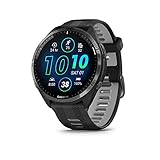
- Brilliant AMOLED touchscreen display with traditional button controls and lightweight titanium bezel
- Battery life: up to 23 days of battery life in smartwatch mode, up to 31 hours in GPS mode
- Confidently run any route using full-color, built-in maps and multi-band GPS
- Training readiness score is based on sleep quality, recovery, training load and HRV status to determine if you’re primed to go hard and reap the rewards (data presented is intended to be a close estimation of metrics tracked)
- Plan race strategy with personalized daily suggested workouts based on the race and course that you input into the Garmin Connect app and then view the race widget on your watch; daily suggested workouts adapt after every run to match performance and recovery
In practice, this usually shows up as a small but noticeable reduction in battery life rather than dramatic drain. A watch rated for 14 days might last 11–12, or a multiband GPS mode might consume more power than expected during long runs or rides.
These changes are most noticeable on smaller watches with less battery headroom, such as the Forerunner 255S, Venu series, or older Vivoactive models. Larger devices like the Fenix, Epix, Enduro, or Instinct Solar tend to mask inefficiencies better simply because they start with more capacity.
Battery Reporting Can Be Less Accurate Than Actual Drain
One overlooked issue is battery percentage calibration. Beta firmware sometimes misreports remaining charge even when real-world drain hasn’t changed significantly.
You may see sudden drops of 5–10 percent after an activity, or the watch may sit at a fixed percentage for hours before falling quickly. This is a software estimation issue, not necessarily a degraded battery.
Garmin usually resolves these reporting quirks before public release, but during beta, you need to rely more on usage patterns than the exact percentage shown on the screen.
Stability: What “Mostly Stable” Actually Means
Garmin beta firmware is typically stable enough for daily wear, but “stable” doesn’t mean flawless. Bugs tend to cluster around edge cases rather than basic operation.
Examples include occasional Bluetooth dropouts with specific phone models, delayed widget loading, random UI lag after syncing, or an activity screen failing to refresh properly until you exit and re-enter. Full crashes or reboots are rare but not impossible.
If your watch is mission-critical for events, navigation-heavy adventures, or safety tracking like LiveTrack or incident detection, beta firmware introduces a small but real risk window.
GPS, Sensors, and Environmental Variability
Sensor behavior is one of the most common areas Garmin tests in beta. This includes GPS chipset tuning, heart rate filtering, altimeter calibration, and temperature compensation.
On some builds, GPS tracks may look cleaner; on others, you might notice slight drift, delayed lock, or elevation gain discrepancies compared to stable firmware. These are usually algorithmic tweaks rather than hardware failures.
If you rely on absolute accuracy for pacing, climbing metrics, or structured workouts tied to pace zones, expect some variation until the firmware matures.
Training Load, Readiness, and Metric Volatility
The most misunderstood risk of early access involves training metrics rather than raw activity data. Metrics like Training Readiness, Acute Load, HRV Status, and Recovery Time are calculated models, not fixed measurements.
When Garmin adjusts these models in beta, your historical trends can shift overnight. Yesterday’s “productive” week may suddenly look “maintaining” or “strained” even if your training hasn’t changed.
This doesn’t mean your data is corrupted. It means the interpretation layer has been recalibrated, and comparisons across firmware versions may no longer align cleanly.
Your Raw Activity Files Are Usually Safe
Despite concerns, Garmin beta firmware almost never deletes or corrupts recorded activities. FIT files are stored locally on the watch and synced like normal.
Even if a beta bug affects how an activity displays in Garmin Connect, the underlying file is typically intact. In worst-case scenarios, you can manually export the file and re-upload it once issues are resolved.
That said, syncing glitches can delay uploads or cause duplicate entries, which can be annoying if you track mileage precisely or use third-party platforms like TrainingPeaks or Strava.
Third-Party App and Data Field Compatibility
Connect IQ apps, watch faces, and data fields may lag behind beta firmware updates. Developers often wait for public release before updating compatibility.
This can result in higher battery drain from inefficient apps, missing data fields during activities, or watch faces that behave unpredictably. Core Garmin functions are prioritized; third-party tools are not.
If your daily setup depends heavily on custom data fields, structured workout apps, or advanced watch faces, beta firmware requires more tolerance for rough edges.
Sleep Tracking and All-Day Metrics Are More Sensitive Than Workouts
Short activities often behave fine in beta, but all-day metrics like sleep, Body Battery, stress, and HRV are more vulnerable to background bugs.
A missed sleep recording or partial night isn’t uncommon on early builds, especially after firmware updates or restarts. This can cascade into skewed readiness and recovery metrics for several days.
For users focused on long-term health tracking rather than pure performance training, this is one of the most meaningful trade-offs to consider.
Rolling Back Is Possible, but Not Instant
Garmin allows users to exit the beta program and return to public firmware, but it isn’t always a one-tap reversal. Depending on the device, you may need to wait for the next stable release or manually install firmware via Garmin Express.
During rollback, settings may reset, and some preferences or layouts may need to be reconfigured. Your activity history remains intact, but convenience takes a hit.
This is why beta participation works best when approached as a medium-term commitment, not something you toggle week to week.
Who Should Think Twice Before Enrolling
If you’re in the middle of a marathon build, rely on your watch for navigation in remote environments, or need absolute consistency for coaching or clinical data, beta firmware adds unnecessary variables.
Similarly, if battery predictability is critical for multi-day events or expeditions, even small efficiency changes can matter more than new features.
For everyone else, especially users curious about how Garmin’s ecosystem evolves, the risks are manageable as long as expectations are realistic and data interpretation stays flexible.
How to Leave the Beta Program or Roll Back to Stable Firmware
Once you’ve lived with beta firmware for a while, there are valid reasons to step back. Maybe a bug is interfering with sleep tracking, battery estimates feel off, or you’re heading into a training block where predictability matters more than experimentation.
Garmin does allow you to leave the beta program, but the process works differently than opting in. Understanding what actually happens when you exit helps avoid frustration and prevents accidental data loss.
Leaving the Beta Program Stops Future Updates, Not the Current Firmware
The most important thing to understand is that unenrolling does not instantly downgrade your watch. When you leave the beta program, your device simply stops receiving future beta builds.
Your watch remains on its current beta firmware until Garmin releases a public (stable) version that is equal to or newer than what you’re running. At that point, it will automatically transition back to stable software.
This design prevents forced downgrades that could risk bricking the device or corrupting health data stored on the watch.
How to Unenroll from the Garmin Beta Program
Unenrolling is done through your Garmin account, not directly on the watch.
Sign in to your Garmin account on the web and navigate to the Garmin Beta Program page. From there, select the device currently enrolled and choose the option to leave or unenroll from the beta.
Once confirmed, your enrollment status updates immediately, but your watch software does not change yet. No reset or sync is required at this stage.
What Happens After You Unenroll
After leaving the beta program, your watch will continue to function normally on its existing firmware. You’ll still receive GPS fixes, activity tracking, notifications, and sensor updates as usual.
The next time Garmin publishes a stable release that matches or exceeds your beta version number, your watch will download and install it automatically through Garmin Connect or Wi‑Fi, depending on your model.
Until that happens, you’re effectively in a holding pattern on the beta build, just without access to newer experimental updates.
Rolling Back Manually Using Garmin Express (When Available)
On some devices and firmware branches, Garmin Express on Windows or macOS may allow a manual reinstall of the latest public firmware. This option is not guaranteed and depends on whether a stable build exists that is newer than your beta.
Connect your watch to a computer using the charging cable and open Garmin Express. If a public version is available, you may see an option to reinstall or update software.
If Garmin Express does not offer a downgrade path, there is no supported way to force a rollback. In that case, waiting for the next stable release is the only safe option.
Settings, Layouts, and What Might Reset
Leaving the beta program does not erase your activity history, training load, or health metrics stored in Garmin Connect. Completed activities, VO2 max trends, and long-term data remain intact.
However, some on-device settings may reset during the transition back to stable firmware. This can include data screen layouts, custom watch face selections, power mode tweaks, or sensor preferences.
It’s a good idea to take screenshots or notes of complex setups before rolling back, especially if you use custom sport profiles or advanced battery management modes.
Battery Life and Performance After Returning to Stable
Once your watch is back on stable firmware, battery behavior usually normalizes within a few days. Garmin’s algorithms often need a couple of full charge cycles to recalibrate estimates after a firmware change.
You may notice steadier overnight drain, more consistent Body Battery recovery, and fewer background sync spikes. This is particularly noticeable on AMOLED models where beta builds sometimes experiment with display timing and refresh behavior.
From a daily usability standpoint, stable firmware prioritizes consistency over feature velocity, which is often preferable for long events or multi-day outdoor use.
When Leaving the Beta Program Makes the Most Sense
If you rely on your watch for navigation in remote environments, structured coaching plans, or long-term health trend analysis, stability matters more than early access. Even minor background bugs can ripple into training readiness and recovery metrics.
Users preparing for races, expeditions, or multi-week training cycles often benefit from returning to stable firmware at least two to three weeks in advance. This gives metrics time to settle and battery behavior to stabilize.
Leaving the beta program isn’t a failure or a step backward. It’s simply using Garmin’s early access system as intended, opting in when curiosity outweighs risk, and opting out when reliability becomes the priority again.
💰 Best Value

- Designed with a bright, colorful AMOLED display, get a more complete picture of your health, thanks to battery life of up to 11 days in smartwatch mode
- Body Battery energy monitoring helps you understand when you’re charged up or need to rest, with even more personalized insights based on sleep, naps, stress levels, workouts and more (data presented is intended to be a close estimation of metrics tracked)
- Get a sleep score and personalized sleep coaching for how much sleep you need — and get tips on how to improve plus key metrics such as HRV status to better understand your health (data presented is intended to be a close estimation of metrics tracked)
- Find new ways to keep your body moving with more than 30 built-in indoor and GPS sports apps, including walking, running, cycling, HIIT, swimming, golf and more
- Wheelchair mode tracks pushes — rather than steps — and includes push and handcycle activities with preloaded workouts for strength, cardio, HIIT, Pilates and yoga, challenges specific to wheelchair users and more (data presented is intended to be a close estimation of metrics tracked)
Is Early Access Right for You? Athlete Profiles That Benefit — and Those That Should Wait
Deciding whether to opt into Garmin’s early access ecosystem is less about curiosity and more about how you actually use your watch day to day. The same beta feature that feels exciting on a casual run can become a liability during structured training or remote adventures.
Framed another way, early access works best when your watch is a tool for exploration and experimentation, not a mission-critical instrument you depend on without a backup.
Athletes Who Benefit Most From Early Access
If you enjoy testing new metrics, refining data screens, and adapting your workflow as Garmin evolves its software, early access is often a net positive. These users tend to notice improvements early and are comfortable adjusting settings if something changes.
Runners and cyclists training without rigid plans are a strong fit. Beta features often debut in areas like workout execution, training readiness logic, race time predictions, or new activity profiles, and unstructured athletes can absorb small inconsistencies without derailing a season.
Tech-forward users who already tweak power modes, sensor priorities, or Connect IQ fields usually adapt quickly. If you understand how to reboot, resync, or temporarily disable a feature, most beta friction is manageable rather than frustrating.
Daily Fitness Users and Recreational Athletes
For everyday fitness tracking, early access is generally low risk. Steps, heart rate, sleep staging, and basic activities rarely break in ways that affect long-term usefulness.
This group often benefits from UI refinements first. Changes to glance layouts, AMOLED behavior, touchscreen responsiveness, or shortcut gestures usually arrive in beta before rolling out widely, and they can meaningfully improve daily comfort and usability.
Battery life experimentation does happen, but users charging every few days rather than every few weeks tend to feel the impact less acutely. On midrange models like Venu or vivoactive, betas are often quite stable once past the earliest builds.
Data-Curious Athletes and Early Adopters
If you actively analyze trends in VO2 max, HRV status, training load, or recovery time, early access can be compelling. Garmin frequently tests refinements to algorithms months before they are finalized, and beta users see these shifts first.
This is especially appealing if you own newer hardware. Flagship models typically receive the most beta attention, and features are often tuned specifically for their sensors, display technology, and processing headroom.
These users also tend to provide feedback through Garmin’s beta channels, which is where early access delivers its full value. You are not just consuming features early, you are influencing how they ship.
Athletes Who Should Think Twice
If your watch is central to structured coaching plans, early access demands caution. Workout execution bugs, pace alerts firing inconsistently, or sync hiccups with Garmin Coach can disrupt carefully planned sessions.
Athletes in the final build-up to a race are particularly vulnerable. Even subtle changes to training readiness, recovery estimates, or race widgets can introduce doubt at a time when confidence and consistency matter most.
Users who depend heavily on third-party integrations should also be careful. Beta firmware occasionally breaks compatibility with external platforms or Connect IQ apps until developers catch up.
Outdoor and Expedition-Focused Users
For hikers, mountaineers, and multi-day adventure athletes, stability often outweighs novelty. Navigation glitches, map redraw issues, or unexpected battery drain can become serious problems far from power or connectivity.
Solar-assisted models and long-endurance watches are especially sensitive during beta cycles. Changes to GPS sampling, multi-band behavior, or background processes can impact the very battery advantages these watches are purchased for.
If your watch doubles as a safety tool rather than just a fitness tracker, early access should be approached selectively and exited well before major trips.
Users Who Value Set-and-Forget Reliability
Some Garmin owners simply want their watch to disappear on the wrist and work every time. They value predictable battery life, unchanged menus, and metrics that behave the same week after week.
For this group, stable firmware is usually the better choice. Early access can feel like unnecessary noise, especially if you do not enjoy troubleshooting or reconfiguring settings after updates.
There is no penalty for skipping beta entirely. Garmin’s phased rollout ensures you still receive features once they are fully baked and validated across a wider user base.
How to Decide Honestly
Ask yourself one simple question: would a minor bug be an inconvenience or a problem? If the answer leans toward inconvenience, early access is likely a good fit.
If the answer is problem, especially during key training phases or trips, waiting for stable releases is not playing it safe, it is using the platform as designed. Garmin’s early access ecosystem exists to serve both types of users, not to pressure everyone into being first.
Frequently Asked Questions About Garmin Early Access and Beta Features
With the decision-making framework above in mind, most remaining confusion comes down to practical details. The questions below reflect what long-time Garmin users most often ask once they start exploring early access in the real world.
What exactly is Garmin Early Access, and how is it different from beta firmware?
Garmin uses “early access” as an umbrella term for features that appear before a full public rollout. These features can arrive through public beta firmware, limited feature flags, or phased server-side activations inside Garmin Connect.
Beta firmware is the most visible form of early access because it installs directly on your watch. However, not every early feature requires beta firmware, and not every beta build introduces headline features.
Is Garmin’s beta program public or invite-only?
Garmin’s beta program is public, but device-specific. If your watch model is eligible, you can opt in without an invitation through Garmin Connect or Garmin Express.
Eligibility depends on hardware capability, current software architecture, and Garmin’s internal testing priorities. Even within the same product family, some sizes or editions may be excluded.
Which Garmin watches typically get early access features?
Flagship and mid-range models usually lead the way. This includes lines like Fenix, Epix, Forerunner, Enduro, Venu, and Instinct, though timing varies by generation.
Older models may still receive stable updates but often skip early access entirely. Hardware limits such as memory, sensors, or display resolution play a bigger role than price alone.
How do I actually sign up for Garmin beta firmware?
On most modern watches, beta enrollment happens through Garmin Connect Mobile. You navigate to your device settings, find the software update or beta section, and opt in.
Some models still rely on Garmin Express on a computer for beta enrollment. Once enrolled, updates are delivered the same way as normal firmware, just on a beta track.
Do I need to reset my watch to join or leave the beta?
Joining the beta does not require a reset. Your profiles, activities, and settings remain intact during installation.
Leaving the beta often does require a rollback, which can trigger a factory reset depending on the device. Garmin typically warns you before this step so you can sync and back up data.
Can beta firmware affect battery life?
Yes, and this is one of the most common trade-offs. Changes to GPS behavior, sensor sampling, background processes, or display logic can increase or decrease battery life unpredictably.
Solar-assisted and long-endurance models are especially sensitive. Even small efficiency regressions can compound over multi-day use.
Will beta software break my data or training history?
Your historical data stored in Garmin Connect is generally safe. Activities recorded during beta builds sync like normal unless a specific bug interferes.
What can change is how new metrics are calculated or displayed. This may temporarily disrupt trends like training readiness, body battery, or load focus until the algorithms stabilize.
Are health and fitness metrics reliable during beta?
They are usually directionally accurate but not always final. Garmin often tunes algorithms during beta, which can shift baselines for heart rate variability, sleep stages, or recovery metrics.
If you rely on these numbers for coaching decisions or medical discussions, stable firmware is the safer option. Beta is better viewed as exploratory rather than definitive.
Can beta firmware affect third-party apps or sensors?
Yes. Connect IQ apps, watch faces, and external sensors sometimes lag behind firmware changes.
Most issues are temporary, but if you rely on a specific app or accessory daily, beta firmware introduces friction. Developers typically update quickly, but timing is not guaranteed.
How often does Garmin update beta builds?
Update frequency varies by product and development cycle. Some beta tracks update weekly, while others pause for long stretches.
A lack of updates does not mean development has stopped. It often means Garmin is validating changes internally before pushing the next build.
What happens when a beta feature becomes official?
Once a feature graduates, it rolls into stable firmware. At that point, beta users receive it as part of a standard update, and non-beta users get it through the normal rollout.
In some cases, beta-only toggles disappear as features become default behavior. The end result is usually cleaner menus and fewer experimental settings.
Can I switch between beta and stable whenever I want?
You can opt out, but it is not always instant. Rolling back often requires waiting for a stable firmware version that is equal to or newer than your beta build.
This is why timing matters. Leaving beta just before an important race or trip can be inconvenient if a rollback forces a reset.
Does early access cost anything?
No. Garmin does not charge for beta participation or early features.
The “cost” is time, patience, and a higher tolerance for imperfections. That trade-off is the real entry fee.
Is early access worth it for most users?
For curious, tech-comfortable users who enjoy seeing where the platform is heading, yes. Early access can make a watch feel fresh and extend its perceived value.
For users who prioritize reliability, consistency, and predictable battery life, waiting is not missing out. It is simply choosing stability over novelty.
What is the safest way to try early access?
Treat beta firmware like a temporary experiment. Install it during lower-stakes training periods and avoid it before major events or expeditions.
Always sync your watch before updates, read the beta change log, and give new builds a few days before trusting them fully. This mindset keeps early access exciting rather than stressful.
In the end, Garmin’s early access ecosystem is about choice. Whether you opt in or stay stable, the platform is designed to support both paths, letting you decide how much experimentation fits your training, lifestyle, and expectations.