If you’ve ever seen the ECG app on your Google Pixel Watch and wondered whether it’s a genuine health tool or just another flashy feature, you’re not alone. This is one of those functions that sounds clinical and intimidating, yet it’s designed to be used by regular people, sitting at a desk or on the couch, not in a hospital. Understanding exactly what it does is the difference between using it confidently and ignoring it altogether.
The Pixel Watch ECG feature is not meant to diagnose heart disease or replace a doctor’s visit. Instead, it gives you a snapshot of your heart’s electrical rhythm at a specific moment, helping identify certain irregular patterns that might be worth discussing with a healthcare professional. Before you learn how to take an ECG reading, it’s important to know what kind of information you’re actually getting and whether this feature is relevant for you.
What the Pixel Watch ECG is measuring
The Google Pixel Watch uses built-in electrical sensors in the case back and the digital crown to record a single-lead electrocardiogram. When you complete a reading, the watch measures how electrical signals travel through your heart, which is what causes it to beat. This is similar in concept to clinical ECGs, but far simpler and more limited in scope.
Specifically, the Pixel Watch ECG is designed to look for signs of atrial fibrillation, often shortened to AFib. AFib is a type of irregular heart rhythm where the upper chambers of the heart beat out of sync with the lower chambers. It’s one of the more common rhythm irregularities and can sometimes go unnoticed without monitoring.
🏆 #1 Best Overall

- Learn to manage stress, sleep better and live healthier with Sense 2—our most advanced health and fitness smartwatch.Human Interface Input: Touchscreen
- Manage stress and live healthier: all-day stress detection with cEDA and daily Stress Management Score, ECG app for atrial fibrillation assessment(1), irregular heart rhythm notifications(2), SpO2(3), health metrics dashboard(4), mindfulness content
- Measure and improve sleep quality: personalized Sleep Profile(5), daily sleep stages & Sleep Score, smart wake alarm and do not disturb mode
- Enhance activity: built-in GPS and workout intensity map, Daily Readiness Score(5), Active Zone Minutes, all-day activity tracking and 24/7 heart rate, 40+ exercise modes and automatic exercise tracking, water resistant to 50 meters
- Designed for all-day wear: on-wrist Bluetooth calls, texts and phone notifications(6), customizable clock faces, Fitbit Pay(7), Amazon Alexa built-in(8), Google Wallet & Maps (Google Maps on Android only, coming Spring 2023 to iOS), 6+ day battery(9)
The result you see is not a raw waveform meant for interpretation by the average user. Instead, Google’s software analyzes the signal and classifies it into categories such as sinus rhythm, atrial fibrillation, or inconclusive, based on FDA-cleared algorithms.
What it can tell you, and what it can’t
What the Pixel Watch ECG can do well is confirm whether your heart rhythm at that moment appears regular or shows signs consistent with AFib. If you’re experiencing symptoms like palpitations, dizziness, or an unusual fluttering sensation, capturing an ECG during that time can provide useful context to share with a doctor.
What it cannot do is detect heart attacks, blocked arteries, heart failure, or other complex cardiac conditions. It also cannot continuously monitor your heart rhythm the way a medical-grade Holter monitor does. Each ECG is a single, manual, 30-second snapshot, not an ongoing diagnosis.
It’s also important to understand that “inconclusive” does not mean something is wrong. This result often appears due to movement, poor contact with the sensors, a heart rate outside the supported range, or minor electrical noise that prevents accurate analysis.
How accurate and clinically legitimate is it?
The ECG feature on the Google Pixel Watch is FDA-cleared in supported regions, meaning it has met regulatory standards for identifying AFib in adults. This places it in the same category as ECG features on other major smartwatches and makes it a legitimate health screening tool, not a novelty.
That said, FDA clearance does not mean perfection. Accuracy depends heavily on proper positioning, staying still, and having good skin contact. Factors like dry skin, a loose strap, or taking a reading immediately after exercise can reduce signal quality.
Think of the Pixel Watch ECG as a reliable early-warning or documentation tool. It’s best used to capture data you can later show a healthcare professional, not as a standalone verdict on your heart health.
Who this feature is actually for
The ECG feature is intended for adults who want occasional insight into their heart rhythm, especially those over 22 years old, which is the minimum age specified for use. It’s particularly useful for people with a family history of AFib, those who experience unexplained heart sensations, or users who simply want added reassurance during daily life.
It’s also well suited for Pixel Watch owners who already wear their watch consistently and value health data alongside fitness tracking. Because the watch is lightweight, comfortable for all-day wear, and designed with smooth case edges and soft fluoroelastomer or woven bands, it’s easy to take readings without adjusting your routine.
This feature is not intended for people with known arrhythmias other than AFib, those with implanted pacemakers or defibrillators, or anyone seeking real-time medical monitoring. In those cases, a doctor-directed device will always be more appropriate.
Model, region, and software limitations to be aware of
Not every Pixel Watch model or region supports ECG functionality. The feature is available on supported Pixel Watch models with the required hardware, and only in countries where regulatory approval has been granted. Even if the hardware is present, the ECG app may not appear if your Google account or physical location is outside a supported region.
Software also plays a role. You need a compatible Pixel phone paired to the watch, the Fitbit app installed and set up, and the latest available software updates. Battery level matters too, as ECG readings won’t start if the watch is critically low on power.
These constraints don’t reduce the value of the feature, but they do explain why some users see it immediately while others need to complete setup steps or wait for regional availability before it becomes usable.
Supported Pixel Watch Models, Software Versions, and Regional Availability
Now that you understand who the ECG feature is meant for and why setup details matter, the next step is confirming whether your specific Pixel Watch, software version, and location actually support ECG recording. This is where most confusion tends to arise, even among experienced smartwatch users.
Pixel Watch models that support ECG
ECG recording requires dedicated electrical sensors built into the watch case and crown, so support is limited to specific hardware. As of now, ECG is available on the Google Pixel Watch (first generation) and Pixel Watch 2, both of which include the necessary electrodes around the stainless steel or aluminum case and the digital crown.
If you’re wearing either model, the physical design matters more than it might seem. The snug, low-profile case, curved back crystal, and soft fluoroelastomer or woven bands help keep consistent skin contact, which is essential for accurate ECG readings. Third-party bands are generally fine, but overly loose metal bracelets or stiff leather straps can make it harder to maintain steady contact during the 30-second reading.
Older Fitbit devices and other Wear OS watches do not gain ECG functionality simply by installing apps. This is a hardware-dependent feature, not something that can be added later through software.
Required software and phone compatibility
Having the right watch is only half the equation. Your Pixel Watch must be running a supported version of Wear OS with all available system updates installed, as ECG support is delivered through Google’s system-level health services rather than a standalone app update.
You also need a compatible Pixel phone paired to the watch. At a minimum, this means a modern Pixel phone running a recent version of Android, with the Fitbit app installed, signed in, and fully set up. The Fitbit app handles ECG results, account verification, and regulatory checks, so skipping setup steps can prevent the ECG app from appearing on the watch.
Battery level and general device health also matter. The watch won’t allow an ECG reading if the battery is critically low, if the watch is overheating, or if system updates are pending. Keeping your watch charged and updated improves not just ECG reliability, but overall daily usability and health tracking accuracy.
Regional availability and regulatory approval
Even with supported hardware and up-to-date software, ECG availability depends heavily on where you live. Google must receive medical regulatory clearance on a country-by-country basis, which means the ECG app is only enabled in specific regions.
In supported countries, ECG can be activated once you confirm your age and complete the Fitbit ECG setup process. In unsupported regions, the app may not appear at all, or it may remain locked even though the hardware is present. This is based on your Google account region and physical location, not just the language settings on your phone.
Travel can introduce edge cases. If you purchased your watch in a supported country but later move or travel long-term to an unsupported region, ECG access may be restricted. Short trips usually don’t affect functionality, but long-term location changes sometimes do.
Age requirements and account verification
Google restricts ECG use to adults aged 22 and older, in line with clinical validation and regulatory guidance. During setup, you’ll be asked to confirm your age in the Fitbit app, and incorrect or missing profile information can block access to the feature.
This age restriction isn’t about limiting value; it reflects how the ECG algorithms were trained and tested. For younger users, heart rhythm patterns can differ enough that results may be less reliable, so Google errs on the side of medical caution.
Why availability can change over time
ECG support is not static. Google periodically expands regional approval, refines software algorithms, and adjusts compatibility through firmware updates. That means a watch that doesn’t support ECG today may gain access later without any hardware changes.
For long-term value, both Pixel Watch models remain competitive because of Google’s ongoing software support, comfortable all-day wearability, and deep Fitbit integration. As long as you keep your devices updated and meet the regional and account requirements, ECG is designed to be a dependable, low-effort health check that fits naturally into daily life rather than feeling like a medical procedure.
Before You Start: Setup Requirements, Google Account, and Health App Configuration
With regional eligibility and age requirements out of the way, the next step is making sure your Pixel Watch and phone are properly set up. ECG only works when the hardware, software, and account configuration are all aligned, and skipping one of these steps is the most common reason the ECG app doesn’t appear or won’t activate.
This is a one-time setup for most users. Once everything is configured correctly, taking an ECG becomes a quick, repeatable process that fits naturally into daily wear.
Confirm you have a compatible Pixel Watch model
ECG is supported on Google Pixel Watch and Pixel Watch 2 models that include the required electrical heart sensor built into the case and crown. Both versions look similar on the wrist, share the same 41 mm case size, and are designed for all-day comfort with curved lugs and lightweight construction.
From a wearability perspective, strap choice matters more than many people realize. A snug, secure fit using the standard Active Band or a well-fitted woven or leather strap helps ensure consistent skin contact, which directly affects ECG signal quality.
If you’re using a third-party band, check that it doesn’t allow the watch to shift during still moments. ECG requires stable contact rather than tight pressure, so comfort and consistency are more important than clamping the watch down.
Phone compatibility and software requirements
Your Pixel Watch must be paired to an Android phone running a supported version of Android, typically Android 9 or newer, with Google Play services enabled. iPhones are not supported for Pixel Watch ECG features.
Before proceeding, make sure both devices are fully updated. That includes the watch’s Wear OS firmware, the Pixel Watch app on your phone, and the Fitbit app. ECG availability can be blocked by outdated software even if your region and account are eligible.
It’s also worth checking that your phone has a stable internet connection during setup. Some ECG permissions and regional checks occur during initial activation and may fail silently if connectivity is interrupted.
Google account and Fitbit account alignment
ECG depends on your Google account region and your Fitbit profile information matching correctly. You’ll need to be signed into the Pixel Watch app and the Fitbit app using the same Google account that you use on your watch.
Inside the Fitbit app, confirm that your profile includes your correct date of birth, country, and gender information. Missing or inconsistent data can prevent ECG from unlocking, even if everything else is correct.
If you’ve previously used Fitbit with a different email address or migrated accounts, double-check that you’re not accidentally signed into an old profile. This is a frequent cause of setup confusion, especially for long-time Fitbit users upgrading to a Pixel Watch.
Installing and enabling the Fitbit ECG app
The ECG feature lives inside the Fitbit ECG app, which must be installed on the watch and enabled through the Fitbit app on your phone. In most supported regions, the app installs automatically during initial setup, but it’s still worth confirming.
Open the Fitbit app on your phone, navigate to the Pixel Watch device settings, and look for ECG or Heart Rhythm Assessment. If the option appears but is greyed out, it usually means a remaining requirement hasn’t been met, such as age verification or regional confirmation.
During first-time setup, you’ll be guided through consent screens explaining what ECG can and cannot do. Take the time to read these carefully, as they clarify that the feature is designed for detecting certain irregular rhythms, not diagnosing heart conditions.
Rank #2
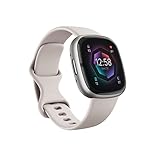
- Learn to manage stress, sleep better and live healthier with Sense 2—our most advanced health and fitness smartwatch.Operating temperature : 14° to 113° F (-10° to 45° C)..Band material type : Silicone
- Manage stress and live healthier: all-day stress detection with cEDA and daily Stress Management Score, ECG app for atrial fibrillation assessment(1), irregular heart rhythm notifications(2), SpO2(3), health metrics dashboard(4), mindfulness content
- Measure and improve sleep quality: personalized Sleep Profile(5), daily sleep stages & Sleep Score, smart wake alarm and do not disturb mode
- Enhance activity: built-in GPS and workout intensity map, Daily Readiness Score(5), Active Zone Minutes, all-day activity tracking and 24/7 heart rate, 40+ exercise modes and automatic exercise tracking, water resistant to 50 meters
- Designed for all-day wear: on-wrist Bluetooth calls, texts and phone notifications(6), customizable clock faces, Fitbit Pay(7), Amazon Alexa built-in(8), Google Wallet & Maps (Google Maps on Android only, coming Spring 2023 to iOS), 6+ day battery(9)
Permissions that must be enabled
For ECG to function reliably, several permissions need to be granted. These include Bluetooth access, background activity for the Fitbit app, and sensor access on the watch itself.
On your phone, disabling battery optimization for the Fitbit app can prevent connection drops during ECG setup and syncing. While ECG recordings are taken on the watch, results are stored and reviewed through the phone app, so uninterrupted communication matters.
Location permissions may also be requested during setup. This is not for tracking your movements during ECGs, but for confirming regional eligibility based on regulatory requirements.
Battery level and watch readiness
Your Pixel Watch should have at least 30 percent battery before attempting ECG setup or recording. Low battery levels can prevent the ECG app from launching or completing a reading.
Because ECG requires you to remain still for about 30 seconds, it’s best to perform your first setup when you’re seated, relaxed, and not immediately after exercise. A calm baseline helps ensure your first reading completes successfully and builds confidence in the process.
The Pixel Watch’s lightweight case and smooth sensor back are designed for extended wear, so once setup is complete, you don’t need to remove or reposition the watch for future ECGs unless the fit changes.
Final checks before your first ECG
Before moving on, confirm that the ECG app appears in your watch’s app list and that the Fitbit app shows ECG as available for your device. If it does, you’re ready to take your first reading.
If it doesn’t, resist the urge to reset the watch immediately. In most cases, missing ECG access is tied to account, region, or software status rather than faulty hardware, and those issues can usually be resolved with careful verification rather than drastic troubleshooting steps.
How to Take an ECG on Google Pixel Watch: Step-by-Step Walkthrough
With setup confirmed and the ECG app visible on your watch, you’re ready to record a reading. The process itself is simple, but small details in posture, fit, and hand placement make a meaningful difference to accuracy.
Think of this as creating the cleanest possible signal rather than rushing to finish. A calm, deliberate approach mirrors how clinical single‑lead ECGs are captured and helps the watch’s sensors do their job properly.
Step 1: Put the watch on correctly
Wear your Pixel Watch on the wrist you selected during setup, with the case centered on the top of your wrist. The back of the watch should sit flat against your skin, making full contact without gaps.
The band should be snug but not tight. If the watch can slide freely or leaves deep pressure marks, adjust it before starting, as inconsistent contact is a common cause of failed readings.
Step 2: Sit still and get comfortable
Sit in a chair with your feet flat on the floor and your arms resting comfortably. Avoid crossing your legs or clenching your hands, as muscle tension can introduce electrical noise into the reading.
Do not attempt an ECG while walking, standing, or immediately after exercise. The Pixel Watch is lightweight and well-balanced for daily wear, but ECG still requires stillness for a clean signal.
Step 3: Open the ECG app on your watch
On the watch, press the crown to open the app list and select ECG. The screen will guide you through a brief reminder about proper positioning and what the test can and cannot detect.
If this is your first reading, you may see additional prompts acknowledging that ECG is not a diagnostic tool. Read these carefully, as they explain how results should be interpreted.
Step 4: Place your finger on the crown
Lightly rest the fingertip of your opposite hand on the watch’s digital crown. Do not press down or grip the watch, as excessive pressure can interfere with the electrical circuit.
The crown acts as one electrode while the sensor on the back of the case acts as the other. This creates a single‑lead ECG similar in concept to lead I in a clinical ECG.
Step 5: Remain still for the full 30 seconds
Once the reading starts, stay as still as possible and breathe normally. The watch will display a countdown timer showing progress.
If the reading fails, the watch will usually explain why, such as too much movement or poor contact. Simply adjust and try again rather than assuming there’s a hardware issue.
Step 6: Review the result on the watch
When the recording completes, you’ll see a classification such as sinus rhythm, atrial fibrillation, or inconclusive. This immediate feedback is useful, but it’s only part of the picture.
The watch does not continuously monitor for AFib during an ECG. It captures a snapshot of your heart rhythm during those 30 seconds only.
Step 7: View detailed results in the Fitbit app
Open the Fitbit app on your paired phone to see the full ECG trace and any additional notes. You can scroll through past recordings, add symptoms, and export a PDF if you need to share results with a clinician.
Syncing usually happens automatically within seconds. If it doesn’t, ensure Bluetooth is connected and the app is running in the background.
Common mistakes that lead to inaccurate readings
One of the most frequent issues is taking an ECG when the watch is too loose or worn too low on the wrist. Repositioning it slightly higher, just above the wrist bone, often solves this.
Cold, dry skin can also affect conductivity. Warming your wrist or slightly moistening the skin can improve contact, especially in colder environments.
Understanding what the results really mean
A sinus rhythm result suggests a normal heart rhythm during the recording, not a guarantee of overall heart health. An atrial fibrillation result indicates a rhythm consistent with AFib at that moment and should be discussed with a healthcare professional.
Inconclusive results are common and do not automatically signal a problem. They usually reflect movement, poor signal quality, or heart rates outside the supported range.
Important medical limitations to keep in mind
The Pixel Watch ECG feature is cleared for detecting atrial fibrillation in certain regions and age groups, but it does not detect heart attacks, blood clots, or other arrhythmias. It is also not intended for users with known AFib or implanted pacemakers.
If you experience symptoms like chest pain, dizziness, or shortness of breath, do not rely on a smartwatch ECG. Seek medical attention regardless of what the watch reports.
When and how often to take ECGs
Most users benefit from taking ECGs only when they feel symptoms such as palpitations or irregular heartbeats. Taking frequent readings without symptoms can increase anxiety without adding useful insight.
The Pixel Watch’s comfortable case design and smooth materials make occasional ECGs easy to fit into daily life, but the real value comes from thoughtful, intentional use rather than constant checking.
Proper Wrist Fit, Body Positioning, and Environment for Accurate ECG Readings
Once you understand when to take an ECG and what the results mean, the next piece is execution. The Pixel Watch’s ECG hardware is sensitive by design, which means small details in how you wear the watch, how you sit, and where you are can make the difference between a clean reading and an inconclusive one.
Getting the wrist fit exactly right
For ECGs, the Pixel Watch should sit slightly higher than where many people wear it for casual use. Position the case just above the wrist bone so the rear sensors sit flat against soft tissue rather than bone.
The band should be snug but not tight. You want firm, even contact with the skin without restricting circulation or leaving deep marks when you remove the watch.
Band material matters more than most users expect. Silicone and fluoroelastomer straps generally provide the most consistent contact for ECG readings, while loose metal bracelets or fabric bands may need extra adjustment to avoid micro-movements during the test.
Which wrist to use and hand placement during the reading
You can take an ECG on either wrist, as long as the watch is set to match that wrist in the Pixel Watch settings. A mismatch between the selected wrist and the one you’re wearing it on can degrade signal quality.
When prompted, rest the arm wearing the watch on a table or your lap. Then lightly place the fingertip of your opposite hand on the crown, applying steady contact without pressing hard.
Avoid gripping the crown or tensing your hand. Muscle tension in the forearm can introduce electrical noise that interferes with the heart signal the watch is trying to capture.
Body posture that minimizes interference
Sit upright in a chair with your back supported and both feet flat on the floor. This stable posture reduces subtle movements that can disrupt the 30-second recording.
Try to stay still and breathe normally. Holding your breath, talking, or shifting your shoulders can all affect the ECG trace, even if the movement feels minor.
Rank #3
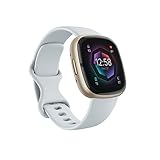
- Learn to manage stress, sleep better and live healthier with Sense 2—our most advanced health and fitness smartwatch
- Manage stress and live healthier: all-day stress detection with cEDA and daily Stress Management Score, ECG app for atrial fibrillation assessment(1), irregular heart rhythm notifications(2), SpO2(3), health metrics dashboard(4), mindfulness content
- Measure and improve sleep quality: personalized Sleep Profile(5), daily sleep stages & Sleep Score, smart wake alarm and do not disturb mode
- Enhance activity: built-in GPS and workout intensity map, Daily Readiness Score(5), Active Zone Minutes, all-day activity tracking and 24/7 heart rate, 40+ exercise modes and automatic exercise tracking, water resistant to 50 meters
- Designed for all-day wear: on-wrist Bluetooth calls, texts and phone notifications(6), customizable clock faces, Fitbit Pay(7), Amazon Alexa built-in(8), Google Wallet & Maps (Google Maps on Android only, coming Spring 2023 to iOS), 6+ day battery(9)
If you’re standing or lying down, it’s worth sitting briefly for the reading. The Pixel Watch ECG algorithm is optimized for a seated, resting position rather than dynamic or reclined postures.
Skin condition and contact quality
Clean, dry skin usually works best, but extremely dry skin can reduce conductivity. If your skin is very dry or cold, warming your wrist for a minute or lightly moistening the skin can help.
Sweat can also be an issue, especially after exercise. Wipe both your wrist and the back of the watch before starting an ECG to ensure consistent sensor contact.
Lotions and sunscreens can leave a residue that interferes with readings. If you’ve recently applied any, clean the area before attempting an ECG.
Choosing the right environment
Take ECGs in a calm, quiet place where you can sit still for half a minute. Busy environments increase the chance of fidgeting or interruptions that lead to inconclusive results.
Cold temperatures can constrict blood vessels and affect signal quality. If you’re outdoors in winter or in strong air conditioning, let your body warm up before starting the test.
Strong vibrations, such as sitting in a moving vehicle or near heavy machinery, can also interfere. Even though the Pixel Watch is built for daily wear, ECGs benefit from a controlled, stable setting.
Why comfort and design matter for repeat readings
The Pixel Watch’s smooth case profile, balanced weight, and curved back help it settle naturally on the wrist, which is especially important for ECG accuracy. A watch that shifts or feels top-heavy is harder to keep stable during the recording window.
If you find yourself frequently adjusting the watch during ECGs, consider resizing your band or switching materials. Long-term accuracy isn’t just about sensors and software, but how comfortably the watch integrates into your daily wear.
Battery level doesn’t usually affect ECG accuracy directly, but taking readings when the watch is extremely low on power can introduce interruptions. Keeping the Pixel Watch comfortably charged ensures the experience stays smooth and stress-free when you need a reading most.
Understanding Your ECG Results: Sinus Rhythm, AFib, Inconclusive, and What They Mean
Once you’ve taken the time to sit still, ensure good contact, and complete a full 30‑second recording, the Pixel Watch immediately analyzes the electrical signals it captured. The result you see is designed to be easy to understand at a glance, but it helps to know exactly what the watch is detecting and, just as importantly, what it is not.
The Pixel Watch ECG feature uses a single‑lead ECG, similar in concept to lead I on a clinical ECG machine. That makes it well suited for identifying certain rhythm patterns, especially atrial fibrillation, but it also comes with clear limits that every user should understand.
Sinus rhythm: what a “normal” result actually means
A Sinus Rhythm result means your heart is beating in a regular pattern, with consistent timing between beats, and no signs of atrial fibrillation were detected during that 30‑second window. This is the result most users will see most of the time.
It’s important to understand that “normal” here refers specifically to rhythm regularity, not overall heart health. A sinus rhythm result does not rule out other heart conditions, structural issues, or problems that don’t affect rhythm in a way the watch can detect.
If you feel fine and consistently see sinus rhythm results, that’s reassuring for day‑to‑day monitoring. Still, it’s best viewed as a snapshot, not a medical clearance or a replacement for routine checkups.
AFib detected: what the Pixel Watch is flagging
If the result shows AFib, the watch has detected an irregular heart rhythm consistent with atrial fibrillation during the recording. AFib is characterized by uneven spacing between beats and a lack of a stable rhythm pattern.
This result does not confirm a medical diagnosis on its own. The Pixel Watch ECG feature is FDA‑cleared as a screening tool, meaning it’s intended to identify possible AFib episodes and prompt further evaluation, not to diagnose or guide treatment.
If you receive an AFib result, especially more than once, it’s strongly recommended to share the ECG PDF with a healthcare professional. The Fitbit app allows you to export the reading, including the waveform and timing, which can be useful context for a clinician.
Inconclusive: why this happens more often than you think
An Inconclusive result means the watch couldn’t confidently classify the rhythm as either sinus rhythm or AFib. This is common and usually reflects recording conditions rather than a heart problem.
Movement, poor skin contact, dry or sweaty skin, or a heart rate that’s too high or too low can all lead to inconclusive readings. Even subtle finger pressure changes on the crown can interrupt the signal enough to prevent classification.
If you see this result, wait a few minutes, adjust the fit or your posture, and try again in a calmer setting. Many users find that simply retaking the ECG under better conditions produces a clear result.
Why heart rate and timing matter
The Pixel Watch ECG app is designed to work within a specific heart rate range, generally between about 50 and 120 beats per minute. Outside that range, the rhythm may be too fast or too slow for the algorithm to analyze reliably.
This is one reason ECGs taken immediately after exercise or during moments of stress often return inconclusive results. The watch’s optical heart rate sensor may still track your pulse accurately, but ECG rhythm classification requires steadier conditions.
For the most reliable readings, wait until your heart rate has settled and your breathing feels normal before starting the test.
What the ECG cannot detect
The Pixel Watch ECG feature does not detect heart attacks, blood clots, strokes, or all types of arrhythmias. Conditions like premature beats, supraventricular tachycardia, or ventricular arrhythmias may not be identified or may show up as inconclusive.
It also cannot assess blood flow, oxygen delivery, or structural heart issues. That limitation is inherent to single‑lead ECGs, not a flaw specific to Google’s implementation.
Understanding these boundaries helps set realistic expectations and prevents unnecessary anxiety over results the watch was never designed to provide.
Using ECG results responsibly
Think of the ECG feature as a personal screening and awareness tool that fits naturally into daily wear. The Pixel Watch’s comfort, balanced case shape, and secure band options make it practical to take repeat readings over time, which is often more useful than a single isolated result.
Patterns matter more than one‑off readings. Repeated AFib detections or a sudden change from your usual results are more meaningful than an occasional inconclusive screen.
If you ever experience symptoms like chest pain, shortness of breath, dizziness, or fainting, do not rely on the watch for reassurance. Seek medical care regardless of what the ECG result shows.
Common ECG Errors and Troubleshooting Tips on Pixel Watch
Even when you follow the on‑screen instructions carefully, ECG recordings can fail or return inconclusive results. Most issues are not hardware defects and are usually tied to fit, body position, skin contact, or environmental factors that affect electrical signal quality.
Because the Pixel Watch is designed for all‑day comfort rather than medical electrodes, small adjustments in how you wear and use it can make a big difference in ECG reliability.
“Inconclusive” or “Poor Recording” results
An inconclusive result is the most common ECG outcome Pixel Watch users see, especially in early attempts. This usually means the signal was too noisy or irregular for the algorithm to classify confidently, not that something is wrong with your heart.
Check your heart rate before starting. If it’s below about 50 bpm or above roughly 120 bpm, the ECG app may struggle to analyze the rhythm accurately, even if the watch tracks your pulse just fine during workouts.
Movement is another major factor. Rest your forearm on a table, keep your shoulders relaxed, and avoid talking during the 30‑second recording to reduce muscle interference.
Finger contact issues on the crown
The Pixel Watch ECG relies on a closed electrical circuit between your wrist and the crown. Light, steady contact is key; pressing too hard can actually introduce noise instead of improving the signal.
If your finger is dry or cold, signal quality can drop. Warming your hands or lightly moistening your fingertip can help create more consistent contact, especially in dry indoor environments.
Avoid shifting your finger or tapping the crown during the reading. Even small movements can interrupt the circuit and cause the app to stop the test early.
Watch fit and strap problems
A loose watch is one of the most overlooked causes of ECG errors. The Pixel Watch’s smooth case and curved lugs are designed for comfort, but the sensor must sit snugly against your skin to maintain a stable signal.
Tighten the band one notch compared to your everyday wear, making sure the back of the case is flat against your wrist without digging in. Soft silicone and fluoroelastomer straps tend to perform better for ECG than loose woven or metal bands.
If you use third‑party straps, check that the watch isn’t shifting when you rest your arm. Even high‑quality leather or fabric straps can flex just enough to degrade ECG signal quality.
Rank #4

- 1.59in l x 1.59in w x 0.49in h. ECG, stress sensing and a skin temperature sensor. Get notifications for calls, texts, calendar events and apps like Gmail and Facebook plus send quick replies and voice replies right from your wrist.
- Compatibility: Apple iOS 12.2 or higher, Android OS 7.0 or higher, Syncing range: Up to 30ft, Music control via Bluetooth Classic on Android and Bluetooth LE on iOS devices.
- Built-in GPS + GLONASS, Speaker, Microphone, Multi-path optical heart rate sensor, IR sensors for oxygen saturation (SpO2) monitoring
- Water-resistant to 50 meters. Battery life up to 6+ days. Heart rate tracking technology. Saves 7 days of detailed motion data minute by minute.
- International Model - No warranty in the US. In Box: Fitbit Versa 3, Classic wristband (both small & large), Charging cable
Skin, sweat, and environmental factors
Very dry skin, heavy lotion, or excessive sweat can all interfere with electrical conduction. Clean and dry your wrist and the back of the watch before starting the ECG.
Cold temperatures can also affect readings by reducing blood flow and skin conductivity. If you’ve just come in from outside, give your body a few minutes to warm up before taking a measurement.
If you recently exercised, wait until your skin is dry and your breathing has returned to normal. This helps both the optical heart rate sensor and the ECG electrodes work more consistently.
App, software, and compatibility issues
If the ECG app won’t start or isn’t available, confirm that your Pixel Watch model supports ECG and that you’re in a region where the feature is cleared for use. ECG availability depends on regulatory approval, not just hardware.
Make sure your watch and paired phone are running the latest software. ECG analysis relies on updated algorithms, and outdated firmware can cause errors or missing features.
If the app freezes or stops mid‑recording, restart the watch and try again later. Persistent issues may point to a temporary software glitch rather than a sensor problem.
Battery level and daily wear considerations
Low battery can sometimes interrupt ECG recordings or prevent the app from launching. Aim to take ECG readings when your watch has at least moderate charge remaining, especially if you’ve been tracking workouts earlier in the day.
The Pixel Watch’s compact case and lightweight feel make it easy to forget how long you’ve been wearing it. After many hours of wear, sweat or minor strap shifts can affect contact quality, so a quick adjustment before an ECG can help.
For best consistency, many users find it helpful to take ECGs at the same time each day, such as in the morning or evening, when conditions are more predictable.
When repeated errors deserve attention
Occasional recording failures are normal, especially when you’re still learning the ideal positioning. However, frequent inconclusive results despite careful setup may warrant closer attention.
If your watch consistently struggles to capture a readable ECG while your heart rate is within range and you’re sitting still, consider discussing this with a healthcare professional rather than relying on repeated attempts for reassurance.
The Pixel Watch is designed as a screening and awareness tool, not a diagnostic device. Troubleshooting helps improve data quality, but persistent symptoms or concerns should always take priority over perfecting a watch-based reading.
Accuracy, Limitations, and How Pixel Watch ECG Compares to Medical-Grade Tests
After addressing setup issues and recording errors, the next question most users have is whether the ECG result itself can be trusted. The short answer is that the Pixel Watch ECG is clinically validated for a specific purpose, but it is not a replacement for medical testing.
Understanding where it performs well, and where it does not, is key to using it responsibly and with confidence.
What the Pixel Watch ECG is designed to detect
The Pixel Watch ECG app records a single‑lead electrocardiogram using electrical signals captured between the back of the watch and your fingertip. This is similar in concept to the ECGs used by Apple Watch and other FDA‑cleared wearables.
Its primary purpose is to screen for signs of atrial fibrillation, a common heart rhythm irregularity that often goes unnoticed. The algorithm looks for irregular timing between heartbeats, not structural or blood‑flow problems.
If the watch reports sinus rhythm or possible AFib, it is reflecting how your heart rhythm behaved during that 30‑second window, not offering a long‑term diagnosis.
What “FDA‑cleared” actually means for accuracy
FDA clearance means the Pixel Watch ECG has demonstrated reasonable accuracy for detecting AFib when used as directed. It does not mean the watch is as precise as hospital equipment or that it can diagnose all heart conditions.
Clinical testing compares watch ECGs against reference ECGs under controlled conditions. In real‑world use, movement, fit, skin dryness, and timing can all affect signal quality.
When conditions are right, Pixel Watch ECG readings are generally reliable for rhythm screening, but inconclusive or irregular results are expected from time to time.
Why smartwatch ECGs are limited by design
Unlike medical ECGs, the Pixel Watch records only one electrical viewpoint of the heart. A standard clinical ECG uses 12 leads placed across the chest and limbs to see the heart from multiple angles.
Because of this, the Pixel Watch cannot detect heart attacks, blocked arteries, or subtle electrical abnormalities that require multi‑lead analysis. Chest pain, shortness of breath, dizziness, or fainting should never be evaluated with a watch ECG alone.
The watch is also not intended for people with certain arrhythmias, pacemakers, or implanted defibrillators unless advised otherwise by a clinician.
How Pixel Watch ECG compares to a clinical ECG test
A medical‑grade ECG performed in a clinic or hospital captures far more detail in a much shorter time. It is supervised, repeatable, and interpreted in the context of symptoms, history, and other tests.
The Pixel Watch, by contrast, excels at convenience and frequency. You can capture rhythm data at home, during daily life, and at moments when symptoms appear and might otherwise be missed.
Many clinicians view smartwatch ECGs as complementary tools. They can prompt timely medical evaluation but do not replace formal testing when it matters.
Common sources of false or inconclusive results
Poor skin contact remains the most common cause of unreliable readings. A loose strap, dry skin, or a shifted watch case can interrupt the electrical signal even if the heart rhythm itself is normal.
Body movement, talking, or muscle tension in the arm can also introduce noise. This is why sitting still with your arm supported often improves consistency.
In some users, naturally low signal amplitude or higher resting heart rates can lead to repeated inconclusive results without indicating a heart problem.
Fit, materials, and comfort influence data quality
The Pixel Watch’s compact case, curved back, and lightweight aluminum or stainless steel construction make it comfortable for all‑day wear. That comfort helps ensure the sensors stay in consistent contact with the skin.
Soft fluoroelastomer sport bands tend to provide the most stable ECG contact, especially compared to looser fabric straps. Metal bands can work well but may require more frequent adjustment before recording.
Daily wear factors like sweat, lotion, or prolonged wrist flexion can subtly affect signal quality, making a quick reposition worthwhile before taking a reading.
How to interpret results without overreacting
A normal sinus rhythm result is reassuring but not a guarantee that no heart issues exist. It simply means no AFib‑like irregularity was detected during that recording.
A result suggesting AFib should be taken seriously but calmly. Saving the ECG PDF and sharing it with a healthcare professional is the correct next step, not repeated self‑testing for confirmation.
Inconclusive results are not failures. They are signals that conditions were not ideal or that the watch could not confidently classify the rhythm at that moment.
When a medical ECG is the right next step
If your Pixel Watch repeatedly flags irregular rhythms, or if symptoms persist despite normal readings, a clinical ECG is warranted. This is especially true if you have known heart disease, risk factors, or a family history of arrhythmias.
Doctors may use the watch data as supporting information, but they will rely on medical‑grade tests for diagnosis and treatment decisions. Bringing recorded ECGs can still be valuable context during an appointment.
The Pixel Watch ECG is best viewed as an early warning and awareness tool, not a definitive answer. Its strength lies in accessibility and trend awareness, not replacing professional care.
Using ECG Data Responsibly: When to Retake, When to Monitor, and When to See a Doctor
Understanding what to do after an ECG reading is just as important as capturing a clean trace. The Pixel Watch makes heart rhythm checks accessible, but the real value comes from knowing when a single reading is enough and when patterns matter more than snapshots.
When it makes sense to retake an ECG
Retaking an ECG is appropriate when the result is inconclusive and you were not ideally positioned. Movement, poor skin contact, or a loose band are the most common causes, not a sudden change in heart health.
Before retrying, adjust the watch slightly higher on the wrist, tighten the band one notch, and make sure your arm is supported on a table. Waiting a few minutes for your heart rate to settle, especially after walking or climbing stairs, can also improve accuracy.
💰 Best Value

- TIMELESS DESIGN – Hybrid smartwatch with analog hands and digital health tracking. Stainless steel case with sapphire glass for durability. Available in multiple sizes and finishes.
- 35 DAYS BATTERY LIFE– Built for the long run with up to 35 days of continuous use on a single charge. Provides uninterrupted daily and nightly health tracking with extended power.
- HEALTH MONITORING– 30s medical-grade ECG and continuous heart rate tracking with AFib detection via the Withings ECG App. Includes high and low heart rate notifications.
- SLEEP, WORKOUT & RECOVERY INSIGHTS – rack sleep stages, breathing, and over 40 sports with VO₂ max and heart rate zones. Get a Vitality Score and 1 month of Withings+ for personalized insights.
- COMPATIBILITY & PROPRIETARY OS – Seamlessly connects to Android and iOS via the Withings App. Powered by our HealthSense OS with on-device machine learning for precise health metrics.
If you receive a normal sinus rhythm result and feel well, there is no benefit to repeated testing in the same sitting. The ECG app is designed for occasional checks, not continuous reassurance testing.
When ongoing monitoring is more useful than repeated testing
The Pixel Watch ECG works best as part of a broader monitoring approach rather than a standalone moment. If you experience intermittent symptoms like palpitations, lightheadedness, or unexplained fatigue, spacing ECGs over days or weeks provides more meaningful context.
Using the same wrist, similar time of day, and similar conditions improves comparability between readings. Consistency matters more than frequency, especially given the watch’s compact case and curved sensor design that relies on stable skin contact.
Battery life also plays a role in responsible use. The Pixel Watch typically delivers around a full day with mixed use, and excessive ECG testing can contribute to unnecessary drain without adding clinical value.
How to use ECG trends without misinterpreting them
A single abnormal or inconclusive reading does not define your heart health. What matters is whether irregular results repeat under good recording conditions.
Saving ECG PDFs in the Fitbit app allows you to track changes over time and share consistent examples if needed. This is far more useful than relying on memory or verbal descriptions during a medical visit.
Avoid comparing your ECG traces to those found online or in forums. ECG patterns are highly individual, and consumer devices are not intended for waveform self-diagnosis.
When to stop testing and contact a healthcare professional
You should contact a doctor if the Pixel Watch repeatedly reports possible AFib, especially if results occur at rest and across multiple days. This applies even if you feel fine, as atrial fibrillation can be intermittent and sometimes symptom-free.
Immediate medical attention is warranted if ECG alerts are accompanied by chest pain, shortness of breath, fainting, or sudden weakness. In these cases, do not attempt further watch readings as confirmation.
If you already have a diagnosed heart condition or are on rhythm-related medication, discuss ECG use with your clinician. They can advise how, or if, Pixel Watch data should factor into your care.
What the Pixel Watch ECG can and cannot replace
The Pixel Watch ECG is cleared as a screening tool, not a diagnostic instrument. It cannot detect heart attacks, predict future events, or identify all arrhythmias.
Clinical ECGs use multiple leads, adhesive electrodes, and controlled conditions that a wrist-worn device cannot replicate. The watch’s value lies in convenience, comfort, and the ability to capture a moment that might otherwise go undocumented.
Seen in this light, responsible use means trusting the watch for awareness and escalation, not answers. The most confident Pixel Watch users know when to listen to the data and when to hand it over to a professional.
Key Safety Notes, Medical Disclaimers, and Frequently Asked ECG Questions
By this point, you should have a clear picture of how the Pixel Watch ECG fits into real-world heart monitoring. To close the loop responsibly, it’s important to anchor that confidence with clear safety boundaries, regulatory context, and answers to the questions Pixel Watch owners most often ask after their first few readings.
This section is designed to prevent overinterpretation, reduce anxiety, and help you use the ECG feature as it was intended: a supportive health tool, not a replacement for medical care.
Important safety notes to keep in mind
The Google Pixel Watch ECG should only be used when you are at rest, seated comfortably, and free from immediate symptoms that require urgent care. If you feel unwell, dizzy, short of breath, or have chest discomfort, skip the watch and seek medical attention instead.
Do not take repeated ECGs back-to-back in an attempt to “force” a normal result. Frequent testing during anxiety, movement, or poor contact conditions often produces misleading inconclusive readings.
The ECG feature is not designed for use during exercise, immediately after workouts, or while standing. Sweat, muscle tension, and elevated heart rate significantly reduce signal quality and can distort results.
Medical disclaimers you should understand
The Pixel Watch ECG app is FDA-cleared and regionally regulated as a screening tool for atrial fibrillation, not as a diagnostic medical device. Clearance means it meets safety and performance standards for its intended use, not that it replaces clinical evaluation.
The watch cannot detect heart attacks, blood clots, structural heart disease, or most rhythm disorders beyond AFib and normal sinus rhythm. A normal result does not rule out underlying heart issues.
ECG data from the Pixel Watch should never be used to start, stop, or adjust medication without medical guidance. Treatment decisions must always be made by a qualified healthcare professional using clinical-grade data and context.
Who should and should not use the Pixel Watch ECG
The ECG feature is intended for adults aged 22 and older, in line with regulatory approvals. It is not validated for children, adolescents, or pregnant users.
If you have a pacemaker, implanted defibrillator, or other cardiac implant, ECG results may be unreliable. Always consult your cardiologist before relying on smartwatch ECG data in these cases.
Users with known arrhythmias other than AFib should treat results with caution. The watch may label readings as inconclusive rather than identifying specific rhythm disorders.
Frequently asked questions about Pixel Watch ECG
How accurate is the Pixel Watch ECG?
When used correctly under ideal conditions, the Pixel Watch ECG is clinically comparable to other single-lead consumer ECG devices. Accuracy depends heavily on proper positioning, stillness, and good skin contact.
It is most reliable for detecting irregular rhythms consistent with atrial fibrillation at rest. Accuracy drops significantly if you move, talk, tense your arm, or take readings during emotional stress.
Why do I keep getting inconclusive results?
Inconclusive readings are usually caused by motion, poor contact, heart rates that are too high or too low, or electrical interference. Cold skin, dry skin, or a loose strap are common contributors.
Try warming your wrist, tightening the band slightly, resting your arm on a table, and ensuring the watch sits flat against the skin. These adjustments resolve most inconclusive results.
Can I trust a normal sinus rhythm result?
A normal sinus rhythm result means no signs of atrial fibrillation were detected during that specific 30-second window. It does not guarantee the absence of intermittent or future rhythm issues.
If symptoms persist despite normal readings, medical evaluation is still appropriate. Symptoms matter more than smartwatch data.
Does the Pixel Watch ECG work everywhere?
ECG availability depends on regulatory approval in your country or region. Even if the hardware is present, the feature may be disabled via software where approval has not been granted.
Before purchasing or relying on ECG functionality, confirm regional support through Google or Fitbit’s official documentation.
How should I share ECG results with my doctor?
Use the Fitbit app to export ECG readings as PDFs rather than screenshots. PDFs preserve timing, classification, and signal quality information that clinicians find more useful.
Bring multiple recordings taken on different days if patterns repeat. Consistency over time is far more meaningful than a single isolated trace.
Does frequent ECG testing drain the battery?
Individual ECG recordings have minimal impact on battery life. However, repeated testing combined with GPS workouts, always-on display, and continuous heart-rate tracking can add up.
In normal daily use, ECG functionality does not materially change the Pixel Watch’s one-day battery profile.
Final perspective on using ECG responsibly
The Google Pixel Watch ECG is best viewed as a confidence-building health companion that fits naturally into daily wear. Its lightweight case, smooth back crystal, and comfortable strap design make consistent use realistic, which is essential for meaningful trend tracking.
Used thoughtfully, it can capture moments that would otherwise be missed and help guide conversations with healthcare professionals. Used obsessively or without context, it can create unnecessary worry.
The most empowered Pixel Watch users understand both sides of the equation. Take clean readings, respect the limitations, and let the data support better decisions rather than replace professional care.