If you’re turning to the ECG feature on a Samsung Galaxy watch, chances are you’re looking for clarity rather than raw data. Maybe you’ve felt an odd flutter, noticed an irregular heart rate after a workout, or you’re simply curious about what your watch can tell you about your heart beyond daily fitness metrics. Samsung’s ECG tool is powerful for a smartwatch, but it’s also very specific in what it can and cannot do.
Understanding those boundaries matters as much as knowing how to take a reading. Used correctly, ECG can provide meaningful insights and peace of mind, but misunderstood, it can create unnecessary worry or false confidence. Before getting into setup steps and finger placement, it’s worth grounding expectations in reality so you know exactly what kind of health information you’re about to collect.
What follows breaks down the practical purpose of Samsung Galaxy ECG, the conditions it’s designed to flag, and the medical limits you need to respect. This context will make the step-by-step instructions that follow far more useful and far less confusing.
What the Samsung Galaxy ECG feature is designed to detect
Samsung Galaxy watches with ECG capability use electrical sensors built into the back of the case and the top button to record a single-lead electrocardiogram. This is similar in concept to a clinical ECG, but vastly simplified, capturing electrical activity from one angle rather than the 12 leads used in hospitals.
🏆 #1 Best Overall

- Learn to manage stress, sleep better and live healthier with Sense 2—our most advanced health and fitness smartwatch.Human Interface Input: Touchscreen
- Manage stress and live healthier: all-day stress detection with cEDA and daily Stress Management Score, ECG app for atrial fibrillation assessment(1), irregular heart rhythm notifications(2), SpO2(3), health metrics dashboard(4), mindfulness content
- Measure and improve sleep quality: personalized Sleep Profile(5), daily sleep stages & Sleep Score, smart wake alarm and do not disturb mode
- Enhance activity: built-in GPS and workout intensity map, Daily Readiness Score(5), Active Zone Minutes, all-day activity tracking and 24/7 heart rate, 40+ exercise modes and automatic exercise tracking, water resistant to 50 meters
- Designed for all-day wear: on-wrist Bluetooth calls, texts and phone notifications(6), customizable clock faces, Fitbit Pay(7), Amazon Alexa built-in(8), Google Wallet & Maps (Google Maps on Android only, coming Spring 2023 to iOS), 6+ day battery(9)
The primary purpose of this reading is to check for signs of atrial fibrillation, commonly referred to as AFib. AFib is a type of irregular heart rhythm that can increase the risk of stroke if left undiagnosed, and it’s one of the few cardiac conditions that can be reasonably screened with a single-lead ECG.
When you complete a reading, Samsung Health will classify the result as sinus rhythm, atrial fibrillation, or inconclusive. For many users, especially those without known heart conditions, this is less about diagnosis and more about identifying patterns that may justify a conversation with a healthcare professional.
What kind of ECG this actually is in real-world terms
Despite the clinical-sounding name, this is not a full medical ECG. The Galaxy watch records a 30-second snapshot while you remain still, seated, and relaxed, using skin contact and electrical conductivity rather than imaging or blood flow analysis.
Because it’s a single-lead ECG, it cannot assess structural heart issues, blocked arteries, or conditions that require multiple electrical viewpoints. It also won’t reliably detect heart attacks, heart failure, or other acute cardiac events, no matter how advanced the watch hardware feels.
Think of it as a focused screening tool rather than a diagnostic instrument. It excels when used exactly as intended and becomes misleading when expected to do more than it realistically can.
What Samsung Galaxy ECG absolutely does not do
The ECG feature does not provide a medical diagnosis, replace a doctor’s visit, or offer emergency alerts if something dangerous is happening in real time. If you experience chest pain, shortness of breath, dizziness, or fainting, the watch is not a substitute for urgent medical care.
It also does not continuously monitor your heart rhythm. ECG readings are manual and user-initiated, unlike background heart rate tracking, so irregular rhythms that come and go may never be captured unless you actively take a reading during symptoms.
Finally, the ECG feature does not work for users under a certain age, typically under 22 depending on region, and it is not intended for people already diagnosed with certain arrhythmias. Samsung is explicit that the software is built for screening, not disease management.
Why results can be inconclusive or misleading
Inconclusive results are common and not necessarily a cause for concern. Movement, poor skin contact, dry skin, low battery, or wearing the watch too loosely can all interfere with signal quality, especially on smaller wrists or during colder weather when circulation is reduced.
High or very low heart rates can also prevent a proper classification. If your heart rate is above or below the supported range during the reading, the algorithm may simply be unable to analyze the waveform accurately.
This is why Samsung emphasizes correct posture, stillness, and fit, which will be covered in detail later. The technology is sensitive by design, and small setup mistakes can significantly affect the output.
How this fits into everyday health tracking on a Galaxy watch
ECG works alongside other health features like optical heart rate monitoring, blood oxygen tracking, and irregular heart rhythm notifications, depending on model and region. While those features run passively in the background, ECG is a deliberate check-in that adds context when something feels off.
From a comfort and wearability standpoint, Galaxy watches are designed to make this process unobtrusive. Lightweight aluminum or stainless steel cases, smooth casebacks, and flexible straps help ensure consistent skin contact without needing to overtighten, which is crucial for accurate readings during daily wear.
Battery life is also part of the equation. ECG uses minimal power for individual readings, but keeping the watch charged and worn regularly improves overall health data continuity, making ECG results easier to interpret over time.
How to interpret ECG results responsibly
A normal sinus rhythm result does not mean your heart is problem-free, just as an AFib result does not automatically confirm a medical condition. The real value lies in trends, repeat results, and correlation with symptoms rather than a single reading in isolation.
Samsung Health allows you to export ECG PDFs, which can be useful when speaking with a doctor, especially if symptoms are intermittent. Many clinicians appreciate having timestamped data, even when it’s not diagnostic on its own.
Approached with the right expectations, Samsung Galaxy ECG is a smart, accessible health tool that empowers users without overstepping its limits. The next step is learning how to use it correctly so the data you capture is as accurate and useful as possible.
Supported Samsung Galaxy Watch Models, Phones, and Regions
Before walking through the steps of taking an ECG, it’s important to confirm that your watch, phone, and location actually support the feature. ECG on Galaxy watches is as much about regulatory approval and software pairing as it is about hardware.
Samsung’s ECG experience is tightly integrated into its ecosystem, which helps with reliability and data handling, but it also means compatibility is more limited than basic fitness tracking features.
Samsung Galaxy Watch models with ECG hardware
ECG requires dedicated electrodes built into the case and buttons, so not every Galaxy watch qualifies. In practical terms, ECG support begins with the Galaxy Watch Active2 and continues through all modern Galaxy Watch generations that followed.
Supported models include the Galaxy Watch Active2, Galaxy Watch3, Galaxy Watch4 and Watch4 Classic, Galaxy Watch5 and Watch5 Pro, Galaxy Watch6 and Watch6 Classic, Galaxy Watch FE, and newer Galaxy Watch generations such as Galaxy Watch7 and Galaxy Watch Ultra. Both aluminum and stainless steel case variants support ECG, and size options do not affect functionality.
Older Galaxy watches released before the Active2 lack the necessary bioelectrical sensors and cannot be updated to support ECG. LTE versus Bluetooth models also make no difference, as ECG processing happens locally on the watch and through the paired phone.
Compatible smartphones and software requirements
ECG on Galaxy watches officially requires a compatible Samsung Galaxy smartphone. The feature relies on the Samsung Health Monitor app, which is only supported on Samsung phones running a sufficiently recent version of Android and One UI.
As a general rule, you’ll need a Galaxy phone running Android 11 or later, with Samsung Health and Samsung Health Monitor installed and kept up to date. Non-Samsung Android phones, even high-end models, are not officially supported for ECG, and iPhones cannot be used at all with Galaxy Watch ECG.
This tight pairing ensures secure data storage, reliable syncing, and consistent PDF exports for medical conversations, but it is an important consideration for buyers who may be thinking about switching phone brands in the future.
Regional availability and regulatory limitations
Even with the right hardware and phone, ECG availability depends heavily on where you live. Samsung must receive medical device clearance in each country, which means the feature is enabled region by region rather than globally at launch.
ECG is currently available in most major markets, including the United States, Canada, much of Europe, South Korea, Australia, and parts of Asia and the Middle East. In regions where approval has not been granted, the ECG tile may not appear in Samsung Health Monitor, even if the hardware supports it.
If you travel internationally, ECG availability is determined by the region your Samsung account and watch are registered to, not your physical location at the moment. This can occasionally cause confusion for frequent travelers or recent movers.
Age, account, and usage restrictions
Samsung positions ECG as a wellness feature rather than a diagnostic medical tool, and that comes with usage boundaries. In most regions, ECG is only available to users aged 22 or older, based on regulatory guidance and clinical validation data.
You’ll also need to sign into a Samsung account and agree to health-related disclosures during setup. These steps aren’t just legal formalities; they unlock features like ECG history storage, PDF exports, and irregular rhythm notifications where supported.
If ECG does not appear on a supported watch, it’s often due to one of these non-obvious limitations rather than a hardware fault. Checking age settings, region, and app permissions usually resolves the issue before troubleshooting the watch itself.
Why compatibility matters for real-world ECG use
ECG is not something most users run daily, but when you need it, you want it to work immediately and without friction. Knowing ahead of time that your watch, phone, and region are aligned avoids frustration during moments when you may already be concerned about symptoms.
From a wearability perspective, supported Galaxy watches are designed for stable wrist contact, with curved casebacks, smooth electrode surfaces, and flexible straps that help maintain signal quality without discomfort. These physical design choices only matter if the software ecosystem is fully enabled.
Once compatibility is confirmed, taking an ECG becomes a straightforward, repeatable process. The next section walks through exactly how to capture a reading correctly, so the data you record is as clean and meaningful as possible.
Before You Start: Setup Requirements, Apps, and Permissions
Once you’ve confirmed that your Galaxy watch, phone, and region all support ECG, the next step is making sure everything is properly set up before you attempt a reading. Most ECG issues I see in day-to-day use aren’t hardware-related; they come from missing apps, incomplete permissions, or small setup details that are easy to overlook.
Taking a few minutes to prepare now ensures the ECG feature appears when you need it and works reliably under real-world conditions.
Compatible Galaxy watches and paired phone requirements
ECG on Samsung watches requires a compatible Galaxy Watch model paired to a supported Samsung smartphone. In most regions, this means a Galaxy Watch Active2 or newer, including Galaxy Watch 4, Watch 5, Watch 6, and Watch 7 series, paired with a Samsung Galaxy phone running a recent version of Android.
Unlike basic fitness tracking, ECG does not work when the watch is paired to a non-Samsung Android phone or an iPhone. Even if the ECG sensor is physically present, Samsung Health Monitor will not enable the feature without a Galaxy phone acting as the host device.
From a daily usability standpoint, this tight ecosystem control improves data syncing and PDF exports but does limit flexibility for users who switch phones frequently.
Required apps: Samsung Health and Samsung Health Monitor
Two separate apps are required for ECG to function properly. Samsung Health handles your general health data, while Samsung Health Monitor is the app that actually runs ECG readings and stores the results.
Both apps must be installed on your phone, updated to the latest version, and paired correctly with your watch. If Samsung Health Monitor is missing or outdated, the ECG tile simply won’t appear on the watch, even if everything else looks correct.
On the watch itself, the ECG feature appears as a dedicated app or tile, depending on your One UI Watch version, and launches independently from Samsung Health.
Initial setup steps you can’t skip
The first time you open Samsung Health Monitor, you’ll be guided through a short but important setup process. This includes signing into your Samsung account, confirming your age, selecting your region, and agreeing to health-related disclosures.
You’ll also be asked to complete a brief calibration-style tutorial explaining finger placement and posture. Skipping or backing out of this flow can delay ECG activation until it’s completed.
These steps unlock practical features like historical ECG storage, irregular rhythm notifications where supported, and the ability to export results as a PDF for a clinician.
Rank #2
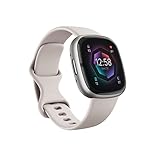
- Learn to manage stress, sleep better and live healthier with Sense 2—our most advanced health and fitness smartwatch.Operating temperature : 14° to 113° F (-10° to 45° C)..Band material type : Silicone
- Manage stress and live healthier: all-day stress detection with cEDA and daily Stress Management Score, ECG app for atrial fibrillation assessment(1), irregular heart rhythm notifications(2), SpO2(3), health metrics dashboard(4), mindfulness content
- Measure and improve sleep quality: personalized Sleep Profile(5), daily sleep stages & Sleep Score, smart wake alarm and do not disturb mode
- Enhance activity: built-in GPS and workout intensity map, Daily Readiness Score(5), Active Zone Minutes, all-day activity tracking and 24/7 heart rate, 40+ exercise modes and automatic exercise tracking, water resistant to 50 meters
- Designed for all-day wear: on-wrist Bluetooth calls, texts and phone notifications(6), customizable clock faces, Fitbit Pay(7), Amazon Alexa built-in(8), Google Wallet & Maps (Google Maps on Android only, coming Spring 2023 to iOS), 6+ day battery(9)
Permissions that directly affect ECG reliability
Samsung Health Monitor requires several system permissions to function correctly, including access to sensors, storage, and background activity. If any of these are denied, ECG may launch but fail mid-reading or never save results.
Battery optimization settings are another common culprit. If Samsung Health Monitor is restricted in the background, ECG history syncing can be inconsistent, especially if you take readings away from your phone and sync later.
For the smoothest experience, allow the app to run unrestricted in the background and ensure Bluetooth permissions remain enabled at all times.
Watch fit, strap choice, and physical preparation
Before taking your first ECG, it’s worth checking how the watch fits on your wrist. The back electrode needs stable skin contact, which means the watch should be snug but not tight, sitting slightly above the wrist bone.
Soft-touch fluoroelastomer or silicone straps tend to work best for ECG because they distribute pressure evenly and reduce micro-movement. Metal bracelets can work, but they often require finer adjustment to avoid shifting during the reading.
Clean, dry skin matters more than most people expect. Moisture, lotion, or sweat can interfere with signal quality, even on watches with well-finished stainless steel or aluminum casebacks.
Battery level and software readiness
ECG readings are short, but the feature won’t launch if your watch battery is critically low. As a rule of thumb, aim for at least 20 percent battery to avoid interruptions during the measurement.
Keeping your watch firmware and phone software up to date also matters. Samsung occasionally refines ECG stability and compatibility through system updates, especially when new health regulations or regions are added.
Once these requirements are in place, the ECG process itself is quick and repeatable. With setup out of the way, you’re ready to move on to the exact steps for capturing a clean, accurate ECG reading on your Galaxy watch.
Getting the Best ECG Reading: Fit, Positioning, and Body Preparation
With permissions, battery, and software sorted, the last variables that matter are physical ones. ECG on a Galaxy smartwatch is extremely sensitive to movement and contact quality, so small adjustments here can make the difference between a clean trace and a failed reading.
This isn’t about doing anything complicated. It’s about setting your body and the watch up to let the sensors do their job without interference.
Watch placement and strap tension
Start by checking where the watch sits on your wrist. It should be positioned just above the wrist bone, not directly on it, so the rear electrode rests flat against the skin.
Tighten the strap enough that the watch doesn’t slide when you move your arm, but avoid cutting off circulation. If you feel pulsing pressure or tingling, it’s too tight and can actually worsen signal quality.
Silicone and fluoroelastomer straps tend to give the most consistent results because they flex slightly and maintain even contact. If you’re using a metal bracelet, make sure micro-adjustments are dialed in so the case doesn’t rock during the reading.
Skin condition and contact quality
ECG relies on electrical signals passing cleanly through your skin. Dry, clean skin works best, so wipe away sweat, water, or lotion before starting.
Very dry skin can also be an issue, especially in colder months. If you frequently get “poor contact” warnings, lightly warming your wrist with your other hand for a few seconds can help.
Dense wrist hair or tattoos directly under the sensor can interfere on some users. If this applies to you, adjusting the watch slightly higher on the arm often improves consistency.
Body posture and arm positioning
Once the watch is settled, sit down and rest your arms. A chair with armrests or a table at chest height works well.
Keep the arm wearing the watch relaxed and supported, with the watch facing upward. Avoid holding your arm in mid-air, which introduces subtle muscle tremors that the ECG can misinterpret as noise.
Your torso should be upright, not slouched or twisted. This keeps your shoulders relaxed and helps stabilize the electrical pathway the watch is measuring.
Using the correct finger and touch technique
When prompted, lightly rest a fingertip from your opposite hand on the watch’s top button or bezel electrode, depending on the model. The touch should be gentle and steady, not a press.
Any finger works, but the index or middle finger tends to be easiest to keep still for the full 30 seconds. Avoid shifting fingers mid-reading, even if it feels slightly awkward.
If you wear your watch on your right wrist, the process is the same. Galaxy watches automatically adapt the ECG orientation based on wrist selection in settings.
Breathing, movement, and environmental factors
Breathe normally during the reading. Holding your breath or taking exaggerated slow breaths can introduce artifacts into the waveform.
Stay quiet and still until the timer finishes. Talking, coughing, or even small shoulder movements can cause the reading to fail or return an inconclusive result.
Try to avoid taking ECGs immediately after exercise, caffeine, or emotional stress. Waiting a few minutes for your heart rate to settle leads to more reliable classifications.
Temperature, comfort, and real-world wearability
Cold environments can reduce skin conductivity and make ECG harder to capture. If your hands feel cold, warm up briefly before starting.
Comfort matters over the full measurement window. One reason Galaxy watches with slimmer cases and lighter aluminum or titanium builds tend to perform well here is that users naturally keep them steadier.
If you find ECG frustrating on a particular day, don’t force it. A short break, a strap adjustment, or a change in seating position often resolves repeated errors without any deeper issue.
Step-by-Step: How to Take an ECG Reading on a Samsung Galaxy Watch
With your posture, finger placement, and environment set, you’re ready to actually run the ECG. The process itself is simple, but each step matters for getting a clean, usable tracing rather than an inconclusive result.
Step 1: Confirm your watch and phone are ready
Make sure your Galaxy Watch is worn snugly, with the back of the case fully flush against your skin. A loose fit is one of the most common reasons ECG attempts fail, especially on lighter aluminum models that can shift slightly if the strap isn’t adjusted.
Your paired phone should be nearby, unlocked, and connected via Bluetooth. ECG results are processed on the watch but saved and displayed in more detail inside the Samsung Health Monitor app on your phone.
Step 2: Open the ECG app on the watch
On the watch, press the Home button and navigate to the ECG app. Depending on your software version, it may be labeled ECG or Samsung Health Monitor.
If this is your first time, you’ll see brief on-screen instructions and regulatory disclaimers. These only appear once, but they’re worth reading, as they explain what the ECG can and cannot detect.
Step 3: Start the measurement
Tap Measure or Start on the watch display. A countdown will appear, usually set to 30 seconds.
At this point, place a fingertip from your opposite hand lightly on the top button or bezel electrode, depending on your Galaxy Watch model. Do not press the button down; the contact is electrical, not mechanical.
Step 4: Hold steady during the 30-second reading
Rest your arm on a table, armrest, or your lap with the watch facing upward. Keep your shoulders relaxed and your wrist still.
Watch the progress indicator as the seconds pass. If the watch detects too much movement or poor contact, it may prompt you to adjust your finger or wrist position mid-reading.
Step 5: Let the watch finish and process the data
When the timer reaches zero, remove your finger and remain still for another second or two. The watch needs a brief moment to finalize the waveform before generating a result.
You’ll then see a classification directly on the watch screen. This is typically Sinus Rhythm, Atrial Fibrillation, Inconclusive, or Poor Recording, depending on signal quality and heart rhythm.
Step 6: Review and save the result in Samsung Health Monitor
Open the Samsung Health Monitor app on your phone to view the full ECG graph. Here you can scroll through the waveform, see heart rate data, and confirm the timestamp.
The app automatically saves the reading unless you manually delete it. You can also export a PDF report, which is useful if you plan to share the data with a healthcare professional.
What the results mean in everyday terms
A Sinus Rhythm result means your heart rhythm appears regular during that 30-second window. It does not rule out other heart conditions, nor does it guarantee your heart is always behaving normally.
An Atrial Fibrillation result suggests an irregular rhythm consistent with AFib, but it is not a diagnosis. Samsung is careful here for good reason, as ECGs on consumer wearables are single-lead and designed for screening, not clinical confirmation.
If you get an inconclusive or failed reading
Inconclusive results are common and usually reflect movement, dry skin, cold temperatures, or a heart rate outside the supported range. They do not automatically indicate a health problem.
Rank #3
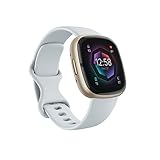
- Learn to manage stress, sleep better and live healthier with Sense 2—our most advanced health and fitness smartwatch
- Manage stress and live healthier: all-day stress detection with cEDA and daily Stress Management Score, ECG app for atrial fibrillation assessment(1), irregular heart rhythm notifications(2), SpO2(3), health metrics dashboard(4), mindfulness content
- Measure and improve sleep quality: personalized Sleep Profile(5), daily sleep stages & Sleep Score, smart wake alarm and do not disturb mode
- Enhance activity: built-in GPS and workout intensity map, Daily Readiness Score(5), Active Zone Minutes, all-day activity tracking and 24/7 heart rate, 40+ exercise modes and automatic exercise tracking, water resistant to 50 meters
- Designed for all-day wear: on-wrist Bluetooth calls, texts and phone notifications(6), customizable clock faces, Fitbit Pay(7), Amazon Alexa built-in(8), Google Wallet & Maps (Google Maps on Android only, coming Spring 2023 to iOS), 6+ day battery(9)
Before trying again, adjust the strap, warm your hands, and sit more comfortably. Many users find that simply changing chairs or resting their arm more fully resolves repeated failures.
How often you should take ECG readings
ECG is best used intentionally, not obsessively. Take a reading if you feel symptoms like palpitations, fluttering, or unexplained dizziness, or if your doctor has suggested periodic monitoring.
For everyday fitness-focused users, occasional baseline readings are usually sufficient. Running ECG back-to-back without a reason often leads to noisy data rather than meaningful insight.
Battery and wear considerations during ECG use
An ECG reading uses minimal battery on its own, but repeated attempts can add up, especially on smaller Galaxy Watch models with compact cases and batteries. Keeping your watch charged above 20 percent helps ensure consistent sensor performance.
Comfort also plays a role. Softer straps and well-balanced case designs, such as those found on newer Galaxy Watch generations, make it easier to stay still and relaxed for the full measurement window.
Understanding Your ECG Results in Samsung Health Monitor
Building on when and how often to take readings, the next step is knowing how to interpret what Samsung Health Monitor is actually showing you. The app is designed to translate a complex medical signal into plain language, while still giving you access to the raw data if you want a deeper look.
Where to find your ECG results after a reading
Once a measurement finishes, Samsung Health Monitor immediately classifies the result and saves it to your history. You can revisit past ECGs by opening Samsung Health Monitor on your phone and tapping the ECG section, where each entry is time-stamped and stored chronologically.
Each saved reading includes both a summary label and the waveform itself. This makes it easy to spot patterns over time, especially if you tend to take readings during similar situations like after workouts, before bed, or during periods of stress.
What the ECG waveform actually represents
The moving line you see is a single-lead ECG tracing captured through the watch’s rear sensors and your fingertip on the upper button. It reflects the electrical activity of your heart over roughly 30 seconds, not a full multi-angle cardiac assessment like you’d get in a hospital.
Minor variations in the line are normal, especially if your breathing changes or your wrist shifts slightly. Sharp breaks, excessive noise, or flat sections usually indicate signal interference rather than a heart issue.
Understanding Sinus Rhythm results in more detail
A Sinus Rhythm result means your heart rate and rhythm were within a typical, regular range during that snapshot in time. For most users, this aligns with what they would expect during rest or calm daily activity.
It’s important to remember this is a momentary screening, not a continuous monitor. You can still experience rhythm changes outside that window, which is why Samsung positions ECG as a situational tool rather than a constant diagnostic feature.
Understanding Atrial Fibrillation notifications
An AFib result indicates the algorithm detected irregular timing between heartbeats that matches patterns associated with atrial fibrillation. Samsung limits ECG classification to AFib and Sinus Rhythm to reduce false positives and avoid over-interpreting the data.
If you receive an AFib result and it’s new or recurring, the app encourages you to speak with a healthcare professional. Exporting the PDF report helps provide context, including heart rate range and the actual waveform, which can be useful during that conversation.
Why some readings are labeled inconclusive or failed
Inconclusive results usually mean the signal quality wasn’t clean enough to classify, often due to movement, loose strap fit, or skin contact issues. Cold wrists, very dry skin, or a heart rate outside the supported range can also interfere.
Failed readings typically stop early and don’t save a waveform. When this happens repeatedly, it’s often worth checking strap material and fit, as stiffer bands or top-heavy cases can make it harder to stay still during the reading.
How ECG results differ from continuous heart monitoring
Samsung Galaxy watches also track heart rate continuously and can issue irregular rhythm notifications in the background, depending on region and model. ECG is different because it’s user-initiated and records a higher-resolution electrical signal rather than optical pulse data.
Think of ECG as a closer inspection tool. The continuous sensors notice trends, while ECG helps you capture a clearer snapshot when something feels off.
Medical limitations you should understand upfront
Galaxy Watch ECG is a single-lead system cleared for screening, not diagnosis. It cannot detect heart attacks, blood clots, or every possible arrhythmia, and it is not intended for users with known AFib under certain age thresholds, depending on region.
Samsung Health Monitor also does not provide emergency alerts based on ECG readings alone. If you experience chest pain, fainting, or severe symptoms, the watch should never replace urgent medical care.
Sharing and using ECG reports responsibly
Exported ECG PDFs include your result classification, heart rate data, and waveform, but interpretation still requires clinical context. Doctors may use it as supporting information rather than definitive evidence.
For long-term users, consistency matters more than volume. Clear, well-timed ECGs taken under similar conditions tend to be far more helpful than dozens of scattered readings with varying quality.
Software, model, and regional differences to keep in mind
ECG interpretation depends on Samsung Health Monitor software availability, which varies by country due to regulatory approval. Even identical Galaxy Watch hardware can behave differently depending on region-locked features.
Newer Galaxy Watch models with improved sensor layouts, lighter cases, and better strap ergonomics generally produce more reliable ECG traces. Comfort and stability during wear directly affect result quality, making real-world wearability just as important as sensor specs.
Common ECG Problems and How to Fix Them
Even when you understand ECG’s limitations and use it responsibly, real-world use can still be frustrating. Most failed or unclear readings come down to fit, contact, software status, or environmental interference rather than faulty hardware.
The good news is that Galaxy Watch ECG issues are usually predictable and fixable once you know what to look for.
“Poor signal” or “Measurement failed” errors
This is the most common problem and almost always relates to electrical contact. ECG needs a clean circuit between the back sensor on your wrist and your finger touching the top button.
Start by tightening the watch slightly higher on your wrist bone than you would for casual wear. The case should sit flat with no rocking, and the strap should feel secure without cutting off circulation.
Dry skin can interrupt the signal. If your wrist is very dry or cold, lightly warming the skin or adding a tiny amount of moisture can dramatically improve success rates.
Inconsistent or noisy ECG waveforms
Jagged or unstable traces usually come from movement, muscle tension, or external vibration. Even small shifts in posture can introduce electrical noise into a single-lead ECG.
Sit down, rest your forearms on a table, and keep both feet flat on the floor. Avoid clenching your jaw, crossing your legs, or holding your breath, as muscle tension can distort the signal.
Lighter Galaxy Watch models with slimmer cases and softer straps tend to be more forgiving here, while heavier stainless steel models may require extra care with positioning.
Watch not recognizing finger contact
If the ECG app keeps asking you to place your finger on the button even when you are, the issue is usually pressure or finger placement. You do not need to press the button, just rest your fingertip lightly on it.
Make sure you are using the correct button, which varies by model generation. On most Galaxy Watch models, ECG uses the top side button rather than the lower one.
Remove gloves, rings, or anything that could interfere with skin-to-metal contact, especially in colder environments.
ECG app missing or unavailable
If you cannot find ECG on the watch, this is almost always a software or regional issue. Samsung Health Monitor must be installed on both the watch and a compatible Samsung phone.
ECG is only supported on certain Galaxy Watch models and in approved countries. Even if your hardware supports it, the feature may be disabled by region-based regulations.
Ensure both the watch firmware and Samsung Health Monitor app are fully updated. ECG features often activate only after a post-update reboot.
“Inconclusive” or “Unable to classify” results
An inconclusive result does not mean something is wrong with your heart. It usually means the heart rate was too high, too low, or irregular for the algorithm to classify confidently.
Wait a few minutes, relax, and try again once your heart rate stabilizes. Avoid taking ECGs immediately after exercise, caffeine, or emotional stress unless symptoms are the reason you are checking.
For users who frequently see inconclusive results, consistency matters. Taking ECGs at similar times of day under similar conditions often improves classification accuracy.
ECG stops mid-measurement
This can happen if the watch loses contact with your wrist or if your finger slips off the button even briefly. Strap comfort and material play a real role here.
Silicone and fluoroelastomer straps generally provide the most stable contact during ECG, while loose fabric or metal bracelets may need tightening or adjustment.
Battery level can also be a factor. While ECG does not consume much power, very low battery states can interrupt sensor operation.
Heart rate seems inaccurate during ECG
ECG heart rate readings come from electrical signals, not optical sensors, and may differ slightly from continuous heart rate tracking. Small differences are normal.
Rank #4

- 1.59in l x 1.59in w x 0.49in h. ECG, stress sensing and a skin temperature sensor. Get notifications for calls, texts, calendar events and apps like Gmail and Facebook plus send quick replies and voice replies right from your wrist.
- Compatibility: Apple iOS 12.2 or higher, Android OS 7.0 or higher, Syncing range: Up to 30ft, Music control via Bluetooth Classic on Android and Bluetooth LE on iOS devices.
- Built-in GPS + GLONASS, Speaker, Microphone, Multi-path optical heart rate sensor, IR sensors for oxygen saturation (SpO2) monitoring
- Water-resistant to 50 meters. Battery life up to 6+ days. Heart rate tracking technology. Saves 7 days of detailed motion data minute by minute.
- International Model - No warranty in the US. In Box: Fitbit Versa 3, Classic wristband (both small & large), Charging cable
Large discrepancies often indicate poor signal quality rather than a true heart rate change. Re-seat the watch, relax your arm, and retake the measurement.
If inaccurate ECG heart rates persist across multiple clean readings, it may be worth checking strap fit or switching wrists to rule out anatomical differences.
ECG works sometimes but not consistently
Intermittent success usually points to wearability rather than software. Case size, wrist shape, and strap choice all affect electrical contact.
Smaller wrists may benefit from lighter aluminum models, which sit flatter and apply more even pressure. Larger cases with thicker lugs can rock slightly on narrower wrists, breaking contact during measurements.
This is where everyday comfort matters. A watch that feels good all day is more likely to deliver reliable health data when you need it.
What to do if problems persist
If you have addressed fit, posture, software updates, and environment but still cannot get reliable ECGs, reset the Samsung Health Monitor app and re-pair it with your watch.
Persistent issues across multiple attempts and conditions may indicate a hardware problem, especially if other sensors are also behaving inconsistently. In that case, Samsung support can run remote diagnostics.
Remember that ECG is a precision feature layered onto a consumer wearable. When it works well, it is genuinely useful, but it still depends on stable real-world conditions that you control more than the watch does.
Battery Life, Sensors, and Hardware Factors That Affect ECG Accuracy
Once fit and technique are dialed in, the next layer influencing ECG reliability comes down to the watch itself. Battery condition, sensor design, and physical hardware choices all shape how cleanly your Galaxy Watch can capture an electrical signal from your heart.
These factors explain why two users following the same steps can have very different results, and why the same watch can behave differently over time.
Battery level and power management behavior
Although an ECG reading only takes 30 seconds, it relies on stable power delivery to the bioelectrical sensors. When a Galaxy Watch drops into very low battery states, background power-saving measures can interfere with sensor consistency.
As a practical rule, try to take ECG readings with at least 15–20 percent battery remaining. Below that threshold, the watch may still allow ECGs, but signal dropouts and failed readings become more common.
Battery health also matters long term. Older watches with degraded batteries may show inconsistent ECG behavior even when the percentage looks adequate, especially if the device warms up quickly during use.
Electrode design and sensor placement
Samsung Galaxy Watches use a single-lead ECG system that relies on two contact points. One electrode sits in the metal ring on the back of the watch, while the second is integrated into the side button you touch during the reading.
This design means contact quality is everything. Any interruption at either point, whether from dry skin, movement, or light pressure, can distort the electrical signal.
It also explains why resting your finger lightly but deliberately on the button works better than pressing hard. Excess pressure can cause micro-movements that introduce noise into the reading.
Case materials and real-world wearability
Case material affects both comfort and electrical stability. Aluminum Galaxy Watch models are lighter and often sit flatter on the wrist, which can improve back-sensor contact during ECG sessions.
Stainless steel and titanium models feel more premium and durable, but their added weight can cause subtle shifting on smaller wrists. That movement may not be noticeable day to day, yet it can interrupt ECG measurements.
Finish and curvature matter too. A smoothly contoured case back distributes pressure more evenly, while sharper edges or thicker sensor domes can create uneven contact points.
Case size, thickness, and wrist anatomy
Larger Galaxy Watch sizes offer bigger displays and longer battery life, but they are not always better for ECG accuracy. On narrower wrists, larger cases can rock slightly when you rest your arm, especially during seated measurements.
Thicker watches also raise the center of gravity. This makes strap tension more critical, since even small gaps between the sensor and skin can degrade the signal.
Choosing a case size that matches your wrist circumference is not just about comfort or style. It directly affects how reliably the ECG hardware can do its job.
Skin condition, temperature, and hydration
Electrical signals travel differently depending on skin conditions. Very dry skin, cold skin, or excessive callusing can reduce conductivity and lead to poor ECG quality.
If your hands are cold, warming them slightly before starting helps. A tiny amount of natural moisture, not sweat, often improves readings by enhancing electrical contact.
Heavy sweat, on the other hand, can cause signal instability. If you have just exercised, wipe both your wrist and finger dry and wait a few minutes before taking an ECG.
Movement sensitivity and posture stability
Galaxy Watch ECG sensors are extremely sensitive to motion, even movements you may not consciously notice. Muscle tension in the forearm or shoulder can introduce electrical noise that mimics irregular rhythms.
Resting your arm on a table, relaxing your shoulders, and keeping both feet flat on the floor reduces interference. This posture supports not just comfort, but cleaner sensor data.
The watch is doing exactly what it is designed to do: measuring electrical signals, not compensating for motion like optical heart rate sensors sometimes can.
Charging state and thermal conditions
ECG readings cannot be taken while the watch is actively charging, and recent charging can also affect performance. If the device is still warm from a charging session, sensor stability may be temporarily reduced.
Letting the watch cool down for a few minutes before starting an ECG often improves consistency. This is especially relevant with fast charging on newer Galaxy Watch generations.
Thermal conditions matter in everyday use too. Extremely hot environments can increase skin moisture and sensor noise, while very cold conditions can reduce conductivity.
Software calibration and sensor aging
Behind the hardware, software calibration plays a quiet but important role. Regular firmware updates from Samsung often include sensor tuning that improves ECG reliability over time.
If a watch has been heavily used for several years, minor sensor aging can occur. While rare, gradual changes in electrode responsiveness may show up as more frequent inconclusive readings.
Keeping Samsung Health Monitor up to date and restarting the watch periodically helps ensure the hardware and software remain properly synchronized.
Why hardware differences explain mixed user experiences
Two Galaxy Watch owners can follow identical instructions and get very different ECG results because their hardware setup is different. Wrist size, case material, strap choice, battery health, and daily wear habits all interact.
This is not a flaw so much as a reality of fitting medical-adjacent sensors into compact consumer wearables. The better the physical match between watch and wearer, the more dependable the ECG feature becomes.
Understanding these hardware factors gives you control. Instead of guessing, you can adjust conditions to help the watch deliver the most accurate data it is capable of producing.
Using ECG Data Responsibly: Health Context, Warnings, and When to See a Doctor
Once you understand how hardware fit, temperature, and software calibration affect ECG quality, the next step is knowing how to interpret what the data can and cannot tell you. Samsung’s ECG feature is powerful for a wrist-worn device, but it sits firmly in the category of medical-adjacent consumer technology.
Used correctly, it can highlight patterns worth paying attention to. Used incorrectly, it can create unnecessary anxiety or false reassurance.
What the Galaxy Watch ECG is designed to detect
Samsung Galaxy smartwatches with ECG support are primarily designed to detect signs consistent with atrial fibrillation, also known as AFib. This is a common heart rhythm irregularity that can be intermittent and difficult to catch during a short doctor’s visit.
The watch records a single-lead ECG, similar in concept to lead I on a clinical ECG machine. It measures electrical signals across your chest via your wrist and fingertip, not the full multi-lead view used in hospitals.
Because of this, the results are intentionally limited. You’ll typically see classifications like Sinus Rhythm, Atrial Fibrillation, Inconclusive, or Poor Recording rather than a detailed diagnostic readout.
What the ECG feature cannot diagnose
A normal ECG reading on your Galaxy Watch does not rule out heart disease, blocked arteries, heart attacks, or structural issues. It also cannot reliably detect conditions like ventricular arrhythmias or issues that only appear under physical stress.
Equally important, an AFib result is not a medical diagnosis by itself. It’s a screening signal designed to prompt further evaluation, not to replace professional testing.
Samsung’s software is deliberately conservative, favoring inconclusive results over false positives. That’s why factors like movement, dry skin, or loose fit often lead to retests rather than firm classifications.
💰 Best Value

- TIMELESS DESIGN – Hybrid smartwatch with analog hands and digital health tracking. Stainless steel case with sapphire glass for durability. Available in multiple sizes and finishes.
- 35 DAYS BATTERY LIFE– Built for the long run with up to 35 days of continuous use on a single charge. Provides uninterrupted daily and nightly health tracking with extended power.
- HEALTH MONITORING– 30s medical-grade ECG and continuous heart rate tracking with AFib detection via the Withings ECG App. Includes high and low heart rate notifications.
- SLEEP, WORKOUT & RECOVERY INSIGHTS – rack sleep stages, breathing, and over 40 sports with VO₂ max and heart rate zones. Get a Vitality Score and 1 month of Withings+ for personalized insights.
- COMPATIBILITY & PROPRIETARY OS – Seamlessly connects to Android and iOS via the Withings App. Powered by our HealthSense OS with on-device machine learning for precise health metrics.
Why repeated readings matter more than a single result
One isolated ECG reading, especially if taken during stress or distraction, doesn’t tell a complete story. Patterns over time are far more useful than any single snapshot.
If you occasionally receive inconclusive results, that alone is not cause for concern. Consistently irregular readings, repeated AFib detections, or noticeable changes from your usual pattern are what deserve attention.
This is where the Galaxy Watch’s comfort and daily wearability matter. A watch that fits well, feels balanced on the wrist, and uses a strap that maintains stable contact is more likely to deliver consistent data over weeks and months.
When you should contact a healthcare professional
You should seek medical advice if your watch repeatedly flags possible AFib, especially if those readings occur while you are at rest. Exporting the ECG PDFs from Samsung Health Monitor and sharing them with a clinician can be helpful context.
Immediate medical attention is warranted if ECG alerts coincide with symptoms like chest pain, shortness of breath, dizziness, fainting, or sudden fatigue. In those cases, the watch is a supporting tool, not a decision-maker.
Even without symptoms, a new or persistent rhythm alert is worth discussing with a doctor, particularly if you are over 40 or have risk factors like high blood pressure or diabetes.
Who should and should not rely on smartwatch ECGs
Galaxy Watch ECG features are intended for adults without a prior diagnosis of arrhythmia unless otherwise advised by a healthcare professional. They are not approved for use in children, and Samsung explicitly advises against relying on them for known heart conditions without medical guidance.
If you already have a diagnosed heart rhythm disorder, your doctor may recommend medical-grade monitoring instead. Smartwatch ECGs can still provide personal insight, but they should not replace prescribed devices or follow-up care.
It’s also worth noting that ECG availability varies by region due to regulatory approval. Software features, not hardware, often determine whether ECG is enabled on your watch.
Using ECG results without increasing anxiety
It’s easy to fall into the habit of taking frequent ECGs, especially after an unexpected result. In practice, over-testing often increases stress and makes readings less reliable due to muscle tension and elevated heart rate.
A better approach is consistency rather than frequency. Taking readings at similar times of day, in a calm state, produces more meaningful comparisons.
Samsung Health Monitor is designed to store trends, not just individual files. Reviewing changes calmly and periodically helps keep the feature informative rather than intrusive.
Understanding the watch as part of a broader health picture
ECG data is most useful when viewed alongside other metrics your Galaxy Watch already tracks. Resting heart rate trends, sleep quality, activity levels, and stress readings provide important context.
Battery life also plays a quiet role here. Watches that comfortably last a full day or more are more likely to be worn consistently, which improves long-term trend accuracy.
In that sense, ECG is not a standalone feature. It works best as part of a well-fitted, comfortable, durable smartwatch that you actually enjoy wearing every day.
Responsible use is about awareness, not diagnosis
Samsung’s ECG feature gives you access to information that once required a clinic visit. That access comes with responsibility, not alarm.
When used as intended, the Galaxy Watch ECG helps you notice changes, ask better questions, and have more informed conversations with healthcare professionals. Its real value lies in awareness, not certainty.
Frequently Asked Questions About ECG on Samsung Galaxy Watches
As you start using ECG more intentionally, a few practical questions tend to come up. The answers below build directly on the responsible-use mindset discussed earlier, focusing on what the feature can do well, where its limits are, and how to get the most reliable experience day to day.
Which Samsung Galaxy Watches support ECG?
ECG is supported on Galaxy Watch models equipped with Samsung’s BioActive sensor and approved ECG software. This includes the Galaxy Watch Active2, Galaxy Watch 3, Galaxy Watch 4 series, Galaxy Watch 5 series, and Galaxy Watch 6 series.
Earlier models like the original Galaxy Watch and Galaxy Watch Active lack the required electrical heart sensor hardware. Even if the watch looks similar, ECG is not something that can be added later through software alone.
Do I need a Samsung phone to use ECG?
Yes. ECG on Galaxy Watches requires a compatible Samsung Galaxy smartphone running Android and the Samsung Health Monitor app. At the time of writing, ECG is not officially supported when paired with non-Samsung Android phones or iPhones.
This is a software restriction rather than a hardware one, but it’s an important buying consideration. If ECG is a priority, pairing the watch with a Galaxy phone ensures full functionality and smoother setup.
Why is ECG available in some countries but not others?
ECG is regulated as a medical-adjacent feature, so Samsung must receive approval from local health authorities before enabling it. The hardware is typically identical across regions, but software activation varies by country.
If ECG does not appear on your watch despite compatible hardware, it’s usually due to regional approval status rather than a defect. Samsung occasionally enables ECG in new regions through firmware and app updates.
How accurate is the Galaxy Watch ECG?
Samsung’s ECG is designed to detect signs of atrial fibrillation during a single-lead reading. In controlled conditions, it performs well at identifying irregular rhythms, especially when the user is still and properly positioned.
That said, it is not as comprehensive as a clinical 12-lead ECG. It cannot diagnose heart attacks, structural heart issues, or other complex conditions, which is why results are labeled as informational rather than diagnostic.
What heart conditions can the ECG actually detect?
The Galaxy Watch ECG is primarily intended to screen for atrial fibrillation versus normal sinus rhythm. It does not detect every arrhythmia, nor can it identify issues like ventricular tachycardia or ischemia.
If you experience symptoms such as chest pain, dizziness, or shortness of breath, an ECG reading that looks “normal” should not delay medical attention. The feature is best used for pattern awareness, not reassurance in urgent situations.
How often should I take an ECG?
There is no benefit to taking ECGs multiple times a day unless advised by a healthcare professional. Frequent readings often introduce noise from stress, movement, or elevated heart rate, which reduces reliability.
Most users get the most value from occasional readings taken under similar conditions, such as once every few weeks or when something feels noticeably different. Trends matter more than volume.
Does the watch fit or strap affect ECG readings?
Fit matters more than strap material. The watch should sit snugly against the wrist, just above the wrist bone, without digging into the skin.
Metal, silicone, fabric, and leather straps all work as long as the watch remains stable during the 30-second reading. Loose bracelets or oversized cases are more likely to cause interruptions.
Can tattoos or dry skin interfere with ECG?
Yes. Tattoos under the sensor area, very dry skin, or heavy hair can reduce electrical signal quality. This may result in inconclusive readings or repeated measurement failures.
Slightly moistening the skin or adjusting the watch position higher on the wrist often helps. If consistent issues persist, it may simply be a limitation of skin contact rather than a problem with the watch.
Does taking an ECG drain the battery?
An occasional ECG has minimal impact on battery life. The process uses the sensors briefly and does not continuously run in the background.
Overall battery life still depends more on screen size, always-on display use, GPS workouts, and sleep tracking. A watch that comfortably lasts a full day encourages consistent wear, which is more important for long-term health trends.
Can I export or share my ECG results?
Yes. ECG recordings are stored in the Samsung Health Monitor app on your phone and can be exported as a PDF. This makes it easy to share readings with a healthcare provider if requested.
When sharing, it’s helpful to include context such as symptoms, time of day, and recent activity. A single ECG strip is more useful when paired with real-world information.
Is the ECG feature safe to use every day?
From a hardware and electrical standpoint, yes. The ECG uses passive sensors and does not send energy into the body.
The more important consideration is mental well-being. Using ECG thoughtfully, as discussed earlier, helps prevent unnecessary worry and keeps the feature supportive rather than stressful.
Will future updates change how ECG works?
Samsung continues to refine ECG through software updates, sometimes improving signal processing or expanding regional availability. The underlying hardware remains the same, but the experience can improve over time.
Keeping both the watch firmware and Samsung Health Monitor app up to date ensures you’re getting the most accurate and stable version of the feature.
Used with the right expectations, ECG on Samsung Galaxy Watches is a powerful awareness tool. It fits best into a broader, calm approach to health tracking, where comfort, consistency, and context matter just as much as the reading itself.