If you’ve landed here, you’re probably wondering whether your Samsung Galaxy Watch can really take your blood pressure, or if it’s just another wellness estimate dressed up as a medical feature. That confusion is understandable, because Samsung’s blood pressure tracking sits in a gray zone between regulated health tech and everyday consumer wearables.
This section is about setting expectations before you ever tap the Measure button. You’ll learn what the Galaxy Watch is actually measuring, how it differs from a traditional cuff, which watches support it, and why calibration is not optional but foundational to everything that follows.
What Samsung Galaxy Watches Mean by “Blood Pressure”
Samsung Galaxy Watches do not inflate a cuff or directly measure arterial pressure. Instead, they estimate blood pressure using optical heart-rate sensors combined with pulse wave analysis, a method that looks at how blood moves through your wrist with each heartbeat.
The watch analyzes subtle changes in blood volume detected by the green LEDs on the back of the case. These signals are then interpreted using an algorithm that has been calibrated to your personal baseline from a traditional upper-arm blood pressure monitor.
🏆 #1 Best Overall
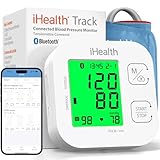
- Clinically Accurate: Easy Operation by two buttons, Advanced Accuracy, No Calibration required.
- Large Multi-Color Backlit Display: The large, oversized numbers make reading the results from this upper arm blood pressure monitoring device a breeze. Coded (GREEN/YELLOW/RED) display tells if your blood pressure readings are optimal or not.
- Easy Management: Manage and track up to 99 readings on your blood pressure monitor and unlimited readings on your smartphone with iHealth's free iOS and Android applications ( iOS 12.0 or later. Android 9.0 or later.Requires Bluetooth 4.0.and up).
- Heart Rhythm Disturbances: This unit automatically identifies and alerts you to any heart rhythm disturbances. If detected, a warning symbol will be displayed after the measurement is taken.
- What You Get: 1 x blood pressure monitor that meets ESH 2010 performance standards, 4 AAA batteries, 1 wide range cuff that fits upper arms with Circumference of 8.7"-16.5" (22-42cm),1 Instruction manual, our worry-free 12-month warranty and friendly California-based customer service.
Why Calibration Is Mandatory, Not a One-Time Formality
Unlike heart rate or step counting, blood pressure estimation cannot work accurately without a reference point. Samsung requires calibration with a validated cuff-based monitor because everyone’s vascular stiffness, skin tone, wrist anatomy, and blood flow patterns are different.
During setup, you take three cuff readings within a short time window and sync those values to Samsung Health. The watch then uses those numbers to anchor its calculations, which is why recalibration every four weeks is required to maintain usable accuracy.
Supported Samsung Galaxy Watch Models
Blood pressure tracking is available on Samsung Galaxy Watch models equipped with BioActive or equivalent optical sensor arrays. This includes Galaxy Watch Active2, Galaxy Watch 3, Galaxy Watch 4, Watch 5, Watch 6, and newer generations, though availability can vary by region.
From a hardware perspective, these watches use multi-LED optical sensors housed in stainless steel or aluminum cases with flat sapphire or reinforced glass backs. Comfort and consistent skin contact matter more here than premium finishing, because loose fit or thick straps can degrade readings.
Regional Availability and Regulatory Reality
Blood pressure tracking is not globally available, even if your hardware supports it. Samsung enables the feature only in regions where it has received regulatory clearance, such as CE marking in parts of Europe or equivalent approvals in select Asian markets.
In countries like the United States, the feature remains disabled due to FDA classification constraints, even though the sensors are physically capable. Many users attempt workarounds, but those fall outside Samsung’s supported use and carry reliability and safety risks.
What the Watch Is Good At Tracking
When used correctly, Galaxy Watch blood pressure tracking is most useful for observing trends over time. It can help you notice whether your readings tend to rise during stressful weeks, drop with improved sleep, or change after lifestyle adjustments.
Because measurements are quick, silent, and cuff-free, users are more likely to take them consistently. That consistency is where the real value lies, especially when paired with Samsung Health’s long-term graphs and pattern analysis.
What It Is Not Designed to Do
This feature is not intended to diagnose hypertension, adjust medication, or replace medical-grade blood pressure monitors. It cannot detect acute blood pressure emergencies, nor is it reliable enough for clinical decision-making on its own.
Samsung is explicit that Galaxy Watch blood pressure readings are for wellness monitoring only. Any concerning or persistent readings should always be confirmed with a validated cuff device and discussed with a healthcare professional.
Accuracy Expectations in the Real World
Under ideal conditions, seated, relaxed, properly calibrated, and wearing the watch snugly, readings can fall within a reasonable margin of a home cuff monitor. In everyday use, factors like movement, temperature, hydration, and strap fit introduce variability.
Think of the Galaxy Watch as directionally accurate rather than numerically definitive. It’s better at telling you whether your blood pressure is trending higher or lower than usual than giving you a number to act on medically.
Why Wrist-Based Measurement Has Inherent Limits
The wrist is a challenging measurement site due to smaller arteries and greater sensitivity to position relative to the heart. Even slight changes in arm height or muscle tension can affect optical readings.
Samsung mitigates this with on-screen posture guidance and repeated calibration requirements, but physics still applies. This is why even the best smartwatch cannot match the reliability of an upper-arm cuff under clinical standards.
How This Fits Into Daily Wearability
Galaxy Watches are designed for all-day wear, with lightweight cases, breathable straps, and battery life ranging from roughly one to three days depending on model and usage. That makes passive health tracking practical, but it also means sensors are constantly exposed to sweat, motion, and imperfect conditions.
Blood pressure tracking works best when treated as a deliberate action rather than a background metric. Taking a minute to sit still, adjust the strap, and follow the on-screen instructions dramatically improves the usefulness of the data you collect.
Supported Samsung Galaxy Watch Models and Regional Availability (FDA, CE, and Country Restrictions)
Before you even open the Blood Pressure tile in Samsung Health, two non‑negotiables determine whether the feature appears at all: your specific Galaxy Watch model and the country your watch and Samsung account are registered in. This is where many owners get confused, because hardware support and regulatory approval do not always line up.
Samsung has been conservative with blood pressure rollout, not because the sensor hardware is rare, but because wrist‑based BP estimation is tightly regulated. As a result, two identical watches can behave very differently depending on where they’re sold and activated.
Galaxy Watch Models That Support Blood Pressure Measurement
Blood pressure measurement on Samsung watches relies on the optical heart rate sensor array, not a physical cuff. That means only models with Samsung’s newer BioActive sensor stack are eligible.
As of now, blood pressure tracking is supported on the following Galaxy Watch families:
– Galaxy Watch 3
– Galaxy Watch 4 and Watch 4 Classic
– Galaxy Watch 5 and Watch 5 Pro
– Galaxy Watch 6 and Watch 6 Classic
Original Galaxy Watch models, Galaxy Watch Active, and Watch Active 2 are excluded, even though some of them share similar optical sensors. Samsung never brought BP certification to those platforms, and no software update will change that.
From a wearability standpoint, the feature works similarly across generations, but newer models benefit from faster processors, brighter displays for posture guidance, and more stable sensor contact thanks to refined case backs. Watches like the Watch 5 Pro and Watch 6 Classic also tend to be more forgiving during measurement due to their weight and flatter sensor profile, which helps maintain consistent skin contact.
Phone Compatibility and Software Requirements
Even with a supported watch, blood pressure measurement only works when paired with a Samsung Galaxy smartphone. This is not optional.
Samsung Health Monitor, the app that handles ECG and blood pressure, is restricted to Galaxy phones running a compatible version of Android. Non‑Samsung Android phones and iPhones cannot enable BP, even if the watch hardware supports it.
You also need:
– Samsung Health installed and updated
– Samsung Health Monitor installed and updated
– A Samsung account registered in a supported country
If any one of these pieces is missing or region‑locked, the blood pressure option simply won’t appear.
FDA Approval Status in the United States
In the United States, blood pressure measurement on Galaxy Watches is not currently enabled.
The FDA has cleared Samsung’s ECG feature, but it has not granted clearance for blood pressure estimation using optical sensors. Because of this, Samsung disables BP tracking at the software level for U.S. users, regardless of hardware capability.
This is why U.S. owners often see online guides or videos showing the feature but cannot access it themselves. Workarounds involving region changes or modified apps exist, but they are unofficial, unreliable, and not recommended for a health‑related function.
If you live in the U.S., the Galaxy Watch cannot measure blood pressure in any officially supported way. For American users, the watch remains a strong wellness tracker, but BP monitoring requires a traditional cuff device.
CE Approval and Availability in Europe
In contrast, blood pressure measurement is widely available across much of Europe.
Samsung received CE marking for blood pressure monitoring as a wellness feature, which allows activation in many EU and EEA countries. This includes major markets like the UK, Germany, France, Italy, Spain, and the Nordics.
Once enabled, European users must still complete regular calibration with a validated cuff monitor, and Samsung Health clearly labels readings as non‑diagnostic. From a daily usability perspective, the experience is mature and stable, with guided posture instructions and clear trend charts inside Samsung Health.
Availability can still vary slightly by country, and regional firmware matters. Buying a watch abroad does not guarantee BP access if your Samsung account and phone are registered in a non‑supported region.
Availability in Asia, Australia, and Other Regions
South Korea was one of the first markets to receive blood pressure support and remains one of the most fully featured regions. In many Asian markets, including parts of Southeast Asia, BP tracking is available but sometimes delayed depending on local regulatory review.
Australia has historically supported ECG but not blood pressure, though this can change as regulations evolve. Japan has also been cautious, with limited or delayed availability depending on model generation.
In regions where approval is pending or denied, Samsung typically disables the feature entirely rather than offering partial access. This all‑or‑nothing approach avoids regulatory gray areas but can be frustrating for users who know the hardware is capable.
Why Regional Restrictions Exist at All
Blood pressure estimation sits in a regulatory gray zone between wellness tracking and medical measurement. Some authorities treat it as a low‑risk informational feature, while others classify it as a medical device requiring rigorous validation.
Samsung’s approach is to comply strictly with local rules rather than push borderline approvals. That’s why calibration requirements, usage warnings, and country‑based locks are enforced so tightly.
From a user perspective, this means the Galaxy Watch should be viewed as region‑dependent hardware. What it can do is not just about the sensors on your wrist, but about the regulatory environment around you.
How to Check If Blood Pressure Is Available on Your Watch
The simplest way to confirm support is to open the Samsung Health Monitor app on your paired phone. If Blood Pressure appears as an option, your watch, phone, and region are all supported.
If the app is missing entirely from the Galaxy Store, or if BP is absent once installed, your region is not approved. No amount of recalibration or sensor adjustment will change that.
Understanding these restrictions upfront helps set realistic expectations. Before learning how to measure blood pressure, you need to know whether your Galaxy Watch is even allowed to try.
How Samsung Measures Blood Pressure Without a Cuff: Sensor Technology and Algorithms Explained
Once you’ve confirmed that blood pressure tracking is available on your Galaxy Watch in your region, the next logical question is how it works at all. Unlike a traditional cuff that physically squeezes your arm, Samsung relies on optical sensors and software models to estimate blood pressure indirectly.
This approach is why calibration, posture, and consistency matter so much. The watch is not measuring pressure directly, but interpreting cardiovascular signals your body already produces.
The Optical Heart Sensor: The Foundation of BP Estimation
At the heart of Samsung’s blood pressure feature is the same optical heart rate sensor used for daily pulse tracking. This sensor uses photoplethysmography, or PPG, which shines green LEDs into your skin and measures how light is reflected back as blood volume changes with each heartbeat.
Every heartbeat creates a pressure wave that travels through your arteries. The PPG sensor captures subtle changes in the timing, shape, and amplitude of these waves at your wrist.
Rank #2

- Convenient Dual User Mode: Store up to 240 readings for two users, allowing easy tracking and comparison of measurements
- Fast and Accurate Measurements: Our fully automatic wrist blood pressure machine provides fast and precise results, simply press the "START/STOP" button, and the measurement process takes 35 seconds; the device automatically turns off after 60 seconds of inactivity
- Voice Broadcast Design: Our automatic blood pressure cuff features a voice broadcast function, making it ideal for individuals with poor eyesight; you can adjust the volume or turn off the sound using the SET and MEM buttons
- Large LED Backlit Display: The large LED screen of our blood pressure monitor features clear numbers, ensuring easy readability even in low-light conditions, enjoy a hassle-free visual experience
- Portable Rechargeable Blood Pressure Monitor: Equipped with a built-in rechargeable battery and Type-C cable for convenient charging anytime, eliminating the need for battery replacements and ensuring you can easily monitor your health (Note: Charging adapter not included in the packaging)
On Galaxy Watch models that support BP, such as the Galaxy Watch Active2, Watch 3, Watch 4, Watch 5, Watch 6, and newer generations, the sensor array is tuned for higher signal fidelity. That includes multiple LEDs, improved photodiodes, and tighter contact with the skin through the watch’s curved caseback.
Why There’s No Cuff—and Why That Matters
Traditional blood pressure cuffs work by temporarily stopping blood flow and then measuring how pressure returns. This gives a direct mechanical reading of systolic and diastolic pressure.
A smartwatch cannot replicate that process. Instead, Samsung estimates blood pressure by analyzing vascular characteristics, such as arterial stiffness and pulse wave behavior, which correlate with blood pressure but are not the same thing.
This distinction explains both the convenience and the limitations of cuffless measurement. You gain ease of use and frequent readings, but you sacrifice the absolute precision of a clinical device.
Calibration: Teaching the Watch What Your Blood Pressure Looks Like
Calibration is the bridge between optical signals and meaningful blood pressure numbers. When you calibrate, you measure your blood pressure with a traditional upper-arm cuff and immediately record those values in the Samsung Health Monitor app.
The watch uses this reference data to personalize its algorithm to your cardiovascular profile. Factors like arterial elasticity, resting heart rate, and pulse wave characteristics vary significantly between individuals, making calibration non-negotiable.
Samsung requires recalibration roughly every four weeks. This is not arbitrary; vascular properties change over time due to stress, sleep, fitness, medication, and illness, and the algorithm needs updated ground truth to stay aligned.
The Algorithmic Model: From Pulse Waves to BP Numbers
Once calibrated, the Galaxy Watch continuously analyzes pulse wave features captured by the PPG sensor. These include waveform shape, time intervals between peaks, and subtle changes in signal strength linked to blood flow dynamics.
Samsung uses machine learning models trained on large datasets that pair PPG signals with cuff-based blood pressure readings. Your calibration anchors this general model to your specific physiology.
The result is an estimated systolic and diastolic value displayed in millimeters of mercury, just like a traditional reading. Behind the scenes, however, it’s a probabilistic estimate rather than a direct measurement.
Why Posture and Stillness Are Critical During Measurement
Because the algorithm depends on clean optical signals, motion is the enemy of accuracy. Even small wrist movements can distort the pulse waveform enough to skew the estimate.
That’s why Samsung instructs you to sit upright, rest your arm on a table, keep the watch at heart level, and remain still during the measurement. These conditions reduce noise and make the pulse wave more comparable to calibration conditions.
This also explains why blood pressure measurements are manual rather than automatic. The watch waits until conditions are suitable instead of guessing from compromised data.
Skin Contact, Strap Fit, and Real-World Wearability
Good sensor contact is essential. A loose strap, excessive hair, tattoos under the sensor, or cold skin can reduce signal quality.
Galaxy Watches use lightweight aluminum or stainless steel cases with gently domed sapphire or hardened glass backs to improve comfort and consistency. In daily wear, a snug but not tight fit tends to deliver the most reliable readings without sacrificing comfort.
From a usability standpoint, this means blood pressure tracking favors intentional measurement moments rather than passive background tracking. It fits naturally into a morning or evening routine rather than constant monitoring.
Why Galaxy Watches Don’t Measure BP Continuously
Continuous blood pressure tracking is often assumed but rarely practical with today’s consumer sensors. Without a cuff or invasive sensor, accuracy degrades quickly as conditions change.
Samsung limits BP readings to manual checks to avoid misleading data. This design choice reflects regulatory expectations and a conservative approach to health features that could otherwise cause unnecessary anxiety.
Battery life also plays a role. Continuous high-fidelity optical sampling would significantly reduce runtime, especially on smaller watch cases designed for all-day wear.
Accuracy Expectations Compared to Medical Devices
When properly calibrated and used under ideal conditions, Galaxy Watch blood pressure estimates tend to track trends reasonably well. Changes over time, such as rising or falling averages, are more meaningful than individual readings.
However, they are not a replacement for a validated medical monitor. Clinical-grade cuffs are designed to minimize error across a wide range of physiological conditions, something wrist-based optical systems cannot fully match.
Samsung is explicit that this feature is intended for wellness monitoring, not diagnosis or treatment decisions. Any concerning readings should always be confirmed with a proper medical device or healthcare professional.
Regulatory Oversight and Why the Software Is So Strict
Because blood pressure estimation crosses into regulated territory, Samsung’s algorithms, warnings, and calibration rules are tightly controlled. This is why the feature lives inside the Samsung Health Monitor app rather than standard Samsung Health.
Regulators require evidence that users are clearly informed about limitations and proper use. Locking the feature behind region checks, compatible phones, and specific setup steps is part of that compliance strategy.
For users, this can feel restrictive, but it’s also why the feature exists at all in approved regions. Without these safeguards, cuffless blood pressure on a smartwatch would likely never pass regulatory review.
What This Means for Everyday Users
Understanding how Samsung measures blood pressure helps set realistic expectations. The Galaxy Watch is best viewed as a trend-tracking companion that encourages awareness and consistency.
Used thoughtfully, it can highlight patterns worth paying attention to. Used carelessly, it can generate numbers that look precise but lack proper context.
Knowing the technology behind the feature puts you in a better position to use it responsibly, comfortably, and with confidence in what it can and cannot tell you about your health.
What You Need Before You Start: Compatible Phone, Samsung Health Monitor App, and a Cuff-Based Monitor
Before you ever tap “Measure” on your wrist, Samsung requires a specific hardware and software setup. These prerequisites are not optional or cosmetic; they are part of how Samsung keeps the blood pressure feature compliant, repeatable, and reasonably accurate for everyday use.
If any one of these pieces is missing or incompatible, the blood pressure tile simply won’t appear, or it will remain locked behind setup prompts. Understanding these requirements upfront saves a lot of frustration later.
A Compatible Samsung Galaxy Phone (Not Just Any Android)
Samsung Galaxy Watch blood pressure measurement only works when paired with a compatible Samsung Galaxy smartphone. This is a hard requirement because the Samsung Health Monitor app, where blood pressure lives, is restricted to Samsung phones running supported versions of One UI and Android.
In practical terms, that means a Galaxy S, Z, A, or Note series phone from the past several years. Pixels, OnePlus phones, and other Android devices can pair with Galaxy Watches for basic fitness tracking, but they cannot unlock blood pressure measurement.
This tight phone dependency is not about performance. It’s about regulatory control, software validation, and Samsung’s ability to guarantee how data is handled, displayed, and explained to the user.
Samsung Health vs. Samsung Health Monitor: Why You Need Both
Many users already have Samsung Health installed and assume that’s enough. For blood pressure, it isn’t.
Samsung Health Monitor is a separate app that handles regulated features like blood pressure and ECG. It works alongside Samsung Health, but it has its own onboarding, permissions, warnings, and region checks.
During setup, Samsung Health Monitor links your watch, phone, and health profile together. Readings are then passed into Samsung Health for long-term storage and trend analysis, but the actual measurement logic lives inside Health Monitor.
Regional Availability and Software Locks
Even with the right phone and watch, blood pressure measurement may not be available in every country. Samsung enables the feature only in regions where it has received regulatory clearance, such as CE approval in parts of Europe and equivalent approvals in other markets.
This is enforced at the software level using your phone’s region settings and Samsung account. Changing regions or sideloading apps may technically unlock the feature, but doing so bypasses safety warnings and calibration safeguards.
From a health and accuracy standpoint, using the feature only in officially supported regions is strongly recommended.
A Validated Cuff-Based Blood Pressure Monitor Is Mandatory
Samsung’s blood pressure system does not work without a traditional cuff-based monitor. This is because the Galaxy Watch does not measure blood pressure directly; it estimates it based on pulse wave analysis that must be calibrated to your actual blood pressure.
During initial setup, you will be asked to take multiple readings with a cuff monitor and enter or sync those results. These values train the watch’s algorithm to interpret your unique vascular characteristics.
Upper-arm cuff monitors that are clinically validated are strongly preferred. Wrist cuffs are more sensitive to positioning errors and can introduce noise into the calibration process.
Why Calibration Is Not a One-Time Task
Calibration isn’t something you do once and forget. Samsung requires recalibration at regular intervals, typically every four weeks, or sooner if prompted.
This accounts for natural changes in arterial stiffness, blood pressure trends, and even how the watch fits on your wrist over time. Skipping recalibration gradually degrades accuracy, even if the readings still look plausible.
Think of the cuff as the reference instrument and the watch as a convenience tool that stays aligned only if you keep them periodically in sync.
Watch Fit, Strap Choice, and Everyday Wear Readiness
Although calibration happens with a cuff, day-to-day measurement quality depends heavily on how the watch is worn. The Galaxy Watch should sit snugly above the wrist bone, with even contact and no light leakage from the optical sensor.
Soft silicone or fluoroelastomer sport bands generally provide the most consistent results. Loose metal bracelets, while comfortable and premium-feeling, can shift during measurement and increase error.
Rank #3
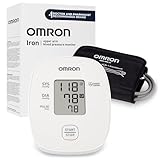
- CONFIDENCE IN EVERY READING: Monitor your heart health with the OMRON Iron Upper Arm Blood Pressure Monitor's Advanced Accuracy Technology
- SAFEGUARD YOUR HEART: Detect heartbeat irregularities during routine blood pressure measurements with OMRON's Irregular Heart Beat Detection, helping you and your doctor determine if treatment or further evaluation is needed
- START YOUR DAY WITH CONFIDENCE: Count on quick and accurate readings with simple one-touch operation; Just press one button; Regular monitoring can reveal irregular fluctuations before they lead to serious complications
- MORE ACCURATE RESULTS: Enhance the accuracy of your blood pressure readings with excessive Body Movement Detection alerts
- READY OUT OF THE BOX: Includes everything you need to start monitoring your heart health; OMRON monitor, wide-range D-ring blood pressure cuff (fits arms 9"–17"), instruction manual, and quick start guide
This is one of those cases where comfort, materials, and fit directly affect data quality, not just aesthetics or wearability.
Battery Life and Software Readiness
Blood pressure measurements don’t consume much battery on their own, but the watch needs sufficient charge to complete the process without interruption. Low battery states can block measurements entirely.
Keeping both the watch firmware and Samsung Health Monitor app updated is equally important. Samsung regularly adjusts algorithms, calibration handling, and warnings based on regulatory feedback and real-world data.
Once these prerequisites are in place, the actual measurement process becomes straightforward. More importantly, you can be confident that the numbers you see are grounded in a properly prepared system rather than guesswork.
Initial Blood Pressure Calibration: Step-by-Step Setup Using a Traditional Cuff
With fit, battery, and software readiness confirmed, calibration is where the Galaxy Watch’s blood pressure feature truly earns its credibility. This process aligns the watch’s optical sensor data with a known reference point from a traditional cuff-based monitor.
Samsung intentionally makes this a guided, deliberate procedure. Rushing it or cutting corners is the fastest way to undermine every reading that follows.
What You Need Before You Start
You’ll need an upper-arm blood pressure cuff, either a clinically validated home monitor or one used in a pharmacy or clinic. Wrist cuffs are not supported for calibration because their readings are more position-sensitive and less consistent.
Your Galaxy Watch must be paired to a compatible Android phone, and the Samsung Health Monitor app must be installed and fully updated. Blood pressure features are region-locked, so availability depends on regulatory approval in your country.
Plan for about 10 minutes in a quiet, temperature-stable environment. Calibration should never be done immediately after exercise, caffeine, smoking, or stress.
Positioning Your Body and Devices Correctly
Sit upright in a chair with your back supported and both feet flat on the floor. Rest your arm on a table so the cuff and watch are roughly at heart level.
Wear the Galaxy Watch on your wrist as you normally would, positioned slightly above the wrist bone and snug but not tight. The cuff should be placed on the opposite arm, following the cuff manufacturer’s instructions.
Remain still and silent during the entire process. Even small movements or talking can affect both cuff pressure and optical sensor readings.
Starting Calibration in Samsung Health Monitor
On your phone, open the Samsung Health Monitor app and select Blood pressure. If this is your first time, the app will automatically guide you into calibration mode.
The app explains the process and prompts you to begin the first cuff measurement. Read the instructions carefully, as timing matters more here than during everyday watch-only measurements.
Once ready, start the cuff measurement first, then follow the on-screen prompt to confirm the reading in the app.
Taking the Three Required Calibration Readings
Samsung requires three consecutive cuff readings, taken about one to two minutes apart. This helps smooth out natural blood pressure variability and improves the baseline model.
After each cuff measurement, enter the systolic and diastolic values exactly as displayed on the cuff. The watch is not measuring during this step; it’s learning the relationship between optical signals and known pressure values.
Between readings, stay seated and relaxed. Do not remove the watch or cuff, and avoid shifting your posture.
Why Three Measurements Matter
Blood pressure is not a fixed number, even at rest. It fluctuates with breathing, vascular tone, and nervous system activity.
By averaging three readings, Samsung reduces the impact of outliers and noise. This is especially important for a wearable that estimates pressure indirectly rather than inflating a cuff.
Skipping a reading or entering values incorrectly weakens the calibration model and increases long-term drift.
Calibration Confirmation and Error Handling
Once all three readings are entered, the app confirms successful calibration and stores the baseline internally. From this point forward, the watch can estimate blood pressure on its own.
If calibration fails, the app will usually explain why. Common causes include inconsistent cuff readings, excessive movement, or timing errors between measurements.
When this happens, it’s better to stop and retry later rather than forcing a calibration under poor conditions.
How Calibration Affects Real-World Accuracy
Calibration does not turn the Galaxy Watch into a medical-grade blood pressure monitor. It allows the watch to track relative changes and trends with reasonable consistency when conditions are controlled.
Users typically see the best results when calibration is done carefully and repeated on schedule. Sloppy calibration often produces readings that look believable but drift further from reality over time.
This is why Samsung treats calibration as a requirement, not an optional enhancement.
Important Safety and Use Disclaimers
Samsung’s blood pressure feature is intended for wellness monitoring, not diagnosis or treatment. It should never replace professional medical equipment or clinical judgment.
If you have hypertension, cardiovascular disease, are pregnant, or take blood pressure medication, always follow guidance from a healthcare professional. Do not adjust medication or treatment plans based on smartwatch readings.
The Galaxy Watch can be a helpful awareness tool, but the cuff remains the authority whenever accuracy truly matters.
How to Take a Blood Pressure Reading on Your Galaxy Watch (Daily Use Walkthrough)
Once calibration is complete, taking a blood pressure reading becomes part of your normal Galaxy Watch routine. The process is quick, but accuracy depends heavily on how you position your body and how still you remain during the measurement.
Think of each reading as a controlled snapshot rather than something to check casually while moving around. The watch is estimating pressure from pulse wave signals, so consistency matters more than speed.
Before You Start: Prepare Your Body and Environment
Choose a quiet moment when you can sit down and relax for a few minutes. Avoid measuring right after exercise, caffeine, smoking, or emotional stress, as all of these temporarily raise blood pressure.
Sit in a chair with your feet flat on the floor and your back supported. Rest your arm on a table so the watch is roughly at heart level, which helps reduce hydrostatic pressure differences that can skew results.
Make sure the watch is snug but not tight. A loose fit allows light to leak into the optical sensors, while an overly tight strap can restrict blood flow and distort readings.
Launching the Blood Pressure App on the Watch
On your Galaxy Watch, press the Home button and open the Samsung Health Monitor app. Select Blood Pressure from the list of available measurements.
If the feature is supported in your region and properly calibrated, you’ll see a prompt to start measuring. If you see a calibration reminder instead, you’ll need to recalibrate with a cuff before proceeding.
Tap Measure and place your measuring arm comfortably on the table, palm facing up or slightly inward. The watch will begin counting down once it detects a stable signal.
During the Measurement: What to Do (and Not Do)
Remain completely still while the watch measures. Even small movements, such as adjusting posture or flexing your wrist, can interfere with the pulse wave analysis.
Keep your arm relaxed and avoid clenching your fist or tensing your forearm. Breathing should be slow and natural, without talking or looking around.
The measurement typically takes around 30 seconds. During this time, the watch uses optical heart rate data to estimate systolic and diastolic pressure based on the calibrated model.
Viewing and Saving Your Results
When the measurement is complete, the watch displays systolic pressure, diastolic pressure, and pulse rate. These values are automatically saved and synced to the Samsung Health Monitor app on your paired phone.
On your phone, you can view individual readings, daily averages, and longer-term trends. This historical view is where the feature becomes most useful, especially for spotting gradual changes over weeks rather than focusing on single numbers.
If a reading fails, the watch will usually prompt you to retry. Treat failed readings as a signal that conditions weren’t ideal rather than a hardware issue.
How Often You Should Measure
For general wellness tracking, once per day at a consistent time is usually sufficient. Many users choose mornings before breakfast or evenings after sitting quietly for a few minutes.
Measuring multiple times back-to-back is not recommended unless you are specifically checking consistency. Like cuff monitors, repeated measurements can temporarily alter vascular tone and affect results.
If Samsung Health prompts you to recalibrate, follow that guidance promptly. Regular recalibration keeps long-term estimates aligned with your actual blood pressure.
Rank #4

- CONFIDENCE IN EVERY READING: Monitor your heart health with the OMRON Bronze Upper Arm Blood Pressure Monitor's Advanced Accuracy Technology; Store up to 14 readings to track your progress
- SAFEGUARD YOUR HEART: Detect heartbeat irregularities during routine blood pressure measurements with OMRON's Irregular Heart Beat Detection, helping you and your doctor determine if treatment or further evaluation is needed
- START YOUR DAY WITH CONFIDENCE: Know when your blood pressure is elevated with Hypertension Indicator alerts; Regular monitoring can reveal irregular fluctuations before they lead to serious complications
- TURN NUMBERS INTO INSIGHTS: Connect effortlessly to the free OMRON connect app via Bluetooth to store unlimited blood pressure readings, track trends, and share reports with your doctor; Compatible with Apple Health and Google Fit
- READY OUT OF THE BOX: Includes everything you need to start monitoring your heart health; OMRON monitor, wide-range D-ring blood pressure cuff (fits arms 9"– 17"), storage case, instruction manual, quick start guide, and four AA batteries
Best Practices for Reliable Day-to-Day Readings
Try to measure under similar conditions each time, using the same arm and posture. Switching arms or measuring while reclined versus seated introduces variability that the algorithm cannot fully correct.
Wear the watch on clean, dry skin and avoid measuring over tattoos or scars when possible. Optical sensors rely on light absorption, and uneven skin surfaces can reduce signal quality.
Battery level also matters more than people expect. Low battery states can reduce sensor stability, so it’s best to measure when the watch is comfortably charged.
What a “Normal” Reading Looks Like on the Watch
The numbers you see should broadly align with what you get from a cuff, but small differences are normal. Expect occasional deviations, especially if posture or timing differs from calibration conditions.
The watch is better at tracking relative changes than delivering perfectly precise single readings. A consistent upward or downward trend is more meaningful than any one measurement.
If readings suddenly shift by a large margin without an obvious reason, recalibration is the first step before assuming a health change.
Understanding When Not to Measure
Avoid taking readings while walking, lying down, or riding in a vehicle. Motion and changes in arm position make reliable pulse wave analysis difficult.
If you’re feeling unwell, dizzy, or experiencing symptoms like chest pain or shortness of breath, do not rely on the watch for assessment. In those situations, a medical-grade device or professional care is essential.
The Galaxy Watch works best as a calm, seated check-in tool, not as an on-demand diagnostic instrument during stressful moments.
How This Fits into Everyday Galaxy Watch Use
In daily wear, the blood pressure feature blends naturally into the broader Samsung Health ecosystem. Readings sit alongside heart rate, sleep, stress, and activity data, providing context rather than standing alone.
From a comfort and usability standpoint, modern Galaxy Watches are light enough for all-day wear, with sensors that don’t require special preparation beyond proper fit. Battery life is usually sufficient for daily measurements, even with other health features enabled.
Used thoughtfully, blood pressure tracking becomes another quiet data point rather than a constant check. That mindset aligns best with what the feature is designed to deliver: awareness over time, not instant medical certainty.
How Accurate Is Samsung Galaxy Watch Blood Pressure Tracking? Real-World Performance and Expectations
After understanding when and how to measure, the natural next question is how much trust you can place in the numbers. Samsung’s blood pressure feature sits in a middle ground between casual wellness tracking and clinical measurement, and setting the right expectations is essential for using it responsibly.
What the Galaxy Watch Is Actually Measuring
Samsung Galaxy Watches do not directly measure blood pressure in the way a cuff does. Instead, they estimate it using optical heart rate sensors that analyze pulse wave signals at the wrist, then apply an algorithm trained during calibration with a traditional cuff-based monitor.
This approach relies on pulse wave analysis, which can reflect changes in blood pressure but cannot physically compress an artery to observe pressure changes directly. That fundamental difference explains why calibration and consistent measurement conditions matter so much.
Accuracy Compared to a Traditional Cuff Monitor
In controlled conditions, many users find Galaxy Watch blood pressure readings land within roughly 5–10 mmHg of a properly used upper-arm cuff. That margin aligns with Samsung’s regulatory validation targets in regions where the feature is approved, such as CE-marked markets and select countries with medical device clearance.
In everyday use, accuracy varies more. Readings may be closer on some days and further off on others, especially if posture, strap tension, skin temperature, or stress levels differ from calibration conditions.
Consistency Matters More Than Precision
The Galaxy Watch is notably better at detecting relative changes over time than delivering a single, perfectly precise reading. If your blood pressure trends upward over several days or weeks, the watch usually reflects that direction reliably.
This makes it useful for monitoring patterns, such as whether lifestyle changes, sleep quality, or stress management are influencing your numbers. It is far less reliable as a one-off confirmation of a high or low reading.
How Calibration Quality Affects Accuracy
Calibration is the single biggest factor influencing real-world performance. Using a validated upper-arm cuff, following proper posture, and calibrating when you are relaxed dramatically improves alignment between the watch and a medical device.
If calibration is rushed or done inconsistently, errors can persist and compound over time. That is why Samsung requires recalibration every four weeks, even if readings seem stable.
Common Sources of Measurement Error
Wrist-based measurements are sensitive to movement, arm position, and strap fit. A loose watch, bent wrist, or arm held too high or too low relative to the heart can skew results noticeably.
Physiological factors also play a role. Cold skin, dehydration, irregular heart rhythms, or sudden stress responses can all affect pulse wave readings in ways a cuff would handle more reliably.
Real-World Use Across Different Galaxy Watch Models
Recent Galaxy Watch models share similar sensor hardware, meaning accuracy differences between generations are modest rather than dramatic. Improvements tend to come from software refinement, better signal filtering, and tighter integration with Samsung Health rather than new physical sensors.
From a comfort and wearability standpoint, lighter cases, smoother casebacks, and improved strap materials help maintain consistent skin contact. That indirectly supports better measurement stability during seated checks.
How It Compares to Other Health Metrics on the Watch
Blood pressure estimates are less forgiving than metrics like resting heart rate or step count. Those metrics tolerate movement and daily variation better, while blood pressure demands stillness and consistency.
When viewed alongside sleep, stress, and activity data in Samsung Health, blood pressure readings gain context. A slightly elevated reading after poor sleep or a stressful day often makes more sense when seen as part of a broader pattern.
Regulatory Status and What It Means for Trust
In regions where Samsung has obtained regulatory clearance, the blood pressure feature is recognized as a regulated health function rather than a purely experimental tool. That means it has met defined accuracy and safety benchmarks under specific conditions.
However, regulatory approval does not equate to diagnostic capability. Even in approved markets, Samsung clearly positions the feature for monitoring and awareness, not for diagnosing hypertension or adjusting medication.
Setting the Right Expectations as a User
If you expect cuff-level precision from a wrist-based wearable, frustration is likely. If you treat the Galaxy Watch as a convenient, repeatable way to observe trends between formal measurements, it performs much closer to its design intent.
Used calmly, consistently, and with regular calibration, Samsung Galaxy Watch blood pressure tracking can be a valuable addition to daily health monitoring. It works best as a companion to traditional measurements, not a replacement for them.
Best Practices for Reliable Readings: Fit, Posture, Timing, and Calibration Maintenance
All of the caveats discussed so far converge here. Blood pressure on a Galaxy Watch lives or dies by consistency, and small details in how you wear and use the watch can materially change the result.
Watch Fit: Snug, Stable, and Consistent
The watch should sit just above the wrist bone, not directly on it, with the caseback fully flat against the skin. A loose fit allows micro-movements that disrupt pulse wave detection, while an overly tight strap can restrict blood flow and skew readings upward.
Samsung’s lighter aluminum cases and curved casebacks help, but strap choice matters just as much. Soft fluoroelastomer or fabric sport bands tend to maintain even pressure better than metal bracelets, which can shift during seated measurements.
Posture: Replicate a Traditional Cuff Setup
Your posture should closely mirror how blood pressure is taken with an upper-arm cuff. Sit upright in a chair with your back supported, feet flat on the floor, and legs uncrossed.
Avoid taking measurements on a couch or bed where posture subtly collapses. Even slight slouching can change vascular pressure enough to affect wrist-based estimates.
Arm and Wrist Position: Heart Level Is Non-Negotiable
Rest the arm wearing the watch on a table so the watch sits at roughly heart level. Let the forearm relax naturally rather than holding it up under tension.
If your wrist is significantly above or below heart height, readings can drift higher or lower than expected. This is one of the most common reasons users see inconsistent numbers across otherwise similar checks.
Stillness and Breathing: Less Effort Than You Think
Once the measurement starts, remain as still as possible and breathe normally. Avoid talking, clenching your fist, or adjusting posture mid-read.
You do not need exaggerated slow breathing, but rushing or holding your breath can influence vascular tone. Treat the 30 to 45 seconds as a brief pause rather than an active task.
Timing: Measure Under Comparable Conditions
For trend tracking, take readings at roughly the same time each day. Morning, after waking and before caffeine or exercise, tends to produce the most stable baseline for many users.
Avoid measuring immediately after workouts, hot showers, alcohol, or emotional stress. The watch will still give a number, but it may reflect temporary physiological changes rather than your usual range.
Calibration Maintenance: Keep the Reference Fresh
Samsung requires periodic recalibration with a traditional upper-arm cuff, typically every four weeks. Do not treat this as a formality, as calibration drift is real and cumulative.
When recalibrating, use a validated cuff monitor, sit quietly for several minutes beforehand, and take the watch reading immediately after the cuff measurement. Consistency during calibration directly improves the accuracy of every reading that follows.
Skin Contact and Environmental Factors
Clean, dry skin improves sensor performance. Sweat, lotion, or sunscreen under the caseback can interfere with optical signals, especially in warmer weather.
Cold environments can constrict blood vessels and increase variability. If your hands feel cold, allow your body to warm up for a few minutes before starting a measurement.
Software, Battery, and Daily Wear Considerations
Keep Samsung Health and the watch firmware up to date, as signal processing improvements often arrive quietly through software updates. Low battery states can also affect sensor stability, so avoid measurements when the watch is nearly depleted.
💰 Best Value

- CONFIDENCE IN EVERY READING: Monitor your heart health with the OMRON Platinum Upper Arm Blood Pressure Monitor's Advanced Accuracy with AFib Detection Technology; Store up to 100 readings each for you and a partner to track progress with dual-user support
- SAFEGUARD YOUR HEART: Screen for unusual heart rhythms every time you check your blood pressure with OMRON's exclusive Atrial Fibrillation (AFib) Detection, helping you and your doctor determine if treatment or further evaluation is needed
- START YOUR DAY WITH CONFIDENCE: Check for morning blood pressure spikes linked to higher cardiovascular risk using the High Morning Average Indicator; Regular monitoring can reveal irregular fluctuations before they lead to serious complications
- TURN NUMBERS INTO INSIGHTS: Connect effortlessly to the free OMRON connect app via Bluetooth to store unlimited blood pressure readings, track trends, and share reports with your doctor; Compatible with Apple Health and Google Fit
- READY OUT OF THE BOX: Includes everything you need to start monitoring your heart health; OMRON monitor, wide-range D-ring blood pressure cuff (fits arms 9"–17"), AC adapter, storage case, instruction manual, quick start guide, and four AA batteries
From a daily wear perspective, comfort drives compliance. A watch that feels good across long sessions is more likely to stay in the correct position, supporting better long-term trend tracking rather than sporadic, low-quality readings.
When to Skip a Measurement
If you are rushing out the door, feeling unwell, or unable to sit calmly, it is better to skip a reading than log a compromised one. Trend data is only useful when inputs are comparable.
The Galaxy Watch is designed to support awareness over time, not to force daily numbers at all costs. Patience and repeatability matter more than frequency.
Limitations, Safety Warnings, and Medical Disclaimers You Must Understand
All of the best practices above only matter if you understand what the Galaxy Watch blood pressure feature can and cannot do. Samsung’s implementation is sophisticated for a consumer wearable, but it operates within strict technical, regulatory, and medical boundaries that users must respect.
This Is Not a Medical Device for Diagnosis or Treatment
Samsung Galaxy Watch blood pressure readings are classified as a wellness and monitoring feature, not a diagnostic tool. Even in regions where it has regulatory clearance, it is intended to support awareness and trend tracking, not to confirm hypertension or guide treatment decisions.
Do not use watch readings to start, stop, or adjust medication. Any blood pressure concerns should always be discussed with a qualified healthcare professional using clinically validated equipment.
Regulatory Approval Varies by Country and Region
Blood pressure monitoring on Galaxy Watches is cleared in many countries through CE marking and similar frameworks, but it is not universally available. In the United States, for example, Samsung’s blood pressure feature has historically been restricted due to FDA regulatory requirements, even when the hardware supports it.
Availability can change over time based on approvals, software updates, and local health regulations. If the feature is not officially enabled in your region, Samsung does not consider it validated for use there.
Calibration Dependence Is a Fundamental Limitation
Unlike a traditional cuff, the Galaxy Watch does not directly measure blood pressure. It estimates blood pressure using optical pulse wave analysis that is anchored to your last calibration with a cuff-based monitor.
If your blood pressure changes meaningfully due to illness, medication adjustments, weight change, or aging, the watch cannot detect that shift on its own. Without timely recalibration, readings may look precise while drifting further from reality.
Not Suitable for Certain Medical Conditions
Samsung explicitly advises against using the blood pressure feature if you have certain conditions. These include diagnosed arrhythmias such as atrial fibrillation, significant vascular disease, or circulatory disorders that affect blood flow patterns.
The algorithm assumes relatively stable pulse wave behavior. Irregular heart rhythms or compromised circulation can break that assumption and reduce accuracy without obvious warning signs.
Age, Pregnancy, and Health Status Restrictions
The blood pressure feature is designed for adults only and is not intended for children or adolescents. It is also not validated for use during pregnancy, including preeclampsia screening or monitoring.
If you are pregnant, recovering from surgery, or managing a chronic cardiovascular condition, rely on clinical-grade equipment and medical guidance rather than wearable estimates.
Wrist-Based Measurement Has Physical Constraints
Upper-arm cuffs compress an artery directly, while a smartwatch relies on optical sensors reading subtle changes through skin, tissue, and bone. Wrist anatomy, skin thickness, tattoos, hair, and even watch case size can influence signal quality.
Larger Galaxy Watch models may feel more stable on broader wrists, while smaller cases can be easier to position correctly on slimmer arms. Comfort, strap material, and consistent fit all affect whether the sensors sit flush enough to produce usable data.
Single Readings Are Less Meaningful Than Trends
Individual readings can fluctuate due to posture, stress, hydration, or temperature, even when taken correctly. The watch may present numbers with decimal-level confidence, but that does not mean each reading carries clinical precision.
The real value lies in observing patterns over time under similar conditions. Treat outliers as prompts for context, not immediate concern.
False Reassurance Is a Real Risk
Normal-looking readings do not guarantee cardiovascular health. It is possible to have underlying hypertension, masked hypertension, or other conditions that a wrist-based wearable cannot reliably detect.
Likewise, occasional elevated readings do not automatically indicate disease. Avoid self-diagnosis in either direction and use the data as a conversation starter with your doctor, not a verdict.
Emergency Situations Require Proper Medical Care
If you experience symptoms such as chest pain, shortness of breath, severe headache, dizziness, or sudden vision changes, do not rely on your Galaxy Watch for reassurance or confirmation. These situations require immediate medical evaluation regardless of what the watch displays.
The watch is not designed to detect hypertensive emergencies or acute cardiovascular events in real time.
Data Interpretation Is Your Responsibility
Samsung Health presents blood pressure data clearly, but interpretation still requires judgment. Context matters, including time of day, recent activity, emotional state, and how consistently you follow measurement protocols.
Used thoughtfully, the Galaxy Watch can support long-term awareness. Used carelessly, it can create unnecessary anxiety or misplaced confidence.
Understand the Trade-Off for Convenience
The appeal of wrist-based blood pressure monitoring is ease and frequency, not medical-grade certainty. You trade some accuracy for the ability to check trends during daily life without a cuff, tubing, or pump.
As long as you accept that trade-off and stay within the feature’s intended use, the Galaxy Watch blood pressure tool can be a helpful companion rather than a misleading authority.
Who Should (and Shouldn’t) Use Galaxy Watch Blood Pressure Tracking—and How to Use the Data Wisely
With the limits and trade-offs clearly in mind, the next question is whether Galaxy Watch blood pressure tracking is right for you. The answer depends less on curiosity and more on your health context, expectations, and willingness to use the data responsibly.
Who Galaxy Watch Blood Pressure Tracking Makes Sense For
This feature is best suited for adults who already understand their baseline blood pressure and want to observe trends between traditional cuff measurements. If you have been diagnosed with hypertension, prehypertension, or are monitoring lifestyle changes, the Galaxy Watch can add useful context between clinic visits.
It is particularly helpful for spotting patterns related to stress, sleep quality, time of day, or exercise recovery. Used consistently, it can highlight gradual shifts that might otherwise go unnoticed.
Health-conscious users without a diagnosis can also benefit, as long as they treat readings as informational rather than definitive. Think of it as a long-term awareness tool, not a screening device.
Who Should Be Cautious—or Avoid Using It Altogether
If you have cardiac arrhythmias such as atrial fibrillation, the Galaxy Watch blood pressure feature may produce unreliable results. Irregular pulse waves interfere with the pulse transit time calculations the watch relies on.
Pregnant users should not use Galaxy Watch blood pressure tracking as a substitute for clinical monitoring. Pregnancy-related blood pressure conditions require validated medical devices and professional oversight.
Anyone with vascular disease, advanced diabetes complications, or who is undergoing dialysis should also avoid relying on wrist-based measurements. In these cases, peripheral circulation changes can significantly distort readings.
Why This Feature Is Not a Replacement for a Blood Pressure Cuff
Galaxy Watch blood pressure tracking depends on periodic calibration with an upper-arm cuff for a reason. The watch does not directly measure pressure; it estimates it based on optical pulse data and mathematical models.
Even when calibrated correctly, accuracy can drift over time due to changes in vascular stiffness, medication adjustments, illness, or aging. This is why Samsung requires regular recalibration and clearly positions the feature as non-diagnostic.
A validated cuff monitor remains the reference standard for decision-making, medication changes, and diagnosis. The watch complements that process but does not replace it.
How to Use Galaxy Watch Blood Pressure Data Wisely
Consistency matters more than frequency. Take measurements under similar conditions, ideally seated, rested, and at the same time of day, to make trends meaningful.
Focus on averages over days or weeks rather than reacting to single readings. Outliers should prompt reflection on context, such as poor sleep, caffeine, stress, or recent physical activity.
When sharing data with a healthcare professional, bring both watch trends and cuff-based readings. This allows your doctor to assess whether the wearable data aligns with clinically validated measurements.
Understanding Medication and Lifestyle Effects
Blood pressure medications, caffeine, alcohol, dehydration, and even posture can influence Galaxy Watch readings. A sudden change does not necessarily mean your condition has worsened.
Use the watch to observe how habits affect your numbers, not to self-adjust medication. Any treatment changes should always be guided by a clinician using proper diagnostic tools.
Over time, this contextual awareness can make conversations with your doctor more informed and productive.
The Right Mindset for Long-Term Use
The Galaxy Watch excels at showing direction, not destination. It can indicate whether your blood pressure trends are improving, worsening, or staying stable, but it cannot define what is medically acceptable for you.
Approached with curiosity rather than anxiety, the feature can encourage healthier routines and better self-awareness. Approached as a diagnostic authority, it risks causing confusion or false reassurance.
Used within its intended scope, Galaxy Watch blood pressure tracking becomes a practical companion to traditional care. It rewards patience, consistency, and informed interpretation, which is ultimately where its real value lies.