If you’ve spotted the ECG option on your Fitbit Charge 5 or Charge 6 and wondered whether it’s a serious medical tool or just another health stat, you’re not alone. ECG is one of the most misunderstood features on modern fitness trackers, largely because it sounds more clinical than it actually is.
This section breaks down, in plain language, what the ECG feature on the Charge 5 and Charge 6 is designed to do, what kind of information it can give you, and just as importantly, what it cannot tell you. By the end, you’ll have realistic expectations and a solid understanding of how to use it responsibly.
What Fitbit’s ECG Feature Is Designed to Measure
The ECG app on the Fitbit Charge 5 and Charge 6 records a single-lead electrocardiogram, which means it looks at the electrical signals that control your heartbeat from one angle. You start a reading manually, place your finger on the metal frame of the tracker, and stay still for about 30 seconds while it records.
Its primary purpose is to check for signs of atrial fibrillation, often shortened to AFib. AFib is a specific type of irregular heart rhythm that can increase the risk of stroke if left untreated, and it’s one of the few rhythm issues that wrist-based ECGs are cleared to detect.
🏆 #1 Best Overall

- Record and store ECG signals, and display heart rate for home health care use. There is no subscription or hidden cost required to use the device & app.
- The device can be connected with PC via USB, with mobile phone via Bluetooth.
- The function of software PC and mobile phone includes sample mode and time setting, upload case, case review, measurement etc.
- Powered by Built-in large capability rechargeable lithium battery.
- The device is intended for OTC (over-the-counter) Use. Implanted pacemaker are not recommended to use with this device. This device is not intended to substitute for a hospital diagnostic ECG device.
After the recording, the Fitbit app analyzes the data and classifies it into a small number of result categories, such as sinus rhythm (a normal, regular heartbeat) or AFib detected. The results are stored in the app, where you can review trends over time or export a PDF to share with a healthcare professional.
What Makes This a Medical-Grade Feature (and What That Really Means)
The ECG feature on both the Charge 5 and Charge 6 is FDA-cleared in supported regions, which means Fitbit has demonstrated that it meets specific safety and accuracy standards for its intended use. That intended use is narrow: screening for AFib in adults without a prior diagnosis.
FDA clearance does not mean the tracker can diagnose heart disease, replace a doctor, or detect every possible heart rhythm problem. It simply means the feature does what it claims to do when used correctly, within defined limits.
In practical terms, this makes the ECG app a screening and awareness tool. It’s meant to help you notice potential warning signs earlier, not to confirm a medical condition on its own.
What the ECG Feature Does Not Detect
The ECG on the Charge 5 and Charge 6 cannot detect heart attacks, blocked arteries, or structural heart problems. It also does not continuously monitor your heart rhythm in the background; each ECG reading is a manual, moment-in-time snapshot.
It won’t reliably identify other arrhythmias such as premature beats, supraventricular tachycardia, or ventricular arrhythmias. If your heart rhythm issue doesn’t fit the patterns the algorithm is trained to recognize, the result may come back as inconclusive or normal even if something else is going on.
This limitation is why Fitbit clearly states that ECG results should never be used to rule out a problem if you’re experiencing symptoms like chest pain, dizziness, fainting, or shortness of breath.
Who Can and Cannot Use the ECG App
The ECG app is intended for adults aged 22 and older, and it’s only available in certain countries where regulatory approval has been granted. Even if you own a Charge 5 or Charge 6, the feature may not appear in the app if you’re outside a supported region.
It’s also not designed for people who already have a diagnosed arrhythmia other than AFib. In those cases, Fitbit recommends following medical advice rather than relying on consumer ECG readings.
People with implanted cardiac devices, such as pacemakers or defibrillators, should also consult their healthcare provider before using the ECG feature, as electrical signals from those devices can affect readings.
How This Fits Into Everyday Use of the Charge 5 and Charge 6
In daily wear, the ECG feature is separate from the tracker’s continuous heart rate monitoring. Your Charge 5 or Charge 6 still tracks resting heart rate, heart rate zones, and heart rate variability automatically, without you doing anything.
ECG is something you use intentionally, usually when you’re at rest and feeling calm, or if you notice symptoms like palpitations and want to capture what your heart rhythm looks like at that moment. Because it requires stillness and finger contact with the metal case, it’s not something you can do while walking, exercising, or multitasking.
Battery impact is minimal if you use ECG occasionally, which fits well with the Charge line’s long battery life and lightweight, comfortable design for all-day wear.
How to Think About ECG Results Without Overreacting
A normal or sinus rhythm result means no signs of AFib were detected during that specific 30-second window. It does not guarantee that you never experience irregular rhythms at other times.
An AFib detected result doesn’t confirm a diagnosis on its own, but it is a strong signal to contact a healthcare professional and share the report. Doctors are familiar with consumer ECG PDFs and can decide whether further testing is needed.
If you receive repeated inconclusive results, that often points to movement, poor contact, or a heart rhythm that doesn’t fit the app’s detection criteria, rather than something immediately dangerous. Understanding these nuances helps you use the ECG feature as a calm, informative tool rather than a source of anxiety.
Who Can Use ECG on Fitbit Charge 5/6: Eligibility, Age Limits, and Regional Availability
After understanding how to interpret ECG results without jumping to conclusions, the next practical question is whether the ECG app is even available to you. Fitbit’s ECG feature isn’t unlocked for every user by default, and that’s by design, based on medical regulations, age guidelines, and where you live.
This section walks through exactly who can use ECG on the Charge 5 and Charge 6, what requirements must be met, and why some users won’t see the ECG app even though the hardware is built in.
Minimum Age Requirement
Fitbit ECG is intended for adults, not children or teens. To use the ECG app on the Charge 5 or Charge 6, you must be at least 22 years old.
This age limit isn’t arbitrary. The ECG algorithm was clinically validated using adult data, and regulatory clearance is based on that population. Even if a younger user has a Fitbit account and wears the device daily, the ECG app will remain unavailable.
If your Fitbit account lists an age under 22, the ECG option will not appear in the app or on the tracker. Updating your date of birth to meet the requirement is necessary, but it should always reflect your real age for health features to work correctly.
Supported Countries and Regional Approval
ECG availability depends heavily on where you live. Fitbit can only enable the ECG app in countries where local health authorities have cleared or approved the feature.
In the United States, the ECG app is FDA-cleared and widely available. In other regions, availability depends on approval from regulators such as those in the UK, EU, Canada, Australia, and select additional markets.
Because approvals change over time, Fitbit manages this at the account level. If your country is supported, the ECG app appears automatically once your device and app are up to date. If it’s not supported, there’s no manual workaround to enable it.
The most reliable way to check is inside the Fitbit app under Discover or Assessments. Fitbit also maintains a current list of supported countries in its help documentation, which is worth checking if you travel or recently changed regions.
Account Location and Travel Considerations
Your Fitbit account region matters more than where you physically are on a given day. ECG eligibility is tied to the country set in your Fitbit profile, not temporary travel.
For example, using your Charge 6 while visiting the U.S. won’t unlock ECG if your account is registered in an unsupported country. Likewise, if your home country supports ECG, the feature remains available when you travel abroad.
Changing your account region just to access ECG is not recommended. Region mismatches can interfere with health features, warranty support, and regulatory compliance.
Device Compatibility: Charge 5 vs Charge 6
Both the Fitbit Charge 5 and Charge 6 include the necessary electrical heart sensor built into the stainless steel case. There’s no difference in ECG capability between the two models.
From a comfort and usability standpoint, the slim case, lightweight build, and soft silicone band make it easier to sit still and maintain contact during a 30-second reading. Proper fit matters more than model year, since loose wear is a common cause of inconclusive results.
As long as your tracker fits snugly above the wrist bone and the metal case is clean and dry, either device works equally well for ECG recordings.
Phone and App Requirements
You’ll need a compatible smartphone and the Fitbit app to set up and view ECG results. ECG readings are recorded on the tracker but processed and displayed in the app, where you can also export a PDF to share with a healthcare provider.
Both Android and iPhone are supported, but the phone must meet Fitbit’s minimum operating system requirements. Keeping the Fitbit app updated is essential, as ECG features and country approvals are controlled through software.
If your tracker firmware or app version is outdated, the ECG option may not appear even if you’re otherwise eligible.
Who Should Not Use Fitbit ECG
Even if you meet the age and regional requirements, ECG isn’t appropriate for everyone. Fitbit clearly states that the ECG app is not recommended for people with known arrhythmias other than atrial fibrillation.
People with implanted cardiac devices, such as pacemakers or defibrillators, should only use ECG after consulting a healthcare professional. Electrical signals from those devices can interfere with readings and lead to misleading results.
ECG on the Charge 5 and 6 is also not designed for detecting heart attacks, blood clots, or other cardiac conditions beyond AFib screening. Understanding these boundaries helps ensure the feature is used safely and as intended.
Before You Start: Setting Up ECG in the Fitbit App (Accounts, Permissions, and Updates)
Once you know your Charge 5 or Charge 6 is physically capable of taking an ECG and that you’re an appropriate user, the next step is making sure the Fitbit app is fully prepared. Most ECG setup issues come down to account details, permissions, or software that isn’t quite up to date.
Taking a few minutes to confirm these basics now can save a lot of frustration later, especially if the ECG app doesn’t appear when you expect it to.
Confirm Your Fitbit Account Details
ECG access is tied directly to your Fitbit account, not just the device on your wrist. When you first set up your account, you were asked for your age, country, and basic profile information, and these details determine whether ECG is enabled.
Make sure your date of birth shows that you’re at least 22 years old, as Fitbit restricts ECG use to adults. You can check or update this by opening the Fitbit app, tapping your profile picture, and selecting Personal Info.
Your country or region also matters because ECG availability depends on regulatory approval. If your account region doesn’t match where you actually live, the ECG feature may be hidden even if your device supports it.
Check Regional Availability and Legal Notices
Fitbit’s ECG app is cleared by health regulators in many countries, including the US, UK, EU member states, and several others. However, it is not available everywhere, and approval can change over time.
When ECG becomes available in your region, Fitbit requires you to review and accept specific medical disclaimers inside the app. These explain that the feature screens for signs of atrial fibrillation and does not replace a medical diagnosis.
You won’t be able to take your first ECG until these notices are reviewed and accepted, so don’t skip through them. They’re an important part of understanding what the results can and cannot tell you.
Update the Fitbit App on Your Phone
The ECG feature lives inside the Fitbit app, not just on the tracker itself. If your app version is outdated, the ECG tile may be missing even though everything else looks correct.
Head to the App Store on iPhone or Google Play on Android and manually check for updates. Automatic updates don’t always run on schedule, especially if your phone is low on storage or battery.
Rank #2

- Record and store Lead I ECG signals, and display heart rate for home health care use.
- The device can be connected with PC via USB, with mobile phone via Bluetooth.
- The function of software PC and mobile phone includes sample mode and time setting, upload case, case review, measurement etc.
- Powered by built-in large capability rechargeable lithium battery.
- The device is intended for OTC (over-the-counter) Use. Implanted pacemaker are not recommended to use with this device. This device is not intended to substitute for a hospital diagnostic ECG device.
Keeping the app current also ensures you get the latest health reports, PDF export options, and bug fixes that affect ECG reliability and viewing past results.
Make Sure Your Charge 5 or 6 Firmware Is Updated
In addition to the phone app, your tracker’s internal software must be up to date. Firmware updates are delivered through the Fitbit app and often include health feature improvements and regulatory changes.
To check, open the Fitbit app, tap your profile picture, select your Charge 5 or Charge 6, and look for a pink update banner. If one is available, install it with your tracker charged and nearby, and expect the process to take several minutes.
An incomplete or interrupted update can temporarily disable features, so it’s best to do this while connected to Wi‑Fi and with at least 50 percent battery on the tracker.
Grant Required App Permissions
ECG requires specific permissions to work properly, especially on newer versions of iOS and Android. These include Bluetooth access, background app activity, and permission to store and process health data.
If Bluetooth permissions are restricted, the app may not sync ECG recordings reliably. If background activity is disabled, results may take longer to appear or fail to upload.
You can review these settings in your phone’s system settings under Apps, then Fitbit. Allowing notifications is also helpful, as the app uses them to confirm when ECG results are ready.
Set Up the ECG App Inside Fitbit
With your account, region, and software confirmed, you can now activate the ECG app itself. Open the Fitbit app, go to the Today tab, and scroll to find the Assessments or Heart section.
Tap the ECG option and follow the on-screen setup instructions. This includes reviewing safety information, confirming eligibility, and completing a brief tutorial on how to position your hands during a reading.
Once setup is complete, the ECG app will also appear directly on your Charge 5 or Charge 6, ready for your first recording when you’re in a calm, seated environment.
Troubleshooting If ECG Doesn’t Appear
If you’ve completed all the steps above and still don’t see ECG, don’t assume your device is faulty. Start by restarting both your tracker and your phone, then reopen the Fitbit app.
Double-check your age, region, and app version, as even one mismatch can block access. Logging out of the Fitbit app and logging back in can also refresh feature availability tied to your account.
If ECG still doesn’t appear, Fitbit support can confirm whether the feature is enabled for your account and region. It’s often a software or eligibility issue rather than a hardware problem.
How to Take an ECG Reading on Fitbit Charge 5/6: Step-by-Step, On-Wrist Guidance
Once the ECG app is visible on your Charge 5 or Charge 6, you’re ready to take a reading directly from your wrist. This process is designed to be simple, but small details around posture, hand placement, and stillness make a real difference in accuracy.
Both Charge 5 and Charge 6 use the same ECG hardware and software experience, so the steps below apply equally to either tracker.
Step 1: Prepare Your Body and Environment
Before starting, sit down in a quiet place where you can remain still for about 30 seconds. Rest your arms comfortably on a table or your lap, keeping your feet flat on the floor.
Avoid taking an ECG immediately after exercise, caffeine, or emotional stress. A calm, resting heart rhythm gives the clearest signal and reduces the chance of an inconclusive result.
Make sure the band is snug but not tight, with the tracker flat against the top of your wrist. A loose fit can interrupt the electrical signal between your skin and the sensors.
Step 2: Open the ECG App on Your Tracker
Wake the screen on your Charge 5 or 6 and swipe to find the ECG app. Tap to open it, and you’ll see brief on-screen instructions reminding you how to position your hands.
When you’re ready, tap Start. The tracker will prompt you to place your opposite hand on the metal frame of the device.
Step 3: Correct Finger Placement on the Metal Frame
Lightly place your thumb and index finger from your free hand on the metal edges of the tracker case. You don’t need to squeeze or press hard; gentle contact is enough.
This completes the electrical circuit between your arms and chest, allowing the device to record a single-lead ECG similar in concept to a clinical Lead I reading. Removing your fingers or shifting grip during the scan can cause errors.
If your hands are very dry or cold, rubbing them together briefly beforehand can help improve skin contact.
Step 4: Stay Still During the 30-Second Recording
Once the scan begins, a countdown timer appears on the screen. Remain as still as possible, breathe normally, and avoid talking or moving your arms.
Even small movements, like adjusting your posture or tapping your foot, can introduce noise into the signal. If the tracker detects too much interference, it may prompt you to try again.
The Charge’s slim, lightweight design helps here, as it’s less likely to shift on the wrist compared to bulkier smartwatches.
Step 5: Review the On-Device Result
When the countdown finishes, you’ll see a preliminary result on the tracker screen. This typically appears as one of the following: Sinus Rhythm, Atrial Fibrillation, Inconclusive, or Low Heart Rate or High Heart Rate if your pulse falls outside the supported range.
This on-wrist result is only a quick summary. The full report, including a waveform graph, syncs to the Fitbit app on your phone.
If syncing doesn’t happen immediately, keep Bluetooth enabled and open the Fitbit app. Results usually appear within a few minutes.
Step 6: View and Save Your ECG in the Fitbit App
Open the Fitbit app and go to the Heart or Assessments section, then tap ECG. Your latest reading will appear at the top, with the date and time clearly labeled.
You can tap into the entry to see the ECG waveform and additional notes about what the result means. The app also allows you to export a PDF, which can be useful if you want to share the reading with a healthcare professional.
All ECG data is stored securely in your Fitbit account, alongside other heart metrics like resting heart rate and heart rate variability.
What to Do If a Reading Fails or Is Inconclusive
Occasionally, you may see a message saying the reading was inconclusive or couldn’t be completed. This does not automatically mean something is wrong with your heart.
Common causes include movement, poor skin contact, a heart rate outside the supported range, or electrical interference. Simply wait a few minutes, adjust your position, and try again.
If you repeatedly get inconclusive results while at rest, it’s worth noting the pattern and discussing it with a clinician, especially if you also have symptoms like palpitations or dizziness.
How Often You Can Take ECG Readings
Fitbit does not limit how many ECGs you can take, but it’s best used intentionally rather than constantly. Taking a reading when you feel symptoms, or occasionally as part of a routine check-in, makes the data more meaningful.
Using ECG multiple times a day without symptoms is unlikely to provide extra insight and may increase anxiety. Think of it as a spot-check tool, not continuous monitoring.
The battery impact of an occasional ECG is minimal on both Charge 5 and Charge 6, especially compared to features like GPS or always-on display.
Important Safety and Medical Notes
The ECG feature on Fitbit Charge 5 and 6 is designed to detect signs of atrial fibrillation only. It does not diagnose heart attacks, blood clots, or other rhythm conditions.
If you experience chest pain, shortness of breath, fainting, or severe discomfort, seek medical care immediately, regardless of what your ECG result says. A normal reading does not rule out all heart problems.
Used correctly, ECG on Fitbit is a powerful awareness tool that fits comfortably into daily wear. The key is consistent technique, realistic expectations, and knowing when to involve a healthcare professional.
Tips for Getting an Accurate ECG Reading Every Time (Posture, Fit, and Environment)
Once you understand what ECG can and can’t tell you, the biggest factor in getting a useful result is technique. Small details around how you sit, how the tracker fits, and where you take the reading can make the difference between a clean result and an inconclusive one.
Set Your Body Up for Stillness First
Sit down before starting the ECG and give yourself a moment to settle. A chair with back support works best, with both feet flat on the floor and your legs uncrossed.
Rest the arm wearing your Charge 5 or Charge 6 on a table or your lap so the wrist is supported. Keeping your arm relaxed reduces muscle tension, which can interfere with the electrical signal.
Try to breathe normally and avoid talking during the 30‑second reading. Holding your breath or breathing rapidly can introduce subtle motion that affects accuracy.
Get the Fit Right on Your Wrist
Your Fitbit should sit slightly higher than where you’d wear a traditional watch, about one finger-width above the wrist bone. This position improves contact between the sensors and your skin.
The band should be snug but not tight. If the tracker can slide freely or rotate, the electrodes along the stainless steel case may lose consistent contact.
Rank #3

- Learn to manage stress, sleep better and live healthier with Sense 2—our most advanced health and fitness smartwatch.Human Interface Input: Touchscreen
- Manage stress and live healthier: all-day stress detection with cEDA and daily Stress Management Score, ECG app for atrial fibrillation assessment(1), irregular heart rhythm notifications(2), SpO2(3), health metrics dashboard(4), mindfulness content
- Measure and improve sleep quality: personalized Sleep Profile(5), daily sleep stages & Sleep Score, smart wake alarm and do not disturb mode
- Enhance activity: built-in GPS and workout intensity map, Daily Readiness Score(5), Active Zone Minutes, all-day activity tracking and 24/7 heart rate, 40+ exercise modes and automatic exercise tracking, water resistant to 50 meters
- Designed for all-day wear: on-wrist Bluetooth calls, texts and phone notifications(6), customizable clock faces, Fitbit Pay(7), Amazon Alexa built-in(8), Google Wallet & Maps (Google Maps on Android only, coming Spring 2023 to iOS), 6+ day battery(9)
If you’ve been wearing your Charge loosely for comfort during the day, gently tighten the strap just before taking an ECG. After the reading, you can loosen it again for everyday wear.
Pay Attention to Skin Contact and Moisture
Dry, clean skin gives the best readings. If your skin is very dry, lightly moisturizing earlier in the day can help, but avoid applying lotion immediately before an ECG.
If your wrist is sweaty or wet, dry it thoroughly before starting. Excess moisture can create electrical noise rather than improving contact.
Cold skin can also reduce signal quality. If your hands feel cold, warm them up for a minute by rubbing them together or sitting in a warmer room.
Use the Correct Finger and Hand Position
When prompted, lightly rest the fingers of your opposite hand on the metal edges of the Fitbit case. You do not need to press hard; gentle contact is enough.
Keep your fingers steady and avoid tapping or shifting during the reading. Even small movements can disrupt the electrical pathway the ECG relies on.
If you consistently get inconclusive results, try switching which finger you use, such as index instead of middle finger, while keeping everything else the same.
Choose the Right Time to Take a Reading
ECG works best when your heart rate is within the supported resting range. Avoid taking a reading immediately after exercise, climbing stairs, or rushing around.
Wait at least 10 to 15 minutes after physical activity so your heart rate has time to settle. This is especially important on Charge 6, where faster responsiveness can tempt you to start too quickly.
If you’re taking an ECG because of symptoms, sit down as soon as you safely can and begin once you’re still, rather than trying to capture it mid‑movement.
Reduce Environmental Interference
Take your ECG in a quiet, calm space whenever possible. Strong vibrations, such as riding in a car or sitting near heavy machinery, can affect results.
Keep other electronics a little distance away from your wrist during the reading. While everyday devices are generally safe, minimizing interference improves consistency.
Avoid taking ECGs outdoors in extreme temperatures, especially cold weather, where muscle tension and skin temperature can work against you.
Make It a Repeatable Routine
Using the same posture, wrist position, and environment each time makes your results more comparable over weeks or months. Consistency is more valuable than chasing perfect conditions once.
Many users find a simple routine works best, such as sitting at the same table in the morning or evening. This fits naturally into daily wear without turning ECG into a stressful event.
If you ever get a result that doesn’t match how you feel, wait a few minutes, reset your position, and try again rather than immediately worrying about the outcome.
Understanding Your ECG Results: Sinus Rhythm, AFib Notifications, and Inconclusive Readings
Once you’ve settled into a consistent ECG routine, the next step is knowing how to interpret what Fitbit is showing you. The result screens are designed to be simple, but understanding the meaning behind each label helps you respond calmly and appropriately.
Fitbit ECG on Charge 5 and Charge 6 is a single‑lead ECG, similar in concept to what clinicians call a Lead I reading. It’s meant for screening and trend awareness, not diagnosis, and the app will always remind you of that distinction.
What “Sinus Rhythm” Means
A Sinus Rhythm result means your heart rhythm appears normal during that 30‑second recording. Your heart is beating regularly, with no signs of atrial fibrillation detected at that moment.
This is the most common result for healthy users and often appears even if you occasionally feel mild sensations like stress or caffeine‑related palpitations. It simply means no AFib pattern was identified during that specific window.
It’s important to remember that sinus rhythm does not rule out all heart conditions. It also doesn’t guarantee your rhythm will remain the same later in the day, which is why consistency and context matter more than any single reading.
Understanding AFib Notifications
An AFib result means the ECG detected a heart rhythm pattern consistent with atrial fibrillation. AFib is characterized by irregular and often rapid electrical signals in the upper chambers of the heart.
If you receive an AFib result, Fitbit will guide you to save and review the reading in the app. You can also export a PDF to share with a healthcare professional, which is one of the most practical real‑world benefits of the feature.
This result does not mean you are in immediate danger, and it is not a medical diagnosis. However, it is a strong signal to contact a doctor, especially if this is your first AFib notification or if you have symptoms like dizziness, shortness of breath, chest discomfort, or unusual fatigue.
AFib History vs. One‑Time Results
Fitbit distinguishes between a single ECG result and longer‑term AFib monitoring trends. The ECG app shows what’s happening during that one reading, while AFib notifications from background tracking look for irregular patterns over time.
Charge 5 and Charge 6 can run background checks when you’re still, usually during sleep or rest. These passive checks complement ECG readings but don’t replace them.
Seeing repeated AFib‑related alerts over days or weeks is more meaningful than one isolated result. Patterns are what healthcare providers care about most.
What an Inconclusive Result Really Means
An Inconclusive result means the ECG couldn’t confidently classify your heart rhythm. This is very common and usually relates to signal quality rather than your heart itself.
Common causes include slight finger movement, muscle tension, dry skin, a heart rate outside the supported range, or electrical noise. Cold skin and subtle posture changes can also play a role, especially during shorter readings.
An inconclusive result is not a warning and does not suggest AFib by default. Treat it as a prompt to adjust your setup and try again when conditions are calmer.
Heart Rate Limits and Their Impact on Results
Fitbit ECG works best within a specific resting heart rate range, generally between about 50 and 120 beats per minute. Readings outside this range may be flagged as inconclusive even if your rhythm is otherwise normal.
This is why taking ECGs right after exercise or during moments of stress often leads to mixed results. Even the faster processor and smoother interface on Charge 6 can’t override physiological limits.
Waiting until your breathing is steady and your heart rate has settled improves both accuracy and consistency.
When to Repeat a Reading and When to Pause
If you receive an inconclusive result, it’s reasonable to wait a few minutes and try again after adjusting your finger placement or posture. Many users get a clear reading on the second attempt.
If you receive repeated AFib results in a short period, don’t keep retesting back‑to‑back out of anxiety. Save the reading, note how you feel, and plan to discuss it with a healthcare professional.
If you feel unwell or experience concerning symptoms, prioritize medical care rather than relying on repeated ECG scans for reassurance.
Using ECG Results as Part of Daily Wear
Charge 5 and Charge 6 are designed for all‑day comfort, with lightweight cases, flexible bands, and skin‑friendly materials that encourage consistent wear. That comfort matters, because reliable ECG insights depend on regular use over time, not occasional checks.
Battery life also supports this approach, with multi‑day endurance that allows overnight wear without frequent charging interruptions. Background AFib monitoring works best when the device stays on your wrist.
Think of ECG as one tool within the broader Fitbit health picture, alongside heart rate trends, sleep quality, activity levels, and how you feel day to day. The value comes from combining these signals, not isolating one number or label.
What to Do After an ECG Reading: Saving, Sharing, and Talking to Your Doctor
Once you’ve completed an ECG on your Charge 5 or Charge 6, the most important next step is knowing how to use that information responsibly. An ECG result is most valuable when it’s saved correctly, reviewed in context, and shared clearly if you need medical guidance.
This is where Fitbit’s software experience matters just as much as the hardware on your wrist. The watch captures the signal, but the Fitbit app is where that data becomes actionable.
How ECG Results Are Automatically Saved
Every ECG you complete is automatically stored in the Fitbit app on your paired phone. You don’t need to manually save anything on the device itself.
Open the Fitbit app, tap the Heart section, and select ECG. You’ll see a chronological list of past readings, including the date, time, and classification such as Normal Sinus Rhythm, AFib, or Inconclusive.
Each entry also includes a waveform graph, which is especially useful if you ever need to show the actual electrical pattern rather than just the label.
Adding Notes About How You Felt
Context matters, especially for heart-related data. Fitbit allows you to add notes to each ECG reading inside the app.
You can record symptoms like palpitations, dizziness, fatigue, stress, caffeine intake, or recent exercise. Even noting that you felt completely normal can be helpful later.
These notes turn a single 30‑second scan into a more complete health snapshot, which is far more useful for trend tracking or medical conversations.
Rank #4
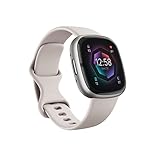
- Learn to manage stress, sleep better and live healthier with Sense 2—our most advanced health and fitness smartwatch.Operating temperature : 14° to 113° F (-10° to 45° C)..Band material type : Silicone
- Manage stress and live healthier: all-day stress detection with cEDA and daily Stress Management Score, ECG app for atrial fibrillation assessment(1), irregular heart rhythm notifications(2), SpO2(3), health metrics dashboard(4), mindfulness content
- Measure and improve sleep quality: personalized Sleep Profile(5), daily sleep stages & Sleep Score, smart wake alarm and do not disturb mode
- Enhance activity: built-in GPS and workout intensity map, Daily Readiness Score(5), Active Zone Minutes, all-day activity tracking and 24/7 heart rate, 40+ exercise modes and automatic exercise tracking, water resistant to 50 meters
- Designed for all-day wear: on-wrist Bluetooth calls, texts and phone notifications(6), customizable clock faces, Fitbit Pay(7), Amazon Alexa built-in(8), Google Wallet & Maps (Google Maps on Android only, coming Spring 2023 to iOS), 6+ day battery(9)
Exporting and Sharing ECG Results
Fitbit makes it straightforward to share ECG data outside the app. From an individual ECG record, you can export a PDF directly from your phone.
The PDF includes your basic profile information, the ECG waveform, heart rate, result classification, and timestamp. This format is designed to be readable by clinicians and easy to attach to a patient portal or email.
If you’re preparing for an appointment, exporting multiple ECGs over time can help show patterns rather than isolated moments.
When and How to Talk to Your Doctor
An ECG result that shows Normal Sinus Rhythm usually doesn’t require follow‑up if you feel well. It’s still reasonable to mention it during routine checkups, especially if you’re proactively managing heart health.
If you receive an AFib result, save the reading and contact your healthcare provider, even if you feel fine. Fitbit’s ECG feature is FDA‑cleared for detecting signs of atrial fibrillation, but it is not a standalone diagnosis.
When you speak with your doctor, share the exported ECG PDF and describe any symptoms you experienced before or after the reading. Clear, calm communication helps them decide whether further testing is needed.
Understanding What Doctors Use and What They Don’t
Clinicians generally view smartwatch ECGs as screening tools, not definitive tests. They can help prompt further evaluation, but they don’t replace a 12‑lead ECG, Holter monitor, or clinical exam.
Your doctor may look at trends, frequency, and symptoms rather than a single result. This is why wearing your Charge consistently, thanks to its light weight, comfortable band, and multi‑day battery life, improves the overall usefulness of the data.
Approach the conversation as collaborative. You’re bringing additional information, not self‑diagnosing.
What to Do If Results Cause Anxiety
It’s common to feel uneasy after seeing an unexpected ECG result. Repeated scanning for reassurance often increases stress and doesn’t improve accuracy.
Instead, save the reading, step away from the app, and focus on how you feel physically. If symptoms are severe or sudden, seek immediate medical care rather than relying on the watch.
Remember that Charge 5 and Charge 6 are designed for daily wear and long‑term insight. The goal is steady awareness over time, not moment‑to‑moment monitoring.
Using ECG Data as Part of Your Bigger Health Picture
ECG readings make the most sense when viewed alongside resting heart rate trends, sleep quality, activity levels, and overall wellbeing. Fitbit’s ecosystem is built to connect these dots for everyday users.
Consistent wear, comfortable materials, and reliable battery life mean your tracker can quietly collect background data while you live your life. ECG is just one piece of that system.
By saving results, adding context, and sharing responsibly, you turn a quick wrist‑based scan into something that genuinely supports informed, calm health decisions.
Limitations and Safety Warnings: When ECG Is Helpful—and When It Isn’t
Understanding what the ECG feature can and cannot do is just as important as knowing how to run a scan. Used appropriately, it’s a valuable screening tool; used incorrectly, it can create false reassurance or unnecessary worry.
This section builds directly on the idea of ECG as supportive data, not a diagnosis. Think of it as a narrow snapshot of your heart rhythm, taken under specific conditions, rather than a full cardiac assessment.
It Only Screens for Atrial Fibrillation
The ECG app on Fitbit Charge 5 and Charge 6 is designed to detect signs consistent with atrial fibrillation (AFib) or normal sinus rhythm. It does not identify heart attacks, blocked arteries, heart failure, or other rhythm disorders.
If your result says “normal,” that simply means no AFib pattern was detected during that 30‑second window. It does not guarantee that your heart is healthy or that other issues aren’t present.
Likewise, an “inconclusive” result doesn’t automatically mean something is wrong. Motion, poor skin contact, or a low heart rate can all interfere with the reading.
Not for People With Known Arrhythmias Other Than AFib
Fitbit explicitly advises that the ECG app is not intended for people already diagnosed with arrhythmias other than atrial fibrillation. Conditions like atrial flutter, ventricular arrhythmias, or implanted pacemakers fall outside the scope of this feature.
If you have a known heart condition, your care team will rely on medical‑grade equipment rather than wrist‑based sensors. Using the ECG app in these cases can lead to confusing or misleading results.
Always follow your doctor’s guidance first. The tracker is designed for general wellness monitoring, not ongoing disease management.
Age, Region, and Regulatory Restrictions Apply
The ECG app is cleared for adults aged 22 and older in supported countries. Even if the hardware is capable, regulatory approval determines whether the feature appears in your Fitbit app.
If you’re under the age requirement, the ECG app will not activate. This is a safety decision based on how heart rhythm conditions present differently in younger users.
Availability can also change with software updates and local regulations, so it’s worth checking Fitbit’s official support pages if the option doesn’t appear on your device.
Results Depend Heavily on How You Wear the Tracker
Because Charge 5 and Charge 6 are slim, lightweight trackers designed for comfort, it’s easy to forget that fit still matters during ECG scans. A loose band, dry skin, or arm movement can degrade signal quality.
For best results, the band should be snug but comfortable, sitting flat against your wrist without gaps. Resting your arm on a table and staying still for the full 30 seconds significantly improves accuracy.
If you frequently get inconclusive readings, it’s often a fit or positioning issue rather than a heart problem.
ECG Is Not for Emergency Situations
The ECG app is not intended to be used when you’re experiencing severe symptoms such as chest pain, shortness of breath, fainting, or sudden dizziness. In those situations, waiting for a watch result can delay necessary care.
If symptoms are intense, worsening, or unfamiliar, seek emergency medical help immediately. Do not attempt repeated ECG scans for reassurance.
The Charge’s strength is long‑term, everyday monitoring, supported by good battery life and comfortable all‑day wear, not crisis response.
False Positives and False Negatives Can Happen
Like any screening tool, smartwatch ECGs can sometimes flag AFib when it isn’t present or miss it when it is. Electrical noise, muscle movement, and individual heart rhythm variations all play a role.
This is why doctors look at patterns over time rather than reacting to a single reading. Saving multiple results and noting symptoms provides much more useful context.
If you receive repeated AFib notifications, especially with symptoms, that’s a signal to consult a healthcare professional rather than continuing to self‑monitor.
It Should Never Replace Professional Care
The ECG feature is FDA‑cleared as a wellness and screening aid, not as a diagnostic device. It does not replace a clinical ECG, blood tests, imaging, or a physical exam.
Using the app responsibly means resisting the urge to interpret results in isolation. Fitbit provides the data; trained clinicians provide diagnosis and treatment decisions.
When used with realistic expectations, the ECG on Charge 5 and Charge 6 can support informed conversations and earlier evaluation, without encouraging self‑diagnosis or unnecessary alarm.
Fitbit Charge 5 vs Charge 6 ECG Experience: Any Differences That Matter?
After understanding what the ECG feature can and cannot do, a natural question follows: does the experience meaningfully change between the Charge 5 and Charge 6, or is this essentially the same tool in a newer body?
The short answer is that the ECG function itself is fundamentally the same on both trackers, but a few hardware and usability refinements on the Charge 6 can make the process feel smoother in everyday use.
ECG Accuracy and Medical Clearance: Essentially Identical
From a medical and regulatory standpoint, there is no difference that affects how results should be interpreted. Both the Charge 5 and Charge 6 use a single‑lead ECG system and carry FDA clearance for detecting signs of atrial fibrillation in supported regions.
The underlying electrodes, signal type, and AFib analysis are equivalent. A Normal Sinus Rhythm or AFib result from a Charge 6 should be taken just as seriously, and with the same limitations, as one from a Charge 5.
If you were hoping the newer model adds diagnostic depth or detects additional conditions, it does not. The ECG feature remains a screening and monitoring tool, not a replacement for clinical testing on either device.
Starting and Completing an ECG: Small Usability Improvements
Where the Charge 6 pulls slightly ahead is in how easy it feels to initiate and complete a reading. The addition of a physical side button on the Charge 6 makes navigating to the ECG app more reliable, especially for users who struggled with the Charge 5’s touch‑only controls.
This matters because failed starts, accidental exits, or mis-taps can increase frustration and lead to incomplete readings. Being able to confidently start the ECG app helps users stay still and focused for the full 30 seconds.
The brighter display on the Charge 6 also improves on‑screen instructions, particularly in bright indoor lighting or outdoors. Clearer prompts reduce the chance of hand placement mistakes that lead to inconclusive results.
Comfort, Fit, and Wearability During ECG Readings
Both models share nearly identical dimensions and lightweight aluminum cases, and both use Fitbit’s proprietary band system. In practice, comfort during ECG scans feels the same, assuming the band is snug and the tracker sits flat against the wrist.
💰 Best Value
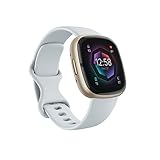
- Learn to manage stress, sleep better and live healthier with Sense 2—our most advanced health and fitness smartwatch
- Manage stress and live healthier: all-day stress detection with cEDA and daily Stress Management Score, ECG app for atrial fibrillation assessment(1), irregular heart rhythm notifications(2), SpO2(3), health metrics dashboard(4), mindfulness content
- Measure and improve sleep quality: personalized Sleep Profile(5), daily sleep stages & Sleep Score, smart wake alarm and do not disturb mode
- Enhance activity: built-in GPS and workout intensity map, Daily Readiness Score(5), Active Zone Minutes, all-day activity tracking and 24/7 heart rate, 40+ exercise modes and automatic exercise tracking, water resistant to 50 meters
- Designed for all-day wear: on-wrist Bluetooth calls, texts and phone notifications(6), customizable clock faces, Fitbit Pay(7), Amazon Alexa built-in(8), Google Wallet & Maps (Google Maps on Android only, coming Spring 2023 to iOS), 6+ day battery(9)
The Charge line’s slim profile helps here. Because neither device is bulky, resting your arm on a table and maintaining steady contact with the case and bezel is easy for most wrist sizes.
If you already wear your Charge 5 comfortably all day, the Charge 6 will not change how the ECG feels on your wrist. The experience is familiar rather than transformative.
Battery Life and ECG Impact
Battery life during ECG use is effectively a non-issue on both devices. Each ECG scan consumes only a small amount of power, and even frequent use will not meaningfully shorten the advertised multi‑day battery life.
In real-world use, both trackers still prioritize long wear time, which supports the ECG feature’s role as an occasional check-in rather than something you hesitate to use because of battery anxiety.
This consistency reinforces the idea that Fitbit designed ECG as part of daily life, not as a feature that requires special planning or charging habits.
Software, Results, and Health App Experience
The ECG app interface, result categories, and post-scan explanations are the same on Charge 5 and Charge 6. Both sync to the Fitbit app on your phone, where you can view waveforms, classifications, and export reports as PDFs for healthcare providers.
Trend tracking, history views, and educational prompts do not differ between models. If you have learned how to interpret Fitbit’s ECG reports on one device, there is no learning curve on the other.
This continuity is intentional. Fitbit’s focus is consistency over time, which helps users and clinicians compare readings without worrying about device-specific quirks.
Who Will Actually Notice a Difference?
If you already own a Charge 5 and your ECG readings are reliable, upgrading to the Charge 6 will not suddenly improve heart rhythm detection. The data quality and medical value remain the same.
However, users who struggled with touch responsiveness, screen visibility, or starting scans cleanly may appreciate the Charge 6’s physical button and brighter display. Those changes can reduce friction, which matters when stillness and proper positioning are critical.
For new buyers choosing between the two, the Charge 6 offers a more polished day‑to‑day experience around the same ECG capability, without changing how results should be used or interpreted.
Frequently Asked Questions About Fitbit ECG (Battery Impact, Frequency, and Real-World Use)
As you start using ECG more confidently, the questions tend to shift from how it works to how it fits into everyday life. The answers below reflect real-world use on both the Fitbit Charge 5 and Charge 6, not just ideal lab conditions.
Does using ECG drain the battery faster?
ECG scans have a minimal impact on battery life. A single 30‑second reading uses only a small amount of power, even if you run several scans in a week.
In practice, battery life is affected far more by screen brightness, GPS workouts, notifications, and always-on display settings. ECG use does not require you to change charging habits or “save it” for special occasions.
This is intentional. Fitbit designed ECG as an accessible check-in tool, not a feature that creates battery anxiety.
How often should I take an ECG reading?
There is no requirement to take ECG readings on a fixed schedule. Most people use it occasionally, such as when feeling palpitations, irregular beats, or unexplained fatigue.
Some proactive users choose to take readings weekly or monthly to build a personal history. This can be helpful for pattern recognition, but it is not medically necessary for most users.
If your doctor has recommended monitoring, follow their guidance rather than increasing scan frequency on your own.
Can I take multiple ECGs in a row?
Yes, you can run back-to-back ECG scans if needed. This is sometimes useful if a reading is inconclusive due to movement, poor contact, or muscle tension.
However, repeated scans do not improve accuracy beyond proper technique. Sitting still, resting your arm on a table, and maintaining light contact with the case edge matter more than repetition.
If results vary significantly across scans, that inconsistency itself is worth noting and discussing with a healthcare professional.
How accurate is Fitbit ECG in everyday use?
Fitbit’s ECG app is FDA-cleared for detecting signs of atrial fibrillation in supported regions, which means it meets clinical standards for that specific purpose. It is not designed to detect heart attacks, blood clots, or all rhythm disorders.
Accuracy depends heavily on fit and stillness. A snug band, clean skin, and relaxed posture greatly improve signal quality.
Think of the ECG as a screening tool, not a diagnosis. It provides useful information, but it does not replace medical testing or professional evaluation.
What should I do if I get an AFib result?
An AFib result does not automatically mean something is wrong, but it should not be ignored. The next step is to export the ECG report from the Fitbit app and share it with your healthcare provider.
Avoid self-diagnosing or making medication changes based on a wearable reading alone. Your doctor may recommend further monitoring, a clinical ECG, or no action at all depending on your history.
If you experience chest pain, shortness of breath, dizziness, or fainting, seek medical care immediately regardless of what the ECG says.
What does an “Inconclusive” or “Poor Reading” result mean?
Inconclusive results are common and usually relate to movement, muscle tension, dry skin, or a heart rate outside the supported range. They are not a sign of danger on their own.
Adjusting your posture, tightening the band slightly, or warming your hands can often resolve the issue. The Charge 6’s physical button can make this process feel easier, but the underlying ECG capability is the same.
If inconclusive results happen frequently despite good technique, that pattern may be worth discussing with a clinician.
Who can use the ECG app on Fitbit Charge 5 and 6?
The ECG app is intended for adults aged 22 and older in supported countries. Availability depends on regional regulatory approval, which you can check in the Fitbit app or on Fitbit’s support site.
It is not designed for children, pregnant users, or people with implanted cardiac devices unless approved by a healthcare provider. In those cases, wearable ECG data may be unreliable.
If the ECG app does not appear on your device, it is usually due to age, region, or account eligibility rather than a hardware problem.
Can I share ECG results with my doctor?
Yes, and this is one of the most practical aspects of Fitbit ECG. The Fitbit app allows you to export ECG reports as PDFs that include waveforms, timestamps, and classifications.
Many clinicians appreciate having this data as context, especially when symptoms are intermittent. While not a replacement for clinical equipment, it can support more informed conversations.
Consistency matters here. Using the same device over time helps your doctor interpret changes more reliably.
Is ECG something I should use daily?
For most people, daily ECG scans are unnecessary. The feature is best used when symptoms arise or as an occasional check-in rather than a routine obligation.
Overuse can sometimes increase anxiety without adding medical value. Fitbit’s broader heart health tools, such as resting heart rate and heart rate variability trends, are better suited for daily tracking.
ECG shines as a targeted snapshot, not a constant monitor.
How does ECG fit into real-world wearability?
Both the Charge 5 and Charge 6 are slim, lightweight trackers that sit comfortably on the wrist all day. Their flexible silicone bands and curved cases make long wear practical, which matters for capturing meaningful heart health data.
The Charge 6’s brighter screen and physical button can reduce friction when starting an ECG, especially in bright light or during moments when calm setup matters. Comfort and ease of use directly affect how reliable your readings will be.
A tracker you forget you are wearing is more likely to deliver useful health insights over time.
Final thoughts: using Fitbit ECG with confidence
ECG on the Fitbit Charge 5 and Charge 6 is best understood as a supportive health tool, not a diagnostic authority. Used thoughtfully, it can help you notice patterns, document symptoms, and have more informed conversations with your doctor.
Battery impact is minimal, usage does not need to be frequent, and real-world reliability depends more on technique and comfort than on model differences. That balance is what makes Fitbit’s ECG practical for everyday users.
When used calmly and responsibly, ECG becomes less about worrying and more about awareness, which is exactly where wearable health technology delivers its greatest value.