If you’ve ever woken up, checked your Garmin, and seen your HRV Status marked as Unbalanced or Low, you’re not alone in wondering what that actually means for today’s training. Is it telling you to rest, warning you you’re getting sick, or just reacting to a bad night’s sleep. This confusion is common because HRV sounds like a single metric, but Garmin treats it as a living trend rather than a snapshot.
This section breaks down what Garmin’s HRV Status truly measures, why it’s fundamentally different from one-off HRV readings, and how it fits into training readiness in the real world. By the end, you’ll understand not just what the number says, but what your body is signaling and how to respond without guessing or overreacting.
HRV is about nervous system balance, not fitness alone
Heart rate variability measures the tiny differences in time between heartbeats, not how fast your heart is beating. These variations are controlled by your autonomic nervous system, specifically the balance between sympathetic stress response and parasympathetic recovery mode.
When HRV is higher, it generally indicates your body has the capacity to handle stress and recover well. When it drops, it often reflects accumulated strain from training load, poor sleep, illness, psychological stress, travel, alcohol, or calorie restriction.
🏆 #1 Best Overall

- Easy-to-use running watch monitors heart rate (this is not a medical device) at the wrist and uses GPS to track how far, how fast and where you’ve run.Special Feature:Bluetooth.
- Battery life: up to 2 weeks in smartwatch mode; up to 20 hours in GPS mode
- Plan your race day strategy with the PacePro feature (not compatible with on-device courses), which offers GPS-based pace guidance for a selected course or distance
- Run your best with helpful training tools, including race time predictions and finish time estimates
- Track all the ways you move with built-in activity profiles for running, cycling, track run, virtual run, pool swim, Pilates, HIIT, breathwork and more
This is why HRV is not a fitness score and not a performance predictor on its own. Elite athletes can have very different HRV baselines, and your own “good” HRV may be meaningless compared to someone else’s.
What Garmin’s HRV Status actually tracks
Garmin does not judge your readiness from a single night of HRV. Instead, it builds a rolling baseline based on several weeks of overnight data, collected while you sleep when conditions are most stable.
Your HRV Status compares your recent 7-day average against your personal baseline range. This makes it a trend-based metric, designed to reflect how your nervous system is adapting over time rather than reacting to daily noise.
This approach is why Garmin requires multiple nights of wear to unlock HRV Status and why consistency matters. Skipping nights, changing sleep schedules drastically, or wearing the watch loosely can degrade the signal.
Why overnight HRV matters more than spot checks
Garmin measures HRV during sleep because movement, breathing changes, caffeine, and mental stress distort daytime readings. Overnight data is calmer, more repeatable, and more reflective of systemic recovery rather than momentary stress.
This is also why HRV Status does not update during the day like heart rate or stress. It’s designed as a readiness anchor, not a real-time gauge.
Single-night HRV drops can happen for harmless reasons, including late meals or poor sleep position. Garmin’s trend-based model helps prevent you from panicking over one bad night and instead focuses on sustained changes.
Understanding the four HRV Status categories
Balanced means your recent HRV is within your established baseline range. This suggests your body is absorbing training stress appropriately and maintaining autonomic stability.
Unbalanced indicates your HRV is trending either above or below your normal range. This often shows up during training blocks, high life stress, or periods of disrupted sleep, and it’s not inherently bad. Context matters here more than the label.
Low means your HRV has dropped consistently below baseline. This usually reflects accumulating fatigue, under-recovery, illness onset, or lifestyle stress overwhelming recovery capacity.
Poor is a more severe and sustained drop, often paired with elevated resting heart rate, poor sleep scores, and reduced training readiness. This is your strongest signal to shift priorities toward recovery.
Where to find HRV Status on your Garmin
On most recent Garmin watches, HRV Status appears in the morning report after sleep syncs. You can also access it through the Health or Training Status widgets, depending on your model.
In Garmin Connect, HRV Status lives under Health Stats, where you can view nightly values, trend graphs, and baseline ranges. The mobile app provides the clearest context, especially when cross-referenced with sleep, stress, and training load.
Battery life and overnight wear matter here. Watches like the Forerunner, Fenix, Epix, and Venu lines are optimized for 24/7 tracking, but loose fit, low battery, or skipping sleep wear reduces accuracy.
Why HRV Status is more than just a number
HRV Status feeds directly into Garmin’s Training Readiness, Training Status, and recovery time algorithms. It influences how conservative or aggressive those systems are when interpreting your workload.
A Balanced HRV with rising training load suggests adaptation. A Low HRV with the same load suggests strain. The training stress hasn’t changed, but your capacity to handle it has.
This is where HRV becomes actionable. It helps differentiate productive fatigue from the kind that leads to stagnation, injury, or burnout.
Common misconceptions that lead athletes astray
A low HRV does not automatically mean you must rest completely. It means your margin for error is smaller, and intensity choices matter more.
High HRV does not guarantee peak performance. Some athletes see elevated HRV during tapering, others during early illness when the nervous system behaves unpredictably.
Trying to “hack” HRV with breathing drills or cold exposure can temporarily change numbers without improving underlying readiness. Garmin’s trend model usually filters this out, which is a feature, not a flaw.
How to respond intelligently to HRV trends
When HRV is Balanced, proceed with planned training but stay attentive to sleep quality and fueling. This is your green-light zone, not a license to ignore recovery basics.
When Unbalanced, maintain volume but reduce intensity spikes. Focus on steady aerobic work, mobility, and consistent sleep timing rather than chasing hard sessions.
When HRV is Low or Poor, prioritize recovery inputs before removing training entirely. Extend sleep, increase carbohydrate intake, hydrate aggressively, manage stress, and favor low-intensity movement over complete inactivity.
The most effective use of HRV Status is not reacting day by day, but adjusting patterns across weeks. Training plans that flex with HRV trends tend to produce more consistent gains with fewer forced layoffs, especially for athletes juggling work, family, and imperfect sleep.
This is where Garmin’s HRV Status earns its value. It doesn’t replace coaching or intuition, but it gives you a reliable signal of when your body is coping and when it’s asking for a smarter approach.
HRV Status vs Single-Night HRV: Why Trends Matter More Than Daily Fluctuations
If HRV Status is where Garmin’s readiness insight becomes trustworthy, it’s because it deliberately moves you away from single-night reactions. One low or high reading can be interesting, but it’s rarely decisive. The signal that matters is how your nervous system behaves across repeated nights under similar conditions.
Why single-night HRV is inherently noisy
Nightly HRV is extremely sensitive to short-term inputs that have little to do with training adaptation. Late meals, alcohol, dehydration, poor sleep timing, travel, emotional stress, and even a warmer bedroom can all move HRV by double-digit percentages.
That volatility doesn’t mean the metric is flawed. It means it’s too context-dependent to guide decisions in isolation. Reacting to a single-night dip often leads athletes to under-train, while chasing a one-night spike can push intensity at the worst possible time.
What Garmin’s HRV Status actually tracks
Garmin does not judge readiness on last night alone. HRV Status compares a rolling multi-day average of your overnight HRV against your personal baseline, which is established over several weeks of consistent sleep data.
This approach smooths out short-term noise and highlights meaningful shifts in autonomic balance. When Garmin labels HRV as Balanced, Unbalanced, Low, or Poor, it’s reacting to a pattern, not a blip.
Trends reveal adaptation, not just recovery
Training is a long game played by your nervous system. Productive training blocks often show slight HRV suppression that stabilizes and rebounds as adaptation occurs, even while workload stays high.
Single-night HRV can’t tell that story. HRV Status can. It shows whether your system is absorbing stress, failing to recover, or drifting toward overload despite unchanged training volume.
Why Garmin ignores short-term “HRV hacks”
Breathing exercises, meditation, sauna use, or cold exposure can acutely raise HRV for a night. That doesn’t mean your readiness has improved, only that parasympathetic activity was temporarily stimulated.
Garmin’s trend-based model intentionally filters these effects out. If the improvement isn’t sustained across nights, it won’t meaningfully change your HRV Status, which protects you from false confidence.
How this changes day-to-day training decisions
A single-night HRV drop inside a Balanced status is usually a non-event. Proceed with training, but keep sleep timing, hydration, and fueling tight.
Repeated low nights that push HRV into Unbalanced or Low territory are different. That’s your cue to reduce intensity density, not necessarily volume, and give your system space to stabilize before layering more stress.
Where to see both metrics—and how to use them together
On most modern Garmin watches, nightly HRV appears in the Morning Report and Health Stats, while HRV Status is visible in the Training Status widget and Garmin Connect app. Battery life matters here; consistent overnight wear is critical, and models with multi-day endurance deliver more reliable baselines.
Use nightly HRV as context and curiosity. Use HRV Status as the decision-maker. One tells you how last night went; the other tells you how your body is trending.
The coaching takeaway most athletes miss
Fitness gains come from stacking weeks that are good enough, not days that look perfect. HRV Status supports that philosophy by anchoring decisions to trends rather than emotions tied to yesterday’s number.
When you trust the trend, you stop micromanaging recovery and start managing readiness. That shift is what keeps training consistent, sustainable, and progressing forward instead of oscillating between overreach and unnecessary caution.
How Garmin Builds Your HRV Baseline: Sleep, Physiology, and the 7–19 Day Window
Everything about HRV Status hinges on one quiet idea: Garmin only trusts data collected when your body is least distracted. That’s why the baseline that drives readiness decisions is built almost entirely during sleep, night after night, under controlled conditions your daytime life can’t provide.
This design choice connects directly to the trend-based mindset you just read about. To understand why HRV Status behaves the way it does, you need to know how Garmin defines “normal” for your body in the first place.
Why Garmin measures HRV almost exclusively during sleep
During the day, HRV is noisy. Caffeine, posture changes, work stress, walking up stairs, and even talking can swing beat-to-beat variability in ways that have nothing to do with recovery.
Sleep strips most of that away. Lying still, breathing predictably, and free from conscious stressors, your autonomic nervous system settles into patterns that reflect underlying physiological load rather than momentary stimuli.
Garmin takes advantage of this by sampling HRV across the entire night, not just a snapshot. This gives it a stable signal that’s far more useful for detecting trends than daytime spot checks or manual readings.
What HRV Garmin is actually analyzing under the hood
Garmin doesn’t ask you to think in terms of raw milliseconds or lab-grade metrics. Internally, it’s analyzing the natural variation between successive heartbeats, captured optically by the watch’s heart rate sensor while you sleep.
Rather than obsessing over a single value, the system looks at how your nightly HRV behaves across multiple sleep cycles and across many nights. Consistency matters more than peaks, and sustained shifts matter more than isolated highs or lows.
This is why comfort, strap fit, and overnight wearability are not trivial details. A watch that’s too loose, too bulky, or constantly taken off at night will never deliver a reliable baseline, no matter how advanced the sensor package is.
The 7–19 day window: how “normal” gets defined
When you first enable HRV Status on a compatible Garmin watch, the device enters a calibration phase. For roughly three weeks, it’s learning what your typical nighttime HRV looks like under your usual training, sleep, and life stress patterns.
Once established, Garmin compares a rolling short-term average to that longer baseline. In practical terms, your recent week of sleep HRV is continuously evaluated against what your body has shown it can sustain over a broader window.
This dual-window approach is why HRV Status reacts neither instantly nor sluggishly. It’s responsive enough to catch accumulating fatigue, but slow enough to ignore one-off anomalies.
Why missed nights and low battery matter more than most users realize
HRV Status only works if the watch is on your wrist consistently overnight. Miss too many nights, or let the battery die regularly, and the rolling averages lose context.
Rank #2

- Easy-to-use running smartwatch with built-in GPS for pace/distance and wrist-based heart rate; brilliant AMOLED touchscreen display with traditional button controls; lightweight design in 43 mm size
- Up to 11 days of battery life in smartwatch mode and up to 19 hours in GPS mode
- Reach your goals with personalized daily suggested workouts that adapt based on performance and recovery; use Garmin Coach and race adaptive training plans to get workout suggestions for specific events
- 25+ built-in activity profiles include running, cycling, HIIT, strength and more
- As soon as you wake up, get your morning report with an overview of your sleep, recovery and training outlook alongside weather and HRV status (data presented is intended to be a close estimation of metrics tracked)
Watches with multi-day battery life have a real advantage here. Not because they measure HRV better, but because they make uninterrupted sleep tracking easier, especially for athletes who train daily and don’t want charging routines to interrupt recovery data.
If Garmin doesn’t have enough recent high-quality nights, HRV Status may pause, delay updates, or feel slow to respond. That’s not a bug; it’s the system refusing to guess.
How sleep quality quietly shapes your HRV baseline
HRV Status doesn’t exist in isolation from sleep, even though it isn’t a sleep score. Short nights, fragmented sleep, late bedtimes, and alcohol all influence nighttime autonomic balance.
If poor sleep becomes your norm, Garmin will eventually accept it as baseline behavior. That doesn’t mean it’s optimal, only that the system is describing reality rather than ideal physiology.
This is a critical coaching insight. Improving sleep consistency can raise your baseline over time, which in turn gives you more headroom to absorb training stress before HRV drops into Unbalanced or Low territory.
Why your baseline adapts as your fitness and life change
Garmin’s HRV baseline is not fixed. As aerobic fitness improves, training load shifts, or life stress increases or decreases, your “normal” autonomic profile can move with it.
This is why athletes returning from illness, injury, or long breaks often see HRV Status behave erratically at first. The system is recalibrating to a new version of you, not judging you against who you were months ago.
Handled patiently, this adaptability becomes a strength. It allows HRV Status to remain relevant across seasons, training blocks, and lifestyle changes rather than locking you into an outdated definition of readiness.
The practical takeaway for building a trustworthy baseline
Wear the watch every night. Keep bedtimes reasonably consistent. Don’t chase nightly spikes or panic over dips.
Let Garmin observe you long enough to understand you. Once that foundation is solid, HRV Status stops feeling mysterious and starts acting like what it’s meant to be: a steady, physiology-informed guide for managing training stress over weeks, not reacting emotionally to yesterday’s number.
Where to Find HRV Status on Your Garmin Watch and in Garmin Connect (Device-by-Device)
Once you understand how Garmin builds and protects your HRV baseline, the next practical step is knowing exactly where to see it. Garmin surfaces HRV Status in several places, and the location varies slightly by watch family and software generation.
The good news is that if your device supports HRV Status at all, it will appear consistently once you know where to look. The bad news is that many users never find it on-watch and assume it only exists inside the app.
Finding HRV Status on your Garmin watch
On supported Garmin watches, HRV Status lives inside the Training Status ecosystem rather than the health widgets. This is intentional, because Garmin treats HRV as a readiness and training context metric, not a spot-check health reading.
From the watch face, press the Up or Menu button, navigate to Training Status, and scroll until you see HRV Status. On touch-enabled models, this is typically a vertical scroll inside the Training Status glance.
If HRV Status is missing entirely, it usually means one of three things: the watch doesn’t support it, you haven’t worn the watch enough nights to establish a baseline, or sleep tracking has been inconsistent.
Forerunner series (255, 265, 955, 965 and newer)
On modern Forerunner models, HRV Status is deeply integrated and easy to access once you know the path. These watches are built for endurance athletes, with lightweight polymer cases, comfortable silicone straps, and battery life that supports full-time wear.
Go to Training Status and scroll down past VO2 max and load metrics until HRV Status appears. Tapping into it shows your current state and a short explanation, but detailed trends still live in Garmin Connect.
Because Forerunners are often worn 24/7 by runners and triathletes, they tend to build HRV baselines quickly and maintain them reliably. If you rotate watches or remove it overnight, HRV Status can pause within a few missed nights.
Fēnix, Epix, and tactix series
On Fēnix, Epix, and tactix watches, HRV Status appears in the same Training Status menu but may be one or two scrolls deeper depending on firmware. These watches combine rugged metal cases, sapphire options, and long battery life, making them popular with athletes who also wear their watch at work or outdoors.
The physical buttons make navigation consistent across models, even without touch. Once inside Training Status, HRV Status sits alongside Training Readiness, Load Focus, and VO2 max.
Because these watches are heavier and sometimes worn looser during sleep, strap fit matters more for clean HRV data. A slightly snugger fit at night often improves signal quality without affecting comfort.
Venu, Vivoactive, and lifestyle-focused Garmin watches
On Venu and Vivoactive models that support HRV Status, the metric is typically not front-and-center on the watch itself. These devices prioritize AMOLED displays, comfort, and all-day wear over deep training menus.
You may not see HRV Status as a standalone glance. Instead, it appears inside Training Status or Training Readiness, depending on model and software version.
For many users of these watches, Garmin Connect becomes the primary place to interact with HRV Status. This isn’t a limitation of the metric, but a design choice aligned with a more casual on-watch experience.
Edge cases: when HRV Status doesn’t show on the watch
If your watch technically supports HRV Status but you don’t see it, check sleep tracking first. HRV Status relies exclusively on nighttime data, and naps do not count.
Also confirm that you’re wearing the same device overnight. Switching between a training watch and a sleep-only device breaks the continuity HRV Status depends on.
Finally, ensure your watch firmware is up to date. HRV Status was rolled out and refined through multiple software updates, and older firmware can hide or disable the feature.
Finding HRV Status in Garmin Connect (mobile app)
Garmin Connect is where HRV Status becomes genuinely useful. The watch tells you what state you’re in; the app shows you why.
Open Garmin Connect, tap the Home tab, then scroll to find HRV Status. If it’s not visible, tap Edit Home and add it manually.
Inside the HRV Status page, you’ll see your nightly values plotted against your baseline range, along with your current classification. This context is essential for interpreting whether a change is meaningful or just noise.
Viewing HRV trends and history in Garmin Connect
Tap into HRV Status and switch to the 7-day or 4-week view. This is where patterns emerge and where coaches actually pay attention.
Short-term dips after hard training blocks, travel, or poor sleep are normal. Sustained deviations over multiple days are what signal a need to adjust training or recovery.
Garmin’s visual baseline band is one of the most underrated features here. It reminds you that readiness is about staying within your personal range, not chasing someone else’s numbers.
HRV Status on Garmin Connect web
On the desktop version of Garmin Connect, HRV Status appears under Health Stats. The web interface is less flashy but more analytical, making it useful for reviewing longer time spans.
This is especially helpful if you’re planning training blocks or reviewing how life stress, work travel, or illness affected your physiology over weeks or months.
Many athletes miss this entirely because they live in the mobile app. If you like data, the web view is worth revisiting periodically.
Why Garmin separates HRV Status from single-night HRV
You may also see a standalone HRV metric or nightly HRV value in Garmin Connect. This is not the same thing as HRV Status.
Single-night HRV is a raw data point. HRV Status is a trend-aware interpretation built on weeks of observation.
Knowing where both live helps avoid a common mistake: overreacting to one bad night instead of responding to sustained changes in readiness. Garmin deliberately makes HRV Status slightly harder to find than a daily number to encourage better decision-making.
What to do once you’ve found it
Finding HRV Status is not the finish line; it’s the dashboard. Check it alongside Training Load, Sleep Score, and subjective feel rather than in isolation.
Make it part of a morning routine, not a constant obsession. When you know where HRV Status lives and how it updates, it stops feeling like a hidden feature and starts becoming a reliable training signal you can actually use.
Decoding the Four HRV Status States: Balanced, Unbalanced, Low, and Poor Explained
Once you know where HRV Status lives and how Garmin builds it from trends rather than single nights, the next step is understanding what each state is actually telling you. These labels are not judgments about fitness or toughness; they are context signals designed to guide smarter daily decisions.
Garmin’s four HRV Status states exist to simplify a complex physiological signal without stripping away usefulness. The key is responding proportionally, not emotionally, to what you see.
Balanced: Your nervous system is coping well
Balanced means your rolling overnight HRV values are consistently sitting within your established personal baseline band. In practical terms, your autonomic nervous system is handling training stress, life stress, and recovery demands without being pushed out of equilibrium.
This is the state most athletes should see the majority of the year. It does not mean you are fully rested or undertrained; it means the stress you are applying is appropriate for your current recovery capacity.
When HRV Status is Balanced, you can generally proceed with planned training. Hard sessions, long endurance work, or strength training are all on the table as long as other signals like sleep quality and subjective fatigue agree.
A common mistake is trying to “optimize” HRV higher when already Balanced. Chasing higher numbers by cutting intensity often leads to stagnation rather than improved fitness.
Unbalanced: Your system is adapting, but under strain
Unbalanced means your recent HRV values have drifted outside your normal baseline, either above or below, without settling into a new stable range. This often appears during heavy training blocks, travel weeks, heat adaptation, or periods of disrupted sleep.
This state is not inherently bad. In fact, short stretches of Unbalanced HRV are common when training load is intentionally high and adaptation is happening.
The coaching response here is moderation, not panic. You can usually continue training, but it’s wise to be selective with intensity and avoid stacking multiple hard days back-to-back.
If Unbalanced persists beyond a week, especially alongside rising resting heart rate or declining sleep scores, it’s a signal to insert recovery before fatigue hardens into something deeper.
Low: Recovery is lagging behind stress
Low HRV Status means your rolling HRV values are consistently below your personal baseline. This suggests reduced parasympathetic activity and a nervous system that is struggling to rebound from accumulated stress.
Rank #3

- Nautical smartwatch features a 1.4" stunning AMOLED display with a titanium bezel and built-in LED flashlight
- Built-in inReach technology for two-way satellite and LTE connectivity (active subscription required; coverage limitations may apply, e.g., satellite coverage up to 50 miles offshore; some jurisdictions regulate or prohibit the use of satellite communication devices)
- Boat mode brings your vessel-connected apps to the forefront that let you control your autopilot and give you access to trolling motor and other boat data — so you can easily take command from your smartwatch
- Keep your focus on the water, and control your compatible chartplotter via Bluetooth connectivity with voice commands
- Enjoy comprehensive connectivity and remote control capabilities with select compatible Garmin chartplotters, autopilots, Force trolling motors, Fusion stereos and more
This often shows up after prolonged high training load, insufficient sleep, illness onset, calorie deficits, or elevated psychological stress. It is especially common during busy life periods when training continues but recovery behaviors quietly degrade.
When HRV Status is Low, this is a strong cue to downshift. Endurance athletes should prioritize low-intensity aerobic work or rest days, while strength-focused users should reduce volume or load rather than pushing through.
Ignoring a Low HRV Status is one of the fastest ways to drift toward non-functional overreaching. Garmin is effectively telling you that your body is paying a higher physiological cost for the same work.
Poor: Your system is overwhelmed or disrupted
Poor HRV Status indicates a sustained and pronounced deviation well below baseline, often combined with erratic nightly readings. This is not about a bad night; it reflects a system that is currently unable to stabilize.
Poor status commonly appears during illness, post-infection recovery, major sleep deprivation, extreme stress, or after aggressive training without sufficient recovery. Many users first encounter it after travel across time zones combined with training.
This is the state where restraint matters most. Structured training should usually pause, replaced by rest, gentle movement, and a focus on sleep, hydration, and nutrition.
Trying to “train out of” Poor HRV almost always prolongs the problem. Garmin’s readiness algorithms, including Training Readiness and suggested workouts, will typically become very conservative here for good reason.
How to read transitions between states
The direction of change often matters more than the label itself. Moving from Poor to Low or Low to Unbalanced is a sign that recovery strategies are working, even if you are not back to Balanced yet.
Similarly, slipping from Balanced into Unbalanced after a key workout block can be expected. What matters is whether the system rebounds within a few days or continues drifting downward.
Coaches pay close attention to how fast HRV Status recovers after stress. Fast rebounds indicate good resilience, while slow recoveries suggest the need to reassess load, sleep, or overall life balance.
Why HRV Status should never be used alone
HRV Status is powerful, but it is not a standalone decision-maker. Garmin designed it to be interpreted alongside Training Load, Acute Load Ratio, Sleep Score, resting heart rate, and how you actually feel.
A Balanced HRV does not override signs of injury, soreness, or burnout. Likewise, a Low or Poor HRV during an otherwise healthy week may point to non-training stress rather than a fitness issue.
The smartest use of HRV Status is as a context filter. It helps you understand whether today’s fatigue is expected and productive, or a warning that your readiness is slipping faster than your training plan assumes.
How HRV Status Feeds Training Readiness, Recovery Time, and Daily Suggested Workouts
Once you understand HRV Status as a rolling, multi-night signal rather than a single data point, it becomes easier to see why Garmin threads it so deeply into its readiness ecosystem. HRV Status is not just displayed for awareness; it actively shapes how your watch interprets your capacity to train today and over the next several days.
Rather than reacting to yesterday’s workout alone, Garmin uses HRV Status to answer a bigger question: how well is your nervous system coping with everything you are throwing at it, both in training and in life.
HRV Status as a core input to Training Readiness
Training Readiness is Garmin’s daily green-to-red score that estimates how prepared you are for intense training. HRV Status is one of its most influential contributors because it reflects systemic stress that may not show up in muscles or perceived soreness yet.
When HRV Status is Balanced, the readiness algorithm assumes your recovery systems are functioning normally. All else being equal, this allows sleep, recent load, and recovery time to express themselves more fully in a higher readiness score.
When HRV Status is Unbalanced or Low, Training Readiness is deliberately capped. Even with good sleep or several easy days, Garmin remains cautious because suppressed HRV suggests your autonomic nervous system is still under strain.
In a Poor HRV state, readiness scores are typically very low regardless of other inputs. This is Garmin’s way of preventing you from interpreting short-term freshness as true physiological readiness.
Why HRV Status influences Recovery Time estimates
Garmin’s Recovery Time metric estimates how many hours you need before you are ready for another hard effort. HRV Status acts as a modifier on top of the workout’s objective load.
If HRV Status is Balanced, recovery time behaves predictably. A hard interval session may still require 48 hours, but that estimate aligns well with how most trained athletes feel.
If HRV Status is Low or Unbalanced, the same workout often triggers longer recovery times. Garmin is signaling that your body is taking longer to absorb stress, even if the workout itself was not extreme.
In Poor HRV states, recovery time can stack rapidly from session to session. This is not a bug; it reflects cumulative strain and is Garmin’s strongest nudge to stop adding load.
How HRV Status shapes Daily Suggested Workouts
Daily Suggested Workouts are where HRV Status becomes most actionable. These suggestions are dynamically generated, and HRV Status directly influences their intensity, duration, and even whether they appear at all.
With a Balanced HRV, suggested workouts closely follow your training plan logic. You will see structured intervals, tempo work, or long endurance sessions aligned with your recent training load and goals.
When HRV drifts into Unbalanced, intensity is usually reduced before volume. Garmin may swap threshold work for aerobic base sessions or shorten intervals while preserving frequency.
In Low HRV states, suggestions often shift toward recovery runs, easy rides, or complete rest. This is Garmin prioritizing nervous system recovery over fitness gains.
During Poor HRV periods, Daily Suggested Workouts may disappear entirely or recommend only light activity. The watch is effectively telling you that any additional training stress is likely counterproductive right now.
Why HRV Status can override fitness gains and VO2 max trends
One common frustration is seeing improving VO2 max or fitness age while HRV-driven readiness declines. Garmin intentionally allows HRV Status to overrule performance metrics because fitness adaptations lag behind stress accumulation.
You can get fitter while becoming less resilient. HRV Status is designed to catch that mismatch before it turns into illness, injury, or burnout.
This is especially relevant during heavy training blocks, travel, or high work stress. The watch is not questioning your fitness; it is questioning your capacity to absorb more stress today.
How this system protects you from overreaching
Garmin’s integration of HRV Status into readiness, recovery, and workouts is fundamentally conservative. It assumes that long-term consistency beats short-term hero sessions.
By dampening readiness scores and softening workout prescriptions during HRV suppression, the system encourages strategic restraint. Most athletes under-recover far more often than they under-train.
When users ignore these signals repeatedly, the patterns become obvious in hindsight: prolonged Low HRV, stagnant readiness, rising resting heart rate, and declining sleep quality.
Using HRV-driven feedback without becoming ruled by it
The goal is not to obey every suggestion blindly. HRV Status should inform decisions, not replace judgment.
If HRV is Low but you feel mentally fresh and physically sound, an easy session may still be appropriate. If HRV is Balanced but motivation is gone and soreness is high, backing off is still the smart call.
Garmin’s strength lies in connecting invisible physiological strain to visible training guidance. When you treat HRV Status as a steering wheel rather than a brake pedal, it becomes one of the most powerful readiness tools available on a wrist.
Adjusting Your Training Based on HRV Status: What to Do on Green, Yellow, and Red Days
Once HRV Status is understood as a rolling signal of how well your nervous system is coping with stress, the next step is applying it day to day. This is where HRV becomes actionable rather than interesting.
Think of Garmin’s HRV Status colors as traffic lights for training stress, not judgments of fitness. They help you decide how hard to push, how much to recover, and when restraint is actually the fastest path forward.
Green days: Balanced HRV and full training permission
A green day corresponds to HRV Status being Balanced, meaning your 7‑day average is sitting comfortably inside your personal baseline range. Your autonomic nervous system is handling current training, sleep, and life stress without signs of overload.
These are your best days for quality work. Hard intervals, long endurance sessions, strength training progressions, or race-pace efforts are most likely to deliver adaptation rather than just fatigue.
This does not mean every green day must be maximal. Garmin’s conservative bias still matters, especially if several demanding sessions are stacked together. Use green days to execute the key workouts in your plan, not to add unnecessary volume.
If you are following Garmin Coach or daily suggested workouts, green days are when intensity targets are most trustworthy. Power targets, pace ranges, and heart rate zones tend to align well with perceived effort on these days.
From a recovery standpoint, maintain your normal habits. There is no need for aggressive recovery tools or extra rest unless soreness or motivation suggest otherwise. Let the signal confirm that what you are doing is working.
Yellow days: Unbalanced HRV and strategic restraint
Yellow days typically reflect an Unbalanced HRV Status, where your recent average is drifting above or below baseline but not yet suppressed. This is the gray zone where most smart decisions are made.
Physiologically, this often shows up after a hard block, poor sleep, travel, dehydration, or elevated work stress. You may still feel capable, but the nervous system is signaling that margin for error is shrinking.
On yellow days, the goal is to reduce strain without shutting training down entirely. Endurance work should stay mostly aerobic, strength sessions should prioritize technique over load, and intensity should be controlled rather than maximal.
This is where swapping sessions pays off. If a threshold workout was planned, converting it into an easy run or Zone 2 ride preserves consistency without digging a deeper hole. Garmin’s daily suggested workouts often do this automatically by lowering intensity or shortening duration.
Yellow days are also ideal for skill work, mobility, and low-stress volume. You are still training, just choosing sessions that stabilize HRV instead of pushing it further off balance.
Lifestyle choices matter more here than on green days. Extra sleep, better fueling, hydration, and stress management can often return HRV to baseline within a day or two if you avoid compounding stress.
Red days: Low or Poor HRV and recovery-first decisions
Red days correspond to HRV Status being Low or Poor, meaning your 7‑day average has dropped clearly below baseline. This is not a single bad night; it reflects sustained autonomic strain.
At this point, Garmin is telling you that additional training stress is unlikely to produce positive adaptation. Even if motivation is high, the physiological cost is elevated.
Rank #4
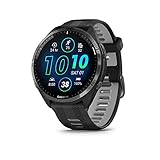
- Brilliant AMOLED touchscreen display with traditional button controls and lightweight titanium bezel
- Battery life: up to 23 days of battery life in smartwatch mode, up to 31 hours in GPS mode
- Confidently run any route using full-color, built-in maps and multi-band GPS
- Training readiness score is based on sleep quality, recovery, training load and HRV status to determine if you’re primed to go hard and reap the rewards (data presented is intended to be a close estimation of metrics tracked)
- Plan race strategy with personalized daily suggested workouts based on the race and course that you input into the Garmin Connect app and then view the race widget on your watch; daily suggested workouts adapt after every run to match performance and recovery
The smartest move on red days is to prioritize recovery. Complete rest, gentle walking, light mobility, or very easy aerobic movement are appropriate, depending on how you feel subjectively.
If you do train, intensity should be minimal and duration conservative. The purpose is circulation and routine, not fitness gain. Many experienced athletes use red days for technique drills, easy spins, or short recovery runs well below normal pace.
Ignoring red days repeatedly is how prolonged fatigue cycles begin. The pattern is predictable: HRV stays suppressed, readiness remains low, resting heart rate creeps upward, and workouts feel harder at the same outputs.
Sleep becomes the primary intervention here. Extending sleep duration, improving consistency, and reducing late-night stressors often has a larger impact on HRV recovery than any training adjustment.
How to handle conflicting signals on color-coded days
Not every green day feels great, and not every red day feels terrible. HRV reflects nervous system balance, not muscle soreness, motivation, or joint health.
If HRV is green but you feel flat, sore, or mentally drained, treat it like a yellow day. The absence of HRV suppression does not guarantee readiness across all systems.
If HRV is red but you feel surprisingly good, limit training to easy work and reassess the next day. Short-term restraint often prevents multi-week setbacks.
This is where experience matters. Over time, you will learn how your body responds to yellow and red patterns, especially around travel, illness, menstrual cycle changes, or high work stress.
Using HRV color trends rather than single-day reactions
One day rarely tells the full story. The real value of Garmin’s HRV Status comes from how many green, yellow, or red days cluster together.
Several green days in a row often indicate readiness for a harder block. A string of yellow days suggests it is time to stabilize before pushing again. Multiple red days are a clear signal to de-load, regardless of what the calendar says.
This trend-based approach is why Garmin uses a 7‑day average rather than reacting to nightly noise. It protects you from overreacting to one bad sleep while still catching meaningful fatigue early.
When training decisions follow these color patterns consistently, readiness improves not by accident but by design.
Non-Training Factors That Influence HRV Status: Sleep, Stress, Alcohol, Illness, and Travel
Once you start using HRV color trends to guide training, a pattern quickly emerges: many red or yellow days have nothing to do with workouts. Garmin’s HRV Status is exceptionally sensitive to how well your nervous system recovers, and recovery is shaped far more by lifestyle than most athletes expect.
This is where HRV becomes a reality check. It reflects how your body is coping with everything you do, not just what happens during a run, ride, or gym session.
Sleep: the foundation Garmin’s HRV Status is built on
Garmin primarily measures HRV during sleep, using overnight heart rate variability to calculate your rolling 7‑day baseline. That means sleep duration, sleep timing, and sleep quality directly determine whether HRV trends stay balanced or slide into suppression.
Short sleep consistently lowers HRV, even if training volume is modest. Six hours may feel “manageable,” but Garmin will often flag unbalanced or low HRV after multiple short nights because parasympathetic recovery never fully engages.
Sleep timing matters as much as total hours. Late bedtimes, irregular schedules, or large swings between weekdays and weekends often produce yellow or red HRV days despite adequate total sleep.
Garmin’s Sleep Score and Body Battery are useful context here. When sleep score drops and overnight Body Battery recharge is incomplete, HRV suppression usually follows within one to three nights.
Practical takeaway: if HRV is trending down, extending sleep by 30 to 60 minutes and keeping bedtime consistent often restores balance faster than reducing training load alone.
Psychological stress: when the nervous system never gets a break
HRV is a direct window into autonomic balance, and psychological stress shifts that balance toward sympathetic dominance. High work stress, emotional strain, or prolonged cognitive load can suppress HRV even during rest weeks.
This is why athletes sometimes see red days during low-volume training phases. The body does not distinguish cleanly between physical and mental stress; both elevate cortisol and heart rate while reducing variability.
Garmin’s Stress metric during the day provides important context. If daytime stress levels stay elevated and Body Battery drains rapidly, overnight HRV often remains suppressed regardless of how easy training feels.
Breathing drills, short walks, and deliberate downtime are not wellness fluff here. They actively improve parasympathetic tone and often show up as improved HRV within days.
Alcohol: one of the fastest ways to disrupt HRV
Alcohol has a disproportionately large impact on overnight HRV. Even one to two drinks can significantly suppress variability by increasing resting heart rate and fragmenting sleep architecture.
The effect is often delayed. HRV may appear normal the night of drinking, then drop sharply the following night as the nervous system struggles to re-stabilize.
Garmin users frequently misinterpret this as training fatigue, especially if alcohol coincides with a hard workout. HRV helps separate the two by showing suppression even when training load is low.
If HRV drops after social events, the data is doing its job. It is not judging behavior; it is highlighting recovery cost so you can plan training accordingly.
Illness and immune load: HRV as an early warning system
One of the most powerful uses of HRV Status is illness detection. HRV often drops before symptoms appear, sometimes by 24 to 72 hours.
During immune activation, resting heart rate rises and variability falls as the body reallocates resources. Garmin may flag low or poor HRV even if you feel “mostly fine.”
This is not a time to push through. Training on suppressed HRV during illness frequently extends recovery timelines and increases the risk of prolonged fatigue.
Once symptoms resolve, HRV typically rebounds gradually rather than instantly. Waiting for HRV to trend back toward balanced before resuming intensity reduces relapse risk.
Travel, time zones, and disrupted routines
Travel combines multiple HRV stressors at once: poor sleep, circadian disruption, dehydration, prolonged sitting, and mental load. Even short trips can create yellow or red clusters.
Time zone shifts are particularly impactful. HRV often drops for several nights as the nervous system struggles to re-align sleep timing with local light exposure.
Garmin users training while traveling should rely more heavily on HRV trends than on planned workouts. What looks like “lost fitness” is usually temporary nervous system disruption.
Light exposure in the morning, hydration, gentle movement, and conservative training during the first few days often normalize HRV faster than forcing intensity.
Why HRV reacts to lifestyle before performance declines
HRV usually changes before performance metrics do. Pace, power, and strength can remain stable for days or weeks while HRV quietly trends downward.
This lag is exactly why HRV Status is valuable. It detects strain early, when adjustments are easiest and least disruptive.
When multiple non-training stressors stack together, HRV becomes the tie-breaker. If training load is reasonable but HRV stays suppressed, recovery—not fitness—is the limiting factor.
Understanding this prevents misattribution. Low HRV is rarely a signal that you are “getting weaker”; it is a signal that your nervous system needs support.
How to respond when lifestyle drives HRV suppression
When HRV drops due to sleep, stress, alcohol, illness, or travel, training should become simpler, not heroic. Easy aerobic work maintains movement without adding load.
Focus interventions on the root cause. More sleep, fewer late nights, stress management, hydration, and routine restoration consistently outperform reactive training cuts.
Garmin’s HRV Status is not asking for perfection. It rewards consistency and restraint far more than extreme recovery tactics.
When lifestyle stabilizes, HRV almost always follows. Training readiness returns not because fitness was lost and regained, but because recovery capacity was restored.
Common HRV Status Misconceptions, Limitations, and When to Ignore the Data
By this point, it should be clear that HRV Status is sensitive, predictive, and lifestyle-driven. That sensitivity is also what makes it easy to misinterpret.
Many training errors come not from ignoring HRV, but from trusting it in the wrong way, at the wrong time, or without context. This section clears up the most common misunderstandings and explains when Garmin’s data should guide decisions—and when it should step aside.
Misconception 1: “Higher HRV is always better”
Garmin does not reward endlessly rising HRV values. What matters is stability within your established baseline, not chasing a personal best every night.
Very high HRV relative to your norm can appear during tapering, illness recovery, or extreme fatigue when the nervous system rebounds temporarily. This can falsely look like “super readiness” when the body is actually fragile.
Balanced HRV means predictable, repeatable recovery. Large swings—up or down—usually reflect disruption, not improvement.
Misconception 2: “One bad night means I should cancel training”
HRV Status is built on multi-night rolling averages, not single sleep sessions. Garmin intentionally smooths the data to prevent knee-jerk reactions.
A poor night of sleep, late meal, or stressful day may nudge HRV down briefly without changing your overall status. That is noise, not a red flag.
Reacting to individual nights leads to undertraining. The signal only becomes actionable when it persists across several days and changes your status classification.
Misconception 3: “Low HRV means I’m losing fitness”
HRV reflects autonomic balance, not aerobic capacity, strength, or skill. Fitness does not disappear in a few low-HRV days.
💰 Best Value

- Designed with a bright, colorful AMOLED display, get a more complete picture of your health, thanks to battery life of up to 11 days in smartwatch mode
- Body Battery energy monitoring helps you understand when you’re charged up or need to rest, with even more personalized insights based on sleep, naps, stress levels, workouts and more (data presented is intended to be a close estimation of metrics tracked)
- Get a sleep score and personalized sleep coaching for how much sleep you need — and get tips on how to improve plus key metrics such as HRV status to better understand your health (data presented is intended to be a close estimation of metrics tracked)
- Find new ways to keep your body moving with more than 30 built-in indoor and GPS sports apps, including walking, running, cycling, HIIT, swimming, golf and more
- Wheelchair mode tracks pushes — rather than steps — and includes push and handcycle activities with preloaded workouts for strength, cardio, HIIT, Pilates and yoga, challenges specific to wheelchair users and more (data presented is intended to be a close estimation of metrics tracked)
In fact, hard training blocks often suppress HRV while fitness is improving. This is expected when load is intentionally high and recovery is managed.
The mistake is panicking early. Low HRV only becomes problematic when it stays low while performance, motivation, or sleep quality also decline.
Misconception 4: “HRV Status replaces coaching judgment”
Garmin’s algorithms are excellent pattern detectors, but they do not know your race calendar, injury history, or psychological state.
Planned overload phases, heat adaptation blocks, altitude camps, and strength-focused cycles all distort HRV temporarily. That does not make them wrong.
HRV informs decisions; it does not make them for you. Experienced athletes use it to fine-tune, not to abdicate responsibility.
Misconception 5: “Red or Low means I must rest completely”
Low or Poor HRV Status signals reduced recovery capacity, not mandatory inactivity. Movement often helps restore balance faster than total rest.
Easy aerobic sessions, mobility work, technique drills, and low-load strength can support nervous system recovery without adding stress. Sitting still all day often worsens the situation.
The adjustment is intensity and volume, not stopping altogether unless illness or injury is present.
Where Garmin HRV Status has real limitations
HRV is only as good as the data feeding it. Poor sleep detection, inconsistent wear, loose fit, or frequent overnight charging reduce accuracy.
Optical sensors are sensitive to wrist movement, temperature, and circulation. Cold hands, tattoos, or extreme dehydration can skew readings even if training is fine.
Battery-saving habits matter too. Devices with shorter battery life that are removed overnight lose the continuity HRV Status depends on. Wearing the watch consistently matters more than the specific model.
Why stress, not training, confuses most users
Garmin does not distinguish between training stress and life stress. Work deadlines, emotional strain, poor sleep, and alcohol register the same way physiologically.
This leads users to cut training when the real intervention should be lifestyle-based. Less caffeine, earlier bedtimes, better fueling, and stress management often restore HRV without touching workouts.
Ignoring this distinction is the fastest way to stagnate while feeling “recovered” but under-stimulated.
When to downplay HRV Status and trust performance
Race week is a classic example. HRV often drops due to travel, nerves, taper changes, and altered sleep, even when readiness is high.
If key workouts feel sharp, resting heart rate is stable, and motivation is strong, a temporary HRV dip should not override months of preparation.
Similarly, during short, high-focus training camps, HRV suppression can be acceptable if performance markers and recovery behaviors are tightly controlled.
When HRV Status should override your instincts
Persistent Low or Poor status lasting more than 7–10 days deserves respect, especially if paired with poor sleep, irritability, or declining session quality.
This is where athletes tend to push through and accumulate hidden fatigue. HRV is often the earliest warning sign before injury or illness appears.
In these cases, reducing intensity, adding sleep, simplifying training, and restoring routine usually produce better long-term outcomes than forcing progress.
Why HRV should guide trends, not daily decisions
The real value of Garmin’s HRV Status is longitudinal awareness. It shows how your body responds to training cycles, travel, stress, and recovery strategies over weeks and months.
Day-to-day decisions should blend HRV trends with perceived exertion, performance metrics, sleep quality, and mood. No single number deserves full authority.
Used this way, HRV becomes a quiet coach in the background—rarely dramatic, but consistently honest when something needs to change.
Using HRV Status Long-Term: Building Smarter Training Blocks Without Overtraining
Once you stop reacting to HRV day by day, Garmin’s HRV Status becomes most powerful at the training-block level. This is where it shifts from a recovery metric into a planning tool that quietly shapes better outcomes.
Think in weeks, not mornings. HRV Status is best used to validate whether a block is working, not to negotiate every single workout.
How HRV Status reflects training adaptation over weeks
Garmin’s HRV Status is built from nightly measurements taken during sleep, averaged and compared against your personal baseline. That baseline typically stabilizes after about three weeks of consistent wear, assuming regular sleep and training patterns.
When training load increases appropriately, HRV often dips slightly but remains within the Balanced range. This tells you the stress is productive rather than excessive.
If HRV drifts into Unbalanced while performance still improves, that can be acceptable short-term. The problem appears when Unbalanced or Low persists while workouts start to feel harder at the same pace or power.
Using HRV Status to structure training blocks
A well-built training block usually follows a predictable HRV pattern. Early load increases may cause a mild suppression, followed by stabilization or rebound as adaptation occurs.
If HRV Status never stabilizes during a block, the load is likely too aggressive or recovery behaviors are insufficient. That’s a signal to adjust before the next block compounds the fatigue.
Conversely, if HRV remains high and perfectly Balanced while sessions feel easy and performance plateaus, you may be underloading. In that case, HRV is confirming you can safely push harder.
Recognizing healthy suppression versus maladaptation
Healthy suppression is subtle. HRV drops slightly below baseline, sleep remains decent, resting heart rate is stable, and motivation stays intact.
Maladaptation looks different. HRV Status slides to Low or Poor, sleep quality declines, mood worsens, and workouts feel disproportionately taxing.
Garmin’s advantage here is trend visibility. Seeing seven to fourteen days of suppressed HRV gives context that a single bad night never could.
Aligning recovery weeks with HRV trends
Recovery weeks should restore HRV toward your baseline, not necessarily spike it upward. A return to Balanced after a demanding block is a strong signal the timing was right.
If HRV remains Low during a deload, the issue is often outside training. Sleep debt, poor fueling, alcohol, or unresolved stress commonly block recovery even when volume drops.
This is where HRV Status prevents false confidence. Reduced mileage alone doesn’t guarantee recovery if lifestyle inputs remain misaligned.
Adjusting intensity, not just volume
One of the most common mistakes is cutting volume while keeping intensity unchanged. HRV is particularly sensitive to intensity density, not just total hours.
If HRV Status trends downward, try reducing high-intensity sessions before removing easy aerobic work. Many athletes recover faster by keeping frequency and dialing back intensity.
Garmin’s Training Load Focus pairs well here. If anaerobic or high aerobic load dominates while HRV falls, the fix is often obvious.
Using HRV Status across seasons, not just cycles
Over months, HRV Status reveals how your body handles different phases of the year. Base training, race prep, peak phases, and off-seasons each leave distinct signatures.
Athletes often discover their “fragile zones” this way. Some tolerate volume well but struggle with intensity blocks, while others show the opposite pattern.
This insight is hard to feel subjectively but becomes clear when HRV trends repeat across seasons.
Common long-term mistakes to avoid
Chasing a constantly high HRV is counterproductive. Progress requires stress, and some suppression is normal when training is effective.
Ignoring Poor status because “that’s just how hard training feels” is equally risky. Chronic suppression rarely resolves on its own without adjustment.
Finally, changing too many variables at once makes HRV hard to interpret. When possible, adjust one lever at a time: sleep, intensity, volume, or life stress.
Integrating HRV Status into real-world life
Garmin’s HRV Status reflects your whole nervous system, not just training stress. Late nights, long flights, dehydration, and emotional load all count.
This makes it especially valuable for recreational athletes balancing work, family, and training. HRV helps you decide when to push and when to protect consistency.
The goal isn’t perfect metrics. It’s staying healthy enough to train year after year.
The long view: consistency beats hero weeks
Used long-term, HRV Status rewards patience. It nudges you away from repeated overreaching and toward sustainable progress.
Training blocks become smoother, recovery weeks more effective, and injuries less frequent. You stop guessing and start responding to patterns your body has been showing all along.
That’s the real value of Garmin’s HRV Status. Not as a daily permission slip, but as a long-term compass that keeps readiness high while progress keeps moving forward.