If you’ve ever woken up, checked your Galaxy Watch 5, and wondered whether those charts actually mean anything, you’re not alone. Samsung’s sleep tracking looks friendly on the surface, but there’s a lot happening under the hood—and a few important gaps you should understand before taking the data too literally.
This section breaks down exactly what the Galaxy Watch 5 can measure while you sleep, how it arrives at those results, and where the limits are. Knowing this upfront makes everything else in the guide easier, because you’ll understand which insights are genuinely useful for improving your sleep and which ones are better treated as general trends rather than medical truth.
What the Galaxy Watch 5 is actively measuring while you sleep
When you wear the Galaxy Watch 5 to bed, it uses a combination of motion sensors, optical heart-rate monitoring, blood oxygen sensing, and temperature sensors to build a picture of your night. None of these require manual input once sleep tracking is enabled; it all happens automatically as long as the watch is snug on your wrist.
Sleep duration is the foundation. The watch estimates when you fall asleep, when you wake up, and how long you were asleep versus awake, based largely on movement and heart-rate patterns. It is generally good at detecting sleep windows, though brief periods of stillness while awake can sometimes be misread as light sleep.
🏆 #1 Best Overall

- 1.4" Super AMOLED, 450x450px 321ppi, Exynos W920 Dual-core 1.18GHz, 590mAh Battery, Android Wear OS 3.5, One UI Watch 4.5, Bluetooth 5.2, Wi-Fi
- GPS route and Auto Workout Tracking, 2x tougher Sapphire crystal glass face , Water-resistant.
- Advanced Sleep Coaching analyzes your sleep stages, then provides tips, and sleep reports to manage your overall sleep quality.
- Get more accurate wellness readings with the redesigned BioActive Sensor. The improved shape gets closer to your skin to track your heart rate and more.
- Compatible with Android devices. NO Cellular / LTE Compatibility.
Sleep stages are then layered on top. Samsung Health breaks your night into awake, light sleep, deep sleep, and REM sleep, using changes in heart rate variability and motion. These stages are estimates, not direct brainwave measurements, but over multiple nights they can reveal patterns like consistently short deep sleep or fragmented REM.
Sleep score and why it’s more useful than it looks
Each night ends with a sleep score, usually on a 0–100 scale. This score combines total sleep time, sleep stage balance, physical recovery, and interruptions into a single number. It’s designed to be readable at a glance rather than clinically precise.
The real value of the sleep score is comparison, not perfection. Watching how your score trends after late meals, alcohol, workouts, or earlier bedtimes gives you feedback you can actually act on. Treat it as a nightly report card, not a diagnosis.
Blood oxygen (SpO₂) tracking during sleep
The Galaxy Watch 5 can track blood oxygen levels overnight when enabled in Samsung Health. This feature looks for drops in oxygen saturation while you sleep, which can sometimes correlate with breathing irregularities.
What it does well is show patterns. If your oxygen levels frequently dip below your usual baseline, that’s useful information to discuss with a healthcare professional. What it doesn’t do is diagnose sleep apnea or any respiratory condition, and single-night readings should never be taken in isolation.
Skin temperature tracking and what it actually reflects
Unlike a traditional thermometer, the Galaxy Watch 5 measures skin temperature changes relative to your personal baseline, not an absolute body temperature. This data is collected overnight and shown as deviations rather than fixed numbers.
These changes can reflect factors like room temperature, illness, alcohol consumption, or hormonal shifts. It’s particularly helpful for spotting trends over time, but it’s not meant to tell you whether you have a fever or replace medical-grade temperature readings.
Snore detection and how it really works
Snore detection uses your paired smartphone’s microphone, not the watch itself. Your phone needs to be nearby, plugged in, and permitted to record audio during sleep for this feature to work.
When it functions correctly, snore detection can highlight how often snoring occurs and how long it lasts. It does not identify the cause of snoring, distinguish between different types of breathing disorders, or work reliably in noisy environments or shared bedrooms.
What sleep tracking on the Galaxy Watch 5 does not do
The Galaxy Watch 5 is not a medical device, even though some of its sensors are impressively advanced for a smartwatch. It does not measure brain activity, diagnose sleep disorders, or replace a sleep study conducted in a clinical setting.
Accuracy also depends heavily on fit and consistency. A loose strap, low battery, or wearing the watch inconsistently will reduce data quality. Night-to-night variations are normal, and obsessing over a single bad sleep chart often creates more stress than insight.
Understanding these boundaries is what turns sleep tracking from a novelty into a useful tool. Once you know what the Galaxy Watch 5 can reliably tell you—and what it can’t—you’re in a much better position to use the data to build healthier sleep habits instead of chasing perfect numbers.
Getting Set Up: Enabling Sleep Tracking in Samsung Health and Watch Settings
Once you understand what the Galaxy Watch 5 can and can’t tell you about your sleep, the next step is making sure the basics are dialed in correctly. Good sleep data starts long before you go to bed, and most issues people run into trace back to setup rather than the sensors themselves.
This process happens across both the watch and your phone, with Samsung Health acting as the hub that ties everything together. Take a few minutes to check each setting carefully, because small oversights can quietly block entire features like blood oxygen or snore detection.
Check compatibility and software first
The Galaxy Watch 5 requires an Android phone, ideally a recent Samsung Galaxy device, to unlock the full sleep tracking experience. While it technically works with other Android phones, features like snore detection and seamless background syncing are most reliable on Samsung phones running a current version of Android.
Before touching any sleep settings, update both the watch and phone. On your phone, open the Galaxy Wearable app and check for watch firmware updates, then open the Google Play Store and ensure Samsung Health is fully up to date.
Outdated software is one of the most common reasons sleep data appears incomplete or missing altogether.
Pairing Samsung Health with your Galaxy Watch 5
If you’ve already been using Samsung Health for steps or workouts, your watch is likely paired correctly. To confirm, open Samsung Health on your phone, tap the menu icon, and check that the Galaxy Watch 5 appears under connected devices.
If it doesn’t, open the Galaxy Wearable app and follow the on-screen pairing process. This connection is essential, as sleep data is processed on the watch overnight and then analyzed and displayed inside Samsung Health.
Without a stable connection, your watch may track sleep but never properly present it.
Enabling sleep tracking inside Samsung Health
Samsung Health usually turns on basic sleep tracking automatically, but advanced metrics require manual confirmation. In the Samsung Health app, scroll to the Sleep card and tap it, then open the settings menu for sleep.
Make sure sleep tracking is enabled and that options for blood oxygen during sleep and skin temperature tracking are turned on. These features only collect data at night, so if they’re disabled, you won’t be able to recover that information later.
This is also where you’ll see permissions requests. Grant access to sensors, background activity, and notifications so the app can work uninterrupted while you sleep.
Setting up snore detection correctly
Snore detection requires extra setup because it relies on your phone, not the watch. In Samsung Health’s sleep settings, toggle snore detection on and allow microphone access when prompted.
Your phone needs to be plugged in, placed near your bed, and left relatively unobstructed. A phone on a bedside table works well, while one buried under pillows or across the room usually does not.
If you sleep with a partner or pets, be aware that background noise can confuse results. Snore detection works best in quieter environments and should be treated as a pattern-spotting tool rather than a diagnostic feature.
Adjusting watch settings that affect sleep accuracy
On the watch itself, open Settings and check that heart rate tracking is set to continuous or frequent monitoring. Sleep stages and sleep score rely heavily on consistent heart rate and movement data throughout the night.
Enable bedtime mode or sleep mode if you prefer fewer interruptions. This reduces accidental screen wakes, disables notifications, and helps preserve battery life during long nights.
Speaking of battery, aim to start the night with at least 30 percent charge. The Galaxy Watch 5’s battery easily lasts through the night, but low power can interrupt advanced tracking features without warning.
Getting the fit right before bed
Fit matters more during sleep than during daytime wear. The Galaxy Watch 5’s rounded case and smooth underside are designed for overnight comfort, but the strap still needs attention.
Wear the watch slightly higher on your wrist than you might during the day, snug but not tight. If it slides around or leaves deep marks, your heart rate and blood oxygen readings may suffer.
Many users find softer silicone or fabric straps more comfortable for sleep than heavier metal bracelets. Swapping straps at night can improve comfort without affecting daytime style or durability.
Confirming everything is working after your first night
After your first night, open Samsung Health and tap the Sleep card. You should see total sleep time, sleep stages, a sleep score, and additional metrics like blood oxygen and skin temperature changes if they were enabled.
If data is missing, don’t panic. Double-check permissions, battery level, and fit, then try again for another night or two. Sleep tracking improves with consistency, and one imperfect night doesn’t mean the system isn’t working.
Once this setup is complete, the Galaxy Watch 5 quietly does its job in the background. From here on, the real value comes from learning how to read those charts and turn them into habits that actually improve how you feel when you wake up.
How to Wear the Galaxy Watch 5 for Accurate Sleep Tracking
Once sleep tracking is enabled and ready to go, how you actually wear the Galaxy Watch 5 at night becomes the deciding factor in data quality. The sensors can only work with what they can measure, and small adjustments in fit, placement, and comfort make a bigger difference during sleep than during daytime use.
This is where many first-time users unknowingly compromise accuracy, even though the watch itself is doing everything right.
Choose the correct wrist and orientation
Samsung designs the Galaxy Watch 5 to be worn on the top of your wrist, with the case centered and the sensors sitting flat against your skin. Wearing it rotated inward or too close to the wrist bone can introduce gaps that affect heart rate and blood oxygen readings overnight.
Stick with the wrist you normally wear during the day unless you have a strong reason to switch. Samsung Health adapts to your patterns over time, and frequent wrist changes can slightly delay consistency in sleep metrics.
If you do switch wrists for comfort, update the wrist setting in the Galaxy Wearable app. This ensures gestures, button orientation, and sensor expectations remain accurate.
Position the watch slightly higher than daytime wear
For sleep tracking, the Galaxy Watch 5 works best when worn about one finger’s width above the wrist bone. This spot provides more consistent skin contact and reduces micro-movements that can interfere with heart rate variability tracking.
During the day, looser wear can feel fine, but at night the watch needs stability. Sliding or rotating during sleep often leads to gaps in sleep stages or missing blood oxygen data.
The watch’s smooth sapphire crystal front and gently curved aluminum or titanium case help prevent pressure points, even when worn slightly higher. This design is one reason the Watch 5 is generally comfortable for overnight use compared to thicker, sharper-edged smartwatches.
Get the strap tension right: snug, not restrictive
The most common mistake is wearing the watch too loose to avoid discomfort. Unfortunately, a loose strap is one of the fastest ways to ruin sleep tracking accuracy.
Aim for a fit that keeps the sensors firmly in contact with your skin without digging in. You should be able to slide one finger under the band, but the watch shouldn’t shift when you gently move your wrist.
If you wake up with deep marks, tingling, or numbness, the strap is too tight. If the watch rotates freely or leaves no impression at all, it’s too loose. Fine-tuning this balance often takes a night or two.
Pick a sleep-friendly strap material
While the Galaxy Watch 5 supports a wide range of straps, not all of them are ideal for overnight wear. Heavier metal bracelets and stiff leather bands can create pressure points or encourage loosening as you move in your sleep.
Rank #2

- ADVANCED SLEEP COACHING: Manage your overall sleep quality with an advanced sleep tracker that detects and analyzes sleep stages while you rest; Plus, Advanced Sleep Coaching helps you develop better sleep habits by analyzing your sleep patterns
- BODY COMPOSITION ANALYSIS (BIA) : Galaxy Watch5 provides body composition data right on your wrist; On your own schedule, you can now get readings on body fat, skeletal muscle, body water, basal metabolic rate and Body Mass Index (BMI)
- IMPROVED SENSOR ACCURACY: Stay up to date on your wellness; Get an accurate heart rate thanks to an improved, curved Samsung BioActive Sensor that gets closer to your skin
- AUTO WORKOUT TRACKING: Make the most of every adventure with Auto Workout Tracking — from running to rowing to swimming — automatically in just minutes, and manually tracking more than 90 exercises, including complex activities like HIIT
- IMPROVED BATTERY & GALAXY CONNECTED EXPERIENCE: Meet the watch that goes as long as you do; Galaxy Watch5’s improved battery keeps up with your busiest day Do more with synced Galaxy devices that work in perfect harmony
Samsung’s stock silicone sport band is a solid starting point. It’s lightweight, flexible, water-resistant, and easy to clean, which matters if you sweat at night.
Many users prefer fabric or nylon loop-style straps for sleep. These distribute pressure more evenly and reduce the “watch is there” feeling without compromising sensor contact. Swapping straps only for nighttime use is a simple upgrade that improves comfort and long-term consistency.
Account for movement, sleeping position, and skin contact
Your sleeping position influences how stable the watch remains through the night. Side sleepers, in particular, may press the watch against the mattress, which can momentarily affect readings.
The Galaxy Watch 5’s low-profile case helps here, but consistent strap tension becomes even more important. If you frequently wake up with partial data, try adjusting the strap by one notch tighter before bed.
Make sure the sensor area is clean and dry before putting the watch on. Lotion, sweat, or debris can interfere with optical heart rate and blood oxygen sensors, especially during longer sleep sessions.
Minimize disturbances that affect overnight readings
Enable Sleep mode or Bedtime mode before going to bed. This reduces accidental screen activations that can drain battery and cause the watch to shift on your wrist during movement.
Avoid taking the watch off during nighttime bathroom breaks if possible. Removing and reattaching it mid-sleep can create gaps or split sleep sessions in Samsung Health.
If you tend to wake up and check the time, resist tightening or loosening the strap during the night. Even small changes can affect the consistency of metrics like sleep stages and skin temperature trends.
Consider battery and charging habits for overnight wear
Comfort isn’t just physical. Battery anxiety can also affect how consistently you wear the watch at night.
The Galaxy Watch 5’s battery is optimized for overnight tracking, but starting with at least 30 percent charge gives you a safety buffer for longer nights and advanced features like blood oxygen and snore detection.
Many users build a simple routine of charging the watch while showering or winding down in the evening. This habit keeps sleep tracking uninterrupted without forcing daytime compromises.
Give your body and the watch time to adapt
Sleep tracking accuracy improves with repeated use. The Galaxy Watch 5 uses trend-based analysis, meaning it becomes more useful after several nights of consistent wear.
The first night or two may feel slightly unusual, especially if you’re not used to wearing a watch to bed. Most users adapt quickly once the strap and position are dialed in.
If discomfort persists after multiple adjustments, experiment with strap materials rather than abandoning sleep tracking altogether. Comfort is the foundation that allows the data to become meaningful over time.
Understanding Your Sleep Report: Sleep Stages, Duration, and Sleep Score Explained
Once you’ve worn the Galaxy Watch 5 consistently for a few nights, Samsung Health starts turning raw sensor data into a structured sleep report. This is where the overnight effort pays off, but it only becomes useful if you know what the charts and numbers are actually telling you.
You’ll find your full sleep report in the Samsung Health app on your phone, not directly on the watch. Tapping into a single night reveals sleep stages, total duration, sleep score, and supporting metrics that add context to how well you actually rested.
Sleep duration: more than just time in bed
At the top of your sleep report, Samsung Health shows total sleep time, which is the period it estimates you were actually asleep. This is different from the time you went to bed or the time you woke up, and it excludes moments of restlessness or brief awakenings.
For most adults, Samsung uses a general target range of seven to nine hours. Falling short occasionally isn’t a problem, but patterns of short sleep over several nights will affect your sleep score and long-term insights.
Pay attention to consistency as much as the total number. Going to bed and waking up at similar times often improves sleep quality metrics even if total duration doesn’t change dramatically.
Sleep stages: light, deep, REM, and awake
Below duration, you’ll see a timeline breaking your night into sleep stages. The Galaxy Watch 5 estimates these stages using movement, heart rate variability, and breathing patterns rather than brain waves, so think of them as informed approximations rather than medical-grade measurements.
Light sleep usually makes up the largest portion of the night and acts as a transition between deeper stages. Spending a lot of time here isn’t automatically bad, especially if your overall sleep time is sufficient.
Deep sleep is where physical recovery happens, supporting muscle repair and immune function. Short or inconsistent deep sleep can sometimes correlate with late meals, alcohol, or irregular bedtimes rather than a hardware issue.
REM sleep is associated with memory consolidation and mental recovery. It tends to occur more in the second half of the night, which is why cutting sleep short in the morning often reduces REM time.
Awake periods are brief moments when your body shifts position or partially wakes. A few short awakenings are normal and often not remembered, but frequent or long awake periods may explain why you feel unrested despite adequate total sleep.
How to read the sleep stage chart without overthinking it
The stage chart is most valuable when viewed across multiple nights. One unusual night doesn’t indicate a problem, especially if stress, travel, or illness were involved.
Look for trends rather than chasing perfect percentages. Improvements usually come from steadier schedules and better sleep habits, not micromanaging each individual stage.
If your sleep stages vary widely night to night but you still feel rested during the day, that’s an important signal too. The watch measures physiology, but your daytime energy still matters.
Sleep score: Samsung’s overall sleep quality snapshot
The sleep score is Samsung Health’s attempt to summarize your night on a 0–100 scale. It combines total sleep time, sleep stages, awake time, heart rate, and breathing stability into a single number.
Scores above 85 are generally considered very good, while scores below 70 suggest room for improvement. Don’t fixate on hitting a perfect score; use it as a directional indicator instead.
The score becomes more meaningful over time. After several weeks, you’ll start to see how changes in routine, caffeine timing, or late-night screen use affect your average score.
Contributing factors that influence your sleep score
Samsung Health often shows brief notes explaining why your score rose or fell. These might mention shorter sleep duration, increased awake time, or reduced deep sleep.
Heart rate during sleep also plays a role. A lower, stable heart rate overnight often supports higher scores and reflects better recovery.
Breathing irregularities or frequent movement can subtly lower your score even if you slept long enough. This is why a quiet, comfortable sleep environment still matters alongside wearing the watch correctly.
Using sleep insights without turning them into stress
Sleep data is meant to guide habits, not create pressure. If you notice your sleep score drops after late workouts or heavy dinners, that’s a cue to experiment, not a rule you must follow rigidly.
Avoid checking the score immediately upon waking if it affects your mood. Many users find it more helpful to review sleep reports later in the morning or weekly to spot patterns calmly.
Remember that the Galaxy Watch 5 is a consumer wearable, not a diagnostic tool. Its value lies in showing trends over time and helping you make small, realistic adjustments that fit your daily life.
Advanced Metrics: Blood Oxygen, Skin Temperature, Heart Rate, and Snore Detection
Once you’re comfortable with sleep stages and the sleep score, the Galaxy Watch 5’s advanced metrics add useful context to what’s happening beneath the surface. These measurements don’t replace how you feel during the day, but they help explain why certain nights feel more restorative than others.
All of these metrics are collected automatically while you sleep, as long as the watch is worn snugly and has enough battery. You’ll review them in Samsung Health on your phone rather than directly on the watch.
Blood oxygen (SpO₂) during sleep
Blood oxygen tracking estimates how well your body is absorbing oxygen overnight. On the Galaxy Watch 5, this uses the rear optical sensor and infrared LEDs, taking periodic readings while you’re still.
To enable it, open Samsung Health on your phone, go to Sleep, tap the settings icon, and make sure Blood oxygen during sleep is switched on. The watch needs to be worn fairly snug, sitting flat against the wrist bone, or readings may be incomplete.
In your sleep report, you’ll see an average percentage and sometimes a lowest recorded value. For most healthy adults, overnight averages in the mid-to-high 90s are common, with brief dips not necessarily being a concern.
What matters most is the pattern over time. Repeated low readings or frequent drops may be worth paying attention to, especially if paired with daytime fatigue, snoring, or breathing discomfort.
Skin temperature changes and what they mean
The Galaxy Watch 5 measures skin temperature relative to your personal baseline, not an absolute body temperature. This is done using its temperature sensor while you’re asleep, when external factors like movement are minimal.
You don’t need to manually turn this on; it activates automatically after several nights of consistent sleep tracking. Samsung Health will only show results once it has enough data to establish your normal range.
Instead of a single number, you’ll see whether your skin temperature was higher or lower than usual. Small deviations can reflect changes in room temperature, heavy blankets, alcohol consumption, illness, or even hormonal shifts.
This metric works best as an early signal rather than a diagnosis. If you notice repeated spikes paired with restless sleep or lower sleep scores, it may prompt you to adjust your environment or take recovery more seriously.
Resting heart rate and heart rate patterns overnight
Heart rate during sleep is one of the most practical recovery indicators the watch provides. The Galaxy Watch 5 tracks your heart rate continuously overnight, using it as part of both the sleep score and recovery insights.
Rank #3
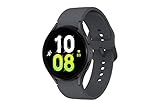
- ADVANCED SLEEP COACHING: Manage your overall sleep quality with an advanced sleep tracker that detects and analyzes sleep stages while you rest; Plus, Advanced Sleep Coaching helps you develop better sleep habits by analyzing your sleep patterns.Supported Application:Fitness Tracker,Blood Pressure Monitor,Multisport Tracker,Time Display,GPS. Connectivity technology:Bluetooth. Wireless comm standard:Bluetooth,802_11_AGNAC
- BODY COMPOSITION ANALYSIS (BIA): Galaxy Watch5 provides body composition data right on your wrist; On your own schedule, you can now get readings on body fat, skeletal muscle, body water, basal metabolic rate and Body Mass Index (BMI)
- IMPROVED SENSOR ACCURACY: Stay up to date on your wellness; Get an accurate heart rate thanks to an improved, curved Samsung BioActive Sensor that gets closer to your skin
- AUTO WORKOUT TRACKING: Make the most of every adventure with Auto Workout Tracking - from running to rowing to swimming - automatically in just minutes, and manually tracking more than 90 exercises, including complex activities like HIIT
- IMPROVED BATTERY & GALAXY CONNECTED EXPERIENCE: Meet the watch that goes as long as you do; Galaxy Watch5’s improved battery keeps up with your busiest day Do more with synced Galaxy devices that work in perfect harmony
You’ll find average and lowest heart rate values in the sleep details screen. A lower, stable heart rate often suggests your body is recovering well, while elevated or erratic patterns may reflect stress, dehydration, illness, or late exercise.
Focus on trends rather than single nights. If your overnight heart rate creeps higher for several days in a row, that’s often a sign to ease intensity, improve sleep timing, or prioritize hydration.
This data pairs well with how you feel in the morning. A higher-than-usual sleep heart rate combined with low energy is a clearer signal than either metric alone.
Snore detection: how it works and how to use it
Snore detection turns your phone into a bedside microphone while the watch confirms that you’re asleep. The watch itself doesn’t record audio; your paired phone handles that part.
To enable it, go to Samsung Health, open Sleep settings, and turn on Snore detection. Your phone must be plugged in, placed near the bed, and allowed to record audio overnight for this feature to work.
In the morning, Samsung Health shows when snoring occurred and how long it lasted. You can tap individual events to hear short audio clips, which can be eye-opening if you’ve never heard yourself snore before.
This feature is best used for awareness, not self-diagnosis. Occasional snoring is common, but frequent or loud snoring paired with low blood oxygen readings may be a reason to seek professional advice.
Accuracy expectations and real-world limitations
These advanced metrics rely on optical sensors and algorithms, not medical-grade equipment. Fit, movement, tattoos, loose straps, and sleeping position can all affect accuracy.
The Galaxy Watch 5’s lightweight aluminum case and soft strap make it comfortable enough for overnight wear, which helps data consistency. A strap that’s too loose or overly tight can reduce both comfort and sensor contact.
Think of these metrics as trend trackers, not verdicts. Their real value shows up after weeks of consistent wear, when patterns start aligning with your habits, stress levels, and daily energy.
Turning advanced metrics into useful habits
Instead of checking everything every morning, review advanced metrics a few times per week. Look for repeated changes rather than isolated spikes or dips.
If blood oxygen or heart rate trends worsen after late meals or alcohol, that’s a clear experiment worth adjusting. If skin temperature rises when your bedroom is warmer, consider airflow or lighter bedding.
Used calmly and consistently, these metrics deepen your understanding of sleep without turning it into a nightly performance. The Galaxy Watch 5 works best when it supports better decisions, not constant monitoring.
Using Sleep Coaching: How Samsung Turns Data Into Personalized Bedtime Advice
Once you’re comfortable reviewing sleep stages and advanced metrics, Sleep Coaching is where Samsung Health starts connecting the dots for you. Instead of more charts, it translates patterns into guidance you can actually act on before bed.
Sleep Coaching isn’t meant to judge individual nights. It looks at trends over time and uses them to suggest small, realistic changes that fit how you already live and sleep.
What Sleep Coaching is (and what it isn’t)
Sleep Coaching is a guided program inside Samsung Health that analyzes your sleep over several nights and assigns you a sleep “type.” These types are represented by animals, which may sound playful, but they’re based on consistency, timing, and recovery patterns rather than personality quizzes.
It’s not a medical assessment, and it won’t diagnose insomnia or sleep disorders. Think of it as structured habit coaching, using your Galaxy Watch 5 data as the feedback loop.
How to enable Sleep Coaching on Galaxy Watch 5
You’ll find Sleep Coaching in the Samsung Health app on your phone, not directly on the watch. Open Samsung Health, tap Sleep, then look for the Sleep Coaching card or banner and follow the prompts to get started.
Samsung requires several nights of recent sleep data before coaching activates, typically around 7 days. This ensures the advice reflects your real habits, not an unusually good or bad week.
Understanding your sleep animal and what it means
After enough data is collected, Samsung assigns you a sleep animal type, such as a Lion, Penguin, or Hedgehog. Each type reflects patterns like bedtime regularity, total sleep duration, and how efficiently you move through sleep stages.
For example, one type may highlight inconsistent bedtimes, while another points to short but efficient sleep. The goal isn’t to “become” a different animal, but to understand where your habits help or hurt your rest.
How bedtime guidance is generated
Based on your sleep type and recent trends, Samsung Health suggests a target bedtime and wake-up window. These recommendations consider when you naturally fall asleep, how long it takes you to settle, and how restorative your sleep tends to be.
You’ll also see guidance on wind-down routines, screen use, caffeine timing, and bedroom conditions. These tips update as your data changes, so they evolve with your habits rather than staying static.
Using bedtime reminders and wind-down prompts
Sleep Coaching works best when paired with notifications. You can enable bedtime reminders that gently nudge you when it’s time to start winding down, not just when you should already be asleep.
On the Galaxy Watch 5, these alerts are subtle and easy to ignore if needed, which matters for real-world usability. They’re meant to support consistency, not force compliance.
Tracking progress over time
As you follow the coaching plan, Samsung Health shows progress indicators tied to sleep consistency and duration. Improvements often appear first in bedtime regularity before showing up in sleep score or deep sleep percentages.
This is where patience pays off. The coaching system rewards steady routines more than dramatic changes, aligning well with how sleep science actually works.
How Sleep Coaching fits daily wear and battery life
Using Sleep Coaching doesn’t add extra sensor load beyond standard sleep tracking. On the Galaxy Watch 5, overnight battery impact remains modest, especially if you top up the watch during evening downtime.
The lightweight aluminum case and comfortable strap options make nightly wear realistic over weeks, which is essential for coaching accuracy. Consistency matters more than perfection.
Practical tips to get better coaching results
Wear the watch every night, even on weekends, so Samsung Health can detect schedule shifts. Avoid manually editing sleep times unless the tracking is clearly wrong, as edits can confuse trend analysis.
If your lifestyle changes, like travel or shift work, expect the coaching to adjust slowly rather than instantly. That lag isn’t a flaw; it’s Samsung prioritizing patterns over noise.
Knowing the limits of automated coaching
Sleep Coaching can highlight habits, but it can’t account for everything, like stress, illness, or caregiving interruptions. If advice feels unrealistic for your current life phase, it’s fine to adapt it rather than follow it rigidly.
Used thoughtfully, Sleep Coaching turns the Galaxy Watch 5 from a passive tracker into an active guide. The value isn’t in chasing a perfect sleep animal, but in building routines that actually stick.
Reviewing and Interpreting Your Sleep Trends Over Time in Samsung Health
Once you’ve worn the Galaxy Watch 5 consistently and engaged with Sleep Coaching, the real value shows up when you step back and look at patterns. Samsung Health is designed to shift your attention from single nights to trends that unfold over weeks, which is how sleep actually changes in real life.
Instead of asking “Was last night good?”, you’ll start answering more useful questions like “Am I becoming more consistent?” and “What habits reliably improve my sleep?”
Where to find your long-term sleep trends
Open Samsung Health on your phone and tap Sleep from the main dashboard. Near the top, you’ll see options to switch between daily, weekly, and monthly views, which is where trend analysis begins.
The weekly view is the most practical starting point. It smooths out bad nights caused by late dinners, travel, or stress and highlights whether your routine is drifting earlier, later, or staying stable.
Understanding averages versus variability
Samsung Health emphasizes average sleep duration and average sleep score over time. These are helpful, but consistency matters just as much as the average itself.
If your weekly sleep duration looks decent but bedtimes swing by two or three hours, Samsung Health will often flag consistency as an issue. This aligns with sleep science, where irregular schedules can undermine otherwise adequate sleep length.
Interpreting sleep stage trends realistically
In the trends view, you’ll see stacked bars showing light, deep, REM, and awake time across multiple nights. Look for gradual changes rather than chasing specific percentages.
Deep and REM sleep often fluctuate naturally, even when habits improve. What matters more is whether extreme lows become less frequent as your routine stabilizes.
How sleep score trends reflect behavior changes
The sleep score combines duration, stages, consistency, and recovery signals into a single number. Over time, a rising baseline is more meaningful than occasional high scores.
If your sleep score improves first on weekdays but not weekends, that’s a useful insight. It suggests your workday routine supports sleep better than your free days, not that the watch is “wrong.”
Using blood oxygen trends without overreacting
Samsung Health displays blood oxygen during sleep as nightly ranges and longer-term averages. Focus on trends across multiple weeks, not isolated dips.
Occasional drops can be caused by sleeping position or loose strap fit. Persistent downward trends, especially if paired with snoring data, are the signal worth paying attention to.
Tracking skin temperature changes over time
Skin temperature deviation is most useful when viewed monthly. Samsung Health shows how your nightly readings compare to your personal baseline rather than a fixed “normal.”
Gradual upward or downward shifts often reflect environmental changes, illness, or hormonal cycles. The Galaxy Watch 5’s temperature sensor is about detecting changes, not diagnosing problems.
Rank #4
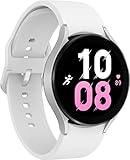
- ADVANCED SLEEP COACHING: Manage your overall sleep quality with an advanced sleep tracker that detects and analyzes sleep stages while you rest; Plus, Advanced Sleep Coaching helps you develop better sleep habits by analyzing your sleep patterns.Supported Application:Fitness Tracker,Blood Pressure Monitor,Multisport Tracker,Time Display,GPS. Connectivity technology:Bluetooth. Wireless comm standard:Bluetooth,802_11_AGNAC
- BODY COMPOSITION ANALYSIS (BIA): Galaxy Watch5 provides body composition data right on your wrist; On your own schedule, you can now get readings on body fat, skeletal muscle, body water, basal metabolic rate and Body Mass Index (BMI)
- IMPROVED SENSOR ACCURACY: Stay up to date on your wellness; Get an accurate heart rate thanks to an improved, curved Samsung BioActive Sensor that gets closer to your skin
- AUTO WORKOUT TRACKING: Make the most of every adventure with Auto Workout Tracking - from running to rowing to swimming - automatically in just minutes, and manually tracking more than 90 exercises, including complex activities like HIIT
- IMPROVED BATTERY & GALAXY CONNECTED EXPERIENCE: Meet the watch that goes as long as you do; Galaxy Watch5’s improved battery keeps up with your busiest day Do more with synced Galaxy devices that work in perfect harmony
Reviewing snoring trends and frequency
If snore detection is enabled, Samsung Health summarizes how often snoring occurs and how long it lasts across weeks. This is more reliable than reacting to a single snoring clip.
Look for correlations with alcohol intake, late meals, or back sleeping. The app won’t connect these dots automatically, but the trend view makes patterns easier to spot.
Connecting sleep trends with daily habits
Samsung Health allows you to view sleep alongside activity, stress, and exercise data. This context helps explain why sleep improves or stalls.
For example, sustained increases in daily step count often align with better sleep consistency after a week or two. Late, intense workouts may show the opposite effect in bedtime regularity.
Recognizing normal plateaus and slow progress
It’s common for sleep trends to improve for a few weeks, then flatten out. This doesn’t mean the Galaxy Watch 5 has stopped tracking accurately.
Plateaus usually indicate you’ve stabilized a routine and further gains require smaller, more deliberate changes. Samsung Health reflects this by maintaining scores rather than constantly pushing them higher.
Knowing when data accuracy may dip
Trend quality depends on nightly wear, and comfort plays a role here. The Galaxy Watch 5’s slim profile and smooth caseback help, but a strap that’s too loose or too tight can affect long-term data.
If you notice sudden trend shifts after changing bands or wearing the watch differently, consider fit before assuming your sleep has changed dramatically.
Using trends to guide adjustments, not perfection
The most effective way to use Samsung Health’s sleep trends is to adjust one habit at a time and watch how the data responds over two to three weeks. This avoids overcorrecting based on noise.
Sleep tracking on the Galaxy Watch 5 works best as a feedback loop. The trends don’t judge your sleep; they quietly show what your lifestyle is already doing to it.
Battery Life, Charging Habits, and Nightly Practical Tips for Sleep Tracking
Once you start using sleep trends to guide habit changes, consistency becomes the real challenge. Sleep tracking only works if the Galaxy Watch 5 is on your wrist every night, powered on, and comfortable enough that you forget it’s there.
This is where battery management and small nightly routines matter more than any single sensor feature. A few practical adjustments can remove the friction that causes missed nights and broken data streaks.
Real-world battery life for overnight sleep tracking
The Galaxy Watch 5 is rated for around 40 to 50 hours of use, but real-world battery life depends heavily on which health features you enable. With sleep tracking, blood oxygen monitoring, and skin temperature tracking active, most users will see roughly a full day and a half on a charge.
For sleep tracking alone, you only need enough power to comfortably last through the night and into the next morning. As a rule of thumb, going to bed with at least 30 percent battery is usually safe, while 40 percent or more gives extra margin if you also use snore detection or sleep coaching features.
Smaller case sizes drain slightly faster due to their smaller batteries, but the difference is modest. Both sizes of the Watch 5 are well within a practical overnight window if charged regularly.
How overnight features affect battery drain
Not all sleep features draw the same amount of power. Basic sleep stage tracking uses motion and heart rate and is relatively efficient.
Blood oxygen monitoring and snore detection increase battery usage more noticeably. Snore detection, in particular, uses the paired phone’s microphone while the watch stays actively connected, which adds to overnight drain for both devices.
If battery anxiety is causing you to skip wearing the watch at night, consider temporarily disabling snore detection or reducing blood oxygen tracking to prioritize consistency. Fewer nights with every feature turned on are less useful than more nights of reliable core data.
Best charging routines for nightly wear
The most effective charging habit is one that fits naturally into your day. Many Galaxy Watch 5 users find it easiest to charge during a morning shower or while getting ready, topping the battery back up after a night of tracking.
Another reliable window is during evening downtime, such as while watching TV or reading. A 30 to 45 minute charge in the evening is often enough to ensure the watch easily lasts through the night.
Avoid waiting until right before bed to charge from a very low battery. Rushing a charge increases the chances of forgetting to put the watch back on or falling asleep without it.
Charging speed and heat considerations
The Galaxy Watch 5 supports faster charging than earlier Samsung models, but heat still matters. Charging on soft surfaces or in warm rooms can slow charging and generate extra heat, which isn’t ideal for long-term battery health.
Place the charging puck on a hard, well-ventilated surface and remove thick protective cases if you use one. This helps the watch charge efficiently and cool down before you put it on for sleep.
It’s also worth letting the watch sit for a few minutes after charging before wearing it overnight. A cooler watch is more comfortable on the wrist and less likely to feel distracting as you fall asleep.
Optimizing comfort for all-night wear
Comfort directly affects both sleep quality and data accuracy. The Galaxy Watch 5’s rounded caseback and smooth sapphire glass help reduce pressure points, but strap choice plays a bigger role than many users expect.
For sleep, a soft fluoroelastomer or fabric band often works better than a rigid or heavy strap. The watch should sit snugly enough to maintain sensor contact without leaving marks or feeling restrictive.
If you wake up with wrist discomfort or notice frequent gaps in heart rate data overnight, slightly adjusting the strap tightness can make a measurable difference in sleep tracking reliability.
Preparing the watch before bed
A short pre-bed checklist helps avoid missing data. Make sure the watch is unlocked, has sufficient battery, and is worn on the same wrist you typically use, as switching sides can change sensor readings slightly.
Enable Bedtime mode or Sleep mode if you haven’t automated it. This reduces screen wake-ups, limits notifications, and conserves battery while minimizing light disruptions during the night.
If you use snore detection, confirm your phone is charging nearby with its microphone unobstructed. The watch alone can’t record snoring without the phone present.
Reducing night-time disruptions from the watch
Even subtle distractions can affect how you perceive sleep quality. Disable unnecessary notifications at night and avoid using a bright watch face that wakes with wrist movement.
Vibration strength matters as well. Gentle vibration settings are less likely to disturb light sleepers while still allowing alarms to wake you reliably in the morning.
The goal is for the watch to disappear into the background. If you notice the device more than your sleep data, it’s a sign that settings need adjustment.
Handling missed nights and low-battery mornings
Missing a night of sleep tracking isn’t a failure, and it won’t invalidate long-term trends. Samsung Health is designed to smooth gaps over time rather than overreacting to missing data.
If you wake up to a low battery warning, prioritize charging rather than forcing another tracking session. A dead watch halfway through the next night is more disruptive than a single missed data point.
What matters most is returning to your normal routine the following night. Consistency over weeks is far more valuable than perfection across every single day.
Protecting long-term battery health
Daily charging is normal for sleep tracking, but small habits can extend battery lifespan. Avoid letting the watch regularly drain to zero, and don’t leave it on the charger for extended periods after it reaches full.
Keeping the battery between roughly 20 and 80 percent during the day, then topping up before bed, strikes a good balance between convenience and longevity. Samsung’s charging safeguards help, but user habits still make a difference over years of use.
A healthy battery supports consistent sleep tracking, which in turn supports better trend data. In practice, good charging habits are part of good sleep tracking, even if they don’t show up directly in Samsung Health.
Accuracy, Limitations, and How Galaxy Watch 5 Compares to Medical Sleep Tracking
Once you’ve dialed in battery habits and night-time comfort, the next natural question is how much trust to place in the sleep data itself. Samsung Galaxy Watch 5 is a capable consumer sleep tracker, but understanding what it measures well, where it struggles, and how it differs from medical-grade tools is essential for using it wisely.
This is where expectations matter more than specs. The Watch 5 is designed to guide habits and highlight patterns, not to diagnose sleep disorders or replace clinical testing.
What the Galaxy Watch 5 actually measures during sleep
The Galaxy Watch 5 estimates sleep using a combination of motion data from its accelerometer, heart rate patterns, heart rate variability, blood oxygen readings, and skin temperature changes. Together, these signals allow Samsung Health to infer when you fall asleep, wake up, and move through different sleep stages.
Sleep duration and sleep timing are generally the most reliable metrics. For most users, bedtimes, wake times, and total sleep length closely match real-world experience, especially when the watch fits snugly and battery levels are healthy.
Sleep stages like light, deep, and REM are best viewed as approximations. They are inferred from physiological patterns rather than directly measured brain activity, so they’re useful for trends over time rather than precise nightly breakdowns.
How accurate is sleep stage tracking in real-world use?
In practical testing, the Galaxy Watch 5 does a solid job identifying when you’re asleep versus awake. Brief awakenings, such as rolling over or checking the time, may not always register unless they’re prolonged or involve noticeable movement.
Sleep stage accuracy improves when you look at averages across multiple nights. One night showing unusually low deep sleep is rarely meaningful on its own, but a consistent pattern across weeks may signal lifestyle factors like stress, late caffeine, or irregular bedtimes.
The watch can sometimes misclassify quiet wakefulness as light sleep. If you lie still in bed while awake, especially before falling asleep, the Watch 5 may count that time as sleep even if your mind is active.
💰 Best Value

- 1.2" Super AMOLED, 396x396px ~330ppi, 247mAh Battery, MIL-STD-810H compliant, 50m/5ATM water resistant, ECG certified, Sleep Coach, Heart Monitor, IP68 dust/water resistant
- 16GB, 1.5GB RAM, Exynos W920 (5nm), Dual-core 1.18 GHz Cortex-A55,Mali-G68 GPU, Android Wear OS 4, One UI Watch 5.
- Find your zone with Galaxy AI: Work out smarter, not harder, using personalized heart rate zones with Galaxy AI. Your Watch scans your health data to provide heart rate zones tailored just for you.
- Understand your body better with the BIA Sensor. Get data on body fat, muscle mass and more. Advanced Sleep Coaching with Galaxy AI helps you plan your bedtime, detect snoring and understand and track your sleep stages
- International Model - No Warranty. Bluetooth Version: Wi-Fi + GPS Only. Compatible with Android devices Only. Supports Samsung Pay.
Blood oxygen and skin temperature: useful, but contextual
Blood oxygen tracking on the Galaxy Watch 5 is designed to flag potential patterns, not deliver clinical measurements. Occasional dips can occur due to movement, strap fit, or sleeping position, particularly if your wrist presses against the mattress.
Trends matter more than individual readings. Repeated nightly drops or consistent patterns may be worth discussing with a healthcare professional, but single-night anomalies are common and usually harmless.
Skin temperature tracking reflects relative changes rather than absolute values. Samsung Health compares your nightly skin temperature to your personal baseline, which can help identify changes related to illness, recovery, or hormonal cycles rather than acting as a standalone metric.
Snoring detection accuracy and its practical limits
Snore detection relies on your paired phone’s microphone, not the watch itself. When the phone is correctly positioned and unobstructed, it can capture snoring events with surprising consistency.
That said, it won’t always distinguish between you and a bed partner. Background noise, pets, or environmental sounds can occasionally trigger false positives or missed recordings.
Snore data is best used as a conversation starter. It can help you notice patterns related to sleep position or congestion, but it can’t diagnose sleep apnea on its own.
Why Galaxy Watch 5 is not a medical sleep tracker
Medical sleep studies, known as polysomnography, measure brain waves, eye movement, muscle activity, breathing effort, airflow, and blood oxygen simultaneously. They are conducted in controlled environments with multiple sensors placed across the body.
The Galaxy Watch 5 does none of this directly. It estimates sleep stages without EEG data and relies on wrist-based sensors that prioritize comfort and battery life over clinical precision.
This difference isn’t a flaw; it’s a design choice. The Watch 5 is meant to be worn every night, on your wrist, with a ceramic-backed case and smooth strap interface that prioritizes comfort over intrusive monitoring.
How Galaxy Watch 5 compares to clinical-grade sleep tools
Compared to medical sleep tracking, the Watch 5 trades precision for accessibility. You can wear it nightly, at home, without wires, adhesives, or supervision, which makes long-term trend tracking far more realistic for everyday users.
Clinical tools excel at diagnosing conditions like sleep apnea, narcolepsy, or REM behavior disorder. The Galaxy Watch 5 excels at highlighting habits, consistency, and gradual changes tied to lifestyle.
Think of the Watch 5 as a long-term mirror rather than a microscope. It reflects how your sleep evolves over time, not the exact physiological events happening each night.
Common sources of error and how to minimize them
Fit is one of the biggest factors affecting accuracy. The Watch 5’s lightweight aluminum case and curved lugs are comfortable for overnight wear, but the strap still needs to sit snugly without cutting off circulation.
Loose straps can lead to dropped heart rate readings and misclassified sleep stages. Silicone bands included with the watch generally perform better for sleep tracking than fabric or metal options.
Movement-heavy sleepers may see more fragmented data. Frequent tossing and turning can confuse sleep stage detection, even if overall sleep duration remains accurate.
How to interpret your data responsibly
Avoid overreacting to single-night scores. A low sleep score after a stressful day doesn’t mean the watch is wrong or that something is medically wrong with you.
Focus on trends across two to four weeks. Improvements or declines over that timeframe are far more meaningful than day-to-day fluctuations.
If your data consistently shows short sleep duration, frequent awakenings, or repeated oxygen dips alongside daytime fatigue, that’s the point where consumer data becomes useful for a professional conversation.
When to trust the watch, and when to look beyond it
Trust the Galaxy Watch 5 for consistency tracking, bedtime habits, and identifying lifestyle-related changes. It’s especially strong at helping you connect behaviors, like late meals or screen time, with next-day sleep quality.
Don’t rely on it for diagnosing medical conditions or ruling them out. If symptoms persist despite good habits and stable data, professional evaluation is still essential.
Used within its limits, the Galaxy Watch 5 offers real value. Its strength lies not in perfection, but in helping you pay attention to sleep in a way that’s practical, comfortable, and sustainable over the long term.
Turning Sleep Data Into Better Habits: Real-World Tips for Everyday Users
Once you understand what the Galaxy Watch 5 can and can’t tell you, the real value comes from what you do with that information. Samsung Health works best as a habit-shaping tool, helping you spot patterns and gently adjust routines rather than chasing perfect numbers.
This is where sleep tracking moves from passive measurement to something that actually improves how you feel day to day.
Use sleep consistency as your first goal
Before worrying about sleep stages or oxygen levels, focus on going to bed and waking up at roughly the same time. In Samsung Health, the sleep schedule feature highlights irregular bedtimes more clearly than any single-night score.
Even if total sleep time stays the same, a more consistent schedule often improves sleep score and perceived restfulness within a week or two. The Watch 5’s comfortable 44 mm or 40 mm aluminum case and lightweight feel make overnight wear realistic, which is essential for spotting these timing patterns.
If your data shows wide swings in bedtime, start by shifting just 15 to 30 minutes earlier or later, rather than forcing a drastic change.
Let sleep score guide behavior, not self-judgment
The sleep score in Samsung Health blends duration, stages, restfulness, and recovery signals into one number. Treat it as a directional signal, not a grade on your performance.
If your score dips after late dinners, alcohol, or heavy screen use, that’s useful feedback. The Watch 5 is especially good at showing how lifestyle choices affect rest, even when you still technically get enough hours of sleep.
Instead of trying to raise the score overnight, aim for small improvements. A consistent five- to ten-point increase over several weeks usually reflects real habit changes, not random variation.
Make sleep stages actionable without overthinking them
Light, deep, and REM sleep estimates are best used comparatively. Look at how your stage balance changes on nights when you feel better versus worse the next day.
If deep sleep is consistently low, focus on earlier bedtimes, cooler room temperatures, and winding down before sleep rather than trying supplements or extreme routines. The Watch 5’s skin temperature tracking can quietly confirm whether your sleeping environment is too warm.
REM-heavy nights followed by grogginess may point to late caffeine, alcohol, or disrupted sleep cycles rather than a problem with REM itself.
Use blood oxygen and snore tracking as awareness tools
Nighttime blood oxygen trends are most helpful when viewed over weeks. Occasional dips are common, especially if you sleep on your back or move a lot during the night.
Consistently lower readings paired with loud snoring, which the Watch 5 can detect through your paired phone, are worth paying attention to. Samsung Health makes it easy to spot recurring patterns without digging through complex charts.
These features are about awareness, not diagnosis. If the data aligns with daytime fatigue or morning headaches, that’s when it becomes useful context for a medical conversation.
Adjust your evening routine using Samsung Health insights
Samsung Health’s sleep coaching and daily summaries often point to behavioral triggers. Late workouts, heavy meals, or extended phone use show up clearly when you compare nights side by side.
Try setting a wind-down reminder on the watch itself. The AMOLED display is bright and sharp during the day, but easy to dim at night, making gentle reminders less intrusive than phone alerts.
Over time, the Watch 5 becomes less about tracking and more about reinforcing routines that already work for you.
Balance battery life with overnight tracking
Sleep tracking only works if the watch is actually on your wrist overnight. The Galaxy Watch 5 typically handles a full day and night comfortably, but habits matter.
Top up the battery during a shower or while getting ready for bed rather than charging overnight. The sapphire crystal and solid build make it durable enough for daily wear, so you don’t need to baby it between charges.
If you use blood oxygen and skin temperature tracking, expect slightly higher battery drain, but still manageable for most users with a short daily charge.
Know when to step back from the data
If you find yourself anxious about nightly results, take a break from checking detailed metrics for a few days. The watch will keep collecting data in the background, even if you don’t open Samsung Health every morning.
Sleep tracking should support better rest, not create pressure. Many users find that checking weekly trends instead of daily results leads to more sustainable improvements.
The Galaxy Watch 5 is designed to fit into everyday life, not dominate it.
Putting it all together
Used thoughtfully, sleep tracking on the Samsung Galaxy Watch 5 becomes a practical companion rather than a constant evaluator. Its strength lies in long-term patterns, gentle nudges, and helping you connect daily habits with how rested you feel.
Focus on consistency, small adjustments, and trends over time. When you do, the watch rewards you with insights that are easy to act on and genuinely helpful in building better sleep habits that last.