If you’ve ever scrolled through Garmin features and wondered whether the “flashlight” is a real torch or just a bright screen trick, you’re not alone. Garmin uses the same word to describe two very different implementations, and the difference matters a lot once you’re outside after dark. Understanding which type your watch has changes how useful it is for night runs, camping, early-morning workouts, or even finding your keys under the couch.
At a glance, Garmin flashlights fall into two categories: watches with a dedicated, built-in LED, and watches that simulate a flashlight by turning the display into a bright white (or red) panel. They look similar in menus, but they behave completely differently in real-world use, battery impact, brightness, and safety. Before learning how to activate or customize it, you need to know which version you’re dealing with and what it can realistically do.
Garmin watches with a true built-in LED flashlight
On higher-end outdoor, tactical, and endurance-focused Garmins, the flashlight is a physical LED integrated into the watch case. You’ll find it at the top edge of the watch, usually around the 12 o’clock position, angled slightly forward so it throws light ahead of your wrist rather than straight up.
This is not a gimmick light. It’s a multi-output LED designed for real illumination, strong enough to light trails, sidewalks, tent interiors, or a dark room without needing your phone. On models like the Fenix 7X, Epix Pro, Instinct 2X, Enduro 2, and Tactix series, it’s one of those features you end up using far more than expected.
🏆 #1 Best Overall

- Multisport GPS watch with a 1.3” display in a resilient 47 mm fiber-reinforced polymer case with a titanium bezel and rear cover
- Scratch-resistant Power Sapphire solar charging lens uses the sun’s energy for weeks of battery life in smartwatch mode
- Built-in LED flashlight with variable intensities and strobe modes gives you greater awareness while you train at night and provides convenient illumination when you need it
- New hill score feature measures your running strength/endurance during ascents and gauges your progress over time
- New endurance score feature combines training data from all your athletic pursuits to help you better understand how training impacts your overall endurance
The LED flashlight operates independently of the display, which is critical for battery efficiency. Whether your watch uses MIP or AMOLED, the LED can run at usable brightness without forcing the screen to stay fully lit, making it practical for longer tasks or repeated use.
Brightness levels, red light, and safety modes on LED-equipped models
Garmin doesn’t limit the LED to a simple on/off toggle. You can adjust brightness across multiple levels, allowing anything from subtle task lighting to a genuinely bright beam for navigation. This is especially useful if you’re trying to preserve night vision or avoid blinding others on group runs.
Most LED-equipped Garmins also include a red light mode. Red light is invaluable for early-morning or night use because it reduces glare, helps preserve night vision, and is far less disruptive to others in tents, cabins, or urban environments.
Several models add a strobe mode that syncs with your running or walking cadence. It sounds niche, but in low-light roadside running, the flashing white or red LED dramatically increases visibility to traffic in a way a reflective strap simply can’t.
Where the LED flashlight fits into real-world use
In daily wear, the LED flashlight becomes a true utility tool. You’ll use it for unlocking doors at night, navigating dark hallways without waking others, setting up camp, or checking gear without juggling a phone.
From a comfort and design perspective, the LED is integrated cleanly into the case and doesn’t affect wearability. Even on larger watches like the Fenix 7X or Enduro 2, the light adds function without sharp edges or awkward bulk.
If you spend meaningful time outdoors, especially running, hiking, or camping in low light, the LED flashlight is not a novelty feature. It’s a legitimate safety and convenience upgrade that can justify choosing a specific Garmin model.
Screen-based “flashlight” mode on non-LED Garmin watches
On Garmins without a built-in LED, the flashlight feature is software-based. When activated, the watch simply turns the entire display white or light-colored and boosts brightness to the maximum setting.
This approach works on both AMOLED and MIP displays, but it’s inherently limited. The light is diffuse, short-range, and heavily dependent on screen size and brightness capability, making it best suited for close-up tasks rather than navigation.
Because the display has to stay fully lit, battery drain is significantly higher than with an LED. On AMOLED models especially, using screen flashlight mode for more than brief moments can have a noticeable impact on daily battery life.
When a screen-based flashlight is still useful
Despite its limitations, screen flashlight mode isn’t useless. It’s fine for quick tasks like checking a map, finding something in a bag, or using the bathroom at night without turning on overhead lights.
Some models also offer a red screen option, which helps reduce eye strain and glare in dark environments. While it’s not as effective as a true red LED, it’s still preferable to a full white screen in shared spaces.
For users who mostly train in daylight or stay in urban environments, a screen-based flashlight can be enough. But once you rely on it outdoors, its limitations become obvious.
Why the difference matters when choosing a Garmin
The LED flashlight is one of the clearest dividing lines between Garmin’s adventure-focused watches and its more lifestyle or fitness-oriented models. If you regularly run at dawn, hike at dusk, or camp overnight, the LED version becomes something you plan around and depend on.
Screen-based flashlight modes are better thought of as convenience features rather than tools. They’re helpful in a pinch, but they don’t replace carrying a light source in serious low-light situations.
Knowing which type of flashlight a Garmin has helps set expectations and can genuinely influence which model makes the most sense for your activities. The next step is understanding exactly which Garmin watches include the built-in LED, and how to quickly activate and customize it when you need it most.
Why the Flashlight Matters in Real Use: Running, Hiking, Camping, and Everyday Scenarios
Once you understand the difference between a screen-based flashlight and a true LED, the real question becomes how often you actually rely on light in everyday training and outdoor life. For many Garmin owners, the flashlight ends up being one of those features that quietly changes habits rather than just adding convenience.
Garmin didn’t add an LED to its higher-end watches to pad a spec sheet. It exists because low-light moments are common in real training and outdoor scenarios, and fumbling for a phone or headlamp breaks rhythm, safety, and focus.
Early-morning and night running: safety without breaking stride
For runners who train before sunrise or after dark, the flashlight is less about seeing the trail and more about being seen. A wrist-mounted LED sits higher than shoe lights and moves naturally with arm swing, making it far more visible to drivers and cyclists.
Garmin’s LED-equipped watches allow a steady beam or a strobe synced to your cadence. On models like the Fenix 7X, Epix Pro, and Enduro 2, the strobe alternates between white and red, improving visibility without blasting constant light into your eyes.
The practical advantage is immediacy. A double-press of a hardware button turns the light on mid-run, even with gloves or cold fingers, and you never have to slow down or dig through menus.
Trail running and hiking: seeing the ground actually matters
Once you leave paved paths, screen-based flashlight modes reach their limits quickly. Roots, rocks, uneven descents, and trail markers all require directional light, not a glowing wrist.
The LED on Garmin’s adventure watches is angled outward from the case, not straight up at your face. That design choice matters, because it throws usable light several feet ahead, enough to place your feet confidently or spot trail signs without stopping.
On long outings, battery efficiency becomes critical. Using the LED for short bursts while navigating conserves far more battery than maxing out an AMOLED screen, especially on multi-hour hikes where GPS tracking is already running.
Camping and overnight trips: a headlamp backup you always have
Anyone who camps regularly knows how often you need quick light rather than sustained illumination. Zipping a tent, finding a headlamp, checking gear, or walking to a campsite bathroom are all moments where a wrist-based light shines.
The red LED option is especially useful here. It preserves night vision, avoids waking tent mates, and feels more natural around camp than a harsh white beam.
Because the flashlight is built into the watch case, there’s nothing extra to pack, charge, or forget. That reliability is a big reason many backpackers end up choosing larger Garmin models despite the added size on the wrist.
Everyday use: small moments where it quietly earns its keep
Outside of sports, the flashlight ends up being used more often than most people expect. Finding a dropped item under a car seat, unlocking a door at night, or navigating a dark hallway without turning on overhead lights are all common use cases.
In these moments, the comfort and wearability of the watch matter. Larger models like the Fenix 7X or Tactix 7 sit tall on the wrist, but the tradeoff is a stronger LED and longer battery life, which makes the flashlight more practical day to day.
Smaller Garmin watches without an LED can still manage quick tasks with screen flashlight mode, but users who experience both tend to notice how often they reach for the LED once it’s available.
Why this feature changes buying decisions more than expected
The flashlight is one of the clearest examples of how Garmin separates lifestyle fitness watches from true outdoor tools. It doesn’t affect step counts, VO2 max, or sleep scores, but it directly affects how confident and prepared you feel in low-light situations.
For runners, hikers, and campers, it reduces reliance on phones and accessories. For everyday users, it becomes a subtle safety feature that’s always present, even when you didn’t plan to need it.
That’s why understanding how the flashlight fits into real use matters more than knowing it exists at all. Whether it’s worth prioritizing depends less on specs and more on how often your activities push into low light, early mornings, late nights, or unfamiliar terrain.
Which Garmin Watches Have a Built-In LED Flashlight (Full Compatibility Breakdown by Model Line)
By this point, it should be clear why the flashlight matters in real use. The next step is understanding exactly which Garmin watches include a true, case-mounted LED flashlight, and which rely only on screen-based tricks.
Garmin has been very deliberate with this feature. It appears almost exclusively on larger, more rugged models where battery capacity, case thickness, and outdoor use justify the hardware.
Fenix Series: where the flashlight went mainstream
The Fenix line is where most people first encounter Garmin’s LED flashlight, but compatibility depends heavily on generation and size.
The original Fenix 7 lineup introduced the flashlight only on the Fenix 7X. The smaller Fenix 7 and 7S models did not have it, even though they shared the same software platform. This made the 7X noticeably thicker and heavier, but also more capable for low-light use.
With the Fenix 7 Pro series, Garmin expanded the flashlight across all case sizes. The 7S Pro, 7 Pro, and 7X Pro all include a built-in white and red LED, making this the first time smaller wrists could get the feature without stepping up to an oversized watch.
Fenix 8 continues that approach. Every size includes the LED flashlight, paired with improved brightness control and better battery efficiency. If you are buying a current-generation Fenix today and flashlight matters to you, there is no longer a size penalty.
Models without flashlight: Fenix 6 series (all variants), original Fenix 7 and 7S.
Epix Series: only the Pro models apply
The Epix line follows a similar pattern, but with a clearer dividing line.
The original Epix Gen 2, including Sapphire editions, does not have a built-in LED flashlight. It relies entirely on screen brightness modes, which are fine indoors but far less useful outdoors.
Epix Pro (Gen 2) changed that completely. All three sizes, 42 mm, 47 mm, and 51 mm, include a physical LED flashlight with white and red modes. This was a major shift, because it brought the flashlight to a more lifestyle-oriented AMOLED watch without forcing users into the largest case.
If you want an AMOLED display and a true flashlight, Epix Pro models are currently the only option in Garmin’s lineup.
Rank #2

- Advanced multisport GPS smartwatch for athletes/adventurers features a bright 1.4” AMOLED display, stainless steel bezel, enhanced graphical interface and a built-in LED flashlight for after- dark visibility
- Power up your body’s performance, endurance and resistance to injury with targeted strength training plans, real-time stamina tracking, sport-specific workouts and a full range of built-in sports apps
- Battery performance: up to 16 days in smartwatch mode; up to 47 hours in GPS mode. Fits wrists with the following circumference: Silicone band: 125-208 mm UltraFit Band: 125-215 mm Leather Band: 132-210 mm Metal Band: 132-210 mm
- Your training readiness score is based on sleep quality, recovery, training load and HRV status to determine if you’re primed to go hard and reap the rewards (data presented is intended to be a close estimation of metrics tracked)
- For your active lifestyle, a built-in speaker and mic let you make and take phone calls from your wrist when your watch is paired to your smartphone — and you can even use your smartphone’s voice assistant to respond to text messages and more
Tactix Series: standard equipment, no exceptions
In the Tactix line, the flashlight is not optional. Every Tactix 7 model includes it.
That includes the standard Tactix 7, Tactix 7 Pro, and Tactix 7 AMOLED. These watches are built for military, aviation, and tactical users, so the flashlight integrates tightly with night vision modes, stealth features, and button-only operation.
The case is large and tall, and comfort can be an issue for smaller wrists, but in return you get one of the brightest and most durable implementations Garmin offers. For night work, rucking, or field use, this is still the reference point.
Enduro Series: battery-first, flashlight included
The Enduro line is designed around extreme battery life, and the flashlight fits naturally into that philosophy.
Enduro 2 includes a built-in LED flashlight with white and red modes. Its large 51 mm case and thick profile allow the LED to run longer without meaningful impact on tracking battery life.
Enduro 3 continues this approach, combining solar charging, long GPS endurance, and the same flashlight hardware. These watches are not subtle on the wrist, but for ultrarunners and multi-day adventurers, the flashlight feels like a natural extension of the toolset.
Instinct Line: one very specific exception
Most Instinct models do not have a built-in LED flashlight. However, there are two notable exceptions.
Instinct 2X Solar includes a physical LED flashlight, making it one of the most affordable Garmin watches with this feature. The light is not as bright as Fenix or Tactix models, but it is still extremely useful for camp tasks, night walks, and emergency visibility. The tradeoff is size, as the 2X wears much larger than standard Instinct models.
Instinct Crossover Tactical also includes an LED flashlight, integrated into its hybrid analog-digital case. Standard Crossover models do not have it. This makes the Tactical edition uniquely appealing for users who want analog hands without giving up practical outdoor tools.
Descent Series: diving computers with a flashlight
Garmin’s Descent dive watches include the flashlight on newer models.
Descent Mk3 and Mk3i both feature a built-in LED flashlight across available sizes. This is particularly useful for early-morning dive prep, night diving support tasks, and low-light surface use. The flashlight is not intended as a primary dive torch, but it adds meaningful convenience outside the water.
Older Descent models like the Mk2 and Mk2i do not include a flashlight.
Models that do not have a built-in LED flashlight
It is equally important to be clear about what does not include this feature, especially for buyers comparing across Garmin’s wide catalog.
Forerunner models, including the 265, 965, and earlier generations, do not have a physical LED flashlight. Venu, Vivoactive, Lily, and Garmin’s fashion-oriented watches also lack it. MARQ Gen 2 watches do not include an LED flashlight despite their premium pricing and materials.
These watches may offer screen-based flashlight modes, but they are fundamentally different in brightness, usability, and battery impact.
Why generation and size matter more than the name
One of the most common mistakes buyers make is assuming that all watches within a family share the same hardware. With Garmin’s flashlight, generation and case size matter as much as the model name itself.
If the flashlight is a must-have feature for you, always check the exact generation and size, not just whether it says Fenix, Epix, or Instinct on the box. Garmin has steadily expanded the feature, but older and smaller models still miss out.
Once you know which watches include the LED, the next step is learning how it actually works in daily use, how to activate it quickly, and how to customize brightness and modes so it fits naturally into your routines.
Flashlight Hardware Explained: LED Placement, Brightness Levels, Red Light Mode, and Strobe
Now that you know which Garmin watches actually include a real LED, it helps to understand what that hardware looks like in practice and why it behaves differently from a screen-based flashlight. Garmin’s implementation is more thoughtful than it first appears, and it’s one of those features that quietly becomes part of daily use once you have it.
This is not a gimmick LED bolted on for marketing. On supported models, the flashlight is a dedicated, multi-mode lighting system integrated into the watch’s physical design and software.
LED placement: why it sits at the top of the case
On every Garmin watch with a built-in flashlight, the LED is positioned at the 12 o’clock edge of the case, just above the display. This placement is deliberate and consistent across the Fenix, Epix Pro, Instinct 2X, Enduro 2, Tactix, and Descent Mk3 lines.
When you naturally raise your wrist to look at the time, the light points forward rather than down at the ground or back toward your body. In real-world use, this makes it far more intuitive for walking at night, unlocking a door, checking gear, or moving around a tent without awkward wrist angles.
The LED sits flush behind a protective window and is sealed to the same water-resistance standards as the rest of the case. Whether the watch is titanium, steel, or fiber-reinforced polymer, the flashlight does not compromise durability, dive rating, or shock resistance.
White LED brightness levels: more range than you expect
Garmin doesn’t publish lumen figures, but hands-on testing across multiple generations shows a clear and practical brightness range. Most watches offer multiple stepped brightness levels, from a very low output suitable for close-up tasks to a surprisingly strong beam that can illuminate a room or trail edge.
At lower levels, the flashlight is ideal for reading, finding something in a pack, or navigating a dark hallway without waking anyone. At higher levels, it becomes genuinely useful outdoors, especially for runners and hikers who need short bursts of light without carrying a headlamp.
Brightness control is handled in software, not hardware, which means Garmin has refined it over time. Newer models offer smoother steps and better balance between usable light and battery draw compared to early implementations.
Battery impact and thermal behavior
A common concern is whether using the flashlight drains the battery aggressively. In practice, short, frequent use has a minimal impact, especially on watches with larger batteries like the Fenix 7X, Epix Pro 51mm, Enduro 2, and Instinct 2X Solar.
Sustained use at maximum brightness will draw noticeable power, but Garmin clearly designed the flashlight for task lighting rather than continuous illumination. The watch also manages heat well, with no uncomfortable warmth on the wrist even during extended use.
This balance is part of why the flashlight feels integrated rather than experimental. It respects the core purpose of these watches as long-lasting outdoor tools.
Red light mode: preserving night vision and staying discreet
One of the most underrated aspects of Garmin’s flashlight is the dedicated red LED mode. This is not a software filter over a white LED; it is a true red light output designed for low-light adaptation.
Red light preserves night vision far better than white light, making it invaluable for stargazing, hunting, military and tactical use, or simply moving around camp at night. It is also much less disruptive to others, which matters in shared sleeping spaces or early-morning starts.
On watches like the Tactix series and newer Fenix and Epix Pro models, red mode can be set as the default or accessed instantly. Once you get used to it, it becomes the mode you rely on most.
Strobe and safety modes: visibility over illumination
Garmin also includes strobe functionality, primarily for visibility rather than lighting. In this mode, the LED pulses rapidly, making the wearer highly noticeable to vehicles, cyclists, or other trail users.
Runners benefit the most here, especially in low-light road conditions where being seen matters more than seeing. The strobe is bright, attention-grabbing, and far more effective than reflective accents alone.
Some models allow the strobe to sync with cadence or remain constant, depending on activity and settings. It’s a small detail, but it reinforces how the flashlight is designed to integrate with fitness and safety use cases, not just convenience.
Consistency across models, with subtle refinements
While the core flashlight hardware is consistent across supported watches, newer generations refine the experience. The Epix Pro and Fenix 7 Pro models offer cleaner brightness steps and faster access, while larger case sizes naturally allow for longer sustained use due to battery capacity.
The Instinct 2X stands out by bringing the flashlight to a lighter, more affordable, polymer-bodied watch without sacrificing usability. Meanwhile, the Enduro 2 prioritizes efficiency, making flashlight use feel almost “free” in the context of its massive battery life.
Understanding these hardware differences helps explain why the flashlight feels so natural on some models and merely convenient on others. It’s the combination of placement, brightness control, and software integration that defines how useful it will be for your specific activities.
How to Turn On the Flashlight: Step-by-Step Instructions Across Garmin Watch Interfaces
Once you understand how Garmin maps the flashlight into its software, turning it on becomes second nature. The exact steps vary slightly depending on whether your watch uses buttons only, touchscreen plus buttons, or a hybrid approach, but the logic stays consistent across the Fenix, Epix Pro, Instinct 2X, Enduro 2, and Tactix families.
Below are the most reliable ways to access the flashlight, starting with the method Garmin intends most users to rely on day to day.
Method 1: Using the Control Menu (the most universal approach)
The Control Menu is Garmin’s quick-access hub, and on flashlight-equipped watches, the flashlight lives here by default. This method works across nearly all supported models and software versions.
Step-by-step:
1. Press and hold the top-left button (Light button) for about one second.
2. The Control Menu appears, showing circular icons.
3. Scroll using buttons or touch (depending on your model) until you see the flashlight icon.
4. Select it to turn the flashlight on immediately.
On touchscreen models like the Epix Pro, you can tap the icon directly. On button-only watches such as the Instinct 2X, use the Up/Down buttons to highlight the flashlight, then confirm with the top-right button.
The flashlight activates at your last-used brightness and color mode, which is useful when switching frequently between white and red light.
Rank #3

- Multisport GPS watch with a large 1.4” display in a resilient 51 mm fiber-reinforced polymer case with a steel bezel and rear cover
- Power Glass solar charging lens uses the sun’s energy for weeks of battery life in smartwatch mode
- Built-in LED flashlight with variable intensities and strobe modes gives you greater awareness while you train at night and provides convenient illumination when you need it
- New hill score feature measures your running strength/endurance during ascents and gauges your progress over time
- New endurance score feature combines training data from all your athletic pursuits to help you better understand how training impacts your overall endurance
Method 2: Assigning a Hot Key for instant access
If you use the flashlight regularly, assigning it to a hot key is the fastest and most ergonomic option. This is especially valuable during runs, night hikes, or early-morning routines where menus feel like friction.
Step-by-step:
1. Open the main menu by holding the middle-left button.
2. Navigate to System, then Hot Keys.
3. Choose a button combination (for example, holding two buttons together).
4. Assign Flashlight as the action.
Once set, pressing that button combo activates the flashlight instantly, even during activities or when the watch is locked. On larger watches like the Fenix 7X Pro or Enduro 2, this becomes a genuinely one-handed operation, aided by the physical spacing of the buttons and the watch’s stable fit on the wrist.
Turning the flashlight on during an activity
Garmin allows flashlight access without stopping or pausing an activity, which is crucial for runners and cyclists. The behavior is consistent across activity profiles.
During an activity:
1. Press and hold the Light button to open the Control Menu.
2. Select the flashlight icon.
3. The flashlight turns on while the activity continues recording.
On some models, especially in recent firmware, the flashlight can also auto-activate at sunset or during specific activities if configured. This works well on watches with strong battery reserves like the Enduro 2, where the LED’s power draw barely registers against multi-day tracking.
Switching brightness levels and light modes
Once the flashlight is on, you’re not locked into a single output. Garmin lets you adjust brightness and color directly from the flashlight interface.
Typical controls include:
– Up/Down buttons or swipe gestures to change brightness levels
– A dedicated option to switch between white, red, and strobe modes
– Automatic memory of the last-used setting
Red light is especially useful on AMOLED watches like the Epix Pro, where it preserves night vision and feels less jarring than white light. On tactical-oriented models such as the Tactix 7, red mode often becomes the default for this reason.
Touchscreen versus button-only watches: what feels different
On touchscreen-enabled watches, the flashlight feels more fluid. Tapping icons, swiping brightness levels, and exiting the mode are all fast and intuitive, particularly on the high-resolution Epix Pro display.
Button-only watches like the Instinct 2X trade polish for reliability. The flashlight controls are slightly slower but extremely dependable, even with gloves, rain, or cold hands. The reinforced polymer case and lighter weight also make prolonged flashlight use more comfortable during extended outdoor tasks.
Customizing flashlight behavior in system settings
Beyond activation, Garmin allows limited but useful customization.
From the System or Flashlight settings menu, you may find options to:
– Set a default light color
– Enable or disable strobe behavior
– Adjust how the flashlight behaves when the watch is locked
– Control whether the flashlight appears in the Control Menu
These settings don’t change how bright the LED can get, but they do shape how naturally it fits into your daily routine.
Common issues and quick fixes
If the flashlight icon doesn’t appear, the most common cause is that the watch model doesn’t include an LED flashlight. Software updates won’t add it if the hardware isn’t there.
If the icon exists but won’t activate:
– Check battery saver mode, which can restrict flashlight use
– Make sure the watch isn’t in a restricted tactical or stealth mode
– Restart the watch after a firmware update
Once configured correctly, the flashlight becomes one of those features you stop thinking about entirely. It’s simply there when you need it, whether that’s finding gear in a pack, staying visible on a road run, or navigating a dark tent without waking everyone else.
Customizing the Flashlight: Brightness, Red Light, Strobe, Hotkeys, and Activity Integration
Once you’ve confirmed your watch has a built-in LED and you know how to turn it on, the real value comes from tailoring how that light behaves. Garmin’s approach isn’t flashy, but it’s practical, consistent across models, and designed to work in motion, in bad weather, and with minimal interaction.
The customization options live partly in system settings and partly in how you access the flashlight day to day. Understanding both makes the feature feel intentional rather than accidental.
Adjusting brightness in real-world use
On most flashlight-equipped Garmins, brightness is controlled at the moment you activate the light. This matters because Garmin treats the flashlight as a utility tool, not a fixed-output torch.
On touchscreen models like the Epix Pro or Fenix 7 Pro, you’ll see on-screen brightness controls as soon as the flashlight opens. You can tap or swipe through levels, which is useful when moving from a dark tent to a trailhead or roadside.
Button-only watches such as the Instinct 2X use up and down buttons to step through brightness levels. It’s slower, but extremely reliable when wearing gloves or dealing with wet hands, and it avoids accidental changes when brushing the screen.
Brightness choices persist only for that session on most models. If you want a specific level every time, the fastest solution is learning the button sequence so you can jump straight to your preferred output without thinking.
White light versus red light: when and why it matters
Garmin’s red light option is one of the most underrated parts of the flashlight system. It’s available on watches with multi-color LEDs, including the Fenix 7 Pro, Epix Pro, Enduro 2, Tactix 7, and Instinct 2X.
Red light preserves night vision, reduces glare, and is far less disruptive in shared spaces. It’s ideal for pre-dawn runs, nighttime navigation checks, or reading inside a tent without lighting it up like a lantern.
On tactical-oriented models like the Tactix 7, red often feels like the “native” mode. On sport-focused watches, it’s simply another option, but one that quickly becomes a habit once you start using it.
You can usually set red as the default color in system or flashlight settings, or switch between white and red when the flashlight is active. If you frequently move between urban and outdoor environments, this is one of the few settings worth revisiting.
Using strobe mode for visibility and safety
Strobe mode is designed less for seeing and more for being seen. On supported models, it flashes the LED at regular intervals, sometimes in white, sometimes in red, depending on the watch and firmware.
This is particularly useful for roadside running or walking in low-light conditions where steady light isn’t necessary but visibility is critical. It draws attention without destroying night vision the way constant white light can.
Not every Garmin enables strobe by default. You may need to toggle it on in the flashlight settings menu, and on some watches it appears as a separate mode you scroll to rather than a toggle within white or red light.
If you never run or walk near traffic, you may never touch strobe mode. If you do, it’s one of the safest ways to use the LED without draining the battery quickly.
Setting up hotkeys for instant access
The single biggest upgrade you can make to the flashlight experience is assigning it to a hotkey. This turns the flashlight from a menu feature into something you can access instinctively.
On most Garmin watches, hotkeys are configured under System > Hot Keys. You choose a button combination, typically holding two buttons together, and assign it to the flashlight.
Once set, the LED can activate from anywhere, including during an activity, without scrolling through menus. This is invaluable when stopping mid-run, rummaging through a pack, or dealing with unexpected darkness.
Touchscreen models still benefit from hotkeys. Even with a bright, high-resolution display, nothing beats muscle memory when you need light immediately.
Using the flashlight during activities
Garmin allows the flashlight to be used during most activities, but behavior varies slightly by model and activity profile. In general, if hotkeys are enabled during activities, the flashlight is available without pausing or exiting your workout.
This matters for runners, hikers, and cyclists who move between lit and unlit areas. A quick flashlight check for footing, gear, or visibility doesn’t need to interrupt tracking.
Some watches also offer activity-specific controls that make flashlight access faster when an activity is running. These aren’t always labeled clearly, so it’s worth testing before relying on them in the field.
Battery impact during activities is noticeable but manageable. Short bursts of LED use have minimal effect, especially on larger watches like the Fenix, Enduro, or Instinct 2X, which already prioritize long runtime.
Comfort, wearability, and why customization matters
Because the LED sits at the top edge of the case, comfort and fit influence how usable the flashlight feels. Heavier metal-cased watches like the Epix Pro or Fenix Pro feel more stable when pointing the light forward, while lighter polymer models reduce wrist fatigue during prolonged use.
Strap choice matters more than most people expect. A secure silicone or nylon strap keeps the beam aligned with your line of sight, especially when your hands are occupied.
When customized properly, the flashlight becomes part of how the watch fits into your routine, not just another feature buried in software. That’s where Garmin gets this right: the light adapts to how you move, not the other way around.
Using the Flashlight During Activities: Safety Features for Running, Trail Use, and Emergencies
Once the flashlight is mapped to a hotkey and feels natural on your wrist, the real value shows up when an activity is running. Garmin treats the LED as a true safety tool, not a novelty, which means it can be used without pausing, saving, or disrupting your workout data.
This is where the flashlight moves from convenience to confidence. Whether you’re mid-run at dusk, navigating a trail after sunset, or dealing with an unexpected stop, the light works with the activity rather than against it.
Rank #4
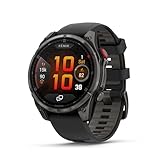
- Multisport GPS smartwatch with built-in inReach technology for two-way satellite and LTE connectivity (active subscription required; coverage limitations may apply; some jurisdictions regulate or prohibit the use of satellite communication devices)
- Rugged design with a bright 1.4" AMOLED touchscreen display, titanium bezel, scratch-resistant sapphire lens and other premium materials
- In an emergency, inReach satellite technology allows you to trigger an interactive SOS message to the Garmin ResponseSM coordination center for 24/7 assistance (active subscription required; coverage limitations may apply; some jurisdictions regulate or prohibit the use of satellite communication devices)
- LTE network connectivity lets you leave your phone behind; use your watch to exchange messages and make voice calls — plus let friends follow along with LiveTrack location sharing (30-second update rate) and location check-ins with the on-device Garmin Messenger app (active subscription required; coverage limitations may apply)
- inReach technology allows you to send messages and get location check-ins over satellite when taking on an off-grid adventure (active subscription required; coverage limitations may apply; some jurisdictions regulate or prohibit the use of satellite communication devices)
Accessing the flashlight without stopping your activity
On most Garmin watches with an LED flashlight, the same hotkey works whether you’re idle or actively recording. Hold the assigned buttons and the flashlight turns on instantly, with your activity continuing in the background.
This behavior is consistent across Fenix Pro, Epix Pro, Enduro 2, Instinct 2X, and Tactix models. You don’t need to unlock the screen, swipe menus, or pause tracking, which is critical when your hands are cold, sweaty, or gloved.
If your flashlight doesn’t activate during an activity, check the hotkey settings. Some users accidentally assign the shortcut only to general use rather than allowing it during activities, which can be adjusted in the system controls menu.
Running safety: visibility, cadence-based strobe, and road awareness
For road running in low light, the flashlight’s white LED can be set to steady or strobe modes. On newer models, including Fenix 7 Pro and Epix Pro, the strobe can sync to your running cadence, pulsing in rhythm with your stride to make you more noticeable to traffic.
This cadence-based strobe is subtle on the wrist but highly visible to drivers, especially when combined with reflective gear. It’s one of the few smartwatch features that directly improves passive safety without changing how you run.
You can switch modes on the fly using the same hotkey, cycling between steady, strobe, or off. Testing this before a night run matters, since the menu labels don’t always make it obvious which mode you’re selecting in the moment.
Trail use: footing checks, navigation, and preserving night vision
On trails, the flashlight is most useful in short bursts. A quick tap to check footing, spot trail markers, or confirm a turn lets you keep moving without pulling out a phone or headlamp.
Red light mode is especially valuable here. It preserves night vision and avoids blinding other runners or hikers, which matters on narrow paths or shared routes.
Watches with polymer cases like the Instinct 2X feel particularly natural for trail use because the lighter weight reduces wrist swing fatigue. Metal-cased models like the Fenix Pro and Epix Pro feel more planted, which helps keep the beam stable when pointing down at uneven ground.
Cycling and multi-sport activities
While the wrist-mounted flashlight isn’t a replacement for a bike light, it works well as a supplemental visibility tool. A steady or strobe beam can help signal turns, alert pedestrians, or add side visibility in urban settings.
In multi-sport activities like triathlon or adventure racing, the flashlight can be used during transitions without breaking the activity flow. That’s useful in early-morning starts, dim transition areas, or overnight events where every second counts.
Because the LED is integrated into the watch case rather than the screen, sweat, rain, and dirt don’t reduce its effectiveness. This is one area where Garmin’s rugged design pays off in real-world use.
Emergency use during an active session
If something goes wrong mid-activity, the flashlight becomes part of a broader safety system. You can illuminate your surroundings while accessing incident detection, assistance features, or simply making yourself visible to others.
In a stopped or slowed state, the flashlight can be left on continuously while you manage gear, assess an injury, or wait for help. Larger watches with extended battery reserves, like Enduro 2, handle this kind of prolonged use better, especially during long activities.
It’s worth noting that the flashlight operates independently from GPS and heart rate tracking. Even if you reduce screen brightness or lock the display to conserve power, the LED remains available as long as the watch has charge.
Battery impact during long activities
Using the flashlight during an activity does increase power draw, but short, intentional use has a surprisingly small impact. Garmin’s LED is far more efficient than relying on a fully lit display at maximum brightness.
Strobe and red modes consume less power than continuous white light. On ultra-distance watches designed for endurance, the flashlight can be used repeatedly across hours without meaningfully compromising activity recording.
If battery life is a priority, it’s smart to practice using the flashlight in brief intervals rather than leaving it on continuously. That habit preserves runtime while still giving you immediate access to light when it matters.
Why this feature changes how people train and explore
When the flashlight is integrated into your activity flow, it stops feeling like a backup tool and starts feeling essential. You move more confidently, react faster to changing conditions, and rely less on external gear for basic visibility.
For runners, hikers, and outdoor athletes who train early or late, this alone can justify choosing a Garmin model with a built-in LED. It’s a small hardware addition that quietly reshapes how safe and self-sufficient your watch makes you feel during every activity.
Battery Impact and Performance: How the Flashlight Affects Battery Life in the Real World
Once the flashlight becomes part of your regular routine, the next question is obvious: how much battery does it actually use. In real-world testing across Fenix, Epix, Enduro, Instinct, and Tactix models, the answer is reassuringly practical rather than alarming.
The LED draws power directly from the watch battery, but it does so far more efficiently than lighting up a full AMOLED or MIP display at maximum brightness. That efficiency is why Garmin treats the flashlight as a safety tool rather than a novelty feature.
Short bursts vs continuous use
Momentary use has almost no noticeable impact on overall battery life. Turning the flashlight on for a few seconds to find keys, check footing on a trail, or make yourself visible to traffic barely registers on multi-day battery estimates.
Continuous white-light use is where consumption becomes visible, especially if left on for extended periods. On a Fenix 7X or Epix Pro, running the flashlight continuously can reduce battery life by hours rather than days, which is meaningful but rarely disruptive in normal use.
Larger watches with bigger batteries, such as Enduro 2 or Tactix 7, absorb this drain more gracefully. Their physical size allows for higher-capacity cells, which makes prolonged flashlight use feel less costly during expeditions or multi-day activities.
White light, red light, and strobe: power differences that matter
Not all flashlight modes draw the same amount of power. Continuous white light at maximum brightness is the most demanding, especially when used in a stationary setting like a campsite or garage.
Red light consumes noticeably less power and is easier on night vision, making it ideal for navigation, gear checks, or early-morning training. Strobe modes are the most battery-efficient of all, since the LED is only firing intermittently.
For runners and cyclists using the flashlight primarily for visibility, strobe or pulse modes deliver the best balance of safety and battery preservation. This is one reason Garmin defaults to these modes in activity-specific shortcuts.
Flashlight use during GPS activities
During an active workout, the flashlight runs independently from GPS, heart rate sensors, and activity recording. Turning it on does not force the watch into a higher power mode or interfere with satellite tracking.
That separation matters during long runs or hikes where battery planning is critical. You can briefly illuminate a trail marker or aid station without worrying about corrupting your activity file or spiking power draw across the system.
On endurance-focused models, repeated flashlight use across hours of activity typically trims only a small percentage off total battery life. In practical terms, it is far less draining than increasing GPS accuracy or enabling music playback.
AMOLED vs solar vs traditional MIP displays
The flashlight’s impact also depends on the display technology your Garmin uses. On AMOLED watches like Epix Pro, the LED can actually save power compared to waking the display at full brightness in a dark environment.
On MIP-based models such as Fenix, Instinct, and Enduro, the flashlight still consumes more power than ambient backlighting, but the difference remains modest. Solar charging on compatible models can partially offset this drain during daylight, especially on multi-day outings.
This makes the flashlight feel more battery-neutral on solar-equipped watches, particularly when used at night and recharged passively during the following day.
Practical battery management tips
If battery longevity matters, treat the flashlight as a tool rather than a lamp. Use it in deliberate intervals instead of leaving it on by default when stationary.
Customize brightness levels so maximum output is available only when needed. Lower settings are often sufficient indoors or on familiar trails and significantly reduce draw.
Finally, assign the flashlight to a hotkey so it’s always accessible without waking the screen repeatedly. Fewer display activations often save more battery than the flashlight itself consumes.
What this means for buying decisions
The presence of a built-in flashlight should not be viewed as a battery liability. In everyday use, it adds meaningful safety and convenience with minimal compromise to runtime.
For smaller watches with tighter battery limits, such as Instinct 2X Solar versus non-solar Instinct models, the flashlight still fits comfortably within expected usage patterns. On larger adventure watches, it feels effectively free from a battery perspective.
If your activities include early starts, late finishes, or unpredictable conditions, the flashlight’s real-world efficiency makes it a feature worth prioritizing rather than avoiding.
Limitations, Tips, and Common Mistakes (What the Flashlight Can and Can’t Do)
Even though the built-in flashlight feels surprisingly capable once you start using it, it’s still a tool with clear boundaries. Understanding those limits, and a few common pitfalls, helps you get the most value out of it without frustration or unrealistic expectations.
It’s a visibility tool, not a full torch replacement
The LED flashlight on Garmin watches is designed for close-to-mid range visibility, not for lighting up a campsite or scanning far down a trail. At maximum brightness it’s excellent for navigating a dark room, finding gear in a pack, or spotting trail markers, but it won’t replace a dedicated headlamp for technical night hiking.
On wrist, beam direction matters more than raw output. Because the LED sits at the top edge of the case, the light naturally follows wrist angle, which is great for tasks in front of you but less effective for wide-area illumination.
If you expect floodlight-style coverage or long throw, you’ll be disappointed. If you treat it as an always-available safety and convenience light, it excels.
💰 Best Value

- Advanced multisport GPS smartwatch for athletes/adventurers features a bright 1.3” AMOLED display with scratch-resistant sapphire lens, durable steel or titanium bezel and a built-in LED flashlight for after-dark visibility
- Power up your body’s performance, endurance and resistance to injury with targeted strength training plans, real-time stamina tracking, sport-specific workouts and a full range of built-in sports apps
- Battery performance: up to 10 days in smartwatch mode; up to 28 hours in GPS mode
- Your training readiness score is based on sleep quality, recovery, training load and HRV status to determine if you’re primed to go hard and reap the rewards (data presented is intended to be a close estimation of metrics tracked)
- For your active lifestyle, a built-in speaker and mic let you make and take phone calls from your wrist when your watch is paired to your smartphone — and you can even use your smartphone’s voice assistant to respond to text messages and more
Brightness drains battery faster than many people expect
While earlier sections explained that battery impact is generally modest, brightness selection still matters. Running the flashlight at full power for extended periods will drain battery noticeably faster than short bursts at medium or low output.
This is most apparent on smaller cases with lower total capacity, such as Instinct 2X versus larger Fenix or Enduro models. The LED itself is efficient, but sustained high output adds up during long nights.
A common mistake is leaving the flashlight on while stopped, especially during rest breaks or indoor use. Turning it off between tasks preserves far more battery than most people realize.
Red light isn’t brighter, it’s purpose-built
Red LED mode often gets misunderstood. It’s not designed to illuminate more area or appear brighter; it’s there to preserve night vision and reduce glare.
Runners, hunters, and military users benefit most here, particularly when checking maps or equipment without blasting white light. For general household use, red can feel underpowered unless you’re very close to what you’re viewing.
If you try red mode expecting white-light performance, it will feel underwhelming. If you use it for its intended role, it becomes one of the most thoughtful features Garmin includes.
Not all Garmin watches have the same flashlight behavior
Even among models that include a physical LED, behavior varies slightly by generation. Newer Pro and X variants typically offer smoother brightness adjustment, quicker access, and better integration with activities like running or hiking.
Older firmware versions may lack automatic activity-based flashlight modes, requiring manual activation. Keeping your watch updated ensures access to refinements Garmin continues to roll out.
It’s also worth noting that screen-based “flashlight” widgets on non-LED watches are not comparable. They rely on max-brightness display illumination and consume more power while offering less usable light.
Hotkey setup is essential, not optional
One of the most common mistakes is relying on menus to access the flashlight. Digging through controls in the dark defeats the purpose of having an emergency-ready light.
Assigning the flashlight to a dedicated hotkey dramatically improves usability. On most models, a long press of the top-left button or a customizable button combo works best.
Once configured, activation becomes instinctive, which is exactly how a safety feature should behave.
Beam direction and wrist position matter in real use
Because the light is wrist-mounted, how you move your arm directly affects usefulness. Pointing your wrist slightly downward creates a natural walking beam for nighttime movement.
For tasks like tying laces or unlocking a door, rotating the wrist inward reduces glare and improves focus. This takes a bit of muscle memory but quickly becomes second nature.
Users expecting hands-free illumination without arm movement often struggle at first. The flashlight rewards intentional positioning more than passive use.
It’s not designed for continuous all-night use
Although durable and weather-sealed, the flashlight isn’t meant to run continuously for hours like a headlamp. Heat management and battery preservation both favor intermittent use.
On long overnight activities, pairing the watch flashlight with a primary light source works best. The watch fills gaps when you need instant illumination without stopping or unpacking gear.
Used this way, it enhances overall safety rather than trying to shoulder the entire lighting workload.
Durability is high, but expectations should match the hardware
Garmin’s LED flashlights are built into rugged cases made from fiber-reinforced polymer or titanium, depending on the model. They’re sealed against water, dust, and sweat, and hold up well to daily abuse.
That said, they’re still small LEDs integrated into a smartwatch, not industrial lighting tools. Scraping the watch against rock or metal won’t usually damage the light, but intentional impact should be avoided.
In real-world wear, the flashlight proves just as durable as the watch itself, provided it’s used as intended.
When the flashlight is genuinely the right tool
The flashlight shines in moments that are frequent but unpredictable. Early morning runs, late-night dog walks, power outages, fumbling for keys, or navigating a dark hotel room are where it earns its keep.
It’s also invaluable when your hands are occupied or when pulling out a phone or headlamp would be inconvenient or unsafe. The immediacy of wrist-based access is the defining advantage.
If you frame it as a situational tool rather than a primary light source, the Garmin flashlight becomes one of those features you stop thinking about until the moment you’re very glad it’s there.
Should the Flashlight Influence Your Buying Decision? Who It’s For—and Who Can Skip It
Once you understand what the Garmin flashlight does well—and just as importantly, what it’s not trying to replace—the buying question becomes much clearer. This is a convenience and safety feature, not a gimmick, and its value depends heavily on how you actually use your watch day to day.
If you’ve already pictured moments where instant wrist-based light would solve small but real problems, it’s worth serious consideration. If not, there are excellent Garmin watches without it that may fit your needs better.
Who the built-in flashlight is genuinely for
The flashlight makes the most sense for people who spend time moving through low-light environments, often unexpectedly. Early-morning runners, dog walkers, shift workers, hikers breaking camp at dawn, or anyone navigating dark spaces without wanting to reach for a phone will benefit immediately.
Trail runners and ultrarunners in particular tend to appreciate it more than they expect. Being able to quickly check footing, signage, or gear without stopping or juggling a headlamp adds a subtle but meaningful layer of safety, especially on familiar routes where full illumination isn’t always needed.
It’s also a strong fit for outdoor users who prioritize simplicity and readiness. On watches like the Fenix, Epix Pro, Instinct 2X, Enduro 2, or Tactix, the flashlight becomes part of the watch’s “always there” toolkit, alongside GPS, navigation, and emergency features.
Why it matters more on some lifestyles than others
If your watch is worn nearly 24/7, the flashlight integrates into daily life in ways spec sheets don’t show. Finding keys at night, checking on kids without waking them, navigating a dark hallway during a power outage, or loading gear into a car pre-dawn are all common scenarios where it quietly earns its keep.
For people who already value durability, long battery life, and physical buttons, the flashlight fits naturally into the design philosophy. These watches are thicker, heavier, and built to be worn as tools, not accessories, and the LED reinforces that identity.
In that context, the flashlight isn’t about brightness alone. It’s about immediacy, reliability, and not needing to think twice when light is suddenly required.
Who can comfortably skip the flashlight
If most of your training happens in daylight, on lit roads, or indoors, the flashlight will likely see minimal use. Gym-focused users, casual runners, or people who treat their watch primarily as a fitness tracker may never build the habit of using it.
It’s also easy to skip if you strongly prefer slimmer, lighter watches. Models without a flashlight tend to wear smaller on the wrist, fit under cuffs more easily, and feel less like dedicated outdoor instruments.
Budget-conscious buyers should also be realistic. Watches with a built-in LED are typically higher-tier models, and you’re paying for a broader package that includes premium materials, longer battery life, and advanced navigation—not just the light itself.
Flashlight vs. phone light vs. headlamp
A phone flashlight is brighter and more diffuse, but slower to access and awkward when your hands are full. A headlamp is far superior for sustained darkness, but it’s another piece of gear to carry, charge, and remember.
The Garmin flashlight sits squarely between those two. It’s not as powerful, but it’s always on your wrist, instantly accessible, and surprisingly effective for short, frequent tasks.
If you already rely heavily on a headlamp and don’t mind pulling it out often, the watch light becomes a backup. If you hate breaking stride or digging into pockets, it starts to feel essential.
Does it justify choosing one model over another?
The flashlight alone probably shouldn’t force you into a watch that otherwise doesn’t fit. Comfort, battery life, display type, software features, and price should still lead the decision.
However, when you’re already choosing between similar models—such as different Fenix or Epix generations—the flashlight can be a deciding factor. Many users who upgrade to a flashlight-equipped Garmin say it’s the feature they miss most when wearing an older backup watch.
That’s usually the sign of a well-integrated tool: it doesn’t feel critical until it’s gone.
The bottom line
The Garmin flashlight is one of those features that’s hard to fully appreciate until it becomes part of your routine. It’s not flashy, and it won’t replace proper lighting gear, but it consistently solves small problems in a clean, reliable way.
If your lifestyle includes early starts, late finishes, outdoor movement, or unpredictable lighting, it’s more than a novelty. If not, you can confidently skip it and still get an excellent Garmin experience.
Choose the watch that fits your wrist, your activities, and your priorities first. When the flashlight aligns with those needs, it stops being a checkbox and starts feeling like a natural extension of the watch itself.