If you’ve ever scrolled through Garmin Connect looking for VO2 Max and wondered why it matters—or why it’s missing entirely—you’re not alone. Garmin treats VO2 Max as a cornerstone performance metric, but it’s not always obvious what the number actually represents or how much weight you should give it. This section clears that up before we get into where to find it on your watch or phone.
By the end of this part, you’ll understand what Garmin’s VO2 Max estimate is really measuring, how your watch calculates it in the real world, and why endurance-focused athletes tend to obsess over changes in this number more than almost any other stat. That context matters, because VO2 Max on Garmin is not a lab test—it’s a continuously updated performance estimate designed to guide training decisions.
What VO2 Max actually represents
VO2 Max is a measure of the maximum amount of oxygen your body can use during intense exercise, expressed in milliliters of oxygen per kilogram of body weight per minute. In simple terms, it reflects your aerobic engine size and your ability to sustain harder efforts using oxygen efficiently.
Higher VO2 Max values generally correlate with better endurance performance, especially in running and cycling. This is why it’s commonly used to compare aerobic fitness between athletes of similar age and sex, even across different sports.
🏆 #1 Best Overall

- Easy-to-use running smartwatch with built-in GPS for pace/distance and wrist-based heart rate; brilliant AMOLED touchscreen display with traditional button controls; lightweight design in 43 mm size
- Up to 11 days of battery life in smartwatch mode and up to 19 hours in GPS mode
- Reach your goals with personalized daily suggested workouts that adapt based on performance and recovery; use Garmin Coach and race adaptive training plans to get workout suggestions for specific events
- 25+ built-in activity profiles include running, cycling, HIIT, strength and more
- As soon as you wake up, get your morning report with an overview of your sleep, recovery and training outlook alongside weather and HRV status (data presented is intended to be a close estimation of metrics tracked)
Garmin reports VO2 Max as a single number, but behind that number is a spectrum ranging from “poor” to “superior” relative to population norms. On supported devices, Garmin also adjusts expectations based on age and biological sex to give the score practical context.
How Garmin estimates VO2 Max on your watch
Garmin does not directly measure oxygen consumption. Instead, it estimates VO2 Max by analyzing the relationship between your pace or power and your heart rate during steady-state efforts.
For running, this means outdoor GPS runs at a consistent pace with reliable heart rate data, ideally from a snugly worn optical sensor or a chest strap. For cycling, Garmin relies on power data from a compatible power meter paired to your watch or Edge device.
The algorithm looks at how hard your cardiovascular system has to work to produce a given output. If your pace improves at the same heart rate, or your heart rate drops at the same pace, Garmin interprets that as improved aerobic efficiency and adjusts your VO2 Max upward.
Why athletes care so much about this number
Athletes value VO2 Max because it acts as a high-level indicator of aerobic fitness trends over time. You don’t need it to train effectively, but watching it rise or stagnate can validate whether your current training load is working.
Garmin integrates VO2 Max deeply into its broader performance ecosystem. Training Status, Training Load Focus, Race Predictions, and Daily Suggested Workouts all use VO2 Max as part of their decision-making logic.
For runners and cyclists training with structure, this makes VO2 Max less of a vanity metric and more of a feedback loop. When it moves, it often reflects meaningful changes in fitness, recovery balance, or training consistency.
Why your Garmin VO2 Max might look “wrong”
Garmin’s estimate is sensitive to data quality. Poor GPS reception, erratic pacing, inaccurate heart rate readings, or frequent pauses can all distort the calculation.
Environmental factors also matter. Heat, humidity, altitude, and fatigue can suppress performance and heart rate response, temporarily lowering your VO2 Max estimate even if your underlying fitness hasn’t changed.
This is why experienced users focus on long-term trends rather than day-to-day fluctuations. Garmin’s estimate becomes more reliable as it accumulates more qualifying activities under similar conditions.
Why some users don’t see VO2 Max at all
Not all Garmin watches support VO2 Max, and even supported models require specific activity types to unlock it. Walking, treadmill runs without calibration, strength training, and casual workouts generally don’t qualify.
You also need to meet minimum effort thresholds, including sustained elevated heart rate and sufficient duration. If your workouts are too short, too easy, or frequently interrupted, Garmin may never generate a VO2 Max estimate.
In the next section, we’ll walk through exactly where to find VO2 Max on compatible Garmin watches and inside Garmin Connect—and what to check first if the metric isn’t showing up yet.
Which Garmin Watches Support VO2 Max (And Which Don’t)
If VO2 Max isn’t showing up for you, the first thing to rule out is simple compatibility. Garmin doesn’t treat VO2 Max as a universal health stat; it’s a performance metric tied to specific sensors, activities, and watch families.
Broadly speaking, VO2 Max requires three things working together: reliable GPS pace or speed data, continuous heart rate tracking, and firmware that supports Garmin’s Firstbeat-powered performance algorithms. Miss any one of those, and the metric won’t appear no matter how hard you train.
Garmin watch families that support VO2 Max
Most of Garmin’s sport- and performance-focused watches support VO2 Max, particularly those aimed at runners, cyclists, and triathletes. These watches have the sensor quality, processing power, and software stack needed to make the estimate meaningful.
The Forerunner series is the most straightforward example. Models like the Forerunner 55, 165, 245, 255, 265, 745, 955, and 965 all support VO2 Max for running, with cycling VO2 Max available if you pair a compatible power meter. These watches are lightweight, comfortable for daily wear, and optimized for repeated GPS workouts, which helps improve data consistency over time.
Fenix, Epix, Enduro, and Tactix models also fully support VO2 Max. This includes the Fenix 6 and newer, Epix Gen 2, Enduro and Enduro 2, and related variants. These watches combine long battery life, multi-band GPS, and robust optical heart rate sensors, making them particularly reliable for users training outdoors across varied terrain and conditions.
Instinct models sit slightly in between lifestyle and performance, but newer generations do support VO2 Max. Instinct 2 and Instinct 2X models provide running VO2 Max and cycling VO2 Max with a power meter, despite their more rugged, monochrome displays. Older Instinct models may be more limited depending on firmware and hardware generation.
Venu and Vivoactive watches also support VO2 Max, but with important caveats. Venu Sq, Venu 2, Venu 3, and Vivoactive 4 can generate VO2 Max estimates from outdoor runs. However, these watches don’t use VO2 Max as deeply across training features, and you won’t see the same level of integration with Training Status or advanced performance analytics as you would on a Forerunner or Fenix.
Garmin devices that do not support VO2 Max
Garmin’s smaller fitness bands and lifestyle-focused hybrids generally do not support VO2 Max at all. This is usually due to a combination of missing GPS, limited processing, or Garmin’s intentional product segmentation.
Vivosmart bands, including the Vivosmart 4 and 5, do not support VO2 Max. Even though they track heart rate and estimate fitness age, they lack GPS-based pace data, which is essential for the calculation.
Hybrid watches like Vivomove models also do not support VO2 Max. These prioritize aesthetics and basic wellness tracking over performance metrics, and Garmin doesn’t enable VO2 Max even when GPS-connected activities are logged through a phone.
Garmin’s Lily series falls into the same category. While comfortable, lightweight, and well-suited to daily wear, Lily watches are not designed for structured endurance training and do not generate VO2 Max estimates.
Most Garmin golf watches, such as the Approach S series, also do not support VO2 Max. Even when they include GPS, the activity profiles and software focus are not aligned with sustained aerobic performance analysis.
Running VO2 Max vs cycling VO2 Max: an important distinction
Even on supported watches, VO2 Max isn’t automatically calculated for every sport. Running VO2 Max is the most common and requires an outdoor run with GPS and heart rate data at a sufficient intensity and duration.
Cycling VO2 Max is more restrictive. It requires a compatible power meter paired to your watch or Edge device. Without direct power data, Garmin will not estimate cycling VO2 Max, regardless of how hard the ride feels.
This is why some users see a VO2 Max value labeled “Running” but never see a cycling equivalent. It’s not a bug or a missing setting; it’s a data requirement issue.
Why two users with the same watch may see different results
Even with a fully compatible watch, VO2 Max can remain hidden if your activities don’t qualify. Treadmill runs, indoor workouts, walk activities, or GPS runs with frequent stops often fail to meet the criteria.
Wrist-based heart rate quality also matters. Watches worn too loosely, over tattoos, or during cold-weather runs can record unstable heart rate data, which prevents Garmin from calculating a reliable estimate.
This explains why upgrading to a higher-end watch doesn’t instantly unlock VO2 Max for everyone. The hardware enables it, but your activity data has to earn it.
Quick checklist before assuming your watch doesn’t support VO2 Max
Before writing VO2 Max off entirely, confirm your watch model supports it, that you’re using an Outdoor Run or Trail Run profile, and that GPS is active and locked before starting.
Make sure your run lasts long enough, typically 10–15 minutes at a steady, moderate-to-hard effort with minimal pauses. Pairing a chest strap can also improve heart rate accuracy, especially during intervals or colder conditions.
If all of that checks out and VO2 Max still doesn’t appear, the next step is knowing exactly where Garmin displays it on the watch and inside Garmin Connect—which is what we’ll walk through next.
How to View VO2 Max Directly on Your Garmin Watch (Step‑by‑Step by Device Type)
Once you’ve confirmed your activities qualify for VO2 Max calculation, the next challenge is simply finding where Garmin surfaces the data on the watch itself. This is where things vary by device family, software generation, and interface style.
Below, we’ll walk through the exact on‑watch paths for Garmin’s major watch lines, starting with performance-focused models and working toward lifestyle and rugged devices.
Forerunner Series (245, 255, 265, 745, 955, 965)
Forerunner watches are the most straightforward when it comes to VO2 Max visibility, especially on newer models with the updated widget system.
From the watch face, use the Up or Down buttons to scroll through your widgets or glance views. Look for a widget labeled VO2 Max or Training Status. On newer models like the Forerunner 255, 265, 955, and 965, VO2 Max is typically nested inside the Training Status widget rather than standing alone.
Open the widget, then scroll down. You’ll see your current VO2 Max number along with a performance label such as Excellent, Good, or Fair, benchmarked against age and sex norms.
On older models like the Forerunner 245 and 745, VO2 Max may appear as its own widget. If it’s not visible, you can add it manually by holding the Menu button, selecting Widgets, then Add Widget, and choosing VO2 Max.
Fenix and Epix Series (Fenix 6, Fenix 7, Epix Gen 2)
The Fenix and Epix lines prioritize depth over simplicity, and VO2 Max lives within Garmin’s performance ecosystem rather than front and center.
From the watch face, scroll to the Training Status widget. Enter it, then scroll through the sub-metrics until you see VO2 Max. On most Fenix 7 and Epix Gen 2 models, VO2 Max appears alongside Load Focus, Recovery Time, and HRV Status.
If you don’t see it, check your widget configuration. Hold Menu, go to Widgets, select Training Status, and ensure all subpages are enabled.
Physically, these watches are heavier and more rugged, often with sapphire glass and metal bezels, which can affect wrist heart rate accuracy if worn loosely. A snug fit matters here, especially given the watch’s weight and thickness.
Venu, Venu Sq, and Venu 2 Series
The Venu line is more lifestyle-oriented, and VO2 Max is slightly more buried as a result.
From the watch face, scroll to the Health or Performance widget. On Venu 2 and Venu 2 Plus models, VO2 Max is usually found inside the Fitness Age or Performance Stats section rather than as a dedicated widget.
Tap into the widget and scroll until you see VO2 Max. If it’s missing, it’s often because the watch hasn’t recorded a qualifying outdoor run yet, not because the device lacks support.
Rank #2
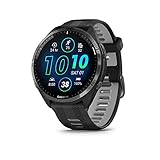
- Brilliant AMOLED touchscreen display with traditional button controls and lightweight titanium bezel
- Battery life: up to 23 days of battery life in smartwatch mode, up to 31 hours in GPS mode
- Confidently run any route using full-color, built-in maps and multi-band GPS
- Training readiness score is based on sleep quality, recovery, training load and HRV status to determine if you’re primed to go hard and reap the rewards (data presented is intended to be a close estimation of metrics tracked)
- Plan race strategy with personalized daily suggested workouts based on the race and course that you input into the Garmin Connect app and then view the race widget on your watch; daily suggested workouts adapt after every run to match performance and recovery
Because Venu watches emphasize comfort, lighter materials, and AMOLED displays, they’re excellent daily wearers. However, their target audience often runs indoors or casually, which can delay VO2 Max generation.
Instinct and Instinct Solar Series
Instinct watches support VO2 Max, but the interface is more utilitarian.
From the watch face, scroll through the widget loop until you find Training Status or VO2 Max. On Instinct 2 models, VO2 Max is typically nested within Training Status rather than displayed alone.
Enter the widget and scroll down to view your VO2 Max value. The monochrome display doesn’t show charts or trends on the watch itself, just the raw number and performance category.
Due to the Instinct’s rugged polymer case and thicker profile, proper strap tension is critical. Loose wear during runs is a common reason VO2 Max fails to update on these models.
Tactix and Other Fenix-Derived Models
Tactix models follow the same structure as Fenix watches, with VO2 Max housed inside Training Status.
The difference here is not software but use case. These watches are often worn in non-running contexts or paired with weighted activities that don’t qualify for VO2 Max estimation.
If you do use them for outdoor running with GPS and heart rate, the VO2 Max path is identical to Fenix and Epix models.
If You Don’t See VO2 Max Anywhere on the Watch
If your watch supports VO2 Max but you can’t find it, the most common reason is that the widget isn’t added.
Hold the Menu button, navigate to Widgets or Glances, select Add Widget, and look for VO2 Max or Training Status. Syncing the watch with Garmin Connect can also trigger missing widgets to appear after a qualifying activity.
If the widget exists but shows no value, that confirms the watch is ready but the data criteria haven’t been met yet. At that point, the issue isn’t navigation, it’s activity qualification, which we’ll address next inside Garmin Connect.
How to Find Your VO2 Max in Garmin Connect (Mobile App vs Web Dashboard)
Once you’ve confirmed that your watch supports VO2 Max and the widget exists on-device, Garmin Connect becomes the real control center. This is where the metric is stored long-term, analyzed, categorized, and contextualized against your training load and history.
Garmin Connect behaves slightly differently depending on whether you’re using the mobile app or the web dashboard. The data is the same, but how you get to it, and how much detail you see, is not.
Finding VO2 Max in the Garmin Connect Mobile App
Open the Garmin Connect app and allow it to fully sync with your watch. Partial syncs are a common reason VO2 Max appears to be missing, especially right after a qualifying run.
From the Home tab, scroll down to the Health Stats section. If VO2 Max is already pinned, you’ll see a card showing your current estimate and performance category.
If it’s not visible, tap Edit Home at the bottom of the screen, then add VO2 Max from the available metrics. Garmin doesn’t always surface it by default, even on fully compatible devices.
Tap the VO2 Max card to open the detailed view. Here you’ll see your current value, whether it’s categorized as Poor, Fair, Good, Excellent, or Superior, and how it compares to others of your age and sex.
Scroll down and you’ll find a trend graph. On most watches, this shows changes over weeks and months rather than day-to-day fluctuations, reflecting how Garmin smooths the estimate to avoid noise from single workouts.
On supported models like Forerunner, Fenix, Epix, and higher-end Venu watches, you may also see separate VO2 Max values for running and cycling. Cycling VO2 Max only appears if you’ve used a compatible power meter during rides.
If the card exists but shows “No Data,” that confirms the app is ready but your activities haven’t met the calculation criteria yet. This usually means no recent outdoor GPS runs with steady heart rate data.
Accessing VO2 Max via the Garmin Connect Web Dashboard
The web dashboard is more data-dense and better suited for analysis on a larger screen. Log in at connect.garmin.com and wait for sync confirmation before navigating further.
From the left-hand sidebar, select Reports, then click Health & Fitness. Inside this section, you’ll find VO2 Max listed as its own report category.
Click VO2 Max to open the full dashboard view. This shows your current estimate, historical trend line, and performance classification in one place, with clearer date-based navigation than the mobile app.
One advantage of the web view is context. You can easily compare VO2 Max changes against training volume, activity types, and time ranges without jumping between screens.
For athletes managing multiple devices or longer training blocks, the web dashboard also makes it easier to spot plateaus or sudden changes that might be masked in the mobile app’s condensed charts.
Why VO2 Max May Appear in Garmin Connect but Not on Your Watch
In some cases, VO2 Max shows up in Garmin Connect before it appears as a widget on the watch. This usually happens after your first qualifying run, especially on devices where Training Status widgets are added automatically only after enough data exists.
Garmin Connect effectively acts as the master database. The watch display is just a local snapshot, which means syncing often resolves mismatches between what the app shows and what the watch displays.
If you see VO2 Max in Garmin Connect but not on the watch, force a sync, then check the widget list again. On most modern devices, the widget will populate once the value exists server-side.
Understanding What You’re Actually Looking At
The VO2 Max number you see in Garmin Connect is not a lab-measured value. It’s an estimate based on the relationship between pace, heart rate, and physiological models derived from Firstbeat Analytics.
Garmin weights outdoor running most heavily because GPS pace provides a reliable workload signal. Treadmill runs, indoor workouts, and activities with erratic pacing rarely contribute unless paired with additional sensors.
Because the estimate is trend-focused, Garmin intentionally resists rapid swings. A single great run won’t spike your VO2 Max, and one bad day won’t tank it either.
If VO2 Max Still Doesn’t Show Up Anywhere
If VO2 Max is missing from both the watch and Garmin Connect, double-check three things before assuming a device limitation. Your watch must support VO2 Max, the activity must be an outdoor run or qualifying ride, and heart rate data must be clean and continuous.
Wrist-based heart rate accuracy is heavily influenced by fit. Watches with lighter cases or curved backs, like Venu or Forerunner models, generally behave well, but loose straps remain the number one cause of failed calculations.
Once those conditions are met, Garmin Connect will usually generate an estimate within one to three qualifying sessions. At that point, the metric becomes persistent and easier to track as part of your broader training picture.
Why Your VO2 Max Estimate Might Be Missing or Unavailable
Even when you’re training consistently, it’s not unusual for VO2 Max to be missing, delayed, or partially visible. In most cases, the issue isn’t a bug or a broken sensor, but a missing prerequisite somewhere in the data chain.
Garmin’s VO2 Max estimate sits at the intersection of hardware support, activity type, heart rate quality, and software interpretation. If any one of those breaks down, the metric simply won’t surface.
Your Garmin Model Doesn’t Support VO2 Max
Not all Garmin watches are built to calculate VO2 Max, even if they track heart rate and GPS. Entry-level models and lifestyle-focused watches may omit Firstbeat performance analytics to preserve battery life, reduce processing load, or differentiate product tiers.
Most Forerunner, Fenix, Epix, Enduro, and higher-end Venu models support VO2 Max, while devices like older vivosmart bands or basic vívofit models do not. Even within the same family, support can vary by generation, so checking Garmin’s official specs for your exact model matters.
If the watch doesn’t support VO2 Max, Garmin Connect won’t show the metric at all, regardless of how hard or how often you train.
You Haven’t Logged a Qualifying Activity Yet
VO2 Max isn’t generated from just any workout. Garmin primarily requires an outdoor run with GPS enabled, steady pacing, and continuous heart rate data to establish the estimate.
For cycling-based VO2 Max, a compatible power meter is mandatory. Without power data, outdoor rides won’t qualify, even if heart rate and speed look perfect.
Short runs, stop-start sessions, trail runs with heavy elevation changes, or workouts dominated by intervals often fail to meet the criteria. In practice, a 10 to 20 minute steady outdoor run at a moderate to hard effort is the fastest way to unlock the metric.
Heart Rate Data Quality Wasn’t Good Enough
VO2 Max lives or dies by heart rate accuracy. If the watch detects dropouts, spikes, or flatlining in heart rate data, it will quietly discard the activity for VO2 Max purposes.
Wrist-based sensors are sensitive to fit, skin temperature, arm movement, and strap tension. Lightweight plastic-cased watches with curved sensor housings tend to sit more comfortably, but even premium titanium or sapphire models can struggle if worn loose.
Cold weather, dry skin, tattoos under the sensor, or rapid cadence changes all increase the chance of unreliable data. Using a chest strap dramatically improves consistency, especially during harder efforts or winter runs.
You’re Training Indoors or Using Unsupported Activity Types
Treadmill runs, indoor tracks, strength training, HIIT sessions, and most cardio profiles do not contribute to VO2 Max. Even if pace and heart rate look reasonable, the lack of true GPS-derived speed removes a key input Garmin relies on.
Some watches attempt to estimate indoor pace using accelerometers, but Garmin does not trust that data for VO2 Max modeling. As a result, indoor-heavy training blocks often stall or delay updates to the metric.
Rank #3

- Our brightest AMOLED touchscreen display with button controls and an aluminum bezel in 42 mm size to fit smaller wrists
- Up to 10 days of battery life in smartwatch mode and up to 18 hours in GPS mode for a more complete picture of your training and recovery
- Train for an event, achieve a milestone, or improve your fitness with Garmin Coach training plans; these running and triathlon plans are personalized to you and adapt based on your performance and recovery
- Training readiness score is based on sleep quality, recovery, training load and HRV status to determine if you’re primed to go hard and get the most out of your workout (data presented is intended to be a close estimation of metrics tracked)
- Built-in microphone and speaker let you make and take phone calls from your wrist when your watch is paired to your smartphone — and you can even use your smartphone’s voice assistant to respond to text messages and more
If most of your training happens indoors, expect VO2 Max to appear slowly or not at all unless you occasionally add outdoor qualifying sessions.
Your VO2 Max Exists in Garmin Connect but Not on the Watch
This mismatch usually comes down to syncing and widget population. Garmin Connect calculates and stores VO2 Max server-side first, then pushes it to the watch during sync.
If the watch hasn’t synced fully, the VO2 Max widget may be missing, blank, or hidden in the widget list. Battery saver modes, background app restrictions on phones, or partial Bluetooth connections can all interfere.
Manually syncing, restarting the watch, and reordering widgets often resolves this without any data loss.
Your Training Load Is Too Irregular for an Initial Estimate
Garmin prefers patterns over isolated efforts. If your runs vary wildly in intensity, duration, or pacing, the algorithm may delay publishing a VO2 Max until it sees a clearer relationship between effort and heart rate.
This is common for new users, return-to-training athletes, or those following highly unstructured plans. Once a baseline exists, future updates become more tolerant of variability.
Consistency matters more than intensity when unlocking the first estimate.
Software, Firmware, or Account-Level Issues
Occasionally, VO2 Max fails to appear due to outdated firmware or a corrupted sync state. Watches that haven’t been updated in months may lack the latest Firstbeat analytics refinements.
In rare cases, switching phones, restoring backups, or migrating Garmin accounts can temporarily hide performance metrics. The data usually isn’t lost, but it may take a full sync cycle or firmware update to reappear.
Before assuming a permanent limitation, confirm the watch firmware, Garmin Connect app version, and that activities are correctly associated with your account.
Age, Health, or Profile Settings Are Incomplete
VO2 Max estimates rely on accurate user profile data. Incorrect age, weight, sex, or max heart rate settings can prevent Garmin from confidently generating the metric.
If max heart rate is set unrealistically low or high, the algorithm may flag activities as invalid. This is especially common when users manually enter guessed values instead of letting Garmin auto-detect over time.
Ensuring your profile reflects reality improves not just VO2 Max availability, but the accuracy of training status, recovery time, and performance condition across the platform.
How Garmin Calculates VO2 Max (Firstbeat Algorithms Explained Simply)
Once your profile is complete and your training data is consistent, Garmin’s VO2 Max estimate becomes a living metric that updates quietly in the background. Understanding how it’s calculated makes it much easier to trust the number you see on your watch or in Garmin Connect.
At its core, Garmin uses Firstbeat Analytics, a Finnish sports science company Garmin acquired to power its performance metrics. The goal is not to measure oxygen consumption directly, but to estimate it from patterns your body produces during real-world exercise.
What VO2 Max Actually Represents on a Garmin
VO2 Max is an estimate of how much oxygen your body can use per kilogram of body weight, per minute, during maximal effort. In lab settings this requires masks, treadmills, and blood lactate testing.
Garmin replaces that lab setup with mathematical models that link heart rate response to external workload. If your heart rate stays lower at faster speeds or higher power outputs, the algorithm infers a higher aerobic capacity.
This is why VO2 Max is fundamentally a relationship metric, not a standalone score.
The Core Inputs Firstbeat Uses
The algorithm relies on three primary data streams: heart rate, speed or power, and duration. Everything else refines confidence but doesn’t replace those pillars.
For running, pace from GPS is paired with heart rate to see how efficiently you move at different intensities. For cycling, power meter data dramatically improves accuracy by removing terrain and wind as variables.
Without reliable heart rate data, the system simply cannot function, which is why erratic optical readings or loose watch fit can delay or suppress estimates.
Why Running and Cycling Unlock VO2 Max First
Garmin’s VO2 Max estimates are activity-specific because the models are sport-dependent. Running VO2 Max comes from outdoor GPS runs, while cycling VO2 Max requires a power meter.
Indoor runs, trail runs with heavy elevation change, strength training, or HIIT sessions don’t provide clean enough workload data. The algorithm needs steady-state segments where effort and output align predictably.
This is also why walking, hiking, and treadmill runs usually don’t count, even if your heart rate is high.
How Heart Rate Quality Affects the Estimate
Firstbeat places heavy emphasis on heart rate stability and responsiveness. Sudden spikes, dropouts, or delayed optical readings reduce confidence in the model.
Chest straps improve accuracy because they capture electrical signals directly from the heart. Optical sensors can work well, but only if the watch is snug, positioned correctly, and not compromised by cold weather or wrist movement.
Garmin won’t show an estimate at all if heart rate data looks physiologically implausible for the workload.
Why Pace Consistency Matters More Than Effort
Many users assume VO2 Max requires all-out efforts, but that’s not how the model works. Garmin actually prefers controlled, repeatable efforts at moderate to hard intensity.
If pace fluctuates constantly due to terrain, traffic, or unstructured intervals, the relationship between heart rate and speed becomes noisy. The algorithm then waits for cleaner data rather than publishing a questionable estimate.
This is why steady outdoor runs on flat terrain often unlock VO2 Max faster than aggressive workouts.
Environmental and External Factors Garmin Accounts For
Garmin adjusts VO2 Max estimates for heat and altitude when environmental data is available. Running the same pace at a higher heart rate on a hot day doesn’t necessarily mean fitness loss.
These corrections are subtle but important for athletes training year-round. Watches with onboard temperature sensors and barometric altimeters improve confidence in these adjustments.
Battery level, GPS quality, and satellite lock also influence data reliability, especially on older devices or during long sessions.
Why VO2 Max Updates Slowly Over Time
Garmin intentionally smooths VO2 Max changes to prevent overreaction to single workouts. The estimate trends gradually, reflecting aerobic adaptations rather than daily performance swings.
This is why one great run won’t spike your score overnight, and one bad day won’t tank it. The algorithm prioritizes long-term signal over short-term noise.
For users tracking progress, this makes VO2 Max more useful as a directional indicator than a motivational scoreboard.
Device Capability and Software Experience Matter
Not all Garmin watches run the same Firstbeat models. Higher-end devices with better sensors, longer battery life, and dual-band GPS provide cleaner data inputs.
Entry-level models may still show VO2 Max, but with fewer supporting metrics like Performance Condition or Training Status to contextualize it. Garmin Connect bridges this gap by aggregating history and smoothing inconsistencies across devices.
As firmware updates refine Firstbeat analytics, older watches can improve, but hardware limitations still apply.
What the Algorithm Is Not Doing
Garmin is not measuring oxygen directly, estimating lab-grade VO2 Max, or predicting race times in isolation. Everything is inferred from how your cardiovascular system responds to workload.
It also doesn’t judge effort, toughness, or fatigue tolerance. VO2 Max is strictly an aerobic capacity estimate, not a full performance profile.
Understanding this prevents misusing the metric and helps you interpret it alongside training load, recovery, and endurance trends elsewhere in Garmin Connect.
Activity Types That Count Toward VO2 Max (Running, Cycling, Indoor vs Outdoor)
Once you understand how Garmin estimates VO2 Max, the next question is practical: which workouts actually move the number. This is where many users get stuck, because logging plenty of activity does not automatically mean the algorithm has what it needs.
Garmin only updates VO2 Max from activities where it can reliably pair external workload with your internal cardiovascular response. That narrows the list more than most people expect.
Outdoor Running: The Most Reliable Input
Outdoor running is the gold standard for Garmin’s VO2 Max estimation. It provides clean speed data from GPS, consistent biomechanical assumptions, and well-validated metabolic cost models.
To qualify, the activity must be recorded as a Run profile with GPS enabled, not a generic Cardio or Other activity. Your pace needs to be steady enough for several minutes, and heart rate must be captured cleanly, ideally via a snug optical sensor or a chest strap.
Short jogs, stop-start runs, or heavily structured intervals can still count, but longer steady-state efforts give the algorithm more usable data. This is why easy aerobic runs often influence VO2 Max more than all-out sprints.
Rank #4

- Easy-to-use running watch monitors heart rate (this is not a medical device) at the wrist and uses GPS to track how far, how fast and where you’ve run.Special Feature:Bluetooth.
- Battery life: up to 2 weeks in smartwatch mode; up to 20 hours in GPS mode
- Plan your race day strategy with the PacePro feature (not compatible with on-device courses), which offers GPS-based pace guidance for a selected course or distance
- Run your best with helpful training tools, including race time predictions and finish time estimates
- Track all the ways you move with built-in activity profiles for running, cycling, track run, virtual run, pool swim, Pilates, HIIT, breathwork and more
Treadmill and Indoor Running: Limited and Device-Dependent
Indoor running is more complicated. Most Garmin watches do not update VO2 Max from treadmill runs because speed is estimated rather than measured.
Some newer models with advanced accelerometers can improve treadmill calibration over time, but Garmin still treats indoor pace as less trustworthy. Without a reliable speed reference, the algorithm cannot confidently estimate oxygen cost.
Using a calibrated footpod or certain third-party sensors can help pacing accuracy, but VO2 Max updates from indoor running remain inconsistent across the lineup. If VO2 Max matters to you, outdoor runs are still the safest bet.
Outdoor Cycling: Power Is Mandatory
Cycling can update VO2 Max, but only if power data is present. Heart rate alone is not enough because speed varies too widely with terrain, wind, and drafting.
This means you need a power meter, smart trainer, or compatible indoor bike paired to your Garmin. When power is available, Garmin calculates VO2 Max by comparing watts produced against heart rate response, similar to lab-based cycling protocols.
Many riders miss this requirement and wonder why their VO2 Max never changes despite hundreds of kilometers logged. Without power, cycling activities are invisible to the VO2 Max algorithm.
Indoor Cycling and Smart Trainers
Indoor cycling can count toward VO2 Max if power data is transmitted consistently. Smart trainers, smart bikes, and some gym equipment paired via ANT+ or Bluetooth usually qualify.
ERG mode workouts are especially effective because they produce steady power blocks that the algorithm can analyze cleanly. However, poor calibration, dropouts, or mismatched heart rate data can still prevent updates.
If your watch supports it, recording the session directly on the watch rather than relying on third-party apps improves data continuity in Garmin Connect.
Walking, Hiking, and Trail Activities
Walking does not update VO2 Max. Even brisk walking lacks the metabolic range Garmin needs to model maximal aerobic capacity.
Hiking and trail running may contribute in some cases, but elevation changes, variable footing, and frequent pace shifts reduce reliability. Trail Run profiles are less likely to trigger VO2 Max updates than standard Run activities.
For mountainous users, this can feel limiting, but it reflects the algorithm’s need for controlled input rather than effort alone.
Activities That Do Not Count
Strength training, yoga, HIIT, swimming, rowing, skiing, and team sports do not influence VO2 Max in Garmin Connect. These activities are valuable for performance and health, but their energy cost is too variable to model accurately with wrist-based sensors.
Cardio mode, even when used for running or cycling, will also not update VO2 Max. The activity profile selection matters more than many users realize.
If VO2 Max is missing from your profile, this is often the root cause rather than a device fault.
Minimum Requirements for an Update
Regardless of activity type, Garmin generally needs at least 10 to 20 minutes of sustained effort above a moderate intensity threshold. Heart rate must rise meaningfully relative to your baseline, typically above 70 percent of max.
GPS lock, stable satellite tracking, and adequate battery level also play a role, especially on older watches. Dropped heart rate data or erratic pacing can cause the algorithm to discard the session entirely.
When all inputs align, VO2 Max updates quietly in the background, reinforcing Garmin’s design philosophy: fewer, higher-quality data points instead of constant recalculation.
How Long It Takes to Unlock a VO2 Max Estimate on a New Garmin
Once you understand which activities count and how clean the data needs to be, the next question is timing. On a brand-new Garmin, VO2 Max does not appear instantly, even if you train hard from day one.
Garmin’s algorithm needs enough real-world context to anchor your cardiovascular fitness before it will publish an estimate. That means multiple qualifying activities, not a single standout effort.
The Typical Timeline for Most Users
For most runners and cyclists, a VO2 Max estimate appears after 2 to 4 qualifying activities recorded over several days. These sessions must meet the minimum intensity and duration requirements and be logged using a supported activity profile like Run or Ride.
In practical terms, this often means about one week of normal training rather than a single workout. Garmin is looking for repeatable patterns, not peak performance.
If you train infrequently or mix in a lot of non-qualifying activities, it may take closer to two weeks before the metric unlocks.
Why Garmin Doesn’t Show VO2 Max Immediately
Unlike steps or heart rate, VO2 Max is a modeled performance metric. Garmin’s Firstbeat algorithms compare your heart rate response to pace or power across multiple efforts to estimate how efficiently your body uses oxygen.
Early data is often noisy. Heart rate zones may be miscalibrated, GPS pace may be inconsistent, and your watch is still learning your baseline physiology.
Delaying the VO2 Max display helps prevent misleading numbers that would otherwise jump dramatically during the first few workouts.
What “Unlocking” Actually Means
When VO2 Max unlocks, you will see a numerical value expressed in ml/kg/min along with a fitness category such as Fair, Good, or Excellent. This does not mean the value is fully stabilized.
During the first few weeks, it is normal for VO2 Max to change more noticeably between sessions. As Garmin accumulates more qualifying activities, updates become smaller and more meaningful.
Think of the first estimate as a starting reference, not a definitive assessment of your aerobic ceiling.
Factors That Can Delay the First Estimate
Several common issues slow down or block VO2 Max from appearing. Using Cardio mode instead of Run, training exclusively indoors without a compatible trainer, or relying on wrist heart rate with poor skin contact are frequent culprits.
Inconsistent wear also matters. If you only wear the watch during workouts and not daily, Garmin has less context for resting heart rate and physiological baselines.
Environmental factors play a role too. Heavy tree cover, urban canyons, or constant stop-start pacing can cause Garmin to discard early sessions as unreliable.
Running vs Cycling: Differences in Unlock Time
Runners usually unlock VO2 Max faster than cyclists. Running relies on GPS pace and heart rate alone, which most Garmin watches handle well out of the box.
Cycling VO2 Max requires either a compatible power meter or a smart trainer. Without power data, outdoor rides will not contribute, no matter how hard they feel.
For cyclists setting up a new watch, the estimate may not appear until the first few power-based rides are recorded cleanly.
What You’ll See Before VO2 Max Appears
Before the metric unlocks, Garmin Connect may show VO2 Max as blank or display a message indicating more data is needed. On the watch itself, the VO2 Max data field may simply be absent.
This is normal behavior and not a sign of a malfunction. There is no manual switch to enable VO2 Max, and resetting the watch rarely speeds things up.
The fastest path forward is consistent, correctly recorded training rather than troubleshooting menus.
How to Unlock VO2 Max as Quickly as Possible
To minimize waiting time, record at least two to three steady runs or rides at moderate to hard intensity within a single week. Aim for sessions lasting 20 to 40 minutes with minimal pauses.
Ensure GPS is locked before starting, wear the watch snugly to improve heart rate accuracy, and avoid switching activity profiles mid-session.
Once these sessions sync to Garmin Connect, VO2 Max usually appears quietly in the background, often without any notification.
After It Appears: What to Expect Next
Once unlocked, VO2 Max updates only after qualifying activities, not after every workout. Rest days, strength sessions, and easy walks will not affect it.
Over time, the metric becomes a powerful trend indicator rather than a day-to-day score. Small changes matter more than single-session jumps.
At this point, knowing where to find the metric on your watch and in Garmin Connect becomes the next step, especially as different devices surface it in different ways.
How to Improve or Raise Your Garmin VO2 Max Score
Once VO2 Max is unlocked and visible, the natural next question is how to move it upward. Garmin’s estimate is not a static fitness label; it responds directly to how your body handles sustained and intense aerobic work over time.
The key is understanding that Garmin does not reward “hard” workouts in general. It rewards specific combinations of pace or power relative to heart rate, repeated consistently under clean recording conditions.
Train at Intensities That Actually Influence the Algorithm
Garmin’s VO2 Max model responds best to efforts near your aerobic ceiling, not all-out sprints and not purely easy mileage. For runners, this typically means sustained efforts around threshold pace or slightly faster.
💰 Best Value

- Brilliant AMOLED touchscreen display with traditional button controls; lightweight design in 46 mm size
- Up to 13 days of battery life in smartwatch mode and up to 20 hours in GPS mode
- As soon as you wake up, get your morning report with an overview of your sleep, recovery and training outlook alongside HRV status, training readiness and weather (data presented is intended to be a close estimation of metrics tracked)
- Plan race strategy with personalized daily suggested workouts based on the race and course that you input into the Garmin Connect app and then view the race widget on your watch; daily suggested workouts adapt after every run to match performance and recovery
- Training readiness score is based on sleep quality, recovery, training load and HRV status to determine if you’re primed to go hard and get the most out of your workout (data presented is intended to be a close estimation of metrics tracked)
Intervals like 3–5 minutes hard with equal recovery, tempo runs of 20–30 minutes, or progression runs that finish strong tend to produce updates. These sessions create a clear relationship between speed and cardiovascular cost, which the algorithm needs.
For cyclists, the same principle applies, but power data is mandatory. Structured intervals based on FTP or steady-state efforts above endurance pace are far more effective than unstructured group rides.
Consistency Beats Hero Workouts
One hard workout will rarely move your VO2 Max score on its own. Garmin looks for repeatable performance patterns across weeks, not isolated breakthroughs.
Training three to five times per week with at least one quality aerobic session is more effective than occasional high-intensity bursts. Even small improvements accumulate when the watch sees stable heart rate responses at faster paces or higher power.
If your training is sporadic, the score may stagnate or drift downward despite feeling fit subjectively.
Use the Right Activity Profiles Every Time
Garmin only updates VO2 Max from supported activities, primarily Run, Trail Run, Treadmill (limited), and Cycling with power. Mixing profiles or recording workouts as “Cardio” or “Other” removes them from consideration.
Stick to the same activity type for similar workouts so the data stays comparable. Switching between Run and Trail Run frequently can slow trend detection due to terrain and pace variability.
If you use a multisport watch, avoid recording runs inside custom multisport profiles unless you understand how your device handles VO2 Max calculations.
Heart Rate Accuracy Matters More Than You Think
VO2 Max estimates live or die by heart rate quality. Optical sensors are good, but only when worn correctly.
Wear the watch snugly, slightly higher on the wrist, and avoid loose fits during faster sessions. Cold weather, tattoos, and bony wrists can all introduce noise.
If you care deeply about the metric, a chest strap is the single biggest upgrade you can make. Cleaner heart rate data almost always leads to more stable and believable VO2 Max trends.
Let Easy Days Stay Easy
Trying to push every workout into moderate or hard intensity can backfire. Garmin’s model expects a range of heart rate responses across your training week.
Easy runs and recovery rides help stabilize heart rate behavior and improve efficiency over time. When those easy sessions gradually get faster at the same heart rate, VO2 Max often rises indirectly.
Ironically, constantly training “kind of hard” can flatten the signal Garmin uses to detect real improvement.
Watch Your Weight, Sleep, and Recovery Signals
Garmin factors body weight into VO2 Max calculations when weight data is available. Sudden weight increases without corresponding fitness gains can nudge the score down.
Sleep quality, stress levels, and recovery time do not directly change VO2 Max, but they influence how well you perform during qualifying workouts. Poor recovery often shows up as elevated heart rate at slower speeds.
If your VO2 Max is trending down unexpectedly, check recent sleep history and resting heart rate trends before blaming the watch.
Expect Gradual Changes, Not Weekly Leaps
In real-world training, VO2 Max moves slowly. A gain of 1–2 points over several months is meaningful, especially for trained athletes.
Daily fluctuations are normal and often reflect heat, fatigue, or terrain rather than true fitness changes. Focus on the long-term trend line in Garmin Connect, not individual data points.
The metric is best used as a confirmation of training direction rather than a score to chase after every session.
Know When the Score Plateaus
As fitness improves, VO2 Max becomes harder to raise. Beginners may see rapid early gains, while experienced runners and cyclists often hit long plateaus.
At that stage, further improvement usually requires more structured training, higher volume, or targeted intensity blocks. Simply repeating the same routines will maintain fitness but not move the number.
A flat VO2 Max score does not mean training is failing; it often means you are operating near your current physiological ceiling.
How Accurate Is Garmin VO2 Max Compared to Lab Testing?
After understanding how Garmin calculates and trends VO2 Max, the next logical question is whether the number can be trusted. The short answer is that Garmin’s VO2 Max estimate is not a lab test, but it is far more reliable than many people expect when used correctly.
The key is knowing what the estimate is designed to do. Garmin aims to track aerobic fitness changes over time in real-world training, not to replace a controlled metabolic test in a sports science lab.
What a Lab VO2 Max Test Actually Measures
In a laboratory setting, VO2 Max is measured directly by analyzing the oxygen you inhale and the carbon dioxide you exhale during an incremental exercise test to exhaustion. You typically run on a treadmill or pedal a cycle ergometer while wearing a tight-fitting mask connected to a metabolic cart.
This method captures true oxygen uptake at the cellular level, making it the gold standard for accuracy. The tradeoff is cost, time, and the fact that most athletes only test once or twice per year, if at all.
Lab results are also highly context-dependent. Sleep, hydration, recent training load, altitude, and even anxiety can influence the final number on test day.
How Garmin Estimates VO2 Max in the Real World
Garmin does not measure oxygen consumption directly. Instead, it models VO2 Max using the relationship between pace or power and heart rate during steady-state exercise.
For running, Garmin looks at how fast you move at a given heart rate. For cycling, it uses power output from a compatible power meter alongside heart rate data. Over time, the algorithm learns your personal efficiency patterns rather than relying on a single workout.
This is why Garmin requires qualifying activities and consistent data. The estimate improves as the watch learns how your cardiovascular system behaves across easy runs, hard efforts, heat, fatigue, and recovery.
Accuracy Compared to Lab Testing: What Studies and Field Data Show
When compared to laboratory testing, Garmin’s VO2 Max estimates typically fall within about 5 percent of lab-measured values for most recreationally trained users. For someone with a lab VO2 Max of 50, that usually means the watch will report something in the high 40s to low 50s.
For beginners and moderately trained athletes, this level of accuracy is more than sufficient for training guidance. The error margin is often smaller than the day-to-day biological variability you would see even in lab conditions.
Highly trained or elite athletes may see slightly larger discrepancies, especially if their efficiency or heart rate response differs from population norms. In those cases, Garmin may underestimate true VO2 Max while still tracking trends accurately.
Why Trends Matter More Than the Absolute Number
Even if Garmin’s estimate is off by a point or two, the direction of change is usually very reliable. If your VO2 Max has risen steadily over three months, your aerobic fitness has almost certainly improved, regardless of the exact value.
This makes Garmin’s VO2 Max especially useful for long-term monitoring. Lab tests give you a snapshot, while your watch gives you a moving picture across weeks, seasons, and training cycles.
For most athletes, that trend data is far more actionable than a single precise measurement taken under artificial conditions.
Common Situations Where Garmin VO2 Max Looks “Wrong”
Discrepancies often come from data quality rather than algorithm failure. Inaccurate wrist-based heart rate, especially during intervals or in cold weather, can skew results.
Running terrain also matters. Hilly routes, trails, or frequent stops can break the steady-state assumptions Garmin relies on. Treadmill runs without proper calibration may produce misleading values.
Cyclists without a power meter should expect less reliable VO2 Max estimates. Heart rate alone cannot fully capture workload changes on the bike.
Can You Trust Garmin VO2 Max for Training Decisions?
For everyday training guidance, the answer is yes. Garmin’s VO2 Max is accurate enough to reflect meaningful fitness changes and to support features like training status, race predictions, and endurance scores.
It should not be treated as a diagnostic or medical metric. If you need absolute precision for research, clinical assessment, or elite performance modeling, a lab test remains the reference standard.
For everyone else, Garmin strikes a practical balance. It delivers consistent, repeatable insight with minimal friction, directly from your wrist, during the training you already do.
Bottom Line: Lab Precision vs Real-World Consistency
A lab VO2 Max test tells you exactly where you stand on a specific day under controlled conditions. Garmin tells you how your aerobic fitness is evolving across your real training life.
Used as intended, Garmin’s VO2 Max estimate is both credible and useful. The real value lies not in chasing a perfect number, but in understanding how your body responds to training over time and adjusting intelligently.
If you keep your data clean, train with variety, and focus on long-term trends, Garmin’s VO2 Max becomes one of the most dependable performance signals in the entire Garmin ecosystem.