Huawei’s Watch 3 arrives with something to prove. This isn’t just another premium smartwatch trying to nibble at Apple Watch or Galaxy Watch sales; it’s Huawei’s statement piece for a post-Android future, built to showcase HarmonyOS as a serious wearable platform rather than a stopgap. If you’re here, you’re likely weighing impressive hardware and health features against ecosystem risk, app gaps, and long-term viability.
This section sets the context before we dive into sensors, software, and real-world performance. You’ll understand where the Watch 3 sits in the premium market, how its pricing stacks up against established rivals, and why HarmonyOS is both its most intriguing strength and its biggest question mark, especially for users outside China.
Positioning: A Premium Smartwatch With an Identity Crisis
The Huawei Watch 3 is positioned squarely in the premium tier, competing directly with the Apple Watch Series line and Samsung’s Galaxy Watch models rather than budget Android alternatives. Its materials and finishing reflect that ambition: a stainless steel case, ceramic back, sapphire glass, and a rotating digital crown that feels closer to a traditional watch than most tech-first wearables. At 46mm, it’s unapologetically bold on the wrist, with enough thickness to remind you there’s serious hardware and battery inside.
In hand and on wrist, the Watch 3 feels more like a luxury-adjacent smartwatch than a fitness tracker pretending to be a watch. The case edges are smoothly polished, tolerances are tight, and the silicone strap is soft without feeling cheap, though it does little to disguise the watch’s size on smaller wrists. Comfort is good for all-day wear, but those used to slimmer designs like the Apple Watch may notice the weight during sleep tracking.
🏆 #1 Best Overall

- 【Bluetooth Call and Voice Assistant】: Smart watch built-in microphone and HD speaker, you can make and receive calls directly from this smart watches for men. You can also use the built-in voice assistant to ask questions, control music playback and more
- 【Smart Notification and Quick Reply】: When you receive a message, call, or notification, this digital smart watch will remind you by vibration or ringing, so you will not miss important calls and messages from your lover/friend. Make your life simpler and smarter. The quick reply function for Android phones allows you to send preset short replies to received messages.
- 【24 Hour Health Monitoring】: This smart watch is compatible for most iphone and Android phones, and the digital chip inside is scientifically developed using the latest technology. The chip uses advanced sensors to monitor heart rate, blood oxygen and female cycle, and can also perform timely sleep quality tracking at night. All recorded data can be synced to your phone for analysis, providing valuable insights into your health and promoting lifestyle adjustments. (non-medical standard)
- 【IP68 Waterproof】: Sports watch is IP68 waterproof, and can be used normally even when washing hands, washing face or sweating. (Note: Not suitable for long-term immersion in water)
- 【100+ Sports Modes】: The sports watch is equipped with more than a hundred sports modes, including walking, running, cycling, hiking, yoga, football, strength training, etc, helping you achieve a healthier lifestyle.Receive real-time stats directly on your wrist and record your stats in the "Halofit" app
What complicates the positioning is that Huawei isn’t chasing Apple’s mass-market smartwatch formula. Instead, it’s targeting users who value long battery life, comprehensive health tracking, and a watch that looks substantial, while asking them to accept compromises in app ecosystem maturity. This makes the Watch 3 feel less like a universal recommendation and more like a deliberate choice.
Pricing: Flagship Hardware Without Flagship Ecosystem Confidence
At launch, the Huawei Watch 3 was priced firmly in flagship territory, often landing close to or above mainstream Apple Watch and Galaxy Watch models depending on region and configuration. That pricing buys you premium materials, LTE capability in select markets, and Huawei’s most advanced sensor array to date. On paper, the hardware-to-price ratio is defensible.
The challenge is value perception. Apple and Samsung justify similar pricing through deep app ecosystems, seamless phone integration, and long-term software support that users have learned to trust. Huawei, by contrast, asks buyers to invest in potential rather than proven scale, especially outside China where AppGallery remains sparse for wearables.
Discounts and regional pricing adjustments have since softened the blow, making the Watch 3 more compelling when it undercuts rivals. At full price, however, it’s a harder sell unless you specifically want Huawei’s health tracking approach or are already invested in its hardware ecosystem.
HarmonyOS on the Wrist: Ambition Meets Reality
HarmonyOS is the defining feature of the Watch 3, and also the reason it exists at all. This is Huawei’s first serious attempt to run its own operating system on a flagship smartwatch, complete with app support, LTE connectivity, and a UI designed for circular displays. Navigation via the rotating crown is smooth and intuitive, and the honeycomb app grid is visually appealing, if familiar.
Day-to-day performance is excellent. Animations are fluid, touch response is precise, and basic smartwatch functions like notifications, quick replies, music control, and calls work reliably. Battery management is also a core HarmonyOS advantage, with the Watch 3 lasting multiple days in smart mode and significantly longer in power-saving mode, outpacing most Wear OS and Apple Watch competitors.
Where HarmonyOS stumbles is third-party app depth and Western service integration. Essential apps exist, but the ecosystem lacks the breadth and polish found on watchOS or Wear OS, particularly for niche utilities and fitness platforms. For many users, this won’t be a deal-breaker, but it does define who the Watch 3 is really for: someone comfortable living within Huawei’s software boundaries rather than pushing against them.
Who Huawei Is Really Targeting With the Watch 3
The Huawei Watch 3 makes the most sense for Android users who prioritize battery life, health metrics, and build quality over app abundance, and who are not deeply tied to Google or Apple services. iPhone users can technically use it, but limited integration makes it feel compromised compared to an Apple Watch.
This is also a watch for early adopters who are curious about HarmonyOS as a long-term platform. Huawei’s ambition is clear, and the Watch 3 is a capable foundation, but buying into it requires a degree of trust in future updates and ecosystem growth.
Understanding this positioning is critical before judging the Watch 3’s health tracking accuracy, daily usability, and software quirks. With expectations set, it’s easier to fairly assess where Huawei’s flagship smartwatch genuinely excels, and where it asks for patience.
Design, Case Construction, and Wearability: A Luxury Watchmaker’s Eye on a Smartwatch
With expectations set around HarmonyOS and ecosystem trade-offs, the Watch 3’s physical design immediately reframes the conversation. This is not a gadget-first smartwatch trying to look fashionable after the fact, but a product clearly influenced by traditional watchmaking proportions, materials, and finishing priorities.
Case Design and Dimensions
The Huawei Watch 3 uses a 46mm round case that leans unapologetically toward classic sports watch sizing rather than minimalist smartwatch trends. On paper, that diameter sounds large, but the relatively compact lug-to-lug measurement and curved case profile help it sit more naturally on the wrist than the numbers suggest.
Thickness is noticeable at just over 12mm, yet it avoids the top-heavy feel common to LTE-equipped smartwatches. The caseback curves gently into the wrist, reducing pressure points during all-day wear and sleep tracking.
Materials and Finishing Quality
Huawei opts for a stainless steel case rather than aluminum, and the difference is immediately apparent in hand. The metal has a reassuring density, and the polished and brushed surfaces are cleanly executed with crisp transitions rather than softened, mass-market edges.
The bezel is minimal and functional, allowing the display to dominate without resorting to gimmicky markings. It gives the Watch 3 a restrained, modern aesthetic that feels closer to a contemporary dive or pilot watch than a fitness tracker with a screen.
Rotating Crown and Physical Controls
The rotating crown is one of the Watch 3’s standout physical features and a clear nod to traditional watch ergonomics. Its knurled texture offers excellent grip, and rotation is smooth, evenly weighted, and mechanically satisfying.
Functionally, it’s more than decorative. Scrolling through menus, zooming the honeycomb app grid, and navigating notifications feels more precise and less fatiguing than relying solely on touch, especially during workouts or when wearing gloves.
Display Integration and Visual Presence
Huawei pairs the case with a 1.43-inch AMOLED display that sits flush under a subtly curved glass surface. Bezels are slim enough to disappear during use, giving the watch face a floating, dial-like effect rather than a screen-in-a-frame look.
Brightness is excellent for outdoor visibility, and color saturation is rich without appearing cartoonish. Watch faces that mimic analog dials benefit particularly from this panel, reinforcing the illusion of wearing a traditional timepiece at a glance.
Strap System and Wearing Options
The Watch 3 uses standard 22mm quick-release straps, a practical choice that opens the door to an enormous aftermarket. Huawei’s included silicone strap is soft, flexible, and breathable, making it well-suited for workouts and sleep tracking.
Swapping to leather, nylon, or metal instantly changes the character of the watch. This versatility is key to the Watch 3’s appeal, as it can convincingly shift from gym companion to business-casual accessory without feeling out of place.
Comfort During Extended Wear
Despite its solid construction and LTE hardware, the Watch 3 is comfortable over long periods. Weight is well-distributed, and the curved lugs prevent the case from digging into the wrist during movement.
During sleep tracking, it remains noticeable but not intrusive, especially when paired with a softer strap. Those with smaller wrists may find the size borderline, but most users accustomed to 44mm-plus sports watches will adapt quickly.
Durability and Everyday Resilience
The Watch 3 feels built for daily life rather than careful handling. The stainless steel case resists scuffs better than painted aluminum, and the glass shows good scratch resistance in real-world use.
Water resistance is rated at 5ATM, making it suitable for swimming and general water exposure without hesitation. While it doesn’t chase extreme ruggedness, it strikes a sensible balance between refinement and durability.
Aesthetic Identity in a Crowded Market
What ultimately sets the Watch 3 apart is its confidence in looking like a watch first. In a market crowded with rectangular screens and minimalist slabs, Huawei’s approach feels intentionally conservative, even slightly traditional.
That design restraint won’t appeal to everyone, but for buyers who want a smartwatch that doesn’t constantly advertise itself as a piece of tech, the Watch 3’s case construction and wearability are among its strongest arguments.
Display, Controls, and Daily Interaction: Crown, Touch, and UI Fluidity
If the Watch 3 wins you over with its traditional case design, it’s the display and controls that determine whether that appreciation survives day-to-day use. This is where Huawei’s hardware ambition and HarmonyOS philosophy intersect most clearly, for better and occasionally for worse.
AMOLED Display: Bright, Dense, and Watch-First
The Watch 3 uses a 1.43-inch AMOLED panel with a 466 x 466 resolution, delivering a pixel density high enough that text, complications, and watch face details look genuinely crisp. Even close up, edges remain smooth, and fine typography doesn’t suffer from the fuzziness seen on lower-resolution round displays.
Brightness is strong enough for outdoor visibility without constant wrist tilting, and auto-brightness behaves sensibly rather than aggressively dimming to save power. It doesn’t quite reach the searing peak brightness of the latest Apple Watch outdoors, but it’s comfortably on par with Samsung’s Galaxy Watch line.
Huawei’s choice of a fully circular display reinforces the Watch 3’s traditional watch aesthetic, though it does mean some UI elements feel tighter than on square screens. HarmonyOS largely respects the round canvas, avoiding the cut-off text and awkward padding that plagued early Wear OS generations.
Touch Responsiveness and Gesture Reliability
Touch response is excellent, with immediate recognition of taps and swipes even when interacting quickly. Scrolling through menus, notifications, and widgets feels controlled rather than slippery, which matters on a dense display where accidental inputs can derail navigation.
Gestures are simple and consistent: swipe down for quick settings, swipe up for notifications, horizontal swipes for cards, and a press of the crown to return home. There’s little learning curve, especially for users coming from Wear OS or watchOS, and Huawei wisely avoids experimental gestures that add friction.
Sweaty fingers during workouts can still cause the occasional missed swipe, but that’s true of nearly every touchscreen-first smartwatch. The Watch 3’s reliance on physical controls alongside touch helps mitigate those moments.
Rotating Crown: Functional, Precise, and Underused
The rotating digital crown is one of the Watch 3’s most satisfying physical elements. It turns smoothly with just enough resistance to feel deliberate, and scrolling through lists or zooming into app grids feels more controlled than flicking repeatedly on glass.
Haptic feedback when rotating the crown is subtle but effective, giving a mechanical sense of interaction without overdoing vibration. It’s a reminder that Huawei understands the tactile side of watch design, not just the visual one.
That said, the crown’s functionality feels slightly underdeveloped in software. It excels at scrolling and zooming, but deeper system-level shortcuts or context-aware behavior are limited compared to Apple’s crown integration, which feels more central to navigation rather than optional.
Secondary Button and Shortcut Logic
Below the crown sits a secondary physical button, customizable to launch workouts or specific apps. In daily use, this button becomes essential for quick access, especially since HarmonyOS lacks the depth of third-party complications seen on rival platforms.
Button placement is comfortable and avoids accidental presses during wrist flexion. Even during push-ups or cycling, it remains unobtrusive, which isn’t always the case with larger-cased sports watches.
The overall control layout prioritizes predictability over cleverness. You always know what a press or turn will do, but power users may wish for more configurability across long-presses and multi-button actions.
Rank #2

- 【1.83" HD Display & Customizable Watch Faces】Immerse yourself in a vibrant 1.83" IPS display, boasting a sharp resolution of 240*284 for crystal-clear visuals. Effortlessly personalize your smart watch with a wide array of customizable watch faces to suit your personal style for every occasion—whether trendy, artistic, or minimalist—ideal for casual, sporty, or professional. Its sleek, modern design complements any outfit, blending technology and fashion seamlessly for everyday wear
- 【120 Sports Modes & Advanced Health Tracking】Our TG08 smart watches for women men come equipped with 120 sports modes, allowing you to effortlessly track a variety of activities such as walking, running, cycling, and swimming. With integrated heart rate and sleep monitors, you can maintain a comprehensive overview of your health, achieve your fitness goals, and maintain a balanced, active lifestyle with ease. TG08L is your ideal companion for a healthier and more informed lifestyle
- 【Stay Connected Anytime, Anywhere】Stay informed and in control with Bluetooth call and music control features. Receive real-time notifications for calls, messages, and social media apps like Facebook, WhatsApp, Twitter, and Instagram directly on your smartwatch. Easily manage calls, control your music playlist, and stay updated without needing to reach for your phone. Perfect for work, workouts, or on-the-go, this watch keeps you connected and never miss important updates wherever you are
- 【IP67 Waterproof & Long-Lasting Battery】Designed to keep up with your active lifestyle, this smartwatch features an IP67 waterproof rating, ensuring it can withstand splashes, sweat, and even brief submersion, making it perfect for workouts, outdoor adventures, or rainy days. Its reliable 350mAh battery offering 5-7 days of active use and up to 30 days in standby mode, significantly reducing frequent charging. Ideal for all-day wear, whether you’re at the gym, outdoors, or simply on the go
- 【Multifunction & Wide Compatibility】Seamlessly handle heart rate monitoring, sleep tracking, and enjoy conveniences like camera/music control, Seamlessly handle heart rate monitoring, sleep tracking, and more-all directly from your wrist. This 1.83" HD smartwatch is compatible with iPhone (iOS 9.0+) & Android (5.0+), ensuring smooth daily connectivity and convenience throughout your day. More than just a timepiece, it’s a stylish, all-in-one wearable for smarter, healthier living
HarmonyOS UI Fluidity and Visual Coherence
HarmonyOS runs smoothly on the Watch 3, with fast app launches and minimal animation stutter. Transitions are clean and consistent, favoring clarity over flourish, and the system rarely feels like it’s straining the hardware.
The honeycomb-style app grid looks impressive but can be less practical than a list view on a round display. Zooming in and out with the crown helps, yet finding rarely used apps still takes longer than it should.
Huawei’s UI design language is cohesive, with consistent iconography and restrained use of color. It feels mature and calm, contrasting with the busier aesthetic of Wear OS, but it also reinforces HarmonyOS’s biggest limitation: the experience is polished, yet somewhat closed.
Always-On Display and Real-World Practicality
The always-on display is well implemented, offering multiple styles that mirror the active watch face rather than reverting to generic dim modes. This preserves the illusion of wearing a traditional watch, something Huawei clearly values.
AOD brightness is low enough to avoid distraction in dark environments while remaining readable at a glance. Battery impact is noticeable but manageable, especially compared to Wear OS watches that often take a harsher hit when AOD is enabled.
For users who rely heavily on glanceable information rather than constant interaction, the Watch 3’s display tuning supports that passive use case exceptionally well.
Daily Interaction Verdict: Elegant, If Slightly Restrained
Living with the Watch 3 day after day reveals a smartwatch that prioritizes smoothness, visual restraint, and tactile confidence. Nothing feels rushed or unfinished, and the combination of crown, touch, and display quality makes basic interaction genuinely enjoyable.
At the same time, HarmonyOS’s conservative approach limits how far that hardware can be pushed, particularly for users accustomed to richer app ecosystems and deeper UI customization. The Watch 3 excels at being calm, legible, and predictable, but it stops short of feeling endlessly adaptable.
For buyers who value fluid interaction and a watch-like presence over experimental features, the Watch 3’s display and control experience will feel thoughtfully executed rather than compromised.
HarmonyOS in the Real World: Interface, Performance, and App Ecosystem Limitations
After the initial impressions of polish and restraint, the longer you live with the Huawei Watch 3, the clearer HarmonyOS’s priorities become. This is an operating system designed to feel stable, battery-conscious, and watch-first, even if that comes at the cost of flexibility and third-party depth.
Where Wear OS and watchOS often feel like miniature phone extensions, HarmonyOS positions the Watch 3 as a largely self-contained device. That distinction defines almost every interaction, for better and for worse.
Interface Design and Navigation Philosophy
HarmonyOS on the Watch 3 leans heavily into visual clarity and predictable structure. Swipes are consistent, menus are shallow, and core functions like workouts, heart rate, SpO₂, and weather are always one or two gestures away.
The rotating crown is central to this experience, offering smooth scrolling with tactile feedback that feels closer to a traditional watch than most Android-based rivals. Scrolling through lists or zooming in and out of the app grid is fluid, with no stutter or input lag during daily use.
That said, the interface favors form over speed in certain scenarios. The honeycomb app grid looks striking on the 1.43-inch AMOLED display, but when you install more than a handful of apps, efficiency drops compared to a simple vertical list.
Performance and Day-to-Day Responsiveness
Powered by Huawei’s own chipset, the Watch 3 delivers consistently smooth performance. App launches are quick, animations are tightly controlled, and background processes rarely interfere with responsiveness.
In real-world use, this translates to a watch that never feels overloaded, even during GPS-tracked workouts or when navigating menus while notifications arrive. Compared to earlier Wear OS generations, HarmonyOS feels lighter and more predictable.
However, this smoothness is partly achieved through limitation. Multitasking is minimal, background syncing is conservative, and apps are clearly sandboxed to avoid excessive resource use, which benefits battery life but restricts complexity.
Notifications: Functional, Not Expansive
Notification handling is one of the clearest examples of HarmonyOS’s restrained approach. Alerts arrive promptly and are neatly formatted, with good use of spacing and typography on the round display.
Reply options are limited depending on the paired phone. Android users get quick replies and voice input, while iOS users are largely restricted to viewing and dismissing notifications, a limitation shared with many non-Apple watches.
There is no deep notification action system comparable to Apple Watch or the best Wear OS implementations. You can stay informed, but you are rarely empowered to fully act from the wrist.
App Ecosystem: The Defining Compromise
HarmonyOS’s app ecosystem remains the Watch 3’s biggest weakness, especially outside China. Huawei’s AppGallery for wearables has grown slowly, but it still lacks the breadth and brand recognition found on watchOS or Wear OS.
Core utilities like weather, fitness, navigation basics, and music control are covered, but popular third-party apps are sparse. There is no native Google Maps, WhatsApp, Spotify, or extensive banking app support in most regions.
Even when apps are available, many feel simplified or isolated, with limited cross-device syncing. For users accustomed to a smartwatch acting as an extension of their digital life, this can feel restrictive rather than intentional.
HarmonyOS and Smartphone Compatibility
Pairing the Watch 3 with an Android phone delivers the most complete experience. The Huawei Health app provides deep access to settings, data analysis, and firmware updates, though it often requires sideloading outside Huawei’s ecosystem.
On iOS, the experience is noticeably reduced. Core health tracking works reliably, but features like app installation, notification interaction, and system-level customization are more constrained.
Unlike Apple Watch, which is inseparable from the iPhone, or Samsung’s Galaxy Watch, which increasingly favors Galaxy phones, Huawei’s platform sits in an awkward middle ground. It works broadly, but never feels fully native on any platform.
Health and Fitness Software Experience
Huawei’s health software remains one of HarmonyOS’s strongest pillars. Metrics like heart rate, SpO₂, sleep tracking, stress monitoring, and skin temperature trends are presented clearly and consistently.
Workout tracking is reliable, with accurate GPS performance and a wide range of activity profiles. The interface during exercise is legible and data-rich without feeling cluttered, aligning well with the watch’s premium hardware and ceramic-backed case.
What’s missing is deeper integration with third-party fitness platforms. While data export exists, it lacks the seamless ecosystem connectivity offered by Apple Health or Google Fit, which may matter to serious athletes or data-focused users.
Battery Life as a Software Outcome
HarmonyOS’s conservative design pays dividends in battery performance. In standard smartwatch mode, the Watch 3 comfortably lasts two to three days with notifications, AOD, and regular health tracking enabled.
Switching to Ultra-Long Battery Life mode transforms the watch into a more traditional wearable, extending usage up to two weeks but stripping back smart features significantly. This dual-mode approach highlights Huawei’s software pragmatism.
Compared to Apple Watch and many Wear OS devices, the Watch 3 feels far less anxiety-inducing in daily use. Battery life is not just a hardware advantage here, but a direct result of HarmonyOS’s intentional constraints.
Living With HarmonyOS Outside China
For users outside Huawei’s core markets, HarmonyOS can feel simultaneously refined and incomplete. The operating system is stable, visually coherent, and thoughtfully tuned for a round display, yet it exists in a limited ecosystem bubble.
There are no ads, no aggressive upsells, and no visual noise, which many users will appreciate. But there is also no sense of rapid platform evolution or expansive third-party innovation.
The Watch 3 ultimately asks you to accept what HarmonyOS is today, not what it might become. If that aligns with your expectations of a smartwatch as a refined, health-focused companion rather than a wrist-mounted app hub, the experience remains compelling despite its boundaries.
Health and Fitness Tracking: Sensors, Accuracy, and Medical-Grade Aspirations
If HarmonyOS defines how the Watch 3 behaves, health tracking defines why it exists. Huawei positions the Watch 3 not merely as a lifestyle smartwatch, but as a serious health-monitoring device that borrows ambition from medical-grade wearables rather than consumer fitness bands.
This focus is reflected both in the sensor array and in how prominently health data is surfaced in daily use. Even outside workouts, the Watch 3 constantly reinforces the idea that it is watching your body as much as your notifications.
Sensor Suite and Hardware Foundations
At the heart of the Watch 3 is Huawei’s TruSeen optical heart rate sensor, paired with blood oxygen (SpO2), skin temperature estimation, barometric altitude, and a 9-axis IMU. The ceramic caseback isn’t just a premium flourish; it plays a practical role in maintaining consistent skin contact for optical measurements.
Fit and comfort matter here more than with most smartwatches. Despite the Watch 3’s 46mm case and noticeable weight, the curved lugs and balanced mass help keep the sensors flush against the wrist during sleep and exercise.
In daily wear, sensor contact proved stable across desk work, sleep, and workouts, even on smaller wrists. That consistency is foundational to the Watch 3’s health accuracy claims.
Rank #3
![Apple Watch Series 11 [GPS 42mm] Smartwatch with Rose Gold Aluminum Case with Light Blush Sport Band - S/M. Sleep Score, Fitness Tracker, Health Monitoring, Always-On Display, Water Resistant](https://m.media-amazon.com/images/I/31J+F-pXaWL._SL160_.jpg)
- HYPERTENSION NOTIFICATIONS — Apple Watch Series 11 can spot signs of chronic high blood pressure and notify you of possible hypertension.*
- KNOW YOUR SLEEP SCORE — Sleep score provides an easy way to help track and understand the quality of your sleep, so you can make it more restorative.
- EVEN MORE HEALTH INSIGHTS — Take an ECG anytime.* Get notifications for a high and low heart rate, an irregular rhythm,* and possible sleep apnea.* View overnight health metrics with the Vitals app* and take readings of your blood oxygen.*
- STUNNING DESIGN — Thin and lightweight, Series 11 is comfortable to wear around the clock — while exercising and even when you’re sleeping, so it can help track your key metrics.
- A POWERFUL FITNESS PARTNER — With advanced metrics for all your workouts, plus features like Pacer, Heart Rate Zones, training load, Workout Buddy powered by Apple Intelligence from your nearby iPhone,* and more. Series 11 also comes with three months of Apple Fitness+ free.*
Heart Rate and SpO2 Accuracy in Real Use
Heart rate tracking is where the Watch 3 feels most confident. Resting heart rate trends closely mirrored chest strap readings over multi-day testing, with minimal erratic spikes during sedentary periods.
During steady-state cardio like running or cycling, heart rate responsiveness was solid, if not class-leading. Sudden interval changes occasionally lagged by a few seconds, placing it slightly behind Apple Watch but on par with recent Galaxy Watch models.
SpO2 readings are available both on-demand and overnight, with sleep-time measurements proving more reliable than spot checks. Like most wrist-based oxygen sensors, daytime readings can vary depending on wrist position and movement, reinforcing that this is a trend-tracking tool rather than a diagnostic instrument.
Skin Temperature and Stress Monitoring
Skin temperature tracking operates quietly in the background, feeding into sleep and wellness insights rather than presenting raw numbers prominently. Huawei frames this data as a deviation metric, highlighting changes from your personal baseline rather than absolute values.
In practice, this makes the feature more useful than it first appears. Gradual temperature shifts aligned plausibly with illness recovery and sleep disruption, though the lack of third-party validation limits its clinical credibility.
Stress tracking relies on heart rate variability and breathing patterns, offering guided breathing sessions when elevated stress is detected. The prompts are understated, avoiding the alarmist tone some competitors adopt, but they can also feel easy to ignore.
Sleep Tracking and Health Insights
Sleep tracking is one of the Watch 3’s strongest health features. The watch reliably detects sleep onset, wake times, and stage breakdowns, including REM and deep sleep, with accuracy comparable to Fitbit and Apple Watch.
What sets Huawei apart is presentation. Sleep reports are visually calm, narrative-driven, and framed around long-term improvement rather than nightly scores.
However, the lack of integration with external sleep analysis platforms limits deeper interpretation. Power users accustomed to exporting raw data may find Huawei Health too controlled and opaque.
ECG and Medical-Grade Ambitions
ECG functionality exists on the Watch 3 hardware, but availability depends heavily on region and regulatory approval. Where enabled, the ECG process is straightforward, using the side button electrode for single-lead readings.
Accuracy aligns with consumer ECG standards, suitable for detecting atrial fibrillation indicators but not for comprehensive cardiac diagnosis. Huawei is careful with its language, positioning ECG as an early-warning system rather than a medical replacement.
Outside supported regions, the dormant ECG hardware becomes a reminder of Huawei’s global limitations. For buyers expecting feature parity across markets, this inconsistency is a meaningful consideration.
Fitness Metrics Beyond Workouts
Beyond structured exercise, the Watch 3 continuously tracks activity rings, standing time, and calorie expenditure. Huawei’s activity goals are conservative by default, encouraging consistency over aggressive targets.
VO2 max estimates are available for outdoor runs, though the algorithms appear cautious, often underestimating performance compared to Garmin and Apple equivalents. This aligns with Huawei’s broader philosophy of avoiding inflated health claims.
Recovery insights are present but basic, lacking the depth of Garmin’s Body Battery or training readiness metrics. Casual fitness users will find them sufficient, while serious athletes may want more nuance.
Data Control, Privacy, and Ecosystem Constraints
Health data lives almost entirely within the Huawei Health app, with limited syncing options beyond basic export. There is no direct equivalent to Apple Health’s centralised data hub or Google Fit’s broad integrations.
On the upside, Huawei places strong emphasis on on-device processing and encrypted storage, appealing to users wary of cloud-heavy health platforms. Transparency around data usage is clear, even if flexibility is limited.
Ultimately, the Watch 3’s health tracking reflects Huawei’s broader smartwatch philosophy. It prioritises consistency, restraint, and user trust over maximal features, making it compelling for those who value wellness stability over experimental metrics.
Battery Life and Charging: Smart Mode vs Ultra-Long Battery Mode Explained
Battery life is where Huawei’s smartwatch philosophy becomes most distinct, especially after the dense health and fitness feature set outlined earlier. Rather than chasing an all-in-one mode that does everything at once, the Watch 3 deliberately splits its power strategy into two clearly defined experiences.
This dual-mode approach is central to understanding the Watch 3’s real-world usability. It also explains why Huawei’s battery claims often sound almost implausible when compared to Apple or Samsung on paper.
Smart Mode: Full HarmonyOS, Measured Endurance
Smart Mode is the Watch 3 in its complete form, running HarmonyOS with LTE support, third-party apps, animated watch faces, continuous health tracking, and full notification handling. In this mode, the watch behaves like a direct competitor to the Apple Watch and Galaxy Watch, prioritising capability over longevity.
In daily use with heart rate monitoring enabled, sleep tracking active, occasional workouts, and notifications flowing steadily, the Watch 3 consistently delivers around two days of battery life. Heavy use, particularly with LTE streaming, frequent GPS workouts, or bright always-on displays, can reduce that closer to a day and a half.
This puts the Watch 3 slightly ahead of the Apple Watch Series equivalents and broadly in line with Samsung’s Galaxy Watch models when LTE is factored in. It does not redefine endurance in Smart Mode, but it avoids the anxiety-inducing one-day ceiling that still haunts many premium smartwatches.
The hardware helps here. The stainless steel case and sapphire glass feel substantial on the wrist, but they do not translate into excessive power draw from the display or sensors. Comfort remains solid across long days, with the weight balanced well enough for overnight sleep tracking without becoming intrusive.
Ultra-Long Battery Mode: A Different Watch, By Design
Switching to Ultra-Long Battery Mode fundamentally changes how the Watch 3 behaves. HarmonyOS is effectively stripped back, third-party apps are disabled, LTE is turned off, and the interface becomes closer to a refined fitness watch than a full smartwatch.
What remains is the core: timekeeping, notifications, heart rate monitoring, sleep tracking, SpO2 spot checks, and GPS-based workouts. Huawei’s own watch faces dominate here, prioritising legibility and efficiency over flourish.
In this mode, Huawei’s claims of up to 14 days are not unrealistic. With moderate use, including several GPS workouts per week and continuous health tracking, reaching 10 to 12 days is achievable. Lighter users can push beyond that, especially if always-on display is disabled.
The trade-off is psychological as much as functional. Ultra-Long Battery Mode feels less like a smartwatch and more like a very capable health companion. For users frustrated by nightly charging routines, this mode becomes one of the Watch 3’s most compelling differentiators.
Switching Modes: Practical, But Not Invisible
Transitioning between Smart Mode and Ultra-Long Battery Mode is straightforward, but it is not seamless. The watch requires a restart, and settings tied to apps, watch faces, and connectivity do not always carry over cleanly.
This reinforces Huawei’s intention that users pick a mode to suit a phase of use rather than switching back and forth daily. For example, Smart Mode during a workweek and Ultra-Long Battery Mode while travelling or during outdoor-heavy periods makes more sense than frequent toggling.
It also highlights a philosophical difference versus Apple and Samsung. Huawei accepts compromise upfront, asking users to choose between depth and duration rather than trying to blur the line between the two.
Charging Speed and Convenience
Charging is handled via Huawei’s magnetic puck, which aligns securely and supports wireless charging standards. A full charge from near-empty takes just over an hour, making top-ups during a morning routine genuinely practical.
The Watch 3 also supports reverse wireless charging from compatible Huawei phones, a feature that sounds niche but proves useful in travel scenarios. Placing the watch on the back of a phone for an emergency boost feels less like a gimmick when battery anxiety is real.
There is no fast-charging headline feature here, but the consistency matters more. Combined with Ultra-Long Battery Mode, charging becomes something you plan occasionally rather than something that dictates daily behaviour.
Battery Strategy in Context
Compared to rivals, the Watch 3’s battery approach is refreshingly honest. Apple delivers unmatched software polish but demands frequent charging, while Samsung balances features and endurance without offering an escape hatch.
Huawei’s solution is more deliberate and, for certain users, more humane. It acknowledges that not every day requires LTE, app stores, and animated interfaces, and that longevity itself can be a premium feature.
For Android users outside Huawei’s core ecosystem, this battery flexibility may end up being one of the Watch 3’s strongest arguments. Even with ecosystem limitations elsewhere, the ability to choose how your watch consumes power remains a rare and genuinely valuable option.
Phone Compatibility and Ecosystem Reality: Android, iOS, and Life Outside China
Huawei’s battery philosophy only really makes sense once you examine the phone it is tethered to. The Watch 3 is not an island, and its daily usefulness is shaped as much by the smartphone ecosystem around it as by its polished hardware and ambitious HarmonyOS software.
This is where the Watch 3 becomes less universally appealing and more situational. The experience varies meaningfully depending on whether you pair it with Android, iOS, or a Huawei phone running its own services.
Android Compatibility: Functional, But Clearly Not Home Turf
Paired with an Android phone, the Watch 3 delivers its most complete experience outside China, but that completeness still comes with caveats. Setup is handled through Huawei Health, which must be sideloaded on many non-Huawei Android devices due to Google Play restrictions.
Rank #4

- Bluetooth Call and Message Alerts: Smart watch is equipped with HD speaker, after connecting to your smartphone via bluetooth, you can answer or make calls, view call history and store contacts through directly use the smartwatch. The smartwatches also provides notifications of social media messages (WhatsApp, Twitter, Facebook, Instagram usw.) So that you will never miss any important information.
- Smart watch for men women is equipped with a 320*380 extra-large hd full touch color screen, delivering exceptional picture quality and highly responsive touch sensitivity, which can bring you a unique visual and better interactive experience, lock screen and wake up easily by raising your wrist. Though “Gloryfit” app, you can download more than 102 free personalised watch faces and set it as your desktop for fitness tracker.
- 24/7 Heart Rate Monitor and Sleep Tracker Monitor: The fitness tracker watch for men has a built-in high-performance sensor that can record our heart rate changes in real time. Monitor your heart rate 26 hours a day and keep an eye on your health. Synchronize to the mobile phone app"Gloryfit", you can understand your sleep status(deep /light /wakeful sleep) by fitness tracker watch develop a better sleep habit and a healthier lifestyle.
- IP68 waterproof and 110+ Sports Modes: The fitness tracker provides up to 112+ sports modes, covering running, cycling, walking, basketball, yoga, football and so on. Activity trackers bracelets meet the waterproof requirements for most sports enthusiasts' daily activities, such as washing hands or exercising in the rain, meeting daily needs (note: Do not recommended for use in hot water or seawater.)
- Multifunction and Compatibility: This step counter watch also has many useful functions, such as weather forecast, music control, sedentary reminder, stopwatch, alarm clock, timer, track female cycle, screen light time, find phone etc. The smart watch with 2 hrs of charging, 5-7 days of normal use and about 30 days of standby time. This smart watches for women/man compatible with ios 9.0 and android 6.2 and above devices.
Once installed, day-to-day stability is solid. Notifications are reliable, Bluetooth connections remain consistent, and core health tracking syncs quickly without the data lag issues seen in earlier Huawei wearables.
However, Android users accustomed to Wear OS will notice the gaps immediately. There is no deep integration with Google services, no Google Maps navigation on the wrist, and no native Google Assistant equivalent.
App availability through Huawei’s AppGallery on the watch remains thin in Western markets. Core functions are present, but the long tail of third-party apps that gives Wear OS or watchOS its flexibility simply does not exist here.
Payments are another sticking point. NFC hardware is present, but contactless payments outside China are limited or unsupported depending on region, which undercuts the Watch 3’s premium positioning for urban users.
That said, Android users who primarily care about health metrics, battery life, and notification triage will find the experience competent. The watch feels dependable, just not expansive.
iOS Compatibility: Basic and Constrained
With an iPhone, the Watch 3 shifts from limited to intentionally restricted. Pairing is possible, but the experience is pared back to essentials, with clear boundaries around what Apple allows third-party wearables to do.
Notification delivery works, but interaction is minimal. Replies, rich actions, and deeper app interactions are either limited or unavailable, making the watch feel more like a passive display than an extension of the phone.
Health data syncs through Huawei Health, but integration with Apple Health is not as seamless or comprehensive as with Apple Watch. Data silos become more apparent over time, especially for users who rely on long-term trends across platforms.
There is also an unavoidable value question. At this price tier, the Apple Watch offers deeper system access, broader app support, and a smoother overall experience for iPhone owners, even if battery life is significantly worse.
For iOS users, the Watch 3 only makes sense if battery longevity and Huawei’s health tracking approach matter more than ecosystem cohesion. For most, it will feel like a compromise too far.
HarmonyOS and the Reality of App Support
HarmonyOS on the Watch 3 is visually refined and fluid in daily use. Animations are smooth, the rotating crown is responsive, and system apps feel thoughtfully designed rather than rushed.
The problem is not the operating system itself, but what surrounds it. Outside China, the app ecosystem lacks momentum, with few compelling third-party reasons to explore beyond the default experience.
This makes the Watch 3 feel closer to a high-end health watch than a true smartwatch. You use what Huawei gives you, rather than shaping the experience around your own needs.
Music playback, workouts, sleep tracking, and calls work well in isolation. But users expecting rapid ecosystem growth or parity with Apple and Samsung will find progress slow and unpredictable.
Huawei’s long-term vision for HarmonyOS is ambitious, yet on the wrist, that ambition remains more promise than reality in global markets.
Life Outside China: Regional Limitations Matter
It is impossible to review the Watch 3 without acknowledging how different its potential is inside China versus elsewhere. Many features that feel underdeveloped globally are far more complete in Huawei’s home market.
Voice assistants, payments, app availability, and service integrations all benefit from local partnerships that simply do not translate internationally. Outside China, the Watch 3 operates with one hand tied behind its back.
This does not mean it fails at its core tasks. Health tracking, fitness metrics, and battery performance remain excellent regardless of region, and the hardware itself feels every bit as premium as its competitors.
But it does mean buyers must calibrate expectations carefully. The Watch 3 is not trying to out-Apple the Apple Watch or out-Google a Galaxy Watch on software breadth.
Instead, it asks users to accept a narrower ecosystem in exchange for longevity, robust sensors, and a more traditional watch-like relationship with charging and wear.
Who the Ecosystem Actually Works For
The Watch 3 makes the most sense for Android users who are comfortable stepping outside Google’s ecosystem and who prioritise health tracking and battery life over apps. It also suits travellers and outdoor-focused users who value autonomy more than constant connectivity.
It is less convincing for iPhone owners and power users who expect deep app libraries, mobile payments, and assistant-driven workflows on the wrist. For them, the compromises will feel immediate and persistent.
Huawei has built a watch that excels as hardware and functions confidently as a health companion. Whether it succeeds as a smartwatch depends almost entirely on how much ecosystem friction you are willing to tolerate.
Connectivity, Calls, and Smart Features: eSIM, Notifications, and Everyday Smarts
If HarmonyOS feels restrained at the ecosystem level, connectivity is where Huawei tries to compensate with independence. The Watch 3 is not designed to be merely an accessory; it actively pushes toward standalone use in a way few non-Apple watches manage convincingly.
That ambition shows up most clearly in its cellular capabilities, call handling, and approach to everyday smart features, even if the execution varies depending on where you live and what phone you use.
eSIM and Standalone Connectivity
The Huawei Watch 3 supports eSIM, allowing it to make calls, send messages, and stream data without a paired phone nearby. Setup is carrier-dependent and varies widely by region, with European support generally stronger than in the US, where compatibility remains limited.
When eSIM is available, it works reliably in daily use. Calls connect quickly, data sync is stable, and the watch genuinely feels usable on its own for short trips, workouts, or travel days when carrying a phone feels unnecessary.
Battery impact is noticeable but manageable. With LTE active, the Watch 3 will not match its multi-day Bluetooth-only endurance, yet it still outlasts most LTE-enabled rivals, especially compared to Apple Watch models that require daily charging under similar conditions.
Call Quality and On-Wrist Communication
Call handling is one of the Watch 3’s quiet strengths. The speaker is loud and clear enough for short conversations, and the dual-microphone array does a commendable job of isolating your voice in moderate outdoor noise.
Wrist calls feel more natural here than on many smartwatches thanks to the case size and speaker placement. While it is not a replacement for earbuds or a phone, it works well for quick check-ins, delivery calls, or hands-busy moments.
Bluetooth call routing with a paired phone is seamless, particularly on Android. iPhone users can still take calls, but integration feels less polished, with occasional delays in call handoff and limited control options.
Notifications: Reliable, but Read-Only by Design
Notifications are delivered promptly and consistently, which cannot be taken for granted in a non-Google ecosystem. Alerts from messaging apps, email, calendars, and system services arrive without noticeable lag on both Android and iOS.
Interaction, however, is limited. You can read notifications and dismiss them, but replies are restricted, especially on iOS, where responses are largely unavailable. Android users get slightly more flexibility, but it still falls well short of Wear OS or watchOS.
This reinforces the Watch 3’s identity as an information surface rather than a command centre. It keeps you informed without encouraging constant interaction, which some users will appreciate and others will find frustrating.
Smart Features, Apps, and HarmonyOS Reality
HarmonyOS on the Watch 3 is fluid and visually refined, with smooth animations and a clean interface driven by the rotating crown. Navigation feels more like a traditional watch than an app grid-first smartwatch, which suits the hardware well.
The app ecosystem, however, remains limited outside China. Core utilities like weather, timers, music controls, and workout tools are well executed, but third-party apps are sparse, and many global services are simply absent.
Music playback works locally with stored files and Bluetooth headphones, making the Watch 3 a capable workout companion. Streaming services and offline sync options are far more restricted than on Apple Watch or Galaxy Watch, especially outside Huawei’s home market.
Voice Assistants, Payments, and Smart Home Gaps
Voice assistant functionality is one of the most visible compromises globally. Huawei’s assistant exists, but outside China it lacks deep integrations, natural language flexibility, and reliable third-party support.
Payments are another sticking point. NFC hardware is present, but Huawei Pay support is highly regional, leaving most international users without a dependable contactless payment option on the wrist.
Smart home controls follow a similar pattern. If you are invested in Huawei’s ecosystem, the pieces align more convincingly. If you rely on Google Home, Alexa, or Apple HomeKit, the Watch 3 remains largely disconnected from those worlds.
💰 Best Value
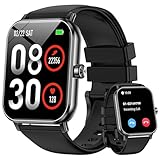
- 1.85'' Display & 300+ Watch Faces: Smart watch for men women adopts 1.85 HD screen that provides excellent visual experience. There are 300+ watch faces built-in, which can be changed by long-pressing the screen or selected/cutomized through the “Da Fit” app
- Bluetooth Calls & Smart Reminders: Fitness tracker makes calls directly from your wrist with clear audio. Receive real-time notifications for SMS and apps, ensuring you never miss important messages while driving or exercising hands-free (No reply)
- 24/7 Health Monitoring: Smart watches for men equipped with a high-performance optical sensor that can record your activities throughout the day, monitor your heart rate, sleep status and other data, and help you develop a healthier lifestyle
- 130+ Sport Modes : Built-in 3-axis gravity sensor enables this fitness watch to accurately track daily steps, distance and calories for safer and more effective workouts. These data can be viewed on the watch or mobile phone APP (note: step counting starts after 20 steps)
- 5 ATM Waterproof: Multifunctional fitness tracker watch features 5 ATM waterproof performance, wearable for swimming, handwashing and rainy days. No worry about sweat or rain damage during outdoor workouts with multiple sports modes (note: high water temperatures can affect service life)
Compatibility and Everyday Practicality
Android users get the best overall experience, even without Google services. Pairing is stable, background syncing is reliable, and fitness and health data flow cleanly into Huawei Health.
iPhone compatibility exists, but it feels transactional rather than integrated. Notifications arrive and workouts sync, yet deeper system-level interactions are missing, and limitations appear quickly for users accustomed to Apple Watch conveniences.
In daily use, the Watch 3 prioritises autonomy, clarity, and battery life over smart feature density. It excels at staying connected on its own terms, but it asks users to accept that “smart” here means dependable basics rather than ecosystem-driven magic.
How It Compares: Huawei Watch 3 vs Apple Watch and Samsung Galaxy Watch
Placed alongside Apple Watch and Samsung’s Galaxy Watch line, the Huawei Watch 3 immediately feels like it’s playing a different game. It prioritises hardware autonomy, endurance, and traditional watch presence over ecosystem saturation, which reshapes how the comparison needs to be framed.
Rather than asking which is “better,” the more useful question is which philosophy best matches how you actually use a smartwatch day to day.
Design, Materials, and On-Wrist Presence
The Watch 3 looks and wears more like a conventional timepiece than either rival. Its stainless steel case, ceramic-like back, domed sapphire glass, and rotating crown give it real heft and a premium, almost mechanical-watch sensibility.
Apple Watch remains unmistakably modern and compact, with lighter materials and sharper edges that prioritise comfort and accessibility over visual gravitas. It disappears on the wrist more easily, but never quite feels like a traditional watch.
Samsung’s Galaxy Watch sits between the two. Models with rotating bezels echo classic dive watches, but aluminium variants skew lighter and more fitness-forward, making Samsung’s lineup more versatile across sizes and styles.
Comfort, Dimensions, and Daily Wearability
Huawei’s 46mm Watch 3 is the largest and heaviest of the trio. On medium or smaller wrists it can feel substantial, especially during sleep tracking, though the curved lugs and soft straps help distribute weight better than expected.
Apple Watch wins outright for all-day and overnight comfort, particularly in smaller case sizes. Samsung follows closely, with better balance than Huawei but slightly more bulk than Apple, depending on configuration.
If wrist comfort is your top priority, Huawei is the least forgiving option, but for those who enjoy the feel of a “real” watch, it has undeniable appeal.
Software Experience and Ecosystem Depth
This is where Apple Watch remains untouchable. watchOS is deeply integrated with iOS, offering unmatched app variety, fluid interactions, and system-level intelligence that anticipates user intent rather than reacting to it.
Samsung’s Wear OS-powered Galaxy Watch benefits from Google services, Play Store access, and tighter Android integration. While still less cohesive than Apple’s ecosystem, it offers far more flexibility and app choice than HarmonyOS outside China.
Huawei’s HarmonyOS is smooth, visually polished, and stable, but its isolation is evident. Core functions work well, animations are fluid, and the interface feels modern, yet the lack of third-party apps and global services limits how “smart” the watch can become.
Health and Fitness Tracking
Huawei’s health hardware is genuinely competitive. Heart rate accuracy is strong, SpO2 readings are consistent, temperature sensing adds useful context, and sleep tracking is detailed and easy to interpret.
Apple still leads in health depth and medical validation, with features like ECG, irregular rhythm notifications, and a more mature health data ecosystem. Its strength lies not just in sensors, but in how that data is contextualised over time.
Samsung offers a middle ground, with ECG, blood pressure in supported regions, and solid fitness tracking tied into Samsung Health. Huawei matches or exceeds Samsung in raw sensor reliability, but lacks the regulatory reach and third-party health integrations of Apple.
Battery Life and Charging Reality
Battery life is where the Watch 3 clearly pulls ahead. Two to three days of real-world use is achievable, and battery saver modes can stretch that further without turning the watch into a glorified step counter.
Apple Watch still requires daily charging for most users, especially with LTE enabled. Samsung fares slightly better, often pushing into the second day, but remains closer to Apple than Huawei.
For users who value independence from a charger, especially during travel or long outdoor activities, Huawei’s advantage is not theoretical, it’s felt.
Connectivity, LTE, and Independence
All three offer LTE variants, but the experience differs. Apple Watch delivers the most seamless phone-free experience, with messaging, streaming, navigation, and app support behaving almost identically to when paired with an iPhone.
Samsung’s LTE experience is capable, though more dependent on carrier support and app compatibility. Still, it offers broader functionality than Huawei when untethered.
Huawei’s Watch 3 excels at basic independence, calls, messages, GPS workouts, and music playback, but hits limits quickly due to app and service gaps. It feels self-sufficient, but not fully liberated.
Value and Who Each Watch Is Really For
The Huawei Watch 3 makes sense for users who value build quality, battery life, and health tracking more than app ecosystems. Android users outside China must accept trade-offs, but those trade-offs are consistent and predictable.
Apple Watch remains the default recommendation for iPhone owners, not because it is perfect, but because nothing else integrates as completely. Samsung is the most flexible choice for Android users who want smart features first and watch aesthetics second.
Huawei sits apart, neither better nor worse, but different. It appeals to users willing to trade ecosystem richness for autonomy, endurance, and a smartwatch that feels closer to a traditional timepiece than a wrist-mounted smartphone.
Verdict: Who the Huawei Watch 3 Is For—and Who Should Look Elsewhere
Stepping back from feature charts and ecosystem comparisons, the Huawei Watch 3 ultimately succeeds or fails based on what you expect a smartwatch to be. It is not trying to be the most app-rich wrist computer, nor the tightest phone companion.
Instead, it occupies a quieter but deliberate space, one where hardware quality, endurance, and health tracking take priority over digital sprawl. For the right user, that balance feels refreshing rather than restrictive.
The Huawei Watch 3 Is For You If…
The Watch 3 makes the most sense for users who want a smartwatch that still feels like a watch. The stainless steel case, sapphire glass, and restrained industrial design give it a sense of permanence that most Android watches lack, especially when paired with a leather or metal strap instead of silicone.
Comfort over long periods is a genuine strength. Despite its premium materials and solid weight, the curved lugs and balanced caseback make it wearable all day and overnight, which matters when sleep tracking and continuous health monitoring are part of the appeal.
Battery life is another deciding factor. If daily charging feels like friction rather than routine, the Watch 3’s two-to-three-day endurance fundamentally changes how you live with it, especially when traveling or using LTE untethered.
Health-focused users will also find plenty to like. Heart rate, SpO2, sleep tracking, stress monitoring, and workout metrics are consistently reliable, and Huawei’s sensor fusion is competitive with Apple and Samsung in real-world accuracy, even if its presentation is more clinical than motivational.
Finally, this watch suits Android users who are comfortable stepping outside Google’s ecosystem. If you value consistency, predictability, and core functionality over experimental apps and constant updates, HarmonyOS feels stable rather than limiting.
You Should Look Elsewhere If…
If apps are central to your smartwatch experience, the Watch 3 will frustrate you. Outside China, the AppGallery ecosystem remains thin, and many popular third-party services simply are not available, even years into HarmonyOS’s life.
iPhone users should also look elsewhere. While the Watch 3 technically supports iOS, the experience is compromised enough that it never feels like a first-class citizen, especially compared to the seamless integration of Apple Watch.
Those who rely on Google services will feel the gaps immediately. No native Google Maps, no Google Assistant, and limited notification interactivity mean everyday conveniences can feel oddly unfinished if you are deeply embedded in Google’s ecosystem.
Fitness enthusiasts who want deep training analytics, coaching plans, or strong third-party integrations may also find Huawei’s platform too closed. The hardware is capable, but the surrounding software ecosystem does not fully capitalize on it.
The Bigger Picture
The Huawei Watch 3 is not an easy recommendation, but it is a clear one. It asks you to choose priorities, and it rewards that clarity with excellent hardware, strong health tracking, and battery life that most rivals still struggle to match.
If you want the smartest smartwatch, buy an Apple Watch or a Galaxy Watch. If you want a premium-feeling wearable that behaves more like a refined instrument than a wrist-mounted phone, Huawei’s approach makes sense.
In that way, the Watch 3 lives up to its promise of “Sweet Harmony.” Not because it does everything, but because what it does, it does with focus, restraint, and a confidence that will resonate deeply with the right kind of wearer.