If you are coming from a OnePlus Watch 2 or the cheaper Watch 2R, the Watch 3 does not immediately scream reinvention. The shape, the philosophy, and even the dual-chip battery-saving approach are all familiar, which makes it harder to tell whether this is a meaningful upgrade or simply a refinement pass.
This section is about stripping away the marketing and focusing on what has actually changed in daily use. By the end, you should have a clear sense of whether the Watch 3 materially improves your experience, or whether the Watch 2 and 2R still represent better value depending on how you use your smartwatch.
Design, materials, and wearability
At a glance, the Watch 3 looks like a more polished evolution of the Watch 2 rather than a clean-sheet redesign. The round case, flat sides, and right-side crown-and-button layout remain, but the Watch 3 tightens up the proportions and adds higher-end materials where it counts.
The Watch 2 uses a stainless steel chassis with a sapphire crystal, while the Watch 2R swaps stainless steel for aluminum and drops sapphire to hit a lower price. The Watch 3 keeps sapphire but adds a titanium alloy bezel, which improves scratch resistance and gives the case a more premium feel without making it noticeably heavier on the wrist.
🏆 #1 Best Overall

- 【Bluetooth Call and Voice Assistant】: Smart watch built-in microphone and HD speaker, you can make and receive calls directly from this smart watches for men. You can also use the built-in voice assistant to ask questions, control music playback and more
- 【Smart Notification and Quick Reply】: When you receive a message, call, or notification, this digital smart watch will remind you by vibration or ringing, so you will not miss important calls and messages from your lover/friend. Make your life simpler and smarter. The quick reply function for Android phones allows you to send preset short replies to received messages.
- 【24 Hour Health Monitoring】: This smart watch is compatible for most iphone and Android phones, and the digital chip inside is scientifically developed using the latest technology. The chip uses advanced sensors to monitor heart rate, blood oxygen and female cycle, and can also perform timely sleep quality tracking at night. All recorded data can be synced to your phone for analysis, providing valuable insights into your health and promoting lifestyle adjustments. (non-medical standard)
- 【IP68 Waterproof】: Sports watch is IP68 waterproof, and can be used normally even when washing hands, washing face or sweating. (Note: Not suitable for long-term immersion in water)
- 【100+ Sports Modes】: The sports watch is equipped with more than a hundred sports modes, including walking, running, cycling, hiking, yoga, football, strength training, etc, helping you achieve a healthier lifestyle.Receive real-time stats directly on your wrist and record your stats in the "Halofit" app
All three watches are large, hovering around the 47mm mark, and none are ideal for smaller wrists. The Watch 3 distributes its weight slightly better thanks to subtle case contouring, but if you already find the Watch 2 bulky, the newer model will not change that equation.
Display upgrades that matter day to day
The Watch 2 and 2R share the same 1.43-inch AMOLED panel with a 466 x 466 resolution and fixed refresh behavior. It is sharp and colorful, but brightness and power efficiency are clearly tuned for battery longevity rather than visual flair.
The Watch 3 steps up to a slightly larger LTPO AMOLED panel with improved peak brightness and more aggressive refresh scaling. In real-world use, that translates to better outdoor legibility and smoother animations without the constant battery penalty you normally associate with brighter screens.
If you primarily glance at notifications and time indoors, the older displays are still perfectly serviceable. If you spend a lot of time outside or use always-on display extensively, the Watch 3’s panel is a tangible quality-of-life upgrade.
Performance and the dual-chip strategy
All three watches rely on OnePlus’ dual-engine architecture, pairing a Snapdragon Wear chip with a secondary low-power processor for background tasks. The Watch 2 and 2R use the Snapdragon W5 alongside a BES co-processor, which already feels faster and smoother than most mid-range Wear OS rivals.
The Watch 3 refines this setup rather than replacing it outright. App launches are slightly quicker, scrolling is more consistent under load, and background syncing is less likely to cause stutters, especially after several days without a reboot.
If your Watch 2 already feels fast enough, the Watch 3 will not suddenly feel transformative. The improvement shows up more in long-term smoothness than in raw speed.
Battery life and charging reality
Battery life is where OnePlus has built its strongest reputation, and the Watch 3 extends that lead. The Watch 2 and 2R routinely deliver around four days of full smart mode use, with power saver stretching well past a week if you disable Wear OS features.
The Watch 3 increases battery capacity and further optimizes the dual-chip handoff, pushing typical smart mode endurance closer to five days for many users. Always-on display users benefit the most, as the newer LTPO panel reduces idle drain.
Charging speeds remain fast across the board, and the experience is similar enough that battery alone is not a compelling reason to upgrade unless you consistently push your Watch 2 to its limits.
Health and fitness tracking changes
The Watch 2 and 2R cover the basics well, including heart rate, blood oxygen, sleep tracking, GPS workouts, and automatic activity detection. Accuracy is generally solid, though heart rate tracking during high-intensity workouts can lag behind dedicated fitness watches.
The Watch 3 expands the sensor array and improves signal consistency, particularly during interval training and longer GPS sessions. Newer health features, including expanded temperature tracking and region-dependent ECG support, add value for users who care about deeper health insights.
If you mainly track steps, runs, and sleep, the older models already do the job. The Watch 3 is more compelling for users who actively analyze health data rather than just glance at it.
Software experience and long-term support
The Watch 2 and 2R launched with Wear OS 4 and have aged well, thanks in part to OnePlus’ relatively light software skin. The interface is clean, battery modes are easy to manage, and Google app support is as good as any Wear OS watch not made by Samsung.
The Watch 3 ships with a newer Wear OS version and tighter system-level optimizations for the dual-chip setup. This results in better background efficiency and slightly smarter mode switching, especially overnight.
More importantly, the Watch 3 is positioned to receive updates for longer, which matters if you plan to keep your watch for several years. That future-proofing is one of the quieter but more meaningful changes in this generation.
Pricing, positioning, and real-world value
The Watch 2R remains the clear budget play, offering nearly the same performance and battery life as the Watch 2 at a noticeably lower price. The Watch 2 still makes sense if you want sapphire and stainless steel without paying for the latest model.
The Watch 3 sits firmly at the premium end of OnePlus’ lineup, and its improvements add up rather than jump out individually. It is not about fixing major flaws, but about refining nearly every aspect of the experience.
Understanding these differences is critical before deciding whether to upgrade, cross-shop, or save money. Next, we will break down exactly which users benefit most from each model and where the Watch 3 justifies its higher price.
Design, Build Quality, and Wearability: Case Size, Materials, and Comfort on the Wrist
After looking at sensors, software maturity, and long-term value, the physical experience of wearing these watches day after day becomes the next deciding factor. This is where the differences between the OnePlus Watch 3, Watch 2, and Watch 2R are more immediately noticeable, even if the overall design language remains consistent across the lineup.
OnePlus has clearly aimed for a cohesive family look, but subtle changes in proportions, materials, and finishing meaningfully affect comfort and perceived quality.
Case size, proportions, and wrist presence
All three watches stick with a single case size philosophy rather than offering multiple diameters, which immediately sets expectations for wrist fit. The Watch 2 and Watch 2R use a 46mm case that wears large but manageable, especially on medium to larger wrists, with short enough lugs to avoid excessive overhang.
The Watch 3 retains a similar footprint on paper but feels slightly more compact on the wrist due to refined case shaping. The mid-case is slimmer, and the transition from bezel to case flank is smoother, reducing the visual bulk that some users noticed on the Watch 2.
In real-world wear, the Watch 3 sits closer to the wrist and distributes its weight more evenly. This makes it more comfortable during long workdays and overnight sleep tracking, particularly for users with wrists under about 7 inches.
Materials and finishing: stainless steel vs aluminum
The Watch 2 and Watch 3 both use stainless steel for the main case, paired with a sapphire crystal. This gives them a reassuring heft and excellent scratch resistance, and it places them closer to traditional sports watches in terms of durability and feel.
The Watch 2R takes a different approach with an aluminum case and standard glass. It is noticeably lighter, which some users prefer for workouts and sleep, but it also feels less premium and is more prone to cosmetic wear over time.
OnePlus has subtly improved the finishing on the Watch 3, particularly around the bezel and case edges. The brushing is finer, transitions are cleaner, and the watch looks less utilitarian and more polished, especially in neutral or metallic colorways.
Bezel design, crown, and physical controls
All three watches use a fixed bezel rather than a rotating one, keeping the design clean and modern. The Watch 3’s bezel is slightly thinner, which not only improves aesthetics but also allows the display to visually dominate the front of the watch.
The rotating crown remains a highlight across the lineup, offering precise scrolling through menus and notifications. On the Watch 3, crown action feels marginally tighter and more controlled, which makes navigation feel more intentional and less prone to accidental input.
The secondary button placement is unchanged, and muscle memory carries over easily for existing Watch 2 or 2R users. This consistency helps make upgrading feel familiar rather than disruptive.
Weight, balance, and all-day comfort
Weight differences matter more than spec sheets suggest when you wear a watch for 16 to 24 hours at a time. The Watch 2R is the lightest and almost disappears on the wrist, which is appealing for runners and users sensitive to wrist fatigue.
The Watch 2 is heavier and can feel top-heavy during typing or desk work, especially with the stock strap. The Watch 3 improves balance despite similar materials by redistributing mass closer to the wrist, reducing that pendulum effect.
For sleep tracking, the Watch 3 is noticeably easier to tolerate than the Watch 2, even though it is still a solid stainless steel watch. Users who previously removed their Watch 2 overnight may find the Watch 3 more viable for 24/7 wear.
Straps, lugs, and customization
OnePlus uses standard lug widths across the lineup, making it easy to swap in third-party straps. This is an underrated advantage, especially for users who want to fine-tune comfort or aesthetics without relying on proprietary bands.
The included straps are serviceable but not exceptional. The Watch 3’s stock strap feels slightly softer and more flexible than the Watch 2’s, improving comfort during workouts and reducing skin irritation in hot weather.
Switching to a lighter nylon or fabric strap significantly improves comfort on all three models, but the Watch 3 benefits the most due to its better case balance and slimmer profile.
Durability and everyday wear considerations
All three watches are rated for everyday durability and water resistance suitable for swimming and sweat-heavy workouts. The stainless steel models naturally resist long-term wear better, especially if you are prone to bumping your wrist against desks or gym equipment.
Rank #2

- 【1.83" HD Display & Customizable Watch Faces】Immerse yourself in a vibrant 1.83" IPS display, boasting a sharp resolution of 240*284 for crystal-clear visuals. Effortlessly personalize your smart watch with a wide array of customizable watch faces to suit your personal style for every occasion—whether trendy, artistic, or minimalist—ideal for casual, sporty, or professional. Its sleek, modern design complements any outfit, blending technology and fashion seamlessly for everyday wear
- 【120 Sports Modes & Advanced Health Tracking】Our TG08 smart watches for women men come equipped with 120 sports modes, allowing you to effortlessly track a variety of activities such as walking, running, cycling, and swimming. With integrated heart rate and sleep monitors, you can maintain a comprehensive overview of your health, achieve your fitness goals, and maintain a balanced, active lifestyle with ease. TG08L is your ideal companion for a healthier and more informed lifestyle
- 【Stay Connected Anytime, Anywhere】Stay informed and in control with Bluetooth call and music control features. Receive real-time notifications for calls, messages, and social media apps like Facebook, WhatsApp, Twitter, and Instagram directly on your smartwatch. Easily manage calls, control your music playlist, and stay updated without needing to reach for your phone. Perfect for work, workouts, or on-the-go, this watch keeps you connected and never miss important updates wherever you are
- 【IP67 Waterproof & Long-Lasting Battery】Designed to keep up with your active lifestyle, this smartwatch features an IP67 waterproof rating, ensuring it can withstand splashes, sweat, and even brief submersion, making it perfect for workouts, outdoor adventures, or rainy days. Its reliable 350mAh battery offering 5-7 days of active use and up to 30 days in standby mode, significantly reducing frequent charging. Ideal for all-day wear, whether you’re at the gym, outdoors, or simply on the go
- 【Multifunction & Wide Compatibility】Seamlessly handle heart rate monitoring, sleep tracking, and enjoy conveniences like camera/music control, Seamlessly handle heart rate monitoring, sleep tracking, and more-all directly from your wrist. This 1.83" HD smartwatch is compatible with iPhone (iOS 9.0+) & Android (5.0+), ensuring smooth daily connectivity and convenience throughout your day. More than just a timepiece, it’s a stylish, all-in-one wearable for smarter, healthier living
The Watch 2R’s aluminum case is more vulnerable to dings and scuffs, which may matter if you plan to keep the watch for several years. For users who prioritize longevity and resale value, the Watch 2 and Watch 3 hold up better cosmetically.
From a purely physical standpoint, the Watch 3 feels like the most refined execution of OnePlus’ smartwatch design so far. It does not radically change the formula, but it smooths out the rough edges that mattered most in daily wear.
Display Technology and Usability: Brightness, Clarity, and Everyday Interaction
Once the physical comfort and balance are sorted, the display becomes the primary point of interaction, and it is an area where OnePlus has made more meaningful progress than the spec sheet alone suggests. All three watches use AMOLED panels, but they differ in brightness tuning, power management behavior, and how confidently they handle everyday conditions like outdoor visibility and quick-glance interactions.
Panel type, size, and resolution
The OnePlus Watch 3 retains a circular AMOLED display with similar dimensions to the Watch 2, maintaining a familiar look on the wrist. Resolution remains sharp enough that text, watch faces, and workout metrics appear crisp at normal viewing distances, with no obvious pixelation during scrolling or notifications.
The Watch 2 and Watch 2R share nearly identical display characteristics in practice, with the main distinction being the surrounding materials rather than the panel itself. The aluminum Watch 2R can feel slightly more “screen-forward” because of its lighter case, but the actual on-screen clarity is effectively the same as the stainless steel Watch 2.
Where the Watch 3 differentiates itself is not raw resolution, but refinements in panel calibration. Whites appear more neutral, colors are less oversaturated out of the box, and gradients in watch faces look smoother, especially on darker designs that rely heavily on subtle shading.
Brightness, outdoor visibility, and adaptive behavior
Brightness is the most noticeable improvement when moving from the Watch 2 or 2R to the Watch 3. While the earlier models are usable outdoors, they can struggle in direct sunlight unless brightness is manually pushed toward the upper end of the scale.
The Watch 3’s panel reaches higher peak brightness and, more importantly, holds it more consistently when ambient light changes rapidly. Glancing at the watch while walking outside or during a run requires less wrist angling, which sounds minor but adds up over weeks of use.
Auto-brightness behavior is also more confident on the Watch 3. Transitions feel quicker and more accurate, reducing the common Wear OS frustration of a screen that is either too dim indoors or blindingly bright at night. The Watch 2 and 2R occasionally lag behind these changes, particularly in mixed lighting environments like offices with large windows.
Always-on display and power efficiency
All three watches support always-on display, but their execution differs in how well it balances visibility and battery life. On the Watch 2 and 2R, enabling always-on display has a noticeable impact on endurance, often pushing users to disable it after the novelty wears off.
The Watch 3 manages always-on display more gracefully, dimming intelligently and reducing refresh activity without making the screen feel lifeless. Time, complications, and basic metrics remain readable in most lighting conditions, which makes always-on mode genuinely usable rather than purely decorative.
This improved efficiency ties back to the Watch 3’s broader power management strategy, making it easier to keep always-on display enabled without sacrificing multi-day battery life. For users who value traditional watch-like glanceability, this is a practical upgrade rather than a marketing checkbox.
Touch responsiveness and everyday interaction
Touch responsiveness is solid across all three models, but the Watch 3 feels more refined in daily use. Swipes register more consistently, and there is less hesitation when waking the screen or transitioning between tiles, especially after the watch has been idle for a while.
The Watch 2 and 2R can occasionally exhibit micro-delays when first interacting with the display, particularly if background tasks or health tracking processes are active. These moments are brief, but they contribute to a perception of friction that becomes noticeable over long-term ownership.
On the Watch 3, animations feel better matched to the hardware, and scrolling through notifications or workout screens feels more fluid. This does not transform the Wear OS experience, but it does make the watch feel more cooperative rather than reactive.
Usability with wet fingers, workouts, and sleep scenarios
During workouts or in wet conditions, all three displays remain usable, but the Watch 3 again shows subtle advantages. Touch rejection and input accuracy are slightly better when sweat or rain is involved, reducing accidental taps during exercise.
For sleep tracking, display behavior matters more than expected. The Watch 3’s lower minimum brightness and smoother dimming make nighttime glances less disruptive, especially when checking the time or sleep status without fully waking the screen.
The Watch 2 and 2R are not problematic in this regard, but their brightness steps are coarser, which can feel harsher in dark environments. Users sensitive to light at night will appreciate the Watch 3’s more restrained approach.
Real-world takeaway for buyers and upgraders
If you are choosing between the Watch 2 and Watch 2R, display quality should not be a deciding factor, as they perform almost identically in everyday use. The choice there is more about materials, weight, and long-term durability.
For Watch 2 or 2R owners considering an upgrade, the Watch 3’s display improvements are incremental but tangible. Better brightness, smoother auto-adjustment, and more usable always-on behavior collectively make the watch feel easier to live with, even if no single change feels revolutionary.
For first-time buyers, the Watch 3 offers the most polished display experience OnePlus has delivered so far, aligning well with its improved comfort and balance. It reinforces the sense that this is the most refined version of OnePlus’ smartwatch vision rather than a simple iterative refresh.
Performance and Hardware Platform: Chipsets, Responsiveness, and Longevity
After spending time on the displays, the next thing that defines how these watches feel day to day is how quickly and consistently they respond. This is where OnePlus has been quietly iterating rather than chasing headline-grabbing silicon changes.
Dual-chip architecture: what actually changed
All three watches rely on OnePlus’ dual-engine approach, pairing a Qualcomm Snapdragon W5 Gen 1 with a low-power real-time operating system chip for background tasks. On the Watch 2 and 2R, that secondary processor is the BES2700, while the Watch 3 upgrades to the newer BES2800.
On paper, the primary Snapdragon chip remains the same across generations, and raw CPU or GPU benchmarks reflect that. The meaningful change is in how often the system can stay on the low-power processor without waking the main chip, which affects smoothness consistency and battery drain over long days.
RAM, storage, and system headroom
All three models ship with 2GB of RAM and 32GB of internal storage, which remains a sensible configuration for Wear OS in 2026. App installs, offline music, and map caching behave similarly across the lineup, with no meaningful loading differences between models.
Where the Watch 3 benefits is not capacity, but memory management. App switching feels more stable under load, with fewer background reloads when bouncing between workouts, notifications, and navigation during active use.
Everyday responsiveness and UI fluidity
In daily operation, the Watch 3 feels more predictably responsive rather than outright faster. Animations complete more consistently, haptic timing feels tighter, and system gestures register with less variability, especially after long stretches off the charger.
The Watch 2 and 2R can still feel quick, but they are more prone to occasional micro-hesitations after extended workouts or long GPS sessions. These are brief and rarely frustrating, yet noticeable when compared directly with the Watch 3.
Workouts, GPS load, and sustained performance
During GPS-heavy workouts, the differences become clearer. The Watch 3 maintains smoother scrolling through metrics and quicker wake times mid-activity, even after an hour or more of tracking.
The Watch 2 and 2R remain reliable, but they show slightly longer wake delays when checking stats or interacting with controls during demanding sessions. For casual fitness users this is largely irrelevant, but frequent runners or cyclists will notice the Watch 3’s steadier behavior.
Thermals and long-session stability
Thermal behavior is another subtle improvement. The Watch 3 runs marginally cooler during prolonged GPS and LTE-style workloads, which helps preserve performance consistency rather than chasing higher peak speeds.
The Watch 2 and 2R can feel warm after extended tracking, particularly in summer conditions, though this rarely impacts usability. Over months of use, cooler operation generally translates to better battery health and fewer performance drops.
Software updates and long-term viability
Because all three watches share the Snapdragon W5 Gen 1, baseline Wear OS compatibility should remain similar for several years. However, the Watch 3’s newer low-power processor gives it more flexibility for future background features and power-optimized updates.
For owners thinking long term, this matters more than raw speed. The Watch 3 is better positioned to age gracefully as Wear OS becomes heavier, while the Watch 2 and 2R will likely reach their comfort ceiling sooner, even if they remain functional.
Who should care about the hardware differences
If you are a Watch 2 or 2R owner satisfied with current performance, the Watch 3 does not offer a night-and-day upgrade in speed. The gains are about consistency, stability, and endurance under load rather than dramatic responsiveness.
For new buyers or users coming from older Wear OS hardware, the Watch 3 delivers the most refined and future-resistant platform OnePlus has produced so far. It feels calmer, more predictable, and better suited to years of daily wear, which ultimately matters more than peak benchmark numbers.
Battery Life and Charging: Dual-Engine Efficiency Compared in Real-World Use
The performance refinements discussed above matter because they feed directly into battery behavior, and this is where OnePlus’ dual-engine approach separates these watches from most of the Wear OS field. All three models rely on a Snapdragon W5 Gen 1 paired with a low-power co-processor, but the Watch 3 executes this handoff more cleanly and more often, which changes day-to-day endurance in subtle but meaningful ways.
Rank #3
![Apple Watch Series 11 [GPS 42mm] Smartwatch with Rose Gold Aluminum Case with Light Blush Sport Band - S/M. Sleep Score, Fitness Tracker, Health Monitoring, Always-On Display, Water Resistant](https://m.media-amazon.com/images/I/31J+F-pXaWL._SL160_.jpg)
- HYPERTENSION NOTIFICATIONS — Apple Watch Series 11 can spot signs of chronic high blood pressure and notify you of possible hypertension.*
- KNOW YOUR SLEEP SCORE — Sleep score provides an easy way to help track and understand the quality of your sleep, so you can make it more restorative.
- EVEN MORE HEALTH INSIGHTS — Take an ECG anytime.* Get notifications for a high and low heart rate, an irregular rhythm,* and possible sleep apnea.* View overnight health metrics with the Vitals app* and take readings of your blood oxygen.*
- STUNNING DESIGN — Thin and lightweight, Series 11 is comfortable to wear around the clock — while exercising and even when you’re sleeping, so it can help track your key metrics.
- A POWERFUL FITNESS PARTNER — With advanced metrics for all your workouts, plus features like Pacer, Heart Rate Zones, training load, Workout Buddy powered by Apple Intelligence from your nearby iPhone,* and more. Series 11 also comes with three months of Apple Fitness+ free.*
Rather than chasing headline battery numbers, the real story here is consistency. The Watch 3 drains more predictably across mixed use, while the Watch 2 and 2R show wider swings depending on how often you wake the screen, interact with tiles, or track GPS-heavy activities.
Everyday battery life: mixed use, not lab conditions
In real-world mixed use with notifications, sleep tracking, several short workouts, and frequent screen checks, the OnePlus Watch 3 reliably lands in the 3.5 to 4-day range. This assumes always-on display is disabled, brightness set to auto, and roughly 45 to 60 minutes of GPS tracking per day.
The Watch 2 and Watch 2R typically settle closer to 3 days under the same conditions. Some users will stretch them into a fourth day with lighter usage, but the margin is thinner, and late-day battery anxiety is more common.
What stands out with the Watch 3 is how flat the discharge curve feels. You do not see the sudden late-day drops that can occur on the Watch 2 and 2R after a long workout or a heavy notification day, which makes it easier to trust overnight tracking without topping up.
GPS and workout drain: endurance under load
Extended GPS sessions are where the generational gap becomes clearer. The Watch 3 consumes noticeably less battery per hour during outdoor runs and cycling, especially when combining GPS with heart rate and on-screen stats.
In practical terms, a one-hour GPS run typically costs the Watch 3 around 8 to 10 percent, while the Watch 2 and 2R are closer to 11 to 13 percent. Over several sessions per week, that difference compounds into an extra half-day or more of usable battery.
For endurance athletes or users who stack workouts back-to-back, the Watch 3 simply feels less stressed. The watch remains cooler, drains more linearly, and avoids the accelerated drop-off that older models sometimes show after longer sessions.
Sleep tracking and background efficiency
Sleep tracking is an area where the low-power processor does most of the work, and the Watch 3 benefits from better task scheduling. Overnight drain typically sits around 4 to 6 percent, even with SpO2 sampling and continuous heart rate enabled.
The Watch 2 and 2R usually lose closer to 6 to 8 percent overnight under identical settings. This is not dramatic in isolation, but over multiple nights it adds friction, especially for users who prefer charging only every few days.
Because the Watch 3 wakes the main processor less frequently during the night, it also avoids micro-stutters when checking sleep data in the morning. The experience feels smoother and more appliance-like, which is exactly what you want from a watch you wear 24/7.
Charging speed and daily convenience
Charging hardware and speeds are broadly similar across all three watches, and OnePlus continues to excel here compared to most Wear OS competitors. A quick 10 to 15-minute top-up can comfortably deliver a full day of use on any model.
A full charge from near empty takes roughly 60 minutes on the Watch 3, with the Watch 2 and 2R finishing slightly faster by a few minutes. In practice, this difference is negligible, and all three remain among the least annoying Wear OS watches to keep topped up.
What changes with the Watch 3 is how often you need to charge rather than how fast it charges. Fewer charging interruptions make it easier to maintain continuous health tracking and reduce the temptation to skip sleep tracking on busy days.
Long-term battery health and aging
Battery aging is difficult to quantify in short-term testing, but the Watch 3’s cooler operation and more aggressive low-power usage should pay dividends over time. Lower average temperatures and fewer deep discharge cycles generally translate to better long-term capacity retention.
The Watch 2 and 2R are not fragile, but after a year or more of heavy use, they are more likely to show reduced endurance, especially for users who rely heavily on GPS and daily workouts. This is a common pattern across early dual-engine Wear OS devices.
For buyers planning to keep their watch for three years or longer, the Watch 3’s efficiency gains are less about day-one bragging rights and more about preserving that multi-day battery experience deep into ownership.
Health, Fitness, and Sports Tracking: Sensors, Accuracy, and Training Features
The battery and efficiency gains on the Watch 3 matter most because they unlock more reliable, uninterrupted health tracking. When a watch is easier to wear day and night, sensor accuracy and long-term trend data improve almost automatically. That context is important, because while OnePlus has not radically reinvented its health stack, the Watch 3 meaningfully refines it.
Sensor hardware: what’s actually changed
All three watches share a broadly similar core sensor suite: optical heart rate, SpO2, accelerometer, gyroscope, barometer, ambient light sensor, and GPS. On paper, the Watch 3 does not look dramatically different from the Watch 2 or 2R, and this is one area where OnePlus has prioritized iteration rather than reinvention.
The key change is the upgraded optical heart rate module on the Watch 3, which uses a higher-density LED array and revised photodiode layout. In real-world use, this improves signal stability during movement, particularly in interval training and outdoor runs where wrist-based HR often struggles. The Watch 2 and 2R are still competent, but they show more frequent micro-dropouts when pace or arm swing changes abruptly.
GPS hardware remains single-band across the lineup, which keeps expectations in check for serious runners. The Watch 3 does benefit from improved signal processing, locking on slightly faster and maintaining cleaner tracks in urban environments, but it does not reach the consistency of dual-band systems found on higher-end Garmin or Pixel Watch models.
Heart rate accuracy and day-to-day reliability
In steady-state activities like walking, cycling, or strength training, all three watches deliver similar average heart rate readings. Over longer sessions, the Watch 3 tends to stay closer to chest-strap benchmarks, especially once sweat and motion start to interfere with optical readings.
Where the Watch 3 pulls ahead is recovery and background tracking. Resting heart rate trends are more stable, and overnight heart rate curves show fewer unexplained spikes. This aligns with the earlier point about reduced processor wake-ups and smoother overnight operation, which directly benefits health data quality.
The Watch 2 and 2R are not inaccurate, but they require more forgiveness. Users who care about trends rather than individual workout perfection will still get usable data, but the Watch 3 demands less interpretation and fewer mental asterisks.
Sleep tracking and recovery insights
Sleep tracking is functionally similar across all three, covering sleep stages, duration, breathing rate, blood oxygen estimates, and overnight heart rate. The differences are not in features, but in consistency and comfort.
Because the Watch 3 is lighter on the wrist and runs cooler overnight, it is simply easier to wear every night. That results in more complete sleep logs, fewer gaps, and better long-term insights. Sleep stage detection is also marginally more stable, with fewer sudden transitions that can distort sleep quality scores.
The Watch 2 and 2R can still deliver solid sleep data, but they are more sensitive to fit and strap choice. Users with smaller wrists or looser straps may see more nights flagged as incomplete, especially if the watch shifts during sleep.
Blood oxygen and wellness metrics
SpO2 tracking remains spot-based rather than continuous on all three models, which is typical for Wear OS watches at this price. The Watch 3’s readings are slightly more repeatable when taken manually, with fewer failed measurements, particularly in colder conditions.
Wellness metrics like stress estimation and breathing exercises rely heavily on heart rate variability. Again, the Watch 3’s improved signal stability gives it an edge in day-to-day usefulness, even if the underlying algorithms are largely unchanged. The Watch 2 and 2R provide similar dashboards, but the data can feel noisier.
For users who treat these metrics as directional rather than diagnostic, all three watches are acceptable. The Watch 3 simply inspires more confidence that what you are seeing reflects your body rather than sensor limitations.
Workout modes and sports tracking depth
OnePlus offers a wide range of workout modes across the lineup, covering common activities like running, cycling, swimming, rowing, and gym-based training. The Watch 3 does not dramatically expand this list, but it refines auto-detection and post-workout summaries.
During runs, the Watch 3 produces cleaner pace charts and more consistent splits, even without dual-band GPS. Elevation data is also smoother, thanks to better barometric filtering. The Watch 2 and 2R occasionally show step-like elevation changes that do not match terrain reality.
For gym users, rep counting and movement detection remain basic. These watches are better suited for tracking time, heart rate zones, and calorie estimates rather than detailed strength analytics. This is an area where none of the three compete directly with dedicated fitness watches.
Training features and long-term progression
Training load, recovery time, and trend analysis are present but restrained. OnePlus focuses on clarity rather than overwhelming the user with metrics, which will appeal to mainstream buyers but may frustrate data-driven athletes.
The Watch 3 benefits from smoother syncing and fewer post-workout delays, making it easier to review sessions immediately after finishing. This sounds minor, but over months of use it contributes to a more frictionless fitness routine.
Watch 2 and 2R owners will recognize the interface and metrics instantly. There are no new training paradigms here, just a more polished execution that feels closer to what Wear OS should have been from the start.
Who the health upgrades matter most for
For users coming from the Watch 2 or 2R, the Watch 3’s health and fitness improvements are evolutionary, not revolutionary. If your current watch already meets your needs and you primarily care about basic tracking, the older models remain perfectly serviceable.
The Watch 3 makes the strongest case for users who value sleep tracking, recovery insights, and all-day wearability. Its improvements add up over time, especially for people who track trends rather than obsess over individual workouts.
Rank #4

- Bluetooth Call and Message Alerts: Smart watch is equipped with HD speaker, after connecting to your smartphone via bluetooth, you can answer or make calls, view call history and store contacts through directly use the smartwatch. The smartwatches also provides notifications of social media messages (WhatsApp, Twitter, Facebook, Instagram usw.) So that you will never miss any important information.
- Smart watch for men women is equipped with a 320*380 extra-large hd full touch color screen, delivering exceptional picture quality and highly responsive touch sensitivity, which can bring you a unique visual and better interactive experience, lock screen and wake up easily by raising your wrist. Though “Gloryfit” app, you can download more than 102 free personalised watch faces and set it as your desktop for fitness tracker.
- 24/7 Heart Rate Monitor and Sleep Tracker Monitor: The fitness tracker watch for men has a built-in high-performance sensor that can record our heart rate changes in real time. Monitor your heart rate 26 hours a day and keep an eye on your health. Synchronize to the mobile phone app"Gloryfit", you can understand your sleep status(deep /light /wakeful sleep) by fitness tracker watch develop a better sleep habit and a healthier lifestyle.
- IP68 waterproof and 110+ Sports Modes: The fitness tracker provides up to 112+ sports modes, covering running, cycling, walking, basketball, yoga, football and so on. Activity trackers bracelets meet the waterproof requirements for most sports enthusiasts' daily activities, such as washing hands or exercising in the rain, meeting daily needs (note: Do not recommended for use in hot water or seawater.)
- Multifunction and Compatibility: This step counter watch also has many useful functions, such as weather forecast, music control, sedentary reminder, stopwatch, alarm clock, timer, track female cycle, screen light time, find phone etc. The smart watch with 2 hrs of charging, 5-7 days of normal use and about 30 days of standby time. This smart watches for women/man compatible with ios 9.0 and android 6.2 and above devices.
New buyers deciding between models should weigh how much they care about consistency and long-term data quality. The Watch 3 does not introduce headline-grabbing sensors, but it quietly delivers better health tracking by being easier to live with every single day.
Software Experience and Ecosystem: Wear OS, OnePlus Integration, and Updates
After living with the health and fitness side day to day, the software experience becomes the long-term differentiator. This is where small gains in speed, consistency, and ecosystem support matter far more than headline features.
Across all three watches, OnePlus sticks closely to Google’s vision of Wear OS rather than reinventing the interface. The Watch 3 refines that formula, while the Watch 2 and 2R now feel like an earlier, slightly rougher draft of the same idea.
Wear OS performance and everyday fluidity
All three watches run full Wear OS with access to the Play Store, Google Assistant, Google Maps, Wallet, and third‑party apps like Spotify and Strava. Core navigation remains familiar: swipe-based menus, a rotating crown for scrolling, and quick tiles for health stats, weather, and workouts.
The Watch 3 is noticeably smoother in daily use. App launches are faster, background syncing is more reliable, and system animations feel better tuned, particularly when jumping between workouts, notifications, and media controls.
Watch 2 and 2R remain perfectly usable, but side-by-side the difference is clear. Occasional micro-stutters, slower tile loading, and delayed haptic responses are more common, especially after long periods without a restart.
Dual-engine system and battery-aware software
OnePlus continues to rely on its dual-engine architecture, pairing Wear OS with a low-power secondary system for background tasks. In practice, this is a major reason these watches outlast most Wear OS rivals in real-world use.
The Watch 3 improves how seamlessly the two systems hand off control. Transitions into power-saving modes are less noticeable, and background health tracking continues without the subtle pauses that occasionally showed up on the Watch 2 and 2R.
For users who leave the watch on around the clock, this matters more than raw battery capacity. The Watch 3 simply feels more predictable, especially overnight and during long inactive periods.
OnePlus phone integration and ecosystem perks
Pairing with a OnePlus phone unlocks deeper integration across all three models. Alarm syncing, phone camera control, Do Not Disturb mirroring, and fast pairing work reliably, and notifications arrive with minimal delay.
The Watch 3 tightens this experience further with faster initial pairing and more consistent background syncing. Music controls, call handoffs, and notification actions feel more immediate, reducing the friction between phone and watch.
Non‑OnePlus Android users still get the full Wear OS experience, but without the polish of the brand-specific extras. This hasn’t changed from Watch 2 or 2R, and remains a clear incentive for existing OnePlus phone owners.
Apps, watch faces, and customization
All three watches support standard Wear OS apps and third‑party watch faces, with no artificial restrictions. OnePlus’ own faces lean toward clean, modern designs that prioritize legibility over decoration.
The Watch 3 introduces smoother transitions and better power management for animated faces. Over weeks of use, this results in fewer slowdowns and less unexpected battery drain compared to more complex faces on the Watch 2 and 2R.
Customization remains straightforward rather than deep. You can tweak complications and tiles easily, but users looking for extreme personalization or niche fitness platforms will find the same limitations across all three models.
Update cadence and long-term software support
OnePlus positions the Watch 3 as its longest-supported smartwatch to date. It ships with a newer generation of Wear OS and is clearly prioritized for future platform updates and refinements.
Watch 2 and 2R continue to receive maintenance updates, but they are now in a more conservative phase of their lifecycle. New features tend to arrive later, if at all, and optimizations increasingly favor newer hardware.
For buyers planning to keep their watch for several years, this matters. The Watch 3 offers a longer runway for Wear OS improvements, better compatibility with future apps, and fewer compromises as the platform evolves.
Durability, Connectivity, and Everyday Practicalities: GPS, Water Resistance, and Payments
As the software experience matures, the less glamorous details start to matter more. How well a watch holds up to daily wear, how reliable its GPS is, and whether payments work without friction often end up defining long‑term satisfaction far more than headline specs.
Build quality, materials, and real‑world durability
The OnePlus Watch 3 is the most robustly finished of the three, with a stainless steel case, sapphire crystal, and tighter tolerances around the rotating crown and buttons. It feels closer to a traditional sports watch on the wrist, with better resistance to scuffs from desks, door frames, and gym equipment over weeks of use.
Watch 2 uses a similar stainless steel construction but with slightly less refined finishing, particularly around the lugs and bezel edge. It still holds up well, but micro‑scratches appear sooner on the glass and polished surfaces compared to the Watch 3.
Watch 2R trades some premium materials for cost savings, using an aluminum case and more exposed edges. It is lighter and comfortable for all‑day wear, but it is also the most likely to show cosmetic wear over time, especially if worn during workouts or outdoor activities.
GPS performance and outdoor tracking reliability
GPS accuracy is solid across all three watches, but the Watch 3 is the most consistent in challenging environments. Urban runs, tree‑covered trails, and mixed walking routes show cleaner track lines and fewer sudden jumps, which matters if you care about pace consistency or distance accuracy.
Watch 2 performs well in open areas and is reliable for most casual runners and cyclists. In denser city environments, it occasionally takes longer to lock and can drift slightly at corners, though this rarely affects overall distance by a meaningful margin.
Watch 2R matches Watch 2 in core GPS hardware but feels more sensitive to signal loss during longer sessions. For gym workouts or park runs this is a non‑issue, but frequent trail runners or hikers will appreciate the extra stability of the Watch 3.
Water resistance, swimming, and everyday exposure
All three watches are rated at 5ATM, making them suitable for swimming, showering, and general water exposure. Pool tracking works reliably, with stroke detection and lap counting behaving similarly across models.
The Watch 3 inspires more confidence for regular swimmers thanks to its tighter seals and heavier construction. Buttons feel firmer and less prone to accidental presses when wet, which reduces frustration mid‑session.
Watch 2 and 2R are perfectly safe for occasional swimming and daily water exposure, but they feel more like fitness devices than true sports watches in this context. For most users this distinction is subtle, but frequent swimmers may notice the difference in tactile confidence.
Connectivity stability and day‑to‑day reliability
Bluetooth connectivity is stable across all three watches, with reliable call handling, notification syncing, and background data transfer. The Watch 3 benefits from slightly stronger connection persistence, particularly when moving between rooms or briefly stepping away from the phone.
Watch 2 and 2R occasionally require a manual reconnect after extended separation, though this is rare and usually resolved automatically. In daily use, all three behave predictably enough to fade into the background, which is exactly what you want.
None of the models currently offer LTE variants, so phone‑free connectivity remains off the table. Buyers looking for standalone cellular use will need to look elsewhere, regardless of generation.
Payments, NFC, and regional considerations
NFC payments are supported across the Watch 3, Watch 2, and Watch 2R via Google Wallet, and setup is straightforward. Payments are fast and reliable, with good terminal compatibility in most regions where Wear OS payments are supported.
The Watch 3’s slightly faster wake time and more responsive display make tap‑to‑pay feel more immediate, especially when paying on the move. It sounds minor, but over time it reduces the small pauses that can make smartwatch payments feel awkward.
Watch 2 and 2R remain fully capable for payments, and there is no functional limitation compared to the newer model. If contactless payments are a key buying factor, none of these watches hold a clear advantage, though the Watch 3 executes the experience with a bit more polish.
Pricing, Value, and Long-Term Ownership: Which Model Makes Financial Sense in 2026?
Once daily reliability and feature parity are largely settled, the real decision point for most buyers comes down to money and time. Not just what you pay today, but how well the watch will age over the next two to three years of Wear OS updates, battery wear, and changing usage habits.
In 2026, the gap between the OnePlus Watch 3 and the Watch 2/2R is no longer just generational. It is about how much future-proofing you want to buy up front.
Street pricing and current market reality
The OnePlus Watch 3 still commands a premium, typically sitting in the upper midrange of Wear OS pricing. Depending on region and promotions, it generally costs noticeably more than either Watch 2 or Watch 2R, which are now firmly discounted and often bundled with straps or retail incentives.
💰 Best Value
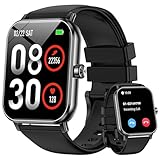
- 1.85'' Display & 300+ Watch Faces: Smart watch for men women adopts 1.85 HD screen that provides excellent visual experience. There are 300+ watch faces built-in, which can be changed by long-pressing the screen or selected/cutomized through the “Da Fit” app
- Bluetooth Calls & Smart Reminders: Fitness tracker makes calls directly from your wrist with clear audio. Receive real-time notifications for SMS and apps, ensuring you never miss important messages while driving or exercising hands-free (No reply)
- 24/7 Health Monitoring: Smart watches for men equipped with a high-performance optical sensor that can record your activities throughout the day, monitor your heart rate, sleep status and other data, and help you develop a healthier lifestyle
- 130+ Sport Modes : Built-in 3-axis gravity sensor enables this fitness watch to accurately track daily steps, distance and calories for safer and more effective workouts. These data can be viewed on the watch or mobile phone APP (note: step counting starts after 20 steps)
- 5 ATM Waterproof: Multifunctional fitness tracker watch features 5 ATM waterproof performance, wearable for swimming, handwashing and rainy days. No worry about sweat or rain damage during outdoor workouts with multiple sports modes (note: high water temperatures can affect service life)
Watch 2 pricing has stabilized at a comfortable mid-tier level, while Watch 2R is frequently one of the most affordable “serious” Wear OS watches you can buy new. The 2R’s aggressive pricing makes it especially attractive to first-time smartwatch buyers or anyone replacing an aging fitness band.
Importantly, these discounts are not clearance pricing driven by end-of-life stock. OnePlus continues to sell and support all three models, which helps protect resale value and ensures you are not buying into a dead platform.
What you actually pay for with the Watch 3 premium
The Watch 3’s higher price is not about adding flashy headline features. It is about refinement across dozens of small, cumulative improvements: better display legibility, more durable materials, improved button feel, slightly stronger connectivity, and marginally smoother system responsiveness.
Over a few weeks, these differences feel subtle. Over a year or two of daily wear, they add up to a watch that feels less “techy” and more like a dependable object you strap on without thinking about it.
If you tend to keep a smartwatch for three years or more, the Watch 3’s stronger build quality and newer internals give it a longer perceived lifespan. That matters when battery health starts to decline and newer Wear OS versions become heavier.
Software support and update longevity
From a pure software standpoint, all three watches are on solid footing in 2026. OnePlus has been consistent with Wear OS updates, security patches, and health feature parity across generations.
That said, the Watch 3 is better positioned for longer-term updates. Its newer processor and thermal efficiency give it more headroom for future Wear OS releases, particularly as Google continues to push richer animations, on-device processing, and AI-assisted health features.
Watch 2 and 2R will remain supported for the foreseeable future, but they are more likely to be the models that receive “good enough” performance rather than optimal performance as the platform evolves.
Battery longevity and replacement economics
Battery life out of the box is strong across all three watches, but long-term ownership changes the equation. The Watch 3’s efficiency improvements mean it ages more gracefully, maintaining acceptable endurance even after hundreds of charge cycles.
Watch 2 and 2R will still deliver usable battery life after two years, but owners may notice the need for more frequent top-ups sooner. Since battery replacement is not officially user-serviceable on any of these models, longevity directly impacts how long the watch feels viable.
If you dislike replacing devices due to battery anxiety rather than missing features, the Watch 3 has a measurable long-term advantage.
Resale value and depreciation
Smartwatches are not investments, but resale value still matters when upgrading. Historically, OnePlus watches depreciate less sharply than many budget Wear OS alternatives, largely due to solid hardware quality and ongoing support.
The Watch 3 holds its value best, especially if kept in good cosmetic condition. Its more premium materials resist visible wear, which helps when selling or trading in later.
Watch 2 and particularly 2R depreciate faster, but their lower entry price softens the blow. In practical terms, you lose less money overall, even if the percentage drop is higher.
Which model makes sense for different buyers in 2026
For new buyers who want the most polished Wear OS experience and plan to keep the watch long-term, the Watch 3 justifies its higher price. It costs more upfront but asks for fewer compromises over time.
For Watch 2 owners, the upgrade only makes financial sense if you value the cumulative refinements: better display, stronger durability, and longer runway for updates. If your Watch 2 still feels fast and reliable, holding onto it remains a rational choice.
For Watch 2R owners, upgrading is harder to justify unless you specifically want the Watch 3’s materials, buttons, and display quality. Functionally, the 2R still delivers excellent value for daily smartwatch use.
For budget-conscious buyers or first-time Wear OS users, Watch 2R remains the value champion. It delivers nearly the full OnePlus experience at a price point that makes experimentation low-risk.
In short, the Watch 3 is the better long-term companion, while the Watch 2 and 2R remain smart financial decisions for buyers who value savings over incremental refinement.
Final Verdict and Buying Recommendations: Who Should Buy Watch 3, Watch 2, or Watch 2R?
Stepping back from the spec sheets and individual feature breakdowns, the real difference between the OnePlus Watch 3, Watch 2, and Watch 2R comes down to how much refinement you want, how long you plan to keep the watch, and how sensitive you are to price versus polish. All three deliver the core OnePlus promise of fast performance, strong battery life by Wear OS standards, and clean Android integration, but they target very different types of buyers.
What follows is not about which watch is “best” in isolation, but which one makes the most sense for you in 2026.
Who should buy the OnePlus Watch 3
The Watch 3 is the clearest choice for buyers who want the most complete and future-proof OnePlus smartwatch experience. Its brighter and more efficient display, improved durability, refined button hardware, and extended battery headroom make it feel less like a gadget and more like a long-term daily watch.
If you wear your smartwatch all day, every day, the Watch 3’s comfort, materials, and finishing matter more over time than raw specs. The case feels more premium on the wrist, the buttons are easier to use during workouts, and the screen remains legible in harsh outdoor conditions, all of which add up in real-world use.
It is also the safest recommendation for users planning to keep their watch for several years. Battery longevity, software support runway, and resale value all favor the Watch 3, making the higher upfront price easier to justify if you upgrade infrequently.
You should buy the Watch 3 if you want the best Wear OS experience OnePlus currently offers, value durability and display quality, and prefer to buy once rather than compromise now and replace sooner.
Who should buy the OnePlus Watch 2
The Watch 2 still occupies an interesting middle ground. Performance remains excellent, battery life is competitive, and the overall Wear OS experience is nearly identical in daily use to the Watch 3 for most tasks.
If you can find the Watch 2 at a meaningful discount, it becomes a strong value option for buyers who want premium features without paying flagship pricing. Its stainless steel build and dual-engine architecture still feel modern, even if the display and buttons are less refined than the newer model.
For existing Watch 2 owners, this comparison should be reassuring rather than alarming. The Watch 2 has not suddenly become obsolete, and unless you specifically care about the Watch 3’s brighter display, improved durability, or longer-term battery confidence, upgrading is optional rather than necessary.
You should buy the Watch 2 if the price gap to the Watch 3 is large, you want premium materials without paying full flagship pricing, or you already own one and are satisfied with its performance.
Who should buy the OnePlus Watch 2R
The Watch 2R remains the easiest recommendation for budget-conscious buyers and first-time Wear OS users. Functionally, it delivers nearly everything that matters: fast performance, reliable health tracking, long battery life, and smooth Android integration.
Where it saves money is in materials and finishing rather than experience-breaking compromises. The lighter case improves comfort for smaller wrists, and for many users, the difference in display quality or case materials simply won’t matter in daily use.
For Watch 2R owners, upgrading to the Watch 3 is largely about want rather than need. Unless you crave premium materials, brighter visuals, or a more rugged feel, the Watch 2R continues to perform its role extremely well.
You should buy the Watch 2R if you want the best value in the OnePlus lineup, are new to Wear OS, or prioritize functionality and battery life over premium design details.
Quick recommendations by user type
If you are a new buyer looking for the best overall OnePlus smartwatch with minimal compromises, the Watch 3 is the safest and most satisfying choice.
If you already own a Watch 2 and it still feels fast, reliable, and comfortable, there is no urgency to upgrade unless the Watch 3’s refinements genuinely appeal to you.
If you are budget-focused, new to smartwatches, or simply want excellent performance without paying for luxury materials, the Watch 2R remains the smartest buy.
Bottom line
The OnePlus Watch 3 is not a radical reinvention, but it is a confident refinement of what already worked. It rewards buyers who care about long-term usability, durability, and polish, while the Watch 2 and 2R continue to make sense for anyone prioritizing value.
Choose the Watch 3 for longevity and refinement, the Watch 2 for discounted premium performance, and the Watch 2R for maximum value. None of these watches are poor choices, but the right one depends on whether you are upgrading for necessity, preference, or price.