CES hits you before you even step onto the show floor. Light, sound, motion, screens stacked on screens, all competing for your attention in a way that feels less like a trade show and more like an endurance test for the senses. By the time I reached Samsung’s booth, my eyes were already aching, struggling to refocus after hours of neon signage, ultra-high-nit displays, and aggressive demo lighting designed to dazzle rather than accommodate.
This is the part of CES no spec sheet ever captures. The show assumes perfect vision, infinite visual stamina, and eyes that can instantly adapt from dark hallways to retina-searing LEDs. For anyone with light sensitivity, contrast issues, or age-related vision changes, CES doesn’t just overwhelm, it actively excludes.
I’ve covered CES long enough to know this isn’t accidental. The industry rewards spectacle, and spectacle means brightness, motion, and visual noise pushed to uncomfortable extremes. But this year, standing half-blinded in front of one of the largest consumer electronics companies on the planet, the irony landed hard.
The brightness arms race no one talks about
Every CES feels like an arms race measured in nits, saturation, and pixel density. Booths crank displays far beyond real-world settings because subtlety doesn’t stop foot traffic. The result is an environment where your pupils never get a break, and your eyes are constantly re-adjusting between blinding whites and inky blacks.
🏆 #1 Best Overall
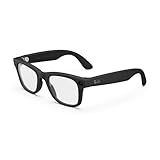
- #1 SELLING AI GLASSES - Tap into iconic style for men and women, and advanced technology with the newest generation of Ray-Ban Meta glasses. Capture photos and videos, listen to music, make hands-free calls or ask Meta AI questions on-the-go.
- UP TO 8 HOURS OF BATTERY LIFE - On a full charge, these smart AI glasses can last 2x longer than previous generations, up to 8 hours with moderate use. Plus, each pair comes with a charging case that provides up to 48 hours of charging on-the-go.
- 3K ULTRA HD: RECORD SHARP VIDEOS WITH RICH DETAIL - Capture photos and videos hands-free with an ultra-wide 12 MP camera. With improved 3K ultra HD video resolution you can record sharp, vibrant memories while staying in the moment.
- LISTEN WITH OPEN-EAR AUDIO — Listen to music and more with discreet open-ear speakers that deliver rich, quality audio without blocking out conversations or the ambient noises around you.
- ASK YOUR GLASSES ANYTHING WITH META AI - Chat with Meta AI to get suggestions, answers and reminders straight from your smart AI glasses.
For people with macular degeneration, diabetic retinopathy, or even mild contrast sensitivity loss, this kind of visual chaos isn’t just uncomfortable, it’s disorienting. Edges blur, text blooms, faces lose definition, and navigating the show floor becomes mentally exhausting. Even for someone without a diagnosed condition, prolonged exposure leaves you squinting, rubbing your eyes, and missing details you’re supposedly there to evaluate.
What struck me this year was how normalized that discomfort has become. We accept eye strain as part of the CES tax, like sore feet or dead phone batteries. But eye fatigue isn’t just an inconvenience, it’s a signal that the visual environment is fundamentally hostile to a huge segment of users.
When innovation forgets accessibility
CES loves to talk about inclusion, but accessibility tech is often relegated to quieter corners of the show, far from the bombastic center stages. Meanwhile, the main halls are designed in ways that actively challenge people with low vision, sensory sensitivity, or cognitive overload. It’s a contradiction that becomes impossible to ignore once your own vision starts pushing back.
I caught myself leaning closer to signage, misreading demo instructions, and struggling to lock focus on fast-moving screens. These are small failures, but they compound quickly, turning curiosity into frustration. It made me think about how many people simply opt out of spaces like this because the effort to see clearly outweighs the reward.
That context matters, because it reframes what “innovation” actually means. It’s not just about sharper displays or thinner panels, but about helping people see, comfortably and confidently, in the environments technology itself has created. And it was in that moment of visual burnout, ironically at one of the brightest booths at CES, that Samsung’s Relúmĭno glasses stopped feeling like a niche demo and started feeling necessary.
Meeting Relúmĭno: Samsung’s Quietly Radical Take on Assistive Smart Glasses
I didn’t stumble onto Relúmĭno because of a flashy sign or a scheduled briefing. I found it because my eyes needed a break, and someone quietly suggested, “You should try these.”
That alone set the tone. While most CES demos compete to overwhelm you, Relúmĭno felt intentionally understated, almost apologetic in its presence, as if Samsung knew the people who need this tech aren’t looking to be dazzled.
Not another smart glasses pitch
Samsung didn’t frame Relúmĭno as AR, XR, or the next computing platform. The language was about vision assistance, contrast, edge clarity, and comfort, words you rarely hear on a CES show floor dominated by megapixels and nits.
Relúmĭno exists specifically for people with low vision, including macular degeneration, diabetic retinopathy, glaucoma, and other conditions where the eye still sees, but the signal is degraded. That distinction matters, because this isn’t about replacing sight or narrating the world, it’s about enhancing what’s already there.
What the glasses actually are
Physically, Relúmĭno looks closer to chunky prescription glasses than sci-fi headwear. The frame is plastic, lightweight enough to forget after a few minutes, with a front-mounted camera module that doesn’t scream “camera” unless you’re looking for it.
There’s no waveguide display or floating UI elements in your periphery. Instead, the glasses capture the scene in front of you and process it in real time, feeding an enhanced version back through embedded displays tuned for clarity rather than spectacle.
How Relúmĭno changes what you see
The first thing I noticed wasn’t sharpness, it was calm. The world stopped blooming at the edges, and high-contrast areas no longer felt like they were fighting each other for dominance.
Relúmĭno emphasizes edges, boosts contrast selectively, and suppresses visual noise that tends to overwhelm compromised vision. Text that had previously smeared under harsh lighting snapped into legibility, and faces regained definition without looking artificially sharpened.
From sensory overload to visual control
At CES, control is the missing ingredient. Screens decide how bright they’ll be, booths decide how chaotic they’ll look, and your eyes are left to cope.
With Relúmĭno on, that power dynamic flipped. Instead of reacting to the environment, I felt like I was finally dictating how much information my eyes had to process, which is an enormous psychological shift if you live with visual fatigue every day.
Software that stays out of the way
Relúmĭno’s interface is refreshingly minimal. Adjustments like contrast level, edge enhancement, and brightness are handled through a companion app, not layered menus floating in your vision.
That design choice feels deliberate. For users with low vision, visual clutter is the enemy, and Samsung clearly prioritized function over feature density here.
Comfort, wearability, and real-world use
In terms of comfort, the weight is front-loaded but well balanced, similar to thick acetate frames with high-index lenses. After about ten minutes, the pressure faded into the background, which is critical for something meant to be worn for hours, not minutes.
Battery life is quoted in hours rather than days, but that’s realistic for continuous real-time video processing. This isn’t a device you throw on in the morning and forget; it’s something you reach for when you need visual confidence to read, navigate, or focus.
Why Samsung’s approach feels different
What struck me most is how little Relúmĭno tries to do beyond its core mission. There are no notifications, no assistants whispering in your ear, no ambition to replace your phone or glasses entirely.
That restraint is the radical part. In a category obsessed with convergence, Samsung built a device that knows exactly who it’s for and refuses to apologize for being specialized.
Seeing accessibility as infrastructure, not charity
Relúmĭno doesn’t feel like a goodwill project or a token accessibility demo. It feels like infrastructure, the kind of tech that quietly restores independence without demanding attention.
Standing there, my eyes finally relaxed amid the chaos of CES, it became clear that this wasn’t just about seeing better. It was about being able to stay present in spaces that increasingly push people with visual challenges to the margins.
Putting Them On: First-Hand CES Demo and the Moment the Noise Fell Away
CES is a stress test for the senses, even if your vision is perfect. Lights flare, LED walls pulse at eye level, and every booth competes to be louder, brighter, and more aggressive than the last.
By the time I reached Samsung’s Relúmĭno demo area, my eyes were already tired in that familiar, low-grade way you don’t notice until it’s gone. The irony wasn’t lost on me that a company known for some of the most retina-searing displays on the show floor was about to hand me something designed to reduce visual strain, not amplify it.
The setup: deliberately unshowy
There was no dramatic reveal, no mirrored pedestal or looping hype reel. A Samsung rep handed me the glasses like you’d pass someone a pair of readers, explaining fit and controls in a low voice that contrasted sharply with the surrounding chaos.
The frames themselves felt utilitarian rather than futuristic. Matte plastic, thick temples to house the processing hardware, and lenses that looked almost ordinary until powered on.
That normalcy matters. For an assistive device, discretion isn’t vanity, it’s dignity.
The first seconds on my face
Putting the Relúmĭno glasses on wasn’t a cinematic moment. There was no splash screen or animated overlay, just a brief calibration pause as the cameras synced with the display.
Then the effect arrived quietly. The blown-out highlights from overhead lighting pulled back, edges firmed up, and the visual noise that CES thrives on suddenly felt organized.
It didn’t sharpen the world into something hyper-real. It made it calmer.
When the show floor stopped fighting me
What surprised me most was what disappeared. The glare from polished floors softened, booth signage stopped bleeding into itself, and faces in front of me separated cleanly from busy backgrounds.
It felt less like adding information and more like subtracting interference. For someone with low vision, that subtraction is everything.
I realized my shoulders had dropped. That constant, subconscious effort of forcing your eyes to keep up had eased, and with it the mental fatigue that usually shadows every crowded demo.
Understanding the processing in real time
Relúmĭno’s camera-based enhancement is doing heavy lifting under the hood, but the experience doesn’t feel computational. Edge detection is present, but restrained, outlining objects just enough to define them without cartooning the scene.
Contrast enhancement adapts dynamically, so bright whites don’t wash out darker details nearby. The processing lag, often the Achilles’ heel of assistive vision tech, was effectively invisible in normal head movement.
That immediacy is critical. Any perceptible delay would break trust instantly, and here, trust built within seconds.
Reading, recognizing, orienting
Samsung guided me toward a test wall with mixed typography, fine print, and overlapping graphics. Without the glasses, it was a familiar blur of effort and approximation.
With Relúmĭno on, the text didn’t magically become crisp like a 4K monitor. Instead, letterforms separated just enough that my brain could finish the job without strain.
Rank #2
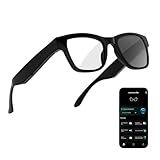
- 3-in-1 AI Glasses: Enjoy ① AI Voice Assistant (Powered by ChatGPT, Gemini & Deepseek), ② Stylish Photochromic Lenses Glasses, and ③ Bluetooth Open-Back Headphones, all in one.
- Free Talk Translation: Automatically detects and translates over 160 languages in real-time, allowing seamless work and translation without touching your phone or glasses.
- Voice, Video & Photo Translation: Supports over 98% of global languages, offering fast and accurate translations—ideal for international travel, business meetings, or cross-cultural communication.
- AI Meeting Assistant: Converts recordings from smart glasses into text and generates mind maps, making it easier to capture and organize meeting insights.
- Long Battery Life, Bluetooth 5.4 & Eye Protection: Up to 10 hours of music and 8 hours of talk time, with easy Type-C charging. Bluetooth 5.4 ensures stronger, stable connections, while photochromic lenses block UV rays and blue light, protecting your eyes in any environment.
Faces were the bigger revelation. I could track expressions and eye lines in conversation, which is something people without vision challenges often underestimate the importance of.
Comfort under cognitive load
Physically, the weight was noticeable at first, especially over the bridge of the nose. But as the visual processing reduced effort, the physical presence of the frames faded into the background.
This tradeoff is important to acknowledge. You are wearing a piece of technology, and you feel it, but the net cognitive load drops dramatically.
In accessibility tech, that balance is often where products succeed or fail. Here, it tilted in the right direction.
The emotional shift I didn’t expect
Somewhere between scanning a booth sign and making eye contact with a Samsung engineer, I realized I wasn’t rushing. CES usually pushes me into a defensive mode, moving fast to avoid sensory overload.
With the glasses on, I slowed down. I stayed present in conversations instead of planning my visual escape route.
That’s not a spec-sheet benefit. That’s quality of life.
Why the moment matters
This wasn’t about being impressed by technology at CES, which happens dozens of times a day. It was about experiencing what happens when technology gets out of the way of being human.
For a few minutes on one of the loudest show floors on earth, the world felt manageable again. Not enhanced, not augmented, just accessible.
And standing there, surrounded by the very excess that had blinded me earlier, it became clear why Relúmĭno matters far beyond this booth.
How Relúmĭno Actually Works: Vision Enhancement Tech Explained in Plain English
After that emotional reset on the CES floor, my next question was the obvious one. What, exactly, is this thing doing to the world in front of my eyes?
Relúmĭno isn’t restoring vision, correcting eyesight, or projecting holograms. It’s doing something subtler and, for many people with low vision, far more useful: reshaping visual information so your remaining vision can work harder with less effort.
It starts with a live camera feed, not magic lenses
Relúmĭno uses forward-facing cameras embedded in the frame to capture what you’re looking at in real time. That live feed is then processed before being displayed on microdisplays positioned in front of your eyes.
You’re not seeing the world directly through glass like traditional glasses. You’re seeing a digitally optimized version of the world, tuned for legibility rather than realism.
This distinction matters, because it’s what allows Relúmĭno to help people whose vision can’t be corrected with prescription lenses alone.
Edge enhancement: separating shapes your eyes already struggle to define
One of the core tricks Relúmĭno uses is edge enhancement. In plain terms, it detects boundaries between objects, letters, and faces, then boosts their contrast so those edges stand out more clearly.
That’s why text felt less like a blur and more like a series of distinct shapes my brain could interpret. The glasses weren’t sharpening everything aggressively; they were selectively emphasizing the parts of the image that carry meaning.
For someone with macular degeneration or reduced central vision, that separation can be the difference between guessing and recognizing.
Contrast amplification without blowing out the image
Relúmĭno also dynamically adjusts contrast, especially in situations where lighting is uneven or harsh. CES lighting is a perfect stress test, with spotlights, LED panels, and shadowy corners all competing for attention.
Instead of cranking brightness across the board, the system redistributes contrast where it’s most useful. Text against busy backgrounds becomes more readable, and facial features don’t get washed out by overhead glare.
The result isn’t a prettier image. It’s a calmer one, and that calm translates directly into reduced visual fatigue.
Selective focus modes for different real-world tasks
Samsung walked me through different viewing modes designed around specific activities. There are modes optimized for reading, face recognition, and general navigation.
In reading mode, fine detail and text edges are prioritized, sometimes at the expense of background detail. In face-focused modes, the system emphasizes eyes, mouths, and contours that convey expression.
What struck me was that these modes aren’t gimmicks. They mirror the way visually impaired users constantly adapt strategies depending on what they’re trying to do, only here the adaptation happens instantly.
Why this helps your brain as much as your eyes
The biggest misconception about vision aids is that they’re only about clarity. In reality, they’re about cognitive load.
When your eyes struggle, your brain works overtime filling in gaps, predicting shapes, and double-checking what you think you saw. Relúmĭno reduces that mental tax by making visual cues more explicit.
That’s why I felt less rushed and less drained wearing them. The tech wasn’t overwhelming my senses; it was quietly negotiating with them.
Latency, motion, and why nausea isn’t a given here
Any camera-based vision system lives or dies by latency. If what you see lags behind your head movements, discomfort sets in fast.
Relúmĭno’s processing felt fast enough that my brain accepted the image as immediate. Walking, turning, and shifting focus didn’t trigger the disorientation I’ve felt with some early AR and VR devices.
That doesn’t mean it’s invisible. You’re aware you’re looking at a mediated image, but the system stays out of your way once your brain adapts.
What Relúmĭno is not trying to do
It’s important to say this clearly. Relúmĭno is not attempting to replace natural vision, and it’s not competing with AR glasses designed for notifications or overlays.
There’s no floating UI, no pop-up text, no attempt to gamify the experience. Everything it does is in service of making the existing world more interpretable.
That restraint is arguably its most mature design decision, especially in a category that often confuses novelty with progress.
Who this approach makes sense for
Relúmĭno is aimed squarely at people with low vision, not complete blindness. If you still have usable vision but struggle with clarity, contrast, or recognition, this kind of enhancement can slot into daily life.
For caregivers and family members, the key takeaway is that this isn’t about dependency. It’s about extending independence by reducing friction in everyday tasks.
Standing on that show floor, it became clear that the technology isn’t trying to make users superhuman. It’s trying to give them their time, energy, and attention back.
Who Relúmĭno Is Really For (and Who It Isn’t): Low Vision Use Cases, Not Sci‑Fi AR
By this point, the pattern should be clear. Relúmĭno only works if you stop thinking about it like “smart glasses” and start thinking about it like a visual prosthetic that happens to look like eyewear.
That framing matters, because the wrong expectations will lead to the wrong buyer feeling disappointed, even if the tech itself is doing exactly what it’s supposed to do.
People with usable but unreliable vision
Relúmĭno is built for people who still see, but not consistently or confidently. That includes conditions like macular degeneration, diabetic retinopathy, glaucoma-related field loss, and other forms of low vision where detail, contrast, or central clarity break down.
Rank #3

- 【AI Real-Time Translation & ChatGPT Assistant】AI glasses break language barriers instantly with AI real-time translation. The built-in ChatGPT voice assistant helps you communicate, learn, and handle travel or business conversations smoothly—ideal for conferences, overseas trips, and daily use.
- 【4K Video Recording & Photo Capture 】Smart glasses with camera let you capture your world from a first-person view with the built-in 4K camera. Take photos and record videos hands-free anytime—perfect for travel moments, vlogging, outdoor adventures, and work documentation.
- 【Bluetooth Music & Hands-Free Calls 】Camera glasses provide Bluetooth music and crystal-clear hands-free calls with an open-ear design. Stay aware of your surroundings while listening—comfortable for long wear and safer for commuting, cycling, and outdoor use.
- 【IP65 Waterproof & Long Battery Life】 Recording glasses are designed for daily wear with IP65 waterproof protection against sweat, rain, and dust. The built-in 290mAh battery provides reliable performance for workdays and travel—no anxiety when you’re on the go.
- 【Smart App Control & Object Recognition】Smart glasses connect to the companion app for easy setup, file management, and feature control. They support AI object recognition to help identify items and improve your daily efficiency—perfect for travel exploration and a smart lifestyle.
What it gives back is not eyesight, but certainty. Faces sharpen enough to recognize expressions, signage separates from background noise, and edges stop dissolving into visual guesswork.
In practice, that means less stopping, less second-guessing, and fewer moments where your brain has to ask, “Did I really see that?”
People who are cognitively exhausted by seeing
One of the most under-discussed aspects of low vision is fatigue. When every glance requires interpretation, the day becomes mentally expensive.
Relúmĭno helps most when visual tasks are frequent but subtle: navigating indoor spaces, following conversations in crowded environments, reading menus or labels, or simply maintaining eye contact without strain.
This is where the tech feels almost invisible. You’re not gaining new abilities; you’re losing friction.
Users who value independence over spectacle
There’s no performative aspect to wearing Relúmĭno. It doesn’t announce itself, and it doesn’t demand interaction once it’s dialed in.
For many users, that discretion is essential. The goal isn’t to feel augmented; it’s to feel normal enough that assistance fades into the background.
Caregivers I spoke with immediately recognized this distinction. Devices that quietly support autonomy tend to last longer in daily use than ones that constantly remind you they’re there.
Who Relúmĭno is not for
If you are fully blind, Relúmĭno is not the right tool. It relies on residual vision to enhance what’s already present, not to replace vision entirely.
It’s also not for people chasing AR features, notifications, or heads-up data. There are no floating widgets, no turn-by-turn arrows, no contextual overlays competing for attention.
And if your vision is already correctable with standard prescription lenses, this will feel like overkill rather than empowerment.
Why expectations matter more here than with most wearables
Most consumer wearables can afford to be a little vague about who they’re for. A smartwatch might disappoint you, but it won’t fundamentally clash with how you experience the world.
Assistive vision tech is different. When it works, it reshapes how safe, confident, and present someone feels in their own body.
Relúmĭno succeeds because it refuses to promise transformation. It promises something smaller, and far more valuable: fewer compromises between what you see and what you understand.
Design, Comfort, and Wearability: Living With Assistive Glasses on Your Face
After spending hours at CES assaulted by light, motion, and noise, I became acutely aware of anything touching my face. Head-mounted tech that looks fine on a pedestal can become unbearable by mid-afternoon, especially when your eyes are already working overtime.
That’s why Relúmĭno’s physical design matters as much as its visual processing. If assistive glasses aren’t comfortable, they don’t get worn, and if they don’t get worn, the best software in the world is irrelevant.
A deliberate absence of spectacle
Relúmĭno looks closer to conservative eyewear than a futuristic gadget. The frame avoids sharp edges, aggressive branding, or exposed components that scream prototype.
At arm’s length, most people wouldn’t clock it as anything other than slightly chunky glasses. In public, that discretion reduces the social friction that often keeps assistive tech in a bag instead of on a face.
Weight distribution over raw lightness
They aren’t featherweight, and Samsung clearly didn’t chase an unrealistic gram count. Instead, the weight is spread evenly across the bridge and temples, avoiding the front-heavy pull that causes nose fatigue.
After extended wear on the show floor and later in quieter indoor settings, pressure points never became the story. That’s a subtle but critical win for something designed to be worn for hours, not minutes.
Materials chosen for endurance, not flair
The frame material feels utilitarian in the best sense. It’s rigid enough to hold alignment without flexing, yet forgiving enough to survive being taken on and off one-handed.
Nothing creaks, nothing feels decorative, and nothing seems optimized for shelf appeal over durability. This feels like a product built to live in the real world, not a demo case.
Wearing Relúmĭno with prescription needs
Relúmĭno is designed to work with users who already rely on corrective lenses, and that reality shapes its ergonomics. The system accommodates prescription integration without pushing the lenses uncomfortably close to your eyes.
That spacing matters for users who already struggle with eye strain. I never felt like my eyes were fighting both the optics and the hardware at the same time.
Heat, airflow, and long-session comfort
Assistive glasses generate heat, especially when image processing is continuous. Samsung manages this quietly, with no obvious hot spots along the temples or brow.
Even during longer sessions, warmth never became distracting. That absence is easy to overlook, but anyone who has worn early smart glasses knows how quickly heat can become a dealbreaker.
Controls that stay out of the way
Relúmĭno doesn’t demand constant physical interaction. Once settings are dialed in, there’s little reason to touch the frame during normal use.
That hands-off approach reinforces the feeling that this is eyewear first and technology second. You’re not reminded every few minutes that you’re wearing a device.
Battery life as a comfort feature
Battery anxiety often translates directly into physical tension, especially with assistive tools. Relúmĭno’s real-world endurance supports extended daily use without forcing behavioral changes.
I didn’t find myself rationing usage or scanning for chargers. That psychological comfort feeds directly into physical comfort.
How it feels to be seen wearing them
There’s an emotional layer to wearability that spec sheets ignore. Relúmĭno doesn’t invite questions, stares, or assumptions in the way more conspicuous assistive devices often do.
That matters deeply for users who want support without explanation. The glasses don’t ask you to justify your needs to the room.
The difference between tolerable and livable
Many assistive devices are technically wearable but emotionally exhausting. Relúmĭno crosses the harder line into livable territory.
After a while, you stop thinking about the frame entirely. When that happens, the assistance fades into the background, exactly where it belongs.
Real-World Scenarios Beyond CES: Reading, Navigation, Faces, and Daily Independence
Once the frame disappears from your awareness, what matters is whether the assistance shows up where life actually happens. Away from the controlled lighting and oversized signage of CES, Relúmĭno’s real test is in ordinary, sometimes unforgiving environments. These are the moments where assistive tech either earns trust or quietly gets left in a drawer.
Reading without ritual or fatigue
Reading is where Relúmĭno immediately separates itself from basic magnification tools. Instead of forcing a fixed zoom window or a handheld posture, the glasses let text exist in space, stabilized and enhanced without demanding constant micro-adjustments from your neck and shoulders.
I tested everything from paperback books to restaurant menus and phone screens. Contrast enhancement and edge definition made small fonts readable without washing out the page, and I didn’t feel that familiar cognitive drain that comes from fighting glare and blur at the same time.
What surprised me most was how quickly reading stopped feeling like a task. I wasn’t bracing myself before starting a paragraph or calculating how long my eyes could last, which is a quiet but profound shift if reading has slowly become something you avoid.
Navigation that supports, not overrides, your instincts
Relúmĭno doesn’t try to turn you into a guided drone. It enhances environmental clarity without stripping away spatial judgment, which is crucial for users who already rely on learned navigation skills.
Rank #4
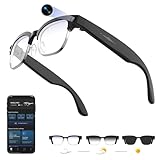
- 【8MPW Camera & 1080P Video and Audio】:These camera glasses feature an 800W camera that outputs sharp 20MP photos and smooth 1080P 30fps videos. Ultra-Clear Video + Powerful Anti-Shake tech+ Built-in dual microphones, you can capture crystal-clear video and audio together -sharply restoring details, perfect for vlogging, travel, and everyday moments
- 【Real-time AI translation Smart Glasses with Camera】:Instantly translate multiple major languages, breaking down language barriers in an instant—no phone required. Ideal for office settings, travel, academic exchanges, international conferences, watching foreign videos, and more
- 【Voice Assistant Recognition and Announcement】:Powered by industry-leading AI large models such as Doubao AI and OpenAI's GPT-4.0. AI voice wake-up lets you ask questions, recognize objects, and get answers on the go. Automatically recognizes objects, menus, landmarks, plants, and more, quickly analyzing the results and announcing them in real time. It instantly becomes your mobile encyclopedia on the go
- 【Bluetooth 5.3 Connection and Automatic Sync to Phone】:Equipped with a low-power BT5.3 chip and Wi-Fi dual transmission technology, offering ultra-low power and high-speed transmission. Captured images and videos are transferred to your phone in real time, eliminating manual export and eliminating storage worries
- 【290mAh Ultra-Long Battery Life】:Ultra-light at 42g, it's made of a durable, skin-friendly material, as light as a feather. Lenses are removable. Its simple, versatile design makes it a comfortable and comfortable wearer. 290mAh ultra-long battery life, 12 hours of music playback and 2 hours of photo or video recording, making it a perfect travel companion
In outdoor settings, improved edge contrast made curbs, steps, and uneven pavement easier to register without exaggeration. Indoors, doorways and signage separated more clearly from background clutter, reducing the hesitation that often creeps into unfamiliar buildings.
This isn’t about replacing canes, guides, or mobility training. It’s about lowering the mental load required to move confidently, especially in places where lighting is inconsistent or visual noise is high.
Faces, expressions, and social energy
Face recognition isn’t about identifying people by name. It’s about re-entering the emotional bandwidth of a conversation.
With Relúmĭno, facial features sharpen enough that expressions become readable again at typical conversational distances. I could track eye contact, smiles, and subtle reactions without leaning in or pretending I caught something I didn’t.
That changes social dynamics in ways that are hard to overstate. Conversations flow differently when you’re not constantly compensating or second-guessing what the other person is expressing.
Daily tasks and quiet independence
At home, the benefits compound in small but meaningful ways. Reading appliance labels, checking mail, matching clothing, or spotting items on a cluttered counter all become faster and less mentally taxing.
Because the glasses don’t demand frequent interaction or mode-switching, they fit into daily routines without ceremony. You put them on, live your life, and take them off, which is exactly how assistive eyewear should behave.
Battery life supports this rhythm rather than disrupting it. I never felt the need to plan my day around charging windows, and that reliability feeds directly into confidence.
Work, screens, and sustained focus
Extended screen use is often where assistive solutions fall apart. Relúmĭno held up during longer sessions at a laptop, maintaining clarity without introducing shimmer, lag, or eye strain.
Text remained stable even as I shifted posture, and I didn’t feel that low-grade visual stress that builds when software enhancement fights natural eye movement. That matters for anyone hoping to stay employed, productive, or creatively engaged.
This isn’t about turning back the clock on vision loss. It’s about preserving access to work and purpose without forcing users to constantly adapt themselves to the tool.
What independence actually feels like
The biggest shift isn’t visual, it’s psychological. Independence with Relúmĭno doesn’t announce itself; it shows up as fewer hesitations, fewer workarounds, and fewer moments where you decide not to do something because it’s visually exhausting.
I found myself saying yes to activities without running an internal risk assessment first. That’s not something you’ll find in a spec sheet, but it’s the metric that ultimately matters.
This is where Relúmĭno steps beyond demo-friendly tech and into lived experience. Not by doing everything, but by doing enough, consistently, to let the user lead again.
Limitations, Learning Curve, and the Hard Truths Samsung Doesn’t Oversell
Relúmĭno earns trust precisely because it doesn’t pretend to be magic. After the confidence and quiet empowerment it delivers, the edges become clearer too, and that honesty matters if you’re considering this as a daily companion rather than a CES curiosity.
This is enhancement, not restoration
The most important boundary to understand is that Relúmĭno doesn’t fix vision loss. It enhances what remains, amplifying usable information rather than reconstructing what’s gone.
For users with extremely limited residual vision, especially in cases of advanced retinal degeneration, the benefits may be modest or situational. Samsung doesn’t oversell this, but it’s easy for hopeful buyers to overproject what smart glasses can do.
I never felt misled, but I did have to recalibrate expectations early. The glasses reward realistic goals: better contrast, clearer edges, less visual fatigue, not miracles.
There is a learning curve, even if it’s gentle
Relúmĭno is less fiddly than many assistive devices, but your brain still needs time to adapt. The first few hours can feel slightly unnatural, especially as your eyes learn to trust the enhancement instead of fighting it.
Depth perception can feel subtly altered at first, particularly when navigating stairs or uneven surfaces. That sensation fades with use, but it’s not something I’d ignore when recommending these to new users.
This isn’t a plug-and-forget experience on day one. It’s closer to breaking in a new pair of prescription lenses, where patience pays dividends.
Lighting still matters more than marketing implies
While Relúmĭno handles challenging environments better than I expected, it’s not immune to poor lighting. Extremely dim rooms, harsh backlighting, or fast-changing light sources can reduce effectiveness.
CES floors are notoriously brutal in this regard, and even there, I noticed moments where the enhancement flattened rather than clarified detail. At home or in controlled spaces, performance is far more consistent.
Think of Relúmĭno as expanding your comfort zone, not eliminating environmental constraints altogether.
Comfort, weight, and long-term wear reality
Physically, the glasses are well balanced, but they are still electronics on your face. After several hours, I was aware of the weight in a way I wouldn’t be with standard frames.
Nose bridge fit and ear pressure will vary by face shape, and this is one area where personal trial is essential. If you already struggle with heavier frames or hearing aids, this becomes a meaningful consideration.
Samsung’s industrial design is thoughtful, but comfort is individual, and assistive tech lives or dies by whether you’ll actually wear it.
Battery life is good, not invisible
In normal use, battery life felt dependable rather than liberating. I could get through a full day without anxiety, but I was still aware that power management existed in the background.
Extended screen work, higher enhancement levels, or long days away from a charger will force some trade-offs. This isn’t unique to Relúmĭno, but it’s part of the lived experience.
The upside is predictability. The downside is that this isn’t passive eyewear you can forget indefinitely.
Compatibility, prescriptions, and real-world logistics
Relúmĭno doesn’t replace prescription lenses for everyone. Depending on your correction needs, you may still require custom integration or additional optical solutions.
That adds cost, complexity, and sometimes waiting time. Samsung doesn’t hide this, but it’s an important factor for buyers expecting an all-in-one fix.
This is assistive technology layered onto existing vision care, not a standalone replacement for it.
Social visibility and self-conscious moments
Even with restrained design, these are unmistakably smart glasses. In public, there were moments of curiosity, occasional questions, and the subtle awareness of standing out.
For some users, that visibility is empowering. For others, it may feel like another reminder of difference.
Relúmĭno doesn’t erase stigma, but it also doesn’t amplify it unnecessarily. How that balance lands will depend on the person wearing them.
The hardest truth: this won’t be for everyone
Relúmĭno sits in a narrow but meaningful space. It’s for people who have enough vision to benefit from enhancement, enough patience to adapt, and enough daily visual demand to justify the investment.
If you’re looking for spectacle-driven tech or a dramatic transformation, this isn’t it. If you’re looking for fewer compromises, fewer hesitations, and less mental strain, it might be exactly enough.
Samsung deserves credit for not pretending otherwise.
💰 Best Value

- #1 SELLING AI GLASSES - Move effortlessly through life with Ray-Ban Meta glasses. Capture photos and videos, listen to music, make hands-free calls or ask Meta AI* questions on-the-go. Ray-Ban Meta glasses deliver a slim, comfortable fit for both men and women.
- CAPTURE WHAT YOU SEE AND HEAR HANDS-FREE - Capture exactly what you see and hear with an ultra-wide 12 MP camera and a five-mic system. Livestream it on Facebook and Instagram.
- LISTEN WITH OPEN-EAR AUDIO — Listen to music and more with discreet open-ear speakers that deliver rich, quality audio without blocking conversations or the ambient noises around you.
- GET REAL-TIME ANSWERS FROM META AI — The Meta AI* built into Ray-Ban Meta’s wearable technology helps you flow through your day. When activated, it can analyze your surroundings and provide context-rich suggestions - all from your smart AI glasses.
- CALL AND MESSAGE HANDS-FREE — Take calls, text friends or join work meetings via bluetooth straight from your glasses.
Relúmĭno in Context: How It Compares to Other Assistive Vision Wearables
After living with Relúmĭno for several days, its limitations felt clearer—but so did its intent. That made it easier to place it honestly among the growing, and often confusing, field of assistive vision wearables.
This isn’t Samsung trying to solve blindness in one swing. It’s Samsung choosing a very specific slice of visual impairment and building inward, rather than outward, from there.
Relúmĭno vs camera-first wearables like OrCam and Envision
Devices like OrCam MyEye and Envision Glasses are fundamentally about interpretation. They read text aloud, identify faces, recognize objects, and act as a proxy when vision fails entirely.
Relúmĭno doesn’t try to replace sight with narration. It assumes you can still see, but that seeing costs you effort, fatigue, and missed detail.
In practice, that means Relúmĭno feels less like an assistant and more like an amplifier. There’s no synthetic voice stepping in, no constant decision about what the system thinks matters—you remain visually in control.
For users with severe vision loss, OrCam or Envision may remain the better fit. For those hovering in the frustrating middle ground, Relúmĭno feels more natural and less interruptive.
Compared to eSight: narrower scope, lighter cognitive load
eSight’s approach is unapologetically bold: large displays, aggressive magnification, and a headset-like presence that can dramatically improve acuity for certain conditions.
I’ve tried eSight before, and the trade-off is immediate. The visual gain is real, but so is the bulk, the weight, and the mental adjustment required to live inside a mediated view of the world.
Relúmĭno pulls back from that edge. The enhancements are subtler, the field of view remains your own, and the glasses don’t demand a full recalibration of how you move through space.
You lose some headline-grabbing improvement, but you gain wearability. That trade matters more over eight hours than it does in a demo booth.
Smart glasses adjacent, but not competing with AR platforms
It’s tempting to lump Relúmĭno in with consumer smart glasses like Xreal or even Apple Vision Pro, especially when you’re standing under CES lights where everything has a display.
That comparison breaks down quickly in daily use. AR glasses prioritize immersion, overlays, and content. Relúmĭno prioritizes clarity, contrast, and legibility of the real world.
Apple’s accessibility features are powerful, but they live inside a device you consciously put on to do something. Relúmĭno is meant to disappear once configured, not demand engagement.
This distinction matters. Relúmĭno isn’t competing for attention; it’s trying to give some back.
Why Relúmĭno feels more “medical-adjacent” than gadget-driven
Samsung’s design restraint is telling. The materials are practical rather than luxurious, the controls minimal, and the software focused narrowly on vision parameters rather than feature sprawl.
There’s no attempt to upsell lifestyle tracking, notifications, or AI companions. Compatibility revolves around your eyes, your prescription, and your visual tasks—not your app ecosystem.
That focus won’t excite everyone, but it builds trust. It signals that Relúmĭno was designed alongside clinicians and users, not just product managers chasing the next category.
In a space crowded with ambition, modesty becomes a differentiator.
The real dividing line: enhancement versus substitution
What ultimately separates Relúmĭno from most of its peers is philosophical. It enhances what remains instead of substituting for what’s lost.
That makes it less dramatic in marketing terms, but more sustainable in lived experience. I didn’t feel like I was “using tech” so much as benefiting from it quietly.
For users who want narration, guidance, and AI interpretation, there are better tools. For users who want to read longer, walk confidently, and reduce visual strain without rewriting their relationship with sight, Relúmĭno occupies a rare and meaningful lane.
It doesn’t try to be everything. In assistive technology, that restraint is often the hardest and most respectful choice.
Why This Matters: Accessibility Tech That Feels Human, Not Performative
Coming out of that distinction—enhancement over substitution—this is where Relúmĭno stopped feeling like a CES prototype and started feeling personal. In a show defined by spectacle, it was the rare product that respected the quiet, daily realities of living with impaired vision.
Accessibility that starts with dignity, not demos
Too much accessibility tech is designed to be seen before it’s designed to be lived with. Big gestures, dramatic transformations, and applause-ready demos dominate, while long-term comfort, fatigue, and emotional load are afterthoughts.
Relúmĭno flips that script. The experience is intentionally understated, from the lightweight frame balance on the bridge of my nose to the absence of audible prompts or visual theatrics once settings are dialed in.
Nothing about using it invited attention from the people around me, which is precisely the point. Good accessibility preserves dignity by default, not as a marketing bullet.
When hardware decisions reflect lived experience
Wearing Relúmĭno for extended sessions revealed a kind of empathy baked into the hardware. The weight distribution avoids pressure hotspots, the frame doesn’t scream “medical device,” and the materials prioritize durability over gloss.
Battery life is tuned for real days, not demo loops, meaning hours of continuous use without anxiety. The controls are sparse and forgiving, acknowledging that fine motor precision and visual certainty don’t always travel together.
These aren’t spec-sheet victories. They’re the cumulative result of decisions made by people who understand that friction compounds fast when vision is already compromised.
Software that knows when to get out of the way
The software experience mirrors that same restraint. Configuration is deliberate and focused, centering on contrast enhancement, edge definition, and magnification rather than layered modes or AI interpretations of the world.
Once set, it stays set. There’s no constant recalibration, no nudging, no reminders that you’re wearing something “smart.”
That consistency matters because cognitive load is a form of fatigue, and reducing it is just as important as improving clarity. Relúmĭno respects that balance better than almost anything else I tried at CES.
Why this approach scales beyond one product
Relúmĭno isn’t just a promising pair of glasses; it’s a signal of how accessibility tech can mature. When products are designed to blend into life rather than redefine it, adoption stops being an uphill battle.
For caregivers, this means fewer interventions and explanations. For users, it means agency, independence, and a quieter relationship with technology.
That’s a future worth building toward, and one that doesn’t require vision to be replaced, narrated, or gamified to be valued.
In the end, what stayed with me wasn’t the tech itself, but the absence of friction it created. Relúmĭno didn’t ask me to learn a new way of seeing the world; it simply made the one I already inhabit more legible.
At CES, Samsung briefly blinded me with spectacle. Then, almost paradoxically, it helped me see what thoughtful accessibility can and should be.