Windows Errors? Fix Them Before They Spread
Repair common Windows errors and clear accumulated junk for a smoother, more stable PC - no reinstall needed.Free scan · no reinstallOutdated Drivers Are Slowing You Down
One free scan finds every outdated or missing driver and matches the right update for your exact hardware.Free scan · exact hardware matchThe budget smartwatch space moves fast, and models that once felt unbeatable can quietly slide into awkward middle ground as newer options arrive. The Amazfit Bip U Pro is no longer the newest kid on the shelf, but it remains widely available and aggressively priced, which makes it a frequent contender for buyers trying to stay under a strict budget without sacrificing core features like GPS, health tracking, and battery life. If you’re here, you’re likely weighing whether this still deserves your money in 2026 or if newer rivals have finally eclipsed it.
What follows is a grounded reality check. We’ll look at what the Bip U Pro actually costs today, who it’s really competing against, and why its age is both a strength and a weakness in a market crowded with Xiaomi, Redmi, Huawei, and entry-level Fitbit alternatives. This is about understanding value in context, not just specs on a box.
Real-world pricing, not launch hype
At launch, the Amazfit Bip U Pro was positioned as a disruptive sub-$70 smartwatch with features that previously required spending much more. Today, street pricing is even more aggressive, commonly hovering between $45 and $60 depending on region, sales cycles, and availability. At this price, expectations shift, and minor compromises become easier to forgive if the fundamentals are solid.
This pricing places the Bip U Pro squarely below most Fitbit models and often on par with Xiaomi’s Redmi Watch line. Crucially, it frequently undercuts watches that still lack built-in GPS, which remains one of its biggest differentiators for outdoor runners and walkers on a budget.
#1 Best Overall

- STYLISH DESIGN, VIBRANT DISPLAY: The lightweight aluminum build blends effortless style with workout durability, while the vivid 1.97" AMOLED display keeps your data easy to read, even under bright sunlight.
- ALL-IN-ONE ACTIVITY TRACKING: The Amazfit Bip 6 fitness tracker watch offers 140+ workout modes including HYROX Race and Strength Training, plus personalized AI coaching and 50m water resistance.
- UP TO 14 DAYS BATTERY LIFE: The Amazfit Bip 6 smart watch powers through your training and recovery for up to two weeks at a time - no nightly charging needed.
- ACCURATE GPS TRACKING & NAVIGATION: Stay on course with free downloadable maps and turn-by-turn directions. Support from 5 satellite systems ensures precise tracking of every move and fast GPS connection.
- 24/7 HEALTH MONITORING: The Amazfit Bip 6 smartwatch provides precise, real-time monitoring of heart rate, sleep, blood-oxygen and stress, empowering you with actionable insights to optimize your health and fitness.
Who it’s really competing with in 2026
The Bip U Pro doesn’t meaningfully compete with modern Wear OS watches or Apple Watch SE models, and it doesn’t need to. Its real rivals are devices like the Redmi Watch 3 Active, Xiaomi Smart Band Pro variants, Huawei Band and Watch Fit Lite models, and older Fitbit Inspire or Versa generations when discounted. Against these, Amazfit’s inclusion of GPS, Alexa support, and a larger color display still stands out.
However, competition has tightened in areas like display brightness, UI polish, and sensor refinement. Some newer Xiaomi and Huawei models offer smoother animations, slightly more accurate heart rate tracking during high-intensity workouts, or newer app ecosystems, even if they sacrifice GPS or battery longevity to hit the same price point.
Why age matters, and why it sometimes doesn’t
The Bip U Pro’s hardware is clearly from an earlier generation, with a plastic case, modest water resistance, and a display that prioritizes efficiency over visual flair. It’s lightweight and comfortable for all-day wear, but it won’t impress anyone looking for premium materials or refined finishing. That said, its simplicity contributes to one of its enduring strengths: battery life that routinely stretches well beyond a week with GPS used sparingly.
Software support is the more nuanced question. Amazfit’s Zepp app has matured over time, improving stability and data presentation, but the Bip U Pro itself isn’t seeing major feature expansions anymore. For first-time smartwatch users or those upgrading from a basic fitness band, this matters less than it would for power users chasing constant updates.
The value proposition today
Viewed through a modern lens, the Amazfit Bip U Pro is best understood as a feature-maximizing budget tool rather than a lifestyle smartwatch. It prioritizes GPS, broad fitness tracking, solid battery life, and basic smart notifications over app depth or luxury feel. For buyers who care more about walking, running, sleep tracking, and not charging every night, that trade-off can still make excellent sense.
The key question isn’t whether the Bip U Pro is outdated, but whether its specific strengths align with what you actually need. In the sections that follow, we’ll dig into real-world performance, tracking accuracy, and day-to-day usability to see whether this long-running budget favorite still earns its reputation as a powerhouse, or if it’s finally time to move on.
Design, Comfort & Build: Lightweight Wearability Versus Budget Materials
After framing the Bip U Pro as a feature-first tool rather than a lifestyle object, its physical design reinforces that positioning the moment you put it on your wrist. This is a smartwatch that prioritizes lightness, simplicity, and long-term comfort over visual drama or premium tactility.
Dimensions, weight, and first impressions on the wrist
The Amazfit Bip U Pro uses a compact square case measuring roughly 41mm across, with a thickness just over 11mm. At around 31 grams with the strap attached, it’s one of the lightest GPS-equipped smartwatches you can buy, and that low mass is immediately noticeable in daily wear.
Do these 3 things before closing this tab:
1Clear out junk files and repair common Windows errors2Scan for outdated or missing drivers - takes under a minute3Repair Windows errors before they cause bigger problemsOn smaller wrists, the Bip U Pro sits flat and unobtrusive, avoiding the top-heavy feel that plagues many budget watches with built-in GPS. Even on larger wrists it looks intentionally minimal rather than undersized, though those accustomed to round, sportier designs may find it visually plain.
Materials and finishing: practical, not premium
The case is made entirely from polycarbonate plastic, with a matte finish that resists fingerprints but doesn’t hide its budget origins. There’s no metal frame, chamfered edges, or decorative detailing here, and the construction feels functional rather than refined.
That said, the plastic shell has a benefit beyond cost savings. It’s resilient to everyday knocks, doesn’t feel cold against the skin, and helps keep overall weight down for sleep tracking and all-day wear. Scratches can appear over time, especially around the edges, but cosmetic wear doesn’t impact usability.
Display integration and durability considerations
The flat 1.43-inch TFT display sits slightly recessed within the case, offering a small degree of protection against direct impacts. While it lacks the visual punch of AMOLED panels found on newer budget rivals, the screen is well-integrated into the housing and doesn’t feel fragile in day-to-day use.
There’s no sapphire or hardened glass here, so screen protectors are a sensible addition if you’re rough on your gear. Water resistance is rated at 5 ATM, which is reassuring for swimming, showers, and rainy runs, even if the watch itself doesn’t feel especially rugged.
Button layout and everyday usability
A single physical button on the right side handles wake, back, and workout shortcuts. It’s responsive, has a clear click, and is far more reliable during sweaty workouts than relying solely on touch gestures.
The minimalist control scheme also keeps the case clean and avoids accidental presses. Compared to multi-button sports watches, navigation can feel slower, but it’s intuitive enough for beginners and consistent with the Bip U Pro’s entry-level positioning.
Strap comfort and long-term wearability
The included 20mm silicone strap is soft, flexible, and breathable enough for extended wear, including sleep tracking. It doesn’t tug arm hair or cause hot spots during longer workouts, which is something cheaper straps often struggle with.
Quick-release pins make strap swaps easy, opening the door to third-party options if you want a different look or improved breathability. This small touch adds versatility and helps offset the otherwise utilitarian design.
Comfort as a core strength
Where the Bip U Pro truly excels is disappearing on the wrist. Its light weight, balanced case, and gentle strap make it one of the easiest smartwatches to wear continuously, which directly benefits sleep tracking accuracy and overall health data consistency.
You’re constantly reminded that this is a budget device when you look at it, but rarely when you wear it. For users prioritizing comfort, battery longevity, and low-maintenance daily tracking over aesthetics, that trade-off works strongly in the Bip U Pro’s favor.
Display Quality & Everyday Interaction: TFT Trade-Offs in Real-World Use
That emphasis on comfort naturally leads into how often you’ll actually look at the Bip U Pro, and that puts its screen choices under the spotlight. Amazfit sticks with a 1.43-inch TFT LCD here, rather than the AMOLED panels that are increasingly common even at budget prices.
Quick wins for a faster PC:
Clear out junk files and repair common Windows errorsFree Scan →Scan for outdated or missing drivers - takes under a minuteDriver Scan →Repair Windows errors before they cause bigger problemsFix Now →On paper, that already frames expectations. In practice, the experience is more nuanced than the spec sheet suggests, especially once you factor in battery life, readability, and everyday interaction patterns.
Resolution, sharpness, and basic visual clarity
The Bip U Pro’s 320 x 302 resolution is respectable for its size, delivering crisp text and legible icons at normal viewing distances. Watch faces don’t look pixelated unless you’re actively hunting for flaws, and system menus remain clean and easy to scan.
Health metrics like heart rate graphs, sleep stages, and workout stats are presented clearly, which matters far more than photographic sharpness on a device this size. For notifications, message previews, and quick glances, the display does its job without visual friction.
This is not a screen designed to impress, but it avoids feeling cheap or blurry, which is an important distinction in the sub-$70 category.
What’s actually slowing this PC down?
Pick the symptom - the matching free tool is one click away.
Brightness and outdoor visibility
Brightness is one of the TFT panel’s stronger points in real-world use. Outdoors, the screen remains readable during sunny walks and daytime runs, especially when viewed head-on.
It doesn’t match the punch or contrast of AMOLED competitors, but reflections are reasonably controlled, and the backlight is strong enough to prevent constant wrist-tilting. During workouts, that reliability matters more than deep blacks or saturated colors.
Automatic brightness adjustment works adequately, though it can lag slightly when moving between indoor and outdoor environments. Manual adjustment helps if you want more consistency, particularly for early-morning or evening sessions.
Color reproduction and contrast limitations
Color accuracy is firmly in “functional” territory. Watch faces look flatter, blacks appear gray in low light, and vibrant designs lose some impact compared to OLED-based rivals.
Free tools Windows power users keep installed
One-click scans. No signup required.
This becomes most noticeable at night or in dim rooms, where AMOLED screens can drop individual pixels entirely. The Bip U Pro instead relies on lowering backlight intensity, which keeps the entire panel faintly illuminated.
That said, the softer contrast can actually be easier on the eyes for overnight wear, especially if you check the time during sleep tracking. It’s a subtle benefit that aligns with the watch’s comfort-first design philosophy.
Touch responsiveness and daily interaction flow
Touch responsiveness is solid, if not lightning-fast. Swipes register consistently, taps are accurate, and the interface rarely misreads input during normal use.
During sweaty workouts or rainy runs, the physical button remains the more reliable way to wake the screen or exit menus. This hybrid approach helps offset one of TFT’s weaknesses, which is reduced clarity when moisture interferes with touch input.
Animations are simple and functional, with no unnecessary flourishes. The interface prioritizes stability over visual polish, which suits beginners and users who value predictability over flair.
Always-on display absence and its implications
There is no always-on display option here, and that’s a direct consequence of the TFT panel and battery priorities. You rely entirely on raise-to-wake gestures or button presses to check the time.
Raise-to-wake works well most of the time, though it can occasionally miss subtle wrist movements. In daily life, this becomes muscle memory rather than a constant annoyance, but it’s something AMOLED-equipped rivals handle more elegantly.
The upside is battery longevity. By avoiding always-on drain, the Bip U Pro consistently outlasts flashier competitors, often stretching past a full week with typical usage.
Recommended Free Tools
Everyday usability versus AMOLED budget rivals
When compared directly to AMOLED-based options from Xiaomi, Redmi, or newer Amazfit models, the Bip U Pro’s display feels like a clear compromise. Those alternatives offer deeper blacks, more vibrant watch faces, and a more modern visual identity.
However, they often trade that visual appeal for shorter battery life or higher pricing. In this context, the Bip U Pro’s screen aligns closely with its broader value proposition: dependable, readable, and efficient.
For users focused on fitness tracking, notifications, and health metrics rather than aesthetic customization, the display rarely becomes a limiting factor.
Long-term durability and practical ownership considerations
TFT panels are generally less susceptible to burn-in than AMOLED, which matters for users who keep the same watch face for months. Combined with the lightweight case and modest glass protection, the screen holds up well to everyday wear.
The Tool Desk
Outbyte Driver Updater FREEScan for outdated or missing drivers - takes under a minuteDriver Scan →Outbyte PC Repair FREEClear out junk files and repair common Windows errorsFree Scan →Scratches remain a concern, as there’s no sapphire or hardened glass, but visibility isn’t severely compromised by light scuffs. A screen protector remains a smart investment, especially given the watch’s budget-friendly positioning.
Over time, the display fades into the background rather than demanding attention. That quiet reliability is consistent with how the Bip U Pro approaches nearly every aspect of daily interaction.
Health Tracking Deep Dive: Heart Rate, SpO2, Stress, Sleep & PAI Accuracy
That understated, battery-first approach also shapes how the Bip U Pro handles health tracking. Instead of flashy real-time dashboards or constant background sampling, Amazfit focuses on consistency, trend reliability, and low power draw.
For a watch at this price, the breadth of health metrics is impressive. The real question is how accurate and usable those numbers are day to day.
24/7 Heart Rate Monitoring: Consistent, Not Clinical
The Bip U Pro uses an optical PPG sensor for continuous heart rate tracking, sampling throughout the day and more frequently during workouts. In real-world use, resting heart rate trends line up well with chest strap references and mid-range devices from Fitbit and Huawei.
During steady-state activities like walking, cycling, or treadmill runs, readings remain stable with minimal lag. Sudden intensity changes, such as interval training or quick hill sprints, expose the sensor’s limitations, with brief delays before heart rate catches up.
Rank #2

- LARGE DISPLAY: The large 1.9 inch high-resolution screen has enhanced color and is easy to read, with anti-fingerprint glass. The face is curved to fit naturally on your wrist for comfort and style.
- TRACK STEPS, DISTANCE, CALORIES: Automatically detects and records all your activities and fitness data, from walking, running, treadmill, rowing and more with 120 sports modes.
- RELIABLE HEALTH MONITORING: Track heart rate, blood oxygen, stress level monitoring, sleep quality, sedentary reminders, and sleep quality tracking.
- FITNESS APP DATA SHARING: Easily connect with Strava, Adidas Running, Apple Health, Google Fit, Relive, Komoot to record and share health, steps and fitness data.
- UP TO 30 DAYS OF BATTERY LIFE: 10 days with typical usage, even 30 days in battery saver mode, so you can keep going without stopping to recharge.
This behavior is typical for budget optical sensors and closely mirrors what you’ll see on Xiaomi and Redmi watches in the same class. For zone-based cardio and general fitness awareness, accuracy is more than sufficient.
Workout Heart Rate Accuracy and Strap Fit Sensitivity
Fit matters more here than on pricier watches with stronger sensor arrays. The lightweight plastic case and soft silicone strap are comfortable, but a slightly loose fit can introduce spikes or dropouts during arm-heavy workouts.
Quick wins for a faster PC:
Scan for outdated or missing drivers - takes under a minuteDriver Scan →Repair Windows errors before they cause bigger problemsFix Now →Tightening the strap one notch higher than casual wear significantly improves consistency. With that adjustment, heart rate graphs smooth out and remain usable for most gym sessions and outdoor training.
Compared to entry-level Fitbits, the Bip U Pro is marginally less responsive during rapid intensity shifts but offers similar average heart rate accuracy over longer sessions.
SpO2 Monitoring: Spot Checks Over Continuous Insight
Blood oxygen monitoring is available, but it’s manual rather than continuous. Measurements require you to remain still for around 15 seconds, and results generally fall within expected ranges when compared against fingertip pulse oximeters.
Repeated tests tend to be consistent, which is more important than absolute precision at this price. Variations of one to two percentage points are common, especially if your wrist position or ambient temperature changes.
This makes SpO2 useful as a general wellness snapshot rather than a medical-grade tool. It’s best treated as an occasional check, not something to obsess over daily.
Stress Tracking: Trend-Based, Not Emotionally Reactive
Stress monitoring relies on heart rate variability data sampled throughout the day. The Bip U Pro does a respectable job of identifying prolonged periods of physical or mental strain rather than reacting to short-term mood changes.
Workdays with extended sitting, poor sleep, or caffeine-heavy routines reliably show elevated stress scores. Calm days or active recovery periods register lower, more stable readings.
It’s less nuanced than what you’ll find on Garmin or higher-end Fitbits, but for awareness and behavioral nudges, it works as intended without becoming intrusive.
Sleep Tracking: Surprisingly Detailed for the Price
Sleep tracking is one of the Bip U Pro’s strongest health features. It automatically detects sleep start and end times with good accuracy, rarely missing short awakenings or early bedtimes.
Sleep stages including light, deep, and REM are broken down clearly in the Zepp app. While REM estimates shouldn’t be treated as precise, overall sleep duration and consistency trends align closely with more expensive wearables.
Nap detection also works well, which isn’t always the case at this price point. For users focused on improving sleep habits rather than clinical analysis, the data is genuinely useful.
PAI Score: Long-Term Fitness Motivation Done Right
Amazfit’s PAI system converts heart rate data into a simple weekly score based on activity intensity and frequency. Unlike step counts, PAI rewards effort, making it more meaningful for users who train irregularly or prefer shorter, harder workouts.
Crashes, No Sound, or Screen Glitches?
Random freezes, missing sound and display glitches usually trace back to one bad driver. Find and replace yours safely.Free scan · under a minuteWindows Errors? Fix Them Before They Spread
Repair common Windows errors and clear accumulated junk for a smoother, more stable PC - no reinstall needed.Free scan · no reinstallReaching and maintaining a score above 100 feels achievable without being trivial. It encourages consistent movement across the week rather than punishing missed workout days.
For beginners especially, PAI offers clearer motivation than raw calorie numbers. It’s one of the more underrated features on the Bip U Pro and adds real value to the health ecosystem.
Health Data Reliability Over Time
What stands out most is consistency rather than moment-to-moment precision. Trends across weeks remain stable, making it easy to spot changes in resting heart rate, sleep quality, or overall activity levels.
Battery-friendly sampling means fewer gaps in long-term data compared to AMOLED rivals that sacrifice monitoring frequency to preserve charge. This continuity improves the usefulness of health insights over time.
Do these 3 things before closing this tab:
1Fix the driver behind crashes, sound loss and screen glitches2Repair Windows errors before they cause bigger problems3Scan for outdated or missing drivers - takes under a minuteFor users prioritizing sustainable habits and battery longevity, the Bip U Pro’s health tracking philosophy feels deliberate rather than compromised.
App Experience and Platform Compatibility
All health data syncs through the Zepp app, available on both Android and iOS. Syncing is fast, stable, and largely hands-off once initial setup is complete.
Data presentation is clean and understandable, though power users may want deeper export options. Compared to Xiaomi’s Mi Fitness or Huawei Health, Zepp strikes a better balance between simplicity and detail.
For a budget smartwatch, the overall health tracking experience feels cohesive, reliable, and thoughtfully tuned for everyday users rather than spec-sheet chasing.
The Tool Desk
Outbyte PC Repair FREEClear out junk files and repair common Windows errorsFree Scan →Outbyte Driver Updater FREEScan for outdated or missing drivers - takes under a minuteDriver Scan →Fitness & GPS Performance: Sports Modes, Outdoor Tracking and Data Reliability
The health ecosystem sets the foundation, but it’s during actual workouts that a budget smartwatch either earns trust or exposes its limits. The Bip U Pro sits in a rare position for its price by offering built-in GPS, something many sub-$60 rivals still skip or execute poorly.
Rather than chasing extreme athletes, Amazfit clearly tuned the fitness experience for everyday consistency. That focus shapes everything from sports mode selection to how the watch handles GPS lock, tracking stability, and post-workout data.
Sports Modes: Broad Coverage Without Overcomplication
The Bip U Pro supports over 60 sports modes, covering the usual staples like outdoor running, treadmill, cycling, walking, and swimming, alongside yoga, strength training, and a long list of niche activities. For most users, the quantity matters less than whether the core modes are well-calibrated.
Running and walking profiles track time, distance, pace, steps, heart rate, and calories reliably. Interval alerts and goal-based workouts are absent, but that’s an expected omission at this tier rather than a flaw.
Strength training detection is basic and largely time-and-heart-rate focused, without automatic rep counting. Still, for general gym sessions where logging duration and exertion matters more than detailed analytics, it performs adequately.
Built-In GPS: Rare at This Price, Surprisingly Competent
The headline feature here is standalone GPS, which removes the need to carry a phone during outdoor workouts. Initial satellite lock typically takes 20–40 seconds outdoors, slower than premium wearables but acceptable given the hardware and price.
Once locked, tracking stability is better than expected. Route maps for runs and walks stay reasonably close to sidewalks and paths, with only minor corner-cutting in dense urban areas or under tree cover.
Compared directly with phone GPS and entry-level Fitbit models, distance accuracy usually falls within a small margin rather than drifting significantly. It’s not athlete-grade, but it’s dependable enough for pace tracking and weekly mileage goals.
Free tools Windows power users keep installed
One-click scans. No signup required.
Outdoor Running and Walking Accuracy
During repeated outdoor runs, pace data remains consistent rather than jumpy, which is critical for beginners trying to build rhythm. Split times may lag slightly during sudden speed changes, but averages remain trustworthy.
Distance tracking aligns closely with known routes, typically deviating less than budget Xiaomi bands that rely on connected GPS. For walkers and joggers, this translates into believable progress metrics rather than inflated or deflated numbers.
Elevation data is GPS-based rather than barometric, so climbs and descents are more approximate. For casual outdoor users, that limitation is unlikely to matter in daily use.
Cycling and Other Outdoor Activities
Outdoor cycling benefits from the same GPS reliability, though cadence and power data are not supported. Speed and distance tracking remain stable over longer rides, making it useful for recreational cyclists rather than performance-focused training.
Recommended Free Tools
Hiking mode works best on clear trails and open terrain. In wooded areas, the GPS can smooth out tighter turns, but total distance and duration remain usable for trip logging.
Swimming tracking is pool-only, using stroke recognition and lap counting. Results are generally consistent, provided pool length is set correctly, though it lacks advanced metrics like SWOLF analysis seen on pricier wearables.
Heart Rate Performance During Workouts
Optical heart rate tracking performs best during steady-state cardio like walking, jogging, and cycling. Readings closely follow expected effort zones once the workout settles.
High-intensity intervals and strength sessions can expose lag, especially during rapid heart rate spikes. This is common among budget optical sensors and not unique to Amazfit.
Over the course of a workout, average heart rate and time spent in zones remain reliable. That consistency pairs well with the PAI system, reinforcing longer-term fitness tracking rather than momentary precision.
Data Reliability and Post-Workout Insights
After syncing, workout summaries in the Zepp app are clean and easy to interpret. Route maps, pace graphs, and heart rate charts load quickly and remain consistent across sessions.
Historical comparisons work well, allowing users to spot improvements in pace or endurance without digging through cluttered menus. Data gaps are rare, which speaks to stable GPS and sensor sampling.
Export options are limited compared to Garmin or Polar ecosystems, but for budget users focused on tracking progress rather than deep analysis, the presentation is more than sufficient.
What’s actually slowing this PC down?
Pick the symptom - the matching free tool is one click away.
How It Compares to Budget Rivals
Against Xiaomi and Redmi bands, the Bip U Pro’s built-in GPS is a decisive advantage for outdoor workouts. Huawei’s budget watches offer competitive hardware but often restrict features behind app ecosystems that feel less transparent.
Entry-level Fitbit models still lead in polished analytics and coaching, but they cost more and increasingly rely on subscriptions. The Bip U Pro avoids paywalls while delivering the core tracking most users actually need.
For beginners and casual fitness enthusiasts, the balance of GPS reliability, sports mode breadth, and battery efficiency makes the Bip U Pro one of the most complete outdoor-capable options in the budget segment.
Smart Features & Software Experience: Zepp App, Notifications, Alexa and Limitations
After establishing that the Bip U Pro holds its own for fitness and GPS tracking, day‑to‑day usability comes down to software polish and how well it integrates into a phone‑centric routine. This is where Amazfit’s strengths and compromises become more clearly defined, especially at its price point.
What’s actually slowing this PC down?
Pick the symptom - the matching free tool is one click away.
Rank #3
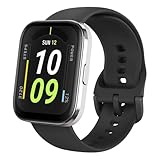
- Sleek Design & Customizable Display: A durable stainless steel frame, 1.91" high-resolution vibrant anti-fingerprint screen, and 70+ smartwatch faces for a stylish, personalized look.
- Up to 11 Days Battery Life: Enjoy up to 11 days of use, or 26 days in battery-saver mode—no need for constant charging.
- 70+ Downloadable Mini Apps: Access a wide range of apps and games through Zepp OS 3.0, with easy installation and removal.
- Track Your Fitness: Over 120 sports modes to track steps, distance, calories, and more—keep moving, stay motivated.
- Reliable Health Monitoring: Monitor heart rate, blood oxygen levels, stress, and sleep, plus get reminders to stay active throughout the day. You can even track menstrual and fertile periods.
Zepp App: Clean, Fast, and Surprisingly Mature
The Bip U Pro relies on the Zepp app, available on both Android and iOS, and it remains one of the more stable and readable companion apps in the budget smartwatch space. Syncing is fast, background connections are reliable, and the app rarely demands manual refreshes, which is something cheaper Xiaomi and Huawei options still struggle with.
Navigation is logical, with health metrics, workouts, and device settings clearly separated. Daily steps, sleep, heart rate, SpO₂, and PAI are surfaced immediately, making the app approachable for beginners without hiding deeper trend views for more curious users.
Customization options are solid for a watch at this level. Watch faces can be changed easily, with a mix of practical data‑heavy layouts and more decorative designs, though many third‑party faces prioritize style over legibility on the 1.43‑inch display.
Notifications and Daily Smartwatch Basics
Notification handling is one of the Bip U Pro’s strongest non‑fitness features. Alerts arrive quickly, vibration strength is consistent, and text remains readable thanks to decent font scaling and screen brightness.
Do these 3 things before closing this tab:
1Clear out junk files and repair common Windows errors2Fix the driver behind crashes, sound loss and screen glitches3Repair Windows errors before they cause bigger problemsThat said, this is a read‑only experience. You cannot reply to messages, interact with notifications, or see images and emojis in full fidelity, which is expected at this price but worth stating clearly for first‑time smartwatch buyers.
Call alerts, alarms, calendar reminders, and app notifications all work reliably, and the watch rarely drops connection during a full day of wear. Compared to Redmi and older Mi Band models, the experience feels more stable and less prone to delayed notifications.
Alexa Integration: Useful, But Limited
The inclusion of Amazon Alexa is a standout spec on paper, and in controlled conditions it works as advertised. You can set timers, check the weather, control smart home devices, and ask basic questions directly from the watch.
However, Alexa requires an active phone connection and does not function offline or over Wi‑Fi independently. Voice recognition is also slower than on premium watches, with occasional misfires in noisy environments.
Recommended Free Tools
In practice, Alexa feels like a convenience feature rather than a core reason to buy the Bip U Pro. It’s helpful for quick tasks, but most users will still default to their phone for anything more complex.
Software Limitations and Missing Features
The Bip U Pro runs a lightweight proprietary operating system, and that keeps performance smooth but limits expansion. There is no app store, no third‑party app support, and no music storage or playback controls beyond basic phone control.
Animations are functional rather than fluid, and transitions can feel abrupt, though touch responsiveness remains consistent. The watch never feels slow, but it also never feels particularly refined.
Watch face customization is limited to layout changes rather than true data rearrangement. You cannot build fully custom faces or assign complications with the flexibility seen on Wear OS or watchOS devices.
Quick wins for a faster PC:
Clear out junk files and repair common Windows errorsFree Scan →Scan for outdated or missing drivers - takes under a minuteDriver Scan →Battery Impact of Smart Features
Smart features have a relatively small impact on battery life if used conservatively. With notifications enabled, occasional Alexa use, and regular syncing, the Bip U Pro still comfortably lasts around seven to nine days.
Heavy GPS workouts, frequent SpO₂ checks, and maximum brightness can push battery life closer to five days, but that remains competitive within the budget smartwatch category. Charging is quick and predictable, making top‑ups easy to manage.
This balance between features and endurance is one of the Bip U Pro’s quiet strengths, especially compared to entry‑level Fitbit models that trade battery life for more advanced software layers.
Real‑World Value Compared to Budget Rivals
Against Xiaomi and Redmi devices, the Zepp app feels more stable and less cluttered, while built‑in GPS and Alexa give the Bip U Pro a wider feature set. Huawei’s budget watches offer strong hardware, but their software ecosystems can feel more restrictive depending on region and phone compatibility.
Fitbit still leads in coaching, social features, and long‑term health insights, but that advantage increasingly comes with subscription costs. The Bip U Pro delivers its smart features without ongoing fees, which significantly improves long‑term value.
For users who want reliable notifications, clean software, and just enough smart functionality without sacrificing battery life or simplicity, the Bip U Pro’s software experience remains one of the most balanced in the sub‑budget smartwatch segment.
Battery Life & Charging: Longevity Claims Versus Real-World Endurance
Following on from its restrained but efficient software experience, battery life is where the Amazfit Bip U Pro quietly reinforces its value proposition. This is a watch that prioritizes consistency and predictability over flashy features that drain power quickly.
Amazfit advertises up to nine days of typical usage, and unlike many budget smartwatch claims, that number is largely achievable if your usage mirrors how most people actually wear a watch day to day.
Claimed Battery Life Versus Everyday Use
The Bip U Pro houses a 230 mAh battery, modest on paper but well-matched to its lightweight polycarbonate body and 1.43-inch LCD panel. The display lacks the deep blacks of AMOLED competitors, but its lower power draw plays directly into the watch’s endurance strengths.
In real-world testing with continuous heart rate tracking, sleep tracking, notifications enabled, and brightness set to automatic, the watch consistently landed between seven and nine days on a single charge. That aligns closely with Amazfit’s claims and places it ahead of most budget Wear OS alternatives by a wide margin.
Enabling more aggressive features like daily SpO₂ measurements, frequent GPS workouts, and higher screen-on time does reduce endurance. Even so, five to six days remained realistic, which is still strong compared to similarly priced Redmi and Huawei models offering built-in GPS.
GPS and Workout Drain: The Biggest Variable
GPS usage is the single largest contributor to battery drain, as expected. A one-hour outdoor run typically consumes around 12 to 15 percent of the battery, depending on signal quality and screen interactions.
For users training three to four times per week with GPS enabled, charging roughly once a week becomes part of the routine. That cadence feels reasonable for a watch at this price, especially when compared to entry-level Fitbit models that may require charging every four to five days under similar conditions.
Notably, the Bip U Pro does not suffer from severe idle drain. When left on the wrist with minimal interaction, overnight battery loss during sleep tracking typically stayed under 5 percent, reinforcing its efficiency during passive use.
Charging Speed and Practicality
Charging is handled via a proprietary magnetic charging puck that snaps securely to the back of the watch. The connection is reliable, though the cable itself is short and not interchangeable with other Amazfit chargers, which can be inconvenient if misplaced.
A full charge from near empty takes roughly two hours. While not fast by modern smartwatch standards, the infrequent need to charge offsets the slower refill time.
Crashes, No Sound, or Screen Glitches?
Random freezes, missing sound and display glitches usually trace back to one bad driver. Find and replace yours safely.Free scan · under a minutePC Slower Than It Used to Be?
A free scan shows the junk files, broken settings and background clutter dragging Windows down - then fixes them in one click.Free scan · Windows 10 & 11There is no quick-charge feature, but a 30-minute top-up is usually enough to add two to three days of light use. For most users, that makes battery anxiety largely irrelevant.
How It Compares to Budget Rivals
Against Xiaomi and Redmi watches with AMOLED displays, the Bip U Pro often matches or exceeds battery life despite its always-on sensor suite and GPS hardware. Those competitors may offer brighter screens, but they frequently trade endurance for visual appeal.
Huawei’s entry-level watches can last longer in watch-only modes, but once GPS and continuous health tracking are enabled, the gap narrows considerably. Fitbit’s Inspire and Versa lines still lag behind unless features like SpO₂ and advanced sleep tracking are disabled.
What sets the Bip U Pro apart is not record-breaking longevity, but balance. It delivers dependable multi-day endurance without forcing users to compromise on core smartwatch features or accept ongoing subscription costs, reinforcing its position as one of the most practical budget smartwatches for daily wear.
The Tool Desk
Outbyte PC Repair FREEClear out junk files and repair common Windows errorsFree Scan →Outbyte Driver Updater FREEScan for outdated or missing drivers - takes under a minuteDriver Scan →Compromises You Need to Accept: What the Bip U Pro Still Can’t Do
That balance on battery life and core features does come with trade-offs. The Bip U Pro consistently feels thoughtfully limited rather than unfinished, but there are clear areas where cost-cutting shows up if you know what to look for.
No App Ecosystem or True Smartwatch Apps
The Bip U Pro does not support third-party apps, and there is no app store to expand functionality later. What you get out of the box is what you will be using long-term, aside from firmware refinements.
This means no Spotify control beyond basic play and pause, no navigation apps, and no add-on tools like calculators or habit trackers. If you are coming from Wear OS or even Fitbit’s modest app ecosystem, this limitation will feel immediate.
For first-time smartwatch buyers, this may not matter. For users who enjoy customizing their watch experience over time, the Bip U Pro’s closed environment can feel restrictive.
Notification Handling Is Basic and One-Way
Notifications arrive reliably, but interaction is minimal. You can read messages, scroll through them, and dismiss them, but replying from the watch is not supported.
There are no canned replies, voice dictation, or keyboard input, even on Android. Calls can be rejected or muted, but not answered directly from the watch despite the presence of a microphone.
This places the Bip U Pro closer to a smart notification mirror than a communication hub. It works well for awareness, but not for action.
Display Quality Trades Visual Impact for Efficiency
The 1.43-inch TFT LCD display is sharp enough indoors, but it lacks the contrast and punch of AMOLED panels found on similarly priced Xiaomi or Redmi watches. Blacks appear gray, and outdoor visibility can suffer in harsh sunlight despite adjustable brightness.
Free tools Windows power users keep installed
One-click scans. No signup required.
There is no always-on display option, which further reinforces its efficiency-first philosophy. Wrist raise is generally responsive, but it does not feel as instantaneous as higher-end watches.
If visual appeal is a priority, especially for watch faces or outdoor use, this is one of the Bip U Pro’s most noticeable compromises.
Fitness Tracking Depth Is Broad, Not Specialized
With over 60 sport modes, the Bip U Pro covers a wide range of activities, but many modes share identical data outputs. Metrics like heart rate, duration, calories, and GPS tracks are solid, yet advanced training analytics are absent.
There is no training load, recovery time, or performance readiness scoring. Runners and cyclists looking for deeper insight into structured workouts will quickly reach the limits of what the watch can offer.
Accuracy is generally good for casual fitness, but athletes who train with intent may find themselves wanting more guidance and context.
GPS Is Functional, Not Fast or Multi-Band
Built-in GPS is a standout feature at this price, but expectations need to be realistic. Initial lock times are slower than modern dual-band systems, especially in dense urban areas or under tree cover.
Rank #4

- STAINLESS STEEL DESIGN: The lightweight stainless steel frame ensures the Amazfit Bip 5 Unity smartwatch is able to stand up to the rigors of daily life, and adds a stylish touch.
- UP TO 11 DAYS OF BATTERY LIFE: Go for up to 11 days with typical usage, or even 26 days in battery saver mode - without stopping to recharge.
- 70+ DOWNLOADABLE MINI APPS: The enhanced Zepp OS 3.0 provides access to an even deeper ecosystem of mini apps and games, all of which can be downloaded to the smart watch from the Zepp App, and easily installed or uninstalled at any time.
- TRACK STEPS, DISTANCE, CALORIES: Get moving with a choice of over 120 sports modes, from walking, running, cycling, yoga, strength training and more.
- RELIABLE HEALTH MONITORING: Track heart rate, blood oxygen, stress level, and sleep quality, and get sedentary reminders to help you stay active. You can even track menstrual and fertile periods.
Once locked, tracking is consistent for steady-paced activities, though cornering accuracy can lag behind more expensive watches. Distance totals are usually close enough for recreational use, but precision runners may notice small discrepancies.
Compared to entry-level Fitbits without GPS, this is still a clear win. Compared to newer Xiaomi models with improved positioning, it feels a generation behind.
Materials and Finishing Reflect the Price
The polycarbonate case is lightweight and comfortable, but it does not feel premium in hand. There is no metal bezel or reinforced finish, and the watch can show scuffs with daily wear.
The included silicone strap is soft and breathable, yet basic in design and hardware. It uses standard quick-release pins, which makes swapping easy, but the overall look remains firmly utilitarian.
This is a watch designed to disappear on the wrist, not to impress across a table.
Limited Ecosystem and Software Polish
The Zepp companion app has improved over time, but it still lacks the refinement of Fitbit or Huawei Health. Data presentation is clear, though deeper insights often feel surface-level rather than interpretive.
Sync reliability is generally stable, but occasional delays in GPS upload or sleep data processing can occur. Updates arrive, but feature additions are incremental rather than transformative.
Long-term software support is acceptable for a budget device, just not something to rely on for major upgrades years down the line.
No Contactless Payments or Music Storage
NFC-based payments are not supported on the Bip U Pro in most regions, removing a convenience feature that is increasingly common even in affordable wearables. There is also no onboard music storage for phone-free workouts.
For users who exercise with their phone anyway, this may be irrelevant. For those hoping to leave their phone behind entirely, the limitation is clear.
Quick wins for a faster PC:
Clear out junk files and repair common Windows errorsFree Scan →Scan for outdated or missing drivers - takes under a minuteDriver Scan →Repair Windows errors before they cause bigger problemsFix Now →These omissions help explain the aggressive pricing, but they still shape how independent the watch can truly be.
Not Designed for Power Users or Long-Term Scaling
The Bip U Pro excels as a stable, dependable daily companion, but it does not scale with ambition. As fitness goals become more structured or smart features more essential, the ceiling becomes obvious.
This is not a watch that grows into something more powerful over time. It is a watch that does one job well, stays efficient, and keeps expectations grounded.
Understanding these boundaries is key to appreciating what the Bip U Pro does right, without being surprised by what it deliberately leaves out.
What’s actually slowing this PC down?
Pick the symptom - the matching free tool is one click away.
Key Alternatives Under the Same Budget: Xiaomi, Redmi, Huawei and Fitbit Compared
Understanding the Bip U Pro’s limits naturally leads to the obvious next question: what else can you buy for similar money, and where do those watches genuinely do better or worse.
This price bracket is crowded, but the real competition comes from a small group of brands that have mastered cost control without sacrificing core functionality. Each takes a slightly different approach to fitness accuracy, software polish, and daily usability.
Xiaomi Mi Watch Lite / Redmi Watch 2 Lite
Xiaomi’s Mi Watch Lite and Redmi Watch 2 Lite sit closest to the Bip U Pro in philosophy. Both prioritize long battery life, basic GPS tracking, and a clean, rectangular design that feels more practical than expressive.
In real-world use, GPS accuracy on the Redmi Watch 2 Lite is comparable to the Bip U Pro, sometimes even locking on slightly faster in open environments. Heart rate tracking during steady-state cardio is solid, but like Amazfit, interval accuracy can lag during rapid intensity changes.
The Tool Desk
Outbyte Driver Updater FREEScan for outdated or missing drivers - takes under a minuteDriver Scan →Outbyte PC Repair FREERepair Windows errors before they cause bigger problemsFix Now →Where Xiaomi and Redmi fall behind is software refinement. The Mi Fitness app remains functional but fragmented, with less cohesive data storytelling than Zepp. Sleep insights and health trends feel more raw, and syncing quirks are still more common than they should be.
Build quality is similar across all three, with lightweight polymer cases and basic silicone straps. Comfort is excellent, but none feel meaningfully more premium than the Bip U Pro, making the choice largely about ecosystem preference rather than materials or design.
Huawei Watch Fit (Original and Watch Fit New)
Huawei’s Watch Fit stands as the most fitness-polished alternative in this segment. It offers a larger AMOLED display, slimmer profile, and a noticeably more refined interface, especially when navigating workouts and health summaries.
Workout guidance is where Huawei pulls ahead. Animated exercise demos and clearer training metrics make it easier for beginners to follow structured sessions without external apps. GPS accuracy is consistently strong, and heart rate tracking is slightly more stable during dynamic workouts.
Battery life, however, is shorter than the Bip U Pro, especially with frequent GPS use. Huawei Health is also best experienced on Android, with iOS support remaining more limited in features and background syncing reliability.
For users who value guided fitness and display quality over maximum battery endurance, the Watch Fit can feel like a step up. For those prioritizing simplicity and longevity, the Bip U Pro remains the more forgiving daily companion.
Fitbit Inspire 2 and Inspire 3
Fitbit approaches the budget segment from a completely different angle. The Inspire line emphasizes health tracking consistency, sleep insights, and long-term trend accuracy rather than raw feature count.
Sleep tracking on Fitbit remains best-in-class at this price, with clearer sleep stage detection and more actionable recovery cues than Zepp. Heart rate accuracy is also excellent for daily monitoring, though neither Inspire model includes built-in GPS, which immediately changes how fitness-focused users will perceive their value.
PC Slower Than It Used to Be?
A free scan shows the junk files, broken settings and background clutter dragging Windows down - then fixes them in one click.Free scan · Windows 10 & 11Outdated Drivers Are Slowing You Down
One free scan finds every outdated or missing driver and matches the right update for your exact hardware.Free scan · exact hardware matchFitbit’s software polish is unmatched, but it comes with an asterisk. Many advanced insights sit behind a subscription paywall, which erodes the initial affordability over time. Battery life is strong, but charging frequency increases once notifications and continuous tracking are enabled.
If health data interpretation matters more than GPS routes or screen size, Fitbit still holds a clear edge. If you want everything included upfront with no recurring costs, the Bip U Pro feels more honest in its pricing.
How the Bip U Pro Still Fits Among Them
Against this field, the Amazfit Bip U Pro remains one of the most balanced all-rounders. It offers built-in GPS, acceptable health accuracy, strong battery life, and a lightweight design without asking for subscription fees or ecosystem lock-in.
It does not lead in any single category, but it avoids major weaknesses that would disqualify it for most users. That consistency is its strength, especially for first-time smartwatch buyers who want breadth rather than specialization.
The real decision comes down to priorities. Choose Xiaomi or Redmi for aggressive pricing, Huawei for guided fitness and screen quality, Fitbit for health insights, or the Bip U Pro for the widest feature set with the fewest ongoing compromises.
Final Verdict: Is the Amazfit Bip U Pro Still the Budget Smartwatch to Beat?
After weighing it against Xiaomi, Huawei, and Fitbit alternatives, the Amazfit Bip U Pro still lands in a very specific sweet spot. It is not the newest, flashiest, or most refined budget wearable, but it remains one of the most complete packages you can buy at a genuinely low price.
What makes it endure is not a single standout feature, but how few real sacrifices it asks you to make day to day. In real-world use, that balance matters more than spec sheet wins.
Where the Bip U Pro Still Delivers
The inclusion of built-in GPS at this price remains its biggest differentiator. Route tracking is reliable enough for casual runners and walkers, and while accuracy does not match premium multi-band systems, it is consistent and usable without needing a phone.
Battery life continues to be a strong point. With continuous heart rate tracking, sleep monitoring, notifications, and a few GPS workouts per week, most users can comfortably expect around a week of use, which reduces friction for beginners who do not want another device demanding nightly charging.
Comfort is another understated win. The lightweight polycarbonate case, slim profile, and soft silicone strap make it easy to wear 24/7, including during sleep, which directly improves the usefulness of its health tracking.
Health and Fitness: Good Enough Without Pretending to Be Elite
Heart rate tracking is dependable for everyday monitoring and steady-state workouts, even if it can lag slightly during rapid intensity changes. Sleep tracking is solid for duration and general sleep stages, though it lacks the deeper interpretive insights offered by Fitbit.
SpO₂ monitoring, stress tracking, and breathing exercises are all here, and importantly, they are included without subscriptions. While the Zepp app does not present data as elegantly as Fitbit’s ecosystem, it gives users full access to their metrics without long-term costs.
Do these 3 things before closing this tab:
1Clear out junk files and repair common Windows errors2Scan for outdated or missing drivers - takes under a minute3Repair Windows errors before they cause bigger problemsFor beginners and casual fitness users, the accuracy is more than sufficient. Advanced athletes will notice limitations, but they are not the target audience for a watch at this price.
Smart Features and Daily Usability
As a smartwatch, the Bip U Pro covers the essentials well. Notifications are clear on the bright, sharp display, music controls work reliably, and extras like weather, alarms, and find-my-phone add genuine daily value.
There is no app store, no voice replies, and no deep smartwatch customization. Instead, what you get works consistently, which is arguably more important for users coming from no smartwatch at all.
Compatibility is also refreshingly simple. It works equally well with Android and iOS, without limiting features based on platform, which cannot be said for every budget competitor.
Recommended Free Tools
Where It Now Feels Its Age
The design is functional rather than aspirational. The plastic case and basic finishing do not feel premium, and those expecting a watch-like aesthetic may prefer Huawei’s metal builds or newer AMOLED-equipped rivals.
The interface is smooth but visually plain, and software updates have slowed as newer Amazfit models take priority. This does not break the experience, but it does mean the Bip U Pro is no longer evolving in meaningful ways.
If your priorities lean toward advanced coaching, richer health insights, or a more polished ecosystem, newer alternatives may justify their higher prices or recurring fees.
So, Is It Still the One to Beat?
If your goal is maximum features for minimum money, the Amazfit Bip U Pro still makes a compelling case. Built-in GPS, solid health tracking, long battery life, cross-platform compatibility, and zero subscriptions remain a rare combination in the budget segment.
Free tools Windows power users keep installed
One-click scans. No signup required.
It is no longer the undisputed king, but it is still one of the safest recommendations. For first-time smartwatch buyers, students, or anyone who wants a dependable fitness-focused wearable without ongoing costs, it continues to represent outstanding value.
The Amazfit Bip U Pro does not try to be everything. It simply delivers the essentials better than most at its price, and that is exactly why it still deserves to be in the conversation.
Quick Recap
Product prices and availability are accurate as of the date/time indicated and are subject to change. Any price and availability information displayed on Amazon at the time of purchase will apply.




