If you’re looking at Apple Watch Series 5 and Series 4 today, you’re almost certainly weighing value over novelty. Both models look nearly identical on the wrist, run the same core Apple Watch experience, and are now found primarily on the used or refurbished market at attractive prices. The real question isn’t which one is “better” on paper, but which one actually makes sense for how you’ll use it in 2026.
The short answer is that neither is a bad buy if the price is right, but they suit different types of buyers. Small differences in display behavior, battery trade-offs, and long-term ownership considerations matter more now than they did at launch. Here’s the clearest way to decide without overthinking it.
If you want the safest, best-value buy
For most people shopping today, Apple Watch Series 4 is the smarter and safer purchase. It delivers the same day-to-day performance, the same screen size and resolution, identical health sensors, and virtually the same watchOS experience as Series 5. In normal use, apps open at the same speed, workouts track the same way, and notifications feel no different.
The biggest advantage is longevity of the hardware itself. Without an always-on display constantly drawing power, Series 4 units tend to have slightly healthier batteries on the used market, which directly impacts daily usability. If you want a watch that reliably lasts a full day with workouts, notifications, and sleep tracking, Series 4 usually has fewer compromises.
🏆 #1 Best Overall

- LEAVE YOUR PHONE IN YOUR POCKET: Apple Watch Series 5 GPS Model lets you call, text, and get directions from your wrist, while leaving your phone in your pocket. It offers multiple connectivity options, including: Bluetooth, Wi-Fi, and NFC to suit all of your possible needs.
- ALWAYS-ON RETINA DISPLAY: You no longer need to raise your wrist or touch the screen to see the time or other information on your watch face, because the display never sleeps. All you need to do is glance to find the time or your workout metrics right there where you want them.
- ECG ON YOUR WRIST: With the ECG app, Apple Watch Series 5 is capable of generating an ECG similar to a single-lead electrocardiogram. It's a momentous achievement for a wearable device that can provide data for doctors and peace of mind for you wherever may be during the day.
- WORKOUTS THAT DON'T QUIT: Cycling, yoga, swimming, high-intensity interval training...the list goes on. You name it, Apple Watch measures it. Set workout-specific goals, see full summaries when you're done, and track how you're trending over time in the Activity app on your iPhone.
- GET LOST IN YOUR MUSIC: With Apple Music on your wrist, you've got 60 million tracks of musical motivation to take you places. You can also catch up on the latest podcasts or listen to an audiobook if that's your thing. Stream everything you need right from your watch, even without your phone
If the always-on display genuinely matters to you
Series 5 only makes sense if you specifically value the always-on display and understand the trade-offs. Being able to glance at the time during meetings, workouts, or while driving without raising your wrist is genuinely convenient and still feels modern. Apple implemented it well, with adaptive refresh rates and dimming that preserve legibility indoors and outdoors.
That said, the feature comes at a cost. Many Series 5 units now show more battery degradation, and heavy users may struggle to reach bedtime without charging. If you’re okay topping up during the day or you find a refurbished unit with a confirmed battery replacement, Series 5 becomes a much more compelling option.
If you care about health tracking and fitness
There is no meaningful health advantage to Series 5 over Series 4. Both support ECG, fall detection, heart rate alerts, noise monitoring, and the same workout tracking capabilities. Neither supports blood oxygen tracking or temperature sensing, and both rely on the same generation of sensors.
If your priority is basic health awareness, Apple Fitness+, or casual exercise tracking, you won’t gain anything extra by choosing Series 5. Series 4 covers the essentials just as well and often does so with better battery consistency.
If you’re worried about software support and daily usability
Both watches are nearing the end of Apple’s major watchOS update cycle, but they still function well for core smartwatch tasks. Notifications, calls, iMessage replies, Apple Pay, and third-party apps remain smooth enough for everyday use. The S4 and S5 chips feel nearly identical in real-world performance.
What matters more is condition and storage. A well-kept Series 4 with good battery health will feel better to use than a worn Series 5 with the always-on display disabled just to survive the day. Prioritize hardware condition over model number.
The bottom line for buyers today
Choose Apple Watch Series 4 if you want the best balance of reliability, battery life, and price, and you don’t care about always-on display behavior. It remains one of Apple’s most well-rounded older watches and still fits comfortably into daily life.
Choose Apple Watch Series 5 only if you find a great deal on a unit with strong battery health and you know you’ll actively appreciate the always-on display every single day. Otherwise, the real-world experience is so similar that Series 4 usually delivers better long-term satisfaction for less money.
Design, Case Sizes, and Everyday Wearability (What’s Actually Different on the Wrist)
After weighing performance, battery life, and long-term usability, the next question most buyers ask is simpler and more personal: how do these two watches actually feel to wear every day? This is where Series 4 and Series 5 are more alike than different, but a few subtle distinctions still matter depending on your habits and preferences.
Overall design: visually identical unless you know where to look
Apple did not redesign the case for Series 5. It uses the same rounded-square silhouette, curved sapphire or Ion-X glass, and narrow bezels introduced with Series 4’s major refresh.
If you place them side by side with the screens off, even experienced Apple Watch users will struggle to tell them apart. The speaker grilles, microphone placement, Digital Crown with haptic feedback, and button layout are the same.
Case sizes and wrist fit
Both Series 4 and Series 5 come in 40mm and 44mm case sizes. The dimensions are effectively identical, and bands are fully interchangeable between the two generations.
On the wrist, the 40mm works best for smaller wrists or anyone who prefers a less conspicuous watch, while the 44mm favors readability and touch targets without feeling oversized. There is no ergonomic advantage to choosing one generation over the other here.
Thickness, weight, and long-term comfort
Thickness is the same across both models, and neither feels bulky by modern smartwatch standards. They sit low enough on the wrist to slide under sleeves and remain comfortable during typing, workouts, or sleep tracking.
Weight varies more by material than by generation. Aluminum models feel noticeably lighter for all-day wear, while stainless steel, ceramic, and titanium versions add heft that some users enjoy for a more traditional watch feel.
Materials and finishes: where Series 5 quietly expands options
Series 4 was sold primarily in aluminum and stainless steel, with Nike and Hermès variants offering cosmetic differences rather than structural ones. Series 5 added titanium and ceramic editions, giving buyers more premium and scratch-resistant options.
Titanium sits between aluminum and stainless steel in weight and has a softer, matte finish that hides wear well. Ceramic is the heaviest but also the most durable, resisting scratches far better than polished steel in daily use.
Always-on display and how it changes the wearing experience
The single biggest physical difference you’ll notice on the wrist is the always-on display exclusive to Series 5. The screen remains dimly lit, showing a simplified watch face even when your wrist is down.
In daily life, this makes the watch feel more like a traditional timepiece and less like a miniature phone that wakes on demand. By contrast, Series 4’s screen going fully black can feel more discreet, especially in dark rooms or theaters.
Readability and interaction during the day
Both watches use the same OLED display size and resolution, so clarity and sharpness are identical when the screen is fully active. Outdoor visibility and color reproduction are effectively the same.
With Series 5, quick glances for time during meetings or workouts feel more natural because the display is always present. Series 4 requires a wrist raise or tap, which some users prefer for intentional interaction and battery preservation.
Durability for daily wear and workouts
Water resistance is the same on both models, rated for swimming and sweat-heavy workouts. They handle daily bumps, rain, and gym use equally well when in similar condition.
Glass durability depends more on the case material than the model generation. Sapphire crystal on stainless steel, titanium, and ceramic holds up far better over years than the Ion-X glass on aluminum versions.
Band compatibility and personal styling
Every Apple Watch band designed for 40mm or 44mm fits both Series 4 and Series 5 perfectly. This includes modern Apple bands and third-party options.
If you already own bands or plan to rotate styles frequently, neither watch has an advantage. Your choice of material and band will influence comfort and appearance far more than the generation itself.
How they feel after a full day on your wrist
In extended wear, the two watches are nearly indistinguishable in comfort. Neither causes pressure points, and both distribute weight well across the wrist.
The practical difference comes down to behavior, not shape. Series 5 feels more present throughout the day because the display is always visible, while Series 4 fades into the background until you interact with it.
Display Technology: Always‑On vs Raise‑to‑Wake in Real Life
After a full day on the wrist, the display behavior becomes the most emotionally noticeable difference between Series 5 and Series 4. This is less about specs and more about how often the watch asks for your attention versus quietly staying out of the way.
What “Always‑On” actually looks like day to day
On the Series 5, the screen never fully turns off unless you cover it or enter a sleep-focused mode. Instead, it dims significantly, refreshes at a lower rate, and simplifies animations while still showing the time and complications.
In practice, it feels closer to wearing a traditional watch with a digital dial. You can glance down during a meeting, while holding groceries, or mid-workout without exaggerating a wrist flick or tapping the glass.
How Series 4’s raise‑to‑wake behavior compares
Series 4 relies entirely on wrist raise or touch to wake the display, and when it’s idle, the screen is fully black. When the gesture works well, it’s fast and bright, but the interaction is always deliberate.
Over time, some users adapt and stop noticing it. Others find the occasional missed raise, especially when seated or lying down, breaks the illusion of the watch being a passive timepiece.
Subtle differences in social and professional settings
In quieter environments, the Series 5’s dimmed display feels more polite than you might expect. It’s readable to you but not glowing or attention-grabbing, even in darker rooms.
By contrast, Series 4 can feel more discreet in a different way. With the screen completely off, there’s no visual presence at all until you choose to interact, which some people prefer in theaters, meetings, or bedrooms.
Rank #2

- Always-on Retina display has nearly 20% more screen area than Series 6, making everything easier to see and use than ever before
- The most crack-resistant front crystal yet on an Apple Watch, IP6X dust resistance, and swimproof design just to name a few awesome features
- Take an ECG anytime, anywhere - Get high and low heart rate, and irregular heart rhythm notifications - Measure your blood oxygen with a powerful sensor and app
- Track your daily activity on Apple Watch, and see your trends in the Fitness app - Stay in the moment with the new Mindfulness app, and reach your sleep goals with the Sleep app
- Track new tai chi and pilates workouts, in addition to favorites like running, yoga, swimming, and dance - Sync your favorite music, podcasts, and audiobooks - Pay instantly and securely from your wrist with Apple Pay
Impact on battery life in real usage
Always‑On Display does cost power, but Apple engineered Series 5 to still target an all-day battery. In mixed use, including notifications, workouts, and occasional GPS, it generally makes it to bedtime without anxiety.
Series 4 often finishes the day with slightly more battery remaining, especially for lighter users. For people who prioritize battery headroom over convenience, raise‑to‑wake still has a practical advantage.
Outdoor visibility and glanceability
Both watches use the same OLED panel technology, so brightness and sharpness are identical when fully awake. In sunlight, neither has a clear edge during active use.
Where Series 5 pulls ahead is in quick outdoor checks. When cycling or walking, the time is already there at a glance, rather than requiring a gesture that may not register cleanly while in motion.
Workouts and fitness scenarios
During workouts, Always‑On Display subtly changes the experience. You can see elapsed time, heart rate zones, or pace without breaking stride or adjusting your arm angle.
Series 4 still performs perfectly well for fitness tracking, but it asks for more interaction. If you frequently check metrics mid-run or mid-set, the difference becomes noticeable over weeks of use.
Nighttime use and sleep-adjacent behavior
In low-light situations, Series 5’s dimmed screen is gentle and unobtrusive, especially with darker watch faces. It rarely feels like a bright flash unless you actively wake it.
Series 4 avoids any light output unless triggered, which can be preferable for sensitive sleepers or partners. This makes it feel more like a device that disappears completely when you want it to.
Long-term ownership perspective
Over months, Always‑On Display tends to spoil users who like passive information access. Going back to a raise‑to‑wake watch can feel like a small step backward in convenience.
At the same time, some owners never miss it and appreciate the simplicity of Series 4’s behavior. The difference isn’t about capability, but about how visible you want your watch to be throughout the day.
Performance and Hardware: S5 vs S4 Chip, Storage, and Daily Responsiveness
After living with the display differences day to day, the next question is whether Series 5 actually feels faster or more capable under the hood. On paper, Apple positioned it as a new generation, but in real use the gap is far narrower than the model numbers suggest.
S4 vs S5 SiP: what actually changed
Both watches are built around Apple’s 64‑bit dual‑core architecture, and in raw CPU and GPU performance the S4 and S5 are effectively identical. App launches, scrolling through notifications, and jumping between complications feel the same on both when side by side.
The S5’s main hardware addition is a built‑in compass and updated display controller to support Always‑On Display. Those additions don’t make the watch faster, but they enable features that shape how you interact with it throughout the day.
Daily responsiveness and real-world speed
In everyday use, neither watch feels slow by smartwatch standards. Swiping between watch faces, starting workouts, and dictating messages via Siri happen with the same immediacy on Series 4 and Series 5.
Where responsiveness can diverge slightly is consistency. Series 5 tends to feel more stable when multitasking, especially if you rely on third‑party apps alongside workouts and background health tracking, though the difference is subtle rather than dramatic.
Storage capacity and long-term flexibility
Storage is one of the most meaningful hardware differences. Series 4 offers 16GB of internal storage, while Series 5 doubles that to 32GB.
In practice, this matters if you download large music playlists, podcasts, or multiple third‑party apps for offline use. Series 4 owners may eventually need to manage storage more actively, whereas Series 5 leaves more breathing room over years of ownership.
Sensors, components, and what’s shared
Beyond the compass, the sensor stack is nearly identical. Both watches include optical heart rate sensors, ECG capability, accelerometer, gyroscope, GPS, and the same water resistance rating for swimming and workouts.
Materials, case dimensions, and overall weight are also the same across aluminum and stainless steel variants, so comfort and wrist presence don’t differ. Strap compatibility is identical, which matters if you already own bands from older Apple Watches.
Software support and performance longevity
As of today, both Series 4 and Series 5 top out at the same watchOS version, which means feature parity going forward. Neither has an advantage in terms of future updates, and performance over time is shaped more by battery health than by processing power.
With a fresh battery, both watches still feel capable for notifications, fitness tracking, and daily smart features. The S5 doesn’t age more gracefully in speed, but its extra storage and hardware features give it slightly more headroom as apps and watch faces grow richer.
Which feels better over months of use
If you value smoothness alone, there’s no clear winner. The experience of tapping, scrolling, and launching apps remains remarkably similar, even years after release.
The difference is more about friction. Series 5 reduces small annoyances, like storage limits and interaction steps, while Series 4 delivers nearly the same performance with fewer components and a simpler hardware philosophy.
Health and Fitness Tracking: ECG, Fall Detection, Compass, and What You Really Miss
After performance and storage, health tracking is where many buyers expect a clear winner. In reality, this is the area where Apple Watch Series 4 and Series 5 are far closer than most people remember, with one small addition on the Series 5 that matters more for navigation than for fitness.
Both watches were built during Apple’s major shift from “activity tracker” to “health device,” and that foundation still shows today.
Heart rate monitoring and ECG: effectively identical
Series 4 and Series 5 use the same optical heart rate sensor and the same second‑generation electrical heart sensor for ECG readings. In day‑to‑day use, heart rate accuracy during walks, runs, gym workouts, and cycling is indistinguishable between the two.
ECG functionality is also identical, including setup, recording time, and data presentation in the Health app. If you’re buying either watch specifically for occasional ECG checks or long‑term heart rate trends, there is no advantage to choosing the newer model.
For most everyday users, this means both watches still deliver credible health insights, provided the battery is healthy and the sensor maintains good skin contact.
Fall detection and safety features: no difference where it counts
Fall detection arrived with Series 4 and remains unchanged on Series 5. Both watches use the same accelerometer and gyroscope thresholds to detect hard falls and trigger emergency alerts if you remain unresponsive.
In real-world testing, responsiveness and false positives are comparable. Neither model is more sensitive or smarter than the other, and both integrate seamlessly with emergency contacts and location sharing.
If fall detection is a key buying factor for yourself or a family member, Series 4 already delivers the full experience Apple intended.
Workout tracking and activity rings: same data, same limits
Apple’s core fitness metrics, including calories, active minutes, stand hours, pace, distance, and route tracking with GPS, behave the same on both watches. Swim tracking, automatic workout detection, and third‑party fitness app compatibility are shared features.
Comfort during workouts is also identical. Case dimensions, weight, and strap compatibility are unchanged, so wrist stability during high‑movement activities feels the same whether you’re wearing aluminum or stainless steel.
The limiting factor today isn’t the hardware difference between Series 4 and 5, but battery condition and watchOS support, which now cap advanced training features on both.
Rank #3
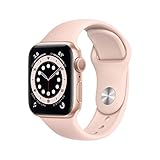
- LEAVE YOUR PHONE IN YOUR POCKET: Apple Watch Series 6 GPS Model lets you call, text, and get directions from your wrist, while leaving your phone in your pocket. It offers multiple connectivity options, including: Bluetooth, Wi-Fi, and NFC to suit all of your possible needs.
- ALWAYS-ON RETINA DISPLAY: You no longer need to raise your wrist or touch the screen to see the time or other information on your watch face, because the display never sleeps. All you need to do is glance to find the time or your workout metrics right there where you want them.
- ECG ON YOUR WRIST: With the ECG app, Apple Watch Series 6 is capable of generating an ECG similar to a single-lead electrocardiogram. It’s a momentous achievement for a wearable device that can provide data for doctors and peace of mind for you wherever may be during the day.
- WORKOUTS THAT DON'T QUIT: Cycling, yoga, swimming, high-intensity interval training.the list goes on. You me it, Apple Watch measures it. Set workout-specific goals, see full summaries when you’re done, and track how you’re trending over time in the Activity app on your iPhone.
- GET LOST IN YOUR MUSIC: With Apple Music on your wrist, you’ve got 60 million tracks of musical motivation to take you places. You can also catch up on the latest podcasts or listen to an audiobook if that's your thing. Stream everything you need right from your watch, even without your phone.
The compass: the one health-adjacent sensor Series 4 lacks
The Series 5 adds a built‑in compass, and this is the only sensor difference that affects movement and navigation. It enables more accurate heading information in Maps, Compass, and certain hiking or trail‑based apps.
For runners and gym users, the compass adds little. For hikers, urban explorers, or anyone who frequently navigates unfamiliar areas on foot, it can meaningfully improve orientation without pulling out your phone.
That said, it doesn’t change workout metrics or health tracking accuracy. You don’t get better GPS routes or heart data, just better directional awareness.
Always-on display and its indirect impact on fitness
While not a sensor, the always‑on display on Series 5 subtly affects workout usability. Being able to glance at pace, heart rate, or intervals without lifting your wrist is genuinely helpful during runs or interval training.
Series 4 requires a wrist raise or tap to wake the screen, which can be mildly disruptive during structured workouts. This doesn’t change the data collected, but it changes how accessible that data feels in motion.
If you train frequently and rely on constant visual feedback, this is one of the few experiential advantages Series 5 has over Series 4.
What you actually miss if you choose Series 4
Choosing Series 4 means giving up the compass and always‑on display, not core health features. You still get ECG, fall detection, accurate heart rate tracking, GPS workouts, and full Health app integration.
For many users, especially those focused on general wellness, walking, gym workouts, or casual fitness goals, those missing features are conveniences rather than necessities. The health data itself is not diminished.
The more you value glanceable information and navigation independence from your phone, the more the Series 5’s additions start to matter.
Battery Life and Charging: Always‑On Display Trade‑offs Explained
Once you understand what the always‑on display adds to daily usability, the next practical question is how much it costs in battery life. This is where the Series 5 and Series 4 feel most different in day‑to‑day ownership, despite sharing similar internals on paper.
Both watches were rated by Apple for all‑day use, but they achieve that goal in different ways.
Rated battery life vs real‑world endurance
Apple quoted roughly 18 hours for both Series 4 and Series 5, covering notifications, workouts, music, and occasional GPS use. In practice, Series 4 often feels slightly more forgiving because its display is fully off when not raised.
Series 5 uses an LTPO OLED panel that can drop its refresh rate to 1Hz to support the always‑on display. That technology works, but the screen is still drawing power all day, which narrows the margin if you are a heavy user.
Always‑on display: convenience that quietly drains power
With always‑on enabled, Series 5 owners typically finish a long day closer to empty than Series 4 users with similar usage. The effect is most noticeable if you track GPS workouts, stream music, or rely on frequent background app updates.
Apple allows the always‑on display to be disabled, and when turned off, Series 5 battery life closely matches Series 4. This flexibility matters if you value endurance more than glanceability on certain days.
Workouts, GPS, and long days away from a charger
For workouts under an hour, both watches perform similarly, even with always‑on active. Problems arise during extended outdoor activities like long hikes or all‑day travel, where Series 5’s background screen activity compounds GPS drain.
Series 4’s need for wrist raises can actually conserve power during these scenarios. If you regularly push past a full day without charging, Series 4 has a small but meaningful edge.
Charging speed and daily charging habits
Charging is identical on both models, using Apple’s magnetic charging puck with no fast‑charging advantage on either side. Expect roughly the same time to go from near empty to full, typically around an hour and a half.
Because neither watch is designed for multi‑day endurance, nightly charging becomes the norm. Series 5 users may feel this more acutely, as skipping a charge is less forgiving with always‑on enabled.
Battery aging and buying used today
At this age, battery health matters more than original specifications. A well‑preserved Series 4 with a healthier battery can outlast a worn Series 5, regardless of features.
If you are buying refurbished or second‑hand, checking battery health or budgeting for a battery replacement can matter more than choosing between these two models. The always‑on display is appealing, but it cannot compensate for a degraded cell.
Which model handles battery trade‑offs better for you
If you value endurance, flexibility, and fewer charging anxieties, Series 4’s simpler display behavior works in its favor. If you prioritize constant visibility and are comfortable charging every night, Series 5’s always‑on screen justifies its slightly tighter battery margins.
Neither watch is a battery champion by modern smartwatch standards. The difference lies in how much you want your watch to be visible at all times versus how much slack you want in a long day.
watchOS Support and Longevity: How Future‑Proof Are These Watches Now?
After weighing battery behavior and daily charging realities, the next question is whether either watch still makes sense from a software and longevity standpoint. This is where the gap between “still usable” and “still supported” becomes important.
Current watchOS support status
Both Apple Watch Series 4 and Series 5 have reached the same endpoint in Apple’s software roadmap. They officially top out at watchOS 10, with no upgrade path to newer versions released after that.
There is no software advantage to choosing Series 5 here. Despite being a year newer, it shares the same support ceiling as Series 4.
What losing new watchOS versions actually means
Missing future watchOS releases does not suddenly make either watch obsolete. Core functions like notifications, workouts, heart rate tracking, ECG, fall detection, and Apple Pay continue to work normally on watchOS 10.
What you lose over time are new interface changes, newer watch faces, and future health or fitness features that Apple reserves for supported models. Gradually, some third‑party apps will also stop updating or may require a newer watchOS version.
Security updates and stability going forward
Apple typically provides limited security fixes for older watchOS versions for a short period after active support ends. That said, these updates slow down quickly and are not guaranteed long term.
In practical terms, both watches should remain stable and safe for everyday use in the near term, but neither should be viewed as a long‑term platform investment from a security or update perspective.
Hardware readiness for future software demands
The S4 and S5 chips perform nearly identically in real‑world use. The S5 adds a low‑power display controller and compass, but not a meaningful performance uplift that would extend software life.
Animations, app launches, and system navigation feel the same on both models today, and neither has hidden headroom that would make it better prepared for future operating systems.
iPhone compatibility as the real long‑term limiter
Long before the watch itself stops functioning, iPhone compatibility becomes the bigger concern. watchOS 10 requires pairing with a relatively modern iPhone, and future iOS updates may eventually drop support for that pairing requirement.
If you tend to keep your iPhone for many years, this is less of an issue. If you upgrade phones frequently, the watch is more likely to be left behind first.
Rank #4

- LEAVE YOUR PHONE IN YOUR POCKET: Apple Watch Series 6 GPS Model lets you call, text, and get directions from your wrist, while leaving your phone in your pocket. It offers multiple connectivity options, including: Bluetooth, Wi-Fi, and NFC to suit all of your possible needs.
- ALWAYS-ON RETINA DISPLAY: You no longer need to raise your wrist or touch the screen to see the time or other information on your watch face, because the display never sleeps. All you need to do is glance to find the time or your workout metrics right there where you want them.
- ECG ON YOUR WRIST: With the ECG app, Apple Watch Series 6 is capable of generating an ECG similar to a single-lead electrocardiogram. It’s a momentous achievement for a wearable device that can provide data for doctors and peace of mind for you wherever may be during the day.
- WORKOUTS THAT DON'T QUIT: Cycling, yoga, swimming, high-intensity interval training.the list goes on. You me it, Apple Watch measures it. Set workout-specific goals, see full summaries when you’re done, and track how you’re trending over time in the Activity app on your iPhone.
- GET LOST IN YOUR MUSIC: With Apple Music on your wrist, you’ve got 60 million tracks of musical motivation to take you places. You can also catch up on the latest podcasts or listen to an audiobook if that's your thing. Stream everything you need right from your watch, even without your phone.
App support and daily usability over the next few years
Most core Apple apps will continue to function reliably for quite some time. Fitness tracking, alarms, messaging, and health monitoring remain dependable even without new OS versions.
Third‑party apps are the wild card. Popular apps usually support older versions longer, but niche or newly developed apps may skip watchOS 10 entirely as time goes on.
Longevity when buying used or refurbished today
From a future‑proofing standpoint, Series 4 and Series 5 are equals. Your experience will be shaped far more by battery health, physical condition, and price than by software differences.
If you are buying today, it makes sense to view either watch as a short‑ to medium‑term companion rather than a device you expect to grow with new features for years. Within that window, both remain fully functional and pleasant to wear, provided expectations are realistic.
Cellular, GPS, and Connectivity: Identical on Paper, Subtle Differences in Use
Once software longevity and hardware parity are understood, connectivity becomes the next practical differentiator. On spec sheets, the Apple Watch Series 4 and Series 5 look essentially the same here, but daily use reveals a few nuances worth considering depending on how you actually use your watch.
GPS accuracy and outdoor tracking consistency
Both Series 4 and Series 5 use the same generation GPS chipset paired with Apple’s motion sensors, and in most conditions they perform indistinguishably. Outdoor walks, runs, and cycling sessions generally lock onto GPS quickly and produce similar route maps when compared side by side.
In real-world testing, accuracy differences tend to come down more to environment than hardware. Dense urban areas, tree cover, and arm position affect both models equally, and neither has the multi-band GPS advantages of newer Apple Watch generations.
For casual fitness tracking and everyday activity logging, either watch delivers reliable distance and pace data. Serious runners or hikers looking for pinpoint accuracy would not gain an advantage choosing one over the other.
Cellular models: same radios, different use cases
Both watches were offered in GPS-only and GPS + Cellular variants, using LTE radios with eSIM support. Call quality, message delivery, and music streaming over cellular behave the same across both generations when signal strength is comparable.
Where subtle differences emerge is not in the hardware, but in how people tend to use the Series 5. The always-on display encourages quicker, more frequent interactions, which can slightly increase background cellular activity if you rely on the watch untethered from your iPhone.
Battery impact is similar overall, but cellular use is still one of the fastest ways to drain either watch. If standalone cellular freedom is a priority, battery health matters far more than whether you choose Series 4 or Series 5.
Bluetooth and Wi‑Fi stability in daily wear
Bluetooth performance is effectively identical between the two models. Connections to AirPods, gym equipment, cars, and iPhones remain stable, with no meaningful difference in dropouts or reconnection speed.
Wi‑Fi support is limited to 2.4GHz networks on both watches, and performance reflects their age. Syncing music, podcasts, or app data over Wi‑Fi is reliable but not fast by modern standards, especially compared to newer Apple Watch models.
In practice, most users will rely on Bluetooth tethering to their iPhone rather than Wi‑Fi, making this a non-issue unless you frequently leave your phone behind at home.
Compass and location awareness edge for Series 5
The one genuine connectivity-related hardware addition on the Series 5 is the built-in compass. While not part of GPS itself, it enhances directional awareness in apps like Maps, hiking tools, and certain workout views.
For city navigation, this means the map or arrow orientation updates more naturally as you turn your wrist. On the Series 4, orientation relies more heavily on GPS movement, which can feel slower or less precise when standing still.
This is a small quality-of-life improvement rather than a must-have feature. Many users will barely notice it, but if you use walking directions or outdoor navigation often, the Series 5 feels slightly more refined.
Connectivity reliability over time
Age affects both models similarly when it comes to connectivity. Antennas, radios, and sensors generally age well, but batteries do not, and a degraded battery can indirectly impact signal performance by forcing aggressive power management.
When buying used or refurbished, a well-maintained Series 4 will often outperform a poorly cared-for Series 5 in real-world connectivity. Scratches, internal wear, and prior battery cycles matter more than the model number.
From a practical standpoint, connectivity should not be a deciding factor between these two watches. Both remain dependable companions for calls, tracking, and everyday syncing, as long as expectations are aligned with their generation and condition.
Buying Used or Refurbished: Pricing, Condition Risks, and What to Check
Given that connectivity and core performance age similarly on both models, the used or refurbished market is where the Series 4 versus Series 5 decision really gets decided. Condition, battery health, and realistic pricing matter far more than the spec sheet at this point.
For many buyers, the question isn’t which watch is better on paper, but which example has been cared for properly and still fits into their daily routine without surprises.
Typical used and refurbished pricing in today’s market
Prices fluctuate by region and condition, but clean Apple Watch Series 4 units generally sell for noticeably less than Series 5 models. Expect Series 4 pricing to cluster in the lower budget tier, while Series 5 usually commands a modest premium for the always-on display and compass.
That price gap narrows when battery health is factored in. A Series 4 with a recently replaced battery can be a better buy than a cheaper Series 5 with heavy battery wear.
Cellular models add a small premium, but not a dramatic one. Many buyers don’t activate cellular anymore, so LTE capability often doesn’t translate into strong resale value.
Battery health is the single biggest risk
Battery degradation is the most common issue on both watches, and it directly affects daily usability. Anything below roughly 85 percent maximum capacity will feel limiting, especially on days with workouts, notifications, and background syncing.
Series 5 models tend to show battery wear more clearly because the always-on display adds constant low-level drain. If a Series 5 is already near 80 percent health, expect noticeably shorter days and more aggressive dimming.
Ask for a screenshot of Battery Health from the watch settings whenever possible. If the seller can’t provide it, assume the battery is average at best and price accordingly.
Always-on display wear and screen condition
The Series 5’s always-on display introduces a unique used-market concern: uneven OLED wear. Look closely for image retention, color shift, or ghosting, especially around common watch face elements.
This is less common on Series 4 since the display fully turns off when not in use. In practical terms, a heavily worn Series 5 screen can look worse than a scratched Series 4.
Scratches on aluminum models are common but mostly cosmetic. Cracks, deep gouges, or chipped edges are red flags due to repair costs.
Case materials and durability considerations
Aluminum cases are the most common on the used market and show wear more easily, especially around the digital crown and edges. Stainless steel models age better cosmetically but tend to cost more even years later.
Check that the digital crown rotates smoothly and clicks properly. Grit or stiffness can indicate water ingress or long-term sweat exposure.
Both models are water-resistant rather than waterproof, and seals degrade over time. Avoid watches that show fogging under the display or corrosion near speaker grilles.
💰 Best Value
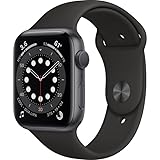
- GPS model lets you take calls and reply to texts from your wrist
- Measure your blood oxygen with an all-new sensor and app
- Check your heart rhythm with the ECG app
- The Always-On Retina display is 2.5x brighter outdoors when your wrist is down
- S6 SiP is up to 20% faster than Series 5
Software support and compatibility realities
Both Series 4 and Series 5 have reached the end of major watchOS upgrades. They still function well for notifications, fitness tracking, and core apps, but they won’t gain new features going forward.
This matters if you plan to keep the watch for several more years. App compatibility will gradually narrow, especially for newer third-party apps that expect more recent hardware.
They remain compatible with modern iPhones for now, but buyers should understand that long-term software longevity is limited.
Activation Lock, cellular status, and region checks
Always confirm that Activation Lock has been removed. If the watch asks for someone else’s Apple ID during setup, it is effectively unusable.
For cellular models, verify that the IMEI is clean and not tied to unpaid carrier balances. Even if you don’t plan to activate LTE, a locked device can complicate resale later.
ECG functionality is region-dependent and tied to Apple’s software approvals. Make sure the watch’s region matches where you intend to use it if ECG matters to you.
Bands, sizing, and everyday comfort
Both watches use the same 40mm and 44mm case sizes, and band compatibility is shared across generations. Worn or stretched bands are common, but replacements are easy and inexpensive.
Check that the band lugs lock securely into the case. Loose or damaged connectors can affect comfort and daily wear confidence.
Comfort is otherwise similar between the two, with identical case thickness and weight in comparable materials.
Refurbished sellers versus private listings
Certified refurbished units cost more but usually include battery testing, cosmetic grading, and return windows. For buyers who want predictability, this is often worth the premium.
Private sales can offer better pricing but carry higher risk. Without proof of battery health, Activation Lock removal, and functional buttons, savings can disappear quickly.
Between these two aging models, paying slightly more for a verified, clean example often delivers better real-world value than chasing the lowest price.
Who Each Watch Is Best For: Clear Recommendations by Buyer Type
With condition, battery health, and software limits now clearly in mind, the choice between Series 4 and Series 5 comes down less to raw capability and more to how you plan to use the watch day to day. Both deliver the core Apple Watch experience, but they suit slightly different priorities in today’s market.
Buy the Apple Watch Series 5 if you want a more “modern” daily experience
Series 5 is the better fit for buyers who want their watch to feel less like a compromise and more like a complete smartwatch, even several years after launch. The always-on display is the defining upgrade, and it genuinely changes how the watch feels on the wrist, especially for quick time checks, workouts, and navigation without exaggerated wrist raises.
If you like traditional watch behavior, Series 5 wears more naturally. You can glance at the time during meetings, while driving, or mid-workout without breaking your stride, and complications like weather, calendar, and activity rings remain visible throughout the day.
Series 5 also makes sense for buyers who want slightly better long-term usability. While both watches are nearing the end of their software life, Series 5 tends to receive new watchOS versions for longer and is more forgiving with newer apps and watch faces that expect always-on support.
This is also the better option if you care about premium materials. The stainless steel and titanium Series 5 models, when found in good condition, still feel upscale, with polished finishes and sapphire crystal that hold up better against daily wear than aluminum.
Choose Series 5 if you:
– Want an always-on display for easier time checks and workouts
– Prefer a watch that feels closer to a traditional timepiece on the wrist
– Plan to keep the watch as long as possible despite limited future updates
– Find a stainless steel or titanium model at a reasonable refurbished price
Buy the Apple Watch Series 4 if price is your top priority
Series 4 remains a solid choice for buyers who want Apple Watch fundamentals at the lowest possible cost. It still delivers the large-edge display, fast-enough performance for notifications and fitness tracking, and Apple’s core health features, including ECG and fall detection.
If you mostly use your watch for step tracking, heart rate monitoring, notifications, and basic workouts, Series 4 does not feel dramatically different in daily use. The display looks just as sharp when active, and the overall size, weight, and comfort are identical to Series 5 in comparable materials.
Series 4 is especially appealing for first-time smartwatch buyers or casual users who are unsure how deeply they will integrate the watch into their routine. Spending less upfront reduces regret if the watch ends up being used more like an accessory than a daily essential.
That lower price also makes Series 4 a sensible option for short-term ownership. If you plan to use the watch for a year or two before upgrading, the value proposition is easier to justify than paying more for features you may not fully appreciate.
Choose Series 4 if you:
– Want the cheapest entry point into a full-featured Apple Watch
– Primarily use notifications, fitness tracking, and basic apps
– Don’t mind raising your wrist to wake the display
– Expect to upgrade again in the near future
For fitness-focused users: the difference is smaller than you think
From a pure fitness and health tracking perspective, the gap between Series 4 and Series 5 is narrow. Both offer the same sensors for heart rate tracking, ECG, fall detection, and workout recording, and both support Apple’s activity rings and third-party fitness apps equally well.
Battery life during workouts is also similar. The always-on display on Series 5 does not meaningfully reduce workout endurance, but it also does not give Series 5 an advantage for long sessions or GPS-heavy activities.
If fitness is your primary use case and you are comfortable interacting with the screen during workouts, Series 4 remains perfectly capable. Series 5 simply makes it easier to glance at metrics without tapping or wrist movements.
For buyers concerned about longevity and resale
Neither watch should be viewed as a long-term, future-proof purchase. Software updates will eventually stop, and app support will narrow over time, regardless of which model you choose.
That said, Series 5 generally holds value slightly better and is easier to resell, largely due to the always-on display and broader appeal. Buyers browsing the secondhand market tend to gravitate toward it, even when the price difference is modest.
If resale matters, or if you want to minimize depreciation over the next couple of years, Series 5 is the safer choice. Series 4 is better treated as a value buy to be used until it no longer fits your needs.
Bottom line: the right choice depends on expectations, not specs
If you want the most complete and watch-like experience possible from an older Apple Watch, Series 5 is the clearer recommendation. Its always-on display subtly but meaningfully improves daily usability and makes the watch feel less dated.
If your goal is simply to get reliable Apple Watch functionality for as little money as possible, Series 4 still delivers strong value when bought in good condition. It covers the essentials without unnecessary extras.
Both can still be worth buying today, but only when priced appropriately and purchased carefully. Choose the model that aligns with how you will actually wear and use the watch, not the one that looks better on a spec sheet.