If you’ve ever seen an Apple Watch face that looks impossibly detailed, eerily mechanical, or closer to a luxury chronograph than anything Apple ships, you’ve almost certainly seen Clockology in action. It promises near-limitless customization at a glance, but it also comes with rules, trade-offs, and quirks that are easy to misunderstand if you’re new to it.
Before you download a single face file, it’s important to understand what Clockology actually does on Apple Watch, how it gets around Apple’s strict watchOS limitations, and why it behaves very differently from native watch faces. Knowing this upfront will save you frustration, battery drain, and unrealistic expectations later.
This section breaks down the reality of Clockology: what it is, what it isn’t, how it technically works, and why it can look so impressive while still living inside Apple’s walled garden.
Clockology is an app, not a true watch face
Clockology does not replace or modify Apple’s built-in watch faces. Instead, it runs as a third-party app on your Apple Watch, displaying a full-screen clock interface while the app is actively open.
🏆 #1 Best Overall

- Water Resistant: Our innovative splash-proof stretchy apple watch band allows droplets slides away which makes it handle sweat, light rain, and even accidental splashes without any issues. For some types of spills on this apple watch strap, like coffee, just a quick rinse under water within 1 minute and you will get a clean band
- Variety of Colors: With 10 colors in one pack to match any outfit, these apple watch bands for women and men offers a fashionable touch to iWatch. With a range of color options, you can easily switch up your look to suit any occasion, from professional meetings to casual outings. Enjoy the versatility of a band that complements your lifestyle and personal style effortlessly
- Comfort & Durability: Enjoy all-day comfort with our iwatch bands for women, designed to fit your wrist without any constriction. Crafted from soft, skin-friendly and durable sweat-wicking nylon, this apple watch se band is lightweight and breathable, preventing irritation and ensuring your wrist stays comfortable and cool, even during workouts
- Customizable Fit: Find your perfect fit with these iphone watch bands for women. Featuring a reinforced stainless steel buckle, these wristbands are fully adjustable to your desired length. The stretchable design ensures a snug and comfortable fit, suitable for both women and men with wrist sizes from 4.5" to 8.7"
- Compatible Models: Butifacion elastic apple watch sport band compatible with Apple Watch 38mm 40mm 41mm 42mm 44mm 45mm 46mm 49mm, iWatch Series Ultra/Ultra 2//Ultra 3 & Series 11/10/9/8/7/6/5/4/3/2/1/SE 3. The Water-Resistant design and comfortable material makes it suitable for everyday activities and outdoor fun, also ideal as a surprise for Birthdays, Mother's Day, Father's Day, Valentine's Day, Christmas and Thanksgiving Day
This distinction matters because Apple does not allow third-party apps to become permanent system-level watch faces. Clockology lives within watchOS rules, which means it behaves more like a highly specialized clock app than a native face like Modular Ultra or California.
In real-world use, this means you launch Clockology from a standard Apple face, and the custom design appears while the app is running in the foreground.
Why Clockology faces can look so advanced
Because Clockology is an app, it can draw its own graphics, animations, and layered elements without being constrained by Apple’s face templates. Designers can simulate mechanical movements, multi-register chronographs, depth effects, skeletonized dials, and even faux complications that look far more complex than stock options.
Many faces mimic famous luxury watches, aviation instruments, dive computers, or studio-clean minimal designs. Others go fully digital with dense data layouts that resemble fitness computers or sci‑fi dashboards.
What you’re seeing is essentially a custom UI rendered in real time, not a system watch face tied to Apple’s complication engine.
The trade-offs: interaction, persistence, and battery life
Clockology faces are not always-on in the same way native faces are. When your wrist drops or the display sleeps, watchOS may pause or exit the app depending on settings, battery level, and watch model.
To keep Clockology visible, many users enable features like Keep Awake or use Accessibility tricks such as reduced motion and guided access-style behavior. These workarounds improve persistence but can increase battery drain, especially on older Apple Watch models.
You also lose native interactions like swipe-to-change faces, instant complication taps, and system-level animations. Clockology prioritizes visuals over deep OS integration.
What data Clockology can and cannot show
Clockology can display time, date, battery level, activity data, and some health metrics, but only within the permissions Apple allows. It does not have the same real-time access as native complications, and some data updates are less frequent.
Many faces show decorative complications that look functional but are purely visual. This is intentional design, not a bug, and it’s why understanding each face’s intent matters before relying on it day to day.
For users who want quick glances and accurate live data, Clockology works best as a statement face rather than a mission-critical dashboard.
Compatibility and model considerations
Clockology works across most modern Apple Watch models, but the experience varies. Larger displays like the 45mm, 46mm, and Ultra sizes showcase complex faces far better, with more room for legibility and touch accuracy.
Older watches with less RAM or slower processors may struggle with heavy animations or layered designs. Battery capacity also plays a role, as extended app runtime hits smaller batteries harder.
watchOS updates occasionally change background behavior, so performance can shift slightly after major system updates.
Why people still love Clockology despite the limits
For many enthusiasts, Clockology scratches an itch Apple intentionally leaves untouched. It lets your Apple Watch feel personal, expressive, and closer to traditional watch culture, whether that’s a hand-finished dress watch aesthetic or a bold tool-watch layout.
It’s best thought of as a showcase mode rather than a full replacement for native faces. Many users rotate between Clockology and stock faces depending on mood, activity, or battery needs.
Once you understand what Clockology is and isn’t, it becomes far more enjoyable to use—and far easier to choose the right faces and settings for how you actually wear your Apple Watch.
Before You Start: Compatibility, Limitations, Battery Impact, and What Apple Allows
Before diving into specific faces and styles, it’s worth grounding expectations. Clockology lives in the space between Apple’s tightly controlled watchOS rules and the creativity of third‑party designers, which brings both freedom and friction.
Understanding what works well, what’s restricted, and what has real-world consequences will save you time and frustration once you start installing faces.
Apple Watch and watchOS compatibility
Clockology supports most Apple Watch models running recent versions of watchOS, but not all hardware delivers the same experience. Series 7 and newer, along with the Apple Watch Ultra line, handle complex faces far more smoothly thanks to larger displays, faster chips, and more memory.
Smaller or older watches can still run Clockology, but dense layouts and animated elements may feel cramped or stutter slightly. This isn’t a defect in the face itself; it’s a limitation of screen size, RAM, and GPU headroom.
If your watch struggles with responsiveness, choosing cleaner, simpler faces usually restores usability without sacrificing the Clockology experience.
iPhone requirements and app pairing
Clockology is installed and managed primarily from the iPhone, not the watch. You’ll need a compatible iPhone running a current iOS version, with Bluetooth connectivity stable enough to sync faces and settings.
Most installation steps happen inside the Clockology iPhone app, with the watch acting as a display endpoint. If your phone is several iOS versions behind, syncing issues and face import failures are more common.
Keeping both iOS and watchOS reasonably up to date matters more here than with standard App Store apps.
How Clockology faces actually run on Apple Watch
Clockology faces are not true system-level watch faces. They run inside the Clockology app, which must remain active in the foreground on your watch.
That’s why you won’t find them in Apple’s native face gallery, and why switching apps or letting the watch sleep may return you to a stock face. This behavior is dictated by watchOS, not by Clockology.
Think of Clockology as a beautifully rendered, full-screen app rather than a permanent OS replacement.
What Apple allows—and what it explicitly blocks
Apple does not allow third-party apps to replace system watch faces or hook into all real-time data streams. Clockology works within these rules, which is why some complications are visual rather than live.
You won’t get second-by-second health metrics, instant GPS data, or unrestricted background updates. Even when data is available, refresh rates may be slower than native Apple faces.
These limits protect battery life and system stability, but they also define how Clockology must behave.
Decorative vs functional elements
Many Clockology faces borrow visual language from mechanical watches, aviation instruments, or professional dive tools. Subdials, pushers, and scales often exist for aesthetic balance rather than utility.
This can be jarring if you expect every indicator to respond like a native complication. Once you treat these elements as part of the design, not tools, the appeal makes more sense.
Faces that clearly label functional data tend to be easier to live with day to day.
Battery impact in real-world use
Running Clockology consumes more power than a static native watch face. The screen stays active longer, animations require more processing, and background refresh rules are constantly negotiated by watchOS.
On larger watches with healthy batteries, this usually translates to a modest drain. On smaller or older models, you may notice a meaningful drop over a full day.
Most users treat Clockology as a showcase face they rotate into, rather than something they run continuously from morning to night.
Display settings that affect battery life
Brightness, animation frequency, and always-on behavior all influence power consumption. Faces with sweeping seconds hands, glowing effects, or layered shadows are especially demanding.
Lowering screen brightness and choosing faces with fewer moving parts can noticeably improve endurance. Some designers offer “low power” variants that look nearly identical at a glance.
If battery life matters more than visual flair, minimal faces are the safest bet.
Comfort, usability, and daily wear considerations
Highly detailed faces look stunning, but they can reduce glance readability. Thin fonts, small markers, and dense layouts may strain the eye, especially in motion or bright outdoor light.
For everyday wear, faces that balance contrast, spacing, and touch accuracy feel more comfortable. This is similar to choosing a well-proportioned mechanical watch over one that looks good only in photos.
Clockology shines most when design ambition doesn’t overwhelm usability.
Security, profiles, and safe installation habits
Most Clockology faces are shared via files or community links rather than the App Store. While this is normal, it means you should be selective about sources.
Avoid faces that ask for unnecessary permissions or profiles outside the Clockology ecosystem. Stick to well-known creators and communities with a track record of clean, non-invasive files.
Clockology itself operates within Apple’s sandbox, but smart sourcing keeps the experience worry-free.
Rank #2
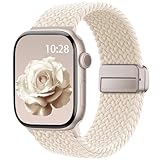
- Compatible Models: The HEARTBOOM magnetic nylon sport bands compatible for iWatch all versions. Suitable for Apple Watch Series 3/2/1 (38mm), Series 4/5/6/SE/SE 2/SE 3 (40mm), Series 7/8/9 (41mm), Series 11/10 (42mm). Pls check the model on the back of your watch to select the correct size
- Comfortable & Fit: HEARTBOOM stretchy apple watch band is made of recycled polyamide with a fabric weave, which is skin-friendly, breathable, lightweight, washable, sweat-resistant and quick-drying. Perfect for Fitness, Running, Yoga and daily wear, as it ensures that your wrist remains comfy and gentle feeling
- Multi Colors & Freely Adjustable: Our iwatch bands come with Various rich & muted colors for your choices, personalize your smartwatch to fit your outfit in daily life and easy change for every occasion. Suitable for women and men with 5.5"-9.6"(140mm~244mm) wrists. One size fit for most people,no need to measure your wrist to choose the size like the traditional braided bands
- Confidently Secure with Upgraded Magnets: Experience the perfect blend of style and security with our braided stretch band for Apple Watch. The enhanced magnetic Closure creates a strong, reliable connection that is easily adjustable for a flawless custom fit. Designed for all-day comfort and peace of mind, it stays put during any activity. Tool-free installation and one-click removal make it incredibly easy to use
- Perfect Gift: This apple watch bands blend fashion with functionality, look more fashionable and youthful. It's a a thoughtful and well-made gift. Suitable for Christmas, New Year's, Father's Day, Mother's Day and birthdays as a surprise for your parents, loved ones, and friends.We offer 24/7 friendly support
When Clockology makes sense—and when it doesn’t
If you rely on instant data, background tracking, or long battery life, native Apple faces remain unmatched. Clockology isn’t trying to replace them, and it works best when used intentionally.
For enthusiasts who appreciate watch design, finishing details, and the feel of a crafted dial on the wrist, Clockology adds emotional value Apple doesn’t offer out of the box.
Knowing when to use it is just as important as knowing how.
Best Luxury‑Inspired Clockology Faces: Mechanical, Swiss‑Style, and High‑End Homages
After understanding when Clockology makes sense, this is where the app truly earns its place on the Apple Watch. Luxury‑inspired faces are the reason many enthusiasts install Clockology in the first place.
These designs borrow heavily from traditional watchmaking, translating mechanical depth, dial texture, and finishing cues into a digital format. When done well, they make the Apple Watch feel less like a gadget and more like a carefully chosen timepiece.
Why luxury‑inspired faces work especially well on Apple Watch
The Apple Watch’s high‑resolution OLED display is uniquely suited to detailed dials. Fine markers, sunburst textures, and applied‑style indices render far better here than on most round smartwatch screens.
Case size flexibility also helps. Whether you’re wearing a 41mm or 45mm Apple Watch, many Clockology designers scale proportions thoughtfully, mimicking the balance you’d expect from a 39–42mm mechanical watch.
There is a trade‑off. These faces prioritize aesthetics over glanceable data, and animation can increase battery drain, especially with sweeping seconds or simulated balance wheels.
Swiss three‑hand dress watch homages
One of the most popular Clockology categories is the classic Swiss three‑hander. These faces usually feature baton indices, subtle minute tracks, and restrained typography inspired by brands like Omega, Longines, and vintage Rolex Datejust models.
Look for faces with restrained animation. A smooth seconds sweep at 1Hz or lower feels elegant without hammering battery life, and static dial textures often look more convincing than overly animated ones.
For daily wear, choose versions with high contrast hands and indices. Polished silver hands on a light dial may look authentic, but they can disappear outdoors, much like poorly lume‑filled dress watches in real life.
Mechanical skeleton and open‑worked styles
Skeletonized Clockology faces are visual crowd‑pleasers. They simulate exposed bridges, gears, and balance wheels, often inspired by high‑end Swiss or German manufactures.
The best examples avoid excessive motion. A single animated balance wheel or rotating gear adds life without overwhelming the screen or draining the battery too quickly.
Be mindful of legibility. Skeleton faces with dark backgrounds and clear hand contrast work best on the Apple Watch, especially if you plan to use raise‑to‑wake rather than always‑on display.
Chronograph‑inspired luxury faces
Chronograph homages are among the most convincing digital translations in Clockology. Sub‑dial spacing, tachymeter scales, and pump‑style pushers are often recreated with impressive attention to proportion.
These faces work best when the complications are decorative rather than functional. Running multiple animated sub‑dials continuously can impact battery life and doesn’t replicate true mechanical chronograph behavior anyway.
If you value realism, choose faces where sub‑dials remain static unless activated, mirroring how mechanical chronographs are typically worn.
High‑end sport luxury designs
Sport‑luxury faces inspired by dive watches and integrated‑bracelet icons are surprisingly wearable on Apple Watch. Bold indices, strong lume effects, and rotating‑bezel graphics suit daily use well.
The most successful dive‑style faces limit animation to seconds hands or bezel glow effects. Continuous bezel rotation or pulsing lume may look impressive but adds little functional value.
These designs pair well with sport bands or rubber straps, echoing how their mechanical counterparts are worn and improving comfort for all‑day use.
German, minimalist, and independent watch aesthetics
Not all luxury means Swiss. Some Clockology creators lean into Germanic restraint, independent microbrand cues, or minimalist Bauhaus‑style layouts.
These faces often favor matte textures, thin typography, and disciplined spacing. They tend to be easier on the battery and more legible at a glance than heavily layered designs.
For users coming from Nomos‑style or independent atelier watches, this category feels especially authentic.
How to install luxury‑inspired Clockology faces safely
Most luxury‑style faces are shared as .clock or .watchface files via community links or creator pages. Download the file on your iPhone, then open it directly with Clockology.
Inside Clockology, tap Sync and wait for the face to transfer to your Apple Watch. Keep both devices nearby and the Watch app active to avoid stalled transfers.
Avoid faces that require additional configuration profiles or external apps beyond Clockology. Well‑made luxury homages work entirely within the app and don’t need system‑level access.
Optimizing luxury faces for daily wear
After syncing, adjust brightness and animation settings inside Clockology before setting the face as active. Many creators include alternate versions labeled “static” or “low power.”
Test readability indoors and outdoors. If hands or indices disappear in sunlight, switch to a higher‑contrast variant, even if it’s slightly less realistic.
Treat these faces like mechanical watches in a collection. They’re best enjoyed intentionally, rotated in and out, and appreciated for craftsmanship rather than constant utility.
Best Minimal & Design‑Led Clockology Faces: Clean Dials, Typography, and Everyday Elegance
After the visual drama of dive bezels and luxury homages, minimal Clockology faces offer a reset. These designs focus on proportion, typography, and negative space, prioritizing calm legibility over spectacle.
They are also some of the most practical faces you can run daily. Fewer layers mean better battery behavior, faster wake times, and less visual fatigue during repeated wrist checks.
Pure typography faces: when the font is the feature
Some of the strongest minimalist Clockology faces are essentially exercises in type design. Hours and minutes are rendered using custom numerals or carefully chosen sans‑serif fonts, often with no markers, no textures, and no animation.
These faces tend to use a single complication at most, usually date or battery percentage, placed with disciplined spacing. On smaller Apple Watch sizes like 41mm, this restraint dramatically improves readability.
Look for versions that offer both light and dark backgrounds. White or warm grey dials are excellent indoors, while charcoal or near‑black backgrounds reduce glare and OLED bloom outdoors.
Bauhaus‑inspired layouts and balanced geometry
Design‑led Clockology creators often borrow from Bauhaus principles without directly copying any single watch. Expect thin baton hands, circular symmetry, and precise alignment between text, markers, and dial edge.
These faces feel especially natural on aluminum and stainless steel Apple Watch cases. Paired with leather loop or Milanese bands, they echo the everyday elegance of classic mid‑century watches without feeling costume‑like.
From a usability standpoint, Bauhaus‑style faces age well. You can glance at the time from extreme angles, and the lack of decorative noise makes motion blur less of an issue while walking.
Minimal analog faces with subtle seconds treatment
Many minimal Clockology faces still include a seconds hand, but treat it with restraint. Instead of a sweeping hand, you’ll often see a small sub‑dial, a dot track, or a discreet linear indicator.
This approach preserves the sense of a living dial while avoiding constant full‑screen animation. Battery impact is modest, especially when creators optimize refresh rates or include low‑power variants.
If you prefer the look of a static dial, several designers offer versions with seconds removed entirely. These are ideal for workdays or travel when endurance matters more than motion.
Modern digital minimalism done right
Minimal does not automatically mean analog. Some Clockology faces reinterpret digital time with elegant spacing, large numerals, and restrained color palettes.
The best examples avoid gimmicks like split digits or excessive shadows. Instead, they use proportion and alignment to make digital time feel deliberate rather than utilitarian.
These faces excel for quick glances during meetings or commuting. They are also among the easiest to read in bright sunlight, especially on Apple Watch Ultra or larger Series models.
Why minimal faces are ideal for everyday wear
Design‑led Clockology faces are comfortable precisely because they don’t demand attention. Your eye learns the layout quickly, reducing cognitive load over weeks of use.
They also pair better with Apple Watch features running in the background. Notifications, haptics, and fitness tracking feel less intrusive when the face itself is calm and predictable.
For users rotating multiple faces, minimal designs act as a baseline. They make sport, novelty, or data‑heavy faces feel special when you switch back to them.
Rank #3

- 【Fit All Models】SuperNaNa Sport silicone watch band compatible with apple watch bands 40mm 38mm 42mm 44mm 41mm 45mm 46mm 49mm women men,Soft breathable replacement sport strap for iwatch bands series 11 series 10 series 9 series 8 series 7 series 6 series 5 series 4 series 3 series 2 series 1. and iwatch Ultra 3 2, Ultra, SE(2nd Gen). All iwatch versions can attach perfectly and seamlessl.
- 【Soft Silicone Material】apple watch bands for women men are made of premium soft silicone, prevents skin from irritation, lightweight, persistent, skin-friendly, touch comfortable, water-resistant and sweat-proof; iphone watch bands for women perfectly fit for runs, hiking, rides, camping, climbing, swims, workouts, traveling and more outdoor activities. iWatch bands 40mm womens completely unburdened to wear on the wrist, perfect for all day.
- 【Adjustable size for all wrist】Our Sport apple watch strap compatible for 38mm/40mm/41mm/42mm(series 11 10), this size fits for 5.1"-7.1" (130mm-180mm) wrist; soft silicone iwatch strap compatible for 42mm(series 3 2 1)/44mm/45mm/46mm/49mm, this size fits for 5.9" - 7.9" (150mm-200mm) wrist. Please check the size on the back of your watch to choose the right size.
- 【Easy installation & removal】Our watch bands for women come with Innovative pin-and-tuck closure design, which locks onto smart watch interface precisely and securely. No tool needed,easy to install and remove,provides a secure and comfortable fit for extended wear.
- 【20+ Colors Choice】Silicone iwatch bands for women come with 20+ different cute colors available for women men. black starlight apple watch band etc colors personalize your Apple Watch and fit your daily mood and outfit. A idear option for your smartwatch accessories.
Installation tips specific to minimalist Clockology faces
When importing a minimal face, open it in Clockology and immediately check layer visibility. Some faces default to optional text or markers that can be toggled off for a cleaner look.
Adjust hand thickness and color if the creator allows it. A slightly thicker minute hand can significantly improve legibility without breaking the aesthetic.
Finally, test Always On Display behavior. Minimal faces often look better in AOD mode than complex designs, but ensure dimmed states still show the time clearly before committing to all‑day use.
Best Sporty & Tool‑Style Clockology Faces: Chronographs, Divers, and Outdoor Looks
If minimal faces are about restraint, sporty and tool‑style Clockology faces sit at the opposite end of the spectrum. These designs celebrate function, visual depth, and mechanical cues, often borrowing heavily from professional chronographs, dive watches, and outdoor instruments.
They are not subtle, and that is the point. When done well, a tool‑style face makes your Apple Watch feel purpose‑built, even if you are just tracking a walk or checking the weather.
Chronograph‑inspired faces that feel mechanical
The best chronograph Clockology faces take clear inspiration from traditional column‑wheel chronos, with sub‑dials laid out at 3‑6‑9 or 6‑9‑12 positions. High‑quality designs pay attention to spacing and scale so that the dial never feels cramped on a 41 mm or 45 mm Apple Watch case.
Look for faces that simulate continuous sweeping seconds rather than stuttering ticks. While this is still software‑driven, smoother motion makes a huge difference in perceived quality and better matches the feel of mechanical movements enthusiasts are used to.
Many creators include layered textures like brushed steel, matte black, or subtle sunburst effects. These translate surprisingly well on the Apple Watch display and add visual depth without overwhelming readability.
Using chronograph faces in real‑world Apple Watch use
Chronograph faces are best treated as visual tools rather than true timing instruments. Apple Watch background activity, notifications, and display refresh limits mean they are more about the look than precise elapsed time measurement.
Battery impact varies widely depending on animation complexity. Faces with constantly moving sub‑dials or animated tachymeter scales can drain faster, especially with Always On Display enabled on Series 5 and newer.
For daily wear, choose versions with optional static modes or the ability to disable running seconds. You still get the chronograph aesthetic without sacrificing endurance during long workdays.
Dive watch faces: bezels, lume, and legibility
Diver‑style Clockology faces are among the most popular for good reason. High contrast markers, bold hands, and rotating bezel designs naturally suit the Apple Watch’s rectangular display.
The strongest examples mimic professional dive watches with clear minute tracks, oversized hour markers, and lume‑inspired color palettes. Even without real lume, neon greens and soft blues remain readable in low light and dimmed Always On Display states.
Bezel interaction is typically visual rather than functional. However, some faces allow manual rotation through taps or on‑screen controls, which adds a satisfying layer of interactivity without breaking Apple Watch usability.
Why diver faces work especially well on Apple Watch Ultra
Apple Watch Ultra owners benefit the most from diver‑style faces. The larger display, flatter screen, and higher brightness give these designs room to breathe.
Rugged diver aesthetics also align naturally with the Ultra’s titanium case and chunky bands. Silicone dive straps, fabric alpine loops, and even rubber‑style third‑party bands visually complete the look.
From a comfort standpoint, diver faces are easy to glance at during workouts or outdoor use. Large hands and markers reduce eye strain, especially in bright sunlight.
Outdoor and expedition‑style faces
Outdoor‑focused Clockology faces lean into instruments rather than watches. Compasses, altimeters, temperature readouts, sunrise and sunset arcs, and weather indicators are common design elements.
The best outdoor faces prioritize hierarchy. Time remains dominant, while secondary data stays legible but subdued, avoiding the cluttered look that plagues weaker designs.
These faces pair well with Apple Watch fitness tracking and GPS activities. Even though the data may be decorative rather than live, the visual language reinforces the idea of readiness and exploration.
Balancing data density and clarity
Tool‑style faces can easily cross the line into overload. Before committing to one, spend a few minutes toggling layers inside Clockology to see what can be hidden or simplified.
If a face includes decorative sub‑dials that do not convey meaningful information, consider disabling them. Reducing visual noise often improves legibility more than changing colors or hand styles.
Also check how the face behaves when notifications arrive. Dense layouts can clash with banners or complications, making quick glances frustrating during active use.
Installation tips specific to sporty and tool‑style faces
When importing chronograph or diver faces, always open them first in Clockology on your iPhone. Confirm that the face is labeled as compatible with your watch size, as mis‑scaled designs are common with detailed layouts.
After syncing to Apple Watch, test both active and Always On Display states. Some tool faces look excellent when active but lose critical markers or contrast when dimmed.
Finally, pair the face with an appropriate band. Sport loops, rubber straps, or rugged fabric bands enhance the illusion of a purpose‑built tool watch and make the entire setup feel intentional rather than cosmetic.
Best Data‑Rich & Functional Clockology Faces: Complications, Health Data, and Power Users
If tool and outdoor faces hint at capability, data‑rich Clockology faces aim to deliver it visually. These designs are built for users who want their Apple Watch to feel like a command center, blending timekeeping with health stats, system indicators, and app shortcuts in a single glance.
The key difference here is intent. Instead of evoking a specific watch genre, functional faces prioritize information density, fast legibility, and customization depth, often at the expense of traditional watch aesthetics.
What “data‑rich” means in Clockology terms
Clockology faces do not replace native Apple Watch complications in the strict system sense. Most faces display data using Clockology’s own layers, text fields, and widgets, which can pull limited live information or mirror values via the Clockology app.
This means some metrics, like battery percentage, date, or step count, can update reliably, while others, such as heart rate or calories, may refresh only when the app is active. Power users accept this trade‑off in exchange for layouts Apple’s stock faces simply do not allow.
Before installing a complex face, check whether its data elements are live, semi‑live, or purely visual. Reputable creators usually label this clearly in the face description.
Dashboard‑style faces for everyday monitoring
Dashboard faces are the backbone of functional Clockology design. These typically use a grid or radial layout, with time centered and supporting data arranged symmetrically around it.
Common elements include battery level, date, weather conditions, step count, and activity rings rendered as arcs or bars. When done well, these faces feel closer to an aircraft instrument panel than a traditional watch.
They work best on larger Apple Watch sizes, where spacing prevents overlap and keeps touch targets usable. On smaller cases, prioritize dashboards that allow layers to be toggled off without breaking the layout.
Health‑focused faces: steps, activity, and wellness at a glance
Health‑centric Clockology faces are popular with users who want motivation without opening the Fitness app. Many designs prominently feature step counts, move streaks, or progress bars tied to daily goals.
It’s important to understand limitations here. Heart rate is often displayed as the last recorded value rather than a continuous live readout, and calorie data may lag behind native complications.
That said, these faces excel as visual reminders. Seeing your activity progress every time you check the time reinforces habits, even if you rely on Apple’s apps for precise tracking during workouts.
Power‑user faces with system and app shortcuts
Some of the most advanced Clockology faces integrate tap zones that launch apps, toggle settings, or open shortcuts. These are especially appealing to users who treat their Apple Watch as a productivity tool rather than a passive display.
You might see icons for timers, calendars, music controls, or smart‑home triggers arranged around the dial. While not as seamless as native complications, they can significantly reduce the number of swipes needed throughout the day.
When testing these faces, confirm that tap areas are large enough to be reliable. Overly small icons may look impressive but become frustrating in real‑world use, especially during movement.
Battery life considerations with dense layouts
Data‑heavy faces can impact battery life more than minimalist designs. Frequent refreshes, animated elements, and bright backgrounds all contribute to higher power draw.
To mitigate this, disable unnecessary animations and favor darker color palettes, especially on OLED displays. Also pay close attention to Always On Display behavior, as some faces simplify poorly when dimmed.
If battery longevity is critical, consider reserving complex faces for daytime use and switching to a simpler option overnight or during travel.
Installation and setup tips for complex Clockology faces
After importing a data‑rich face into Clockology on your iPhone, open it immediately and review the layer list. This is where you can identify which elements are essential and which are decorative.
Sync the face to your Apple Watch and spend a full day using it before making judgments. Pay attention to glance readability, notification overlap, and whether the data you care about actually updates in a useful way.
Finally, pair the face with a comfortable, lightweight band. Silicone sport bands or breathable fabric straps balance out the visual density on screen, keeping the overall experience practical for long wear rather than feeling like a tech demo strapped to your wrist.
Rank #4

- Newest Engraved Flower Design: SNBLK Apple watch band has clear vivid flower patterns made by advanced laser carving technology. Unique and stylish design that is sure to add a touch of elegance to your everyday outfit. One with sunflowers and the other with roses. Their cute floral print is perfect for anyone who loves nature and wants to add a personal touch to their daily wear. In addition, it's a thoughtful and well-made gift that is sure to be appreciated by anyone who receives it
- Comfortable to Wear: The Apple watch bands are made of high-quality soft silicone material that provides a comfortable and flexible fit on your wrist. The soft and lightweight nature of the band makes it perfect for everyday use, as it ensures that your skin remains comfy and free from irritation even when you wear the watch for extended periods of time. Plus, the silicone material is water-resistant and sweat-proof, making it perfect for use during physical activities or outdoor adventures
- Compatible Models & Size Options: These flower bands are designed for iWatch all versions. Suitable for Apple Watch Series 3/2/1(38mm),Series 4/5/6/SE/SE 2/3(40mm),Series 7/8/9(41mm),Series 11/10(42mm);For Series 3/2/1(42mm),Series 4/5/6/SE/SE 2/3(44mm),Series 7/8/9(45mm),Series 11/10(46mm),Ultra 3/Ultra 2/Ultra(49mm); 38/40/41/42mm Size fits 5.1"-7.1" (130mm-180mm) wrist, 44/45/46/49/42mm Size fits 5.9"-7.9" (150mm-200mm). Pls check the model on the back of your watch to select the correct size
- Enjoy the Thrill of Experimenting with Diverse Combinations: Enhance your iWatch with our stylish and intricately engraved printed strap, allowing you to personalize your smartwatch and effortlessly match your mood and outfit every day. Mix and match straps of various colors to elevate the look of your iWatch and showcase your distinct style. With a 6-pack of replacement, you can effortlessly transform your watch for various occasions, whether it's for sports, leisure, work, or everyday life
- Unmatched Durability: Our iWatch bands are built to withstand the test of time. Made from premium-grade silicone, it exhibits exceptional resistance to wear, tear, and daily use. Whether you're an athlete pushing your limits or a professional with a busy lifestyle, it is designed to keep up with your active routine, ensuring it remains in pristine condition. In addition, they comes with double hole and metal snap fastener, easier to take on/put off, no worry of loosing your watch any more
Best Novelty, Animated & Statement Clockology Faces: Fun, Retro, and Experimental Designs
After exploring productivity‑focused and data‑dense designs, it’s worth switching gears to the side of Clockology that exists purely for expression. Novelty and animated faces are where the app stretches far beyond Apple’s design language, turning the Apple Watch into a playful, nostalgic, or even provocative object rather than a restrained tool.
These faces are not about efficiency or complication density. They are about personality, visual impact, and occasionally a bit of controlled chaos, best enjoyed when you want your watch to spark conversation rather than quietly fade into the background.
Retro digital and arcade‑inspired faces
One of the most popular novelty categories is retro digital, pulling heavily from 1980s and 1990s LCD watches, early Casio calculators, and arcade game aesthetics. Expect chunky pixel fonts, segmented numerals, neon outlines, and faux backlight effects that instantly evoke old‑school hardware.
Many of these faces mimic the dimensions and proportions of classic square digital watches, which sit especially well on 41 mm and 45 mm Apple Watch models. On smaller cases, the oversized numerals can feel cramped, so test readability before committing.
In daily use, these designs tend to be lighter on battery drain than full animations, since most rely on static elements with occasional blinking separators. Pair them with a simple silicone sport band or a translucent strap to complete the retro look without making the watch feel bulky on the wrist.
Animated mechanical illusions and “impossible” movements
Another standout category includes animated faces that simulate mechanical behavior Apple Watch hardware can’t actually perform. Rotating tourbillon cages, endlessly sweeping hands, orbital discs, and layered depth effects are common here, creating the illusion of a complex movement beneath the glass.
These faces are visually striking, especially on larger displays where the animation has room to breathe. On the Ultra, the extra screen real estate makes these designs feel closer to kinetic art than a conventional watch face.
Be mindful that continuous animation increases power consumption, particularly when the display is active for long periods. For best results, disable unnecessary secondary animations and check how the face behaves in Always On Display mode, as some designs freeze abruptly or lose their intended depth when dimmed.
Pop culture, memes, and playful statement faces
Clockology’s community has embraced humor in ways Apple never would. Cartoon characters, ironic slogans, parody luxury logos, and animated mascots appear frequently in shared face libraries and social groups.
These faces are best treated as situational wear, similar to a novelty mechanical watch you wouldn’t bring to every meeting. They work well for weekends, workouts, or casual settings where the goal is amusement rather than discretion.
From a usability standpoint, many of these designs prioritize visuals over clarity. Before syncing them for daily wear, check that the time remains legible at a glance and that notifications don’t obscure critical elements.
Experimental typography and abstract time displays
Some of the most interesting Clockology faces abandon traditional hands and numerals entirely. Time may be represented through shifting blocks, rotating text, color gradients, or abstract shapes that change position throughout the day.
These designs reward slower interaction. You may not read the time instantly, but that slight pause is part of the appeal, turning timekeeping into a visual experience rather than a reflex.
Comfort and usability depend heavily on contrast and motion speed. High‑contrast palettes with restrained animation tend to work best, especially in bright outdoor conditions where subtle gradients can disappear.
How to install and safely use animated and novelty faces
Installing these faces follows the same process as any Clockology design, but with a few extra checks. Import the face on your iPhone, open it in Clockology, and immediately review the layer list to understand which elements are animated and which are static.
Before syncing to your Apple Watch, test the preview mode for at least 30 seconds. Watch for excessive motion, flickering, or overlapping layers, which can indicate poor optimization or compatibility issues with your watchOS version.
Once synced, wear the face for a few hours and monitor battery impact. If you notice rapid drain, return to Clockology and disable secondary animations or reduce refresh rates where possible.
When novelty faces make sense in real‑world use
Novelty and animated faces are best viewed as part of a rotation rather than a permanent setup. Use them during social events, travel days, or downtime when visual enjoyment outweighs efficiency.
They also pair well with lighter bands and breathable materials, balancing the visual weight of an expressive face with physical comfort. Fabric loops and soft silicone straps keep the watch feeling wearable even when the screen is doing a lot of visual work.
Clockology’s experimental side is what keeps the platform exciting. While these faces may not replace your daily driver, they showcase just how flexible the Apple Watch can be when you’re willing to step outside Apple’s carefully curated design boundaries.
Step‑by‑Step Installation Guide: How to Install Clockology Faces Safely on iPhone and Apple Watch
Once you’ve explored different Clockology styles and understand where animated or experimental faces make sense, the next step is installing them correctly. The process is straightforward, but doing it carefully avoids sync issues, missing complications, and unnecessary battery drain.
This walkthrough assumes you’re comfortable installing apps and interacting with files on iOS, but it does not require developer tools or risky profiles.
What Clockology is and how it actually works
Clockology is an iPhone and Apple Watch app that runs custom-designed watch faces inside its own environment. These faces are not native watchOS faces, which means they run as an app rather than replacing Apple’s built-in face system.
Because of this, Clockology faces behave slightly differently in daily use. They can look incredibly detailed and expressive, but they rely on background refresh rules, screen wake behavior, and system permissions that affect how often they update and how long they stay visible.
Check compatibility before you install anything
Before installing Clockology or downloading faces, confirm your setup. Clockology works best on Apple Watch Series 4 and newer, including SE and Ultra models, running a recent version of watchOS.
Older watches with limited RAM or slower processors can struggle with heavy animation or data-rich layouts. If you’re using a smaller case size, such as 40mm or 41mm, prioritize faces with larger numerals and high contrast for legibility.
Install Clockology on iPhone and Apple Watch
Start on your iPhone and install Clockology from the App Store. Once installed, open the Watch app on your iPhone and confirm that Clockology is also installed on your Apple Watch.
Launch Clockology on both devices at least once. This initial launch establishes permissions and prevents the most common syncing errors later.
Find Clockology faces from trusted sources
Clockology faces are typically shared as .clock or .json files. These are design files, not executable apps, but you should still download them from reputable creators or established communities.
Avoid faces that require configuration profiles, certificates, or system-level access. If a download asks you to install anything outside of Clockology or iOS file handling, skip it.
Import a Clockology face on your iPhone
After downloading a face file, locate it in the Files app or your browser’s download manager. Tap the file and choose Open in Clockology.
Clockology will launch and display the face in its editor view. If nothing happens, return to Clockology manually and check the Recently Imported or Faces section.
Review and test the face before syncing
Before sending the face to your watch, tap into the layer list. This shows every visual and functional element, including hands, complications, text fields, and animated layers.
Use preview mode for at least 20 to 30 seconds. Look for overlapping elements, unreadable text, or animations that feel overly busy, especially if you plan to wear the face daily.
Sync the face to your Apple Watch
With the face open in Clockology on your iPhone, tap the sync or send-to-watch option. Keep your iPhone and Apple Watch close together during this step.
Once synced, open Clockology on your Apple Watch. The face will appear within the app rather than in Apple’s face gallery.
Set Clockology for reliable daily use
For the best experience, keep Clockology running in the background on your watch. Do not force-close the app unless something freezes or fails to update.
If your face stops updating or disappears, simply reopen Clockology on the watch. This behavior is normal due to watchOS power management, not a broken face.
Optimize battery life and performance
Highly detailed faces with smooth sweeping seconds, animated backgrounds, or frequent data refreshes will consume more battery. If you notice faster drain, return to the editor and reduce animation speed or disable secondary effects.
Sporty or data-rich faces work best with darker backgrounds and fewer translucent layers. These choices reduce GPU load and improve outdoor readability, especially on always-on displays.
Understand the limitations compared to native faces
Clockology faces cannot fully replace Apple’s native watch faces. They do not integrate with the system face switcher, and some health or sensor data may refresh less frequently.
That said, many users rotate Clockology faces with stock faces. A minimal native face works well for workouts and sleep tracking, while a Clockology design shines during work hours or casual wear.
Troubleshooting common issues
If a face shows blank elements or incorrect data, check that Clockology has access to Health and location services if required. Missing permissions are a frequent cause of broken complications.
When syncing fails, restart both your iPhone and Apple Watch, then reopen Clockology on both devices. This resolves most connection-related problems without reinstalling anything.
Safe habits for long-term use
Treat Clockology faces like you would different straps or bracelets, rotating them based on comfort and context. A visually dense face pairs better with a lighter band, while a minimal face complements heavier metal bracelets.
Keep a small collection of reliable favorites rather than dozens of untested designs. This makes daily use smoother and helps you enjoy the creative side of Clockology without sacrificing usability.
💰 Best Value
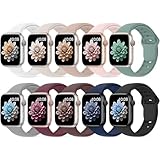
- 【Compatible Models】: UJUTL Sport silicone bands perfect compatible with Apple Watch Bands Series 11 10 -(42mm), Series 9 8 7 -(41mm), Series 6 5 4 SE3 SE2 -(40mm), Series 3 2 1 SE -(38mm), Check your watch size before ordering, Size fits 5.3"-7.6" (135mm-193mm) wrist
- 【Newest Original Design 】: The breathable groove design wicks away moisture to keep you cool during workouts and daily activities, Hidden buckle design that does not come into contact with any metal, Keep the irritate away from you
- 【Premium Material】: Comfort & Breathability - Made of high quality silicone, these bands provide soft, irritation-free wear for sensitive wrist, Durable & Easy to Clean - Non-sticky, stain-resistant silicone stays fresh through sweat, rain, and daily use. Simply wipe with a damp cloth for instant refresh
- 【10 Colors in One Pack】: Available in a variety of colors, these bands can be easily swapped out to match your outfit or mood, perfect for mixing styles with outfits or seasons. Also proper to be used as gifts for Wedding, birthday, Valentines' day, Mothers' day, father' day, Christmas, Thanksgiving Day etc
- 【Worry-Free Purchase】: To ensure 100% customer satisfaction, we provide 24/7 online support. If you encounter any issues with our product, please contact us immediately—we will prioritize resolving your concerns and offer tailored solutions promptly
Customization Tips & Advanced Tweaks: Editing Colors, Data Fields, Screen Wake, and Always‑On Display
Once you’re comfortable installing and running Clockology faces, the real fun begins inside the editor. This is where a good face becomes a personal one, tuned not just to your taste but to how you actually wear and use your Apple Watch day to day.
Clockology’s customization tools reward small, thoughtful adjustments. A few minutes refining colors, data refresh behavior, and screen settings can dramatically improve readability, battery life, and long-term comfort.
Editing colors for readability, realism, and battery life
Most Clockology faces allow individual color control for hands, indices, text, and background layers. Start by prioritizing contrast: light hands on dark dials or vice versa, especially if you glance at your watch outdoors or while moving.
If you’re using a luxury-inspired face, try slightly muted tones rather than pure white or pitch black. Subtle off-whites, champagne hues, or dark charcoal better mimic real dial finishes and reduce eye strain during long wear.
On OLED Apple Watch displays, darker backgrounds also help conserve battery. Faces with mostly black or deep navy areas draw less power, particularly on Series 7 and newer watches with larger screens and higher brightness.
Fine-tuning complications and data fields
Clockology data fields can display time, date, battery, steps, weather, heart rate, calendar info, and more, depending on the face design. Not every field needs to be active, and disabling unused ones reduces background refresh activity.
For daily wear, focus on glanceable essentials. Battery percentage, date, and activity rings tend to refresh reliably and add real value without cluttering the dial.
Data-heavy faces shine when you treat them like a digital instrument panel rather than a traditional watch. If a face includes multiple metrics, consider whether it’s better suited to work hours, commuting, or desk use rather than all-day wear.
Adjusting refresh rates and animation behavior
Some Clockology faces include sweeping seconds hands, animated subdials, or live background effects. These look impressive but come at a cost, especially on older Apple Watch models or smaller case sizes.
Inside the editor, reduce animation speed or disable non-essential motion if you notice warmth or faster battery drain. A ticking seconds hand instead of a smooth sweep often delivers a similar aesthetic with far better efficiency.
This is especially important if you wear your watch on a sport band or during long days away from a charger. Practical tuning keeps the face enjoyable instead of becoming a liability.
Managing screen wake behavior and tap interactions
Clockology faces rely on watchOS screen wake behavior, which means they appear when you raise your wrist or tap the display. Some designs also support tap-triggered elements, such as toggling data views or highlighting complications.
If accidental taps are an issue, especially with long sleeves or gloves, look for faces with fewer interactive zones. Minimal designs tend to be more predictable and feel closer to native Apple faces in daily use.
For users coming from mechanical watches, this restraint can actually enhance realism. A clean dial that only wakes when you intend it to feels more like a traditional timepiece and less like a mini smartphone.
Always‑On Display: what works and what to avoid
On Apple Watch models with Always‑On Display, Clockology faces behave differently than native faces. The system may dim, simplify, or temporarily freeze elements when the wrist is down, which is normal behavior.
Faces with bold hands, large numerals, and simple layouts work best in Always‑On mode. Thin text, fine indices, or low-contrast colors can become difficult to read when the display is dimmed.
If Always‑On visibility matters to you, test a face throughout a full day before committing. A design that looks stunning when active may be frustrating at a glance when the screen is idle.
Matching face complexity to case size and band choice
Larger Apple Watch cases handle dense layouts better, especially data-rich or chronograph-style faces. On smaller cases, overly complex designs can feel cramped and reduce legibility.
Band choice also plays a role in perceived balance. A heavy stainless steel bracelet pairs well with classic or luxury-inspired faces, while sport bands and fabric straps suit cleaner, more modern layouts.
Treat your Clockology faces the way watch enthusiasts treat straps and bracelets. Rotating combinations keeps the watch comfortable, visually fresh, and appropriate for different settings.
Saving multiple variants of the same face
One of Clockology’s underrated strengths is the ability to save multiple versions of a single design. You might create a high-contrast daytime version, a dimmer evening variant, and a battery-friendly travel setup.
This approach is especially useful if you rely on one favorite face style but want it to adapt to different situations. Instead of constantly editing, you simply load the version that fits the moment.
Over time, these small refinements add up. The goal isn’t endless tweaking, but a face that feels purpose-built for how you actually live with your Apple Watch.
Troubleshooting, Updates & Alternatives: Common Issues, watchOS Changes, and When to Use Stock Faces Instead
Once you start living with custom faces day to day, the experience becomes less about novelty and more about reliability. Clockology can feel remarkably polished, but it still operates within Apple’s guardrails, and those boundaries show up most clearly when something doesn’t behave as expected.
Understanding what’s normal, what’s fixable, and what’s simply a platform limitation will save you frustration and help you decide when a third‑party face enhances your watch and when Apple’s own faces still make more sense.
Common Clockology issues and how to fix them
The most frequent issue new users encounter is a face not appearing on the watch after import. In almost every case, this comes down to the Clockology app not being open and active on the Apple Watch when you sync the face from the iPhone.
Open Clockology on the watch, confirm it’s running in the foreground, then resend the face. If the face loads but immediately reverts to another screen, check that the Clockology face is selected as the active watch face in Apple’s Face Gallery.
Another common complaint is missing data, such as weather, steps, or battery indicators not updating. Clockology relies on iOS permissions and background refresh, so make sure Location Services, Motion & Fitness, and Background App Refresh are enabled for the app.
If complications appear frozen, a quick restart of both the iPhone and Apple Watch usually resolves it. Clockology faces are essentially live dashboards, and like any data-rich interface, they occasionally need a clean reset.
Performance, battery life, and heat management
Highly animated or data-dense faces can have a measurable impact on battery life, especially on older Apple Watch models. Constant second hands, weather animations, and multiple live metrics all increase background activity.
If you notice faster battery drain or warmth on the wrist, try switching to a simpler Clockology face for a day and compare results. Reducing animation layers and limiting real-time data sources often restores battery performance to near-stock levels.
For long days, workouts, or travel, it’s smart to keep a lightweight alternative saved. Think of complex Clockology faces as you would a mechanical chronograph: impressive and engaging, but not always the most efficient tool.
What happens when watchOS updates change the rules
Major watchOS updates have a habit of subtly breaking third‑party behavior, even when nothing looks wrong at first glance. Changes to background refresh, Always‑On Display handling, or sensor access can temporarily affect Clockology faces.
After a watchOS update, expect to re‑open Clockology on both devices and resync your favorite faces. This is normal and doesn’t mean your files are corrupted or unsupported.
Occasionally, a specific watchOS version may limit how often data updates or how faces behave when the wrist is down. When this happens, the Clockology community and developers usually adapt quickly, but there may be a short adjustment period.
If stability matters more than customization, it’s worth waiting a few days after a major update before rebuilding your entire face library.
When a Clockology face isn’t the right tool
As versatile as Clockology is, there are moments when Apple’s native faces are simply better. Fitness tracking, workouts, and health monitoring are prime examples, where stock faces integrate seamlessly with heart rate, activity rings, and workout metrics.
Native faces also handle Always‑On Display, low‑power mode, and system alerts more gracefully. If you rely on glanceable information during meetings, workouts, or driving, Apple’s designs still have the edge in consistency.
There’s also a comfort factor. Apple’s faces are tuned for long-term wear, with careful attention to contrast, motion, and readability in every lighting condition. Sometimes the best customization choice is knowing when not to customize.
Stock face alternatives that pair well with Clockology
Many experienced users rotate between Clockology and native faces rather than choosing one exclusively. A minimal Apple face like California, Simple, or Utility works well as a daily driver when you want reliability and battery efficiency.
Luxury-inspired Clockology faces often pair nicely with Apple’s analog faces for contrast. You might wear a detailed mechanical-style Clockology face in the evening, then switch to a clean stock face during the workday.
Think of this as building a small watch collection within one device. Each face, whether third‑party or native, serves a specific role depending on mood, outfit, or schedule.
Safe usage, updates, and long-term viability
Clockology does not modify watchOS or bypass system security, which is why it remains available on the App Store. Still, it’s wise to download face files only from trusted sources and active communities.
Avoid installing configuration profiles or certificates that promise deeper system access or “true” custom faces. These often compromise security and can break compatibility with future updates.
As long as you treat Clockology as a creative layer rather than a system replacement, it remains one of the safest and most flexible ways to personalize an Apple Watch.
Knowing when you’ve found the right balance
The best Clockology setup isn’t the most complex or visually extreme. It’s the one that feels natural on your wrist, complements your band and case, and disappears into daily life when you’re not actively admiring it.
By understanding the limitations, preparing for updates, and mixing custom faces with Apple’s own designs, you get the best of both worlds. Personal expression without sacrificing comfort, performance, or reliability.
That balance is what turns Clockology from a fun experiment into a long-term part of how you wear and enjoy your Apple Watch.