Do these 3 things before closing this tab:
1Scan for outdated or missing drivers - takes under a minute2Clear out junk files and repair common Windows errors3Fix the driver behind crashes, sound loss and screen glitchesSome links on this page are affiliate links: if you buy through them we may earn a commission, at no extra cost to you.
Yes—the Galaxy Watch5 Pro is receiving One UI 8 Watch in the United States. The update is based on Wear OS 6, and Verizon lists it for the 45mm LTE model from June 18, 2026, with firmware version R925USQU2DZB6. Availability is not necessarily simultaneous across every Watch5 Pro model, carrier, or region, so check your watch’s model number before assuming the update is missing.
What One UI 8 Watch means for the Galaxy Watch5 Pro
One UI 8 Watch is Samsung’s software layer for its smartwatches. Underneath it is Google’s Wear OS 6 platform. Samsung’s update records describe the upgrade as “One UI 8 Watch Upgrade” and identify the resulting platform as Android Wear 6.0, which refers to the Wear OS 6 software base.
This is separate from One UI 8 for Galaxy phones. A phone receiving One UI 8 does not automatically mean its paired Galaxy Watch5 Pro has received One UI 8 Watch. The watch must receive its own firmware release through Samsung, a carrier, or both.
Which US Galaxy Watch5 Pro models are covered?
The retail name is not enough to identify the update schedule. Check the exact model number in Galaxy Wearable → Watch settings → About watch, or on the watch at Settings → About watch.
#1 Best Overall

- 1.4'' Super AMOLED, 450x450px 321ppi, Exynos W920 Dual-core 1.18GHz, 590mAh Battery, Android Wear OS 3.5, One UI Watch 4.5, Bluetooth 5.2, Wi-Fi
- GPS route and Auto Workout Tracking, 2x tougher Sapphire crystal glass face, Water-resistant
- Advanced Sleep Coaching analyzes your sleep stages, then provides tips, and sleep reports to manage your overall sleep quality
- Get more accurate wellness readings with the redesigned BioActive Sensor. The improved shape gets closer to your skin to track your heart rate and more
- Compatible with Android and iOS devices. Supports Samsung Pay. 4G LTE Bands: B2 (1900 MHz), B4 (1700 MHz), B5 (850 MHz), B12 (700 MHz) - eSIM. Cellular LTE model Compatible with GSM and CDMA Carriers like T-Mobile, AT&T, Verizon, etc. Contact Carrier to Register
| Watch5 Pro variant | Model family | US rollout status |
|---|---|---|
| Bluetooth/Wi-Fi | SM-R920 | Samsung’s device record lists the One UI 8 Watch upgrade and Wear OS 6. Exact US timing and build availability can vary. |
| LTE | SM-R925 | Verizon lists a US update released June 18, 2026. |
For Verizon’s 45mm LTE version, the listed software version is R925USQU2DZB6. That confirms the update has reached at least one US carrier variant; it does not prove that every unlocked, Bluetooth, or other-carrier Watch5 Pro received it on the same date.
Imported watches may follow the firmware schedule of their original market rather than the US schedule. A model purchased outside the United States should not be judged solely by what a US carrier page lists.
Verizon’s Galaxy Watch5 Pro update page lists the US LTE release, while Samsung’s SM-R920 update record identifies the One UI 8 Watch and Wear OS 6 upgrade for the Bluetooth model family.
When did the US rollout begin?
The clearest US-specific date is June 18, 2026, when Verizon listed the Galaxy Watch5 Pro LTE update. Samsung’s broader device records also show Watch5-series Wear OS 6 releases in June 2026.
These are documented availability dates, not a guarantee that every owner could download the update immediately. Watch firmware can be distributed in stages and may differ by carrier, connectivity type, region, and exact model.
Rank #2

- Rugged Titanium Case: Durable titanium design built for outdoor activities and demanding environments.
What changes—and what does not?
The confirmed change is the move to the newer Wear OS 6 software base with Samsung’s One UI 8 Watch interface layer. That should keep the Watch5 Pro more relevant for current apps, software compatibility, and Samsung’s wearable ecosystem.
However, the Watch5 Pro should not be treated as a Galaxy Watch8 with an older case. Samsung has historically brought selected features from newer watches to previous generations rather than duplicating the complete newer-watch experience. Feature availability can depend on hardware, sensors, region, phone compatibility, Samsung Health, and Samsung Health Monitor support.
Free tools Windows power users keep installed
One-click scans. No signup required.
Do not assume that the update automatically adds every Watch8 feature, Gemini, or newer health measurement. Samsung’s specific firmware notes for your model are the authority for features included in that release. Likewise, there is no verified basis here for promising a battery-life improvement or declaring this the Watch5 Pro’s final major update.
How to install One UI 8 Watch
Using the Galaxy Wearable app
- Charge the watch. Samsung says an update may require at least 30% battery; 50% or more is a safer target.
- Connect the watch to its paired Android phone.
- Open Galaxy Wearable.
- Tap Watch settings.
- Tap Watch software update.
- Tap Download and install if the update is offered.
Keep the watch connected and allow it to reboot. The installation may show a progress bar or rotating animation. Do not interrupt the process while the watch is installing or restarting.
Checking directly on the watch
- Open Settings on the watch.
- Tap Software update.
- Check for an available update and follow the prompts.
Samsung supports direct updating on Wear OS Galaxy Watch models, but the Watch5 Pro still requires a compatible Android phone for setup and pairing. It is not an iPhone-compatible standalone watch.
Rank #3

- Rugged Titanium Case: Durable titanium design built for outdoor activities and demanding environments.
Before updating, install any available updates for Galaxy Wearable and Samsung Health, use a stable connection, and make sure the phone has enough free storage for the downloaded package. Samsung’s Galaxy smartwatch update instructions note that menu names and screens can vary by device and software version.
What’s actually slowing this PC down?
Pick the symptom - the matching free tool is one click away.
Why the update may not appear yet
Carrier rollout differences
LTE watches can receive carrier-specific firmware. Verizon’s R925USQU2DZB6 listing confirms availability for its US LTE variant, but another carrier may release a different build later—or use a different release schedule.
Bluetooth and LTE builds are different
An SM-R920 Bluetooth watch will not necessarily show the same build number or release date as an SM-R925 LTE watch. Compare model numbers before concluding that the update has been withheld.
Staged or temporarily paused distribution
Samsung or a carrier may release an update in stages or pause distribution if problems are identified. Seeing “latest version installed” today does not prove that your watch is permanently excluded.
Imported or mismatched-region hardware
An imported Watch5 Pro may retain firmware-region behavior from its original market. Check the model and region information before considering any manual firmware procedure. Do not flash a different regional package simply to force the update.
Rank #4
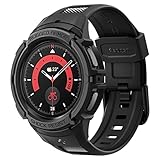
- Compatible with BIA Body Composition Measurement and Heart Rate Monitoring Feature with precise Button Cut-Out design
- All-around scratch defense with shock-absorbing material
- Rugged design with an adjustable band with a durable metal clasp
- Raised bezels around the screen for extra screen protection
- Precisely designed for the Galaxy Watch 5 Pro 45mm. Fits 5.5 inch to 8.5 inch (140mm - 215mm) wrists.
Outdated phone software or plugins
An old Galaxy Wearable app or watch plugin can interfere with update discovery. Update Galaxy Wearable and Samsung Health through Google Play or the Galaxy Store, then restart both the phone and watch.
Phone compatibility
Galaxy Watch5 models require a compatible Android phone for setup and pairing and do not support iPhone setup. Samsung’s Wear OS Galaxy Watch compatibility guidance explains these requirements.
Independent reader supportYour contribution helps us test, update, and keep practical guides available for everyone.What to do if installation fails
- Place the watch on its charger.
- Confirm that the phone and watch are connected in Galaxy Wearable.
- Restart both devices.
- Update Galaxy Wearable, Samsung Health, and the relevant watch plugins.
- Retry through Galaxy Wearable → Watch settings → Watch software update.
- Try the watch’s Settings → Software update path.
- Check the phone’s free storage and internet connection.
- If the watch downloads the update but fails during installation, avoid repeatedly interrupting its reboot process.
Contact Samsung or your carrier if the watch remains stuck on a boot screen, repeatedly restarts, or reports a corrupted update. A factory reset should not be the first step unless support specifically recommends it. Unofficial firmware flashing is also a poor normal solution because it can create model, region, Knox, warranty, or bricking risks.
Should you keep the Galaxy Watch5 Pro?
For owners whose main concern is software support, One UI 8 Watch makes an immediate upgrade less necessary. The Watch5 Pro still offers a large battery, titanium construction, and a capable Wear OS platform, and the move to Wear OS 6 extends its software relevance.
Free tools Windows power users keep installed
One-click scans. No signup required.
An upgrade can still make sense if you need newer sensors, faster hardware, longer expected support, a brighter display, improved health capabilities, or a replacement for a worn battery. Newer models such as the Galaxy Watch7 and Galaxy Watch8 series may offer hardware and platform advantages that a software update cannot add to the Watch5 Pro. Samsung’s corporate documentation distinguishes newer watches by processor, platform, and health hardware; One UI 8 Watch does not make the Watch5 Pro equivalent to those models.
LTE buyers should also verify carrier compatibility and activation requirements before replacing the watch. Anyone moving to an iPhone should not choose the Watch5 Pro expecting Galaxy Watch5 Wear OS support.
The bottom line
The Galaxy Watch5 Pro is receiving One UI 8 Watch based on Wear OS 6 in the US. Verizon has documented the update for its LTE model, firmware R925USQU2DZB6, with a June 18, 2026 release date. Check your model number and update through Galaxy Wearable or the watch’s Settings app. If the update is not visible, carrier staging, Bluetooth-versus-LTE differences, an imported model, or outdated companion software are more likely explanations than immediate exclusion.
Quick Recap
Product prices and availability are accurate as of the date/time indicated and are subject to change. Any price and availability information displayed on Amazon at the time of purchase will apply.
Quick wins for a faster PC:
Clear out junk files and repair common Windows errorsFree Scan →Fix the driver behind crashes, sound loss and screen glitchesFind Drivers →
