Do these 3 things before closing this tab:
1Repair Windows errors before they cause bigger problems2Scan for outdated or missing drivers - takes under a minute3Clear out junk files and repair common Windows errorsSome links on this page are affiliate links: if you buy through them we may earn a commission, at no extra cost to you.
On a Galaxy Watch4 or Watch4 Classic, enter the reboot menu by holding Home/Power + Back until “Rebooting…” appears. Release both buttons, immediately double-press Home/Power, select Download (Wireless) with short presses, then long-press Home/Power. Once the wireless-download screen appears, double-press Home/Power again to switch from WPS to AP Mode.
If you only entered the mode to inspect it, hold Home/Power for about 10–15 seconds to exit or restart. Entering Download or AP Mode alone does not start a flash or perform a factory reset; flashing firmware is a separate, advanced action that can risk data loss or make the watch unusable if the package or process is wrong.
Before you begin
- Charge the watch. Keep it on its Samsung charging dock if practical, especially if it is malfunctioning.
- Back up first if the watch still starts normally. Use Galaxy Wearable. Samsung recommends backing up before a reset and advises charging and force-rebooting a malfunctioning watch; see its watch troubleshooting guidance.
- Confirm the exact model number. Watch4-family model codes include SM-R860, SM-R865, SM-R870, SM-R875, SM-R880, SM-R885, SM-R890 and SM-R895, but regional or carrier suffixes matter. Do not assume that packages for different sizes, LTE/Bluetooth variants, or Watch4 and Watch4 Classic are interchangeable. Samsung notes that options can vary by model and software version (Samsung support).
- Do not flash just to inspect the menu. The button sequence below only enters the wireless-download environment. Firmware transfer is a separate operation.
This guide is for the Galaxy Watch4 and Watch4 Classic, including Bluetooth and LTE variants with the same relevant button layout. Screen wording and timing may vary with model, region or firmware. Samsung’s public support pages cover rebooting, recovery, resets and updates, but the Download/AP/NetOdin sequence is documented by specialist third-party guides rather than an official Samsung consumer flashing tutorial. See the Galaxy Watch4 mode guide.
What’s actually slowing this PC down?
Pick the symptom - the matching free tool is one click away.
Enter the reboot menu
- Press and hold the watch’s Home/Power button and Back button together.
- Keep holding until “Rebooting…” appears.
- Release both buttons immediately when you see the message.
- Quickly double-press Home/Power. This timing opens Select REBOOT MODE.
The upper physical button is generally Home/Power and the lower button is Back. If the watch boots normally, repeat the sequence: hold both buttons until the message, release, then double-press Home/Power right away. Samsung documents the force-reboot and recovery process in its support instructions; the precise Download-menu timing is described by specialist guides.
#1 Best Overall
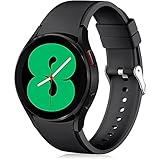
- 【Compatible Models】Lerobo 20mm smart watch bands compatible with Samsung Galaxy Watch 7/6/5 40mm 44mm/Galaxy Watch 6 Classic 47mm 43mm/Galaxy Watch 5 Pro 45mm/for Galaxy Watch 4 40mm 44mm /Galaxy Watch 4 Classic 42mm 46mm /Galaxy Watch 3 41mm only, not compatible with samsung galaxy watch active 2 40mm 44mm/ active/ galaxy watch 42mm/ galaxy watch 46mm/galxy watch 3 45mm and other universal watch with 20mm lugs. (Note: No watch included).
- 【Stylish Exterior Design】Lerobo new arrival wristband fits as good as original for galaxy watch 4 classic band and for galaxy watch 4 band/galaxy watch 7 band. Adopt exclusive arc design to achieve seamless connection with watch, which is more unique, fashionable and stable. A variety of popular colors band offer your smartwatch high-end looks could match your every mood & outfit to express your own personal style from work to workouts routine.
- 【Comfortable & Durable】The sport straps compatible with Samsung smartwatch are made of premium soft silicone rubber, skin-friendly and water resistance, anti-allergic and no fading, bring you a comfortable wearing experience. Premium Watch Buckle design, 20mm quick release pin easy to install and remove, NO tools required!
- 【Free Size for All】Adjustable size for all wrists. The adjustable watch band compatible with Samsung Galaxy Watch 4/for Galaxy watch 4 classic fit small or large wrist for 5.5"-8.5" (140mm-216mm). Easy to adjust the length and fit for women and men.
- 【Perfect Refined Gift】This for galaxy watch band is ideal option compatible with Samsung Watch accessories, best gift for men, women in many occasions like parties, business,meeting, anniversaries, Christmas, thanksgiving day or daily wearing whenever you are doing sports or working.
Select Download (Wireless)
- On Select REBOOT MODE, press Home/Power briefly to move through the available options until Download (Wireless) is highlighted.
- Long-press Home/Power to select it.
- Wait for the wireless-download screen to load. It may initially show WPS or a WPS connection state.
Use the button rather than relying on touch input. A short press generally moves the selection; a long press confirms it. If the watch times out and starts normally, begin again.
Switch from WPS to AP Mode
- Wait until the wireless-download screen is fully visible.
- Double-press Home/Power quickly; do not hold the button during this double press.
- Confirm that the display changes to AP Mode. The watch’s model number may also appear on or near the screen.
These labels describe two consecutive states, not two names for the same thing: Download (Wireless) enters the wireless firmware-transfer environment, and the subsequent button double-press switches its connection from WPS to AP Mode. In the NetOdin workflow, AP Mode lets the PC connect directly to a Wi-Fi network created by the watch. The sequence is documented in specialist Watch4 instructions.
Rank #2

- 【compatible with All 20mm Watch Band】 Lerobo 3 pack stretchy braided nylon solo loop bands widely compatible with Samsung Galaxy Watch 7/6/5/4 44mm 40mm, Watch FE, Watch 6 Classic 47mm 43mm, Watch 5 Pro 45mm, Watch 4 Classic 46mm 42mm, Watch Active 2 44mm 40mm/Active,Watch 3 41mm, Watch 42mm, compatible with Samsung Gear Sport/ for Gear S2/S2 Classic, compatible with Gizmo Watch and other watches with 20mm width lugs. PLEASE NOTE: NOT compatible with Samsung Galaxy Watch 8/8 classic
- 【Breathable & Stretchy Nylon Material】 Our bands compatible with Samsung Galaxy Watch 7 band made of super strong stretchable elastic braided nylon material, which makes the strap soft, lightweight, breathable & skin-friendly, preventing skin from irritation rash. Works for all day-workouts and daily life, bring you a new comfortable wearing experience.
- 【Adjustable Comfortable Size】 Lerobo stylish replacement wristband straps compatible with Samsung Watch 6 44mm 40mm 43mm 47mm with latest elastic material and adjustable metal buckle design allows you to adjust watch band to your comfort level, fit for 5.3"- 9.8" (130mm-230mm) wrist of women men. You don't need to worry about buying the wrong size.
- 【Unique Design for Your Daily Dress Up】 These compatible with Samsung Galaxy Watch 4/compatible with Samsung Galaxy Watch 5 elastic band have fashionable wave patterns and vivid colors, which can improve your style and make your watch brand new. Perfect gift for Birthday, Christmas Day, Mother's Day, Father's Day, Thanksgiving Day, Valentine's Day, etc.
- 【Security & Easy to install】 Lerobo 20mm quick release watch bands with pins on both ends lock precisely and securely on the smart watch interface. And the elastic material band will let you feel like a scrunchie on wrist, comfortable to put on and easy to take off without any tool.
Connect a Windows PC
If your goal is only to reach AP Mode, you can stop here and exit safely. To continue with the wireless NetOdin workflow:
- On the PC, open the available Wi-Fi networks and look for one named after the watch or its model number, such as an
SM-R...identifier. The SSID is not guaranteed to use one fixed name; community reports describe model-named or hidden networks. - Connect the PC to the watch-created network and wait for the watch to indicate a connection.
- Open NetOdin on the Windows PC. If Windows Firewall prompts you, allow the application on the network profile you are using. Wait for the program to show a connection, such as the watch’s IP address or an entry in its connection area/log.
- Before any transfer, verify the full watch model, firmware package and regional/carrier compatibility. Start a transfer only if you understand the package and its options.
Specialist guides describe loading watch firmware files into NetOdin for transfer (NetOdin guide; wireless connection guide). This is an advanced, unofficial repair method—not the normal Samsung update route. Do not treat a successful AP connection as proof that a firmware file is correct.
Rank #3

- 【Compatible with all 20mm watches】If pins breaking or missing, please contact us through Amazon. Lerobo Metal Elegant Casual Business Band Compatible with Samsung Galaxy Watch 7/6/5/4 FE 40mm/44mm/Galaxy Watch 6 Classic 43mm 47mm/Galaxy Watch 5 Pro 45mm/Galaxy Watch 4 Classic 42mm/46mm/Galaxy Watch Active 2 40mm 44mm/Galaxy Watch Active 40mm/Galaxy Watch 3 41mm/Watch 42mm. PLEASE NOTE: NOT compatible with Samsung Galaxy Watch 8/8 classic
- 【Upgrade Electroplating】Lerobo casual business stainless steel band compatible with Samsung Galaxy watch 7 6 5 4 and for galaxy watch active 2 uses a nano-electroplating process that deeply embeds pigments into the metal, providing superior durability and a lasting shine compared to ordinary plating methods.
- 【Quality Stainless Steel Material】Lerobo for galaxy watch 6 band Classic 43mm 47mm 40mm 44mm is crafted from top solid stainless steel with a smooth surface, which enhances the comfort and durability of the watch band. It will be comfortable touch feeling on your wrist without hurting your skin, luxury, handsome and practical, nobility and durability
- 【Adjustable Size】Lerobo design compatible with Samsung watch 7 6 5 4 band 40mm 44mm fit wrists of 6.2 -8.3 inches (157mm - 210mm), the stainless steel watch band can be adjusted by removal tool to fit your wrist perfectly
- 【Multi-color Selection】A variety of colors are available for perfect for daily and nightly wear. Aesthetics design watch bands for work, date, party, shopping, shows, any business & special occasions. Nice choice as a exquisite gift for Birthday, Christmas, Thanksgiving Day, Father's Day
Firmware safety
- Use firmware intended for the exact model and compatible regional/carrier configuration. Firmware repositories list separate model and CSC packages; for example, see the distinct SM-R860 listing and SM-R875U listing. These are third-party examples, not Samsung support or a recommendation for a particular file.
- Do not assume Watch4 and Watch4 Classic firmware is interchangeable, or that Bluetooth and LTE versions share packages.
- Do not apply phone Odin instructions to a watch, enable repartitioning or unrelated options, or select files whose purpose you do not understand.
- Do not disconnect the watch, close the transfer tool or interrupt power during a flash—even if the display appears inactive. Wait for completion and the watch’s reboot.
- A flash may erase data or affect pairing, regional configuration or LTE/eSIM activation. Neither the connection nor the tool guarantees that the watch can be recovered from a failed or incompatible flash.
Exit Download Mode or AP Mode safely
If you entered the mode accidentally and have not started a flash, press and hold Home/Power for approximately 10–15 seconds, then release when the watch exits the screen or restarts. Let it boot normally. This exit method is reported by specialist instructions and community troubleshooting, rather than a Samsung flashing manual.
If it does not respond, continue holding Home/Power, place the watch on its charger, and try the two-button force-reboot sequence again. If the reboot menu appears, choose Continue to start the installed system. If a flash is already in progress, do not interrupt it just to exit.
Rank #4

- Compatible Models:Maledan No Gap 20mm Quick Release Silicone Sport Strap for Samsung Galaxy Watch 7 (40mm/44mm), Galaxy Watch FE, Samsung Galaxy Watch 6 (40mm/44mm), Galaxy Watch 6 Classic (43mm/47mm), Galaxy Watch 5 (40mm/44mm), Galaxy Watch 5 Pro 45mm, Galaxy Watch 4 (40mm/44mm), Galaxy Watch 4 Classic (42mm/46mm). Attention: Not for other models. No SmartWatch Included
- No Gap Connection Installation: Our galaxy watch 7 band feature quick-release spring bars with gapless connection technology. Simply slide the pin into the watch notch, lock both sides of the connector onto the galaxy watch band, push and slide the other end inward for a seamless and easy installation. The stainless steel buckle ensures a perfect and secure fit for Samsung Watch 4/5/6/7
- Comfortable & Durable: The sport straps are made of premium soft smooth silicone, offering a skin-friendly, sweat & water resistant. A great affordable accessories for samsung watch bands. Lightweight and flexible, bring you a comfortable wearing experience. The anti-allergic silicone sports wristband is as soft as it is strong and will not be deformed
- One size fits all: Our galaxy watch 6 band is easily adjustable, suitable for wrists 5.6"-8.1"(140mm-205mm). The wide adjustment range ensures a comfortable fit without causing any skin irritation, making it ideal for monitoring heart rate during exercise and sleep. Our various original replacement Galaxy watch 7/6/5/4/FE band make perfect gifts for friends, wife, parents, and relatives
- Colourful Set: Maledan for Samsung watch 7 bands come in a vibrant array of colors for men women. With a classic and stylish design, they effortlessly complement your casual or office wear. These breathable, dirt-repellent sports galaxy watch 4 band is perfect for all-day wear and various activities like manual labor, intense workouts, and climbing
Download, AP, Recovery and Developer modes compared
| Option or mode | What it is for | Risk or note |
|---|---|---|
| Continue | Boots the installed operating system. | Ordinary startup; no reset by itself. |
| Download (Wireless) | Enters the watch’s wireless firmware-transfer environment. | Entering it alone does not flash; a later transfer can carry data and device risks. |
| AP Mode | Connection state in which the watch provides the Wi-Fi network used by the described wireless NetOdin workflow. | Not a factory reset and not proof a firmware file is suitable. |
| Recovery | A separate troubleshooting environment that can include reset options. | Wipe data/factory reset erases user data. Use only when appropriate and backed up. |
| Developer options / wireless debugging | Developer diagnostics and app testing, including ADB-related settings. | Not required just to enter Download Mode or AP Mode. Samsung documents these separately in its developer settings guide. |
Do not choose Recovery when your goal is firmware transfer, or choose Download when you simply need Samsung’s ordinary reset guidance. Samsung’s documented Wear OS recovery path can involve selecting Recovery and then Wipe data/factory reset, which erases the watch. Review its recovery instructions and reset guidance first.
Troubleshooting
The watch boots normally instead of opening Select REBOOT MODE
- Charge the watch, then hold Home/Power and Back together until “Rebooting…” appears.
- Release both buttons immediately and double-press Home/Power without waiting.
- If you continued holding after the message or started the double press too late, repeat the sequence.
The reboot menu appears, but Download (Wireless) is not selected
Use short Home/Power presses to move the highlight. Long-press only when the desired option is highlighted. If the menu times out, restart the sequence.
Best Value

- Cute Floral Engraved Design: The Galaxy Watch 7 Band features precision laser engraving technology, creating vivid and lifelike floral patterns that add 3D elegance and a luxurious tactile feel. Perfect for any occasion, pretty roses bring timeless sophistication for formal events, while vibrant sunflowers radiate youthful energy for casual wear. This stylish Samsung watch bands for women is a beautiful floral print that celebrates and love nature, adding a personal look to your daily outfit
- High Quality Silicone Material: Crafted from premium silicone, the Samsung Watch 7 Bands are ultra-lightweight, skin-friendly, and hypoallergenic, ensuring a soft, smooth, irritation-free, and comfortable wearing experience all day long. Designed with waterproof and sweatproof properties, they’re effortless to clean and maintain. The bands’ ergonomic design and secure fit ensure they stay comfortably in place during any activity—whether you’re hitting the gym, working, sleeping, or playing sport
- Compatible Models: SNBLK 20mm silicone Samsung Watch bands are wildly compatible with Samsung Galaxy Watch 7 40mm 44mm/Galaxy Watch 6 40mm 44mm/Galaxy Watch 4 40mm 44mm/Watch 5 40mm 44mm/Galaxy Watch 6 classic 43mm 47mm/Galaxy Watch 5 pro 45mm/Samsung Galaxy Watch 42mm/Galaxy Watch FE/Galaxy Watch Active 2 40mm 44mm /Samsung Galaxy Watch 3 41mm/Samsung Galaxy Watch 4 Classic 42mm 46mm/Samsung Gear s2 Watch/Samsung Gear Sport Watch; Also works with any other smartwatch model with 20mm lugs
- Diverse Color Styles: This 6-pack of engraved bands offers multi-color combinations to match your mood and outfit. Featuring neutral tones like black, white, and starlight, plus vibrant hues such as red, purple, and green, it suits any occasion. Perfect for quick strap changes, this set is ideal for any occasion—whether it's an anniversary, birthday, or holiday. A practical and thoughtful gift, it’s designed for your wife, friends, or loved ones who appreciate both style and functionality
- Easy Adjustment & Installation: Featuring cleverly designed spring bars, it ensures quick and secure installation or removal for precise fit every time. The band is easy to adjust and wear, allowing you to customize the length for a perfect fit. Designed to accommodate wrists ranging from 5.5" to 7.6" (140mm to 195mm), it offers versatile adjustability for a wide range of users. While the durable buckle design provides a secure and seamless fit, ensuring stability and safety during any activity
The screen remains on WPS
Wait for the wireless-download screen to finish loading, then double-press Home/Power with a quick, deliberate rhythm. Avoid holding the button as though selecting a menu option. If it still does not change, restart and try again.
The PC cannot find the watch’s Wi-Fi network
- Check that the watch shows AP Mode; selecting Download (Wireless) alone may leave it in WPS.
- Make sure Wi-Fi is enabled and inspect all available networks. The network may use the model number or may not have an obvious “Galaxy Watch” name; community reports also describe hidden networks.
- Keep the watch close to the PC and ensure Windows can switch to another Wi-Fi network.
NetOdin does not detect the watch
- Connect the PC to the watch’s AP network first, then open or refresh NetOdin and wait for a connection or IP address.
- Allow NetOdin through Windows Firewall if prompted. Disconnect a VPN or restrictive corporate network tool temporarily if it interferes with local connections.
- Confirm the watch is in AP Mode, not WPS. Restart the watch and application if needed. The workflow described here is wireless; do not assume a USB cable provides the same connection.
The watch is stuck in Download/AP Mode, boot-loops or stops at the logo
If no transfer is underway, hold Home/Power for 10–15 seconds or longer to restart. If the reboot menu returns, choose Continue. For a persistent boot loop, stop trying random firmware packages. Samsung recommends steps such as rebooting, checking for updates, and using recovery/reset options where appropriate; a factory reset erases data and may require pairing again. LTE service may require reactivation. See Samsung’s boot-loop troubleshooting and its recovery guidance, or contact Samsung service if the watch remains unusable.
When not to flash
If the watch starts and you are troubleshooting an ordinary software or update problem, begin with Galaxy Wearable, Samsung’s update and reboot guidance, or Samsung service—not an unofficial firmware transfer. If you need to reset, back up first and understand that factory reset deletes watch data. Download/AP Mode is most useful when you have a specific, well-understood repair task and firmware verified for the exact device.
Crashes, No Sound, or Screen Glitches?
Random freezes, missing sound and display glitches usually trace back to one bad driver. Find and replace yours safely.Free scan · under a minuteWindows Errors? Fix Them Before They Spread
Repair common Windows errors and clear accumulated junk for a smoother, more stable PC - no reinstall needed.Free scan · no reinstallQuick Recap
Product prices and availability are accurate as of the date/time indicated and are subject to change. Any price and availability information displayed on Amazon at the time of purchase will apply.

