Do these 3 things before closing this tab:
1Scan for outdated or missing drivers - takes under a minute2Repair Windows errors before they cause bigger problems3Fix the driver behind crashes, sound loss and screen glitchesSome links on this page are affiliate links: if you buy through them we may earn a commission, at no extra cost to you.
Yes—but not every smartwatch can play music independently. A watch may control music playing on your phone, play songs downloaded in advance, or stream directly over Wi-Fi or LTE. Those are different capabilities, and the exact result depends on your watch model, operating system, music service, subscription, connection, and headphones.
For phone-free listening without an internet connection, download music to the watch before you leave. For live streaming, you need a compatible app, Wi-Fi or an active LTE plan, and Bluetooth headphones paired directly with the watch.
The three ways a smartwatch can play music
1. Remote control
The watch controls music that is still playing on your phone. You can usually play, pause, skip, adjust volume, and sometimes browse playlists. The phone remains the audio source, so it normally needs to stay nearby.
What’s actually slowing this PC down?
Pick the symptom - the matching free tool is one click away.
2. Offline playback
You download songs, playlists, podcasts, or audiobooks to the watch first. The watch can then play them without your phone, Wi-Fi, or cellular data. This is the most dependable option for running, flying, hiking, and areas with poor reception.
#1 Best Overall

- 【1.83" HD Display & Customizable Watch Faces】Immerse yourself in a vibrant 1.83-inch IPS display, boasting a sharp resolution of 240*284 for crystal-clear visuals. Effortlessly personalize your smart watch with a wide array of customizable watch faces to suit your personal style for every occasion—whether trendy, artistic, or minimalist—ideal for casual, sporty, or professional. Its sleek, modern design complements any outfit, blending technology and fashion seamlessly for everyday wear
- 【120 Sports Modes & Advanced Health Tracking】Our TK29 smart watches for women men come equipped with 120 sports modes, allowing you to effortlessly track a variety of activities such as walking, running, cycling, and swimming. With integrated heart rate and sleep monitors, you can maintain a comprehensive overview of your health, achieve your fitness goals, and maintain a balanced, active lifestyle with ease. Your ideal wellness companion (Note: Step recording starts after exceeding 20 steps)
- 【IP67 Waterproof & Long-Lasting Battery】Designed to keep up with your active lifestyle, this smartwatch features an IP67 waterproof rating, ensuring it can withstand splashes, sweat, and even brief submersion, making it perfect for workouts, outdoor adventures, or rainy days. Its reliable 350mAh battery offering 5-7 days of active use and up to 30 days in standby mode, significantly reducing frequent charging. Ideal for all-day wear, whether you’re at the gym, outdoors, or simply on the go
- 【Stay Connected Anytime, Anywhere】Stay informed and in control with Bluetooth call and music control features. Receive real-time notifications for calls, messages, and social media apps like Facebook, WhatsApp, Twitter, and Instagram directly on your smartwatch. Easily manage calls, control your music playlist, and stay updated without needing to reach for your phone. Perfect for work, workouts, or on-the-go, this watch keeps you connected and never miss important updates wherever you are
- 【Multifunction & Wide Compatibility】Seamlessly handle heart rate monitoring, sleep tracking, and enjoy conveniences like camera/music control, Seamlessly handle heart rate monitoring, sleep tracking, and more-all directly from your wrist. This 1.83 inches HD smartwatch is compatible with iPhone (iOS 9.0+) & Android (5.0+), ensuring smooth daily connectivity and convenience throughout your day. More than just a timepiece, it’s a stylish, all-in-one wearable for smarter, healthier living
3. Standalone streaming
The watch connects directly to the internet through Wi-Fi or LTE and fetches music without the phone nearby. Streaming uses more battery, may consume mobile data, and is not supported equally by every service or watch.
Quick comparison
| Platform | Phone-free offline playback | Phone-free streaming | Typical services | Main limitation |
|---|---|---|---|---|
| Apple Watch | Yes, on supported apps | Wi-Fi or cellular on supported services | Apple Music, Spotify | Requires an iPhone for setup |
| Wear OS | Yes, on supported models and apps | Wi-Fi or LTE | YouTube Music, Spotify | Features vary by watch and Wear OS version |
| Samsung Galaxy Watch | Depends on generation and app | Depends on model, app, and plan | Spotify and compatible audio | Older Tizen and newer Wear OS watches differ |
| Garmin music watches | Yes | Limited; YouTube Music is download-only | Spotify, Amazon Music, Deezer, YouTube Music | Only selected models support music apps |
| Fitbit | Generally no for the current cited integration | No standalone playback in that integration | YouTube Music controls | Charge 6 control requires the phone nearby |
| Basic or proprietary watches | Model-specific | Often no | Phone controls or local files | Check the exact model, not just the brand |
What you need before starting
- A music-capable smartwatch or a watch that supports local audio files.
- A compatible music app and, for some services, a paid subscription.
- Bluetooth headphones or earbuds. These usually need to be paired directly with the watch.
- A phone for initial setup on most platforms.
- Wi-Fi for downloads unless the watch and service support another transfer method.
- Enough watch storage, battery, and an up-to-date watch operating system.
Universal setup: download and play music from a watch
- Identify the exact model. Check its generation, operating system, storage, Wi-Fi or LTE capability, and whether it is a music model. “Garmin,” “Galaxy Watch,” and “Wear OS” each include models with different features.
- Choose the playback mode. Decide whether you want phone control, offline downloads, Wi-Fi streaming, LTE streaming, or local audio files.
- Install the watch app. Use the watch’s app store where possible: the Watch app or App Store for Apple Watch, Google Play Store on Wear OS, Connect IQ for Garmin, and Fitbit App Gallery for Fitbit.
- Sign in. Account activation may need to be completed on the phone. Some services require phone confirmation or a pairing code.
- Pair headphones to the watch. Put the earbuds in pairing mode, open the watch’s Settings, go to Bluetooth, Connections, or Audio, and select them. Confirm that the watch—not the phone—is the active source.
- Download a short test playlist. Confirm that it finishes and appears under Downloads or Library.
- Test the real situation. Turn off the phone or move it out of range. If testing offline playback, also disable Wi-Fi. Start the downloaded playlist and check that audio continues.
Apple Watch
Apple Watch is the most integrated choice for iPhone owners, particularly Apple Music users. Downloaded music can play when the iPhone is not nearby, while Wi-Fi or cellular connectivity can enable streaming where the service supports it. See Apple’s connectivity guidance.
Download Apple Music from the iPhone
- Open the Watch app on the iPhone.
- Tap My Watch, then Music.
- Under Playlists & Albums, tap Add Music.
- Select the albums or playlists to sync.
- Keep the watch near the iPhone while the music is added.
Apple notes that music downloads can use more battery when the watch is not connected to power. The full procedure is in Apple’s Apple Watch music guide.
Quick wins for a faster PC:
Scan for outdated or missing drivers - takes under a minuteDriver Scan →Repair Windows errors before they cause bigger problemsFix Now →Fix the driver behind crashes, sound loss and screen glitchesFind Drivers →Download directly on the watch
- Open the Music app.
- Find a song, album, or playlist.
- Tap More, then Add to Library.
- Open More again and tap Download.
Adding an item to your library is not necessarily the same as downloading it for offline listening. Verify that the download has completed.
Spotify on Apple Watch
Spotify says Premium users can stream on the watch when Wi-Fi or cellular data is available and can download music, podcasts, and audiobooks for offline playback. Free users can control Spotify on another device but cannot stream directly from or listen offline on the watch. Spotify currently lists Apple Watch Series 4 or later with watchOS 10 or above as a requirement, along with service-specific limits such as up to 100 downloads per playlist. Check the current Spotify Apple Watch requirements before setup.
An Apple Watch still requires an iPhone for pairing and normal setup. A cellular model also does not guarantee that every music service supports standalone streaming. Low Power Mode can affect Wi-Fi and cellular behavior when the iPhone is absent.
Rank #2

- Designed with a bright, colorful AMOLED display, get a more complete picture of your health, thanks to battery life of up to 11 days in smartwatch mode
- Body Battery energy monitoring helps you understand when you’re charged up or need to rest, with even more personalized insights based on sleep, naps, stress levels, workouts and more (data presented is intended to be a close estimation of metrics tracked)
- Get a sleep score and personalized sleep coaching for how much sleep you need — and get tips on how to improve plus key metrics such as HRV status to better understand your health (data presented is intended to be a close estimation of metrics tracked)
- Find new ways to keep your body moving with more than 30 built-in indoor and GPS sports apps, including walking, running, cycling, HIIT, swimming, golf and more
- Wheelchair mode tracks pushes — rather than steps — and includes push and handcycle activities with preloaded workouts for strength, cardio, HIIT, Pilates and yoga, challenges specific to wheelchair users and more (data presented is intended to be a close estimation of metrics tracked)
Wear OS
Wear OS is a strong option for Android users who want YouTube Music or Spotify downloads, and LTE models can support phone-free streaming when the service and account allow it.
Free tools Windows power users keep installed
One-click scans. No signup required.
YouTube Music
- Open the Google Play Store on the watch—not only on the phone.
- Search for YouTube Music and install it.
- Sign in.
- Open a song, playlist, or podcast.
- Tap the Download icon.
Storage determines how much can be saved. Google also offers Smart Downloads, which can refresh downloaded content based on listening history. With Wi-Fi or LTE, supported Wear OS watches can stream without a paired phone; LTE streaming requires an LTE plan. Google’s Wear OS YouTube Music instructions also note that cellular streaming is not supported on iOS in this help flow.
Spotify
Spotify functionality is not identical across every Wear OS generation or watch. Before buying or troubleshooting, check the exact watch’s Wear OS version, whether it supports offline downloads, whether it supports direct streaming, and whether your subscription tier qualifies. An app installed on the phone may not automatically be installed on the watch.
Samsung Galaxy Watch
Galaxy Watch capabilities differ substantially between older Tizen-based models and newer Wear OS models. “Galaxy Watch supports Spotify” is therefore incomplete unless it identifies the generation, operating system, playback mode, and output device.
On supported models, Samsung’s Spotify instructions are generally:
- Open Spotify on the watch.
- Swipe left to choose a song.
- Tap Play.
- Select the output device.
- Choose the phone, the watch, or another available device.
Depending on the model, output may use Bluetooth audio, the watch speaker, or phone playback. See Samsung’s Spotify playback instructions and music-control and file-transfer guidance.
Rank #3

- 【120 Sports Modes & Advanced Health Tracking】Our TG08 smart watches for women men come equipped with 120 sports modes, allowing you to effortlessly track a variety of activities such as walking, running, cycling. With integrated heart rate and sleep monitors, you can maintain a comprehensive overview of your health, achieve your fitness goals, and maintain a balanced, active lifestyle with ease. Your ideal wellness companion (Note: Step recording starts after exceeding 20 steps)
- 【1.83" HD Display & Customizable Watch Faces】Immerse yourself in a vibrant 1.83-inch IPS display, boasting a sharp resolution of 240*284 for crystal-clear visuals. Effortlessly personalize your smart watch with a wide array of customizable watch faces to suit your personal style for every occasion—whether trendy, artistic, or minimalist—ideal for casual, sporty, or professional. Its sleek, modern design complements any outfit, blending technology and fashion seamlessly for everyday wear
- 【Stay Connected Anytime, Anywhere】Stay informed and in control with Bluetooth call and music control features. Receive real-time notifications for calls, messages, and social media apps like Facebook, WhatsApp, Twitter, and Instagram directly on your smartwatch. Easily manage calls, control your music playlist, and stay updated without needing to reach for your phone. Perfect for work, workouts, or on-the-go, this watch keeps you connected and never miss important updates wherever you are
- 【IP67 Waterproof & Long-Lasting Battery】Designed to keep up with your active lifestyle, this smartwatch features an IP67 waterproof rating, ensuring it can withstand splashes, sweat, and even brief submersion, making it perfect for workouts, outdoor adventures, or rainy days. Its reliable 350mAh battery offering 5-7 days of active use and up to 30 days in standby mode, significantly reducing frequent charging. Ideal for all-day wear, whether you’re at the gym, outdoors, or simply on the go
- 【Multifunction & Wide Compatibility】Seamlessly handle heart rate monitoring, sleep tracking, and enjoy conveniences like camera/music control, Seamlessly handle heart rate monitoring, sleep tracking, and more-all directly from your wrist. This 1.83 inches HD smartwatch is compatible with iPhone (iOS 9.0+) & Android (5.0+), ensuring smooth daily connectivity and convenience throughout your day. More than just a timepiece, it’s a stylish, all-in-one wearable for smarter, healthier living
Samsung’s file-transfer guidance is important: encrypted downloads from streaming services cannot be exported as ordinary audio files. For local playback, use legally obtained audio files and a watch that supports transferring them.
Garmin
Garmin is well suited to runners and outdoor users who want reliable offline playlists and long battery life. Only music-capable models support music storage or Connect IQ music apps.
Spotify
Spotify’s Garmin integration is download-based. On a compatible watch:
Outdated Drivers Are Slowing You Down
One free scan finds every outdated or missing driver and matches the right update for your exact hardware.Free scan · exact hardware matchWindows Errors? Fix Them Before They Spread
Repair common Windows errors and clear accumulated junk for a smoother, more stable PC - no reinstall needed.Free scan · no reinstall- Open Spotify.
- Open Your Library.
- Tap Add music & podcasts.
- Tap Add to download playlists or podcasts.
- Use Update Downloads when you want to refresh stored content.
Spotify requires Premium for this Garmin use case, and compatibility must be checked in the Garmin Connect IQ store. See Spotify’s Garmin support page.
YouTube Music
Google’s Garmin instructions cover downloading Music, Podcasts, or Library content, syncing it, and then playing it through paired Bluetooth headphones. Google explicitly says streaming is not available on Garmin smartwatches in this integration. Read the current YouTube Music device guidance.
Local files
Some Garmin music watches can receive personal audio files from a computer. Garmin manuals distinguish between My Music, which plays audio stored on the watch, and Control Phone, which controls music playing on the phone. Local-file support is model-specific; consult the relevant Garmin manual.
Rank #4
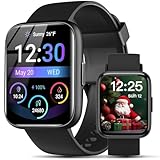
- AI VOICE ASSISTANT & IP68 Waterproof— Talk to the AI voice assistant for perfect hands freedom navigation, calls, music and alarms. With an IP68 waterproof,designed for your active lifestyle, the smartwatch is easy andperfect for Daily Waterproofing needs.
- SMART NOTIFICATION & QUICK REPLY — Receive gentle vibrations on your wrist for incoming messages, calls, and alerts. The smart watch for Android phones lets you send preset quick replies to calls and messages at any time(quick reply is available for Android users only), which you can stay connected without even having to take your phone out of your pocket.
- 100+ Style Multilingual Smartwatch Personalize 1.83" HD display with 100+ dynamic watch faces or photo custom dials. 19-language support and sleek unisex design blending fitness tech with daily fashion.
- AI VOICE ASSISTANT & IP68 Waterproof— Talk to the AI voice assistant for perfect hands freedom navigation, calls, music and alarms. With an IP68 waterproof,designed for your active lifestyle, the smartwatch is easy andperfect for Daily Waterproofing needs.
- WIDELY COMPATIBLE — Compatible with Android 6.0 and iOS 10.0 or above, including Apple iPhone, Samsung, and LG etc, this watch pairs effortlessly with the "Halofit" APP, keeping you connected and informed on the go with the digital sport watch.
Fitbit and basic smartwatches
Fitbit should not automatically be treated as a standalone music player. Google’s current YouTube Music integration for Charge 6 lets you browse playlists and control playback, but the phone must remain within Bluetooth range. Setup involves enabling YouTube Music in Fitbit settings, adding the app from the Fitbit App Gallery, installing YouTube Music on the phone, and completing account setup. This is phone control, not independent offline playback.
Many basic or proprietary watches offer only play/pause and volume controls for phone audio. Others support local files but have no streaming apps. Confirm the exact model’s storage, app ecosystem, and audio modes before purchase.
Independent reader supportYour contribution helps us test, update, and keep practical guides available for everyone.Offline downloads versus streaming
| Offline downloads | Streaming | |
|---|---|---|
| Phone required | No, after setup | No, if Wi-Fi or LTE works |
| Internet required during playback | No | Yes |
| Preparation | Required | Minimal |
| Battery and data | Usually lower during playback | Higher, especially over LTE |
| Main risks | Stale playlists, storage, licensing | Weak signal, data charges, battery drain |
Streaming downloads are managed by the service’s app. They are not permanent ownership and can become unavailable after sign-out, subscription expiration, app removal, watch reset, catalog changes, regional restrictions, or a required license check.
Headphones, speakers, Wi-Fi, and LTE
Bluetooth headphones are normally the practical choice. Pairing them with the phone is not enough: pair them directly with the watch and select the watch as the audio source.
A watch speaker can be useful for brief listening or prompts, but speaker playback is model-specific and is less private and practical during exercise. A watch’s water resistance also does not make Bluetooth or cellular streaming reliable underwater. Swimmers should download content beforehand and separately confirm the watch and headphone manufacturers’ water-use guidance.
Do these 3 things before closing this tab:
1Clear out junk files and repair common Windows errors2Fix the driver behind crashes, sound loss and screen glitches3Repair Windows errors before they cause bigger problemsWi-Fi avoids a separate cellular plan but is most useful at known networks. LTE provides more freedom outdoors but adds recurring cost, battery use, carrier restrictions, and coverage limitations. LTE connectivity alone does not make every music app capable of standalone streaming.
Best Value

- Bluetooth 5.3 Call and Message Notification: Cillso smart watch features an advanced single-chip processor and sensitive microphone, enabling direct call making and answering. When you enable the "VeryFit" App to receive messages, notifications will be displayed on the smartwatch. Get all your messages and notifications (Facebook, Twitter, WhatsApp, Instagram, Messenger, Linkedin,Skype etc.) sent straight to your smartwatch with intuitive customizable vibrations
- Built-in Alexa Voice Control: This smartwatch integrates Amazon Alexa's intelligent voice assistant, delivering a comprehensive hands-free experience directly from your wrist. Simply speak commands to instantly access news, weather, and calendar updates, set reminders, control smart home devices, and manage music playback. This full suite of voice-activated functionalities streamlines daily routines, enhances multitasking efficiency, and keeps your hands free for the moments that matter most.
- 1.83" HD Display and Personalized Customization: IDW26 smart watches for women men feature a 1.83-inch HDdisplay paired with 3D tempered glass, boasting a resolution of up to 320×385 for excellent image quality and high touch sensitivity. The 4-level adjustable brightness ensures clear visibility even under bright sunlight. Through the "VeryFit" app, users gain access to over 130 stylish watch faces and the ability to create custom designs, allowing for personalized expression
- 120+ Sport Modes and IP68 Waterproof: Fitness tracker supports 120+ professional sport modes, covering diverse indoor/outdoor activities like running, cycling, and soccer to suit all fitness levels. Equipped with high-precision sensors, fitness watch accurately tracks steps, distance, calories burned, and workout duration to help analyze performance and optimize training plans. With an IP68 rating, it's resistant to sweat, rain, and handwashing (Not for swimming or hot showers)
- All-Day Health Monitoring: Android smart watch is equipped with a high-precision optical sensor that supports 24h real-time heart rate monitoring, helping you stay informed about your physical condition. It also intelligently analyzes sleep quality, accurately identifying deep sleep, light sleep, and awake phases to help improve your sleep habits. Paired with its dedicated app, you can view long-term health trends and receive personalized insights to gradually develop a healthier lifestyle
Troubleshooting common problems
The app is on the phone but missing from the watch
Search the watch’s own app store or install the watch companion through the platform’s phone app. A phone installation does not always install the watch version.
The playlist downloaded but there is no sound
- Confirm the headphones are paired with the watch.
- Check the selected output device and volume.
- Verify that the content is marked downloaded, not merely saved to a library.
- Check account authentication and subscription status.
- Exit restricted battery modes.
Playback stops when the phone leaves
The watch is probably controlling the phone, or that app does not support offline or standalone playback on your model. Test with a confirmed downloaded playlist and the phone powered off.
LTE is active but streaming fails
Check that the cellular plan is activated and compatible, cellular data is enabled for the app, the account tier permits watch streaming, the service supports LTE on that platform, and the watch has coverage. Also pair the headphones directly to the watch.
Quick wins for a faster PC:
Scan for outdated or missing drivers - takes under a minuteDriver Scan →Clear out junk files and repair common Windows errorsFree Scan →Fix the driver behind crashes, sound loss and screen glitchesFind Drivers →Downloads are stuck
Use stable Wi-Fi, place the watch near the router, put it on its charger, keep the music app open, restart the watch, update both apps, free storage, and remove and re-add the playlist. Google specifically recommends stable Wi-Fi, charging during Garmin downloads, and restarting when YouTube Music downloads fail. Spotify recommends keeping the Apple Watch app open and using Wi-Fi rather than Bluetooth for faster downloads.
Downloaded music disappeared
Check whether you signed out, lost the subscription, reset the watch, removed the app, or changed regions. Streaming downloads are cached app content rather than ordinary files.
Which smartwatch is best for phone-free music?
- Apple Music and iPhone: Apple Watch is the natural fit for integrated downloads and optional Wi-Fi or cellular streaming.
- YouTube Music and Android: Choose a compatible Wear OS watch for downloads and possible LTE streaming.
- Spotify: Support is broad, but check the exact model, operating system, app requirements, and Premium status.
- Phone-free running with long battery life: Choose a compatible Garmin music model if downloaded playlists are sufficient.
- Fitbit: Verify phone-free playback carefully; the cited Charge 6 integration is primarily a phone controller.
- Local MP3 or other owned files: Choose a watch with local-file transfer and storage. Streaming-service downloads generally cannot be exported.
Do not buy an LTE watch solely because it has cellular hardware. Confirm that your preferred service supports the watch, your subscription permits the desired mode, your carrier supports the model, and the battery can handle GPS, LTE, and music together.
Quick Recap
Final pre-run checklist
- The exact watch model supports the required music mode.
- The subscription is active and eligible.
- The playlist is fully downloaded, if using offline playback.
- The headphones are paired directly with the watch.
- The watch is selected as the audio source.
- The phone can be left behind without interrupting playback.
- Battery and storage are sufficient for the activity.
Product prices and availability are accurate as of the date/time indicated and are subject to change. Any price and availability information displayed on Amazon at the time of purchase will apply.
The Tool Desk
Outbyte Driver Updater FREEFix the driver behind crashes, sound loss and screen glitchesFind Drivers →Outbyte PC Repair FREERepair Windows errors before they cause bigger problemsFix Now →
