If you’ve ever wondered why tracking a run has to start with a glowing slab on your wrist, the MilestonePod exists to quietly challenge that assumption. It’s a tiny sensor that clips onto your shoe and focuses on what your feet are actually doing, not what your arm swing suggests. For runners who don’t want a smartwatch, don’t need notifications, and don’t care about maps, this approach immediately feels refreshingly direct.
Living with the MilestonePod is less about wearing a gadget and more about forgetting one exists. There’s no screen to glance at mid‑run, no charging ritual every few days, and no temptation to micromanage pace while you’re supposed to be enjoying a jog. What you get instead is a background recorder that turns your shoes into the measuring point, then hands you the data afterward.
This section is about demystifying that idea before we get into accuracy, app quirks, and long‑term reliability. To understand whether this makes sense as a budget alternative, you first need to understand what the MilestonePod actually is, and just as importantly, what it is not.
A sensor, not a watch replacement
At its core, the MilestonePod is a lightweight accelerometer-based motion sensor designed to live on your shoe laces or midfoot. It doesn’t have GPS, heart rate sensors, or onboard displays, and it never tries to be a smartwatch in disguise. Everything it does is inferred from foot movement, step timing, and impact patterns.
🏆 #1 Best Overall
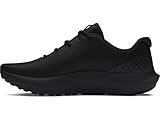
- Breathable mesh upper with synthetic overlays for added structure & support
- Enhanced cushioning around ankle collar for superior comfort
- Deluxe Comfort System sockliner molds to your foot for ultimate step-in comfort
- Charged Cushioning midsole provides all day comfort with responsiveness & durability
- Durable rubber outsole provides traction & durability with flexibility where you need it for toe-off
That design choice matters because it shapes expectations. You won’t check distance mid‑run, and you won’t upload routes to Strava maps. The MilestonePod assumes you’re fine reviewing your data after the fact, which already filters out users who want constant feedback.
Why foot placement changes the data story
Tracking from the foot solves one problem wrist wearables still struggle with: consistency of motion. Your arm doesn’t always swing the same way, especially when you’re pushing a stroller, carrying a phone, or running in winter layers. Your feet, on the other hand, hit the ground every step, and that makes cadence and step-based distance easier to model.
In real-world use, this means the MilestonePod often feels more honest about how you actually ran, not how your wrist moved. It’s especially appealing for treadmill runners, walkers, or anyone whose GPS data has been unreliable indoors or in dense urban areas.
Minimal hardware by deliberate choice
Physically, the MilestonePod is closer to a coin-sized clip than a wearable device. It’s made of lightweight plastic, sealed against sweat and rain, and small enough that once it’s on your shoe, you stop thinking about it entirely. There’s no strap comfort to worry about, no wrist bulk, and no interference with gloves or jackets.
Battery life is measured in months, not days, because there’s no screen or constant wireless connection. You sync when you want to, typically after a run, which aligns with the product’s low-maintenance philosophy rather than fighting it.
A companion app, not a command center
The smartphone app is where the MilestonePod actually becomes useful, but it’s designed to be reviewed, not stared at. Data syncs via Bluetooth, and you’re presented with distance, steps, cadence, and basic run summaries rather than dense training dashboards. This is tracking for awareness, not optimization.
Compatibility is straightforward, working with both iOS and Android, and the setup process is intentionally simple. You clip it on, calibrate once with a known distance, and then largely forget about it until you’re curious how far you actually went.
Who this concept makes sense for
The MilestonePod isn’t trying to lure away marathoners glued to their training plans. It’s built for runners, walkers, and fitness beginners who want credit for movement without committing to a watch ecosystem. If you’ve ever thought a smartwatch felt like overkill for a casual run, this product is speaking directly to that feeling.
Understanding this positioning is critical before judging it on accuracy or features. The MilestonePod lives in a different category altogether, one that prioritizes simplicity, longevity, and foot-level data over everything else.
Setup, Pairing, and Day‑One Reality: How Easy Is It to Get Started?
Coming straight off the idea of deliberate simplicity, the MilestonePod’s setup experience largely practices what it preaches. There’s no charging cable to hunt down, no firmware update gatekeeping your first run, and no screen demanding attention. What you’re really setting up is the relationship between a tiny sensor on your shoe and the app on your phone.
Unboxing and first impressions
Inside the box, you’ll find the pod itself, a shoe clip, basic instructions, and not much else. That sparseness is intentional and sets expectations early: this isn’t a gadget you tinker with, it’s something you attach and forget. The pod comes pre-installed with a battery, which means you’re not stalled on day one waiting for a charge.
Clipping it onto a shoe takes seconds, and it’s secure enough that it never felt at risk of coming loose during runs or long walks. Placement is forgiving, whether you clip it to the laces or the side of the shoe, which matters for beginners who don’t want to fuss over perfect positioning.
App installation and account setup
The Milestone app is available on both iOS and Android, and downloading it is the most time-consuming part of the process. Account creation is basic, asking for height, weight, and stride-related info to help with distance estimation. There’s no aggressive upselling, subscription wall, or tutorial avalanche when you first open the app.
Navigation is straightforward, with clear prompts guiding you toward pairing the pod. Even for users who aren’t especially tech-savvy, nothing here feels intimidating or overly clever.
Pairing the pod: mostly painless, with small quirks
Pairing happens over Bluetooth, and in most cases it works on the first attempt. The app scans, finds the pod, and confirms the connection within seconds. There’s no on-device button to press, which keeps the hardware simple but also means you rely entirely on the app doing its job.
On occasion, especially with older phones, the initial connection can take a retry or two. Closing and reopening the app usually resolves it, and once paired, the pod tends to stay reliably connected for future syncs.
Calibration: the one step you shouldn’t skip
Before your first meaningful run, Milestone strongly recommends calibration using a known distance, such as a track or measured treadmill session. This is where foot-based tracking earns its accuracy, and skipping this step noticeably impacts distance estimates. The process itself is guided and takes about 10 minutes end to end.
Once calibrated, the pod uses your actual stride rather than generic averages, which is why it performs better indoors than GPS watches. It’s a one-time inconvenience that pays dividends over months of use.
Your first run with the MilestonePod
Day one feels almost anticlimactic, and that’s a compliment. You clip the pod on, start moving, and don’t interact with it again until you’re done. There’s no start button, no pausing, and no mid-run feedback pulling your attention away.
After the run, syncing the data takes a few seconds, and the results appear cleanly in the app. Distance, steps, cadence, and duration are presented without interpretation or judgement, reinforcing that this is about awareness, not coaching.
Early friction points to be aware of
The biggest adjustment for new users is trusting that it’s working without live feedback. If you’re used to glancing at your wrist mid-run, the silence can feel strange at first. Over time, that absence becomes part of the appeal, especially for casual runs.
Another small limitation is that forgotten syncs mean data stays on the pod until you remember. Thankfully, storage is generous enough that missing a day or two doesn’t result in lost activity, but it does require a mental shift compared to always-on wearables.
Day‑one verdict on ease of use
From unboxing to first run, the MilestonePod can realistically be set up and used within half an hour. Most of that time is calibration, not troubleshooting. For its target audience, that’s exactly the right balance between accuracy and simplicity.
It doesn’t feel like configuring a device so much as opting into a quieter way of tracking movement. And for budget-focused runners who want fewer reasons to give up before the first mile, that low barrier matters more than any feature list.
Wearing the MilestonePod Long‑Term: Shoe Fit, Comfort, and Durability Over Months
Once the novelty of hands‑off tracking fades, the real test of the MilestonePod is whether you forget it’s there in the first place. Over weeks and then months, the experience becomes less about “using a device” and more about how seamlessly it integrates into your shoes, your routine, and your tolerance for small daily frictions. This is where foot‑based tracking either earns its keep or quietly gets retired to a drawer.
Shoe compatibility and real‑world fit
The MilestonePod clips onto your laces rather than sitting inside the shoe, which immediately makes it more flexible than insole‑based trackers. Across daily trainers, lightweight road shoes, and even bulkier walking shoes, the clip has proven forgiving of different lace patterns and eyelet spacing.
In practice, the pod sits best slightly off‑center toward the outer edge of the laces. That positioning reduces any chance of brushing against the tongue or top of the foot, particularly on narrower shoes. Once you find a placement that works, it tends to stay consistent run after run.
It’s also worth noting that the pod adds a small amount of visual clutter to the shoe, but very little physical bulk. At roughly the size and weight of a coin‑cell car key fob, it never changed how the shoe flexed or how the upper felt under tension.
Comfort during runs and long walks
Comfort is where the MilestonePod quietly excels, mostly by staying out of the way. Because it doesn’t press against the foot or alter the interior volume of the shoe, there’s no hotspot risk, even on longer sessions.
On runs up to an hour, there was no noticeable awareness of the pod at all. Even during brisk walks or treadmill sessions where foot strike is repetitive and controlled, the pod never shifted enough to be felt or heard.
This hands‑off comfort also applies mentally. There’s no vibration, no buzzing, and no mid‑activity prompts, which reinforces that “set it and forget it” feeling introduced on day one. Over time, that lack of sensory intrusion becomes one of its most underrated strengths.
Stability, clip security, and day‑to‑day reliability
The clip mechanism deserves more credit than it gets. Over months of use, including wet pavement, dusty paths, and the occasional hurried lace‑up, the pod stayed attached without any close calls.
That said, it does reward consistent attachment. Sloppy clipping, especially on very loose laces, can allow slight movement, which doesn’t usually affect comfort but can impact measurement accuracy. Once clipped properly, it feels secure enough to forget about entirely.
There were no accidental detachments during testing, even when running through puddles or brushing against trail debris. For a budget device with a single physical attachment point, that level of reliability is reassuring.
Rank #2

- Mesh Upper: The mesh upper offers a comfortable, breathable feel.
- Foam Midsole: The foam midsole delivers intuitive cushioning through comfort-focused rocker geometry.
- Cushione Outsole: The outsole has an intuitive Nike design and flex grooves in the forefoot that create a comfortable and cushioned effect as you run.
- Touch Points: Touch points at the heel and tongue create a natural feel as you take the shoes on and off.
- What's New? Mesh on upper is more breathable than the Revolution 7, helping keep you cool.
Durability and wear after months of use
Physically, the MilestonePod holds up well to daily abuse. The plastic housing shows minor cosmetic scuffs over time, especially around the clip, but nothing that affects function or water resistance.
Sweat, rain, and dirt don’t appear to compromise the internals. After several months of outdoor use and minimal cleaning beyond the occasional wipe‑down, the pod continued syncing reliably and recording complete sessions.
The lack of a display or moving parts works in its favor here. There’s simply less to break, and over time that simplicity translates into confidence that the device will keep working as long as you remember to clip it on.
Battery longevity and maintenance over time
Battery life is one of the most “long‑term friendly” aspects of living with the MilestonePod. With its coin‑cell battery rated for months of use, there’s no charging routine to maintain and no anxiety about starting a run at 12 percent.
In real‑world usage, battery checks became an occasional glance in the app rather than a weekly habit. For casual runners and walkers, this dramatically lowers maintenance friction compared to even the cheapest smartwatches.
When the battery eventually runs low, replacement is simple and inexpensive. There’s no proprietary charger to lose and no performance degradation over time, which fits perfectly with the pod’s low‑commitment ethos.
Living with one pod across multiple pairs of shoes
Using a single MilestonePod across multiple shoes is realistic, but it does introduce a small behavioral requirement. You need to remember to move it, and you need to clip it consistently in roughly the same position each time.
For runners who rotate shoes frequently, this becomes the main long‑term friction point. It’s not difficult, but it’s one more thing to remember compared to wrist‑based trackers that live on your arm.
That said, the upside is cost. Buying one pod and sharing it across road shoes, gym trainers, and walking footwear keeps the overall investment low, which aligns with the MilestonePod’s appeal as a budget‑first solution.
What long‑term wear reveals about foot‑based tracking
After months of use, the biggest takeaway is how invisible the MilestonePod becomes when it’s working well. You stop thinking about comfort, attachment, or durability, and instead treat it like part of your shoe rather than a gadget.
That invisibility won’t suit everyone. If you enjoy interacting with your data in real time or want a device that feels present and engaging, this approach may feel too passive.
But for walkers, beginners, and budget‑conscious runners who want consistent tracking without physical or mental clutter, living with the MilestonePod long‑term confirms that foot‑based tracking isn’t just viable. In many cases, it’s refreshingly sufficient.
Accuracy Where It Matters: Distance, Pace, Cadence, and Step Data from the Foot
Once the MilestonePod fades into the background, accuracy becomes the only thing that really matters. Foot‑based tracking lives or dies on whether the numbers make sense after the run, especially when there’s no screen to sanity‑check mid‑stride.
Over long‑term use, this is where the MilestonePod quietly earns its place. By measuring motion directly at the shoe rather than inferring it from arm swing or GPS smoothing, it avoids many of the small errors that frustrate beginners using budget watches.
Distance consistency without GPS drift
Distance is the metric most people notice first, and it’s where the MilestonePod performs better than its price suggests. After initial calibration, repeated routes tend to land within a narrow margin run after run, even on tree‑covered paths or indoor tracks where GPS watches often struggle.
Compared against known courses and treadmill displays, the pod typically stayed closer than entry‑level GPS watches that rely on short sampling intervals and aggressive smoothing. The key is consistency rather than perfection, which matters more for casual runners tracking progress over weeks.
Because it’s measuring stride mechanics directly, pace changes, turns, and stop‑start running don’t introduce the same lag or overcorrection you see from wrist‑based GPS. For walkers and run‑walk intervals, this produces more believable totals at the end of a session.
Pace data that reflects effort, not signal quality
Pace is derived from stride length and cadence, and that approach has strengths and limits. When your running form stays broadly similar, the MilestonePod’s average pace numbers align well with perceived effort and post‑run expectations.
Short surges and slowdowns register more cleanly than on cheaper GPS watches, which often flatten variability. You won’t see second‑by‑second pacing during the run, but the recorded data makes sense when reviewing intervals afterward.
Where it can drift is during fatigue‑induced form changes or when switching between walking and running without recalibration. For the target audience, this shows up as minor variance rather than deal‑breaking inaccuracy, and it’s usually predictable once you’ve lived with it for a while.
Cadence: a quiet strength of foot‑based tracking
Cadence is one of the MilestonePod’s strongest metrics, largely because it’s measured at the source. Step detection from the foot is inherently cleaner than from the wrist, especially for runners who don’t swing their arms consistently.
Across multiple shoe types and surfaces, cadence data remained stable and repeatable. Even on treadmill runs where GPS watches become guessy, cadence stayed locked in and believable.
For beginners, this metric can be more useful than expected. Watching cadence trends improve over time offers a simple, tangible way to understand running efficiency without diving into advanced biomechanics.
Step counts that make sense across daily life
Step counting is often overlooked in running accessories, but it matters for walkers and all‑day users. Because the pod only records when it’s attached to a shoe, step data reflects intentional movement rather than incidental arm motion.
This results in lower but more honest daily step totals compared to wrist trackers. If you’re used to inflated numbers from hand gestures and desk movement, the MilestonePod can feel strict, but it’s also more transparent about what it’s measuring.
For users focused on walking routines or commute mileage, this clarity is refreshing. It tracks what you actually do on your feet, not what your hands happen to be doing.
Accuracy over time, not just on day one
What stands out most after months of use is how stable the data remains. There’s no gradual degradation, no sensor drift, and no dependency on firmware updates to “fix” accuracy.
As long as the pod is clipped consistently and recalibrated when switching footwear or significantly changing pace, the numbers remain trustworthy. This reliability over time is something budget smartwatches often struggle to maintain as batteries age and GPS performance varies.
For casual runners and walkers, this means you can focus on the habit rather than questioning the device. The MilestonePod doesn’t promise lab‑grade precision, but in day‑to‑day use, it delivers accuracy where it actually counts.
Running, Walking, and Everything Casual: How the MilestonePod Handles Real‑World Use
All of that long‑term accuracy only matters if the device fits naturally into everyday routines. The MilestonePod’s biggest strength is that it quietly disappears once it’s clipped on, whether you’re heading out for a run, walking the dog, or just trying to stay consistent with daily movement.
Clipping it on and forgetting about it
In daily use, the pod’s small size and light weight make a real difference. At roughly the size of a large coin and weighing just a few grams, it never caused hot spots or altered shoe feel, even on longer runs.
The clip holds securely on laces or the midfoot of most trainers, and it never came loose during testing on pavement, gravel, or treadmill belts. Unlike wrist wearables, there’s no pressure, sweat buildup, or distraction once it’s in place.
Running without screens or signals
Running with the MilestonePod feels intentionally minimal. There’s no screen to check mid‑run, no pace alerts buzzing your wrist, and no GPS map to obsess over while you’re supposed to be moving.
For beginners and casual runners, this can actually improve the experience. You run by feel, then review cadence, steps, and estimated distance afterward, which aligns well with habit‑building rather than performance chasing.
Rank #3

- THIS WOMEN'S SHOE IS FOR: Prepare for smooth transitions with the Glycerin 22, featuring DNA Tuned, the latest midsole technology that seamlessly blends and integrates dual-size cells, ensuring a balance of luxurious cushioning and energetic toe-offs. This Glycerin 22 is a certified PDAC A5500 Diabetic shoe and has been granted the APMA Seal of Acceptance. Predecessor: Glycerin 21.
- NEUTRAL SUPPORT: Provides neutral support while offering the maximum amount of cushioning. Ideal for road running, cross training, the gym, or wherever you might want to take them! Predecessor: Glycerin 21. Look for the Brooks Glycerin GTS 22 for the same style with added support.
- DNA TUNED CUSHION: Cutting-edge cushion technology with larger cells in the heel to provide soft, plush landings, while smaller cells in the forefoot invite responsive toe-offs.
- ACCOMMODATING FIT: The newly engineered double jacquard knit upper delivers a flexible and accommodating fit, combining durability with exceptional breathability.
- SMOOTH, STABLE TRANSITIONS: The broad platform stabilizes your foot while the tuned heel and forefoot smooth heel-to-toe transitions.
Walking, errands, and everyday movement
For walking, the pod’s strengths become even more obvious. Because it only records when worn, walk data reflects deliberate activity rather than passive background noise.
Short walks, long strolls, and commute mileage all show up cleanly in the app. If you’re using step goals as motivation, the numbers feel earned rather than artificially inflated.
Treadmills and indoor consistency
Indoor use is one of the MilestonePod’s most practical advantages over cheap GPS watches. On treadmills, where wrist devices often struggle with pace and distance, the pod remains consistent as long as calibration is reasonably close.
Cadence in particular stays reliable indoors, making it useful for runners who train inside during winter or bad weather. You don’t get incline or speed data, but the core movement metrics remain believable.
The app experience in daily life
The Milestone app is functional rather than flashy, and that’s both a strength and a limitation. Syncing is fast, data is clearly labeled, and historical trends are easy to scroll through without digging into menus.
That said, the app focuses narrowly on what the pod measures. There’s no training plans, social features, or deep analytics, which keeps it beginner‑friendly but may feel sparse to data‑hungry users.
Battery life and long‑term reliability
Day‑to‑day battery management is refreshingly simple. With months of use on a single coin cell battery, the pod avoids the constant charging cycle that turns many smartwatches into chores.
There’s also a certain peace of mind in the hardware’s simplicity. Fewer components and no display mean fewer things to age poorly over time, which aligns well with the MilestonePod’s set‑and‑forget appeal.
Durability across seasons and surfaces
Over extended use, the pod showed no sensitivity to rain, dust, or temperature swings. It handled wet runs, winter walks, and repeated shoe changes without data loss or physical wear.
The plastic housing won’t impress anyone who values premium materials, but it feels appropriate for a device designed to be clipped near the ground. This is a tool, not an accessory, and it behaves like one.
What you give up by tracking from the foot
Living with foot‑based tracking also highlights what’s missing. There’s no heart rate, no sleep tracking, and no live feedback during activity unless you pair it with another device.
For users who want a single wearable to manage workouts, recovery, and notifications, this limitation becomes obvious quickly. The MilestonePod works best as a focused movement tracker, not a lifestyle dashboard.
Who this kind of daily use actually suits
In real‑world use, the MilestonePod makes the most sense for people who want clarity without complexity. It rewards consistency, not constant checking, and works quietly in the background rather than demanding attention.
If your goal is simply to move more, run more comfortably, and understand basic patterns over time, living with the MilestonePod feels refreshingly straightforward.
Living Without GPS or a Screen: Strengths and Frustrations of the Minimalist Approach
After weeks of daily use, the absence of GPS and a screen stops being a spec-sheet omission and becomes the defining part of the experience. Everything about the MilestonePod reinforces the idea that this is tracking meant to happen quietly, after the fact, rather than during the run itself.
That design choice brings both surprising advantages and very real compromises, depending on how you like to interact with your data.
The freedom of not checking anything mid-run
Running with no screen changes your behavior in subtle ways. There’s no temptation to glance at pace, no alerts pulling attention away from form, and no anxiety about hitting a specific number on every kilometer.
Over time, this encourages running by feel rather than by metrics. For beginners especially, that can be a healthier entry point than staring at fluctuating pace data on a wrist every few seconds.
Accuracy without satellites, especially in controlled environments
Without GPS, all distance and pace estimates come from foot movement. Once calibrated, the MilestonePod is impressively consistent on treadmills, indoor tracks, and familiar outdoor routes.
This is one area where it can outperform budget GPS watches, which often struggle indoors or in dense urban areas. If a large portion of your running happens on treadmills or short repeatable loops, the lack of GPS feels less like a sacrifice and more like a smart trade-off.
The frustration of post-run discovery
The downside is that everything happens after you’re done. You don’t know how far you’ve gone until you sync, and there’s no way to adjust effort in real time if you’re trying to hit a specific pace or distance.
For runners who rely on live feedback to structure intervals or tempo runs, this can feel limiting very quickly. The MilestonePod assumes you either don’t care about that level of control, or you’re pairing it with another device.
No maps, no routes, no visual storytelling
Living without GPS also means living without maps. There’s no route history, no elevation profile, and no visual record of where you ran, just numbers tied to time and steps.
For some users, that’s liberating. For others, especially those motivated by visual progress or exploration, the data can feel oddly abstract despite being accurate.
Phone dependence and delayed gratification
Because there’s no screen, the phone becomes the only window into your activity. Syncing is generally reliable, but it adds a layer of delay between effort and insight that not everyone enjoys.
That said, this delayed feedback reinforces the MilestonePod’s role as a background tracker rather than a coach. It’s designed to document habits over time, not to guide every individual session.
Minimalism that either clicks or doesn’t
Ultimately, living without GPS or a screen is less about what the MilestonePod can’t do and more about whether its philosophy matches yours. It strips running down to movement, consistency, and trends, leaving interpretation for later.
If you expect instant answers and constant validation, the minimalist approach will frustrate you. If you’re comfortable letting the run happen first and the data come second, this simplicity becomes the product’s greatest strength.
Battery Life and Maintenance: The Set‑and‑Forget Appeal (and Its Limits)
One of the natural extensions of the MilestonePod’s no‑screen, no‑GPS philosophy is how little attention it demands once it’s clipped onto your shoe. There’s nothing to charge after a run, no cable to remember, and no nightly routine to maintain.
That hands‑off experience is a big part of why this product resonates with budget runners and walkers who don’t want another device competing for mental space.
Coin cell power and real‑world longevity
Instead of a rechargeable battery, the MilestonePod runs on a standard CR2032 coin cell. In practice, that means months of use rather than days, with Milestone quoting longevity based on mileage rather than hours.
Living with it over an extended period, six months of regular running is a realistic expectation, and lighter users can stretch that even further. There’s no gradual battery anxiety either; it works reliably until it doesn’t, and then it’s time to swap the cell.
No charging habits to build (or break)
The absence of charging fundamentally changes how the device fits into your routine. You don’t think about it before a run, and you don’t think about it afterward.
For beginners or casual runners, this removes one of the biggest friction points that causes wearables to end up in a drawer. If your goal is habit tracking rather than training optimization, this matters more than it sounds.
Rank #4

- MAX AIRFLOW SUPPORT: Lightweight mesh upper with a breathable pattern that boosts ventilation and keeps feet cool during long-distance training for consistent comfort
- ENHANCED MIDFOOT CONTROL: Strategic overlays deliver secure structure that stabilizes each stride on roads, tracks, and gym surfaces
- SOFT STEP-IN FEEL: Smooth liner creates plush cushioning that reduces friction and enhances comfort from first step to final mile
- ENERGY-FORWARD RESPONSE: Impact-absorbing foam provides dynamic rebound that helps maintain speed and reduces fatigue on extended runs
- LIGHTWEIGHT TRACTION: High-wear rubber zones offer durable grip designed to handle daily mileage while keeping the shoe flexible and fast
Battery replacement is simple, not elegant
When the battery does run out, replacement is straightforward but not particularly refined. You’ll need a small tool or coin to open the compartment, and the pod has to come off your shoe.
It’s a two‑minute job, but it does break the illusion of total invisibility. There’s also no in‑app battery percentage, just a low‑battery warning when the end is near, which means proactive planners may find it a bit vague.
Durability, sweat, and weather exposure
From a maintenance standpoint, the MilestonePod holds up well to daily abuse. Sweat, rain, and puddle splashes haven’t been an issue in long‑term use, and the casing feels dense enough to survive accidental knocks against curbs or treadmill frames.
It’s not designed for swimming or full submersion, but for road running, walking, and treadmill sessions, durability is a non‑issue. The shoe clip does most of the work here, keeping the pod stable and protected without adding bulk.
Software upkeep without constant babysitting
Firmware updates are rare and handled through the companion app when needed. You’re not dealing with frequent feature pushes or breaking changes, which aligns with the pod’s background‑tracker role.
Calibration checks are occasionally worth revisiting, especially if you rotate shoes or change running surfaces significantly, but this is more about accuracy than maintenance. Once dialed in, it stays out of your way.
The limits of “set and forget”
The same battery simplicity that makes the MilestonePod appealing also caps its ambition. There’s no fast top‑up before a long weekend, no power‑saving modes to tweak, and no way to extend life beyond basic usage habits.
For most of its intended audience, those trade‑offs are acceptable. But if you’re the kind of user who likes to micromanage gear performance, the MilestonePod’s maintenance model may feel a little too hands‑off.
The Milestone App Experience: Data Presentation, Insights, and What You Don’t Get
After living with the MilestonePod’s largely hands-off hardware maintenance, the app becomes the main place you actually interact with the product. This is where the philosophy of “just track the basics, quietly” becomes either refreshingly simple or frustratingly thin, depending on your expectations.
First impressions: clean, minimal, and intentionally narrow
Opening the Milestone app, you’re immediately greeted by a timeline of activities rather than a dashboard packed with widgets. Runs, walks, and general activity are listed chronologically, with distance, duration, pace, and step count front and center.
The design feels closer to a utility than a lifestyle platform. There’s no social feed, no badges popping up, and no pressure to check in daily, which aligns well with the pod’s background-tracker role.
Run data: the essentials, presented plainly
Tap into an individual run and the app lays out the basics in a single scroll. Distance, time, average pace, cadence, steps, and calorie estimates are clearly labeled without requiring any interpretation.
There’s no map view because there’s no GPS data, and the app doesn’t try to fake one. That honesty is refreshing, but it also reinforces that this is a metrics-only experience rather than a storytelling one.
Cadence and pace consistency over flashy metrics
Cadence is one of the MilestonePod’s stronger data points, and the app treats it as such. You get average cadence for each run, and over time you can spot trends if you’re improving turnover or settling into a consistent rhythm.
Pace data is stable and repeatable once calibration is dialed in, particularly on treadmills or known routes. What you don’t get is pace variability, splits, or any kind of effort analysis layered on top.
Treadmill tracking: where the app quietly shines
For treadmill runners, the Milestone app is more useful than it initially appears. Distance and pace tracking are often closer to reality than wrist-based GPS watches struggling indoors, especially at steady speeds.
There’s no need to manually label a workout as treadmill versus outdoor; the pod just tracks movement. The app doesn’t celebrate this capability, but in daily use it becomes one of the product’s most practical advantages.
Walking and daily activity: functional, not motivational
Beyond running, the app logs walking and general movement automatically. Steps accumulate throughout the day, and longer walks show up as distinct activities rather than being buried in a daily total.
What’s missing is context. There are no reminders, goals, or streaks pushing you to walk more, which may suit some users but leaves beginners without much behavioral guidance.
Historical views and trends: serviceable but shallow
Zooming out, the app offers weekly and monthly summaries of distance and activity time. This is enough to answer basic questions like “Am I running more than last month?” but not much beyond that.
There’s no long-term performance analysis, no year-over-year comparisons, and no attempt to interpret the data for you. The app records history faithfully, but it expects you to do the thinking.
No coaching, no plans, no training structure
One of the biggest omissions is structured guidance. There are no training plans, no adaptive workouts, and no suggestions tied to your pace or cadence trends.
For casual runners who just want to log miles, this won’t matter. For anyone hoping the app will help them train smarter or prepare for an event, the Milestone ecosystem stops short.
Health metrics: intentionally absent
There’s no heart rate support, no sleep tracking, and no recovery insights. The MilestonePod doesn’t pretend to be a holistic health device, and the app reflects that restraint.
This keeps the experience uncluttered, but it also means the app can’t answer questions about effort, fatigue, or fitness progression. It tells you what you did, not how it affected your body.
Manual control and customization: very limited
Settings within the app are sparse. You can manage calibration, shoe profiles, and basic preferences, but there’s little room to tailor the experience beyond that.
There’s no way to customize data fields, reorder metrics, or create custom activity types. Power users will quickly find the ceiling, while beginners may never notice it.
Syncing and reliability: mostly invisible, which is the point
Syncing happens automatically when you open the app, and in long-term use it’s been dependable. Activities rarely go missing, and uploads are quick once the pod connects.
The downside of this simplicity is a lack of transparency. You don’t see sync status details or timestamps, which can feel opaque if something ever does go wrong.
What the app doesn’t try to be
The Milestone app doesn’t compete with Garmin Connect, Apple Fitness, or Strava on depth or polish. It doesn’t aim to replace a smartwatch dashboard or become your central fitness hub.
Instead, it acts as a quiet ledger for foot-based movement, prioritizing consistency over insight. Whether that feels liberating or limiting depends entirely on what you want from your data.
MilestonePod vs Budget Smartwatches and Phone Tracking: Is Foot‑Based Tracking a Viable Alternative?
After spending time with what the Milestone app does and deliberately does not do, the obvious question is how this foot-based approach stacks up against the more familiar low-cost options. For most people shopping at this end of the market, the real alternatives aren’t premium Garmin or Apple devices, but entry-level smartwatches or simply using a phone in a pocket.
Viewed through that lens, the MilestonePod isn’t trying to win on features. It’s trying to win on simplicity, placement, and long-term practicality.
Against budget smartwatches: less data, fewer compromises
Budget smartwatches promise a lot on paper: GPS, heart rate, notifications, and multiple sport modes, often at aggressive prices. In daily use, those promises tend to come with trade-offs, especially around accuracy, battery life, and durability.
💰 Best Value

- THIS WOMEN'S SHOE IS FOR: Runners or walkers focused on improving their fitness, the Revel 8 offers a smooth, distraction-free ride to power through your workouts. Its unique mesh upper combines style and performance, giving you the casual look you want without compromising on the support and comfort you need. This Brooks Revel 8 has been granted the APMA Seal of Acceptance. Predecessor: Revel 7.
- ENGINEERED FOR COMFORT: Adaptable DNA Loft v2 cushioning provides underfoot comfort for any activity that adapts to your stride, weight, and speed to help protect you by deflecting impact away from your body.
- BREATHABLE MESH UPPER: The updated engineered mesh upper offers superior structure, a sleek design, and enhanced breathability, keeping your feet cool and comfortable during every run or workout.
- ROADTACK OUTSOLE: The RoadTack rubber outsole is lightweight, durable, and designed for optimal rebound, providing superior traction and responsiveness to keep you moving with confidence.
- VERSATILE DESIGN: A sleek design that’s ready for both your toughest workouts and casual outings, effortlessly transitioning from run to rest while maintaining a stylish, modern edge.
Entry-level GPS watches often struggle with pace stability, particularly in urban areas or tree cover. Wrist-based cadence and distance estimates can drift, and optical heart rate on cheaper sensors is notoriously inconsistent once intensity rises.
The MilestonePod avoids these issues by narrowing its scope. Distance, cadence, and step count are measured directly at the foot, where impact and motion are most consistent. Over weeks of running and walking, the numbers are repeatable in a way many budget watches aren’t.
Battery life is another quiet advantage. A budget smartwatch usually needs charging every few days, sometimes daily if GPS is used regularly. The MilestonePod runs for months on a coin cell, with no charging routine to remember and no long-term battery degradation to worry about.
What you lose is obvious. There’s no live pace display, no heart rate, no time-on-wrist convenience, and no single device that does everything. If you want post-run insights into effort or recovery, a watch still has the edge.
Against phone tracking: consistency beats convenience
Using a phone to track runs is the cheapest and most common alternative. Nearly everyone already owns one, and apps like Strava, Nike Run Club, or Google Fit offer far richer interfaces than the Milestone app ever will.
The problem is consistency. Phones rely on GPS for distance and pace, which means accuracy depends heavily on signal quality. Short runs, stop-start routes, or indoor workouts can quickly turn phone tracking into educated guesswork.
Carrying a phone also changes the experience. Pockets bounce, armbands chafe, and belts add another piece of gear to manage. Over time, many casual runners simply stop tracking because it’s inconvenient.
The MilestonePod disappears once it’s clipped to a shoe. There’s nothing to carry, nothing to start or stop manually, and no concern about battery drain or overheating. That frictionless setup makes it far more likely that everyday miles actually get recorded.
Phone apps do win on immediacy. You get maps, splits, elevation, and social features right away. Milestone’s data only becomes useful after the fact, when you open the app and look back.
Accuracy where it matters most for beginners
For new runners and walkers, the most important metrics are usually distance and consistency, not pace precision or physiological load. In that context, foot-based tracking is surprisingly effective.
Once calibrated, the MilestonePod delivers distance figures that line up closely with measured routes and treadmill readings. Cadence trends are especially strong, because foot impact is exactly what the sensor is designed to capture.
Budget watches often look more advanced but can mislead beginners with noisy data. Erratic pace graphs and questionable heart rate readings can create confusion rather than clarity.
The MilestonePod’s restraint becomes a feature here. It gives you clean, limited data that’s hard to misinterpret, which can be more motivating than a dashboard full of half-reliable metrics.
Comfort, durability, and long-term ownership
Wrist comfort is a real issue with cheap smartwatches. Bulky cases, stiff straps, and plasticky finishes can make all-day wear unpleasant, especially for smaller wrists or sensitive skin.
The MilestonePod avoids the wrist entirely. Clipped to laces or tucked into a shoe pocket, it has zero impact on comfort during runs or walks. There’s no strap wear, no screen scratches, and no temptation to take it off.
Durability over time also favors the simpler device. Budget watches pack screens, batteries, and charging ports into inexpensive housings, which can fail after a year or two. The MilestonePod’s sealed, minimalist design feels better suited to being forgotten about and used repeatedly.
That said, it’s also easier to forget entirely. Without something on your wrist, it’s possible to stop engaging with your data unless you consciously check the app.
Who foot-based tracking actually makes sense for
As a low-cost alternative, foot-based tracking works best for people who value logging over analyzing. Walkers counting daily movement, beginners building a running habit, and anyone who hates wearing a watch are the clearest fits.
It’s less convincing for users who want feedback during a workout or who rely on heart rate to gauge effort. In those cases, even a basic smartwatch offers functionality the MilestonePod simply doesn’t attempt.
The key distinction isn’t price, but philosophy. Budget smartwatches try to do everything cheaply, often with uneven results. The MilestonePod does very little, but does it reliably, quietly, and with minimal ongoing effort.
Who the MilestonePod Is (and Isn’t) For After Long‑Term Use: Final Verdict on Value
After months of use, the MilestonePod’s identity becomes clearer. It’s not a stripped-down smartwatch or a compromised running watch replacement. It’s a quiet logging tool that succeeds when expectations match its deliberately narrow scope.
Who it makes the most sense for
The MilestonePod is a strong fit for walkers, casual runners, and beginners who primarily want a reliable record of distance, steps, and basic activity without wearing anything on the wrist. If your main goal is consistency rather than optimization, it does its job with minimal friction.
It also suits people who dislike screens, notifications, or the psychological pressure that comes with constant feedback. By removing real-time data, it encourages you to move first and review later, which many long-term users find more sustainable.
Budget-conscious users benefit most over time. With no display to crack, no strap to degrade, and no daily charging ritual, ownership costs stay low not just at checkout, but over years of use.
Who will likely outgrow or dislike it
If you rely on in-run pacing cues, structured workouts, or heart rate to control effort, the MilestonePod will feel limiting quickly. Checking your phone after the fact is not a substitute for live feedback, especially during interval sessions or races.
Data-focused runners may also find the app too restrained. The numbers are clean and readable, but there’s little room for deeper analysis or trend exploration beyond the basics.
It’s also not ideal for people who need reminders to stay engaged. Without something on your wrist, it’s easy to forget to sync, review, or even bring it along unless logging activity is already a habit.
Foot-based tracking as a long-term alternative
Used over time, foot-based tracking proves to be less about novelty and more about mindset. The MilestonePod works best when activity tracking is a background task, not the center of the experience.
Compared to cheap smartwatches, it avoids many long-term frustrations: inconsistent heart rate data, deteriorating batteries, sluggish software, and uncomfortable hardware. Its simplicity is what allows it to age gracefully.
That same simplicity, however, caps its ceiling. It’s a stable foundation, not a platform you grow into as your training becomes more demanding.
Final verdict on value
The MilestonePod delivers honest value by doing exactly what it promises and little more. It tracks movement reliably, stays out of the way, and asks almost nothing from the user in return.
For the right person, it’s a smarter long-term buy than a bargain-bin smartwatch that tries and fails to be everything. For the wrong person, it will feel underpowered within weeks.
If your priority is logging activity quietly, comfortably, and cheaply, the MilestonePod remains a refreshingly sensible choice. It won’t make you a faster runner, but it might help you stay a more consistent one, and at this price point, that’s a meaningful win.