Quick wins for a faster PC:
Repair Windows errors before they cause bigger problemsFix Now →Fix the driver behind crashes, sound loss and screen glitchesFind Drivers →Clear out junk files and repair common Windows errorsFree Scan →Some links on this page are affiliate links: if you buy through them we may earn a commission, at no extra cost to you.
LTE lets a compatible smartwatch connect to a mobile network through an embedded eSIM, so it can handle some calls, messages, streaming, navigation and other connected tasks when your phone is out of range. The watch needs both cellular-capable hardware and an active carrier plan; buying an LTE model alone does not provide service.
It is most useful if you regularly exercise without your phone, want a child or family member to stay reachable, or need occasional phone-free connectivity. If your phone is nearly always with you, a Bluetooth/Wi-Fi watch will often cover the same everyday needs without a recurring wearable-line charge.
What LTE means on a smartwatch
LTE is a cellular connection built into the watch. Instead of taking a removable SIM card, the watch generally uses an embedded SIM, or eSIM, that the carrier provisions with a compatible plan. That gives the watch its own path to the carrier network when it cannot use a nearby phone or suitable Wi-Fi.
The Tool Desk
Outbyte Driver Updater FREEFix the driver behind crashes, sound loss and screen glitchesFind Drivers →Outbyte PC Repair FREERepair Windows errors before they cause bigger problemsFix Now →Three things must line up for cellular service: the watch must have LTE hardware, the exact model must be supported by the carrier, and an eligible plan must be activated. A watch can be LTE-capable but still behave like a Bluetooth/Wi-Fi model if no plan is active.
#1 Best Overall

- KNOW WHERE YOUR WILD THINGS ARE - The Fitbit Ace LTE is the first-of-its-kind kids smartwatch and fitness tracker designed to move the next generation of gamers; with built-in cellular 4G LTE and GPS location, they’re never out of reach[1,4]
- IN-APP CALLS & MESSAGES WITHOUT A PHONE NUMBER - Stay connected and add up to 20 contacts (ages 13 and up) for them to call and message with; Works with most Android 11.0 or newer or iOS 16 or newer[20,21,22]; Google account and Fitbit Ace app required.
- A BATTERY THAT KEEPS ON GOING - With 16+ hours of battery life, Fitbit Ace LTE can keep up with kids all day long[15]; and fast charging provides 11 hours of battery life in just 30 minutes[16]
- LTE DATA FOR UNLIMITED FUN - The Fitbit Ace Pass data plan gives you access to calling, messaging, and location sharing; plus, kids get every game title in the Fitbit Arcade[4,7]
- HELP YOUR KIDS FOCUS AT SCHOOL - School Time lets you limit gameplay on your kid’s watch during the day to help them focus, while still letting them getting in touch if they need to; kids cannot message each other using Fitbit Ace LTE[8]
- Bluetooth: Connects the watch to its paired phone at short range. Many watches use this connection to relay calls, messages or data.
- Wi-Fi: Can provide some network access when the watch is away from the phone and connected to a supported network. It does not replace a cellular plan everywhere.
- GPS: Determines location for activities and navigation; it is separate from LTE. Many watches can record a GPS workout without cellular service.
- LTE or 4G: Connects through a carrier’s mobile network, where the model, plan and coverage allow.
- 5G: Support is model-specific, not an automatic feature of LTE watches. As of August 18, 2026, Apple lists Series 11, SE 3 and Ultra 3 as able to connect to 4G LTE and 5G where available; older cellular models introduced in 2024 and earlier use 4G LTE and 3G UMTS. This is an Apple-specific example, not a rule for other brands. Apple’s model and connectivity details.
In normal use, a watch may prefer its Bluetooth connection to the phone, then known Wi-Fi, and use cellular when those routes are unavailable. Apple documents this power-conscious switching behavior; on Apple Watch, the cellular indicator is green when the watch is using cellular and white when cellular is enabled but Bluetooth or Wi-Fi is carrying the connection. Apple Watch cellular support.
What an LTE watch can do without your phone
With an active plan and usable coverage, an LTE watch can often remain connected while the paired phone is at home, switched off or out of range. The precise experience depends on the platform, carrier, region, plan and app.
| Function | Often possible over cellular? | What can affect it |
|---|---|---|
| Calls | Yes | Carrier provisioning, number-sharing or standalone-line configuration, and coverage. |
| Texts and platform messages | Usually | Messaging service, account setup, carrier routing and whether a phone relay is required. |
| Notifications | Often | Some notifications come from watch apps; others depend on a phone, prior synchronization or account sign-in. |
| Music or podcast streaming | Often | App support, subscription and data plan; downloading content beforehand can be more reliable. |
| Maps and navigation | Often | App, network and location support; offline maps or routes may help when coverage is weak. |
| GPS workout recording | Yes, on many models | GPS tracking does not itself require LTE; syncing or sharing the workout may need a connection. |
| Cloud-connected apps | Sometimes | The app must support watch-side cellular use, and authentication or permissions must already be in place. |
| Emergency calls or SOS | May be possible | Model, region, battery, network access, carrier and local emergency-service rules. |
| Installing many apps or completing initial setup | Generally no | These tasks commonly require the paired phone or platform app. |
Apple says an active cellular Apple Watch can make calls, send texts, stream music and obtain emergency help without the iPhone nearby. Samsung says LTE Galaxy Watch models can receive calls and messages without being tethered to a smartphone. Neither statement means every feature or app works independently in every country or plan. Apple Watch cellular; Samsung Galaxy Watch LTE support.
Apps are the main source of surprises. A watch app may have its own cellular connection, rely on data synchronized from the phone, or need the phone for sign-in and authentication. Test the specific apps you rely on before expecting a phone-free routine to work. Calls and messages may use a shared phone number, a watch line, or carrier-controlled routing.
What still requires a phone
LTE means a watch can connect away from its phone; it does not necessarily mean the watch can be set up and managed without one. Many models rely on a compatible phone for initial pairing, account authentication, app installation, some software updates, plan management, restores and transfers. Some health, messaging and ecosystem features also depend on the phone.
Rank #2

- Next-Generation 3nm Processor: Exynos W1000 chipset delivers significantly faster performance and smoother app navigation.
Compatibility is platform-specific. Apple’s ordinary setup generally requires an iPhone and an eligible carrier plan. Apple Watch For Your Kids can let a family member use a cellular Apple Watch without owning an iPhone, but availability and functions depend on region and carrier. Apple Watch setup and family configuration.
Samsung’s documented U.S. standard activation process requires an Android phone running Android 5.0 or later with at least 1.5 GB of RAM. That is Samsung’s stated requirement for this flow, not a universal requirement for every Android watch or market. Samsung activation requirements.
Number sharing and standalone service
Carriers commonly offer one of two arrangements. Confirm which one applies before enrolling, especially for a child’s watch or a watch that will not be paired to a conventional phone line.
| Service type | How it generally works | Typical consideration |
|---|---|---|
| Number sharing | The watch and phone can use the same everyday number, with calls and messages routed or mirrored between devices by the carrier. | Often convenient for personal use and generally tied to a compatible phone account, watch and carrier. |
| Standalone line | The watch has its own line or number, rather than relying on the phone’s number-sharing setup. | Can suit children, caregivers or users without a conventional paired phone line, but may have different eligibility, features, roaming and emergency behavior. |
A number shown for an Apple Watch may differ from the iPhone number for billing or tracking, even when the carrier lets both devices use the same everyday number. Verizon describes Number Share as using an existing mobile number on a watch and also distinguishes standalone service in its prepaid offering. Check the terms for the exact carrier and plan. Apple Watch cellular setup; Verizon smartwatch plans; Verizon prepaid smartwatch plans.
Check compatibility before buying
Do not rely on a listing that simply says “LTE” or “unlocked.” Carriers can restrict activation by model, regional variant, account type and supported radio bands. Check the exact watch model number and your carrier’s current compatibility rules.
Rank #3

- WHY GALAXY WATCH ULTRA: Longest-lasting battery yet.¹* Advanced health and sleep tracking features.* Personalized Running Coach.* Durable titanium casing.* 10ATM Water Resistance.⁹* Dual-frequency GPS.* Personal AI assistant for hands free help.⁶*
- A BATTERY BUILT FOR ENDURANCE: Have the confidence to adventure off-grid with a battery that can keep up with you. Galaxy Watch Ultra features our longest-lasting battery yet,¹ so you can go to the extreme for days on end without needing to recharge.
- YOUR ADVENTURE STARTS THE NIGHT BEFORE: Fuel tomorrow’s performance with a great night’s sleep, thanks to Advanced Sleep Coaching² - now improved with even more ways to help you sleep smarter.
- BUILT FOR THE LONG RUN: Whether you’re on a trail or a track, unleash the winning runner within using Running Coach³ on Galaxy Watch Ultra. It analyzes factors⁴ such as your age, weight, oxygen levels and heart rate to guide you through your run.
- UPDATES THAT GIVE YOU THE EDGE: Navigate the wild more easily with Now Bar⁵ and an improved user experience. Now Bar conveniently puts the info you use the most - like weather, timers, directions and more - right on your main Watch screen.
- Confirm that your phone is supported by the watch’s platform and that the phone can complete setup.
- Ask the carrier whether it supports the exact watch model and regional version, and whether your account is eligible. Prepaid, enterprise, corporate and older accounts may face restrictions; Apple specifically warns that some such accounts do not qualify for Apple Watch cellular. Apple carrier information.
- Confirm whether the plan includes calls, texts and data, and whether it supports number sharing or standalone use as needed.
- Ask about activation fees, taxes, recurring charges, financing requirements and cancellation terms.
- If you travel, verify destination-country roaming, VoLTE support, regional-band compatibility and charges for the watch itself.
- For a used watch, make sure it has been removed from the previous owner’s account and carrier plan, and that the carrier can activate its EID or IMEI.
How to activate an LTE smartwatch
Apple Watch
Apple’s instructions cited here were available as of August 18, 2026. For ordinary setup, the iPhone and watch generally need to use the same carrier, the iPhone should be connected to that carrier’s network, and the account must be eligible. Apple identifies Apple Watch For Your Kids as an exception to the same-carrier setup rule. Apple Watch cellular support.
During initial setup, pair the watch with the iPhone, choose the cellular setup option when prompted, and complete the carrier’s enrollment and verification steps. To add service later:
- Open the Apple Watch app on the iPhone.
- Tap My Watch, then Cellular.
- Tap Set Up Cellular.
- Follow the carrier’s enrollment, verification and plan prompts.
- Test a call or data-dependent feature away from the iPhone and Wi-Fi.
When moving service to another Apple Watch, remove the old watch’s plan or erase the old watch, pair the new one, and use Set Up Cellular or the carrier’s transfer process if offered. Removing a plan in the Watch app may not cancel the carrier subscription; ask the carrier whether a separate cancellation is required. Apple plan transfer guidance.
Samsung Galaxy Watch LTE
Samsung’s U.S. flow requires an LTE-compatible model, an eligible carrier plan, and a compatible Android phone; the phone’s SIM service should be active for the standard process. Samsung’s documented U.S. activation path identifies AT&T, T-Mobile and Verizon, but eligibility still depends on the exact watch model and account. Samsung activation instructions.
- Pair the watch with the phone.
- Open the Galaxy Wearable app.
- Open Watch settings or the Home tab, then tap Mobile plans.
- Allow the app to search for an eligible LTE network.
- Follow the carrier’s prompts for activation, number sharing or plan enrollment.
- Test the connection away from the paired phone and Wi-Fi.
AT&T and Verizon may require a carrier-provided QR code. A reset watch or changed mobile-network configuration may need a new code. If the carrier asks for identifiers, open Settings → About watch → Device on the watch and record the available EID, IMEI or ICCID. The same information may appear in Galaxy Wearable → Watch settings/Home → About watch → Device. Samsung QR-code and device-identifier guidance.
Free tools Windows power users keep installed
One-click scans. No signup required.
Rank #4
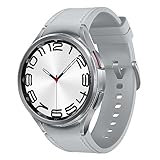
- Rotating Bezel Design: Classic rotating bezel enables precise control and smooth navigation.
Google Pixel Watch
Pair the watch with a compatible phone, open the Pixel Watch app, choose the mobile or cellular plan setup option, confirm the carrier, and complete its account verification. The watch then needs to download and install its eSIM profile. App labels can vary by generation and software release, so follow the current prompts in the app and carrier flow. After activation, test calls, messages and data with the phone powered off or out of range. Google says international roaming requires carrier support for both the Pixel Watch and VoLTE/roaming compatibility. Google Pixel Watch connectivity and roaming help.
Battery, signal and real-world performance
Cellular use generally consumes more power than using Bluetooth or Wi-Fi, and the effect can be particularly noticeable where signal is weak. Apple warns that extended cellular use consumes more battery. The actual result varies by watch and workload, so a universal battery-hour promise would be misleading. Apple battery guidance.
- High drain is more likely with: weak signal, long calls, streaming over LTE, GPS plus LTE workouts, roaming, frequent notifications, high screen brightness, always-on display and background app activity.
- To reduce drain: use automatic cellular mode where available, download music or maps before leaving, use reliable Wi-Fi, and turn cellular off during periods when the phone is nearby and phone-free access is unnecessary.
- Before relying on LTE: test the watch on the actual route or location you care about. A watch that works well near home may have poor coverage elsewhere.
LTE’s main advantage is connectivity away from the phone, not a guaranteed speed improvement. Network coverage, congestion, watch hardware and carrier conditions determine the experience.
Travel and international roaming
Do not assume that a watch which works at home will roam abroad. The watch’s regional model, the carrier, destination, plan, VoLTE support and roaming agreements all matter. Apple says its cellular watches are sold in regional models and there is no single model that supports every cellular band worldwide. Apple Watch cellular availability.
Recommended Free Tools
Apple documents international roaming for supported models when the carrier supports and provisions VoLTE and roaming. Its current support instructions place the roaming control at Settings → Cellular → Data Roaming; that setting alone cannot enable a service the carrier does not support. Apple Watch For Your Kids configurations do not support international roaming. Apple international roaming guidance.
Best Value
![Samsung Galaxy Watch 7 40mm LTE AI Smartwatch w/Energy Score, Wellness Tips, Heart Rate Tracking, Sleep Monitor, Fitness Tracker, 2024, Green [US Version, 1Yr Manufacturer Warranty]](https://m.media-amazon.com/images/I/414u6mCC97L._SL160_.jpg)
- PUSH PAST YESTERDAY: Looking for a great way to bring out your personal best every day? Challenge yourself to excel on your next run or bike ride using tracking with Galaxy AI¹ that lets you compare your current performance to your last one²
- START YOUR DAY WITH YOUR ENERGY SCORE: Know how ready you are to take on the day using your personalized Energy Score with Galaxy AI¹; It calculates today’s physical readiness based on what you did yesterday
- KEEP A CLOSER EYE ON YOUR HEART HEALTH: Get the most out of your fitness workouts using improved Heart Rate Tracking³ with Galaxy AI¹ that filters out your body’s movements for a more accurate reading
- GET A BOOST TOWARD YOUR GOALS: Stay on track toward your goals using personalized suggestions from Wellness Tips⁴; Your Watch collects the insights and then they’re analyzed on your phone
- BETTER SLEEP. A HEALTHIER YOU: Learn better habits for more restful nights using sleep tracking⁵ with Galaxy AI¹ — it also helps detect moderate to severe sleep apnea⁶; Get helpful insights collected by your Watch and analyzed by your phone
Google likewise says Pixel Watch international roaming requires carrier support for the watch and VoLTE/roaming compatibility. Before departure, ask the carrier about the exact watch model, destination, plan and fees. A travel eSIM installed on a phone usually does not automatically provide cellular service to the watch, and a phone’s international plan should not be assumed to cover its wearable line. Google Pixel Watch roaming help.
Independent reader supportYour contribution helps us test, update, and keep practical guides available for everyone.Emergency and safety features: useful, not guaranteed
Depending on model, region and setup, a connected watch may offer emergency calling, SOS alerts, location sharing, fall or crash detection, emergency contacts or caregiver features. Those functions depend on more than LTE: battery, network access, software, carrier provisioning and local emergency-service rules can all matter. Apple describes emergency help for cellular Apple Watch, including supported circumstances while traveling; Google says Emergency SOS can work when the phone is not charged, subject to device and regional support. Apple Watch cellular features; Google Pixel Watch Emergency SOS guidance.
An LTE smartwatch is not a substitute for a reliable phone in every situation or for a satellite communicator or dedicated personal emergency beacon in remote areas. Do not assume emergency calling works everywhere simply because a watch has LTE.
Quick wins for a faster PC:
Fix the driver behind crashes, sound loss and screen glitchesFind Drivers →Repair Windows errors before they cause bigger problemsFix Now →Scan for outdated or missing drivers - takes under a minuteDriver Scan →Is LTE worth paying for?
Decide based on how often you will genuinely leave the phone behind, not on the presence of an LTE option in a product listing.
| Reader or routine | Likely fit | Why |
|---|---|---|
| Runners, cyclists, swimmers and hikers on routes with coverage | LTE can be worthwhile | It can keep calls, messages or connected services available without carrying the phone, though GPS workouts themselves may not need LTE. |
| Parents or caregivers | Potentially worthwhile | A supported standalone service can help with communication or location features, but check account controls, regional availability and carrier limits. |
| People who often misplace or intentionally leave their phone behind | Potentially worthwhile | The watch can provide a separate route to some connected functions when the phone is unavailable. |
| Workers needing brief phone-free reachability | Potentially worthwhile | Useful when the exact calling and messaging setup suits the job and the carrier has coverage. |
| Travelers | Only after careful checking | Roaming and regional-model compatibility can be restrictive or costly. |
| People who always carry their phone | Usually Bluetooth/Wi-Fi is enough | The phone already supplies connectivity for many everyday watch tasks. |
| Battery-focused users or buyers avoiding monthly charges | Usually Bluetooth/Wi-Fi is preferable | It avoids a wearable cellular subscription and can reduce cellular-radio use. |
Before committing, total the watch’s LTE hardware premium, monthly line charge, activation fee, taxes, roaming and any financing or phone-plan requirements. The service cost recurs, so compare the expected ownership period rather than looking only at the device’s advertised monthly installment. Carrier prices and promotions change; confirm current terms directly with your carrier. For example, Verizon’s listed smartwatch plans distinguish plan levels, discounts and prepaid service, but those terms are specific to that carrier and may change. Verizon postpaid smartwatch plans; Verizon prepaid smartwatch plans.
Troubleshooting cellular problems
The watch has LTE hardware but no cellular service
- Move away from the paired phone and known Wi-Fi, then check whether the watch indicates cellular use.
- Confirm with the carrier that the plan is active and the exact model is eligible.
- Check that the eSIM activation finished and that the watch is not an incompatible regional variant.
- Restart the watch and toggle Airplane Mode off and on.
- Retry cellular setup; if service still fails, ask the carrier to verify or reprovision the eSIM using the watch’s EID or IMEI.
A watch may remain connected through Bluetooth or Wi-Fi even when cellular is enabled, so test away from both before concluding LTE is broken. Apple and Samsung both direct users to retry connectivity steps, confirm account eligibility and contact the carrier when activation fails. Apple troubleshooting; Samsung troubleshooting.
Activation is stuck or the watch says “Emergency calls only”
This can indicate incomplete eSIM provisioning, a watch still tied to an earlier activation, an ineligible account, unsupported coverage or a regional-model mismatch. Contact the carrier to check the account and provisioning before repeatedly factory-resetting the watch; a reset cannot correct a carrier-side authorization problem. For Apple’s activation sequence, turn Airplane Mode on for both the iPhone and watch, wait about 15 seconds, turn it off, close and reopen the Watch app, restart both devices and retry. Apple activation troubleshooting.
Calls work but data does not
- Check that the plan includes watch data and that cellular data is enabled.
- Confirm the carrier supports standalone data for the watch and plan.
- Check whether the app itself supports cellular use without the phone.
- Ask whether roaming limits or data management apply.
- Verify that the call is actually using the watch’s cellular connection rather than a phone relay.
Battery drains unusually quickly on LTE
Check signal strength, streaming, navigation, GPS-plus-cellular workouts, roaming, display settings, background apps and battery health. Try downloaded content and automatic cellular mode where available; if the drain occurs mainly in one location, weak coverage may be the cause.
Quick Recap
A new phone or used watch will not activate
- Remove the watch from the previous owner’s account and unpair or erase it properly.
- Remove or transfer the old carrier plan and confirm the new phone is compatible.
- Ask the carrier whether the watch’s EID or IMEI is still attached to another account.
- Request a new QR code if the carrier requires one; Samsung notes that a reset watch or changed network configuration may need a new code.
Samsung QR-code and activation guidance.
Product prices and availability are accurate as of the date/time indicated and are subject to change. Any price and availability information displayed on Amazon at the time of purchase will apply.

