Nike Run Club sits in a very specific sweet spot in the running app world, and understanding that upfront will save you a lot of frustration later. It’s designed to help everyday runners build consistency, confidence, and aerobic fitness, not to drown you in charts or turn every run into a performance audit. If you’ve ever felt overwhelmed by data-heavy platforms or bored by generic “just go run” advice, NRC aims to be the supportive middle ground.
This app works best when you think of it as a digital running coach rather than a training log. It prioritizes guidance, structure, and motivation over deep analytics, using audio coaching, adaptive plans, and gentle feedback to keep you moving forward. That philosophy also shapes how it connects to smartwatches, phones, and broader fitness ecosystems, which is where many runners either click with NRC or bounce off it.
What follows is a clear-eyed breakdown of what Nike Run Club actually does well, what it deliberately avoids, and who will get the most value from using it as part of a smartwatch or smartphone-based setup.
What Nike Run Club Actually Is
At its core, Nike Run Club is a guided running platform built around audio coaching, effort-based training, and habit formation. The app emphasizes how a run should feel, using cues like easy, steady, and hard rather than obsessing over pace targets. This approach is rooted in sound exercise physiology, especially for runners still building aerobic capacity or returning from inconsistent training.
🏆 #1 Best Overall
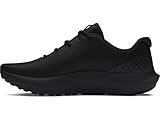
- Breathable mesh upper with synthetic overlays for added structure & support
- Enhanced cushioning around ankle collar for superior comfort
- Deluxe Comfort System sockliner molds to your foot for ultimate step-in comfort
- Charged Cushioning midsole provides all day comfort with responsiveness & durability
- Durable rubber outsole provides traction & durability with flexibility where you need it for toe-off
NRC shines in its guided runs, where coaches talk you through warm-ups, pacing, mindset, and cooldowns in real time. These sessions range from short beginner runs to longer progression workouts, and they’re designed to be used repeatedly rather than “completed” once. The result is an experience that feels closer to having a coach in your ear than following a static plan on a screen.
The app also includes adaptive training plans for common goals like running your first 5K, building endurance, or preparing for a longer race. These plans adjust based on your feedback and missed runs, which reduces guilt-driven dropouts. It’s less about perfection and more about staying in motion week after week.
What Nike Run Club Is Not
Nike Run Club is not a deep performance analytics tool, and it never pretends to be one. You won’t get advanced metrics like training load modeling, recovery scores, HRV trends, or granular lap-by-lap breakdowns. If you thrive on analyzing graphs after every run, NRC may feel limited rather than liberating.
It’s also not a replacement for a full multisport or strength-training ecosystem. While NRC plays nicely with general health platforms, its focus remains firmly on running, with minimal cross-training guidance built in. Strength, mobility, and recovery are acknowledged, but they aren’t tracked with the same rigor as dedicated platforms.
Finally, NRC isn’t built for elite race optimization or time-trial obsessives. There are no complex pace calculators, race predictors, or advanced workout builders. That’s a conscious design choice, not a missing feature.
Who Nike Run Club Is Best For
Beginner runners benefit the most from NRC’s emphasis on effort, consistency, and reassurance. If you’re new to running or restarting after a long break, the app removes decision fatigue by telling you exactly what kind of run to do and how hard it should feel. That simplicity dramatically lowers the barrier to showing up.
Intermediate runners who feel stuck or unmotivated also tend to click with NRC. The guided runs help break the monotony of always chasing pace or distance, and they can reset your relationship with easy running. Many runners see pace improvements simply by learning to slow down on most days and push only when it counts.
Runners who value motivation over metrics will feel especially at home. NRC’s encouragement, reminders, and post-run reflections are designed to reinforce identity and confidence, not just performance outcomes. If accountability matters more to you than spreadsheets, this app aligns with that mindset.
How Nike Run Club Fits Into a Smartwatch Setup
Nike Run Club works best when paired with a smartwatch, particularly an Apple Watch. On watchOS, NRC feels polished and reliable, with on-wrist controls, audio cues, and heart rate tracking that integrate smoothly into Apple’s Health ecosystem. Battery impact is reasonable for typical training runs, though not as efficient as native Apple Workouts for very long sessions.
On Wear OS, NRC support exists but is more limited and less consistent across devices. GPS accuracy and stability depend heavily on the watch model, processor, and software version. If you’re using a Wear OS watch, NRC is usable, but it doesn’t feel as deeply integrated as it does on Apple hardware.
For runners using a phone-only setup, NRC remains fully functional. GPS tracking, audio coaching, and run logging all work reliably, though carrying a phone may affect comfort and form. This setup is best for casual runs or treadmill sessions rather than long outdoor efforts.
How It Plays With Broader Fitness Ecosystems
Nike Run Club syncs cleanly with Apple Health, allowing your runs to contribute to daily activity rings, cardio fitness estimates, and overall calorie tracking. This makes it easy to use NRC as your running layer while relying on Apple’s ecosystem for big-picture health trends. The data shared is straightforward and avoids clutter.
On Android, NRC integrates with Google Fit, but the experience is more basic. You’ll get distance, time, and calories, but fewer derived insights. It works well enough for continuity, but it’s not the centerpiece of a larger performance dashboard.
If you already use platforms like Strava, NRC can export runs there, but the flow is one-way and limited. Many runners use NRC for coaching and Strava for social logging, accepting that NRC is the brains and Strava is the bulletin board. That hybrid approach often delivers the best of both worlds without forcing one app to do everything.
Getting Started Properly: Account Setup, Permissions, and Pairing NRC With Apple Watch, Wear OS, or Phone GPS
Once you understand where Nike Run Club fits in your broader fitness setup, the next step is making sure it’s configured correctly from day one. A sloppy setup leads to missing data, unreliable GPS, and frustrating audio dropouts. A clean setup makes NRC feel invisible in the best way, letting you focus on running instead of troubleshooting.
Creating Your NRC Account the Right Way
When you first open Nike Run Club, you’ll be prompted to sign in with a Nike account. If you already have one from Nike Training Club or Nike.com, use it, as this keeps your ecosystem unified across devices and apps.
During onboarding, NRC asks for basic details like age, height, weight, and running experience. These aren’t cosmetic. They influence calorie estimates, effort-based coaching cues, and how NRC frames training plans, so answer honestly rather than aspirationally.
You’ll also be asked about your running goals. Choose something realistic, even if it feels modest. NRC’s coaching philosophy is consistency-first, and starting too aggressively often leads to burnout or skipped workouts.
Permissions That Actually Matter (and Why You Should Allow Them)
NRC will request access to location, motion sensors, notifications, and health data. For outdoor running, location access must be set to “Always” or “While Using the App,” depending on your platform, otherwise GPS tracking can pause or fail when the screen locks.
On iOS, allowing access to Apple Health is strongly recommended. This lets NRC read heart rate, write workout data, and contribute to activity rings and cardio fitness trends. Without this connection, your runs exist in isolation and won’t reflect your overall training load.
On Android, Google Fit permissions are simpler but still important. Enable read and write access so your runs aren’t trapped inside NRC. This makes it easier to switch devices later without losing your training history.
Pairing Nike Run Club With Apple Watch
If you’re using an Apple Watch, install NRC on both your iPhone and the watch itself via the Watch app. Once installed, open NRC on the watch at least once to complete pairing and permissions.
NRC uses the Apple Watch’s GPS, optical heart rate sensor, and motion tracking, not your phone’s sensors, as long as the watch supports standalone GPS. This improves comfort since you can leave your phone behind, and it reduces arm swing interference that sometimes affects phone-based tracking.
For best results, ensure your watch fits snugly, especially during faster runs. A loose watch can cause heart rate dropouts, which affects effort-based coaching cues. Battery-wise, NRC is efficient enough for typical 30 to 90-minute runs, though ultra-long sessions drain faster than Apple’s native Workout app.
Using NRC on Wear OS Watches
Wear OS support exists, but the experience depends heavily on the watch hardware. Devices with newer processors, ample RAM, and recent Wear OS versions perform far better with NRC than older models.
Install NRC directly from the Play Store on your watch, then sign in using the same Nike account as your phone. GPS acquisition can take longer than on Apple Watch, so start your run only after the GPS indicator confirms a lock.
Heart rate accuracy varies widely across Wear OS watches. For steady runs it’s usually acceptable, but interval sessions may show lag. If heart rate data matters to you, consider pairing a Bluetooth chest strap through your watch if supported.
Phone-Only Setup: Making GPS and Audio Reliable
Running with just your phone is still a valid option, especially for beginners or treadmill users. Make sure battery optimization is disabled for NRC so the app isn’t throttled in the background mid-run.
Use wired headphones or reliable Bluetooth earbuds with strong connection stability. Audio-guided runs are central to NRC’s coaching style, and dropped cues break the rhythm of the workout.
Carry your phone securely in a waistband, vest, or snug pocket. Excessive bouncing can interfere with GPS smoothness and make pace data feel erratic, especially in urban environments.
Choosing the Right Audio and Coaching Settings Early
Before your first real run, go into NRC’s settings and configure audio feedback. You can choose distance-based, time-based, or manual updates, and adjust how often pace and distance are announced.
Guided Runs are where NRC shines, but they require audio access and volume balance. Test one indoors with headphones to ensure coaching voices don’t overpower music or disappear entirely.
These early tweaks seem small, but they shape how supportive NRC feels on the run. When audio, GPS, and data flow work smoothly, the app fades into the background and the coaching feels natural rather than intrusive.
Understanding the Nike Run Club Interface: Runs Tab, Training Tab, Activity History, and Where Key Features Live
Once your audio, GPS, and device settings are dialed in, the next step is learning how to navigate Nike Run Club without friction. NRC’s interface is intentionally simple, but many performance-critical features are buried just deep enough that new users miss them.
Think of the app as having four functional layers: starting runs, following training structure, reviewing what you’ve done, and managing the tools that support consistency. Knowing where each piece lives saves time and helps you actually use NRC as a coaching system rather than a basic run recorder.
The Runs Tab: Your Launch Pad for Every Run
The Runs tab is the default home screen and the place you’ll return to most often. This is where you start Quick Runs, select Guided Runs, and control audio feedback before you move.
At the top, you’ll see the main Start button. Tapping it immediately begins a standard run using your current settings, ideal for easy days when you just want to move without overthinking structure.
Below that, Guided Runs are organized by goal, distance, or mindset. These are not just playlists with talking layered on top; many include pace cues, effort-based coaching, and reminders to stay relaxed or controlled when fatigue builds.
Before starting, swipe up to adjust run settings. This is where you confirm GPS source, toggle auto-pause, and choose whether pace, distance, or time updates are announced during the run.
On Apple Watch and most Wear OS watches, the Runs tab is simplified but mirrors the same logic. You start runs directly on the watch, but deeper browsing of Guided Run categories is usually easier on the phone first.
Quick Runs vs Guided Runs: Choosing the Right Tool
Quick Runs are best for unstructured mileage, recovery days, or when you already know exactly what effort you want. They give you clean data with minimal interruptions.
Guided Runs are where NRC does most of its coaching work. These sessions focus on effort rather than strict pace, which helps beginners and intermediates run by feel and avoid common mistakes like starting too fast.
If you’re following a Training Plan, Guided Runs often appear automatically in your schedule. Starting them from the Runs tab ensures the session is logged correctly and counted toward your plan.
The Training Tab: Structure, Plans, and Long-Term Progress
The Training tab is NRC’s planning brain. This is where you find Training Plans, weekly schedules, and goal-oriented progression rather than single workouts.
Plans are typically organized by distance goals like 5K, 10K, half marathon, or marathon. Each plan adapts to your experience level and asks for a certain number of runs per week rather than fixed paces.
When you join a plan, the Training tab becomes your checklist. Upcoming runs appear clearly, and completed runs are marked automatically when you log them correctly.
If you ever feel unsure what to run on a given day, this tab removes decision fatigue. You open it, tap today’s session, and the app handles the structure.
Where Effort Guidance and Recovery Messaging Live
NRC uses effort cues instead of prescribing exact paces, especially in Training Plans. These cues appear during Guided Runs and are explained within the Training tab so you understand what “comfortable,” “moderate,” or “challenging” should feel like.
Recovery runs and rest days are also surfaced here. Skipping these messages is a common mistake, but they’re key to avoiding burnout and keeping your weekly volume sustainable.
Rank #2

- Mesh Upper: The mesh upper offers a comfortable, breathable feel.
- Foam Midsole: The foam midsole delivers intuitive cushioning through comfort-focused rocker geometry.
- Cushione Outsole: The outsole has an intuitive Nike design and flex grooves in the forefoot that create a comfortable and cushioned effect as you run.
- Touch Points: Touch points at the heel and tongue create a natural feel as you take the shoes on and off.
- What's New? Mesh on upper is more breathable than the Revolution 7, helping keep you cool.
Activity History: Reviewing Runs That Actually Teach You Something
Your Activity History is where every logged run lives, accessible via your profile or activity feed. This section isn’t just a diary; it’s how you spot patterns over time.
Tap into any run to see distance, duration, average pace, splits, elevation, and heart rate if available. On supported watches, cadence may also appear, depending on hardware and OS version.
Pay attention to how pace changes across similar runs rather than obsessing over single-day performance. NRC’s strength is showing consistency trends, not deep race analytics.
Badges, Milestones, and Motivation Tools
Badges, streaks, and milestones are also tied to your activity history. While they may seem cosmetic, they play a real role in habit formation, especially for newer runners.
Weekly and monthly summaries highlight volume and frequency. These overviews are useful for checking whether you’re ramping up too fast or unintentionally dropping consistency.
Where Key Settings and Hidden Features Actually Live
Many critical options are not in the Runs or Training tabs. Profile and settings are accessed through your avatar or menu icon, depending on platform.
This is where you manage shoe tracking, units (miles vs kilometers), privacy controls, and integrations. Shoe tracking is particularly valuable, as it helps you rotate pairs and monitor mileage on cushioning over time.
Audio feedback preferences also live here, not on the run screen itself. If cues feel too frequent or too quiet, this is where you fix it.
Phone App vs Watch Interface: What to Do Where
Use the phone app for planning, browsing Guided Runs, and reviewing detailed history. The larger screen makes it easier to understand trends and make adjustments.
Use your watch for execution. Starting runs, pausing, checking live pace, and staying focused without distractions are where wrist-based control shines.
Once you understand which device handles which job best, NRC becomes far smoother to use. You spend less time tapping screens and more time running with purpose.
Guided Runs Explained: How Audio Coaching, Pace Cues, and Mindset Sessions Actually Improve Your Running
Once you’re comfortable navigating the app and deciding whether your phone or watch is doing the heavy lifting, Guided Runs are where Nike Run Club starts acting like a coach rather than a tracker.
They’re designed to step in during the run itself, using audio cues, structured pacing, and mental prompts to influence how you move, breathe, and think while you’re running. For beginner and intermediate runners, this real-time guidance is often more impactful than post-run charts.
What Guided Runs Actually Are (and What They Aren’t)
A Guided Run is an audio-led workout that plays through your phone or smartwatch during the run. Coaches, athletes, or Nike trainers talk you through effort levels, pacing strategy, and mindset cues at specific moments.
They are not rigid interval timers or race simulators. Instead, they rely on perceived effort and time-based segments, which makes them flexible across different fitness levels and terrains.
This is why the same Guided Run can work on a flat park loop, rolling roads, or a treadmill. NRC adjusts the guidance, not the GPS demands.
Why Audio Coaching Works Better Than Visual Data Mid-Run
Looking at pace, heart rate, and distance mid-run can pull attention away from form and breathing. Audio coaching keeps your eyes up and your posture relaxed, which matters more than most runners realize.
On a smartwatch like an Apple Watch or Wear OS device, this also reduces screen-checking fatigue. Smaller displays and sweaty fingers make constant interaction clumsy, so voice cues become the cleanest interface.
Battery life benefits too. With fewer screen activations, watches tend to last longer during extended runs, especially on older hardware.
Pace Cues Based on Effort, Not Ego
One of NRC’s smartest design choices is anchoring pacing to effort levels rather than numbers. Coaches will cue phrases like “comfortably hard,” “conversational,” or “controlled but focused.”
From a sports science perspective, this trains runners to internalize pacing, a skill that correlates strongly with long-term improvement and injury prevention. It also reduces the temptation to chase unrealistic splits early in a run.
For smartwatch users, this pairs well with live pace being visible but not dominant. You can glance when needed, but the coaching steers decision-making.
How Guided Runs Improve Consistency and Reduce Burnout
Many runners quit not because running is hard, but because every run feels like a test. Guided Runs reframe sessions as experiences with a beginning, middle, and end.
Knowing that a coach will check in at minute five or halfway through lowers mental resistance to starting. This is especially powerful on days when motivation is low but consistency matters most.
Over time, this reduces skipped sessions and streak-breaking gaps, which NRC tracks clearly in your weekly and monthly summaries.
Mindset Sessions: The Underrated Performance Tool
Some Guided Runs focus less on speed and more on mindset. These sessions address anxiety, comparison, frustration, and confidence, topics that directly affect performance but rarely show up in metrics.
Listening to a calm, structured narrative helps regulate breathing and perceived exertion. Studies consistently show that reduced mental stress improves endurance at the same physiological workload.
These runs are particularly effective when paired with a lightweight watch and comfortable strap. Less physical distraction means the mental coaching lands more effectively.
Long Runs, Recovery Runs, and Why Guidance Matters Most There
Easy and long runs are where many runners accidentally sabotage progress by running too fast. Guided Runs actively remind you to slow down, check posture, and stay relaxed.
This is where NRC shines compared to apps that only flag pace after the fact. The correction happens while you’re drifting, not when it’s already too late.
On watches with heart rate tracking, you can quietly confirm that effort matches the guidance without becoming fixated on zones.
How to Choose the Right Guided Run for Your Goal
Browse Guided Runs by duration, run type, or coach rather than distance. Time-based runs are more forgiving and better aligned with effort-based coaching.
If you’re building consistency, start with shorter runs that include warm-up and cool-down cues. If you’re improving endurance, prioritize long runs with frequent check-ins.
Speed-focused Guided Runs are best used once or twice a week. NRC is designed to support balanced training, not daily intensity.
Using Guided Runs on Phone vs Smartwatch
On a phone, Guided Runs work best with wired or secure Bluetooth headphones to avoid audio dropouts. The larger screen is useful before the run, but you should lock it once moving.
On a smartwatch, the experience is more focused. You get vibration alerts paired with audio cues, and fewer distractions from notifications if configured correctly.
Comfort matters here. A watch that’s too heavy or strapped too tightly can become noticeable during longer audio-led sessions, pulling attention away from the coaching.
Common Mistakes Runners Make With Guided Runs
The biggest mistake is ignoring the effort cues and running by pace anyway. This turns a coached session into a regular run with background noise.
Another issue is stacking too many Guided Runs back-to-back without recovery. The app encourages consistency, but your body still needs easy days.
Finally, some runners skip Guided Runs entirely once they feel “experienced.” In practice, even seasoned runners benefit from occasional audio coaching to reset habits and mindset mid-season.
Using Training Plans the Right Way: Choosing the Correct Plan, Scheduling Runs, and Avoiding Beginner Overreach
If Guided Runs are the day-to-day coaching voice, Training Plans are the long-term framework that decides whether those runs actually add up to progress. This is where many runners either level up—or burn out—depending on how realistically they use NRC’s structure.
Nike Run Club’s plans are deliberately simple, but that simplicity can be misleading. They work best when you choose conservatively, schedule thoughtfully, and resist the urge to “prove” fitness too early.
Choosing the Right Plan: Why Conservative Wins
NRC offers distance-based plans like 5K, 10K, half marathon, and marathon, but the real decision isn’t the race—it’s your current training consistency. If you’re running fewer than three times per week right now, starting with a shorter plan is almost always the smarter move.
A 5K plan in NRC isn’t just about finishing 5K. It’s about building repeatable habits: easy runs, one speed session, and one longer effort each week without overwhelming your joints or motivation.
Intermediate runners often overestimate what they should choose. If you can run 10K today but haven’t trained consistently for months, the 5K or Get Started plan will still make you faster and more durable with far less risk.
Understanding How NRC Plans Are Structured
Nike’s Training Plans are effort-based, not pace-locked. This matters because the app assumes you’ll listen to coaching cues rather than chase numbers on your watch.
Most plans follow a predictable rhythm: easy runs for aerobic base, one speed run for neuromuscular sharpness, and a long run to build endurance. The balance is intentional and mirrors sound sports science principles.
On compatible watches like Apple Watch or Wear OS devices, heart rate tracking quietly supports this structure. You can confirm that easy runs stay easy without turning every session into a data audit.
Scheduling Runs Around Real Life, Not Ideal Weeks
When you activate a Training Plan, NRC asks you to pick running days. This step is more important than it looks, because the plan assumes those days are non-negotiable.
Rank #3

- THIS WOMEN'S SHOE IS FOR: Prepare for smooth transitions with the Glycerin 22, featuring DNA Tuned, the latest midsole technology that seamlessly blends and integrates dual-size cells, ensuring a balance of luxurious cushioning and energetic toe-offs. This Glycerin 22 is a certified PDAC A5500 Diabetic shoe and has been granted the APMA Seal of Acceptance. Predecessor: Glycerin 21.
- NEUTRAL SUPPORT: Provides neutral support while offering the maximum amount of cushioning. Ideal for road running, cross training, the gym, or wherever you might want to take them! Predecessor: Glycerin 21. Look for the Brooks Glycerin GTS 22 for the same style with added support.
- DNA TUNED CUSHION: Cutting-edge cushion technology with larger cells in the heel to provide soft, plush landings, while smaller cells in the forefoot invite responsive toe-offs.
- ACCOMMODATING FIT: The newly engineered double jacquard knit upper delivers a flexible and accommodating fit, combining durability with exceptional breathability.
- SMOOTH, STABLE TRANSITIONS: The broad platform stabilizes your foot while the tuned heel and forefoot smooth heel-to-toe transitions.
Choose days you can realistically protect. It’s better to schedule three runs you’ll actually complete than five that constantly get skipped and reshuffled.
Smartwatch users benefit here because scheduled runs appear directly on the watch, reducing friction. The less time you spend deciding what to do, the more likely you are to start.
Why You Should Not “Stack” Missed Runs
One of the most common mistakes is trying to catch up after a missed week by stacking multiple hard runs close together. NRC allows flexibility, but your body doesn’t adapt on a compressed timeline.
If you miss a speed run, skip it and continue forward. The training effect comes from consistency over weeks, not perfection inside one calendar view.
This is especially important for beginners using GPS watches with aggressive pace alerts. Fatigue can cause form breakdown long before the watch warns you.
Using Guided Runs Inside Training Plans
Many NRC plans automatically assign Guided Runs, and this is where the ecosystem clicks. The coaching language matches the intent of the session, reinforcing effort rather than pace.
On long runs, you’ll hear reminders to relax shoulders, slow breathing, and check posture. On speed days, cues focus on rhythm and control rather than all-out intensity.
Using these on a watch is ideal. Vibration alerts paired with audio reduce screen checking, helping you stay present and avoid racing the workout instead of completing it.
Avoiding Beginner Overreach: The Silent Progress Killer
Overreach doesn’t usually feel dramatic. It shows up as lingering soreness, declining motivation, or needing more mental effort just to start a run.
NRC plans intentionally include more easy runs than hard ones. Skipping or “upgrading” easy runs into tempo efforts breaks the adaptation cycle.
If your watch shows heart rate creeping higher at the same easy pace week after week, that’s not a challenge to push harder—it’s feedback to back off.
When to Adjust a Plan Without Quitting It
You don’t need to abandon a Training Plan if life intervenes. NRC allows you to pause, reschedule, or repeat weeks without penalty.
Repeating a week is often smarter than pushing forward tired. Fitness gains consolidate during recovery, not just workload increases.
Smartwatch battery life matters here too. Watches that comfortably last multiple runs between charges reduce friction and missed sessions, especially during busy weeks.
How to Measure Progress Without Obsessing Over Metrics
NRC plans don’t emphasize deep analytics, and that’s intentional. Progress is reflected in how controlled your runs feel, not just pace improvements.
Watch data should support awareness, not dominate it. Use pace and heart rate as confirmation, not as targets to chase mid-run.
If easy runs start feeling smoother and speed runs feel more controlled, the plan is working—even if the numbers change slowly.
The Long Game: Why Finishing a Plan Matters More Than the Race
Completing a Training Plan builds something more durable than race fitness. It builds trust in your ability to follow structure and listen to your body.
Many runners jump plans too quickly, chasing novelty or faster results. NRC works best when you let a plan run its full course before moving up.
Once you’ve finished one plan feeling healthy and motivated, choosing the next step becomes obvious rather than forced.
Tracking the Metrics That Matter: Pace, Distance, Effort, Heart Rate, and Why NRC Keeps Things Simple
Once you commit to finishing a plan rather than chasing every data point, the way you look at metrics changes. Nike Run Club is built around that shift, prioritizing numbers that guide behavior instead of overwhelming you with post-run analysis.
This is where NRC quietly does its best work. It tracks everything you need to become a better runner, then deliberately stays out of your way while you’re actually moving.
Pace: A Reference, Not a Command
Pace in NRC is presented as context rather than a constant instruction. During most guided runs, coaches reference pace ranges but repeatedly remind you that how the effort feels matters more than hitting an exact number.
On a smartwatch, this is especially effective. A quick wrist glance gives you reassurance without pulling your attention away from breathing or form, which helps prevent the common beginner mistake of racing the watch.
As your fitness improves, you’ll notice your “comfortable” pace gradually getting faster. NRC doesn’t celebrate this with charts and trend lines, but that quiet improvement is the signal you’re actually adapting.
Distance: Useful for Planning, Not Pressure
Distance tracking in NRC is clean and reliable, whether you’re running with a phone, Apple Watch, or a Wear OS watch with built-in GPS. It’s there to confirm that you completed the session, not to push you to extend it.
This matters for consistency. Knowing the run will end when the plan says it will makes it easier to start, especially on days when motivation is low.
GPS accuracy depends on your device, of course. Watches with stronger antennas and stable wrist fit tend to deliver smoother distance tracking, while phone-based runs can vary more depending on signal and pocket placement.
Effort: The Metric NRC Cares About Most
Effort is the backbone of Nike Run Club, even though it isn’t displayed as a number. Coaches cue effort using simple language like easy, steady, comfortably hard, or strong, which maps well to perceived exertion without requiring physiology knowledge.
This approach reduces decision fatigue mid-run. You don’t need to decode zones or interpret graphs; you just check in with your breathing, posture, and control.
Over time, this builds internal pacing skills. Runners who learn to judge effort accurately are far less likely to overreach, burn out, or stall progress.
Heart Rate: Optional, Supportive, and Intentionally De-emphasized
NRC can record heart rate from supported smartwatches, but it rarely puts it front and center during the run. That’s a conscious design choice, not a missing feature.
Heart rate is most useful after the fact. Reviewing whether easy runs stayed controlled or whether stress caused unusually high readings can help you adjust recovery and sleep, not force harder workouts.
For beginners especially, heart rate variability, sensor lag, and wrist fit can muddy the data. NRC avoids making heart rate a primary driver so runners don’t end up chasing noisy numbers instead of learning their body.
Why You Won’t Find Advanced Analytics—and Why That’s a Strength
Nike Run Club does not offer running power, vertical oscillation, ground contact time, or detailed training load metrics. That’s not because Nike can’t build them, but because most runners don’t need them to improve.
Advanced metrics are only helpful once basic habits are locked in. Consistency, appropriate effort, and recovery do far more for performance than marginal biomechanical insights at this stage.
By keeping the interface uncluttered, NRC lowers the barrier to daily use. Fewer screens, fewer decisions, and fewer reasons to skip a run because the setup feels complicated.
Using Watch Screens Without Becoming Watch-Focused
On Apple Watch and Wear OS, NRC’s run screens are intentionally sparse. You typically see time, pace, distance, and occasionally heart rate, depending on your settings.
This simplicity improves real-world usability. Smaller watch displays, curved glass, and motion during running make dense data hard to read anyway, so NRC leans into clarity over completeness.
Comfort also plays a role. Lighter watches with breathable straps reduce wrist fatigue, making it easier to forget the device and stay present in the run itself.
How to Review a Run Without Overanalyzing It
After a run, NRC shows a straightforward summary: distance, average pace, duration, and optional heart rate data. This is the moment to reflect, not critique.
Ask simple questions. Did the run feel like the effort it was supposed to be? Did anything feel harder than expected? Was recovery adequate from the previous session?
If the answers trend positive over weeks, the plan is working. You don’t need deeper analytics to confirm progress that you can feel in your legs and breathing.
The Simplicity Advantage Over the Long Term
Many runners abandon apps because the data starts to feel like judgment. NRC avoids that trap by keeping metrics informational rather than evaluative.
This is especially important when life gets messy. Missed sleep, work stress, or travel will show up in pace and heart rate, but NRC doesn’t frame those changes as failure.
By tracking only what truly matters, Nike Run Club makes it easier to stay engaged long enough for real improvement to happen.
Running With a Smartwatch vs Phone Only: Accuracy, Battery Life, Offline Runs, and Real-World Usability
The simplicity advantage of NRC becomes even more noticeable when you choose how to record your runs. Whether you run with just your phone or pair the app to a smartwatch changes accuracy, convenience, and how present you feel while moving.
Neither option is universally better. The right choice depends on where you run, how long you run, and how much friction you’re willing to tolerate before lacing up.
GPS Accuracy: Wrist-Based vs Phone-Based Tracking
Modern smartphones generally have excellent GPS chips with strong antenna placement, especially when carried in an armband or waistband with clear sky view. In open areas, phone-only runs often produce very clean distance and pace data in NRC.
Rank #4

- MAX AIRFLOW SUPPORT: Lightweight mesh upper with a breathable pattern that boosts ventilation and keeps feet cool during long-distance training for consistent comfort
- ENHANCED MIDFOOT CONTROL: Strategic overlays deliver secure structure that stabilizes each stride on roads, tracks, and gym surfaces
- SOFT STEP-IN FEEL: Smooth liner creates plush cushioning that reduces friction and enhances comfort from first step to final mile
- ENERGY-FORWARD RESPONSE: Impact-absorbing foam provides dynamic rebound that helps maintain speed and reduces fatigue on extended runs
- LIGHTWEIGHT TRACTION: High-wear rubber zones offer durable grip designed to handle daily mileage while keeping the shoe flexible and fast
Smartwatches rely on smaller antennas and lower-power GPS to preserve battery life. On Apple Watch and most Wear OS devices, accuracy is still very good, but you may see slightly noisier pace during sharp turns, tree cover, or dense urban streets.
Over longer runs, the differences usually average out. For beginner and intermediate runners focused on consistency rather than precision racing lines, both methods are accurate enough to guide training decisions.
Pace Stability and Real-Time Feedback
Phone-based NRC tends to smooth pace readings more aggressively, which can make real-time pace feel calmer and less jumpy. This can be helpful if you’re learning to regulate effort without reacting to every small fluctuation.
Smartwatch pace updates are more immediate, especially when using wrist-based GPS alone. This responsiveness is useful for interval runs or pace targets but can feel distracting if you glance too often.
If you find yourself chasing numbers mid-run, the phone-only approach can quietly support the “run by feel” philosophy NRC encourages.
Battery Life: What Actually Lasts Longer
Running NRC on your phone uses GPS, screen activity, and sometimes music streaming, all of which drain battery faster than background use. Long runs or back-to-back workouts can become stressful if you’re starting below 50 percent charge.
Smartwatches are designed for this exact workload. Most Apple Watch models easily handle an hour-long GPS run, and many Wear OS watches can stretch beyond that with GPS-only tracking.
The trade-off is charging frequency. Watches require more frequent charging overall, while phones may already be part of your daily charging routine.
Offline Runs and Leaving the Phone at Home
One of the biggest advantages of a smartwatch is the ability to run phone-free. NRC supports offline GPS tracking on Apple Watch and Wear OS, syncing the run once you reconnect to your phone.
This matters more than it sounds. Running without a phone reduces bounce, heat, and mental clutter, especially in warm weather or during recovery runs.
Phone-only NRC requires cellular access or post-run syncing, which is fine for most people but limits flexibility if you want true unplugged runs.
Comfort, Weight, and Physical Awareness
Phones add bulk no matter how you carry them. Armbands can affect arm swing, pockets can bounce, and waist belts can shift during faster running.
Smartwatches are lighter and more stable, but comfort varies by case size, thickness, and strap material. Softer silicone or nylon straps breathe better and reduce sweat buildup over longer sessions.
The less you notice your device, the easier it is to stay relaxed. That relaxation often matters more for performance than marginal data differences.
Interaction During the Run
With a phone, interaction is mostly passive. You start the run, lock the screen, and rely on audio cues for pace, distance, or guided coaching.
Smartwatches invite quick glances and taps. NRC’s sparse watch screens help, but the temptation to check pace is always closer at hand.
If your goal is learning patience and steady effort, fewer interaction points can actually improve training quality.
Music, Guided Runs, and Audio Reliability
Phone-based NRC handles music streaming and guided runs seamlessly, especially with Bluetooth headphones already paired. Audio quality is consistent, and storage limits are rarely an issue.
Smartwatches can play guided runs and music independently, but setup matters. You’ll need downloaded playlists or cellular connectivity, and battery drain increases when streaming.
For guided runs in particular, phones remain the most reliable option if audio interruptions frustrate you.
Setup Complexity and Daily Friction
Phone-only NRC has almost no setup overhead. Install the app, allow permissions, and run.
Smartwatches require pairing, permission syncing, occasional app updates, and awareness of battery state. None of this is difficult, but each step adds a small barrier.
Over weeks and months, lower friction often wins. The device that feels easiest on tired days is the one you’ll keep using.
Which Option Fits Your Running Goals Right Now
If you’re focused on building the habit, learning effort control, and following guided runs, phone-only NRC is more than sufficient. It minimizes decisions and keeps the experience straightforward.
If you value freedom from carrying a phone, want quick pace checks, or plan to run more frequently outdoors, a smartwatch integrates beautifully with NRC’s philosophy.
Many runners use both. Phone-based runs for longer guided sessions and smartwatch-only runs for short, spontaneous outings that keep momentum alive.
Motivation Tools That Work: Challenges, Badges, Friends, Streaks, and How to Stay Consistent Long-Term
Once you’ve chosen the device setup that creates the least friction, Nike Run Club shifts from being a tracking tool to a behavior-shaping one. This is where consistency is built, not through complex analytics, but through small psychological nudges that keep you showing up even when motivation dips.
NRC’s motivation system works best when you understand what each tool is actually designed to do. Used intentionally, these features reinforce habits rather than distract from training quality.
Challenges: Short-Term Focus Without Overthinking
Challenges in NRC are distance-based goals set over a defined window, often a week or a month. They are intentionally simple: run a certain number of miles or kilometers, no pace targets, no performance pressure.
This matters because challenges encourage frequency, not intensity. For beginners and returning runners, this aligns perfectly with aerobic development and injury prevention.
To use challenges effectively, pick one that feels slightly under-ambitious. If you think you can run 20 km in a month, choose 15. Finishing early builds momentum, while missing targets quietly erodes confidence.
On smartwatches, challenge progress updates sync automatically after each run, but you won’t see mid-run prompts. On phones, progress is clearer post-run, reinforcing completion without distracting you during the effort.
Badges: Recognition That Reinforces Identity
Badges in NRC mark milestones like first run, longest run, fastest mile, streaks, and seasonal events. They’re not performance-critical, but they are identity-forming.
Each badge subtly reframes how you see yourself. You’re no longer “someone trying to run,” you’re “someone who completed a 10K” or “someone who runs weekly.”
The key is not to chase badges by forcing hard efforts. Let them arrive naturally through plans and guided runs. When used this way, badges reflect progress rather than dictate it.
Smartwatch users often notice badges later, when the phone syncs post-run. That delay can actually help by separating effort from reward, keeping your focus where it belongs during the run.
Friends and Social Features: Accountability Without Pressure
NRC’s social layer is deliberately low-noise compared to platforms built around leaderboards. You can add friends, see recent runs, and exchange encouragement, but competition is optional.
For consistency, add one to three people you genuinely relate to. Too many connections turn the feed into background clutter and reduce its motivational impact.
Use the cheer feature sparingly and authentically. A simple thumbs-up after a friend’s easy run reinforces consistency more than congratulating only big efforts.
On Apple Watch and Wear OS, social interaction stays off the wrist during the run, which is a good thing. NRC avoids notifications that pull attention away from pacing or form, keeping the run itself distraction-free.
Streaks: Powerful, But Handle With Care
Streaks track how often you run across weeks. They are one of NRC’s most motivating tools, and also the easiest to misuse.
A streak should represent consistency, not daily intensity. Two to four runs per week is enough to maintain most streaks and is more sustainable long-term for recreational runners.
If you miss a run, treat it as neutral data, not failure. Breaking a streak doesn’t erase fitness, but forcing a run when exhausted often leads to longer layoffs.
Smartwatch convenience helps here. The ability to head out for a short, phone-free run lowers the barrier to maintaining streak-friendly consistency without turning every session into a production.
Guided Runs as a Motivation Anchor
When motivation is low, guided runs often work better than raw metrics. Coaches fill the silence, normalize effort fluctuations, and remind you why you’re running in the first place.
Use guided runs strategically on days you’re tempted to skip. The promise of a familiar voice can be enough to get you out the door.
Phones remain the most reliable option for guided runs due to audio stability and battery life. If you prefer watch-only runs, download the guided session in advance and keep an eye on battery drain, especially on older models.
Building a Consistency System That Survives Real Life
The runners who improve long-term aren’t the most motivated, they’re the most adaptable. NRC supports this by allowing you to scale effort without changing identity.
Create a personal rule: any run counts. Ten minutes counts. Slow counts. A guided recovery jog counts.
💰 Best Value

- THIS WOMEN'S SHOE IS FOR: Runners or walkers focused on improving their fitness, the Revel 8 offers a smooth, distraction-free ride to power through your workouts. Its unique mesh upper combines style and performance, giving you the casual look you want without compromising on the support and comfort you need. This Brooks Revel 8 has been granted the APMA Seal of Acceptance. Predecessor: Revel 7.
- ENGINEERED FOR COMFORT: Adaptable DNA Loft v2 cushioning provides underfoot comfort for any activity that adapts to your stride, weight, and speed to help protect you by deflecting impact away from your body.
- BREATHABLE MESH UPPER: The updated engineered mesh upper offers superior structure, a sleek design, and enhanced breathability, keeping your feet cool and comfortable during every run or workout.
- ROADTACK OUTSOLE: The RoadTack rubber outsole is lightweight, durable, and designed for optimal rebound, providing superior traction and responsiveness to keep you moving with confidence.
- VERSATILE DESIGN: A sleek design that’s ready for both your toughest workouts and casual outings, effortlessly transitioning from run to rest while maintaining a stylish, modern edge.
Use challenges for structure, badges for reflection, friends for accountability, and streaks as a gentle reminder, not a whip. Let your device choice reduce friction, not add pressure.
Consistency isn’t something NRC gives you. It’s something NRC makes easier to practice, one unremarkable run at a time.
Common Mistakes New NRC Users Make (and How to Fix Them Before They Stall Your Progress)
By this point, you’ve seen how NRC can support consistency without turning running into homework. The next step is avoiding the subtle traps that catch many new users once the initial motivation wears off.
These mistakes aren’t about laziness or lack of talent. They usually come from misreading what the app is designed to do and asking it to solve problems it isn’t built for.
Running Every Session Like a Test Instead of Practice
One of the fastest ways to stall progress is treating every NRC run as a performance check. New users often chase pace numbers on every outing, even on days meant for recovery or easy mileage.
Fix this by deciding the purpose of a run before you start it. If it’s an easy day, ignore pace alerts and focus on breathing and rhythm, especially during guided runs that reinforce effort over speed.
On watches, disable pace announcements for recovery runs or switch to time-based views. This prevents constant wrist-checking, which disrupts form and raises stress without improving fitness.
Skipping Guided Runs Because “I Already Know How to Run”
Many runners assume guided runs are only for beginners. In reality, they’re one of NRC’s most effective tools for regulating effort and preventing burnout.
Guided runs teach pacing, effort awareness, and mental control, which are skills that don’t improve just by logging miles. Coaches also normalize bad days, something raw stats never do.
If you run watch-only, download guided runs ahead of time and test audio before heading out. Older Apple Watch and Wear OS models may drain faster during audio playback, so shorter guided sessions work best midweek.
Letting the App Choose Goals You’re Not Ready For
NRC onboarding can be optimistic, especially if you select ambitious goals early. Many runners accept plans that exceed their current recovery capacity, then blame themselves when consistency slips.
Manually adjust weekly mileage expectations and run frequency. Two to four runs per week is plenty for improvement if effort is controlled and recovery is respected.
If a plan feels overwhelming, pause it without guilt. NRC doesn’t penalize you for stepping back, and restarting with a more realistic structure often leads to better long-term results.
Overvaluing Pace and Undervaluing Effort
Pace is seductive because it feels objective, but it’s heavily influenced by terrain, weather, fatigue, and GPS accuracy. New users often panic when pace slows, even if effort stays appropriate.
Use NRC’s effort cues during guided runs or self-check with breathing and conversational ability. Improvement comes from accumulating quality effort, not defending a number.
On smartwatches, switch your main screen to duration and heart rate or effort cues if available. This reduces anxiety and keeps attention on how the run actually feels.
Ignoring Battery and Device Limitations Until They Ruin a Run
Nothing derails momentum like a watch dying mid-run or a guided session cutting out. New users often assume their device will “just handle it” without testing real-world conditions.
Before relying on watch-only runs, test battery life with GPS and audio enabled. Older Apple Watch models and entry-level Wear OS watches may struggle beyond 45–60 minutes with guided audio.
If reliability matters more than minimalism, carry your phone for longer guided runs. NRC works best when tech fades into the background, not when it demands troubleshooting mid-stride.
Chasing Badges and Challenges at the Expense of Recovery
Badges and challenges are motivating, but they can quietly push runners into stacking intensity. This often shows up as soreness that never fully fades or motivation that drops without warning.
Treat challenges as optional structure, not obligations. It’s better to complete 70 percent of a challenge feeling strong than to finish everything exhausted.
Use recovery runs or short effort-based sessions to stay engaged without overloading. A ten-minute jog still counts toward consistency and protects long-term progress.
Assuming Missed Runs Mean Failure
Many new NRC users abandon the app after a disrupted week. They interpret missed runs as proof that the system “didn’t work for them.”
Reframe missed sessions as information, not judgment. NRC is designed to flex around real life, not demand perfection.
Resume with the next reasonable run, not a punishment workout. Consistency is rebuilt by returning calmly, not by compensating aggressively.
Never Reviewing Runs After They’re Logged
Logging runs without reflection turns NRC into a passive tracker. Progress accelerates when you spend one minute reviewing how a run felt and why.
After each run, note effort, mood, and any friction points like poor sleep or heavy legs. These patterns matter more than isolated pace changes.
On watches, quick post-run ratings help anchor memory while it’s fresh. Over time, this builds self-awareness that no chart can replace.
Turning NRC Into a Long-Term Improvement Tool: Progression Strategies, When to Add Structure, and What to Use Next
Once you stop treating Nike Run Club as a streak counter and start using it as a feedback loop, it becomes far more powerful. The habits you just built—reviewing runs, respecting recovery, and letting the app flex around your life—are the foundation for long-term improvement.
This is where many runners either plateau or level up. The difference isn’t talent or gear, but how intentionally you progress and when you choose to add structure.
Progress First by Frequency, Not Speed
For beginner and early-intermediate runners, the most reliable performance gains come from running more often, not running faster. NRC supports this quietly by rewarding consistency and offering short, low-pressure guided runs that are easy to slot into a week.
Aim to increase weekly run frequency before you extend distance or chase pace. Going from two runs per week to three is a bigger aerobic upgrade than adding a mile to a single long run.
On a smartwatch, shorter runs also improve tracking reliability and battery confidence. A 20-minute recovery run recorded cleanly is more valuable than a longer session interrupted by GPS dropouts or audio failures.
Use Effort-Based Progression to Avoid Plateaus
NRC’s coaching language centers on effort for a reason. Effort-based training scales automatically as your fitness improves, even when pace data lags behind reality.
As runs start to feel easier at the same effort, that’s your cue to progress. Let pace drift naturally rather than forcing it, especially on easy and long runs.
If you’re using an Apple Watch or Wear OS watch, pay attention to heart rate trends without obsessing over zones. Lower heart rate at the same perceived effort is a quiet signal that the system is working.
When to Add Structured Speed and Long Runs
Structure becomes useful once you’re running consistently for several weeks without lingering soreness. As a rough guideline, three to four runs per week for a month is a solid baseline.
This is where NRC’s guided speed runs and progression long runs shine. They introduce faster efforts and longer durations without turning every run into a test.
Limit structured workouts to one or two per week. The rest should stay easy, even if your confidence is rising faster than your connective tissue can adapt.
Using NRC Training Plans as a Development Phase
NRC training plans work best as focused blocks rather than permanent frameworks. Treat them like a season, not a lifestyle contract.
Choose a plan that matches your current consistency, not your ambition. Finishing slightly undertrained but healthy beats limping through a plan that was too aggressive.
On watches, plans integrate smoothly with daily reminders and guided audio, but battery life matters. For longer plan runs, phone-assisted GPS often delivers more stable tracking and uninterrupted coaching.
Recognizing When NRC Is No Longer Enough on Its Own
Eventually, you may notice NRC repeating familiar patterns. Runs feel good, but progress slows or goals become more specific.
This usually happens when you want precise race pacing, advanced recovery metrics, or deeper performance analytics. NRC intentionally avoids complexity, which is a strength until it isn’t.
That doesn’t mean you’ve outgrown the app entirely. It means your needs are expanding beyond its design focus.
What to Pair With NRC Instead of Replacing It
Many runners keep NRC for motivation and guided runs while adding another platform for data depth. Apple Watch users often lean on Apple Fitness or third-party analysis tools for trend tracking.
Wear OS runners may benefit from pairing NRC with a watch that offers stronger battery life and more detailed health metrics, even if NRC remains the primary run interface.
If you move to a more advanced training ecosystem later, NRC can still play a role as a mental reset tool. Guided recovery runs and coach-led sessions remain valuable even alongside structured plans elsewhere.
Letting NRC Evolve With You, Not Define You
The most effective way to use Nike Run Club long-term is to see it as a coach, not a judge. It offers guidance, encouragement, and structure, but it doesn’t demand identity-level commitment.
Progress comes from showing up, reflecting briefly, and adjusting calmly. NRC supports that rhythm better than most apps when you let it.
If you finish this guide running more consistently, feeling less anxious about missed workouts, and trusting your effort cues, the app has done its job. Everything beyond that is optional refinement, not a requirement for becoming a better runner.