Nike Run Club (NRC) is a free running app for Nike Members whose strongest features are audio Guided Runs, Training Plans, GPS run recording, and motivational tools. To get better with it, choose a realistic goal, follow suitable coaching, keep most runs easy, and review your progress over time; the app can support your training, but it does not replace individualized coaching or recovery.
NRC is a good fit for beginners, returning runners, and recreational runners who want guidance without dense analytics. Features and plan availability vary by country, device, operating system, and app version, so check the current app for what is available to you.
What Nike Run Club offers
NRC can record and store distance, pace or speed, GPS route, elevation, and heart-rate data where supported. It also includes shoe-mileage tracking, progress goals, badges, challenges, and social features. Its main coaching features are Audio Guided Runs and Training Plans.
| Feature | How it can help | What to keep in mind |
|---|---|---|
| Guided Runs | Audio prompts can help structure a run and cue effort, pacing, warmups, or recovery. | Coaching audio can support motivation and structure, but does not guarantee faster times. |
| Training Plans | Plans can organize runs toward a goal such as a 5K, 10K, half marathon, or marathon. | Plan names, durations, and availability can vary. Check the plan details in your app. |
| Run metrics | Distance, pace, route, elevation, and supported heart-rate data help you review activity. | GPS and sensor readings are estimates and can vary by route, device, and conditions. |
| Goals and community | Challenges, badges, friends, and cheers can provide motivation. | These are motivation features, not a substitute for sensible training and rest. |
Nike’s Training Plans support page describes examples including Get Started, Go Beyond, 5K, 10K, half marathon, and marathon plans. Nike’s support information and app-store listings do not present a fully consistent inventory of plan durations. Treat the current plan screen in your app as the authority. Google Play also notes that plans and Guided Runs are available only in certain countries.
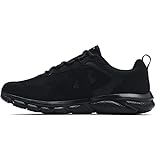
#1 Best Overall

- Athletic mesh upper with durable leather overlays for added dimension & midfoot support
- Charged+ midsole cushioning provides unmatched softness & all-day comfort
- Durable rubber outsole provides traction & durability with strategically-placed flex grooves for proper toe-off
- Upper contains at least 30% recycled content
- Weight: 10.2 oz , Lace type: Standard tie, NEUTRAL: For runners who need a balance of flexibility & cushioning
Set up NRC
- Install Nike Run Club from the Apple App Store or Google Play.
- Sign in or create a Nike account. Review the app’s current terms and permissions.
- Allow location access appropriate to how you intend to record runs. Review notification, health, music, and Bluetooth permissions if requested.
- Choose your preferred distance units and review your running goal and preferences.
- Add your current shoes if you want to use shoe-mileage tracking. Mileage is a reminder, not a precise replacement rule.
- If connecting a watch or partner service, decide which app or device will record each run before connecting everything.
- Do a short, easy test run and confirm it saves correctly before starting a demanding plan.
Record and review a run
- Open NRC and choose run recording or a Guided Run that fits your goal.
- For an outdoor run, move to a place with a clear view of the sky and wait for location acquisition if the app indicates it is still searching.
- Start the run, follow the audio prompts if you chose a Guided Run, and pause only when needed.
- End and save the activity. Check your activity history to confirm it appears.
- Review duration, distance, pace, route, elevation, and heart rate if available. Consider how the effort felt, not only the numbers.
Auto-pause and GPS can behave inconsistently around traffic, tunnels, tall buildings, or tree cover. For treadmill running, NRC lists treadmill support, but indoor distance accuracy depends on the device and how the activity is recorded; phone GPS alone is not a reliable way to measure an indoor run.
Choose Guided Runs and Training Plans
Use Guided Runs to learn effort and structure
Guided Runs cover different purposes, including beginner, easy, recovery, speed, treadmill, mindfulness, and race-distance preparation. Choose a run for the session you need, rather than selecting one only because it promises speed. Beginners can start with comfortable, conversational-effort sessions and use run-walk breaks if needed. Repeating a useful session is fine; you do not need to chase novelty.
- Easy run: Comfortable and controlled, generally allowing conversation.
- Recovery run: Especially gentle; do not turn it into a hard workout.
- Long run: Longer than a usual run and generally kept at easy effort.
- Speed run: A deliberately harder session, often with recovery periods.
- Mindfulness or wellness run: Emphasizes mental engagement more than performance.
Audio cues can reduce the need to stare at a screen and help explain effort or workout structure. They are a coaching aid, not a personalized assessment of your health or fitness.
Pick a plan that matches your current running
- If you cannot yet run continuously or are returning after a break, look for a beginner option such as Get Started or use individual beginner Guided Runs.
- If you run regularly and want a first race goal, review the 5K or 10K plan details.
- If you already run consistently and have a longer-race goal, consider the half-marathon or marathon plan only after checking its schedule and demands.
- If you have no race date, use Guided Runs and a realistic weekly routine rather than forcing a calendar plan.
Before joining, check the number of weekly runs, plan duration, required and optional sessions, and how the plan handles scheduling. Availability and interface details vary. Do not assume an imported or manually recorded activity will count toward every plan; check whether the session needs to be started through NRC.
What’s actually slowing this PC down?
Pick the symptom - the matching free tool is one click away.
Rank #2

- Athletic mesh upper with durable leather overlays for added dimension & midfoot support
- Charged+ midsole cushioning provides unmatched softness & all-day comfort
- Durable rubber outsole provides traction & durability with strategically-placed flex grooves for proper toe-off , Upper contains at least 30% recycled content
- Weight: 10.2 oz , Lace type: Standard tie
- NEUTRAL: For runners who need a balance of flexibility & cushioning
Build a sensible training week
Follow the plan that suits your experience and health, and avoid treating every run as a test. A general recreational routine may include easy running, a longer easy run, and a limited amount of harder work, with rest or low-impact recovery as needed. Beginners should be especially cautious about adding distance and intensity at the same time.
Use effort cues as well as pace. Pace changes with hills, weather, fatigue, and GPS conditions; heart-rate readings also vary with sensor fit and device. Compare similar runs and look for trends rather than judging yourself by one reading. Stop or adjust for sharp or worsening pain, unusual fatigue, or declining performance; preserving a streak is not worth running through an injury.
Shoe mileage can remind you how much use a pair has seen, but it is not a precise injury-prevention threshold. Shoe life depends on the shoe, runner, terrain, weather, gait, and rotation.
Connect NRC to a watch or partner app
Nike’s partner connection instructions say to open NRC, go to your profile, choose Settings, then Partners, select a service or device, and complete its authorization steps. The list of supported partners can vary by location; check the current in-app list. Nike has named Apple, Garmin, COROS, and Strava among integrations, but a connection does not mean every NRC feature runs natively on every watch.
Crashes, No Sound, or Screen Glitches?
Random freezes, missing sound and display glitches usually trace back to one bad driver. Find and replace yours safely.Free scan · under a minutePC Slower Than It Used to Be?
A free scan shows the junk files, broken settings and background clutter dragging Windows down - then fixes them in one click.Free scan · Windows 10 & 11Rank #3

- Men's stylish, slip-on sneakers
- SNUG FIT: Adjustable laces provide a secure fit
- FLEXIBLE UPPER: Soft textile upper is stretchy and comfortable
- CUSHIONED MIDSOLE: Cloudfoam midsole for step-in comfort and superior cushioning
- MADE IN PART WITH RECYCLED CONTENT: This product features at least 20% recycled materials. By reusing materials that have already been created, we help to reduce waste and our reliance on finite resources and reduce the footprint of the products we make
Decide which service will record a particular run. Recording the same activity in NRC and on a watch or another app may create duplicates downstream. If you need NRC audio or plan credit, confirm how that session must be started. If duplicates appear, remove the unwanted activity from the downstream service rather than repeatedly reconnecting accounts.
Goals, challenges, location sharing, and privacy
Challenges, badges, personal-best recognition, friends, and audio cheers can make running more engaging. Treat them as optional motivation. A streak is not a reason to run when rest is the sensible choice.
Nike has also announced localized pre-run information, including weather and sunrise or sunset, and live location sharing through a link. Availability may vary. Share location only with people you trust, stop sharing after the run, and avoid exposing your home address or regular route. Live tracking does not replace identification or a safety plan.
Troubleshoot GPS, saved runs, and syncing
GPS looks inaccurate
- Move to an open area and wait for location acquisition before starting.
- Check location permission and device battery-saving settings.
- Keep the phone or watch positioned consistently and compare the result with a known route.
A run did not appear in your history
- Reopen NRC and check Activity history.
- Confirm that you ended and saved the run rather than leaving it paused.
- Check the device’s battery and available storage. If the activity remains missing, contact Nike support.
A partner sync failed
- Check the connection under Profile, Settings, and Partners.
- Confirm permissions and privacy settings in both services.
- Nike recommends confirming the connection, disconnecting and reconnecting, and reviewing the partner’s privacy settings.
- Allow for delayed syncing and avoid recording the same run on multiple platforms while troubleshooting.
A plan did not credit a run
Confirm that the run was saved in NRC and check whether the plan requires starting the session from its schedule or from a particular Guided Run. If the plan status still does not update, consult current Nike support; behavior can vary by app version and device.
Quick wins for a faster PC:
Clear out junk files and repair common Windows errorsFree Scan →Fix the driver behind crashes, sound loss and screen glitchesFind Drivers →Repair Windows errors before they cause bigger problemsFix Now →Rank #4
- Lightweight mesh upper with 3-color digital print delivers complete breathability
- Durable leather overlays for stability & that locks in your midfoot
- EVA sockliner provides soft, step-in comfort
- Charged Cushioning midsole uses compression molded foam for ultimate responsiveness & durability
- Solid rubber outsole covers high impact zones for greater durability with less weight
When NRC is enough—and when it may not be
NRC can be enough for runners who want GPS logging, motivating audio coaching, and straightforward plans without a paid subscription. It is less suited to runners who need highly customized workouts, detailed performance analytics, physiological modeling, or a plan that continually recalculates around missed sessions. You can still use NRC for Guided Runs while relying on another platform for data or training features, but check integrations and duplicate activity behavior first.
FAQ
Is Nike Run Club free?
The iOS listing labels NRC free, and Nike describes core experiences as free for Nike Members. A Nike account may be needed, and features can vary by country, device, or account. Check the current listing and app for your region.
Can beginners use Nike Run Club?
Yes. Beginner Guided Runs and plans such as Get Started can help new or returning runners follow audio prompts and build a routine. Choose a manageable effort and take walking breaks when needed.
Does Nike Run Club work with Strava or a running watch?
Nike documents partner connections through Profile, Settings, and Partners, but available services vary by location. Check the current in-app partner list and remember that syncing a completed activity is not the same as having every NRC feature on the watch.
Recommended Free Tools
Best Value
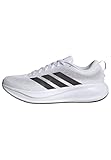
- Shoes with Cloudfoam midsole cushioning for comfort and support.
- Regular fit
- Laces
- Textile and synthetic upper
- Ortholite sockliner
How do I avoid duplicate runs?
Choose one primary recorder for each run and understand how connected services pass activities along. If a duplicate appears, delete the unwanted copy from the downstream service. Nike’s partner instructions do not document every duplicate scenario, so check the settings of the services you use.
Are NRC pace and heart-rate readings exact?
No. GPS pace and distance can be affected by signal and route conditions, and heart-rate accuracy depends on the device, fit, and workout. Use readings as context and compare trends on similar runs rather than treating one result as definitive.
Can I use NRC for treadmill running?
Nike’s Google Play listing describes treadmill running support. Indoor distance accuracy depends on the device and recording method, so check the result against the treadmill display or another suitable measurement rather than relying on phone GPS.




