What’s actually slowing this PC down?
Pick the symptom - the matching free tool is one click away.
Some links on this page are affiliate links: if you buy through them we may earn a commission, at no extra cost to you.
There is no dependable, current Pebble wallet for paying from PebbleOS. Pebble’s original smartstrap design made NFC payments a possible accessory use, and Fit Pay announced the Pagaré payment strap for the Pebble Time family in 2016. Today, a standalone payment band such as Polar’s Fidesmo-powered wristband may let you pay while wearing a physically compatible Pebble—but the band, not the watch, makes the payment.
Does Pebble support NFC payments?
Not as a native, broadly supported wallet. The original Pebble Time family did not have a verified equivalent of Apple Pay, Google Wallet, or Samsung Pay. Pebble’s smartstrap documentation described NFC payment chips as one example of what an external accessory might enable; that is different from a built-in payment feature or a working PebbleOS wallet.

Smartstraps attach through the accessory port on supported models and can communicate with Pebble apps through the Smartstrap API. The documented platforms include Pebble Time and Pebble Time Steel (Basalt, firmware 3.4 or later) and Pebble Time Round (Chalk, firmware 3.6 or later). See Rebble’s smartstrap overview and Smartstrap API documentation. This historic compatibility should not be assumed for Pebble 2 or newer Pebble-branded watches; check the exact model’s hardware and accessory specifications.
Even a compatible electrical smartstrap would not become a payment system merely by containing an NFC chip. Payments also require a functioning payment service, card and issuer support, provisioning, and compatible terminals. Pebble’s legacy support documentation also warns that the smartstrap-to-watch connection is not water-resistant (legacy smartstrap guidance).
#1 Best Overall
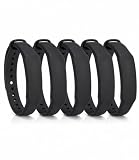
- The package contains 5 silicone wristband with an NTAG215 chip.
- 【About Chip】 High quality NTAG215 Chip, with 504 bytes of available NDEF memory. Providing enough storage space, you can quickly write the information you want. It has a read-write lock function that makes the NFC cards can be edited repeatedly or read-only, cannot be edited or reset after set as read-only tag.
- Wide Compatibility :Compatible with most NFC-enabled smartphones: * iPhone 7 and above (iOS 13+ recommended) * Android phones with NFC enabled ⚠️ Note: Some Android models require NFC to be manually turned ON in settings.
- 【About Application】 Compatible with TagMo and most NFC-enabled Android phone & devices, you are able to write the NFC tag easily and make an tagmo for any weapon, pet, mount or fashion item you want. Quickly share your social messages, music, connect to WiFi,business card, URL, text, security, authentication purposes, ect. The NFC cards are rewritable, which means you can use them over and over again to store different data and information (for a.miibos can only be edited once and cannot be reused)
- Important Usage Notes To ensure best experience: * This is NOT a tracking device or GPS bracelet * Requires NFC writing app (e.g. NFC Tools / NXP TagWriter) * Metal cases or thick phone cases may affect reading * Only one device can store data at a time unless rewritten
Pagaré: Pebble’s historical payment strap
Fit Pay announced Pagaré in February 2016 as an NFC payment smartstrap for Pebble Time, Pebble Time Steel, and Pebble Time Round. It was promoted through a Kickstarter campaign and intended to support contactless payments without requiring a phone at the point of sale. The announcement documents the project and its aims, not a currently supported retail product (Fit Pay’s 2016 announcement).
Do not buy a used Pagaré on the assumption that it can still be provisioned and used. Current reliable retail availability, active card provisioning, and ongoing payment-service support are not established. A second-hand unit may be incomplete or dependent on an app, firmware, or service that is no longer available. Treat it as a historical project unless a seller can demonstrate that a specific unit can be activated with your card and that the payment service is currently operating.
Rank #2

- NFC Forum Type2 ISO14443A
- Read-write 144 bytes user memory
- Reading Distance: 1-5cm
- Compatible with most Android NFC phone
- Harmless silicone environmental protection material
Can a current payment band be worn with a Pebble?
Potentially, if the band physically fits the watch and its payment service supports your country and card. Polar’s payment wristbands come in standard 20 mm and 22 mm formats, with the NFC chip embedded in the band. Polar says the band has no software connection to a Polar watch; it is configured through Fidesmo and tapped directly at a contactless terminal. That standalone design means a compatible Pebble could be worn with the band, but Pebble is not involved in the transaction (Polar’s product announcement).
Think of this as paying while wearing a Pebble, not paying through a Pebble. The Pebble screen will not select a card, show wallet controls, or confirm the transaction. The watch need not be powered on, paired, or running an app when you tap. The accessory itself holds the payment credential and communicates with the terminal.
Rank #3

- NTAG215 NFC tags are mainly used for Amiibo with the Switch,Wii-U,3DS and many other NFC applications.
- With 504 bytes of available NDEF memory; suitable for a url, text, small contact record or single action phone trigger.
- NTAG215 NFC Cards built with durable waterproof PVC material, same size as credit card, NFC Forum Type 2 Card.
- Work Perfectly with TagMo and Amiibo. Note: Some of the iPhone Model can not support reading the nfc tags, so it can not recognizes the nfc tags, it is not tags problem,please understand it clearly before your buying!
Physical fit and payment eligibility are separate checks. Match the exact watch’s lug width and spring-bar arrangement to the band, then check case and button clearance, band thickness, and where the NFC chip sits. A matching “22 mm” label alone does not guarantee comfortable fit or convenient terminal presentation. The payment band may sit differently from an ordinary strap or make charging less convenient.
Check card and country support before buying
Fidesmo Pay availability depends on the country, bank, card, and payment arrangement. Polar’s U.S. product page is not proof that a particular U.S. card can be added. The available documentation is clearer for European availability: Polar’s May 2024 announcement said Fidesmo Pay was available in more than 40 European countries at that time. That is a dated launch statement, not a guarantee of current coverage everywhere. Before purchase, check the live Fidesmo Pay information and supported wearable directory for your country and issuer, and confirm the exact card type is eligible.
Rank #4
Check whether the arrangement requires an intermediary such as Curve, and review any applicable fees and eligibility conditions. Also confirm current stock, returns, warranty, and activation support with the official product seller. Polar’s 22 mm payment wristband page and support instructions are useful starting points; their existence does not establish that every bank or market is supported.
Recommended Free Tools
How to set up a standalone payment wristband
- Identify the watch and measure the fit. Confirm the Pebble model’s lug width and check spring-bar fit, case clearance, chip placement, and comfort.
- Verify payment eligibility first. Use Fidesmo’s current information to check your country, bank, card network, and card type. Do not rely on the band’s listing alone.
- Buy from an official or otherwise verifiable seller. Confirm the band is a payment-enabled model, not an ordinary replacement strap, and check its return and support policy.
- Install the Fidesmo app on a compatible NFC phone. Follow the band maker’s current instructions to find the phone’s NFC antenna and connect the band. Polar advises keeping the band’s chip area in firm contact with the phone during setup; removing a thick phone case and sliding the band across the phone can help locate the antenna (Polar setup guidance).
- Add and activate an eligible card. Complete the service’s provisioning steps and confirm activation. Fidesmo notes that an unreceived or unactivated wearable cannot yet be used for payments (Fidesmo Pay).
- Tap the band at a contactless terminal. Present the NFC chip area of the band, not the Pebble screen. Because NFC works at short range, you may need to rotate your wrist or adjust the band’s orientation.
- Know how to suspend the payment credential. Save the payment provider’s instructions for disabling the token if the band is lost. Taking the band off the watch does not itself disable payment.
The band generally needs a phone and service for initial provisioning and card management, but not for the tap at the point of sale. Payment acceptance, verification thresholds, PIN requirements, and offline transaction rules can vary by issuer, network, country, and service. Polar and Fidesmo describe a tokenized payment model, in which a token represents the card rather than the wearable storing the actual card number; tokenization is a security measure, not a guarantee against every risk. Review current service terms and lost-device controls.
Best Value
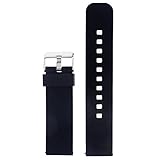
- Smart watch band for pebble/pebble time/pebble time steel ,Not suitable for pebble steel and pebble time round Metal buckle
- Silicone Pebble time steel watch band Offers durability and enables you to wear your compatible smartwatch comfortably on your wrist
- multi colors finish adds a stylish touch.Waterproof and can (eliminate odors)! Perfect for fitness and active lifestyle
- 22mm watch band strap with adapter for Pebble Time/ Pebble Time Steel/ Samsung Gear 2 R380 NEO R381 Live R382/ Asus Zenwatch WI500Q WI501Q/ ,mixed with fashion,simple, durable
- And easy to remove the old one and replace with this Pebble Time band adaptors Easy to install without the need for tools or extra spring
If setup or a payment fails
- The phone cannot detect the band: Make sure NFC is enabled, remove a thick case, and move the band slowly across the phone to locate its antenna. Keep the chip area in firm contact while provisioning.
- The card cannot be added: Check the live supported-card list for your country, issuing bank, network, and card type. A Pebble setting cannot fix an unsupported card.
- The band is not ready to pay: Confirm that the card has been activated in the service and that any required setup steps are complete. Contact the band maker or Fidesmo if activation remains stuck.
- The terminal does not respond: Present the chip area closer to the reader and try a different wrist angle. The terminal must accept the relevant contactless payment method; the Pebble itself is not the NFC reader.
- The band or phone is lost: Use the payment service’s current controls to suspend or remove the payment credential. Losing or replacing the phone does not mean the band is automatically disabled.
Which option fits your goal?
| Your goal | Most accurate answer |
|---|---|
| Pay from a wallet on the Pebble screen | No dependable current PebbleOS payment solution is established. |
| Try the original Pebble payment accessory | Pagaré is a historical 2016 project; do not assume a used unit can still be activated or supported. |
| Pay while continuing to wear a Pebble | A standalone Fidesmo-compatible payment band may work if it physically fits and your bank and country are supported. |
| Choose cards or see wallet controls on the watch | Use a smartwatch with a currently supported native payment wallet rather than expecting a passive strap to provide those features. |
| Your bank is not supported | Use another supported payment method, such as a phone or physical card, or investigate a different payment wearable with confirmed local support. |
| Build or experiment with a smartstrap | Pebble’s developer documentation describes the accessory architecture, but DIY development is not a dependable consumer payment product. See the hardware guide and protocol guide. |
Other Fidesmo-connected wearables, including Hama Payband products announced in 2025, may be worth checking, but verify the exact model’s dimensions, current availability, and card support rather than assuming it fits a Pebble (Fidesmo and Hama announcement). For a payment accessory, prioritize a current official sales page, active provisioning, clear support and return terms, and confirmed compatibility with your own card before considering appearance or price.
Quick Recap
Product prices and availability are accurate as of the date/time indicated and are subject to change. Any price and availability information displayed on Amazon at the time of purchase will apply.

