Some links on this page are affiliate links: if you buy through them we may earn a commission, at no extra cost to you.
The Thalmic Labs Myo was an inventive gesture-control armband, but it is now a discontinued, unsupported device—not a dependable modern accessory. Its eight surface-EMG electrodes and motion sensors could recognize a handful of gestures without a camera, and historical reviewers found the basic idea quick and impressive. In practice, fit, calibration, wireless dropouts, limited software, and awkward host switching got in the way. A used Myo may interest a tinkerer who accepts legacy-software troubleshooting; it is a poor choice for reliable presentations, gaming, or professional work.
Sales ended in October 2018, and the official software and SDKs are no longer maintained. Compatibility with current computers and phones is not guaranteed. The archived Bluetooth repository explicitly describes the product as unsupported.
What the Myo armband was designed to do
Thalmic Labs introduced the Myo as a wearable input device for controlling computers, phones, presentations, games, robots, and other connected equipment with arm and hand gestures. It was camera-free: rather than tracking a hand in a video image, it sensed electrical activity associated with forearm muscles and combined that signal with movement and orientation data.
Recommended Free Tools
That distinction matters. The Myo was not a brain-computer interface, and it did not continuously track every finger or produce a full hand pose. Its consumer-facing classifier recognized a small vocabulary: fist, wave in, wave out, fingers spread, double tap, and rest. The developer interface could also expose raw EMG and inertial data, but access to raw signals did not turn it into a general-purpose hand tracker.
#1 Best Overall
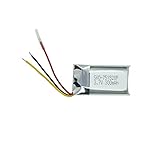
- Compatible Models: MYO Gesture Control Armband; Compatible battery model: 144440100156, 571830
- 100% Compatible with original battery; 180 days warranty
- Capacity: 300mAh; Nominal Voltage: 3.7V
- Battery Type: Li-ion Polymer battery; Safe and reliable battery certified by UL, CE, UN38.3, RoHS
- Over 300 times cycle life; Long working time
A technical description reports eight dry surface-EMG electrodes and a nine-axis inertial measurement unit, with Bluetooth communication. The technical account describes the sensor arrangement and gesture set. Myo’s camera-free approach could be useful where a camera was inconvenient or obstructed, but it still depended on electrode contact, placement, calibration, and a stable connection.
How well did it work?
At its best, the Myo made a simple command feel immediate: a gesture could advance a presentation, control playback, or trigger a programmed action without reaching for a mouse or standing in a camera’s view. Historical reviews described gesture recognition as fast and often accurate, and the hardware was relatively light. TIME’s review praised the responsiveness, while CIO’s hands-on review found the basic setup approachable.
That favorable first impression did not reliably extend to the whole experience. A Myo workflow involved wearing the band snugly, waiting for it to warm up, calibrating or syncing, connecting to a host, launching a compatible connector, and then making the gesture. A failure anywhere in that chain could make the device seem connected but unresponsive. The problem was not simply whether the sensors could recognize a gesture in a demo; it was whether the complete system could keep doing so in the application and setting the user needed.
What’s actually slowing this PC down?
Pick the symptom - the matching free tool is one click away.
Rank #2

- Compatible Models: MYO Gesture Control Armband
- 100% Compatible with original battery; 180 days warranty
- Capacity: 300mAh; Nominal Voltage: 3.7V
- Battery Type: Li-ion Polymer battery; Safe and reliable battery certified by UL, CE, UN38.3, RoHS
- Over 300 times cycle life; Long working time
Where the Myo fell short
Connection and host switching
CIO reported connection drops when movement or an object obstructed the path between the band and a computer’s USB dongle. That is a consequential weakness for a presenter moving around a room or anyone relying on a gesture at a specific moment. Dongle placement could matter, and the experience of pairing with a computer was not the same as using Bluetooth with a phone or tablet.
Moving between a computer and a mobile device could also involve manually disconnecting and reconnecting hosts. That friction is especially unwelcome in a product meant to make control feel effortless—and harder to resolve now that official support has ended.
Calibration, fit, and comfort
The Myo needed a snug fit so its electrodes could maintain contact, as well as warm-up and a sync or calibration gesture. Fit was personal: a loose band could compromise contact, while a tight one could become uncomfortable. CIO described discomfort and red marks during extended wear; that is one reviewer’s experience, not a guarantee that every wearer will have the same result. Forearm size, placement, skin and hair, sweat, and movement can all affect comfort or signal quality.
Rank #3

- After 1000+hours of aging testing, the anti-seismic and anti drop shell design maintains stable power output in high-frequency use and harsh environments.
- Dimension:31.50 x 17.00 x 5.50mm
- Product Type:Li-Polymer Volts:3.7 Capacity:220mAh
- Warm Reminder: Please check both model and battery part number are matched with your device before purchasing for best fit (you can find related information in product description).
- This product is backed by a 12-month warranty.We offer a worry-free after-sales service.
For that reason, a brief demonstration is not a good test of long-session usability. A buyer should check whether the band fits securely without painful pressure and whether it continues to recognize commands after normal movement.
Do these 3 things before closing this tab:
1Repair Windows errors before they cause bigger problems2Fix the driver behind crashes, sound loss and screen glitches3Clear out junk files and repair common Windows errorsSoftware was the limiting link
The Myo had more technical potential than its everyday application ecosystem could consistently turn into useful control. Its value depended on Myo Connect, connectors, mappings, and third-party applications. Historical reviews found that some browser and media controls needed repeated gestures or felt more like novelties than practical replacements for conventional input. CIO also reported that control was limited to the active computer window rather than offering convenient switching among applications.
It was not a replacement for a mouse, keyboard, game controller, or dedicated presentation remote. Those tools offer predictable, direct control; the Myo offered a small set of commands that required successful recognition and compatible software. Its roughly $199–$200 historical retail positioning was difficult to justify for many consumers, even before the present-day risks of age and unsupported software. Tom’s Guide’s review also questioned its everyday value.
Rank #4
- The production process follows strict process standards, and the quality and safety are fully recognized, providing reliable guarantees for users' use.
- Dimension:31.50 x 17.00 x 5.50mm
- Product Type:Li-Polymer Volts:3.7 Capacity:220mAh / 0.81Wh
- Warm Reminder:please check if the model and battery part number are compatible with your device to ensure that you have purchased the product you need (you can find relevant information in the product description).
- This product is backed by a 12-month warranty.We offer a worry-free after-sales service.If you have any questions or doubts, you can consult customer service.
Myo in 2026: discontinued and unsupported
Myo sales ended in October 2018. Thalmic Labs later became North and shifted toward smart glasses; this did not bring the Myo back as a supported consumer product. The official software, hardware support, and SDK maintenance have ended. The official Bluetooth-protocol repository is archived and read-only.
Some technically inclined owners may still experiment with archived software, community tools, or custom code. For example, MioConnect describes itself as an alternative that sends EMG and IMU data over OSC. It is a community project, not official support. Neither the existence of the archived protocol nor community software establishes that a unit will work with a current Windows or macOS release, current iOS or Android, a modern Bluetooth stack, or current Unity or Unreal versions. Compatibility depends on the specific computer, operating system, dongle, and software; there is no current official compatibility matrix to rely on.
Quick wins for a faster PC:
Fix the driver behind crashes, sound loss and screen glitchesFind Drivers →Repair Windows errors before they cause bigger problemsFix Now →Scan for outdated or missing drivers - takes under a minuteDriver Scan →Researchers and developers should also separate experimentation from dependable measurement. The Myo can be an interesting legacy sensor for learning or prototyping, but an unsupported device with uncertain battery, drivers, and software is a risky foundation for a new study, production system, clinical workflow, or safety-critical application. Research demonstrations involving prosthetics, rehabilitation, robotics, or other specialist uses show possible applications; they are not proof of clinical suitability or reliable performance in every such setting.
Best Value

- Replace For MYO Gesture Control Armband,
- Replace For MYO Gesture Control Armband Battery Number: 144440100156, 571830,
- Battery Type: Li-Polymer;
- Volts: 3.7V, | Capacity: 220mAh / 0.81Wh;
- Dimension: 31.50 x 17.00 x 5.50mm;
Buying a used Myo: what to check
There is no current official Myo retail channel or manufacturer warranty path to assume. Used units may appear on secondary markets, but price and condition vary, and a sealed box does not prove the aged battery is healthy. Before buying:
- Confirm the USB dongle is included. It can be important for desktop use, and a missing dongle may sharply reduce the unit’s usefulness.
- Ask for a real operating test. A power light alone does not establish that the battery, sensors, pairing, or software work. Ideally, the seller demonstrates charging, connection to a computer, and recognition of gestures.
- Check battery behavior. Ask whether it charges and holds charge; age-related battery degradation is a material risk in second-hand hardware.
- Inspect the band and sensors. Look for damage, corrosion, missing adjustment pins, or other signs that could affect fit or contact. Confirm what cable and accessories are included.
- Prefer a return option. Legacy compatibility can only be meaningfully confirmed against the setup you intend to use.
- Assume setup may take technical work. Do not buy on the expectation of a supported plug-and-play installation on a current phone or computer.
- Check the listing carefully. Myo is often confused with unrelated products whose names resemble “Mio.”
No reliable current used-market price is established here, so a universal price ceiling would be misleading. Treat the purchase as a speculative experiment: the asking price should be low enough that a failed battery, missing compatibility, or unusable software would not be an expensive disappointment. Do not pay a collector’s premium expecting a functioning modern controller.
Who should consider one—and who should not
- Curious hobbyist or collector: Maybe, if the goal is experimentation or historical interest, the unit is complete, and the seller offers returns.
- Developer or researcher: Potentially useful as a legacy EMG/IMU device for exploratory work, provided you can handle unsupported software and do not depend on it for a new critical project.
- Presenter, gamer, or everyday computer user: Generally avoid it. Connection uncertainty, limited integrations, and the active-window limitation undermine the convenience these users need.
- Clinical or professional user: Choose an actively supported platform with appropriate validation, documentation, and support rather than relying on a discontinued consumer accessory.
- Anyone seeking continuous finger tracking: The Myo’s discrete gesture vocabulary is the wrong fit.
Alternatives depend on the input you actually need
There is no direct one-for-one modern replacement established by the available evidence. Choose by task rather than assuming every gesture device does the same thing.
Windows Errors? Fix Them Before They Spread
Repair common Windows errors and clear accumulated junk for a smoother, more stable PC - no reinstall needed.Free scan · no reinstallCrashes, No Sound, or Screen Glitches?
Random freezes, missing sound and display glitches usually trace back to one bad driver. Find and replace yours safely.Free scan · under a minute- For a maker project involving EMG: A MyoWare 2.0-type sensor is a DIY module, not a finished wireless armband. It typically requires additional electronics, wiring, power, and programming. Start with Advancer Technologies or SparkFun to investigate the category.
- For professional or research EMG: Delsys Trigno is in the research/professional platform category, with more complexity and cost than a consumer remote. It is a more relevant direction for biomechanics or research workflows than a hobbyist gesture accessory; confirm current specifications, support, and suitability directly with the vendor.
- For continuous hand or finger pose: Camera-based hand tracking may provide richer pose information, but it is a different technology and can depend on camera placement, lighting, line of sight, and compatible hardware. It may be preferable for VR or interaction design, but not for someone who specifically needs camera-free sensing or raw forearm EMG.
CTRL-labs acquired Myo-related technology and patents, but that acquisition did not create a purchasable “Myo 2.” Coverage of the acquisition is context, not evidence of a current retail successor.
Verdict
The Myo was a genuinely interesting input experiment: its camera-free sensing and quick discrete gestures could feel futuristic when the fit, calibration, connection, and software all cooperated. But limited integrations and real-world setup friction kept it from replacing ordinary controls, and the product’s discontinuation makes those compromises more serious now. Consider a used unit only as a low-cost, returnable project for experimentation or nostalgia. For dependable control, current mobile use, continuous hand tracking, or professional work, choose a platform that is actively supported and designed for that job.
Quick Recap
Product prices and availability are accurate as of the date/time indicated and are subject to change. Any price and availability information displayed on Amazon at the time of purchase will apply.

