Free tools Windows power users keep installed
One-click scans. No signup required.
Some links on this page are affiliate links: if you buy through them we may earn a commission, at no extra cost to you.
watchX is a wrist-worn Arduino development kit, not a modern consumer smartwatch. It combines a small OLED, sensors, buttons, a buzzer, Bluetooth hardware and a rechargeable battery in a wearable format. Its Arduino workflow uses the Arduino Leonardo board profile. Its advertised Scratch-style programming relied on legacy mBlock 3, so buyers in 2026 should verify that they can still obtain the required software and files before choosing it.
What watchX is—and what it is not
Introduced as a maker and education project around 2017, watchX puts an Arduino-compatible controller and a collection of inputs and outputs into a wrist-worn platform. It is supplied as a DIY kit: the display and battery need to be fitted, and the wearer programs the board. It can run basic watch-style firmware, but its main purpose is experimentation—such as building a custom interface, timer or sensor project—not providing the app ecosystem and phone integration of an Apple Watch or Wear OS device. Arduino Project Hub · Hackster
That distinction matters: “wearable development board” describes its strengths better than “smartwatch.” The sources reviewed do not establish a current companion-phone ecosystem, app store, cellular connection, modern notification system or medical-grade health functions.
Reported hardware
| Part | Reported specification or function |
|---|---|
| Microcontroller | ATmega32U4 on later retail listings and the mirrored manual; some campaign-era information reportedly identifies ATmega328P instead. Check the exact revision rather than assuming one specification applies to every unit. |
| Board profile | Configured as an Arduino Leonardo for the documented USB programming workflow. |
| Display | 1.3-inch OLED, reported as 128 × 64 pixels. |
| Battery | Manual-reported single-cell 3.7 V, 130 mAh Li-Po, with onboard charging and protection circuitry. |
| Sensors | Accelerometer and gyroscope, temperature and pressure sensing, and a three-axis magnetometer are reported. Sensor parts may differ by revision. |
| Inputs and outputs | Three tactile buttons, a buzzer and two LEDs. |
| Wireless and connection | Bluetooth/BLE capability is reported; programming connection is micro-USB. Wireless capability alone does not guarantee compatibility with a particular phone, app or Bluetooth profile. |
| Form | Wrist-worn kit with a strap; the display and battery require installation. |
The manual mirror identifies MAG3110 magnetometer hardware on watchX V1.2 and MLX90393 on V1.3, along with an MPU6050 motion sensor and a DS3231MZ+ real-time clock. Treat those as manual-reported, revision-specific details, not a guarantee about every listing. Retail specifications and contemporary coverage also differ on the main MCU. Mirrored watchX manual · Switch Science listing · AKIBA PC Hotline coverage
#1 Best Overall
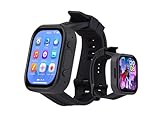
- Attention: This is a wearable watch style development board that is not a standard pre configured smartwatch. It is a DIY module that requires customers to develop their own applications to fully utilize its features. This product is aimed at technology enthusiasts, developers or programming enthusiasts, manufacturers, etc.
- High-performance Microcontroller:Based on the ESP32-S3R8 microcontroller,Equipped with ESP32-S3R8 Xtensa 32-bit LX7 dual-core processor, up to 240MHz main frequency.Supports 2.4GHz Wi-Fi (802.11 b/g/n) and Bluetooth 5 (LE), with onboard antenna
- Integrate Multiple Function Modules:it integrates a 2.06inch AMOLED capacitive touch display, 6-axis IMU, RTC chip, audio codec chip, power management IC, and so on.
- Diverse Application Scenarios:Onboard ES8311 Audio Codec Chip And ES7210 Echo Cancellation Circuit. Meet Daily Audio Application Scenarios,such as Audio Playback and Audio Capture.Supports Offline Voice Recognition And AI Speech Interaction.Allows Access To Online Large Model Platforms Such As DeepSeek, Doubao, Etc.
- Wearable Design.Detachable Watch Straps For Easy Replacement And Convenient Matching With Different Styles
Arduino programming: Leonardo is the key detail
In the documented setup, watchX connects over USB and is programmed from the Arduino IDE as an Arduino Leonardo. The practical sequence is:
- Assemble the display and battery carefully, then connect the board using a data-capable micro-USB cable.
- Confirm that the computer detects the board and note the serial port it creates.
- Install the watchX libraries and examples if you have access to the matching project files.
- In Arduino IDE, choose Tools → Board → Arduino Leonardo, then select the detected port under Tools → Port.
- Start with a known-good example for your board revision and upload it.
The Leonardo profile is a starting point, not a promise that every Arduino sketch or library will work unchanged. Code may need the right pin mapping, display driver, sensor library and I²C address. Available memory is also limited by the AVR-class hardware. A generic blink sketch may not use the correct onboard LED pin; confirm it in the revision-specific pin map or use a supplied example. The documented setup is in the mirrored watchX manual.
Rank #2

- ESP32-S3 2.06inch AMOLED Touch Watch Development Board equipped with ESP32-S3R8 Xtensa 32-bit LX7 dual-core processor, up to 240MHz main frequency. Supports 2.4GHz Wi-Fi (802.11 b/g/n) and Bluetooth 5 (LE), with onboard antenna
- Built in 512KB of S-R-A-M and 384KB ROM, with onboard 8MB PSRAM and an external 32MB Flash memory. Onboard TF card slot for extended storage and fast data transfer, suitable for applications such as data recording and media playback
- Onboard 2.06inch AMOLED capacitive touch display for clear color picture display, 410 × 502 resolution, 16.7M color. Built-in CO5300 display driver and FT3168 capacitive touch chip, using QSPI and I2C communication respectively
- Onboard ES8311 audio codec chip and ES7210 echo cancellation circuit. Meet daily audio application scenarios, Onboard Dual Digital Microphones Array. Supports offline voice recognition and AI Speech Interaction
- Onboard QMI8658 6-axis IMU (3-axis accelerometer and 3-axis gyroscope) for detecting motion gesture, counting steps, etc. Onboard PCF85063 RTC chip, powered by Lithium battery (Included) through AXP2101 chip for uninterrupted power supply. Onboard 3.7V MX1.25 Lithium battery recharge/discharge header
What “Scratch compatible” means here
watchX’s documented block-programming path used mBlock 3, a Scratch-derived desktop environment, and a watchX extension. The manual’s workflow is to install mBlock 3, add the extension, switch to Arduino mode, connect watchX by USB, choose its port and the Arduino Leonardo board, then upload a block program.
Do these 3 things before closing this tab:
1Scan for outdated or missing drivers - takes under a minute2Clear out junk files and repair common Windows errors3Fix the driver behind crashes, sound loss and screen glitchesThis is not the same as connecting watchX directly to the current Scratch website. Makeblock’s download page lists mBlock 5 as the current generation and says mBlock 3 is no longer updated; its web version was discontinued after December 31, 2020, and the old macOS version does not work on macOS Catalina 10.15 or later. The continued availability and compatibility of the watchX extension and files are not established. Do not assume mBlock 5 or Scratch Link is a drop-in replacement: current software uses a different generation of tools and supported hardware. Makeblock downloads · Makeblock software · Scratch Link
Rank #3

- ESP32-C6 2.06inch AMOLED Watch Development Board.Embedded with CO5300 Display Driver and FT3168 Capacitive Touch Chip.
- Small Size, Touch More Possibilities.Suitable For Various Smart Device Development, And Can Realize Human-Computer Interaction Function. Supports Connecting To A Batt. For Independent Operation
- Adopts AMOLED Screen.The Next-Generation Display Technology, Compared To Traditional LCD Displays, The AMOLED Screen Features Precise Light-Control Capability, Representing More Delicate Colors, More Picture Details, And More Vivid Videos And Images
- Onboard Audio Codec.Onboard ES8311 Audio Codec Chip And ES7210 Echo Cancellation Circuit. Meet Daily Audio Application Scenarios
- Supports AI Speech Interaction.Allows Access To Online Large Model Platforms Such As DeepSeek, Doubao, Etc.Supports Wi-Fi 6, Bluetooth 5, And IEEE 802.15.4 (Zigbee 3.0 And Thread), Its Bluetooth Low Energy Subsystem Supports Bluetooth 5 (LE) And Bluetooth Mesh
Assembly and a sensible first project
The kit is described as requiring no soldering, but assembly still calls for care. The OLED is reported as fragile. Handle it by its edges, avoid pressing on the glass or flex connection, and check battery polarity before connecting it. Inspect the display and connectors before applying power. The battery and charging details here are those reported in the mirrored manual; they are not a substitute for current battery-safety certification or seller guidance. Switch Science · AKIBA PC Hotline
A low-risk learning sequence is to establish USB detection first, then upload a known-good sketch, test the OLED, read one sensor, and use a button to trigger an LED or buzzer. Add Bluetooth only after the wired display and sensor functions work. That progression helps separate setup problems from revision-specific hardware or library issues.
Rank #4
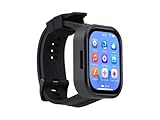
- Please Note: This product requires a lithium battery for use. This version does not come with the lithium battery and needs to be purchased separately. This product resembles a watch, but it is not a standard, pre-configured smartwatch. It is a DIY module that requires the customer to develop their own application in order to fully utilize its features. This product is intended for tech enthusiasts, developers, or hobbyists who are comfortable with programming.
- High-Performance Wearable Development Board: The ESP32-S3-Touch-AMOLED-2.06 is a cutting-edge development board designed by Waveshare, featuring the powerful ESP32-S3R8 microcontroller and a 2.06-inch AMOLED capacitive touch display. Perfect for prototyping and functional verification of wearable applications.
- Advanced Connectivity & Processing Power: Powered by the ESP32-S3R8 Xtensa 32-bit LX7 dual-core processor with a maximum frequency of 240MHz, this board supports 2.4GHz Wi-Fi (802.11 b/g/n) and Bluetooth 5 (LE), ensuring seamless communication and efficient performance.
- Comprehensive Features for Wearables: Equipped with a 6-axis IMU (accelerometer and gyroscope) for motion tracking, a PCF85063 RTC chip for real-time clock functionality, and a built-in audio codec, it’s designed for dynamic and responsive wearable applications.
- Optimized Power Management: The board integrates the AXP2101 power management IC, offering efficient battery charging, voltage output management, and extended battery life, with a dedicated 3.7V Lithium battery for uninterrupted operation.
Projects suited to watchX
The integrated parts make watchX useful for small, self-contained experiments:
- A step counter or motion-triggered game using the accelerometer.
- A compass or orientation display using the magnetometer.
- Temperature, pressure or altitude experiments.
- Timers, alarms, counters and simple wearable notifications using the buttons, LEDs and buzzer.
- Custom watch faces, menus and animations on the OLED.
- BLE-controlled experiments or a wearable data logger, subject to the available libraries and the particular Bluetooth implementation.
- A redesigned enclosure or strap arrangement, including 3D-printed cases.
These are maker and learning uses, not evidence of clinical accuracy or a supported health-monitoring product. Historical campaign material also promoted step counting, environmental measurements, alarms, games and custom cases. Campaign page · Product PDF
Best Value

- Powerful ESP32-C6 Processor: 160MHz RISC-V CPU for smooth smartwatch app development, handling complex tasks like AI voice interaction and real-time motion tracking.
- Vibrant 2.06-inch AMOLED Touch Display:410×502 resolution, 16.7M colors, and capacitive touch for crisp visuals, vibrant UI, and intuitive user experience in compact wearable designs.
- Advanced Wireless Connectivity:Wi-Fi 6, Bluetooth 5, Zigbee 3.0 & Thread support—ensures ultra-fast, stable IoT connections for seamless smart home or wearables integration.
- All-in-One Sensor & Power Suite: Built-in 6-axis IMU (step counting, motion detection) + RTC + AXP2101 battery management for longer battery life and reliable always-on functionality.
- Supports AI Speech Interaction & Expansion: Allows access to online large model platforms such as DeepSeek, Doubao, etc. Type-C port, and I2C/UART headers for rapid prototyping of smartwatches or IoT devices.
Troubleshooting common setup problems
| Symptom | Checks to make |
|---|---|
| Computer does not detect the board | Try a known data-capable USB cable and another port; inspect the battery connection and cable; check whether a serial port appears under a different name. A charge-only cable will not support programming. |
| Upload fails | Recheck Arduino Leonardo and the selected port. Close other programs using the serial connection; check drivers and bootloader behavior. If the old libraries or IDE prove incompatible, reproduce the documented setup in a clean, compatible environment before concluding the board has failed. |
| OLED remains blank | Check that the display is seated and undamaged, then verify that the sketch uses the correct display library, address and board revision. Incorrect seating, a damaged flex connection or firmware for another revision can all cause problems. |
| Sensor values are wrong | Confirm which sensor is actually fitted, then check the matching library, initialization and I²C address. Axis orientation and example assumptions may differ between revisions. |
| mBlock cannot connect | The documented method requires mBlock 3, the watchX extension, Arduino mode and the Leonardo board/port selection. Current Scratch or mBlock 5 compatibility should not be assumed. |
Should you buy watchX in 2026?
It may make sense for a maker who specifically wants a compact, wrist-worn Arduino platform, or for an educator who already has a working legacy software setup. It is a weaker choice for someone who expects an easy current installation, dependable vendor support, replacement parts or smartphone notifications.
Before buying, verify the exact board revision and MCU, which sensors are fitted, and whether the OLED, battery, strap and other expected parts are included. Ask whether the seller can provide the matching libraries, firmware, mBlock extension and revision-specific documentation. For old stock, ask about battery age and replacement options, and check the seller’s return policy for a fragile display or battery issue. Retail listings and indexed stock are regional and volatile; they do not establish broad availability or active first-party support. Switch Science · Marutsu listing
When another platform is the better fit
- Leonardo plus separate components: a flexible route if repairability and component choice matter more than having a ready-made wearable form.
- micro:bit with a wearable kit: worth considering for education and block-programming simplicity, though it is not the same Arduino ecosystem or integrated watch.
- A modern BLE development board: consider a supported board such as an Arduino Nano 33 BLE Sense for current sensing and Bluetooth needs, but budget for a separate display, battery setup and enclosure.
- Adafruit wearable parts or an ESP32 project: these can offer different documentation, connectivity and design options, but require a board-by-board check and more integration work. They are not direct substitutes for watchX’s assembled watch form.
There is no single direct replacement implied by these categories. Compare current documentation, libraries, battery design, display support and total parts cost for the specific project before choosing.
watchX’s enduring appeal is its unusual combination of an Arduino-style controller and wearable hardware. Its main 2026 drawback is not the idea, but the uncertainty around legacy software, revision differences and ongoing supply. Treat it as a maker kit whose ecosystem you should verify before purchase—not as a supported modern smartwatch.
Quick Recap
Product prices and availability are accurate as of the date/time indicated and are subject to change. Any price and availability information displayed on Amazon at the time of purchase will apply.

