If you are still wearing a Fenix 5 or 5 Plus in 2026, you are not behind the curve, but you do need to understand the curve. These watches sit at an interesting inflection point in Garmin’s history, where core multisport fundamentals are still excellent, yet modern conveniences and newer sensors have clearly moved on. Knowing exactly what your watch can and cannot do is the key to extracting real performance rather than chasing updates it will never receive.
This section is about setting realistic expectations while sharpening your advantage. We will break down the hard hardware limits that no firmware update can fix, the meaningful feature gaps between the 5 and 5 Plus, and the elements that still absolutely matter for training, navigation, and daily wear today. Once you understand these boundaries, the rest of this guide becomes far more powerful.
Fenix 5 vs Fenix 5 Plus: the real hardware divide
At a glance, the Fenix 5 and 5 Plus look nearly identical, but internally they are separated by a meaningful generational jump. The standard Fenix 5 line launched with solid but constrained internal storage, no onboard music, and no mapping capability. The 5 Plus introduced significantly more memory, a revised chipset, and the hardware foundation needed for maps and media.
If your watch says Fenix 5 rather than 5 Plus, you are permanently locked out of onboard maps, music playback, and Garmin Pay. These are not software features that can be added later, and no amount of Connect IQ apps will replicate them cleanly. Accepting this early prevents wasted time chasing workarounds that drain battery or add friction.
🏆 #1 Best Overall

- Stylish Design, Vibrant Display: The lightweight aluminum build blends effortless style with workout durability, while the vivid 1.97" AMOLED display keeps your data easy to read, even under bright sunlight.
- All-in-One Activity Tracking: The Amazfit Bip 6 fitness tracker watch offers 140+ workout modes including HYROX Race and Strength Training, plus personalized AI coaching and 50m water resistance.
- Up to 14 Days Battery Life: The Amazfit Bip 6 smart watch powers through your training and recovery for up to two weeks at a time - no nightly charging needed.
- Accurate GPS Tracking & Navigation: Stay on course with free downloadable maps and turn-by-turn directions. Support from 5 satellite systems ensures precise tracking of every move and fast GPS connection.
- 24/7 Health Monitoring: The Amazfit Bip 6 smartwatch provides precise, real-time monitoring of heart rate, sleep, blood-oxygen and stress, empowering you with actionable insights to optimize your health and fitness.
The 5 Plus models also added a Pulse Ox sensor via firmware, though it was never particularly power efficient or accurate by modern standards. The standard Fenix 5 lacks the optical hardware entirely, which in practice is rarely a loss for training-focused users.
GPS, sensors, and why newer watches feel different
Both the Fenix 5 and 5 Plus rely on older Sony GPS chipsets that predate multi-band GNSS and modern power optimizations. You will not get L1+L5 accuracy, rapid urban lock-on, or the clean corner tracking you see on current Fenix 7 or Epix models. That said, open-sky performance remains dependable when settings are chosen wisely.
The optical heart rate sensor is a first-generation Elevate unit, which means lower sampling density and weaker performance during intervals, cold weather, and cycling. Chest straps remain strongly recommended for structured training, but steady-state runs and hikes are still tracked well enough for trend analysis.
Barometric altimeters, compasses, and thermometers are all present and reliable, provided they are calibrated correctly. In long-term outdoor use, these sensors are still one of the Fenix 5’s strongest assets compared to lighter, plastic-focused modern watches.
Mapping and navigation: still powerful, but with constraints
Only the Fenix 5 Plus supports onboard maps, and even then, expectations need to be adjusted. The screen resolution and processor limit panning speed, redraw times, and zoom responsiveness compared to newer models. You navigate routes effectively, but you do not explore maps fluidly on the wrist.
Turn-by-turn alerts, breadcrumb courses, and back-to-start navigation remain highly functional. For hiking, trail running, and bikepacking, the combination of physical buttons and always-on display is still superior to many touch-driven devices, especially in rain or gloves.
If you are on a standard Fenix 5, breadcrumb navigation with courses remains your ceiling. This is not a weakness if you prepare routes properly, but it does require more planning in Garmin Connect or third-party platforms before you head out.
Training metrics that still matter versus those you are missing
Core metrics like VO2 max, training load, recovery time, and race predictions are fully supported on both models and remain useful when interpreted correctly. These watches introduced many of the foundational algorithms that Garmin still builds upon today. Trends over weeks and months are far more important than absolute values.
What you will not get are newer insights such as Training Readiness, HRV Status, Daily Suggested Workouts that adapt aggressively to sleep and stress, or advanced cycling dynamics without external sensors. These omissions are software and sensor-driven, not oversight.
For athletes who plan their training rather than follow the watch blindly, the Fenix 5 series remains perfectly viable. The watch tracks, records, and analyzes data consistently, which is the real requirement for long-term improvement.
Battery life realities in 2026
Battery aging is the single biggest variable for Fenix 5 owners today. Even well-cared-for units are now operating on batteries that are many years old, and real-world endurance can vary dramatically between identical models. GPS hours quoted at launch are no longer realistic for most watches.
The good news is that these watches were built with large cells and conservative displays. With smart settings, disciplined GPS modes, and selective sensor use, they still outperform many modern AMOLED watches in endurance scenarios.
If your usage involves long hikes, ultras, or multi-day activities, understanding battery behavior matters more than any missing feature. Later sections of this guide will show how to stretch what you have without sacrificing data quality.
Daily wear, durability, and why the Fenix 5 still earns wrist time
Physically, the Fenix 5 series remains impressively robust. Stainless steel and titanium bezels, sapphire options, and reinforced polymer cases have aged better than many lighter modern designs. These watches tolerate abuse, temperature swings, and sweat with little complaint.
They are not small, and comfort depends heavily on strap choice and wrist size. However, weight distribution is excellent, and the always-on transflective display remains readable in direct sun without battery anxiety.
In 2026, the Fenix 5 is no longer about having everything. It is about having the essentials executed reliably, predictably, and with fewer distractions. Once you understand its limits, you can stop fighting the hardware and start using it with intent, which is where this guide truly begins.
Hidden System Settings That Dramatically Improve Daily Usability and Stability
Once you accept the Fenix 5 for what it is in 2026, a stable, sensor-driven tool rather than a constantly evolving smartwatch, the real gains come from system-level tuning. These settings live outside sport profiles, which means they quietly affect everything from battery drain to button behavior to how reliable the watch feels day to day.
Most owners never revisit these menus after initial setup. That is a mistake, because small changes here often have a bigger impact on daily usability than any single training metric.
Data Recording: Smart vs Every Second (and why Smart is usually better)
System Settings → Data Recording is one of the most misunderstood options on the Fenix 5. Many users assume Every Second is always superior, but that was never Garmin’s intent on this generation.
Smart Recording dynamically adjusts sampling based on movement and signal quality, reducing file size and processor load. On aging batteries and older firmware, this improves stability during long activities and reduces post-activity sync issues without meaningfully degrading pace or distance accuracy for running, hiking, or cycling.
Every Second still makes sense for short races or detailed interval work. For daily training and long outdoor days, Smart Recording is the more reliable and battery-friendly choice.
GPS System Selection: Stop using more satellites than you need
On the Fenix 5 Plus models, GPS + Galileo is available, while the original Fenix 5 offers GPS + GLONASS. More satellites do not automatically mean better tracks.
In open terrain, standard GPS-only often produces the cleanest data with the lowest battery cost. Multi-constellation modes shine in dense forest, urban canyons, or steep valleys, but they increase processor work and power draw.
If you notice random track spikes or accelerated battery drain, especially late in activities, switching back to GPS-only often stabilizes performance. Consistency beats theoretical precision on this hardware.
Auto Lock and Button Behavior: Prevent accidental inputs without frustration
System → Auto Lock is a quiet quality-of-life upgrade for daily wear. Set Auto Lock during activities but leave it off for general watch use.
Pair this with a custom Button Hold setting under System → Hot Keys. Assign Lock/Unlock to a long press of Light or Back. This prevents accidental pauses from jacket sleeves or trekking poles without forcing you into constant unlock sequences.
For cold-weather athletes and hikers wearing gloves, this single change eliminates a surprising number of ruined recordings.
Backlight Discipline: Gesture settings matter more than brightness
The transflective display is one of the Fenix 5’s strengths, but the backlight is still a major battery draw. Instead of lowering brightness aggressively, focus on gesture behavior.
Set Backlight → Gesture to After Sunset only, and reduce Timeout to 4 or 8 seconds. This preserves readability at night while preventing constant activations during daytime arm swings.
For daily wear, this makes the watch feel calmer and more predictable, especially in indoor lighting where accidental gestures are common.
Key Tones, Vibration, and Alerts: Reduce system noise to improve stability
System → Sounds may seem cosmetic, but it affects more than annoyance. Constant beeps and vibrations increase power usage and, over time, contribute to sluggish menu response on older units.
Disable Key Tones entirely and keep Vibration on but reserved for laps and critical alerts. If you rely on audio alerts, use them selectively within activity profiles rather than system-wide.
A quieter Fenix is often a more responsive one.
Wi-Fi and Bluetooth: On-demand connectivity is your friend
Wi-Fi on the Fenix 5 Plus models is convenient, but leaving it enabled continuously serves little purpose. Turn Wi-Fi off and use it manually for map or firmware updates.
Bluetooth should remain on for syncing and notifications, but consider trimming Smart Notifications to calls only. Constant message previews increase background activity and drain battery without adding real utility on this small display.
This setup preserves sync reliability while reducing daily power creep.
Altitude and Barometer Mode: Fix drifting elevation and weather oddities
System → Sensors → Altimeter hides two settings that materially affect outdoor accuracy. First, enable Auto Calibration unless you regularly start activities from known elevations.
Second, check Barometer Mode. For users who do not track weather trends, leaving it in Auto prevents pressure changes from being misinterpreted as elevation gain during long stationary periods.
If your daily steps show mysterious climbing or your storm alerts feel random, this is usually the culprit.
Do Not Disturb Scheduling: Sleep and sanity saver
System → Do Not Disturb allows scheduled quiet hours. Set this to align with sleep, not just notifications.
This prevents backlight activation, vibrations, and screen wakes overnight, which meaningfully improves battery longevity on aging cells. It also avoids false movement detection that can skew sleep and recovery metrics.
The watch becomes a background tool again, which is exactly how it should behave when you are not training.
Resetting Sensors Without Factory Reset
When the Fenix 5 starts behaving oddly, erratic heart rate, delayed GPS lock, or frozen elevation, most users jump straight to a full reset. That is rarely necessary.
Under System → Sensors, toggling individual sensors off and back on often resolves issues. Power-cycling the watch immediately after further clears cached behavior.
This targeted approach preserves settings, saves time, and avoids the post-reset reconfiguration grind.
These system-level adjustments do not make the Fenix 5 newer. They make it calmer, more predictable, and better aligned with the realities of aging hardware, which is exactly what experienced users value most.
Battery Life Optimization: Real‑World Strategies for Training Weeks, Ultra Events, and Expeditions
All of the system refinements above have a common goal: reducing background noise so the Fenix 5 only works hard when you actually need it. Battery life on this generation is less about headline specs and more about discipline, understanding which features quietly tax the hardware, and choosing the right compromises for each type of outing.
With aging batteries now the norm for most Fenix 5 and 5 Plus units, smart configuration matters far more than it did when these watches were new.
Understand Your Real Battery Baseline First
Before changing anything, take note of how your watch behaves over a typical seven-day training week. Track how many GPS hours you log, how often you sync, and how much time the backlight is active.
Most healthy Fenix 5 units still manage 5 to 7 days with mixed training, while the 5X often does slightly better thanks to its larger case and battery. The 5 Plus models tend to drain faster due to music storage, Wi‑Fi, and higher chipset overhead.
Once you know your baseline, every adjustment becomes measurable rather than guesswork.
GPS Mode Selection: Precision Where It Matters, Savings Everywhere Else
For most runs, rides, and hikes, GPS only is the correct choice. GPS + GLONASS or Galileo increases power draw noticeably and only improves accuracy in dense urban canyons or deep forest.
On open roads, trails, and mountains, the difference is negligible while the battery penalty is not. Reserve multi-constellation modes for races or routes where track fidelity genuinely matters.
For ultra events, consistency matters more than theoretical accuracy. A clean, uninterrupted track beats a dead watch every time.
UltraTrac Is Not Just for Desperation Scenarios
UltraTrac has a reputation for being inaccurate, but that reputation is context-dependent. For multi-day hikes, expeditions, or adventure racing where the goal is time-on-wrist rather than Strava art, UltraTrac is extremely effective.
It works best when combined with steady pacing and clear terrain. Switch off wrist heart rate and rely on elapsed time and distance estimates rather than precise metrics.
Used intentionally, UltraTrac turns the Fenix 5 into a surprisingly capable expedition watch.
Backlight Discipline: The Silent Battery Killer
Backlight usage drains more battery than most users realize, especially with gesture activation enabled. Reduce brightness to the lowest usable level and shorten timeout to four seconds or less.
For night running, assign backlight to a manual button rather than wrist gesture. This avoids accidental activations when your arm swings.
On ultras, consider disabling backlight entirely during daylight segments. Your eyes adapt faster than you expect.
Wrist Heart Rate vs Chest Strap: Choose Per Session
The optical sensor draws steady power and becomes less efficient in cold conditions or with loose fit. For long events, especially cycling or hiking with poles, switching to a chest strap saves battery and improves data quality.
If you do not need heart rate at all, turning it off during long navigation-heavy outings provides a noticeable gain. This is particularly useful on the Fenix 5 Plus, where additional radios already tax the battery.
Think of heart rate as a tool, not a default.
Music and Wi‑Fi on Fenix 5 Plus: Use Sparingly, Not Habitually
Music playback is one of the fastest ways to drain a Fenix 5 Plus. A few hours of Bluetooth audio can consume the same battery as an entire GPS workout.
For key sessions, preload playlists and use airplane mode once synced. Avoid Wi‑Fi auto-sync entirely unless you genuinely need it.
Rank #2

- Stylish Design, Bright Display: The sleek stainless steel build blends classic style with workout durability, while the bright 1.32" AMOLED display keeps your data easy to read, even under bright sunlight.
- Precise Heart Rate and Sleep Tracking: Amazfit's BioTracker technology tracks your heart rate and sleep data with accuracy that previous sensors just can't match.
- Up to 10 Days of Battery Life: With long battery life that lasts up to 10 days with typical use, nightly recharges are a thing of the past.
- Free Maps with Turn Directions: Stay on-track with free downloadable maps, and get turn-by-turn guidance on-screen or via your Bluetooth headphones. Enjoy ski maps for global resorts, including guidance for cable cars, slopes, and more.
- Faster and More Accurate GPS Tracking: 5 satellite positioning systems ensure fast GPS connection and accurate positioning whenever you're out running, walking, cycling or hiking.
The watch performs best when treated as a performance instrument, not a tiny smartphone.
Navigation Strategy: Courses Beat Free Exploration
Loading a course and following it is more battery-efficient than constantly panning the map or using back-to-start repeatedly. The watch does less processing when it knows where you are going.
Zoom levels matter too. Leave map zoom on automatic rather than manual zooming, which increases redraw frequency.
For multi-day navigation, pre-plan routes and trust the breadcrumb rather than interacting with the map constantly.
Training Weeks vs Race Weeks: Two Profiles, Two Mindsets
During normal training, keep features enabled that support recovery and analysis. Body Battery, sleep tracking, and daily heart rate are valuable when charging is frequent.
In race weeks or heavy blocks, simplify. Reduce sync frequency, disable nonessential widgets, and treat the watch as a recorder rather than an analyst.
The Fenix 5 rewards intentional use. It punishes excess.
Cold Weather and Altitude: Manage Expectations
Lithium batteries lose efficiency in cold environments, and the Fenix 5 is no exception. Wear the watch over a sleeve or keep it close to the skin during winter activities.
At altitude, longer GPS lock times and increased sensor activity slightly increase drain. Lock satellites before starting the activity whenever possible.
Planning for a 20 to 30 percent buffer in harsh conditions is realistic and necessary.
Charging Strategy for Multi-Day Use
Small power banks paired with a short Garmin cable are more practical than solar fantasies. The Fenix 5 can record while charging, allowing brief top-ups during aid stations or rest breaks.
Avoid charging to 100 percent every time if the battery is already aged. Frequent partial charges are gentler on long-term battery health.
Think of charging as refueling, not resetting.
When Battery Life Signals Deeper Issues
Sudden drops in endurance often indicate corrupted settings, stuck sensors, or firmware oddities rather than pure battery degradation. Revisit the sensor resets discussed earlier before assuming the battery is finished.
If the watch drains rapidly even in watch-only mode, it may be time to adjust expectations. After years of use, some decline is unavoidable.
What matters is that the Fenix 5 remains predictable. With the right strategy, it still is.
Battery optimization on the Fenix 5 is not about squeezing out unrealistic numbers. It is about aligning the watch’s behavior with your priorities, whether that is surviving a hundred-mile race, finishing a week-long trek, or simply making it through a busy training block without anxiety about the next charge.
GPS, GLONASS, and Recording Modes Explained: How to Maximize Accuracy Without Killing Battery
Once battery behavior is predictable, GPS becomes the next lever to control. On the Fenix 5 and 5 Plus, satellite selection and recording mode decisions have a bigger real-world impact than most users realize.
Garmin gives you flexibility here, but it assumes you understand the trade-offs. Left on default, the watch often works harder than it needs to.
GPS vs GPS + GLONASS: What the Watch Is Actually Doing
Standard GPS mode uses the American GPS satellite constellation only. In open environments, this is usually enough to deliver clean tracks with the lowest power draw.
GPS + GLONASS adds Russian satellites to the mix. This increases the number of visible satellites, which can improve positional stability in difficult environments.
The cost is measurable battery drain. On the Fenix 5 series, GPS + GLONASS typically reduces endurance by 10 to 20 percent compared to GPS-only, depending on terrain and signal quality.
When GPS-Only Is the Right Choice
For road running, track workouts, open countryside, and most cycling routes, GPS-only is the sweet spot. Accuracy is already well within training-grade tolerances, and battery efficiency stays high.
If your activities rarely involve tight turns between tall buildings or dense canopy, adding GLONASS offers little practical benefit. You will see similar distance totals with fewer charging headaches.
For long races or multi-day activities, GPS-only should be your default unless you know you need more satellite coverage.
Where GPS + GLONASS Actually Helps
Urban canyons are the classic case. Tall buildings create signal reflections, and extra satellites can help the watch maintain lock between gaps.
Dense forest trails, narrow valleys, and steep mountain terrain are another valid use. The Fenix 5’s older GPS chipset benefits more from satellite redundancy than newer Garmin models.
If your tracks frequently show jagged zig-zags or distance shortfalls in these environments, GPS + GLONASS is worth the battery penalty.
Why GPS + GALILEO Is Not an Option Here
Unlike newer Fenix generations, the Fenix 5 and 5 Plus do not support Galileo. This matters because Galileo often delivers similar accuracy gains with better efficiency on modern chipsets.
Understanding this limitation helps set expectations. You are choosing between efficiency and redundancy, not chasing next-generation accuracy.
The Fenix 5 remains capable, but it rewards deliberate choices rather than set-and-forget behavior.
Recording Modes: Smart vs Every Second Explained Properly
Recording mode controls how often the watch writes data points to storage. This affects track smoothness, distance precision, and battery life.
Smart Recording dynamically decides when to log points based on changes in speed and direction. Every Second records a data point once per second, regardless of movement.
Garmin defaults many activity profiles to Smart Recording to preserve battery and memory.
Why Smart Recording Is Usually Good Enough
For steady-state activities like road running, hiking, and endurance cycling, Smart Recording performs well. Distance totals remain consistent, and tracks look clean on Garmin Connect.
Battery savings are real, especially on longer activities. Combined with GPS-only, Smart Recording is the most efficient configuration for most users.
If you rarely analyze micro-pace changes or sharp cornering behavior, you are unlikely to notice a downside.
When Every Second Recording Makes Sense
Trail running with frequent direction changes is the clearest use case. Every Second captures switchbacks and technical terrain more accurately.
Interval workouts, track sessions, and activities where pace analysis matters also benefit. The data density makes post-activity review more reliable.
The battery hit is modest on short activities but adds up quickly on long days. Use it selectively, not globally.
The Hidden Cost of Combining High-Drain Settings
GPS + GLONASS paired with Every Second recording compounds battery drain. Add navigation, wrist heart rate, and a backlight-heavy data screen, and endurance drops fast.
Many users blame the battery when the real issue is stacking worst-case settings unnecessarily. The watch is doing exactly what it was told.
Think in terms of profiles, not global behavior. Optimize per activity instead of forcing one configuration everywhere.
Activity-Specific GPS Tuning: The Overlooked Advantage
Each activity profile on the Fenix 5 can have its own satellite and recording settings. This is one of the most powerful but underused features.
Set Trail Run to GPS + GLONASS with Every Second recording. Keep Run and Bike on GPS-only with Smart Recording.
This approach preserves accuracy where it matters while protecting battery life across your training week.
Navigation and Course Following: Accuracy vs Endurance
Following a course increases GPS workload, especially with frequent off-course checks. On the Fenix 5 Plus, onboard maps add another layer of processing.
For long navigated efforts, GPS-only with Smart Recording is usually sufficient. The course line provides context even if individual points are slightly smoothed.
Save GPS + GLONASS for complex routes where missing a turn would be costly.
Practical Setup Recommendations That Actually Work
If you want one low-risk setup: GPS-only with Smart Recording for most activities. This delivers strong accuracy and predictable battery life.
Create a second profile for technical terrain using GPS + GLONASS and Every Second. Use it intentionally, not by habit.
Lock satellites before starting, especially in cold or high-altitude conditions discussed earlier. A clean lock reduces early-track drift and unnecessary power draw.
Understanding What Accuracy Really Means on the Fenix 5
Accuracy is not perfection. It is consistency across similar conditions.
A clean, repeatable track that slightly smooths corners is more useful than a noisy, battery-draining mess. The Fenix 5 excels when asked to be steady rather than flashy.
Once you align GPS mode and recording behavior with your actual activities, the watch feels calmer, more reliable, and far easier to live with day to day.
Activity Profile Deep Customization: Advanced Data Screens, Alerts, Auto Features, and Sport‑Specific Tweaks
Once GPS behavior is dialed in per activity, the next layer of performance comes from how each profile presents information and reacts while you are moving. The Fenix 5 is at its best when the watch is configured to reduce friction mid‑activity rather than overwhelm you with data.
This is where many owners leave capability on the table. Garmin’s activity profiles are not just labels for post‑workout sorting; they are fully independent control systems.
Designing Data Screens That Match Real‑World Effort
The default data screens are rarely optimal for how people actually train. Garmin tends to pack too much information onto one screen, especially for running and cycling.
For most endurance activities, fewer fields per screen improves readability and reduces mental load. Two or three fields is the sweet spot on the Fenix 5’s display, especially when sweat, rain, or gloves are involved.
A strong starting point for running is a primary screen with Pace, Lap Pace, and Heart Rate. Pace tells you now, lap pace anchors effort, and heart rate provides context without dominating decision‑making.
Secondary screens should be purpose‑built. A cadence‑focused screen for form checks or an elevation screen for hilly routes is more useful than cramming everything into one view.
On the Fenix 5 Plus, maps already consume attention during navigation. Keep non‑map screens simpler so you are not constantly flipping back and forth.
Using Lap Logic Instead of Raw Distance
Manual lap control remains one of the most underrated tools on the Fenix 5. It gives you structure without relying on GPS distance accuracy at every turn.
Assign Auto Lap cautiously. For steady road runs, it works well. For trail running, interval workouts, or courses with sharp elevation changes, manual laps provide cleaner data and better pacing insight.
Lap pace is more stable than instant pace, particularly in wooded or urban environments. Designing your data screens around lap metrics often leads to better decisions during the effort.
Rank #3
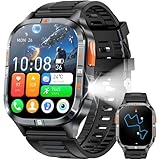
- BUILT-IN GPS & COMPASS– This military smartwatch features high-precision GPS to pinpoint your location while hiking, cycling, or traveling, keeping you safely on track without extra gear. Tap the compass icon and it locks your bearing within three seconds—engineered for pro-level outdoor adventures like camping, climbing, and trekking.
- BLUETOOTH CALLING & MESSAGES – Powered by the latest Bluetooth tech, the men’s smartwatch lets you answer or make calls right from your wrist—no need to pull out your phone. Get real-time alerts for incoming texts and app notifications so you never miss an invite. (Replying to SMS is not supported.)
- BIG SCREEN & DIY VIDEO WATCH FACE – The 2.01" military-spec display is dust-proof, scratch-resistant, and forged from high-strength glass with an aluminum alloy bezel, passing rigorous dust and abrasion tests so the screen stays crystal-clear. Upload a short family video to create a dynamic, one-of-a-kind watch face that keeps your memories alive.
- 24/7 HEALTH MONITORING – Equipped with a high-performance optical sensor, this Android smartwatch tracks heart rate and blood-oxygen levels around the clock. It also auto-detects sleep stages (deep, light, awake) for a complete picture of your health, ensuring you always know how your body is doing.
- MULTI SPORT MODES & FITNESS TRACK – Choose from running, cycling, hiking, basketball, and more to log every workout. Set goals, monitor progress, and sync data to the companion app. Bonus tools include photo gallery, weather, alarm, stopwatch, flashlight, hydration reminder, music/camera remote, find-my-phone, mini-games, and other everyday essentials.
For cycling, lap‑based power or heart rate screens pair well with climbs or structured segments. The Fenix 5 handles this cleanly even without a bike computer.
Smart Alerts That Help Without Becoming Noise
Alerts are powerful when used surgically and frustrating when overused. The goal is correction, not constant interruption.
Pace alerts are best reserved for workouts, not free runs. Set a narrow target range for intervals and disable pace alerts for easy or long runs to preserve mental space.
Heart rate alerts work well for aerobic base training, especially if you are learning effort control. A simple upper limit alert can prevent accidental drift without forcing you to stare at the screen.
Time and distance alerts are often more useful than pace alerts for long outings. A vibration every 30 minutes or 5 kilometers provides gentle structure without breaking rhythm.
On the Fenix 5, vibrations are strong enough to notice even with gloves, but audio cues are limited. Rely on vibration patterns rather than expecting detailed alerts.
Auto Features: Know When to Turn Them Off
Garmin enables many auto features by default, and not all of them improve real‑world use.
Auto Pause is helpful for urban running or traffic‑heavy cycling, but it can create messy data on trails. Frequent micro‑pauses inflate pace and distort effort metrics.
For trail runs and hikes, turning Auto Pause off usually produces cleaner elevation and time‑in‑zone data. The watch continues recording effort during slow technical sections instead of constantly stopping and starting.
Auto Scroll sounds convenient but often becomes a distraction. Manual screen control gives you intent and prevents missing important fields during moments that matter.
Auto Climb is not available on the Fenix 5 generation, but elevation alerts can partially fill that role for hiking or mountain running.
Sport‑Specific Tweaks That Change the Experience
Trail Run deserves its own identity, not a copy of Run with different GPS settings. Add vertical speed, total ascent, and time of day to at least one screen. These matter far more off‑road than mile splits.
For Hiking, slow the system down. Smart Recording, GPS‑only, fewer data fields, and no pace alerts make the watch feel calmer and dramatically extend battery life.
Cycling profiles benefit from separating indoor and outdoor rides. Disable GPS entirely for indoor cycling to prevent drift and unnecessary battery drain.
For triathletes using the Fenix 5, custom screens per sport leg reduce confusion during transitions. Keep swim screens minimal, bike screens performance‑oriented, and run screens effort‑based.
The watch’s physical size and button layout are advantages here. The Fenix 5’s buttons are easier to operate mid‑effort than touchscreens, but only if the screens behind them are intentional.
Reordering and Duplicating Profiles for Faster Access
Profile order matters more than most people realize. The Fenix 5 scrolls linearly, and shaving seconds before an activity adds up over time.
Move your most frequently used activities to the top of the list. This reduces button presses and avoids accidental starts under stress.
Duplicating profiles is a powerful workaround. Create separate versions like Run Easy, Run Workout, and Run Trail, each with its own alerts and screens.
This approach avoids constant menu diving and preserves clean data. The watch becomes responsive instead of demanding attention.
Comfort, Wearability, and Why Customization Helps Daily Use
The Fenix 5 is not a small watch. At 47mm for the standard model and larger for the X, comfort depends on reducing unnecessary interaction.
Well‑designed profiles mean fewer glances, fewer button presses, and less wrist tension during long sessions. That matters when wearing a steel‑bezel watch for hours at a time.
Silicone straps handle sweat and movement well, but long activities benefit from looser fit and fewer alerts. Customization indirectly improves comfort by letting the watch fade into the background.
When each activity profile behaves exactly as expected, the Fenix 5 stops feeling like a device you manage and starts acting like a reliable instrument.
Training Metrics Demystified: VO2 Max, Training Status, Load, Recovery, and Making Them Actually Useful
Once your activity profiles are dialed in, the Fenix 5 starts collecting higher-quality data without extra effort. That’s where Garmin’s training metrics stop being abstract numbers and begin influencing real decisions.
The problem is not that these metrics are bad. It’s that most users never learn how they are calculated, when they are reliable, and when they should be ignored.
VO2 Max: What the Fenix 5 Is Actually Estimating
VO2 Max on the Fenix 5 is an estimate based on heart rate response to pace or power, not a lab measurement. It works best during steady outdoor runs with good GPS, consistent effort, and a stable heart rate signal.
Erratic pacing, stoplights, trail running with elevation spikes, or poor wrist heart rate contact will skew the number. Cycling VO2 Max is even more sensitive and essentially requires a power meter to be meaningful.
To improve accuracy, do one or two steady runs per week at a moderate-hard effort on flat terrain. Think comfortably uncomfortable for 20 to 40 minutes, not intervals.
Ignore single-day changes. VO2 Max trends over several weeks matter far more than any one update.
Training Status: Why “Unproductive” Isn’t an Insult
Training Status combines VO2 Max trends and recent training load to describe how your fitness is responding. Productive means load and fitness are rising together, while Unproductive usually means fatigue is masking progress.
This metric is most useful when you feel off but can’t explain why. Seeing Unproductive alongside rising load often confirms the need for easier days rather than harder ones.
Peaking and Overreaching are not failures. They are short-term states that make sense before races or big adventures.
If Training Status feels wrong, look at your data quality first. Inconsistent heart rate readings or mixed activity types often confuse the algorithm.
Training Load: Understanding the 7-Day Stress Window
Training Load on the Fenix 5 is a rolling seven-day total of EPOC-based stress. It reflects how hard your body has been working recently, not how fit you are.
Low load does not mean detraining, and high load does not guarantee improvement. The value comes from staying within your optimal range most of the time.
Big single days matter less than sustained patterns. Three moderate sessions often produce better load balance than one massive effort.
Use load to avoid accidental overreach during busy weeks, especially when life stress is high but training volume sneaks upward.
Load Focus: Aerobic Balance Without Guesswork
Load Focus breaks your training into low aerobic, high aerobic, and anaerobic work. This is one of the most underused tools on the Fenix 5.
Many users unintentionally overdo high aerobic work while neglecting low aerobic volume. That often leads to stagnation or constant fatigue.
Long easy runs, base rides, and steady hikes fill the low aerobic bucket. Tempo runs and sustained climbs feed high aerobic. Short intervals contribute to anaerobic load.
If one category is empty for weeks, that’s a signal worth responding to, not ignoring.
Recovery Time: A Decision Support Tool, Not a Command
Recovery Time estimates how long until your body is ready for another hard effort. It does not mean you should avoid all activity until the timer hits zero.
Active recovery, easy runs, or mobility work are usually fine even with high recovery hours remaining. The warning is specifically about intensity, not movement.
Pay attention when recovery time stays elevated for multiple days despite easy training. That often points to sleep debt, illness, or accumulated stress.
For multi-day hikes or stage races, recovery time is less useful. The watch assumes traditional training cycles, not expedition-style efforts.
Heart Rate Accuracy: The Foundation of Every Metric
All of these metrics depend on heart rate quality. The Fenix 5’s optical sensor is solid, but fit matters more than specs.
Wear the watch slightly higher on the wrist during workouts and snug it enough to prevent micro-movements. Cold weather and downhill running are common sources of bad data.
For interval training, racing, or cycling, a chest strap dramatically improves reliability. This single upgrade makes every training metric more trustworthy.
Bad heart rate data leads to bad conclusions, no matter how advanced the algorithm.
Making the Metrics Work for You Long-Term
The Fenix 5 shines when you stop chasing perfect numbers and start watching patterns. Trends reveal more than daily fluctuations ever will.
Use VO2 Max to track seasonal fitness, Training Status to sanity-check effort, Load to manage fatigue, and Recovery to protect hard days. No single metric should dictate your training alone.
With clean profiles, intentional alerts, and consistent wear, these tools quietly guide better decisions. That’s when the Fenix 5 earns its reputation as an instrument rather than just a smartwatch.
Navigation Power‑User Tips: Courses, Breadcrumbs, Maps (5 Plus), Back‑to‑Start, and Outdoor Safety Tricks
Once training metrics are dialed in, navigation is where the Fenix 5 and 5 Plus shift from fitness tracker to true outdoor instrument. These watches were designed for people who move through unfamiliar terrain, not just around a neighborhood loop.
Used well, the navigation tools quietly improve pacing, decision-making, safety, and confidence. Used poorly, they drain battery and distract you at exactly the wrong moments.
Courses vs. Breadcrumbs: Choosing the Right Tool
On the Fenix 5 series, navigation starts with understanding the difference between Courses and breadcrumb tracks. They look similar on-screen but behave very differently in real use.
Courses are pre-planned routes with turn-by-turn guidance. You load them from Garmin Connect, a third-party platform like Strava or Komoot, or manually via GPX files.
Breadcrumbs are the raw track of where you’ve been. They are generated automatically during an activity and can be followed in reverse using TracBack or Back‑to‑Start.
For structured runs, races, or known routes, Courses are superior. For exploration, bushwhacking, or “let’s see where this goes” outings, breadcrumbs are the safety net.
Optimizing Courses for Clean Navigation
Before syncing a Course, simplify it. Overly complex GPX files with thousands of points slow redraws and increase battery drain, especially on the non-Plus Fenix 5.
If your Course looks jagged or overly dense in Garmin Connect, use the “Reduce Points” option or rebuild it with fewer anchors. Clean data makes the watch feel faster and more responsive.
Rename Courses clearly and include distance or location. When you’re scrolling on a cold morning with gloves, “Trail_18mi_CCW” is far more useful than “Morning_Run_3.”
Turn Guidance Without Maps (Fenix 5 and 5S)
Even without onboard maps, the Fenix 5 and 5S still provide turn prompts on Courses. These rely on Course cues rather than visual street data.
Accuracy depends entirely on how the Course was created. Routes drawn on heatmaps or trails perform far better than auto-generated street routes.
If turns feel late or confusing, switch the data screen to a larger breadcrumb view and reduce reliance on alerts. Visual confirmation is often faster than reading prompts mid-effort.
Rank #4

- 【Built-in GPS & Multi-System Positioning】Stay on track with the Tiwain smartwatch’s built-in GPS. Featuring military-grade single-frequency and six-satellite support (GPS, GLONASS, Beidou, Galileo, NAVIC, QZSS), this watch offers fast and accurate location tracking wherever you go. It also includes a compass, altimeter, and barometer, giving you real-time data on your altitude, air pressure, and position.
- 【Military-Grade Durability】Engineered to withstand the toughest conditions, the Tiwain smartwatch meets military standards for extreme temperatures, low pressure, and dust resistance. Crafted from tough zinc alloy with a vacuum-plated finish, this watch is also waterproof and built to resist wear and tear. The 1.43-inch AMOLED HD touchscreen offers clear visibility in all environments, and the watch supports multiple languages for global users.
- 【170+ Sport Modes & Fitness Tracking】Track your fitness journey with 170+ sport modes, including walking, running, cycling, hiking, basketball, and more. Set exercise goals, monitor progress, and sync your data to the companion app. The smartwatch also offers smart features like music control, camera remote, weather updates, long-sitting reminders, and more.
- 【LED Flashlight for Outdoor Adventures】The Tiwain smartwatch comes equipped with a built-in LED flashlight that can illuminate up to 20 meters. Activate it with the side button for added convenience during nighttime activities or outdoor adventures.
- 【Comprehensive Health Monitoring】Monitor your health with real-time heart rate, sleep, blood pressure, and blood oxygen level tracking. The smartwatch will vibrate to alert you of any abnormal readings. You can also make and receive calls directly from the watch, and stay connected with message and app notifications (receive only, no sending capability) – perfect for when you’re driving or exercising.
Maps on the Fenix 5 Plus: Use Them Strategically
The Fenix 5 Plus adds full-color onboard maps, but they are not designed to replace a phone or dedicated handheld GPS. Their strength is context, not detail.
Zoom out more than you think. Many users zoom in too far, which slows panning and makes orientation harder at speed.
Disable unnecessary map layers and avoid excessive zooming during activities. The processor is capable, but restraint keeps navigation smooth and battery consumption reasonable.
Know When to Follow the Line, Not the Map
On the 5 Plus, it’s tempting to constantly cross-check the map. In practice, following the Course line is often faster and more reliable.
The breadcrumb overlay is optimized for quick interpretation, even in harsh light. The map is best used at stops, intersections, or moments of uncertainty.
Treat the map as a situational awareness tool, not a live steering wheel. This mindset dramatically improves usability during long efforts.
Back‑to‑Start vs. TracBack: Subtle but Important Differences
Back‑to‑Start and TracBack are often confused, but they behave differently depending on activity type and watch firmware.
Back‑to‑Start calculates a direct route back to your starting point, using available map data on the 5 Plus or straight-line logic on the base models.
TracBack follows your exact recorded path in reverse. This is the safer option in technical terrain, dense forests, or anywhere route choice mattered on the way out.
If you explored off-trail or zig-zagged intentionally, always choose TracBack. Back‑to‑Start may look shorter, but it can send you into terrain you never crossed.
Using Back‑to‑Start Without Panic
When you activate Back‑to‑Start mid-activity, don’t rush. Give the watch time to calculate and settle before moving.
Confirm which mode you’re in by checking whether the line retraces your path or draws a new one. A quick glance prevents wrong assumptions later.
Battery drain increases during active navigation, so if you’re low on charge, reduce screen wake-ups and rely more on vibration alerts.
Navigation Data Screens That Actually Help
The default navigation screens are rarely ideal. Customizing them makes navigation calmer and more informative.
For most activities, one screen with breadcrumb or map, one with distance remaining, and one with elevation profile is enough. Too many screens increase cognitive load.
On hikes or ultras, add “Ascent Remaining” or “Time of Day.” Knowing when darkness hits often matters more than pace.
Elevation Profiles: The Hidden Navigation Advantage
When following a Course, the elevation profile screen is one of the most underrated tools on the Fenix 5 series.
It shows where you are relative to climbs and descents, helping pace long efforts and manage energy. This is especially valuable when signage is poor or trails intersect frequently.
If the profile looks wrong, the Course elevation data may be flawed. Rebuilding the Course with corrected elevation can fix this.
Battery-Smart Navigation Settings
Navigation is one of the fastest ways to drain the Fenix 5 battery, but smart settings make a big difference.
Use GPS-only mode unless you truly need GLONASS. The accuracy gain is minimal in most environments, but battery impact is real.
Reduce backlight brightness and timeout before long navigated efforts. Navigation screens stay readable even at lower brightness thanks to the transflective display.
Using Navigation for Outdoor Safety
Navigation tools aren’t just for getting somewhere. They’re also for getting out safely when plans change.
Save waypoints for trailheads, water sources, huts, or bailout points before starting. These can be navigated to independently of your main Course.
In poor weather or fatigue, switching to a known waypoint is often smarter than stubbornly following a planned route.
LiveTrack and Incident Detection Considerations
If you use LiveTrack or Incident Detection, remember they rely on phone connectivity and battery health.
Start LiveTrack before you leave coverage, not after. Confirm the connection once, then stop checking it.
Incident Detection can be overly sensitive on technical trails. If false alerts are a concern, disable it for specific activity profiles rather than globally.
Practicing Navigation Before You Need It
The biggest mistake Fenix owners make is learning navigation under stress. Practice on short, familiar outings first.
Load a Course for a local run or hike and deliberately switch screens, zoom, and test Back‑to‑Start. Muscle memory matters when conditions deteriorate.
Confidence with these tools turns the Fenix 5 from a reactive device into a proactive one. That’s when it truly earns its place on your wrist, miles from anywhere.
Everyday Wear and Smart Features: Notifications, Widgets, Watch Faces, and Quality‑of‑Life Hacks
Once navigation, training, and safety are dialed in, the Fenix 5’s real strength emerges in everyday wear. This is where the watch quietly proves why it still holds value years later: it disappears on your wrist, does what you need, and doesn’t demand constant attention.
The smart features are deliberately restrained compared to modern AMOLED watches, but that restraint is exactly what preserves battery life, durability, and sanity during active weeks.
Optimizing Notifications Without Becoming a Distraction
Notifications on the Fenix 5 work best when curated, not enabled wholesale. The watch mirrors phone notifications, but your experience depends almost entirely on how disciplined you are in Garmin Connect.
On Android, use the app-level notification controls to allow only calls, texts, and genuinely time‑sensitive apps. On iOS, accept that granularity is limited, but you can still control which apps are allowed to show notifications on the phone’s lock screen, which directly affects what reaches the watch.
Disable vibration for low‑priority alerts. The Fenix’s vibration motor is strong enough to feel through gloves and jackets, but constant buzzing adds fatigue and subtly drains battery over long days.
Notification Preview and Privacy Settings
If you wear your Fenix at work or in public settings, adjust notification previews. You can choose to show full message content, titles only, or nothing until a button press.
Titles‑only is the sweet spot for most users. You’ll know whether something needs attention without advertising message content to anyone nearby or breaking focus during meetings.
For calls, enable the on‑screen caller ID. Even without the ability to answer directly, knowing who’s calling lets you decide quickly whether to pull out your phone.
Smart Features and Battery Reality
Every smart feature on the Fenix 5 has a cost, but most are modest when configured properly. Bluetooth connectivity itself is not a major drain; it’s the combination of frequent notifications, excessive backlight activation, and overly complex watch faces that shortens real‑world runtime.
If you want consistent week‑long battery life, avoid enabling gesture backlight for notifications. Use button‑only backlight activation and keep brightness moderate. The transflective display is readable in most lighting without illumination.
Music controls on the 5 Plus models are efficient but easy to forget. If you don’t use them regularly, remove the widget to reduce background polling and declutter navigation.
Widgets That Earn Their Place
Widgets are where the Fenix 5 feels most customizable day to day. The key is ruthless pruning.
Keep widgets you actually reference without starting an activity. Weather, calendar, steps, and last activity are practical for most users. Body Battery is useful contextually, but on older firmware it can feel noisy if you’re already tracking sleep and training load elsewhere.
Reorder widgets so your most-used ones are one or two scrolls away from the watch face. The less scrolling you do, the more the watch feels immediate rather than menu‑driven.
Using the Calendar and Weather Widgets Effectively
The calendar widget is more powerful than it looks. It syncs training sessions, meetings, and reminders, making the Fenix a passive planning tool rather than an interruption device.
For athletes following a structured plan, this becomes a daily anchor. A quick wrist glance shows what’s scheduled without opening Garmin Connect or your phone.
Weather accuracy improves noticeably if you sync regularly. The widget pulls data from your phone, so a quick sync in the morning ensures forecasts are relevant for the rest of the day, especially before long outdoor sessions.
Watch Faces: Balancing Information, Legibility, and Battery Life
The stock Garmin watch faces are still the best choice for battery life and readability. They’re designed specifically for the Fenix display resolution and hardware limits.
Third‑party Connect IQ faces can look great, but many update too frequently or use inefficient data polling. This leads to unpredictable battery drain that’s hard to diagnose.
If you use a custom face, choose one with low refresh rates and minimal seconds‑based elements. Avoid faces that constantly redraw graphs or pull live weather data.
Data Density Without Clutter
The ideal everyday watch face shows time, date, battery percentage, and one or two contextual metrics. Steps or floors climbed make sense for daily wear, while training load or recovery time are better left to widgets.
High contrast matters more than aesthetics. Thin fonts and subtle colors look good indoors but become unreadable outdoors, especially in direct sun or while moving.
Remember that the Fenix 5 is a tool watch at heart. Clarity beats decoration every time.
Button Shortcuts That Save Time Daily
Hot keys are one of the most underused quality‑of‑life features. Set them up once, and they transform how the watch feels.
Commonly useful shortcuts include holding Back and Down for controls, Back and Light for locking the screen, or Light and Start to open a specific widget. Tailor these to your habits rather than copying defaults.
If you frequently switch between activity profiles, assign a hot key to the activity list. This avoids accidental starts and reduces button presses when you’re in a hurry.
Locking the Screen for Work and Sleep
Screen lock isn’t just for swimming. If you wear your Fenix during manual work, strength training, or sleep, locking prevents accidental pauses, activity starts, or settings changes.
Use auto‑lock for sleep if you track overnight metrics. This ensures uninterrupted sleep tracking and avoids waking up to a paused or ended activity log.
Unlocking becomes second nature after a few days, and the trade‑off is well worth the consistency it brings.
Comfort, Fit, and Everyday Wearability
The Fenix 5 is unapologetically substantial, especially in steel and sapphire variants. Proper fit makes the difference between feeling rugged and feeling cumbersome.
For all‑day wear, a silicone strap is practical, but swapping to nylon or a lightweight aftermarket band dramatically improves comfort and breathability. This also reduces skin irritation during hot weather or long workdays.
Keep the watch snug but not tight. Too loose affects wrist‑based heart rate and accelerometer accuracy, while too tight becomes noticeable during desk work and sleep.
Managing Wear, Scratches, and Long‑Term Durability
Minor scratches on the bezel are inevitable and, for many owners, part of the appeal. The brushed steel and DLC finishes age well and develop character rather than looking worn out.
If you have a sapphire model, the crystal will likely remain pristine long after the bezel shows marks. For non‑sapphire versions, a thin screen protector can add peace of mind without affecting visibility.
💰 Best Value

- Smart Watch with GPS and Offline Map: This smart watch connects to multiple satellite systems for accurate real-time positioning, and includes a professional-grade compass, altimeter, and barometer for precise data, ensuring you maintain your sense of direction in any outdoor environment. The map version supports downloading offline maps; select a route or destination to view the route even without a signal, eliminating the risk of getting lost.
- Bluetooth Call & Message Functionality: This smart watches for men allows you to make and receive calls; receive text and social media notifications (Facebook, WhatsApp, Instagram, Twitter, etc.); and reply to text messages with voice-to-text or set up quick replies (text reply functionality is available for Android phones).
- Sports & Health Monitoring: This 5ATM waterproof fitness watch supports over 100 sports modes and tracks daily activity data, calories, distance, steps, and heart rate. You can use it to monitor your health metrics (blood oxygen, heart rate, stress, and sleep), monitor your fatigue and mood, and perform PAI analysis. You can also use this smartwatch to set water intake and sedentary reminders. Stay active and healthy with this fitness tracker watch.
- Customizable Watch Faces & AI Functionality: This smart watch features a 1.46-inch HD touchscreen and over 100 downloadable and customizable watch faces. You can even use your favorite photos as your watch face. Equipped with AI technology, it supports voice descriptions in multiple languages to generate personalized AI watch faces. The watch's AI Q&A and AI translation features provide instant answers to questions and break down language barriers, making it an ideal companion for everyday life and travel.
- Large Battery & High Compatibility & More Features: This smart watch for android phones and ios phone features a large 550ml battery for extended battery life. It's compatible with iOS 9.0 and above and Android 5.0 and above. It offers a wealth of features, including an AI voice assistant, weather display, music control, camera control, calculator, phone finder, alarm, timer, stopwatch, and more. (Package Includes: Smartwatch (with leather strap), spare silicone strap, charging cable, and user manual)
Rinse the watch regularly after salty or sweaty use. Button longevity improves noticeably when salt and grit aren’t allowed to accumulate around seals.
Small Habits That Add Up Over Years
Sync the watch every few days, even if you’re not uploading activities. This keeps time, weather, and background data accurate.
Restart the watch occasionally. Long uptimes can cause minor glitches in widgets or Bluetooth behavior that disappear after a reboot.
Treat the Fenix 5 as a long‑term instrument rather than a disposable gadget. With thoughtful daily setup and restraint, it remains one of the most dependable everyday multisport watches Garmin has ever built.
Garmin Connect Power Tips: Data Fields, Insights, Sync Quirks, and Long‑Term Performance Tracking
Once daily habits and on‑watch setup are dialed in, Garmin Connect becomes the long game. This is where the Fenix 5 and 5 Plus quietly separate themselves from simpler GPS watches, especially for users who care about trends, not just single workouts.
Think of the watch as the sensor and Connect as the engine. When both are configured intentionally, even an older Fenix becomes a powerful performance archive rather than just an activity logger.
Custom Data Fields: Build Screens That Actually Help You
The default activity screens are usable, but rarely optimal. Most Fenix 5 owners get better results by reducing clutter and focusing each screen on a single decision or purpose.
For running and cycling, one primary screen with three or four large fields works best. Pace or speed, heart rate, distance, and time cover most needs without forcing mid‑effort scrolling.
Secondary screens are where advanced metrics belong. Lap pace, cadence, elevation, and heart rate zone are useful, but only if you intentionally glance at them rather than constantly chase numbers.
Connect IQ data fields can add value, but restraint matters. Third‑party fields update more slowly and can impact battery life on longer activities, especially on older firmware builds.
If you use Connect IQ, test fields on short runs first. If GPS tracks become jagged or screen refresh feels sluggish, remove the field and revert to native Garmin metrics.
Garmin Connect Mobile vs Web: Know Where Each One Excels
Garmin Connect Mobile is optimized for quick reviews and daily habits. Syncing, basic charts, and recent activity analysis are smooth and fast on the phone.
Garmin Connect Web is where the real depth lives. Long‑term trends, training load graphs, VO2 max history, and multi‑month comparisons are far easier to interpret on a large screen.
Use the web version periodically, even if you live in the app day to day. Patterns in fatigue, plateaus, or seasonal fitness shifts are often invisible on a phone.
Gear tracking, activity editing, and data corrections are also more reliable on the web interface. If something looks wrong, fix it there first.
Understanding Training Status, Load, and VO2 Max on the Fenix 5
The Fenix 5 uses Firstbeat algorithms that still hold up remarkably well. Training Status, Training Load, and VO2 max are most accurate when your heart rate data is consistent.
Wrist‑based heart rate is sufficient for steady efforts, but intervals and cycling benefit from a chest strap. Better heart rate input improves every downstream metric in Connect.
Training Status works best when activities are frequent and varied. Long gaps or repeated identical sessions often push it into “Unproductive” or “Maintaining,” even if you feel fine.
VO2 max trends matter more than the absolute number. Watch how it changes over months rather than chasing a specific value.
Avoid judging these metrics after single workouts. The Fenix 5 shines when you zoom out and let the math smooth out daily noise.
Long‑Term Performance Tracking: Let the Data Age
One of the most underrated strengths of Garmin Connect is historical depth. The Fenix 5 can quietly build multi‑year performance records if you let it.
Resist the urge to delete imperfect activities. Even messy runs contribute to load history and recovery modeling over time.
Use tags and activity names consistently. Labeling races, long hikes, or structured workouts makes future comparisons far more meaningful.
Seasonal patterns emerge after a year or two. Many owners discover they peak and fade at the same times annually, which becomes invaluable for planning.
This is where the Fenix 5 still outclasses newer budget watches. Few platforms reward patience as clearly as Connect does.
Sync Behavior and Common Quirks (and How to Avoid Them)
Bluetooth syncing is reliable but not instant. If an activity doesn’t appear, open Garmin Connect and wait before retrying or force‑closing the app.
Avoid syncing during very low battery states. Partial uploads can cause duplicate or missing activities that require manual cleanup later.
The Fenix 5 Plus models with Wi‑Fi sync best on stable networks. Public or mesh networks often fail silently and stall uploads.
If sync issues persist, restarting both the watch and phone resolves most problems. Re‑pairing should be a last resort, not the first step.
Occasional sync delays are normal on older hardware. The key is consistency, not speed.
Daily Metrics: What Matters and What to Ignore
Step counts and calorie estimates are useful trend indicators, not precision tools. Treat them as relative measures rather than absolutes.
Sleep tracking on the Fenix 5 is basic but still valuable over time. Focus on bedtime consistency and total duration rather than sleep stage breakdowns.
Resting heart rate is one of the most actionable daily metrics. Sudden spikes often signal fatigue, stress, or oncoming illness before you feel it.
Widgets you never check should be removed. A lean widget loop improves usability and reduces background processing.
Data Hygiene: Small Maintenance Habits Inside Connect
Occasionally review sensor connections and remove old or duplicate devices. Lingering sensor profiles can cause pairing confusion later.
Update activity types sparingly. Too many near‑identical profiles dilute trend clarity and complicate comparisons.
Export important activities once or twice a year. Even though Garmin’s cloud is stable, personal backups protect long‑term training history.
The Fenix 5 rewards owners who think in years, not weeks. Garmin Connect is where that patience turns into insight.
Extending the Lifespan of an Aging Fenix: Firmware Management, Maintenance, Accessories, and When to Upgrade
By this point, it should be clear that long-term ownership of a Fenix 5 or 5 Plus is as much about stewardship as it is about features. These watches were built as tool instruments, with steel bezels, reinforced lugs, and buttons designed for years of abuse. With a little intentional care, they remain not just usable, but genuinely enjoyable well into their second decade.
Firmware Strategy: Knowing When to Update and When to Stop
Garmin officially ended feature development for the Fenix 5 series years ago, but that does not mean firmware is irrelevant. Final firmware versions are mature, stable, and largely free of the growing pains seen on newer platforms.
If your watch is already on one of the last released firmware builds and behaving well, there is no practical benefit to forcing updates through Garmin Express. Late-stage updates occasionally tweak sensor handling or background processes in ways that can marginally impact battery life on aging hardware.
For users experiencing bugs, sensor dropouts, or GPS anomalies, a manual firmware reinstall via Garmin Express can be worthwhile. This effectively refreshes system files without altering settings and often resolves strange edge-case behavior that appears after years of incremental updates.
Once stability is achieved, resist the urge to tinker. Consistency matters more than novelty on legacy hardware.
Battery Health: Managing the One Component That Truly Ages
Lithium-ion battery degradation is inevitable, but usage habits dramatically affect how fast it happens. Avoid frequent deep discharges to zero, especially during long activities, as this accelerates capacity loss over time.
Charging in shorter, more frequent sessions is healthier than waiting for single-digit percentages. The Fenix 5 does not benefit from calibration cycles, so there is no reason to drain it intentionally.
Heat is the silent killer of battery longevity. Avoid leaving the watch on car dashboards, near heaters, or charging in direct sunlight, particularly during summer months.
Even with careful handling, most Fenix 5 units now deliver around 70–80 percent of original battery capacity. Planning activities with this reality in mind is part of extending the watch’s usable life.
Physical Maintenance: Buttons, Ports, and Seals
The Fenix 5’s button-driven interface is one of its greatest strengths, but mechanical buttons require occasional attention. Salt, sunscreen, and trail grit can slowly work their way into the button shafts.
A monthly rinse under fresh water, followed by gentle button presses while submerged, helps prevent stiffness or uneven feedback. For ocean swimmers, this is not optional maintenance.
Charging contacts should be kept clean and dry. If corrosion appears, a soft toothbrush and a small amount of isopropyl alcohol usually restores proper connection without damage.
Despite its rugged reputation, gasket seals do age. If water resistance is mission-critical for your use, consider treating older units more conservatively around prolonged submersion.
Straps, Comfort, and Wearability Upgrades
One of the easiest ways to make an aging Fenix feel new again is to change how it wears. The original silicone strap is durable but can become stiff, glossy, or uncomfortable after years of sweat and UV exposure.
QuickFit compatibility opens the door to nylon hook-and-loop straps, which dramatically improve comfort for sleep tracking and long endurance sessions. They also reduce pressure points caused by the watch’s substantial 47 mm case.
For everyday wear, leather or hybrid straps soften the visual presence of the steel bezel and make the watch feel less like training gear and more like a daily instrument. This matters if the Fenix still lives on your wrist outside workouts.
The watch itself may be aging, but how it feels on the wrist does not have to.
Accessory Decisions That Still Make Sense
Not all accessories are worth buying this late in a product’s life, but a few still deliver real value. An external heart rate chest strap remains the single biggest accuracy upgrade for interval training, cycling, and structured workouts.
Foot pods, especially for treadmill runners, can improve pace consistency when GPS is unavailable or unreliable. Garmin’s older ANT+ ecosystem remains fully supported on the Fenix 5.
Avoid sinking money into niche accessories unless they solve a specific problem you actually have. The goal is extending usefulness, not chasing completeness.
Storage, Resetting, and Long-Term Software Cleanliness
Internal storage on the Fenix 5 is limited, particularly on non-Plus models. Periodically deleting old courses, activities, and unused Connect IQ data prevents slowdowns and reduces sync friction.
A full factory reset every couple of years is not overkill if the watch has accumulated years of profiles, sensors, and experiments. Back up critical settings first, then rebuild intentionally rather than restoring clutter.
This process often restores responsiveness and battery behavior that quietly degraded over time.
Knowing When It’s Time to Upgrade
The hardest part of extending a watch’s life is recognizing when you are forcing it past its strengths. If battery life no longer supports your longest activities, or if modern training metrics like HRV status or advanced recovery tools are central to your training, an upgrade becomes practical rather than indulgent.
Likewise, if multi-band GPS accuracy, AMOLED displays, or smartwatch features have become daily expectations, newer generations offer meaningful improvements the Fenix 5 simply cannot replicate.
That said, upgrading should feel like a pull, not a push. The Fenix 5 still delivers reliable GPS, solid training metrics, physical buttons, and unmatched durability at a cost that newer watches struggle to justify.
Final Perspective: Longevity as a Feature
The Fenix 5 and 5 Plus occupy a rare space in wearable history where build quality, software maturity, and long-term platform support intersect. With thoughtful firmware management, basic physical care, and a few comfort-focused upgrades, these watches remain deeply capable tools rather than relics.
Extending their lifespan is not about clinging to the past. It is about extracting full value from a device that was designed to endure, and still does, long after the hype cycle has moved on.