The Ray-Ban Meta Smart Glasses sit in an awkward but fascinating middle ground between fashion eyewear and wearable tech, which is exactly why so many people are unsure what they actually do. If you are coming in expecting a sci‑fi HUD, floating notifications, or full AR overlays like a downsized Vision Pro, you are looking at the wrong product. If you are curious whether a familiar pair of Ray-Bans can quietly add audio, AI, and hands-free capture to daily life without screaming “tech gadget,” you are very much in the right place.
These glasses are best understood not as a screen-based wearable, but as an always-with-you interface layer. They replace neither your phone nor your smartwatch, and they do not try to. Instead, they aim to reduce friction around a handful of everyday actions: listening, capturing moments, and asking quick questions without pulling anything out of your pocket.
Understanding what the Ray-Ban Meta Smart Glasses are not is just as important as understanding what they are. Much of their success or failure depends on whether your expectations align with Meta’s very deliberate restraint here, which becomes clearer once you break down their role in the wearable ecosystem.
They Are Not AR Glasses, and That Is Entirely the Point
There is no display inside the lenses, no heads-up navigation, no text floating in your field of view. The Ray-Ban Meta Smart Glasses are visually identical to standard Ray-Bans, and the lenses behave exactly like normal sunglasses or prescription glasses. This immediately separates them from products like Google Glass, Snap Spectacles with displays, or enterprise AR headsets.
🏆 #1 Best Overall

- #1 SELLING AI GLASSES - Tap into iconic style for men and women, and advanced technology with the newest generation of Ray-Ban Meta glasses. Capture photos and videos, listen to music, make hands-free calls or ask Meta AI questions on-the-go.
- UP TO 8 HOURS OF BATTERY LIFE - On a full charge, these smart AI glasses can last 2x longer than previous generations, up to 8 hours with moderate use. Plus, each pair comes with a charging case that provides up to 48 hours of charging on-the-go.
- 3K ULTRA HD: RECORD SHARP VIDEOS WITH RICH DETAIL - Capture photos and videos hands-free with an ultra-wide 12 MP camera. With improved 3K ultra HD video resolution you can record sharp, vibrant memories while staying in the moment.
- LISTEN WITH OPEN-EAR AUDIO — Listen to music and more with discreet open-ear speakers that deliver rich, quality audio without blocking out conversations or the ambient noises around you.
- ASK YOUR GLASSES ANYTHING WITH META AI - Chat with Meta AI to get suggestions, answers and reminders straight from your smart AI glasses.
This design choice keeps weight down, avoids visual distraction, and makes them socially wearable in a way display-equipped smart glasses still struggle with. In real-world use, this means you never feel like you are “using a device” when wearing them, which is crucial for something meant to live on your face all day.
The trade-off is obvious: everything happens through audio, touch controls, and voice. If you need visual feedback, these glasses will feel limiting by design.
They Are a Pair of Real Ray-Bans First
Meta’s partnership with EssilorLuxottica is not cosmetic. These feel like proper Ray-Bans in terms of materials, hinge stiffness, lens quality, and overall fit. The Wayfarer and Headliner styles wear like their non-smart counterparts, with only slightly thicker temples to house batteries, speakers, and cameras.
Comfort is surprisingly good for long sessions, especially compared to older smart glasses that felt front-heavy or plasticky. Weight distribution is well handled, and pressure points around the ears are minimal even after several hours, assuming you already tolerate standard Ray-Ban frames well.
This matters because if they were uncomfortable or visually awkward, none of the smart features would matter. Their biggest strength is that they pass as normal eyewear, which lowers the psychological barrier to wearing them daily.
They Are Always-Available Audio Glasses, Not Earbud Replacements
The open-ear speakers built into the temples are the feature most people end up using the most. They deliver clear spoken audio for podcasts, calls, and Meta AI responses, with enough volume for walking around town but not enough to replace noise-isolating earbuds.
Sound quality is good for what it is: balanced mids, limited bass, and clear vocals. Music is enjoyable but not immersive, and these are not for anyone who prioritizes audio fidelity or privacy in loud environments.
Where they shine is convenience. Being able to take a call, hear directions, or listen to a voice note without putting anything in your ears changes how often you actually use these features throughout the day.
They Are a Hands-Free Camera, Not a Creator Rig
The integrated camera is designed for spontaneity, not production. Photo and video quality is good enough for social sharing and memory capture, but it does not compete with modern smartphones in dynamic range, low-light performance, or stabilization.
What it does offer is immediacy. Double-tapping the frame to capture a moment feels natural, and being able to record from your perspective without pulling out a phone changes the type of content you capture.
Privacy indicators are built in, including a visible LED when recording, but public perception still varies. You need to be comfortable navigating social spaces where not everyone loves wearable cameras, even when safeguards are present.
They Are an AI Interface, Not an AI Assistant Replacement
Meta AI is woven into the experience as a voice-first assistant that can answer questions, describe what you are looking at, and help with quick tasks. It works best for short, contextual interactions rather than long conversations or complex workflows.
In daily use, this feels closer to a smarter voice shortcut than a full digital assistant. Asking what landmark you are facing, translating a sign, or getting quick factual answers works well, but anything that requires deep context still pushes you back to your phone.
The glasses succeed when AI feels optional rather than intrusive. If you already dislike voice assistants, these will not convert you, but if you enjoy frictionless access to information, the implementation feels thoughtfully restrained.
They Are a Companion to Your Phone and Watch, Not a Replacement
The Ray-Ban Meta Smart Glasses rely heavily on your smartphone for connectivity, processing, and media management. Battery life is measured in hours, not days, with realistic usage landing around a half-day of mixed audio, AI, and occasional capture before needing the charging case.
They do not track fitness, monitor health metrics, or replace smartwatch notifications. Instead, they complement a watch by handling audio, voice interaction, and quick capture while your wrist handles time, alerts, and tracking.
Seen this way, their value becomes clearer. These are about reducing phone friction rather than replacing any single device, which makes them easier to live with but harder to justify if you expect one wearable to do everything.
They Are a Lifestyle Wearable, Not a Tech Toy
Perhaps the most important distinction is that the Ray-Ban Meta Smart Glasses are designed to disappear into your routine. They work best when you forget they are smart and simply enjoy the moments where they quietly save time or add convenience.
If you want cutting-edge visuals, deep app ecosystems, or aggressive feature growth, you will be disappointed. If you want a subtle, socially acceptable way to add audio, AI, and capture to everyday life, these glasses make a strong case for themselves.
Everything else in this review flows from that central truth, including who should buy them now and who is better off waiting.
Design, Fit, and All-Day Comfort: Do They Still Feel Like Proper Ray-Bans?
If these glasses did not pass as normal eyewear, everything else would fall apart. The entire premise hinges on whether you can wear them all day without feeling like you are making a statement about technology rather than style.
Ray-Ban’s involvement is not cosmetic here. The Meta Smart Glasses feel like Ray-Bans first and gadgets second, and that distinction matters more than any individual feature.
Authentic Ray-Ban Design, Not a Tech Costume
At a glance, these look indistinguishable from classic Ray-Ban frames. Whether you choose the Wayfarer-style or the more rounded Headliner shape, the silhouettes are familiar, proportioned correctly, and socially invisible in the way good eyewear should be.
The frames avoid the bulky, futuristic look that doomed earlier smart glasses. Camera lenses are neatly tucked into the corners, and the touch-sensitive temples look like slightly thicker arms rather than obvious hardware housings.
Crucially, there is no external display, prism, or glowing indicator that screams “smart device.” In public, they read as normal sunglasses or prescription frames unless someone knows exactly what to look for.
Materials, Build Quality, and Finishing
The frames are made from acetate that feels on par with mid-tier Ray-Bans you would buy without any electronics inside. There is a reassuring rigidity without brittleness, and no creaking or flexing during everyday handling.
Hinges feel solid and precise, opening with controlled resistance rather than the loose wobble you sometimes get on lighter plastic frames. After weeks of use, they hold alignment well and do not loosen noticeably, even with frequent on-and-off wear.
The finishing is clean and understated. Branding is subtle, with Ray-Ban markings where you expect them and Meta staying mostly invisible, which reinforces the lifestyle-first approach.
Weight Distribution and On-Face Balance
Compared to standard Ray-Bans, these are heavier, but the difference is smaller than expected. The added weight lives primarily in the temples, where the batteries, speakers, and electronics sit.
What matters more than total weight is balance, and here Ray-Ban gets it right. The glasses do not tip forward onto your nose, nor do they feel like they are pulling backward behind your ears.
During long sessions—walking, commuting, working at a desk—the weight fades into the background. You are aware they are there, but not constantly reminded that you are wearing a device.
Fit Options and Face Compatibility
The Ray-Ban Meta Smart Glasses come in limited size variations compared to traditional eyewear, and that is one of the compromises. Most faces will find a workable fit, but people with very narrow or very wide heads may struggle to get a perfect feel.
Nose pads are molded rather than adjustable, which keeps the design clean but reduces fine-tuning. On average noses, pressure is evenly distributed, but those sensitive to nose bridge weight may notice fatigue after several hours.
Temple length and curvature are well judged, providing enough grip to stay put during walking and light activity without clamping uncomfortably. They are not sports glasses, but they stay stable during daily movement.
All-Day Wear: Heat, Pressure, and Fatigue
Heat buildup is minimal but not nonexistent. After extended use, especially in warmer weather, the temples can feel slightly warm where the electronics sit, though never hot or concerning.
Pressure points are well managed, with no sharp edges or awkward contact zones. The inner temple surfaces are smooth, and the glasses do not dig into the sides of your head even after hours.
This is one of the rare smart wearables that genuinely supports all-day wear. From morning errands to evening walks, they remain comfortable enough that you forget about them until you need a feature.
Prescription Lenses and Sunglasses Practicality
Prescription support is essential, and thankfully it is handled properly. You can order them with prescription lenses directly, and the result feels no different from wearing standard prescription Ray-Bans.
Lens quality meets expectations for Ray-Ban-branded eyewear, with good clarity and coatings. Polarized sunglass options work well outdoors and do not interfere with cameras or sensors.
Swapping lenses later is possible through authorized providers, but it is not a casual DIY job. This is still eyewear first, electronics second, and it should be treated accordingly.
Controls Without Compromising Comfort
Touch controls live on the temple arms and are positioned where your fingers naturally land. Swipes and taps do not require awkward gestures or excessive pressure, which helps maintain comfort during repeated use.
Physical buttons are minimal and discreet, avoiding the cluttered feel of older smart glasses. Importantly, interacting with the controls does not shift the glasses on your face.
Voice activation remains the primary interaction method, which aligns well with the goal of keeping the physical design unobtrusive.
Living With Them as Actual Glasses
Perhaps the strongest endorsement is that you start treating these like normal glasses. They sit by the door, go into a case when not in use, and come along without much thought.
The charging case is larger than a standard glasses case but still bag-friendly. It protects the frames well and reinforces the idea that these are meant to be worn daily, not babied like fragile tech.
By the end of long-term use, the question stops being whether they feel like proper Ray-Bans. Instead, it becomes noticeable how rare it is for smart hardware to respect comfort and aesthetics this thoroughly.
Living With Them Daily: How Smart Glasses Actually Fit Into Real Life
Once the novelty fades, what matters is whether these glasses quietly earn a place in your routine. The Ray-Ban Meta smart glasses do not demand new habits so much as they slip into existing ones, which is both their biggest strength and their most revealing limitation.
They work best when you stop thinking of them as a gadget and start treating them as eyewear that occasionally does something useful. That framing makes it much easier to judge where they shine and where they still feel like first-generation lifestyle tech.
Rank #2
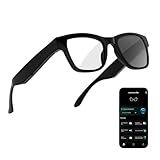
- 3-in-1 AI Glasses: Enjoy ① AI Voice Assistant (Powered by ChatGPT, Gemini & Deepseek), ② Stylish Photochromic Lenses Glasses, and ③ Bluetooth Open-Back Headphones, all in one.
- Free Talk Translation: Automatically detects and translates over 160 languages in real-time, allowing seamless work and translation without touching your phone or glasses.
- Voice, Video & Photo Translation: Supports over 98% of global languages, offering fast and accurate translations—ideal for international travel, business meetings, or cross-cultural communication.
- AI Meeting Assistant: Converts recordings from smart glasses into text and generates mind maps, making it easier to capture and organize meeting insights.
- Long Battery Life, Bluetooth 5.4 & Eye Protection: Up to 10 hours of music and 8 hours of talk time, with easy Type-C charging. Bluetooth 5.4 ensures stronger, stable connections, while photochromic lenses block UV rays and blue light, protecting your eyes in any environment.
Morning to Night: What Wearing Them All Day Really Feels Like
In day-to-day wear, the frames behave like standard Ray-Bans first. Weight distribution is well managed, and there is no constant reminder that you are wearing electronics on your face.
Pressure points around the ears and nose are minimal, even after several hours. Compared to many smartwatches that become noticeable by mid-afternoon, these tend to disappear once adjusted properly.
Heat buildup is also a non-issue in normal use. Even on warmer days, the temples do not get uncomfortably warm, which is something earlier smart glasses struggled with.
Audio as the Silent MVP
The open-ear speakers are what you end up using most. For podcasts, voice notes, navigation cues, and casual calls, they are far more practical than expected.
Audio quality is not earbud-level, but it does not need to be. Voices sound clear, and the directional nature keeps sound reasonably private unless you are in a very quiet space.
This becomes especially useful during short errands or walks where pulling out earbuds feels excessive. The glasses let you stay connected without sealing yourself off from the world.
Calls, Voice Notes, and Hands-Free Convenience
Call quality is consistently solid indoors and acceptable outdoors. Microphones handle wind better than expected, though busy streets can still challenge clarity.
Voice notes feel like a sleeper feature. Capturing a quick thought or reminder without reaching for your phone turns out to be genuinely useful in daily life.
This hands-free interaction is where the glasses start to justify themselves as more than a novelty. They reduce friction in small but meaningful moments.
Camera Use in the Real World
The camera is not something you use constantly, but when you do, it feels natural. Quick clips of walks, family moments, or events are easier to capture than pulling out a phone.
Image quality is good enough for social sharing but not for serious photography. Dynamic range and low-light performance remind you that this is a convenience camera, not a replacement for your phone.
There is also a social learning curve. You become more aware of when it is appropriate to record, and the visible recording light helps keep that boundary clear.
Meta AI: Helpful Assistant or Occasional Party Trick?
Meta AI is most useful for quick questions, translations, and contextual prompts. Asking what you are looking at or getting a brief explanation can feel futuristic when it works well.
In practice, responses are fast but not always deep. It excels at lightweight assistance rather than complex problem-solving.
Over time, you learn which questions are worth asking out loud and which are better handled on a phone. The AI enhances moments but does not replace traditional interfaces.
Battery Life in Daily Patterns, Not Specs
Battery life is adequate but requires awareness. A typical day of moderate audio use, a few photos or videos, and some AI queries usually makes it to evening.
Heavy camera use or frequent AI interactions will drain them faster. You quickly learn to be selective, much like managing battery on a smartwatch.
The charging case becomes part of the routine. Dropping the glasses in for short top-ups feels natural, but forgetting the case on a long day can be limiting.
The App Experience and Phone Dependence
The companion app is functional rather than delightful. It handles settings, media syncing, and updates reliably, but it is not something you linger in.
These glasses are still phone-dependent. Without your smartphone nearby, their usefulness drops significantly.
This is not necessarily a flaw, but it is an important reality check. They complement your phone rather than freeing you from it.
Privacy, Social Awareness, and Public Comfort
Wearing cameras on your face changes how you move through public spaces. Even with the recording indicator, some people remain uneasy.
You become more conscious of when to use features and when to leave them idle. This self-regulation becomes second nature over time.
For users sensitive to social perception, this may limit how often the camera and AI features are used. The glasses still work fine as audio-first wearables in those moments.
Replacing or Supplementing Other Wearables
These do not replace a smartwatch for fitness tracking or notifications. Health metrics and glanceable data are simply not part of the experience.
They also do not fully replace earbuds for immersive audio. Long listening sessions still favor dedicated headphones.
What they do offer is a middle ground. For people who already wear glasses, they add functionality without adding another device to manage.
Who They Seamlessly Fit Into, and Who They Do Not
They make the most sense for people who already wear glasses daily and value audio convenience and quick capture. Content creators, parents, and commuters benefit the most.
If you rarely wear glasses or expect deep AR overlays, these will feel underwhelming. The value comes from subtle enhancement, not dramatic transformation.
Living with them daily clarifies that their success is not about changing behavior. It is about quietly fitting into life without asking for attention.
Audio Performance and Calls: Open-Ear Sound as an Earbud Alternative
After spending time with the glasses as audio-first wearables, their role becomes clearer. They are not trying to beat earbuds on sound quality, but to remove friction from everyday listening and calling in moments where earbuds feel like overkill.
The question is not whether they sound good for glasses. It is whether they sound good enough to leave your earbuds in your pocket more often.
Speaker Design and Real-World Loudness
The open-ear speakers are tucked into the arms, firing sound toward your ears without sealing them off. In quiet indoor environments, podcasts, calls, and spoken responses from Meta AI come through clearly and with minimal distortion.
Volume has usable headroom, but it is not limitless. On busy streets or public transit, you will push toward the upper end of the range, and some detail gets lost to ambient noise.
This is not a flaw so much as a trade-off inherent to open-ear designs. The upside is constant situational awareness, which quickly becomes something you do not want to give up.
Sound Quality for Music and Voice
For music, the tuning favors mids and vocals. Lyrics are intelligible, acoustic tracks sound pleasant, and casual background listening works well.
Bass is present but restrained, with no physical impact. If you are coming from in-ear noise-canceling earbuds, the difference is obvious within seconds.
Where the glasses excel is spoken audio. Podcasts, audiobooks, navigation prompts, and AI responses sound natural and easy to follow, even at moderate volumes.
Audio Leakage and Social Considerations
Sound leakage is controlled but not eliminated. At higher volumes in quiet spaces, people nearby can faintly hear what you are listening to.
In offices, cafes, or shared living spaces, this encourages more mindful volume choices. It also subtly nudges you toward using the glasses for calls and voice interactions rather than blasting music.
In outdoor settings, leakage becomes far less noticeable, and the open-ear approach feels more socially acceptable than pulling out a phone speaker.
Call Quality and Microphone Performance
Call performance is one of the more convincing use cases. The multi-microphone array does a solid job isolating your voice during everyday conversations.
In quiet environments, callers consistently report clear, natural-sounding audio. Wind noise reduction works reasonably well when walking, though strong gusts can still cut through.
In traffic-heavy areas, the microphones prioritize your voice but cannot fully cancel constant low-frequency noise. Calls remain usable, but this is not a substitute for a dedicated headset in harsh conditions.
Hands-Free Convenience in Daily Routines
The real strength shows up during transitional moments. Taking a quick call while carrying groceries, listening to directions while cycling slowly, or responding to a message without touching your phone all feel frictionless.
Because the glasses are already on your face, there is no decision point. You do not have to reach for earbuds, pair anything, or block off the world.
Over time, this shifts behavior. Short calls and brief listening sessions increasingly default to the glasses, while longer sessions still move to traditional headphones.
Battery Impact of Audio Use
Audio playback is one of the more battery-efficient tasks the glasses handle. Casual listening and calls spread throughout the day are realistic without anxiety.
Rank #3

- 【AI Real-Time Translation & ChatGPT Assistant】AI glasses break language barriers instantly with AI real-time translation. The built-in ChatGPT voice assistant helps you communicate, learn, and handle travel or business conversations smoothly—ideal for conferences, overseas trips, and daily use.
- 【4K Video Recording & Photo Capture 】Smart glasses with camera let you capture your world from a first-person view with the built-in 4K camera. Take photos and record videos hands-free anytime—perfect for travel moments, vlogging, outdoor adventures, and work documentation.
- 【Bluetooth Music & Hands-Free Calls 】Camera glasses provide Bluetooth music and crystal-clear hands-free calls with an open-ear design. Stay aware of your surroundings while listening—comfortable for long wear and safer for commuting, cycling, and outdoor use.
- 【IP65 Waterproof & Long Battery Life】 Recording glasses are designed for daily wear with IP65 waterproof protection against sweat, rain, and dust. The built-in 290mAh battery provides reliable performance for workdays and travel—no anxiety when you’re on the go.
- 【Smart App Control & Object Recognition】Smart glasses connect to the companion app for easy setup, file management, and feature control. They support AI object recognition to help identify items and improve your daily efficiency—perfect for travel exploration and a smart lifestyle.
Longer music sessions at higher volumes do accelerate drain, especially when combined with camera use or AI interactions. The charging case becomes part of the routine rather than an emergency backup.
Compared to true wireless earbuds, total listening time per charge is shorter. Compared to not having audio available at all, the convenience often outweighs the limitation.
Compatibility and Everyday Reliability
Pairing with a smartphone is straightforward, and connection stability is generally strong. Dropouts are rare in normal use, and switching between calls and media happens smoothly.
Audio controls via touch gestures take a few days to internalize. Once learned, adjusting volume or pausing playback becomes second nature.
The experience feels less like managing a gadget and more like extending your phone’s audio presence into the background of your day, which aligns perfectly with what these glasses do best.
Camera and Hands-Free Capture: From Social Clips to Memory-Keeping
If audio is what quietly pulls the Ray-Ban Meta glasses into your daily routine, the camera is what changes how you document it. Once you stop thinking of it as a replacement for your phone and start treating it as a frictionless capture tool, its strengths and limits become much clearer.
How You Actually Trigger the Camera
The physical shutter button on the right temple is the most reliable way to capture photos or start video. It has just enough resistance to avoid accidental presses, yet it is easy to find by feel after a few days of use.
Voice commands work well in quiet or moderate environments, especially for spontaneous moments when your hands are occupied. In louder settings, the physical button remains the faster and more dependable option.
Because the glasses are already worn, the act of capturing something feels closer to blinking than pulling out a phone. That subtle shift changes behavior more than any spec sheet improvement ever could.
Image and Video Quality in the Real World
The camera delivers photos and short videos that are optimized for immediacy rather than perfection. In good lighting, results are sharp enough for social sharing, with accurate colors and a perspective that feels natural and immersive.
Low-light performance is predictably limited, with visible noise and softer detail once indoor lighting drops. This is not a camera you reach for at night or in dim restaurants unless the moment matters more than the quality.
Video stabilization is competent for walking and standing still, but quick head movements or fast cycling introduce jitter. The footage reflects how you experienced the moment, not how a gimbal-mounted phone would smooth it out.
First-Person Perspective as a Feature, Not a Gimmick
What makes the camera compelling is not resolution but point of view. Clips feel personal in a way phone videos rarely do, especially when capturing conversations, cooking, or moments with kids and pets.
For travel, the glasses excel at documenting transitions rather than destinations. Boarding a train, walking through a market, or entering a venue becomes effortless to record without stopping the experience to frame a shot.
This perspective also discourages over-recording. You tend to capture short, meaningful snippets instead of long, unfocused videos, which makes reviewing them later far more enjoyable.
Privacy Signals and Social Awareness
The front-facing LED that illuminates during recording is not subtle, and that is intentional. In public spaces, it acts as a clear signal that recording is happening, reducing ambiguity for people around you.
In social settings, this visibility becomes a self-regulating mechanism. You are more conscious of when you record, and others are more likely to comment or consent, which keeps usage grounded rather than intrusive.
There will still be environments where wearing a camera on your face feels inappropriate. The glasses do not remove the need for judgment; they simply make that judgment more immediate.
Battery Cost of Capturing Moments
Camera use is one of the most battery-intensive actions the glasses perform. Short clips and occasional photos are easy to absorb into a full day, but extended video sessions quickly eat into remaining charge.
Combining camera use with audio playback or AI queries accelerates drain noticeably. The charging case becomes essential if you plan to capture throughout the day rather than opportunistically.
This naturally nudges behavior toward intentional use. You save the camera for moments that matter instead of leaving it running out of convenience.
App Experience and Media Management
Captured photos and videos sync automatically to the companion app, where organization and exporting are straightforward. The app prioritizes speed and simplicity over deep editing tools.
Sharing to social platforms is frictionless, which reinforces the glasses’ role as a capture-and-post device rather than an archival camera. For longer-term storage, exporting to your phone or cloud service remains the better option.
There is no sense of managing files on the glasses themselves. They feel more like a sensor attached to your phone than a standalone camera system.
Where the Camera Makes Sense, and Where It Doesn’t
For social clips, quick memories, and hands-free documentation, the camera fits naturally into daily life. It shines in moments where pulling out a phone would break flow or draw attention.
It does not replace your smartphone camera for intentional photography, events, or low-light shooting. Anyone expecting cinematic results will be disappointed, and rightly so.
The value lies in capturing life as it happens, not as it is staged. When viewed through that lens, the Ray-Ban Meta camera feels less like a compromise and more like a deliberate design choice.
Meta AI in the Real World: Voice Commands, Context Awareness, and Limitations
After living with the camera long enough to understand when it belongs on your face and when it does not, Meta AI becomes the other half of that judgment equation. It promises hands-free intelligence layered on top of what you see and hear, without turning the glasses into a sci‑fi prop.
In practice, Meta AI feels less like a futuristic assistant and more like a convenient shortcut generator. When it works well, it removes friction; when it doesn’t, you quickly revert to your phone.
Voice Commands: Fast When Simple, Fragile When Complex
Basic voice commands are the strongest part of the Meta AI experience. Asking the glasses to take a photo, record a video, start music, or adjust volume works reliably and with minimal delay.
The wake phrase is responsive in quiet and moderately noisy environments. In busy streets or cafés, recognition drops, and you often find yourself repeating commands more clearly than you would with earbuds.
Anything beyond short, direct requests exposes the system’s limits. Longer, conversational prompts feel slower and occasionally misunderstood, which breaks the illusion of seamless assistance.
Information on Demand, Without the Phone Reach
Where Meta AI earns its keep is quick, situational information. Asking for weather, directions, basic facts, or reminders while your hands are full feels genuinely useful.
This works especially well when walking, cycling at a casual pace, or cooking. The audio responses are clear through the open-ear speakers, and you never feel cut off from your surroundings.
Compared to pulling out a smartphone or tapping a smartwatch, the glasses win on immediacy. There is no screen to check and no gesture to learn, just spoken intent and spoken feedback.
Context Awareness Through the Camera
The headline feature is visual context, where Meta AI can answer questions about what you are looking at. In controlled situations, such as identifying landmarks, reading signs, or describing objects, the system performs impressively.
This feels most natural when curiosity strikes mid‑moment. You glance at something, ask a question, and receive an answer without interrupting your flow.
Accuracy varies with lighting, framing, and network quality. The AI is confident even when wrong, which means its answers should be treated as guidance rather than authority.
When Context Breaks Down
Real-world environments are messy, and Meta AI struggles with ambiguity. Crowded scenes, reflective surfaces, or fast motion often confuse visual recognition.
The glasses do not always understand what part of your view matters. Without a way to point or highlight, you sometimes get answers to the wrong question.
This limitation reinforces that Meta AI is assistive, not interpretive. It can help describe what it sees, but it does not truly understand your intent yet.
Latency, Connectivity, and Cloud Dependence
Most AI responses depend on an active phone connection and cloud processing. When connectivity is strong, responses feel reasonably quick; when it drops, delays become noticeable.
There is a subtle but important difference between instant and almost instant. That half-second pause is enough to remind you that this is not on-device intelligence.
In areas with poor reception, Meta AI becomes inconsistent. Voice commands still work locally, but anything requiring understanding or context becomes unreliable.
Battery Impact of AI Usage
Using Meta AI frequently has a measurable impact on battery life. Short, occasional queries are easy to absorb, but sustained interaction drains the glasses faster than audio alone.
Combining AI queries with camera use is particularly costly. The battery curve drops quickly when vision, audio, and processing are all active.
This reinforces intentional use rather than constant conversation. Meta AI works best as an on-demand tool, not a persistent companion.
Privacy, Awareness, and Social Friction
Speaking to your glasses in public still feels socially awkward at times. While no more intrusive than talking to earbuds, the visible camera adds a layer of perceived scrutiny.
Rank #4
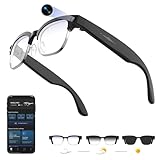
- 【8MPW Camera & 1080P Video and Audio】:These camera glasses feature an 800W camera that outputs sharp 20MP photos and smooth 1080P 30fps videos. Ultra-Clear Video + Powerful Anti-Shake tech+ Built-in dual microphones, you can capture crystal-clear video and audio together -sharply restoring details, perfect for vlogging, travel, and everyday moments
- 【Real-time AI translation Smart Glasses with Camera】:Instantly translate multiple major languages, breaking down language barriers in an instant—no phone required. Ideal for office settings, travel, academic exchanges, international conferences, watching foreign videos, and more
- 【Voice Assistant Recognition and Announcement】:Powered by industry-leading AI large models such as Doubao AI and OpenAI's GPT-4.0. AI voice wake-up lets you ask questions, recognize objects, and get answers on the go. Automatically recognizes objects, menus, landmarks, plants, and more, quickly analyzing the results and announcing them in real time. It instantly becomes your mobile encyclopedia on the go
- 【Bluetooth 5.3 Connection and Automatic Sync to Phone】:Equipped with a low-power BT5.3 chip and Wi-Fi dual transmission technology, offering ultra-low power and high-speed transmission. Captured images and videos are transferred to your phone in real time, eliminating manual export and eliminating storage worries
- 【290mAh Ultra-Long Battery Life】:Ultra-light at 42g, it's made of a durable, skin-friendly material, as light as a feather. Lenses are removable. Its simple, versatile design makes it a comfortable and comfortable wearer. 290mAh ultra-long battery life, 12 hours of music playback and 2 hours of photo or video recording, making it a perfect travel companion
Meta’s visual indicator helps signal when the camera is active, but it does not solve every social concern. You remain responsible for explaining what the glasses are doing if someone feels uncomfortable.
This affects how often people use visual AI features versus private audio queries. Many users default to information requests and avoid camera-based questions in public spaces.
Comparison to Using a Phone or Smartwatch
Compared to a smartphone, Meta AI is faster for quick questions and slower for anything requiring precision. You trade accuracy and depth for speed and convenience.
Against a smartwatch, the glasses feel more natural for longer responses. Listening is easier than reading, especially while moving.
They do not replace either device. Instead, they fill the gap where screens are inconvenient and earbuds feel isolating.
What Meta AI Is Not—At Least Not Yet
Meta AI is not a proactive assistant that anticipates needs. It waits for commands and does not meaningfully learn your habits over time.
It is also not a creative or analytical powerhouse. Complex reasoning, nuanced planning, and multi-step tasks remain better suited to a phone or computer.
The glasses succeed when expectations are realistic. Treated as an intelligent layer on top of everyday actions, Meta AI adds value; treated as a replacement for other devices, it falls short.
Battery Life, Charging Case, and Longevity Over a Full Week of Use
After spending time with Meta AI, cameras, and always-available audio, battery life becomes the constraint that shapes how the Ray-Ban Meta glasses are actually used. These are not wear-all-day smart glasses in the way traditional Ray-Bans are sunglasses. They are closer to a compact wearable that demands awareness of power, much like early smartwatches did.
The practical question is not how long they last on paper, but whether they survive a full week without becoming a chore. That answer depends heavily on how you use the camera and AI features.
Daily Battery Life in Real-World Use
On a typical weekday—two to three hours of audio playback, a handful of Meta AI queries, and occasional touch interactions—the glasses consistently lasted around four to five hours of active use. That generally translated to half a day of wearing before I felt compelled to put them back in the case.
Audio-only usage is the most efficient scenario. Streaming music or podcasts at moderate volume drains the battery slowly enough that they can feel like slightly heavier open-ear headphones rather than a power-hungry gadget.
The moment cameras enter the picture, endurance drops sharply. Short photo bursts are manageable, but recording multiple video clips or using visual AI back-to-back can cut usable time down to two to three hours.
How AI Usage Impacts Longevity
Voice-only Meta AI interactions have a modest battery cost, closer to using a voice assistant on earbuds. Asking for directions, weather, or quick facts barely moves the needle if done sparingly.
Visual AI queries are a different story. Activating the camera, processing imagery, and returning spoken responses creates a noticeable step-down in remaining charge.
This reinforces the idea introduced earlier: Meta AI is best treated as a situational tool. Using it constantly, especially with vision enabled, all but guarantees you will be reaching for the case before the day is over.
The Charging Case as a Daily Companion
The charging case is not optional; it is essential. Styled like a Ray-Ban eyewear case, it looks discreet enough to live in a bag or jacket pocket without drawing attention.
In practice, the case provides multiple full recharges, enough to stretch usage across several days. With moderate daily use, I was able to go four to five days before needing to plug the case itself into a charger.
The magnetic alignment is reliable, and the glasses seat cleanly every time. There is no fiddling, no worrying about partial contact, and no accidental draining while stored.
Charging Speed and Practical Top-Ups
A short charge goes a long way. Ten to fifteen minutes in the case is often enough to restore a meaningful chunk of battery, making quick top-ups between meetings or errands genuinely useful.
A full recharge from near empty takes just over an hour. That is fast enough to encourage habitual charging rather than waiting for a complete drain.
Because of this, the glasses fit best into routines where they are worn in bursts rather than continuously. Think commuting, walking, or focused tasks rather than all-day wear.
Battery Anxiety and Behavioral Changes
Over a full week, the biggest adjustment is psychological rather than technical. You become more selective about when to capture video, when to ask visual questions, and when to simply listen.
This is not necessarily a flaw. The limited battery discourages compulsive recording and nudges the glasses toward intentional use.
That said, users accustomed to all-day smartwatch endurance or multi-day earbuds will feel constrained. These glasses require more conscious power management than most wearables in your rotation.
Longevity Over a Full Week
Across seven days of mixed use, the Ray-Ban Meta glasses proved reliable but not carefree. As long as the case was nearby, I never ran out of power unexpectedly.
Leaving the case behind, however, quickly exposes the limits of the internal battery. A single heavy day of camera and AI usage can exhaust them before dinner.
This makes them better suited to urban, connected lifestyles than long trips, festivals, or travel days where charging opportunities are limited.
Battery Life in Context of Other Wearables
Compared to smartwatches, battery life is shorter and less predictable. Compared to true wireless earbuds, it is more demanding due to cameras and onboard processing.
The trade-off is functionality. No earbuds offer hands-free video capture or visual AI, and no smartwatch delivers audio-first interactions as naturally while walking.
Understanding this balance is critical. The Ray-Ban Meta glasses are not failing at battery life; they are paying the cost of what they attempt to do in a lightweight, glasses-shaped form factor.
Who Will Be Satisfied and Who Will Not
Users who see these as an occasional tool—worn for specific moments rather than all day—will find the battery perfectly workable. The case makes that usage pattern sustainable and predictable.
Those expecting dawn-to-dusk wear without thinking about power will be disappointed. The technology is not there yet, and Meta does not pretend otherwise.
Battery life ultimately defines the Ray-Ban Meta experience. Accept it as a deliberate, session-based wearable, and it integrates smoothly into daily life; expect all-day endurance, and frustration follows.
The Meta View App and Ecosystem: Setup, Stability, and Everyday Usability
Battery limitations shape how often you reach for the glasses; the Meta View app determines whether those moments feel effortless or fussy. In daily use, the app is less about constant interaction and more about quietly enabling everything the glasses do.
This is not a companion app you open dozens of times a day like a smartwatch dashboard. Instead, it behaves more like a control center you dip into before or after using the glasses, which suits the session-based nature of the hardware.
Initial Setup and Permissions Reality Check
Pairing the Ray-Ban Meta glasses is straightforward but not frictionless. You create or log into a Meta account, pair over Bluetooth, and walk through a dense permissions checklist covering camera, microphone, contacts, notifications, and background activity.
On iOS, the process is guided and mostly predictable, though notification mirroring requires careful toggling to avoid missing alerts later. On Android, the experience is slightly looser but demands more trust in background permissions for reliable voice commands and uploads.
The setup makes it clear these glasses are not a passive accessory. They work best when fully authorized, and partial permission setups tend to produce inconsistent behavior rather than graceful degradation.
Day-to-Day Stability and Connection Reliability
Once paired, the connection between the glasses and phone is generally stable. Over weeks of use, dropouts were rare, and reconnection after placing the glasses back on felt automatic rather than manual.
That said, stability depends heavily on how aggressively your phone manages background apps. Phones with strict battery optimization can delay media syncing or voice command responses unless Meta View is explicitly excluded from power-saving rules.
Firmware updates arrive quietly through the app and install without drama. This is an area where Meta’s experience with large-scale consumer hardware shows, as updates did not introduce regressions during long-term testing.
Media Syncing, Storage, and Real-World Workflow
Photos and videos captured by the glasses sync automatically when they reconnect to your phone, assuming the app is running in the background. The process is fast enough that short clips often appear in your gallery before you’ve taken the glasses off.
Inside Meta View, media is clearly organized and easy to export, edit, or delete. There is no pressure to keep content locked inside Meta’s ecosystem, which helps the glasses feel like a capture tool rather than a social funnel.
Storage management is simple but manual. The glasses do not aggressively overwrite old content, so occasional cleanup through the app becomes part of long-term ownership.
Meta AI Integration: Useful, Not Magical
Meta AI lives half in the glasses and half in the app, with voice interactions processed through the phone connection. Asking questions, identifying objects, or getting contextual information works reliably when connectivity is strong.
The app provides a transcript and history of AI interactions, which is helpful for reviewing answers or understanding misfires. This transparency also reinforces that AI usage is a conscious action, not an ambient assistant constantly listening.
In practice, Meta AI feels like a bonus layer rather than a core dependency. When it works, it adds genuine convenience; when it doesn’t, the glasses remain usable as audio and camera hardware.
💰 Best Value

- #1 SELLING AI GLASSES - Move effortlessly through life with Ray-Ban Meta glasses. Capture photos and videos, listen to music, make hands-free calls or ask Meta AI* questions on-the-go. Ray-Ban Meta glasses deliver a slim, comfortable fit for both men and women.
- CAPTURE WHAT YOU SEE AND HEAR HANDS-FREE - Capture exactly what you see and hear with an ultra-wide 12 MP camera and a five-mic system. Livestream it on Facebook and Instagram.
- LISTEN WITH OPEN-EAR AUDIO — Listen to music and more with discreet open-ear speakers that deliver rich, quality audio without blocking conversations or the ambient noises around you.
- GET REAL-TIME ANSWERS FROM META AI — The Meta AI* built into Ray-Ban Meta’s wearable technology helps you flow through your day. When activated, it can analyze your surroundings and provide context-rich suggestions - all from your smart AI glasses.
- CALL AND MESSAGE HANDS-FREE — Take calls, text friends or join work meetings via bluetooth straight from your glasses.
Notifications, Audio Controls, and Subtle Friction
Notification handling is intentionally minimal. You can choose which apps are allowed to push audio alerts, but fine-grained control is limited compared to a smartwatch.
This simplicity is mostly a strength. Alerts feel less intrusive when they arrive through discreet speakers rather than a vibrating wrist, but power users may miss deeper customization.
Audio controls, EQ settings, and voice feedback options are easy to access and rarely need adjustment once dialed in. The app favors set-and-forget behavior, aligning with how the glasses are actually worn.
Privacy Controls and Social Transparency
Meta View includes clear indicators for camera and microphone use, along with logs for AI interactions and media capture. These controls matter, both for the wearer’s peace of mind and for navigating social situations confidently.
The physical LED on the glasses does most of the privacy signaling, but the app reinforces that these are intentional actions, not hidden recordings. You always know what the glasses have captured and when.
Skepticism around Meta’s data practices is understandable, but the app does a reasonable job of surfacing controls rather than burying them. Trust still depends on the user’s comfort with Meta as a company, not just the software design.
Ecosystem Fit Compared to Other Wearables
Unlike smartwatch ecosystems, Meta View does not try to become a health hub or daily analytics engine. There is no fitness tracking, no sleep data, and no long-term trend graphs competing for attention.
This narrower focus makes the app feel lighter and less demanding. It complements existing wearables rather than attempting to replace them, which is crucial for users already invested in watches or earbuds.
As an ecosystem, Meta View succeeds by staying out of the way. When the app disappears into the background, the Ray-Ban Meta glasses feel most natural, which ultimately defines their everyday usability.
Privacy, Social Acceptance, and the ‘Glasshole’ Question Revisited
The app-level controls and visible indicators set the foundation, but privacy with smart glasses ultimately lives in public spaces, not settings menus. Once you step outside, the question shifts from what the glasses can do to how they are perceived when worn around other people.
The Camera LED: Necessary, Effective, and Still Misunderstood
The white LED that illuminates during photo and video capture is non-negotiable, and Meta deserves credit for making it impossible to disable. In practice, it is bright enough to be noticed indoors and in shade, though it can be harder to see in direct sunlight.
Even with the LED, many people simply do not know what it means. During testing, several bystanders assumed the light indicated the glasses were “on” rather than actively recording, which limits its real-world effectiveness as a consent signal.
This puts an extra burden on the wearer. If you care about social comfort, you often find yourself explaining the light, even when you are only snapping a quick photo rather than filming continuously.
Do They Feel Creepy to Others?
Compared to the original Google Glass era, the Ray-Ban Meta glasses benefit enormously from looking like normal eyewear. The frames, lenses, and overall proportions blend in far better than early smart glasses ever did.
That normalcy cuts both ways. Because they do not look like a gadget, people may forget they contain a camera at all, which can trigger discomfort once they remember or notice the LED.
In cafes, shops, and public transport, reactions were mostly neutral, but in smaller social settings, eye-level cameras still feel intimate in a way phones do not. Holding a phone up creates a clear social signal; glasses make capture feel more ambient and less negotiated.
When Social Friction Actually Shows Up
The most awkward moments rarely involve strangers. Friends, colleagues, and family are far more likely to ask questions, joke about surveillance, or request that the glasses be removed.
This is especially true during conversations, where sustained eye contact paired with camera-equipped frames can feel unsettling even if nothing is being recorded. Several long-term users report instinctively pushing the glasses up onto their head indoors to reduce tension.
These glasses demand a higher level of social awareness than earbuds or smartwatches. You are not just managing your own comfort, but actively managing how others feel around you.
AI Listening and the New Privacy Layer
Meta AI introduces a subtler concern than the camera: the microphone. Voice-triggered assistants are familiar, but wearing one on your face changes the dynamic, especially when prompts can be conversational and context-aware.
Although the glasses do not constantly record audio for AI processing, that nuance is lost on most people nearby. Saying “Hey Meta” in public can draw more attention than tapping a smartwatch or pulling out a phone.
The AI features feel best suited to solo use, commuting, or outdoor contexts. In shared spaces, many users instinctively default back to their phone to avoid the perception of being listened to or recorded.
How Ray-Ban Meta Compares to Other Wearables
Smartwatches normalize data collection by keeping sensors close to the body and screens private. Earbuds feel socially accepted because they signal personal audio, not observation.
Smart glasses sit in a more exposed position, both physically and culturally. The face is a social interface, and adding cameras and microphones there invites scrutiny in a way wrist-based or ear-based wearables largely avoid.
This does not mean smart glasses are doomed, but it does mean adoption will be slower and more situational. Comfort with these devices depends as much on social norms catching up as on hardware or software improvements.
Living With the ‘Glasshole’ Label in 2026
The term still lingers, but it no longer defines the experience the way it once did. Wearing Ray-Ban Meta glasses does not automatically mark you as antisocial or oblivious, especially when used discreetly.
That said, they reward self-awareness. The best users treat the camera like a phone camera, not an always-available recorder, and they read the room before using voice commands or capturing moments.
If you already navigate smartwatch etiquette well, muting notifications in meetings and respecting boundaries, you will likely adapt smoothly. If you tend to push wearable tech into every context, these glasses will expose that habit quickly.
Who Will Feel Comfortable Wearing Them
Lifestyle users who value hands-free photos, quick AI queries, and open-ear audio during walks or travel will find the social trade-offs manageable. Creators and parents often appreciate the immediacy, even if they use it selectively.
Users sensitive to how they are perceived, or those frequently in professional or intimate social settings, may find the constant negotiation tiring. In those cases, the glasses become an occasional tool rather than an all-day accessory.
Ray-Ban Meta smart glasses are no longer socially radioactive, but they are not invisible either. Wearing them well is less about the tech itself and more about how thoughtfully you choose to use it around others.
Value for Money and Verdict: Who Should Buy Ray-Ban Meta Glasses (and Who Shouldn’t)
After living with Ray-Ban Meta glasses in public, private, and transitional moments, the value question becomes less about raw specs and more about whether this form factor genuinely earns a place on your face. These are not cheaper or more capable replacements for a smartwatch or earbuds, but something adjacent with its own strengths and compromises.
They make sense when you accept them as lifestyle wearables first and emerging AI hardware second. If you approach them expecting full AR, all-day battery life, or invisible social acceptance, the price will feel hard to justify.
How the Pricing Actually Lands in Daily Use
Depending on lens options, Ray-Ban Meta glasses typically sit in the premium sunglasses range rather than traditional tech pricing. That matters, because you are paying for both Ray-Ban industrial design and Meta’s hardware platform, not just cameras and speakers.
Viewed as sunglasses with intelligence baked in, the value feels more reasonable. The frames are comfortable, well-finished, and durable enough to wear daily without feeling like fragile gadgets, which is something earlier smart glasses never fully achieved.
Viewed purely as a piece of consumer electronics, however, they look expensive for what they do. Battery life remains measured in hours, not days, and there is no display to justify the cost in the way smartwatches or phones do.
Who Ray-Ban Meta Glasses Make Sense For
These glasses are a strong buy for lifestyle users who already wear sunglasses daily and want audio, capture, and AI access without adding another device to their pockets. Walkers, travelers, parents, and casual creators benefit most from the hands-free camera and open-ear audio.
They also suit smartwatch owners who already track health on the wrist and want something complementary rather than redundant. Used alongside a smartwatch and phone, Ray-Ban Meta glasses feel additive, not overlapping.
Early adopters curious about AI in everyday contexts will also find genuine value. Voice-based queries, quick translations, and contextual questions feel more natural through glasses than through a phone, even if the AI still feels like a work in progress.
Who Should Probably Skip or Wait
If you primarily want excellent audio quality, high battery endurance, or noise isolation, good earbuds still outperform these glasses for less money. Open-ear convenience comes with trade-offs in volume, bass, and situational awareness.
Privacy-conscious users should also pause. Even with visible recording indicators and clear controls, wearing cameras on your face requires constant judgment calls that some people simply do not want to manage.
Those expecting this to replace a smartphone, action camera, or productivity tool will be disappointed. Ray-Ban Meta glasses are better at capturing moments than managing tasks, and better at quick interactions than deep workflows.
Smart Glasses vs Just Wearing a Watch and Earbuds
A smartwatch excels at glanceable information, health tracking, and discreet interaction. Earbuds deliver better sound, longer listening sessions, and clearer social signaling around personal audio.
Ray-Ban Meta glasses sit between those two, offering immediacy and perspective rather than efficiency. They capture what you see, not what you remember to pull out of your pocket, and that distinction matters to certain users more than spec sheets ever will.
If your daily life already feels well-covered by a watch and earbuds, these glasses may feel redundant. If your phone often stays in your pocket when moments happen, they feel liberating.
The Bottom Line
Ray-Ban Meta smart glasses are not a must-have wearable, but they are the first smart glasses in years that feel believable as everyday objects. Their value comes from how seamlessly they blend into routines rather than how much technology they advertise.
Buy them if you value hands-free capture, subtle AI assistance, and open-ear audio in a familiar, comfortable frame. Skip them if you want maximum utility per dollar, longer battery life, or clearer social boundaries around technology.
In 2026, Ray-Ban Meta glasses are less about the future of computing and more about the present of living with technology on your terms. For the right person, that makes them worth the price.