What’s actually slowing this PC down?
Pick the symptom - the matching free tool is one click away.
Galaxy Wearable problems are not always caused by the phone app itself. A crash or endless “Connecting” screen can come from the watch plug-in, Bluetooth pairing, Google Play services, incompatible phone software, or a faulty watch app. Work through the steps below from least destructive to most destructive; do not factory-reset the watch until the non-destructive fixes and a backup have been attempted.
Identify what is actually failing
| Symptom | Investigate first |
|---|---|
| Galaxy Wearable will not open | Phone app cache/data, updates, permissions, compatibility, and phone software |
| The app freezes at “Connecting” | Bluetooth pairing, the watch plug-in, Google Play services, and permissions |
| It crashes only after selecting one watch | That watch’s plug-in, pairing data, or phone/watch compatibility |
| The watch itself is frozen | Charging, a forced reboot, watch software, and recently installed watch apps |
| The crash began after a watch face or app installation | Remove the newest watch app or face |
| The watch is stuck at the Samsung logo | Boot-loop recovery, app removal, reset, or service |
| The app works but watch updates fail | Bluetooth/network access, storage, and software versions |
| Only Health, Health Monitor, ECG, or Pay crashes | That companion app’s own requirements, permissions, updates, and regional support |
Samsung notes that watch apps can fail to open, crash, freeze, or become unresponsive on either the phone or watch side. Its troubleshooting guidance is available at Samsung’s watch-app support page.
Check compatibility before changing anything
Compatibility problems often appear after changing phones or upgrading Android. Samsung’s current US requirements include:
| Watch | Minimum phone requirement listed by Samsung |
|---|---|
| Galaxy Watch Ultra and Watch7 | Android 11 or later |
| Galaxy Watch FE, Watch6 and Watch6 Classic | Android 10 or later; Watch6 models require at least 2 GB RAM |
| Galaxy Watch5 and Watch5 Pro | Android 8 or later with at least 1.5 GB RAM |
| Galaxy Watch4 and Watch4 Classic | Android 6 or later with at least 1.5 GB RAM |
Older Galaxy Watch and Gear models have different limits. Requirements also vary by region, carrier, phone brand, and software version, so check the exact model in Samsung’s compatibility listing. Galaxy Watch4 and newer Wear OS models require Android and do not work with iPhone; Watch4 and Watch5 cannot be set up as standalone watches. See Samsung’s Android and iOS guidance.
#1 Best Overall

- Compatibility: 6 Pack Flexible TPU Protector; Compatible for IDW13 / IDW15 / IDW19 / ID208 Plus Smart Watch
- Coverage: Material flexibility allows screen coverage even on curved devices
- Self-healing Film: If there are small bubbles on the surface, they will disappear naturally. It will improve over time, it will show the invisible effect of the fusion of the film and the machine
- HD Clear: Use of high-quality ultra-thin TPU、Clear transparent screen can restore the original color of Watch
- Easy Installation: Comes with an installation tool and instruction manual
Try these low-risk fixes first
1. Restart both devices
Use the phone’s normal power menu to restart it. Charge the watch first if its screen is black or it may be out of power.
For many Galaxy Watch models, press and hold Home/Power and Back together until “Rebooting…” appears, then release them. Some models require holding the buttons for up to about 30 seconds. The combination varies by model and software version. A forced reboot should not erase the watch; a factory reset does.
2. Force-stop Galaxy Wearable and its plug-in
- Open Settings > Apps.
- Tap Galaxy Wearable, then Force stop and confirm.
- Repeat for the watch-specific plug-in or manager if it appears as a separate app.
- Open Galaxy Wearable again.
3. Check basic connection conditions
- Bluetooth is on and Airplane mode is off.
- The watch is powered on, charged, and close to the phone.
- Wi-Fi or mobile data works when sign-in or an update needs it.
- Battery-saver or background restrictions are not stopping Galaxy Wearable or its plug-in.
- The phone has free storage.
Update every component
Phone and control apps
Install updates for Android, Google Play system, Google Play services, Samsung account components, and Galaxy Store. In the Play Store or Galaxy Store, search for Galaxy Wearable and install its update. Check the watch-specific plug-in separately; repairing the main app does not necessarily repair an outdated plug-in.
Watch apps
On supported models, Samsung documents this route: Galaxy Wearable > Galaxy Store > More options > My page > Update > Watch tab > Update all. Labels can differ by model and app version.
Watch software
Open Galaxy Wearable, then About watch or About band (sometimes under Settings), and choose Update watch software or Update band software. Tap Update now or Download updates manually. The watch generally needs Bluetooth to the phone and a network connection; it may disconnect while installing.
Rank #2
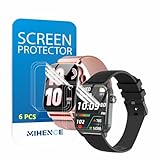
- Suitable for : Surface dedicated Screen protector Compatible for TRAUSI TG08 1.83'' Smartwatch / Trendia / iBesi TG09 1.83'' Smartwatch explosion proof film guard shield(Note: This item is TPU screen protector 6PCS, does not include watches)
- Note: Only fits Compatible for TG08 / TG09 1.83" Smartwatch, Not suitable for other 1.83'' Watch
- Easy installation: Easy installation, ultra clear HD, you will install quickly, save time and effort, hassle-free and bubble-free ( If there are tiny bubbles left during the lamination process, they will be automatically repaired within 12 hours to achieve a bubble-free invisible screen protector)
- Material : TPU,High quality transparent clear screen protector
- It has excellent window display, high sensitivity and comfortable touch feeling
Restore permissions and background access
- Open Settings > Apps > Galaxy Wearable > Permissions.
- Review denied permissions needed for nearby-device discovery, Bluetooth communication, notifications, setup, or requested location-related functions.
- Repeat for the watch plug-in and Samsung accessory components listed on the phone.
Android can automatically remove permissions from apps that have not been used for some time, as Samsung explains in its app troubleshooting guidance. Grant only permissions the app requests and that fit the feature you use.
Clear the cache, then consider app data
Clear cache first
- Go to Settings > Apps > Galaxy Wearable > Storage.
- Tap Clear cache.
- Repeat for the watch plug-in if available, then reopen the app.
This removes temporary files and is the lower-risk cleanup option.
Clear data only if the crash continues
- Open Settings > Apps > Galaxy Wearable > Storage.
- Tap Clear data and confirm.
- Restart the phone.
- Open Galaxy Wearable, sign in again if requested, and reconnect the watch.
Samsung warns that clearing app data erases the app’s stored local data and may sign you out. It is not the same operation as erasing the watch, but it can remove local settings and disrupt pairing. Do not use it casually if you cannot complete the reconnection process.
Quick wins for a faster PC:
Repair Windows errors before they cause bigger problemsFix Now →Fix the driver behind crashes, sound loss and screen glitchesFind Drivers →Clear out junk files and repair common Windows errorsFree Scan →Reinstall the app and plug-in from official stores
If clearing data fails, uninstall Galaxy Wearable, restart the phone, and reinstall it from the official Google Play Store or Galaxy Store. Install or update the watch-specific plug-in when prompted. If the app is preinstalled and cannot be removed, use its Storage > Clear data option and then update it through an official store. Avoid modified APKs and “repair” packages from unofficial sites.
Remove a recently installed watch app or face
A crash that starts immediately after an installation points to that item. Reboot the watch, open Galaxy Wearable, and use Apps or Apps screen. On Wear OS models, touch and hold the item and choose Uninstall; older models may use Manage apps or a delete/minus control. Remove the newest or suspicious item first. Some preinstalled apps cannot be removed, and Galaxy Fit models have different controls. Samsung’s boot-loop guidance covers this case at its watch recovery page.
Rank #3
![YMHML 8 Pack Screen Protector Compatible for Apple Watch 40mm SE 3 / SE 2/1 Series 6/5 / 4, [Upgrade Flexible Film] Soft HD Clear Anti-Scratch Film for iWatch Accessories](https://m.media-amazon.com/images/I/51IF4ciAl+L._SL160_.jpg)
- ❥[Compatible models]: Specially designed for iWatch 40mm SE 3 / 2 /1 series 6/5/4 , not applicable to any other models. It is very important to check your size, please pay attention before buying!
- ❥[Max Coverage Protection]: Provide protection for your apple watch against scratches, waterproof, anti-fingerprint. Precise cutting technology and soft TPU material make the protective film perfectly cover the corners and edges of the device, the protector will not easily warp or even fall off.
- ❥[Easy installation]: To install the product more quickly, please view the online video. Even if you have never used the protector yourself, our video can make it easy to install, and no residue after removal.
- ❥[Anti-Scratch]: This screen protector is made of military-grade polyurethane, which can protector your Apple Watch SE series 6 / 5 / 4 40mm from scratch and daily wear. Advanced TPU materials make it self-healing within 24 hours.
- ❥[Hassle-free Service]: We provide you with professional customer service, any problems about quality or your order, please feel free to contact us, we will provide a satisfied solution for you within 24 hours.
Repair a stale Bluetooth pairing
- Back up the watch if Galaxy Wearable can still connect.
- Open Settings > Connections > Bluetooth on the phone.
- Tap the settings icon beside the watch and choose Unpair.
- Restart both devices.
- Start pairing from inside Galaxy Wearable, not only from the phone’s Bluetooth screen.
Do not repeatedly pair and unpair while the watch remains registered to another phone or to a broken Galaxy Wearable profile.
Special cases
Galaxy Wearable crashes immediately
Use phone Settings to force-stop it, clear cache, check compatibility and permissions, then clear data or reinstall. If only one watch triggers the crash, focus on that model’s plug-in and pairing state.
Quick wins for a faster PC:
Fix the driver behind crashes, sound loss and screen glitchesFind Drivers →Clear out junk files and repair common Windows errorsFree Scan →The watch is stuck on the Samsung logo
Charge it, force-reboot it, and remove a recently installed watch app if possible. Reinstalling the phone app repeatedly will not fix a watch that cannot pass its logo screen. Persistent boot loops require recovery reset or service.
Only Samsung Health Monitor or another companion app fails
That app may have stricter Samsung-phone, Android, watch, regional, or regulatory requirements. For example, Health Monitor support is documented separately at Samsung’s compatibility page; its crash does not prove Galaxy Wearable is defective.
Non-Samsung Android or an old Gear watch
Basic pairing may work on compatible non-Samsung phones, while manufacturer-specific features can be limited. Older Gear models may not support a newer Android version or phone. Verify the exact model rather than assuming all Galaxy wearables use the same software.
Rank #4

- 6 Pack TPU Protector, For IDW26 Smart Watch 1.83" (Note: 1.83" refers to the watch screen size and specifications, not the size of the protective film)
- Which is flexible to offer maximum screen coverage. Material flexibility allows total coverage even on curved devices
- Films with Optically transparent, virtually invisible, and HD Clear screen protector with smooth glass-like surface and "True Touch" feel.
- With "scratch self-healing function", it can heal small scratches
- Lmmediately after application, there may be wavy or residual small air bubbles on the surface, and they will disappear naturally within a few hour.It will improve over time, please wait after pasting, it will show the invisible effect of the fusion of the film and the machine
Factory-reset only as a last resort
Reset when the watch remains unusable after rebooting, updates, cache/data cleanup, a clean reinstall, and pairing repair—or when Samsung support recommends it. Beforehand, back up through Galaxy Wearable if possible, record important settings and watch faces, and confirm Samsung and Google account credentials. An LTE watch may need a new activation QR code afterward. Samsung warns that a reset restores defaults and can lose data.
Normal reset path
On many models: Watch Settings > General > Reset > Reset. Older bands may use Gear info > Reset Gear or About band > Reset band.
If Settings will not open
Samsung’s recovery procedure involves unpairing Bluetooth, powering the watch off and on, entering Reboot Mode, selecting Recovery, and choosing the factory-reset option. Button timing differs by model, so use the model-specific instructions at Samsung’s frozen-watch guide and watch troubleshooting page rather than treating one sequence as universal.
When to contact Samsung
- The watch has physical damage, a stuck button, overheating, or will not charge.
- It will not reboot or remains in a boot loop after recovery.
- Galaxy Wearable still crashes on a supported, updated phone after a clean reinstall.
- The problem persists when tested with another compatible phone, if practical.
Use Samsung Members for diagnostics and support. Hardware failures are a service issue, not something a RAM cleaner, Bluetooth booster, or unofficial firmware utility can safely repair. Samsung’s service guidance is included with its frozen-watch support information.
Frequently Asked Questions
Will clearing the cache delete my watch data?
Clearing Galaxy Wearable’s cache removes temporary phone files. It is different from resetting the watch, although you may still need to reopen the app and reconnect if the underlying pairing problem remains.
What’s actually slowing this PC down?
Pick the symptom - the matching free tool is one click away.
Best Value

- Compatibility: 6 Pack TPU Protector, Compatible for ID208 Plus / P114 / P125 / MT65 / P66D Smart Watch 1.85" (Note: 1.85" refers to the watch screen size and specifications, not the size of the protective film)
- Coverage: Material flexibility allows screen coverage even on curved devices
- Self-healing Film: If there are small bubbles on the surface, and they will disappear naturally. It will improve over time, it will show the invisible effect of the fusion of the film and the machine
- HD Clear: Use of high-quality ultra-thin TPU、Clear transparent screen can restore the original color of Watch
- Easy Installation: Comes with an installation tool and instruction manual
Will clearing Galaxy Wearable data unpair the watch?
It can erase local app settings, sign you out, and disrupt the pairing workflow. Be prepared to sign in and reconnect; it does not itself perform the watch’s factory-reset command.
Can a Galaxy Watch4 or newer work with an iPhone?
No. Samsung’s Wear OS Galaxy Watch4 and newer models require Android and are not compatible with iPhone.
Do I need to reset the watch if the phone app crashes?
Usually not. Restart, update, check permissions, clear cache, clear app data, reinstall the app and plug-in, and repair pairing before considering a watch reset.
Why does Galaxy Wearable freeze only while connecting?
A stale Bluetooth record, watch plug-in failure, denied permissions, Google Play services, compatibility, or another phone’s existing pairing can cause that pattern.
Free tools Windows power users keep installed
One-click scans. No signup required.
Can I reinstall only the watch plug-in?
If the plug-in appears as a separate app in the Play Store, Galaxy Store, or Settings, update or uninstall it there and let Galaxy Wearable install it again. The exact plug-in name depends on the watch generation.
What if my old Gear watch is no longer compatible?
Check Samsung’s model-specific compatibility listing. Some older Gear models have Android-version limits and may not work with newer Samsung phones.
Quick Recap
Product prices and availability are accurate as of the date/time indicated and are subject to change. Any price and availability information displayed on Amazon at the time of purchase will apply.




