For a Fitbit Alta or Alta HR, start with an official restart—not a factory reset. Attach the tracker to its charging cable, connect the cable to power, then press the cable button three times within a few seconds. Wait for the Fitbit logo and vibration. This restart normally preserves activity data. The current official documentation does not provide a general, user-accessible factory-reset menu for these models.
Restart, re-pair, remove, or factory-reset?
“Reset” can describe several different actions. Choosing the wrong one can cost unsynced activity or send you toward instructions for another Fitbit model.
| Action | What it does | Data risk | Use it when |
|---|---|---|---|
| Restart | Power-cycles the tracker | No expected loss | The display is frozen, tracking is inaccurate, or syncing fails |
| Bluetooth re-pair | Removes the old phone connection and creates a fresh one | Usually none, but sync first | The app cannot connect |
| Remove from account | Detaches the tracker from your account or app | Sync first | You are changing phones or owners |
| Factory reset | Erases data stored locally on the tracker and requires setup again | Unsynced data is lost | Only when Fitbit Customer Support directs it |
The official Alta guidance describes the three-click cable procedure as a restart. It warns that a factory reset deletes unsynced data, alarms, goals, and notifications, and should be done only at Support’s direction. See Google’s Alta and Alta HR restart guidance.
Confirm that you have an Alta or Alta HR
These trackers have a slim rectangular module and a narrow display. The screen wakes with wrist movement or a double tap, and information advances by tapping; it does not use swipe navigation. Alta HR adds heart-rate tracking, while the standard Alta does not. Fitbit’s model-navigation guide is at Google Health Help.
#1 Best Overall

- Optimize your workouts with a Daily Readiness Score that reveals if you’re ready to exercise or should focus on recover (requires Fitbit Premium membership. Premium content recommendations are not available in all locales and may be in English only)
- Earn active zone minutes as you progress toward your weekly 150 minutes of heart-pumping activity and use 20+ exercise modes to track goals like distance, calories burned and more
- Track all-day activity: your steps, distance, hourly activity and calories burned
- Use 24/7 heart rate to track resting heart rate better measure calorie burn
- Enjoy 10 days of battery life for daily progress without constant charging varies with use and other factors
Before you restart
- Use the original or a compatible Alta charging cable. The restart button is on the cable, not on the tracker.
- Seat the tracker firmly so the cable pins touch the contacts on its back.
- Connect the cable to a computer USB port or a UL-certified USB wall charger.
- Look for a battery icon or vibration showing that the tracker is receiving power.
- Let recent activity sync before removing the device from your account, forgetting Bluetooth, or attempting any destructive recovery.
- In 2026, the former Fitbit app is transitioning to the Google Health app. Interface labels may differ from older Alta tutorials.
How to restart a Fitbit Alta or Alta HR
- Connect the tracker securely to its charging cable.
- Plug the cable into a computer USB port or UL-certified USB wall charger.
- Confirm that the tracker shows a battery icon or vibrates.
- On the charging cable, press its button three times within a few seconds, pausing briefly between clicks.
- Wait for the Fitbit logo and a vibration.
- Unplug the tracker.
- Allow several seconds for the clock or normal tracking screen to return.
Do not insert a paper clip, pin, or other object into holes on the tracker or cable. Do not repeatedly press the display as if it were a physical reset button, and do not apply reset combinations documented for Charge, Inspire, Versa, Sense, or other models.
How to tell whether the restart worked
A successful restart can show the Fitbit logo, vibrate, resume charging, return to the clock, or begin tracking normally. It should not delete your account history. Activity that has not synchronized remains vulnerable if the tracker later fails or is erased, so verify that new data appears in Google Health before taking further steps.
If the Alta still will not turn on
- Leave it connected to power for an extended period, especially if it has been unused for months or years.
- Reseat the tracker and check that the cable pins make contact.
- Try another USB port or a known-good UL-certified charger.
- Gently inspect and clean the contacts with a dry, lint-free cloth. Avoid liquid and abrasive cleaners.
- Check whether the cable button still clicks, then repeat the three-click restart once the tracker shows charging evidence.
- Try the tracker near the phone and away from other Bluetooth devices.
If there is still no logo, vibration, battery icon, or charging response, a worn battery, failed cable, damaged contacts, or other hardware problem is more likely than a software reset issue. Do not open the enclosure or attempt a casual internal-battery replacement.
If it turns on but will not sync
- Turn Bluetooth off on the phone, wait at least 10 seconds, and turn it back on.
- Restart the Alta with the official cable procedure.
- Restart the phone.
- Keep the Alta within approximately 2–3 feet of the phone.
- Temporarily disable Bluetooth on nearby phones, tablets, watches, and hubs.
- In Google Health, remove or forget the old device connection if necessary.
- Set up or pair the Alta again through Google Health rather than only pairing it in the phone’s Bluetooth settings.
- On iPhone, reinstalling Google Health can substitute for clearing an app cache, but forget the device from iOS Bluetooth settings first and confirm that recent data is synchronized.
Google’s Bluetooth troubleshooting guidance covers disconnection, re-setup, distance, and interference at Google Health Help.
What’s actually slowing this PC down?
Pick the symptom - the matching free tool is one click away.
Rank #2
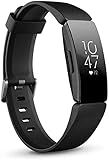
- Utilize 24x7 heart rate to accurately track calorie burn, resting heart rate & heart rate zones during workouts
- Track all day activity, including steps, distance, hourly activity, active minutes and calories burned. The Fitbit inspire band is made of a flexible, durable elastomer material similar to that used in many sport watches, and fastens with a peg and loop
- Automatically track sleep plus due to the heart rate feature and get more insights into your light & deep sleep stages
- Enjoy up to 5 days of battery for daily progress without constant charging. Varies with use and other factors. Charge time (0 to 100 percent): 2 hours
- Automatically and conveniently record workouts like walks, swimming & bike rides in a snap with smart track. Stores heart rate data at 1 second intervals during exercise tracking and at 5 second intervals all other times
When the app no longer says “Fitbit”
Beginning May 19, 2026, the Fitbit app became the Google Health app for Fitbit users. Google requires a Google Account for its Google Health products and lists Android 11 or later and iOS 16.4 or later as current mobile requirements. Availability and labels can vary by region, phone, account, and later app releases. Install or update Google Health from the official app store, then verify whether your specific Alta can be set up.
See the transition explanation at Google Health Help and account and phone requirements at Google’s product documentation.
If the Alta appears connected but data is missing
- The latest activity may not have synchronized yet.
- The phone may show an operating-system Bluetooth connection that Google Health has not completed.
- The tracker may still be associated with another phone.
- Your phone operating system or app version may be incompatible.
- A very low battery can interrupt reliable operation.
- The Alta may be affected by legacy-support limits or a failing sensor.
Open Google Health and confirm that current activity appears before forgetting, removing, or replacing the tracker.
Can you factory-reset a Fitbit Alta?
Not through a normal on-device menu documented for general Alta use. Start with the official restart. If Fitbit Customer Support recommends a destructive recovery procedure, follow its model-specific instructions only after confirming that important data has synchronized. A factory reset removes unsynced activity and device-stored alarms, goals, and notifications, and the tracker must then be set up again. The official qualification is in Google’s restart and reset guidance.
Rank #3

- Google Fitbit Air is the unbelievably comfortable, exceptionally smart way to transform your health[1]; and Google Health brings together effortless tracking and adaptive coaching to help make the most of your everyday[2]
- Unlock more with Google Health Premium: With a premium membership, get personalized coaching that’s built with Gemini and adapts to your life[2]; get a 3-month trial at no cost to you[5] (Google Health Premium subscription sold separately)
- Comfortable fit - One Size Tracker (130-210 mm): The lightweight, micro-adjustable fit sits comfortably and quietly, so you can wear Google Fitbit Air through work, play, and sleep; advanced sensors and new algorithms power more accurate, precise health tracking, 24/7[1]
- Designed for every occasion: With no screen to distract you or disrupt your style, your tracker moves seamlessly from bracelet to workout band to sleep band, and you can change looks in seconds – just press the pebble in, click, and go
- Long battery life: Google Fitbit Air’s battery lasts up to a week, and fast charging gets you one day of battery life in just five minutes[6,7]
Legacy support matters in 2026
Google’s legacy-device policy says older Fitbit devices may eventually lose software updates, detailed support, or the ability to pair with the Fitbit app. Google lists guaranteed security updates for both Fitbit Alta and Alta HR through March 2021. That date is a minimum support date, not proof that every function stopped simultaneously; compatibility now depends on the tracker, phone, account, and Google Health release.
Google lists historical firmware versions of 21.40.2 for Alta and 26.63.2 for Alta HR. Treat those as published device information, not evidence that a new 2026 firmware update is available. Sources: legacy-device policy, security-support dates, and firmware information.
Independent reader supportYour contribution helps us test, update, and keep practical guides available for everyone.Battery, charging, and heart-rate edge cases
Aging battery
Google’s maximum estimates are up to five days for Alta and up to seven days for Alta HR, under stated test conditions. They are not expectations for an aging unit. Short runtime, sudden shutdowns, failure to hold a charge, or operation only while attached to the cable point toward battery degradation. See Google’s battery guidance.
Charging contacts and cable
Align the tracker carefully, clean contacts gently with a dry cloth, try another power source, and inspect the cable for looseness or damage. A replacement cable can help when the tracker is otherwise healthy, but it cannot fix a failed tracker, swollen battery, or platform incompatibility. The official store research does not establish a current official Google Store Alta cable listing, so verify exact Alta or Alta HR compatibility before buying a third-party cable.
Do these 3 things before closing this tab:
1Repair Windows errors before they cause bigger problems2Scan for outdated or missing drivers - takes under a minute3Clear out junk files and repair common Windows errorsRank #4

- Advanced Health Monitoring: Track your health with features like 24/7 heart rate monitoring, stress management tools, and a sleep score to help you achieve your wellness goals.
Alta HR heart-rate readings
In Google Health, open the device connection area, select Alta HR, open the heart-rate setting, and set tracking to Auto. Wear the band snugly above the wrist bone without discomfort. If readings remain absent, check band fit and skin contact; a sensor or battery fault is also possible. Google’s model-specific guidance is at Google Health Help.
When replacement makes more sense
Continue troubleshooting when the display or battery icon responds, the tracker vibrates, the restart produces the logo, or it synced recently. A replacement is more practical when a known-good cable and power source produce no response, the device repeatedly dies quickly, pairing fails despite a compatible phone and current app, or the tracker has physical damage or a swollen battery. Replacement is also sensible if you need current software support, dependable notifications, GPS, payments, or newer health features.
Current alternatives
| Device | Relevant advantages | Published price signal | Important cautions |
|---|---|---|---|
| Fitbit Inspire 3 | Slim tracker, up to 10 days’ stated battery life, color touchscreen, notifications | $99.95 list; some Google Store variants showed a temporary $79.95 promotion | Not a like-for-like tap-only Alta; requires current Google Health and a compatible phone |
| Fitbit Charge 6 | Up to seven days’ stated battery life, color display, GPS-related features, Google Maps, Google Wallet, notifications | $159.95 list; some variants showed a temporary $99.95 promotion | More expensive and complex; some features depend on phone, internet, account, and region |
Prices and promotions change. Inspire 3 specifications are listed at Google Store; Charge 6 specifications are at Google Store. Google Health Premium is not a repair tool and is not established as required for basic Alta troubleshooting.
Quick Recap
Product prices and availability are accurate as of the date/time indicated and are subject to change. Any price and availability information displayed on Amazon at the time of purchase will apply.
The Tool Desk
Outbyte Driver Updater FREEScan for outdated or missing drivers - takes under a minuteDriver Scan →Outbyte PC Repair FREERepair Windows errors before they cause bigger problemsFix Now →



