Do these 3 things before closing this tab:
1Repair Windows errors before they cause bigger problems2Scan for outdated or missing drivers - takes under a minute3Clear out junk files and repair common Windows errorsYou usually do not need to factory-reset an existing Pixel Watch when changing phones. If the watch runs Wear OS 4 or newer and the old phone is still available, use Google’s Transfer watch feature, then complete setup in the Google Pixel Watch app on the new phone. The old phone stays paired until the transfer succeeds.
Check compatibility before you start
Google’s no-reset transfer requires Wear OS 4 or newer. The new phone must also meet the Android minimum for your watch generation:
| Watch | Minimum Android version |
|---|---|
| Pixel Watch | Android 8.0 or newer |
| Pixel Watch 2 | Android 9.0 or newer |
| Pixel Watch 3 | Android 10.0 or newer |
| Pixel Watch 4 | Android 11.0 or newer |
These requirements come from Google’s compatibility guidance: Pixel Watch phone and operating-system compatibility. iPhones are not supported. Cellular features can also vary by country and carrier.
Prepare both phones and the watch
- Keep the old phone powered on and nearby. Do not erase, trade in, or factory-reset it yet.
- Charge the watch and keep both phones connected to Wi-Fi or mobile data.
- Turn on Bluetooth and Location. Allow the Pixel Watch app’s nearby-device and other requested permissions.
- Install or update the Google Pixel Watch app, and update the phones and watch where possible.
- Sign in to the same Google Account on the new phone.
- For Fast Pair, keep the watch and phone within 0.5 meters (1.6 feet), as Google recommends: Pixel Watch setup and reset guidance.
Google’s general setup requirements are listed at Set up Google Pixel Watch.
#1 Best Overall

- Compatible Models: Zeeflufun magnetic elastic braided replacement band features an upgraded connector for a gap-free fit. Specially designed for: Google Pixel Watch 5 41mm (2026), Pixel Watch 4 41mm (2025), Pixel Watch 3 41mm (2024), Pixel Watch 2 (2023), and Pixel Watch 1 (2022). Note: This Pixel Watch band does NOT fit 45mm models, including Pixel Watch 5 45mm, Pixel Watch 4 45mm and Pixel Watch 3 45mm.
- High-Quality Material: Made of premium elastic nylon, this Pixel Watch 41mm band offers a skin-friendly, breathable, and easy-to-clean surface for a comfortable wearing experience.
- Easy Adjustment: This Pixel Watch 5 band features a magnetic buckle for quick and secure fastening, allowing easy adjustment. Fits wrist sizes from 5.9 to 9.5 inches (150mm–240mm), suitable for most women and men.
- Stylish Design: Available in multiple colors, this Google Pixel 4 watch band features a sleek and fashionable design suitable for any occasion, from casual outings to professional settings. Whether you're dressing up for work or enjoying a leisurely stroll, this Pixel Watch band combines practicality with style, making it a versatile accessory for everyday wear.
- Friendly Service: If you have any questions about our product, please feel free to contact us anytime. We will respond to you promptly.
Move the existing Pixel Watch to the new phone
Start the transfer on the watch
- On the watch, swipe down.
- Tap Settings.
- Tap System.
- Tap Transfer watch.
- On the old phone, open the Google Pixel Watch app.
- Tap System, then Transfer watch.
- Tap Start Transfer, and tap Done when prompted.
Finish on the new phone
- Open the Google Pixel Watch app on the new phone.
- Choose the option to add or set up the existing watch.
- Follow the prompts and verify that the pairing code on the watch matches the code on the phone.
- Sign in to the same Google Account if asked.
- Tap Done to complete the transfer.
You can start from the old phone instead if that is more convenient: open the Pixel Watch app, tap System → Transfer watch → Start Transfer, then continue in the app on the new phone. Menu wording can vary slightly by watch model, app version, or language. Google’s complete procedure is at Transfer your Google Pixel Watch to a new phone.
What should transfer, and what should you check?
The transfer is designed to preserve the existing watch without a wipe, but “without losing data” does not guarantee that every account session, authentication token, permission, or carrier profile will be identical. Watch faces can also take time to resync.
- Current watch face, complications, and tiles
- Apps and notification settings
- Alarms, timers, Do Not Disturb, and bedtime settings
- Fitbit sign-in, synchronization, and health permissions
- Google Wallet credentials and payment readiness
- Google Assistant or Gemini settings, where available
- Emergency features and other safety settings
- LTE connectivity and the cellular plan
Open the new phone’s Pixel Watch app and confirm the watch is connected before you release the old phone. Sign in again or reauthorize individual services if they request it.
Rank #2

- Compatible Models: BandRain nylon stretchy replacement bands specially designed for Google Pixel Watch 5 41mm (2026) & Google Pixel Watch 4 41mm (2025) & Google Pixel Watch 3 41mm (2024) & Google Pixel Watch 2 (2023) & Google Pixel Watch (2022). Please confirm your watch model before purchasing. (Note: Not fit for Pixel Watch 3 45mm/4 45mm/5 45mm)
- Upgraded Stainless Steel Lugs: The durable woven bands for Google Pixel Watch 4 comes with the latest stainless steel lugs on both ends, which locks onto Pixel watch interface precisely and securely. It is stronger and more durable than traditional plastic lugs. Do not worry your Google watch falling off
- Comfortable & Breathable: BandRain sport solo loop straps for Pixel Watch 2 are made of premium skin-friendly nylon material, which can prevent skin from irritation rash. Soft, lightweight, breathable, stretchable, drying fast and easy to clean, super comfortable for working out & daily use
- Easy Installation & Adjustable: Don't need any tools and one button removal, you will be surprised by the easy of putting on and off. Classic stainless steel slider ring allow you to adjust extremely easily the size of the loop as you needs. Fit for women and men with 5.51"-8.27" (140 mm - 210 mm) wrists
- Multiple Colour: BandRain nylon band for Google Watch 2 with various popular colors for your choices, personalize your smartwatch to fit your outfit in daily life and highlight your unique taste. Perfect for a great choice for Birthday, Valentines' day, Mother's Day, Father's day, Christmas, Thanksgiving Day, etc.
LTE, eSIM, and phone-number changes
During transfer, Google checks whether the new phone has the same phone number. If it does, the watch can continue to be twinned with that number. If the number changed, the setup flow prompts you to establish twinning with the new number. Carrier support and regional availability still apply; Bluetooth pairing alone does not prove that cellular service is ready.
After setup, open the Pixel Watch app and inspect Connectivity. Confirm that the cellular plan is active, the number and carrier are correct, and—where appropriate—test a call or mobile data away from the phone. If the eSIM is missing or inactive, follow your carrier’s or Google’s reactivation steps rather than repeatedly resetting the watch. See Google’s carrier guidance at Pixel Watch cellular connectivity.
If you are replacing the watch as well
Phone transfer and watch replacement are different jobs. If the watch itself will be replaced, enable a backup before setting up the replacement:
Rank #3

- Rugged design: Unibody case with unique carbon fiber accents absorbs shock, keeping your watch safe from bumps and scratches
- Charger stand included: Includes a charger stand for easy charging without taking off the case
- Protection around the clock: Raised edges around the bezel protect the display
- Easy to install and adjust: Easily attaches to your watch, and the adjustable band fits most wrists.
- Only compatible with Pixel Watch 5, 4 45mm (2026/2025). Not compatible with Pixel Watch 3 45mm. Fits 5.5 inch to 8.4 inch (140mm - 215mm) wrists.
- Connect the watch to Wi-Fi.
- Place it on its charger.
- Open the Google Pixel Watch app.
- Tap Google → Backup → Turn on.
Google says a backup can take up to a few days. The app shows the most recent backup time after completion. Restore that backup during setup of the replacement watch. For a phone-only move, the dedicated Transfer watch flow is the normal route.
When the old phone is unavailable
The smooth no-reset path assumes the old phone and watch are both available. If the old phone was lost, broken, or already erased, install the Pixel Watch app on the new phone and try normal setup. If the watch says it was previously paired or cannot be discovered, Google’s reset-and-reconnect procedure may be required.
Free tools Windows power users keep installed
One-click scans. No signup required.
After a reset, Google may require the watch’s most recent PIN or the previous Google Account login. This anti-theft verification cannot be bypassed. Restore a backup if the setup flow offers one.
Rank #4

- Everyday scratch defense with flexible and shock-absorbent layer
- Matte finish with carbon fiber accents add a modern look
- Raised bezels for bolstered screen protection
- Adjustable wristband with secure metal clasp
- Only compatible with the Pixel Watch 3 41mm (2024) / Pixel Watch 2 (2023) / Pixel Watch (2022). Not compatible with Pixel Watch 3 45mm. Fits 5.5 inch to 8.5 inch (140mm - 215mm) wrists.
Fix “Can’t connect” without wiping first
1. Recheck the basics
- Charge the watch and enable Bluetooth and Location.
- Give the Pixel Watch app nearby-device permissions.
- Confirm Wi-Fi or mobile data on the new phone.
- Update the watch, both phones, and the Pixel Watch app.
- Keep the devices close together.
Google’s troubleshooting and reset instructions are at Fix Pixel Watch connection and reset problems.
2. Restart the watch
- Press and hold the crown for about three seconds.
- Scroll to Restart.
- Wait for the watch to boot fully, then retry the transfer in the Pixel Watch app.
3. Use the Pixel Watch app, not generic Bluetooth pairing
Do not begin by pairing the watch from Android’s ordinary Bluetooth settings. Use the Pixel Watch app’s add-watch or transfer flow. Manually pairing first can leave duplicate or incomplete connections. A phone restored from a backup or a previously paired phone can also contribute to a “Can’t connect” error.
4. Factory-reset only as a last resort
A reset erases apps, settings, and data stored on the watch. Use it only after compatibility, permissions, updates, restart, and the official transfer flow have failed.
Quick wins for a faster PC:
Repair Windows errors before they cause bigger problemsFix Now →Fix the driver behind crashes, sound loss and screen glitchesFind Drivers →Best Value
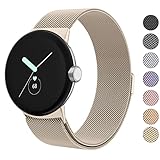
- ✅【Compatible Models】Amzpas Stainless Steel replacement Bands Specially Designed for Google Pixel Watch 2022 & Google Pixel Watch 2 2023 & Google Pixel Watch 3 (41mm) 2024.
- ✅【Comfortable Material】This Google Pixel Watch / Pixel Watch 2 / Pixel Watch 3 41mm band is made of fashionable & durable woven mesh stainless steel. Mesh Design makes this band more breathable and lightweight. It bring you a elegant and comfortable wearing experience, personalize your Pixel Watch / Pixel Watch 2 / Pixel Watch 3 41mm. Very soft and comfortable to wear.
- ✅【Unique Magnet Clasp Design】The Size for 5.9" -8.6" (150mm-220mm) wrist. The clasp are made of stylish, elegant magnetic metal loop. No buckle needed,easy to stick and lock your bands. Band size can be freely adjusted according to the circumstance of individual wrist. Strong Magnetic buckle keeps band secure.
- ✅【Easy Installation】This Google Pixel Watch / Pixel Watch 2 / Pixel Watch 3 41mm replacement band is easy to install or remove, be installed in the Pixel Watch only for a few seconds without any tools. The connectors of the stainless steel band at both ends lock into the watch interface precisely and securely, which is safe and firm, will not fall apart.
- ✅【Enjoy A 100% RISK-FREE SHOPPING EXPERIENCE】If you are not absolutely thrilled with our premium Google Pixel Watch / Pixel Watch 2 metal bands, just contact us and we will issue a fast replacement!
- On the watch: Settings → Disconnect & reset → Ok.
- In the app: System → Reset and unpair watch.
Restore a backup during setup if one exists. For a frozen watch that cannot reset normally, Google documents a Fastboot recovery procedure on the same reset and troubleshooting page; it also wipes the device.
Final checklist before erasing the old phone
- The new phone’s Pixel Watch app shows the watch as connected.
- The watch receives notifications from the new phone.
- Your watch face, complications, and tiles are present or still syncing.
- Fitbit synchronizes and health permissions are enabled.
- Wallet works if you use it.
- LTE works away from the phone, if applicable.
- Alarms, safety features, and other important settings are configured.
Only after these checks should you wipe, sell, or trade in the old phone.
Quick Recap
Product prices and availability are accurate as of the date/time indicated and are subject to change. Any price and availability information displayed on Amazon at the time of purchase will apply.




