Quick wins for a faster PC:
Repair Windows errors before they cause bigger problemsFix Now →Scan for outdated or missing drivers - takes under a minuteDriver Scan →The best Apple Watch sports app depends on whether you play sports or follow them. For social activity tracking, choose Strava; for free guided running, Nike Run Club; for maps and detailed outdoor data, WorkOutDoors; for a race plan, Runna; and for golf GPS and scoring, Golfshot. If you only need basic workout tracking, Apple’s built-in Workout app may be enough. Fans looking for scores should note that Apple Sports is primarily an iPhone app, not a confirmed full-featured Apple Watch scoreboard.
Quick picks: which Apple Watch sports app fits you?
| App | Best for | What the watch adds | Cost model | Main trade-off |
|---|---|---|---|---|
| Apple Workout | Basic activity recording | First-party workout tracking and Apple Health history | Included with Apple Watch | Does not provide the same social network, specialist maps, or coaching as dedicated apps |
| Strava | Social athletes and multi-sport activity history | Watch workout recording and access to Strava’s broader activity community | Free download with optional subscription | Some analysis, route, and competitive features require a subscription |
| Nike Run Club | Guided running and beginner training | Running metrics and a watch-based running experience | Free option; confirm current regional availability | Focused on running rather than many sports |
| WorkOutDoors | Outdoor athletes who want maps and customization | Configurable screens, vector maps, route navigation, and alerts | U.S. App Store listing showed $8.99 plus in-app purchases when checked | Many settings and data fields take time to learn |
| Runna | Personalized race training | Scheduled workouts synced to Apple Watch | Subscription; price varies by region and promotion | Primarily for runners and not a general sports tracker |
| Golfshot | Golf GPS, scoring, and shot analysis | Course distances, scorekeeping, and supported automatic shot tracking | Free tier with subscription-gated features | GPS can affect battery, and automatic shot detection may need correction |
| AllTrails | Finding hiking and trail-running routes | Use as a trail-discovery companion; verify current watch and offline functions | Current plan and price should be checked in your region | Route discovery is not the same as highly configurable on-watch navigation |
| Apple Sports | Following scores, schedules, and game details | Do not assume a complete native watch experience; the core app is for iPhone | Free iPhone app | Wrist alerts and watch features depend on current app support |
“Works with Apple Watch” can mean anything from a full workout recorder to iPhone notifications appearing on the wrist. Check whether an app can start and control an activity, display the information you need, and operate without the phone before relying on it outdoors.

Start with Apple’s Workout app if you want the basics
Apple’s Workout app is a sensible starting point if your goal is to record a run, walk, ride, hike, swim, or strength session and review it in Fitness and Apple Health. It covers common workout tracking needs without requiring another account or subscription. watchOS 26 redesigned the Workout experience and added activity-related features, so older descriptions of Apple’s built-in option may not reflect the current interface. Apple’s watchOS 26 overview describes those changes.
A third-party app earns its place when it adds something specific: a social feed, route discovery, configurable map screens, spoken coaching, a personalized plan, or golf course data. You can also use more than one app, but decide which one records each workout to reduce duplicate entries in Health.
What’s actually slowing this PC down?
Pick the symptom - the matching free tool is one click away.
#1 Best Overall

- Bluetooth 5.3 Call and Message Notification: Cillso smart watch features an advanced single-chip processor and sensitive microphone, enabling direct call making and answering. When you enable the "VeryFit" App to receive messages, notifications will be displayed on the smartwatch. Get all your messages and notifications (Facebook, Twitter, WhatsApp, Instagram, Messenger, Linkedin,Skype etc.) sent straight to your smartwatch with intuitive customizable vibrations
- Built-in Alexa Voice Control: This smartwatch integrates Amazon Alexa's intelligent voice assistant, delivering a comprehensive hands-free experience directly from your wrist. Simply speak commands to instantly access news, weather, and calendar updates, set reminders, control smart home devices, and manage music playback. This full suite of voice-activated functionalities streamlines daily routines, enhances multitasking efficiency, and keeps your hands free for the moments that matter most.
- 1.83" HD Display and Personalized Customization: IDW26 smart watches for women men feature a 1.83-inch HDdisplay paired with 3D tempered glass, boasting a resolution of up to 320×385 for excellent image quality and high touch sensitivity. The 4-level adjustable brightness ensures clear visibility even under bright sunlight. Through the "VeryFit" app, users gain access to over 130 stylish watch faces and the ability to create custom designs, allowing for personalized expression
- 120+ Sport Modes and IP68 Waterproof: Fitness tracker supports 120+ professional sport modes, covering diverse indoor/outdoor activities like running, cycling, and soccer to suit all fitness levels. Equipped with high-precision sensors, fitness watch accurately tracks steps, distance, calories burned, and workout duration to help analyze performance and optimize training plans. With an IP68 rating, it's resistant to sweat, rain, and handwashing (Not for swimming or hot showers)
- All-Day Health Monitoring: Android smart watch is equipped with a high-precision optical sensor that supports 24h real-time heart rate monitoring, helping you stay informed about your physical condition. It also intelligently analyzes sleep quality, accurately identifying deep sleep, light sleep, and awake phases to help improve your sleep habits. Paired with its dedicated app, you can view long-term health trends and receive personalized insights to gradually develop a healthier lifestyle
Best Apple Watch apps for people who play sports
Strava: best for social athletes
Strava is the strongest all-round choice if activity sharing, clubs, challenges, route discovery, and a lasting cross-device activity history matter as much as the workout itself. Its Apple Watch listing describes recording running, cycling, hiking, yoga, strength training, and more than 50 activity types, alongside device synchronization and social features. The app is a free download with subscription options; the free tier does not include every analysis, route, training, or competition feature. See the Apple Watch listing and Strava’s Apple Watch support page for current watch details.
Strava is a better fit than Apple Workout when friends, clubs, or training partners use Strava and you want a community around your activities. It is less compelling if all you need is a timer and workout record. Recording GPS activities uses location and can reduce battery life; the App Store listing warns about this. Strava also documents that Low Power Mode can affect its operation. Its support instructions give this iPhone path to the setting: Watch app on iPhone → Apps → Workout → Low Power Mode → off.
U.S. App Store subscription signals checked for this article showed $11.99 monthly and $79.99 annually, as well as a $149.99 Strava-and-Runna bundle. These are U.S. listing figures, not universal prices; check the listing for the plan, billing period, and current price before subscribing. If maps and highly configurable data matter more than community, consider WorkOutDoors instead.
Nike Run Club: best free guided running option
Nike Run Club suits runners who want spoken guidance and motivation rather than a broad multi-sport social network. Nike positions it as a running partner for Apple Watch and highlights watch-based running metrics on its Apple Watch page. Its guided runs and running-focused coaching make it a particularly approachable place to start, subject to feature availability in your region.
Rank #2

- 【50-Day Ultra-Long Battery Life】 Powered by a high-capacity 1000mAh battery and an efficient low-power chip, the watches for men deliver exceptional endurance. With magnetic fast charging, a full charge takes only 2 hours and provides up to 18 days of daily use or an incredible 50 days of standby time. Whether you're on a business trip or a wilderness hike, you can leave the charger behind and focus on your journey.
- 【Rugged Design Built for Adventure】 Crafted for the man who loves the outdoors and demands durability. The Soudorv S50 rugged smart watch features a robust build that has successfully passed 12 military-grade tests, standing up to dust, mud, and extreme environments. It's more than just a watch—it's gear on your wrist. Equipped with a built-in bright LED flashlight with a lighting distance of up to 5 meters, it's your most reliable companion for night runs, camping trips, or navigating dark parking lots and power outages.
- 【2026 New Bluetooth 5.3 Calls & Smart Notifications】 Built with an advanced microphone and HD speaker, the mens watches utilize the latest Bluetooth 5.3 technology for stable, crystal-clear call quality with zero lag. Make, answer, or reject calls directly from your wrist and sync your contacts. It also supports real-time message notifications from Facebook, WhatsApp, Instagram, Twitter, and more (Message reply not supported), ensuring you never miss important updates while working out or focusing on your day.
- 【All-Day Wellness Tracking】 Stay connected to your body's natural rhythms. The Soudorv S50 tracks your heart rate trends, daily stress levels, and sleep patterns (including deep sleep, light sleep, and awake time) right from your wrist. It also includes a menstrual cycle logging feature for daily wellness recording. Use the data to better understand your habits and make informed choices for a healthier lifestyle. This device is intended for general wellness and fitness purposes only.
- 【110+ Sports Modes & IP68 Waterproof】 From running, cycling, and hiking to yoga, skipping rope, and skiing—the fitness watch supports 110+ exercise modes to meet all your indoor and outdoor needs. It accurately tracks your steps, distance, and calories burned in real-time, helping you train smarter and achieve optimal results. With IP68 waterproof rating, it's protected against rain and hand washing, perfect for daily use.
Choose it for running sessions, not as a general solution for cycling, golf, hiking navigation, or multisport history. Nike’s page supports the running-and-watch positioning, but it does not establish every current plan, watch control, or minimum operating-system requirement; check the current App Store listing before installing. If you want a race plan adapted around your schedule, compare Runna. If you want social activity history across sports, compare Strava.
WorkOutDoors: best for outdoor maps and detailed data
WorkOutDoors is for runners, hikers, cyclists, and other outdoor athletes who want to shape the information shown on the watch. Its App Store listing describes vector maps, more than 800 available data fields, configurable workout screens, route-file support for GPX, FIT, and TCX, turn-by-turn navigation, intervals, zones, auto-pause, and alerts for route, off-route status, heart rate, pace, distance, ascent, and descent. It lists Apple Watch Series 4 or later and says workouts can be used without carrying the iPhone. Consult the WorkOutDoors listing for current compatibility and feature details.
This is the pick for someone who already has routes or wants more control over maps and workout screens than a simple recorder provides. It supports a wide range of activities, including running, cycling, hiking, paddle sports, surfing, cross-country skiing, golf, and skating, according to its listing. The same depth can be a drawback: configuring screens and routes is more involved than pressing Start in Apple Workout. The U.S. listing showed $8.99 plus in-app purchases when checked; confirm the current purchase model in the App Store.
Do not treat “works without iPhone” as a guarantee that every map, route, or live feature works offline in every situation. Prepare routes as needed and check what is stored on the watch. GPS, map use, display settings, cellular connectivity, and workout length all affect battery use; there is no responsible universal runtime figure without a specific watch and settings.
Runna: best for a structured race plan
Runna is a training-plan service for runners with a goal such as a particular race distance. It says a user can select a target, adapt a plan around preferences and schedule, and sync workouts to Apple Watch. Completed workouts are stored in Runna and Apple Health, and can flow to Strava when the accounts are connected. Details are on Runna’s Apple Watch integration page.
The case for Runna is a plan to follow, not merely another way to record a run. It is subscription-based, primarily for running, and less useful if you already have a coach-written schedule. Runna’s pricing page confirms its paid-plan model, but price varies by region and promotion. Runna and Strava offer a combined subscription; consult the Strava and Runna subscription FAQs and Runna’s subscription guide for current account-linking and bundle terms.
AllTrails: best for discovering trails
AllTrails is a natural choice when the hard part is finding a hiking or trail-running route. Apple currently includes it in an editorial grouping of Apple Watch running and outdoor apps, but that alone does not confirm the details of its watch navigation or offline maps. Use the Apple editorial grouping as a discovery point, then check AllTrails’ current listing for watchOS compatibility, offline-map requirements, and the subscription tier needed for each feature.
Distinguish browsing trails on iPhone from following a route on the watch without a connection. If you want imported GPX routes, extensive live metrics, and configurable navigation screens, WorkOutDoors may be a closer match. AllTrails is not a substitute for confirming that a route is accessible, safe, and suitable for your conditions.
Do these 3 things before closing this tab:
1Repair Windows errors before they cause bigger problems2Fix the driver behind crashes, sound loss and screen glitches3Clear out junk files and repair common Windows errorsRank #4

- Designed with a bright, colorful AMOLED display, get a more complete picture of your health, thanks to battery life of up to 11 days in smartwatch mode
- Body Battery energy monitoring helps you understand when you’re charged up or need to rest, with even more personalized insights based on sleep, naps, stress levels, workouts and more (data presented is intended to be a close estimation of metrics tracked)
- Get a sleep score and personalized sleep coaching for how much sleep you need — and get tips on how to improve plus key metrics such as HRV status to better understand your health (data presented is intended to be a close estimation of metrics tracked)
- Find new ways to keep your body moving with more than 30 built-in indoor and GPS sports apps, including walking, running, cycling, HIIT, swimming, golf and more
- Wheelchair mode tracks pushes — rather than steps — and includes push and handcycle activities with preloaded workouts for strength, cardio, HIIT, Pilates and yoga, challenges specific to wheelchair users and more (data presented is intended to be a close estimation of metrics tracked)
Golfshot: best for golf on the wrist
Golfshot is the most sport-specific recommendation here. Its App Store description lists GPS distances to greens, hazards, layups, and targets; Apple Watch scoring and hole auto-advance; voice hole information; and automatic shot tracking using Apple Watch machine learning. It also advertises Strokes Gained analysis, Swing ID, Smart Caddy club recommendations, 3D previews, round reviews, and handicap-related features. The developer says it supports more than 47,000 courses in 169 countries; treat that as Golfshot’s coverage claim, not an independent course audit. Its listing specifies watchOS 8.0 or later and is the best place to check current compatibility and feature availability: Golfshot on the App Store.
The app has a free tier, but many of the most useful features are subscription-gated. The U.S. listing showed several in-app purchase amounts, including $79.99, $59.99, $49.99, $14.99, $6.99, and $4.99; they correspond to different products or billing options, not one universal price. Review the exact plan name and duration before paying. GPS use can materially reduce battery life, a point Golfshot’s listing explicitly flags. Automatic shot detection can miss or misclassify events, so review and correct the round afterward. Course data, handicap integrations, and tournament rules may also differ by course and region.
Independent reader supportYour contribution helps us test, update, and keep practical guides available for everyone.Best apps for following professional sports
Apple Sports: useful scores on iPhone, not a watch-first pick
Apple Sports is a free iPhone app for real-time scores, stats, schedules, play-by-play, lineup details, and links to viewing services. Apple added golf in February 2026 and said the app was then available in more than 40 countries and regions. Those details come from Apple’s announcement and may change as availability and coverage expand.
Apple describes Sports as an iPhone app; do not choose it assuming it provides a full native Apple Watch scoreboard. If you want game information on your wrist, verify whether the current app offers the notifications or Live Activities you need. Otherwise, consider ESPN, a league or team app, or a sport-specific scores service, and check watch notifications by sport and country before relying on them.
The Tool Desk
Outbyte PC Repair FREERepair Windows errors before they cause bigger problemsFix Now →Outbyte Driver Updater FREEScan for outdated or missing drivers - takes under a minuteDriver Scan →Best Value
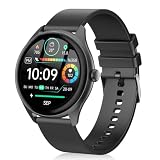
- Whether you're pursuing an active lifestyle or simply valuing elegance and connectivity, the DIVOAZBVO TG02 Smartwatch is the perfect choice.
Choose by your main use, not by the app-store rating
- Want basic activity records? Start with Apple Workout; add another app only for a feature you will use.
- Want a social feed, clubs, or shared activity history? Choose Strava.
- Want free guided running? Try Nike Run Club.
- Want detailed outdoor data and maps? Choose WorkOutDoors if you are willing to configure it.
- Want a personalized race plan? Compare Runna’s plan and subscription with your existing coaching.
- Want golf distances and scoring? Try Golfshot, but check which features require payment and correct automatic shot records.
- Want trail ideas? Use AllTrails for discovery, then verify that its current watch and offline functions meet your navigation needs.
- Want scores? Apple Sports is an iPhone-first option; check the watch support of the relevant league or scores app.
Before committing, check four things in the current listing or support page: watchOS requirement, what you can do from the watch itself, whether the feature works without the iPhone or a network, and whether the app writes workouts to Apple Health. App Store ratings describe the overall app experience and cannot establish watch responsiveness, GPS reliability, offline performance, or battery life.
Set up the watch app and avoid common problems
Install the watch component and grant permissions
- Install the iPhone app and confirm that your Apple Watch meets its stated watchOS requirement.
- Open the iPhone’s Watch app and look under Available Apps if the watch component has not appeared. Open the iPhone app before expecting account linking or watch settings to be available.
- Allow the location and Motion & Fitness permissions needed for the activity you plan to record. App labels and permission prompts can vary by version.
- For routes or maps, prepare them in the app as required and confirm what is available on the watch before leaving a connection behind.
Improve the chance of a reliable GPS recording
- Start outdoors with a clear view of the sky and wait for a location lock if the app shows one.
- Check Location Services and Motion & Fitness access if distance or route data is missing.
- Check whether a power-saving setting is limiting workout behavior. Strava documents its watch Low Power Mode guidance and the settings path above.
- Do not assume two apps will record identical tracks; their recording behavior and settings may differ.
- For a long activity, plan charging around your watch, display, GPS, map, cellular, and audio use rather than relying on a generic battery-life estimate.
Prevent duplicate workouts in Apple Health
If Apple Workout and a third-party app both record the same session, Health may show duplicate workouts or confusing totals. Pick one recorder for each activity. In the Health app, review Data Sources & Access for workouts, then adjust source priority or write access if duplicates persist. Recording simultaneously in several apps is best avoided unless you understand how each handles Health data.
Check offline expectations before leaving the phone behind
Test separately whether workout recording, maps, audio instructions, and score information work offline. A route may need to be prepared or downloaded in advance; a breadcrumb line is not the same as turn-by-turn navigation, and live rerouting may need a connection. Cellular service can add live functions, but does not replace checking which data the app stores on the watch.
Use a small app combination
Most people do not need several apps recording every session. Choose one primary recorder, then add a specialist only when it fills a real gap: Apple Workout with Strava for straightforward recording plus social history; WorkOutDoors with Strava for configurable outdoor navigation plus community; Runna with Strava for plan-led running and sharing; or Golfshot for a golf-centered workflow. In each pairing, avoid recording the same activity twice unless you have intentionally configured how the data is saved.
Quick wins for a faster PC:
Repair Windows errors before they cause bigger problemsFix Now →Fix the driver behind crashes, sound loss and screen glitchesFind Drivers →Clear out junk files and repair common Windows errorsFree Scan →



