Quick wins for a faster PC:
Repair Windows errors before they cause bigger problemsFix Now →Scan for outdated or missing drivers - takes under a minuteDriver Scan →Yes—some Pixel Watch owners reported serious step-count problems after the March 2026 update. The reports described two different symptoms: implausibly high steps and calories, and workouts that recorded little or no step activity. Google said on March 24 that it had fixed the confirmed overcounting issue for new activity, but the fix did not correct inaccurate historical records. That does not mean every Pixel Watch is still affected, or that every step-count mismatch has the same cause.
What happened after the March update?
Reports began after the March 2026 Pixel Watch update. Coverage specifically named Pixel Watch 2 and Pixel Watch 3; Google described the confirmed issue more generally as affecting some Pixel Watch users. The available evidence does not show that the watch’s motion sensor physically failed or establish one technical cause for every symptom.
“The update” can refer to more than the watch’s Wear OS software. Step data also passes through activity detection, Fitbit services and apps, phone synchronization, and sometimes Health Connect or other fitness apps. Those layers can produce different symptoms or temporarily show different totals.
Overcounting: implausible increases
Some users reported step totals rising during typing, desk work, driving, or other small movements, as well as unexpectedly high calories or distance. Some also said totals changed after synchronization. Google specifically confirmed an issue involving overcounted steps and calories; it did not publish a detailed root-cause explanation. 9to5Google’s March 24 report quoted Google’s Fitbit status update.
#1 Best Overall

- Compatible Models: BandRain nylon stretchy replacement bands specially designed for Google Pixel Watch 5 41mm (2026) & Google Pixel Watch 4 41mm (2025) & Google Pixel Watch 3 41mm (2024) & Google Pixel Watch 2 (2023) & Google Pixel Watch (2022). Please confirm your watch model before purchasing. (Note: Not fit for Pixel Watch 3 45mm/4 45mm/5 45mm)
- Upgraded Stainless Steel Lugs: The durable woven bands for Google Pixel Watch 4 comes with the latest stainless steel lugs on both ends, which locks onto Pixel watch interface precisely and securely. It is stronger and more durable than traditional plastic lugs. Do not worry your Google watch falling off
- Comfortable & Breathable: BandRain sport solo loop straps for Pixel Watch 2 are made of premium skin-friendly nylon material, which can prevent skin from irritation rash. Soft, lightweight, breathable, stretchable, drying fast and easy to clean, super comfortable for working out & daily use
- Easy Installation & Adjustable: Don't need any tools and one button removal, you will be surprised by the easy of putting on and off. Classic stainless steel slider ring allow you to adjust extremely easily the size of the loop as you needs. Fit for women and men with 5.51"-8.27" (140 mm - 210 mm) wrists
- Multiple Colour: BandRain nylon band for Google Watch 2 with various popular colors for your choices, personalize your smartwatch to fit your outfit in daily life and highlight your unique taste. Perfect for a great choice for Birthday, Valentines' day, Mother's Day, Father's day, Christmas, Thanksgiving Day, etc.
Undercounting: workouts missing steps
A separate set of reports described elliptical, aerobic, dance, and similar workouts recording heart rate or duration but adding few or no steps. Walking could still count normally for some users, suggesting an activity-specific symptom rather than a universal failure of step tracking. Android Authority reported on March 18 that Google was aware of the workout issue and working on a fix. Its report covers the workout-counting complaints. The public evidence does not prove that this and the overcounting incident had the same cause.
What Google fixed—and what it did not
On March 24, 2026, Google said the overcounted-steps-and-calories issue had been fixed on the Fitbit side and advised affected users to restart their Pixel Watch. Google also said the change applied to new activity: previously recorded inaccurate data would not be corrected by the fix. The status statement, as reported by 9to5Google, is limited to that confirmed overcounting issue.
That is not the same as a declaration that every Pixel Watch step problem was solved. The March workout undercount reports were distinct, and later reports alone do not establish that the original overcounting incident remains open. As of August 18, 2026, the careful conclusion is that Google announced a fix for the identified overcounting problem, while device-specific, workout-specific, or synchronization problems may need separate diagnosis.
Rank #2
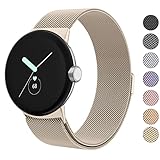
- ✅【Compatible Models】Amzpas Stainless Steel replacement Bands Specially Designed for Google Pixel Watch 2022 & Google Pixel Watch 2 2023 & Google Pixel Watch 3 (41mm) 2024.
- ✅【Comfortable Material】This Google Pixel Watch / Pixel Watch 2 / Pixel Watch 3 41mm band is made of fashionable & durable woven mesh stainless steel. Mesh Design makes this band more breathable and lightweight. It bring you a elegant and comfortable wearing experience, personalize your Pixel Watch / Pixel Watch 2 / Pixel Watch 3 41mm. Very soft and comfortable to wear.
- ✅【Unique Magnet Clasp Design】The Size for 5.9" -8.6" (150mm-220mm) wrist. The clasp are made of stylish, elegant magnetic metal loop. No buckle needed,easy to stick and lock your bands. Band size can be freely adjusted according to the circumstance of individual wrist. Strong Magnetic buckle keeps band secure.
- ✅【Easy Installation】This Google Pixel Watch / Pixel Watch 2 / Pixel Watch 3 41mm replacement band is easy to install or remove, be installed in the Pixel Watch only for a few seconds without any tools. The connectors of the stainless steel band at both ends lock into the watch interface precisely and securely, which is safe and firm, will not fall apart.
- ✅【Enjoy A 100% RISK-FREE SHOPPING EXPERIENCE】If you are not absolutely thrilled with our premium Google Pixel Watch / Pixel Watch 2 metal bands, just contact us and we will issue a fast replacement!
How to tell whether your watch is still miscounting
A sudden, dramatic change starting immediately after the March update is more suspicious than a small, steady difference between devices. Compare the watch and phone app separately: daily background steps, a manually started workout, and any exported total may not update at the same time.
- More consistent with a reported bug: totals jump after sync, small arm movements produce implausible increases, or one workout type stops adding steps while ordinary walking still counts.
- More consistent with ordinary estimation limits: the discrepancy is modest and repeatable, you were pushing a cart or stroller, carrying something, holding a treadmill rail, or wearing the watch loosely.
- Check timing: if the problem began months after March, do not assume the March incident explains it. Google also warns that installing an update around midnight can temporarily affect step totals. Google’s troubleshooting guidance describes that separate timing-related anomaly.
- Check data sources: two trackers, a phone, Google Fit, Health Connect, or another fitness app may contribute overlapping step records. Community posts raise duplicate-source concerns, but do not establish that this caused the March incident for most users.
Run a simple comparison test
- Note the watch’s current step total and the total shown in the phone app.
- Walk a route while counting 100–200 steps manually, or use a repeatable route you know well.
- Check the watch display, then sync and check the phone app again.
- If the issue concerns a workout, repeat with the relevant workout mode and compare it with ordinary walking.
This is a practical diagnostic, not a scientific accuracy test. Record the watch model, software build, phone and Android version, app versions, activity type, and totals before and after sync; those details help support staff distinguish a tracking issue from a display or data-source mismatch.
Troubleshoot in the least disruptive order
1. Sync, then restart
Sync the watch with its paired phone before judging a final total. Google recommends regular syncing for Fitbit devices and Pixel Watches; its help page advises syncing at least once every 24 hours for certain data-related behavior and troubleshooting. See Google’s syncing guidance.
Rank #3

- Everyday scratch defense with flexible and shock-absorbent layer
- Matte finish with carbon fiber accents add a modern look
- Raised bezels for bolstered screen protection
- Adjustable wristband with secure metal clasp
- Only compatible with the Pixel Watch 3 41mm (2024) / Pixel Watch 2 (2023) / Pixel Watch (2022). Not compatible with Pixel Watch 3 45mm. Fits 5.5 inch to 8.5 inch (140mm - 215mm) wrists.
Then restart the watch. The ordinary control is to press and hold the crown or side button until the power menu appears, then select Restart; button behavior and labels can vary by model and software version. Restarting was Google’s reported recommendation after the March overcounting fix. It may refresh a display or service connection, but it does not rewrite inaccurate history.
2. Install available updates
Check for offered system updates on the watch, updates for Fitbit or Google Health on the phone, and watch app updates in the Play Store. Install only updates presented for your device; no particular version is established here as a universal fix.
Recommended Free Tools
3. Check for overlapping step sources
If you use another tracker or a phone-based fitness app, temporarily review which apps are allowed to write or share step data through Health Connect and related services. Avoid importing and exporting the same activity through multiple sources while diagnosing. This is a separate check for duplicate or conflicting totals, not a confirmed explanation for Google’s March incident.
Rank #4

- Rugged design: Unibody case with unique carbon fiber accents absorbs shock, keeping your watch safe from bumps and scratches
- Charger stand included: Includes a charger stand for easy charging without taking off the case
- Protection around the clock: Raised edges around the bezel protect the display
- Easy to install and adjust: Easily attaches to your watch, and the adjustable band fits most wrists.
- Only compatible with Pixel Watch 5, 4 45mm (2026/2025). Not compatible with Pixel Watch 3 45mm. Fits 5.5 inch to 8.4 inch (140mm - 215mm) wrists.
4. Clear cache only if the app or sync appears stuck
A Google Pixel Watch community thread suggests clearing the Fitbit app cache on both phone and watch and restarting both; users in that discussion also reported that this did not always help. Treat it as a low-risk attempt for stale local app data, not a confirmed fix. It will not necessarily repair activity already recorded incorrectly on Fitbit’s servers. The community thread includes both the suggestion and mixed results.
5. Contact support before considering a reset
If the problem persists after syncing, restarting, updating, and checking data sources, contact Google Pixel Watch or Google Health support. Include the diagnostic details and screenshots of the watch and phone totals. A factory reset is disruptive, requires setting up the watch again, and may not resolve a server-side or account-level problem; community accounts describe resets that failed or appeared to help only until syncing. Google’s troubleshooting material treats destructive reset procedures as a last resort for persistent or serious device problems. Consult Google’s troubleshooting guidance before resetting.
Independent reader supportYour contribution helps us test, update, and keep practical guides available for everyone.What to do about inaccurate historical totals
Google’s March 24 statement said the fix applied to new activity, not records already captured incorrectly. Affected days can therefore distort weekly or monthly trends and may also make related calorie, distance, or goal summaries misleading. Mark those dates in your own notes and avoid treating them as a real change in activity. Do not assume that deleting an entry will reconstruct a correct daily total; the cited guidance does not establish a reliable way to rebuild the affected history.
Best Value
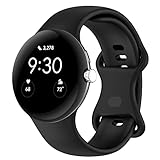
- Compatible Models: This replacement band is compatible with Google Pixel Watch 5 4 3 2 1 41mm [Note: Not suitable for 45mm.Watch NOT included]
- High-quality silicone material: This Google Pixel Watch band is made of high quality soft silicone material, soft and light, the strap is beautiful and ergonomic, light and simple, very comfortable to wear
- Easy to Intall and Uninstall: Simple and quick installation to get your Google Pixel watch safely in place. You can switch the wristband, which only takes a few seconds, adjust your wrist size directly without any tools, and the strap has multiple holes to adjust the size
- Multiple colors: Personalize your Google Pixel Watch Band to match your mood and daily wear style. It is very suitable for running, swimming, cycling, fitness, gathering, climbing, hiking and more outdoor activities
- Best Service: We provide a 24-month guarantee and 24/7 online customer service, prioritizing your satisfaction above all else. We believe our products are worthy of your trying
Why a working step counter can still be imperfect
Fitbit devices estimate steps from motion data and step-detection algorithms; they do not literally count each footfall. Google’s explanation is at its activity-data help page. Wrist movement can affect estimates, while holding a rail or pushing a cart can limit the motion the watch detects. Non-walking exercise may not translate cleanly into steps, and a step total is not a medical-grade measurement.
For a temporary cross-check, count a known route or compare one tracker with another without feeding both into the same account. For outdoor distance, phone GPS can provide a separate reference, but distance is not a step count. During workouts, duration, heart rate, and distance where relevant can offer useful context without relying on steps as the sole measure.
Quick Recap
Product prices and availability are accurate as of the date/time indicated and are subject to change. Any price and availability information displayed on Amazon at the time of purchase will apply.




