Quick wins for a faster PC:
Repair Windows errors before they cause bigger problemsFix Now →Scan for outdated or missing drivers - takes under a minuteDriver Scan →The TicWatch E3 still has the ingredients that made it a compelling budget Wear OS watch at launch: a Snapdragon Wear 4100 platform, 1GB of RAM, built-in GPS, NFC, a speaker and microphone. But in 2026, its age, uncertain long-term software outlook and the condition of any used battery matter more than that spec sheet. It makes sense only at a steep discount, with a working unit and a return option; near the price of a current watch, it is a risky buy.
What the TicWatch E3 is—and what “budget” means now
Mobvoi launched the TicWatch E3 in 2021 as a less expensive Wear OS alternative to its TicWatch Pro line. Its Snapdragon Wear 4100 platform put it ahead of many older budget watches at the time, while the simpler case and screen helped keep the price down. TechRadar lists the original US launch price at about $199.99, with launch prices around £179.99 and AU$299.99 in other markets. Those are historical prices, not evidence of what a working E3 should cost today.
Mobvoi’s published specifications are substantial for a watch of its class: 1GB of RAM, 8GB of storage, GPS, NFC, health sensors, Wi-Fi, a speaker and a microphone. The specifications explain why it was attractive when new; they do not establish that its apps, payment setup or update prospects will match those of a current watch. Mobvoi’s official E3 specifications describe the hardware, while later coverage places the product in a changed retail and support landscape.
TicWatch E3 specifications
| Specification | TicWatch E3 |
|---|---|
| Launch | 2021 |
| Case | Polycarbonate and glass fiber; approximately 44 × 47 × 12.6 mm |
| Weight | Approximately 32 g without strap |
| Strap | Replaceable 20 mm silicone band |
| Display | 1.3-inch, 360 × 360 display with 2.5D glass |
| Platform and memory | Qualcomm Snapdragon Wear 4100 platform with Mobvoi dual-processor system; 1GB RAM and 8GB storage |
| Wireless and positioning | Bluetooth 5.0; 802.11b/g/n Wi-Fi; GPS, GLONASS and BeiDou |
| Sensors | Accelerometer, gyroscope, HD PPG heart-rate sensor, SpO2 sensor and off-body sensor |
| Battery | 380mAh |
| Other hardware | NFC, speaker, microphone and vibration motor |
| Water rating | IP68; Mobvoi says it is suitable for pool swimming |
| Original US launch price | About $199.99, as reported by TechRadar; historical launch price, not a current price |
| Current official price | Not stated on the cited Mobvoi specifications page |
Design and comfort: light, but large and plainly built
The E3’s polycarbonate-and-glass-fiber case keeps its listed weight to about 32g without the strap. That is a practical advantage for exercise and sleep, though the 44 × 47mm case and 12.6mm thickness can look and feel bulky on a smaller wrist. The construction is functional rather than premium: buyers should expect plastic where pricier watches often use metal.
What’s actually slowing this PC down?
Pick the symptom - the matching free tool is one click away.
#1 Best Overall

- Note: This protector is design to only cover the flat display area as shown in the picture and will NOT able to cover the rounded edges.
- Made from the high quality tempered-glass for maximum scratch protection and no residue when removed
- 2.5D rounded edge glass for comfort on the fingers and hand
- 9H hardness, 99.99% HD clarity, and maintains the original touch experience
- Hydrophobic and oleo-phobic coating to reduce sweat and reduce fingerprints
Two physical buttons provide controls in addition to the touchscreen. The standard 20mm replaceable strap makes it possible to change the fit or style, although strap availability and cost depend on the seller and market. Check that the supplied band is comfortable and that any replacement you want is actually available before buying an old or clearance unit.
The IP68 rating and Mobvoi’s pool-swimming suitability claim are not a promise that an aging watch is safe in every water situation. Avoid treating it as a dive watch or exposing it to hot tubs, saunas, high-pressure spray, soap or salt water. On a used unit, impact damage or age may also compromise seals.
Display: the clearest cost-cutting choice
The E3 has a 1.3-inch, 360 × 360 display, but it lacks the dual-layer display system used by TicWatch Pro models. That makes the E3 a more conventional smartwatch to look at; it does not offer the Pro line’s distinct low-power display experience. Launch-era reviews identify the display as one of the compromises Mobvoi made to keep the E3 below the Pro models.
Resolution alone does not establish outdoor readability, brightness or real-world battery impact. Those depend on the actual unit, settings and software. If buying used, inspect the screen for damage, uneven areas or burn-in, and test touch response across the entire panel rather than assuming the original display remains in good condition.
Free tools Windows power users keep installed
One-click scans. No signup required.
Performance: good launch hardware is not a 2026 guarantee
At launch, the Snapdragon Wear 4100 platform and 1GB of RAM helped the E3 feel more capable than many older Wear OS watches. It shared that processor family with the more expensive TicWatch Pro 3, which made the E3’s basic responsiveness a notable strength for its original price. The hardware still supports the case for a low-cost Wear OS device, but a processor name cannot settle whether a five-year-old watch is a good purchase now.
Battery wear, software updates, app changes and the state of the individual unit can all affect how a secondhand watch behaves. Before keeping one, try installing or updating apps in the watch’s Play Store, scrolling notifications, opening navigation, using music controls and switching between a workout and other watch functions. Check that it pairs and responds normally after a factory reset; do not rely on launch reviews as a test of a specific used watch.
Battery life: usage and battery age both matter
The E3’s battery is rated at 380mAh. Historical owner reports describe roughly two days with moderate use and, in some lighter-use accounts, closer to three. Those reports are anecdotal, not standardized measurements, and should not be treated as a guarantee for a particular E3.
Runtime depends on settings and workload. An always-on or frequently awakened display, sleep tracking, continuous heart-rate or SpO2 monitoring, GPS workouts, calls, Wi-Fi and music playback can each change how often a watch needs charging. Mobvoi also provides an essential or battery-saving mode that reduces the watch to basic functions such as time, date, steps and heart-rate information.
Rank #2

- Attention: Please CONTACT US at the first time if got defective items; For 30 day after the date of purchase, we take care of all quality-related issues with a REPLACEMENT or REFUND.
- Premium stainless steel watch band replacement for Tic--watch E3 Smart Watch. Top quality stainless Steel with stylish superior craftsmanship.
- Personalize your Tic--watch E3 Smartwatch with this refined strap, but at much less price
- Recise designed to fit well for most wrist. User can adjust the length easily using the provided tool
- Fits 5.71"-8.19" (145mm-208mm) wrist
A used example has an additional uncertainty: rechargeable batteries age with time and use, so an older unit may last less than a new launch-era sample. This is a general battery-aging risk, not a measured runtime result for every E3. Ask for a real-world battery demonstration and a return window rather than buying on the strength of a historical two-day claim.
Health, fitness and GPS: useful wellness tools, not medical instruments
Mobvoi lists an accelerometer, gyroscope, PPG heart-rate sensor, SpO2 sensor and off-body sensor, along with GPS, GLONASS and BeiDou positioning. These underpin step counts, heart-rate and blood-oxygen readings, sleep features and workout tracking. The watch is also rated for pool swimming by Mobvoi, subject to the water-use cautions above.
These are consumer wellness functions, not medical diagnoses. Heart-rate and SpO2 readings can vary with fit, skin contact, movement, tattoos, temperature and the activity being recorded. Do not use the E3 to make medical decisions or assume that sensor presence proves accuracy during intervals or long workouts.
Mobvoi’s sensor list does not establish real-world GPS acquisition time, route accuracy, interval heart-rate stability or whether data will integrate with a particular health service in the way you want. If those are purchase-critical, test them during the return period: record an outdoor route, compare workout continuity, review the reports in the companion app and check the data-export or service integrations you actually use.
Smartwatch features: useful hardware, with present-day caveats
The E3 runs Wear OS and includes Bluetooth 5.0, Wi-Fi, NFC, a speaker, a microphone and a vibration motor. Mobvoi lists Google Pay, Google Maps and support for Google and third-party apps. Those capabilities made it a versatile smartwatch on paper, and the speaker and microphone allow wrist-based calls when the watch is paired and the relevant software supports the feature.
Notifications, music controls, navigation and voice interaction are all plausible everyday uses, but an old feature list is not proof that every service can still be set up on every watch. Google Wallet or payment availability can depend on country, bank, account, software and current service requirements. Test payment enrollment, app updates and the specific Google services you rely on before deciding to keep the watch.
Phone compatibility and setup
Because the E3 is a Wear OS watch, do not assume that Bluetooth alone makes it a useful iPhone companion. The practical compatibility question is whether the current setup flow supports your phone and whether the needed apps and features are available in your region. The available official product information does not establish a reliable 2026 minimum Android-version matrix, so check the pairing requirements shown by the current companion app before purchase.
A previously owned watch may still be associated with another setup or need a reset. Pair through the appropriate companion app rather than treating the watch as an ordinary Bluetooth accessory. Setup may require a Google account, Bluetooth, Wi-Fi, location access and notification permissions. Companion-app requirements can vary with the watch’s software state; confirm the app name and pairing flow for the actual unit.
The Tool Desk
Outbyte PC Repair FREEClear out junk files and repair common Windows errorsFree Scan →Outbyte Driver Updater FREEFix the driver behind crashes, sound loss and screen glitchesFind Drivers →Rank #3
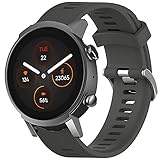
- Attention: Please CONTACT US at the first time if got defective items; For 30 day after the date of purchase, we take care of all quality-related issues with a REPLACEMENT or REFUND.
- Environmental Material: it is made of environmental silicone material, no peculiar smell and harmless, soft and durable.
- More Safe Clasp: the clasp is made of high quality stainless steel, even you swim or soaked in water for a long time, and it cannot never fade. Enjoy your sprots activities!
- Easy fit:it is very easy to install it.The part that connect to your watch face fits well and it's durable enough to hold your watch in safe.Come with 2 Spring bars and be easy to replace the original band. No additional tool is required. Fit wrists 4.72inches-8.26inches (120mm-220mm).
- Fits for Tic--watch E3 only,
Software support is the main 2026 risk
The E3 is a 2021 product, and most prominent reviews judged it as a new watch in 2021 or 2022. Current reporting says TicWatch products have disappeared from some stores and that Mobvoi has described continued “essential support” for existing devices. Essential support is not the same as a clear commitment to future major Wear OS versions or a defined period of updates. See Android Central’s report on TicWatch availability and support.
Do not assume every E3 has the same Wear OS version or update history. Check the individual watch instead:
- On the watch, open Settings → System → About, or the equivalent software-information screen. Menu names may differ by version.
- Record the Wear OS version, security-update date, Google Play system update and Mobvoi firmware version shown on that unit.
- Open the watch’s Play Store and see whether core apps can be updated.
- Confirm the phone companion app’s name and version, then try pairing. A factory reset is sensible for a used watch, but verify the seller allows setup and testing.
- If payments matter to you, attempt Google Wallet setup for your country and account rather than relying on NFC being listed in the specifications.
- Check for an over-the-air update and note whether the watch installs one or reports that it is current; neither result guarantees future updates.
Some owners have reported update or pairing trouble, including around Wear OS 3.5 updates and unusual software configurations. Community reports do not establish how often failures occur. Prefer a returnable unit, and do not pay extra on the promise of a future update. For pairing trouble, charge the watch, restart it and the phone, remove old Bluetooth and companion-app pairings, reinstall the required app, and pair through that app. If it was previously owned, reset it and try again; persistent failure may involve phone services, region or compatibility rather than a faulty watch alone.
Price and alternatives: compare the actual deal
There is no verified current official E3 price in the cited Mobvoi listing, and its retail availability is unclear. Judge a listing by its transaction price, condition, charger, seller reputation and return terms—not by the E3’s launch price. A used watch without a return option should cost substantially less than a current model to justify the risks.
| Option | Price evidence | Best fit | Trade-off |
|---|---|---|---|
| TicWatch E3 | No current official price verified; original US launch price was about $199.99, per TechRadar | Android users seeking a very inexpensive Wear OS watch and willing to accept age and support uncertainty | Older hardware, uncertain update outlook and potentially aged battery |
| Google Pixel Watch 4 | Google’s US page showed $349.99 for 41mm and $399.99 for 45mm in the August 2026 price snapshot; check the current listing at Google Store | Buyers prioritizing current Google integration and newer hardware | Much higher initial cost than a deeply discounted E3 |
| Samsung Galaxy Watch8, Bluetooth/Wi-Fi | Samsung’s US page showed $349.99 for 40mm and $379.99 for 44mm in the August 2026 price snapshot; check Samsung’s listing | Samsung-phone owners wanting a current Wear OS watch | Costs more than a bargain E3; LTE versions cost more than the listed Bluetooth/Wi-Fi models |
The E3 is a poor value if its price approaches a new Pixel Watch 4 or Galaxy Watch8: the newer watches cost more, but they avoid buying into the same age and support uncertainty. If your priority is long battery life, basic activity tracking or iPhone compatibility rather than Google apps, compare fitness watches outside Wear OS as well; the right choice depends on features, not just the lowest sticker price.
Who should buy the TicWatch E3?
It may suit you if…
- You use an Android phone and specifically want Wear OS apps or Google-oriented smartwatch functions.
- You find a fully working unit at a genuinely low price, with a healthy battery and a meaningful return period or warranty.
- Your main needs are notifications, basic fitness tracking, GPS, music controls and occasional wrist calls.
- You are comfortable with a large plastic case and do not require a clear long-term update commitment.
Choose something else if…
- You want guaranteed long-term updates, a premium display, advanced health features, LTE or modern battery performance.
- You use an iPhone or need dependable cross-platform support.
- You need a watch for serious training or medical monitoring.
- The seller cannot demonstrate charging, pairing, GPS, touchscreen, buttons, speaker, microphone and battery behavior—or offers no return route.
What to check before buying a used E3
Ask the seller to demonstrate the watch rather than accepting a photo of a working screen. Confirm that the charger is included and that the watch can be reset and paired. During the return period, check:
- Charging and battery behavior over a normal day of use.
- Touch registration across the display, screen condition and both physical buttons.
- Heart-rate sensor activation and GPS acquisition outdoors.
- Speaker, microphone, vibration and Bluetooth pairing.
- App updates, the installed software state and any required companion app.
- Whether your own phone and, if needed, payment account can complete setup.
Skip a listing with unresolved charging, pairing or battery problems unless you are knowingly buying it for parts. Water resistance on an older watch is also not something a seller can reliably establish from a product-page rating alone.
Verdict
The TicWatch E3 remains an interesting low-cost Wear OS device because its launch-era hardware included GPS, NFC, a speaker, a microphone and 1GB of RAM. But those strengths do not make it a safe general-purpose smartwatch purchase in 2026. Buy only when the actual price is low enough to compensate for uncertain support and battery condition, and when you can verify setup and return the watch if it fails. If the price is close to a current Pixel or Galaxy watch, choose the newer device.
Quick Recap
Product prices and availability are accurate as of the date/time indicated and are subject to change. Any price and availability information displayed on Amazon at the time of purchase will apply.




