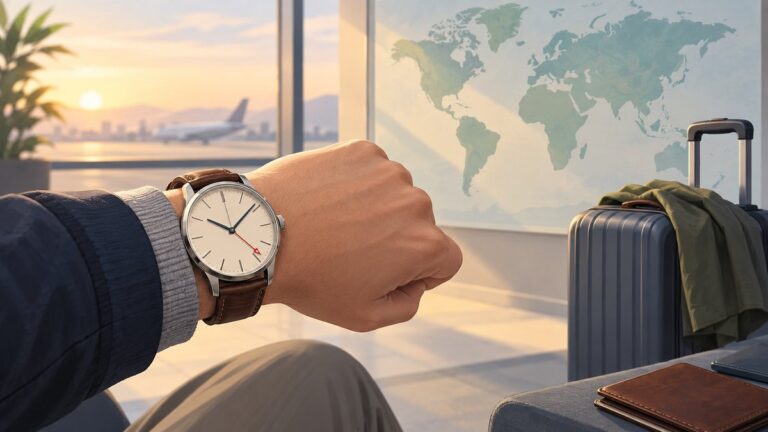
Back up the watch before moving it. On the watch, open Settings → General → Transfer watch to new phone (sometimes labeled Connect to a new phone), then pair it with the new Android phone through Galaxy Wearable and restore the backup. The watch may reset during the transfer, and an LTE model may need its carrier plan activated again.
Before you transfer the watch
Galaxy Watch7 and Galaxy Watch Ultra require a compatible Android phone; Samsung lists Android 11 or later for both models. They are not compatible with iPhone. Non-Samsung Android phones can pair, but some Samsung-specific features may be unavailable or work differently. Check Samsung’s compatibility guidance for regional, carrier, phone-model, and feature restrictions: Galaxy Watch7 and Watch Ultra compatibility.
- Keep the old phone available if it still works, and use it to make a fresh backup and sync health data.
- Charge the watch and both phones, enable Bluetooth on the new phone, and update Galaxy Wearable on the old phone.
- Sign in to the Samsung account used for the watch backup on the new phone.
- Check whether the watch is Bluetooth-only or LTE. For LTE, have your carrier account details available.
- Note settings or content you cannot afford to lose; a backup does not preserve every item.
Back up the watch on the old phone
- Open Galaxy Wearable on the old phone.
- Tap Watch settings → Account and backup (the label may appear as Accounts and backup).
- Tap Back up data or Backup settings, select the available categories, and start the backup.
- Wait for it to finish before transferring or resetting the watch.
Samsung says supported backup content can include preloaded-app data and settings, the installed-app list, home-screen app layout, watch-face settings, recently used watch faces, and system settings such as display, input, sound, and vibration. It is not a complete copy of the watch: music stored on the watch is not backed up, and music on the phone must be transferred again. Some apps, credentials, downloaded files, and settings may also need to be restored or configured separately. See Samsung’s backup and restore guidance.
While the watch is still connected, allow Samsung Health to sync. Only data already synchronized to the relevant account or service should be expected to remain available there; unsynchronized watch data may be lost if the watch resets.
Quick wins for a faster PC:
Repair Windows errors before they cause bigger problemsFix Now →Fix the driver behind crashes, sound loss and screen glitchesFind Drivers →#1 Best Overall
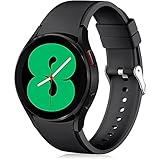
- 【Compatible Models】Lerobo 20mm smart watch bands compatible with Samsung Galaxy Watch 7/6/5 40mm 44mm/Galaxy Watch 6 Classic 47mm 43mm/Galaxy Watch 5 Pro 45mm/for Galaxy Watch 4 40mm 44mm /Galaxy Watch 4 Classic 42mm 46mm /Galaxy Watch 3 41mm only, not compatible with samsung galaxy watch active 2 40mm 44mm/ active/ galaxy watch 42mm/ galaxy watch 46mm/galxy watch 3 45mm and other universal watch with 20mm lugs. (Note: No watch included).
- 【Stylish Exterior Design】Lerobo new arrival wristband fits as good as original for galaxy watch 4 classic band and for galaxy watch 4 band/galaxy watch 7 band. Adopt exclusive arc design to achieve seamless connection with watch, which is more unique, fashionable and stable. A variety of popular colors band offer your smartwatch high-end looks could match your every mood & outfit to express your own personal style from work to workouts routine.
- 【Comfortable & Durable】The sport straps compatible with Samsung smartwatch are made of premium soft silicone rubber, skin-friendly and water resistance, anti-allergic and no fading, bring you a comfortable wearing experience. Premium Watch Buckle design, 20mm quick release pin easy to install and remove, NO tools required!
- 【Free Size for All】Adjustable size for all wrists. The adjustable watch band compatible with Samsung Galaxy Watch 4/for Galaxy watch 4 classic fit small or large wrist for 5.5"-8.5" (140mm-216mm). Easy to adjust the length and fit for women and men.
- 【Perfect Refined Gift】This for galaxy watch band is ideal option compatible with Samsung Watch accessories, best gift for men, women in many occasions like parties, business,meeting, anniversaries, Christmas, thanksgiving day or daily wearing whenever you are doing sports or working.
Transfer the watch to the new phone
- On the watch, open Settings → General → Transfer watch to new phone.
- If that label is absent, look for Connect to a new phone. The wording and location can vary by software version and region.
- Follow the watch’s prompts and confirm the transfer or reset when asked.
- On the new Android phone, install or update Galaxy Wearable, open it, and choose the option to start or add a device.
- Allow the requested permissions, select the Galaxy Watch7 or Watch Ultra when it appears, and confirm the pairing code if one is shown.
Samsung’s transfer guidance warns that changing phones may reset the watch and remove local data, depending on model and software version. The transfer process is therefore different from simply pairing an ordinary Bluetooth accessory. Samsung documents the watch menu as “Transfer watch to new phone” in one guide and “Connect to a new phone” in another.
Restore the backup and finish setup
- In Galaxy Wearable, open Watch settings → Account and backup → Restore data.
- Choose the available backup and the categories to restore, then wait for the process to finish.
- Open the watch’s app-management area in Galaxy Wearable or the Play Store on the watch to check apps and watch faces. Reinstall or sign in to anything missing.
- Review notification, calls, contacts, messages, calendar, location, and Samsung Health permissions on the new phone. Check that Galaxy Wearable has notification access and is not restricted from running in the background.
- Set up Samsung Wallet or Google Wallet again if prompted. Payment cards may require verification and should not be assumed to return with the backup.
Some third-party app accounts, permissions, purchased watch faces, and health-related features may need separate sign-in or setup. The exact restore options depend on the watch, carrier, and software version.
Rank #2

- Cute Floral Engraved Design: The Galaxy Watch 7 Band features precision laser engraving technology, creating vivid and lifelike floral patterns that add 3D elegance and a luxurious tactile feel. Perfect for any occasion, pretty roses bring timeless sophistication for formal events, while vibrant sunflowers radiate youthful energy for casual wear. This stylish Samsung watch bands for women is a beautiful floral print that celebrates and love nature, adding a personal look to your daily outfit
- High Quality Silicone Material: Crafted from premium silicone, the Samsung Watch 7 Bands are ultra-lightweight, skin-friendly, and hypoallergenic, ensuring a soft, smooth, irritation-free, and comfortable wearing experience all day long. Designed with waterproof and sweatproof properties, they’re effortless to clean and maintain. The bands’ ergonomic design and secure fit ensure they stay comfortably in place during any activity—whether you’re hitting the gym, working, sleeping, or playing sport
- Compatible Models: SNBLK 20mm silicone Samsung Watch bands are wildly compatible with Samsung Galaxy Watch 7 40mm 44mm/Galaxy Watch 6 40mm 44mm/Galaxy Watch 4 40mm 44mm/Watch 5 40mm 44mm/Galaxy Watch 6 classic 43mm 47mm/Galaxy Watch 5 pro 45mm/Samsung Galaxy Watch 42mm/Galaxy Watch FE/Galaxy Watch Active 2 40mm 44mm /Samsung Galaxy Watch 3 41mm/Samsung Galaxy Watch 4 Classic 42mm 46mm/Samsung Gear s2 Watch/Samsung Gear Sport Watch; Also works with any other smartwatch model with 20mm lugs
- Diverse Color Styles: This 6-pack of engraved bands offers multi-color combinations to match your mood and outfit. Featuring neutral tones like black, white, and starlight, plus vibrant hues such as red, purple, and green, it suits any occasion. Perfect for quick strap changes, this set is ideal for any occasion—whether it's an anniversary, birthday, or holiday. A practical and thoughtful gift, it’s designed for your wife, friends, or loved ones who appreciate both style and functionality
- Easy Adjustment & Installation: Featuring cleverly designed spring bars, it ensures quick and secure installation or removal for precise fit every time. The band is easy to adjust and wear, allowing you to customize the length for a perfect fit. Designed to accommodate wrists ranging from 5.5" to 7.6" (140mm to 195mm), it offers versatile adjustability for a wide range of users. While the durable buckle design provides a secure and seamless fit, ensuring stability and safety during any activity
Reactivate LTE service, if your watch has it
Pairing does not guarantee that cellular service followed the watch to the new phone. In Galaxy Wearable, look under Watch settings or Home → Mobile plans, then follow the carrier’s activation steps. Samsung’s LTE activation guidance notes that activation depends on a compatible phone, carrier account, and eligible watch plan.
- Your carrier may need to reactivate or reattach the watch plan, including a number-sharing or companion-device service.
- A QR-code activation flow may require a new QR code after a reset or network reactivation.
- Some activation flows require an active SIM or eSIM in the phone. The carrier may need to associate the watch’s EID, IMEI, or ICCID with your account.
- Carrier support, plan eligibility, and LTE features vary by carrier, region, and phone. If activation fails, ask the carrier to check the plan and watch network profile.
Where available, the watch’s identifiers are under Settings → About watch → Device; Galaxy Wearable may show them under Watch settings or Home → About watch → Device. For QR codes, plan compatibility, and cellular troubleshooting, Samsung directs users to their carrier; see its LTE troubleshooting guidance.
Crashes, No Sound, or Screen Glitches?
Random freezes, missing sound and display glitches usually trace back to one bad driver. Find and replace yours safely.Free scan · under a minuteWindows Errors? Fix Them Before They Spread
Repair common Windows errors and clear accumulated junk for a smoother, more stable PC - no reinstall needed.Free scan · no reinstallRank #3
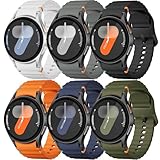
- 【Compatible Models】No gap silicone watch bands with Decorative Woven Line are compatible for Samsung Galaxy Watch 7 band 44mm 40mm/Galaxy Watch 6 band 40mm 44mm/Galaxy Watch 6 Classic bands 47mm 43mm/Galaxy Watch 4 band 40mm 44mm/Galaxy Watch 5 band 40mm 44mm/Galaxy Watch 5 Pro band 45mm/Galaxy Watch 4 Classic band 42mm 46mm/Galaxy Watch FE band 40mm.Not for other models. Note: watch not included
- 【Comfortable Silicone Material】The galaxy watch 7 band 40mm 44mm is made of premium soft silicone rubber,which is lightweight,flexible,durable and comfortable to wear all day. It does not cause any irritation or discomfort even during strenuous exercise.Silicone material is also easy to clean, making your band looks fresh in daily wearing
- 【No Gap Design】DMVEIMAL for Samsung watch 7 6 5 4 bands feature a No Gap+Quick Release design for easy tool-free installation and removal. Change your style in seconds. Corrugated surface and both sides with orange blue stitching makes the Galaxy Watch band more special and different,enhancing the overall aesthetic
- 【Wrist Size】Sport Band for Samsung Watch 7 bands 40mm 44mm is adjustable and fits wrists ranging from 5.51 inches to 8.1 inches (140 mm to 205 mm).You can adjust the buckle and holes to fit your wrist size.Match any mood or style with an assortment of bands in various colors. Suitable for many indoor and outdoor activities such as leisure, travel, work, sports, cycling, camping, adventures, etc
- 【Best Service】Package includes 6 pack silicone sport band for galaxy watch 7 6 5 4 FE. (Notice: Smart Watch not Included), We provide you the best product quality and customer service.12 months warranty and 24-hour customer service, Please kindly CONTACT US once you have any questions
If the old phone is lost, broken, or unavailable
If the old phone cannot be used, first check whether important health data already synchronized to Samsung Health or another account. Then use Settings → General → Transfer watch to new phone on the watch, or the equivalent Connect to a new phone label, and confirm the reset. Pair through Galaxy Wearable on the new compatible Android phone, sign in to the same Samsung account, and check for a backup under Watch settings → Account and backup → Restore data.
If there is no usable backup, set up the watch as new. Data not synchronized before the phone became unavailable, locally stored music, payment credentials, and some third-party app data may not be recoverable. Samsung’s backup instructions describe backup and restore through Galaxy Wearable on the paired phone.
Rank #4

- ✅【Compatibile with all 20mm Watch Models】Compatible with Samsung Galaxy Watch 7/6/5/4/FE 40mm 44mm; Garmin Vivoactive 6/5/3, Forerunner 55/165/645; Galaxy Watch 5 Pro 45mm, Galaxy Watch 6 Classic 47mm 43mm, Galaxy Watch 4 Classic 46mm 42mm, Galaxy Active 2 44mm 40mm, Galaxy Active 40mm, Galaxy Watch 3 41mm, as well as Garmin Venu Sq 2/Sq/Venu/Venu 2 Plus,Forerunner 55/165/645/245/570,Vivoactive 5/6/3,Vivomove HR/Trend/Luxe, Ticwatch 2/E/C2, Gizmo Watch, and other watches with 20mm width lugs
- ✅【Skin-Friendly & Breathable】Our watch bands for both women and men are made of premium stretch nylon material, offering a soft, lightweight, and breathable experience. These bands allow sweat to escape and dry quickly, making them ideal for all-day workouts and everyday wear
- ✅【Super Stretchy & Easily Adjustable】Experience ultimate comfort and a perfect fit with our elastic watch bands. The strong elastic material ensures secure and comfortable wear without any itching or discomfort, providing accurate readings. The elastic solo loop features an adjustable stainless steel buckle, which allows you to adjust the size as you wish, suitable for wrist sizes 5.3" to 9.8" (130mm-230mm), and easy to put on and take off due to the elastic design
- ✅【12 Pack Stylish Bands Included】Perfect accessory to enhance your active lifestyle, enjoy 12 fashionable bands in one pack, each color or pattern gives your watch a unique and different look, change out your bands to match your outfit and occasion in daily life, and you will get tons of compliments on how it’s stunning. A thoughtful gift for your loved one, family, and friends. Enjoy matching the bands to create a look that perfectly suits your style and preferences
- ✅【Security & Easy Installation】The stretchy 20mm watch band features quick-release spring bars on both sides, which locks onto your watch interface precisely and securely. It can be effortlessly put on or taken off without requiring any tools, easy and direct installation, and one button removal
Troubleshoot transfer problems
The watch does not appear in Galaxy Wearable
- Toggle Bluetooth off and on, keep the watch near the phone, then restart both devices.
- Update Galaxy Wearable from the Play Store.
- Remove a stale watch entry from the phone’s Bluetooth settings, then start pairing in Galaxy Wearable rather than the generic Bluetooth menu.
- If the watch is still linked to the old phone, start its Transfer watch to new phone process.
- Reset only after checking that you do not need a newer backup.
See Samsung’s connection troubleshooting steps.
The backup is missing
Check that the new phone is signed in to the same Samsung account used on the old phone. The backup may not appear if it did not finish, is too old, was made under another account, or did not include the data category you need. A reset before the backup completed can leave nothing current to restore.
Pairing stalls partway through
- Stop setup and restart the watch and phone.
- Update Galaxy Wearable, then begin the transfer process on the watch again.
- If the watch remains listed in Galaxy Wearable, remove it and add it again.
- If the transfer state appears corrupted, reset and pair from scratch, then restore the latest available backup.
A reset removes personal data and requires reconnecting the watch to Galaxy Wearable; consult Samsung’s connection troubleshooting guidance before resetting.
Best Value

- 【compatible with All 20mm Watch Band】 Lerobo 3 pack stretchy braided nylon solo loop bands widely compatible with Samsung Galaxy Watch 7/6/5/4 44mm 40mm, Watch FE, Watch 6 Classic 47mm 43mm, Watch 5 Pro 45mm, Watch 4 Classic 46mm 42mm, Watch Active 2 44mm 40mm/Active,Watch 3 41mm, Watch 42mm, compatible with Samsung Gear Sport/ for Gear S2/S2 Classic, compatible with Gizmo Watch and other watches with 20mm width lugs. PLEASE NOTE: NOT compatible with Samsung Galaxy Watch 8/8 classic
- 【Breathable & Stretchy Nylon Material】 Our bands compatible with Samsung Galaxy Watch 7 band made of super strong stretchable elastic braided nylon material, which makes the strap soft, lightweight, breathable & skin-friendly, preventing skin from irritation rash. Works for all day-workouts and daily life, bring you a new comfortable wearing experience.
- 【Adjustable Comfortable Size】 Lerobo stylish replacement wristband straps compatible with Samsung Watch 6 44mm 40mm 43mm 47mm with latest elastic material and adjustable metal buckle design allows you to adjust watch band to your comfort level, fit for 5.3"- 9.8" (130mm-230mm) wrist of women men. You don't need to worry about buying the wrong size.
- 【Unique Design for Your Daily Dress Up】 These compatible with Samsung Galaxy Watch 4/compatible with Samsung Galaxy Watch 5 elastic band have fashionable wave patterns and vivid colors, which can improve your style and make your watch brand new. Perfect gift for Birthday, Christmas Day, Mother's Day, Father's Day, Thanksgiving Day, Valentine's Day, etc.
- 【Security & Easy to install】 Lerobo 20mm quick release watch bands with pins on both ends lock precisely and securely on the smart watch interface. And the elastic material band will let you feel like a scrunchie on wrist, comfortable to put on and easy to take off without any tool.
The watch is connected, but notifications do not arrive
Check notification access for Galaxy Wearable, per-app notification switches, and background or battery restrictions on the phone. Confirm that the app is installed and signed in on the new phone, and check Do Not Disturb, Sleep mode, and notification categories. Test with a text, call, and calendar alert to confirm that the watch displays and signals each one.
LTE activation fails
Confirm the watch is an LTE model, the phone has an active SIM or eSIM if required by the activation flow, and the carrier supports the exact watch model and region. Ask the carrier to verify the companion plan, account status, QR-code requirement, and the watch’s EID, IMEI, or ICCID association. A reset alone does not resolve carrier-side plan or network-profile issues.
Quick Recap
Product prices and availability are accurate as of the date/time indicated and are subject to change. Any price and availability information displayed on Amazon at the time of purchase will apply.