Recommended Free Tools
Samsung’s Galaxy Watch4 family is rated for up to 40 hours, but that is a best-case ceiling, not a guaranteed runtime. In practical use, plan to charge the watch daily—especially the 40mm/42mm models, LTE versions, or watches using Always-On Display (AOD), GPS, sleep measurements, or frequent notifications. Battery life also depends on signal strength, software, settings, and battery age.
How long does the Galaxy Watch4 battery last?
Samsung’s “up to 40 hours” claim describes controlled, favorable use. It is not a minimum, an average, or a promise that every Watch4 will run for 40 hours between charges. Samsung says settings, environment and usage patterns affect battery life, including brightness, screen-on time, location services and weak signals. See Samsung’s Watch4 specifications and Samsung’s battery-optimization guidance.
A sensible planning rule is daily charging. Some lightly used watches can run somewhat longer, while AOD, LTE, GPS workouts, streaming and poor cellular coverage can bring runtime below a full day. These are practical expectations, not Samsung-certified measurements.
| Usage pattern | Reasonable expectation |
|---|---|
| Light use, AOD off, few workouts and a strong Bluetooth connection | About a day or somewhat longer may be reasonable |
| Typical health tracking, notifications, sleep tracking and moderate screen use | Expect to charge daily |
| AOD on, LTE, GPS workouts, music streaming or frequent notifications | Runtime can fall below a full day |
| Older battery, heavy background activity, weak signal or unexplained post-update drain | Investigate rather than assuming the result is normal |
Identify your Watch4 size and battery
Battery capacity is measured in mAh. It does not convert directly into hours because the display, radios, sensors, processor and software all affect consumption. The smaller cases have materially less capacity than the larger ones.
#1 Best Overall

- ▶Compatibility: This charger compatible with Galaxy Watch 9, Galaxy Watch 8, Galaxy Watch 7, Galaxy Watch 6, Galaxy Watch 6 Classic, Galaxy Watch 5, Galaxy Watch 5 Pro, Galaxy Watch 4, Galaxy Watch 4 Classic, Galaxy Watch 3, Galaxy Watch Active 2, Galaxy Watch Active【Includes: 40mm/41mm/42mm/43mm/44mm/45mm/46mm/47mm】
- ▶Original Charging Speed: The Galaxy Watch 4 charging cable is made of 100% pure copper provides a fast charging speed for your smartwatches, about 2.5 hours a full charge.
- ▶Safe Protection: The Galaxy Watch 4 charger built in smart chips to protect your watch from over-temperature, over-voltage, over-current or over-charging.
- ▶Convenient and Easy to Use: To get a charging just plug it into USB port on your PC, laptop, notebook, wall charger or car charger. Geting a better experience, we suggest you to use the recommended adapter (5V 1A).
- ▶Package includes: 1 x charger for Galaxy Watch 9/8/7/6/6 Classic/5/5 Pro/4/3/Active 2/Active/Ultra (smart watch is not included). Sincerely after-sales service, if have any question we will deal with it for you within 24 hours.
| Product | Case size | Battery | Endurance implication |
|---|---|---|---|
| Galaxy Watch4 | 40mm | 247mAh | Shortest endurance in the family |
| Galaxy Watch4 | 44mm | 361mAh | Better endurance than the 40mm model |
| Galaxy Watch4 Classic | 42mm | 247mAh | Shortest Classic endurance |
| Galaxy Watch4 Classic | 46mm | 361mAh | Best endurance in the family |
| LTE versions | Matching case size | 247mAh or 361mAh | Cellular use can increase drain |
These capacities come from Samsung’s Watch4 Wi-Fi datasheet, Watch4 LTE datasheet, Watch4 Classic Wi-Fi datasheet and Watch4 Classic LTE datasheet. LTE models use the same nominal battery capacity as the equivalent Bluetooth size, but their modem may work harder when the watch is away from the phone or searching for a weak signal.
What consumes the most battery?
Always-On Display and screen activity
AOD, high brightness, long screen timeouts and frequent wake-ups keep the AMOLED display active. Turn off AOD when maximum runtime matters, retain raise-to-wake if that is more convenient, and lower brightness modestly rather than making the screen difficult to read. A simple face with fewer animated complications also reduces activity.
GPS workouts
Long runs, hikes and cycling sessions can use substantial power. Start GPS only for workouts that need it, avoid simultaneous LTE music streaming when possible, and download music to the watch beforehand when supported. One demanding GPS session can explain a short day without proving the battery is defective.
LTE and weak signal
LTE can consume considerably more power when active, when the watch is separated from its phone, or when coverage is poor. To isolate the radio, record the starting percentage, spend several hours Bluetooth-connected in a strong-signal environment, then compare a similar period using LTE or mobile data.
What’s actually slowing this PC down?
Pick the symptom - the matching free tool is one click away.
Health monitoring
Continuous heart-rate and stress checks, sleep tracking, blood-oxygen measurements, snore detection, automatic workout detection and irregular-heart-rhythm monitoring (where available) all involve sensors and processing. Disable only features you do not use; turning off a health function changes what the watch can measure.
Rank #2
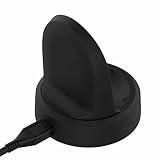
- NOTE:Replacement Charger for Samsung Galaxy Watch 5 40MM & 44MM, Galaxy Watch 5 Pro, Samsung Galaxy Watch4 40MM & 44MM, Samsung Galaxy Watch4 Classic 42MM & 46MM, Samsung Galaxy Watch3 41MM & 45MM, Samsung Galaxy Watch Active 2 40MM SM-R830 & 44MM SM-R820 and Samsung Galaxy Watch Active 40MM SM-R850.
- Samsung Galaxy Watch4 Classic USB charger cable is portable and light, which is convenient to carry and charge.
- Power protection: Protect your Samsung Galaxy Watch3 41MM smart watch from over chargerd.
- Samsung Galaxy Watch Active 2 USB Charging cable is high quality charging with best package.
- LOKEKE provides our best quality products and best service to all customer. If have any question, pls don't to hesitate to contact us.
Wi-Fi, notifications, apps and watch faces
Wi-Fi may add drain when Bluetooth already provides a reliable phone connection. Notification-heavy services, third-party apps, background syncing, complex complications and a recently installed watch face can keep the watch active. Check battery usage before disabling features at random.
Best battery-saving settings
Enable Power saving on the watch
- Open Settings.
- Tap Battery and device care.
- Tap Battery.
- Turn on Power saving.
Some One UI Watch/Wear OS versions show Settings → Battery → Power saving. Samsung says this mode can limit AOD, Wi-Fi, brightness, background activity and performance. See Samsung’s smart-watch care instructions.
Enable Power saving from Galaxy Wearable
- Open Galaxy Wearable on the paired phone.
- Tap Watch settings.
- Tap Battery and device care.
- Turn on Power saving.
Labels vary by installed software and region; Samsung documents the feature in its battery-optimization guide.
Free tools Windows power users keep installed
One-click scans. No signup required.
Use Watch only mode in an emergency
- On the watch, open Settings.
- Tap Battery and device care, then Battery.
- Tap Watch only, scroll down and tap Turn on.
This preserves timekeeping while disabling notifications, health tracking, apps and connectivity. Samsung describes the mode in its reduced-battery-life guidance.
Change the largest drains first
- Turn off AOD.
- Reduce brightness and screen timeout.
- Set Wi-Fi to off or automatic when it is unnecessary.
- Disable LTE/mobile data when the watch is near the phone.
- Remove unnecessary notifications, apps, tiles and complications.
- Disable automatic workout detection if you never use it.
- Review sleep, blood-oxygen, snore and continuous-health settings.
- Reboot and observe one complete charge cycle before changing more settings.
How to diagnose unusually fast drain
1. Establish a useful baseline
Write down the exact model and size, Bluetooth or LTE status, software version, security patch, starting and ending percentages, AOD, GPS, LTE use, sleep measurements, phone connection and approximate temperature. Software differs by model, country and carrier. For example, Samsung’s page for model SM-R870 lists an update released January 27, 2026 with an Android Wear 6.0 label and January 2026 security patch; that page does not establish identical support for every Watch4 variant. See Samsung’s SM-R870 update page.
Rank #3

- Widely Compatibility: This Samsung Watch Charger is compatible with Samsung Galaxy Watch 8, Watch 8 Classic, Watch 7, Watch 6, Classic 6, Watch 5, Watch 5 Pro, Watch 4, Watch 4 Classic, Watch 4 Classic LTE, Watch 3, Active 2, Active 1, Ultra
- Upgraded Strong Magnet: The charging part of the watch has a built-in magnet. Just put the watch on it to start charging. After research, we have also made key upgrades to the magnetic part, making it a perfect fit and safe to use
- Safely Device:Charger has a variety of built-in safety protection functions, with overheating protection, short-circuit protection, over-voltage protection, over-current protection and overload protection
- Reliable Quality: The charging cable is made of thickened environmentally friendly PVC material and has been tested more than 8000 times to ensure safety and service life, you can use it with confidence
- What you get: 3.3ft/1m Samsung watch charger with 5V2A USB charger block, plus 7x24-hour all-weather email support(If you have any problems with the product, you can contact us by email to handle it for you)
2. Inspect battery usage
Open the watch’s battery settings and review the graph or app history where available. Look for display/AOD use, Google Play services, Samsung Health, connectivity activity, a recently installed app or watch face, and an unusually large overnight drop. Menu names differ by software version.
3. Reboot
A reboot can clear a stuck process. If the watch is unresponsive, hold the Home/Power and Back keys together until reboot begins; Samsung says this may take up to about 30 seconds depending on model. See Samsung’s shutdown and charging troubleshooting.
What’s actually slowing this PC down?
Pick the symptom - the matching free tool is one click away.
4. Update software and apps
Install available watch, Galaxy Wearable, Samsung Health and watch-app updates. After a major update, synchronization and optimization can temporarily change consumption, so judge the result over a complete cycle rather than a few hours.
5. Run a controlled conservative test
For one charge cycle, turn AOD off, disable Wi-Fi or set it to automatic, turn off LTE if it is not needed, avoid GPS workouts, minimize notifications and use a standard watch face. Keep normal health tracking unless it is the suspected cause. If runtime improves, re-enable features one at a time.
6. Run Samsung Members diagnostics
Samsung says owners paired with a Samsung phone may be able to run a watch-battery diagnostic in Samsung Members. Availability depends on the device and pairing configuration.
Rank #4
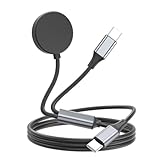
- 2 in 1 Charger for Samsung : 2 in 1 USB C fast charger charging cable compatible with samsung galaxy watch 7/FE/Ultra/6/6 Classic/5/5 Pro/4/4 classic/3/Active 2/Active and galaxy phone S24 S23 S22 S21 S20(Plus Utra)/Note 20 10 9 8/S10 S9 S8 and other usb-c devices
- Easy to Use: This Galaxy Watch Charger is easy to use, simply place the connector near the back of the watch, and the magnetic force will automatically pull it into place, providing stable charging for your watch
- USB C Charger: The type-c to type-c cable charges fast, charge your samsung phone to 100% in 1.5h, charge your samsung watch to 100% in 2.5h
- Safety Protections: Made of high-quality TPE material and copper wire,it is resistant to high temperature and has good elasticity, ensuring the quality of the samsung watch and phone charger charging cable
- What You Get: 2 in 1 portable Samsung Galaxy Watch and Phone Charger. 4ft charger is easy to carry around, especially suitable for traveling and as a backup charger for your watch and phone
7. Reset only after backup
A factory reset can help corrupted software or a failed migration, but it cannot repair a worn battery, damaged charging coil or weak cellular radio. Back up through Galaxy Wearable, synchronize health data, note your watch-face and app settings, confirm account credentials, and test the charger before erasing the watch.
Do these 3 things before closing this tab:
1Repair Windows errors before they cause bigger problems2Scan for outdated or missing drivers - takes under a minute3Clear out junk files and repair common Windows errorsCharging problems and safe charger use
The Watch4 uses Qi wireless charging, but Samsung recommends the approved dock, cable and wall adapter designed for the watch. A generic Qi pad may be inefficient or incompatible even if it charges another device.
- Reposition the watch on the correct dock and remove a metal band if it interferes.
- Use an approved wall adapter and allow at least an hour of charging.
- If the LED flashes red, charging repeatedly disconnects, or the watch becomes unusually hot, stop and investigate.
- Do not assume a phone’s reverse-wireless-charging feature is compatible with every Watch4 and phone combination.
- Seek service if the watch will not show a charging indicator, power on or hold charge after these checks.
A replacement dock can fix intermittent alignment or accessory failures; it cannot restore a chemically aged battery. Samsung’s charging guidance is in its Galaxy Watch troubleshooting article.
Is the battery worn out?
The Watch4 launched in 2021, so many units are now several years old. Gradual loss over months or years points toward battery aging, but age alone is not proof. Warning signs include shutdowns at a substantial displayed percentage, large irregular percentage jumps, unusual heat during ordinary use, major overnight loss with little activity, or poor runtime after a conservative test and clean reset.
Repair feasibility, parts, labor, water-resistance implications and post-repair testing vary by country and model. Do not assume a replacement restores factory-new endurance or water resistance.
The Tool Desk
Outbyte Driver Updater FREEScan for outdated or missing drivers - takes under a minuteDriver Scan →Outbyte PC Repair FREERepair Windows errors before they cause bigger problemsFix Now →Best Value

- Interface: USB Type-C
- Color: Black
- Country of origin: VN
- Solid polycarbonate with soft-touch matte finish offers a pleasant feel and hides the fingerprints
Should you repair, optimize or replace the watch?
| Situation | Most sensible next step |
|---|---|
| It lasts through your normal day and drain matches AOD, LTE, GPS or health use | Keep it and optimize settings selectively |
| Charging is intermittent, hot or alignment-sensitive | Try the correct replacement dock and adapter |
| It remains short-lived after software and charger tests | Check official Samsung service or battery repair availability |
| It shuts down unexpectedly, swells, smells, smokes or becomes severely hot | Stop using it and seek qualified service immediately |
| Repair is unavailable or uneconomic, or you need newer sensors and support | Compare a newer Galaxy Watch |
| Considering a used Watch4 | Require a meaningful return period and explicit battery-condition information |
Samsung’s official support entry point is Samsung Support. A newer watch is not automatically necessary if your Watch4 meets your needs; it becomes more compelling when the watch requires multiple daily charges, repair is uneconomic, or newer software, sensors or LTE endurance are important.
Frequently Asked Questions
Is 24 hours of Galaxy Watch4 battery life normal?
It can be normal with AOD, LTE, GPS, heavy notifications or health tracking, particularly on 40mm and 42mm models. Under modest Bluetooth use with AOD off, consistently failing to reach the end of a normal day warrants diagnosis.
Why does my Watch4 lose so much battery overnight?
Check sleep blood-oxygen or snore measurements, AOD, weak LTE/Wi-Fi coverage, notifications and battery-usage history. Then run one conservative overnight test with the phone connection stable.
Does Always-On Display make a major difference?
AOD is often a significant contributor because it keeps the AMOLED display active. Turn it off first when testing endurance, while recognizing that GPS, LTE or a stuck app may be larger drains in an individual case.
Can I use any Qi charger?
Use Samsung-approved Watch4 charging equipment. A generic Qi pad may charge slowly, intermittently or generate excess heat, even if it works with another device.
How do I know whether the battery itself is defective?
Persistent short runtime, abrupt percentage drops, shutdowns at a displayed charge, heat during ordinary use and poor results after conservative settings, updates and charger checks point toward battery or hardware service.
Quick Recap
Product prices and availability are accurate as of the date/time indicated and are subject to change. Any price and availability information displayed on Amazon at the time of purchase will apply.




