Recommended Free Tools
Always-On Display (AOD) keeps a dimmed, glanceable version of a smartwatch face visible while you are not touching or actively viewing the watch. It is a low-power ambient state—not the full-brightness interactive screen—so it makes checking the time and workout information easier while using more energy than turning the display off.
What is Always-On Display?
AOD leaves selected watch-face information visible after inactivity. Depending on the watch, that can include the time, date, basic complications, activity progress, workout data, notifications or a simplified view of the app you were using. The interface is usually dimmer, less animated and less detailed than the active screen.
Apple describes Always On as a dimmed, low-power version of the interface (Apple’s Always On guidance). Wear OS uses the terms Ambient mode and Always-on screen, depending on the product and software version (Google’s Wear OS documentation).
AOD does not mean that every app remains fully visible, every complication stays live, or the watch is continuously recording or transmitting data. It is also different from a reflective LCD or memory-in-pixel display, which can remain naturally visible without illuminating OLED pixels.
Do these 3 things before closing this tab:
1Repair Windows errors before they cause bigger problems2Scan for outdated or missing drivers - takes under a minute3Clear out junk files and repair common Windows errors#1 Best Overall

- 👍【Your Ultimate Fitness Partner】With 120+ sport modes, this smart watch for android phones covers running, cycling, hiking, yoga, skiing, and more. It accurately tracks heart rate, steps, calories, distance, and activity time. Acting as your wrist-based coach, it helps optimize training intensity. IP68 waterproof design lets you train through sweat and rain. Unleash your fitness potential anywhere.
- 📞【Bluetooth Calling & Smart Alerts】Stay connected hands-free. Our smart watche for women features advanced Bluetooth 5.3 for stable calls directly from your wrist. The built-in HD speaker and mic deliver crystal-clear audio, while smart vibration alerts notify you of messages from apps like Facebook and WhatsApp. Perfect for driving, workouts, or busy days—never miss a call or important update again.
- ⌚【1.83" HD Touchscreen & 200+ Faces】Experience the vibrant full-color display, perfect for checking info on-the-go. Choose from 200+ faces or use your photo to match any style, from workouts to daily life. More than a watch—it's the android smartwatch that matches your life.
- 🚀 【Your 24/7 Wellness Companion for Smarter Choices】From busy workdays to restful nights, this smart watche for men is with you. It tracks your heart rate and stress during meetings, analyzes your deep and light sleep, and provides a morning readiness report. It also features female health tracking. All your data is clearly displayed, helping you make smarter daily choices for a healthier, more balanced life.
- 💖 【7-Day Battery & Universal Compatibility】Say goodbye to daily charging. This smart watch lasts up to 7 days on a single 2-hour charge and stays ready for 30 days in standby mode. It seamlessly pairs with both iOS and Android devices, including Apple iPhone, Samsung, and Google Pixel. Enjoy total freedom from battery anxiety and stay connected effortlessly.
AOD versus a fully active screen
An active screen is bright, touch-responsive, animated and continually updated. AOD normally simplifies the face, lowers brightness, limits animation and reduces update activity. Raising your wrist, tapping the display, pressing a button or touching the screen normally restores the interactive state.
AOD versus raise-to-wake
| Mode | Screen when your wrist is down | Typical battery effect | Main benefit |
|---|---|---|---|
| AOD enabled | Dim watch face remains visible | Higher than a screen-off mode | Immediate time checks without a wrist gesture |
| Raise-to-wake | Usually off until the watch detects a wrist movement | Lower | Good balance of convenience and endurance |
| Tap or button wake | Off until deliberate interaction | Usually the lowest of these options | Maximum control and privacy |
| Reflective or MIP display | Naturally visible in suitable light | Often low, although a backlight can use power | Long endurance and strong outdoor readability |
Reflective and memory-in-pixel screens are not automatically better in every situation. They may have less vivid color and less fluid animation, and low-light viewing can require a backlight.
How does smartwatch AOD work?
- Interactive state: The display is bright, responsive and fully animated.
- Inactivity detection: The watch detects that you have stopped touching it or lowered your wrist.
- Ambient transition: The operating system switches to a dimmed AOD layout.
- Power reduction: Brightness, animation, data updates, refresh activity and illuminated pixels are reduced where the hardware and software allow.
- Wake event: A wrist raise, tap, button press or touch returns the watch to its active interface.
On Apple Watch, lowering your wrist dims the face while supported apps can retain useful information in the Always On state. Wear OS moves an app from its interactive state to an ambient state after inactivity. Exact behavior varies by model, watch face, app and software version.
Why does AOD use less power than a normal screen?
OLED and AMOLED pixels
OLED and AMOLED panels emit light from individual pixels. A black area emits very little visible light, while bright white and saturated colors generally require more display power. For that reason, AOD faces commonly use black backgrounds, thin outlines, dimmed colors, fewer complications and simplified hands or animations.
This is not a promise that black pixels consume absolutely no power. Display-driver electronics, touch hardware, the processor, sensors and wireless radios still use energy, and the exact relationship between color and power depends on the panel and its control circuitry. Google’s Wear OS quality guidance recommends keeping at least 85% of the ambient screen black and limiting the illuminated area (Wear app quality guidelines).
Lower brightness
AOD normally runs at substantially lower brightness than the active screen. Apple says the display dims when your wrist is down or when you cover it with your hand (Apple Watch Always On support).
Rank #2

- Designed with a bright, colorful AMOLED display, get a more complete picture of your health, thanks to battery life of up to 11 days in smartwatch mode
- Body Battery energy monitoring helps you understand when you’re charged up or need to rest, with even more personalized insights based on sleep, naps, stress levels, workouts and more (data presented is intended to be a close estimation of metrics tracked)
- Get a sleep score and personalized sleep coaching for how much sleep you need — and get tips on how to improve plus key metrics such as HRV status to better understand your health (data presented is intended to be a close estimation of metrics tracked)
- Find new ways to keep your body moving with more than 30 built-in indoor and GPS sports apps, including walking, running, cycling, HIIT, swimming, golf and more
- Wheelchair mode tracks pushes — rather than steps — and includes push and handcycle activities with preloaded workouts for strength, cardio, HIIT, Pilates and yoga, challenges specific to wheelchair users and more (data presented is intended to be a close estimation of metrics tracked)
Fewer redraws and updates
An ambient display does not need to redraw as frequently as an interactive screen. Wear OS documentation says some ambient updates occur periodically—around once per minute for certain app data—so rapidly changing values can become stale unless an app handles ambient behavior specially (Wear OS Always On documentation). There is no universal refresh rate such as 1 Hz for every smartwatch.
Other components still consume energy
AOD is only one part of total battery use. GPS, LTE, Wi-Fi, Bluetooth, health sensors, notifications, background software, processor activity and high brightness can all matter. Google lists networking, GPS, screen-on time, CPU use and sensors as separate battery factors (Wear OS power guidance).
Free tools Windows power users keep installed
One-click scans. No signup required.
What remains visible in AOD mode?
There is no single AOD layout. The manufacturer, operating system, watch face and app determine what remains visible.
- Time and date.
- Selected watch-face complications.
- Activity progress or other basic status information.
- Workout details such as elapsed time, pace or heart rate on supported devices.
- Restricted notification or Live Activity information.
- A simplified, blurred or frozen view of the current app.
Apple says Always On can show the time, watch face, Live Activities, notifications and supported active apps such as Workout, but privacy and power rules can limit the information shown (Apple design guidance). Wear OS may blur or simplify a paused app, overlay the time, replace fast-changing values or return to the watch face. An exercise can continue recording while its display is dimmed, but the visible values may update less often.
Benefits of Always-On Display
Faster time checks
AOD makes a smartwatch behave more like a conventional watch. You can glance at the time without an exaggerated wrist movement, tap or button press.
More useful workout visibility
During running, cycling, strength training or other exercise, your wrist may not be positioned correctly for raise-to-wake. A dimmed face can keep elapsed time, pace, heart rate or another key metric available when both hands are busy. Apple specifically identifies workout information such as pace and heart rate as useful in the Always On state (Apple’s guidance).
Do these 3 things before closing this tab:
1Scan for outdated or missing drivers - takes under a minute2Clear out junk files and repair common Windows errors3Fix the driver behind crashes, sound loss and screen glitchesRank #3

- 【Crystal-Clear Bluetooth Calls & Message Notification】 AEAC smart watch with Bluetooth 5.3 and a built-in DSP chip, enjoy ultra-clear call quality and zero lag. Stay connected on the go with real-time SMS and app notifications (Not supporting reply messages)—all from your wrist.
- 【1.85" HD Display with 60Hz Refresh Rate】Experience crisp visuals and smooth scrolling on the vibrant 1.85" HD touchscreen. Plus, you can also upload photos of your family, pets, and scenery to customize a watch face with your own style.
- 【24/7 Health Monitoring】Track your health around the clock with advanced sensors. Monitor heart rate, sleep stages, stress levels, and more, helping you make informed choices for a healthier lifestyle.
- 【Fitness Tracking with 100+ Modes】Elevate your workouts with over 100 sport modes, including running, swimming, yoga, and more. The IP68 waterproof design ensures it’s ready for your toughest adventures, from the gym to the pool.
- 【Seamless Compatibility & Long Battery Life】AEAC smart watch works effortlessly with iOS and Android smartphones. Enjoy up to 7 days of battery life on a single charge, so you never have to worry about recharging.
Fewer inconvenient wake gestures
Raise-to-wake can be awkward when you are typing, driving, lifting weights, wearing gloves or formal clothing, or trying to check the time discreetly. AOD removes the need for that gesture in those situations.
A more traditional watch appearance
An ambient analog-style face avoids the completely black rectangle that appears when a screen is off and keeps the watch visually present between interactions.
Disadvantages of Always-On Display
Shorter battery life
AOD continues emitting light and requires display and control electronics to remain active, so it always uses more energy than turning the display off. The size of the difference depends on the watch, panel, face, brightness, software, sensors, wireless connections and battery condition. There is no reliable universal percentage.
Manufacturer battery figures must be read with their feature assumptions. For example, Google publishes Pixel Watch battery information under stated settings and usage conditions (Pixel Watch battery information), while Apple’s Low Power Mode disables Always On along with other features (Apple battery-saving guidance).
More frequent charging
A watch that comfortably lasts two or three days with AOD off may need daily charging with AOD on, but that is a model-specific possibility rather than a rule. Charge during a shower, desk work, driving, sleep or morning preparation if that routine still covers your normal activity and sleep-tracking window.
Privacy exposure
A visible face can reveal health or fitness data, calendar details, notification previews, workout metrics or personal reminders. Apple provides controls for hiding sensitive complications, and its developer guidance tells app designers to conceal highly sensitive health or financial information in Always On (Apple platform security guidance; Always On app guidance).
Rank #4
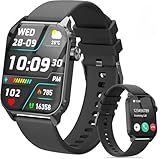
- 1.83" HD Display and Custom Watch Faces: Enjoy a bright 1.83 inch screen with 240x284 resolution. Change watch faces freely to match your style, whether casual, sporty, or professional. Clear visuals and elegant design for any occasion.
- 120 Workout Modes and Health Tracking: Track over 120 activities including walking, running, and cycling. Monitor your heart rate and sleep quality continuously. Step counting starts after 20 steps to avoid false records. A complete wellness companion for daily fitness.
- IP67 Waterproof and Long Battery Life: Rated IP67 to resist sweat, rain, and splashes. The 350mAh battery lasts 5 to 7 days of normal use and up to 30 days on standby. Reliable for workouts, travel, and daily wear.
- Bluetooth Calling and Wide Compatibility: Make and answer calls from your watch. Control music and your phone's camera remotely. Works with iPhone iOS 9.0 and above and Android 5.0 and above. A smart, all in one watch for easier living.
- Alexa Built-in and Smart Notifications: Talk to Alexa directly from your wrist. Get real time alerts for calls, messages, and apps like Facebook and WhatsApp. Supports 15 languages. Stay connected without picking up your phone.
OLED image retention and burn-in risk
OLED pixels can age unevenly when bright, static elements remain in the same positions for long periods. Temporary image retention can disappear; permanent burn-in is more persistent uneven organic-pixel aging. Modern systems reduce risk with pixel shifting, dimmed graphics, lower brightness, simplified faces and limits on illuminated areas.
Samsung says its always-on watch faces move by a few pixels periodically to help prevent OLED burn-in (Samsung watch-face states). Wear OS exposes a burnInProtectionRequired condition and instructs developers to shift elements and avoid solid white areas (Wear OS Always On documentation). These safeguards reduce risk; they do not make uneven wear impossible.
Recommended Free Tools
Less current information
AOD may hide or freeze rapidly changing information. A stopwatch, heart-rate value or workout distance may not update continuously in ambient mode. If you need second-by-second data, wake the interactive screen.
Reduced visibility
A dimmed display can be harder to read in direct sunlight, at an angle, through dark sunglasses, under clothing or at very low brightness. Theater, sleep or privacy modes can suppress it as well.
Does AOD damage the battery or screen?
AOD is not inherently harmful to the battery, but it increases energy consumption and can lead to more frequent charging. More charging cycles may contribute indirectly to long-term battery aging, but no defensible universal percentage of battery-health loss can be attributed to AOD. Temperature, charging habits, battery chemistry, charge level, workload and age also matter.
AOD can increase exposure to conditions associated with uneven OLED wear, but it does not automatically cause burn-in. Use the default ambient face, dark minimalist designs and moderate brightness if longevity is important. Turn AOD off overnight or when it provides no benefit, and consider a reflective or MIP watch if multi-day or multi-week endurance outweighs vivid graphics.
Windows Errors? Fix Them Before They Spread
Repair common Windows errors and clear accumulated junk for a smoother, more stable PC - no reinstall needed.Free scan · no reinstallOutdated Drivers Are Slowing You Down
One free scan finds every outdated or missing driver and matches the right update for your exact hardware.Free scan · exact hardware matchBest Value

- 【120 Sports Modes & Advanced Health Tracking】Our TG08 smart watches for women men come equipped with 120 sports modes, allowing you to effortlessly track a variety of activities such as walking, running, cycling. With integrated heart rate and sleep monitors, you can maintain a comprehensive overview of your health, achieve your fitness goals, and maintain a balanced, active lifestyle with ease. Your ideal wellness companion (Note: Step recording starts after exceeding 20 steps)
- 【1.83" HD Display & Customizable Watch Faces】Immerse yourself in a vibrant 1.83-inch IPS display, boasting a sharp resolution of 240*284 for crystal-clear visuals. Effortlessly personalize your smart watch with a wide array of customizable watch faces to suit your personal style for every occasion—whether trendy, artistic, or minimalist—ideal for casual, sporty, or professional. Its sleek, modern design complements any outfit, blending technology and fashion seamlessly for everyday wear
- 【Stay Connected Anytime, Anywhere】Stay informed and in control with Bluetooth call and music control features. Receive real-time notifications for calls, messages, and social media apps like Facebook, WhatsApp, Twitter, and Instagram directly on your smartwatch. Easily manage calls, control your music playlist, and stay updated without needing to reach for your phone. Perfect for work, workouts, or on-the-go, this watch keeps you connected and never miss important updates wherever you are
- 【IP67 Waterproof & Long-Lasting Battery】Designed to keep up with your active lifestyle, this smartwatch features an IP67 waterproof rating, ensuring it can withstand splashes, sweat, and even brief submersion, making it perfect for workouts, outdoor adventures, or rainy days. Its reliable 350mAh battery offering 5-7 days of active use and up to 30 days in standby mode, significantly reducing frequent charging. Ideal for all-day wear, whether you’re at the gym, outdoors, or simply on the go
- 【Multifunction & Wide Compatibility】Seamlessly handle heart rate monitoring, sleep tracking, and enjoy conveniences like camera/music control, Seamlessly handle heart rate monitoring, sleep tracking, and more-all directly from your wrist. This 1.83 inches HD smartwatch is compatible with iPhone (iOS 9.0+) & Android (5.0+), ensuring smooth daily connectivity and convenience throughout your day. More than just a timepiece, it’s a stylish, all-in-one wearable for smarter, healthier living
How to turn AOD on or off
Apple Watch
- Open Settings on the watch.
- Tap Display & Brightness.
- Scroll to Always On.
- Turn the feature on or off.
Apple currently lists Always On for Apple Watch Series 5 and later, Apple Watch Ultra and later, and Apple Watch SE 3; Apple Watch SE 2 is excluded on the referenced support pages. Confirm your exact model and software because availability can change (Apple support; Apple Watch user guide).
Wear OS watches
- Wake the watch if necessary.
- Swipe down from the top of the screen.
- Tap Settings.
- Tap Display.
- Turn Always-on screen on or off.
A companion-phone app may place the control under Advanced Settings. Labels and locations vary by manufacturer (Google Wear OS support).
Google Pixel Watch
- Swipe down from the watch face.
- Tap Settings.
- Tap Display.
- Turn Always-on Display on or off.
Google recommends disabling it to extend battery life and suggests Bedtime mode for reducing overnight drain and interruptions (Pixel Watch support).
Samsung Galaxy Watch
The exact menu depends on the One UI Watch version and model. Open the watch’s Settings, search for Display or Always On Display, and use the relevant toggle. Samsung’s developer documentation confirms a dedicated always-on state and burn-in-protection behavior, but it does not make one consumer menu path universal (Samsung documentation).
Quick wins for a faster PC:
Scan for outdated or missing drivers - takes under a minuteDriver Scan →Clear out junk files and repair common Windows errorsFree Scan →Garmin AMOLED watches
Garmin’s behavior is model-specific. The company warns that AMOLED Always On increases power consumption and notes that it is disabled by default during general use on the referenced Approach model (Garmin support). Check your model’s manual for separate general-use, activity, sleep and wrist-gesture settings.
When can AOD turn off automatically?
Depending on the watch, AOD may be suppressed by:
- Low Power Mode or Battery Saver.
- Theater or Cinema mode.
- Sleep or Bedtime mode.
- Very low battery.
- The watch being removed from your wrist or locked.
- The screen being covered.
- A privacy setting, unsupported app or unsupported watch face.
Apple specifically documents Low Power Mode, Theater Mode and covering the display as conditions that disable or suppress Always On (Apple support). These conditions are not identical across brands.
Should you turn Always-On Display on?
| Your priority or habit | Recommended setting | Reason |
|---|---|---|
| Frequent time checks and conventional watch feel | AOD on | Immediate glanceability |
| Running, cycling or timers where wrist gestures are awkward | AOD on, preferably with a purpose-built ambient face | Workout information remains easier to see |
| Maximum battery life or several days between charges | AOD off | Removes continuous display light |
| Sleep tracking and overnight battery conservation | AOD off or Sleep/Bedtime mode | Reduces overnight drain and visible light |
| Privacy-sensitive notifications or health complications | AOD off or sensitive-data controls enabled | Limits information visible at a glance |
| Reliable raise-to-wake and infrequent time checks | AOD off | Little convenience is lost |
| Bright static custom face and long-term OLED concerns | Dark minimalist face or AOD off | Reduces illuminated area and static exposure |
| Five-to-14-day endurance as the main goal | Reflective/MIP or solar-oriented display | These designs reduce reliance on OLED illumination, with trade-offs in color and animation |
How to reduce AOD battery drain and screen wear
- Choose a dark, minimalist watch face with few bright complications.
- Reduce brightness where readability permits.
- Disable AOD during sleep or other periods when you do not need it.
- Use Bedtime, Sleep, Theater or Battery Saver modes when appropriate.
- Avoid unusually bright, static custom faces.
- Keep watch software current.
- Use controls such as Hide Sensitive Complications where available.
- Test the default watch face if AOD behaves unexpectedly.
- Turn AOD off if the watch no longer completes the day or your sleep-tracking window.
AOD troubleshooting checklist
- Confirm that AOD is enabled.
- Turn off Theater or Cinema mode.
- Check Low Power or Battery Saver mode.
- Check Bedtime or Sleep mode.
- Make sure the watch is unlocked and worn correctly.
- Test the default watch face.
- Check whether the current app supports ambient mode.
- Install available software updates.
- Restart the watch.
- Consult the manual for your exact model.
What to compare when buying an AOD smartwatch
Do not compare only the manufacturer’s headline battery figure. Check:
- AMOLED/OLED versus reflective or MIP display technology.
- Whether AOD shows a full dimmed face, a simplified face or a monochrome clock.
- Battery endurance with AOD enabled, not only with it disabled.
- Charging time and whether charging fits your routine.
- Workout AOD behavior and whether metrics remain current.
- Privacy controls for notifications and health complications.
- Burn-in safeguards such as pixel shifting and ambient-face limits.
- Outdoor readability and low-light performance.
- Phone compatibility and any LTE requirements.
- Software-support horizon and practical battery replacement options.
Apple Watch is the natural AOD comparison for iPhone owners (Apple Watch). Android buyers can compare Samsung Galaxy Watch (Samsung watches), Google Pixel Watch (Google Store), Garmin AMOLED and reflective models (Garmin wearables) and other Wear OS watches (Wear OS) according to compatibility, workout features and endurance—not AOD alone.
Quick Recap
Product prices and availability are accurate as of the date/time indicated and are subject to change. Any price and availability information displayed on Amazon at the time of purchase will apply.




