WHOOP’s most useful lesser-known features are practical ones: charging while you wear the device, choosing a suitable placement, tracking strength training, and tailoring the app to your routines. Availability and menu labels can vary by device, membership, operating system, and app rollout, so check the current app if a path differs.
1. Charge without leaving a tracking gap
Use the charger made for your device: WHOOP 4.0 uses its 4.0 Battery Pack, while WHOOP 5.0 and WHOOP MG use the Basic Charger or Wireless PowerPack. The Wireless PowerPack supports on-wrist charging for 5.0 and MG; the wired Basic Charger is for off-wrist charging. Chargers are not interchangeable between 4.0 and 5.0/MG.
- Check the app to confirm charging has started; an attached pack may not be aligned or charging.
- Keep the device and charging contacts dry. Do not wear a wired charger.
- If charging stops, realign the pack and try another power source. Check for firmware updates and follow WHOOP’s accessory troubleshooting guidance.
WHOOP lists approximately five days of battery life for 4.0 and approximately 14 days for 5.0 and MG. These are manufacturer estimates, not guarantees. Slight warmth during charging can be normal; excessive heat is not. If you notice an isolated skin-temperature change while charging overnight, remove the charger and compare later readings. This is a troubleshooting check, not a confirmed WHOOP rule or a diagnosis.
Source: WHOOP battery and charging guidance.
2. Choose a placement that suits the activity
The wrist is the default placement and is best for Steps. WHOOP recommends wearing the device snugly about one finger-width above the wrist bone; if the green sensor lights are visible, the fit is too loose. For activities with a lot of wrist motion, such as weightlifting, boxing, or rowing, an alternate placement or WHOOP Body apparel may be more practical. A bicep band is an option, not a universally more accurate replacement.
Quick wins for a faster PC:
Fix the driver behind crashes, sound loss and screen glitchesFind Drivers →Repair Windows errors before they cause bigger problemsFix Now →Scan for outdated or missing drivers - takes under a minuteDriver Scan →#1 Best Overall

- What You Get - A 12-month membership, WHOOP 5.0 device, a SuperKnit band, and a waterproof* Wireless PowerPack. Choose from a range of band and accessory combinations, and add a waterproof Wireless PowerPack for on-the-go charging.
- HSA/FSA Eligible - All 12-month WHOOP memberships and battery packs qualify for HSA/FSA reimbursement.
- Screenless, Distraction-Free - No screen, no buzzing notifications. WHOOP focuses entirely on your health and performance, with up to 14+ day battery life so you can wear it around the clock.
- Healthspan with Pace of Aging - Understand how your daily habits shape long-term health. Healthspan measures your WHOOP Age and Pace of Aging so you can take science-backed action to slow biological aging and extend your prime years.
- 24/7 Health Insights - WHOOP monitors your heart rate every second of every day, delivering personalized Sleep, Strain, Recovery, VO2 max, Menstrual Cycle, and Heart Rate insights along with a Real-time Stress Monitor that pinpoints your stressors and shows how your body responds in the moment, so you can make better decisions about training, rest, and daily performance.
WHOOP MG ECG readings require wrist wear, dry skin, and an ECG-compatible band. Steps may be less accurate when the device is worn on the bicep or in apparel.
Source: WHOOP accuracy guidance and WHOOP Steps guidance.
3. Clean the band and sensor the right way
Care depends on band material. WHOOP recommends washing SuperKnit and CoreKnit with soap and water and air-drying completely; SportFlex can be wiped with a damp cloth; LeatherLuxe should not be submerged; and CloudKnit should be hand-washed gently and laid flat to dry. Clean the sensor underside two or three times per week. Vinegar is not part of WHOOP’s standard care instructions.
Rinse off sweat, sunscreen, chlorine, or other residue as appropriate, and let the band dry fully. If your skin becomes irritated, remove the device, clean and dry the area, and consider rotating placement or using a more breathable band.
Source: WHOOP wash and care instructions.
4. Give strength workouts better context with Strength Trainer
Heart-rate-based Strain can miss some of the muscular work in resistance training. WHOOP supports automatic strength-activity estimation, linking exercises after an activity, and detailed Strength Trainer logging. Manual workout entry takes longer, but records exercise, sets, reps, and weight for a more specific estimate of muscular load. Strength Trainer is available on WHOOP 4.0 and newer devices.
Rank #2
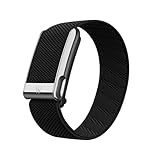
- What You Get - A 12-month membership, WHOOP MG device, a SuperKnit Luxe band, and a waterproof* Wireless PowerPack. Choose from a range of band and accessory combinations, and add a waterproof Wireless PowerPack for on-the-go charging.
- HSA/FSA Eligible - All 12-month WHOOP memberships and battery packs qualify for HSA/FSA reimbursement.
- Screenless, Distraction-Free - No screen, no buzzing notifications. WHOOP focuses entirely on your health and performance, with up to 14+ day battery life so you can wear it around the clock.
- Heart Screener with On-Demand ECG - Take an ECG reading from your wrist in seconds to check for signs of atrial fibrillation. Heart Screener gives you a medical-grade view of your heart rhythm whenever you need it.
- 24/7 Health Insights - WHOOP monitors your heart rate every second of every day, delivering personalized Sleep, Strain, Recovery, VO2 max, Menstrual Cycle, and Heart Rate insights along with a Real-time Stress Monitor that pinpoints your stressors and shows how your body responds in the moment, so you can make better decisions about training, rest, and daily performance.
- Start an activity and select Strength Trainer, or let WHOOP detect the strength activity.
- Choose a saved or prebuilt workout, or create a routine.
- Enter exercises, sets, reps, and weights.
- Review the activity and its muscular and cardiovascular load afterward.
Source: WHOOP Strain guidance.
5. Change measurement units without changing your profile casually
To switch between Imperial and Metric presentation, tap your profile picture, tap the edit icon, change Units under profile information, and save. Avoid changing height or weight simply to alter displayed units: WHOOP says those profile measurements can affect Strain and Recovery calculations.
Source: WHOOP profile instructions.
6. Use Sleep Planner as a changing plan, not a fixed bedtime
Sleep Planner takes baseline sleep need, recent Strain, sleep debt, naps, and circadian information into account. WHOOP says accurate recommendations require three previous days of sleep data. Its goals include Peak (100% of Sleep Need), Perform (85%), Get By (70%), Improve My Sleep, and Reach My Sleep Goal. Recommendations can change with your recent data and selected goal.
Source: WHOOP Sleep Planner overview.
7. Set the haptic alarm for the kind of wake-up you want
- From Home, tap Tonight’s Sleep and open Sleep Planner.
- Turn on the alarm and choose Exact Time, Sleep Goal, or In the Green.
- Choose the goal and latest wake time, then save.
WHOOP says Sleep Goal and In the Green alarms can go off within the hour before the latest wake time. The alarm vibrates for 30 seconds, has no snooze, and can be turned off by double-tapping the device. Device behavior and app wording may vary, so confirm the available options in your app.
Windows Errors? Fix Them Before They Spread
Repair common Windows errors and clear accumulated junk for a smoother, more stable PC - no reinstall needed.Free scan · no reinstallOutdated Drivers Are Slowing You Down
One free scan finds every outdated or missing driver and matches the right update for your exact hardware.Free scan · exact hardware matchSource: WHOOP haptic alarm guidance.
8. Make Journal insights more useful by tracking consistently
The Journal covers behaviors such as alcohol, caffeine, late meals, symptoms, medication, supplements, recovery activities, and sleep habits. Customize the list and track a manageable number consistently rather than changing several habits at once. Record yes and no answers accurately; WHOOP requires at least five yes and five no responses for a behavior-level Recovery Impact within 90 days.
Review the Journal’s Insights or Impacts after enough entries accumulate. Treat results as correlations, not proof that a behavior caused a Recovery change. If several behaviors always happen together, the Journal cannot reliably separate their effects.
Rank #3
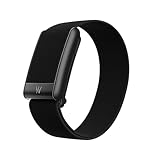
- What You Get - A 12-month membership, WHOOP 5.0 device, a CoreKnit performance band, and a Basic Charger. Choose from a range of band and accessory combinations, and add a waterproof Wireless PowerPack for on-the-go charging.
- HSA/FSA Eligible - All 12-month WHOOP memberships and battery packs qualify for HSA/FSA reimbursement.
- Screenless, Distraction-Free - No screen, no buzzing notifications. WHOOP focuses entirely on your health and performance, with up to 14+ day battery life on WHOOP 5.0 so you can wear it around the clock.
- 24/7 Health Insights - WHOOP monitors your heart rate every second of every day, delivering personalized Sleep, Strain, Recovery, VO2 max, Menstrual Cycle, and Heart Rate insights along with a Real-time Stress Monitor that pinpoints your stressors and shows how your body responds in the moment, so you can make better decisions about training, rest, and daily performance.
- Understand the Impact of Your Habits - Capture 300+ daily behaviors like training, diet, consistent wake time, stress levels, and more with the WHOOP Journal to understand how habits help or hurt your Recovery.
Source: WHOOP Journal overview and WHOOP Journal support guidance.
9. Customize the dashboard and hide distracting metrics
To customize My Dashboard, open Home, scroll to My Dashboard, tap the pencil icon, select and reorder metrics, then save. Depending on what you track, useful options may include Sleep Debt, Time in Bed, restorative sleep, HR zones, or Steps.
WHOOP’s app also includes Data Highlights and Streaks, and Tilt Mode provides a horizontal view when phone orientation settings allow it. To hide selected metrics, open More, then App Settings, then Hide Metrics. Hiding a metric changes what you see; it does not stop the device from collecting data.
Source: WHOOP mobile app navigation and WHOOP hidden-features guide.
10. Connect WHOOP to the apps and services you already use
Integration options differ by phone. On Android, Health Connect can import and export selected health data; on iPhone, Apple Health can sync items including Recovery metrics, activities, heart rate, sleep sessions, height, and weight. Avoid allowing multiple apps to write the same workout data if it creates duplicates.
Rank #4

- Simple & Screen-Free Design – Easy to use and ultra-lightweight, comfortable for all-day wear without the distraction of a screen
- Powerful Health Monitoring – Accurately tracks heart rate, blood pressure, blood oxygen, HRV, sleep quality, and stress levels to help you better understand your body
- 100+ Sports Modes – Supports a wide range of fitness activities with precise tracking, making it your reliable companion for workouts and daily movement
- Ultra-Long Battery Life – Just 2 hours of charging powers up to 47 days of standby, so you can focus on your goals without constant recharging
- No Subscription Required – Enjoy all features with the free app, fast syncing, and easy Bluetooth connection—no hidden costs
WHOOP also supports a Strava integration for cardio activities and related data. Heart Rate Broadcast can share heart rate with compatible equipment and apps; turn it off when you do not need it because broadcasting can increase battery use.
The Tool Desk
Outbyte Driver Updater FREEScan for outdated or missing drivers - takes under a minuteDriver Scan →Outbyte PC Repair FREEClear out junk files and repair common Windows errorsFree Scan →- For Android, update WHOOP, open More, select Integrations, choose Health Connect, and grant only the permissions you want.
- For iPhone, open the Apple Health integration in WHOOP and review which data categories can be shared.
- For Heart Rate Broadcast, tap the device indicator on Home, open Device Settings, then Status, and enable the option. Confirm compatibility with the receiving app or equipment.
Some advanced metrics are not exported through Health Connect. Integration permissions and available data can change, so review the current settings before relying on a sync.
Sources: WHOOP Health Connect guidance, Apple Health guidance, Strava guidance, and WHOOP Heart Rate Broadcast examples.
Independent reader supportYour contribution helps us test, update, and keep practical guides available for everyone.Models, memberships, and app versions
These tips are intended for WHOOP owners, but features are not identical across devices and plans. WHOOP One includes core Sleep, Strain, Recovery, Steps, VO₂ Max, Strength Trainer, and HR Zones. Peak adds Health Monitor, Stress Monitor, and Healthspan. Life adds features including Blood Pressure Insights and ECG/Heart Screener, subject to age and regional restrictions. MG ECG functionality also has specific wrist and band requirements.
The current app uses Home sections such as My Day, My Plan, and My Dashboard, plus Health, Community, and More. Labels can shift during app rollouts, and operating-system requirements differ. Check WHOOP’s current app requirements and membership comparison if a feature or menu is missing.
What’s actually slowing this PC down?
Pick the symptom - the matching free tool is one click away.
Best Value

- Google Fitbit Air is the unbelievably comfortable, exceptionally smart way to transform your health[1]; and Google Health brings together effortless tracking and adaptive coaching to help make the most of your everyday[2]
- Unlock more with Google Health Premium: With a premium membership, get personalized coaching that’s built with Gemini and adapts to your life[2]; get a 3-month trial at no cost to you[5] (Google Health Premium subscription sold separately)
- Comfortable fit - One Size Tracker (130-210 mm): The lightweight, micro-adjustable fit sits comfortably and quietly, so you can wear Google Fitbit Air through work, play, and sleep; advanced sensors and new algorithms power more accurate, precise health tracking, 24/7[1]
- Designed for every occasion: With no screen to distract you or disrupt your style, your tracker moves seamlessly from bracelet to workout band to sleep band, and you can change looks in seconds – just press the pebble in, click, and go
- Long battery life: Google Fitbit Air’s battery lasts up to a week, and fast charging gets you one day of battery life in just five minutes[6,7]
Sources: WHOOP membership comparison, app navigation, and app software requirements.
FAQ
Is a bicep band more accurate than wrist wear?
Not in every situation. Wrist is the default and preferred for Steps; alternate placement can help with high-motion activities. Choose based on the activity and the feature you need.
Can I shower with WHOOP?
WHOOP’s care guidance allows washing its bands with soap and water. Dry the band and skin fully, and follow the care instructions for your specific material. If showering causes irritation, remove it and let the area dry.
Does Journal Recovery Impact prove a habit caused a score change?
No. WHOOP describes behavior impacts as correlations. Track consistently, avoid bundling behaviors that always occur together, and do not treat an association as proof of cause.
Recommended Free Tools
Why can’t I find a WHOOP feature in my app?
It may depend on your device, membership, phone operating system, or app version. Check current WHOOP support guidance and confirm that your app is up to date.
Quick Recap
Product prices and availability are accurate as of the date/time indicated and are subject to change. Any price and availability information displayed on Amazon at the time of purchase will apply.