Do these 3 things before closing this tab:
1Repair Windows errors before they cause bigger problems2Fix the driver behind crashes, sound loss and screen glitches3Clear out junk files and repair common Windows errorsFor most new buyers, the Apple Watch Ultra 2 is the better choice in 2026. It has a brighter display, S9 chip, Double Tap, on-device Siri, 64GB of storage, second-generation Ultra Wideband, sleep-apnea notifications, and a longer Low Power Mode rating. More importantly, Apple has announced watchOS 27 compatibility for Ultra 2 but not for the first-generation Apple Watch Ultra.
That does not make Ultra 2 a dramatic redesign. The two watches share almost the same 49mm titanium case, display size and resolution, GPS hardware, core health sensors, water resistance, durability ratings, and 36-hour standard battery rating. An existing Ultra owner does not need to upgrade for better GPS, diving hardware, or ordinary performance alone.
This comparison is updated for August 9, 2026. Prices, refurbished stock, regional health features, Blood Oxygen availability, and Apple’s software plans can change. One naming note: “Apple Watch Ultra” here means the first-generation Ultra released in 2022, not Apple Watch Series 1.
Apple Watch Ultra vs Ultra 2: the short answer
| Buyer | Best choice | Why |
|---|---|---|
| First-time Ultra buyer | Ultra 2 | Longer announced software support, newer chip, sleep-apnea notifications, brighter display, Double Tap, and more storage. |
| Existing Ultra 1 owner | Keep the Ultra 1 if its battery is healthy | The hardware upgrade is modest. GPS, core sensors, case, water resistance, and standard battery rating are essentially unchanged. |
| Existing Ultra 1 owner who wants the longest runway | Consider Ultra 2 | The first-generation Ultra is supported by watchOS 26 but is excluded from Apple’s announced watchOS 27 compatibility list. |
| Buyer whose Ultra 2 price approaches $799 in the U.S. | Compare Ultra 3 | Ultra 3 is the current new flagship and adds satellite communications, 5G, a 42-hour regular-use rating, and newer display and health hardware. |
Apple announced the original Ultra on September 7, 2022, with availability beginning September 23, 2022. Ultra 2 was announced on September 12, 2023, and became available on September 22, 2023. Apple’s current U.S. Ultra 2 specification page displays “Year introduced: 2024,” which conflicts with Apple’s 2023 launch announcement; the launch announcement is the more useful date for comparing the generations.
Both models are discontinued as current flagship products. They remain relevant through used and refurbished markets, including Apple’s refurbished Ultra 2 listings. Apple’s current new Ultra is Ultra 3, so do not compare a heavily priced Ultra 2 with Ultra 1 without also checking the current Apple Watch lineup.
#1 Best Overall
![Apple Watch Ultra 2 [GPS + Cellular, 49mm] - Titanium Case With White Ocean Band, One Size (Renewed)](https://m.media-amazon.com/images/I/41gGnPrmuQL._SL160_.jpg)
- WHY APPLE WATCH ULTRA 2 — Rugged, capable, and built to meet the demands of endurance athletes, outdoor adventurers, and water sport enthusiasts — with a specialized band for each. The S9 SiP enables a superbright display and a magical new way to quickly and easily interact with your Apple Watch without touching the display. Up to 36 hours of battery life and 72 hours in Low Power Mode.
- CARBON NEUTRAL — Apple Watch Ultra 2 paired with the latest Alpine Loop or Trail Loop is carbon neutral. Learn more about Apple’s commitment to the environment at apple.com/2030.
- EXTREMELY RUGGED, INCREDIBLY CAPABLE — 49mm corrosion-resistant titanium case. Large Digital Crown and Customizable Action button for instant control over a variety of functions. 100m water resistance.
- BIGGEST, BRIGHTEST DISPLAY YET — Apple’s brightest Always-On Retina display is easy to see, even in direct sunlight. More room for adding complications to customize your watch face and enough space to view six metrics at once.
- THE FREEDOM OF CELLULAR — Cellular is built in. You can call and text without your iPhone, even overseas with international roaming. Stream your favorite music and podcasts. Get directions with Maps.
Quick comparison: Ultra 1 vs Ultra 2
| Feature | Apple Watch Ultra | Apple Watch Ultra 2 |
|---|---|---|
| Launch | September 2022 | September 2023 |
| Case | 49mm natural titanium | 49mm natural or black titanium |
| Dimensions | 44mm wide, 12mm deep | 44mm wide, 12mm deep |
| Weight | 61.3g | 61.4g natural titanium; 61.8g black titanium |
| Display | 410 × 502 pixels; 1,185mm²; up to 2,000 nits | 410 × 502 pixels; 1,185mm²; up to 3,000 nits; minimum 1 nit |
| Processor | S8 SiP | S9 SiP with four-core Neural Engine |
| Storage | 32GB | 64GB |
| Double Tap | No | Yes |
| Siri | More dependent on a network connection | On-device processing for supported requests that do not require internet access |
| Ultra Wideband | First-generation U1 chip | Second-generation Ultra Wideband chip |
| Sleep-apnea notifications | No | Yes, where supported and with the required setup |
| Normal-use battery rating | Up to 36 hours | Up to 36 hours |
| Low Power Mode rating | Originally up to 60 hours | Up to 72 hours |
| GPS | L1 + L5 dual-frequency GPS | L1 + L5 dual-frequency GPS |
| Water resistance | 100m; recreational diving to 40m with compatible support | 100m; recreational diving to 40m with compatible support |
| Dust resistance | IP6X | IP6X |
| MIL-STD testing | Selected MIL-STD 810H subsections | Selected MIL-STD 810H subsections |
| Current software | watchOS 26 supported; watchOS 27 excluded from Apple’s announced list | watchOS 26 supported; watchOS 27 compatibility announced |
Specification details come from Apple’s first-generation Ultra technical specifications and Ultra 2 technical specifications. Availability of individual features varies by country, watch model, software, iPhone, carrier, age, language, and regulatory approval.
What actually changed on Ultra 2?
1. Ultra 2 has a brighter display, not a larger one
The original Ultra’s always-on LTPO OLED display reaches up to 2,000 nits. Ultra 2 raises Apple’s stated maximum to 3,000 nits, which Apple describes as 50% brighter. This is a maximum brightness specification, not a guarantee that every scene will appear 50% brighter in ordinary use.
The difference is most useful in direct sunlight and high-glare environments: desert hiking, snow, boating, climbing, or outdoor workouts. If your Ultra 1 is already easy to read in your normal surroundings, the display alone is unlikely to justify an upgrade.
Quick wins for a faster PC:
Fix the driver behind crashes, sound loss and screen glitchesFind Drivers →Clear out junk files and repair common Windows errorsFree Scan →Ultra 2 also supports a minimum brightness of 1 nit and can temporarily boost the flashlight by rotating the Digital Crown. Those are practical refinements, but the display is not larger or sharper. Both watches have a 410-by-502-pixel display, 1,185 square millimeters of display area, always-on capability, and a flat sapphire crystal.
For the newer display architecture and larger active screen, you need to look at Ultra 3 rather than Ultra 2. See Apple’s Ultra 2 announcement and Ultra 3 announcement for the respective display claims.
2. The S9 chip enables features more than it transforms speed
Ultra 1 uses Apple’s S8 system-in-package, while Ultra 2 uses the S9 SiP with a four-core Neural Engine. Ultra 2 can feel newer in supported interactions, but Apple’s most important improvement is feature enablement rather than a radically different watchOS experience.
Do not rely on unsupported claims that Ultra 2 is a certain percentage faster. There is no single real-world speed figure that describes every app, workout, animation, or background task. Launch-era comparisons from MacRumors, Macworld, and Tom’s Guide broadly treated Ultra 2 as a minor upgrade for existing Ultra owners. That remains a fair description of the hardware difference, although the 2026 software situation changes the buying calculation.
3. Double Tap is exclusive to Ultra 2
On Ultra 2, tap the index finger and thumb of the watch hand together twice to trigger the primary action in supported contexts. Apple introduced the feature with watchOS 10.1, but the original Ultra does not support Apple’s official Double Tap gesture.
Depending on the app or screen, Double Tap can:
- Answer or end a call
- Pause, resume, or end a timer
- Stop or resume a stopwatch
- Snooze an alarm
- Play or pause music, podcasts, or audiobooks
- Open and scroll through the Smart Stack
- Activate Camera Remote
- Handle certain notifications and their primary actions
It is not a universal gesture. Apple specifically limits or excludes it in experiences such as ECG, Heart Rate, Blood Oxygen, Sleep Focus, Maps while navigating, active workouts, and SOS features. It is most valuable when your other hand is occupied—not because it changes the watch’s core tracking capabilities. Apple’s Double Tap announcement lists the supported actions and limitations.
4. On-device Siri works for supported offline requests
Ultra 2 can process supported Siri requests on the watch itself. Tasks that do not require current internet information—such as starting a workout or setting a timer—do not need to rely on Wi-Fi or cellular connectivity in the same way. Apple also added the ability to access and log Health data with Siri on supported software.
That does not mean every Siri request works offline. Weather, web information, streaming, and other internet-dependent requests still need connectivity. Language and regional availability can vary. Apple’s information on Siri and Health data explains the feature more precisely.
Apple’s announced watchOS 27 AI-related Siri features also have additional requirements, including a compatible Apple Intelligence-enabled iPhone nearby. Ultra 1 is excluded from watchOS 27, so it will not receive those features through that update.
5. Ultra 2 doubles the storage
Ultra 1 has 32GB of storage; Ultra 2 has 64GB. The extra capacity is useful if you download substantial collections of music, podcasts, apps, or offline content for travel and workouts.
It does not improve GPS accuracy, health tracking, notifications, watch-face performance, or ordinary battery life. For a light user, storage is a minor difference. For a runner, traveler, or diver who keeps offline content on the watch, it can make Ultra 2 more convenient and less restrictive.
Rank #2
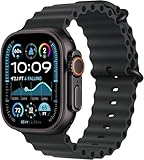
- Always‑On Retina LTPO OLED display
6. Ultra 2 has second-generation Ultra Wideband
Ultra 1 uses the first-generation U1 chip, while Ultra 2 uses a second-generation Ultra Wideband chip. The practical benefit is Precision Finding with a compatible iPhone and compatible accessories.
This is a useful ecosystem feature if you frequently misplace an iPhone or use Apple’s nearby-finding features. It is not a reason by itself for most Ultra 1 owners to upgrade, and it should not be confused with GPS: Ultra Wideband is for short-range precision finding, not outdoor route tracking.
7. Sleep-apnea notifications are a genuine health-feature difference
Ultra 2 supports Apple’s sleep-apnea notification feature; the first-generation Ultra is not listed as supported. The feature uses sleep and breathing-related data to identify possible signs of moderate-to-severe sleep apnea over time.
It is not a diagnosis or treatment. Apple says the feature is intended for people aged 18 or older who have not already been diagnosed with sleep apnea. It requires a supported watchOS version and iPhone software, sleep tracking, and at least 10 nights of wear during a 30-day evaluation period. Availability also varies by region.
To begin setup on the paired iPhone:
- Open Health.
- Tap Search.
- Tap Respiratory.
- Under Sleep Apnea Notifications, tap Set Up.
- Follow the age, diagnosis, sleep-tracking, and setup prompts.
Apple’s sleep-apnea support page contains the current conditions, while its setup guide provides the menu path.
Recommended Free Tools
8. Ultra 2 offers more Low Power Mode endurance, not more normal-use endurance
Both watches have Apple’s advertised rating of up to 36 hours of normal use. Ultra 2 is rated for up to 72 hours in Low Power Mode, compared with the original Ultra’s launch-era rating of up to 60 hours.
That distinction matters for multi-day hikes, travel, sleep tracking, and long periods away from a charger. Low Power Mode can reduce or disable some functions, however, so it should not be treated as equivalent to 72 hours of full-featured use.
For used watches, battery condition matters more than the original specification. GPS workouts, cellular use, weak signal, screen brightness, music playback, cold temperatures, and settings can all change actual endurance. Ask the seller for a screenshot from Settings → Battery → Battery Health. Apple does not publish a universal battery-health percentage that makes a used watch automatically “good” or “bad,” so evaluate the percentage against the price, warranty, and your intended use.
9. Ultra 2 adds black titanium
The first-generation Ultra was sold in natural titanium. Ultra 2 was available in natural titanium and added a black titanium finish. The case dimensions are otherwise the same, and the weight difference is negligible: 61.3g for the original, 61.4g for natural-titanium Ultra 2, and 61.8g for black Ultra 2.
What did not change?
Ultra 2 is not a redesigned case or a new class of outdoor instrument. The following areas are substantially shared:
- Case and ergonomics: both use a 49mm case that is 44mm wide and 12mm deep, with an Action button, Digital Crown, side button, siren, and dual speakers.
- Display format: both use a 410-by-502-pixel, 1,185mm² always-on LTPO OLED display protected by flat sapphire crystal.
- GPS: both have L1 and L5 dual-frequency GPS and support GPS, GLONASS, Galileo, QZSS, and BeiDou.
- Core health hardware: both include an electrical heart sensor, third-generation optical heart sensor, wrist-temperature sensor, ECG capability, accelerometer, gyroscope, depth gauge, water-temperature sensor, and ambient-light sensor.
- Water resistance: both are rated to 100 meters under ISO 22810 and support recreational diving to 40 meters with compatible software and apps.
- Dust resistance: both have an IP6X rating.
- Environmental testing: both were tested against listed MIL-STD 810H subsections. This is not a blanket guarantee against every type of damage and does not make either watch “military-grade.”
- Standard battery rating: both are rated for up to 36 hours of normal use.
Ultra 2 may produce a better result in an individual GPS test because of software, satellite conditions, terrain, fit, or power settings. But the published specifications do not establish a generational GPS-hardware advantage. Do not buy Ultra 2 expecting dramatically more accurate tracks.
Similarly, neither watch is waterproof. Water resistance can diminish through wear, impact, chemicals, heat, or damage. Apple’s 100-meter rating does not mean the watch can be taken to 100 meters underwater; Apple’s stated recreational-diving limit is 40 meters, with conditions. Follow appropriate dive procedures and use proper backup equipment rather than treating either watch as a professional dive computer by default. Apple provides additional water-resistance guidance.
Health features and the U.S. Blood Oxygen complication
Shared health hardware does not mean identical features
The underlying health sensor package is largely shared, but Apple can limit features by chip, software, iPhone, country, language, age, and regulatory approval. The most important Ultra 2-only health feature in this comparison is sleep-apnea notifications.
The Tool Desk
Outbyte PC Repair FREERepair Windows errors before they cause bigger problemsFix Now →Outbyte Driver Updater FREEFix the driver behind crashes, sound loss and screen glitchesFind Drivers →ECG, Blood Oxygen, emergency functions, cellular services, and health notifications should therefore be checked for the exact watch and region rather than inferred from the name printed on a listing.
Rank #3
![Apple Watch Ultra 2 [GPS + Cellular, 49mm] - Titanium Case With White Ocean Band, One Size (Renewed Premium)](https://m.media-amazon.com/images/I/41Zz0RXXruL._SL160_.jpg)
- 49mm (1.92") 502x410pixels, 326PPI, Always-On Retina LTPO OLED, Flat sapphire crystal display, 3000 nits brightness
- 64GB 1GB RAM, Apple S9 SiP with 64-bit dual-core processor, 4-core Neural Engine, PowerVR GPU, 564mAh Battery
- watchOS 10, upgradable to watchOS 10.4, Bluetooth 5.3, 100m water resistant (WR100), 40m swimproof/diving (EN13319)
- MIL-STD 810H certified, ECG certified, GPS (L1+L5), GLONASS, GALILEO, BDS, Third-generation optical heart sensor, Multiday battery life, up to 36 hours of normal use
- 3G: 850/ 700(AWS)/1900/2100, 4G LTE: 1/2/3/4/5/6/7/12/13/14/17/18/19/25/26/39/40/41/66 - eSIM. Cellular LTE model Compatible with GSM and CDMA Carriers like T-Mobile, AT&T, Verizon, etc. Contact Carrier to Register.
U.S. Ultra 2 units do not all have the same Blood Oxygen history
In the United States, do not assume every Ultra 2 has identical Blood Oxygen functionality. Apple announced in August 2025 that some U.S. Ultra 2 units originally sold without Blood Oxygen could receive a redesigned implementation through iOS 18.6.1 and watchOS 11.6.1. In that version, the data is calculated on the paired iPhone and displayed in the Health app. Previously purchased units that already had the original feature were not affected.
For a U.S. used purchase, check the exact unit’s region, purchase date, part-number suffix, and installed software. Apple’s model-identification information says that U.S. watches purchased on or after January 18, 2024, with part numbers ending in LW/A use iPhone-based Blood Oxygen analysis. This is a unit-specific and software-dependent issue, not a simple “Ultra 2 has Blood Oxygen” checkbox. Consult Apple’s U.S. Blood Oxygen update and model-identification page before paying extra for the feature.
The biggest difference in 2026: software support
At launch, the software difference was easy to dismiss. In 2026, it is central to the buying decision.
What’s actually slowing this PC down?
Pick the symptom - the matching free tool is one click away.
- watchOS 26: supported on both Ultra and Ultra 2, with the required iPhone and iOS combination.
- watchOS 27: Apple’s preview and compatibility list includes Ultra 2 and Ultra 3, but not the first-generation Ultra.
- Timing: as of August 9, 2026, watchOS 27 is announced as coming in the fall and is not yet a final public release. Apple can change features before release.
So Ultra 1 is not obsolete today: it remains compatible with watchOS 26. But it is at the end of Apple’s announced major-version support path, while Ultra 2 has at least the next announced compatibility milestone. This does not promise a specific number of future updates for Ultra 2, and software support is not the same as feature parity—some features can still require newer hardware, an eligible iPhone, a region, or a particular language.
Apple says watchOS 27 requires an iPhone 11 or later, or iPhone SE (2nd generation) or later, running iOS 27. For watchOS 26, Apple lists an iPhone 11 or later, or iPhone SE (3rd generation) or later, running iOS 26. Check Apple’s watchOS 27 page and watchOS 26 support page for the latest requirements before buying.
Which iPhones work with each Ultra?
The original launch requirements are not the same as the requirements for current software:
- Ultra 1 at launch: iPhone 8 or later with iOS 16 or later.
- Ultra 2 at launch: iPhone XS or later with iOS 17 or later.
- Current watchOS 26: iPhone 11 or later, or iPhone SE (3rd generation) or later, with iOS 26.
- Announced watchOS 27: iPhone 11 or later, or iPhone SE (2nd generation) or later, with iOS 27.
Neither watch is a normal Android-compatible smartwatch. Both require an iPhone for setup and ongoing Apple Watch use. Cellular capability also does not mean free connectivity: a compatible carrier plan is required, and international roaming, emergency calling, and Family Setup vary by country and carrier.
Quick wins for a faster PC:
Scan for outdated or missing drivers - takes under a minuteDriver Scan →Repair Windows errors before they cause bigger problemsFix Now →Which one should you buy?
Buy Ultra 2 if you are buying your first Ultra
Choose Ultra 2 unless the price gap is unusually large. It gives you the newer S9 platform, Double Tap, on-device Siri, 64GB storage, second-generation Ultra Wideband, sleep-apnea notifications, the brighter display, and the better announced software runway.
The original Ultra can still be an excellent watch, but its discount needs to compensate for its older battery, missing features, and exclusion from watchOS 27. A small saving is not enough when a refurbished Ultra 2 includes a warranty or materially better battery condition.
Buy Ultra 1 only at a substantial discount
Ultra 1 remains sensible when all of the following are true:
- The price is meaningfully below a comparable Ultra 2.
- Battery Health is strong enough for your workouts and sleep-tracking routine.
- The seller has a credible return policy or warranty.
- You only need the watchOS 26 feature set.
- You do not care about sleep-apnea notifications, Double Tap, on-device Siri, 64GB storage, or the brighter display.
- You accept that Apple’s announced watchOS 27 compatibility excludes it.
There is no universal discount percentage that makes every Ultra 1 worthwhile. A pristine watch with good battery health and a return window can be preferable to a cheaper, damaged watch with an unknown battery. Conversely, a low price is not a bargain if a degraded battery makes it unsuitable for GPS-heavy use.
PC Slower Than It Used to Be?
A free scan shows the junk files, broken settings and background clutter dragging Windows down - then fixes them in one click.Free scan · Windows 10 & 11Outdated Drivers Are Slowing You Down
One free scan finds every outdated or missing driver and matches the right update for your exact hardware.Free scan · exact hardware matchIf you already own Ultra 1, keep it when the hardware meets your needs
Do not upgrade solely for better GPS, water resistance, durability, case size, or ordinary battery life. Ultra 2 does not materially change those areas. Keeping Ultra 1 is particularly sensible when your battery remains healthy, you are satisfied with watchOS 26, and you do not need sleep-apnea notifications or the S9-exclusive features.
Older launch-era advice that Ultra 1 owners should not upgrade was reasonable because Ultra 2 was a modest hardware refresh. In 2026, the software cutoff changes the long-term calculation. Consider Ultra 2 if your Ultra 1’s battery is already affecting daily use, you want sleep-apnea notifications, you depend on Siri without reliable connectivity, Double Tap would help with one-handed use, or you want a longer announced major-version runway.
Compare Ultra 2 with Ultra 3 when the prices are close
Ultra 2 is not automatically the best current value. In the United States, Ultra 3’s current starting price is $799, although prices and configurations vary by country and seller. If a new, refurbished, or lightly used Ultra 2 approaches that figure, compare Ultra 3 directly.
Rank #4
![Apple Watch Ultra [GPS + Cellular 49mm] Titanium Case with Midnight Ocean Band, One Size (Renewed)](https://m.media-amazon.com/images/I/41NQgyV24pL._SL160_.jpg)
- WHY APPLE WATCH ULTRA - Rugged and capable, built to meet the demands of endurance athletes, outdoor adventurers, and water sports enthusiasts - with a specialized band for each. Up to 36 hours of battery life, plus all the Apple Watch features that help you stay healthy, safe, and connected.
- EXTREMELY RUGGED, INCREDIBLY CAPABLE - 49mm corrosion-resistant titanium case. Larger Digital Crown and more accessible buttons. 100m water resistance. Customizable Action button for instant physical control over a variety of functions.
- BIGGEST, BRIGHTEST DISPLAY YET- A bright Always-On Retina display that’s easy to see, even in direct sunlight. More room for adding complications to customize your watch face.
- FOR ENDURANCE ATHLETES - Advanced metrics in the Workout app, including Heart Rate Zones and Running Form. Precision dual-frequency GPS for accuracy, distance, route, and pace calculations. Trail Loop band is thin, light, and flexible, designed especially for runners.
- FOR OUTDOOR ADVENTURERS - Redesigned Compass app delivers all-new views and functionality. Mark your location with Compass Waypoints. Backtrack uses GPS to map where you’ve been so you can retrace your steps. Alpine Loop band is extremely rugged and secure to meet the needs of hikers and climbers.
Ultra 3 adds Emergency SOS via satellite, Messages and Find My via satellite, 5G cellular, up to 42 hours of regular-use battery life, a newer LTPO3 and wide-angle OLED display system, and newer health and software features. Ultra 2 remains attractive when it is clearly discounted, but it should not be treated as the current flagship merely because it is newer than Ultra 1.
How to safely buy a used or refurbished Ultra
The two generations look so similar that photographs, bands, and the natural titanium finish are not reliable proof. Use the watch itself and its model information.
1. Verify the model number
With the watch paired to an iPhone:
- Open the Apple Watch app.
- Tap My Watch.
- Tap General, then About.
- Find Model Number.
- Tap the part number beginning with “M” to reveal the five-digit A-number.
Apple lists these model identifiers:
| Model | North America / Europe / Asia-Pacific | Mainland China |
|---|---|---|
| Apple Watch Ultra | A2622 in North America; A2684 in Europe and Asia-Pacific | A2859 |
| Apple Watch Ultra 2 | A2986 | A2987 |
Regional identifiers and cellular compatibility matter. Check Apple’s official model-identification guide and do not rely only on the seller’s title, box, or serial-number photograph.
2. Check Battery Health
Ask to see Settings → Battery → Battery Health. Compare the result with the price and your intended use. A watch used for overnight sleep tracking and long GPS workouts needs more practical headroom than one worn mainly for notifications.
3. Test pairing and Activation Lock
The seller should erase the watch and remove Activation Lock. Ideally, pair it to your iPhone—or at least begin the pairing process—in front of you. If the watch requests the previous owner’s Apple Account credentials, do not buy it until the seller removes the lock.
4. Confirm cellular and regional status
Both Ultra models are GPS + Cellular products, but cellular service requires a compatible carrier plan. Check whether the model is suitable for your country, whether it is carrier-unlocked where relevant, and whether the advertised cellular functionality works with your carrier. International roaming and Family Setup are not identical everywhere.
5. Inspect the parts that are expensive to compromise
- Look for chips, deep scratches, or cracks in the sapphire crystal.
- Check the titanium case, display edges, Digital Crown, buttons, Action button, speakers, microphone, and siren.
- Confirm the depth gauge and water-temperature hardware have not been exposed to suspicious damage.
- Ask whether the watch has been repaired with non-genuine parts.
- Check whether AppleCare coverage or a seller warranty remains active.
- Confirm that the original fast-charging cable is included if that affects the price.
- Require a return window long enough to test charging, GPS, cellular, sleep tracking, and battery performance.
6. Check the U.S. Blood Oxygen situation if it matters
For a U.S. Ultra 2, verify the purchase date, model suffix, software, and the actual Blood Oxygen behavior rather than assuming it is present. This is especially important if a listing charges a premium for health features.
Common claims that need correction
- “Ultra 2 has better GPS.” The published GPS hardware is the same dual-frequency L1 + L5 system. Individual track results can differ, but there is no established generational GPS advantage.
- “Ultra 2 has much better battery life.” Both have a 36-hour normal-use rating. Ultra 2’s advantage is the 72-hour Low Power Mode rating, versus the original’s launch-era 60-hour rating.
- “Ultra 2 detects sleep apnea.” It can notify users about possible signs of moderate-to-severe sleep apnea under specific conditions. It is not a diagnosis.
- “Every Ultra 2 has Blood Oxygen.” U.S. availability depends on the unit, purchase date, part number, software, and implementation.
- “Both are military-grade.” Apple cites testing against selected MIL-STD 810H subsections. That is not a blanket military certification.
- “Both are waterproof.” They are water resistant, with stated activity and depth limits.
- “Ultra 1 is obsolete.” It still supports watchOS 26 as of this update, but Apple’s announced watchOS 27 compatibility excludes it.
- “Ultra 2 is future-proof.” It has a longer announced software runway than Ultra 1, but Apple has not promised a fixed number of future major updates.
Frequently Asked Questions
Is the Apple Watch Ultra 2 worth upgrading to from the original Ultra?
Usually not for GPS, durability, diving, case design, or normal battery life. It becomes more worthwhile if you need sleep-apnea notifications, Double Tap, on-device Siri, a brighter display, 64GB storage, better battery health, or the longer announced software runway provided by watchOS 27 compatibility.
Does the original Apple Watch Ultra support watchOS 27?
No. Apple’s watchOS 27 compatibility list includes Ultra 2 and Ultra 3, but not the first-generation Ultra. As of August 9, 2026, watchOS 27 is announced for the fall and has not yet reached its final public release.
Recommended Free Tools
Is Ultra 2 better than Ultra 1 for GPS or running?
Not because of a documented GPS hardware upgrade. Both use L1 and L5 dual-frequency GPS. Ultra 2 may produce different results in particular conditions because of software, environment, fit, or power settings, but the published specifications do not establish a meaningful generational advantage.
How can I tell whether a used Apple Watch is an Ultra 1 or Ultra 2?
Pair it with an iPhone, then open Apple Watch app → My Watch → General → About. Tap Model Number to reveal the A-number. Ultra models use A2622, A2684, or A2859; Ultra 2 uses A2986 or A2987, depending on region.
Should I buy Ultra 2 or Ultra 3?
Buy Ultra 3 if the Ultra 2 price approaches Ultra 3’s current U.S. starting price of $799. Ultra 3 adds satellite communications, 5G, up to 42 hours of regular-use battery life, and newer display and health hardware. Choose Ultra 2 when it is clearly cheaper and its features meet your needs.
The Bottom Line
The verdict
Ultra 2 is the safer all-around purchase in 2026. It is the better choice for a first-time buyer, especially when the price difference from a used Ultra 1 is moderate. Its hardware improvements are practical but incremental: a brighter display, S9 processing, Double Tap, on-device Siri, 64GB storage, newer Ultra Wideband, sleep-apnea notifications, and a 72-hour Low Power Mode rating.
Do these 3 things before closing this tab:
1Scan for outdated or missing drivers - takes under a minute2Repair Windows errors before they cause bigger problems3Fix the driver behind crashes, sound loss and screen glitchesUltra 1 is still a good value only at a deep discount and with verified battery health, a clean Activation Lock status, and a trustworthy return policy. It remains supported by watchOS 26, but Apple’s announced watchOS 27 cutoff makes its software runway the principal long-term drawback.
For an existing Ultra 1 owner, upgrading is optional rather than essential. Keep it if it is reliable and you do not need the exclusive features. Upgrade to Ultra 2 if battery degradation or software longevity matters—and compare Ultra 3 whenever Ultra 2 pricing gets close to the current flagship.
Quick Recap
Product prices and availability are accurate as of the date/time indicated and are subject to change. Any price and availability information displayed on Amazon at the time of purchase will apply.




